Customer Ratings & Reviews


- Model:
- SM-R530NZWAXAR
- SKU:
- 10851266
Rating by feature
- Sound Quality
Rating 4.5 out of 5 stars
- Battery Life
Rating 4.5 out of 5 stars
- Connectivity
Rating 4.6 out of 5 stars
to a friend

Just misses the mark
|Posted .This reviewer received promo considerations or sweepstakes entry for writing a review.The release of these new Samsung Galaxy Buds3 had Samsung fans like myself very excited to see how they could have made the fan favourite Buds better. I had never had the opportunity to use previous models but given all I'd heard, I did have high expectations for the Buds3, and unfortunately I have found them to be mediocre at best. I will give Samsung credit where credit is due and say that the easy first time setup, and then connectivity reliability going forward is phenomenal. I have yet to have any issues with randomly disconnecting like many other brands of headphones seem to have. The battery life of these buds also seems to be one of, if not the best of any earbuds I have ever used. I am able to wear them through a roughly 10 hour work day without having to dock them for a boost. Despite these earbuds being very reliable, I do have some complaints that honestly make me not recommend them. They are not ergonomic at all, the hard plastic could be so much better if they had a rubber coating or cover to make them stay in place better. For me the slide out of my ear pretty easily, and any sudden movements or bumping causes them to fall out. I have plenty of other earbuds that are way more comfortable and stay in place much better for around the same price point and I would gladly choose them over these. As I said I had high expectations of these but I feel like Samsung just missed the mark when it comes to comfort and ergonomics.
No, I would not recommend this to a friendBrand response from Samsung
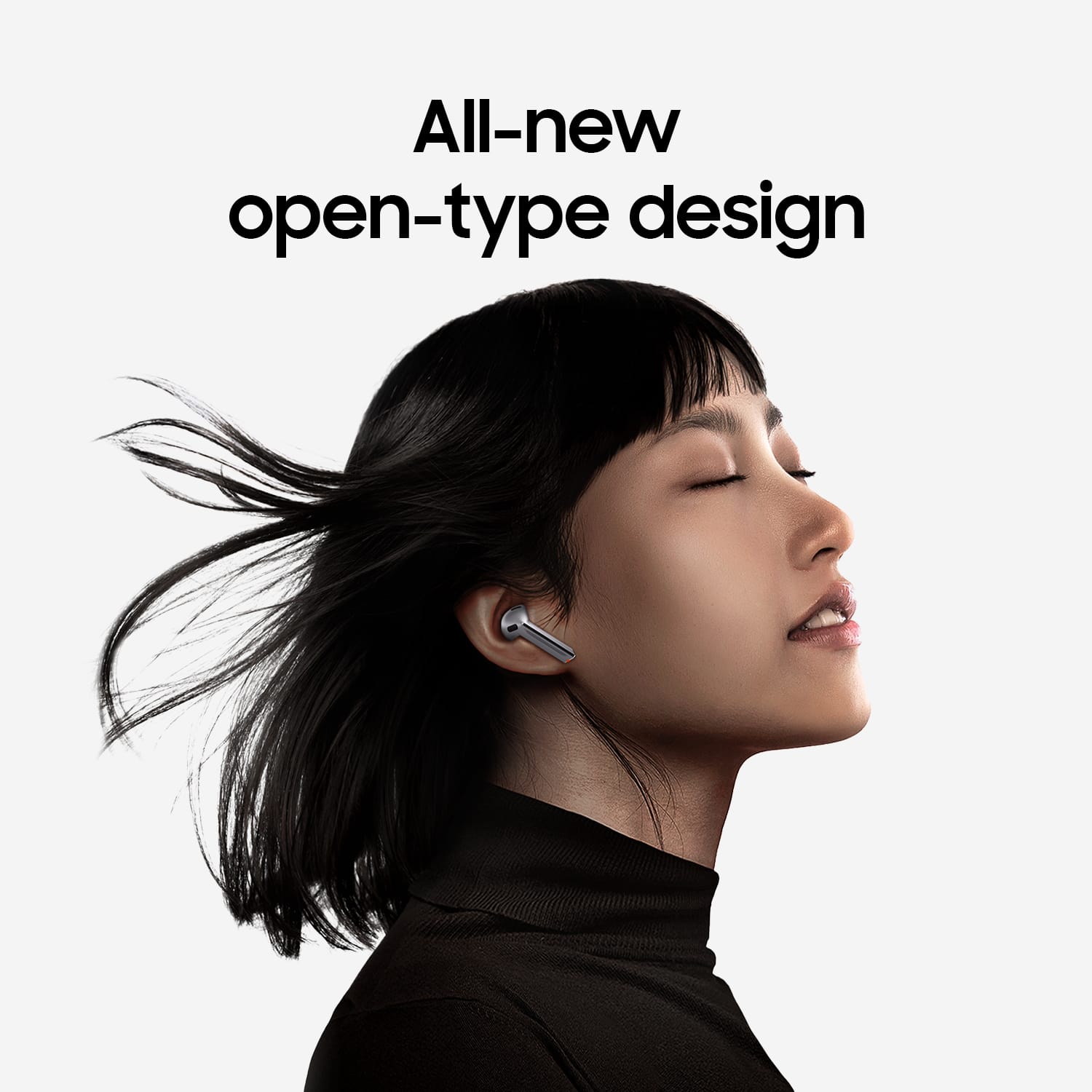
Posted .Salutations Katie, thanks for taking the time out of your busy schedule to share your thoughts with us about your Samsung Galaxy Buds3. We appreciate your candor as we make every effort to improve the design and functionality of our product line. Our goal is for our customers to feel like they are having the most ideal experiences while using our products. Samsung provides a 12-month warranty on our products for manufacturing defects in materials and workmanship. It's important to wear your earbuds properly for many reasons. You'll get better sound quality from them, they'll fit more comfortably, and they'll stay in your ears. Wearing them improperly can cause discomfort, sound leaks, and makes them more likely to fall out. As you know, the Galaxy Buds3 are open-type buds rather than canal types, so they do not have earbud tips. All you have to do to get started is simply place them in your ears. To get the best fit, 1. Check the bottom of the earbuds for directional marks. You will see an L and an R. 2. Insert the R bud into your right ear with the R facing you. 3. Insert the L bud into your left ear with the L facing you. 4. Angle the blade slightly so that the microphone on the bottom is pointing towards your mouth rather than straight down. 5. You can adjust the buds by rotating them forwards and backwards until the fit feels right. If you would like more information about achieving the perfect fit, safety precautions, or cleaning your Buds3, feel free to take a look at "How to wear your Samsung Galaxy Buds3 and 3 Pro." Please feel free to contact Samsung Support if you would like to share any other feedback with us regarding your recent purchase or if you would like any further assistance. We're always here for you! Thank you for being a faithful Samsung customer. - Debra

Nice color
|Posted .This reviewer received promo considerations or sweepstakes entry for writing a review.The color of these ear buds is very nice. They look expensive. The packaging is average. Minimum packaging. It was very easy to connect with my Samsung phone. It wasn’t necessary to even use directions to get them to connect. I have had Samsung ear buds in the past so I was eager to get a new pair. The sound is pretty good. When listening to music, the sound is very crisp and clear. The bass is very nice. There is a little static, but not consistently. So far the battery life is great with light use, no complaints. I do not like the way these earbuds fit. They fall out of my ears easily. They also hurt when worn for a while. They are very uncomfortable to wear. I think they need the rubber or silicone tips for more comfort. That may just be a feature for the more expensive set. These do not feel top quality. I am very disappointed in the feel of these ear buds. They have the feel of a thin plastic. I don’t think they will last very long. They feel like they will crack easily. This is very disappointing. Overall, the sound quality is good, and they connect easily. If you are looking for a lower budget set of earbuds, these are for you. They really need the rubber for a more comfortable fit.
I would recommend this to a friendBrand response from Samsung
Posted .Hey Iluvgadgets, thank you for finding the time out of your bustling day to share your sentiments with us about your Samsung Galaxy Buds3. Your feedback is invaluable to us as we strive to provide the very best products with superior functionality on the market to our customers while we remain committed to constant innovation. Our goal is for our customers to feel like they are having the most memorable experiences while using our products. Samsung provides a 12-month warranty on our products for manufacturing defects in materials and workmanship. There are several reasons why wearing your earbuds properly are very important. You'll get better sound quality from them, they'll fit more comfortably, and they'll stay in your ears. Wearing them improperly can cause discomfort, sound leaks, and makes them more likely to fall out. No one wants to lose an earbud, especially while out jogging, so be sure to wear them with the proper fit. The Galaxy Buds3 are open-type buds rather than canal types, so they do not have earbud tips. All you have to do to get started is simply place them in your ears. 1. Check the bottom of the earbuds for directional marks. You will see an L and an R. 2. Insert the R bud into your right ear with the R facing you. 3. Insert the L bud into your left ear with the L facing you. 4. Angle the blade slightly so that the microphone on the bottom is pointing towards your mouth rather than straight down. 5. You can adjust the buds by rotating them forwards and backwards until the fit feels right. The Buds3 Pro come with different sized ear tips to help ensure a perfect fit. If you would like to share any other feedback with us regarding your recent purchase or if you would like any further assistance, please feel free to contact Samsung Support at your leisure. Thank you for being a trustworthy Samsung customer. - Debra
Interesting Design Updates But Results Are Mixed
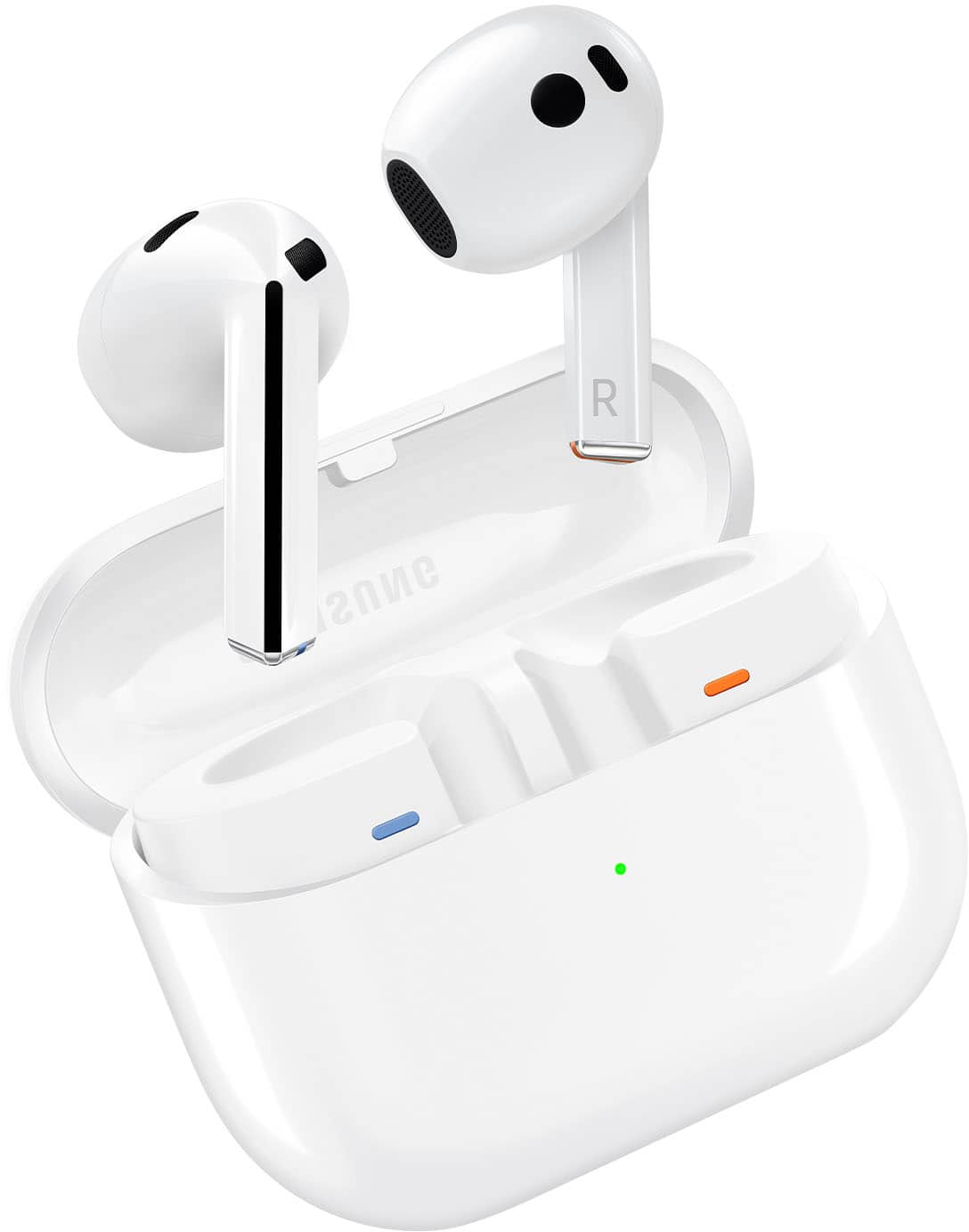
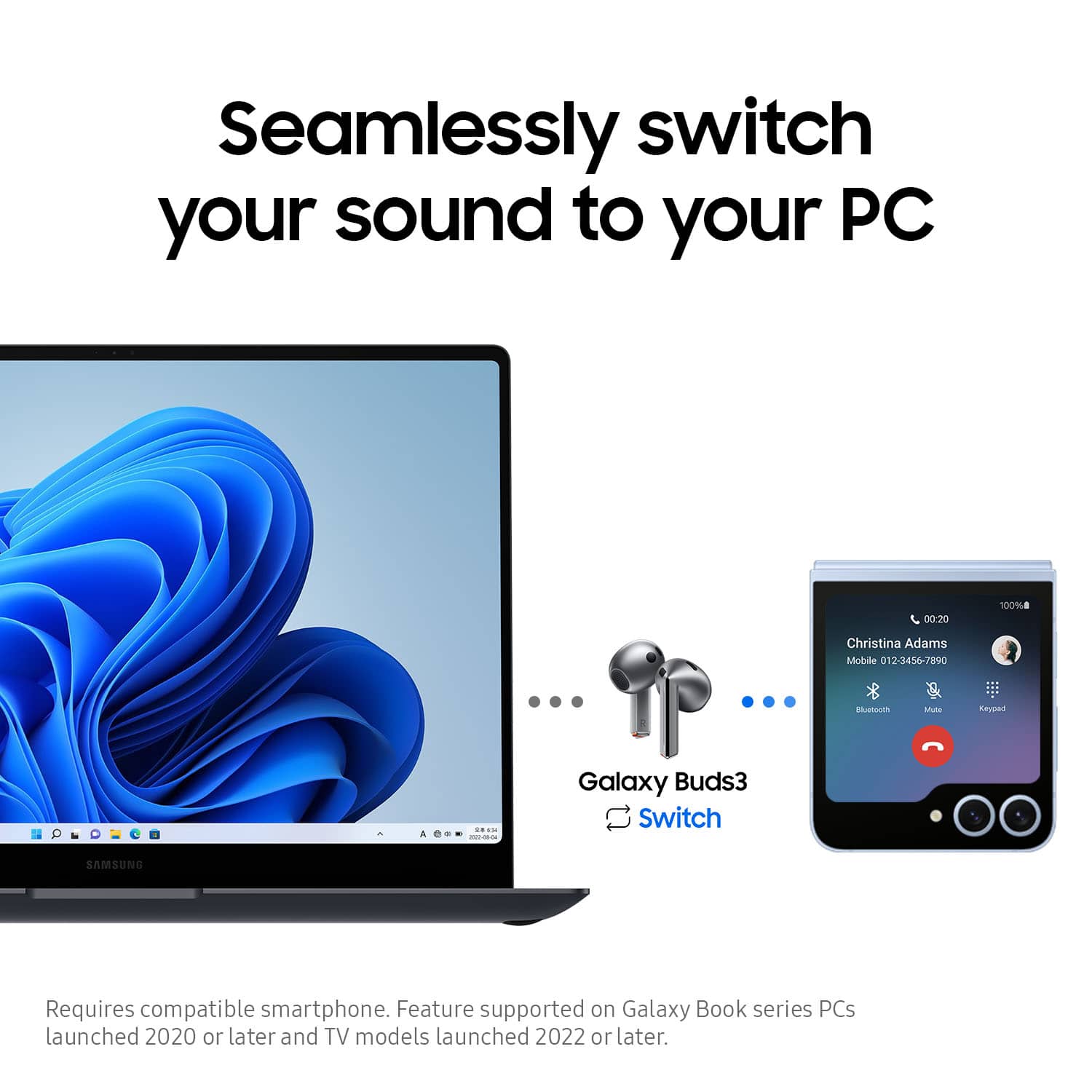
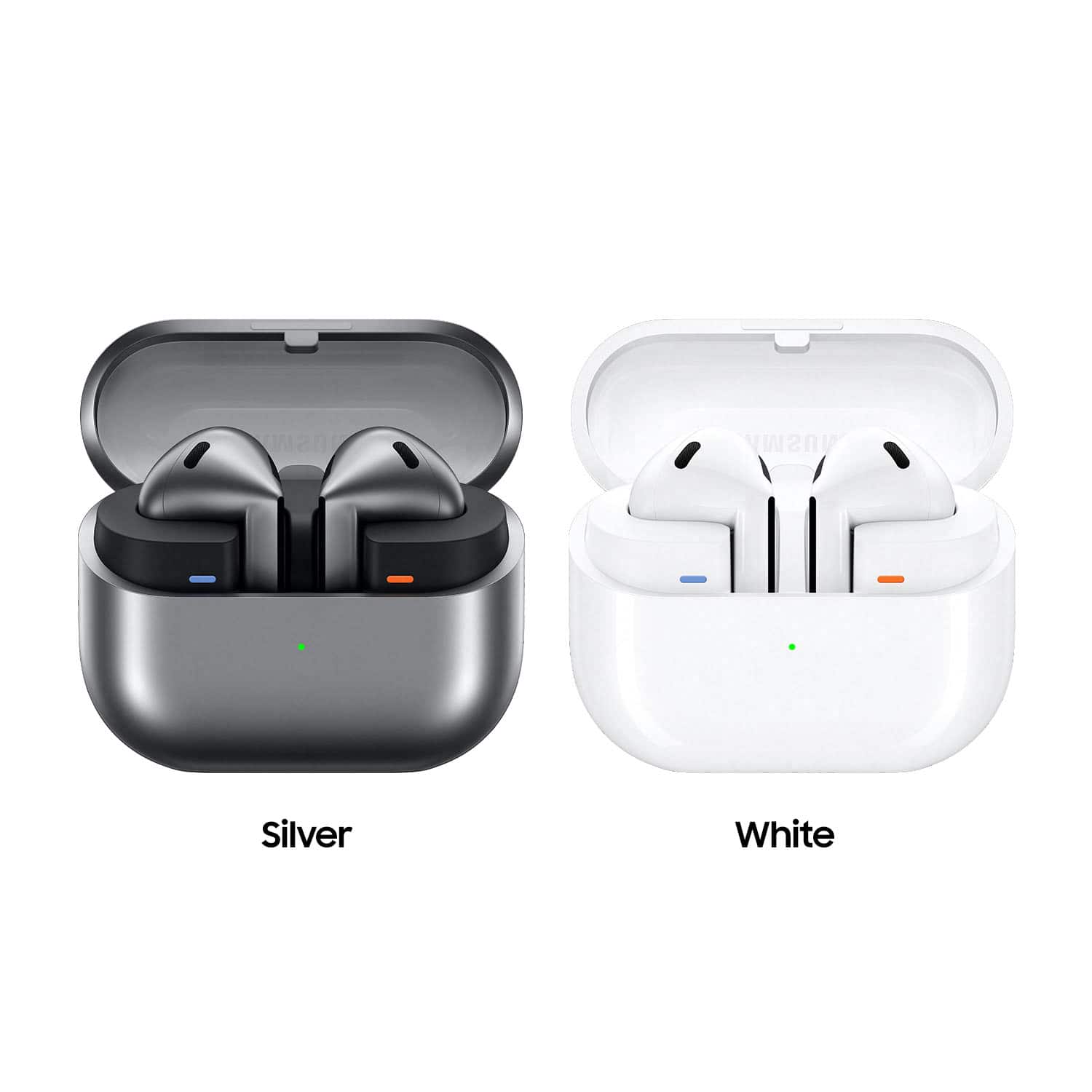
|Posted .This reviewer received promo considerations or sweepstakes entry for writing a review.The Samsung Galaxy Buds 3 are the next iteration of earbuds from the well known phone manufacturer. I’m interested to try these having the previous generation pro version. These finished in silver look pretty sleek but the design is a marked departure from previous versions of the Galaxy Buds lineup. Looks-wise, these bear a strong resemblance to earbuds from one of Samsung’s largest competitors. For me, one of the biggest potential pro of this . . .inspiration. . . would be to see if there’s better mic pickup for me compared to the previous generation. So, opening these up to look at the actual earbuds, they are a bit different. While they do have a very similar look to some competitor earbuds, these have a triangular blade/stem instead of rounded. The buds have clearer left/right markings at the ends of the blade which is reflected on the case. The case shows a similar familiarity with the competitor’s case but with a difference, the top/cover of the case is transparent plastic letting you see the earbuds inside. Also made of plastic, the earbuds themselves which while my current Pros are also plastic, for some reason makes the more angular Buds 3 feel less premium and like they’re more likely to get damaged from drops. The change in design is reflected in the user interface. You can now slide your finger along the blade to adjust the volume which is pretty cool as it solves a problem I had with the previous generation. By only having the ability to tap to adjust volume, you were forced to give up some other command input. But the Buds 3 go even further, there’s some built in voice command capability - another feature I’ve been wishing to have especially during my commute where my earbuds are inside a closed helmet and it’s generally not convenient or safe to be interfacing with controls on my phone. Another thing one quickly notices is the change in how the earbuds channel audio into the ear. Instead of having a component with a plastic tip to seal against the ear canal, these are more open, sitting inside. Generally, this design in the past means that you don’t have as good a seal to the ear and get more leakage of ambient sound. While I expected these to be a bit more comfortable - that was only the case while I wasn’t too active. Being active (when not wearing a helmet) seemed to jostle these and it felt like these were more prone to feeling like they’d fall out of my ears - though that only happened once during a sweaty workout. My general use of wireless earbuds falls into listening to music/GPS navigation or taking calls on my ride to work, taking video calls, and listening to music while working out at the gym. For the first, I like active noise canceling to remove wind noise but also adaptive volume to reduce the earbud audio if listening to music and I start talking to someone. For video calls, my primary need aside from good mic pickup is that the earbuds seamlessly switch from my phone to computer. Gym workouts mostly need comfort and that the earbuds don’t fall out of my ears. Starting with my normal ride, things were mixed. Audio quality was just as good when starting at home or in a quiet environment. But as I got moving, it just got harder to hear and things started feeling muffled. Turning up the volume helped a bit, but then things were either too loud or the loudness affected my sense of the music. On the call side, I got less complaints about wind noise with the pick up from the mic. People could still tell I was on my commute, but there were less asks to repeat something that I said. Unfortunately, I then took on the role of asking people to repeat, even though they themselves may have been in quiet environments. Video calls worked well. Good performance there and the earbuds switched seamlessly from phone to PC. Gym workouts again were a bit frustrating. Started off well but once things got slightly sweaty, these really wanted to fall out of my ears and doing so once but with other close calls that I caught in time. I ended up being too on guard with these and just went music free halfway through the workout. In all, these are okay and I can certainly see some benefits to the new styling. Having a volume slider and mics better directed towards one’s mouth are big plusses. The tradeoffs with not having a rubber/silicone in-ear tip however is that for a lot of my day to day activities, these buds just aren’t really up to the task.
No, I would not recommend this to a friendBrand response from Samsung
Posted .Hi there Zboot, thanks for taking the time out of your day to share your thoughts with us about your Samsung Galaxy BUds3. Your feedback allows us to continue to strive in providing the best products with superior functionality on the market to our customers while we remain committed to constant innovation. Our goal is for our customers to feel like they are having the most enlightening experiences while using our products. Samsung provides a 12-month warranty on our products for manufacturing defects in materials and workmanship. If your Galaxy Buds have no or low volume and poor sound quality on one or both buds, there may be a couple reasons why. You might be wearing the earbuds incorrectly, or the buds could have accumulated dust or debris. Additionally, the audio quality could be affected by outdated software, a low battery, and several other things. Feel free to review, "No, low, or poor audio quality on Samsung earbuds" to help resolve what you may be experiencing with your audio quality. If you're wearing your earbuds properly, you'll get better sound quality from them, they'll fit more comfortably, and they'll stay in your ears. Wearing them improperly can cause discomfort, sound leaks, and makes them more likely to fall out. No one wants to lose an earbud, especially while out jogging, so be sure to wear them with the proper fit. Being that the Galaxy Buds3 are open-type buds rather than canal types, so they do not have earbud tips. All you have to do to get started is simply place them in your ears. 1. Check the bottom of the earbuds for directional marks. You will see an L and an R. 2. Insert the R bud into your right ear with the R facing you. 3. Insert the L bud into your left ear with the L facing you. 4. Angle the blade slightly so that the microphone on the bottom is pointing towards your mouth rather than straight down. 5. You can adjust the buds by rotating them forwards and backwards until the fit feels right. Feel free to check out, "How to wear your Samsung Galaxy Buds3 and 3 Pro" if you would like more information. Also, be sure to check out the Galaxy Buds3 Pro, if you're in the market to upgrade your Buds fit. If you would like any further assistance or if you have any questions for us, feel free to reach out to Support. Thank you for being a faithful Samsung customer. - Debra
Very good pods
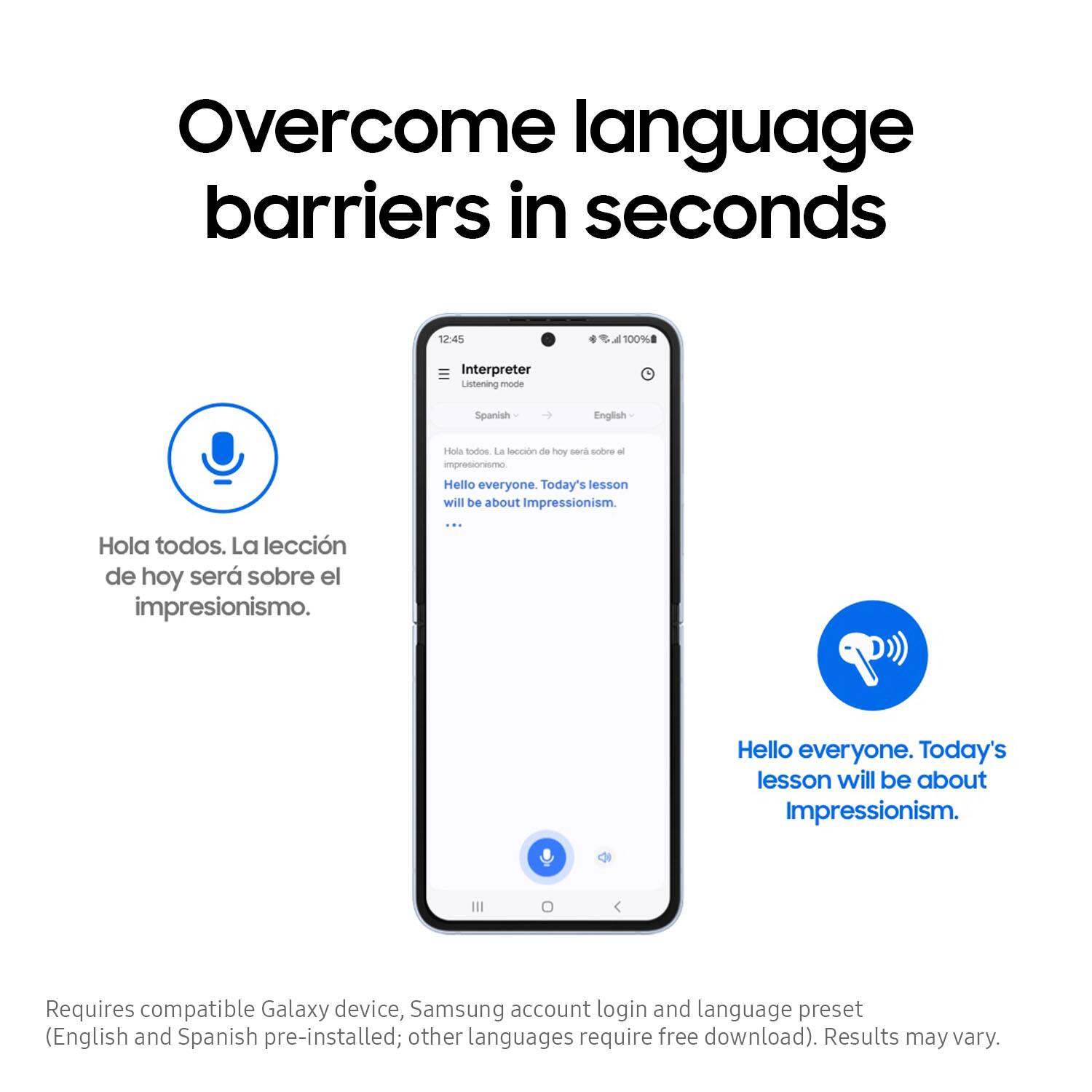
|Posted .This reviewer received promo considerations or sweepstakes entry for writing a review.These headphones are a great improvement over the last generation of Samsung Galaxy Buds. The size and fit ensures that they stay in place even while active, and you can feel confident they won’t slip out. Sometimes if an earbud is too light, it becomes too easy to move around in the ear or fall out if you’re sweating. These are perfect for me since I can use them for both office and for workouts. The way the buds rest in your ear makes it very easy to still be aware of what is going on around you without compromising sound quality. The sound quality is crystal clear whether you are listening to music or taking a phone call. I’ve not had any issues with the microphone picking up audio even in loud environments, which is surely not the case with competitors. Pairing was very simple on both my HP laptop and Samsung Galaxy S23 Ultra. Customization and device control in the Samsung Wearable app gives you much more control than I was expecting. I’ve tried the live translation feature a handful of times and it performed perfectly; I think this would best be used while traveling and you can explain you don’t know the language, but it may be hard with fast native speakers. The case is a good size and battery life has been great. I charge it maybe twice per week and wear them multiple hours per day. If you’re looking for a universal option to use across your android devices and PC, I highly recommend these.
I would recommend this to a friendLike heavy airpods
|Posted .This reviewer received promo considerations or sweepstakes entry for writing a review.These headphones solve most problems of the conventional in-ear headphones. Bluetooth technology allows to connect to any device, not just the manufacturing brand. The ear cups are interchangeable to best fit your ears. This is especially crucial while jogging or doing any activity that could jostle them loose. Sound quality is wonderful with noise-cancelling features and enhanced song sharing capability with others with the same headphones. The material of the headphones are sturdy but weak at the same time. I can feel the technology inside making them a bit heavy, but when handling them it feels kind of cheap and plastic like. I mentioned that the headphones connect to any device via Bluetooth. However, the following features that have been highlighted are only available for the brand compatible device: adaptive noise control, AI technology that allows near real-time language translation, specific app integration that are compatible and linked to Samsung account. Overall I would only choose these headphones if I had a Samsung Galaxy phone.
I would recommend this to a friendDecent features and sound, lackluster ANC
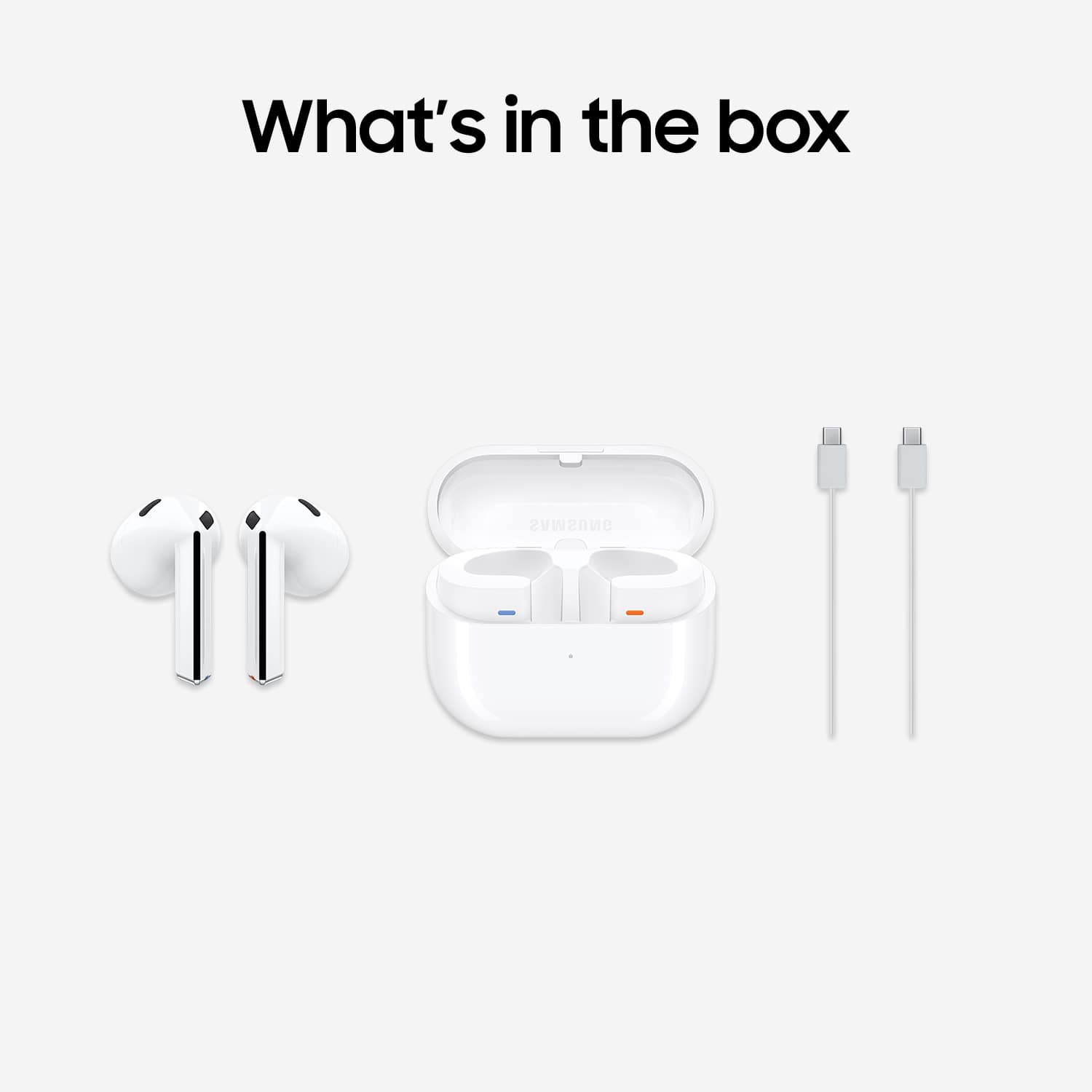
|Posted .This reviewer received promo considerations or sweepstakes entry for writing a review.Samsung's Galaxy Buds3 are a good, but not great, set of wireless headphones. There are some good features here, but the package as a whole never seems quite fully cohesive. And while my experience was fairly good, it's entirely possible that this may vary from person to person based on fit. The good: they sound decent across genres of music, but I think they are tuned best for popular music. The setup process is super simple using the Galaxy Wearable app, and the app itself is very easy to use to give access to all the various controls and features, such as toggling on/off active noise canceling to adjusting the equalizer. The case allows for both wireless and wired (USB-C, cable included) charging. The bad: I'm not a fan of the design, which is, shall we say, unoriginal. I do not like the on device controls with the stalk, and found it almost impossible to do the click button on it without essentially pulling the whole thing out of my ear. There are no tips included for fit, though confusingly, there's a leaflet that references them, but the illustration shows the Pro version, which does. Luckily, these do fit my ears fairly well, and others said they really couldn't hear anything I was listening to. However, the active noise canceling was mediocre. My in-home test for such capabilities is setting my large air filter on a medium-high setting, as it serves as a good stand in for being on an airplane. Turning on ANC reduced that ambient noise somewhat, but did not essentially eliminate it like the best ANC I've ever used. So the ANC feature does work, just keep your expectations tempered. One thing I did like, which I didn't think I would, was the 360 Audio mode. I came to find I really preferred its sound over having it turned off. At its best, I temporarily forgot I was listening to headphones and thought I was listening to speakers--the immersion effect could be quite effective at times. Part of the same menu, there's also a head tracking mode, such that if you turned your head to one side or another, it moved the sound space accordingly. I honestly am not really sure of the benefit of it, but the effect was very cool nonetheless. I also felt like the equalizer gave plenty of control. There were plenty of presets--balanced, bass boost, dynamic, etc., or you can set your own custom EQ curve. Also included were in-ear detection controls, which pause the music or transfer a call if you remove a headphone. There's also a mode to remind you to keep good posture by informing you if you've been hunched over for 10 minutes. I am somewhat dubious on the value proposition there, but I suppose if you like your headphones being part of general wellness reminders it's nice. There are also voice controls for Bixby integration, if you are so inclined to use the assistant. (I am not.) My final impression is that this just doesn't quite come together like intended. There are some very good aspects, such as pretty good sound quality and the 360 audio mode, which really grew on me. The ANC did not impress, however, and I do not like the design, or the ergonomics of the touch controls. I did like the case however, especially the wireless charging option, which makes these easy to set on a charging pad each night to top them off. It's just overall too hit or miss for me to really love these.
No, I would not recommend this to a friendBrand response from Samsung
Posted .Howdy DFN80, thanks for taking the time out of your busy day to share your thoughts with us about your Samsung Galaxy Buds3. We appreciate your critiques as we strive to innovate and improve on our product design and functionality. Our goal is for our customers to feel like they are having the most ideal experiences while using our products. Samsung provides a 12-month warranty on our products for manufacturing defects in materials and workmanship. We're happy to hear that you have been enjoying your Galaxy Buds3 and the features that it has to offer you! It's important to wear your earbuds properly for many reasons. You'll get better sound quality from them, they'll fit more comfortably, and they'll stay in your ears. Wearing them improperly can cause discomfort, sound leaks, and makes them more likely to fall out. The Galaxy Buds3 are open-type buds rather than canal types, so they do not have earbud tips. All you have to do to get started is simply place them in your ears. 1. Check the bottom of the earbuds for directional marks. You will see an L and an R. 2. Insert the R bud into your right ear with the R facing you. 3. Insert the L bud into your left ear with the L facing you. 4. Angle the blade slightly so that the microphone on the bottom is pointing towards your mouth rather than straight down. 5. You can adjust the buds by rotating them forwards and backwards until the fit feels right. If you would like to share additional feedback with us or if you have any questions, please do not hesitate to reach out to Samsung Support at your leisure. Thank you for being a valued Samsung customer. - Debra
Fresh pair earbud like airpod
Posted .This reviewer received promo considerations or sweepstakes entry for writing a review.Earbud for andriod that has airpod shape slightly wider. Works. Sounds nice. There are bass in these. You can tweak the sound in your andriod. Research around to find ways to work for you. This is a nice pair. Also bought airpod gel cover for the more secure fitting if working out. Fitting in general causl movement is fine. If airpods fit fine,Samsung Galaxy Bud 3 will work fine. Take the time to work with these. They work. Sounds nice.
I would recommend this to a friendSo many negative people
Posted .This reviewer received promo considerations or sweepstakes entry for writing a review.the buds feel and sound great idk what people are talking about just haters it seems. they sound great, and they feel like any other ear buds people are just a little too soft now a days try them out before you read all these comments. for me they are perfect they work so well
I would recommend this to a friendBuds live replacement and happy!
Posted .This reviewer received promo considerations or sweepstakes entry for writing a review.I am coming from buds live and love them! They do not seal your ears purposely. The anc just lightly reduces external noise like huns from air conditioners and is not meant to nor will it completely silence all noise. It's perfect for me. I can still hear outside noises and remain alert if someone needs me or something urgent is going on in the background. The controls are significantly better than the buds live and plus as well. I no longer have the accidental triggers I used to have of the touch controls. Audio sound quality is way better as is mic quality.
I would recommend this to a friendGreat Product
Posted .This reviewer received promo considerations or sweepstakes entry for writing a review.I would consider these headphones to be the best headphones in the world. I wish that Best Buy didn't discontinue them, but they are available for purchase on other websites.
I would recommend this to a friendOk...
Posted .This reviewer received promo considerations or sweepstakes entry for writing a review.They felt a lot from my ears and the connectivity was not that good.
I would recommend this to a friendBad fit in ear and will fall out.
Posted .This reviewer received promo considerations or sweepstakes entry for writing a review.As many reviews have stated, the fit is bad and will fall out of ears so I won't recommend these for, running, jogging or working out. Get the Pro3 buds, they have tips so they can fit the comfort of your ear. Sound is amazing tho.
No, I would not recommend this to a friendBrand response from Samsung
Posted .Greetings Branden, thank you for finding the time out of your day to share your sentiments with us about your Samsung Galaxy Buds3. Your feedback is appreciated as we strive to be innovative and improve the design and functionality of our products. Our goal is for our customers to feel like they are having the most ideal experiences while using our products. Samsung provides a 12-month warranty on our products for manufacturing defects in materials and workmanship. If you're wearing your earbuds properly, you'll get better sound quality from them, they'll fit more comfortably, and they'll stay in your ears. Wearing them improperly can cause discomfort, sound leaks, and makes them more likely to fall out. No one wants to lose an earbud, especially while out jogging, so be sure to wear them with the proper fit. Being that the Galaxy Buds3 are open-type buds rather than canal types, so they do not have earbud tips. All you have to do to get started is simply place them in your ears. 1. Check the bottom of the earbuds for directional marks. You will see an L and an R. 2. Insert the R bud into your right ear with the R facing you. 3. Insert the L bud into your left ear with the L facing you. 4. Angle the blade slightly so that the microphone on the bottom is pointing towards your mouth rather than straight down. 5. You can adjust the buds by rotating them forwards and backwards until the fit feels right. Feel free to check out, "How to wear your Samsung Galaxy Buds3 and 3 Pro" if you would like more information regarding fit. Please do not hesitate to contact Support afterward if you would like to share any other feedback with us or if you would like any further assistance. Thank you for being a dedicated Samsung customer. - Debra
Definitely an upgrade. Just nothing crazy.
Posted .This reviewer received promo considerations or sweepstakes entry for writing a review.There nice. Nothing out of this world but there a nice 200 dollar pair of headphones. People are extremely picky and nit pick anything they can. They sound nice have enough base for being non in ear fit. But there comfortable. Only negative kinda is it takes time to get use to the touch controls
I would recommend this to a friendAwesome buds
Posted .This reviewer received promo considerations or sweepstakes entry for writing a review.Great pair of earbuds. They sound great and while the ANC isnt the best given they don't seal in your ear, they surprisingly do reduce more noise than I would of thought
I would recommend this to a friendSamsung earbuds 3
Posted .This reviewer received promo considerations or sweepstakes entry for writing a review.The product offers exceptional sound quality and noise cancellation capabilities. Samsung is renowned for delivering high-fidelity audio experiences.
I would recommend this to a friendGet yours
Posted .This reviewer received promo considerations or sweepstakes entry for writing a review.I got them yesterday. I like them, very good quality and sound
I would recommend this to a friendGreat set of earbuds
Posted .This reviewer received promo considerations or sweepstakes entry for writing a review.These are a great set of earbuds. They sure deliver in major ways. I love the clear yet detailed sound quality these have. The fit is also great. Ive tried them with the noise canceling and they do block some noise even if they are open ear design. Last the design even though an apple copy cat i can say these are just as good if not better than apples airpods 3. If you have always loved apple earbuds design youll love these. Only these hold the edge.
I would recommend this to a friendGood headphones
Posted .This reviewer received promo considerations or sweepstakes entry for writing a review.Good quality, got used kind and they work pretty good.
I would recommend this to a friendExcellent
Posted .This reviewer received promo considerations or sweepstakes entry for writing a review.Samsung finally got it right, love these ear buds! If you like the airpods 1st gen 2nd gen, you will love these. I used the gen 2 airpods for years with my Samsung phone until now. Very happy with my purchase!
I would recommend this to a friendNot worth the price.
Posted .This reviewer received promo considerations or sweepstakes entry for writing a review.These aren't great and for the price point there are several companies that do this better in every single way. Not only do they not fit well at all but they are extremely uncomfortable. The fit leaves space between you and the outside world to the point of noise suppression not even doing anything. Ambient noise swarmed every aspect of these headphones. It took me 24 hours to give up on them. I tried everything that I could to get them to fit but couldn't. They are horrible headphones. Here is to hoping that the Pro version is better.
No, I would not recommend this to a friendBrand response from Samsung
Posted .Hey TonyW, thank you for finding the time out of your bustling day to share your sentiments with us about your Samsung Galaxy Buds3. Your feedback is invaluable to us as we strive to provide the very best products with superior functionality on the market to our customers while we remain committed to constant innovation. Our goal is for our customers to feel like they are having the most memorable experiences while using our products. Samsung provides a 12-month warranty on our products for manufacturing defects in materials and workmanship. If you're wearing your earbuds properly, you'll get better sound quality from them, they'll fit more comfortably, and they'll stay in your ears. Wearing them improperly can cause discomfort, sound leaks, and makes them more likely to fall out. No one wants to lose an earbud, especially while out jogging, so be sure to wear them with the proper fit. Being that the Galaxy Buds3 are open-type buds rather than canal types, so they do not have earbud tips. All you have to do to get started is simply place them in your ears. 1. Check the bottom of the earbuds for directional marks. You will see an L and an R. 2. Insert the R bud into your right ear with the R facing you. 3. Insert the L bud into your left ear with the L facing you. 4. Angle the blade slightly so that the microphone on the bottom is pointing towards your mouth rather than straight down. 5. You can adjust the buds by rotating them forwards and backwards until the fit feels right. Feel free to check out, "How to wear your Samsung Galaxy Buds3 and 3 Pro" if you would like more information. Let us know if you have any questions for us or if you would like any further assistance by contacting Samsung Support. Thank you for being a trustworthy Samsung customer. - Debra