Customer Ratings & Reviews



- Model:
- SM-R530NZWAXAR
- SKU:
- 10851266
Rating by feature
- Sound Quality
Rating 4.5 out of 5 stars
- Battery Life
Rating 4.5 out of 5 stars
- Connectivity
Rating 4.6 out of 5 stars
- Pros mentioned:Sound quality
The music sounds muddy, especially Rock
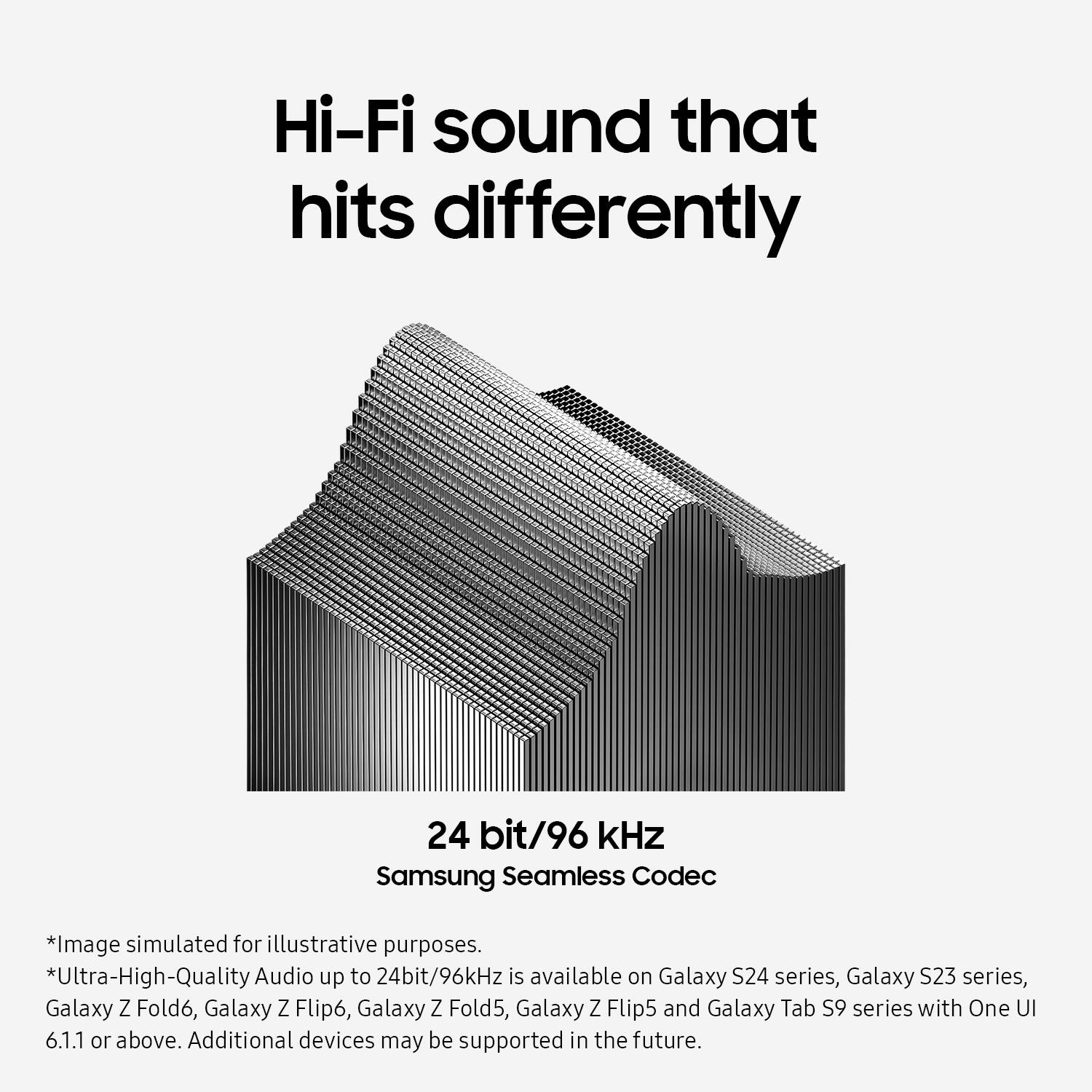
||Posted . Owned for 1 month when reviewed.This reviewer received promo considerations or sweepstakes entry for writing a review.The build quality is good, but the sound quality is disappointing. The audio is muddy, especially in rock tracks with a wide soundstage and many layered instruments. I tried adjusting the EQ, but it didn't help. I also enabled Ultra High Quality (UHQ) audio 96 kHz, and that didn't improve the sound either. tested them with a Samsung S23 Ultra. My wife has the AirPods 4 ANC, and even though they're Apple and I'm using Samsung, they still sound noticeably better - wider, deeper, and more detailed. I also have an old and cheap pair of QCY QS2, and honestly, even those sound clearer than the Galaxy Buds 3. I additionally tested the EarFun Air Pro 4 Plus - they are much better than the Galaxy Buds 3 in all ways. The only issue is that sometimes the vocals feel like they're coming from behind instead of in front, which is noticeable in movies, and in songs like "Nickelback - If Today Was Your Last Day" the vocals sound muffled. The Galaxy Buds 3 are probably fine as a headset for calls - the microphones are good - but they are not suitable for music listening. The ANC is also weak, much weaker than on the AirPods 4 ANC. In the end, I bought the Galaxy Buds 3 Pro. The sound quality is much better than the regular Galaxy Buds 3, and they work great with my Samsung phone. If I wasn't using Samsung, I would probably stick with the EarFun Air Pro 4 Plus.
No, I would not recommend this to a friendBrand response from Samsung
Posted .Howdy Ihor, thank you for sharing your feedback with us about your experience using the Samsung Galaxy Buds3. We appreciate your constructive input as we improve our product line. Samsung provides a 12-month warranty on your device for manufacturing defects in materials and workmanship. If your Galaxy Buds earbuds have no or low volume and poor sound quality on one or both buds, there may be a couple reasons why. You might be wearing the earbuds incorrectly, or the buds could have accumulated dust or debris. Additionally, the audio quality could be affected by outdated software, a low battery, and several other things. Feel free to check out, "No, low, or poor audio quality on Samsung earbuds" to help resolve what you may be experiencing with your audio quality. Let us know if you have any questions or if you would like any further assistance afterward by reaching out to Support. We're happy to listen and work toward a better experience for our customers. Thank you for being a loyal Samsung customer. - Debra

- Pros mentioned:Sound quality
Great sound, bad fit.
||Posted . Owned for less than 1 week when reviewed.This reviewer received promo considerations or sweepstakes entry for writing a review.I swapped out my Shokz Open Fit earbuds for these to see how good these were and they were fine at first but over time, my ears started to hurt from the "one size fits most" shape of the Samsung Galaxy Buds3. The sound quality is pretty good and I don't need to have the volume up so high just to get a good listen... But yeah, the pain of having these in my ears after a couple of minutes sucks. Also, for how much it costs, they feel pretty cheaply built. Should be $150 or less for how the quality of it feels. I'm considering swapping these out for the Galaxy Buds3 Pro and see how those fit, if they're any better.
No, I would not recommend this to a friendBrand response from Samsung
Posted .Good day Ronchris, thank you for finding the free time to share your thoughts with us about your Samsung Galaxy Buds3. Your honesty is valued as we improve the design and functionality of our product line. If you're wearing your earbuds properly, you'll get better sound quality from them, they'll fit more comfortably, and they'll stay in your ears. Wearing them improperly can cause discomfort, sound leaks, and makes them more likely to fall out. No one wants to lose an earbud, especially while out jogging, so be sure to wear them with the proper fit. Being that the Galaxy Buds3 are open-type buds rather than canal types, so they do not have earbud tips. All you have to do to get started is simply place them in your ears. 1. Check the bottom of the earbuds for directional marks. You will see an L and an R. 2. Insert the R bud into your right ear with the R facing you. 3. Insert the L bud into your left ear with the L facing you. 4. Angle the blade slightly so that the microphone on the bottom is pointing towards your mouth rather than straight down. 5. You can adjust the buds by rotating them forwards and backwards until the fit feels right. Feel free to check out, "How to wear your Samsung Galaxy Buds3 and 3 Pro" if you would like more information. If you would like to share additional feedback with us regarding your purchase or if you would like any further assistance, please let us know by contacting Samsung Support. Thank you for being an unwavering Samsung customer. - Debra
- Cons mentioned:Fit
Not for little ears
||Posted . Owned for less than 1 week when reviewed.This reviewer received promo considerations or sweepstakes entry for writing a review.Recently switched from iphone to galaxy again. So i upgraded old galaxy buds+ to these. I have small ears so the fit isnt so great completely they slide out asap and once i think theyre in if i move wrong way after awhile they're out again. I thought it would be a similar fit to basic airpods but they are not. Theyre bigger. So small ears beware
I would recommend this to a friendBrand response from Samsung
Posted .Hey Sharonboo, thank you for finding the time out of your day to share your sentiments with us about your Samsung Galaxy Buds3. Your feedback is invaluable to us as we strive to provide the very best products with superior functionality on the market to our customers while we remain committed to constant innovation. By wearing your earbuds properly, you'll get better sound quality from them, they'll fit more comfortably, and they'll stay in your ears. Wearing them improperly can cause discomfort, sound leaks, and makes them more likely to fall out. No one wants to lose an earbud, especially while out jogging, so be sure to wear them with the proper fit. Being that the Galaxy Buds3 are open-type buds rather than canal types, so they do not have earbud tips. All you have to do to get started is simply place them in your ears. 1. Check the bottom of the earbuds for directional marks. You will see an L and an R. 2. Insert the R bud into your right ear with the R facing you. 3. Insert the L bud into your left ear with the L facing you. 4. Angle the blade slightly so that the microphone on the bottom is pointing towards your mouth rather than straight down. 5. You can adjust the buds by rotating them forwards and backwards until the fit feels right. Feel free to check out, "How to wear your Samsung Galaxy Buds3 and 3 Pro" if you would like more information. If you would like to share any other feedback with us regarding your recent purchase or if you would like any further assistance, let us know by reaching out to Support. Thank you for being a trustworthy Samsung customer. - Debra
- Pros mentioned:Comfort, Design, Sound quality

Comfortable with Solid Performance
|Posted .This reviewer received promo considerations or sweepstakes entry for writing a review.The Samsung Galaxy Buds3 Wireless Earbud Headphones offer a solid mix of features and performance, making them a viable option in the entry level or mid-range wireless earbuds market. The Galaxy Buds 3 have a sleek and modern design, with a comfortable fit that should suit most users. The addition of stems, similar to Apple’s AirPods, might not appeal to everyone, but they do help with a more secure fit. The big difference between the Galaxy Buds 3 is they offer ANC (Active Noise Cancelling) where the AirPods do not. The earbuds are lightweight, making them comfortable for extended use. Sound quality of the Galaxy Buds 3 is good, but not spectacular. They deliver a generally well-balanced audio experience with rich bass and balanced mids, but for me I found the highs a bit flat. For non-audiophiles they should provide an overall enjoyable listening experience, but if you're looking for the best sounds, there are better options. The ANC on the Galaxy Buds3 is effective, significantly reducing ambient noise and allowing for an immersive listening experience. While it may not completely eliminate all background noise, it performs admirably in most environments. Battery life is decent but not exceptional. The earbuds offer around 5-6 hours of playback on a single charge, with the case providing additional charges to extend total usage time. This should be sufficient for daily use, but heavy users might find themselves needing to recharge more frequently. The Galaxy Buds 3 come with a range of features, including touch controls, voice assistant support, and seamless integration with Samsung devices. However, some features are exclusive to newer Samsung phones, which might be a drawback for users with older devices or non-Samsung phones. The Galaxy Buds 3 are somewhere in the mid-range of the price spectrum. While they offer a lot of features and respectable performance, spending a little bit more on the Galaxy Buds 3 and it's considerable upgrade in detail, clarity, and overall richness of sound would, in my opinion offer a superior value. Overall, the Samsung Galaxy Buds 3 Wireless Earbud Headphones are a capable contender in the wireless earbuds market. They offer good sound quality, effective ANC, and a comfortable fit. Anyone looking for an entry-level pair of buds with ANC should be more than okay with these, and if you're locked into a budget they are worth considering. However, if you’re budget is flexible and you're looking for premium earbuds and are already in the Samsung ecosystem, the Galaxy Buds 3 Pro is a better value in my opinion.
I would recommend this to a friendBrand response from Samsung
Posted .Hi there Hahanson, thanks for taking the opportunity to review your Samsung Galaxy Buds3. We appreciate your feedback as we continue to bring our consumers the best in product design and functionality. Our goal is for our customers to feel like they are having the most unforgettable experiences while using our products. Samsung provides a 12-month warranty on our products for manufacturing defects in materials and workmanship. We're so excited to hear that you are loving your Galaxy Buds3 so far! Please feel free to share additional feedback with us by reaching out to Samsung Support. We'd love to hear more from you! Of course, if you have any questions or if you would like any further assistance, we're here for you as well! Thank you for being a loyal Samsung customer. - Debra
- Pros mentioned:Battery life, Sound qualityCons mentioned:Fit
Wireless earbuds with ANC?
|Posted .This reviewer received promo considerations or sweepstakes entry for writing a review.Diving right in to the Samsung Galaxy Buds 3, this is your typical in the ear bud with its own built in self charging case. Like most ear buds out there you expect to see the same similar options such as quick access buttons, built in EQ's and even anc (active noise cancellation). The question is how well does this fit in to your day to day life and where is the most ideal place to use this? Getting the basics out of the way, a fully charged case/buds yielded me about 7 hours of run time with the case giving me about 3 full charges from a 30% bud battery life. Fitment of the buds is actually pretty interesting in the fact that it always gives you a very insecure feeling. Maybe its just me, but i have always felt that this style of earbuds always feels insecure and about to fall out since they never truly go in to the ear canal. Using this set up in the gym while lifting weights always gave me the impression it was going to fall out, and while it never actually came out during my workout it left very little confidence in me that it wouldn't. Jogging or running on the other hand was a different story. Several times i felt myself having to re-adjust the position and even on one occasion the left bud popped out completely. These buds are 100% not my go to for the gym life. Another thing i noticed while on the topic is Samsungs ANC option with this bud. I have to say i was very very disappointed with how bad it performed and wish it was never even a option this way it wouldn't reflect so poorly on Samsung. So ANC is a awesome feature to have when it is properly built in to a headset. It blocks outside noise pollution which allows you to really hear the music in all its entirety and allows you to concentrate when doing your daily workouts, routines, or simply taking a bus or train ride home. Since the Buds 3 never truly enters the ear canal when the ANC feature is activated there is very little to almost no change heard. What i mean by this is that even though i can hear the ANC feature activate, outside noise is still very prevalent and noticeable. I mean ask yourself, how can outside noise pollution truly be blocked if there is never a tight seal around your ear canal? You will hear everything going on around you and i mean literally everything regardless of how loud your music is blasting. Samsung also decided to implement quick action buttons which allow you to skip the next song, answer a call, mute a song or you can set it up to do something different via the app. The problem i had with this feature is it requires to basically pinch the bottom portion of the ear bud. I would of preferred a touch feature option as every time you pinch or squeeze the bottom portion of the ear bud you tend to knock it out of place due to the fact that it never truly sits tight inside your ear canal. Enough about the features that make this lack luster and on to the audio quality. All i have to say is thank god for the audio quality or else this set up would be useless. The audio quality is hands down the best i have ever heard in any style ear bud. The option to active 360 audio makes it even more immersive and almost difficult to tell if what you are hearing is coming from your music or something around you. I have to say that i did not expect my audio lyrics and tones to come in so full and vibrant and pack a punch even with bass drops. I thought for sure i would get so much bleed through since the buds did not sit all the way inside the ear allowing sound to bleed in and out. But i was wrong, the music was a breathe of fresh air and everything from mids to lows came in perfectly with no single one over stepping another beat. The lyrics were crystal clear and packed so clean of a punch that it almost felt like the singer was standing next to me. While watching netflix movies on my phone there was one moment where a scene took place that involved a car chase and as the car flew past the scene it literally sounded like a car was coming behind me so much so that i actually looked behind me because i genuinely thought a car was coming. The 360 sound is by far some of the best and well made sound i have heard and probably helped saved this set up from being another average bud. Here's the bottom line. If your the kind of person who cant stand the feel of true in the ear earbuds but don't want to sacrifice sound quality then this is right up your ally. If you are looking for something you can take on your active adventures rather it be bike riding, working out, running, etc, then this would be a hard pass for me. If are looking for something to wear while you are working in the office and take that long bus ride back home, i'd pass as the ANC feature is pretty much useless and you truly won't get any audio privacy. But if your looking for something you can throw in while your working from home or laying around in bed then pick this up. For me as much as the audio quality stands out this is a hard pass for my day to day routines as my routines are usually pretty active and is always surround by the city sounds of the hustle and bustle life. However when im getting ready to unwind at night and am laying in bed i usually put these buds in simply due to how well they sound. At the end of the day you need to determine how it is you plan on using them and rather or not it will fit in to that day to day routine for you.
I would recommend this to a friendBrand response from Samsung
Posted .Howdy Crasher, thanks for taking the available time out of your day to share your thoughts with us about your Samsung Galaxy Buds3. We appreciate your candor as we make every effort to improve the design and functionality of our product line. Our goal is for our customers to feel like they are having the most ideal experiences while using our products. Samsung provides a 12-month warranty on our products for manufacturing defects in materials and workmanship. The Galaxy Buds3 provide up to 24 hours of play time per charge, which can be extended to up to 30 hours with a fully charged case. If you're wearing your earbuds properly, you'll get better sound quality from them, they'll fit more comfortably, and they'll stay in your ears. Wearing them improperly can cause discomfort, sound leaks, and makes them more likely to fall out. No one wants to lose an earbud, especially while out jogging, so be sure to wear them with the proper fit. Being that the Galaxy Buds3 are open-type buds rather than canal types, so they do not have earbud tips. All you have to do to get started is simply place them in your ears. 1. Check the bottom of the earbuds for directional marks. You will see an L and an R. 2. Insert the R bud into your right ear with the R facing you. 3. Insert the L bud into your left ear with the L facing you. 4. Angle the blade slightly so that the microphone on the bottom is pointing towards your mouth rather than straight down. 5. You can adjust the buds by rotating them forwards and backwards until the fit feels right. Feel free to check out, "How to wear your Samsung Galaxy Buds3 and 3 Pro" if you would like more information. When you have the opportunity available, feel free to review "All about your Samsung earbuds’ battery life," "All about the Galaxy Buds3 and Buds3 Pro earbuds," and "Use Active noise canceling on your Samsung earbuds" to help resolve what you may be experiencing with your Galaxy Buds3. Also check out the Galaxy Buds3 Pro if you're looking for a tighter fit for your earbuds. Let us know if you have any questions for us after reviewing the resources provided or if you would like any further assistance, do not hesitate to contact Support. Thank you for being a valued Samsung customer. - Debra
- Pros mentioned:Sound quality
Solid Quality, Not For Me
|Posted .This reviewer received promo considerations or sweepstakes entry for writing a review.The Samsung Galaxy Buds3 Wireless Earbuds are a solid choice for anyone looking for a modern, no nonsense, reliable set of hard tipped earbuds. Although I found the features and quality to be as expected at the price point, I found them to be too uncomfortable as daily drivers. Sound Quality: The Buds3 deliver impressive audio performance with sturdy bass and clear mids and highs. Whether you're listening to music, podcasts, or taking calls, the sound quality is consistently good. The active noise cancellation (ANC) is okay, about what you’d expect in its class – but not anywhere near the best in the market. Style: These earbuds have a sleek, modern design that fits should fit comfortably in your ears. For some reason, it just didn’t work for me. I couldn’t keep them in for more than 45 minutes without having to take them out or give my ears a break. The compact charging case is stylish and easy to carry, making it convenient for dropping in a bag or pocket. Features: The Galaxy Buds3 are packed with features, including touch/squeeze controls for easy navigation, IP57 water and dust resistance, and seamless connectivity with most devices. The battery life is fine, offering up to 6 hours (without noise canceling) of playback on a single charge, with the case providing additional charges. Not best in class by any stretch, but acceptable. Overall, the Samsung Galaxy Buds3 Wireless Earbud Headphones are a sold product, especially for those immersed in the Samsung ecosystem, and those looking for sleek, quality sound and a range of useful features. I just can't understand how they are so uncomfortable to wear. Not a product I could recommend unless you find this particular design style comfortable.
No, I would not recommend this to a friendBrand response from Samsung
Posted .Hi there Zero325, thanks for taking the time out of your day to share your thoughts with us about your Samsung Galaxy Buds3. Your feedback allows us to continue to strive in providing the best products with superior functionality on the market to our customers while we remain committed to constant innovation. Our goal is for our customers to feel like they are having the most enlightening experiences while using our products. Samsung provides a 12-month warranty on our products for manufacturing defects in materials and workmanship. It's important to wear your earbuds properly for many reasons. You'll get better sound quality from them, they'll fit more comfortably, and they'll stay in your ears. Wearing them improperly can cause discomfort, sound leaks, and makes them more likely to fall out. The Galaxy Buds3 are open-type buds rather than canal types, so they do not have earbud tips. All you have to do to get started is simply place them in your ears. 1. Check the bottom of the earbuds for directional marks. You will see an L and an R. 2. Insert the R bud into your right ear with the R facing you. 3. Insert the L bud into your left ear with the L facing you. 4. Angle the blade slightly so that the microphone on the bottom is pointing towards your mouth rather than straight down. 5. You can adjust the buds by rotating them forwards and backwards until the fit feels right. Feel free to check out, "How to wear your Samsung Galaxy Buds3 and 3 Pro" if you would like more information. Feel free to reach out to Samsung Support if you would like to share additional feedback with us or if you would like any further assistance. Thank you for being a faithful Samsung customer. - Debra
- Pros mentioned:Comfort, Sound qualityCons mentioned:Fit
Great look and sound but has flaws
||Posted . Owned for 1 month when reviewed.This reviewer received promo considerations or sweepstakes entry for writing a review.These buds are interesting compared to the normal in ear ear buds. Very good sound and they feel good in my ear. Unfortunately they come out a lot when moving around like at the gym. My case has unfortunately stopped charging the left ear bud about 1.5 months in unless I wiggle the ear bud and keep the top open. Pretty frustrating when these we're over $100 and I wasn't offered a warranty plan when purchasing for black friday.
I would recommend this to a friendBrand response from Samsung
Posted .Hi there Mrkyle330, thanks for taking the time to review your Samsung Galaxy Buds3. We appreciate your honesty as we strive to provide the very best products with superior functionality on the market to our customers while we remain committed to constant innovation. Samsung provides a 12-month warranty on our products for manufacturing defects in materials and workmanship. If you're wearing your earbuds properly, you'll get better sound quality from them, they'll fit more comfortably, and they'll stay in your ears. Wearing them improperly can cause discomfort, sound leaks, and makes them more likely to fall out. No one wants to lose an earbud, especially while out jogging, so be sure to wear them with the proper fit. Being that the Galaxy Buds3 are open-type buds rather than canal types, so they do not have earbud tips. All you have to do to get started is simply place them in your ears. 1. Check the bottom of the earbuds for directional marks. You will see an L and an R. 2. Insert the R bud into your right ear with the R facing you. 3. Insert the L bud into your left ear with the L facing you. 4. Angle the blade slightly so that the microphone on the bottom is pointing towards your mouth rather than straight down. 5. You can adjust the buds by rotating them forwards and backwards until the fit feels right. Feel free to check out, "How to wear your Samsung Galaxy Buds3 and 3 Pro" if you would like more information regarding fit. Feel free to also check out, "Samsung earbuds do not turn on or charge" to help resolve what you may be experiencing with your device. Feel free to reach out to Support afterward if you would like any further assistance. Thank you for being a loyal Samsung customer. - Debra
- Cons mentioned:Fit, Touch controls
Ok Buds
||Posted . Owned for 1 week when reviewed.This reviewer received promo considerations or sweepstakes entry for writing a review.Sound quality isn't bad. I dont like the stem controls as they are not very responsive. The fit is ok, it poked the inside of my ear and got uncomfortable. They are not comfortable for an extended period of time and fall out.
No, I would not recommend this to a friendBrand response from Samsung
Posted .Thank you for sharing your experience with the Galaxy Buds3, Darren. We’re glad to hear that you found the sound quality satisfactory but, we’re sorry to learn that the fit and touch controls did not meet your expectations. The Galaxy Buds3 are open-type earbuds, meaning they do not come with earbud tips. To use them, simply place them in your ears. First, check the bottom of the earbuds for directional markings—an "L" for the left earbud and an "R" for the right. Insert the R bud into your right ear with the "R" facing you, and the L bud into your left ear with the "L" facing you. Make sure to angle the earbud slightly so that the microphone on the bottom is pointing toward your mouth, rather than straight down. You can adjust the earbuds by rotating them forward and backward until they feel comfortable. Additionally, please ensure that your Galaxy Wearable app is updated, as this can enhance touch sensitivity and overall responsiveness. If there’s anything else we can assist you with to improve your experience, feel free to reach out to us at Support. -Kelvin
- Pros mentioned:Sound qualityCons mentioned:Fit
Mixed Emotions
||Posted . Owned for 3 weeks when reviewed.This reviewer received promo considerations or sweepstakes entry for writing a review.Unfortunately, not a good fit for me personally & not worth the money. Well-constructed and offer great sound quality, but they just won't stay in my ears and actually begin to hurt after about an hour of usage. Had I known about the 15-day return policy, I'd have returned them.
I would recommend this to a friendBrand response from Samsung
Posted .We appreciate you sharing your feedback on the Galaxy Buds3 with us, Brandon. The Galaxy Buds3 is designed to filter out ambient sounds, allowing you to focus on the sounds you want to hear. They feature Active Noise Cancellation, providing you with the ability to enjoy your favorite audio without unwanted distractions. The buds are designed for a comfortable fit, and the Adaptive Equalizer with Galaxy AI customizes the sound based on how you wear them, ensuring an immersive audio experience. The Galaxy Buds3 are open-type buds, which means they do not have earbud tips. To get started, simply place them in your ears, making sure to insert the right bud into your right ear and the left bud into your left ear, as indicated by the "R" and "L" marks on the buds. Adjust the buds by rotating them until they fit comfortably, and angle the microphone towards your mouth for optimal performance. Again, we appreciate your feedback and hope that this helps to enhance your overall experience with your Buds3. If you have any further concerns or questions, do not hesitate to reach out to us at Support. -Kelvin
- Cons mentioned:Fit
Didn't like the fit
||Posted .This reviewer received promo considerations or sweepstakes entry for writing a review.I didn't like the fit, the fit obviously affected the way they sounded in my ear as well. I sure there are folks that find them just fine but not for me. returned for the buds 3 pro day and night difference.
No, I would not recommend this to a friend - Pros mentioned:Battery lifeCons mentioned:Fit
Samsung buds
||Posted . Owned for 8 months when reviewed.This reviewer received promo considerations or sweepstakes entry for writing a review.Battery life is awesome. Bud is big and they dont fit.
I would recommend this to a friend - Cons mentioned:Fit
Terrible design
||Posted . Owned for 1 month when reviewed.This reviewer received promo considerations or sweepstakes entry for writing a review.I'm samsung guy for more than 10 years, and I can say I had all flagmans of this brand. When I bought this device, I thought I can jump from Airpods 2nd generation, but the ears are so big for me. I love hove samsung eco system works. But my comfort is also important. I don't like vacuum earbuds. I waited this inventory so long, and so disappointed. The item itself design of earbud so terrible. Hard to use in one hand, that triangle stick veri inconvenient. To take of and put back.
No, I would not recommend this to a friendBrand response from Samsung
Posted .Hello there Saidalokhon, thank you for finding the available time out of your day to share your sentiments with us about your Samsung Galaxy Buds3. We value your feedback as it allows us the opportunity to improve the functionality and design of our products. If you're wearing your earbuds properly, you'll get better sound quality from them, they'll fit more comfortably, and they'll stay in your ears. Wearing them improperly can cause discomfort, sound leaks, and makes them more likely to fall out. No one wants to lose an earbud, especially while out jogging, so be sure to wear them with the proper fit. Being that the Galaxy Buds3 are open-type buds rather than canal types, so they do not have earbud tips. All you have to do to get started is simply place them in your ears. 1. Check the bottom of the earbuds for directional marks. You will see an L and an R. 2. Insert the R bud into your right ear with the R facing you. 3. Insert the L bud into your left ear with the L facing you. 4. Angle the blade slightly so that the microphone on the bottom is pointing towards your mouth rather than straight down. 5. You can adjust the buds by rotating them forwards and backwards until the fit feels right. Feel free to check out, "How to wear your Samsung Galaxy Buds3 and 3 Pro" if you would like more information. Feel free to contact Support afterward if you would like any further assistance. Thank you for being a steadfast Samsung customer. - Debra
- Pros mentioned:Sound qualityCons mentioned:Fit
Good sound/bad fit
||Posted . Owned for 2 months when reviewed.This reviewer received promo considerations or sweepstakes entry for writing a review.Sound quality was really good, but these didnt fit in my ear, the new version would i bought them instead of thease, because they have the rubber piece on the end.
No, I would not recommend this to a friendBrand response from Samsung
Posted .Hey there Justin, thank you for finding the free time out of your busy day to share your thoughts with us about your Samsung Galaxy Buds3. We appreciate your feedback as we strive to be innovative and improve the design and functionality of our products. If you're wearing your earbuds properly, you'll get better sound quality from them, they'll fit more comfortably, and they'll stay in your ears. Wearing them improperly can cause discomfort, sound leaks, and makes them more likely to fall out. No one wants to lose an earbud, especially while out jogging, so be sure to wear them with the proper fit. Being that the Galaxy Buds3 are open-type buds rather than canal types, so they do not have earbud tips. All you have to do to get started is simply place them in your ears. 1. Check the bottom of the earbuds for directional marks. You will see an L and an R. 2. Insert the R bud into your right ear with the R facing you. 3. Insert the L bud into your left ear with the L facing you. 4. Angle the blade slightly so that the microphone on the bottom is pointing towards your mouth rather than straight down. 5. You can adjust the buds by rotating them forwards and backwards until the fit feels right. Feel free to check out, "How to wear your Samsung Galaxy Buds3 and 3 Pro" if you would like more information. Feel free to reach out to Samsung Support if you would like any further assistance. Thank you for being a valued Samsung customer. - Debra
- Pros mentioned:Sound quality
Little disappointing
||Posted . Owned for 1 year when reviewed.This reviewer received promo considerations or sweepstakes entry for writing a review.Sounds great. But have a whistling sound coming out of the left side
No, I would not recommend this to a friend - Pros mentioned:Sound qualityCons mentioned:Fit
Good sound, bad fit
||Posted . Owned for 1 week when reviewed.This reviewer received promo considerations or sweepstakes entry for writing a review.The sound quality was good however noise cancelling and fit were pretty terrible for my ears at least i wouldn't wear them more than an hour before they started hurting
No, I would not recommend this to a friendBrand response from Samsung
Posted .Hi DavidM, thanks for taking the time out of your day to share your thoughts with us about your Samsung Galaxy Buds3. As we strive to be innovative and make improvements on the design and functionality of our products, your feedback is invaluable. Our goal is for our customers to feel like they are having the most incredible experiences while using our products. If you're wearing your earbuds properly, you'll get better sound quality from them, they'll fit more comfortably, and they'll stay in your ears. Wearing them improperly can cause discomfort, sound leaks, and makes them more likely to fall out. No one wants to lose an earbud, especially while out jogging, so be sure to wear them with the proper fit. Being that the Galaxy Buds3 are open-type buds rather than canal types, so they do not have earbud tips. All you have to do to get started is simply place them in your ears. 1. Check the bottom of the earbuds for directional marks. You will see an L and an R. 2. Insert the R bud into your right ear with the R facing you. 3. Insert the L bud into your left ear with the L facing you. 4. Angle the blade slightly so that the microphone on the bottom is pointing towards your mouth rather than straight down. 5. You can adjust the buds by rotating them forwards and backwards until the fit feels right. Feel free to check out, "How to wear your Samsung Galaxy Buds3 and 3 Pro" if you would like more information regarding obtaining the perfect fit for your Buds3. Do not hesitate to contact us if you would like any further assistance after reviewing the resource provided. Thank you for being a cherished Samsung customer. - Debra
- Pros mentioned:Sound qualityCons mentioned:Fit
Average in terms of usage
||Posted . Owned for 1 month when reviewed.This reviewer received promo considerations or sweepstakes entry for writing a review.Sound quality is good but the overall handling and hold on ear is slippery. This made me to rwturn thw item back to retailer.
No, I would not recommend this to a friendBrand response from Samsung
Posted .Howdy Anonymous, thanks for taking the available time out of your day to share your thoughts with us about your Samsung Galaxy Buds3. We appreciate your candor as we make every effort to improve the design and functionality of our product line. Samsung provides a 12-month warranty on our products for manufacturing defects in materials and workmanship. If you're wearing your earbuds properly, you'll get better sound quality from them, they'll fit more comfortably, and they'll stay in your ears. Wearing them improperly can cause discomfort, sound leaks, and makes them more likely to fall out. No one wants to lose an earbud, especially while out jogging, so be sure to wear them with the proper fit. Being that the Galaxy Buds3 are open-type buds rather than canal types, so they do not have earbud tips. All you have to do to get started is simply place them in your ears. 1. Check the bottom of the earbuds for directional marks. You will see an L and an R. 2. Insert the R bud into your right ear with the R facing you. 3. Insert the L bud into your left ear with the L facing you. 4. Angle the blade slightly so that the microphone on the bottom is pointing towards your mouth rather than straight down. 5. You can adjust the buds by rotating them forwards and backwards until the fit feels right. Feel free to check out, "How to wear your Samsung Galaxy Buds3 and 3 Pro" if you would like more information. Let us know if you would like any further assistance afterward by reaching out to Samsung Support at your leisure. Thank you for being a valued Samsung customer. - Debra
- Cons mentioned:Fit
Just a review
||Posted .This reviewer received promo considerations or sweepstakes entry for writing a review.These ear buds slip off easily. This is the only thing I found wrong with the earphones.
I would recommend this to a friendBrand response from Samsung
Posted .Greetings EsperanzaD, thank you for finding the time out of your day to share your sentiments with us about your Samsung Galaxy Buds3. Your feedback is appreciated as we strive to be innovative and improve the design and functionality of our products. Our goal is for our customers to feel like they are having the most ideal experiences while using our products. If you're wearing your earbuds properly, you'll get better sound quality from them, they'll fit more comfortably, and they'll stay in your ears. Wearing them improperly can cause discomfort, sound leaks, and makes them more likely to fall out. No one wants to lose an earbud, especially while out jogging, so be sure to wear them with the proper fit. Being that the Galaxy Buds3 are open-type buds rather than canal types, so they do not have earbud tips. All you have to do to get started is simply place them in your ears. 1. Check the bottom of the earbuds for directional marks. You will see an L and an R. 2. Insert the R bud into your right ear with the R facing you. 3. Insert the L bud into your left ear with the L facing you. 4. Angle the blade slightly so that the microphone on the bottom is pointing towards your mouth rather than straight down. 5. You can adjust the buds by rotating them forwards and backwards until the fit feels right. Feel free to check out, "How to wear your Samsung Galaxy Buds3 and 3 Pro" if you would like more information regarding fit. Please do not hesitate to contact Support afterward if you would like to share any other feedback with us or if you would like any further assistance. Thank you for being a dedicated Samsung customer. - Debra
- Pros mentioned:Sound qualityCons mentioned:Fit
Better than airpods
||Posted . Owned for 1 week when reviewed.This reviewer received promo considerations or sweepstakes entry for writing a review.Sounds great, better technology Buuuuut, unfortunately earphones are too slippery. Falls out, hardly stays in. Might be returning back.
No, I would not recommend this to a friendBrand response from Samsung
Posted .Thank you for taking the time to share your feedback on the Galaxy Buds3. Our goal is to ensure that our customers have the best experience possible. The Buds3 features audio tailored specifically for you, allowing you to enjoy exceptional sound quality no matter how it fits in your ears. The Adaptive Equalizer, powered by Galaxy AI, adjusts the sound based on how you wear your Buds, so you can immerse yourself in audio while on the go. We’re glad to hear you are satisfied, but we understand your concerns about keeping them in place. Since the Galaxy Buds3 are open-type earbuds without tips, simply check for the directional marks labeled L and R, insert the R bud into your right ear with the R facing you, and the L bud into your left ear with the L facing you. Angle the earbuds slightly so that the microphone points towards your mouth, and adjust the fit by rotating them until they feel comfortable. If you have any further questions or concerns, feel free to reach out to us at Support. -Kelvin
- Pros mentioned:Sound qualityCons mentioned:Fit

Not confortable for small ears but nice sound
|Posted . Owned for 1 month when reviewed.This reviewer received promo considerations or sweepstakes entry for writing a review.Nice sound but after 15minutes my ears ached even after moving them around to get a fit switched to the pros instead
No, I would not recommend this to a friendBrand response from Samsung
Posted .Greetings Foslix, thank you for finding the unobstructed time out of your bustling day to share your sentiments with us about your Samsung Galaxy Buds3. Your feedback is appreciated as we strive to be innovative and improve the design and functionality of our products. Our goal is for our customers to feel like they are having the most ideal experiences while using our products. Samsung provides a 12-month warranty on our products for manufacturing defects in materials and workmanship. If you're wearing your earbuds properly, you'll get better sound quality from them, they'll fit more comfortably, and they'll stay in your ears. Wearing them improperly can cause discomfort, sound leaks, and makes them more likely to fall out. No one wants to lose an earbud, especially while out jogging, so be sure to wear them with the proper fit. Being that the Galaxy Buds3 are open-type buds rather than canal types, so they do not have earbud tips. All you have to do to get started is simply place them in your ears. 1. Check the bottom of the earbuds for directional marks. You will see an L and an R. 2. Insert the R bud into your right ear with the R facing you. 3. Insert the L bud into your left ear with the L facing you. 4. Angle the blade slightly so that the microphone on the bottom is pointing towards your mouth rather than straight down. 5. You can adjust the buds by rotating them forwards and backwards until the fit feels right. Feel free to check out, "How to wear your Samsung Galaxy Buds3 and 3 Pro" if you would like more information. Feel free to reach out to Samsung Support if you would like any further assistance after reviewing the resource shared. Thank you for being a dedicated Samsung customer. - Debra
Possible bad set.
||Posted . Owned for 2 weeks when reviewed.This reviewer received promo considerations or sweepstakes entry for writing a review.Right ear bud would not charge or connect tried tech support ended up returning. Not super comfortable in ears.
No, I would not recommend this to a friendBrand response from Samsung
Posted .Hi there Zombie, thanks for taking the time out of your day to share your thoughts with us about your Samsung Galaxy Buds3. Your feedback allows us to continue to strive in providing the best products with superior functionality on the market to our customers while we remain committed to constant innovation. Our goal is for our customers to feel like they are having the most enlightening experiences while using our products. Samsung provides a 12-month warranty on our products for manufacturing defects in materials and workmanship. If one or both of your Galaxy earbuds are not charging or turning on, the issue may be with the earbuds themselves or the charging case. Using a charger that isn't approved by Samsung may cause charging malfunctions; it's also possible that the earbuds may be damaged. You can try fully charging the case, checking the earbuds for damage, or restarting the earbuds. Please take a moment to review, "Samsung earbuds do not turn on or charge" to help resolve what you have described to be experiencing with your Buds3. If you're wearing your earbuds properly, you'll get better sound quality from them, they'll fit more comfortably, and they'll stay in your ears. Wearing them improperly can cause discomfort, sound leaks, and makes them more likely to fall out. No one wants to lose an earbud, especially while out jogging, so be sure to wear them with the proper fit. Being that the Galaxy Buds3 are open-type buds rather than canal types, so they do not have earbud tips. All you have to do to get started is simply place them in your ears. 1. Check the bottom of the earbuds for directional marks. You will see an L and an R. 2. Insert the R bud into your right ear with the R facing you. 3. Insert the L bud into your left ear with the L facing you. 4. Angle the blade slightly so that the microphone on the bottom is pointing towards your mouth rather than straight down. 5. You can adjust the buds by rotating them forwards and backwards until the fit feels right. Feel free to check out, "How to wear your Samsung Galaxy Buds3 and 3 Pro" if you would like more information. Let us know if you have any questions for us afterward or if you would like any further assistance by reaching out to Samsung Support at your leisure. Thank you for being a faithful Samsung customer. - Debra