Customer Ratings & Reviews






- Model:
- SM-S928UZVFXAA
- SKU:
- 10104243
Rating by feature
- Display Quality
Rating 4.9 out of 5 stars
- Camera
Rating 4.9 out of 5 stars
- Battery Life
Rating 4.8 out of 5 stars
to a friend
Too many issues
||Posted . Owned for 3 months when reviewed.This reviewer received promo considerations or sweepstakes entry for writing a review.After careful consideration, I made the decision to transition from my iPhone 13 to this device, but I must express my dissatisfaction with the experience. The handover process between Wi-Fi and the mobile network is severely lacking, resulting in significant disruptions. Additionally, I am unable to receive any confirmation messages, which poses a hindrance to effective communication. Initially, all my incoming calls were being diverted to voicemail, and while I initially suspected a network issue, further investigation revealed that other iPhone users within my household were not experiencing any such problems. Given these challenges, I deeply regret my decision to switch devices and wish there was an option to return it.
No, I would not recommend this to a friendGood
||Posted . Owned for 2 months when reviewed.This reviewer received promo considerations or sweepstakes entry for writing a review.Me and my family member everybody like this, it is so good.
I would recommend this to a friendBrand response from Samsung
Posted .Hey Dada, thanks for reaching out! It's awesome to hear your thoughts on the Galaxy S24 Ultra. This phone is all about staying charged up so you can make the most of every moment. With its 5000mAh battery, it's ready for anything – every app, every battle, and every adventure. We're thrilled that you and your family are loving the S24 Ultra! If you need anything, just reach out to Support, and we'll be more than happy to help. - Kelvin

Good Phone but poor internet connection.
||Posted . Owned for 1 month when reviewed.This reviewer received promo considerations or sweepstakes entry for writing a review.I gave average and 3 star because of the internet service. My phone says 5G UC most of the time, and when I tried to call my beloved person in Facebook messenger, it says waiting for internet connection. I tried to switching off and on and turning off the data saver, data usage and all, still does not work.
I would recommend this to a friendBrand response from Samsung
Posted .Hi there GangaA, thanks for taking the time to review your Samsung Galaxy S24 Ultra. We appreciate your honesty as we strive to provide the very best products with superior functionality on the market to our customers while we remain committed to constant innovation. Our goal is for our customers to feel like they are having the most unforgettable experiences while using our products. Samsung provides a 12-month warranty on our products for manufacturing defects in materials and workmanship. Depending on your region and environment, your device may temporarily disconnect from your mobile network or have a slow network connection. This may be due to your subscribed plan, access region, and mobile network settings. Please take a moment to review, "Issues with mobile network connection on Samsung phone or tablet" to help resolve what you may be experiencing with your device. If you would like any further assistance afterward or if you have any questions for us, do not hesitate to contact Samsung Support at your leisure. Thank you for being a loyal Samsung customer. - Debra
Awesomesamsung
||Posted . Owned for 3 weeks when reviewed.This reviewer received promo considerations or sweepstakes entry for writing a review.As usual samsung is great with easy to use and technology software
I would recommend this to a friendITS GREAT!!!
||Posted . Owned for 2 months when reviewed.This reviewer received promo considerations or sweepstakes entry for writing a review.The phone so far is great. The only problem I've had out of it. Is that the coding on the screen is starting to come off.
I would recommend this to a friendOnly 3 weeks and is already causing problems
||Posted . Owned for 1 month when reviewed.This reviewer received promo considerations or sweepstakes entry for writing a review.Not even 3 weeks and it won’t charge I will go back to apple
No, I would not recommend this to a friendBrand response from Samsung
Posted .Salutations JuanV, thanks for taking the available time out of your busy day to share your thoughts with us about your Samsung Galaxy S24 Ultra. We appreciate your candor as we make every effort to improve the design and functionality of our product line. Our goal is for our customers to feel like they are having the most ideal experiences while using our products. Samsung provides a 12-month warranty on our products for manufacturing defects in materials and workmanship. If your Galaxy phone or tablet is draining quickly and doesn't seem to charge at all, doesn't charge past 85%, doesn't charge when connected to a PC, or doesn't charge when connected to Samsung DeX, there are a couple of things that may be causing the problem. For example, you may simply need to replace a worn-out USB cable, or make sure you're using the correct charger. Take a moment to review, "Galaxy phone or tablet will not charge" when you have the available time to troubleshooting your device to help resolve what you have described to be experiencing. If you would like further assistance afterward, let us know by reaching out to Samsung Support. Thank you for being a faithful Samsung customer. - Debra
9/10
||Posted . Owned for 1 month when reviewed.This reviewer received promo considerations or sweepstakes entry for writing a review.The quality and the storage are very good. However sometimes the speakers are muffled.
I would recommend this to a friendThe s24
||Posted . Owned for 1 month when reviewed.This reviewer received promo considerations or sweepstakes entry for writing a review.I like the device sometimes camera was fluctuating, but its good
I would recommend this to a friendReview
||Posted . Owned for 1 week when reviewed.This reviewer received promo considerations or sweepstakes entry for writing a review.There is not much of a diference i expected kore from this cell phone
No, I would not recommend this to a friendVery unimpressed, difficult to use
||Posted . Owned for 1 month when reviewed.This reviewer received promo considerations or sweepstakes entry for writing a review.I'm very disappointed in this phone. Notifications are delayed. Notification sounds are all the same for every app. The camera has trouble focusing on black. The camera has trouble focusing on what's directly in the center of the camera. The phone has trouble loading and sharing photos between apps. My S10 that I'm coming from worked much, much better.
No, I would not recommend this to a friendBrand response from Samsung
Posted .Hi JoeyB, thanks for taking the time out of your hectic day to share your thoughts with us about your Samsung Galaxy S24 Ultra. Samsung provides a 12-month warranty on our products for manufacturing defects in materials and workmanship. Managing your phone's notifications helps you stay focused without unnecessary interruptions. Take a look at, "Control app notifications on your Galaxy phone or tablet" to learn how to tailor notification settings to your preferences, including sound, vibration, and display options. Also check out, "Galaxy phone or tablet camera does not focus on the subject" and "Issues with Camera app on Samsung phone or tablet" to help resolve what you may be experiencing with your device. If you would like any additional assistance afterwards or if you have any questions, let us know by contacting Samsung Support at your earliest convenience. Thank you for being a cherished Samsung customer. - Debra
Its pretty good.
||Posted . Owned for 9 months when reviewed.This reviewer received promo considerations or sweepstakes entry for writing a review.Have had for under a year and it keeps saying there is water in the port when it has never gotton wet. Can't use a cord to charge it now.
I would recommend this to a friendBrand response from Samsung
Posted .Greetings ClaireW, thank you for finding the opportunity to share your sentiments with us about your Samsung Galaxy S24 Ultra. We appreciate your feedback as it provides us the opportunity to remain innovative while improving the functionality of our product line. Samsung provides a 12-month warranty on our products for manufacturing defects in materials and workmanship. Samsung devices will not charge if moisture is present in the charging port when it is plugged in. This is a preventative measure added to avoid corrosion, and you will still be able to charge with a wireless charger on supported devices. A popup message will display in the event a charger is plugged in while moisture is present in the charging port. Please take a moment to review, "Moisture in water-resistant Samsung phone or tablet's charging port" to help resolve what you have described to be experiencing with your device. If you would like any further assistance afterward, do not hesitate to contact Support. Thank you for being a valued Samsung customer. - Debra
Samsung s24 ultra
||Posted . Owned for 1 month when reviewed.This reviewer received promo considerations or sweepstakes entry for writing a review.Ive had apple phone and came back to Samsung and love the phone
I would recommend this to a friendRip off
||Posted . Owned for 2 weeks when reviewed.This reviewer received promo considerations or sweepstakes entry for writing a review.Best Buy Lied about my trade in value. I traded in a perfect s21+ with a trade in value of $500.00 after the return period expired on the s24 ultra expired they offered me a trade in value of $155.00 . Rip off I should have stayed with the samsung offer. Going to report them to bbb
No, I would not recommend this to a friendPhone
||Posted .This reviewer received promo considerations or sweepstakes entry for writing a review.Pretty good Phone , the Only thing is the credit for the credit card ,
I would recommend this to a friendScientist
||Posted . Owned for 2 months when reviewed.This reviewer received promo considerations or sweepstakes entry for writing a review.Love best buy and their service and also rhe after service.
I would recommend this to a friendBrand response from Samsung
Posted .Salutations KersternM, thanks for taking the time out of your busy schedule to share your thoughts with us about your Samsung Galaxy S4 Ultra. We appreciate your candor as we make every effort to improve the design and functionality of our product line. If you would like to share any other feedback with us or if you would like any further assistance, please let us know by contacting Support. Thank you for being a faithful Samsung customer. - Debra
Phone
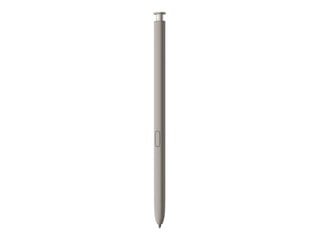
||Posted . Owned for 6 months when reviewed.This reviewer received promo considerations or sweepstakes entry for writing a review.Great phone but the stylus falls out making it easy to get lost.
No, I would not recommend this to a friendBrand response from Samsung
Posted .Hi there ErkelJ, thanks for taking the time to review your Samsung Galaxy S24 Ultra. We appreciate your honesty as we strive to provide the best products with superior functionality on the market to our customers. Samsung provides a 12-month warranty on our products for manufacturing defects in materials and workmanship. As you know, the Galaxy S24 Ultra offers a S Pen that has its own designated S Pen slot when not in use. Push the S Pen to click it out of its slot. When placing it back into the slot, click the S Pen again to lock it in place. If you would like any further assistance or if you would like to share additional feedback with us, feel free to contact Support at your leisure. Thank you for being a loyal Samsung customer. - Debra
Phone is great, if camera is not important for you
||Posted . Owned for 1 week when reviewed.This reviewer received promo considerations or sweepstakes entry for writing a review.Was really excited about getting this phone. At first it seemed awesome. But that was before i started using the camera. What a disappointment. Picture quality is worse than the s9 i had before this. I went to other reviews at various sites, and the consensus is like my opinion. I would return it today, but im overseas. Horrible stain on Samsung's reputation. Dont make the mistake i made.
No, I would not recommend this to a friendBrand response from Samsung
Posted .Salutations Skip, thanks for taking the available time out of your busy day to share your thoughts with us about your Samsung Galaxy S24 Ultra. We appreciate your candor. Samsung provides a 12-month warranty on our products for manufacturing defects in materials and workmanship. We would be more than happy to assist you with whatever you may be currently experiencing with your device, however, without having any details available regarding what you may be currently experiencing with your camera and without being able to ask you any probing questions, I recommend reach out to Samsung Support at your earliest convenience for further assistance and/or help with troubleshooting. Thank you for being a faithful Samsung customer. - Debra
Returns
||Posted . Owned for 1 week when reviewed.This reviewer received promo considerations or sweepstakes entry for writing a review.Product was fine, but customer service was horrible. Upon returning product Mike BETZ was very rude and inconsiderate, will not shop in the Knoxville store again, also no respect for military personnel.
I would recommend this to a friendBad speakers
||Posted .This reviewer received promo considerations or sweepstakes entry for writing a review.The Speakers went bad after only using phone for 2 months
I would recommend this to a friendIt's ok
||Posted . Owned for 2 weeks when reviewed.This reviewer received promo considerations or sweepstakes entry for writing a review.Collect a lot of dust not EZ to put and pull out from pockets
No, I would not recommend this to a friend