Customer Ratings & Reviews
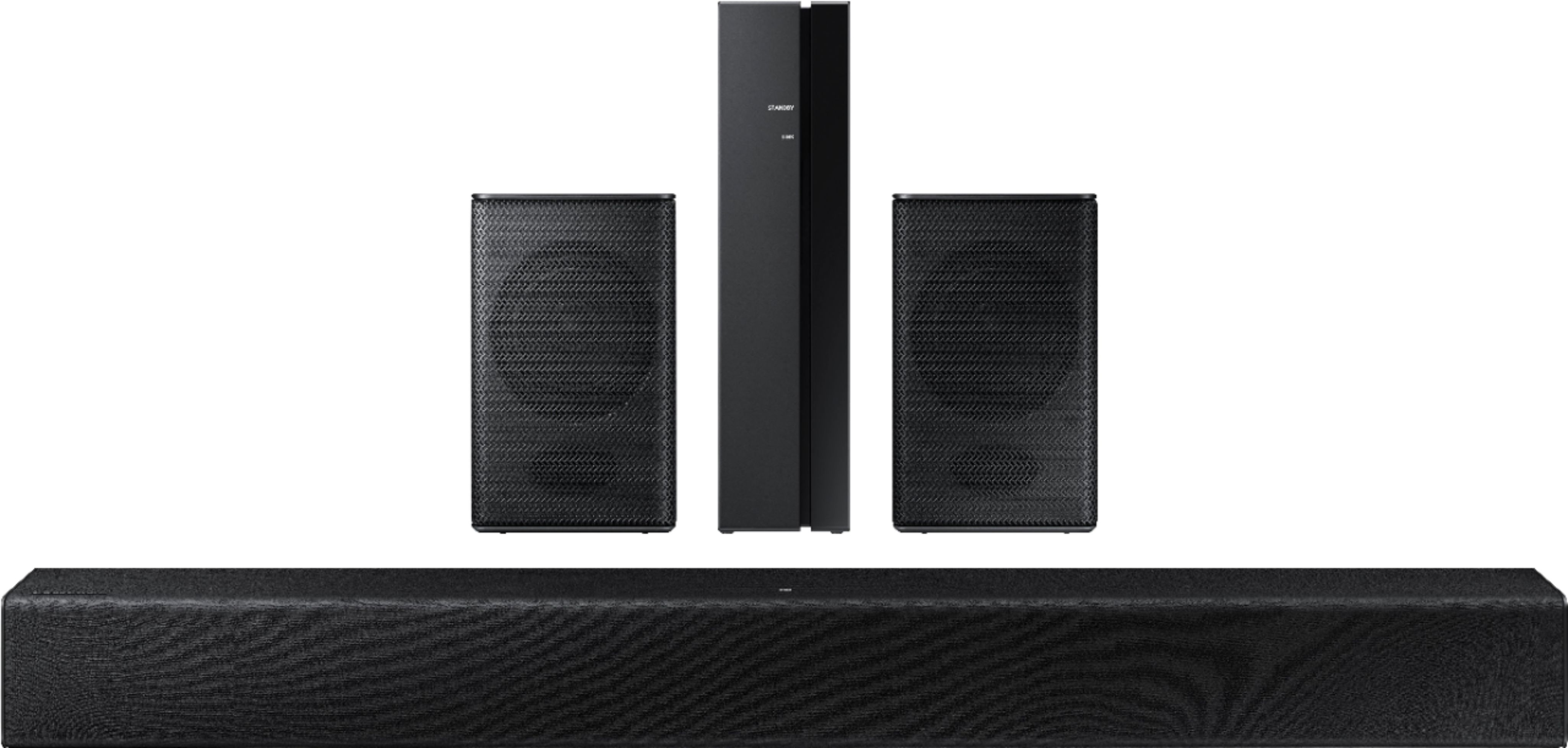

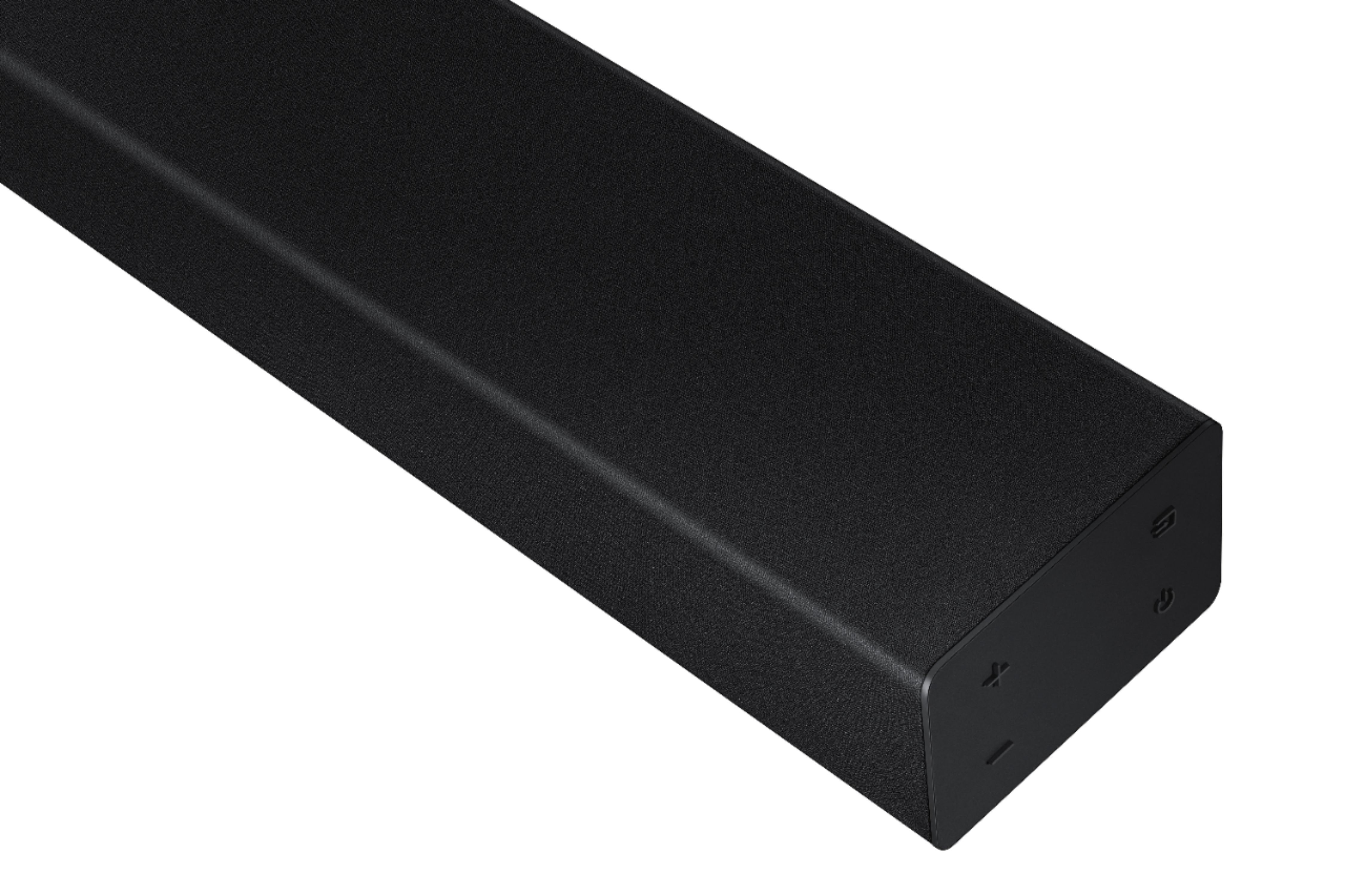

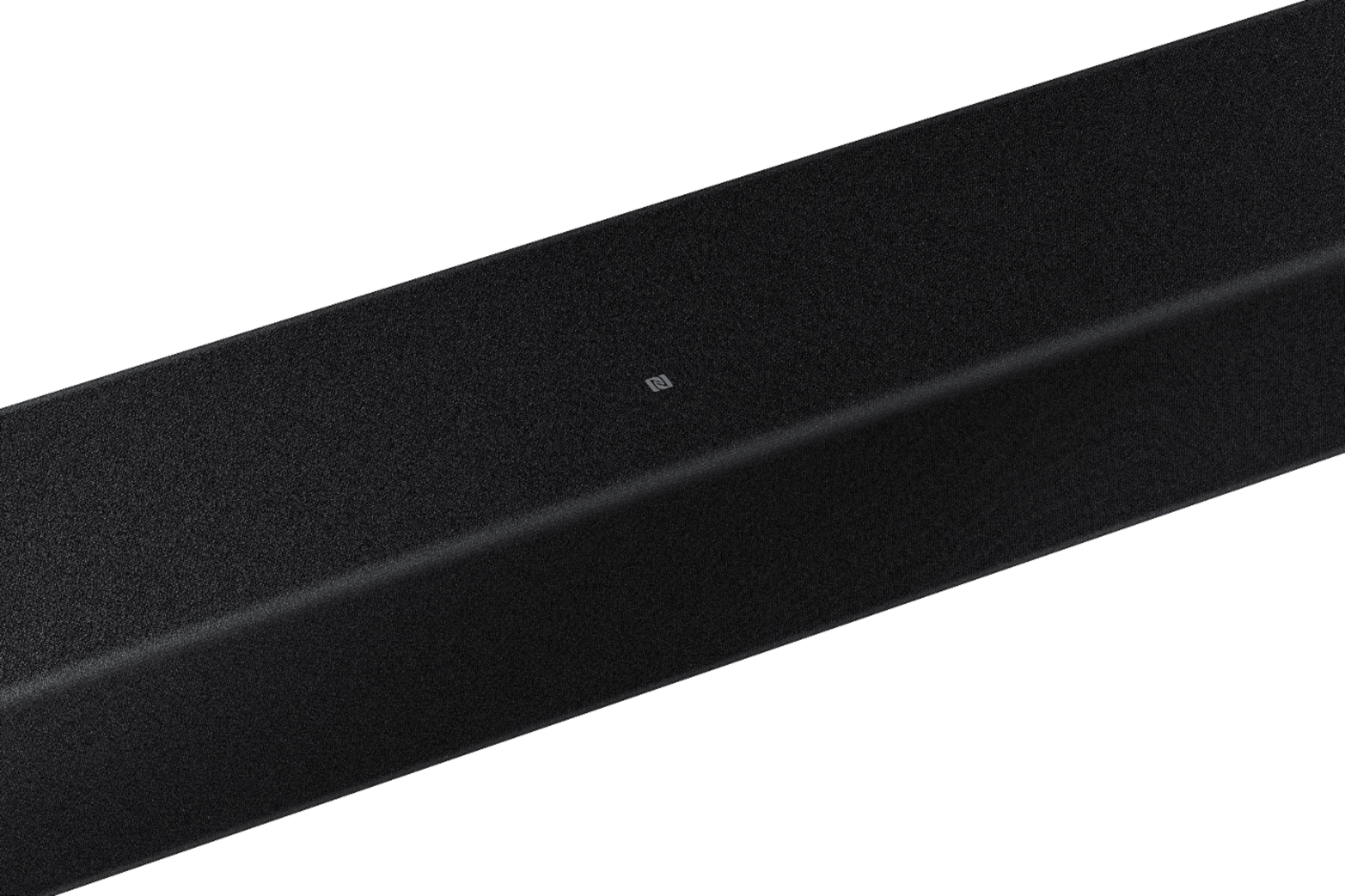

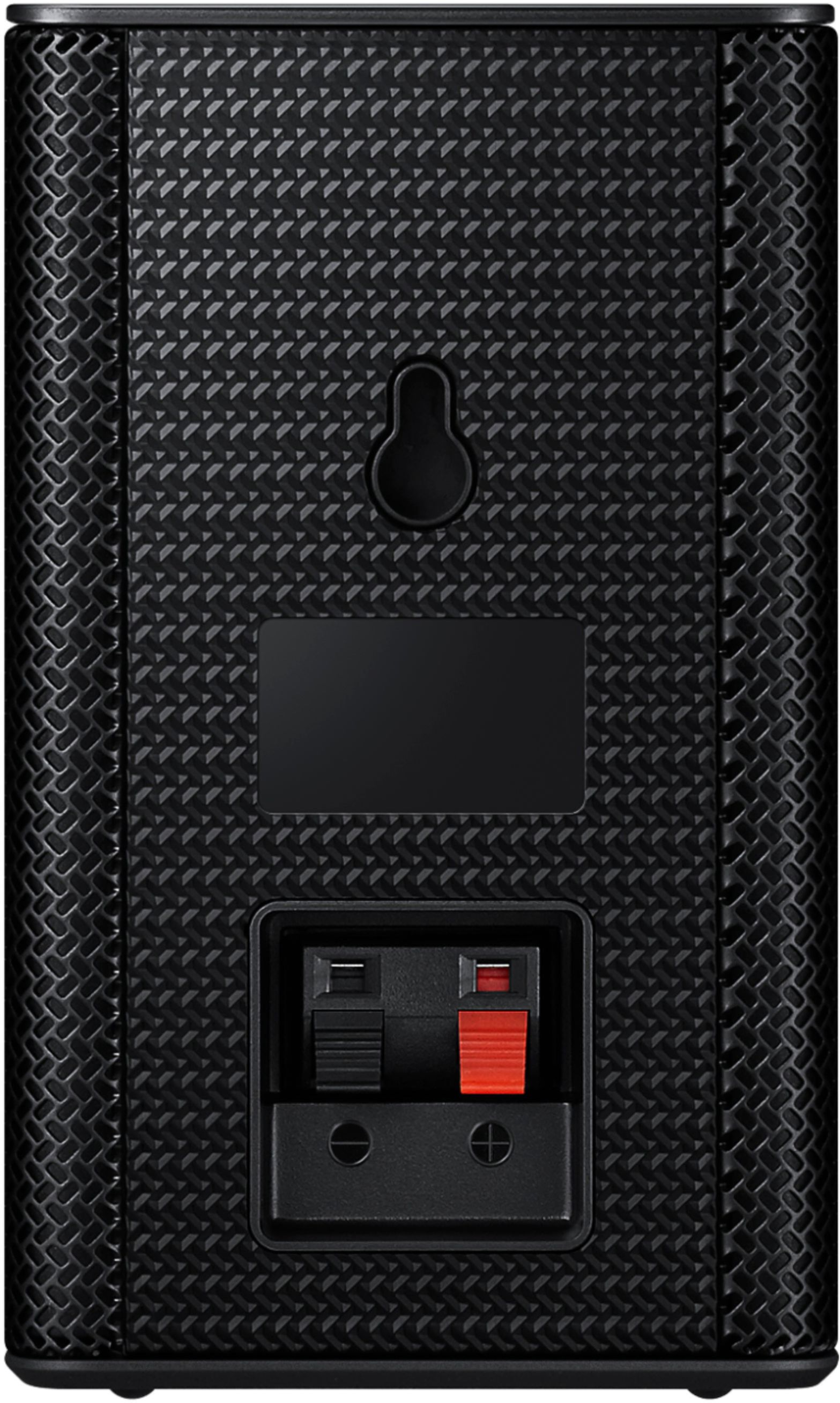




- Model:
- HW-A40R/ZA
- SKU:
- 6454650
Rating by feature
- Value
Rating 3.5 out of 5 stars
- Quality
Rating 3.3 out of 5 stars
- Ease of Use
Rating 3.5 out of 5 stars
Customers are saying
Customers are enthusiastic about the HW-A40R 4ch Sound bar's sound quality, describing it as "very good" and "amazing." They also appreciate its user-friendly setup process and affordable price point. However, some users have expressed concerns about the quality of the rear speakers, volume level, connectivity issues, and insufficient bass.
This summary was generated by AI based on customer reviews.
- Pros mentioned:Sound quality
Just buy the soundbar.
||Posted . Owned for 3 weeks when reviewed.This reviewer received promo considerations or sweepstakes entry for writing a review.This is a good overall product. It has definitely helped us to hear our t.v. much better. The one downside is that you can either use the soundbar or the side speakers, not both at the same time. If I had known that I probably would have just bought the soundbar as that is all that we use.
I would recommend this to a friendBrand response from Samsung
Posted .Hi Simplest,
Thank you for purchasing the Samsung HW-A40R and for sharing your review. The feedback you have provided regarding the sound from your rear speakers is important to us and will be shared with our product teams.
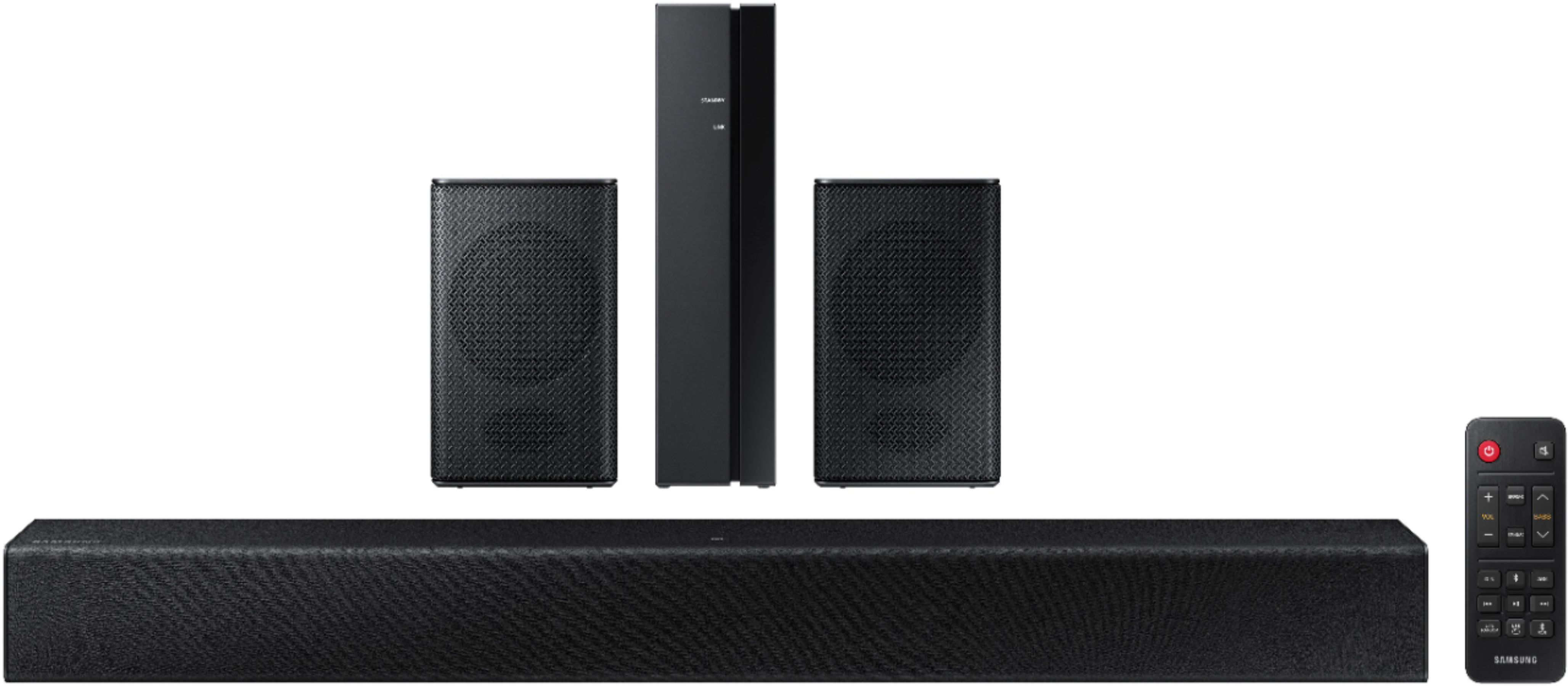
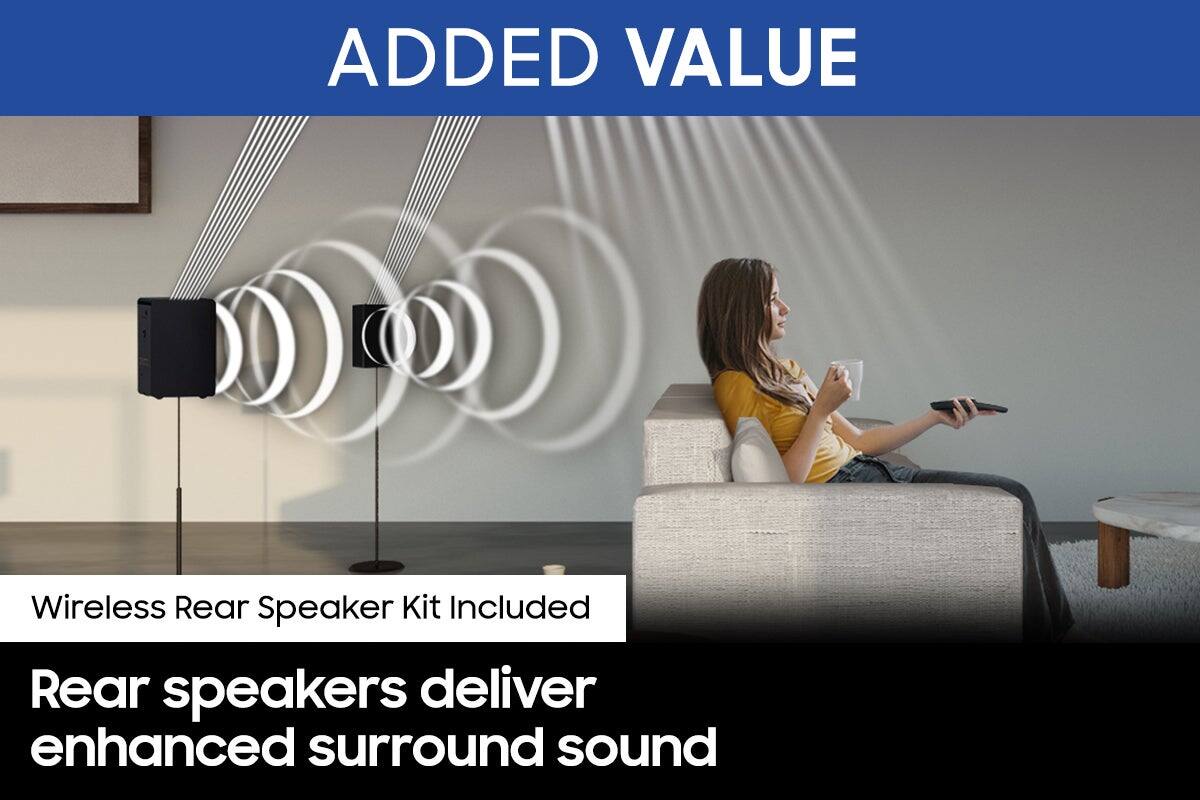
Please know, the included surround speakers are designed to work with the soundbar by simulating sounds happening behind the viewer. Therefore, most of the time the surround channels are only used for ambient sounds, which are naturally lower in volume; however, they should work at the same time as the soundbar.
Should you need assistance troubleshooting this issue, please call us at 1-800-SAMSUNG (ask for Soundbars), available 8AM - 12AM EST, 7 days a week.
For additional support resources, visit us on the Samsung website and click on the ‘Support’ link in the upper right corner of the homepage for:
1) Chat with Us/Product Help: To begin a chat or find solutions, choose ‘TVs & Home Theater’ and select your model & topic.
2) Manuals & Software
3) Warranty Info
4) Register a Product: For access to easy warranty support, convenient opt-in to special promos and offers, faster troubleshooting and service, and quick notification of system updates
5) Contact Us
~ Samsung Solutions
Too good to be true (for the price)
||Posted . Owned for less than 1 week when reviewed.This reviewer received promo considerations or sweepstakes entry for writing a review.Bought an open box “excellent condition”. Received it with no cushioning for the product. The product was missing the remote and no instructions. Speakers came in damaged. Everything was packed unprofessionally. All wire were wrapped with a hair tie or rubber band. They could’ve done better with the packaging. Whoever packed this really didn’t care about their job. Very disappointed.
No, I would not recommend this to a friendGood
||Posted . Owned for 1 year when reviewed.This reviewer received promo considerations or sweepstakes entry for writing a review.Great . Nice order. I refer you use this whenever you want to get stuffs online
I would recommend this to a friend- Cons mentioned:Rear speakers
Fair but not enough
||Posted .This reviewer received promo considerations or sweepstakes entry for writing a review.Sound coming from soundbar is ok. It does what a soundbar is supposed to do a points the sound more towards you. But that where it ends. The only way i could get a rich enough sound is if i have it set up where my TV speakers are working as well, soundbar by itself is just not enough. Also the two rear speakers that it comes with just dont work. Will be returning.
No, I would not recommend this to a friendBrand response from Samsung
Posted .Hi Ltfluffy,
Thank you for your review of the HW-A40R Soundbar and for your feedback regarding the volume issues you are experiencing with the included rear speakers. By design, the surround speakers are supposed to simulate sounds happening behind the viewer. Therefore, most of the time the surround channels are only used for ambient sounds, which are naturally lower in volume.
However, there are a few settings you can change to adjust the surround effect to your preference:
1) Download and install the latest firmware version (ver.1014)
2) Once installed, with the Soundbar on, press and hold the STANDARD button on the remote control for about 6 seconds
3) The LEDs will blink to indicate you are in adjustment mode
4) Use the BASS Up/Down buttons to adjust the level of the REAR speakers between -6 to +6.
5) The adjustment mode will exit if the surround button is pressed, or if no button is pressed for 10 seconds
If the volume levels still seem to low for your preference, please be aware of the following:
1) Make sure that the source (e.g. TV output) is sending surround channels to the Soundbar. If the source is not capable of surround, then set the Surround mode to OFF on the Soundbar by pressing the Surround button on the remote.
2) If the source has surround channels, select the Surround Sound Mode from the Soundbar remote.
3) Turn off Dynamic Range Control. This is done by pressing and holding the SURROUND button for 5 seconds.
4) Turn off the soundbar, then press and hold the source button on the soundbar for 7 seconds to enable Gain Boost. With Gain Boost active, the rear speaker’s volume level will be increased when the soundbar is in Surround mode. This feature can be turned off by following the same process.
Should you ever have questions or need help, please call us at 1-800-SAMSUNG (ask for Soundbars), available 8AM - 12AM EST, 7 days a week.
For additional support resources, visit us on the Samsung website and click on the ‘Support’ link in the upper right corner of the homepage for:
1) Chat with Us/Product Help: To begin a chat or find solutions, choose ‘TVs & Home Theater’ and select your model & topic.
2) Manuals & Software
3) Warranty Info
4) Register a Product: For access to easy warranty support, convenient opt-in to special promos and offers, faster troubleshooting and service, and quick notification of system updates
5) Contact Us
~ Samsung Solutions
Junk
||Posted . Owned for 3 weeks when reviewed.This reviewer received promo considerations or sweepstakes entry for writing a review.Easy to set up but you have to turn off the tv volume to work the sound bar so now you have 2 remotes and is inconvenient but the real problem lies in that my tv speakers sound better then the sound bar speakers. Also you cant hear the rear saround speakers and thats kindof the point in having the system to begin with and no there is no option on this model to turn up the rear speakers so needless to say i returned the speakers and was given store credit to buy something else i didnt need or want
No, I would not recommend this to a friendBrand response from Samsung
Posted .Hello KurtM,
Thank you for your review of the Samsung HW-A40R Soundbar and for sharing these experiences that have caused you to return your unit. Your experience is very important to us and will be shared with our product team.
Should you ever decide to give Samsung Soundbars another try and have questions or need assistance with settings, setup, or features, please know we are always here to help.
Call us at 1-800-SAMSUNG (ask for Soundbars), available 8 AM – 12 AM EST, 7 days a week.
~ Samsung Solutions
??
||Posted . Owned for 1 month when reviewed.This reviewer received promo considerations or sweepstakes entry for writing a review.Never had surroundsound, so I think it’s OK. Not a booming.
I would recommend this to a friend- Pros mentioned:Sound quality
Not pleased
||Posted . Owned for 1 week when reviewed.This reviewer received promo considerations or sweepstakes entry for writing a review.Now this sound bar i wasnt to hapoy with the 2 back speakers didnt work so i had to return. The soundbar worked sound pretty good.
No, I would not recommend this to a friendBrand response from Samsung
Posted .Hello Shopper,
Thank you for your review of the HW-A40R Soundbar and for sharing these experiences that have caused you to return your unit. Your experience is very important to us and will be shared with our product team.
It is possible that your unit needed minor troubleshooting, a firmware update, or adjustments in settings.
Should you ever decide to give Samsung Soundbars another try and have questions or need assistance with settings, setup, or features, please know we are always here to help.
Call us at 1-800-SAMSUNG (ask for Soundbars), available 8 AM – 12 AM EST, 7 days a week.
~ Samsung Solutions
Sadly not worth it
||Posted . Owned for 3 weeks when reviewed.This reviewer received promo considerations or sweepstakes entry for writing a review.Smaller speakers bately put out sound. Once i finally.got system hooked up to my samsung tv i didnt think the surround speakers were worki g at all u til i held them.up to my ears. Main speakers was really.lpud, but no good quality sound. I DID use surround sound feater on tv and speakers. Very disappointed as I am a huge samsung user.
No, I would not recommend this to a friendBrand response from Samsung
Posted .Hello AprilW,
Thank you for sharing your feedback regarding the HW-A40R Soundbar. I am sorry to see that the audio performance did not live up to your expectations.
Please know there are a wide range of options available to further tune the audio to your liking.
First, please be sure you have the latest firmware version installed. You can update to the latest firmware by downloading the firmware file from the Samsung Electronics Website, load the file onto a USB storage device, and connecting the USB storage device to the soundbar. Updating your firmware provides the latest improvements and features, such as the ability to adjust the volume of the rear speakers.
Once the latest firmware version has been installed, press, and hold the STANDARD button on the remote control for about 6 seconds then use the Bass Up/Down buttons to adjust the level of the rear speakers between -6 to +6.
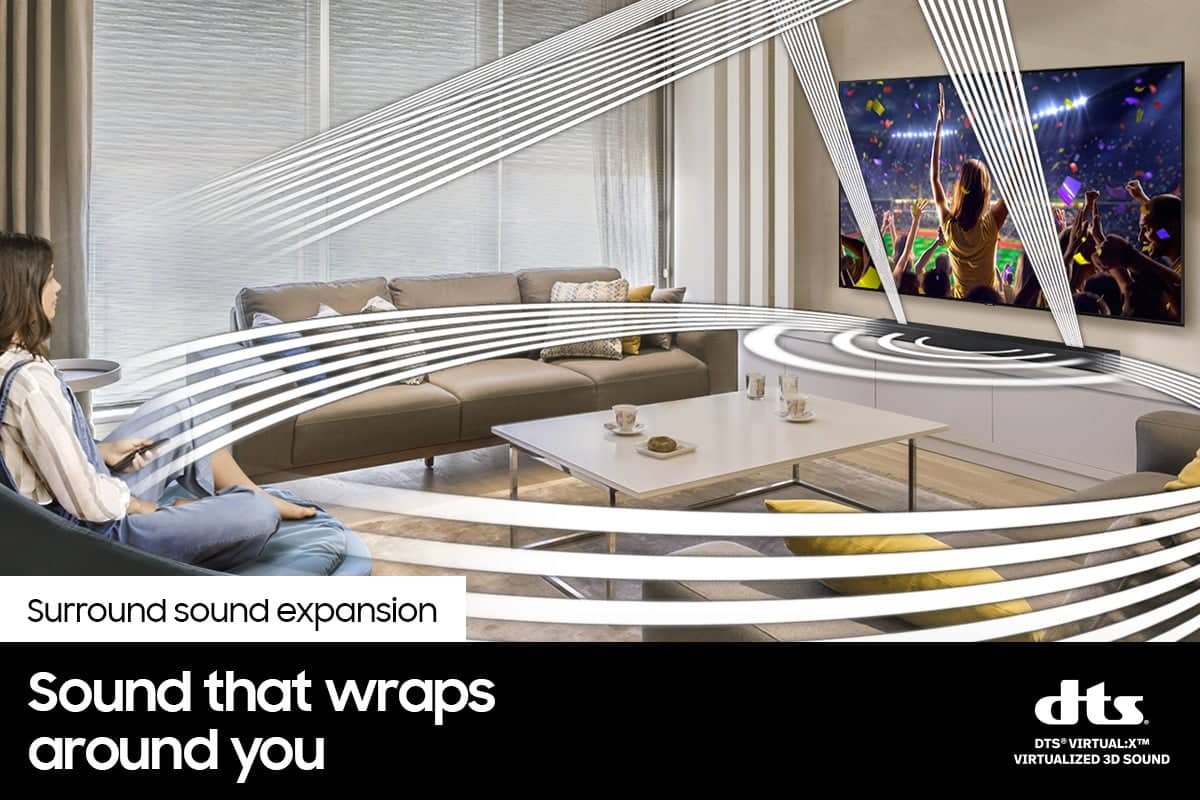
Additionally, you may want to check the sound settings on your TV. If your Digital Output Audio Format is set to PCM then you will likely notice decreased performance with surround sound audio systems. Dolby options are designed for surround systems (like 3.1.2 or 7.1), whereas PCM provides great sound quality for stereo speakers.
I hope these tips help. For additional assistance please call us at 1-800-SAMSUNG (ask for Soundbars), available 8 AM – 12 AM EST, 7 days a week.
LiveChat with an agent by clicking the ‘Support’ link on the Samsung website.
~Samsung Solutions
No sound
||Posted .This reviewer received promo considerations or sweepstakes entry for writing a review.cound't get it to connect . still doesnt work after 1 year
No, I would not recommend this to a friend- Pros mentioned:Size, Sound quality
Affordable soundbar
||Posted . Owned for 6 months when reviewed.This reviewer received promo considerations or sweepstakes entry for writing a review.This soundbar works great for me. I want a quality soundbar but not to take a lot of room and this was a perfect fit for what I wanted. The sound is good and can be loud.
I would recommend this to a friend Don’t buy
||Posted . Owned for 7 months when reviewed.This reviewer received promo considerations or sweepstakes entry for writing a review.Surround sound speakers practically useless sound bar disconnects and turns off randomly absolutely don’t recommend
No, I would not recommend this to a friendBrand response from Samsung
Posted .Hello KristoferC,
We appreciate you sharing your review of the HW-A40R and detailing your experience with the included Wireless Rear Speakers. Please know, there are a few adjustment settings available for the rear speakers after you update to the latest firmware version.
You can update the firmware by connecting a USB device with the firmware update stored on it to the USB port on your Soundbar.
1.Go to the Samsung Electronics website (www.samsung.com) → click on the “Support” option in the upper right corner.
2.Click on “Manuals & Software” from the pop-up list > TVs & Home Theater > Home Theater > Select your model
2. Download the firmware file (USB type).
3. Unzip the file to create a folder with the file name.
4. Store the created folder in a USB and then connect it to the Soundbar.
Once installed, with the Soundbar on, press and hold the STANDARD button on the remote control for about 6 seconds; the LEDs will blink to indicate you are in adjustment mode. You can then use the BASS Up/Down buttons to adjust the level of the REAR speakers between -6 to +6. The adjustment mode will exit if the surround button is pressed, or if no button is pressed for 10 seconds.
Call us at 1-800-SAMSUNG (ask for Soundbars), available 8 AM – 12 AM EST, 7 days a week.
LiveChat with an agent by clicking the ‘Support’ link on the Samsung website.
~Samsung Solutions
- Pros mentioned:Sound qualityCons mentioned:Rear speakers
Poor Rear Speakers which Produce No Sound
||Posted . Owned for 2 weeks when reviewed.This reviewer received promo considerations or sweepstakes entry for writing a review.Rear speakers had no sound. Main soundbar was clear, but if the product is being marketed as having rear speakers, sound should be clear out of those speakers. Multiple other people remarked on the fact that little sound came out of the rear speakers, and they are correct.
No, I would not recommend this to a friendBrand response from Samsung
Posted .Hi!
Thank you for purchasing the Samsung HW-A40R and for sharing your review. Your feedback regarding the performance of the included rear speakers is important to us and will be shared with our product teams.
Please know there are a few settings you can change to adjust the surround effect to your preference:
1) Download and install the latest firmware version found at the following link (ver. HMS-A4X0WWB-1011): https://www.samsung.com/us/support/downloads/?model=N0021435&modelCode=HW-A40R/ZA
2) Once installed, with the Soundbar on, press and hold the STANDARD button on the remote control for about 6 seconds
3) The LEDs will blink to indicate you are in adjustment mode
4) Use the BASS Up/Down buttons to adjust the level of the REAR speakers between -6 to +6.
5) The adjustment mode will exit if the surround button is pressed, or if no button is pressed for 10 seconds
I hope these tips help to enhance your audio enjoyment.
Should you ever have questions or need help, please call us at 1-800-SAMSUNG (ask for Soundbars), available 8AM - 12AM EST, 7 days a week.
For additional support resources, visit us on the Samsung website and click on the ‘Support’ link in the upper right corner of the homepage for:
1) Chat with Us/Product Help: To begin a chat or find solutions, choose ‘TVs & Home Theater’ and select your model & topic.
2) Manuals & Software
3) Warranty Info
4) Register a Product: For access to easy warranty support, convenient opt-in to special promos and offers, faster troubleshooting and service, and quick notification of system updates
5) Contact Us
~ Samsung Solutions
Disappointed
||Posted . Owned for 1 year when reviewed.This reviewer received promo considerations or sweepstakes entry for writing a review.I was not happy with this product. The external speakers and surround sound speakers didn't work.
No, I would not recommend this to a friendBrand response from Samsung
Posted .Hello Denb,
Thank you for purchasing the Samsung HW-A40R and for sharing your review. Your feedback regarding the audio performance of the rear speakers is important to us and will be shared with our product teams.
There are a few settings and adjustments that can be made to increase the volume of the rear speakers to your liking. First, make sure you have the latest firmware version installed. Once installed, with the Soundbar on, press and hold the STANDARD button on the remote control for about 6 seconds. Use the BASS Up/Down buttons to adjust the level of the REAR speakers between -6 to +6.
Additionally, turn off the soundbar, then press and hold the source button on the soundbar for 7 seconds to enable Gain Boost. With Gain Boost active, the rear speaker’s volume level will be increased when the soundbar is in Surround mode. This feature can be turned off by following the same process.
Call us at 1-800-SAMSUNG (ask for Soundbars), available 8 AM – 12 AM EST, 7 days a week.
LiveChat with an agent by clicking the ‘Support’ link on the Samsung website.
~Samsung Solutions
Rear speaker volume does not adjust at all.
||Posted .This reviewer received promo considerations or sweepstakes entry for writing a review.ATTENTION: I really hope you guys read this comment before spending hours with customer service trying to get this to work! I was excited to finally be able to enjoy the first soundbar system. I pick this guy up at a local Best Buy, thinking I would come home and get ready to enjoy a nice night with my girlfriend. We decided to give the first Iron man movie given that she had never seen any of the Marvel movies. I figured, she would have a blast with this system. It turned out the purchase was a big bust. We spent hours trying to adjust the sound and finally decided to contact customer support via chat. To my surprise, even customer support was unable to get this thing to work. We tried everything from resetting, repairing, connecting, disconnecting. the rear speakers simply had no means of adjustment to the volume level. It sounds like whispers coming from them! The manual is so poorly designed that even customer service was unsure of what to do. What a waste of a night with the girl, complete waste of time, and money. I was so disappointed with the purchase.
No, I would not recommend this to a friendBrand response from Samsung
Posted .Hi QuantumEnergia,
Thank you for your review of the HW-A40R Soundbar and for your feedback regarding adjusting the volume of the included rear speakers.
To increase the volume of the rear speaker, please try this tip:
On the Right side of the main Soundbar, there is button that looks like a rectangle with an arrow in it. This is the Source button. To activate the rear speaker gain boost, first turn off the Soundbar, then press and hold the Source key for 7 seconds. Now when SURROUND mode is selected, the rear speaker’s volume level will be increased. To de-activate the rear speaker gain boost, repeat the procedure above.
I hope these tips help to enhance your audio enjoyment. Should you need further assistance with this issue or have any questions, please contact Samsung Customer Support at 1-800-SAMSUNG (ask for Soundbars), available 8AM -12AM EST, 7 days a week. Or text HELP to 62913.
For additional support resources, visit us on the Samsung website and click on the ‘Support’ link in the upper right corner of the homepage for:
1) More ‘Contact Us’ options – LiveChat, Facebook, Twitter, Samsung Community, Samsung Members app
2) Manuals & Software
3) Warranty Info
4) Product Registration: For access to easy warranty support, convenient opt-in to special promos and offers, faster troubleshooting and service, and quick notification of system updates.
We hope to hear from you.
~ Samsung Specialist
- Cons mentioned:Rear speakers
Low quality
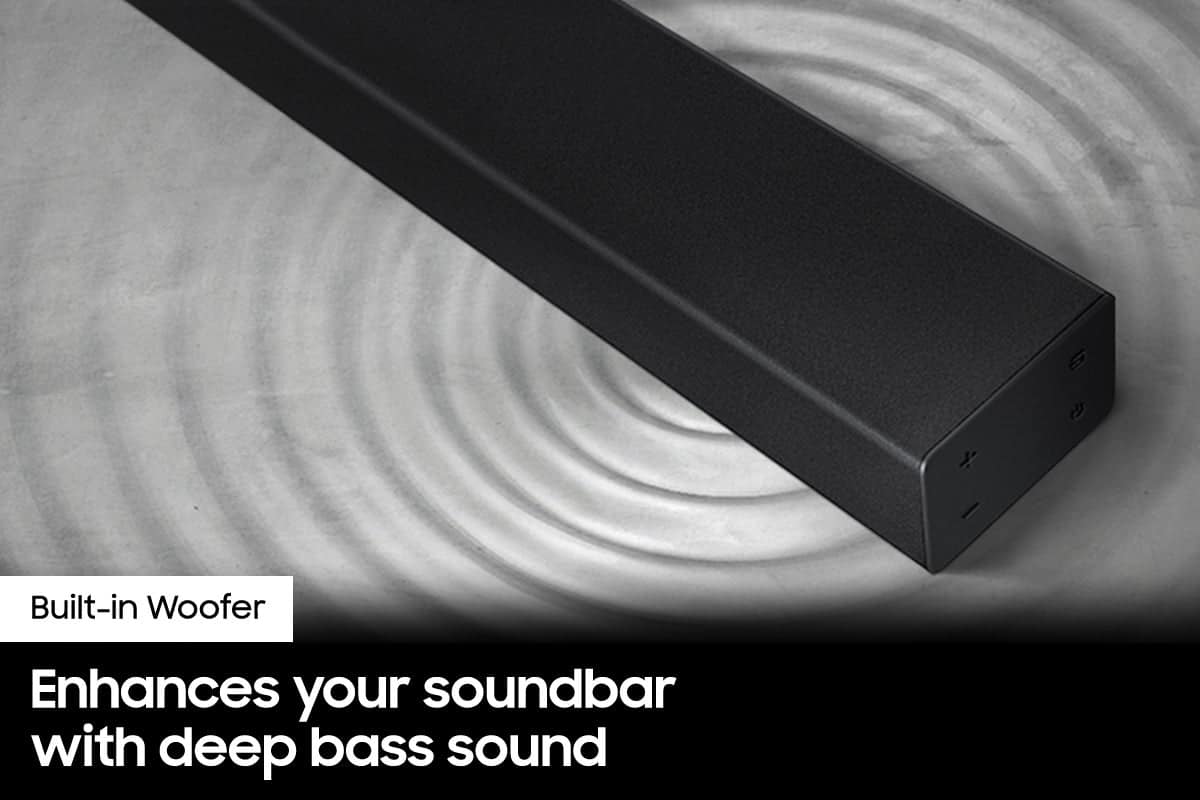
||Posted . Owned for 2 weeks when reviewed.This reviewer received promo considerations or sweepstakes entry for writing a review.Thought had its mini subwoofer nope sad outcome some getting a crappy Christmas gift lol
No, I would not recommend this to a friendBrand response from Samsung
Posted .Hello,
Thank you for sharing your experiences with the HW-A40R Soundbar.
Please know there are a wide range of options available to further tune the audio to your liking.
First, please be sure you have the latest firmware version installed. You can update to the latest firmware by downloading the firmware file from the Samsung Electronics Website, load the file onto a USB storage device, and connecting the USB storage device to the soundbar. Updating your firmware provides the latest improvements and features, such as the ability to adjust the volume of the rear speakers.
Once the latest firmware version has been installed, press, and hold the STANDARD button on the remote control for about 6 seconds then use the Bass Up/Down buttons to adjust the level of the rear speakers between -6 to +6.
Additionally, you may want to check the sound settings on your TV. If your Digital Output Audio Format is set to PCM then you will likely notice decreased performance with surround sound audio systems. Dolby options are designed for surround systems (like 3.1.2 or 7.1), whereas PCM provides great sound quality for stereo speakers.
I hope these tips help. For additional assistance please contact us at
Call us at 1-800-SAMSUNG (ask for Soundbars), available 8 AM – 12 AM EST, 7 days a week.
LiveChat with an agent by clicking the ‘Support’ link on the Samsung website.
~Samsung Solutions
- Cons mentioned:Rear speakers
Disappointed
||Posted . Owned for 4 months when reviewed.This reviewer received promo considerations or sweepstakes entry for writing a review.Sounds hollow, rear speakers dont work at all. Would not recomend.
No, I would not recommend this to a friendBrand response from Samsung
Posted .Hello Markg,
Thank you for purchasing the Samsung HW-A40R and for sharing your review. Your feedback regarding the audio performance of the rear speakers is important to us and will be shared with our product teams.
There are a few settings and adjustments that can be made to increase the volume of the rear speakers to your liking. First, make sure you have the latest firmware version installed. Once installed, with the Soundbar on, press and hold the STANDARD button on the remote control for about 6 seconds. Use the BASS Up/Down buttons to adjust the level of the REAR speakers between -6 to +6.
Additionally, turn off the soundbar, then press and hold the source button on the soundbar for 7 seconds to enable Gain Boost. With Gain Boost active, the rear speaker’s volume level will be increased when the soundbar is in Surround mode. This feature can be turned off by following the same process.
If we can further help with any other issues, please know we are here for you. Just call us at 1-800-SAMSUNG (Ask for Soundbars), 8 AM – 12 AM EST, 7 days a week. Or visit us on the Samsung website and click on the ‘Support’ link for:
• LiveChat with an agent
• Manuals, Software, & Warranty Info
~ Samsung Solutions
- Cons mentioned:Setup
I’d settle for a wall unit
||Posted . Owned for 3 weeks when reviewed.This reviewer received promo considerations or sweepstakes entry for writing a review.It’s okay... kinda difficult to set up. Takes hours to pair and figure out where the cords go. I thought it was all cordless, it’s not. And it seems the large speaker has to be plugged in the wall for it to work.
No, I would not recommend this to a friend - Pros mentioned:Sound quality
Could be better
||Posted . Owned for 1 month when reviewed.This reviewer received promo considerations or sweepstakes entry for writing a review.The sound bar does a great job. The satellite speakers though I'm not impressed with it all
I would recommend this to a friendBrand response from Samsung
Posted .Hello Donnie,
We appreciate you sharing your review of the HW-A40R and detailing your experience with the included Wireless Rear Speakers. Please know, there are a few adjustment settings available for the rear speakers after you update to the latest firmware version.
You can update the firmware by connecting a USB device with the firmware update stored on it to the USB port on your Soundbar.
1.Go to the Samsung Electronics website (www.samsung.com) → click on the “Support” option in the upper right corner.
2.Click on “Manuals & Software” from the pop-up list > TVs & Home Theater > Home Theater > Select your model
2. Download the firmware file (USB type).
3. Unzip the file to create a folder with the file name.
4. Store the created folder in a USB and then connect it to the Soundbar.
Once installed, with the Soundbar on, press and hold the STANDARD button on the remote control for about 6 seconds; the LEDs will blink to indicate you are in adjustment mode. You can then use the BASS Up/Down buttons to adjust the level of the REAR speakers between -6 to +6. The adjustment mode will exit if the surround button is pressed, or if no button is pressed for 10 seconds.
I hope this tip helps you enjoy the experience with your new Samsung soundbar! Should you have additional questions regarding the audio settings available for your soundbar,
If you need more help, Samsung is here for you. Please call us at 1-800-SAMSUNG, 8AM - 12AM EST (Ask for Soundbars), 7 days a week. Our LiveChat agents are also available by clicking on the ‘Support’ link on our website.
~ Samsung Solutions
- Pros mentioned:Sound quality
It’s ok
||Posted . Owned for 3 weeks when reviewed.This reviewer received promo considerations or sweepstakes entry for writing a review.Can’t get the surround speakers to work. The sound bar itself is great, but the speakers are really touchy and don’t work.
No, I would not recommend this to a friendBrand response from Samsung
Posted .Hi Tiffers!
Thank you for your review of the HW-A40R Soundbar and for your feedback regarding the connection issues you are experiencing with the included rear speakers.
When connecting the speaker cables to the Wireless Receiver Module & surround speakers, follow these steps:
1. Match the speaker cable connected to the grey port to the speaker with the grey label.
2. Match the speaker cable connected to the blue port to the speaker with the blue label.
3. Insert the red and black colored ends of each speaker cable into the red and black ports of the
appropriate speaker (the labels are on the backs of the speakers).
When you turn the power on after connecting the power cables to the Soundbar and Wireless Surround speaker, the surround speakers are automatically connected to the Soundbar.
• When auto pairing is complete, the blue indicators at the rear of the Wireless Receiver Module turn on.
If automatic connection fails, try manually pairing the rear speakers:
1. Check whether the power cables for the Soundbar and Wireless Surround speaker are connected properly.
2. Make sure that the Soundbar is turned on
3. Press the ID SET button on the back of the Wireless Receiver Module with a pen tip for 5~6 seconds until the LINK LED indicator blinks fast (in Blue)
4. Press and hold the mute button on the remote control for at least 5 seconds.
5. Check if the LINK LED is solid blue (connection complete)
- If the LED light is solid blue, the rear speakers are connected to your soundbar.
- If the LED light is blinking blue fast, the module is in pairing mode. Check to see if your soundbar is turned on and repeat the above steps.
- If the LED light is blinking blue slowly, the module is disconnected. Turn off your soundbar and press the Up button on the remote for 5 seconds. The ID SET message will appear on the soundbar for a short time and then disappear. After the ID SET process, the soundbar power is automatically turned on. The LINK LED indicator stops blinking and glows a solid blue when a connection is established between the soundbar and the wireless receiver module.
This issue may also be caused by wireless interference. When there is a wireless device (e.g., wireless LAN) using the same frequency (5.8GHz) near the Soundbar, the wireless connection between the Subwoofer and Surround Speaker could become unstable. This will affect the quality of audio output.
Should you ever have questions or need help, please call us at:
1-800-SAMSUNG (ask for Soundbars), available 8AM -12AM EST (Mon-Fri), 9AM – 6PM EST (Sat). Or text HELP to 62913.
For additional support resources, visit us on the Samsung website and click on the ‘Support’ link in the upper right corner of the homepage for:
1) More ‘Contact Us’ options – LiveChat, Facebook, Twitter, Samsung Community, Samsung Members app
2) Manuals & Software
3) Warranty Info
4) Product Registration: For access to easy warranty support, convenient opt-in to special promos and offers, faster troubleshooting and service, and quick notification of system updates.
~ Samsung Solutions
Surround Speakers
||Posted . Owned for 3 weeks when reviewed.This reviewer received promo considerations or sweepstakes entry for writing a review.The surrounding sound is not great you are not able to hear the sounds out of back speakers.
No, I would not recommend this to a friendBrand response from Samsung
Posted .Hello LeonardH,
We appreciate you sharing your review of the HW-A40R and detailing your experience with the included Wireless Rear Speakers. Please know, there are a few adjustment settings available for the rear speakers after you update to the latest firmware version.
You can update the firmware by connecting a USB device with the firmware update stored on it to the USB port on your Soundbar.
1.Go to the Samsung Electronics website (www.samsung.com) → click on the “Support” option in the upper right corner.
2.Click on “Manuals & Software” from the pop-up list > TVs & Home Theater > Home Theater > Select your model
2. Download the firmware file (USB type).
3. Unzip the file to create a folder with the file name.
4. Store the created folder in a USB and then connect it to the Soundbar.
Once installed, with the Soundbar on, press and hold the STANDARD button on the remote control for about 6 seconds; the LEDs will blink to indicate you are in adjustment mode. You can then use the BASS Up/Down buttons to adjust the level of the REAR speakers between -6 to +6. The adjustment mode will exit if the surround button is pressed, or if no button is pressed for 10 seconds.
If you need more help, Samsung is here for you. Please call us at 1-800-SAMSUNG, 8AM - 12AM EST (Ask for Soundbars), 7 days a week. Our LiveChat agents are also available by clicking on the ‘Support’ link on our website.
~ Samsung Solutions