Customer Ratings & Reviews



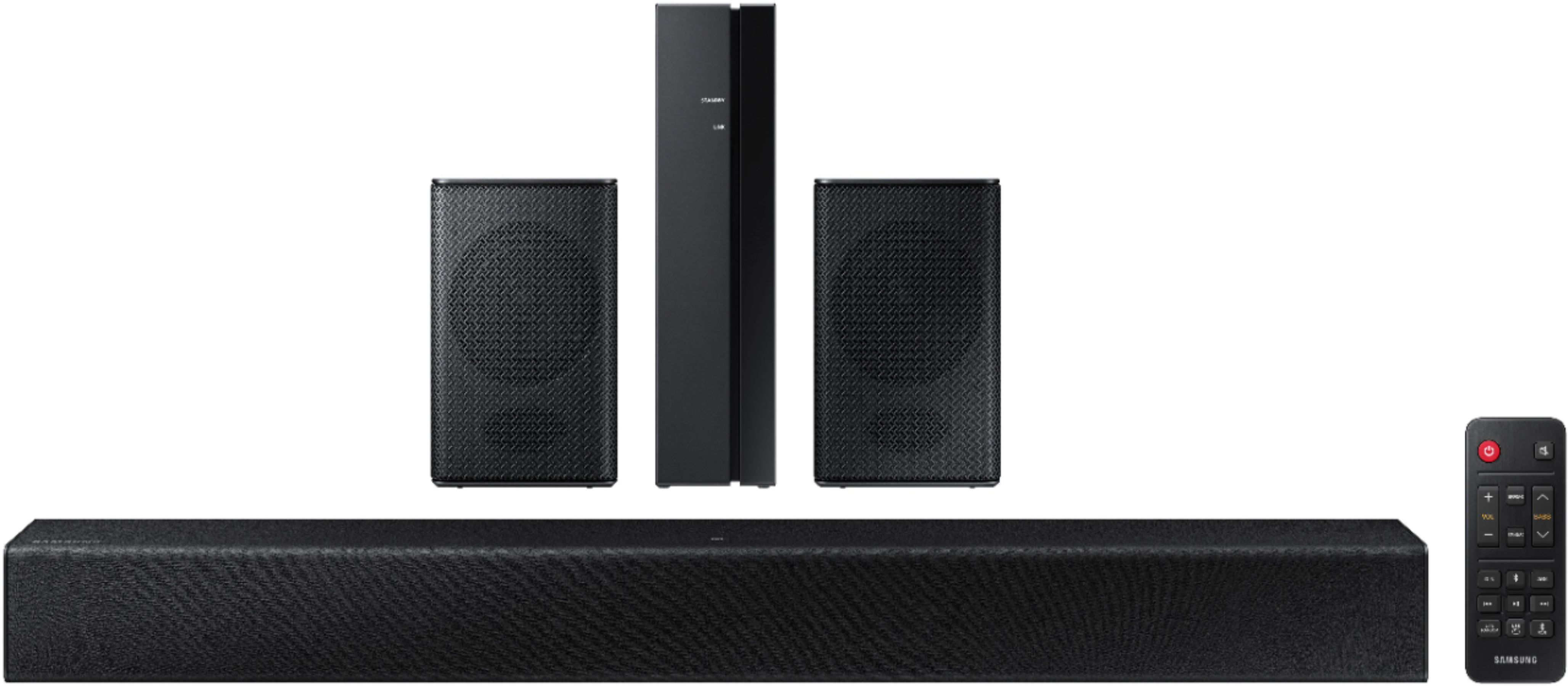





- Model:
- HW-A40R/ZA
- SKU:
- 6454650
Rating by feature
- Value
Rating 3.5 out of 5 stars
- Quality
Rating 3.3 out of 5 stars
- Ease of Use
Rating 3.5 out of 5 stars
Customers are saying
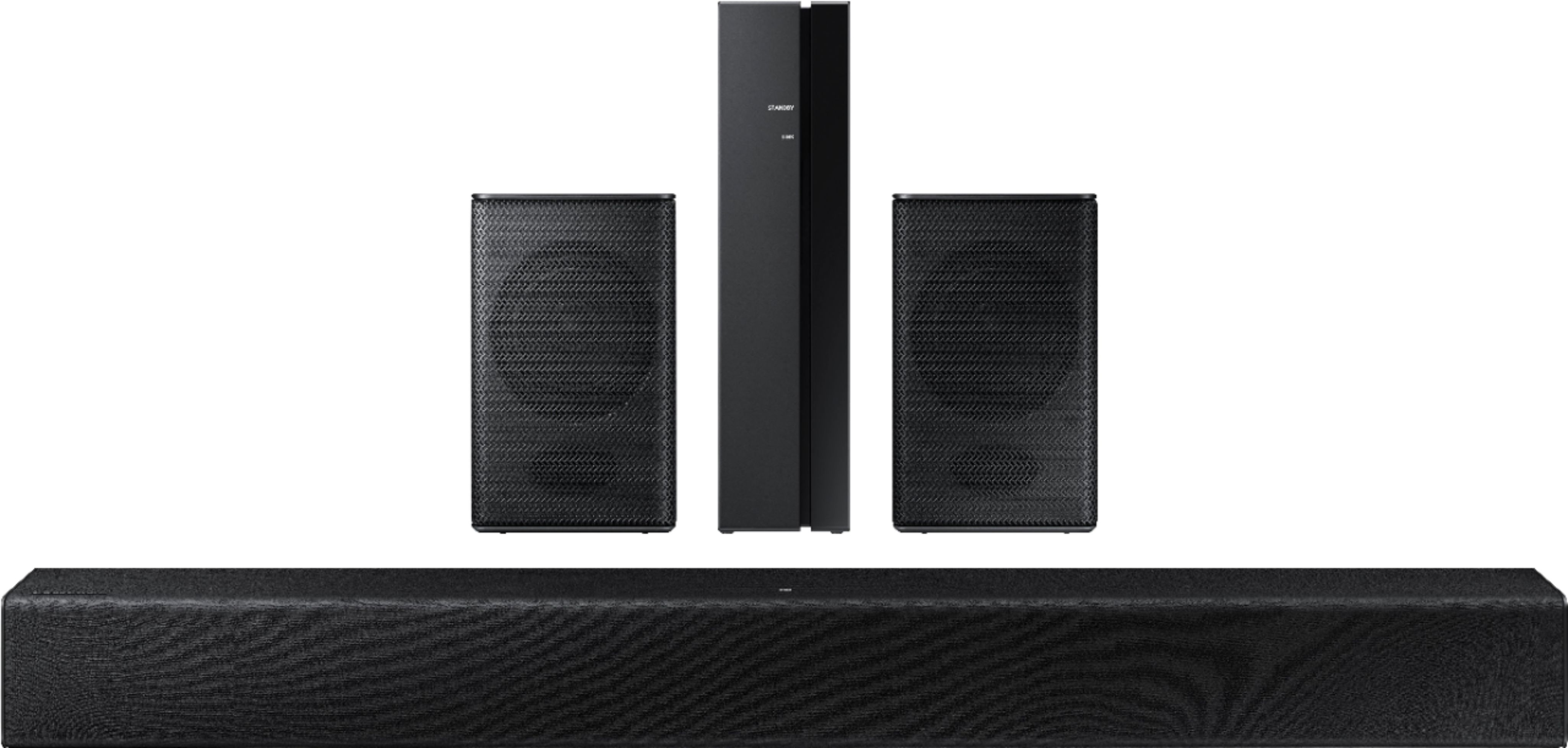
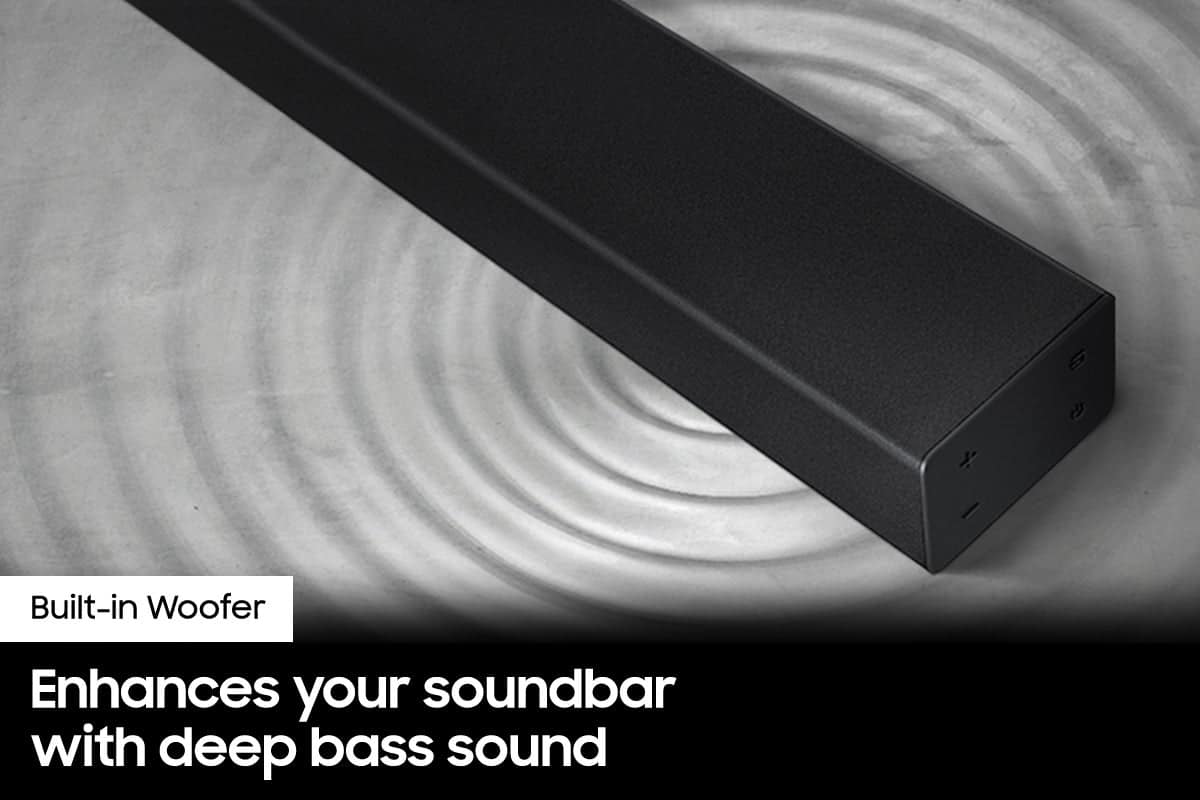
Customers are enthusiastic about the HW-A40R 4ch Sound bar's sound quality, describing it as "very good" and "amazing." They also appreciate its user-friendly setup process and affordable price point. However, some users have expressed concerns about the quality of the rear speakers, volume level, connectivity issues, and insufficient bass.
This summary was generated by AI based on customer reviews.
- Pros mentioned:Sound quality
Great purchase
||Posted . Owned for 1 month when reviewed.This reviewer received promo considerations or sweepstakes entry for writing a review.Great product & quality for the price. Sounds terrific
I would recommend this to a friend - Pros mentioned:Sound quality
Great soundbar setup!!!
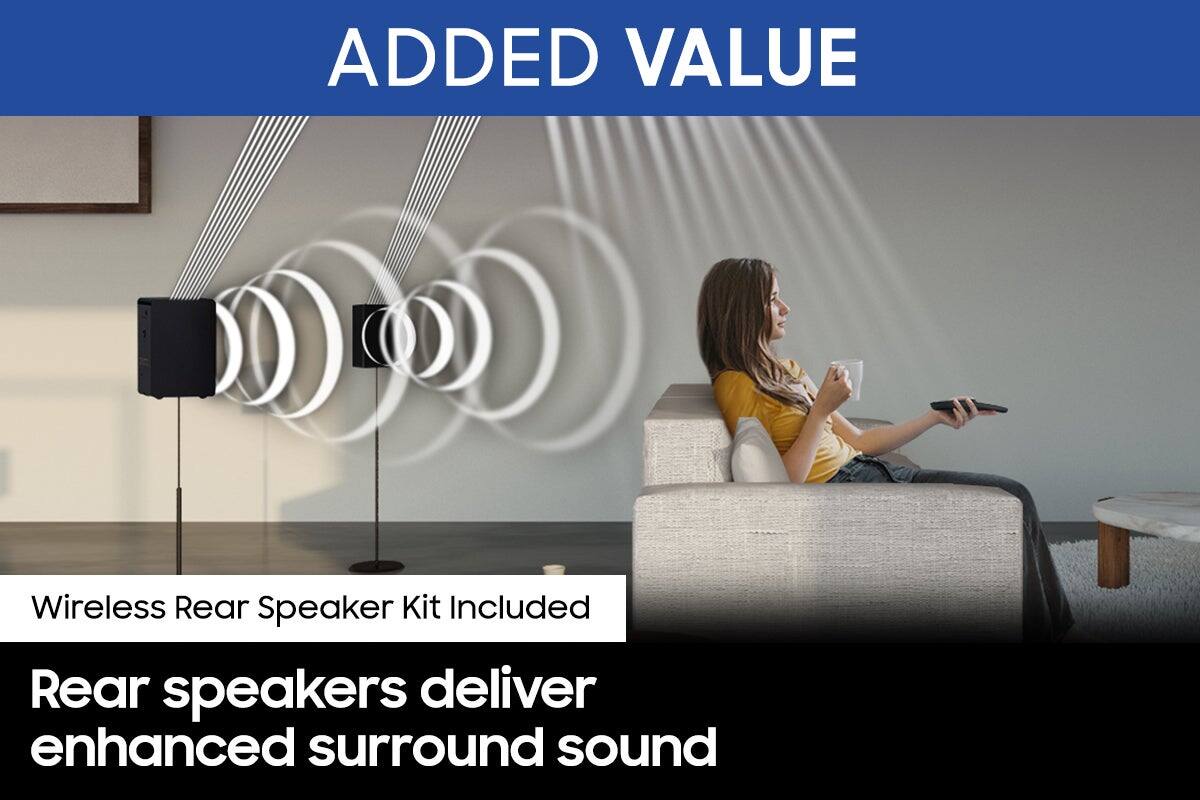
||Posted . Owned for 1 month when reviewed.This reviewer received promo considerations or sweepstakes entry for writing a review.Absolutely love this soundbar setup. Great sound, base, quality of the build is not cheap at all. And easy to setup when it comes to installation. The surround sound speakers can be placed anywhere needed along with the subwoofer which also sounds great as well.
I would recommend this to a friend - Pros mentioned:Sound quality
sounds good but cuts out
||Posted . Owned for 1 month when reviewed.This reviewer received promo considerations or sweepstakes entry for writing a review.Sounds good when it works, It cuts out even after checking out all of the power and optical connections.
No, I would not recommend this to a friendBrand response from Samsung
Posted .Hi Bill!
Thank you for purchasing the Samsung HW-A40R and for sharing your review. I am glad to hear you are enjoying the sound quality provided from your soundbar and we would be happy to assist with resolving the sound drop issues you are experiencing. We appreciate you sharing these details with us and will pass your feedback on to our internal product teams.
I am sorry to hear that the troubleshooting steps you have tried did not resolve the issue. In addition to checking the connections of the soundbar, please make sure your soundbar is using the latest firmware version (v.1014) You can update your firmware by using a USB device.
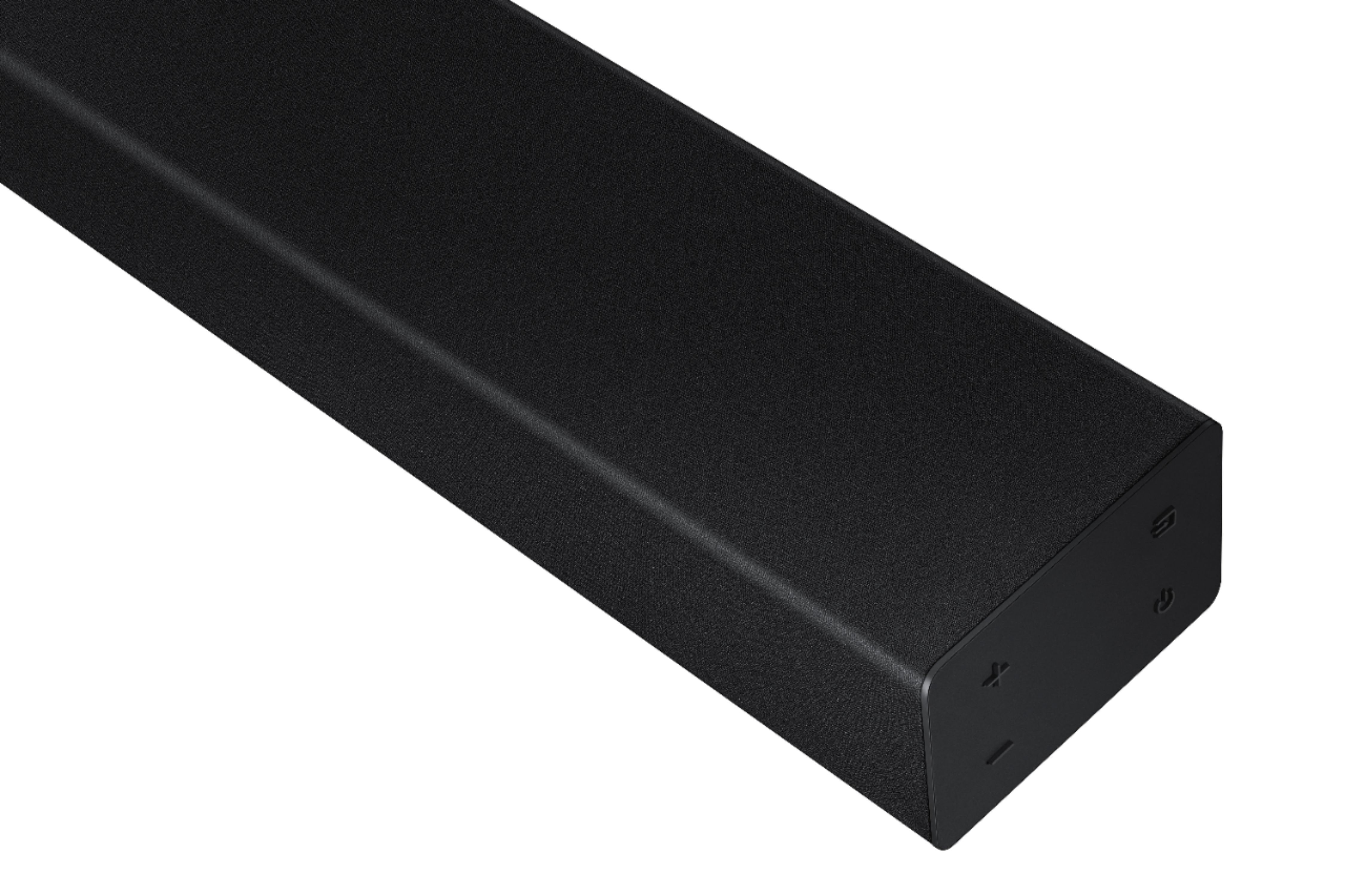
You may also want to initialize your soundbar by pressing the - and + (volume) buttons on the side of the soundbar at the same time for at least 5 seconds. The light indicator on the front of the soundbar will blink 4 times and the soundbar will be reset. Please know, this will reset all settings on the soundbar back to default; any sound adjustments will need to be performed again.
Should you continue to experience issues with the sound dropping, please call us at 1-800-SAMSUNG (ask for Soundbars), available 8AM - 12AM EST, 7 days a week.
For additional support resources, visit us on the Samsung website and click on the ‘Support’ link in the upper right corner of the homepage for:
1) Chat with Us/Product Help: To begin a chat or find solutions, choose ‘TVs & Home Theater’ and select your model & topic.
2) Manuals & Software
3) Warranty Info
4) Register a Product: For access to easy warranty support, convenient opt-in to special promos and offers, faster troubleshooting and service, and quick notification of system updates
5) Contact Us
~ Samsung Solutions
- Pros mentioned:Ease of use
Samsung Sound bar
||Posted . Owned for 1 month when reviewed.This reviewer received promo considerations or sweepstakes entry for writing a review.A good sound bar for the price. Very easy to setup.
I would recommend this to a friend - Pros mentioned:Sound quality
Very satisfied
||Posted . Owned for 1 month when reviewed.This reviewer received promo considerations or sweepstakes entry for writing a review.This is the first soundbar I have bought and I am very satisfied with it. Perfect for an apartment where you want a nice upgrade from the tv speaker without disturbing the neighbors. Though it is loud and clear enough that you could if you wanted.
I would recommend this to a friend - Pros mentioned:Sound quality
Magic man amazing sound bar
||Posted . Owned for less than 1 week when reviewed.This reviewer received promo considerations or sweepstakes entry for writing a review.I received my sound bar for my birthday and I love having it and also its a great gift its also have great quality and great value its really loud and I would recommend anyone to get this awesome sound bar
I would recommend this to a friend Disappointed grandma
||Posted . Owned for 3 weeks when reviewed.This reviewer received promo considerations or sweepstakes entry for writing a review.Sound bar works well still having issues with additional speakers. They are working however we can't seem to get the sound to go up so you can barely here them. So much for surround sound.
No, I would not recommend this to a friendBrand response from Samsung
Posted .Hi CatLover,
Thank you for purchasing the Samsung HW-A40R and for sharing your review. Your feedback regarding the audio performance of the rear speakers is important to us and will be shared with our product teams.
There are a few settings and adjustments that can be made to increase the volume of the rear speakers to your liking. First, make sure you have the latest firmware version installed (ver1014). Once installed, with the Soundbar on, press and hold the STANDARD button on the remote control for about 6 seconds. Use the BASS Up/Down buttons to adjust the level of the REAR speakers between -6 to +6.
Additionally, turn off the soundbar, then press and hold the source button on the soundbar for 7 seconds to enable Gain Boost. With Gain Boost active, the rear speaker’s volume level will be increased when the soundbar is in Surround mode. This feature can be turned off by following the same process.
I hope this helps you further enjoy the audio experience. Should you ever have questions or need help, please call us at 1-800-SAMSUNG (ask for Soundbars), available 8AM - 12AM EST, 7 days a week.
For additional support resources, visit us on the Samsung website and click on the ‘Support’ link in the upper right corner of the homepage for:
1) Chat with Us/Product Help: To begin a chat or find solutions, choose ‘TVs & Home Theater’ and select your model & topic.
2) Manuals & Software
3) Warranty Info
4) Register a Product: For access to easy warranty support, convenient opt-in to special promos and offers, faster troubleshooting and service, and quick notification of system updates
5) Contact Us
~ Samsung Solutions
Terrible
||Posted . Owned for 1 month when reviewed.This reviewer received promo considerations or sweepstakes entry for writing a review.Not a very good product. Samsung normally puts out great sound bars, the sound is very dull, and the small speakers you can barely hear out of them
No, I would not recommend this to a friendBrand response from Samsung
Posted .Hello Ross,
We appreciate you sharing your review of the HW-A40R and detailing your experience with the included Wireless Rear Speakers. Please know, there are a few adjustment settings available for the rear speakers after you update to the latest firmware version.
You can update the firmware by connecting a USB device with the firmware update stored on it to the USB port on your Soundbar.
1.Go to the Samsung Electronics website (www.samsung.com) → click on the “Support” option in the upper right corner.
2.Click on “Manuals & Software” from the pop-up list > TVs & Home Theater > Home Theater > Select your model
2. Download the firmware file (USB type).
3. Unzip the file to create a folder with the file name.
4. Store the created folder in a USB and then connect it to the Soundbar.
Once installed, with the Soundbar on, press and hold the STANDARD button on the remote control for about 6 seconds; the LEDs will blink to indicate you are in adjustment mode. You can then use the BASS Up/Down buttons to adjust the level of the REAR speakers between -6 to +6. The adjustment mode will exit if the surround button is pressed, or if no button is pressed for 10 seconds.
I hope this tip helps you enjoy the experience with your new Samsung soundbar! Should you have additional questions regarding the audio settings available for your soundbar,
I hope these tips help you enjoy your new product.
You can always contact us for further help at 1-800-SAMSUNG (Ask for Soundbars), 8 AM – 12 AM EST, 7 days a week. Our LiveChat agents are also available by clicking on the ‘Support’ link on our website.
~ Samsung Solutions
Waste of money!
||Posted . Owned for 5 months when reviewed.This reviewer received promo considerations or sweepstakes entry for writing a review.Quite possible that this is the worst sound system on the market! The sound does not align with the spoken word in the shows.
No, I would not recommend this to a friendBrand response from Samsung
Posted .Hello VickiM,
Thank you for sharing your review of the HW-A40R Soundbar. I am sorry to see that your out-of-box experience has not been ideal.
To help correct any audio sync issues, press the SOUND CONTROL button on the soundbar remote, until you see AUDIO SYNC on the display. You can then set the audio delay between 0~300 milliseconds by using the Up/Down buttons.
If you are still experiencing any issues after checking the Audio Sync, then please call us at 1-800-SAMSUNG (ask for Soundbars), available 8 AM – 12 AM EST, 7 days a week.
LiveChat with an agent by clicking the ‘Support’ link on the Samsung website.
~Samsung Solutions
Not wireless
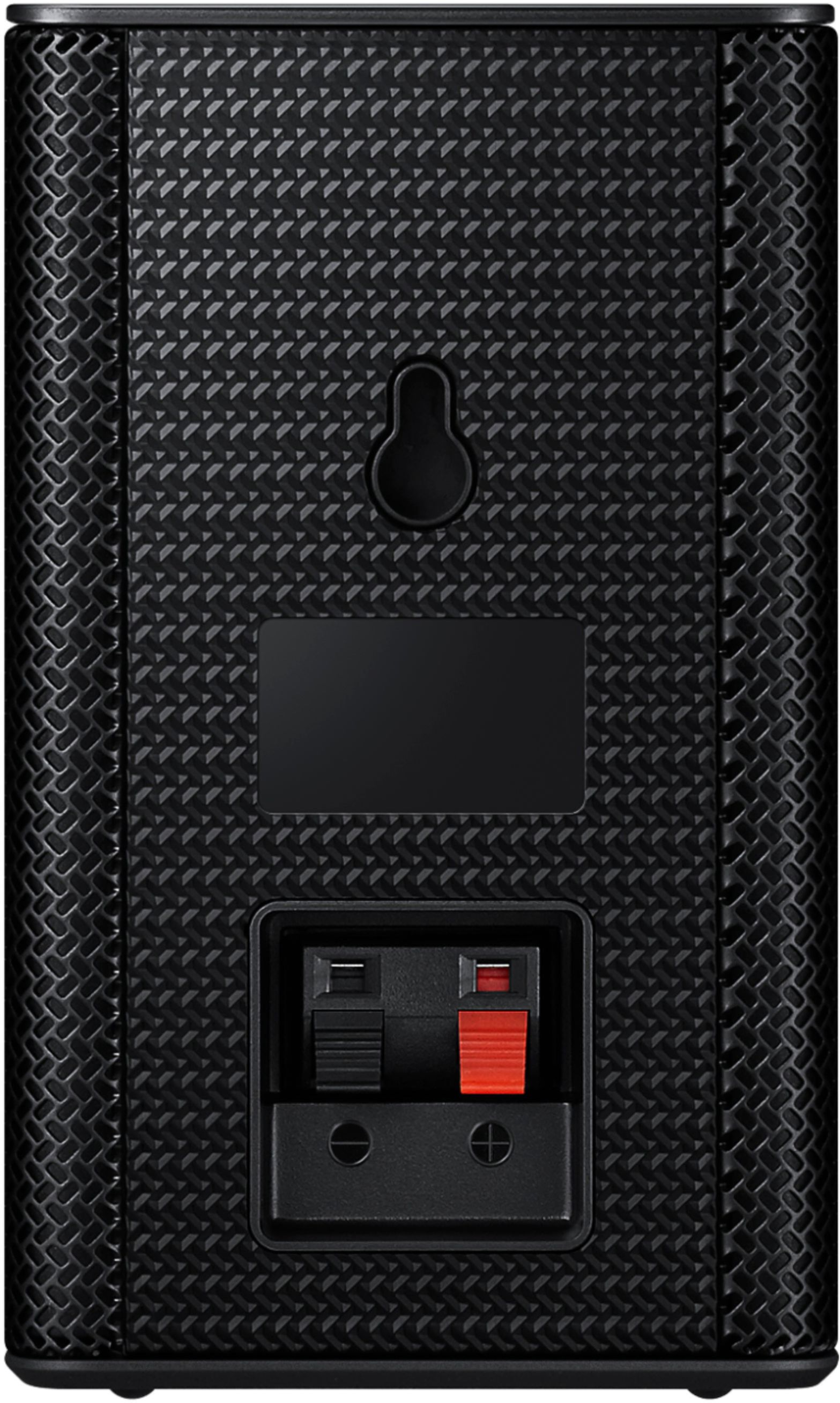
||Posted . Owned for 3 weeks when reviewed.This reviewer received promo considerations or sweepstakes entry for writing a review.System packaging says wireless surround sound. However, each speaker has wires going to them.
No, I would not recommend this to a friendBad sound
||Posted . Owned for 1 year when reviewed.This reviewer received promo considerations or sweepstakes entry for writing a review.This sounds like crap. I bought to use it as a computer speaker but it wasn’t even good enough for that.
No, I would not recommend this to a friendBrand response from Samsung
Posted .Hello Rick,
Thank you for purchasing the HW-A40R Soundbar. Please know there are a wide range of options available to further tune the audio to your liking.
First, please be sure you have the latest firmware version installed. You can update to the latest firmware by downloading the firmware file from the Samsung Electronics Website, load the file onto a USB storage device, and connecting the USB storage device to the soundbar. Updating your firmware provides the latest improvements and features, such as the ability to adjust the volume of the rear speakers.
Once the latest firmware version has been installed, press, and hold the STANDARD button on the remote control for about 6 seconds then use the Bass Up/Down buttons to adjust the level of the rear speakers between -6 to +6.
Additionally, you may want to check the sound settings on your TV. If your Digital Output Audio Format is set to PCM then you will likely notice decreased performance with surround sound audio systems. Dolby options are designed for surround systems (like 3.1.2 or 7.1), whereas PCM provides great sound quality for stereo speakers.
Should you ever have questions or need help, please call us at 1-800-SAMSUNG (ask for Soundbars), available 8 AM – 12 AM EST, 7 days a week.
For additional support resources such as downloading a full manual, visit us on the Samsung website and click on the ‘Support’ link in the upper right corner of the homepage.
~Samsung Solutions
- Cons mentioned:Wireless
beware
||Posted . Owned for 1 week when reviewed.This reviewer received promo considerations or sweepstakes entry for writing a review.Was not easy ti connect. Couldn't get it to connect with my tv or even with the other speakers with it, Had to return
No, I would not recommend this to a friendBrand response from Samsung
Posted .Hi there,
Thank you for your review of the Samsung HW-A40R Soundbar and for sharing the issues that have caused you to return your unit. Your experience is very important to us and will be shared with our product team.
It is possible that your unit needed minor troubleshooting, a firmware update, or adjustments in settings.
Should you ever decide to give Samsung Soundbars another try and have questions or need assistance with settings, setup, or features, please know we are always here to help. Call us at 1-800-SAMSUNG (ask for Soundbars), available 8AM - 12AM EST, 7 days a week.
For additional support resources, visit us on the Samsung website and click on the ‘Support’ link in the upper right corner of the homepage for:
1) Contact Us: For additional Chat & Text options, choose ‘TVs & Home Theater’ and select your model & topic.
2) Manuals, Software, & Warranty Info
We hope to regain you as a customer in the future.
~ Samsung Solutions
- Cons mentioned:Volume
Rear speakers are useless.
||Posted . Owned for 2 months when reviewed.This reviewer received promo considerations or sweepstakes entry for writing a review.The main sound bar is OK, but the rear speakers are useless with almost no volume. I updated the firmware which was a slight increase in volume in the detached speakers, but still entirely disappointing. I would not recommend this to anyone and wish I could return it.
No, I would not recommend this to a friendBrand response from Samsung
Posted .Hi Kevin,
I am very sorry to hear that your out of box experience has initially fallen short of your expectations. We completely understand your frustrations and are here to help.
Once the Firmware of the HW-A40R has been updated, the rear speaker are able to be adjusted to a level more suitable to your preference.
1) With the Soundbar on, press and hold the STANDARD button on the remote control for about 6 seconds
2) The LEDs will blink to indicate you are in adjustment mode
3) Use the BASS Up/Down buttons to adjust the level of the REAR speakers between -6 to +6.
4) The adjustment mode will exit if the surround button is pressed, or if no button is pressed for 10 seconds
If the volume levels still seem to low for your preference, please be aware of the following:
1) Make sure that the source (e.g. TV output) is sending surround channels to the Soundbar. If the source is not capable of surround, then set the Surround mode to OFF on the Soundbar by pressing the Surround button on the remote.
2) If the source has surround channels, select the Surround Sound Mode from the Soundbar remote.
3) Turn off Dynamic Range Control. This is done by pressing and holding the SURROUND button for 5 seconds.
4) Turn off the soundbar, then press and hold the source button on the soundbar for 7 seconds to enable Gain Boost. With Gain Boost active, the rear speaker’s volume level will be increased when the soundbar is in Surround mode. This feature can be turned off by following the same process.
I hope these tips help to enhance your audio enjoyment. Should you ever have questions or need help, please call us at 1-800-SAMSUNG (ask for Soundbars), available 8AM - 12AM EST, 7 days a week.
For additional support resources, visit us on the Samsung website and click on the ‘Support’ link in the upper right corner of the homepage for:
1) Chat with Us/Product Help: To begin a chat or find solutions, choose ‘TVs & Home Theater’ and select your model & topic.
2) Manuals & Software
3) Warranty Info
4) Register a Product: For access to easy warranty support, convenient opt-in to special promos and offers, faster troubleshooting and service, and quick notification of system updates
5) Contact Us
~ Samsung Solutions
Bad customer service
||Posted . Owned for 1 month when reviewed.This reviewer received promo considerations or sweepstakes entry for writing a review.was sold this in store, charged full price for new model and sent a USED one with missing pieces!!!!!
No, I would not recommend this to a friendBrand response from Samsung
Posted .Hello WavelynC,
Thank you for purchasing the Samsung HW-B450 Soundbar. We appreciate you sharing your feedback regarding parts missing from your recent purchase. We recommend contacting Best Buy directly for assistance. We hope your issue is resolved in a timely manner.
If we can help with anything else, please call us at 1-800-SAMSUNG (Ask for Soundbars), 8 AM – 12 AM EST, 7 days a week. LiveChat with an agent as well as manuals, software, and warranty info can be found at the ‘Support’ link on our Samsung website.
~ Samsung Solutions
- Pros mentioned:Sound quality
Better than expected
||Posted . Owned for 1 month when reviewed.This reviewer received promo considerations or sweepstakes entry for writing a review.Better than expected. The price was low so I was hesitant. This was also my first sound bar system purchase. This system has exceeded my expectations in every way
I would recommend this to a friend - Cons mentioned:Rear speakers
Rear speakers are too quiet
||Posted .This reviewer received promo considerations or sweepstakes entry for writing a review.You can hardly hear the rear speakers, I wish I'd read the reviews before purchasing.
No, I would not recommend this to a friendBrand response from Samsung
Posted .Hi Shawn,
Thank you for purchasing the Samsung HW-A40R and for sharing your review. Your feedback regarding the audio performance of the rear speakers is important to us and will be shared with our product teams.
There are a few settings and adjustments that can be made to increase the volume of the rear speakers to your liking. First, make sure you have the latest firmware version installed (ver1014). Once installed, with the Soundbar on, press and hold the STANDARD button on the remote control for about 6 seconds. Use the BASS Up/Down buttons to adjust the level of the REAR speakers between -6 to +6.
Additionally, turn off the soundbar, then press and hold the source button on the soundbar for 7 seconds to enable Gain Boost. With Gain Boost active, the rear speaker’s volume level will be increased when the soundbar is in Surround mode. This feature can be turned off by following the same process.
I hope this helps you further enjoy the audio experience. Should you have any additional questions, please call us at 1-800-SAMSUNG (ask for Soundbars), available 8AM - 12AM EST, 7 days a week.
For additional support resources, visit us on the Samsung website and click on the ‘Support’ link in the upper right corner of the homepage for:
1) Chat with Us/Product Help: To begin a chat or find solutions, choose ‘TVs & Home Theater’ and select your model & topic.
2) Manuals & Software
3) Warranty Info
4) Register a Product: For access to easy warranty support, convenient opt-in to special promos and offers, faster troubleshooting and service, and quick notification of system updates
5) Contact Us
~ Samsung Solutions
Rear Speakers are NOT wireless!
||Posted . Owned for 1 month when reviewed.This reviewer received promo considerations or sweepstakes entry for writing a review.Too many cords, and misrepresented on the box as what the contents inside have in it.
No, I would not recommend this to a friendBrand response from Samsung
Posted .Hello Drew,
Thank you for purchasing the Samsung HW-A40R Soundbar. We appreciate you sharing your thoughts about the wireless description of the rear speakers.
Occasionally, customers have trouble hiding and running speaker wires from the front of the room (where their soundbar is) to the back of their room (where they have their rear speakers). The Rear Speaker Kit eliminates that hassle. Connect the rear speakers to its wireless module and place these three in the back of your room. One wire is required to connect each rear speaker to the wireless module. Then plug in the power cable to the module. The “wireless” convenience is in connecting your soundbar and any other speakers at the front of the room to the rear speakers – this can now be done via Wi-Fi through the wireless module, eliminating any clutter of long wires running the length of your room.
If you need more help, Samsung is here for you. Please call us at 1-800-SAMSUNG, 8AM - 12AM EST (Ask for Soundbars), 7 days a week. Our LiveChat agents are also available by clicking on the ‘Support’ link on our website.
~ Samsung Solutions
Bad quality
||Posted . Owned for 1 year when reviewed.This reviewer received promo considerations or sweepstakes entry for writing a review.Speakers do not have good sound quality and the volume is to low
I would recommend this to a friendBad product
||Posted . Owned for 1.5 years when reviewed.This reviewer received promo considerations or sweepstakes entry for writing a review.Bad product!! Dont buy never please...... The sound is really bad
No, I would not recommend this to a friend- Pros mentioned:Sound quality
A great package at a great price
||Posted . Owned for 1 month when reviewed.This reviewer received promo considerations or sweepstakes entry for writing a review.Seamless pairing for Bluetooth, sounds fantastic, and the full set is a great package. Neat little compact speakers to go on the sides and options to change from standard to surround sound.
I would recommend this to a friend