Customer Ratings & Reviews







- Model:
- HW-A40R/ZA
- SKU:
- 6454650
Rating by feature
- Value
Rating 3.5 out of 5 stars
- Quality
Rating 3.3 out of 5 stars
- Ease of Use
Rating 3.5 out of 5 stars
Customers are saying
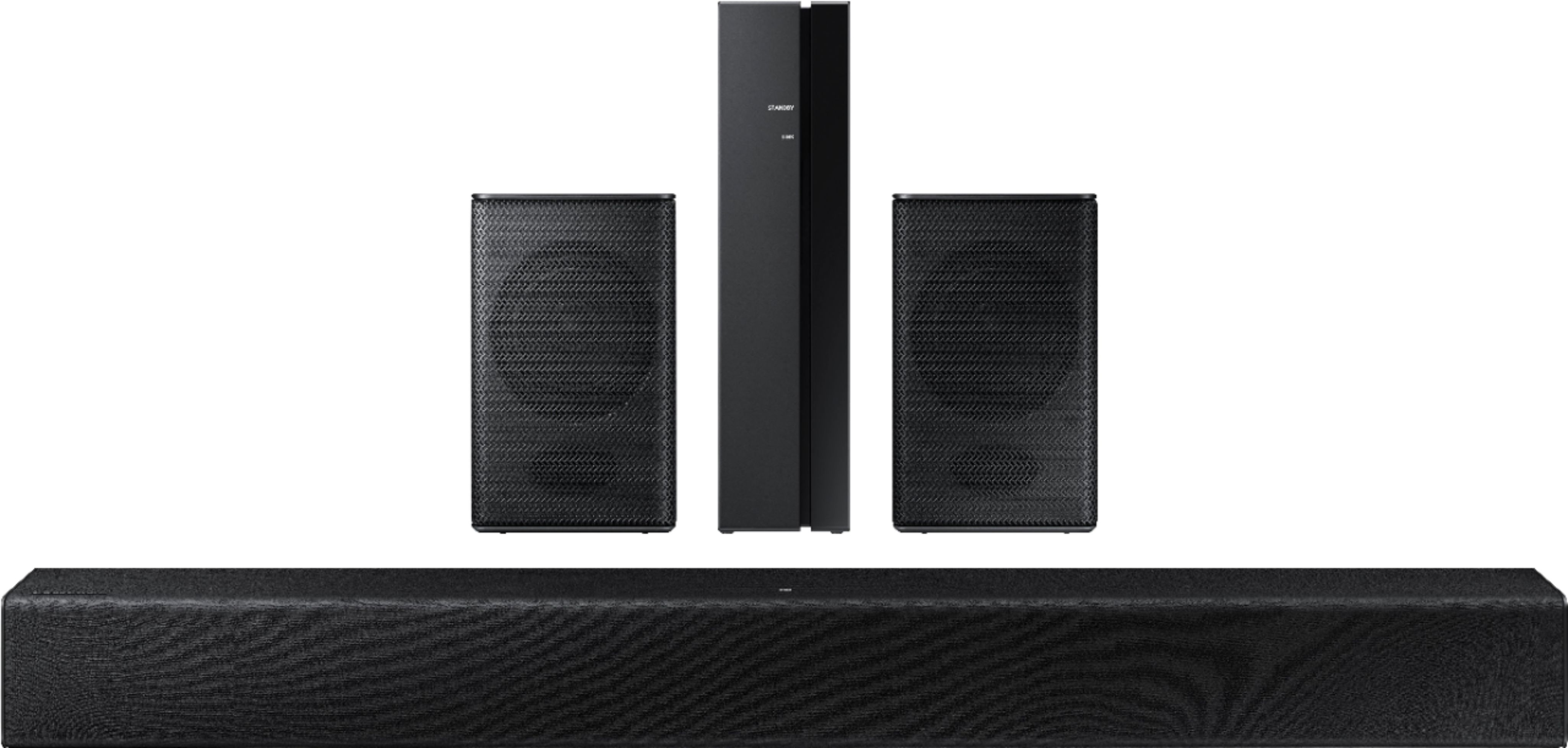
Customers are enthusiastic about the HW-A40R 4ch Sound bar's sound quality, describing it as "very good" and "amazing." They also appreciate its user-friendly setup process and affordable price point. However, some users have expressed concerns about the quality of the rear speakers, volume level, connectivity issues, and insufficient bass.
This summary was generated by AI based on customer reviews.
underwhelmed
||Posted . Owned for 3 weeks when reviewed.This reviewer received promo considerations or sweepstakes entry for writing a review.Purchased originally to enhance the sound on the 50" class 8000. The sound quality was below what I had expected. The output from the back channel speakers was almost non existent. Ended up returning this for a Sony 2.1 channel sound bar w wireless subwoofer and was way more satisfied.
No, I would not recommend this to a friendBrand response from Samsung
Posted .Hi kwould,
Thank you for sharing your review of the Samsung HW-A40R and for sharing your experience with this soundbar, detailing the reasons you have decided to replace it with a different model.
Should you ever decide to give Samsung Soundbars another try and have questions or need assistance with settings, setup, or features, please know we are always here to help. Call us at 1-800-SAMSUNG (ask for Soundbars), available 8AM - 12AM EST, 7 days a week.
For additional support resources, visit us on the Samsung website and click on the ‘Support’ link in the upper right corner of the homepage for:
1) Contact Us: For additional Chat & Text options, choose ‘TVs & Home Theater’ and select your model & topic.
2) Manuals, Software, & Warranty Info
We hope to regain you as a customer in the future.
~ Samsung Solutions
skip this and upgrade to woofer + satellites
||Posted . Owned for 2 months when reviewed.This reviewer received promo considerations or sweepstakes entry for writing a review.Sound bar is OK but no sound from satellite speakers at all. Samsung support useless. they just try to sell me an installation package. hole behind speakers too small to accommodate speaker stands so we spent $15 on hardware at local True Value to mount them. no woofer. I miss my 2010 Sony surround sound package on last TV.
No, I would not recommend this to a friendBrand response from Samsung
Posted .Hi BurlGirl60,
Thank you for purchasing the HW-A40R Soundbar and leaving a detailed review with your experiences. Your input is invaluable to our continuous pursuit in delivering the best products and customer service.
Please know, there are various settings you can adjust to improve your experience with the rear speakers.
You can try manually optimizing your settings by selecting the Surround or Standard buttons to change the sound mode. Additionally, Press the BASS + or BASS - buttons to adjust the level of the woofer (bass) between -6 to +6.
With the latest firmware version installed, press and hold the STANDARD button on the remote control for about 6 seconds then use the Bass Up/Down buttons to adjust the level of the rear speakers between -6 to +6.
I hope these tip help to improve your sound experience. If you should need further assistance or have questions, please contact Samsung Customer Support. Please know that we are here to help.
Should you ever have questions or need help, please call us at 1-800-SAMSUNG (ask for Soundbars), available 8 AM – 12 AM EST, 7 days a week.
For additional support resources such as downloading a full manual, visit us on the Samsung website and click on the ‘Support’ link in the upper right corner of the homepage.
~Samsung Solutions
One dimensional sound
||Posted . Owned for 1 month when reviewed.This reviewer received promo considerations or sweepstakes entry for writing a review.Even with the surround tweeters, the sound still feels one dimensional, but definitely still works well.
No, I would not recommend this to a friendBrand response from Samsung
Posted .Hi cBear25,
Thank you for purchasing the Samsung HW-A40R and for sharing your review. Your feedback regarding the surround sound performance of the soundbar when paired with the rear speakers is important to us and will be shared with our product teams.
Please know, there are a few settings and adjustments that can be made to increase the volume of the rear speakers to your liking. First, make sure you have the latest firmware version installed (ver1014). Once installed, with the Soundbar on, press and hold the STANDARD button on the remote control for about 6 seconds. Use the BASS Up/Down buttons to adjust the level of the REAR speakers between -6 to +6.
Additionally, turn off the soundbar, then press and hold the source button on the soundbar for 7 seconds to enable Gain Boost. With Gain Boost active, the rear speaker’s volume level will be increased when the soundbar is in Surround mode. This feature can be turned off by following the same process.
I hope this helps you further enjoy the audio experience. Should you ever have questions or need help, please call us at 1-800-SAMSUNG (ask for Soundbars), available 8AM - 12AM EST, 7 days a week.
For additional support resources, visit us on the Samsung website and click on the ‘Support’ link in the upper right corner of the homepage for:
1) Chat with Us/Product Help: To begin a chat or find solutions, choose ‘TVs & Home Theater’ and select your model & topic.
2) Manuals & Software
3) Warranty Info
4) Register a Product: For access to easy warranty support, convenient opt-in to special promos and offers, faster troubleshooting and service, and quick notification of system updates
5) Contact Us
~ Samsung Solutions
Sound sucks
||Posted . Owned for 1 month when reviewed.This reviewer received promo considerations or sweepstakes entry for writing a review.Low quality sound. This item was trash. Had to exchange for a better one
No, I would not recommend this to a friendBrand response from Samsung
Posted .Hello HaroldG,
Your experience is very important to us and will be shared with our product team.
It is possible that your unit needed minor troubleshooting, a firmware update, or adjustments in settings.
Should you ever have any questions questions or need assistance with settings, setup, or features, please know we are always here to help. Call us at 1-800-SAMSUNG (ask for Soundbars), available 8 AM – 12 AM EST, 7 days a week.
LiveChat with an agent by clicking the ‘Support’ link on the Samsung website.
~Samsung Solutions
- Cons mentioned:Rear speakers
Rear speakers not working
||Posted . Owned for less than 1 week when reviewed.This reviewer received promo considerations or sweepstakes entry for writing a review.This is the 2nd time ive bought thid product because the rear speakers dont work, ive done troubleshooting on the ohone with samsung and all they can say is there is a defect. Ill be returning this product tomorrow.
No, I would not recommend this to a friendBrand response from Samsung
Posted .Hi K3Ellis,
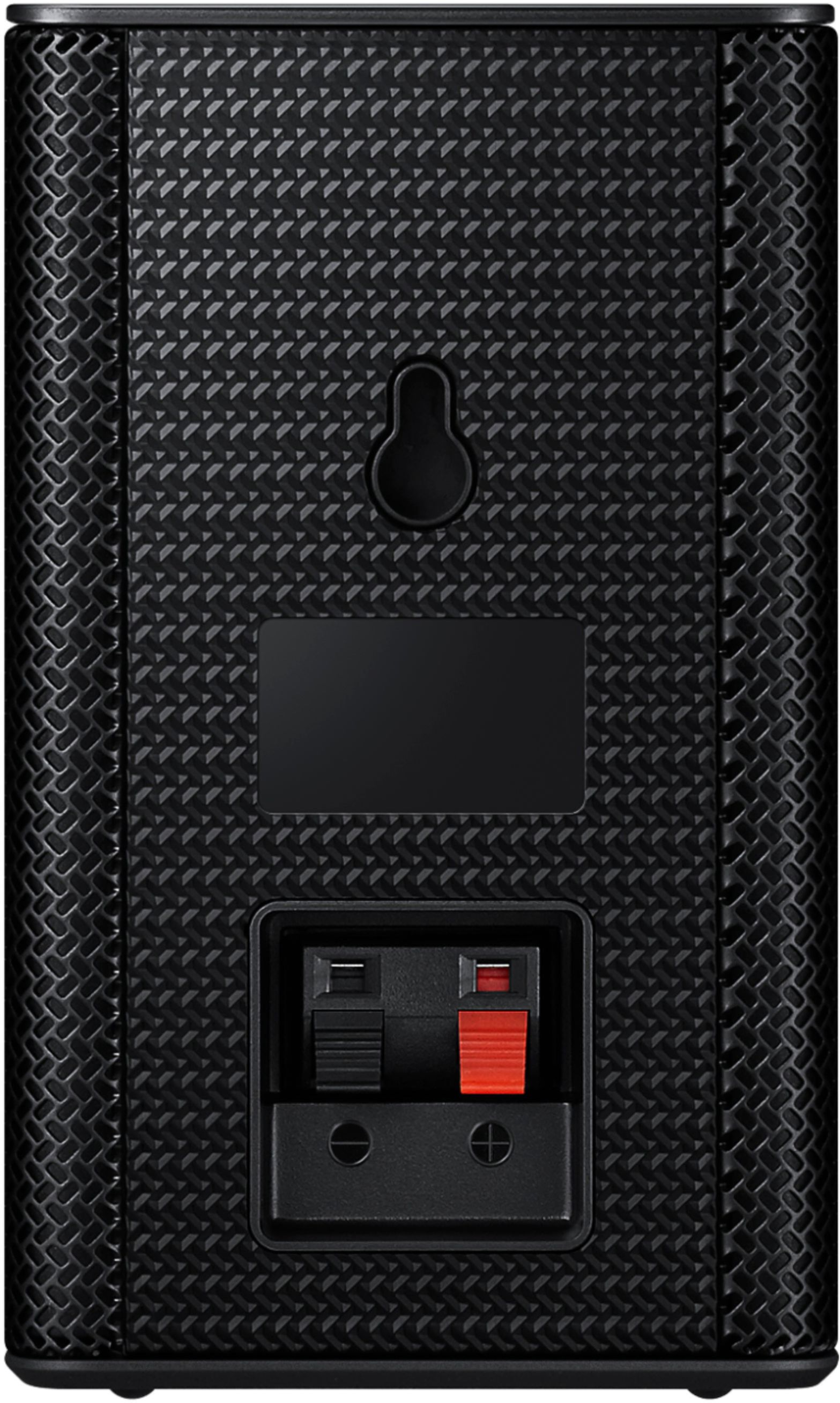
Thank you for your review of Samsung’s HW-A40R soundbar. I’m sorry to hear you had a frustrating experience with the setup of your rear speakers, but we greatly appreciate you bringing this issue to our attention. Follow the steps below to properly connect the rear speakers to the A40R soundbar.
When connecting the speaker cables to the Wireless Receiver Module & surround speakers, follow these steps:
1. Match the speaker cable connected to the grey port to the speaker with the grey label.
2. Match the speaker cable connected to the blue port to the speaker with the blue label.
3. Insert the red and black colored ends of each speaker cable into the red and black ports of the
appropriate speaker (the labels are on the backs of the speakers).
When you turn the power on after connecting the power cables to the Soundbar and Wireless Surround speaker, the surround speakers are automatically connected to the Soundbar.
• When auto pairing is complete, the blue indicators at the rear of the Wireless Receiver Module turn on.
If automatic connection fails, try manually pairing the rear speakers:
1. Check whether the power cables for the Soundbar and Wireless Surround speaker are connected properly.
2. Make sure that the Soundbar is turned on
3. Press the ID SET button on the back of the Wireless Receiver Module with a pen tip for 5~6 seconds until the LINK LED indicator blinks fast (in Blue)
4. Press and hold the mute button on the remote control for at least 5 seconds.
5. Check if the LINK LED is solid blue (connection complete)
- If the LED light is solid blue, the rear speakers are connected to your soundbar.
- If the LED light is blinking blue fast, the module is in pairing mode. Check to see if your soundbar is turned on and repeat the above steps.
- If the LED light is blinking blue slowly, the module is disconnected. Turn off your soundbar and press the Up button on the remote for 5 seconds. The ID SET message will appear on the soundbar for a short time and then disappear. After the ID SET process, the soundbar power is automatically turned on. The LINK LED indicator stops blinking and glows a solid blue when a connection is established between the soundbar and the wireless receiver module.
This issue may also be caused by wireless interference. When there is a wireless device (e.g., wireless LAN) using the same frequency near the Soundbar, the wireless connection between the Subwoofer and Surround Speaker could become unstable. This will affect the quality of audio output.
Should you require additional assistance setting up the included rear speakers, please call us at 1-800-SAMSUNG (ask for Soundbars), available 8AM - 12AM EST, 7 days a week.
For additional support resources, visit us on the Samsung website and click on the ‘Support’ link in the upper right corner of the homepage for:
1) Chat with Us/Product Help: To begin a chat or find solutions, choose ‘TVs & Home Theater’ and select your model & topic.
2) Manuals & Software
3) Warranty Info
4) Register a Product: For access to easy warranty support, convenient opt-in to special promos and offers, faster troubleshooting and service, and quick notification of system updates
5) Contact Us
~ Samsung Solutions
Junk
||Posted . Owned for 1 month when reviewed.This reviewer received promo considerations or sweepstakes entry for writing a review.Junk junk junk junk junk junk junk junk junk junk junk junk do not buy
No, I would not recommend this to a friendBrand response from Samsung
Posted .Hello,
Thank you for purchasing the Samsung HW-A40R and for your review. We appreciate your feedback regarding the performance of your new soundbar.
You can try manually optimizing your settings by selecting the Surround or Standard buttons to change the sound mode. Additionally, Press the BASS + or BASS - buttons to adjust the level of the woofer (bass) between -6 to +6.
With the latest firmware version installed, press and hold the STANDARD button on the remote control for about 6 seconds then use the Bass Up/Down buttons to adjust the level of the rear speakers between -6 to +6.
If we can further help with any other issues, please know we are here for you. Just call us at 1-800-SAMSUNG (Ask for Soundbars), 8 AM – 12 AM EST, 7 days a week. Or visit us on the Samsung website and click on the ‘Support’ link for:
• LiveChat with an agent
• Manuals, Software, & Warranty Info
~ Samsung Solutions
Samsung sound bar
||Posted . Owned for 1 week when reviewed.This reviewer received promo considerations or sweepstakes entry for writing a review.If are looking for low cost sound bar system,This is for you. Wireless.
I would recommend this to a friendBrand response from Samsung
Posted .Hello Jbia,
Thank you for purchasing the Samsung HW-A430 and for your review. I am glad to hear that you are happy with the performance of your new soundbar.
If you are experiencing specific issues which caused you to give this a 3-star rating, please know Samsung Customer Support is here to help.
Call us at 1-800-SAMSUNG (ask for Soundbars), available 8 AM – 12 AM EST, 7 days a week.
LiveChat with an agent by clicking the ‘Support’ link on the Samsung website.
~Samsung Solutions
Poor sound
||Posted . Owned for 1 month when reviewed.This reviewer received promo considerations or sweepstakes entry for writing a review.The surround sounds normal. Wish it would have a louder sound.
No, I would not recommend this to a friendBrand response from Samsung
Posted .Hello Deemarie,
Please know there are a wide range of options available to further tune the audio to your liking.
First, please be sure you have the latest firmware version installed. You can update to the latest firmware by downloading the firmware file from the Samsung Electronics Website, load the file onto a USB storage device, and connecting the USB storage device to the soundbar. Updating your firmware provides the latest improvements and features, such as the ability to adjust the volume of the rear speakers.
Once the latest firmware version has been installed, press, and hold the STANDARD button on the remote control for about 6 seconds then use the Bass Up/Down buttons to adjust the level of the rear speakers between -6 to +6.
Additionally, you may want to check the sound settings on your TV. If your Digital Output Audio Format is set to PCM then you will likely notice decreased performance with surround sound audio systems. Dolby options are designed for surround systems (like 3.1.2 or 7.1), whereas PCM provides great sound quality for stereo speakers.
If you’d like more help with settings, please know we’re here to help! Call us at 1-800-SAMSUNG (Ask for Soundbars), 8AM - 12AM EST, 7 days a week. Or visit us on the Samsung website and click on the ‘Support’ link for:
• LiveChat
• Manuals, Software, & Warranty Info
~ Samsung Solutions
Good not great
||Posted . Owned for 2 weeks when reviewed.This reviewer received promo considerations or sweepstakes entry for writing a review.Bought for my grandparents and was easy to install. Not alot of sound output from rear speakers
I would recommend this to a friendBrand response from Samsung
Posted .Hi Jccrflorida,
Thank you for your review of the HW-A40R Soundbar and for your feedback regarding the volume issues you are experiencing with the included rear speakers. By design, the surround speakers are supposed to simulate sounds happening behind the viewer. Therefore, most of the time the surround channels are only used for ambient sounds, which are naturally lower in volume.
However, there are a few settings you can change to adjust the surround effect to your preference:
1) Download and install the latest firmware version (ver.1014)
2) Once installed, with the Soundbar on, press and hold the STANDARD button on the remote control for about 6 seconds
3) The LEDs will blink to indicate you are in adjustment mode
4) Use the BASS Up/Down buttons to adjust the level of the REAR speakers between -6 to +6.
5) The adjustment mode will exit if the surround button is pressed, or if no button is pressed for 10 seconds
If the volume levels still seem to low for your preference, please be aware of the following:
1) Make sure that the source (e.g. TV output) is sending surround channels to the Soundbar. If the source is not capable of surround, then set the Surround mode to OFF on the Soundbar by pressing the Surround button on the remote.
2) If the source has surround channels, select the Surround Sound Mode from the Soundbar remote.
3) Turn off Dynamic Range Control. This is done by pressing and holding the SURROUND button for 5 seconds.
4) Turn off the soundbar, then press and hold the source button on the soundbar for 7 seconds to enable Gain Boost. With Gain Boost active, the rear speaker’s volume level will be increased when the soundbar is in Surround mode. This feature can be turned off by following the same process.
I hope these tips help to enhance your audio enjoyment.
Should you ever have questions or need help, please call us at 1-800-SAMSUNG (ask for Soundbars), available 8AM - 12AM EST, 7 days a week.
For additional support resources, visit us on the Samsung website and click on the ‘Support’ link in the upper right corner of the homepage for:
1) Chat with Us/Product Help: To begin a chat or find solutions, choose ‘TVs & Home Theater’ and select your model & topic.
2) Manuals & Software
3) Warranty Info
4) Register a Product: For access to easy warranty support, convenient opt-in to special promos and offers, faster troubleshooting and service, and quick notification of system updates
5) Contact Us
~ Samsung Solutions
Poor quality Samsung should bar
||Posted . Owned for 3 weeks when reviewed.This reviewer received promo considerations or sweepstakes entry for writing a review.The sound quality is not good. I wasted $100 with this purchase.
No, I would not recommend this to a friendBrand response from Samsung
Posted .Hello ThomT,
Thank you for purchasing the Samsung HW-A40R and for your review. We appreciate your feedback regarding the performance of your new soundbar.
You can try manually optimizing your settings by selecting the Surround or Standard buttons to change the sound mode. Additionally, Press the BASS + or BASS - buttons to adjust the level of the woofer (bass) between -6 to +6.
With the latest firmware version installed, press and hold the STANDARD button on the remote control for about 6 seconds then use the Bass Up/Down buttons to adjust the level of the rear speakers between -6 to +6.
If we can further help with any other issues, please know we are here for you. Just call us at 1-800-SAMSUNG (Ask for Soundbars), 8 AM – 12 AM EST, 7 days a week. Or visit us on the Samsung website and click on the ‘Support’ link for:
• LiveChat with an agent
• Manuals, Software, & Warranty Info
~ Samsung Solutions
Not so great sound
||Posted . Owned for 10 months when reviewed.This reviewer received promo considerations or sweepstakes entry for writing a review.Sound and volume is not great for a sound bar with dedicated woofer and satellites.
No, I would not recommend this to a friendBrand response from Samsung
Posted .Hi DiegoL!
Thank you for your review of the HW-A40R Soundbar and for your feedback regarding the volume issues you are experiencing with the included rear speakers. By design, the surround speakers are supposed to simulate sounds happening behind the viewer. Therefore, most of the time the surround channels are only used for ambient sounds, which are naturally lower in volume.
However, there are a few settings you can change to adjust the surround effect to your preference:
1) Download and install the latest firmware version (ver.1014)
2) Once installed, with the Soundbar on, press and hold the STANDARD button on the remote control for about 6 seconds
3) The LEDs will blink to indicate you are in adjustment mode
4) Use the BASS Up/Down buttons to adjust the level of the REAR speakers between -6 to +6.
5) The adjustment mode will exit if the surround button is pressed, or if no button is pressed for 10 seconds
If the volume levels still seem too low for your preference, please be aware of the following:
1) Make sure that the source (e.g. TV output) is sending surround channels to the Soundbar. If the source is not capable of surround, then set the Surround mode to OFF on the Soundbar by pressing the Surround button on the remote.
2) If the source has surround channels, select the Surround Sound Mode from the Soundbar remote.
3) Turn off Dynamic Range Control. This is done by pressing and holding the SURROUND button for 5 seconds.
4) Turn off the soundbar, then press and hold the source button on the soundbar for 7 seconds to enable Gain Boost. With Gain Boost active, the rear speaker’s volume level will be increased when the soundbar is in Surround mode. This feature can be turned off by following the same process.
I hope these tips help to enhance your audio enjoyment. Should you ever have questions or need help, please call us at 1-800-SAMSUNG (ask for Soundbars), available 8AM - 12AM EST, 7 days a week.
For additional support resources, visit us on the Samsung website and click on the ‘Support’ link in the upper right corner of the homepage for:
1) Chat with Us/Product Help: To begin a chat or find solutions, choose ‘TVs & Home Theater’ and select your model & topic.
2) Manuals & Software
3) Warranty Info
4) Register a Product: For access to easy warranty support, convenient opt-in to special promos and offers, faster troubleshooting and service, and quick notification of system updates
5) Contact Us
~ Samsung Ambassador
- Pros mentioned:Sound quality
Great value
||Posted . Owned for 1 month when reviewed.This reviewer received promo considerations or sweepstakes entry for writing a review.Fantastic sound for price. Daughter is young first time homebuyer with a small house. This offers great sound that covered a good area
I would recommend this to a friend Samsung
||Posted . Owned for 1 month when reviewed.This reviewer received promo considerations or sweepstakes entry for writing a review.Back speakers were terrible low sound and not great sound
No, I would not recommend this to a friendBrand response from Samsung
Posted .Hello Gino,
Thank you for purchasing the Samsung HW-A40R and for your review. We appreciate your feedback regarding the performance of your new soundbar.
Please know there are a wide range of options available to further tune the audio to your liking.
First, please be sure you have the latest firmware version installed. You can update to the latest firmware by downloading the firmware file from the Samsung Electronics Website, load the file onto a USB storage device, and connecting the USB storage device to the soundbar. Updating your firmware provides the latest improvements and features, such as the ability to adjust the volume of the rear speakers.
Once the latest firmware version has been installed, press, and hold the STANDARD button on the remote control for about 6 seconds then use the Bass Up/Down buttons to adjust the level of the rear speakers between -6 to +6.
Additionally, you may want to check the sound settings on your TV. If your Digital Output Audio Format is set to PCM then you will likely notice decreased performance with surround sound audio systems. Dolby options are designed for surround systems (like 3.1.2 or 7.1), whereas PCM provides great sound quality for stereo speakers.
If we can further help with any other issues, please know we are here for you. Just call us at 1-800-SAMSUNG (Ask for Soundbars), 8 AM – 12 AM EST, 7 days a week. Or visit us on the Samsung website and click on the ‘Support’ link for:
• LiveChat with an agent
• Manuals, Software, & Warranty Info
~ Samsung Solutions
Average
||Posted . Owned for 1 month when reviewed.This reviewer received promo considerations or sweepstakes entry for writing a review.Good that rear speakers are included. If they were not the overall rating would be lower
No, I would not recommend this to a friendBrand response from Samsung
Posted .Hi Rel2k,
Thank you for sharing your review of the A40R Soundbar. We value your feedback and will share it with our teams.
If there is anything we can do to improve your enjoyment such as helping to optimize settings for your specific sound scenario, please contact Samsung Customer Support at 1-800-SAMSUNG (ask for Soundbars), available 8AM - 12AM EST, 7 days a week.
For additional support resources, visit us on the Samsung website and click on the ‘Support’ link in the upper right corner of the homepage for:
1) Chat with Us/Product Help: To begin a chat or find solutions, choose ‘TVs & Home Theater’ and select your model & topic.
2) Manuals & Software
3) Warranty Info
4) Register a Product: For access to easy warranty support, convenient opt-in to special promos and offers, faster troubleshooting and service, and quick notification of system updates
5) Contact Us
~ Samsung Solutions
Noooo
||Posted . Owned for less than 1 week when reviewed.This reviewer received promo considerations or sweepstakes entry for writing a review.I failed to read the reviews. The sould bar is decent but small. Not at all what the picure looks like. The two speakers are a joke. You cant hear them at all. Im frustrated because i had it installed by the geek squad and do not have the box to return it. I am calling on Monday to see if i can get something else. I cant believe samsung makes these cheap speakers. Do not but these speakers for your daughters Barbie’s playhouse.
No, I would not recommend this to a friendBrand response from Samsung
Posted .Hi Yankee10,
Thank you for your review of the HW-A40R Soundbar and for your feedback regarding the volume issues you are experiencing with the included rear speakers. By design, the surround speakers are supposed to simulate sounds happening behind the viewer. Therefore, most of the time the surround channels are only used for ambient sounds, which are naturally lower in volume.
However, there are a few settings you can change to adjust the surround effect to your preference:
1) Download and install the latest firmware version found at the following link (ver. HMS-A4X0WWB-1011): https://www.samsung.com/us/support/downloads/?model=N0021435&modelCode=HW-A40R/ZA
2) Once installed, with the Soundbar on, press and hold the STANDARD button on the remote control for about 6 seconds
3) The LEDs will blink to indicate you are in adjustment mode
4) Use the BASS Up/Down buttons to adjust the level of the REAR speakers between -6 to +6.
5) The adjustment mode will exit if the surround button is pressed, or if no button is pressed for 10 seconds
If the volume levels still seem to low for your preference, please be aware of the following:
1) Make sure that the source (e.g. TV output) is sending surround channels to the Soundbar. If the source is not capable of surround, then set the Surround mode to OFF on the Soundbar by pressing the Surround button on the remote.
2) If the source has surround channels, select the Surround Sound Mode from the Soundbar remote.
3) Turn off Dynamic Range Control. This is done by pressing and holding the SURROUND button for 5 seconds.
4) Turn off the soundbar, then press and hold the source button on the soundbar for 7 seconds to enable Gain Boost. With Gain Boost active, the rear speaker’s volume level will be increased when the soundbar is in Surround mode. This feature can be turned off by following the same process.
I hope these tips help to enhance your audio enjoyment.
Should you ever have questions or need help, please call us at 1-800-SAMSUNG (ask for Soundbars), available 8AM - 12AM EST, 7 days a week.
For additional support resources, visit us on the Samsung website and click on the ‘Support’ link in the upper right corner of the homepage for:
1) Contact Us: For additional Chat & Text options, choose ‘TVs & Home Theater’ and select your model & topic.
2) Manuals & Software
3) Warranty Info
4) Register a Product: For access to easy warranty support, convenient opt-in to special promos and offers, faster troubleshooting and service, and quick notification of system updates
~ Samsung Solutions
Review
||Posted . Owned for 1 month when reviewed.This reviewer received promo considerations or sweepstakes entry for writing a review.Not bad at all for the price. Speakers don’t quite give you a punch.
I would recommend this to a friendBrand response from Samsung
Posted .Hi Review,
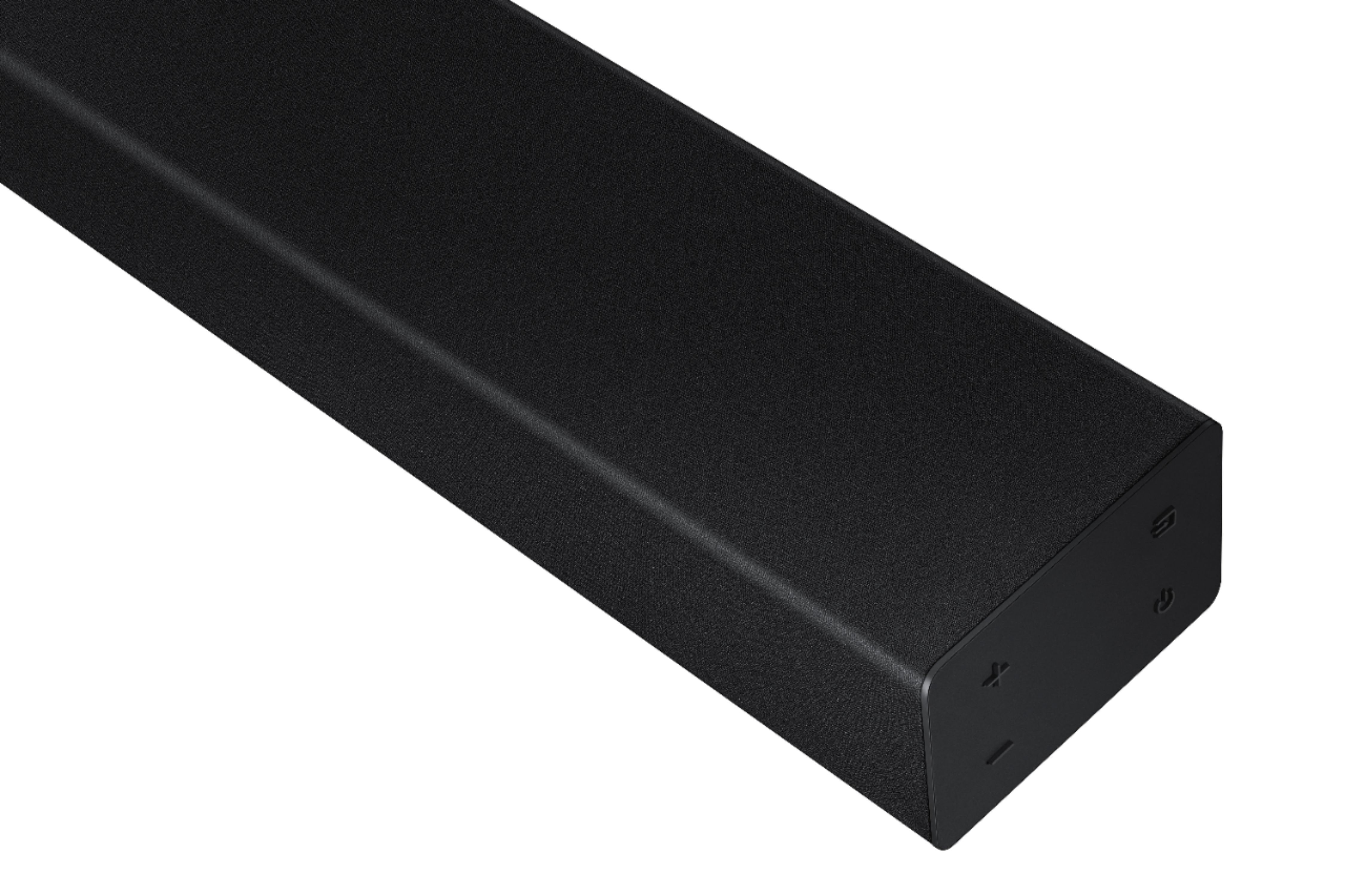
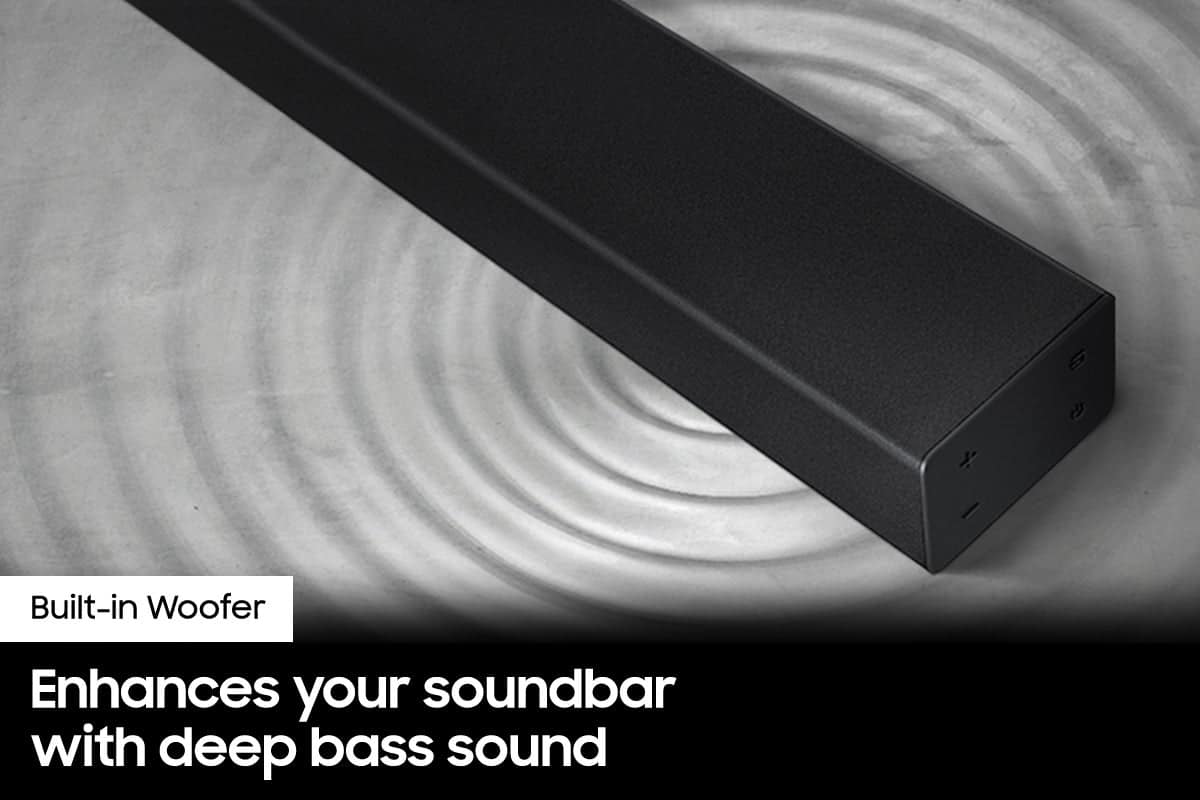
Thank you for purchasing the Samsung HW-A40R Soundbar with two built-in woofers that provide enhanced bass for richer sound.
With two built in woofers and one tweeter built into the frame, you can enjoy room-filling sound with one unit.
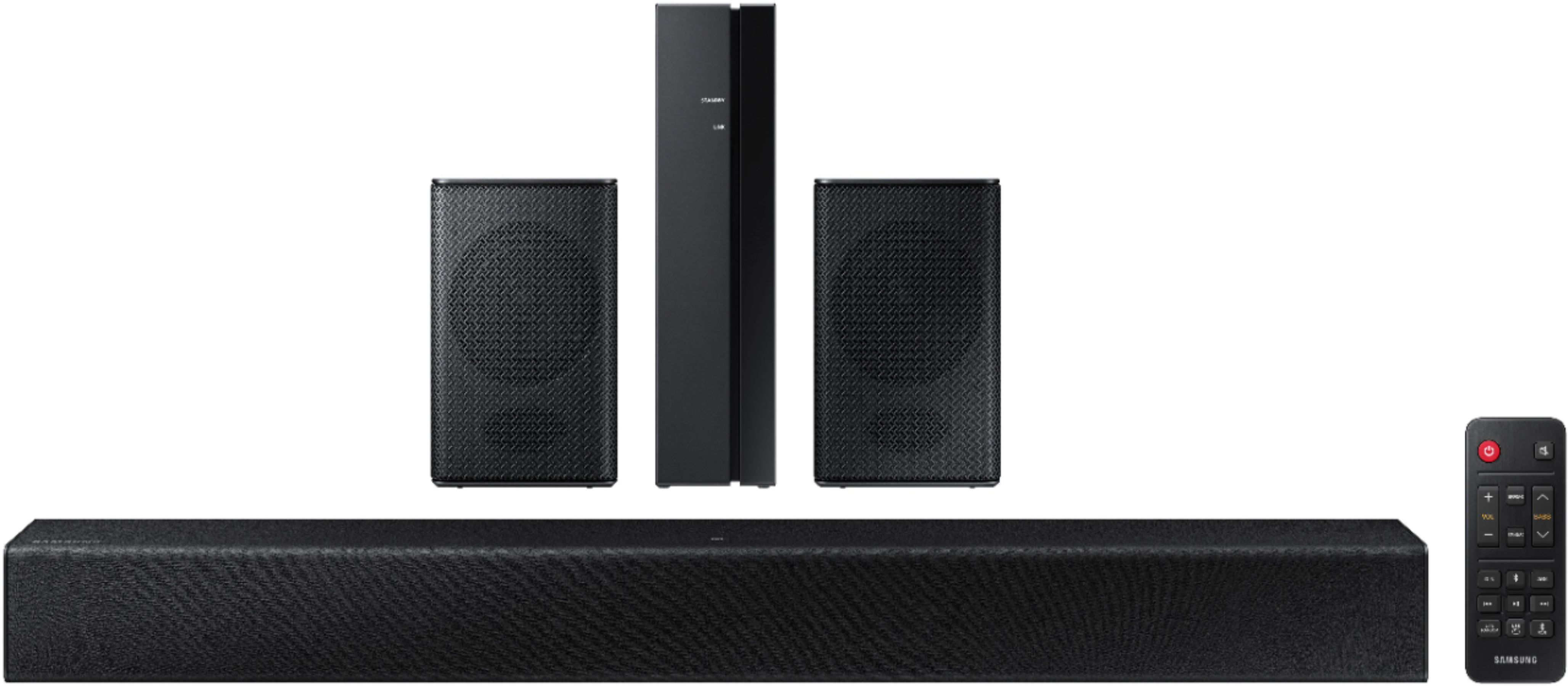
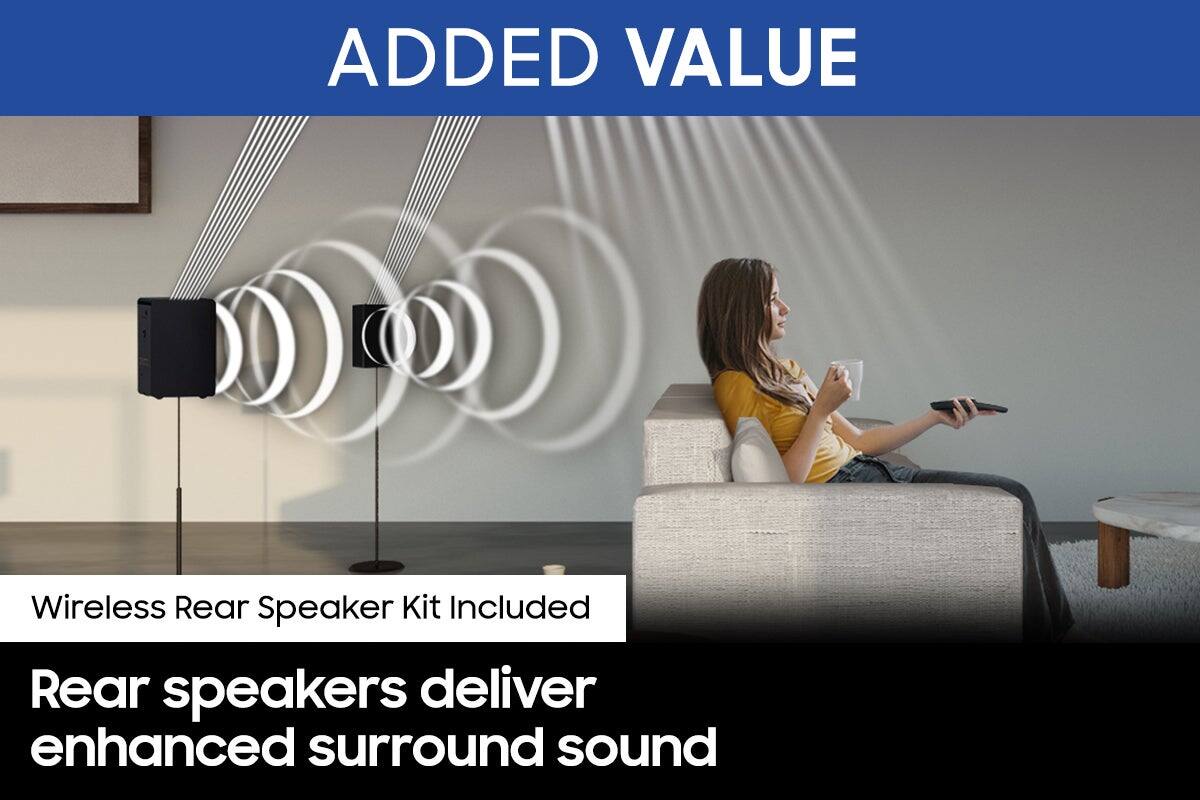
Experience an enhanced surround experience with the Wireless Rear Speakers included.
Using the SURROUND or STANDARD buttons switches the desired sound effect based on what you prefer.
Should you ever have questions or need help, please call us at 1-800-SAMSUNG (ask for Soundbars), available 8 AM – 12 AM EST, 7 days a week.
For additional support resources, visit us on the Samsung website and click on the ‘Support’ link in the upper right corner of the homepage for:
1) Chat with Us/Product Help: To begin a chat or find solutions, choose ‘TVs & Home Theater’ and select your model & topic.
2) Manuals & Software
3) Warranty Info
4) Register a Product: For access to easy warranty support, convenient opt-in to special promos and offers, faster troubleshooting and service, and quick notification of system updates
5) Contact Us
~ Samsung Solutions
- Pros mentioned:Sound quality
LOVE IT
||Posted . Owned for 11 months when reviewed.This reviewer received promo considerations or sweepstakes entry for writing a review.This is THEE best sound bar/woofer/surround sound I've ever hsd the first time owning. Its great.
I would recommend this to a friend - Pros mentioned:Sound quality
Stadium Style
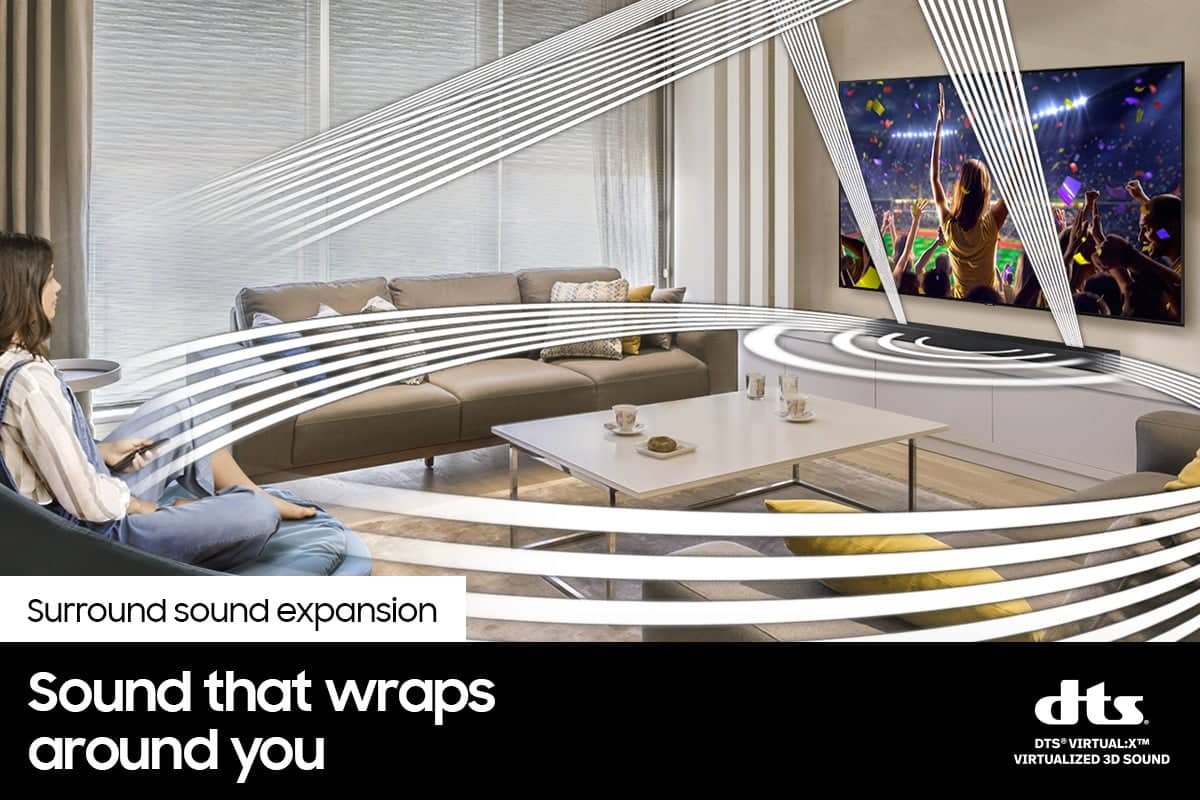
||Posted . Owned for 1 month when reviewed.This reviewer received promo considerations or sweepstakes entry for writing a review.Surround sound definitely works well with the television and even better with movie's and football
I would recommend this to a friend - Pros mentioned:Sound quality
Samsung sound bar
||Posted . Owned for 1 month when reviewed.This reviewer received promo considerations or sweepstakes entry for writing a review.Was a little worried because the box was opened but it works great. Sound is more than I expected.
I would recommend this to a friend - Pros mentioned:Sound quality
Perfect for Small Space
||Posted . Owned for 3 weeks when reviewed.This reviewer received promo considerations or sweepstakes entry for writing a review.This sound bar is perfect for a small living space and delivers quality sound. We put in a 20 X 20 studio.
I would recommend this to a friend