Customer Ratings & Reviews



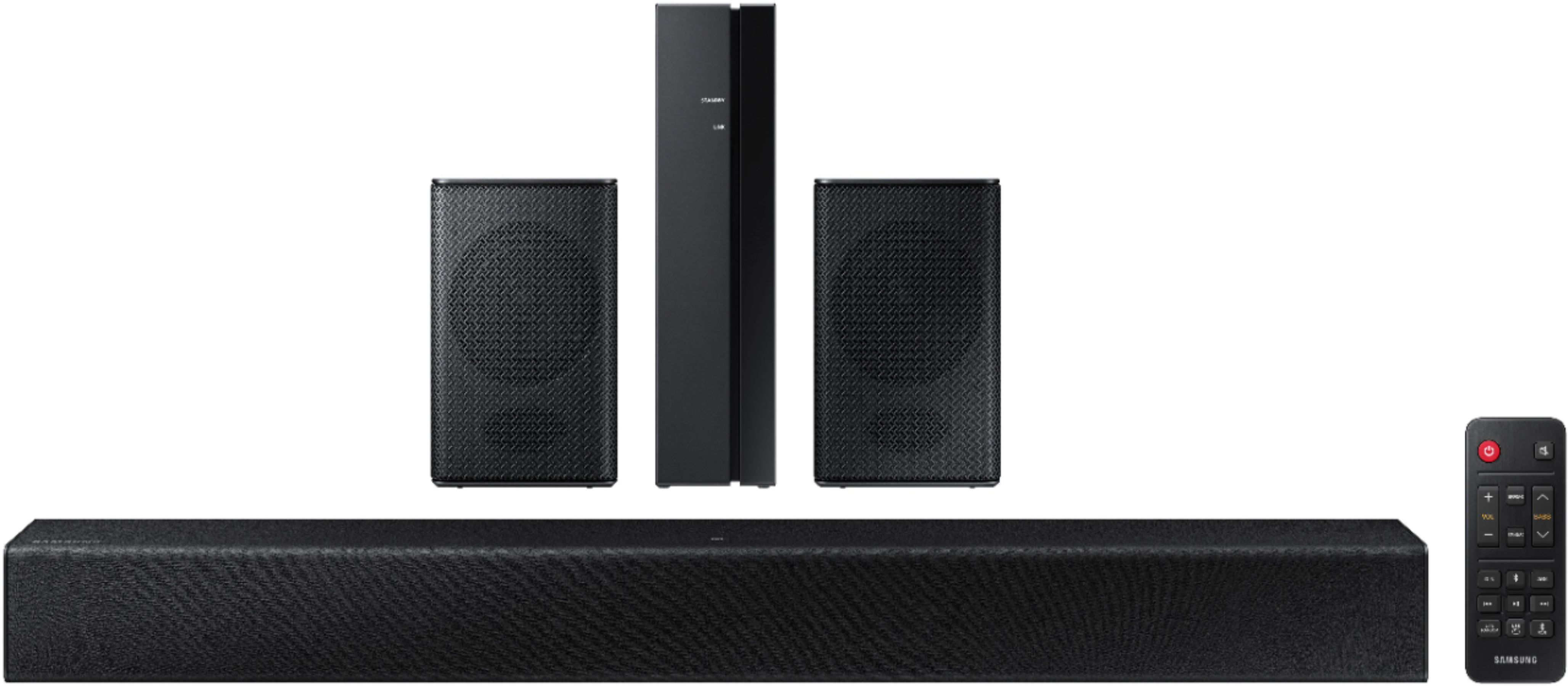





- Model:
- HW-A40R/ZA
- SKU:
- 6454650
Rating by feature
- Value
Rating 3.5 out of 5 stars
- Quality
Rating 3.3 out of 5 stars
- Ease of Use
Rating 3.5 out of 5 stars
Customers are saying
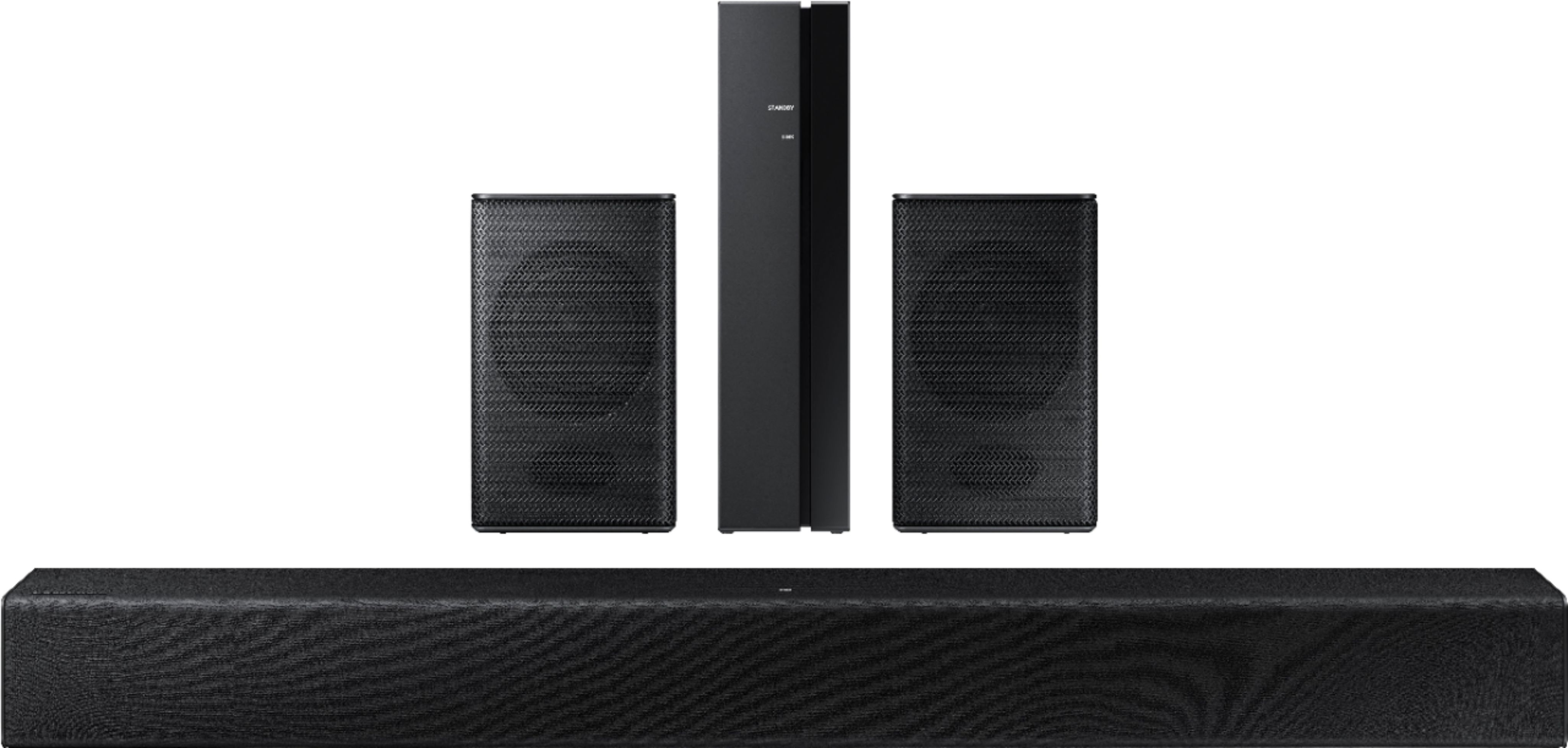
Customers are enthusiastic about the HW-A40R 4ch Sound bar's sound quality, describing it as "very good" and "amazing." They also appreciate its user-friendly setup process and affordable price point. However, some users have expressed concerns about the quality of the rear speakers, volume level, connectivity issues, and insufficient bass.
This summary was generated by AI based on customer reviews.
samsung sound bar
||Posted . Owned for 2 weeks when reviewed.This reviewer received promo considerations or sweepstakes entry for writing a review.purchased on sale, blue tooth is hard to connect with soundbar
No, I would not recommend this to a friendBrand response from Samsung
Posted .Hi legend,
We appreciate you sharing your feedback regarding connection issues between the soundbar and TV. If you are connecting wirelessly via Bluetooth, please follow these steps:
1) Press the PAIR button on the remote to enter BT PAIRING mode
a. or press the SOURCE button on the top panel and then select BT. “BT” changes to “BT PAIRING” in a few seconds automatically or changes to “BT READY” if there is a connect record.
b. When BT READY appears, press and hold the SOURCE button on the top panel of the Soundbar for more than 5 seconds to display BT PAIRING.
2) Select Bluetooth mode on the TV
3) Select “[AV] Samsung Soundbar A400-Series” from the list on the TV’s screen. An available Soundbar is indicated with “Need Pairing” or “Paired” on the TV’s Bluetooth device list. To connect the TV to the Soundbar, select the message, and then establish a connection. - When the TV is connected, [TV Name] → “BT” appears on the Soundbar’s front display.
4) You can now hear TV sound from the Soundbar.
If the device fails to connect
- If a previously connected Soundbar listing (e.g. “[AV] Samsung Soundbar A400-Series”) appears in the list, delete it.
- Then repeat steps 1 through 3
Once you have connected your soundbar for the first time, use the “BT READY” mode to reconnect.
I hope this helps, should you need further assistance, please contact Samsung Customer Support at 1-800-SAMSUNG (ask for Soundbars), available 8AM - 12AM EST, 7 days a week.
For additional support resources, visit us on the Samsung website and click on the ‘Support’ link in the upper right corner of the homepage for:
1) Chat with Us/Product Help: To begin a chat or find solutions, choose ‘TVs & Home Theater’ and select your model & topic.
2) Manuals & Software
3) Warranty Info
4) Register a Product: For access to easy warranty support, convenient opt-in to special promos and offers, faster troubleshooting and service, and quick notification of system updates
5) Contact Us
~ Samsung Ambassador
- Pros mentioned:Sound quality
Sound bar
||Posted . Owned for 1 week when reviewed.This reviewer received promo considerations or sweepstakes entry for writing a review.Great product and good sound for the price point. Perfect for my set up
I would recommend this to a friend - Pros mentioned:Sound quality
Great soundbar
||Posted . Owned for 3 months when reviewed.This reviewer received promo considerations or sweepstakes entry for writing a review.Got for my dad and he loves how it’s not a all in one speaker and is separated and very good music quality!!
I would recommend this to a friend Works most of the time with the TLC Android 70 in
||Posted . Owned for 3 weeks when reviewed.This reviewer received promo considerations or sweepstakes entry for writing a review.Optical cable settings does not work with my TLC 70 in Android TV Had to connect it with the Bluetooth option works but sound goes goes out for a few seconds every now and then. Instructions that came with it were not helpful had to look it up online.
I would recommend this to a friendBrand response from Samsung
Posted .Hi There,
I’m sorry for the difficulties with your HW-A40R Soundbar setup. We understand your frustrations and are here to help.
For assistance with connecting your HW-A40R with an optical cable, please refer to pages 15 & 16 of the soundbar manual for steps on how to connect the soundbar to the TV: https://downloadcenter.samsung.com/content/UM/202104/20210414174844187/HW-A40R_ZA_FullManual_X9_210203.0.pdf
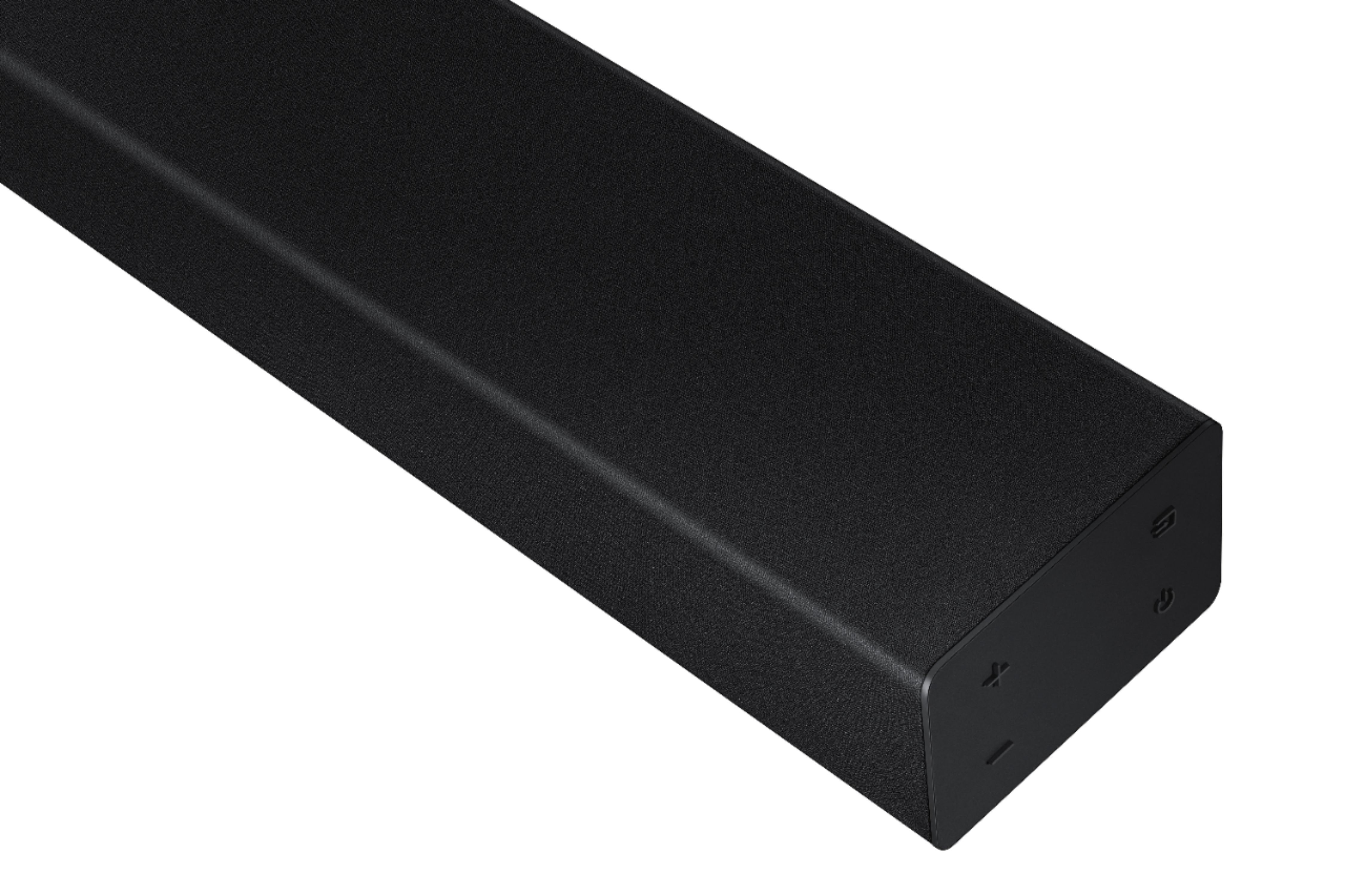
If you are still experiencing issues with your soundbar, we recommend doing a hard reset. With the Soundbar on, press both the +and - (Volume) buttons on the body at the same time for at least 5 seconds.
Should you ever have questions or need help, please call us at 1-800-SAMSUNG (ask for Soundbars), available 8 AM – 12 AM EST, 7 days a week.
For additional support resources, visit us on the Samsung website and click on the ‘Support’ link in the upper right corner of the homepage for:
1) Chat with Us/Product Help: To begin a chat or find solutions, choose ‘TVs & Home Theater’ and select your model & topic.
2) Manuals & Software
3) Warranty Info
4) Register a Product: For access to easy warranty support, convenient opt-in to special promos and offers, faster troubleshooting and service, and quick notification of system updates
5) Contact Us
~ Samsung Solutions
- Pros mentioned:Sound quality
Nice one
||Posted . Owned for 2 weeks when reviewed.This reviewer received promo considerations or sweepstakes entry for writing a review.Worth at its price. It is good for small room. Better than my tv speaker's
I would recommend this to a friend Dissppointed
||Posted . Owned for 1 month when reviewed.This reviewer received promo considerations or sweepstakes entry for writing a review.Dissppointed with inadequate sound and surround volume.
No, I would not recommend this to a friendBrand response from Samsung
Posted .Hi Recommend,
I am very sorry to hear that you were not completely satisfied with the initial out of box experience provided by your new Samsung Soundbar. Please know there are a wide range of options available to further tune the audio to your liking.
First, please be sure you have the latest firmware version installed (v. 1014). You can update to the latest firmware by downloading the firmware file from the Samsung Electronics Website, load the file onto a USB storage device, and connecting the USB storage device to the soundbar. Updating your firmware provides the latest improvements and features, such as the ability to adjust the volume of the rear speakers.
Once the latest firmware version has been installed, press and hold the STANDARD button on the remote control for about 6 seconds then use the Bass Up/Down buttons to adjust the level of the rear speakers between -6 to +6.
Additionally, you may want to check the sound settings on your TV. If your Digital Output Audio Format is set to PCM then you will likely notice decreased performance with surround sound audio systems. Dolby options are designed for surround systems (like 3.1.2 or 7.1), whereas PCM provides great sound quality for stereo speakers.
I hope these tips help. For additional assistance please contact us at 1-800-SAMSUNG (ask for Soundbars), available 8AM - 12AM EST, 7 days a week.
For additional support resources, visit us on the Samsung website and click on the ‘Support’ link in the upper right corner of the homepage for:
1) Chat with Us/Product Help: To begin a chat or find solutions, choose ‘TVs & Home Theater’ and select your model & topic.
2) Manuals & Software
3) Warranty Info
4) Register a Product: For access to easy warranty support, convenient opt-in to special promos and offers, faster troubleshooting and service, and quick notification of system updates
5) Contact Us
~ Samsung Solutions
- Pros mentioned:Sound quality
Speaker
||Posted . Owned for 10 months when reviewed.This reviewer received promo considerations or sweepstakes entry for writing a review.Great surround sound effects and gives you that movie theater experience.
I would recommend this to a friend - Pros mentioned:Sound quality
Awesome Sound
||Posted . Owned for 4 months when reviewed.This reviewer received promo considerations or sweepstakes entry for writing a review.These speakers are awesome! We use them in our great room and it easily fills the room with sound!
I would recommend this to a friend - Cons mentioned:Wireless
Samsung Soundbar
||Posted . Owned for less than 1 week when reviewed.This reviewer received promo considerations or sweepstakes entry for writing a review.Buy a Sonos This soundbar is not wireless The only wireless pat of this system is the receiver that powers the tiny little rear speakers. My TV which is Samsung sounds better without it
No, I would not recommend this to a friendBrand response from Samsung
Posted .Hi Baddeal,
Thank you for purchasing the Samsung HW-A40R Soundbar and for sharing your thoughts about the wireless description.
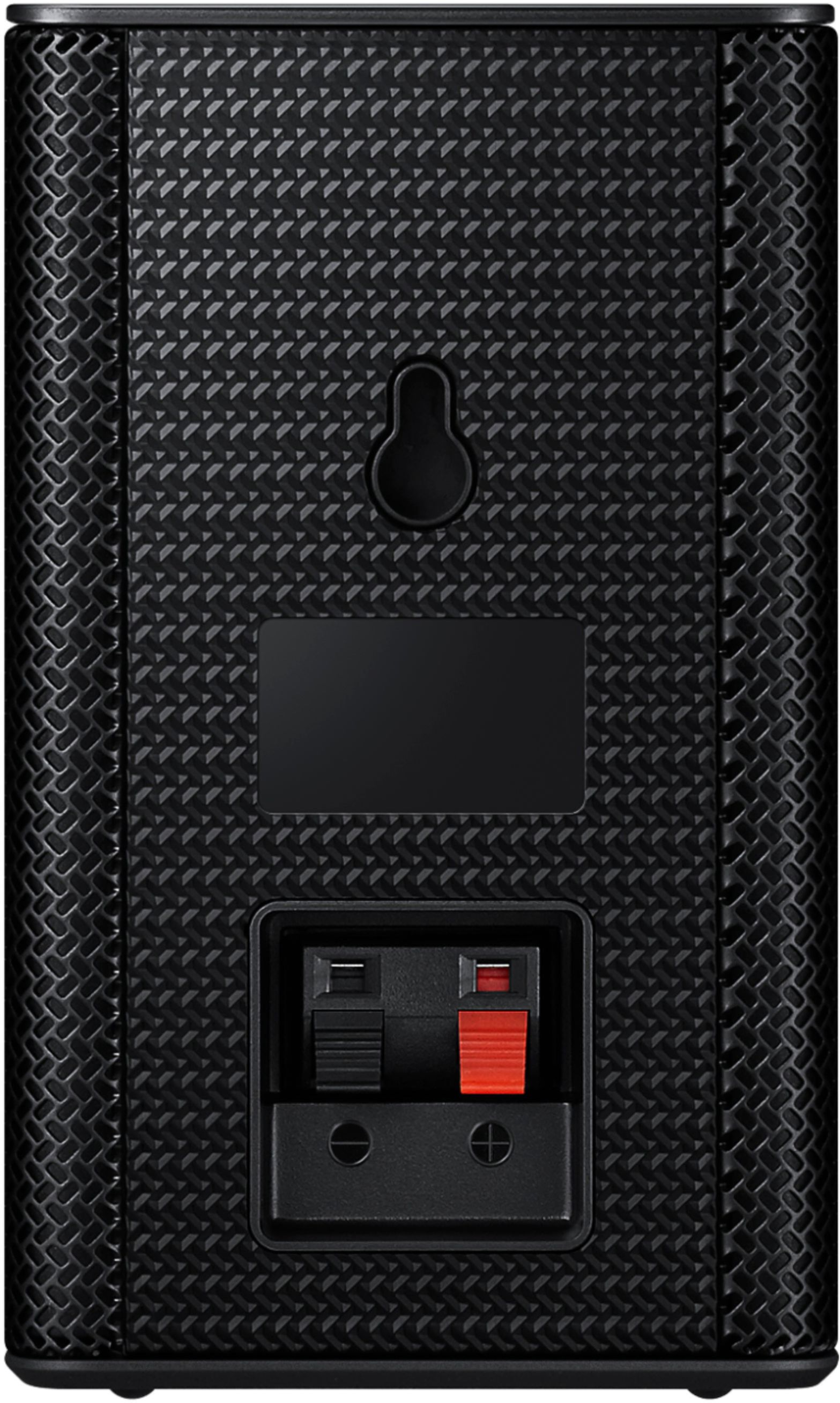
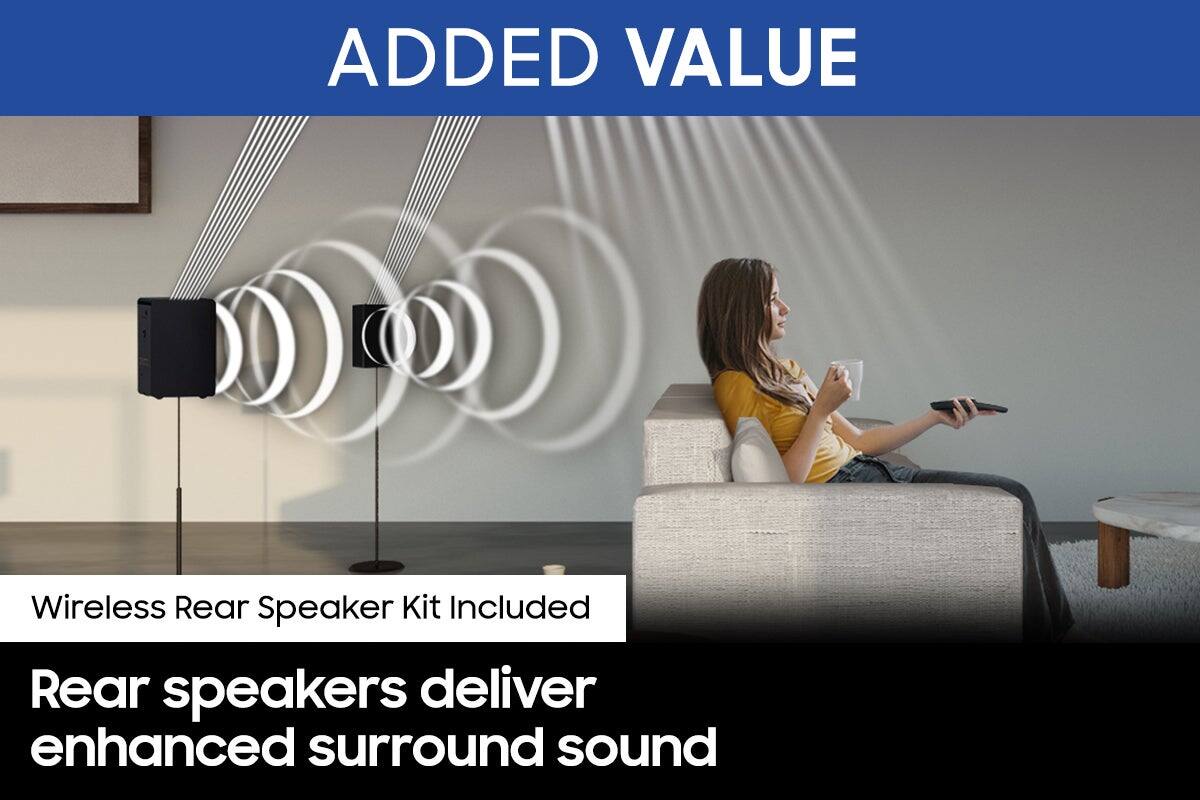
Occasionally, customers have trouble hiding and running speaker wires from the front of the room (where their soundbar is) to the back of their room (where they have their rear speakers). The Wireless Surround Speaker Set eliminates that hassle. Connect the rear speakers to its wireless module and place these three in the back of your room. One wire is required to connect each rear speaker to the wireless module. Then plug in the power cable to the module. The “wireless” convenience is in connecting your soundbar and any other speakers at the front of the room to the rear speakers – this can now be done via Wi-Fi through the wireless module, eliminating any clutter of long wires running the length of your room.
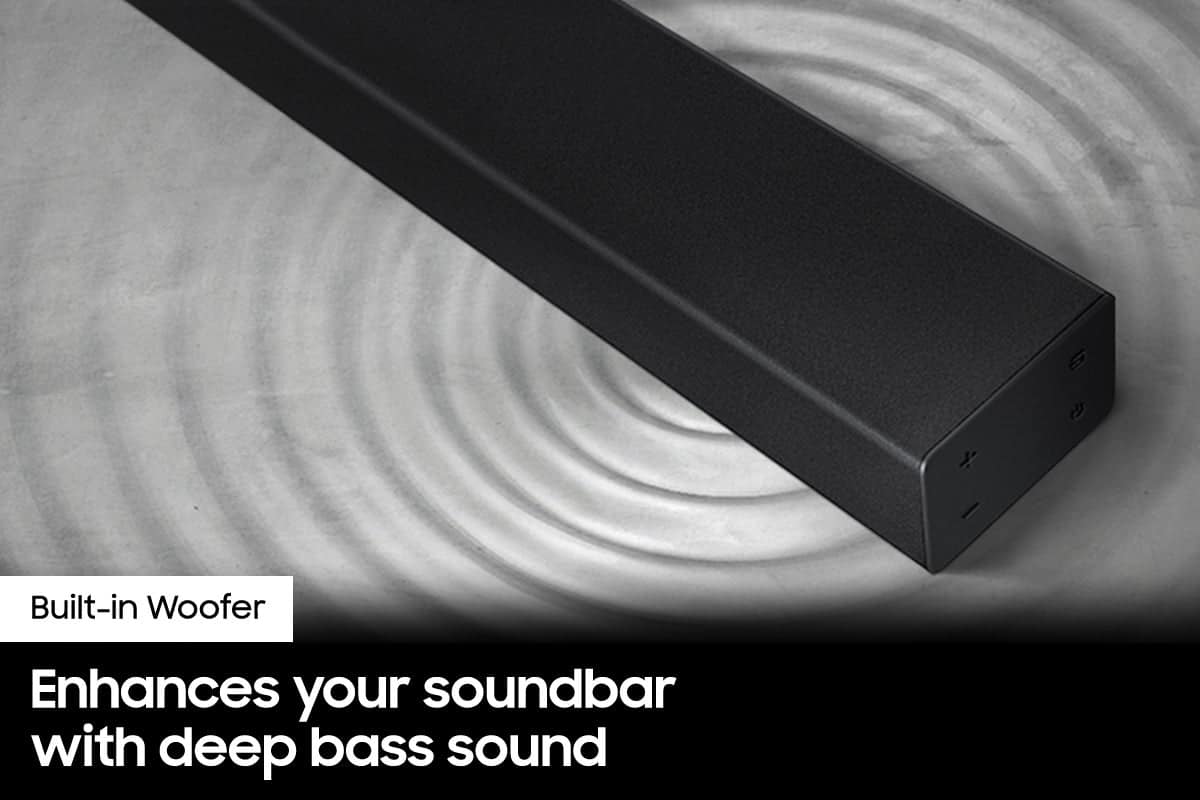
To improve your audio experience, you can try manually optimizing your settings by selecting the SURROUND or STANDARD buttons to change the SOUND MODE. Additionally, Press the BASS + or BASS - buttons to adjust the level of the woofer (bass) between -6 to +6.
I hope this helps. If you should need further assistance or have questions, please contact Samsung Customer Support at 1-800-SAMSUNG (ask for Soundbars), available 8 AM – 12 AM EST, 7 days a week.
LiveChat with an agent by clicking the ‘Support’ link on the Samsung website.
~ Samsung Ambassador
WORKS
||Posted . Owned for less than 1 week when reviewed.This reviewer received promo considerations or sweepstakes entry for writing a review.Work for what I need it for didn't come with setup menu
I would recommend this to a friendBrand response from Samsung
Posted .Hi,
Thank you for choosing Samsung’s HW-A40R Soundbar and for your review. We appreciate your feedback regarding the manual included with your soundbar. To assist you in the functions and settings of your new soundbar, you can download the full user manual directly from Samsung’s website by clicking “Support” in the top right corner. Then go to “Manuals & Software” > “TVs & Home Theater” > “Home Theater” > “Sound Bars”. From there, you can select the A40R under A Series.
Should you need any additional assistance with settings or features of your soundbar please contact Samsung Customer Support at 1-800-SAMSUNG (ask for Soundbars), available 8AM - 12AM EST, 7 days a week.
For additional support resources, visit us on the Samsung website and click on the ‘Support’ link in the upper right corner of the homepage for:
1) Chat with Us/Product Help: To begin a chat or find solutions, choose ‘TVs & Home Theater’ and select your model & topic.
2) Manuals & Software
3) Warranty Info
4) Register a Product: For access to easy warranty support, convenient opt-in to special promos and offers, faster troubleshooting and service, and quick notification of system updates
5) Contact Us
~ Samsung Solutions
Cheap for a reason
||Posted . Owned for less than 1 week when reviewed.This reviewer received promo considerations or sweepstakes entry for writing a review.This unit is cheap for a reason. I have yet discovered the surround sound. Rear speakers are identical to the sound bar but at a much lower level. Also doesn't have a HDMI port which I failed to notice when buying this
No, I would not recommend this to a friendBrand response from Samsung
Posted .Hi Hank!
Thank you for your review of the HW-A40R Soundbar and for your feedback regarding the volume issues you are experiencing with the included rear speakers. By design, the surround speakers are supposed to simulate sounds happening behind the viewer. Therefore, most of the time the surround channels are only used for ambient sounds, which are naturally lower in volume.
However, there are a few settings you can change to adjust the surround effect to your preference:
1) Download and install the latest firmware version found at the following link (ver. HMS-A4X0WWB-1011): https://www.samsung.com/us/support/downloads/?model=N0021435&modelCode=HW-A40R/ZA
2) Once installed, with the Soundbar on, press and hold the STANDARD button on the remote control for about 6 seconds
3) The LEDs will blink to indicate you are in adjustment mode
4) Use the BASS Up/Down buttons to adjust the level of the REAR speakers between -6 to +6.
5) The adjustment mode will exit if the surround button is pressed, or if no button is pressed for 10 seconds
If the volume levels still seem to low for your preference, please be aware of the following:
1) Make sure that the source (e.g. TV output) is sending surround channels to the Soundbar. If the source is not capable of surround, then set the Surround mode to OFF on the Soundbar by pressing the Surround button on the remote.
2) If the source has surround channels, select the Surround Sound Mode from the Soundbar remote.
3) Turn off Dynamic Range Control. This is done by pressing and holding the SURROUND button for 5 seconds.
4) Turn off the soundbar, then press and hold the source button on the soundbar for 7 seconds to enable Gain Boost. With Gain Boost active, the rear speaker’s volume level will be increased when the soundbar is in Surround mode. This feature can be turned off by following the same process.
I hope these tips help to enhance your audio enjoyment.
Should you ever have any questions or concerns or need help with settings or features, please contact Samsung Customer Support at
1-800-SAMSUNG (ask for Soundbars), available 8AM -12AM EST (Mon-Fri), 9AM – 6PM EST (Sat). Or text HELP to 62913.
For additional support resources, visit us on the Samsung website and click on the ‘Support’ link in the upper right corner of the homepage for:
1. More ‘Contact Us’ options – LiveChat, Facebook, Twitter, Samsung Community, Samsung Members app
2. Manuals & Software
3. Warranty Info
4. Product Registration: For access to easy warranty support, convenient opt-in to special promos and offers, faster troubleshooting and service, and quick notification of system updates.
~ Samsung Solutions
Sound system
||Posted . Owned for 1 month when reviewed.This reviewer received promo considerations or sweepstakes entry for writing a review.Out of box helped me decide Works well although my own ability to get universal remote to work so far. Best buy employees trying to assist.
I would recommend this to a friend- Pros mentioned:Sound quality
It works really good 5 stars
||Posted . Owned for 1 week when reviewed.This reviewer received promo considerations or sweepstakes entry for writing a review.I really love i give 5 stars the sounds pretty nice you gonna loved
I would recommend this to a friend - Pros mentioned:Sound quality
My speakers are amazing!!!
||Posted . Owned for 3 weeks when reviewed.This reviewer received promo considerations or sweepstakes entry for writing a review.So far I couldn’t be happier with the speakers. The sound quality is very good.
I would recommend this to a friend - Pros mentioned:Sound quality
Great buy
||Posted . Owned for 1 month when reviewed.This reviewer received promo considerations or sweepstakes entry for writing a review.It works great on my tv I play music through my phone plus it’s really loud
I would recommend this to a friend Couldn't connect
||Posted . Owned for 1 month when reviewed.This reviewer received promo considerations or sweepstakes entry for writing a review.There was no remote with mine, so I couldn't set up.
No, I would not recommend this to a friendBrand response from Samsung
Posted .Hi Natalie,
Thank you for purchasing the Samsung HW-A40R Soundbar and for sharing your review. We appreciate you sharing your feedback regarding parts missing from your recent purchase. If purchased brand-new and unopened, please contact Samsung Customer Support and a representative will gladly help you. If purchased in open-box condition, we recommend contacting Best Buy directly for assistance. We hope your issue is resolved in a timely manner.
Should you ever have questions or need help, please call us at 1-800-SAMSUNG (ask for Soundbars), available 8AM - 12AM EST, 7 days a week.
For additional support resources, visit us on the Samsung website and click on the ‘Support’ link in the upper right corner of the homepage for:
1) Chat with Us/Product Help: To begin a chat or find solutions, choose ‘TVs & Home Theater’ and select your model & topic.
2) Manuals & Software
3) Warranty Info
4) Register a Product: For access to easy warranty support, convenient opt-in to special promos and offers, faster troubleshooting and service, and quick notification of system updates
5) Contact Us
~ Samsung Solutions
- Pros mentioned:Sound quality
Easy to use
||Posted . Owned for 2 weeks when reviewed.This reviewer received promo considerations or sweepstakes entry for writing a review.plug and play. works excellently. Just turned off the TV sound and it took over
I would recommend this to a friend - Pros mentioned:Sound quality
Simple set up
||Posted . Owned for 3 weeks when reviewed.This reviewer received promo considerations or sweepstakes entry for writing a review.Add this to a new Samsung TV. Super simple setup, the surround sound speakers connect via wifi.
I would recommend this to a friend - Cons mentioned:Rear speakers
Wired wreless speakers
||Posted . Owned for 1 month when reviewed.This reviewer received promo considerations or sweepstakes entry for writing a review.Surround sound sucked. "WIRELESS" speakers are connected to a wired receiver. Very little sound from remote speakers.
No, I would not recommend this to a friendBrand response from Samsung
Posted .Hi WiredWirelessspeakers,
Thank you for purchasing the Samsung HW-A40R which includes the Wireless Surround Speaker Set (SWA-8500). Thank you for sharing your thoughts about the wireless description.
Occasionally, customers have trouble hiding and running speaker wires from the front of the room (where their soundbar is) to the back of their room (where they have their rear speakers). The Wirelss Surround Speaker Set eliminates that hassle. Connect the rear speakers to its wireless module and place these three in the back of your room. One wire is required to connect each rear speaker to the wireless module. Then plug in the power cable to the module. The “wireless” convenience is in connecting your soundbar and any other speakers at the front of the room to the rear speakers – this can now be done via Wi-Fi through the wireless module, eliminating any clutter of long wires running the length of your room.
By design, the surround speakers are supposed to simulate sounds happening behind the viewer. Therefore, most of the time the surround channels are only used for ambient sounds, which are naturally lower in volume.
However, there are a few settings you can change to adjust the surround effect to your preference:
1) Make sure that the source (e.g. TV output) is sending surround channels to the Soundbar. If the source is not capable of surround, then set the Surround mode to OFF on the Soundbar by pressing the Surround button on the remote.
2) If the source has surround channels, select the desired Sound Mode from the Soundbar remote.
3) Turn off Dynamic Range Control. This is done by pressing and holing the Sound Mode button while the Soundbar is in standby mode. Depending on your soundbar model, you may or may not have DRC.
4) Increase the volume level of the surround speakers using the Sound Control button on the Soundbar remote control. Press the Sound Control button on the soundbar remote (looks like a gear), then select REAR LEVEL and use the Up/Down buttons to adjust the volume within a -6 to +6 range.
I hope these tips help to enhance your audio enjoyment.
Should you ever have questions or need help, please call us at 1-800-SAMSUNG (ask for Soundbars), available 8AM - 12AM EST, 7 days a week.
For additional support resources, visit us on the Samsung website and click on the ‘Support’ link in the upper right corner of the homepage for:
1) Chat with Us/Product Help: To begin a chat or find solutions, choose ‘TVs & Home Theater’ and select your model & topic.
2) Manuals & Software
3) Warranty Info
4) Register a Product: For access to easy warranty support, convenient opt-in to special promos and offers, faster troubleshooting and service, and quick notification of system updates
5) Contact Us
~ Samsung Ambassador
- Pros mentioned:Sound quality
Sound Bar
||Posted . Owned for 1 month when reviewed.This reviewer received promo considerations or sweepstakes entry for writing a review.Perfect sound bar for a small sitting room that gives that extra push for a theater sound
I would recommend this to a friend