Customer Ratings & Reviews
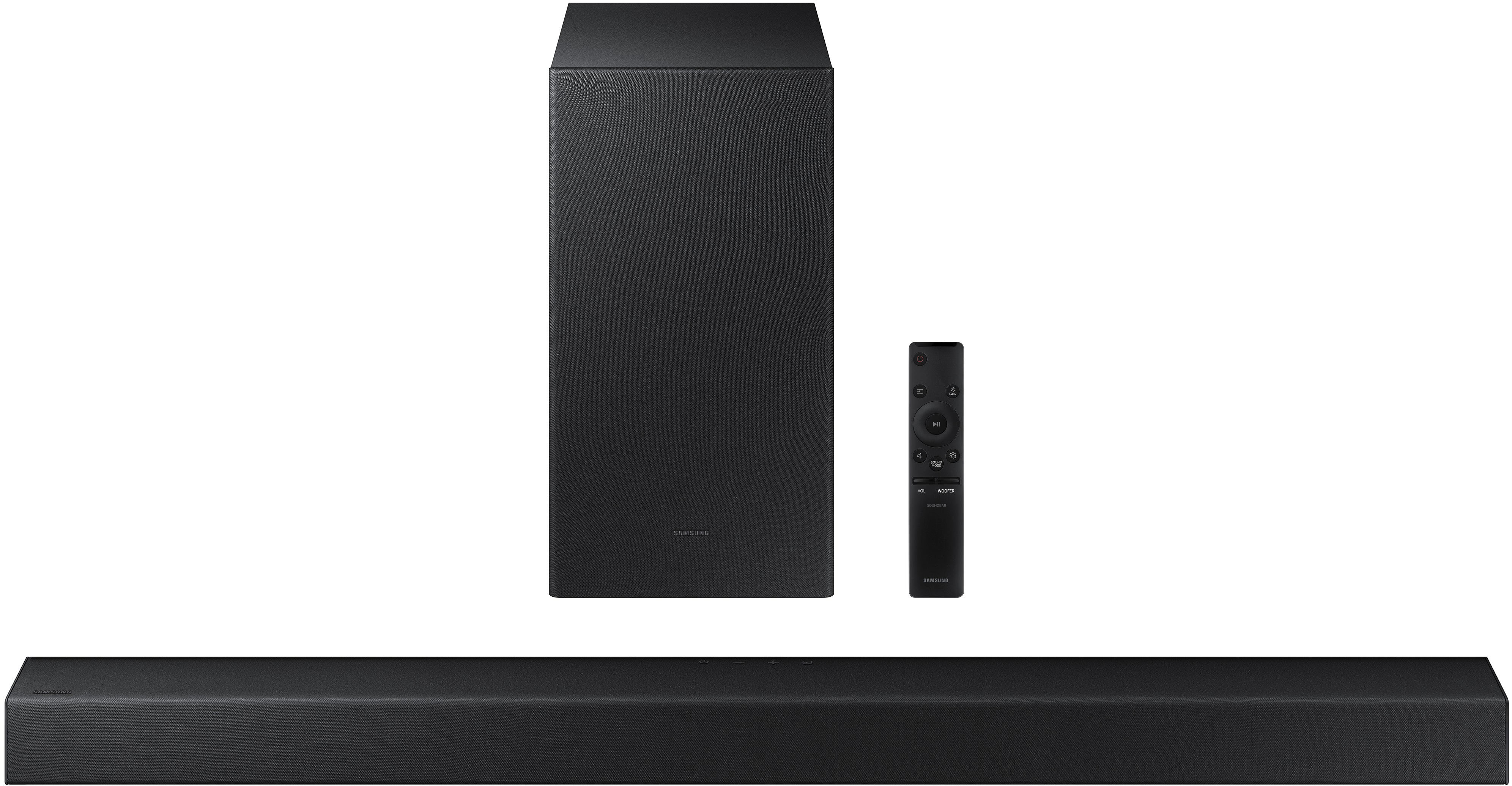
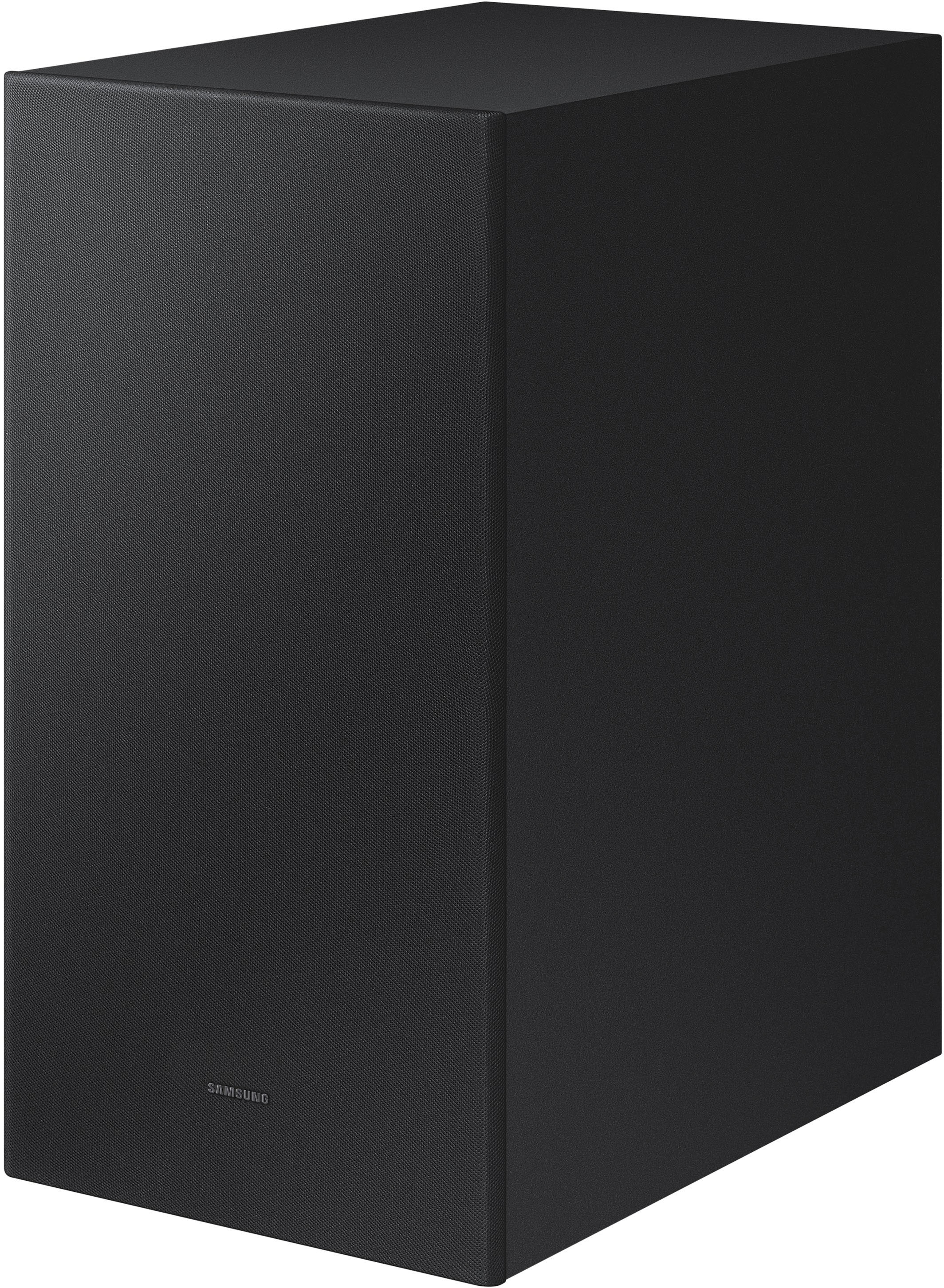

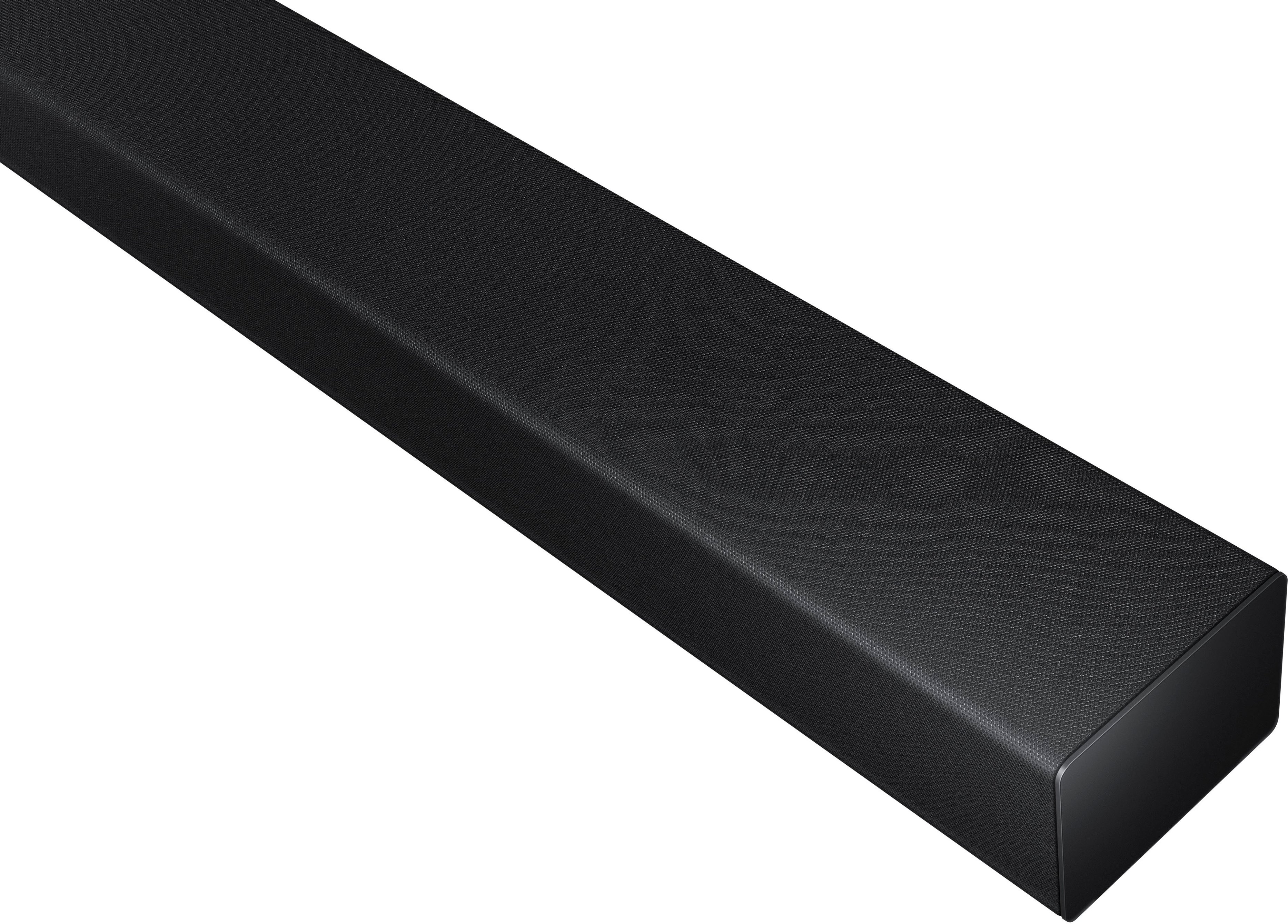









- Model:
- HW-A450/ZA
- SKU:
- 6454648
Rating by feature
- Value
Rating 4.5 out of 5 stars
- Quality
Rating 4.4 out of 5 stars
- Ease of Use
Rating 4.5 out of 5 stars
Customers are saying
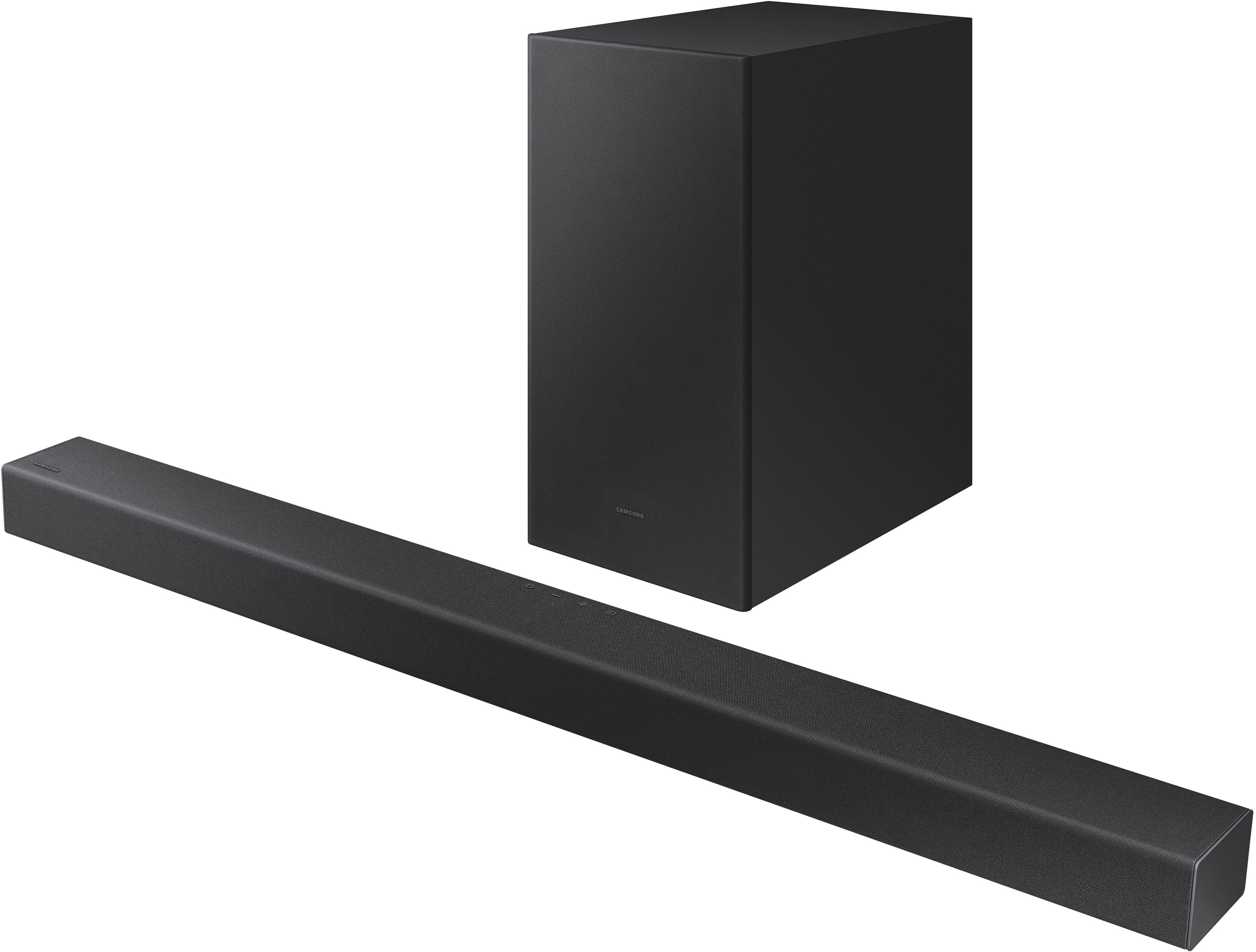
Customers commend the HW-A450 Wireless 2.1ch Soundbar for its exceptional sound quality, describing it as amazing and excellent. They appreciate the easy setup process and the versatility of the wireless subwoofer. The soundbar is also praised for its affordable price and powerful bass. On the downside, some customers have expressed concerns about the volume, connectivity issues, durability, and the lack of HDMI connectivity.
This summary was generated by AI based on customer reviews.
Not very happy.
||Posted . Owned for less than 1 week when reviewed.This reviewer received promo considerations or sweepstakes entry for writing a review.Just not what I expected. Sound is not all that great. Matched with a Samsung TV so I thought it would work really well, but not so much. Thinking about returning it.
No, I would not recommend this to a friendBrand response from Samsung
Posted .Hi John!
Thank you for your review of this Samsung HW-A450 Soundbar System. We appreciate you sharing your audio experience with us. Your feedback is very important to us and will be shared with our product team.
Please know that with the Adaptive Sound Lite mode, your soundbar will optimize sound for your favorite video content, including sports, games, movies and more.
If there is anything we can do to improve your sound such as helping to optimize settings, please let us know. You can reach Samsung Customer Support at:
1-800-SAMSUNG (ask for Soundbars), available 8AM -12AM EST, 7 days a week. Or text HELP to 62913.
For additional support resources, visit us on the Samsung website and click on the ‘Support’ link in the upper right corner of the homepage for:
1) More ‘Contact Us’ options – LiveChat, Facebook, Twitter, Samsung Community, Samsung Members app
2) Manuals & Software
3) Warranty Info
4) Product Registration: For access to easy warranty support, convenient opt-in to special promos and offers, faster troubleshooting and service, and quick notification of system updates.
~ Samsung Solutions
- Cons mentioned:Optical cable
Worst Buy, Product did not work.
||Posted . Owned for 1 month when reviewed.This reviewer received promo considerations or sweepstakes entry for writing a review.The product did not work. I could not get the wireless option to work, nor could I get the optical cable option to work.
No, I would not recommend this to a friendBrand response from Samsung
Posted .Hi JJSS!
I’m very sorry for the difficulties you’ve experienced with your Soundbar’s setup. We completely understand your frustrations, and we are here to help.
If you are connecting wirelessly via Bluetooth, please follow these steps:
1) Press the PAIR button on the remote to enter BT PAIRING mode
a. or press the SOURCE button on the top panel and then select BT. “BT” changes to “BT PAIRING” in a few seconds automatically or changes to “BT READY” if there is a connect record.
b. When BT READY appears, press and hold the SOURCE button on the top panel of the Soundbar for more than 5 seconds to display BT PAIRING.
2) Select Bluetooth mode on the TV
3) Select “[AV] Samsung Soundbar A450-Series” from the list on the TV’s screen. An available Soundbar is indicated with “Need Pairing” or “Paired” on the TV’s Bluetooth device list. To connect the TV to the Soundbar, select the message, and then establish a connection. - When the TV is connected, [TV Name] → “BT” appears on the Soundbar’s front display.
4) You can now hear TV sound from the Soundbar.
If the device fails to connect
- If a previously connected Soundbar listing (e.g. “[AV] Samsung Soundbar A450-Series”) appears in the list, delete it.
- Then repeat steps 1 through 3
Once you have connected your soundbar for the first time, use the “BT READY” mode to reconnect.
For detailed instructions, see pages 11-12 in the Full Manual:
https://downloadcenter.samsung.com/content/UM/202104/20210414174628224/HW-A450_ZA_FULL_00_ENG_210112.0.pdf
I hope this helps, should you need further assistance, please contact Samsung Customer Support at:
1-800-SAMSUNG (ask for Soundbars), available 8AM -12AM EST (Mon-Fri), 9AM – 6PM EST (Sat). Or text HELP to 62913.
For additional support resources, visit us on the Samsung website and click on the ‘Support’ link in the upper right corner of the homepage for:
1. More ‘Contact Us’ options – LiveChat, Facebook, Twitter, Samsung Community, Samsung Members app
2. Manuals & Software
3. Warranty Info
4. Product Registration: For access to easy warranty support, convenient opt-in to special promos and offers, faster troubleshooting and service, and quick notification of system updates.
~ Samsung Solutions
Live and learn.
||Posted . Owned for 1 week when reviewed.This reviewer received promo considerations or sweepstakes entry for writing a review.Not what I expected. If your TV is at 20 this thing sounds like it's at 14. Wha? Wife was right, should have bought the Bose like she did. Live and learn
No, I would not recommend this to a friendBrand response from Samsung
Posted .Hi Frank,
Thank you for purchasing the Samsung HW-A450 Soundbar and for your review. We appreciate your feedback regarding the volume of your soundbar. Simply changing the Digital Output Audio Format to PCM can help with the overall sound performance.You may want to try changing the Digital Output Audio Format to PCM.
On a Samsung TV this can be found at Home > Settings > Sound > Expert Settings. (It can also be found in the Quick Settings.)
If you don't have a surround system, you will probably want to select PCM. You'll get much louder volume that way, and potentially better sound quality. If your Digital Output Audio Format isn't set to PCM, for instance if you have a Dolby option selected, then you will likely notice decreased maximum volume. Dolby options are designed for surround systems (like 3.1.2 or 7.1), whereas PCM provides great sound quality for stereo speakers.
I hope this helps. For further assistance with settings, features, or functions, please contact Samsung Customer Support at 1-800-SAMSUNG (ask for Soundbars), available 8AM - 12AM EST, 7 days a week.
For additional support resources, visit us on the Samsung website and click on the ‘Support’ link in the upper right corner of the homepage for:
1) Chat with Us/Product Help: To begin a chat or find solutions, choose ‘TVs & Home Theater’ and select your model & topic.
2) Manuals & Software
3) Warranty Info
4) Register a Product: For access to easy warranty support, convenient opt-in to special promos and offers, faster troubleshooting and service, and quick notification of system updates
5) Contact Us
~ Samsung Solutions
Samsung center channel speaker review
||Posted . Owned for 3 weeks when reviewed.This reviewer received promo considerations or sweepstakes entry for writing a review.Did not synch properly with new Samsung smart tv. It was like watching an old Japanese monster movie where the lips and mouth don't match the actual words. Even professional TV tech could not get it to work as advertised. Returned and replaced with a basic Bose model that is fantastic.
No, I would not recommend this to a friendBrand response from Samsung
Posted .Hi MikeD,
Thank you for your review of this Samsung Soundbar. Your input is invaluable in our continuous pursuit of delivering the best in product and customer experience
Should you ever decide to give Samsung audio products another try and have concerns or questions, please know we are always here to help. You can contact Samsung Customer Support by any of the below options:
1-800-SAMSUNG (ask for Soundbars), available 8AM -12AM EST, 7 days a week. Or text HELP to 62913.
For additional support resources, visit us on the Samsung website and click on the ‘Support’ link in the upper right corner of the homepage for:
1) More ‘Contact Us’ options – LiveChat, Facebook, Twitter, Samsung Community, Samsung Members app
2) Manuals & Software
3) Warranty Info
4) Product Registration: For access to easy warranty support, convenient opt-in to special promos and offers, faster troubleshooting and service, and quick notification of system updates.
Again, thank you for taking the time to share your experience. We hope to regain you as a customer in the near future.
~ Samsung Ambassador
Disappointed
||Posted .This reviewer received promo considerations or sweepstakes entry for writing a review.I cannot hear any fifference with this off or on. I expected more volume. I am elderly and wanted something to enhance audio… it didn’t do the job.
No, I would not recommend this to a friendBrand response from Samsung
Posted .Hi Jeanette,
Thank you for purchasing the Samsung HW-A450 Soundbar and for your review. We appreciate your feedback regarding the volume of your soundbar. Simply changing the Digital Output Audio Format to PCM can help. You may want to try changing the Digital Output Audio Format to PCM.
On a Samsung TV this can be found at Home > Settings > Sound > Expert Settings. (It can also be found in the Quick Settings.)
If your Digital Output Audio Format isn't set to PCM, like for instance if you have a Dolby option selected, then you will likely notice decreased maximum volume. Dolby options are designed for surround systems (like 3.1.2 or 7.1), whereas PCM provides great sound quality for stereo speakers.
If you don't have a surround system, you will probably want to select PCM. You'll get much louder volume that way, and potentially better sound quality.
I hope this helps. For further assistance with settings, features, or functions, please contact Samsung Customer Support. call us at 1-800-SAMSUNG (ask for Soundbars), available 8AM - 12AM EST, 7 days a week.
For additional support resources, visit us on the Samsung website and click on the ‘Support’ link in the upper right corner of the homepage for:
1) Contact Us: For additional Chat & Text options, choose ‘TVs & Home Theater’ and select your model & topic.
2) Manuals & Software
3) Warranty Info
4) Register a Product: For access to easy warranty support, convenient opt-in to special promos and offers, faster troubleshooting and service, and quick notification of system updates
~ Samsung Solutions
- Cons mentioned:Remote control
The Remote Sucks
||Posted . Owned for 3 weeks when reviewed.This reviewer received promo considerations or sweepstakes entry for writing a review.Terrible Detail: The remote only shows volume level. Doesn't allow volume up or down
No, I would not recommend this to a friendBrand response from Samsung
Posted .Hi TheRemoteSucks,
I'm sorry to hear you're experiencing issues with your A450 Soundbar's remote. Please give us the opportunity to assist you by contacting Samsung Customer Support at 1-800-SAMSUNG, 8AM - 12AM EST, 7 days a week.
LiveChat with an agent as well as manuals, software, and warranty info can be found at the ‘Support’ link on our Samsung website.
~ Samsung Specialist
- Cons mentioned:Remote control
Unusable
||Posted . Owned for 1 month when reviewed.This reviewer received promo considerations or sweepstakes entry for writing a review.Did not come with remote, almost completely unusable without it. No replacement offered
No, I would not recommend this to a friendBrand response from Samsung
Posted .Hi Worstbuy,
Thank you for purchasing the Samsung HW-A450 Soundbar. We appreciate you sharing your feedback regarding the remote missing from your recent purchase.
If purchased brand-new and unopened, please contact Samsung Customer Support and a representative will gladly help you. If purchased in open-box condition, we recommend contacting Best Buy directly for assistance.
You can reach Samsung Support at 1-800-SAMSUNG (ask for Soundbars), available 8AM - 12AM EST, 7 days a week.
For additional support resources, visit us on the Samsung website and click on the ‘Support’ link in the upper right corner of the homepage for:
1) Chat with Us/Product Help: To begin a chat or find solutions, choose ‘TVs & Home Theater’ and select your model & topic.
2) Manuals & Software
3) Warranty Info
4) Register a Product: For access to easy warranty support, convenient opt-in to special promos and offers, faster troubleshooting and service, and quick notification of system updates
5) Contact Us
We hope your issue is resolved in a timely manner.
~ Samsung Solutions
Sound bar doesn't help, Samsung's poor sound
||Posted . Owned for 3 weeks when reviewed.This reviewer received promo considerations or sweepstakes entry for writing a review.Very hard to adjust, lots of double talk or echo.cannot adjust sound or lower base.
No, I would not recommend this to a friendBrand response from Samsung
Posted .Hi waiting,
Thank you for sharing your review of the Samsung HW-A450. We appreciate your feedback regarding the audio performance of your soundbar.
This soundbar features a powerful wireless subwoofer, as well as Bass Boost mode to instantly amplify the bass with a touch of a button.
You can try manually optimizing your settings by pressing the SOUND MODE button on your remote, and then selecting the desired sound effect by choosing STANDARD, SURROUND SOUND, BASS BOOST, GAME, or ADAPTIVE.
There are three adjustments that can be made for bass and subwoofer:
1) Using the WOOFER button on the remote, you can adjust the volume of the subwoofer between -6 to +6 by toggling the button up or down. To set the subwoofer volume level to 0, press the button down
2) Adjust the bass control by pressing the SOUND CONTROL button (gear icon) on the remote control, then select BASS to increase the level. You can adjust the volume between -6 to +6 by using the Up/Down buttons.
3) Press the SOUND MODE button on your remote, and then select BASS BOOST mode. This will provide you with a larger emphasis on bass sound.
For precise audio adjustments, you can use the 7-band frequency equalizer to optimize the sound for your room acoustics.
If you need further assistance, please know Samsung Customer Support is here to help. Call us at 1-800-SAMSUNG (ask for Soundbars), available 8AM - 12AM EST, 7 days a week.
For additional support resources, visit us on the Samsung website and click on the ‘Support’ link in the upper right corner of the homepage for:
1) Chat with Us/Product Help: To begin a chat or find solutions, choose ‘TVs & Home Theater’ and select your model & topic.
2) Manuals & Software
3) Warranty Info
4) Register a Product: For access to easy warranty support, convenient opt-in to special promos and offers, faster troubleshooting and service, and quick notification of system updates
5) Contact Us
~ Samsung Solutions
Mad in Ss
||Posted . Owned for 1 month when reviewed.This reviewer received promo considerations or sweepstakes entry for writing a review.I didn’t care for this because it did not go with my smart TV somewhere in the box it should read this is not meant for a smart TV.
No, I would not recommend this to a friendBrand response from Samsung
Posted .Hi Rosie!
Thank you for purchasing the Samsung HW-A450 and sharing your review. Your feedback is important to us and helps us improve the user experience. The HW-A450 features multiple ways to connect to the latest TVs, including Smart TV models.
The HW-A450 features a digital optical audio input, and Bluetooth audio technology allowing you to connect to devices compatible with either of these technologies. The A450 includes an optical cable in the box making sure you do not need to purchase any additional accessories to connect the soundbar to your TV.
Please give us the opportunity to assist you by contacting Samsung Customer Support at:
1-800-SAMSUNG (ask for Soundbars), available 8AM -12AM EST (Mon-Fri), 9AM – 6PM EST (Sat). Or text HELP to 62913.
For additional support resources, visit us on the Samsung website and click on the ‘Support’ link in the upper right corner of the homepage for:
1) More ‘Contact Us’ options – LiveChat, Facebook, Twitter, Samsung Community, Samsung Members app
2) Manuals & Software
3) Warranty Info
4) Product Registration: For access to easy warranty support, convenient opt-in to special promos and offers, faster troubleshooting and service, and quick notification of system updates.
~ Samsung Solutions
Salesperson miss-represented product.
||Posted . Owned for 1 month when reviewed.This reviewer received promo considerations or sweepstakes entry for writing a review.Did not meet expectations. Returned because it had no hdmi input although salesperson knew i was looking for that feature.
No, I would not recommend this to a friendBrand response from Samsung
Posted .Hi Mike,
Thank you for your review of the Samsung HW-A450 Soundbar System. Your feedback is appreciated and important in helping us provide crucial factors regarding customer satisfaction.
We hope that, despite this incident, you would consider Samsung in the future, and stop by your local Best Buy to experience in person the impressive audio performance of our soundbars. Please know HDMI support begins with Samsung soundbars model HW-A550 or above.
Should you ever decide to give Samsung Soundbars another try and have questions or need assistance with settings, setup, or features, please know we are always here to help. Call us at 1-800-SAMSUNG (ask for Soundbars), available 8AM - 12AM EST, 7 days a week.
For additional support resources, visit us on the Samsung website and click on the ‘Support’ link in the upper right corner of the homepage for:
1) Contact Us: For additional Chat & Text options, choose ‘TVs & Home Theater’ and select your model & topic.
2) Manuals, Software, & Warranty Info
We hope to regain you as a customer in the future.
~ Samsung Solutions
- Cons mentioned:Remote control
Wish I’d known
||Posted . Owned for 1 month when reviewed.This reviewer received promo considerations or sweepstakes entry for writing a review.It works sometime. It doesn’t respond to items remote control all of the time
No, I would not recommend this to a friendBrand response from Samsung
Posted .Hi Notachamce,
Thank you for purchasing the Samsung HW-A450 soundbar and for sharing your feedback regarding issues with your soundbar’s remote. First, you may want to replace your batteries in the remote. Also, be sure that the distance between the remote and soundbar main unit is not too far.
For further assistance, please contact Samsung Customer Support. Call us at 1-800-SAMSUNG (ask for Soundbars), available 8AM - 12AM EST, 7 days a week.
For additional support resources, visit us on the Samsung website and click on the ‘Support’ link in the upper right corner of the homepage for:
1) Contact Us: For additional Chat & Text options, choose ‘TVs & Home Theater’ and select your model & topic.
2) Manuals & Software
3) Warranty Info
4) Register a Product: For access to easy warranty support, convenient opt-in to special promos and offers, faster troubleshooting and service, and quick notification of system updates
~ Samsung Solutions
Sound Bar
||Posted . Owned for 3 weeks when reviewed.This reviewer received promo considerations or sweepstakes entry for writing a review.have had this sound bar for about 2 weeks its just ok. When watching a movie the bass is not very loud at all.
No, I would not recommend this to a friendBrand response from Samsung
Posted .Hi Tankman!
Thank you for sharing your review of the Samsung HW-A450. We appreciate your feedback regarding the audio performance of your soundbar.
This soundbar features a powerful wireless subwoofer, as well as Bass Boost mode to instantly amplify the bass with a touch of a button.
You can try manually optimizing your settings by pressing the SOUND MODE button on your remote, and then selecting the desired sound effect by choosing STANDARD, SURROUND SOUND, BASS BOOST, GAME, or ADAPTIVE.
You can further adjust TREBLE and BASS via the SOUND CONTROL button (looks like a gear symbol).
The subwoofer is responsible for low frequency sounds, like the rumbles of an explosion in an action movie or the bass guitar and drum in your favorite music. It adds rich bass tones and deepens the sound quality you hear, but since the subwoofer only plays low tones, it will be silent when low frequency sounds are not in use. If you would like louder (or softer) bass from your subwoofer, you can adjust the level by toggling the WOOFER button on the soundbar remote, and then adjusting the level from -6 to +6. To set the subwoofer volume level to 0, press the button down.
Should you ever have questions or need help, please call us at:
1-800-SAMSUNG (ask for Soundbars), available 8AM -12AM EST (Mon-Fri), 9AM – 6PM EST (Sat). Or text HELP to 62913.
For additional support resources, visit us on the Samsung website and click on the ‘Support’ link in the upper right corner of the homepage for:
1) More ‘Contact Us’ options – LiveChat, Facebook, Twitter, Samsung Community, Samsung Members app
2) Manuals & Software
3) Warranty Info
4) Product Registration: For access to easy warranty support, convenient opt-in to special promos and offers, faster troubleshooting and service, and quick notification of system updates.
~ Samsung Solutions
Not my cup of tea.
||Posted . Owned for 3 weeks when reviewed.This reviewer received promo considerations or sweepstakes entry for writing a review.I purchased this to go with the new tv i purchased which is the 65 inch Qled smart tv. Unfortunately the tv speakers was louder than the sound bar and woofer combined. The price is great but it was not giving me the sound quality i was looking for. I wanted more of a movie theater vibe and this wasn't it.
No, I would not recommend this to a friendBrand response from Samsung
Posted .Hi Jess,
Thank you for purchasing the Samsung HW-A650 Soundbar and for your review. We appreciate your feedback regarding the volume of your soundbar. Simply changing the Digital Output Audio Format to PCM can help. You may want to try changing the Digital Output Audio Format to PCM.
This can be found at Home > Settings > Sound > Expert Settings. (It can also be found in the Quick Settings.)
If your Digital Output Audio Format isn't set to PCM, like for instance if you have a Dolby option selected, then you will likely notice decreased maximum volume. Dolby options are designed for surround systems (like 3.1.2 or 7.1), whereas PCM provides great sound quality for stereo speakers.
If you don't have a surround system, you will probably want to select PCM. You'll get much louder volume that way, and potentially better sound quality.
I hope this helps. For further assistance with settings, features, or functions, please contact Samsung Customer Support at:
1-800-SAMSUNG (ask for Soundbars), available 8AM -12AM EST, 7 days a week. Or text HELP to 62913.
For additional support resources, visit us on the Samsung website and click on the ‘Support’ link in the upper right corner of the homepage for:
1) More ‘Contact Us’ options – LiveChat, Facebook, Twitter, Samsung Community, Samsung Members app
2) Manuals & Software
3) Warranty Info
4) Product Registration: For access to easy warranty support, convenient opt-in to special promos and offers, faster troubleshooting and service, and quick notification of system updates.
~ Samsung Ambassador
Terrible 2.0 Samsung
||Posted . Owned for 3 weeks when reviewed.This reviewer received promo considerations or sweepstakes entry for writing a review.Terrible like the worst a waist of 150-200 so many other better ways to spend this amount of money
No, I would not recommend this to a friendBrand response from Samsung
Posted .Hi DDJ23,
Thank you for purchasing the Samsung HW-A450 and for your review. If you are experiencing specific issues which caused you to give this a 2-star rating, please know Samsung Customer Support is here to help.
Please call us at 1-800-SAMSUNG (ask for Soundbars), available 8AM - 12AM EST, 7 days a week.
For additional support resources, visit us on the Samsung website and click on the ‘Support’ link in the upper right corner of the homepage for:
1) Chat with Us/Product Help: To begin a chat or find solutions, choose ‘TVs & Home Theater’ and select your model & topic.
2) Manuals & Software
3) Warranty Info
4) Register a Product: For access to easy warranty support, convenient opt-in to special promos and offers, faster troubleshooting and service, and quick notification of system updates
5) Contact Us
~ Samsung Solutions
Eh
||Posted .This reviewer received promo considerations or sweepstakes entry for writing a review.Went out within a month, didn't get geek protection couldn't get it fixed.
No, I would not recommend this to a friendSoundbar
||Posted . Owned for 4 months when reviewed.This reviewer received promo considerations or sweepstakes entry for writing a review.Soundbar is very hard to link up wirelessly with your tv, the sound isn't worth the asking price.
No, I would not recommend this to a friendBrand response from Samsung
Posted .Hi cheif4highland,
Thank you for purchasing Samsung's HW-A450 soundbar. We appreciate you sharing your feedback regarding connection issues between the soundbar and TV. If you are connecting wirelessly via Bluetooth, please follow these steps:
1) Press the PAIR button on the remote to enter BT PAIRING mode
a. or press the SOURCE button on the top panel and then select BT. “BT” changes to “BT PAIRING” in a few seconds automatically or changes to “BT READY” if there is a connect record.
b. When BT READY appears, press and hold the SOURCE button on the top panel of the Soundbar for more than 5 seconds to display BT PAIRING.
2) Select Bluetooth mode on the TV
3) Select “[AV] Samsung Soundbar A4-Series” from the list on the TV’s screen. An available Soundbar is indicated with “Need Pairing” or “Paired” on the TV’s Bluetooth device list. To connect the TV to the Soundbar, select the message, and then establish a connection. - When the TV is connected, [TV Name] → “BT” appears on the Soundbar’s front display.
4) You should now hear TV sound from the Soundbar.
If the device fails to connect:
- If a previously connected Soundbar listing (e.g. “[AV] Samsung Soundbar A4-Series”) appears in the list, delete it.
- Then repeat steps 1 through 3
Once you have connected your soundbar for the first time, use the “BT READY” mode to reconnect.
For detailed instructions, see pages 11-12 in the Full Manual:
https://downloadcenter.samsung.com/content/UM/202104/20210414174628224/HW-A450_ZA_FULL_00_ENG_210112.0.pdf
I hope this helps, should you need further assistance, please contact Samsung Customer Support. Call us at 1-800-SAMSUNG (ask for Soundbars), available 8AM - 12AM EST, 7 days a week.
For additional support resources, visit us on the Samsung website and click on the ‘Support’ link in the upper right corner of the homepage for:
1) Contact Us: For additional Chat & Text options, choose ‘TVs & Home Theater’ and select your model & topic.
2) Manuals & Software
3) Warranty Info
4) Register a Product: For access to easy warranty support, convenient opt-in to special promos and offers, faster troubleshooting and service, and quick notification of system updates
~ Samsung Solutions
Would not recommend
||Posted . Owned for 1 month when reviewed.This reviewer received promo considerations or sweepstakes entry for writing a review.Not at all what I had hoped for. Will probably replace it with something better.
No, I would not recommend this to a friendBrand response from Samsung
Posted .Hi Jules,
We always aim to deliver a great experience, and it’s unfortunate to hear the HW-A450 soundbar did not meet your expectations.
If there is anything we can do to improve your enjoyment such as helping to optimize settings for your specific sound scenario, please contact Samsung Customer Support at 1-800-SAMSUNG (ask for Soundbars), available 8AM - 12AM EST, 7 days a week.
For additional support resources, visit us on the Samsung website and click on the ‘Support’ link in the upper right corner of the homepage for:
1) Chat with Us/Product Help: To begin a chat or find solutions, choose ‘TVs & Home Theater’ and select your model & topic.
2) Manuals & Software
3) Warranty Info
4) Register a Product: For access to easy warranty support, convenient opt-in to special promos and offers, faster troubleshooting and service, and quick notification of system updates
5) Contact Us
~ Samsung Solutions
Never buy this!
||Posted . Owned for 11 months when reviewed.This reviewer received promo considerations or sweepstakes entry for writing a review.Lost money! Voice very lou. Tv voice more more better. Bead, very bead !!!
No, I would not recommend this to a friendBrand response from Samsung
Posted .Hi Zeeeeee,
I am sorry to hear that you are not completely satisfied with the overall volume of the soundbar. If you don't have a surround system, you will probably want to select PCM audio on your TV. You'll get much louder volume that way, and potentially better sound quality.
If your Digital Output Audio Format isn't set to PCM, for instance if you have a Dolby option selected, then you will likely notice decreased maximum volume. Dolby options are designed for surround systems (like 3.1.2 or 7.1), whereas PCM provides great sound quality for stereo speakers.
On a Samsung TV this can be found at Home > Settings > Sound > Expert Settings. (It can also be found in the Quick Settings.)
I hope this helps. For further assistance with settings, features, or functions, please contact Samsung Customer Support at: 1-800-SAMSUNG (ask for Soundbars), available 8AM - 12AM EST, 7 days a week.
For additional support resources, visit us on the Samsung website and click on the ‘Support’ link in the upper right corner of the homepage for:
1) Contact Us: For additional Chat & Text options, choose ‘TVs & Home Theater’ and select your model & topic.
2) Manuals, Software, & Warranty Info
~ Samsung Ambassador
Samsung Soundbar
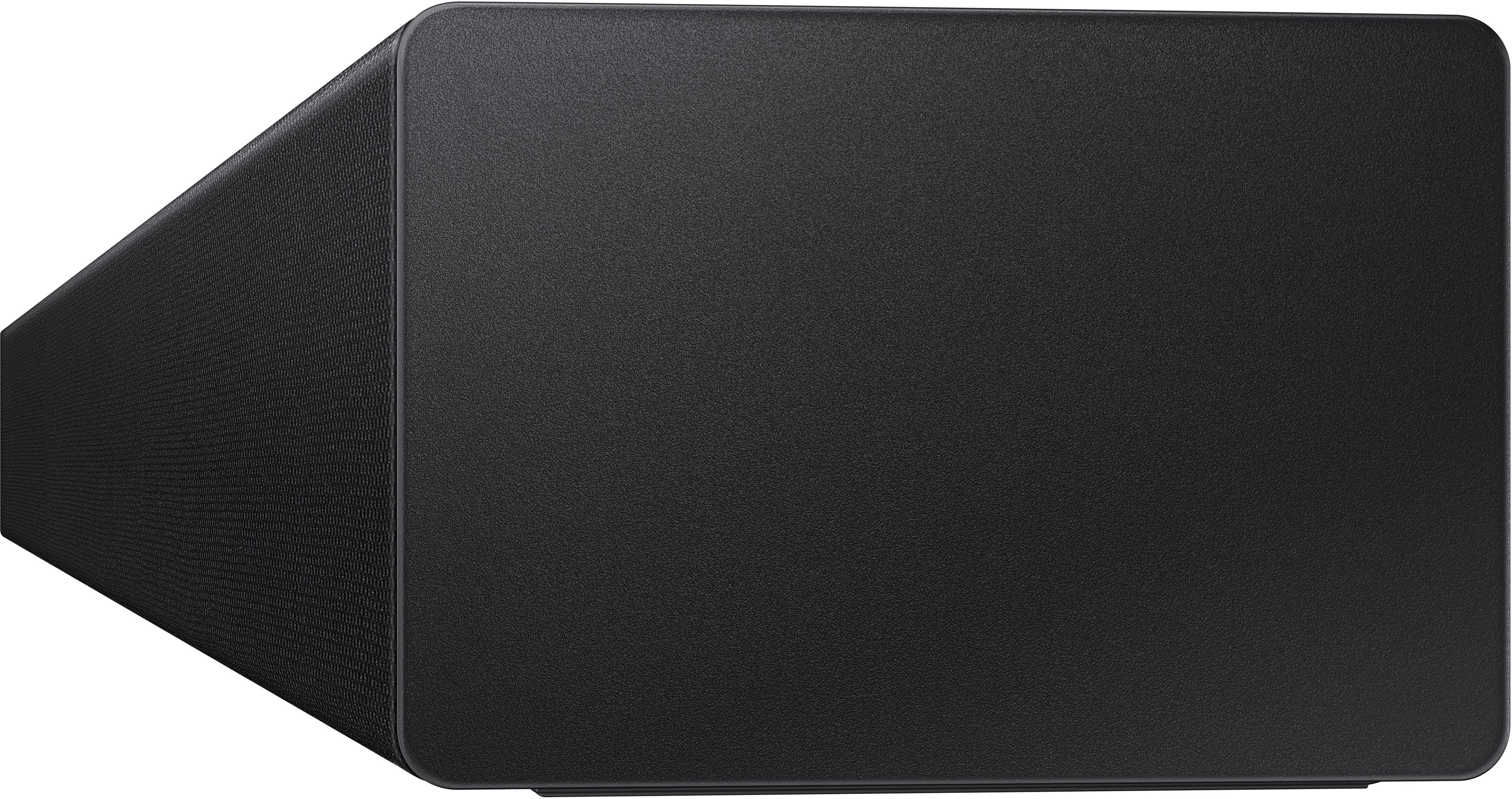
||Posted .This reviewer received promo considerations or sweepstakes entry for writing a review.The cloth material covering the soundbar gave it a cheap feel.
No, I would not recommend this to a friendBrand response from Samsung
Posted .Hi,
Thank you for purchasing the HW-A450 Samsung Soundbar and for sharing your review. We appreciate your feedback regarding the fabric material of the soundbar.
If there is anything we can do to improve your enjoyment such as helping to optimize settings for your specific sound scenario, please contact Samsung Customer Support at 1-800-SAMSUNG (ask for Soundbars), available 8AM - 12AM EST, 7 days a week.
For additional support resources, visit us on the Samsung website and click on the ‘Support’ link in the upper right corner of the homepage for:
1) Chat with Us/Product Help: To begin a chat or find solutions, choose ‘TVs & Home Theater’ and select your model & topic.
2) Manuals & Software
3) Warranty Info
4) Register a Product: For access to easy warranty support, convenient opt-in to special promos and offers, faster troubleshooting and service, and quick notification of system updates
5) Contact Us
~ Samsung Solutions
Samsung sound bar
||Posted . Owned for 1 month when reviewed.This reviewer received promo considerations or sweepstakes entry for writing a review.Absolutely impossible to connect. After 1 hour on the phone with Samsungs terrible customer service they said it was defective and I’d have to mail it back to them. I returned it directly to the store with no problems at all and purchased a Polk Signa S2, 100% better!!!
No, I would not recommend this to a friendBrand response from Samsung
Posted .Hi Rosko,
Thank you for your review of the Samsung HW-A450 Soundbar System. We appreciate you sharing your experience with us.
It is our customers’ concerns and opinions that drive our continuous efforts towards delivering world-class service and products. Your feedback is very important to us and will be shared with our product team.
Please know that should you ever need assistance with settings or adjustments with a future Samsung purchase to optimize your sound experience, Samsung Customer Support is here to help. Call us at 1-800-SAMSUNG (ask for Soundbars), available 8AM - 12AM EST, 7 days a week.
For additional support resources, visit us on the Samsung website and click on the ‘Support’ link in the upper right corner of the homepage for:
1) Contact Us: For additional Chat & Text options, choose ‘TVs & Home Theater’ and select your model & topic.
2) Manuals, Software, & Warranty Info
We hope to regain you as a customer in the future.
~ Samsung Solutions