Customer Ratings & Reviews










- Model:
- HW-A450/ZA
- SKU:
- 6454648
Rating by feature
- Value
Rating 4.5 out of 5 stars
- Quality
Rating 4.4 out of 5 stars
- Ease of Use
Rating 4.5 out of 5 stars
Customers are saying
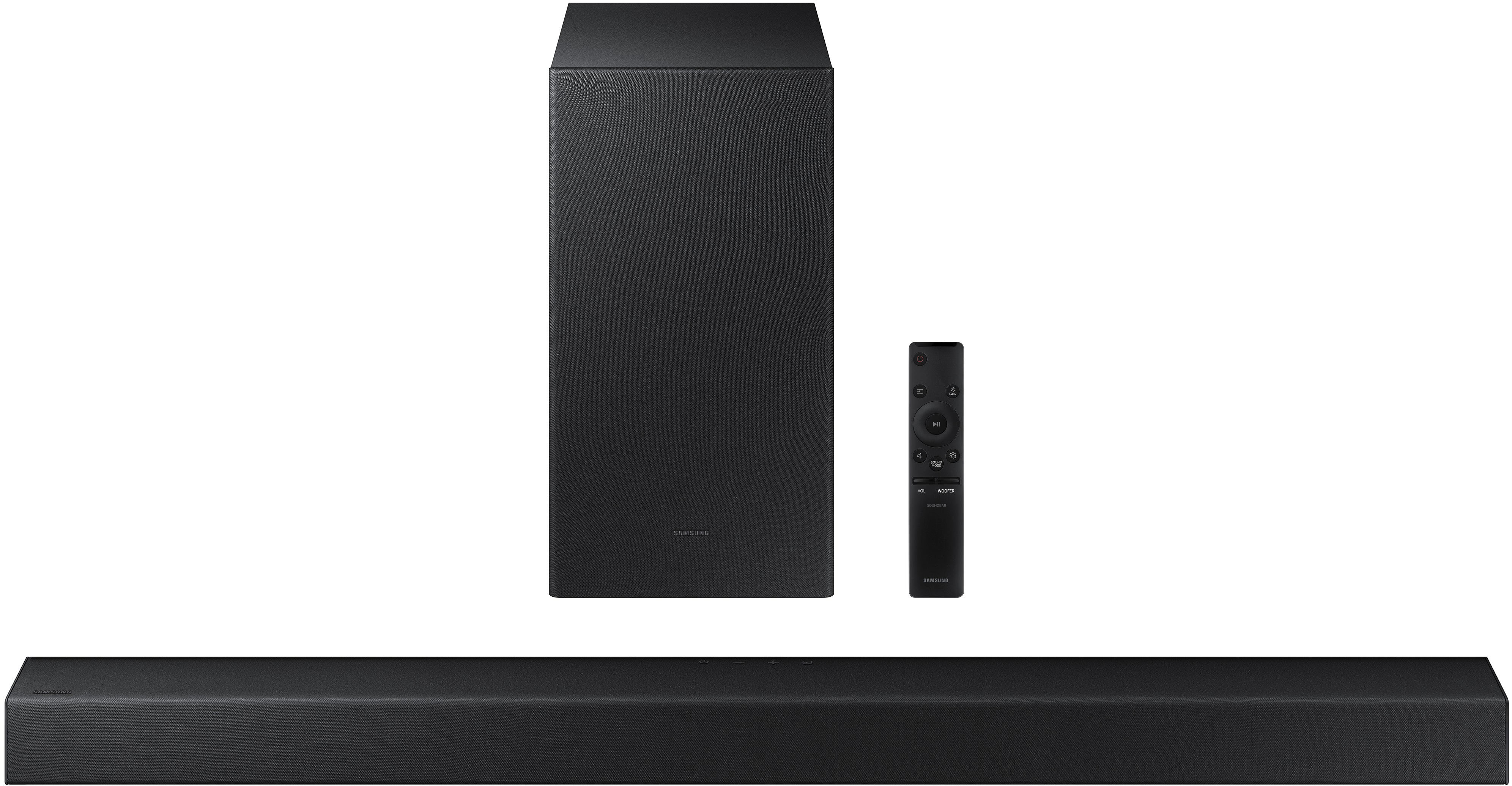
Customers commend the HW-A450 Wireless 2.1ch Soundbar for its exceptional sound quality, describing it as amazing and excellent. They appreciate the easy setup process and the versatility of the wireless subwoofer. The soundbar is also praised for its affordable price and powerful bass. On the downside, some customers have expressed concerns about the volume, connectivity issues, durability, and the lack of HDMI connectivity.
This summary was generated by AI based on customer reviews.
Entertainment system fail
||Posted . Owned for 1 month when reviewed.This reviewer received promo considerations or sweepstakes entry for writing a review.Got the sound bar and sub for entertainment. Got everything up and installed then went to look for the remote to activate the speaker and there was not remote in the speaker box. Very disappointing and best buy doesn't have replacements. Spending money to spend more money.
No, I would not recommend this to a friendBrand response from Samsung
Posted .Hi,
Thank you for purchasing the Samsung HW-A450 Soundbar. We appreciate you sharing your feedback regarding parts missing from your recent purchase. If purchased brand-new and unopened, please contact Samsung Customer Support and a representative will gladly help you. If purchased in open-box condition, we recommend contacting Best Buy directly for assistance. We hope your issue is resolved in a timely manner.
Should you ever have questions or need help, please call us at 1-800-SAMSUNG (ask for Soundbars), available 8AM - 12AM EST, 7 days a week.
For additional support resources, visit us on the Samsung website and click on the ‘Support’ link in the upper right corner of the homepage for:
1) Contact Us: For additional Chat & Text options, choose ‘TVs & Home Theater’ and select your model & topic.
2) Manuals & Software
3) Warranty Info
4) Register a Product: For access to easy warranty support, convenient opt-in to special promos and offers, faster troubleshooting and service, and quick notification of system updates
~ Samsung Solutions
This is not a good choice
||Posted . Owned for 2 months when reviewed.This reviewer received promo considerations or sweepstakes entry for writing a review.Its not loud at all and the volume is not good at all.
No, I would not recommend this to a friendBrand response from Samsung
Posted .Hi Taquana!
Thank you for purchasing the Samsung HW-A450 Soundbar and for your review. We appreciate your feedback regarding the volume of your soundbar. Simply changing the Digital Output Audio Format to PCM can help. You may want to try changing the Digital Output Audio Format to PCM.
On a Samsung TV this can be found at Home > Settings > Sound > Expert Settings. (It can also be found in the Quick Settings.)
If your Digital Output Audio Format isn't set to PCM, like for instance if you have a Dolby option selected, then you will likely notice decreased maximum volume. Dolby options are designed for surround systems (like 3.1.2 or 7.1), whereas PCM provides great sound quality for stereo speakers.
If you don't have a surround system, you will probably want to select PCM. You'll get much louder volume that way, and potentially better sound quality.
I hope this helps. For further assistance with settings, features, or functions, please contact Samsung Customer Support at:
1-800-SAMSUNG (ask for Soundbars), available 8AM -12AM EST (Mon-Fri), 9AM – 6PM EST (Sat). Or text HELP to 62913.
For additional support resources, visit us on the Samsung website and click on the ‘Support’ link in the upper right corner of the homepage for:
1) More ‘Contact Us’ options – LiveChat, Facebook, Twitter, Samsung Community, Samsung Members app
2) Manuals & Software
3) Warranty Info
4) Product Registration: For access to easy warranty support, convenient opt-in to special promos and offers, faster troubleshooting and service, and quick notification of system updates.
~ Samsung Solutions
Worked for 2 months
||Posted .This reviewer received promo considerations or sweepstakes entry for writing a review.AVOID AT ALL COST!!! Picked up June 16... here we are August 19th, and it’s a wrap... the volume goes down by itself... I tried resetting it, replacing batteries, holding -+ at the same time and still nothing... look online... there is a known problem...
No, I would not recommend this to a friendBrand response from Samsung
Posted .Hi Marc,
Thank you for sharing your review of the Samsung A450 Soundbar. We appreciate your feedback regarding the issues you are experiencing and are planning on returning it.
Samsung stands behind the quality and performance of our TVs with a limited 1-year manufacturer’s warranty when purchased brand-new from an authorized dealer.
Should you want to troubleshoot your issue, please contact Samsung Customer Support at:
1-800-SAMSUNG (ask for Soundbars), available 8AM -12AM EST (Mon-Fri), 9AM – 6PM EST (Sat). Or text HELP to 62913.
For additional support resources, visit us on the Samsung website and click on the ‘Support’ link in the upper right corner of the homepage for:
1. More ‘Contact Us’ options – LiveChat, Facebook, Twitter, Samsung Community, Samsung Members app
2. Manuals & Software
3. Warranty Info
4. Product Registration: For access to easy warranty support, convenient opt-in to special promos and offers, faster troubleshooting and service, and quick notification of system updates.
~Samsung Ambassador
Stinks
||Posted . Owned for 3 weeks when reviewed.This reviewer received promo considerations or sweepstakes entry for writing a review.Awful, cannot get woofer to operate. Remote almost has to be hammered to open, have had many hi tech helpers, all,stumped. 15 day return ridiculous when we saved to open Xmas. Samsung is a dirty word in this house. Never again
No, I would not recommend this to a friendBrand response from Samsung
Posted .Hi Ericolson,
Thank you for sharing your review on the Samsung HW-A450 soundbar. Your experience is very important to us and will be shared with our product team.
We would love the opportunity to investigate this for you so we can provide additional settings adjustments or troubleshooting assistance.
You can reach Samsung Customer Support at:
1-800-SAMSUNG (ask for Soundbars), available 8AM - 12AM EST, 7 days a week.
For additional support resources, visit us on the Samsung website and click on the ‘Support’ link in the upper right corner of the homepage for:
1) Chat with Us/Product Help: To begin a chat or find solutions, choose ‘TVs & Home Theater’ and select your model & topic.
2) Manuals & Software
3) Warranty Info
4) Register a Product: For access to easy warranty support, convenient opt-in to special promos and offers, faster troubleshooting and service, and quick notification of system updates
5) Contact Us
~ Samsung Ambassador
stopped
||Posted . Owned for 1 year when reviewed.This reviewer received promo considerations or sweepstakes entry for writing a review.stopped working---------------------------------------------------------------------------------------------------------------------------------------------------------------------------------------
No, I would not recommend this to a friendNot pleased at the moment.
||Posted . Owned for 1 month when reviewed.This reviewer received promo considerations or sweepstakes entry for writing a review.I've had this for a month and now I can't get it to work. No sound. I had one before this for years never had a problem with it. I would recommend this product normally but until I can get help with this I wouldn't be able to.
No, I would not recommend this to a friendBrand response from Samsung
Posted .Hi Tater!
Thank you for purchasing the Samsung HW-A450 and for your review. Your experience regarding no sound from the soundbar is important to us and will be shared with our product teams. You may want to check that the cable connection is not loose. Remove the cable and connect again.
You may also want to initialize your soundbar again by pressing the - + (volume) buttons at the same time for at least 5 seconds. “INIT” appears on the display when the soundbar is initialized.
Please also make sure that you have the latest firmware update. You can update your firmware by using a USB device.
For further assistance, please contact Samsung Customer Support at: 1-800-SAMSUNG (ask for Soundbars), available 8AM - 12AM EST, 7 days a week.
For additional support resources, visit us on the Samsung website and click on the ‘Support’ link in the upper right corner of the homepage for:
1) Contact Us: For additional Chat & Text options, choose ‘TVs & Home Theater’ and select your model & topic.
2) Manuals & Software
3) Warranty Info
4) Register a Product: For access to easy warranty support, convenient opt-in to special promos and offers, faster troubleshooting and service, and quick notification of system updates
~ Samsung Solutions
Be aware
||Posted . Owned for 10 months when reviewed.This reviewer received promo considerations or sweepstakes entry for writing a review.I am almost a year late of making this post. Since 2 weeks after setting it up the woofer speaker does not work properly. Almost as if it is trying to connect but all that comes out is random base
No, I would not recommend this to a friendBrand response from Samsung
Posted .Hi Woofer!
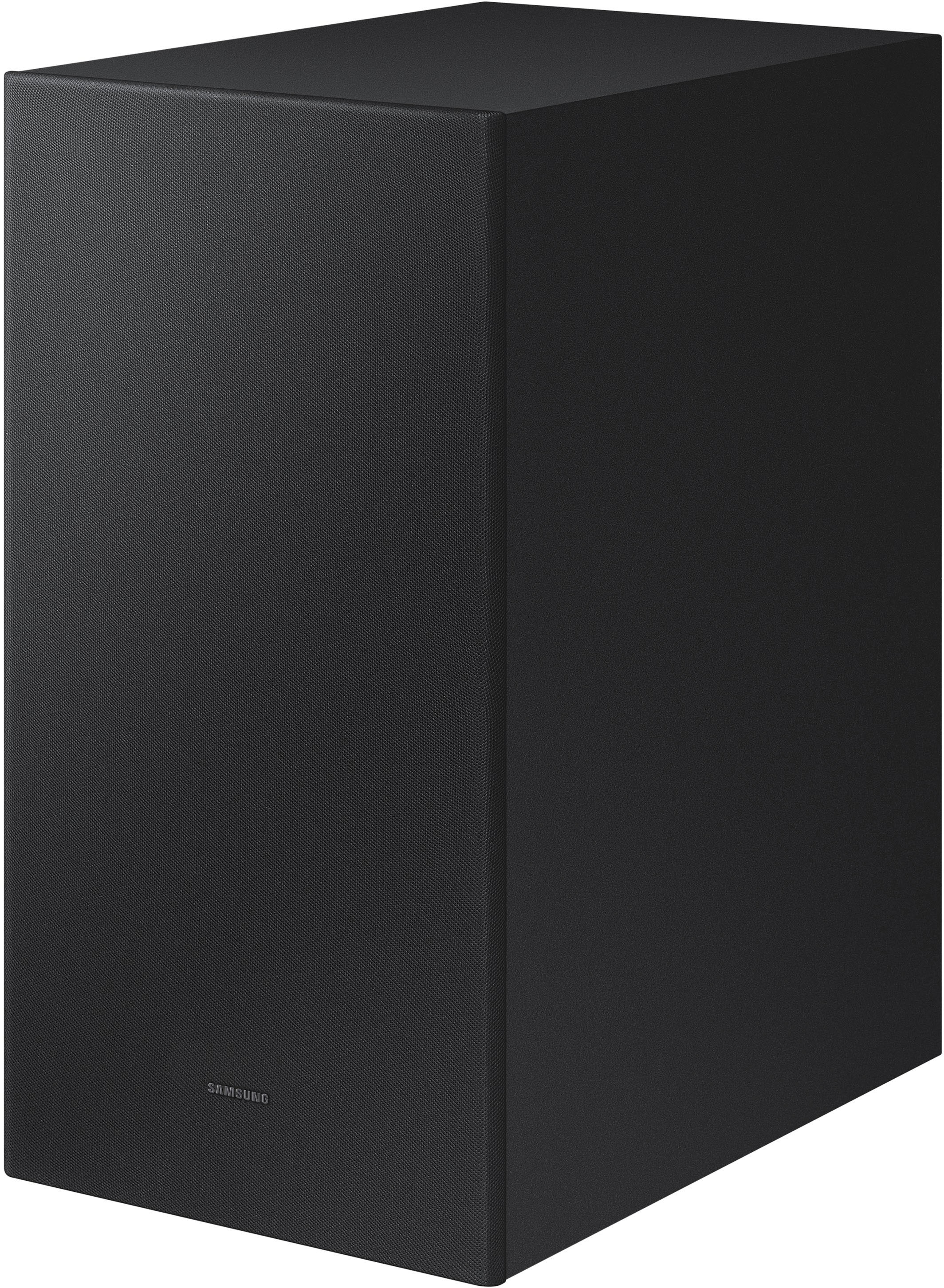
Thank you for sharing your feedback on the HW-AXXX Subwoofer. The subwoofer is responsible for low frequency sounds, like the rumbles of an explosion in an action movie or the bass guitar and drum in your favorite music. It adds rich bass tones and deepens the sound quality you hear, but since the subwoofer only plays low tones, it will be silent when low frequency sounds are not in use. If you would like louder (or softer) bass from your subwoofer, you can adjust the level by toggling the WOOFER button on the soundbar remote, and then adjusting the level from -6 to +6. To set the subwoofer volume level to 0, press the button down.
I hope this helps. For further assistance with features, settings, adjustments, or functions please contact Samsung Customer Support at 1-800-SAMSUNG (ask for Soundbars), available 8AM - 12AM EST, 7 days a week.
For additional support resources, visit us on the Samsung website and click on the ‘Support’ link in the upper right corner of the homepage for:
1) Chat with Us/Product Help: To begin a chat or find solutions, choose ‘TVs & Home Theater’ and select your model & topic.
2) Manuals & Software
3) Warranty Info
4) Register a Product: For access to easy warranty support, convenient opt-in to special promos and offers, faster troubleshooting and service, and quick notification of system updates
5) Contact Us
~ Samsung Ambassador
No sound Sound Bar
||Posted .This reviewer received promo considerations or sweepstakes entry for writing a review.I was hoping for enhanced clarity and volume for dialog but this Samsung sound bar has less of each than my existing TV. I have loved every Samsung product i've purchased until this. If i kept the box i would return.
No, I would not recommend this to a friendBrand response from Samsung
Posted .Hi Mako33,
Thank you for sharing your review of the Samsung HW-A450. We appreciate your feedback regarding the performance of your soundbar.
You can try optimizing audio performance for your specific content by pressing the SOUND MODE button on your soundbar remote, and then selecting the desired sound effect by choosing STANDARD, SURROUND SOUND, BASS BOOST, GAME, or ADAPTIVE.
You can also press the Sound Control button on the remote (looks like a gear) to adjust TREBLE and BASS.
Press and hold the Sound Control button for about 5 seconds to adjust the sound for each of seven frequency bands.
Using the WOOFER button on the remote, you can adjust the volume of the subwoofer to -12 or between -6 to +6 by toggling the button up or down. To set the subwoofer volume level to 0, press the button down.
Please know, simply changing the Digital Output Audio Format to PCM can help improve the volume. You may want to try changing the Digital Output Audio Format to PCM.
On a Samsung TV this can be found at Home > Settings > Sound > Expert Settings. (It can also be found in the Quick Settings.)
If your Digital Output Audio Format isn't set to PCM, like for instance if you have a Dolby option selected, then you will likely notice decreased maximum volume. Dolby options are designed for surround systems (like 3.1.2 or 7.1), whereas PCM provides great sound quality for stereo speakers.
If you don't have a surround system, you will probably want to select PCM. You'll get much louder volume that way, and potentially better sound quality.
I hope this tip helps improve your sound experience. Should you need further assistance with features, functions, settings, or adjustments, please contact Samsung Customer Support.
1-800-SAMSUNG (ask for Soundbars), available 8AM - 12AM EST, 7 days a week.
For additional support resources, visit us on the Samsung website and click on the ‘Support’ link in the upper right corner of the homepage for:
1) Contact Us: For additional Chat & Text options, choose ‘TVs & Home Theater’ and select your model & topic.
2) Manuals & Software
3) Warranty Info
4) Register a Product: For access to easy warranty support, convenient opt-in to special promos and offers, faster troubleshooting and service, and quick notification of system updates
~ Samsung Solutions
Irritating lights
||Posted . Owned for 3 weeks when reviewed.This reviewer received promo considerations or sweepstakes entry for writing a review.It keeps turning itself on constantly, turning on the light and bothering me at night. I've tried everything to make this stop and it appears there is no solution. If lights bother yo at night, stay away from this.
No, I would not recommend this to a friendBrand response from Samsung
Posted .Hi MaxC!
Thank you for your review of the Samsung HW-A450 Soundbar. Your experience is very important to us and will be shared with our product team.
The Soundbar turns on by itself when another device connected to it tells it to. The solution depends on which device is causing the Soundbar to turn on.
1) For a Bluetooth source, press and hold the SOUND MODE button for 6 seconds while the Soundbar is on. Set it so that “OFF-BLUETOOTH POWER” appears on the display.
2) For an Optical source, press and hold the Left button for 6 seconds while the Soundbar is on. Set it so that “OFF-AUTO POWER LINK” appears on the display.
3) For an HDMI source, press and hold the Right button for 6 seconds while the Soundbar is on. Set it so that “OFF-ANYNET+” appears on the display.
Should you need further help, please reach out to us at:
1-800-SAMSUNG (ask for Soundbars), available 8AM -12AM EST (Mon-Fri), 9AM – 6PM EST (Sat). Or text HELP to 62913.
For additional support resources, visit us on the Samsung website and click on the ‘Support’ link in the upper right corner of the homepage for:
1. More ‘Contact Us’ options – LiveChat, Facebook, Twitter, Samsung Community, Samsung Members app
2. Manuals & Software
3. Warranty Info
4. Product Registration: For access to easy warranty support, convenient opt-in to special promos and offers, faster troubleshooting and service, and quick notification of system updates.
~ Samsung Solutions
Unhappy
||Posted . Owned for 8 months when reviewed.This reviewer received promo considerations or sweepstakes entry for writing a review.I am honestly disappointed with this purchase. The quality of sound is horrible. I purchased a Vizio set and the sound on that is amazing true surround sound unlike this Samsung . Waste of money
No, I would not recommend this to a friendBrand response from Samsung
Posted .Hi Charlotte,
Thank you for your review of this Samsung Soundbar System. Your input is invaluable in our continuous pursuit of delivering the best in product and customer experience.
Should you ever decide to give Samsung Soundbars another try and have questions or need assistance with settings, setup, or features, please know we are always here to help. Call us at 1-800-SAMSUNG (ask for Soundbars), available 8AM - 12AM EST, 7 days a week.
For additional support resources, visit us on the Samsung website and click on the ‘Support’ link in the upper right corner of the homepage for:
1) Contact Us: For additional Chat & Text options, choose ‘TVs & Home Theater’ and select your model & topic.
2) Manuals, Software, & Warranty Info
We hope to regain you as a customer in the future.
~ Samsung Solutions
Bluetooth? and only optical outlet
||Posted . Owned for 3 weeks when reviewed.This reviewer received promo considerations or sweepstakes entry for writing a review.Disconnects from bluetooth almost immediately and only has an optical outlet from audio. Had to come up with a crazy optical to audio contraception to get it to work on my projector.
No, I would not recommend this to a friendBrand response from Samsung
Posted .Hi acmassey,
We appreciate your feedback regarding experienced connection issues with your new HW-A450 soundbar. There are a few things you may want to check:
1) The maximum wireless signal transmission distance is about 33 ft.
2) Electronic devices may cause radio interference. Devices that generate electromagnetic waves should be kept away from the Soundbar main unit - e.g., microwaves, wireless LAN devices, etc.
3) Also, please be sure you have the latest firmware update. You can update your firmware by using a USB device. You can find the update on the product page of your HW-A450 on the Samsung website.
Should you need further assistance with this issue, or have any questions about features or operation, please know that Samsung is here to help. You can reach us at 1-800-SAMSUNG (ask for Soundbars), available 8AM - 12AM EST, 7 days a week.
For additional support resources, visit us on the Samsung website and click on the ‘Support’ link in the upper right corner of the homepage for:
1) Chat with Us/Product Help: To begin a chat or find solutions, choose ‘TVs & Home Theater’ and select your model & topic.
2) Manuals & Software
3) Warranty Info
4) Register a Product: For access to easy warranty support, convenient opt-in to special promos and offers, faster troubleshooting and service, and quick notification of system updates
5) Contact Us
~ Samsung Solutions
- Pros mentioned:Bass, Sound quality
Great Boom for the Buck
Posted .This reviewer received promo considerations or sweepstakes entry for writing a review.The Samsung soundbar is fantastic. I haven't bought a soundbar in a few years because the ones I've had before less than desirable. The Samsung A450 is fantastic! The setup is quite simple. It's a decent size, and it fits well beneath my 65-inch screen on my TV stand. I used the optical wire that came with it to connect it to the television (which others I have looked at did not come with), so I utilized the Bluetooth for my children’s music stations on Pandora. The subwoofer is excellent phenomenal bass and boom for movies, and the sound is fantastic. I've got it hooked up to my TV and I'm enjoying viewing all of my streaming content on it. It's almost as if you're in a movie theater. I haven't even changed the settings because it sounds great in the default settings out of the box.
I would recommend this to a friend Sounds
||Posted . Owned for 3 months when reviewed.This reviewer received promo considerations or sweepstakes entry for writing a review.Don’t buy this sound bar. After having it about 2 weeks the sound takes off on its own to a massive alarm sound that gets louder and louder Very disappointed
No, I would not recommend this to a friendBrand response from Samsung
Posted .Hi Saffron,
I am sorry to hear that a siren or alarm sound is being emitted from your soundbar. Your experience with the soundbar does not sound normal, and I apologize for the disappointment.
Please reach out to Samsung Customer Support directly so we may better understand and diagnose your issue to provide troubleshooting or warranty assistance at 1-800-SAMSUNG (ask for Soundbars), available 8AM - 12AM EST, 7 days a week.
For additional support resources, visit us on the Samsung website and click on the ‘Support’ link in the upper right corner of the homepage for:
1) Chat with Us/Product Help: To begin a chat or find solutions, choose ‘TVs & Home Theater’ and select your model & topic.
2) Manuals & Software
3) Warranty Info
4) Register a Product: For access to easy warranty support, convenient opt-in to special promos and offers, faster troubleshooting and service, and quick notification of system updates
5) Contact Us
~ Samsung Solutions
Pointless purchase
||Posted . Owned for less than 1 week when reviewed.This reviewer received promo considerations or sweepstakes entry for writing a review.Bought open box product in excellent condition. Wasted time setting it up and plugged it in and it doesn’t power up. Now I need to waste more time bring it back. Pointless.
No, I would not recommend this to a friendBrand response from Samsung
Posted .Hi Stew,
I’m very sorry for the difficulties you’ve experienced with your Soundbar’s setup. We completely understand your frustrations, and are here to help.
Please check that the power cord is firmly plugged into the wall outlet. Unplug and reconnect the power cord to the wall outlet. Also, please check that power cord is firmly connected to the main unit. Disconnect the power cord from the Soundbar and reconnect to make sure the connection is firm and secure.
Should you need additional troubleshooting assistance, please contact Samsung Customer Support at:
1-800-SAMSUNG (ask for Soundbars), available 8AM -12AM EST. 7 days a week. Or text “SUPPORT” to 800-726-7864 available 24 hours a day, 7 days a week.
For additional support resources, visit us on the Samsung website and click on the ‘Support’ link in the upper right corner of the homepage for:
1. More ‘Contact Us’ options – LiveChat, Facebook, Twitter, Samsung Community, Samsung Members app
2. Manuals & Software
3. Warranty Info
4. Product Registration: For access to easy warranty support, convenient opt-in to special promos and offers, faster troubleshooting and service, and quick notification of system updates.
~ Samsung Solutions
Don’t purchase open box items
||Posted . Owned for 9 months when reviewed.This reviewer received promo considerations or sweepstakes entry for writing a review.Purchased this open box speaker at a fair price & after a few runs the sound bar made this escalating high pitched noise at random. Very displeased.
No, I would not recommend this to a friendBrand response from Samsung
Posted .Hi Brittney,
Thank you for sharing the issues you are experiencing with your Samsung HW-A450 Soundbar. So we can better understand the problems you are experiencing and provide you with troubleshooting assistance or warranty service, please contact Samsung Customer Support.
You can reach us at 1-800-SAMSUNG (ask for Soundbars), available 8AM - 12AM EST, 7 days a week.
For additional support resources, visit us on the Samsung website and click on the ‘Support’ link in the upper right corner of the homepage for:
1) Chat with Us/Product Help: To begin a chat or find solutions, choose ‘TVs & Home Theater’ and select your model & topic.
2) Manuals & Software
3) Warranty Info
4) Register a Product: For access to easy warranty support, convenient opt-in to special promos and offers, faster troubleshooting and service, and quick notification of system updates
5) Contact Us
~ Samsung Solutions
Sami
||Posted . Owned for 3 weeks when reviewed.This reviewer received promo considerations or sweepstakes entry for writing a review.The speakers Can’t hear the speakers wrong the wrong work as well as they supposed tocan hear them that good it doesn’t work that good I’m not happy
No, I would not recommend this to a friendBrand response from Samsung
Posted .Hi Samson,
Thank you for sharing the issues you are experiencing with your Samsung HW-A450 Soundbar. So we can better understand the problems you are experiencing and provide you with troubleshooting assistance or warranty service, please contact Samsung Customer Support.
You can reach us at 1-800-SAMSUNG (ask for Soundbars), available 8AM - 12AM EST, 7 days a week.
For additional support resources, visit us on the Samsung website and click on the ‘Support’ link in the upper right corner of the homepage for:
1) Chat with Us/Product Help: To begin a chat or find solutions, choose ‘TVs & Home Theater’ and select your model & topic.
2) Manuals & Software
3) Warranty Info
4) Register a Product: For access to easy warranty support, convenient opt-in to special promos and offers, faster troubleshooting and service, and quick notification of system updates
5) Contact Us
~ Samsung Solutions
Low sounding sound bar
||Posted .This reviewer received promo considerations or sweepstakes entry for writing a review.Purchased to replace my old sound bar, this thing was very low. My tv got louder than this thing..returned i would of gave it 0 stars but it would not let me.
No, I would not recommend this to a friendBrand response from Samsung
Posted .Hi,
Thank you for your review of the Samsung HW-A450 Soundbar System. We appreciate you sharing your experience with us.
It is our customers’ concerns and opinions that drive our continuous efforts towards delivering world-class service and products. Your feedback is very important to us and will be shared with our product team.
Please know that should you ever need assistance with settings or adjustments with a future Samsung purchase to optimize your sound experience, Samsung Customer Support is here to help. Call us at 1-800-SAMSUNG (ask for Soundbars), available 8AM - 12AM EST, 7 days a week.
For additional support resources, visit us on the Samsung website and click on the ‘Support’ link in the upper right corner of the homepage for:
1) Contact Us: For additional Chat & Text options, choose ‘TVs & Home Theater’ and select your model & topic.
2) Manuals, Software, & Warranty Info
We hope to regain you as a customer in the future.
~ Samsung Solutions
Defective
||Posted . Owned for 2 months when reviewed.This reviewer received promo considerations or sweepstakes entry for writing a review.I don’t know why but every week it does this strange disconnection from my TV. I unplug, reset, and it just never connects. I can’t even return it
No, I would not recommend this to a friendBrand response from Samsung
Posted .Hi Micky,
Thank you for choosing the Samsung A450 and taking the time to share your experience. We would love the opportunity to investigate this for you so we can provide additional settings adjustments or troubleshooting assistance.
Please call us at 1-800-SAMSUNG (ask for Soundbars), available 8AM - 12AM EST, 7 days a week.
For additional support resources, visit us on the Samsung website and click on the ‘Support’ link in the upper right corner of the homepage for:
1) Chat with Us/Product Help: To begin a chat or find solutions, choose ‘TVs & Home Theater’ and select your model & topic.
2) Manuals & Software
3) Warranty Info
4) Register a Product: For access to easy warranty support, convenient opt-in to special promos and offers, faster troubleshooting and service, and quick notification of system updates
5) Contact Us
~ Samsung Ambassador
Outdoor Life
||Posted .This reviewer received promo considerations or sweepstakes entry for writing a review.We purchased open box and it never worked. We returned to the store and opted for a brand new Polk sound bar instead. Glad we made the change.
No, I would not recommend this to a friendBrand response from Samsung
Posted .Hi PatioLife,
Thank you for purchasing the HW-A450. I’m sorry to hear of your open box experience. We understand your frustration with having to exchange your unit.
Please know we could have further investigated this and provided adjustment recommendations or troubleshooting assistance to help resolve the issues you were experiencing with your soundbar.
Should you ever decide to give Samsung Soundbars another try and have questions or need assistance with settings, setup, or features, please know we are always here to help. Call us at 1-800-SAMSUNG (ask for Soundbars), available 8AM - 12AM EST, 7 days a week.
For additional support resources, visit us on the Samsung website and click on the ‘Support’ link in the upper right corner of the homepage for:
1) Contact Us: For additional Chat & Text options, choose ‘TVs & Home Theater’ and select your model & topic.
2) Manuals, Software, & Warranty Info
We hope to regain you as a customer in the future.
~ Samsung Solutions
Not compatible
||Posted . Owned for 2 weeks when reviewed.This reviewer received promo considerations or sweepstakes entry for writing a review.I could not get it to work with my brand new Samsung Smart TV. No idea where or how to connect the optical interface. Good grief. What a waste.
No, I would not recommend this to a friendBrand response from Samsung
Posted .Hi AaronD,
Thank you for purchasing the Samsung HW-A450 Soundbar and for sharing your review. I’m very sorry for the difficulties you’ve experienced with your Soundbar’s setup. We completely understand your frustrations, and we are here to help.
Please know the HW-A450 is compatible with all current Samsung models available for purchase. You can use the optical cable included with the soundbar to connect direct to the TV.Follow the steps below to utilize the optical connection on your new Samsung TV.
1. With the TV and soundbar turned on, connect one end of a digital optical cable to the OPTICAL OUT port on the TV. Some optical cables feature a small cap over the tip of the cable to protect it from breaking before use, remove this cap before connecting.
2. Then, connect the other end to the DIGITAL AUDIO IN (OPTICAL) port on the soundbar.
3. Press Source on the remote or soundbar, and then set the soundbar to the D.IN. setting.
4. Finally, on the TV, you need to set the speaker output to external speakers.
5. Navigate to Settings, and then press Up on the navigation arrows to highlight Quick settings.
6. Press the right directional arrow to highlight TV Speaker and press select to change it to Optical (external speakers). The TV's sound will now play from the soundbar.
Should you have questions or need additional help with the setup, please call us at 1-800-SAMSUNG (ask for Soundbars), available 8AM - 12AM EST, 7 days a week.
For additional support resources, visit us on the Samsung website and click on the ‘Support’ link in the upper right corner of the homepage for:
1) Contact Us: For additional Chat & Text options, choose ‘TVs & Home Theater’ and select your model & topic.
2) Manuals & Software
3) Warranty Info
4) Register a Product: For access to easy warranty support, convenient opt-in to special promos and offers, faster troubleshooting and service, and quick notification of system updates
~ Samsung Solutions