Customer Ratings & Reviews
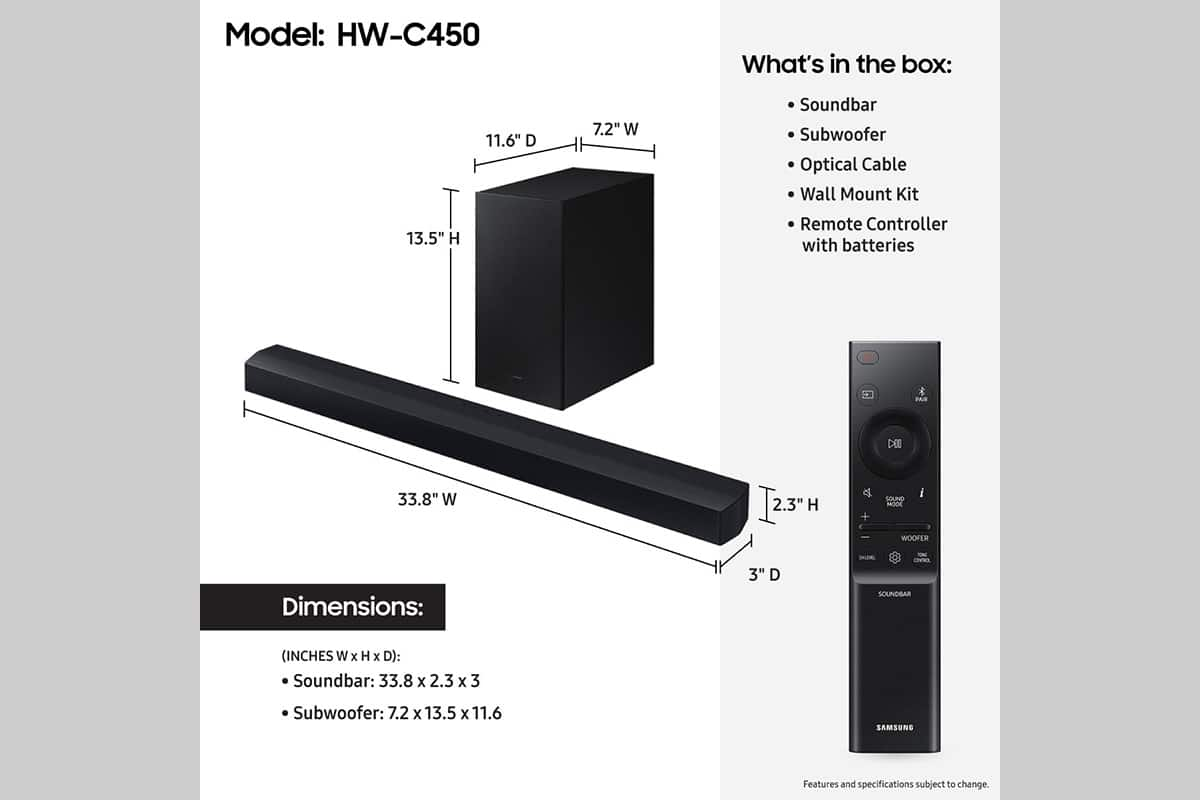

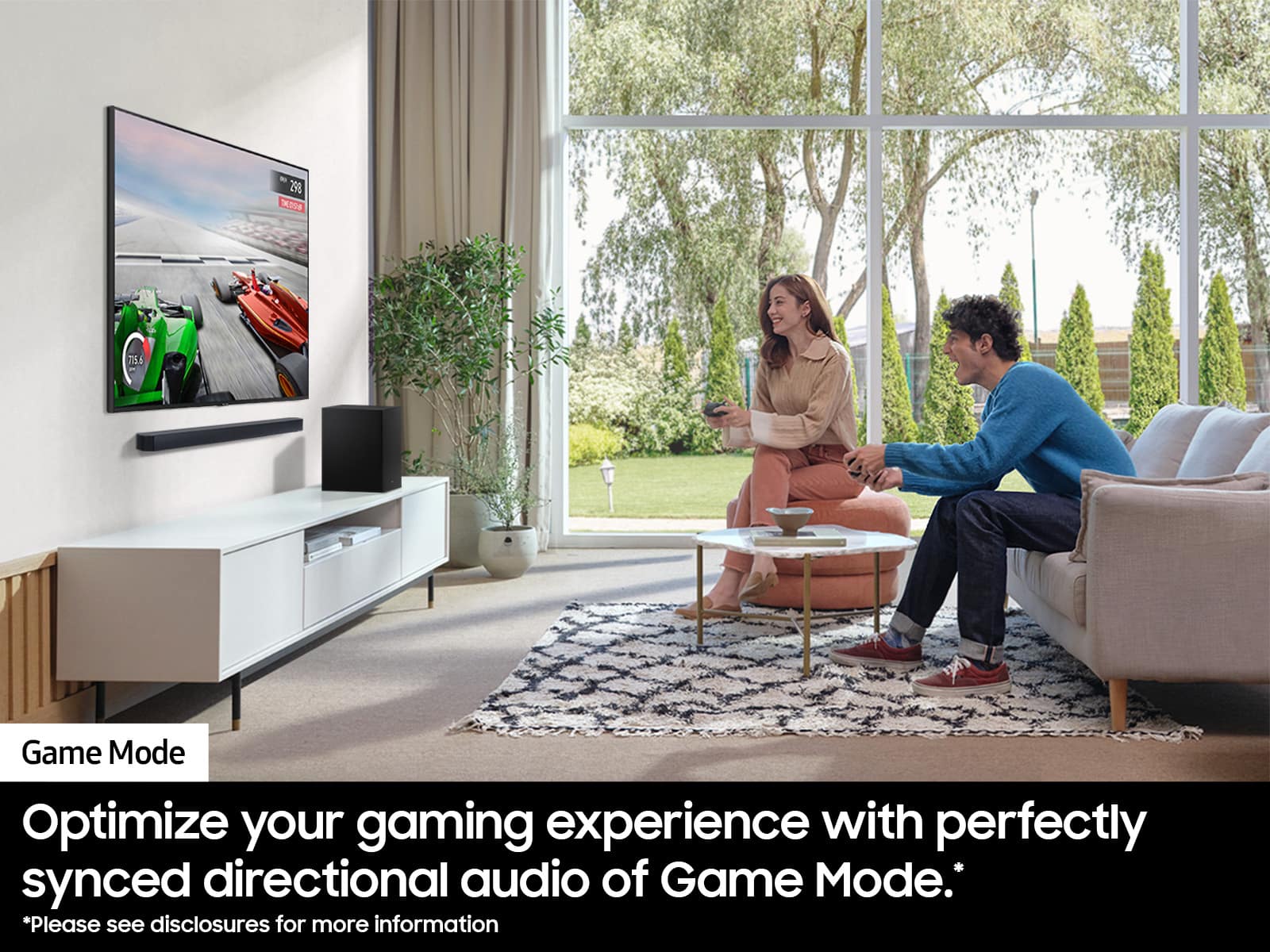
- Model:
- HW-C450
- SKU:
- 10362512
Rating by feature
- Value
Rating 4.7 out of 5 stars
- Quality
Rating 4.6 out of 5 stars
- Ease of Use
Rating 4.7 out of 5 stars
to a friend
Sound bar
||Posted . Owned for 1 week when reviewed.This reviewer received promo considerations or sweepstakes entry for writing a review.This is not what I expected!!!!!!!!!!!!!!!!!!!!!!!!!!
No, I would not recommend this to a friendBrand response from Samsung
Posted .Hello AnnG,
Thank you for sharing your review of the HW-C450 Samsung Soundbar. I’m sorry to hear that your initial out-of-box experience fell short of your expectations.
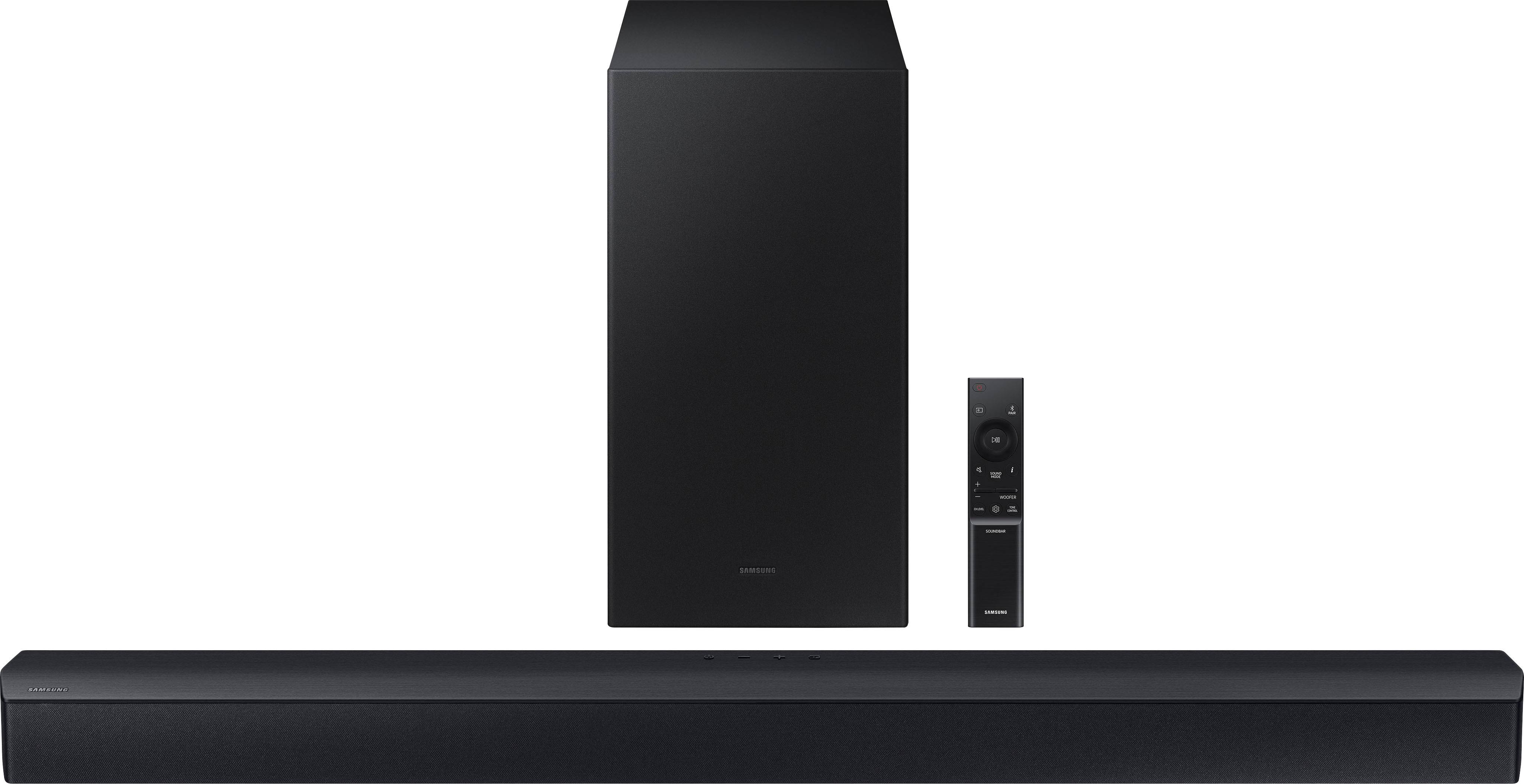
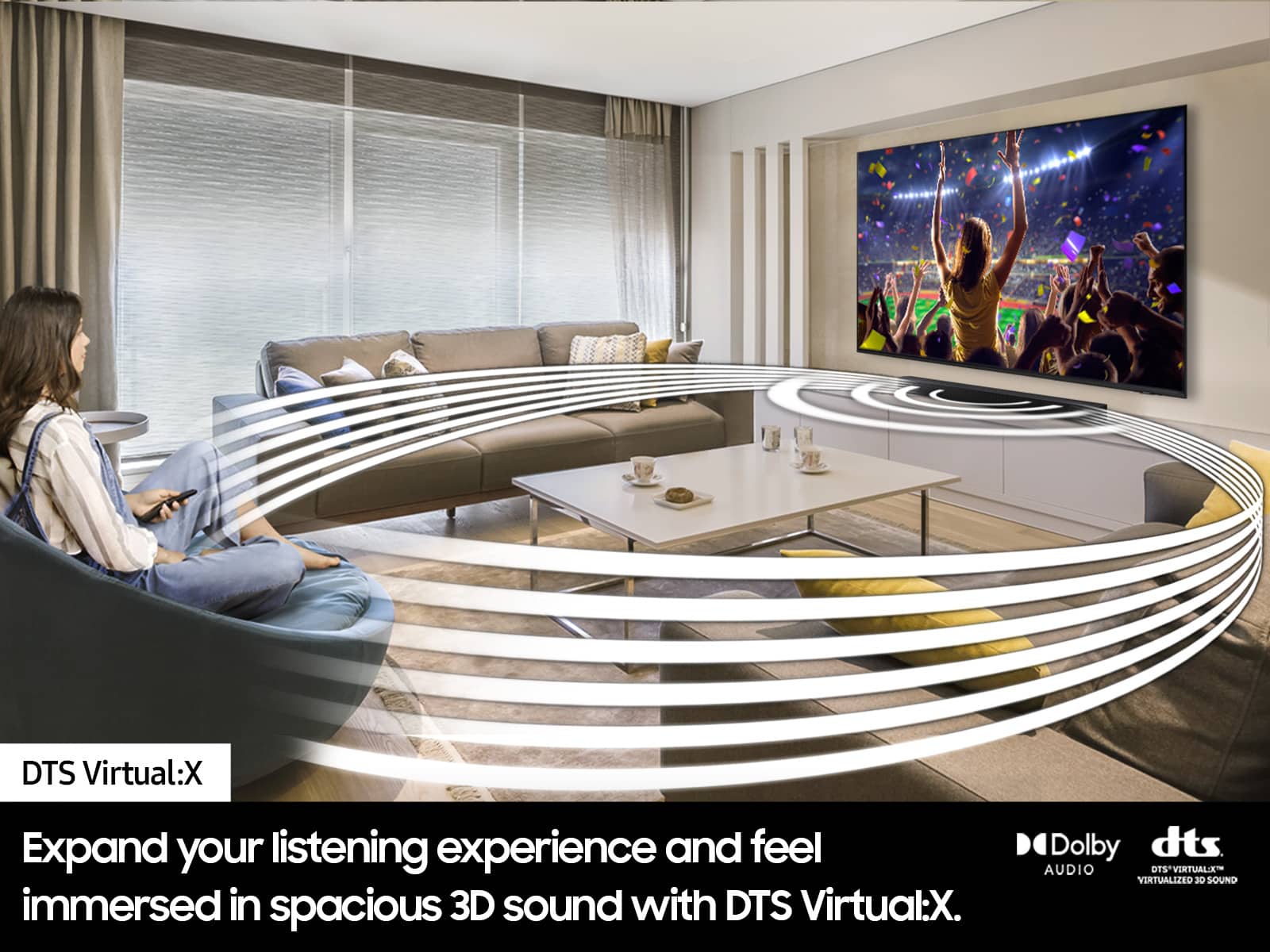
You can manually optimize your Soundbar by pressing the SOUND MODE button on your remote, and then selecting the desired sound effect by choosing SURROUND SOUND – GAME – ADAPTIVE – DTS VIRTUAL:X – BASS BOOST – STANDARD.
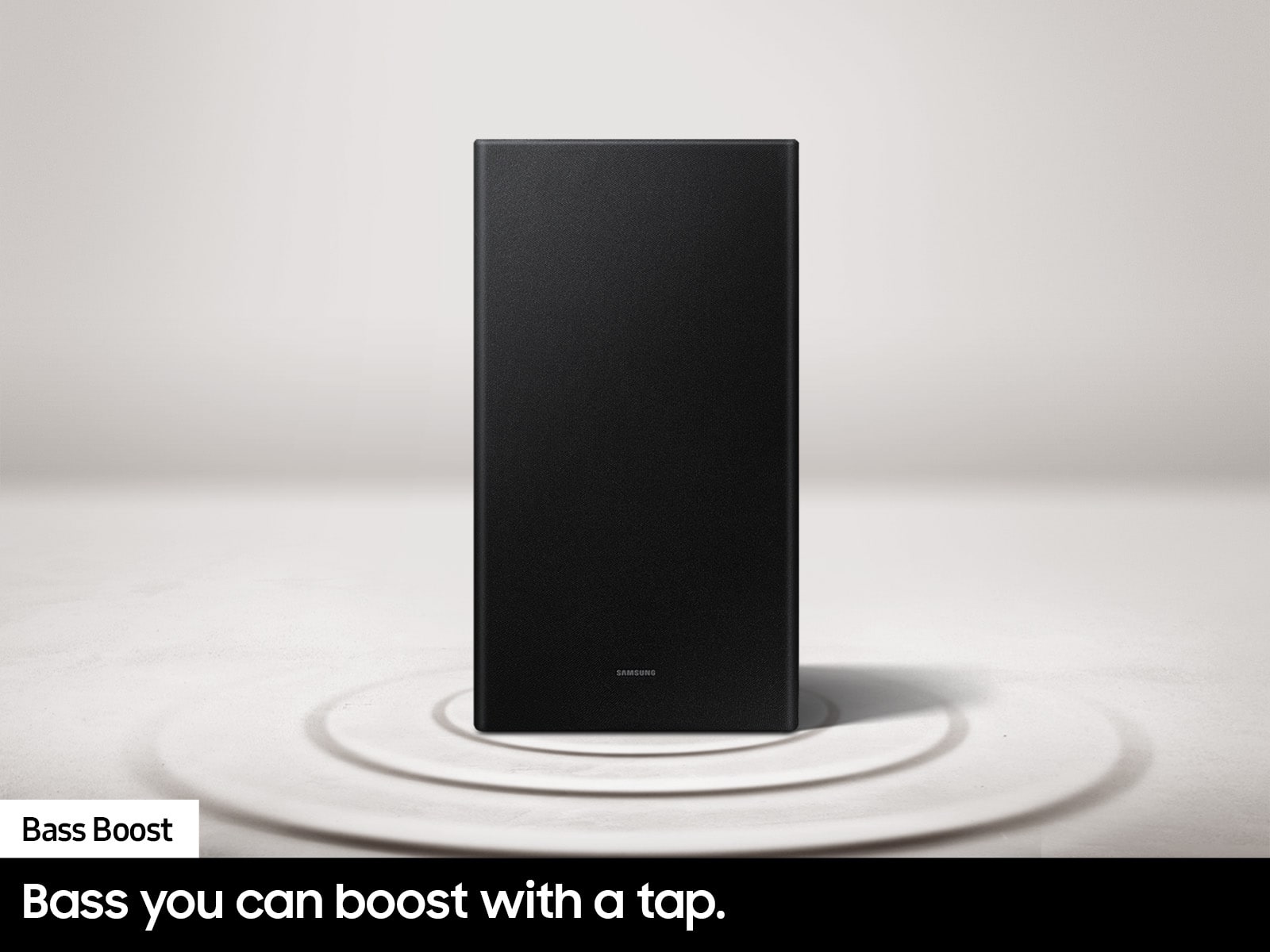
If you would like louder (or softer) bass from your subwoofer, you can adjust the level by rocking the WOOFER button on the soundbar remote, and then adjusting the level from -6 to +6. To set the subwoofer volume level to 0, press the button in.
You can adjust the Treble and Bass by pressing the TONE CONTROL button then use the UP/DOWN buttons to change the levels between -6 to +6.
For precise audio adjustments, you can use the 7-band frequency equalizer to optimize the sound for your room acoustics by pressing and holding the SOUND CONTROL button for about 5 seconds, make sure you also set the SOUND MODE to STANDARD.
If we can help with anything else, please call us at 1-800-SAMSUNG (Ask for Soundbars), 8 AM – 12 AM EST, 7 days a week. LiveChat with an agent as well as manuals, software, and warranty info can be found at the ‘Support’ link on our Samsung website.
~ Samsung Solutions
awful soundbar, do not buy if you want to hear
||Posted . Owned for 1 year when reviewed.This reviewer received promo considerations or sweepstakes entry for writing a review.This soundbar is absolutely terrible for movie and tv watching. It is incredibly difficult to understand dialogue and when I turn volume up, the background noise overwhelms the rest of the sound. I would recommend this to no one and am so frustrated with the associated who sold this to me. I am pretty tech savvy and have looked online for a solution and there is not one. DO NOT BUY.
No, I would not recommend this to a friendBrand response from Samsung
Posted .Hi PhillipM,
Thank you for taking a few moments to review the Samsung HW-C450 Soundbar.
You can manually optimize your Soundbar by pressing the SOUND MODE button on your remote, and then selecting the desired sound effect by choosing SURROUND SOUND – GAME – ADAPTIVE – DTS VIRTUAL:X – BASS BOOST – STANDARD.
If you would like louder (or softer) bass from your subwoofer, you can adjust the level by rocking the WOOFER button on the soundbar remote, and then adjusting the level from -6 to +6. To set the subwoofer volume level to 0, press the button in.
You can adjust the Treble and Bass by pressing the TONE CONTROL button then use the UP/DOWN buttons to change the levels between -6 to +6.
For precise audio adjustments, you can use the 7-band frequency equalizer to optimize the sound for your room acoustics by pressing and holding the SOUND CONTROL button for about 5 seconds, make sure you also set the SOUND MODE to STANDARD.
If you need more help, Samsung is here for you. Please call us at 1-800-SAMSUNG, 8AM - 12AM EST (Ask for Soundbars), 7 days a week. Our Live Chat agents are also available by clicking on the ‘Support’ link on our website.
~ Samsung Solutions
Didn't Like It.
||Posted . Owned for 1 month when reviewed.This reviewer received promo considerations or sweepstakes entry for writing a review.Didn't Like. Mediocre Sound. Connection Issues. Returned.
No, I would not recommend this to a friendBrand response from Samsung
Posted .Hello Jdoge,
Thank you for your review of the Samsung HW-C450 Soundbar and for sharing the experience that has caused you to return your unit. Your feedback is very important to us and will be shared with our product team.
Should you ever decide to give Samsung Soundbars another try and have questions or need assistance with settings, setup, or features, please know we are always here to help.
Call us at 1-800-SAMSUNG (ask for Soundbars), available 8 AM – 12 AM EST, 7 days a week.
~ Samsung Solutions
Steve
||Posted . Owned for 1 month when reviewed.This reviewer received promo considerations or sweepstakes entry for writing a review.I was sold the wrong rear speakers by Bestbuy. So I am stuck with just the soundbar and base speaker.
No, I would not recommend this to a friendBrand response from Samsung
Posted .StevenW,
Please know you are leaving a review and 1-star rating for the HW-C450 Soundbar, but we are sorry to hear of your Best Buy experience, nonetheless. You may want to consider providing feedback directly to the Best Buy store where you made your purchase.
The compatible rear speakers for the HW-C450 are the SWA-9200S Rear Speaker kit.
Should you have questions on the HW-C450 itself, Samsung is here for you. You can reach us at 1-800-SAMSUNG, 8AM - 12AM EST, 7 days a week. Our LiveChat agents are also available by clicking on the ‘Support’ link on our website.
~ Samsung Solutions
Random distortion
||Posted . Owned for 3 weeks when reviewed.This reviewer received promo considerations or sweepstakes entry for writing a review.This sound bar randomly makes crackling sounds, followed by voices and sounds that are sticky and distorted. Turning it off overnight seems to "fix" it, but it's terribly annoying and disruptive when it happens.
No, I would not recommend this to a friendBrand response from Samsung
Posted .Hello MaryM,
There are a few steps you can take to troubleshoot your HW-C450 Samsung Soundbar.
First, you will want to download the latest software for your Soundbar. You can download the firmware directly from Samsung’s website by clicking “Support” in the top right corner. Then go to “Manuals & Software” > “TVs & Home Theater” > “Home Theater” > “Sound Bars”. From there, you can select the HW-C450 under Standard.
Download the update and install it via USB thumb stick to your soundbar. If you need additional help, there are how-to instructions on this page. Please know that Samsung Customer Service is here to assist as well.
Next, try doing a soft reset, unplug the soundbar from the outlet for roughly 30 seconds and then plug it back in.
If this still does not correct your issue, then do a hard reset. With the Soundbar on, press the + & - Volume buttons on the body of the soundbar at the same time for at least 5 seconds. INIT OK” appears on the display and then the Soundbar is reset.
If we can help with anything else, please call us at 1-800-SAMSUNG (Ask for Soundbars), 8 AM – 12 AM EST, 7 days a week. LiveChat with an agent as well as manuals, software, and warranty info can be found at the ‘Support’ link on our Samsung website.
~ Samsung Solutions
Dont buy it used
||Posted . Owned for 2 weeks when reviewed.This reviewer received promo considerations or sweepstakes entry for writing a review.It was terrible buying is used I would definitely not recommend it
No, I would not recommend this to a friendBrand response from Samsung
Posted .Hi IAmVi,
Please know you are leaving a review and a 1-star rating for the HW-C450, but we are sorry to hear of your Best Buy experience, nonetheless. You may want to consider providing feedback directly to the Best Buy store where you made your purchase.
Should you have questions on the HW-C450 itself, Samsung is here for you. You can reach us at 1-800-SAMSUNG, 8AM - 12AM EST, 7 days a week. Our LiveChat agents are also available by clicking on the ‘Support’ link on our website.
~ Samsung Solutions
Bass?
||Posted . Owned for 1 month when reviewed.This reviewer received promo considerations or sweepstakes entry for writing a review.I am returning the soundbar because the subwoofer has very little presence
No, I would not recommend this to a friendBrand response from Samsung
Posted .Hello DouglasC,
Thank you for taking a moment to review the Samsung HW-C450 Soundbar.
You can manually optimize your Soundbar by pressing the SOUND MODE button on your remote, and then selecting the desired sound effect by choosing SURROUND SOUND – GAME – ADAPTIVE – DTS VIRTUAL:X – BASS BOOST – STANDARD.
If you would like louder (or softer) bass from your subwoofer, you can adjust the level by rocking the WOOFER button on the soundbar remote, and then adjusting the level from -6 to +6. To set the subwoofer volume level to 0, press the button in.
You can adjust the Treble and Bass by pressing the TONE CONTROL button then use the UP/DOWN buttons to change the levels between -6 to +6.
For precise audio adjustments, you can use the 7-band frequency equalizer to optimize the sound for your room acoustics by pressing and holding the SOUND CONTROL button for about 5 seconds, make sure you also set the SOUND MODE to STANDARD.
If you need further assistance, please know Samsung Customer Support is here to help. Just give us a call at 1-800-SAMSUNG (Ask for Soundbars), 8AM - 12AM EST, 7 days a week. Our Live Chat agents are also available by clicking on the ‘Support’ link on our website.
~ Samsung Solutions
Review the reviews
||Posted . Owned for 3 weeks when reviewed.This reviewer received promo considerations or sweepstakes entry for writing a review.I didn't realize it was a 2:1 sound bar as my previous one was a 3.1 sound bar. It doesn't connect with blue tooth like it should. for subwoofer. It did connect to Samsung TV easily.
No, I would not recommend this to a friendBrand response from Samsung
Posted .Hello,
Thank you for reviewing the HW-C450 Soundbar. I am sorry to see that your initial time with the Soundbar has not been ideal.
So that we can offer step-by-step troubleshooting or warranty replacement assistance, please call us at 1-800-SAMSUNG (ask for Soundbars), available 8 AM – 12 AM EST, 7 days a week.
For additional support resources, visit us on the Samsung website and click on the ‘Support’ link in the upper right corner of the homepage for:
1) Chat with Us/Product Help: To begin a chat or find solutions, choose ‘TVs & Home Theater’ and select your model & topic.
2) Manuals & Software
3) Warranty Info
4) Register a Product: For access to easy warranty support, convenient opt-in to special promos and offers, faster troubleshooting and service, and quick notification of system updates
5) Contact Us
~ Samsung Solutions
Disappointing Samsung Sound Bar
||Posted . Owned for 3 months when reviewed.This reviewer received promo considerations or sweepstakes entry for writing a review.I never should have bought an open box item. This soundbar works when it wants to and is not dependable. Subwoofer foes not kick in. Sound is basic but my big screen tv is louder than this sound bar.
No, I would not recommend this to a friendBrand response from Samsung
Posted .Hello AnitaG,
Please know you are leaving a review and 1-star rating for the HW-C450, but we are sorry to hear of your Best Buy experience, nonetheless. You may want to consider providing feedback directly to the Best Buy store where you made your purchase.
Should you have questions on the HW-C450 itself, Samsung is here for you. You can reach us at 1-800-SAMSUNG, 8AM - 12AM EST, 7 days a week. Our LiveChat agents are also available by clicking on the ‘Support’ link on our website.
~ Samsung Solutions
My soundbar isn’t connecting.
||Posted . Owned for less than 1 week when reviewed.This reviewer received promo considerations or sweepstakes entry for writing a review.When I connected my soundbar it sounded fine but after for the first 2 minutes, the sound never came back. I’ve been trying everything, can someone help me with this issue.
I would recommend this to a friendBrand response from Samsung
Posted .Hello Elijah,
There are a few steps you can take to troubleshoot your HW-C450 Samsung Soundbar.
First, try doing a soft reset, unplug the soundbar from the outlet for roughly 30 seconds and then plug it back in.
If this still does not correct your issue, then do a hard reset. With the Soundbar on, press the + & - Volume buttons on the body of the soundbar at the same time for at least 5 seconds. INIT OK” appears on the display and then the Soundbar is reset.
If we can help with anything else, please call us at 1-800-SAMSUNG (Ask for Soundbars), 8 AM – 12 AM EST, 7 days a week. LiveChat with an agent as well as manuals, software, and warranty info can be found at the ‘Support’ link on our Samsung website.
~ Samsung Solutions
Poor Quality
||Posted . Owned for 1 year when reviewed.This reviewer received promo considerations or sweepstakes entry for writing a review.Subwoofer stopped working 1 month after the warranty expired. Tech support was unable to resolve and Best Buy advised to buy a new unit as the cost to diagnose and repair would exceed the cost of a replacement.
No, I would not recommend this to a friendBrand response from Samsung
Posted .Disappointed,
Thank you for taking a moment to review the HW-C450 Soundbar.
If the auto-connection process fails, you can manually connect the sub to the soundbar.
Before performing the manual connection procedure, check whether the power cables for the Soundbar and subwoofer are connected properly and make sure that the Soundbar is turned off.
Press and hold ID SET on the rear of the subwoofer for at least 5 seconds. The red indicator on the rear of the subwoofer turns off and the blue indicator blinks. Press and hold the Up button on the remote control for at least 5 seconds. The ID SET message appears on the display of the Soundbar for a moment, and then it disappears. The Soundbar will automatically power on when ID SET is complete. The LINK LED indicator stops blinking and glows a solid blue when a connection is established between the Soundbar and the Wireless Subwoofer.
You can also try doing a soft reset, unplug the soundbar from the outlet for roughly 30 seconds and then plug it back in.
If this still does not correct your issue, then do a hard reset. With the Soundbar on, press the + & - Volume buttons on the body of the soundbar at the same time for at least 5 seconds. INIT OK” appears on the display and then the Soundbar is reset.
If you need more help, Samsung is here for you. Please call us at 1-800-SAMSUNG, 8AM - 12AM EST (Ask for Soundbars), 7 days a week. Our Live Chat agents are also available by clicking on the ‘Support’ link on our website.
~ Samsung Solutions
Doesnt Last
||Posted . Owned for 1 year when reviewed.This reviewer received promo considerations or sweepstakes entry for writing a review.Lasted barely a year and then its dead. Started out not connecting to tv, now it wont even turn on.
No, I would not recommend this to a friendBrand response from Samsung
Posted .Hi MichaelB,
Thank you for taking a moment to review the Samsung HW-C450 Soundbar.
First, try doing a soft reset, unplug the soundbar from the outlet for roughly 30 seconds and then plug it back in.
If this still does not correct your issue, then do a hard reset. With the Soundbar on, press the + & - Volume buttons on the body of the soundbar at the same time for at least 5 seconds. INIT OK” appears on the display and then the Soundbar is reset.
Samsung products are engineered to the highest standards of performance and quality, and we back this model with a 1-year limited manufacturer's warranty, if purchased brand-new directly from an authorized seller.
If you need more help, Samsung is here for you. Please call us at 1-800-SAMSUNG, 8AM - 12AM EST (Ask for Soundbars), 7 days a week. Our Live Chat agents are also available by clicking on the ‘Support’ link on our website.
~ Samsung Solutions
Sub woofer low bass
||Posted . Owned for 2 weeks when reviewed.This reviewer received promo considerations or sweepstakes entry for writing a review.Sorryn Samasund expected more value for the sound I picked it up as it was on sale ,Went with LG
I would recommend this to a friendBrand response from Samsung
Posted .Hello MaxwellD,
Thank you for your review of the Samsung HW-C450 Soundbar and for sharing the experience that has caused you to return your unit. Your feedback is very important to us and will be shared with our product team.
Should you ever decide to give Samsung Soundbars another try and have questions or need assistance with settings, setup, or features, please know we are always here to help.
Call us at 1-800-SAMSUNG (ask for Soundbars), available 8 AM – 12 AM EST, 7 days a week.
~ Samsung Solutions
Sound
||Posted . Owned for less than 1 week when reviewed.This reviewer received promo considerations or sweepstakes entry for writing a review.It has to be super loud to hear them. Then, when it's up too loud, the sound is distorted.
No, I would not recommend this to a friendBrand response from Samsung
Posted .Hello,
Thank you for sharing your experiences with the HW-C450 Soundbar. I am sorry to see that your expectations have not been met.
You can try manually optimizing your settings by pressing the SOUND MODE button on your remote, and then selecting the desired sound effect by choosing SURROUND SOUND – GAME – ADAPTIVE – DTS VIRTUAL:X – BASS BOOST – STANDARD.
Additionally, there are two additional adjustments that can be made for bass and subwoofer:
1) Using the WOOFER button on the remote, you can adjust the volume of the subwoofer between -6 to +6 by toggling the button up or down. To set the subwoofer volume level to 0, press the button down
2) Adjust the BASS or TREBLE by pressing the TONE CONTROL button on the remote control, then select
By pressing the CH LEVEL button, you can adjust the volume of the VIRTUAL CENTER LEVEL. This will allow you to adjust the overall dialogue between -6 to +6 using the UP/DOWN button on the provided Soundbar remote.
For precise audio adjustments, you can use the 7-band frequency equalizer to optimize the sound for your room acoustics by pressing and holding the SOUND CONTROL button for about 5 seconds, make sure you also set the SOUND MODE to STANDARD.
If we can help with anything else, please call us at 1-800-SAMSUNG (Ask for Soundbars), 8 AM – 12 AM EST, 7 days a week. LiveChat with an agent as well as manuals, software, and warranty info can be found at the ‘Support’ link on our Samsung website.
~ Samsung Solutions
Subwoofer stinks
||Posted .This reviewer received promo considerations or sweepstakes entry for writing a review.Soundbar will not work with subwoofer. There are no bumps.
No, I would not recommend this to a friendBrand response from Samsung
Posted .Hello CharlesD,
We appreciate you taking a moment to review the HW-C450 Soundbar.
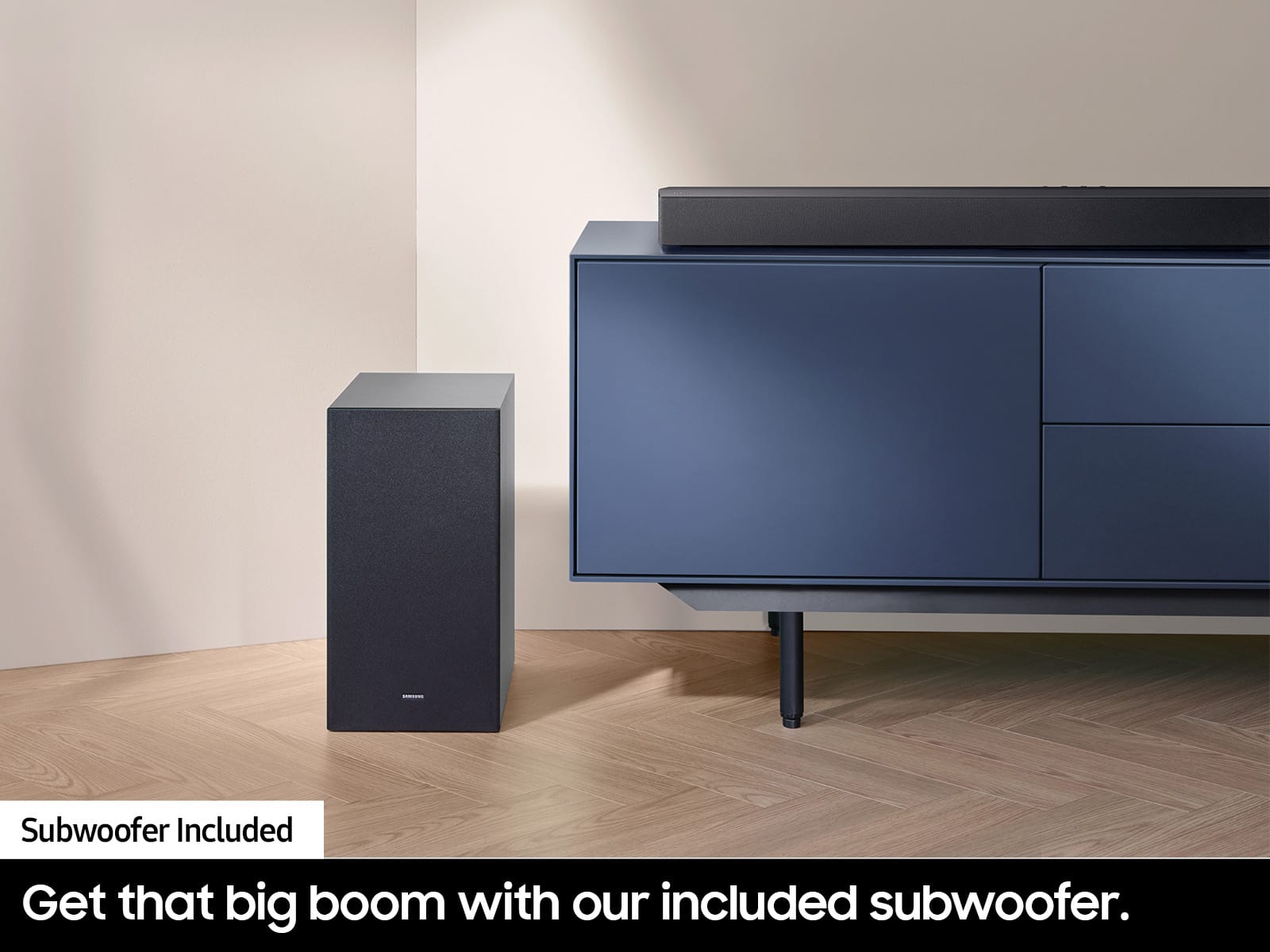
When powered on for the first time, the subwoofer should automatically connect to the soundbar wirelessly. If the auto-connection process fails, you can try manually connecting the sub to the soundbar.
Before performing the manual connection procedure, check whether the power cables for the Soundbar and subwoofer are connected properly and make sure that the Soundbar is turned off.
Press and hold ID SET on the rear of the subwoofer for at least 5 seconds. The red indicator on the rear of the subwoofer turns off and the blue indicator blinks. Press and hold the Up button on the remote control for at least 5 seconds. The ID SET message appears on the display of the Soundbar for a moment, and then it disappears. The Soundbar will automatically power on when ID SET is complete. The LINK LED indicator stops blinking and glows a solid blue when a connection is established between the Soundbar and the Wireless Subwoofer.
If you need more help, Samsung is here for you. Please call us at 1-800-SAMSUNG, 8AM - 12AM EST (Ask for Soundbars), 7 days a week. Our Live Chat agents are also available by clicking on the ‘Support’ link on our website.
~ Samsung Solutions
Items with no power cords suck.
||Posted . Owned for 3 weeks when reviewed.This reviewer received promo considerations or sweepstakes entry for writing a review.I brought open box, it did not come with any cords or owners manuals. I had no way to install because of the lack of hardware. I brought it back to Best Buy.
No, I would not recommend this to a friendBrand response from Samsung
Posted .Hello KenVest,
Please know you are leaving a review and 1-star rating for the HW-C450 soundbar, but we are sorry to hear of your Best Buy experience, nonetheless. You may want to consider providing feedback directly to the Best Buy store where you made your purchase.
Should you have questions on the Samsung HW-C450 soundbar itself, Samsung is here for you. You can reach us at 1-800-SAMSUNG, 8AM - 12AM EST, 7 days a week. Our LiveChat agents are also available by clicking on the ‘Support’ link on our website.
Defective subwoofer
||Posted . Owned for 3 weeks when reviewed.This reviewer received promo considerations or sweepstakes entry for writing a review.Product is being returned as subwoofer is defective.Spent 2 hours with Samsung tech support only to discover that product was defective.
No, I would not recommend this to a friendBrand response from Samsung
Posted .Hello LeonardB,
Thank you for your review of the Samsung HW-C450 Soundbar and for sharing the experience that has caused you to return your unit. Your feedback is very important to us and will be shared with our product team.
Should you ever decide to give Samsung Soundbars another try and have questions or need assistance with settings, setup, or features, please know we are always here to help.
Call us at 1-800-SAMSUNG (ask for Soundbars), available 8 AM – 12 AM EST, 7 days a week.
~ Samsung Solutions
return too
||Posted . Owned for 3 weeks when reviewed.This reviewer received promo considerations or sweepstakes entry for writing a review.The item needs to be return do to function. and hope to get something better.
No, I would not recommend this to a friendBrand response from Samsung
Posted .Nadege,
Thank you for your review of the Samsung HW-C450 Soundbar and for sharing the issues that have caused you to return your unit. Your experience is very important to us and will be shared with our product team.
It is possible that your unit needed minor troubleshooting, a firmware update, or adjustments in settings.
Like first, try doing a soft reset, unplug the soundbar from the outlet for roughly 30 seconds and then plug it back in.
If this still does not correct your issue, then do a hard reset. With the Soundbar on, press the + & - Volume buttons on the body of the soundbar at the same time for at least 5 seconds. INIT OK” appears on the display and then the Soundbar is reset.
Should you ever decide to give Samsung Soundbars another try and have questions or need assistance with settings, setup, or features, please know we are always here to help. Please call us at 1-800-SAMSUNG, 8AM - 12AM EST (Ask for Soundbars), 7 days a week. Our Live Chat agents are also available by clicking on the ‘Support’ link on our website.
~ Samsung Solutions
Bad choice
||Posted . Owned for 1 month when reviewed.This reviewer received promo considerations or sweepstakes entry for writing a review.Volume is considerably lower than the item I paired it with, and it doesn't pair with my Samsun tv. I need to return it.
No, I would not recommend this to a friendBrand response from Samsung
Posted .RichardW,
We appreciate you taking a moment to review the HW-C450 Soundbar.
You can manually optimize your Soundbar by pressing the SOUND MODE button on your remote, and then selecting the desired sound effect by choosing SURROUND SOUND – GAME – ADAPTIVE – DTS VIRTUAL:X – BASS BOOST – STANDARD.
If you would like louder (or softer) bass from your subwoofer, you can adjust the level by rocking the WOOFER button on the soundbar remote, and then adjusting the level from -6 to +6. To set the subwoofer volume level to 0, press the button in.
You can adjust the Treble and Bass by pressing the TONE CONTROL button then use the UP/DOWN buttons to change the levels between -6 to +6.
For precise audio adjustments, you can use the 7-band frequency equalizer to optimize the sound for your room acoustics by pressing and holding the SOUND CONTROL button for about 5 seconds, make sure you also set the SOUND MODE to STANDARD.
I hope this tip helps improve your enjoyment. For more help, please call us at 1-800-SAMSUNG (Ask for Soundbars), 8 AM – 12 AM EST, 7 days a week. Live Chat with an agent as well as manuals, software, and warranty info can be found at the ‘Support’ link on our Samsung website.
~ Samsung Solutions
Samsung HomeSpeaker
||Posted . Owned for 1 month when reviewed.This reviewer received promo considerations or sweepstakes entry for writing a review.It doesn't sound as hard as the description said, that's why I returned it.
No, I would not recommend this to a friendBrand response from Samsung
Posted .DanielJ,
Thank you for your review of the Samsung HW-C450 Soundbar and for sharing the experience that has caused you to return your unit. Your feedback is very important to us and will be shared with our product team.
You can manually optimize your Soundbar by pressing the SOUND MODE button on your remote, and then selecting the desired sound effect by choosing SURROUND SOUND – GAME – ADAPTIVE – DTS VIRTUAL:X – BASS BOOST – STANDARD.
If you would like louder (or softer) bass from your subwoofer, you can adjust the level by rocking the WOOFER button on the soundbar remote, and then adjusting the level from -6 to +6. To set the subwoofer volume level to 0, press the button in.
You can adjust the Treble and Bass by pressing the TONE CONTROL button then use the UP/DOWN buttons to change the levels between -6 to +6.
For precise audio adjustments, you can use the 7-band frequency equalizer to optimize the sound for your room acoustics by pressing and holding the SOUND CONTROL button for about 5 seconds, make sure you also set the SOUND MODE to STANDARD.
Should you ever decide to give Samsung Soundbars another try and have questions or need assistance with settings, setup, or features, please know we are always here to help.
Call us at 1-800-SAMSUNG (ask for Soundbars), available 8 AM – 12 AM EST, 7 days a week.
~ Samsung Solutions