Customer Ratings & Reviews
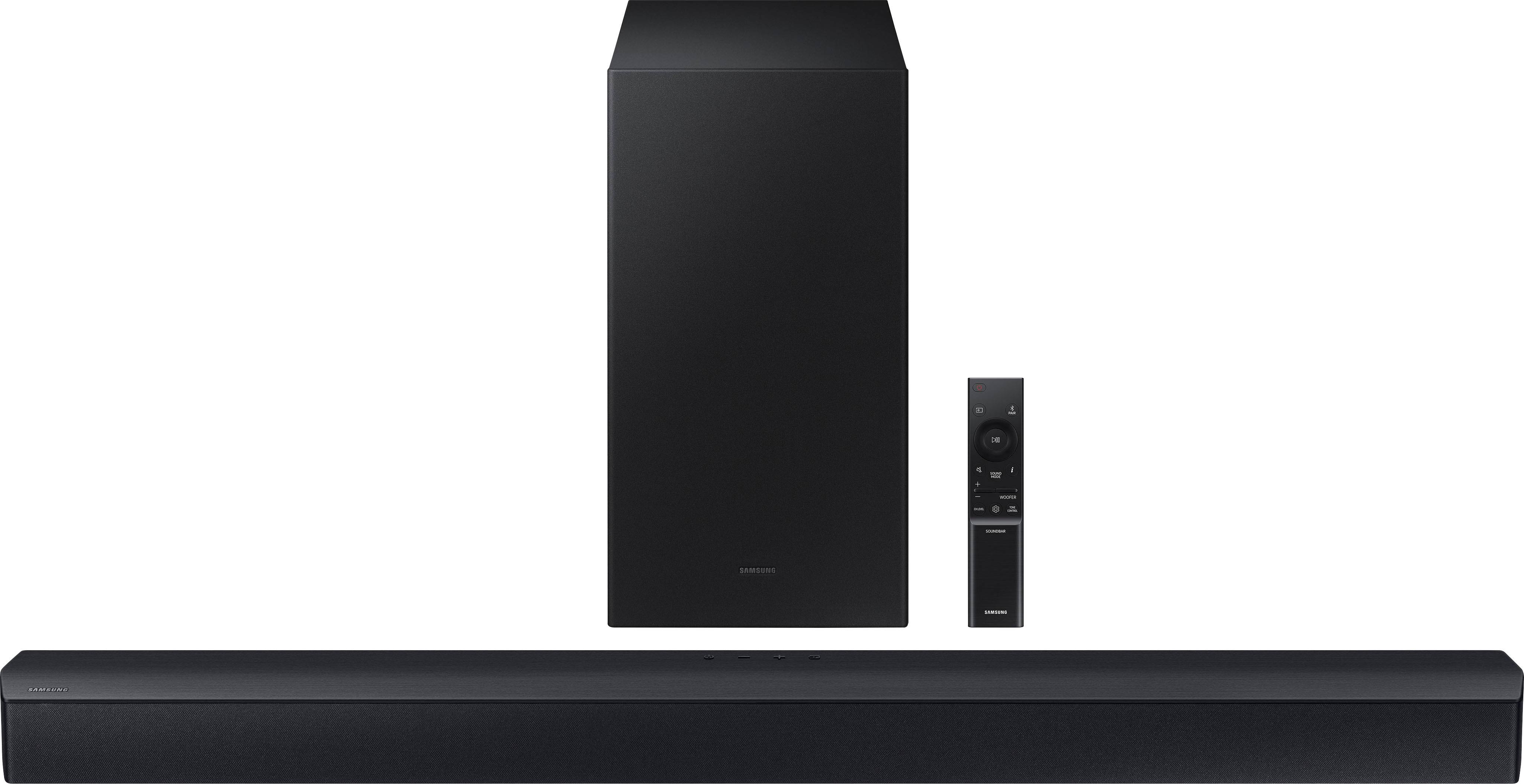
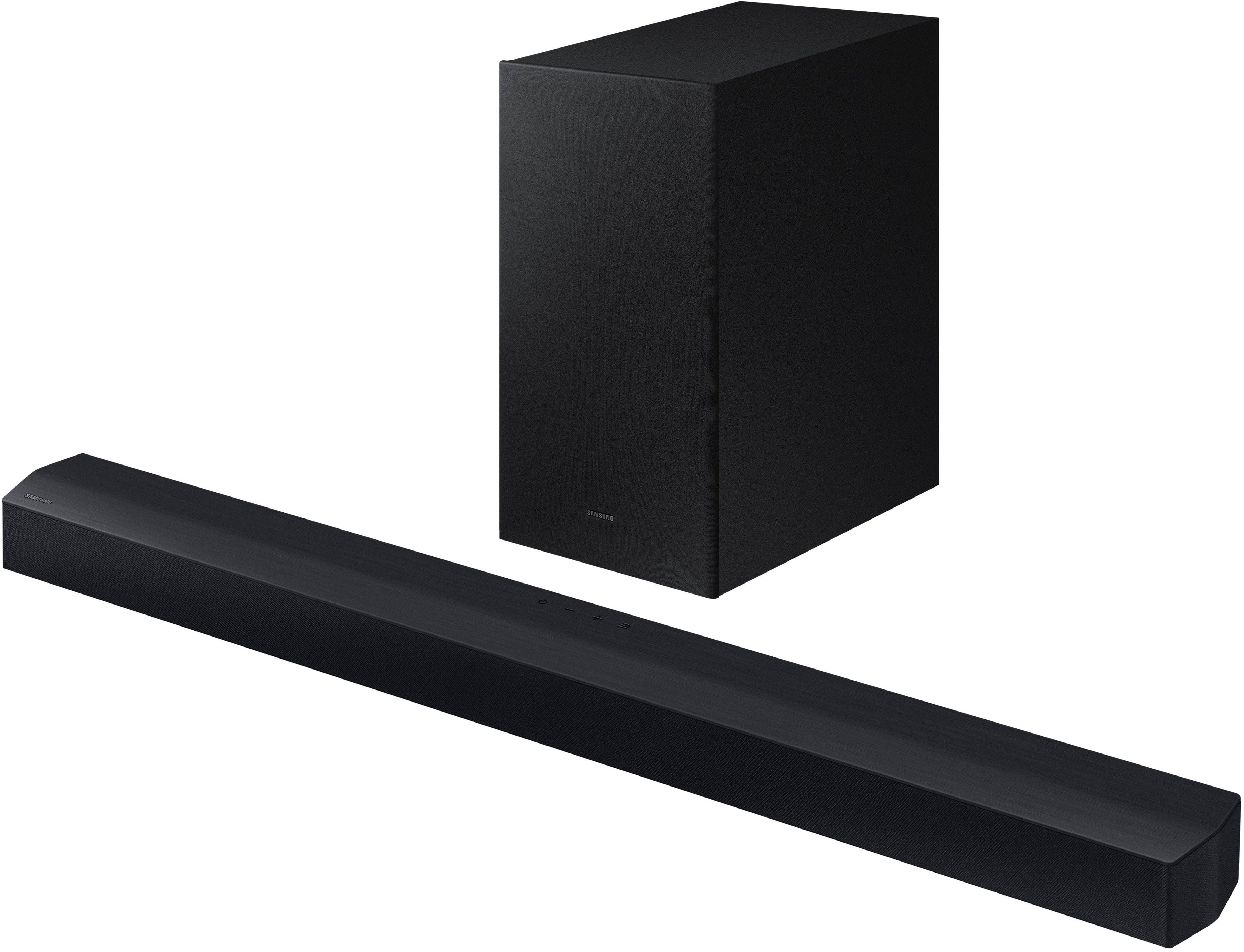
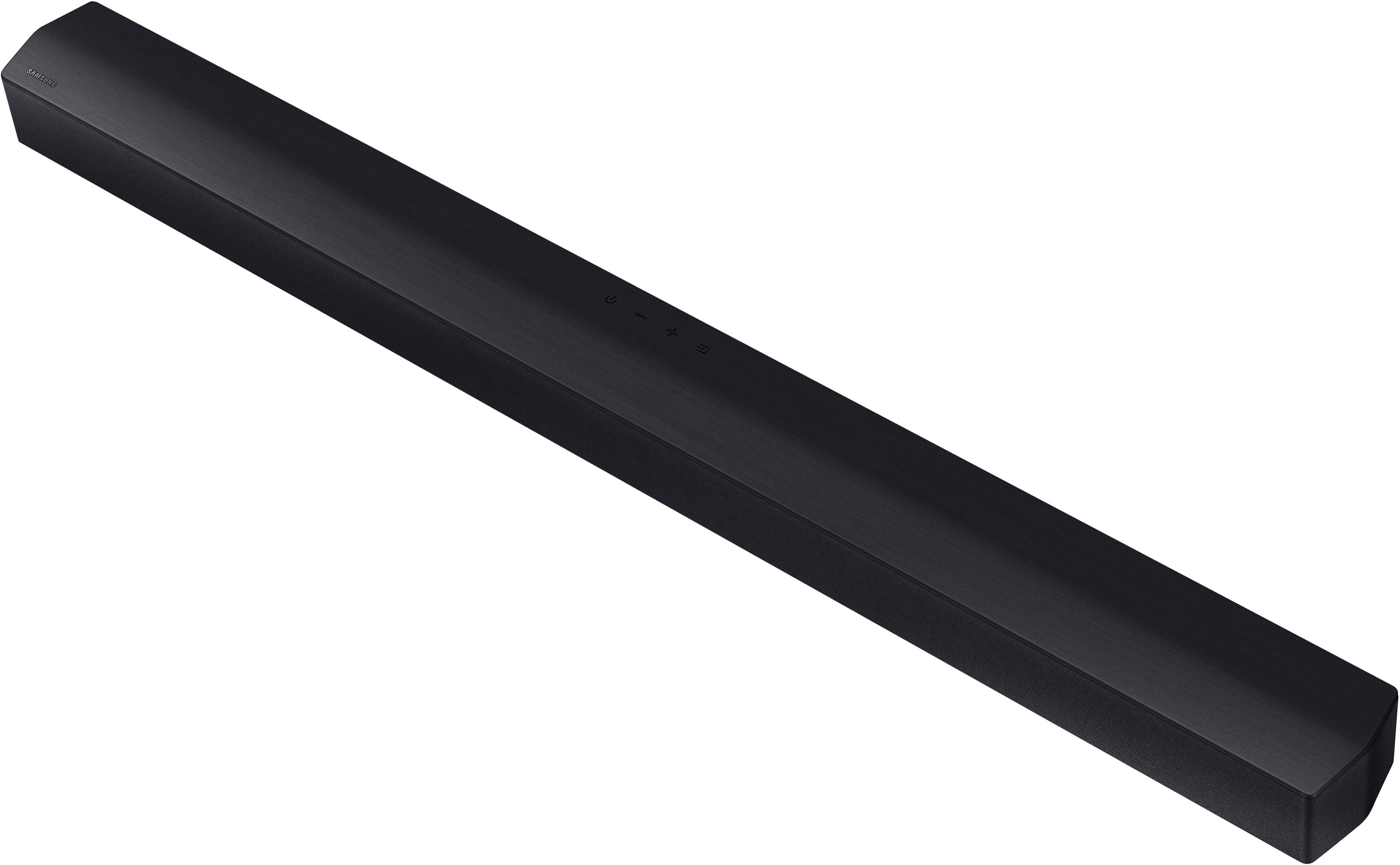
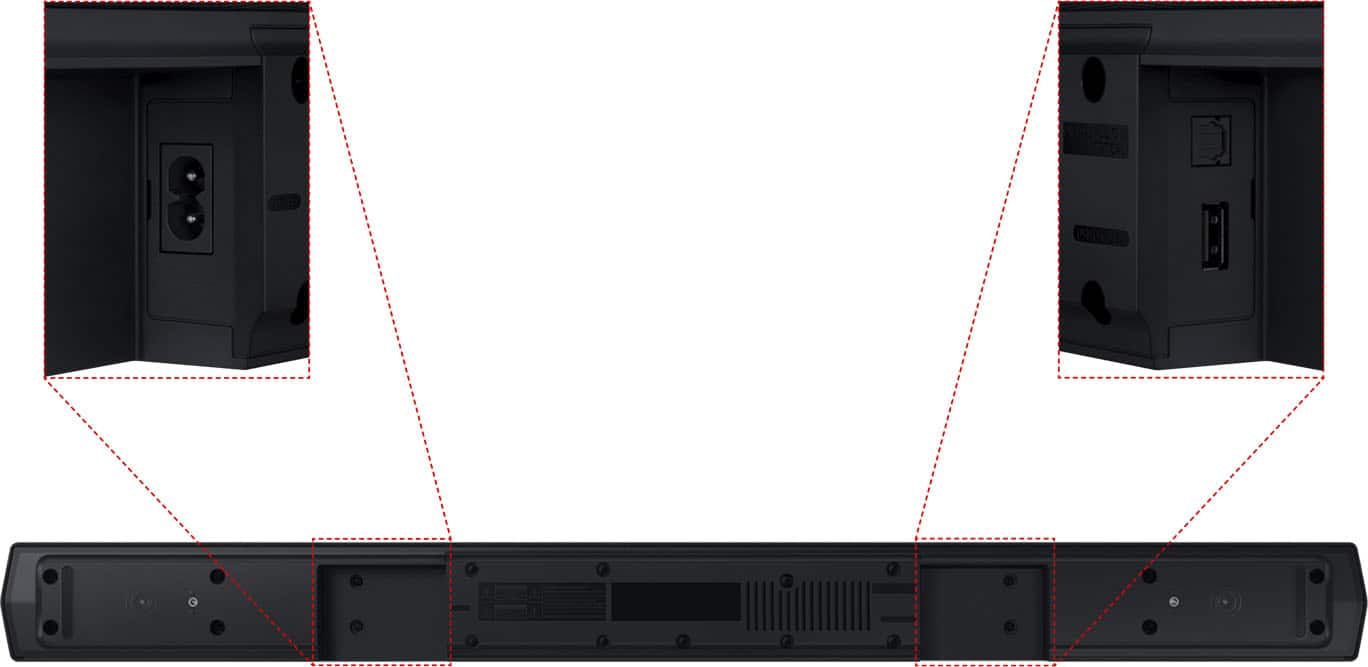
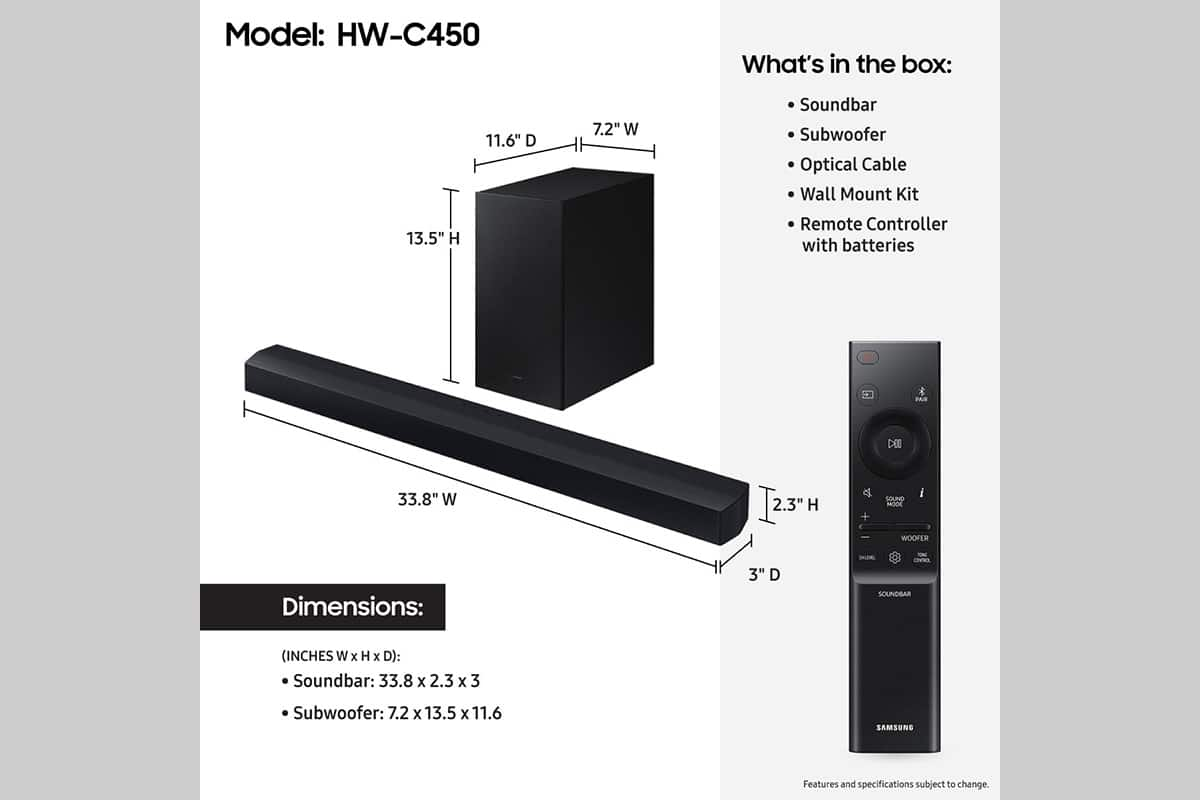
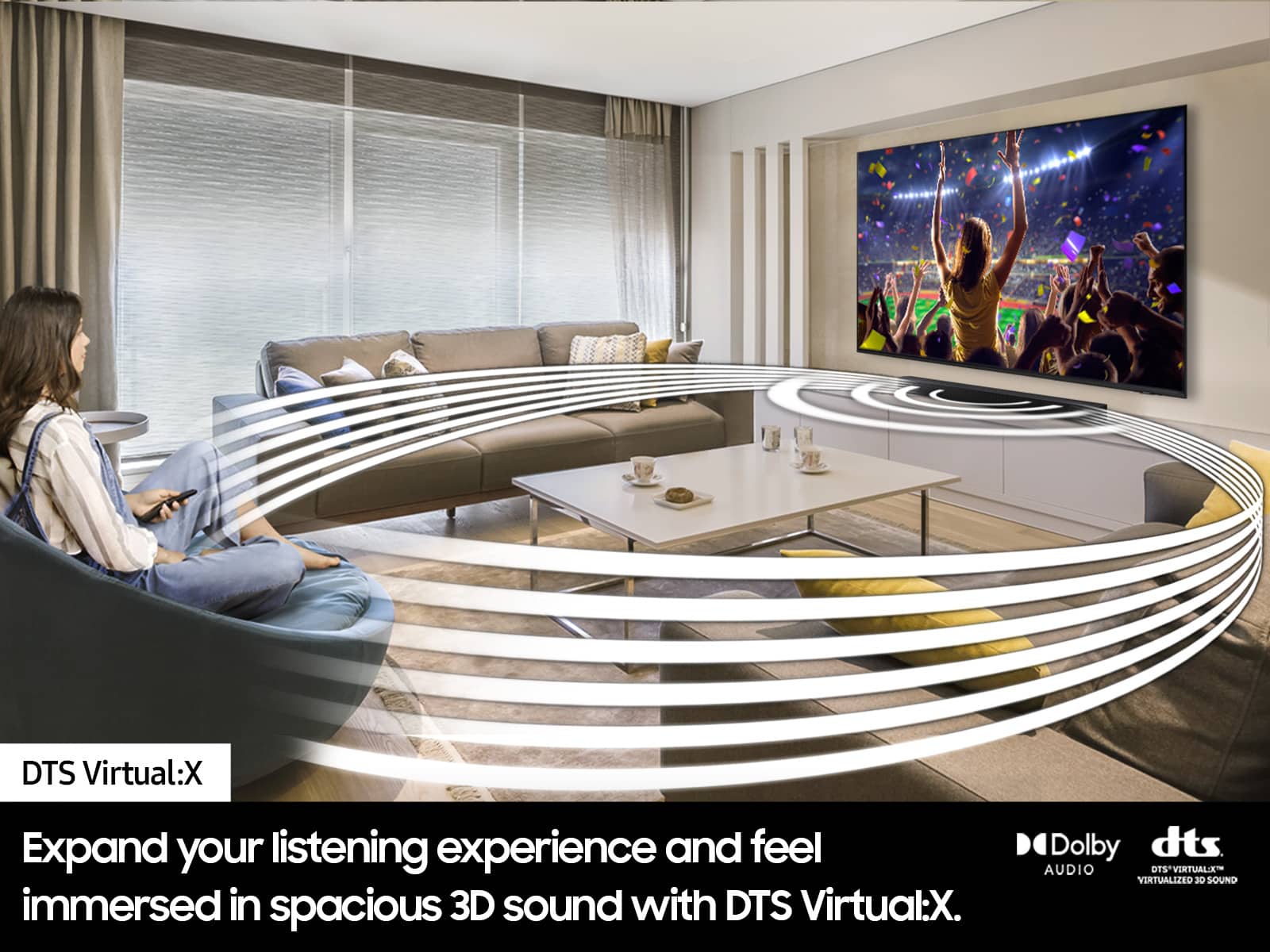
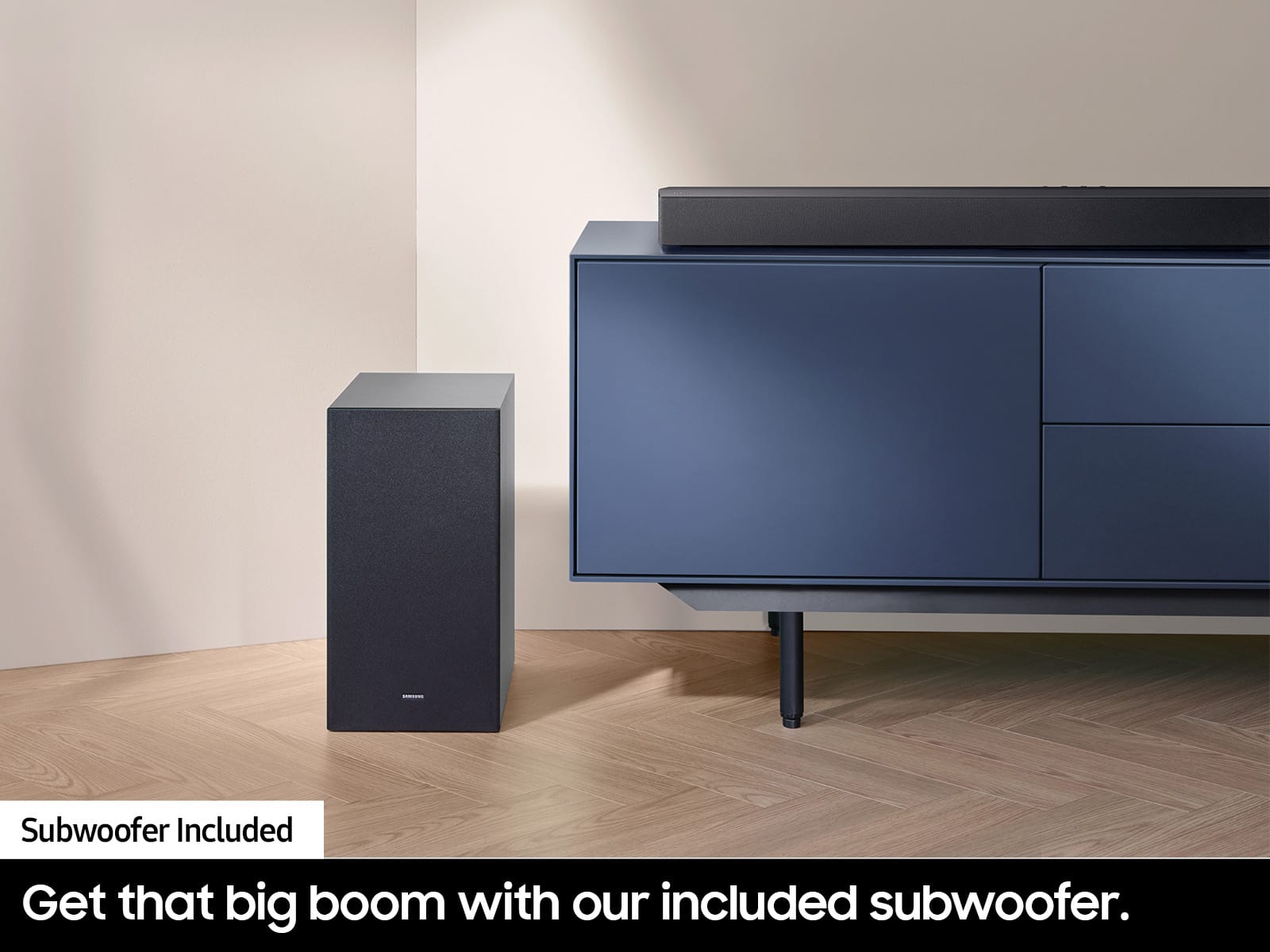
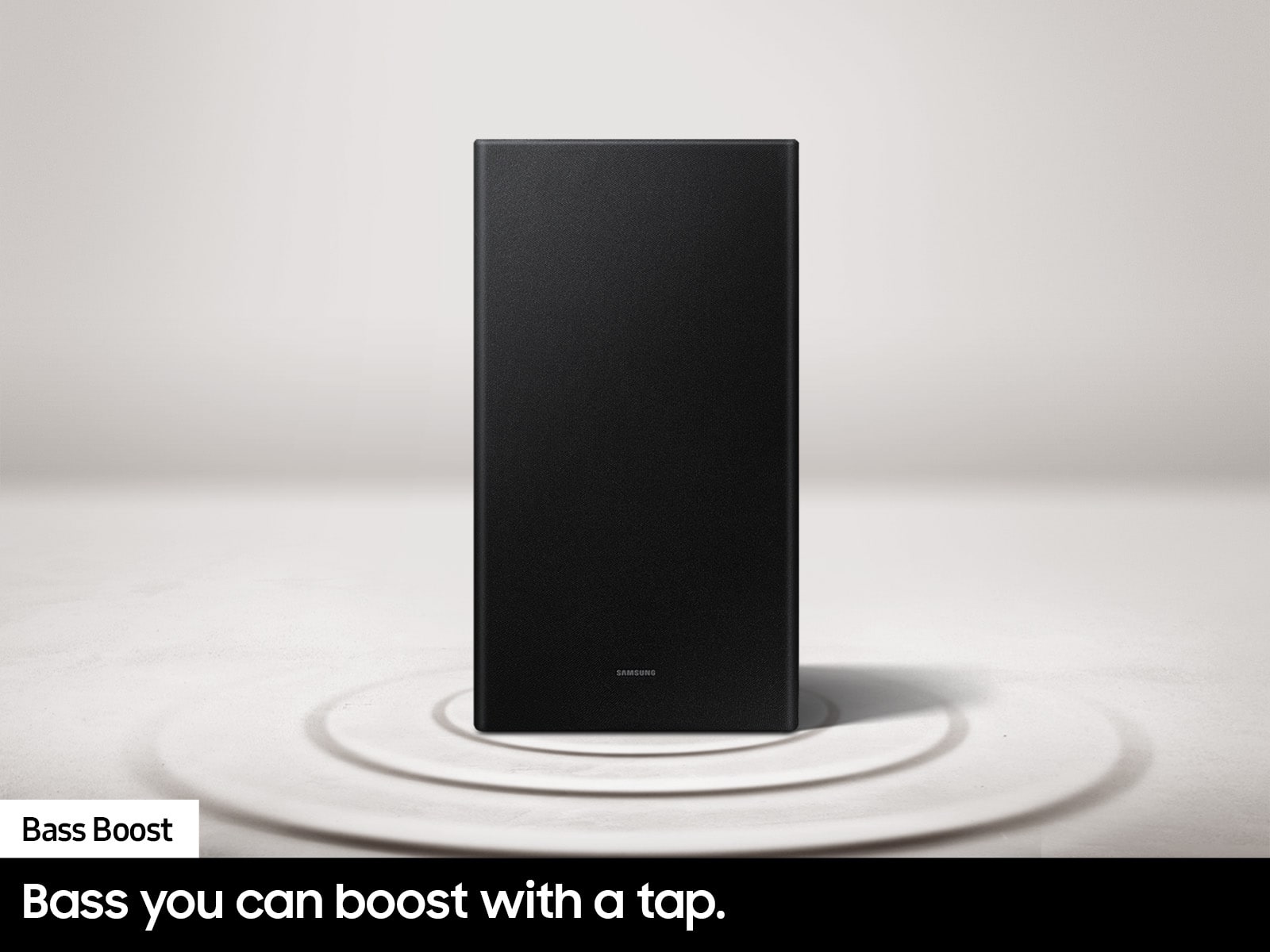

- Model:
- HW-C450
- SKU:
- 6535891
Rating by feature
- Value
Rating 4.7 out of 5 stars
- Quality
Rating 4.6 out of 5 stars
- Ease of Use
Rating 4.7 out of 5 stars
Customers are saying
Customers are satisfied with the HW-C450 2.1 Channel B-Series Soundbar, particularly its sound quality and bass. Users find it easy to use and set up, with simple and fast connectivity. The main drawbacks mentioned are the lack of an HDMI port and some inconvenience with using multiple remotes.
This summary was generated by AI based on customer reviews.
William's Samsung C-Series 2.1 soundbar
||Posted . Owned for 3 weeks when reviewed.This reviewer received promo considerations or sweepstakes entry for writing a review.Samsung C-Series 2.1 soundbar is very functional and works well with my LG television.
I would recommend this to a friendperfect
||Posted . Owned for 1 month when reviewed.This reviewer received promo considerations or sweepstakes entry for writing a review.perfect and fast service, and good attending for employees
I would recommend this to a friendGood value
||Posted . Owned for 3 weeks when reviewed.This reviewer received promo considerations or sweepstakes entry for writing a review.Very good overall. Works as expected and teams with my tv remote
I would recommend this to a friendGood soundbar
||Posted . Owned for 1 month when reviewed.This reviewer received promo considerations or sweepstakes entry for writing a review.Good soundbar for the price. Works totally fine but the sound quality could be a bit better
I would recommend this to a friend- Pros mentioned:Bass
Ehh theres better
||Posted . Owned for 1 week when reviewed.This reviewer received promo considerations or sweepstakes entry for writing a review.It was just blah, the subwoofer is really powerful but the sound was lackluster. Also the settings are a bit difficult to navigate
No, I would not recommend this to a friendBrand response from Samsung
Posted .Hi Veracious,
Thank you for taking a moment to review the Samsung HW-C450 Soundbar.
You can manually optimize your Soundbar by pressing the SOUND MODE button on your remote, and then selecting the desired sound effect by choosing SURROUND SOUND – GAME – ADAPTIVE – DTS VIRTUAL:X – BASS BOOST – STANDARD.
If you would like louder (or softer) bass from your subwoofer, you can adjust the level by rocking the WOOFER button on the soundbar remote, and then adjusting the level from -6 to +6. To set the subwoofer volume level to 0, press the button in.
You can adjust the Treble and Bass by pressing the TONE CONTROL button then use the UP/DOWN buttons to change the levels between -6 to +6.
For precise audio adjustments, you can use the 7-band frequency equalizer to optimize the sound for your room acoustics by pressing and holding the SOUND CONTROL button for about 5 seconds, make sure you also set the SOUND MODE to STANDARD.
I hope this tip helps improve your enjoyment. For more help, please call us at 1-800-SAMSUNG (Ask for Soundbars), 8 AM – 12 AM EST, 7 days a week. Live Chat with an agent as well as manuals, software, and warranty info can be found at the ‘Support’ link on our Samsung website.
~ Samsung Solutions
Best sound system
||Posted . Owned for 3 weeks when reviewed.This reviewer received promo considerations or sweepstakes entry for writing a review.Great product!!!! Definitely a good investment! Love it
I would recommend this to a friendWorks great!
||Posted . Owned for 2 weeks when reviewed.This reviewer received promo considerations or sweepstakes entry for writing a review.Does great and the sales person Gaige was awesome!
I would recommend this to a friendRetired LEO
||Posted . Owned for 3 weeks when reviewed.This reviewer received promo considerations or sweepstakes entry for writing a review.Work well. A little hard to connect to the Bluetooth.
I would recommend this to a friendNever trust open box and you or need customer supp
||Posted . Owned for 1 month when reviewed.This reviewer received promo considerations or sweepstakes entry for writing a review.Arrived with nothing except the soundbar and sub speaker. Advertised as excellent and complete. Tried contacting support immediately and couldn't even understand the lady. I am partially hearing impaired however it was not the volume factor so much as the language barrier. I asked if I could speak to someone else in hopes of improved communication and was told "NO" this was my only option. She instructed me to return the item to the store. I explained it would be a long distance over 200 miles round trip on icy roads. She was not acting like she understood what I was trying to tell her and I'm not even close to being able to understand her and became very frustrated. I tried to reach the Billings store in hopes of finding the missing parts and could never get anyone to answer the phone! Long story short the next day we all started getting sick right before Christmas break and priorities changed. Unfortunately I was the last to get hit and instead of trying to take care of everyone else I was down for the count and my return window closed. In all fairness I did continue to try and contact the store and never could get anyone to answer the darn phone. I have since tried to assemble enough parts online to make it functional and have exceeded the DOD new pricing. The sub won't connect and I can't find support for the exact model so without the instruction booklet I've spent far too much time and money trying to get the worthless thing to work. I think it was probably a dud from the start because despite all the quality assurance stickers on the box no one bothered to even make sure it was complete much less functional. I have been a loyal best buy customer for over 20 years but that is about to change.
No, I would not recommend this to a friendBrand response from Samsung
Posted .Hello technogrannie,
I am sorry to hear about your experience with your purchase from Best Buy. You may want to try the following tips below:
Your soundbar and subwoofer should connect automatically when they are turned on, but you can also connect manually just as easily.
When both soundbar and subwoofer are plugged in, they should begin to connect automatically. When the subwoofer is completely connected, the blue LED LINK indicator on the subwoofer stops blinking and glows continuously. If the blue LED does not stop blinking, the process has failed.
For manual connection, after both soundbar and subwoofer are plugged in to a wall outlet, press and hold the ID SET button on the back of the subwoofer for at least 5 seconds. The red indicator on the rear of the subwoofer turns off and the blue indicator blinks.
Press and hold the Up button on the remote control for at least 5 seconds. The ID SET message appears on the display of the Soundbar for a moment, and then it disappears. The Soundbar will automatically power on when ID SET is complete.
Check if the LINK LED is solid blue (connection complete). The LINK LED indicator stops blinking and glows a solid blue when a connection is established between the Soundbar and the Wireless Subwoofer.
Here is the link for the user manual for your C450 soundbar.
https://downloadcenter.samsung.com/content/UM/202305/20230515115707122/HW-C450_ZA_FullManual_X10_ENG_221205.0.pdf
If you continue to have trouble connecting, please reach out to us, we are here to help at 1-800-SAMSUNG (Ask for Soundbars), 8 AM – 12 AM EST, 7 days a week. Or visit us on the Samsung website and click on the ‘Support’ link for:
• LiveChat with an agent
• Manuals, Software, & Warranty Info
~ Samsung Solutions
Cool soundbar
||Posted . Owned for 3 weeks when reviewed.This reviewer received promo considerations or sweepstakes entry for writing a review.nice soundbar nice soundbar nice soundbar nice soundbar
I would recommend this to a friendSoundbar
||Posted . Owned for 1 month when reviewed.This reviewer received promo considerations or sweepstakes entry for writing a review.Not much crystal sound the bass is not that good and terrible is not good either
No, I would not recommend this to a friendBrand response from Samsung
Posted .Hello,
Thank you for your purchase of the Samsung HW-C450 Soundbar, I am sorry that you have experienced this issue with your soundbar.
So that we can better assist you, please reach out to Samsung Support at
1) 1-800-SAMSUNG (ask for Soundbars), 8 AM - 12 AM EST, 7 days a week.
2) LiveChat with an agent by clicking the ‘Support’ link on the Samsung website homepage.
~ Samsung Solutions
Connection issues
||Posted . Owned for 3 weeks when reviewed.This reviewer received promo considerations or sweepstakes entry for writing a review.The sound bar has connectivity issues. I tried using youtube to connect but it just doesnt work- it was open box so I see why it was returned
No, I would not recommend this to a friendBrand response from Samsung
Posted .Hi Lees,
I’m very sorry for the difficulties you’ve experienced with your HW-C450 Soundbar’s setup. We completely understand your frustrations, and we are here to help.
The HW-C450 features two ways to connect to a TV; digital optical audio and Bluetooth wireless audio technology. If your TV is compatible with one of these two audio connections, you should have no issue connecting the soundbar to your TV. Follow the steps below to connect the soundbar to your TV via one of the two available connections:
An optical cable is a great way to connect your soundbar to your TV and the method we recommend using for the HW-C450. With optical, you can also connect your devices (cable boxes, video game systems, and Blu-ray players) to the TV, and have the sound output from the TV to the soundbar.
1. With the TV and soundbar turned on, connect one end of a digital optical cable to the OPTICAL OUT port on the TV.
2. Then, connect the other end to the DIGITAL AUDIO IN (OPTICAL) port on the soundbar.
3. Press Source on the remote or soundbar, and then set the soundbar to the D.IN. setting.
4. Finally, on the TV, you need to set the speaker output to external speakers.
The TV's sound will now play from the soundbar.
Your soundbar is also compatible with a Bluetooth connection to the TV. To connect the soundbar wirelessly, follow the steps below:
1) Press the PAIR button on the remote to enter BT PAIRING mode. You can also press the SOURCE button on the top panel and then select BT. “BT” changes to “BT PAIRING” in a few seconds automatically or changes to “BT READY” if there is a connect record. If BT READY appears, press and hold the SOURCE button on the top panel of the Soundbar for more than 5 seconds to display BT PAIRING.
2) Select the Bluetooth sound mode on your TV (See your TV's user manual for assistance)
3) Select “[AV] Samsung Soundbar A470 Series” from the list on the TV’s screen. An available Soundbar is indicated with “Need Pairing” or “Paired” on the TV’s Bluetooth device list. To connect the TV to the Soundbar, select the message, and then establish a connection.
When the TV is connected, [TV Name] → “BT” appears on the Soundbar’s front display.
You should now hear TV sound from the Soundbar. Once you have connected your soundbar for the first time, use the “BT READY” mode to reconnect.
If we can help with anything else, please call us at 1-800-SAMSUNG (Ask for Soundbars), 8 AM – 12 AM EST, 7 days a week. Live Chat with an agent as well as manuals, software, and warranty info can be found at the ‘Support’ link on our Samsung website.
~ Samsung Solutions
Living room
||Posted . Owned for 3 weeks when reviewed.This reviewer received promo considerations or sweepstakes entry for writing a review.Works great. Arrived quickly. Would definitely recommend.
I would recommend this to a friendShafted
||Posted .This reviewer received promo considerations or sweepstakes entry for writing a review.Have not installed this yet. It was supposed to come with a remote it was missing. I tried to install this product 31 days after I bought it, as I was waiting for our new TV to arrive. I called, and they said I would have to purchase a new remote from the manufacturer. I called Samsung cost me $65.oo including sgipping on back order
No, I would not recommend this to a friendBrand response from Samsung
Posted .alby,
Please know you are leaving a review and 2-star rating for the HW-C450, but we are sorry to hear of your Best Buy experience, nonetheless. You may want to consider providing feedback directly to the Best Buy store where you made your purchase.
Should you have questions on the HW-C450 itself, Samsung is here for you. You can reach us at 1-800-SAMSUNG, 8AM - 12AM EST, 7 days a week. Our LiveChat agents are also available by clicking on the ‘Support’ link on our website.
~ Samsung Solutions
Do not buy this product
||Posted . Owned for 1 week when reviewed.This reviewer received promo considerations or sweepstakes entry for writing a review.Do not buy this product. And especially do not buy it “open box.” Like some others have noted, I bought this product “open box excellent,” and received the product without the necessary power cords to even use the soundbar and subwoofer. I spent over six hours over a week speaking with Best Buy and with the manufacturer Samsung trying to get the missing cord and get this resolved. Both were rude, nonchalant at best and didn’t resolve the problem or bother to follow up on tickets created to address the problem. Samsung said I’m not eligible for a power cord from them because I purchased the item “open box.” Best Buy will not take responsibility for shipping me a product marked “excellent” without the power cords to operate the items. I had to request this product be picked up by Best Buy and a refund. It is truly unacceptable the way I was treated as a customer. And I have been a Best Buy customer for over a decade. Samsung also refused to take responsibility for shipping an item without the necessary power cords. I put in complaints to Samsung corporate to no avail. And Best Buy will not allow customers to reach its corporate office - preventing you from reaching them about issues with customer service. Just don’t buy this product. You will not be able to use it. And they will treat you like crap when you try to get them to fix the problem.
No, I would not recommend this to a friendBrand response from Samsung
Posted .TanyaB,
Thank you for purchasing the Samsung HW-C450 Soundbar. We appreciate you sharing your feedback regarding parts missing from your recent Open Box purchase from Best Buy.
Please know you are leaving a review and 1-star rating for the HW-C450 Soundbar, but we are sorry to hear of your Best Buy experience, nonetheless. You may want to consider providing feedback directly to the Best Buy store where you made your purchase.
Should you have questions on the HW-C450 itself, Samsung is here for you. You can reach us at 1-800-SAMSUNG, 8AM - 12AM EST, 7 days a week. Our LiveChat agents are also available by clicking on the ‘Support’ link on our website.
~ Samsung Solutions
Not worth the moneh
||Posted . Owned for 1 month when reviewed.This reviewer received promo considerations or sweepstakes entry for writing a review.Inconsistent good operation. Volume changes when changing channels and there's a loud noise from the woofer.
No, I would not recommend this to a friendBrand response from Samsung
Posted .Hi RonT,
Thank you for taking a few moments to review Samsung's HW-C450 Soundbar.
You may want to try Adaptive Sound Lite, which allows you to enjoy optimized sound for your favorite video content, including sports, games, movies and more - with technology that enhances whatever you are watching.
If you need more help, Samsung is here for you. Please call us at 1-800-SAMSUNG, 8AM - 12AM EST (Ask for Soundbars), 7 days a week. Our Live Chat agents are also available by clicking on the ‘Support’ link on our website.
~ Samsung Solutions
Not as loud
||Posted . Owned for 3 weeks when reviewed.This reviewer received promo considerations or sweepstakes entry for writing a review.It’s ok, not as loud as i anticipated. I installed it and put it as loud as it can go and didn’t really get to loud in my living room
No, I would not recommend this to a friendBrand response from Samsung
Posted .Hello Sandy,
We appreciate you taking a moment to review the Samsung HW-C450 Soundbar.
You can manually optimize your Soundbar by pressing the SOUND MODE button on your remote, and then selecting the desired sound effect by choosing SURROUND SOUND – GAME – ADAPTIVE – DTS VIRTUAL:X – BASS BOOST – STANDARD.
If you would like louder (or softer) bass from your subwoofer, you can adjust the level by rocking the WOOFER button on the soundbar remote, and then adjusting the level from -6 to +6. To set the subwoofer volume level to 0, press the button in.
You can adjust the Treble and Bass by pressing the TONE CONTROL button then use the UP/DOWN buttons to change the levels between -6 to +6.
For precise audio adjustments, you can use the 7-band frequency equalizer to optimize the sound for your room acoustics by pressing and holding the SOUND CONTROL button for about 5 seconds, make sure you also set the SOUND MODE to STANDARD.
If you need further assistance, please know Samsung Customer Support is here to help. Just give us a call at 1-800-SAMSUNG (Ask for Soundbars), 8AM - 12AM EST, 7 days a week. Our Live Chat agents are also available by clicking on the ‘Support’ link on our website.
~ Samsung Solutions
Poor soundbar performance
||Posted . Owned for 1 month when reviewed.This reviewer received promo considerations or sweepstakes entry for writing a review.The soundbar cuts in and out. The instructions ask to unplug and plug back in to correct. That only fixes the problem while on. Once it turns off and back on again the cut in and out comes right back. Awful. Stay away.
No, I would not recommend this to a friendBrand response from Samsung
Posted .Hi TMSFitbit,
We appreciate you taking a moment to review the HW-C450 Soundbar.
I am sorry to hear that you are experiencing issues with the sound occasionally dropping from your soundbar. You may first want to check the cable connection of the soundbar to the TV or external device to ensure it is secure, and properly connected to the correct port.
In addition to checking the connections of the soundbar, please make sure your soundbar is using the latest firmware version. Updating the firmware on your soundbar gives you all the benefits of the latest improvements. You can update your firmware by using a USB device.
You may also want to initialize your soundbar by pressing the - and + (volume) buttons on the top of the soundbar at the same time for at least 5 seconds. “INIT OK” appears on the display and then the Soundbar is reset. Please know, this will reset all settings on the soundbar back to default; any sound adjustments will need to be performed again.
Should you continue to experience audio dropouts, and are connected wirelessly, please use the included cable to connect the soundbar to the TV. Using a wired connection instead of wireless often eliminates the issue entirely and improves the user experience.
I hope these tips help resolve your issues.
If you need more help, Samsung is here for you. Please call us at 1-800-SAMSUNG, 8AM - 12AM EST (Ask for Soundbars), 7 days a week. Our Live Chat agents are also available by clicking on the ‘Support’ link on our website.
~ Samsung Solutions
It’s okay
||Posted . Owned for 1 week when reviewed.This reviewer received promo considerations or sweepstakes entry for writing a review.Bought open box. This is an honest review. Sound is delayed when connected via Bluetooth
No, I would not recommend this to a friendBrand response from Samsung
Posted .Hi Urusla,
Thank you for your review of the Samsung HW-C450 Soundbar.
If the video on the TV and audio from the Soundbar are not synchronized, select SYNC in SOUND CONTROL (looks like a gear), and then set the audio delay between 0~300 milliseconds by using the Up/Down buttons.
If you need more help, Samsung is here for you. Please call us at 1-800-SAMSUNG, 8AM - 12AM EST (Ask for Soundbars), 7 days a week. Our Live Chat agents are also available by clicking on the ‘Support’ link on our website.
~ Samsung Solutions
Sound bar
||Posted .This reviewer received promo considerations or sweepstakes entry for writing a review.Works good but not not as loud as others I’ve boight in the past
I would recommend this to a friendBrand response from Samsung
Posted .Hi SuzyS,
We appreciate you taking a few moments to review the Samsung HW-C450 Soundbar.
You can manually optimize your Soundbar by pressing the SOUND MODE button on your remote, and then selecting the desired sound effect by choosing SURROUND SOUND – GAME – ADAPTIVE – DTS VIRTUAL:X – BASS BOOST – STANDARD.
If you would like louder (or softer) bass from your subwoofer, you can adjust the level by rocking the WOOFER button on the soundbar remote, and then adjusting the level from -6 to +6. To set the subwoofer volume level to 0, press the button in.
You can adjust the Treble and Bass by pressing the TONE CONTROL button then use the UP/DOWN buttons to change the levels between -6 to +6.
For precise audio adjustments, you can use the 7-band frequency equalizer to optimize the sound for your room acoustics by pressing and holding the SOUND CONTROL button for about 5 seconds, make sure you also set the SOUND MODE to STANDARD.
If you need more help, Samsung is here for you. Please call us at 1-800-SAMSUNG, 8AM - 12AM EST (Ask for Soundbars), 7 days a week. Our Live Chat agents are also available by clicking on the ‘Support’ link on our website.
~ Samsung Solutions