Customer Ratings & Reviews






- Model:
- HW-Q600B/ZA
- SKU:
- 10362496
Rating by feature
- Value
Rating 4.1 out of 5 stars
- Quality
Rating 4.1 out of 5 stars
- Ease of Use
Rating 4.2 out of 5 stars
to a friend
Excellent soundbar for the price
||Posted . Owned for 1 month when reviewed.This reviewer received promo considerations or sweepstakes entry for writing a review.Incredible soundbar! It having support for Dolby Atmos and DTS:X surround has been a game changer for my TV audio.
I would recommend this to a friendJust Ok
||Posted . Owned for 4 months when reviewed.This reviewer received promo considerations or sweepstakes entry for writing a review.Ok sound. Nowhere as good as my JBL. Returned for a 2nd JBL.
No, I would not recommend this to a friendDolby atmos
||Posted . Owned for 6 months when reviewed.This reviewer received promo considerations or sweepstakes entry for writing a review.Sounds great when using Apple TV for Dolby atmos. Bought the rear surrounds also.
I would recommend this to a friendSoundbar
||Posted . Owned for 3 weeks when reviewed.This reviewer received promo considerations or sweepstakes entry for writing a review.Does what a soundbar is supposed to do. It doesn’t sound as rich as I assumed it would for the price.
No, I would not recommend this to a friendBrand response from Samsung
Posted .Hello GregoryS,
Thank you for sharing your review of the HW-Q600B Soundbar. I am sorry to see that you are not fully satsified with your purchase!
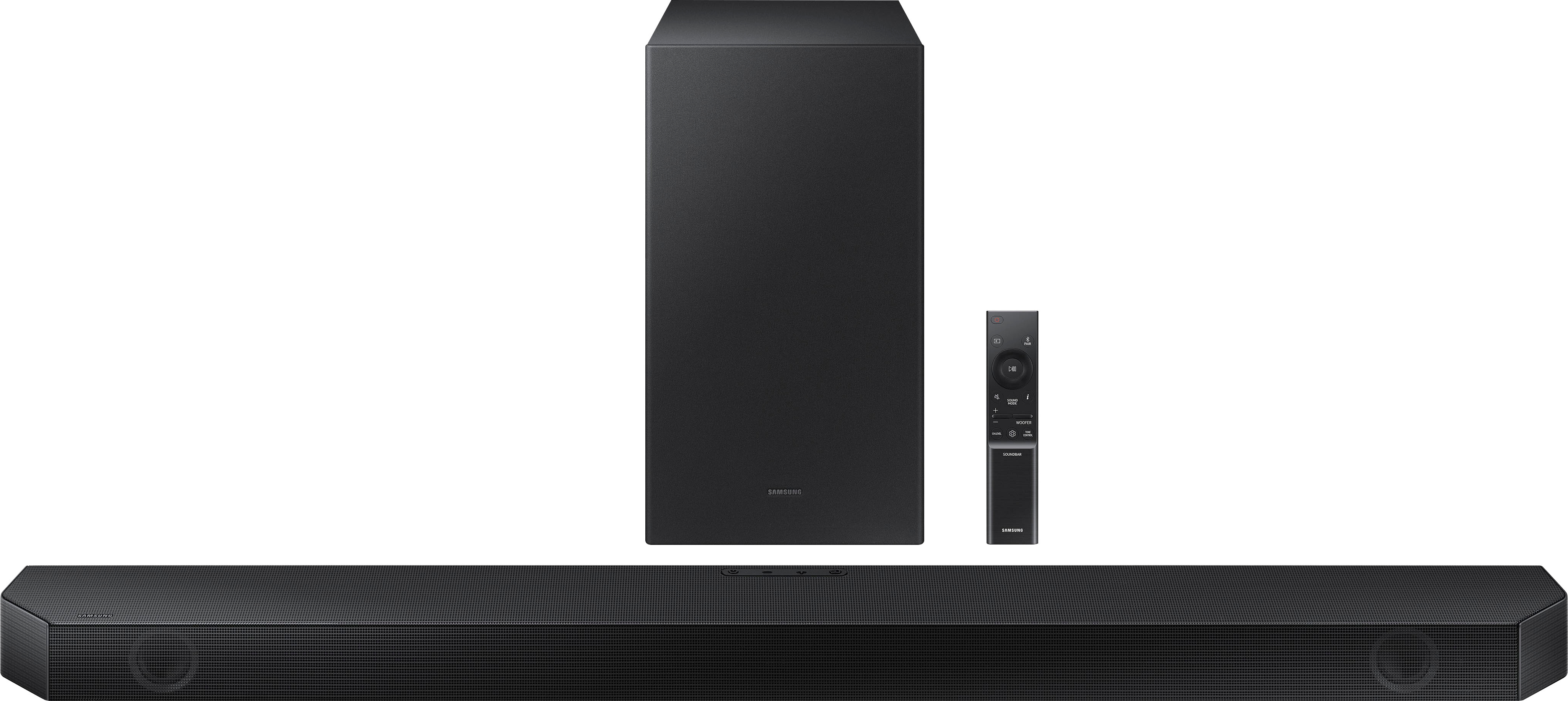
You are able to manually optimize your audio experience by pressing the SOUND MODE button to select the desired pre-equalized sound setting. The choices are SURROUND SOUND – GAME – ADAPTIVE SOUND – DTS VIRTUAL:X – STANDARD.
To control the volume of the treble or bass sound, press the TONE CONTROL button and then adjust the volume between -6 to +6 by using the Up/Down buttons.
Press and hold the SOUND CONTROL button for about 5 seconds to adjust the sound for each frequency band. 150Hz, 300Hz, 600Hz, 1.2kHz, 2.5kHz, 5kHz, and 10kHz are selectable using the Left/Right buttons and each can be adjusted to a setting between -6 to +6 using the Up/Down buttons. (Make sure the Sound mode is set to “STANDARD”.)
Press the CH LEVEL button so you can adjust the volume of each speaker. CENTER LEVEL or TOP LEVEL can be adjusted using the UP/DOWN buttons from -6 to +6.
If we can help with anything else, please call us at 1-800-SAMSUNG (Ask for Soundbars), 8 AM – 12 AM EST, 7 days a week. LiveChat with an agent as well as manuals, software, and warranty info can be found at the ‘Support’ link on our Samsung website.
~ Samsung Solutions
Home speaker
||Posted . Owned for 5 months when reviewed.This reviewer received promo considerations or sweepstakes entry for writing a review.Priced very affordable and was very easy to install
I would recommend this to a friendSamsung sound bar
||Posted .This reviewer received promo considerations or sweepstakes entry for writing a review.for the cost, excellent sound quality and ease to set up
I would recommend this to a friendIneffective Sound Bar
||Posted . Owned for 1 month when reviewed.This reviewer received promo considerations or sweepstakes entry for writing a review.This is our second sound bar, same Samsung product. The sound keeps shutting off by itself and then all we have is the TV sound which is not all that great considering we have the TV in a small room. We are in the window of returning the sound bar inasmuch as we cannot get satisfactory results even though the Geek Tech has been to our house three to four times...lost count. It could be the TV is kicking the sound bar off or the sound bar kicking itself off. Regardless we are unhappy at this point with the purchase.
No, I would not recommend this to a friendBrand response from Samsung
Posted .Hello,
Thank you for your review of the HW-Q600B Soundbar and for sharing your experiences with the issues that have caused you to consider returning your soundbar. Your experience is very important to us and will be shared with our product team.
I am sorry to hear about your experiences with these issues.
If you have not yet returned your unit, please give us the opportunity to troubleshoot your issue and work towards a solution.
You can reach Samsung Support at 1-800-SAMSUNG (ask for Soundbars) 8 AM – 12 AM EST, 7 days a week.
We hope to hear from you soon.
~Samsung Solutions
Owner
||Posted . Owned for 1 month when reviewed.This reviewer received promo considerations or sweepstakes entry for writing a review.The Samsung HW-Q600B sounder works perfectly with my new Samsung tv. and looks good.
I would recommend this to a friendSamsung HW-Q600B Soundbar
||Posted . Owned for 3 weeks when reviewed.This reviewer received promo considerations or sweepstakes entry for writing a review.Sound quality is decent, but woofer either does 't work or is very low volume despite set the woofer volume as high as it will go. Also, added rear speakers and while they are connected to aoundbar, there is no volume to them despite setting the rear speaker level as high as it will go.
No, I would not recommend this to a friendBrand response from Samsung
Posted .Hello TnTMDB,
Thank you for sharing your experiences with the new HW-Q600B Soundbar.
I am sorry to hear that you are not completely satisfied with the out of box experience of your new Samsung Soundbar. You may want to try checking the sound format on your TV to ensure you are getting the best experience for a surround sound setup.
If your Digital Output Audio Format is set to PCM then you will likely notice decreased performance with surround sound audio systems. Dolby options are designed for surround systems (like 3.1.2 or 7.1), whereas PCM provides great sound quality for stereo speakers.
On a Samsung TV this setting can be found at Home > Settings > Sound > Expert Settings. (It can also be found in Quick Settings).
By design, the surround speakers are supposed to simulate sounds happening behind the viewer. Therefore, most of the time the surround channels are only used for ambient sounds, which are naturally lower in volume.
Check to see if there is a solid blue light on your wireless subwoofer. If it is red, or flashing blue then it's not correctly synced to your soundbar. Make sure the Soundbar is on and then follow these steps to re-connect your subwoofer (even if it is solid blue just to be sure).
1. Press and hold ID SET on the rear of the subwoofer for at least 5 seconds.
• The red indicator on the rear of the subwoofer turns off and the blue indicator blinks.
2. Press and hold the Up button on the remote control for at least 5 seconds.
• The ID SET message appears on the display of the Soundbar for a moment, and then it disappears.
• The Soundbar will automatically power on when ID SET is complete.
3. Check if the LINK LED is solid blue (connection complete).
If you are still having issues with your subwoofer not playing correctly or need help with anything else, please contact Samsung Customer Service.
I hope these tips help improve your enjoyment. For more help, please call us at 1-800-SAMSUNG (Ask for Soundbars), 8 AM – 12 AM EST, 7 days a week. LiveChat with an agent as well as manuals, software, and warranty info can be found at the ‘Support’ link on our Samsung website.
~ Samsung Solutions
Samsung Soundbar
||Posted . Owned for 3 weeks when reviewed.This reviewer received promo considerations or sweepstakes entry for writing a review.It's a great buy for the money. Subwoofer could use a work. No bass comes from it.
I would recommend this to a friendBrand response from Samsung
Posted .Hello Garrett,
Thank you for purchasing the Samsung HW-Q600B Soundbar, we appreciate your feedback regarding the soundbar's performance.
There are two adjustments that can be made for bass and subwoofer:
1) Using the WOOFER button on the remote, you can adjust the volume of the subwoofer between -6 to +6 by toggling the button up or down. To set the subwoofer volume level to 0, press the button down
2) Adjust the bass control by pressing the SOUND CONTROL button (gear icon) on the remote control, then select BASS to increase the level. You can adjust the volume between -6 to +6 by using the Up/Down buttons.
Should you ever have questions or need help, please call us at 1-800-SAMSUNG (ask for Soundbars), available 8AM - 12AM EST, 7 days a week.
For additional support resources, visit us on the Samsung website and click on the ‘Support’ link in the upper right corner of the homepage for:
1) Chat with Us/Product Help: To begin a chat or find solutions, choose ‘TVs & Home Theater’ and select your model & topic.
2) Manuals & Software
3) Warranty Info
4) Register a Product: For access to easy warranty support, convenient opt-in to special promos and offers, faster troubleshooting and service, and quick notification of system updates
5) Contact Us
~ Samsung Solutions
TV
||Posted . Owned for 1 year when reviewed.This reviewer received promo considerations or sweepstakes entry for writing a review.TV works great plus delivery and setup were top notch!
I would recommend this to a friendSoundbox
||Posted .This reviewer received promo considerations or sweepstakes entry for writing a review.Great sound, integration with TV is what I expected, and price right for options.
I would recommend this to a friendBrand response from Samsung
Posted .Hello SamsungBuyer!
I am glad to hear you are enjoying the Expert-tested, scientifically tuned audio. Samsung’s perfectly balanced, room-filling sound is developed by top audio engineers at our California Audio Lab.
This soundbar features a powerful wireless subwoofer, as well as Game Pro Mode, Dolby Digital Plus, and DTS Digital Surround for deep bass, rich sound, and clear tones.
You can optimize audio performance for your specific content by pressing the SOUND MODE button on your remote, and then selecting the desired sound effect by choosing STANDARD, SURROUND SOUND, GAME PRO, or ADAPTIVE SOUND.
Should you ever have questions or need help, please call us at 1-800-SAMSUNG (ask for Soundbars), available 8 AM – 12 AM EST, 7 days a week.
For additional support resources, visit us on the Samsung website and click on the ‘Support’ link in the upper right corner of the homepage for:
1) Chat with Us/Product Help: To begin a chat or find solutions, choose ‘TVs & Home Theater’ and select your model & topic.
2) Manuals & Software
3) Warranty Info
4) Register a Product: For access to easy warranty support, convenient opt-in to special promos and offers, faster troubleshooting and service, and quick notification of system updates
5) Contact Us
~ Samsung Solutions
Geek quad installed
||Posted . Owned for 4 months when reviewed.This reviewer received promo considerations or sweepstakes entry for writing a review.Very happy with product! Would highly recommend. Product was what I expected
I would recommend this to a friendDisappointed
||Posted . Owned for 3 weeks when reviewed.This reviewer received promo considerations or sweepstakes entry for writing a review.Not impressed with this sound bar. Connected it to my TV with hdmi cable that came with the unit. Worked for four days and then stopped working. Replaced it with a higher quality cable but that didn’t work either. Now connected via Bluetooth. Works okay but occasionally the sound cuts for a moment. Wouldn’t buy again.
No, I would not recommend this to a friendBrand response from Samsung
Posted .Hello MuscleGary,
Thank you for sharing your feedback on the HW-Q600B Soundbar. I am sorry to see that you are experiencing this issue with your soundbar.
So that we can best assist you, please contact Samsung Customer Service. Know that we are here and happy to help you.
Please call us at 1-800-SAMSUNG (ask for Soundbars), available 8 AM – 12 AM EST, 7 days a week.
For additional support resources such as downloading a full manual, visit us on the Samsung website and click on the ‘Support’ link in the upper right corner of the homepage.
~Samsung Solutions
Cheap and many sound issues.
||Posted . Owned for 7 months when reviewed.This reviewer received promo considerations or sweepstakes entry for writing a review.Not impressed with the quality of this soundbar at all. Shortly after owning it we started having sound issues almost every time on startup, when changing inputs on the tv, or even when a new episode of the show we are watching starts. Spoke with Samsung customer service, sent for repair, got it back and immediately start having the same issue. Been fighting to get it fixed properly or just returned for a refund, but I have had no luck. I would definitely not recommend this particular unit to anyone
No, I would not recommend this to a friendBrand response from Samsung
Posted .Hello Irishtatertot,
Thank you for sharing your review of the HW-Q600B Soundbar. I am sorry that you've had this experience with your new soundbar. This is not the experience with our products or service that we want for you. Please know that we are here to help you.
Samsung is committed to providing the best possible product experience, quality, and value, and we back this soundbar with a 1-year limited manufacturer's warranty.
We hope to hear from you and to make this right.
~Samsung Solutions
Samsung times 2
||Posted . Owned for 1 month when reviewed.This reviewer received promo considerations or sweepstakes entry for writing a review.Dolby Atmos pairs well with Samsung Symphony. Great choice for a small room.
I would recommend this to a friendThe best!!
||Posted . Owned for 1 month when reviewed.This reviewer received promo considerations or sweepstakes entry for writing a review.I feel like I am at the theatre with this magnificent thing. Love it❤️❤️❤️
I would recommend this to a friendNot bad
||Posted . Owned for 2 weeks when reviewed.This reviewer received promo considerations or sweepstakes entry for writing a review.Not a bad unti. Hoped it would be a bit louder but overall a good product.
I would recommend this to a friendBrand response from Samsung
Posted .Hello IsPeez,
Thank you for sharing your thoughts regarding the HW-Q600B Soundbar. Your feedback is very important to us and will be shared among our internal teams.
You can manually optimize your audio experience by pressing the SOUND MODE button to select the desired pre-equalized sound setting. The choices are SURROUND SOUND – GAME – ADAPTIVE SOUND – DTS VIRTUAL:X – STANDARD.
To control the volume of the treble or bass sound, press the TONE CONTROL button and then adjust the volume between -6 to +6 by using the Up/Down buttons.
Press and hold the SOUND CONTROL button for about 5 seconds to adjust the sound for each frequency band. 150Hz, 300Hz, 600Hz, 1.2kHz, 2.5kHz, 5kHz, and 10kHz are selectable using the Left/Right buttons and each can be adjusted to a setting between -6 to +6 using the Up/Down buttons. (Make sure the Sound mode is set to “STANDARD”.)
Press the CH LEVEL button so you can adjust the volume of each speaker. CENTER LEVEL or TOP LEVEL can be adjusted using the UP/DOWN buttons from -6 to +6.
If you’d like more help with settings, please know we’re here to help! Call us at 1-800-SAMSUNG (Ask for Soundbars), 8AM - 12AM EST, 7 days a week. Or visit us on the Samsung website and click on the ‘Support’ link for:
• LiveChat
• Manuals, Software, & Warranty Info
~ Samsung Solutions
Amazing soundbar
||Posted . Owned for 1 month when reviewed.This reviewer received promo considerations or sweepstakes entry for writing a review.Great sound especially when listening to music on you-tube. you can put the volume up very high without distortion. I put the volume up to 55 and was amazed, I chickened out to go higher, but I assume you can.
I would recommend this to a friendSuper product .
||Posted . Owned for 1 month when reviewed.This reviewer received promo considerations or sweepstakes entry for writing a review.Great sound , Would recommend . Very pleased with the help selecting it at Best Buy .
I would recommend this to a friend