Last-Minute SavingsLimited quantities.Shop now

Skip to content
Gift Ideas
Main Content

Customer Ratings & Reviews
Your price for this item is $347.99
The comparable value price is $599.99

Customer reviews

Rating 4.6 out of 5 stars with 899 reviews

Rating Filter

Rating by feature

  • Value

    Rating 4.6 out of 5 stars

  • Quality

    Rating 4.6 out of 5 stars

  • Ease of Use

    Rating 4.6 out of 5 stars

Pros mentioned filter

Cons mentioned filter

90%would recommend to a friend

Customers are saying

Customers are satisfied with the HW-Q600C 3.1.2 Channel Q-series Soundbar's sound quality, rich bass, ease of use, great volume, and simple setup. However, some customers have reported issues with connectivity. Other customers have mentioned issues with the remote control and the size of the soundbar. Finally, a few customers have noted the display is very small.

This summary was generated by AI based on customer reviews.

The vast majority of our reviews come from verified purchases. Reviews from customers may include My Best Buy members, employees, and Tech Insider Network members (as tagged). Select reviewers may receive discounted products, promotional considerations or entries into drawings for honest, helpful reviews.
Page 42 Showing 821-840 of 899 reviews
  • Rated 4 out of 5 stars

    Sound bar

    |
    |
    Posted . Owned for 3 weeks when reviewed.
    This reviewer received promo considerations or sweepstakes entry for writing a review.

    Very good product, it met my expectations. The audio effects are well marked.

    I would recommend this to a friend
  • Rated 2 out of 5 stars

    Decent sound quality but I was expecting better

    |
    |
    Posted . Owned for 1 year when reviewed.
    This reviewer received promo considerations or sweepstakes entry for writing a review.

    Sound quality was fair. I was expecting the sound quality to be better for the price. After 11 months of owning this, the sub blew and had to have it replaced.

    No, I would not recommend this to a friend
    • Brand response from Samsung
      Posted .

      Hi KeithS,

      Thank you for sharing your review of the HW-Q600C Soundbar. We value your feedback and will share it with our teams.

      If there is anything we can do to improve your enjoyment such as helping to optimize settings for your specific sound scenario, please contact Samsung Customer Support. Just give us a call at 1-800-SAMSUNG (Ask for Soundbars), 8AM - 12AM EST, 7 days a week. Our Live Chat agents are also available by clicking on the ‘Support’ link on our website.

      ~ Samsung Solutions Samsung

  • Cons mentioned:
    Remote control

    Rated 1 out of 5 stars

    Junk

    |
    |
    Posted . Owned for 1 month when reviewed.
    This reviewer received promo considerations or sweepstakes entry for writing a review.

    Sound is not as good as my previous soundbar and the remote quit working in the first week. Changed batteries, unplugged soundbar and subwoofer, researched help with remote issues. Nothing worked. Not happy!

    No, I would not recommend this to a friend
    • Brand response from Samsung
      Posted .

      Hi ScottW,

      We appreciate your feedback regarding the issues you are experiencing with your HW-Q600C Soundbar remote.

      Samsung is committed to providing the best possible product experience, quality, and value. We back this Samsung Soundbar with a 1-year limited manufacturer's warranty, including authorized repair for manufacturer defect, if purchased brand-new directly from an authorized seller.

      Please give us the opportunity to assist you by contacting Samsung Customer Support. Please call us at 1-800-SAMSUNG, 8AM - 12AM EST (Ask for Soundbars), 7 days a week. Our Live Chat agents are also available by clicking on the ‘Support’ link on our website.

      ~ Samsung Solutions Samsung

  • Rated 2 out of 5 stars

    Performance OK at best/ Poor product support

    |
    |
    Posted . Owned for 1 month when reviewed.
    This reviewer received promo considerations or sweepstakes entry for writing a review.

    Sound bar quality is OK at best Had initial issues with loosing sound Called Samsung for support and was told to buy a new HDMI cable and if that didn't work to go buy a flash drive and download new software from the web. Telling you what could be wrong and expecting you to purchase additional items and fix it yourself is not acceptable product warranty support.

    No, I would not recommend this to a friend
    • Brand response from Samsung
      Posted .

      Hi GTHJR,

      Thank you for sharing your review of Samsung’s HW-Q600C Soundbar. We’re sorry your experience didn’t match your expectations. Your feedback is very important to us as we continuously strive for best-in-class product and service.

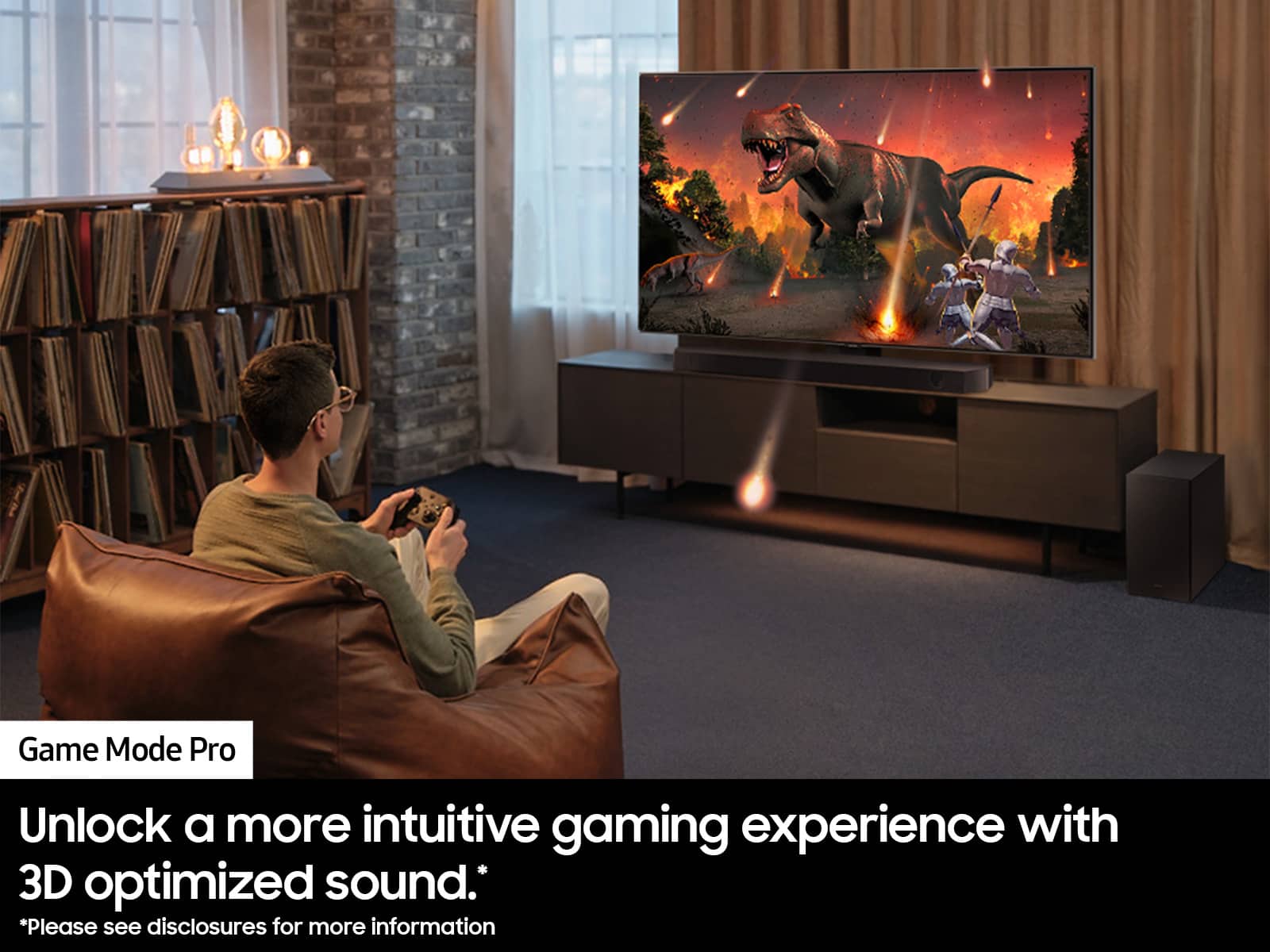
      This soundbar features a powerful wireless subwoofer, as well as Game Pro Mode, Dolby Digital Plus, and DTS Digital Surround for deep bass, rich sound, and clear tones.

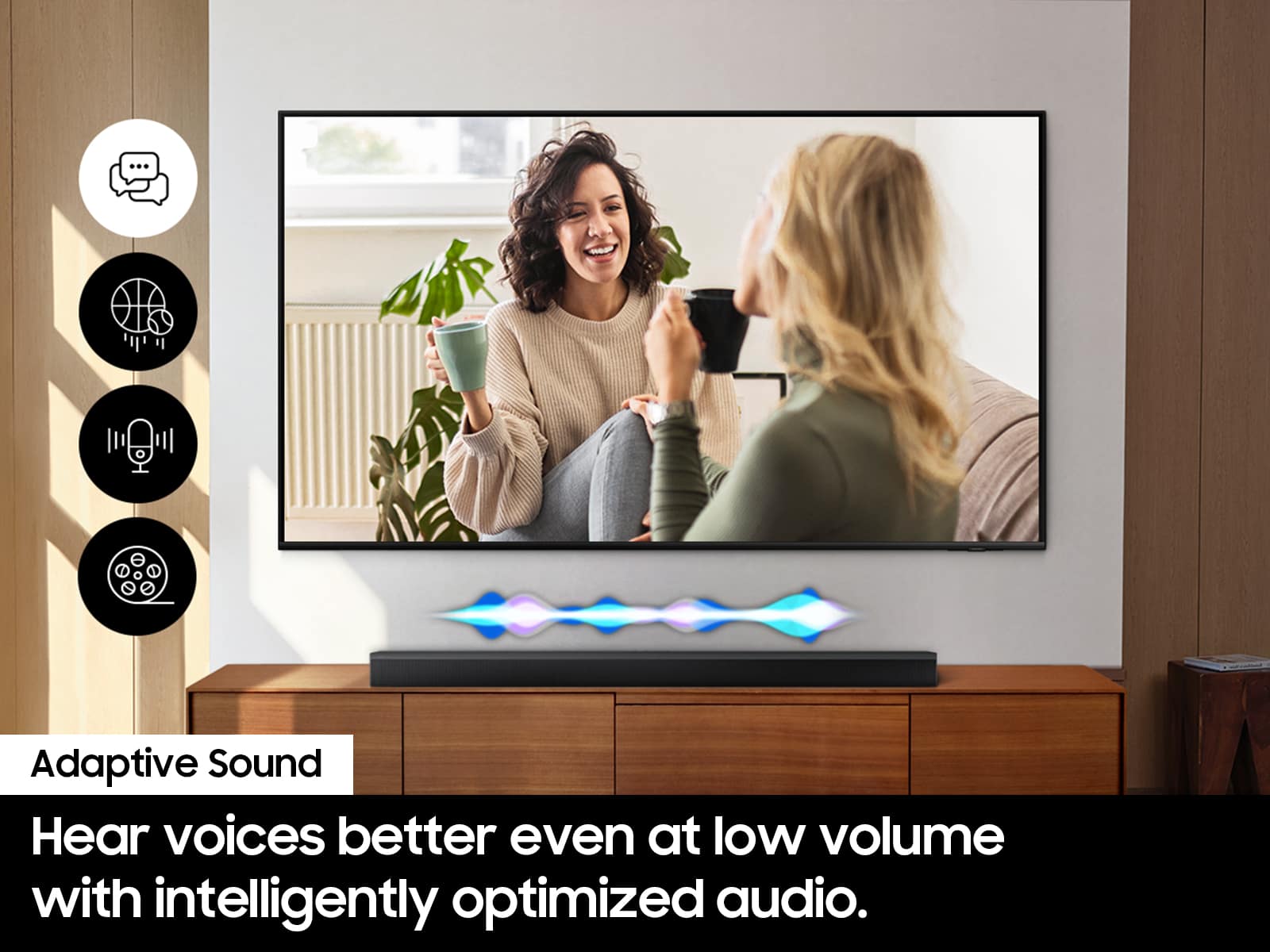
      You can try optimizing audio performance for your specific content by pressing the SOUND MODE button on your remote, and then selecting the desired sound effect by choosing SURROUND SOUND, GAME PRO, ADAPTIVE SOUND or STANDARD.

      You can further adjust TREBLE and BASS via the TONE CONTROL button.

      If you need further assistance, please know we are here to help. You can reach Samsung Customer Support at: 1-800-SAMSUNG (Ask for Soundbars), 8 AM – 12 AM EST, 7 days a week. Live Chat with an agent as well as manuals, software, and warranty info can be found at the ‘support’ link on our Samsung website.

      ~ Samsung Solutions Samsung

  • Rated 3 out of 5 stars

    Samsung bar

    |
    |
    Posted . Owned for 3 months when reviewed.
    This reviewer received promo considerations or sweepstakes entry for writing a review.

    Is not the best sound bar. I use for one week..!

    No, I would not recommend this to a friend
    • Brand response from Samsung
      Posted .

      Hello GeorgeG,

      We appreciate you for taking a few moments to review the Samsung HW-Q600C Soundbar.

      You can manually optimize your audio experience by pressing the SOUND MODE button to select the desired pre-equalized sound setting. The choices are SURROUND SOUND – GAME – ADAPTIVE SOUND – DTS VIRTUAL:X – STANDARD.

      To control the volume of the treble or bass sound, press the TONE CONTROL button and then adjust the volume between -6 to +6 by using the Up/Down buttons.

      Press and hold the SOUND CONTROL button for about 5 seconds to adjust the sound for each frequency band. 150Hz, 300Hz, 600Hz, 1.2kHz, 2.5kHz, 5kHz, and 10kHz are selectable using the Left/Right buttons and each can be adjusted to a setting between -6 to +6 using the Up/Down buttons. (Make sure the Sound mode is set to “STANDARD”.)

      Press the CH LEVEL button so you can adjust the volume of each speaker. CENTER LEVEL or TOP LEVEL can be adjusted using the UP/DOWN buttons from -6 to +6.

      With the optional SWA-9200S Wireless Rear Speaker Kit connected you can adjust the volume by using the provided Soundbar remote. Press CH LEVEL and select REAR LEVEL, then use the Up/Down buttons to adjust the volume within a -6 to +6 range.

      If you need more help, Samsung is here for you. Please call us at 1-800-SAMSUNG, 8AM - 12AM EST (Ask for Soundbars), 7 days a week. Our Live Chat agents are also available by clicking on the ‘Support’ link on our website.

      ~ Samsung Solutions Samsung

  • Rated 1 out of 5 stars

    Don’t recommend!

    |
    |
    Posted . Owned for 3 months when reviewed.
    This reviewer received promo considerations or sweepstakes entry for writing a review.

    Don’t be upsold by Best Buy sales guys. This soundbar and woofer are terrible quality. I have spent time googling and researching how to adjust the sound settings to no avail so have reverted to listening to TV and movies with TV speakers only. When I utilize the sound bar and subwoofer it just amplify the base and background noises to the point that that’s all you hear. Even with voice enhancement turned on the sound quality is still terrible.

    No, I would not recommend this to a friend
    • Brand response from Samsung
      Posted .

      AmberO,

      Thank you for taking a moment to review the HW-Q600C Soundbar.

      You can manually optimize your audio experience by pressing the SOUND MODE button to select the desired pre-equalized sound setting. The choices are SURROUND SOUND – GAME – ADAPTIVE SOUND – DTS VIRTUAL:X – STANDARD.

      To control the volume of the treble or bass sound, press the TONE CONTROL button and then adjust the volume between -6 to +6 by using the Up/Down buttons.

      Press and hold the SOUND CONTROL button for about 5 seconds to adjust the sound for each frequency band. 150Hz, 300Hz, 600Hz, 1.2kHz, 2.5kHz, 5kHz, and 10kHz are selectable using the Left/Right buttons and each can be adjusted to a setting between -6 to +6 using the Up/Down buttons. (Make sure the Sound mode is set to “STANDARD”.)

      Press the CH LEVEL button so you can adjust the volume of each speaker. CENTER LEVEL or TOP LEVEL can be adjusted using the UP/DOWN buttons from -6 to +6.

      With the optional SWA-9200S Wireless Rear Speaker Kit connected you can adjust the volume by using the provided Soundbar remote. Press CH LEVEL and select REAR LEVEL, then use the Up/Down buttons to adjust the volume within a -6 to +6 range.

      If you need more help, Samsung is here for you. Please call us at 1-800-SAMSUNG, 8AM - 12AM EST (Ask for Soundbars), 7 days a week. Our Live Chat agents are also available by clicking on the ‘Support’ link on our website.

      ~ Samsung Solutions Samsung

  • Rated 1 out of 5 stars

    Don't buy open box

    |
    |
    Posted .
    This reviewer received promo considerations or sweepstakes entry for writing a review.

    Bought product in open box "excellent" condition. The product came with no cords, remote, or instructions. Called my local store to see how the issue could be resolved. I was direct to an international call center. The representative at this center assured me that my local store would have the replacement cords and remote for the sound bar. I tried to call the store again before I drove 20 minutes to the store, but was again direct to a call center and was told the store does not take their own calls as they are too busy (at least 5 people were just standing around at the store). Once at the store I was told they do not have replacement parts for the product. I could either return this open box item and pay full price for a new product or discount the price a bit more and I would have to find and buy replacement parts. Whoever labeled this product in excellent condition in Sioux Falls needs to have a chat with management. Was not happy with the customer service shown by Best Buy, over the phone or in person. Will not be buying open box again from this experience.

    No, I would not recommend this to a friend
    • Brand response from Samsung
      Posted .

      Hi Mike,

      Please know you are leaving a review and 1-star rating for the HW-Q600C Soundbar, but we are sorry to hear of your Best Buy experience, nonetheless. You may want to consider providing feedback directly to the Best Buy store where you made your purchase.

      Should you have questions on the HW-Q600C itself, Samsung is here for you. You can reach us at 1-800-SAMSUNG, 8AM - 12AM EST, 7 days a week. Our LiveChat agents are also available by clicking on the ‘Support’ link on our website.

      ~ Samsung Solutions Samsung

  • Pros mentioned:
    Sound quality

    Rated 1 out of 5 stars

    Samsung - Q-series 3.1.2 ch Dolby Atmos Soundbar

    |
    |
    Posted . Owned for 3 weeks when reviewed.
    This reviewer received promo considerations or sweepstakes entry for writing a review.

    The store representative tried to demonstrate the sound bar but could not make it turn on. He tried several other similar units connected to smart TVs but could only get one to work. Based on the one sound bar that did work, I purchased my sound bar, took it home, followed the printed instruction sheet, and now enjoying great sound from my smart TV. This unit is not "Home Theater:, but it has the option to add two rear speakers for theater-like sound.

    I would recommend this to a friend
    • Brand response from Samsung
      Posted .

      Hello Armadillo,

      Thank you for purchasing the Samsung HW-Q600C Soudbar and for your review. I am glad to hear that you are happy with the performance of your new soundbar.

      If you are experiencing specific issues that caused you to give this a 1-star rating, please know Samsung Customer Support is here to help.

      Call us at 1-800-SAMSUNG (ask for Soundbars), available 8 AM – 12 AM EST, 7 days a week.

      LiveChat with an agent by clicking the ‘Support’ link on the Samsung website.

      ~Samsung Solutions Samsung

  • Rated 3 out of 5 stars

    soundbar

    |
    |
    Posted . Owned for 1 month when reviewed.
    This reviewer received promo considerations or sweepstakes entry for writing a review.

    did not hear any different with the soundbar on than without

    No, I would not recommend this to a friend
    • Brand response from Samsung
      Posted .

      Hi BeneditaR,

      Thank you for taking a moment to review the Samsung HW-Q600C Soundbar.

      If available, we recommend using the HDMI connection to your TV.

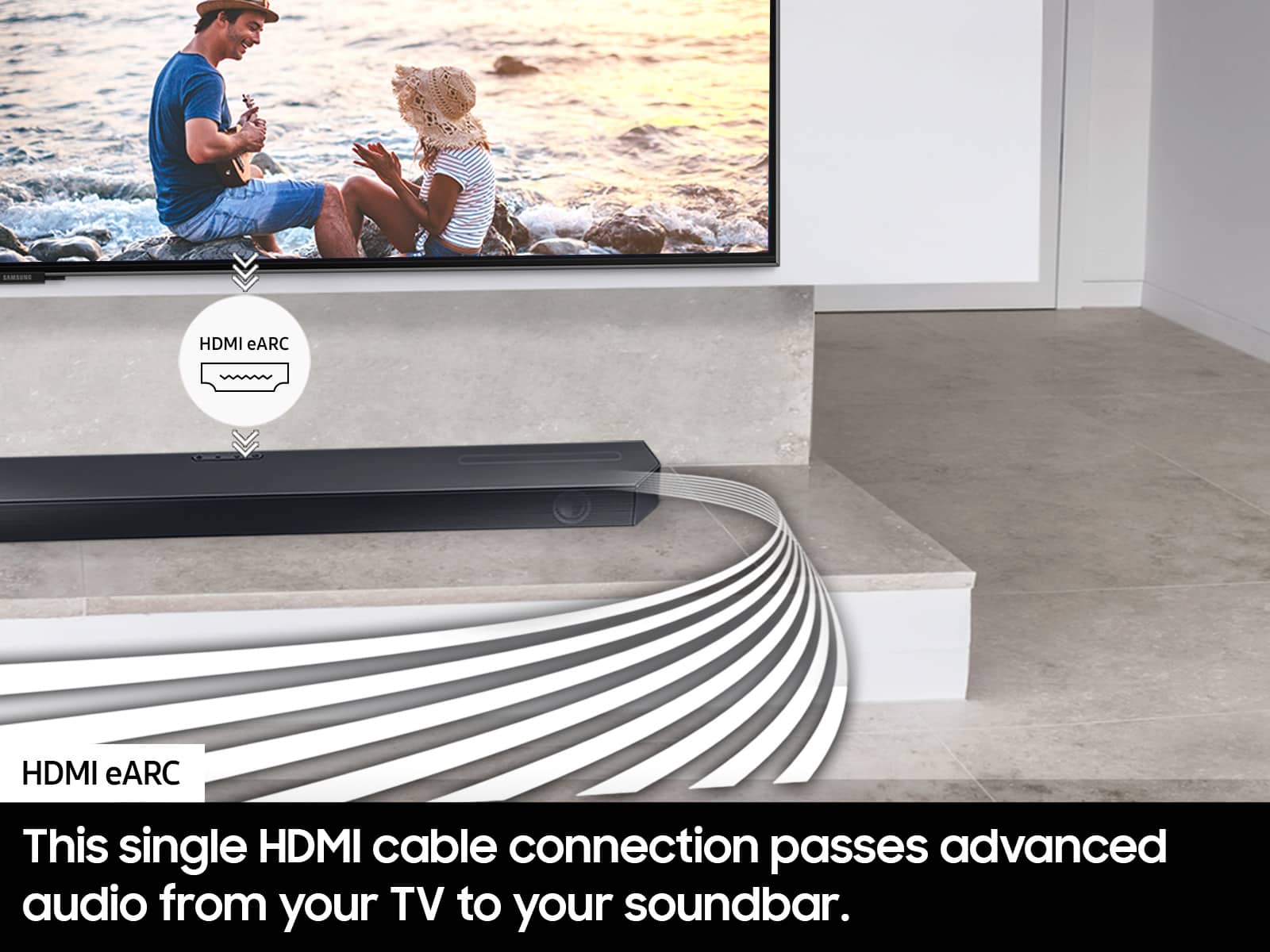
      Connecting your soundbar to a TV through HDMI will provide the best audio and user experience, often eliminating any connection or delay issues you may be experiencing. There are 2 ways to connect your soundbar with HDMI: you can connect a device to your soundbar (like a Blu-ray player) and then connect the soundbar to the TV, or you can use HDMI ARC. The first method will give you the best possible sound from external devices you regularly use. ARC is the way to go if you want great sound from streaming apps on your TV and a soundbar.

      If connected via Bluetooth to the TV and the soundbar is dropping out intermittently there are a few things to check before performing any troubleshooting:
      1) The maximum wireless signal transmission distance is about 33 ft.
      2) If there is a device that uses the same wireless frequency near the Soundbar, interference may cause some sound interruption.
      4) Check all the sources on the soundbar. If the audio is dropping while watching TV it could be an issue with the broadcast.
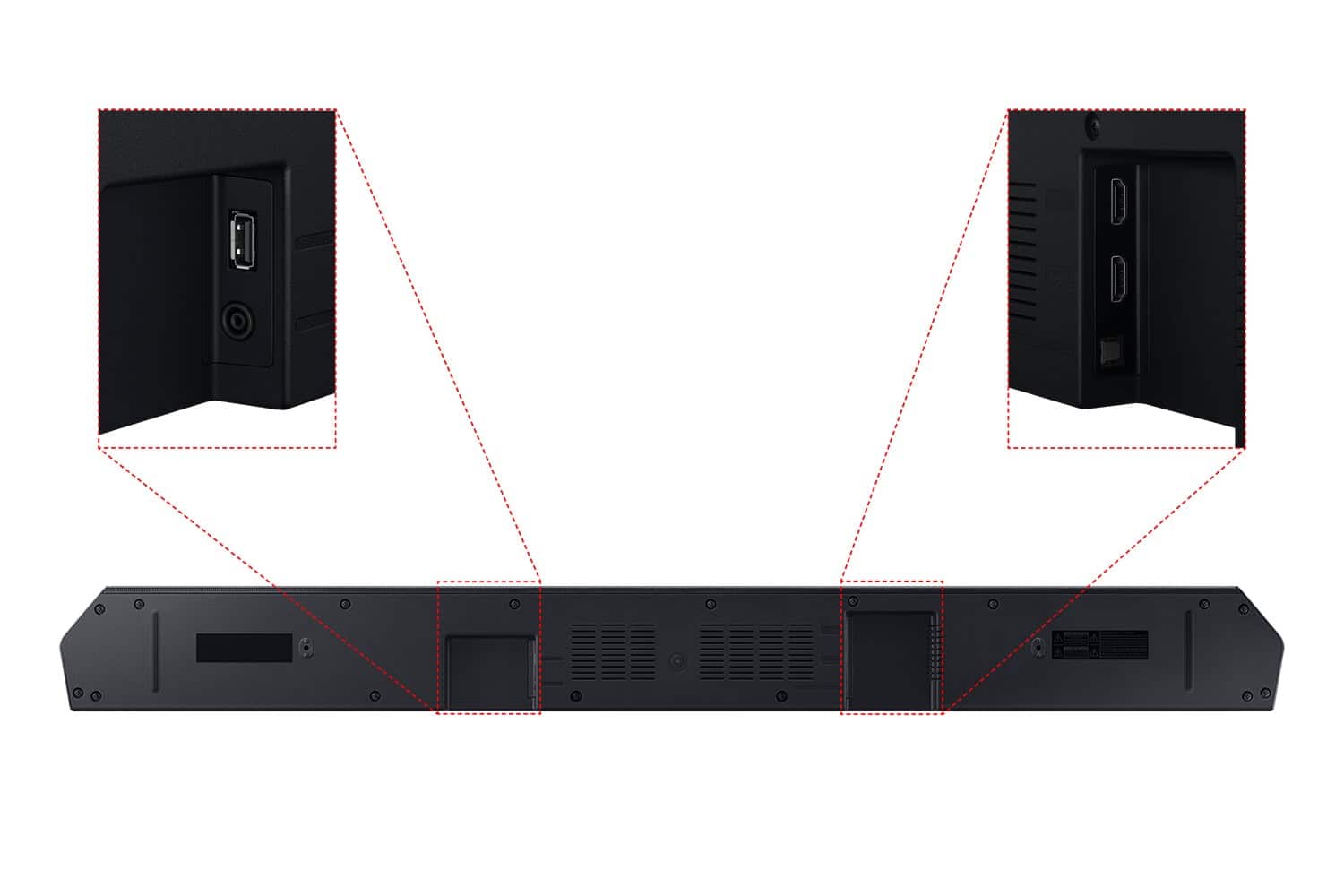
      5) Also, please be sure you have the latest firmware update. You can update your firmware by using a USB device. You can find the update on the product page of your HW-Q600C on the Samsung website.

      If the issue persists, please contact us at 1-800-SAMSUNG (Ask for Soundbars), 8AM - 12AM EST, 7 days a week. Our Live Chat agents are also available by clicking on the ‘Support’ link on our website.

      ~ Samsung Solutions Samsung

  • Rated 3 out of 5 stars

    Sound Bar

    |
    |
    Posted . Owned for 2 weeks when reviewed.
    This reviewer received promo considerations or sweepstakes entry for writing a review.

    Over priced over sold for a very average product. Sound quality is about the same as a low priced bluetooth purchased on line.

    No, I would not recommend this to a friend
    • Brand response from Samsung
      Posted .

      Hello IrishChick,

      Thank you for sharing your thoughts regarding the overall audio quality of the HW-Q600C Soundbar. I’m sorry to hear that your initial out-of-box experience fell short of your expectations.

      You can manually optimize your audio experience by pressing the SOUND MODE button to select the desired pre-equalized sound setting. The choices are SURROUND – GAME PRO – ADAPTIVE – STANDARD.

      To control the volume of the treble or bass sound, press the TONE CONTROL button and then adjust the volume between -6 to +6 by using the Up/Down buttons.

      Press and hold the SOUND CONTROL button for about 5 seconds to adjust the sound for each frequency band. 150Hz, 300Hz, 600Hz, 1.2kHz, 2.5kHz, 5kHz, and 10kHz are selectable using the Left/Right buttons and each can be adjusted to a setting between -6 to +6 using the Up/Down buttons. (Make sure the Sound mode is set to “STANDARD”.)

      Press the CH LEVEL button so you can adjust the volume of the CENTER LEVEL or TOP LEVEL channels using the UP/DOWN buttons from -6 to +6.

      Lastly, using the WOOFER button on the remote, you can adjust the volume of the subwoofer between -6 to +6 by toggling the button up or down. To set the subwoofer volume level to 0, press the button down.

      Should you ever have questions or need help, please call us at 1-800-SAMSUNG (ask for Soundbars), available 8 AM – 12 AM EST, 7 days a week.

      For additional support resources such as downloading a full manual, visit us on the Samsung website and click on the ‘Support’ link in the upper right corner of the homepage.

      ~Samsung Solutions Samsung

  • Rated 1 out of 5 stars

    Horrible service!!!

    |
    |
    Posted . Owned for less than 1 week when reviewed.
    This reviewer received promo considerations or sweepstakes entry for writing a review.

    I visited the Doral store in Miami today, where i was ignored by at least 6 sales associates. A Latino rep with a curly frohawk looked at me in my eyes and quickly walked away. Finally after about 15 minutes…I walked over to the department manager to ask him about this soundbar and his response was very lackluster. Absolutely no interest in trying to help me. He couldn’t tell by the dark color of my skin that i was latino as well. The manager never even checked to see if he had any in stock and simply returned his attention to the cashier. She then made an unprofessional joke in Spanish, about the price of the soundbar. They both laughed but i wasnt amused at all. If it was not too late on a Sunday afternoon, i would have bought this somewhere else. In the future, bestbuy is not an option.

    No, I would not recommend this to a friend
    • Brand response from Samsung
      Posted .

      Hi Shaun,

      Please know you are leaving a review and 1-star rating for the HW-Q600C Soundbar, but we are sorry to hear of your Best Buy experience, nonetheless. You may want to consider providing feedback directly to the Best Buy store where you made your purchase.

      Should you have questions on the HW-Q600C Soundbar itself, Samsung is here for you. You can reach us at 1-800-SAMSUNG, 8AM - 12AM EST, 7 days a week. Our LiveChat agents are also available by clicking on the ‘Support’ link on our website.

      ~ Samsung Solutions Samsung

  • Rated 3 out of 5 stars

    Ok soundbar

    |
    |
    Posted . Owned for 3 weeks when reviewed.
    This reviewer received promo considerations or sweepstakes entry for writing a review.

    Doesn’t feel as loud as it should. I can max out the volume and feel it should be louder. Subwoofer is ok could be better obviously

    No, I would not recommend this to a friend
    • Brand response from Samsung
      Posted .

      Hello MichaelG,

      Thank you for sharing your thoughts regarding the HW-Q600C Soundbar.

      You can manually optimize your audio experience by pressing the SOUND MODE button to select the desired pre-equalized sound setting. The choices are SURROUND SOUND – GAME PRO – ADAPTIVE SOUND – STANDARD.

      To control the volume of the treble or bass sound, press the TONE CONTROL button and then adjust the volume between -6 to +6 by using the Up/Down buttons.

      Press and hold the SOUND CONTROL button for about 5 seconds to adjust the sound for each frequency band. 150Hz, 300Hz, 600Hz, 1.2kHz, 2.5kHz, 5kHz, and 10kHz are selectable using the Left/Right buttons and each can be adjusted to a setting between -6 to +6 using the Up/Down buttons. (Make sure the Sound mode is set to “STANDARD”.)

      Press the CH LEVEL button so you can adjust the volume of each speaker. CENTER LEVEL or TOP LEVEL can be adjusted using the UP/DOWN buttons from -6 to +6.

      Make sure that you are using a new HDMI cable. This will offer the best audio and user experience possible.

      If you’d like more help with settings, please know we’re here to help! Call us at 1-800-SAMSUNG (Ask for Soundbars), 8AM - 12AM EST, 7 days a week. Or visit us on the Samsung website and click on the ‘Support’ link for:
      • LiveChat
      • Manuals, Software, & Warranty Info

      ~ Samsung Solutions Samsung

  • Rated 3 out of 5 stars

    Not impressed

    |
    |
    Posted . Owned for 1 week when reviewed.
    This reviewer received promo considerations or sweepstakes entry for writing a review.

    Is better to pay a little better t more the sound on this sound bar is blah nothing more. Also so may cables

    No, I would not recommend this to a friend
    • Brand response from Samsung
      Posted .

      Hello AlejandroZ,

      We appreciate you taking a moment to review the HW-Q600C Soundbar.

      When connecting via Bluetooth you can eliminate using the HDMI cable by connecting your soundbar to your TV.

      You can manually optimize your audio experience by pressing the SOUND MODE button to select the desired pre-equalized sound setting. The choices are SURROUND SOUND – GAME – ADAPTIVE SOUND – DTS VIRTUAL:X – STANDARD.

      To control the volume of the treble or bass sound, press the TONE CONTROL button and then adjust the volume between -6 to +6 by using the Up/Down buttons.

      Press and hold the SOUND CONTROL button for about 5 seconds to adjust the sound for each frequency band. 150Hz, 300Hz, 600Hz, 1.2kHz, 2.5kHz, 5kHz, and 10kHz are selectable using the Left/Right buttons and each can be adjusted to a setting between -6 to +6 using the Up/Down buttons. (Make sure the Sound mode is set to “STANDARD”.)

      Press the CH LEVEL button so you can adjust the volume of each speaker. CENTER LEVEL or TOP LEVEL can be adjusted using the UP/DOWN buttons from -6 to +6.

      With the optional SWA-9200S Wireless Rear Speaker Kit connected you can adjust the volume by using the provided Soundbar remote. Press CH LEVEL and select REAR LEVEL, then use the Up/Down buttons to adjust the volume within a -6 to +6 range.

      If you need more help, Samsung is here for you. Please call us at 1-800-SAMSUNG, 8AM - 12AM EST (Ask for Soundbars), 7 days a week. Our Live Chat agents are also available by clicking on the ‘Support’ link on our website.

      ~ Samsung Solutions Samsung

  • Rated 2 out of 5 stars

    Samsung Sound Bar

    |
    |
    Posted . Owned for 3 weeks when reviewed.
    This reviewer received promo considerations or sweepstakes entry for writing a review.

    Not happy with it does not produce the sound I was hoping for and the words that scroll acres are difficult to see! And absolutely no information sent with device for set up definitely not worth 500.00

    No, I would not recommend this to a friend
    • Brand response from Samsung
      Posted .

      Hi DavidH,

      Thank you for taking a few moments to review the HW-Q600C Soundbar.

      You can manually optimize your audio experience by pressing the SOUND MODE button to select the desired pre-equalized sound setting. The choices are SURROUND SOUND – GAME – ADAPTIVE SOUND – DTS VIRTUAL:X – STANDARD.

      To control the volume of the treble or bass sound, press the TONE CONTROL button and then adjust the volume between -6 to +6 by using the Up/Down buttons.

      Press and hold the SOUND CONTROL button for about 5 seconds to adjust the sound for each frequency band. 150Hz, 300Hz, 600Hz, 1.2kHz, 2.5kHz, 5kHz, and 10kHz are selectable using the Left/Right buttons and each can be adjusted to a setting between -6 to +6 using the Up/Down buttons. (Make sure the Sound mode is set to “STANDARD”.)

      Press the CH LEVEL button so you can adjust the volume of each speaker. CENTER LEVEL or TOP LEVEL can be adjusted using the UP/DOWN buttons from -6 to +6.

      With the optional SWA-9200S Wireless Rear Speaker Kit connected you can adjust the volume by using the provided Soundbar remote. Press CH LEVEL and select REAR LEVEL, then use the Up/Down buttons to adjust the volume within a -6 to +6 range.

      If we can help with anything else, please call us at 1-800-SAMSUNG (Ask for Soundbars), 8 AM – 12 AM EST, 7 days a week. Live Chat with an agent as well as manuals, software, and warranty info can be found at the ‘Support’ link on our Samsung website.

      ~ Samsung Solutions Samsung

  • Rated 3 out of 5 stars

    It’s ok

    |
    |
    Posted . Owned for 1 month when reviewed.
    This reviewer received promo considerations or sweepstakes entry for writing a review.

    Sound is ok, sub is only workable in a small room. Thought it would be smarter. No auto calibration. No onscreen menu and start things can’t find it.

    No, I would not recommend this to a friend
    • Brand response from Samsung
      Posted .

      Hello Dave,

      Thank you for sharing your review of the HW-Q600C Samsung Soundbar. I am sorry to see that your expectations were not met.

      So you are aware, the HW-Q600C Soundbar does not support Wi-Fi which is required to connect the Soundbar to SmartThings.

      You can manually optimize your audio experience by pressing the SOUND MODE button to select the desired pre-equalized sound setting. The choices are SURROUND SOUND – GAME – ADAPTIVE SOUND – DTS VIRTUAL:X – STANDARD.

      To control the volume of the treble or bass sound, press the TONE CONTROL button and then adjust the volume between -6 to +6 by using the Up/Down buttons.

      Press and hold the SOUND CONTROL button for about 5 seconds to adjust the sound for each frequency band. 150Hz, 300Hz, 600Hz, 1.2kHz, 2.5kHz, 5kHz, and 10kHz are selectable using the Left/Right buttons and each can be adjusted to a setting between -6 to +6 using the Up/Down buttons. (Make sure the Sound mode is set to “STANDARD”.)

      Press the CH LEVEL button so you can adjust the volume of each speaker. CENTER LEVEL or TOP LEVEL can be adjusted using the UP/DOWN buttons from -6 to +6.

      If we can further help with any other issues, please know we are here for you. Just call us at 1-800-SAMSUNG (Ask for Soundbars), 8 AM – 12 AM EST, 7 days a week. Or visit us on the Samsung website and click on the ‘Support’ link for:
      • LiveChat with an agent
      • Manuals, Software, & Warranty Info

      ~ Samsung Solutions Samsung

  • Rated 3 out of 5 stars

    Good soundbar.

    |
    |
    Posted . Owned for 1 month when reviewed.
    This reviewer received promo considerations or sweepstakes entry for writing a review.

    Although I upgraded afterward, the soundbar was okay.

    I would recommend this to a friend
    • Brand response from Samsung
      Posted .

      Hi RobB,

      Thank you for sharing your review of the Samsung HW-Q600C Soundbar and for sharing your experience with this soundbar, detailing the reasons you have decided to replace it with a different model. Thank you for being a loyal Samsung customer.

      Your feedback regarding this model is important to us and will be shared with our internal teams.

      Should you have questions or need assistance with settings, setup, or features, with your new Samsung soundbar, please know we are always here to help. Just give us a call at 1-800-SAMSUNG (Ask for Soundbars), 8AM - 12AM EST, 7 days a week. Our Live Chat agents are also available by clicking on the ‘Support’ link on our website.

      ~ Samsung Solutions Samsung

  • Rated 3 out of 5 stars

    Soundbar

    |
    |
    Posted . Owned for 1 week when reviewed.
    This reviewer received promo considerations or sweepstakes entry for writing a review.

    Soundbar has voice delay. They need to fix issues. Problems with differential channels

    No, I would not recommend this to a friend
    • Brand response from Samsung
      Posted .

      Hello ScottM,

      Thank you for purchasing the new HW-Q600C Soundbar. I am sorry to see that your out-of-box experience has not been ideal.

      If you are using a Samsung TV from 2020, 2021, 2022 or 2023 then it will have a feature called Audio Pass-Through. You can utilize this feature on your Samsung TV to correct your audio-sync issue.

      On your TV go to: Settings > Audio > Expert Settings > Digital Audio Output Format > Pass-Through.

      Check your TV manual if you are not using a Samsung TV for a similar setting.

      You can also adjust the sync on the Soundbar itself, select SYNC by pressing the SOUND CONTROL button (looks like a gear), and then set the audio delay between 0~300 milliseconds by using the Up/Down buttons.

      If you need more help, Samsung is here for you. Please call us at 1-800-SAMSUNG, 8AM - 12AM EST (Ask for Soundbars), 7 days a week. Our LiveChat agents are also available by clicking on the ‘Support’ link on our website.

      ~ Samsung Solutions Samsung

  • Rated 1 out of 5 stars

    Sounds ok but Doesn’t work reliably

    |
    |
    Posted . Owned for less than 1 week when reviewed.
    This reviewer received promo considerations or sweepstakes entry for writing a review.

    It was easy enough to hookup and configure but it constantly drops audio connected to Samsung TV neo qled via eARC so its basically useless. I have to reconnect it everytime i change sources to get audio and it still drops out. Tried to update firmware but same issues. Dont waste your time with this junk. Getting returned ASAP bc you would think samsung gear would work together lol pathetic effort here

    No, I would not recommend this to a friend
    • Brand response from Samsung
      Posted .

      Hi Audiofile,

      We appreciate you taking a few moments to review the Samsung HW-Q600C Soundbar.

      First, try doing a soft reset, unplug the soundbar from the outlet for roughly 30 seconds and then plug it back in.

      If this still does not correct your issue, then do a hard reset. With the Soundbar on, press the + & - Volume buttons on the body of the soundbar at the same time for at least 5 seconds. INIT OK” appears on the display and then the Soundbar is reset.

      If you need more help, Samsung is here for you. Please call us at 1-800-SAMSUNG, 8AM - 12AM EST (Ask for Soundbars), 7 days a week. Our Live Chat agents are also available by clicking on the ‘Support’ link on our website.

      ~ Samsung Solutions Samsung

  • Rated 3 out of 5 stars

    Considering something else

    |
    |
    Posted . Owned for 1 week when reviewed.
    This reviewer received promo considerations or sweepstakes entry for writing a review.

    The sound is flat and the Eq options are limited to only bass and treble .

    No, I would not recommend this to a friend
    • Brand response from Samsung
      Posted .

      Hello,

      Thank you for purchasing the HW-Q600C Soundbar. I am sorry to see your out-of-box expectations were not met.

      You can manually optimize your audio experience by pressing the SOUND MODE button to select the desired pre-equalized sound setting. The choices are SURROUND SOUND – GAME – ADAPTIVE SOUND – DTS VIRTUAL:X – STANDARD.

      To control the volume of the treble or bass sound, press the TONE CONTROL button and then adjust the volume between -6 to +6 by using the Up/Down buttons.

      To access the 7-Band EQ, press and hold the SOUND CONTROL button for about 5 seconds to adjust the sound for each frequency band. 150Hz, 300Hz, 600Hz, 1.2kHz, 2.5kHz, 5kHz, and 10kHz are selectable using the Left/Right buttons and each can be adjusted to a setting between -6 to +6 using the Up/Down buttons. (Make sure the Sound mode is set to “STANDARD”.)

      Press the CH LEVEL button so you can adjust the volume of each speaker. CENTER LEVEL or TOP LEVEL can be adjusted using the UP/DOWN buttons from -6 to +6.

      If you are experiencing issues with your Subwoofer not playing correctly, there are a few steps you can take to troubleshoot your Soundbar.

      You can download the firmware directly from Samsung’s website by clicking “Support” in the top right corner. Then go to “Manuals & Software” > “TVs & Home Theater” > “Home Theater” > “Sound Bars”. From there, you can select the HW-Q600C under Q Series.

      Download the update and install it via USB thumb stick to your soundbar. If you need additional help, there are how-to instructions on this page. Please know that Samsung Customer Service is here to assist as well.

      Next, try doing a soft reset, unplug the soundbar from the outlet for roughly 30 seconds and then plug it back in.

      If this still does not correct your issue, then do a hard reset. With the Soundbar on, press the + & - Volume buttons on the body of the soundbar at the same time for at least 5 seconds. INIT OK” appears on the display and then the Soundbar is reset.

      Should you ever have questions or need help, please call us at 1-800-SAMSUNG (ask for Soundbars), available 8 AM – 12 AM EST, 7 days a week.

      For additional support resources such as downloading a full manual, visit us on the Samsung website and click on the ‘Support’ link in the upper right corner of the homepage.

      ~Samsung Solutions Samsung

  • Rated 1 out of 5 stars

    Buyer beware!!

    |
    |
    Posted . Owned for 1.5 years when reviewed.
    This reviewer received promo considerations or sweepstakes entry for writing a review.

    The system stopped working 2 years after purchase. I did buy another one last November 2024. That one stopped working in March 2025. Samsung tried to repair it twice. Samsung has placed me in a circular loop of constant escaltions so they wontnhave to replace or repair my system. Buyer beware.

    No, I would not recommend this to a friend
    • Brand response from Samsung
      Posted .

      Hello TroyW,

      Thank you for sharing your review of the HW-Q600C Soundbar. We value your feedback and will share it with our teams.

      If there is anything we can do to improve your enjoyment such as helping to optimize settings for your specific sound scenario, please contact Samsung Customer Support. Call us at 1-800-SAMSUNG (Ask for Soundbars), 8AM - 12AM EST, 7 days a week. Or visit us on the Samsung website and click on the ‘Support’ link for:
      • Live Chat
      • Manuals, Software, & Warranty Info

      ~ Samsung Solutions Samsung