Customer Ratings & Reviews
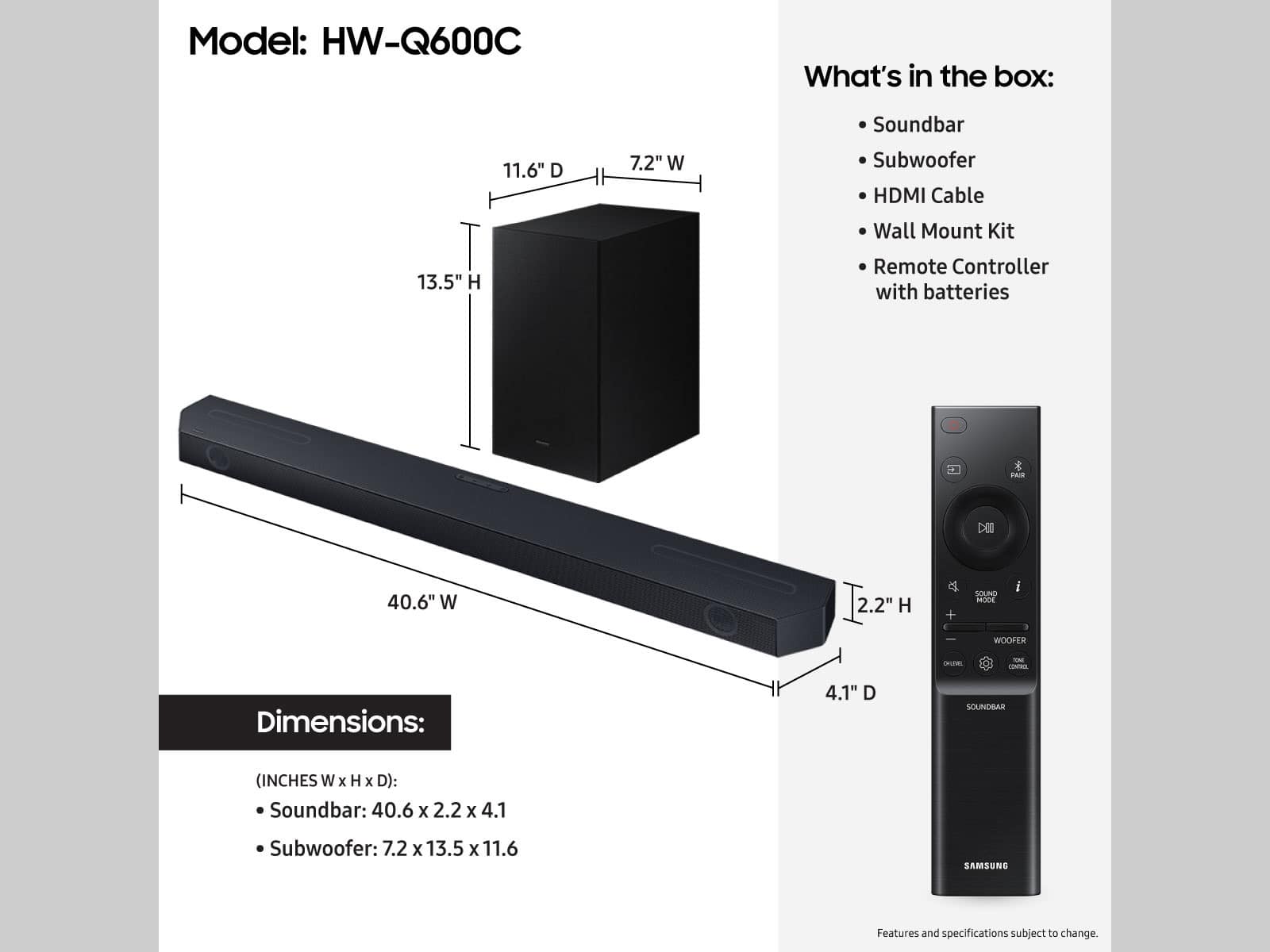


- Model:
- HW-Q600C
- SKU:
- 10103767
Rating by feature
- Value
Rating 4.6 out of 5 stars
- Quality
Rating 4.6 out of 5 stars
- Ease of Use
Rating 4.6 out of 5 stars
Customers are saying
Customers commend the HW-Q600C 3.1.2 Channel Q-series Soundbar for its excellent sound quality, rich bass, and user-friendly Bluetooth connectivity. Many also appreciate its easy setup and impressive volume for movies. However, some customers have reported issues with Bluetooth connection stability, remote control functionality, a small display, and the soundbar's bulky size.
This summary was generated by AI based on customer reviews.
Perfect For Me
||Posted . Owned for 3 weeks when reviewed.This reviewer received promo considerations or sweepstakes entry for writing a review.I am very happy with the soundbar it is exactly what I needed.
I would recommend this to a friendSound on Sound?
||Posted . Owned for 1 month when reviewed.This reviewer received promo considerations or sweepstakes entry for writing a review.Sound and Picture are not in SYN. Set-up Easy. Middle sound not as Good as the JBL.
No, I would not recommend this to a friendBrand response from Samsung
Posted .Hello,
Thank you for sharing your thoughts regarding your new HW-Q600C Soundbar. There are a few different ways you can adjust the Soundbar to help with any sync issues you may be experiencing.
First, check your Digital Audio Output. 2020, 2021, 2022, and 2023 Samsung TVs have a feature called Audio Pass-Through. You can utilize this feature on your Samsung TV to correct your audio-sync issue.
On your TV go to Settings > Audio > Expert Settings > Digital Audio Output Format > Pass-Through.
If you are using another brand's TV, check the manual to see if there is a similar setting within your TV.
When you press the SOUND CONTROL button, (which looks like a gear), you will see SYNC scroll across the digital display of the Soundbar. From here, press the UP/DOWN buttons on your remote (the top and bottom of the circle pad) to increase or decrease the sync adjustment between 0 tp 300 milliseconds.
If you need more help, Samsung is here for you. Please call us at 1-800-SAMSUNG, 8AM - 12AM EST (Ask for Soundbars), 7 days a week. Our LiveChat agents are also available by clicking on the ‘Support’ link on our website.
~ Samsung Solutions
Feedback
||Posted . Owned for 3 weeks when reviewed.This reviewer received promo considerations or sweepstakes entry for writing a review.I am glad with this purchase. It worthy the money…
I would recommend this to a friendSound bar
||Posted . Owned for 3 weeks when reviewed.This reviewer received promo considerations or sweepstakes entry for writing a review.Very good product, it met my expectations. The audio effects are well marked.
I would recommend this to a friendI wouldn’t recommend it unless you have a samsung
||Posted . Owned for 3 weeks when reviewed.This reviewer received promo considerations or sweepstakes entry for writing a review.The instructions don’t make sense and they don’t tell you what to do. Luckily I figured out. But the only thing in the box was a two page document about the remote control, not anything about the sound bar. It only worked because the sound bar is Samsung and the tv is a Samsung.
No, I would not recommend this to a friendBrand response from Samsung
Posted .Hello JohnCii.
We appreciate your feedback regarding the manual included with your soundbar.
To assist you in the functions and settings of your new soundbar, you can download the full user manual directly from Samsung’s website by clicking “Support” in the top right corner.
Then go to “Manuals & Software” > “TVs & Home Theater” > “Home Theater” > “Sound Bars”. From there, you can select the HW-Q600C under Q Series.
If we can help with anything else, please call us at 1-800-SAMSUNG (Ask for Soundbars), 8 AM – 12 AM EST, 7 days a week. LiveChat with an agent as well as manuals, software, and warranty info can be found at the ‘Support’ link on our Samsung website.
~ Samsung Solutions
It's ok
||Posted . Owned for 2 weeks when reviewed.This reviewer received promo considerations or sweepstakes entry for writing a review.It's ok, not what I had hoped for. I wish the subwoofer had a way to hardwire or blue-tooth to other devices so that I could use it with my stereo system without the sound bar but apparently you can't.
No, I would not recommend this to a friendBrand response from Samsung
Posted .Hello Adam,
Thank you for taking a moment to review the HW-Q600C Soundbar.
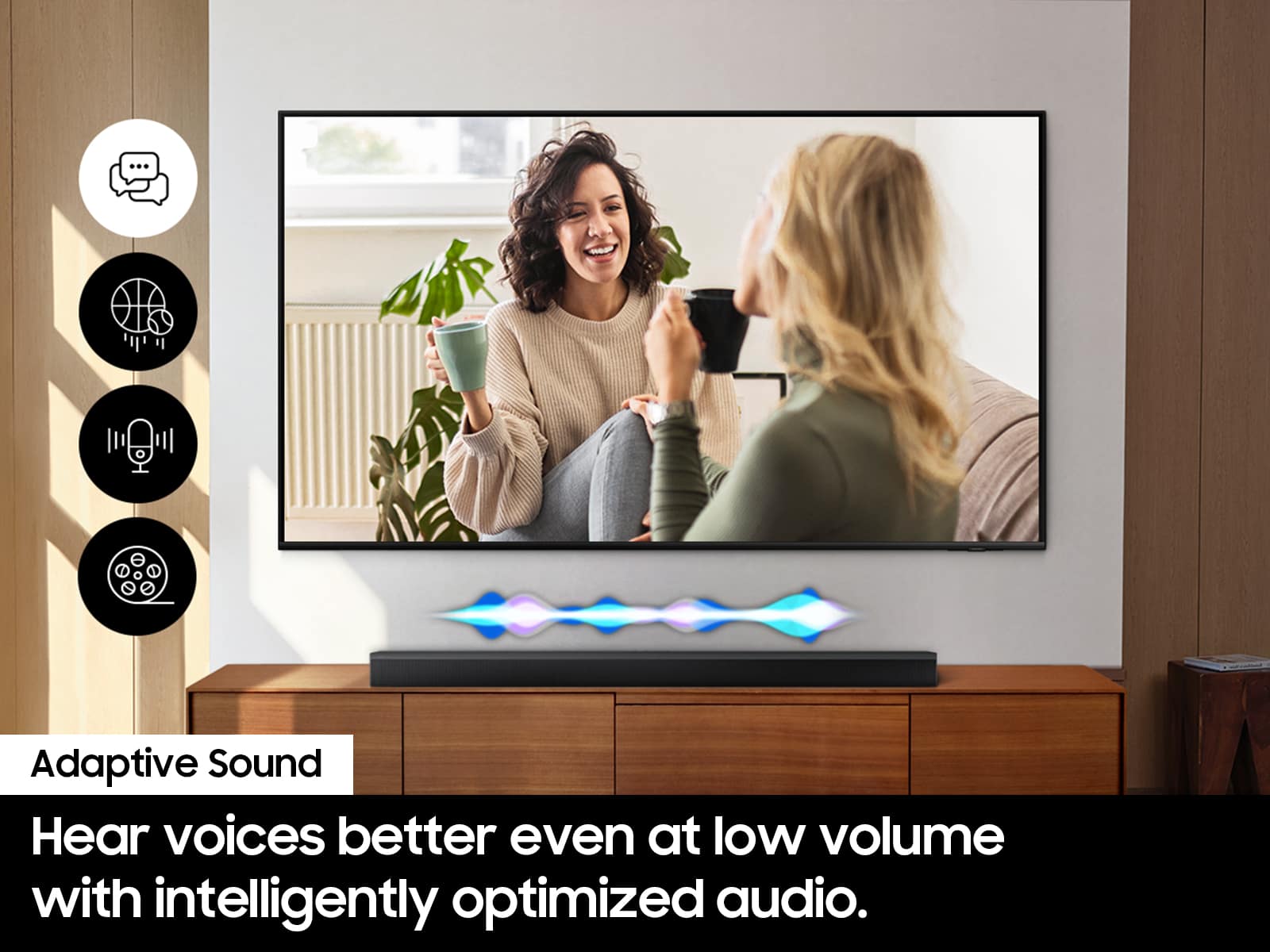
You can manually optimize your audio experience by pressing the SOUND MODE button to select the desired pre-equalized sound setting. The choices are SURROUND SOUND – GAME – ADAPTIVE SOUND – DTS VIRTUAL:X – STANDARD.
To control the volume of the treble or bass sound, press the TONE CONTROL button and then adjust the volume between -6 to +6 by using the Up/Down buttons.
Press and hold the SOUND CONTROL button for about 5 seconds to adjust the sound for each frequency band. 150Hz, 300Hz, 600Hz, 1.2kHz, 2.5kHz, 5kHz, and 10kHz are selectable using the Left/Right buttons and each can be adjusted to a setting between -6 to +6 using the Up/Down buttons. (Make sure the Sound mode is set to “STANDARD”.)
Press the CH LEVEL button so you can adjust the volume of each speaker. CENTER LEVEL or TOP LEVEL can be adjusted using the UP/DOWN buttons from -6 to +6.
With the optional SWA-9200S Wireless Rear Speaker Kit connected you can adjust the volume by using the provided Soundbar remote. Press CH LEVEL and select REAR LEVEL, then use the Up/Down buttons to adjust the volume within a -6 to +6 range.
If you need further assistance, please know we are here to help. You can reach Samsung Customer Support at: 1-800-SAMSUNG (Ask for Soundbars), 8AM - 12AM EST, 7 days a week. Our Live Chat agents are also available by clicking on the ‘Support’ link on our website.
~ Samsung Solutions
Decent deal on a defective product
||Posted . Owned for 2 weeks when reviewed.This reviewer received promo considerations or sweepstakes entry for writing a review.Item was open box and won’t connect to the app. Unfortunately I was past the return time and was not allowed to return it. I was very disappointed since now I’m stuck with a product I don’t need or want.
No, I would not recommend this to a friendBrand response from Samsung
Posted .Hello AndrewD,
Thank you for taking a moment to review the HW-Q600C Soundbar.
This soundbar does not feature Wi-Fi connectivity, which is required to connect to the SmartThings App.
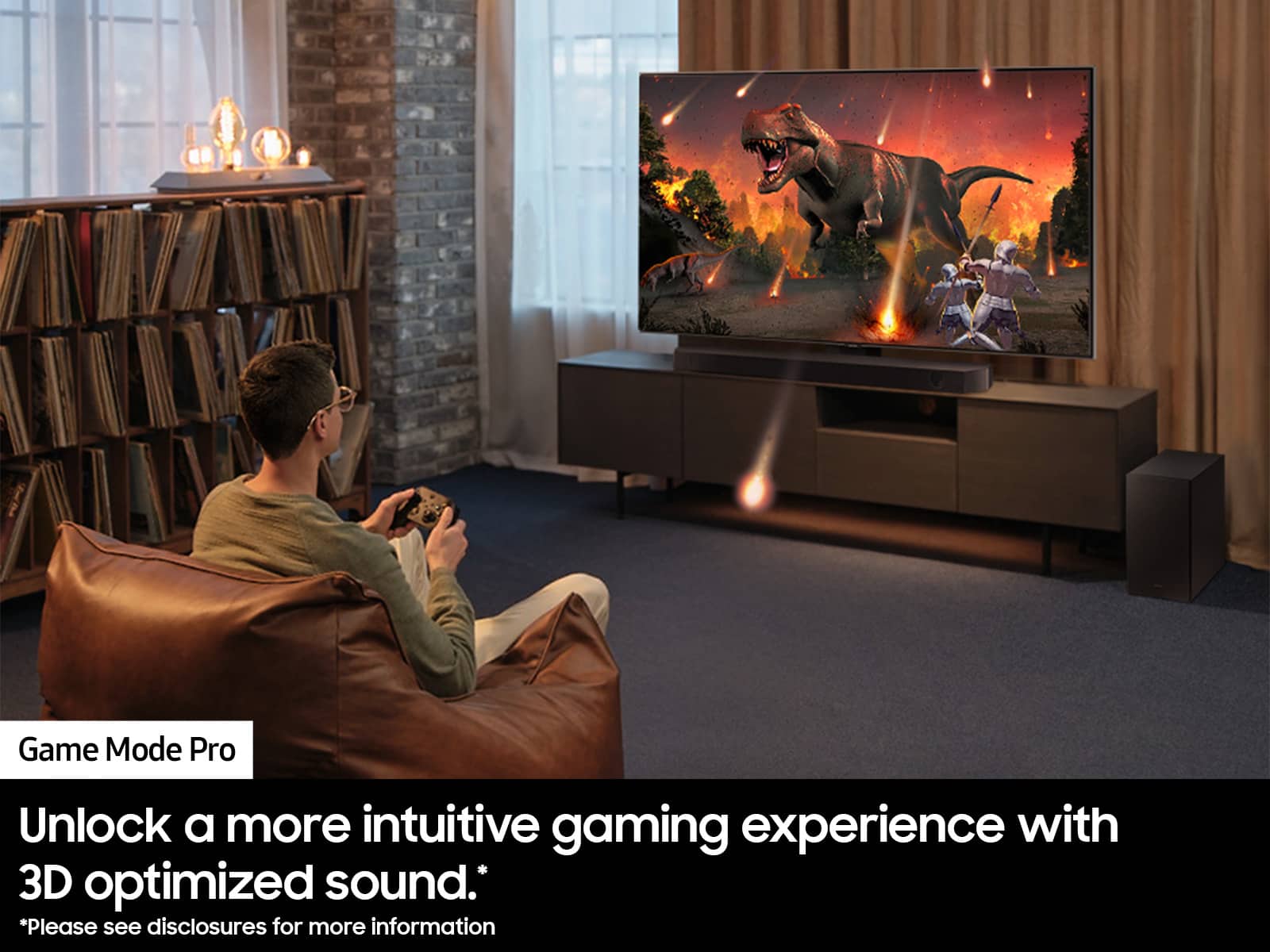
This soundbar features a powerful wireless subwoofer, as well as Game Pro Mode, Dolby Digital Plus, and DTS Digital Surround for deep bass, rich sound, and clear tones.
You can try optimizing audio performance for your specific content by pressing the SOUND MODE button on your remote, and then selecting the desired sound effect by choosing SURROUND SOUND, GAME PRO, ADAPTIVE SOUND or STANDARD.
You can further adjust TREBLE and BASS via the TONE CONTROL button.
If we can help with anything else, please call us at 1-800-SAMSUNG (Ask for Soundbars), 8 AM – 12 AM EST, 7 days a week. Live Chat with an agent as well as manuals, software, creating a service ticket, and warranty info can be found at the ‘Support’ link on our Samsung website.
~ Samsung Solutions
Not working
||Posted .This reviewer received promo considerations or sweepstakes entry for writing a review.It stopped working after 2-3 days. Overall output was not good
No, I would not recommend this to a friendBrand response from Samsung
Posted .Hi user308925,
We appreciate your feedback regarding the issues you are experiencing with your HW-Q600C Soundbar.
Samsung is committed to providing the best possible product experience, quality, and value. We back this Samsung Soundbar with a 1-year limited manufacturer's warranty, including authorized repair for manufacturer defect, if purchased brand-new directly from an authorized seller.
Please give us the opportunity to assist you by contacting Samsung Customer Support. Call us at 1-800-SAMSUNG, 8AM - 12AM EST (Ask for Soundbars), 7 days a week. Our Live Chat agents are also available by clicking on the ‘Support’ link on our website.
~ Samsung Solutions
Just ok
||Posted . Owned for 1 month when reviewed.This reviewer received promo considerations or sweepstakes entry for writing a review.Performance is a bit boxy, sounds a bit hollow. Mids are crushed (no matter how you tune)
No, I would not recommend this to a friendBrand response from Samsung
Posted .Hello Jean,
Thank you for taking a few moments to review the Samsung HW-Q600C Soundbar.
You can manually optimize your audio experience by pressing the SOUND MODE button to select the desired pre-equalized sound setting. The choices are SURROUND SOUND – GAME – ADAPTIVE SOUND – DTS VIRTUAL:X – STANDARD.
To control the volume of the treble or bass sound, press the TONE CONTROL button and then adjust the volume between -6 to +6 by using the Up/Down buttons.
Press and hold the SOUND CONTROL button for about 5 seconds to adjust the sound for each frequency band. 150Hz, 300Hz, 600Hz, 1.2kHz, 2.5kHz, 5kHz, and 10kHz are selectable using the Left/Right buttons and each can be adjusted to a setting between -6 to +6 using the Up/Down buttons. (Make sure the Sound mode is set to “STANDARD”.)
Press the CH LEVEL button so you can adjust the volume of each speaker. CENTER LEVEL or TOP LEVEL can be adjusted using the UP/DOWN buttons from -6 to +6.
With the optional SWA-9200S Wireless Rear Speaker Kit connected you can adjust the volume by using the provided Soundbar remote. Press CH LEVEL and select REAR LEVEL, then use the Up/Down buttons to adjust the volume within a -6 to +6 range.
If you need more help, Samsung is here for you. Please call us at 1-800-SAMSUNG, 8AM - 12AM EST (Ask for Soundbars), 7 days a week. Our Live Chat agents are also available by clicking on the ‘Support’ link on our website.
~ Samsung Solutions
Disappointing
||Posted . Owned for 1 month when reviewed.This reviewer received promo considerations or sweepstakes entry for writing a review.Not as much subwoofer as expected. Absolutely nothing like the sound demonstration in the store. Very disappointed. My 10 year old Vizio has better sound. Feels like the old bait and switch. Give me a rocking store demo then sell me something different.
No, I would not recommend this to a friendBrand response from Samsung
Posted .Hi JeffB,
Thank you for taking a few moments to review the HW-Q600C Soundbar.
To control the volume of the treble or bass sound, press the TONE CONTROL button and then adjust the volume between -6 to +6 by using the Up/Down buttons.
Press and hold the SOUND CONTROL button for about 5 seconds to adjust the sound for each frequency band. 150Hz, 300Hz, 600Hz, 1.2kHz, 2.5kHz, 5kHz, and 10kHz are selectable using the Left/Right buttons and each can be adjusted to a setting between -6 to +6 using the Up/Down buttons. (Make sure the Sound mode is set to “STANDARD”.)
Press the CH LEVEL button so you can adjust the volume of each speaker. CENTER LEVEL or TOP LEVEL can be adjusted using the UP/DOWN buttons from -6 to +6.
With the optional SWA-9200S Wireless Rear Speaker Kit connected you can adjust the volume by using the provided Soundbar remote. Press CH LEVEL and select REAR LEVEL, then use the Up/Down buttons to adjust the volume within a -6 to +6 range.
If you need further assistance, please know we are here to help. You can reach Samsung Customer Support at: 1-800-SAMSUNG, 8AM - 12AM EST (Ask for Soundbars), 7 days a week. Our Live Chat agents are also available by clicking on the ‘Support’ link on our website.
~ Samsung Solutions
Loud clicking noise when changing HDMI inputs
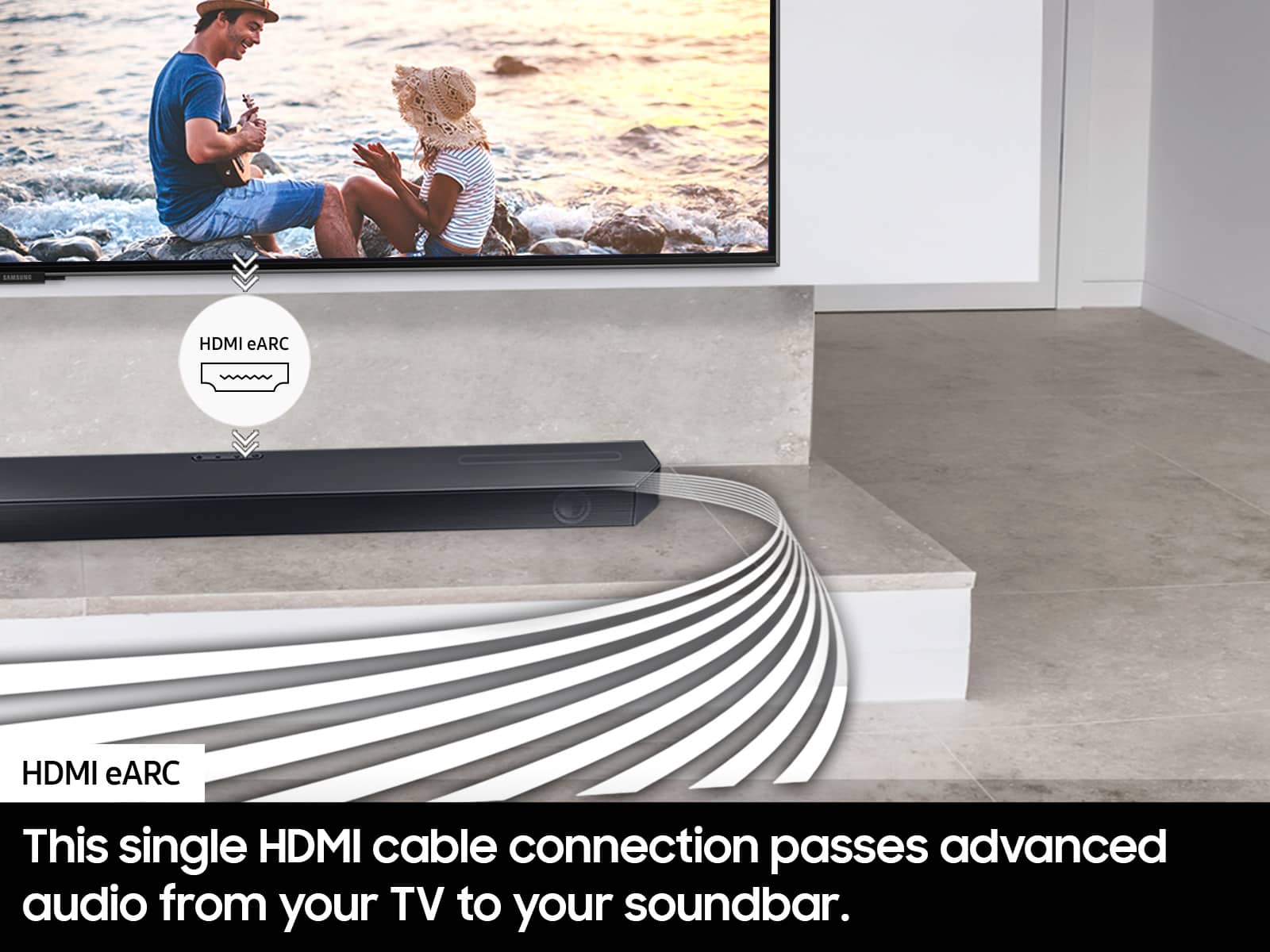
||Posted . Owned for 3 weeks when reviewed.This reviewer received promo considerations or sweepstakes entry for writing a review.Product works great when working correctly. I have it plugged in to a Q70D tv through the eARC so it paired easily and automatically connected to Q-Symphony. But now when I switch over to HDMI1, my Playstation, 80% of the time a loud clicking noise occurs. I have to turn Q-Symphony off and back on in order to fix it.
No, I would not recommend this to a friendBrand response from Samsung
Posted .Hello MattR,
Thank you for taking a few moments to review the Samsung HW-Q600C Soundbar.
There are a few steps you can take to troubleshoot your Soundbar.
First, you will want to download the latest software for your Soundbar. You can download the firmware directly from Samsung’s website by clicking “Support” in the top right corner. Then go to “Manuals & Software” > “TVs & Home Audio” > “Home Audio” > “Sound Bars”. From there, you can select the HW-Q600C under Q Series.
Download the update and install it via USB thumb stick to your soundbar. If you need additional help, there are how-to instructions on this page. Please know that Samsung Customer Service is here to assist as well.
Alternatively, you can download SmartThings on your iOS or Android device. This will allow you to update your Soundbar automatically or manually right from your phone or tablet.
Please verify that you are running the latest firmware on your TV. You can check to see what software version your TV is using and if there is an available update through the settings on your TV. Go to: Menu > Settings > Support > Software Update.
First, try doing a soft reset, unplug the soundbar from the outlet for roughly 30 seconds and then plug it back in.
If this still does not correct your issue, then do a hard reset. With the Soundbar on, press the + & - Volume buttons on the body of the soundbar at the same time for at least 5 seconds. INIT OK” appears on the display and then the Soundbar is reset.
If you need more help, Samsung is here for you. Please call us at 1-800-SAMSUNG, 8AM - 12AM EST (Ask for Soundbars), 7 days a week. Our Live Chat agents are also available by clicking on the ‘Support’ link on our website.
~ Samsung Solutions
Performance OK at best/ Poor product support
||Posted . Owned for 1 month when reviewed.This reviewer received promo considerations or sweepstakes entry for writing a review.Sound bar quality is OK at best Had initial issues with loosing sound Called Samsung for support and was told to buy a new HDMI cable and if that didn't work to go buy a flash drive and download new software from the web. Telling you what could be wrong and expecting you to purchase additional items and fix it yourself is not acceptable product warranty support.
No, I would not recommend this to a friendBrand response from Samsung
Posted .Hi GTHJR,
Thank you for sharing your review of Samsung’s HW-Q600C Soundbar. We’re sorry your experience didn’t match your expectations. Your feedback is very important to us as we continuously strive for best-in-class product and service.
This soundbar features a powerful wireless subwoofer, as well as Game Pro Mode, Dolby Digital Plus, and DTS Digital Surround for deep bass, rich sound, and clear tones.
You can try optimizing audio performance for your specific content by pressing the SOUND MODE button on your remote, and then selecting the desired sound effect by choosing SURROUND SOUND, GAME PRO, ADAPTIVE SOUND or STANDARD.
You can further adjust TREBLE and BASS via the TONE CONTROL button.
If you need further assistance, please know we are here to help. You can reach Samsung Customer Support at: 1-800-SAMSUNG (Ask for Soundbars), 8 AM – 12 AM EST, 7 days a week. Live Chat with an agent as well as manuals, software, and warranty info can be found at the ‘support’ link on our Samsung website.
~ Samsung Solutions
- Pros mentioned:Sound quality
Samsung - Q-series 3.1.2 ch Dolby Atmos Soundbar
||Posted . Owned for 3 weeks when reviewed.This reviewer received promo considerations or sweepstakes entry for writing a review.The store representative tried to demonstrate the sound bar but could not make it turn on. He tried several other similar units connected to smart TVs but could only get one to work. Based on the one sound bar that did work, I purchased my sound bar, took it home, followed the printed instruction sheet, and now enjoying great sound from my smart TV. This unit is not "Home Theater:, but it has the option to add two rear speakers for theater-like sound.
I would recommend this to a friendBrand response from Samsung
Posted .Hello Armadillo,
Thank you for purchasing the Samsung HW-Q600C Soudbar and for your review. I am glad to hear that you are happy with the performance of your new soundbar.
If you are experiencing specific issues that caused you to give this a 1-star rating, please know Samsung Customer Support is here to help.
Call us at 1-800-SAMSUNG (ask for Soundbars), available 8 AM – 12 AM EST, 7 days a week.
LiveChat with an agent by clicking the ‘Support’ link on the Samsung website.
~Samsung Solutions
Sound Bar
||Posted . Owned for 2 weeks when reviewed.This reviewer received promo considerations or sweepstakes entry for writing a review.Over priced over sold for a very average product. Sound quality is about the same as a low priced bluetooth purchased on line.
No, I would not recommend this to a friendBrand response from Samsung
Posted .Hello IrishChick,
Thank you for sharing your thoughts regarding the overall audio quality of the HW-Q600C Soundbar. I’m sorry to hear that your initial out-of-box experience fell short of your expectations.
You can manually optimize your audio experience by pressing the SOUND MODE button to select the desired pre-equalized sound setting. The choices are SURROUND – GAME PRO – ADAPTIVE – STANDARD.
To control the volume of the treble or bass sound, press the TONE CONTROL button and then adjust the volume between -6 to +6 by using the Up/Down buttons.
Press and hold the SOUND CONTROL button for about 5 seconds to adjust the sound for each frequency band. 150Hz, 300Hz, 600Hz, 1.2kHz, 2.5kHz, 5kHz, and 10kHz are selectable using the Left/Right buttons and each can be adjusted to a setting between -6 to +6 using the Up/Down buttons. (Make sure the Sound mode is set to “STANDARD”.)
Press the CH LEVEL button so you can adjust the volume of the CENTER LEVEL or TOP LEVEL channels using the UP/DOWN buttons from -6 to +6.
Lastly, using the WOOFER button on the remote, you can adjust the volume of the subwoofer between -6 to +6 by toggling the button up or down. To set the subwoofer volume level to 0, press the button down.
Should you ever have questions or need help, please call us at 1-800-SAMSUNG (ask for Soundbars), available 8 AM – 12 AM EST, 7 days a week.
For additional support resources such as downloading a full manual, visit us on the Samsung website and click on the ‘Support’ link in the upper right corner of the homepage.
~Samsung Solutions
- Cons mentioned:Remote control
Junk
||Posted . Owned for 1 month when reviewed.This reviewer received promo considerations or sweepstakes entry for writing a review.Sound is not as good as my previous soundbar and the remote quit working in the first week. Changed batteries, unplugged soundbar and subwoofer, researched help with remote issues. Nothing worked. Not happy!
No, I would not recommend this to a friendBrand response from Samsung
Posted .Hi ScottW,
We appreciate your feedback regarding the issues you are experiencing with your HW-Q600C Soundbar remote.
Samsung is committed to providing the best possible product experience, quality, and value. We back this Samsung Soundbar with a 1-year limited manufacturer's warranty, including authorized repair for manufacturer defect, if purchased brand-new directly from an authorized seller.
Please give us the opportunity to assist you by contacting Samsung Customer Support. Please call us at 1-800-SAMSUNG, 8AM - 12AM EST (Ask for Soundbars), 7 days a week. Our Live Chat agents are also available by clicking on the ‘Support’ link on our website.
~ Samsung Solutions
Great sound when it works
||Posted .This reviewer received promo considerations or sweepstakes entry for writing a review.Worked great for about 2 months but now you turn on the TV and the soundbar comes on but there is no sound. It seems the only way to get it to work is to unplug the soundbar and plug it back in.
No, I would not recommend this to a friendBrand response from Samsung
Posted .Hello StephenF,
Thank you for taking a moment to review the Samsung HW-Q600C Soundbar.
Updating the firmware on your soundbar gives you all the benefits of the latest improvements. When an update is available, you can update the Soundbar by connecting the USB drive that contains the update firmware to the SERVICE port of the Soundbar.
1.Go to the Samsung Electronics website (www.samsung.com) → click on the “Support” option in the upper right corner.
2.Click on “Manuals & Software” from the pop-up list > TVs & Home Theater > Home Theater > Select your model
2. Download the firmware file (USB type).
3. Unzip the file to create a folder with the file name.
4. Store the created folder in a USB and then connect it to the Soundbar.
5. A sequence of “UPDATE” > “BYE” > “ON” will appear on the display 3 times. This will take around 6 minutes.
- During update, do not turn it off or remove the USB.
- If “UPDATE” does not appear on the display window, remove the power cord from the Soundbar and then reconnect it.
- When the latest Version is installed, no update is performed.
- Depending on the USB type, update may not be supported.
6. After the 3 cycles are complete, the Soundbar will restart and last source used will appear on the display for about 20 seconds and then it will go off (“UPDATE” > “BYE” > “ON”) 3 times “D.IN” > off
If you need more help, Samsung is here for you. Please call us at 1-800-SAMSUNG, 8AM - 12AM EST (Ask for Soundbars), 7 days a week. Our Live Chat agents are also available by clicking on the ‘Support’ link on our website.
~ Samsung Solutions
Don't buy open box
||Posted .This reviewer received promo considerations or sweepstakes entry for writing a review.Bought product in open box "excellent" condition. The product came with no cords, remote, or instructions. Called my local store to see how the issue could be resolved. I was direct to an international call center. The representative at this center assured me that my local store would have the replacement cords and remote for the sound bar. I tried to call the store again before I drove 20 minutes to the store, but was again direct to a call center and was told the store does not take their own calls as they are too busy (at least 5 people were just standing around at the store). Once at the store I was told they do not have replacement parts for the product. I could either return this open box item and pay full price for a new product or discount the price a bit more and I would have to find and buy replacement parts. Whoever labeled this product in excellent condition in Sioux Falls needs to have a chat with management. Was not happy with the customer service shown by Best Buy, over the phone or in person. Will not be buying open box again from this experience.
No, I would not recommend this to a friendBrand response from Samsung
Posted .Hi Mike,
Please know you are leaving a review and 1-star rating for the HW-Q600C Soundbar, but we are sorry to hear of your Best Buy experience, nonetheless. You may want to consider providing feedback directly to the Best Buy store where you made your purchase.
Should you have questions on the HW-Q600C itself, Samsung is here for you. You can reach us at 1-800-SAMSUNG, 8AM - 12AM EST, 7 days a week. Our LiveChat agents are also available by clicking on the ‘Support’ link on our website.
~ Samsung Solutions
Samsung bar
||Posted . Owned for 3 months when reviewed.This reviewer received promo considerations or sweepstakes entry for writing a review.Is not the best sound bar. I use for one week..!
No, I would not recommend this to a friendBrand response from Samsung
Posted .Hello GeorgeG,
We appreciate you for taking a few moments to review the Samsung HW-Q600C Soundbar.
You can manually optimize your audio experience by pressing the SOUND MODE button to select the desired pre-equalized sound setting. The choices are SURROUND SOUND – GAME – ADAPTIVE SOUND – DTS VIRTUAL:X – STANDARD.
To control the volume of the treble or bass sound, press the TONE CONTROL button and then adjust the volume between -6 to +6 by using the Up/Down buttons.
Press and hold the SOUND CONTROL button for about 5 seconds to adjust the sound for each frequency band. 150Hz, 300Hz, 600Hz, 1.2kHz, 2.5kHz, 5kHz, and 10kHz are selectable using the Left/Right buttons and each can be adjusted to a setting between -6 to +6 using the Up/Down buttons. (Make sure the Sound mode is set to “STANDARD”.)
Press the CH LEVEL button so you can adjust the volume of each speaker. CENTER LEVEL or TOP LEVEL can be adjusted using the UP/DOWN buttons from -6 to +6.
With the optional SWA-9200S Wireless Rear Speaker Kit connected you can adjust the volume by using the provided Soundbar remote. Press CH LEVEL and select REAR LEVEL, then use the Up/Down buttons to adjust the volume within a -6 to +6 range.
If you need more help, Samsung is here for you. Please call us at 1-800-SAMSUNG, 8AM - 12AM EST (Ask for Soundbars), 7 days a week. Our Live Chat agents are also available by clicking on the ‘Support’ link on our website.
~ Samsung Solutions
Ok soundbar
||Posted . Owned for 3 weeks when reviewed.This reviewer received promo considerations or sweepstakes entry for writing a review.Doesn’t feel as loud as it should. I can max out the volume and feel it should be louder. Subwoofer is ok could be better obviously
No, I would not recommend this to a friendBrand response from Samsung
Posted .Hello MichaelG,
Thank you for sharing your thoughts regarding the HW-Q600C Soundbar.
You can manually optimize your audio experience by pressing the SOUND MODE button to select the desired pre-equalized sound setting. The choices are SURROUND SOUND – GAME PRO – ADAPTIVE SOUND – STANDARD.
To control the volume of the treble or bass sound, press the TONE CONTROL button and then adjust the volume between -6 to +6 by using the Up/Down buttons.
Press and hold the SOUND CONTROL button for about 5 seconds to adjust the sound for each frequency band. 150Hz, 300Hz, 600Hz, 1.2kHz, 2.5kHz, 5kHz, and 10kHz are selectable using the Left/Right buttons and each can be adjusted to a setting between -6 to +6 using the Up/Down buttons. (Make sure the Sound mode is set to “STANDARD”.)
Press the CH LEVEL button so you can adjust the volume of each speaker. CENTER LEVEL or TOP LEVEL can be adjusted using the UP/DOWN buttons from -6 to +6.
Make sure that you are using a new HDMI cable. This will offer the best audio and user experience possible.
If you’d like more help with settings, please know we’re here to help! Call us at 1-800-SAMSUNG (Ask for Soundbars), 8AM - 12AM EST, 7 days a week. Or visit us on the Samsung website and click on the ‘Support’ link for:
• LiveChat
• Manuals, Software, & Warranty Info
~ Samsung Solutions
Decent sound quality but I was expecting better
||Posted . Owned for 1 year when reviewed.This reviewer received promo considerations or sweepstakes entry for writing a review.Sound quality was fair. I was expecting the sound quality to be better for the price. After 11 months of owning this, the sub blew and had to have it replaced.
No, I would not recommend this to a friendBrand response from Samsung
Posted .Hi KeithS,
Thank you for sharing your review of the HW-Q600C Soundbar. We value your feedback and will share it with our teams.
If there is anything we can do to improve your enjoyment such as helping to optimize settings for your specific sound scenario, please contact Samsung Customer Support. Just give us a call at 1-800-SAMSUNG (Ask for Soundbars), 8AM - 12AM EST, 7 days a week. Our Live Chat agents are also available by clicking on the ‘Support’ link on our website.
~ Samsung Solutions