Customer Ratings & Reviews
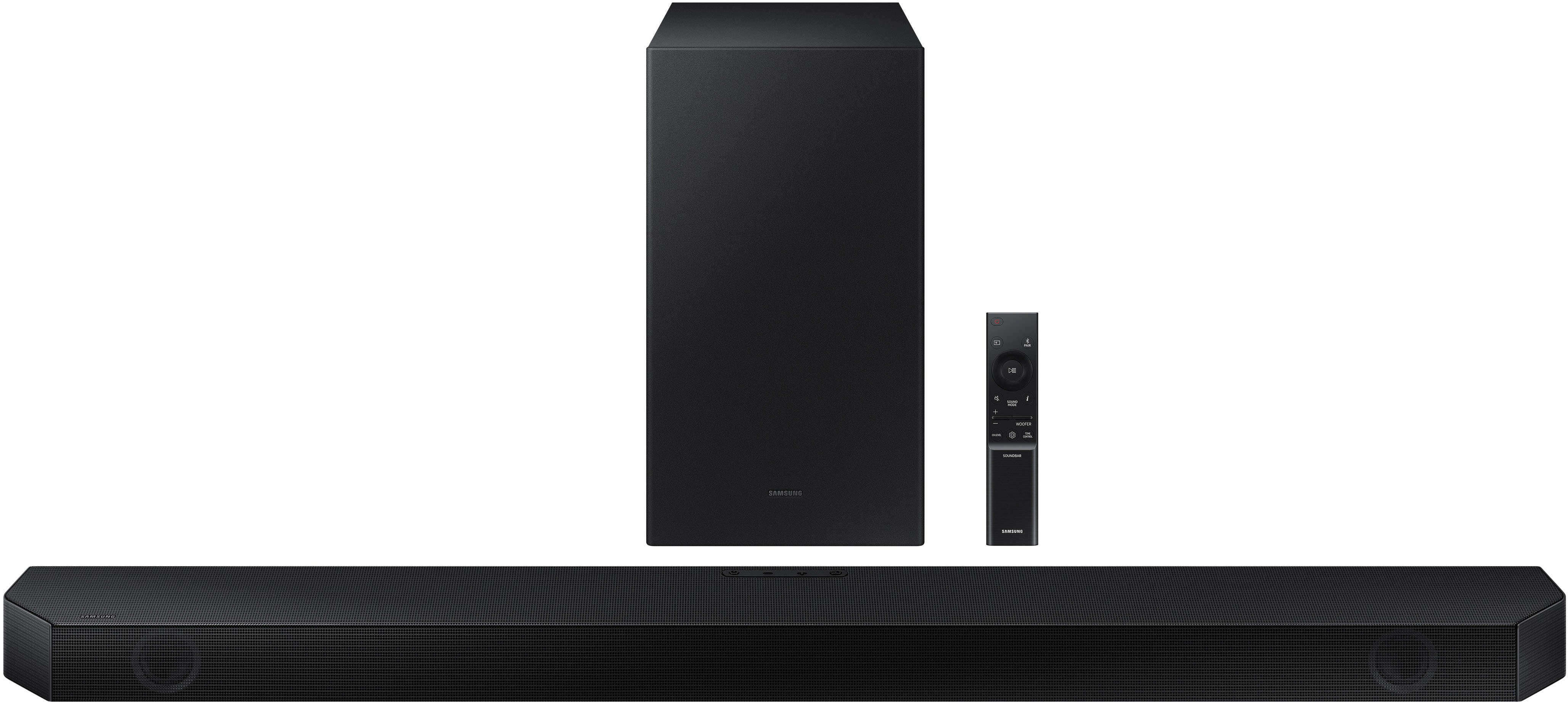
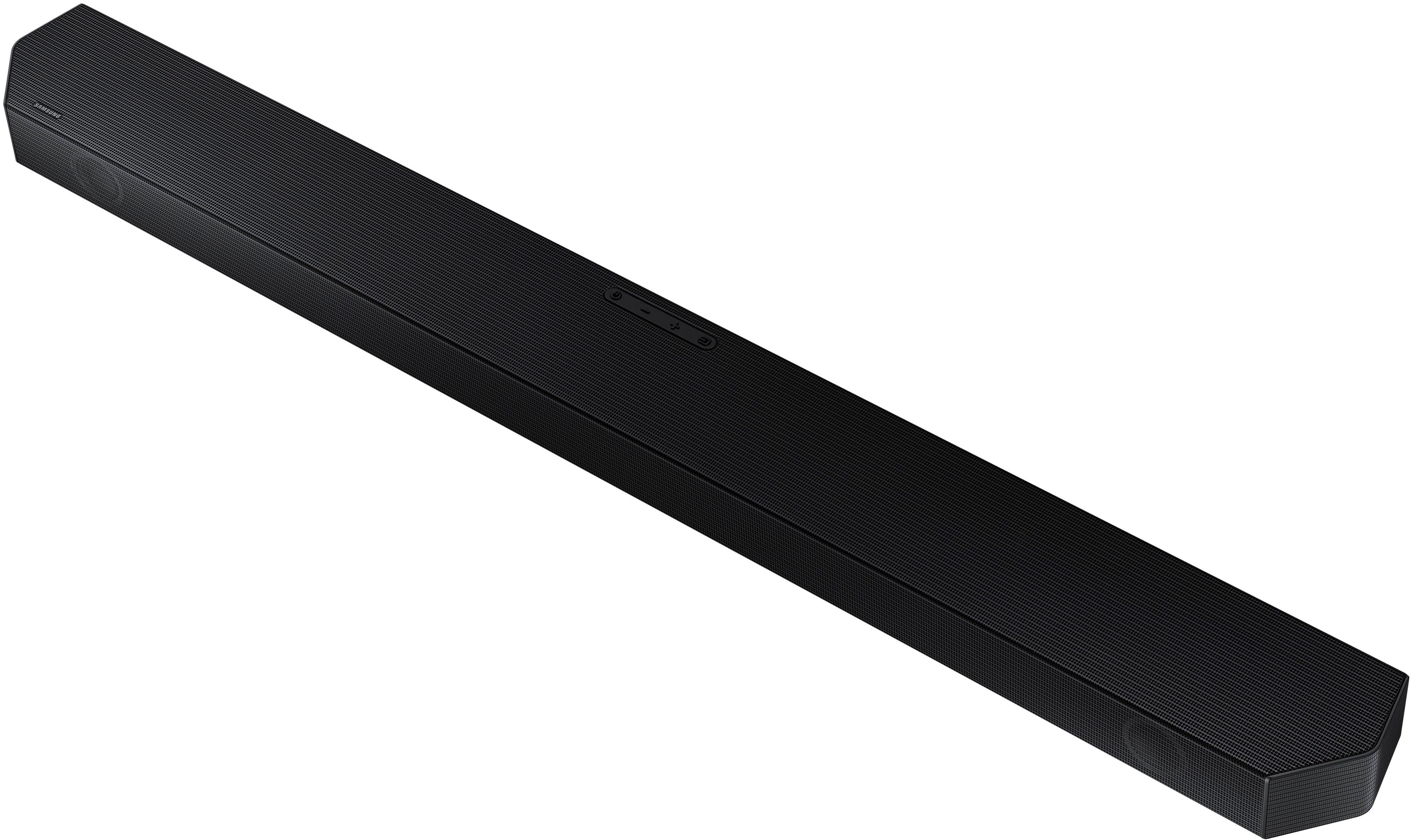
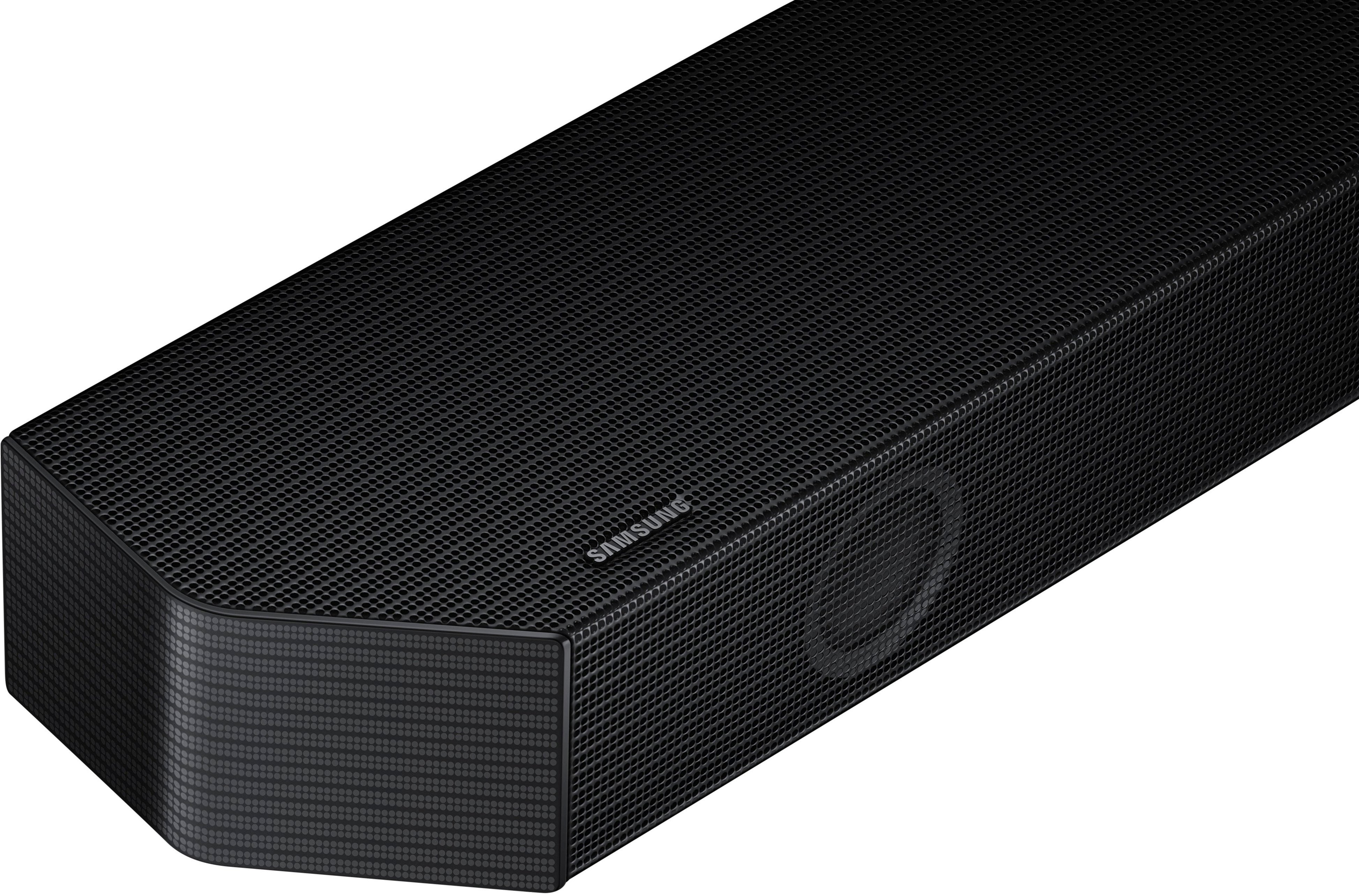

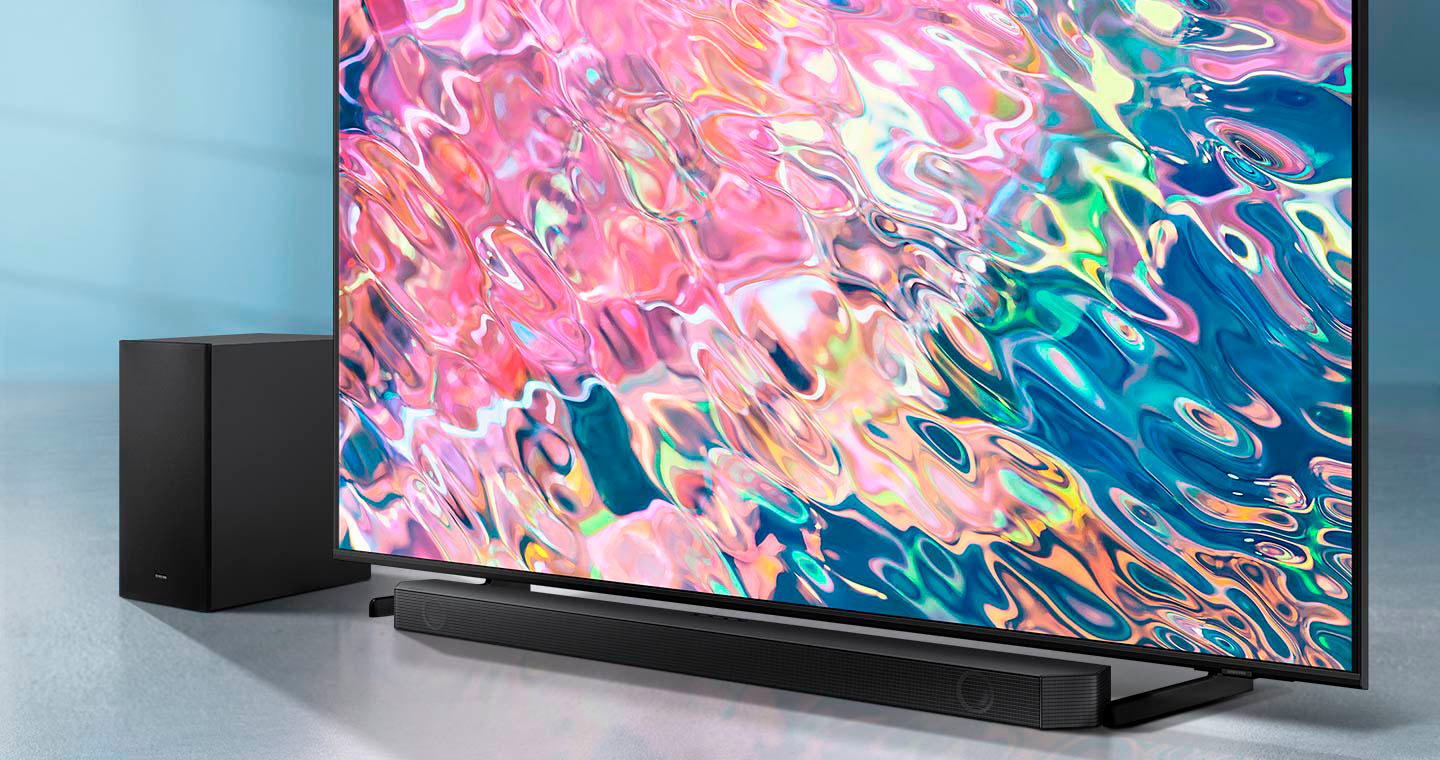


- Model:
- HW-Q60B/ZA
- SKU:
- 6505164
Rating by feature
- Value
Rating 4.3 out of 5 stars
- Quality
Rating 4.3 out of 5 stars
- Ease of Use
Rating 4.3 out of 5 stars
Customers are saying
Customers value the HW-Q60B soundbar's excellent sound quality, encompassing both the overall audio and strong bass response. They also appreciate its ease of use, simple setup, and compact design, which fits well in most spaces. Positive feedback also highlights the soundbar's Bluetooth connectivity and affordability. However, some users have expressed concerns regarding the remote control's functionality and the limited display.
This summary was generated by AI based on customer reviews.
Samsung sound bar
||Posted . Owned for 3 weeks when reviewed.This reviewer received promo considerations or sweepstakes entry for writing a review.Goof poduct but could sound better and have more bass.
I would recommend this to a friendBrand response from Samsung
Posted .Hello JMyers23,
Thank you for purchasing the HW-Q60B Soundbar and sharing your thoughts about the overall audio quality.
You can manually optimize your audio experience by pressing the SOUND MODE button to select the desired pre-equalized sound setting. The choices are SURROUND SOUND – GAME – ADAPTIVE SOUND – DTS VIRTUAL:X – STANDARD.
To control the volume of the treble or bass press the TONE CONTROL button, and then adjust the volume between -6 to +6 by using the Up/Down buttons on your soundbar remote.
Additionally, press and hold the SOUND CONTROL button for about 5 seconds to adjust the sound for each frequency band. 150Hz, 300Hz, 600Hz, 1.2kHz, 2.5kHz, 5kHz, and 10kHz are selectable using the Left/Right buttons and each can be adjusted to a setting between -6 to +6 using the Up/Down buttons. (Make sure the Sound mode is set to “STANDARD”.)
If you would like louder (or softer) bass from your subwoofer, you can adjust the level by rocking the WOOFER button on the soundbar remote, and then adjusting the level from -6 to +6. To set the subwoofer volume level to 0, press the button in.
If we can further help with any other issues, please know we are here for you. Just call us at 1-800-SAMSUNG (Ask for Soundbars), 8 AM – 12 AM EST, 7 days a week. Or visit us on the Samsung website and click on the ‘Support’ link for:
• LiveChat with an agent
• Manuals, Software, & Warranty Info
~ Samsung Solutions
Purchase
||Posted . Owned for 3 weeks when reviewed.This reviewer received promo considerations or sweepstakes entry for writing a review.Great service and great samsung product would buy again
I would recommend this to a friendValue
||Posted .This reviewer received promo considerations or sweepstakes entry for writing a review.Great product is amazing I definitely buy it again
I would recommend this to a friend- Pros mentioned:Bass, Bluetooth, Sound quality

Great 3.1 ch soundbar with wireless subwoofer
|Posted .This reviewer received promo considerations or sweepstakes entry for writing a review.I have had other Samsung soundbars and have really enjoyed them so I was excited to see how this 3.1 would compare. This soundbar is very easy to setup and we use the HDMI arc which connects really well. I connected it to a Samsung tv and it sync fairly easy. There are a lot of settings you can use and fine tune what your listening preferences are. I really enjoyed the night mode feature as it brings the volume down but the voices seem to be more clear. The sound it produces is impressive. It seems like where you sit the sound is directed towards you. For a 3.1 I didn't expect to have that type of sound experience. I enjoy the one remote feature as I have used two remotes with my previous soundbars and now enjoy only having to use one. The unit has bluetooth where you can connect more than one device to stream music. So now you don't need to disconnect one and connect another device. The wireless subwoofer sounds great and I couldn't believe there are 7 speakers in this system. If you have a Samsung phone you can tap the sound bar and be able to play music. Great soundbar!
I would recommend this to a friend Samsung surround sound
||Posted .This reviewer received promo considerations or sweepstakes entry for writing a review.Excellent sound quality, excellent customer service!
I would recommend this to a friendAverage Product
||Posted . Owned for 1 month when reviewed.This reviewer received promo considerations or sweepstakes entry for writing a review.Sound is not as good as I was expecting, it is supposed to be top product and was a little disappointed
No, I would not recommend this to a friendBrand response from Samsung
Posted .Hello Manuel,
Thank you for purchasing the HW-Q60B Soundbar and sharing your experiences with us. I am sorry to see that you are not fully satisfied with the audio quality.
You can try manually optimizing your audio experience by pressing the SOUND MODE button to select the desired pre-equalized sound setting. The choices are SURROUND SOUND – GAME – ADAPTIVE SOUND – DTS VIRTUAL:X – STANDARD.
To control the volume of the treble or bass press the TONE CONTROL button, and then adjust the volume between -6 to +6 by using the Up/Down buttons on your soundbar remote.
Press and hold the SOUND CONTROL button for about 5 seconds to adjust the sound for each frequency band. 150Hz, 300Hz, 600Hz, 1.2kHz, 2.5kHz, 5kHz, and 10kHz are selectable using the Left/Right buttons and each can be adjusted to a setting between -6 to +6 using the Up/Down buttons. (Make sure the Sound mode is set to “STANDARD”.)
With the SWA-9200S Wireless Rear Speaker Kit connected, select REAR LEVEL and then use the Up/Down buttons to adjust the volume within a -6 to +6 range.
If you would like louder (or softer) bass from your subwoofer, you can adjust the level by rocking the WOOFER button on the soundbar remote, and then adjusting the level from -6 to +6. To set the subwoofer volume level to 0, press the button in.
I hope these tips help you enjoy your new product.
You can always contact us for further help at 1-800-SAMSUNG (Ask for Soundbars), 8 AM – 12 AM EST, 7 days a week. Our LiveChat agents are also available by clicking on the ‘Support’ link on our website.
~ Samsung Solutions
Decent for the price, but have had better for less
||Posted . Owned for 1 week when reviewed.This reviewer received promo considerations or sweepstakes entry for writing a review.Not the best I’ve had, can barely hear the soundbar at 10 feet without cranking it up real high. Subwoofer has a lot more power than the bar
No, I would not recommend this to a friendBrand response from Samsung
Posted .Hello LayneP,
Thank you for sharing your experiences with the HW-Q60B Soundbar. Your feedback is critical to us and will be shared with our product team.
You can manually optimize your audio experience by pressing the SOUND MODE button to select the desired pre-equalized sound setting. The choices are SURROUND SOUND – GAME – ADAPTIVE SOUND – DTS VIRTUAL:X – STANDARD.
To control the volume of the treble or bass press the TONE CONTROL button, and then adjust the volume between -6 to +6 by using the Up/Down buttons on your soundbar remote.
Press and hold the SOUND CONTROL button for about 5 seconds to adjust the sound for each frequency band. 150Hz, 300Hz, 600Hz, 1.2kHz, 2.5kHz, 5kHz, and 10kHz are selectable using the Left/Right buttons and each can be adjusted to a setting between -6 to +6 using the Up/Down buttons. (Make sure the Sound mode is set to “STANDARD”.)
If the video on the TV and audio from the Soundbar are not synchronized, select AUDIO SYNC in Sound Control, and then set the audio delay between 0~300 milliseconds by using the Up/Down buttons.
If you would like louder (or softer) bass from your subwoofer, you can adjust the level by rocking the WOOFER button on the soundbar remote, and then adjusting the level from -6 to +6. To set the subwoofer volume level to 0, press the button in.
Lastly, we do recommend that you are using a HDMI cable as this will offer you the best audio and user experience available to this soundbar.
If you need further assistance, please know we are here to help. You can reach Samsung Customer Support at:
Should you ever have questions or need help, please call us at 1-800-SAMSUNG (ask for Soundbars), available 8 AM – 12 AM EST, 7 days a week.
For additional support resources such as downloading a full manual, visit us on the Samsung website and click on the ‘Support’ link in the upper right corner of the homepage.
~Samsung Solutions
Soundbar
||Posted . Owned for 1 month when reviewed.This reviewer received promo considerations or sweepstakes entry for writing a review.Bought the soundbar for my husband as a Christmas present. The soundbar randomly stopped working. I read this was a possible problem.
No, I would not recommend this to a friendBrand response from Samsung
Posted .Hello DeeS,
Thank you for your purchase of the Samsung HW-Q60B Soundbar, I am sorry that you have experienced this issue with your soundbar.
So that we can better assist you, please reach out to Samsung Support at
1) 1-800-SAMSUNG (ask for Soundbars), 8 AM - 12 AM EST, 7 days a week.
2) LiveChat with an agent by clicking the ‘Support’ link on the Samsung website homepage.
We hope to hear from you so we can work together to find a solution.
~ Samsung Solutions
Defective Sound bar
||Posted . Owned for 2 weeks when reviewed.This reviewer received promo considerations or sweepstakes entry for writing a review.No longer functions. Purchased on April 19, 2023 and soundbar want turn on anymore. Unusable. Past return period.
No, I would not recommend this to a friendBrand response from Samsung
Posted .Hello
Thank you for sharing your experience with your HW-Q60B Soundbar. Please reach out to Samsung Customer Support so we provide you with troubleshooting assistance or warranty service.
Samsung is committed to providing the best possible product experience, quality, and value. We back this model with a 1-year limited manufacturer's warranty if purchased brand-new directly from an authorized seller.
Call us at 1-800-SAMSUNG (ask for Soundbars), available 8 AM – 12 AM EST, 7 days a week.
LiveChat with an agent by clicking the ‘Support’ link on the Samsung website.
~Samsung Solutions
Decent quality but pricy
||Posted . Owned for 1 month when reviewed.This reviewer received promo considerations or sweepstakes entry for writing a review.Set up with rear speakers is a but cumbersome. It stopped worki g and i had to get a replacement. It sounds....okay.
No, I would not recommend this to a friendBrand response from Samsung
Posted .Hello TechGeek,
Thank you for sharing your thoughts regarding the audio quality of the HW-Q60B Soundbar. I am sorry that you had to exchange the model for a working one!
You can manually optimize your audio experience by pressing the SOUND MODE button to select the desired pre-equalized sound setting. The choices are SURROUND SOUND – GAME – ADAPTIVE SOUND – DTS VIRTUAL:X – STANDARD.
To control the volume of the treble or bass press the TONE CONTROL button, and then adjust the volume between -6 to +6 by using the Up/Down buttons on your soundbar remote.
Press and hold the SOUND CONTROL button for about 5 seconds to adjust the sound for each frequency band. 150Hz, 300Hz, 600Hz, 1.2kHz, 2.5kHz, 5kHz, and 10kHz are selectable using the Left/Right buttons and each can be adjusted to a setting between -6 to +6 using the Up/Down buttons. (Make sure the Sound mode is set to “STANDARD”.)
If the video on the TV and audio from the Soundbar are not synchronized, select AUDIO SYNC in Sound Control, and then set the audio delay between 0~300 milliseconds by using the Up/Down buttons.
If you would like louder (or softer) bass from your subwoofer, you can adjust the level by rocking the WOOFER button on the soundbar remote, and then adjusting the level from -6 to +6. To set the subwoofer volume level to 0, press the button in.
If you need further assistance, please know we are here to help. You can reach Samsung Customer Support at:
I hope these tips help you enjoy your new product.
You can always contact us for further help at 1-800-SAMSUNG (Ask for Soundbars), 8 AM – 12 AM EST, 7 days a week. Our LiveChat agents are also available by clicking on the ‘Support’ link on our website.
~ Samsung Solutions
- Pros mentioned:Ease of use, Sound quality
A nice budget sound bar.
|Posted .This reviewer received promo considerations or sweepstakes entry for writing a review.This is a great, no frills, basic soundbar. If you are simply looking to improve the sound of your TV speakers but don’t care about having tons of Speakers and all the bells and whistles of a sound bar costing 10 times as much as this, then you have come to the right place! Setup couldn’t be any easier. I just used the HDMI cable running out of my TV into the Sound bar. Then plugged in the wireless subwoofer and I was good to go! The build quality is pretty basic. I definitely wouldn’t drop this sound bar because the plastic will probably break, but it will be fine just sitting under your TV. This is 3.1 channel sound bar meaning you have your center channel, a left and right-side channel and then a subwoofer. This will hook up to your TV, it also has Bluetooth for connecting to a phone or laptop or tablet to wirelessly listen to music and things like that. It also has NFC so you can just tap your compatible phone on the sound bar and it will connect. The sound bar comes with adjustments for bass and treble to customize the sound a little bit. You can also adjust the levels of the individual speakers as well. Getting to the sound quality. Its OK, definitely a step up from regular TV speakers. But on the other hand, it probably won’t blow you away. I have the high-end Samsung sound bar as well and there is no comparison between the two. It will give you a fuller sound, but it wont fill the room and completely surround you like a 7.1 or a 9.1 channel system will. They say it can do Dolby Atmos and things like that, but its definitely limited by the number of speakers and how they are aimed. Music sounds just OK as well. Again, this isn’t an audiophile grade system. It will sound good, but not great. I found that operating it and navigating everything with the remote was very simple. So, if you’re someone who isn’t that tech savvy, this might be a good choice for you. One thing I do love about this is that the display for changing settings is on the front of the sound bar. On the high-end sound bar from Samsung mine is on the top and it makes it very hard to change settings unless you get up to look at the top of the sound bar. Overall, it’s a definite upgrade from TV speakers. But this is a budget system so you have to realize it has its limitations. So, if that’s what you are looking for, then this will be perfect for you. If you are looking for a room filling Atmos experience, this might disappoint you a little bit.
I would recommend this to a friend Bad
||Posted . Owned for 2 weeks when reviewed.This reviewer received promo considerations or sweepstakes entry for writing a review.Had to wait 30 days for deljvery ans installation and was mislead that geek squad will come an sold diappounted
No, I would not recommend this to a friendBrand response from Samsung
Posted .Hello Reviewer,
It’s unfortunate to hear the delivery and installation of your HW-Q60B Soundbar was less than adequate. We recommend you contact Best Buy directly to share your feedback with their Customer Service.
Please know we’re here to help. If we can help with anything else, please call us at 1-800-SAMSUNG (Ask for Soundbars), 8 AM – 12 AM EST, 7 days a week. LiveChat with an agent as well as manuals, software, and warranty info can be found at the ‘Support’ link on our Samsung website.
~ Samsung Solutions
DOA sound bar.
||Posted . Owned for 9 months when reviewed.This reviewer received promo considerations or sweepstakes entry for writing a review.Sorry guys this one didn't work right out of the box. Had to return it.
No, I would not recommend this to a friendDefective
||Posted . Owned for 1 month when reviewed.This reviewer received promo considerations or sweepstakes entry for writing a review.Subwoofer wouldn't connect with soud bar Had to return the system it was dysfunctional.
No, I would not recommend this to a friendBrand response from Samsung
Posted .Hello MarkP,
Thank you for your review of the Samsung HW-Q60B Soundbar and for sharing the experience that has caused you to return your unit. Your feedback is very important to us and will be shared with our product team.
Should you ever decide to give Samsung Soundbars another try and have questions or need assistance with settings, setup, or features, please know we are always here to help.
Call us at 1-800-SAMSUNG (ask for Soundbars), available 8 AM – 12 AM EST, 7 days a week.
~ Samsung Solutions
Not for mee
||Posted . Owned for 6 months when reviewed.This reviewer received promo considerations or sweepstakes entry for writing a review.Doesn’t perform well I turn it off most of the time. It is hard to adjust sounds.
No, I would not recommend this to a friendBrand response from Samsung
Posted .Hello RichardB,
Thank you for purchasing the HW-Q60B Soundbar. I’m sorry to hear that your initial out-of-box experience fell short of your expectations.
You can manually optimize your audio experience by pressing the SOUND MODE button to select the desired pre-equalized sound setting. The choices are SURROUND SOUND – GAME – ADAPTIVE SOUND – DTS VIRTUAL:X – STANDARD.
To control the volume of the treble or bass press the TONE CONTROL button, and then adjust the volume between -6 to +6 by using the Up/Down buttons on your soundbar remote.
Press and hold the SOUND CONTROL button for about 5 seconds to adjust the sound for each frequency band. 150Hz, 300Hz, 600Hz, 1.2kHz, 2.5kHz, 5kHz, and 10kHz are selectable using the Left/Right buttons and each can be adjusted to a setting between -6 to +6 using the Up/Down buttons. (Make sure the Sound mode is set to “STANDARD”.)
Press the CH LEVEL button so you can adjust the volume of the CENTER CHANNEL using the UP/DOWN from -6 to +6.
If we can help with anything else, please call us at 1-800-SAMSUNG (Ask for Soundbars), 8 AM – 12 AM EST, 7 days a week. LiveChat with an agent as well as manuals, software, and warranty info can be found at the ‘Support’ link on our Samsung website.
~ Samsung Solutions
Not worth it, and likely will stop buying samsungs
||Posted . Owned for 2 months when reviewed.This reviewer received promo considerations or sweepstakes entry for writing a review.I bought this 2 months ago, didnt get it set up at my new house until about 20 days ago and it already quit.
No, I would not recommend this to a friendBrand response from Samsung
Posted .Hello KimyS,
Thank you for purchasing the Samsung HW-Q60B Soundbar and sharing your review. This is definitely not the product experience we want for you.
So that we can better assist you, please reach out to Samsung Support via:
1) 1-800-SAMSUNG, 8 AM - 12 AM EST, 7 days a week. Ask for "Soundbars."
2) LiveChat with an agent by clicking the ‘Support’ link on the Samsung website homepage.
Samsung is committed to providing the best possible product experience, quality, and value, and we back this soundbar with a 1-year limited manufacturer's warranty.
We hope to hear from you and to make this right.
~Samsung Solutions
Not worth it
||Posted .This reviewer received promo considerations or sweepstakes entry for writing a review.Don’t have remote and all cable …………………………………………..
No, I would not recommend this to a friendDon't buy
||Posted . Owned for 2 months when reviewed.This reviewer received promo considerations or sweepstakes entry for writing a review.Don't buy this product. First one I bought didn't work and the second worked about a month
No, I would not recommend this to a friendBrand response from Samsung
Posted .Hello HaleyM,
Thank you for your purchase of the Samsung HW-Q60B Soundbar, I am sorry that you have experienced this issue with both of your soundbars.
Samsung is committed to providing the best possible product experience, quality, and value, and we back this soundbar with a 1-year limited manufacturer's warranty.
So that we can better assist you, please reach out to Samsung Support at
1) 1-800-SAMSUNG (ask for Soundbars), 8 AM - 12 AM EST, 7 days a week.
2) LiveChat with an agent by clicking the ‘Support’ link on the Samsung website homepage.
We hope to hear from you so we can work together to find a solution.
~ Samsung Solutions
Soundbar
||Posted . Owned for 1 month when reviewed.This reviewer received promo considerations or sweepstakes entry for writing a review.Soundbar does not turn on. Had to ship to Samsung for warranty on a brand new product
No, I would not recommend this to a friendBrand response from Samsung
Posted .Hello JaimeR,
Thank you for sharing your feedback with the HW-Q60B Soundbar. I am sorry that you have experienced this issue with your soundbar.
We appreciate you giving us a chance to make things right. Thank you for your patience in having to deal with the inconvenience of waiting for your soundbar to come back from Samsung.
Once you receive your soundbar replacement please contact us if you have any comments, concerns or need assistance with adjusting any settings.
Should you ever have questions or need help, please call us at 1-800-SAMSUNG (ask for Soundbars), available 8 AM – 12 AM EST, 7 days a week.
For additional support resources such as downloading a full manual, visit us on the Samsung website and click on the ‘Support’ link in the upper right corner of the homepage.
~Samsung Solutions
Did not work
||Posted . Owned for 3 weeks when reviewed.This reviewer received promo considerations or sweepstakes entry for writing a review.Did not work. Would have swapped for the same brand and model, but there were no more.
No, I would not recommend this to a friendBrand response from Samsung
Posted .Hello Kenny,
Thank you for sharing your experiences with the HW-Q60B Soundbar. Your feedback is critical to us and will be shared with our product team.
So that we can best assist you, please reach out to Samsung Support via:
1) 1-800-SAMSUNG, 8 AM - 12 AM EST, 7 days a week. Ask for "Soundbars."
2) LiveChat with an agent by clicking the ‘Support’ link on the Samsung website homepage.
Samsung is committed to providing the best possible product experience, quality, and value, and we back this soundbar with a 1-year limited manufacturer's warranty.
We hope to hear from you.
~Samsung Solutions