Customer Ratings & Reviews


- Model:
- HW-Q850D
- SKU:
- 6577563
Rating by feature
- Value
Rating 4.4 out of 5 stars
- Quality
Rating 4.5 out of 5 stars
- Ease of Use
Rating 4.4 out of 5 stars
Customers are saying
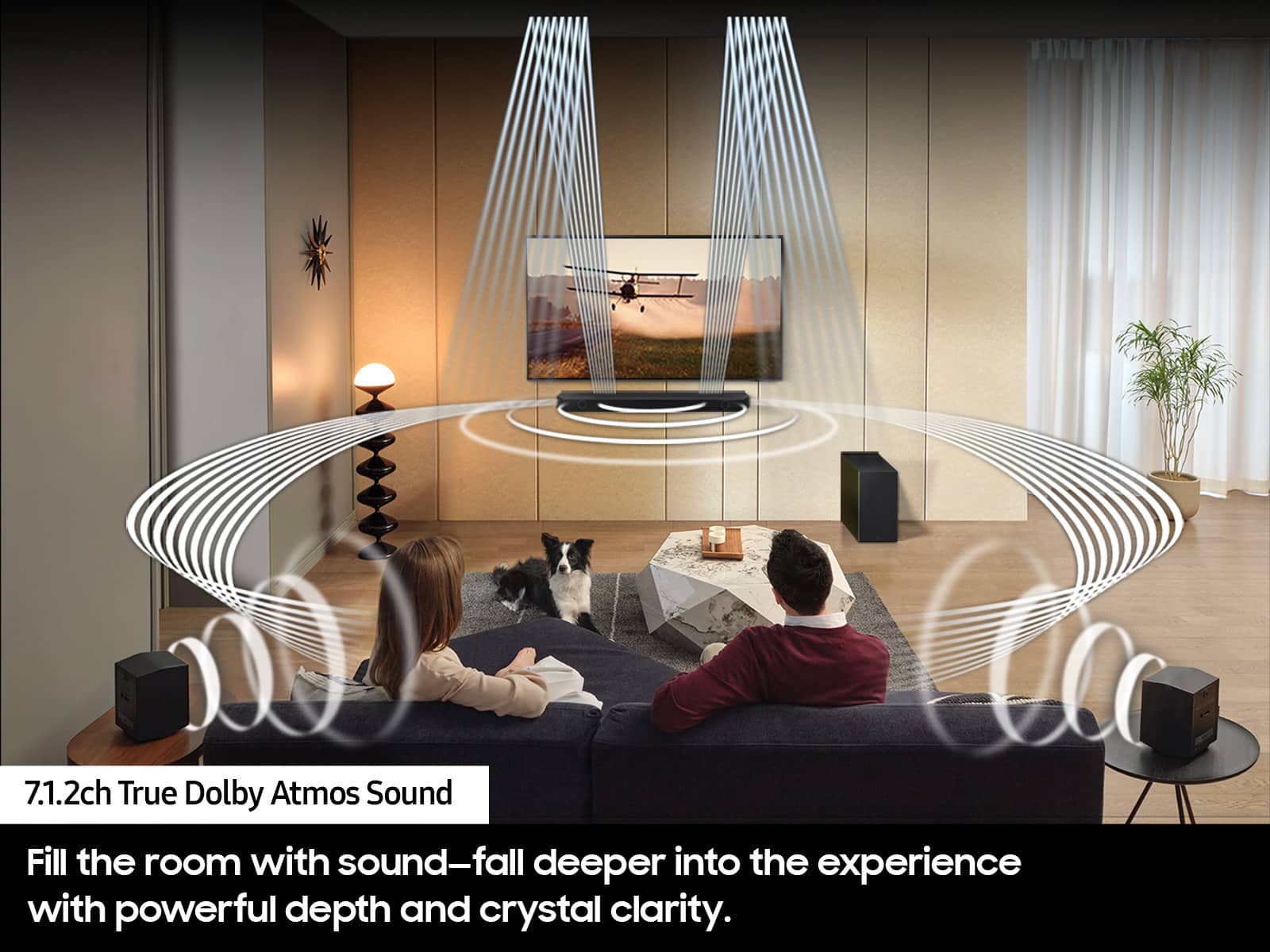
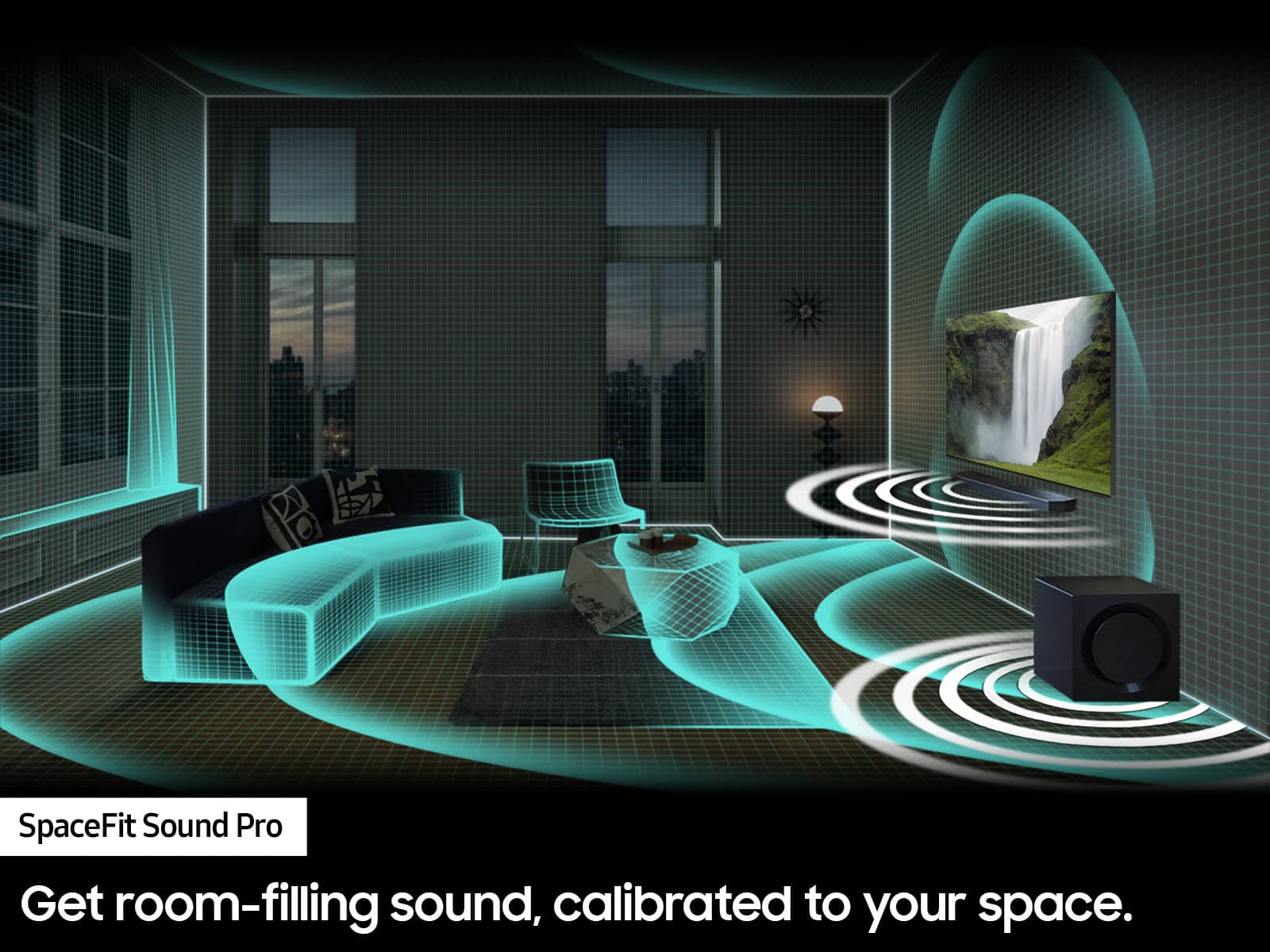
Customers frequently mention the amazing sound quality of the HW-Q850D/ZA 7.1.2 Channel Wireless Dolby ATMOS Soundbar, along with the nice bass and easy setup. However, some customers have reported issues with connectivity, particularly with the rear speakers, and a few have noted missing components upon delivery. Overall, the soundbar is praised for its ease of use and ample volume.
This summary was generated by AI based on customer reviews.
- Pros mentioned:Bass, Sound quality, Volume
Great Soundbar, Multiple Defective Remotes.
Posted .This reviewer received promo considerations or sweepstakes entry for writing a review.This Model was an upgrade from my last recently purchased Samsung Soundbar. The Surround Sound speakers make a big difference as does the bigger subwoofer. Volume is really surprising. 25 is loud. 50 is way too loud. I know it goes to 100. At 50 I got the impression the speakers were just starting to distort. But it was so loud I would never listen to anything that loud again. I played guitar with a Full Stack of Marshals (8ea. 12" speakers). I know loud. Now I was looking more at QUALITY per dollar. Tone is adjustable with the remote and my Samsung 77" OLED TV. I put this setup in my bedroom. I love it. Set up was, as usual with sound, listen and adjust to what you like best. They have several processed settings you can try and you can change your mind and switch over to a different setting relatively easily. MISTER SAMSUNG LISTEN UP. You missed 5 stars because the volume control on 3 remotes I have for my last 2 Soundbars do not work! I am sure this is a batch run manufacturing defect. Big problem! I have my 3rd broken remote in a row. No up or down and no mute. The 2 remotes to my Samsung TV's work fine. I took back one remote to Best Buy. I was given a replacement after I was questioned about maybe not knowing how to use the remote. (Yes Really!) However, they are taking the remotes out of new packaged units. Not the best way to deal with a problem like this. It was not chance the replacement remote did not work either. Same problem, same cause. I have not gone back to the store this week because I have been busy. Best Buy does not sell new Samsung remotes and I don't want a Universal remote. Buy New Samsung remotes only Online. I have no idea how big the batch run defect is. Clearly it is affecting multiple Soundbar Models at my Roseville, CA store. I like Samsung products. I have them in my kitchen, Family room and Bedroom, I recommend them, but if it was not for the working volume controls on my TV remotes I would have 2 new non functional Soundbars with 2 back to back purchases and that might fry some people.
I would recommend this to a friend - Cons mentioned:Missing components
Samsung home theater
||Posted .This reviewer received promo considerations or sweepstakes entry for writing a review.The equipment appeared to be in good condition, however, many missing parts were not mentioned in the description.
No, I would not recommend this to a friendBrand response from Samsung
Posted .Hello CarlosM,
Please know you are leaving a review and a 1-star rating for the HW-Q850D, but we are sorry to hear of your Best Buy experience, nonetheless. You may want to consider providing feedback directly to the Best Buy store where you made your purchase.
Should you have questions on the HW-Q850D itself, Samsung is here for you. You can reach us at 1-800-SAMSUNG, 8AM - 12AM EST, 7 days a week. Our LiveChat agents are also available by clicking on the ‘Support’ link on our website.
~ Samsung Solutions
Delivery issue
||Posted . Owned for 3 weeks when reviewed.This reviewer received promo considerations or sweepstakes entry for writing a review.Arrived to my house with the top open. Returned to store for exchange
No, I would not recommend this to a friendBrand response from Samsung
Posted .Hi RandallL,
Please know you are leaving a review and 1-star rating for the HW-Q850D, but we are sorry to hear of your Best Buy experience, nonetheless. You may want to consider providing feedback directly to the Best Buy store where you made your purchase.
Should you have questions on the HW-Q850D itself, Samsung is here for you. You can reach us at 1-800-SAMSUNG, 8AM - 12AM EST, 7 days a week. Our LiveChat agents are also available by clicking on the ‘Support’ link on our website.
~ Samsung Solutions
- Cons mentioned:Connectivity
Soundbar
||Posted . Owned for 1 month when reviewed.This reviewer received promo considerations or sweepstakes entry for writing a review.Difficult to pair components. Paired once, now having trouble.
No, I would not recommend this to a friendBrand response from Samsung
Posted .Hi GeraldK,
Thank you for taking a moment to review the HW-Q850D Soundbar.
First, try doing a soft reset, unplug the soundbar from the outlet for roughly 30 seconds and then plug it back in.
If this still does not correct your issue, then do a hard reset. With the Soundbar on, press the + & - Volume buttons on the body of the soundbar at the same time for at least 5 seconds. INIT OK” appears on the display and then the Soundbar is reset.
If you need more help, Samsung is here for you. Please call us at 1-800-SAMSUNG, 8AM - 12AM EST (Ask for Soundbars), 7 days a week. Our Live Chat agents are also available by clicking on the ‘Support’ link on our website.
~ Samsung Solutions
- Cons mentioned:Connectivity
Its not 'Wireless'
||Posted . Owned for 1 month when reviewed.This reviewer received promo considerations or sweepstakes entry for writing a review.It says, 'Wireless Dolby', but it's not the case. rear speakers are wired. Hence I was not comfortable with the product. Returned the product. However, overall service from Best Buy (pick up as well as return) was fabulous. 10 out of 10 on that to Best Buy.
No, I would not recommend this to a friendBrand response from Samsung
Posted .Hello Arun,
Thank you for taking a few moments to review the Samsung HW-Q850D Soundbar.
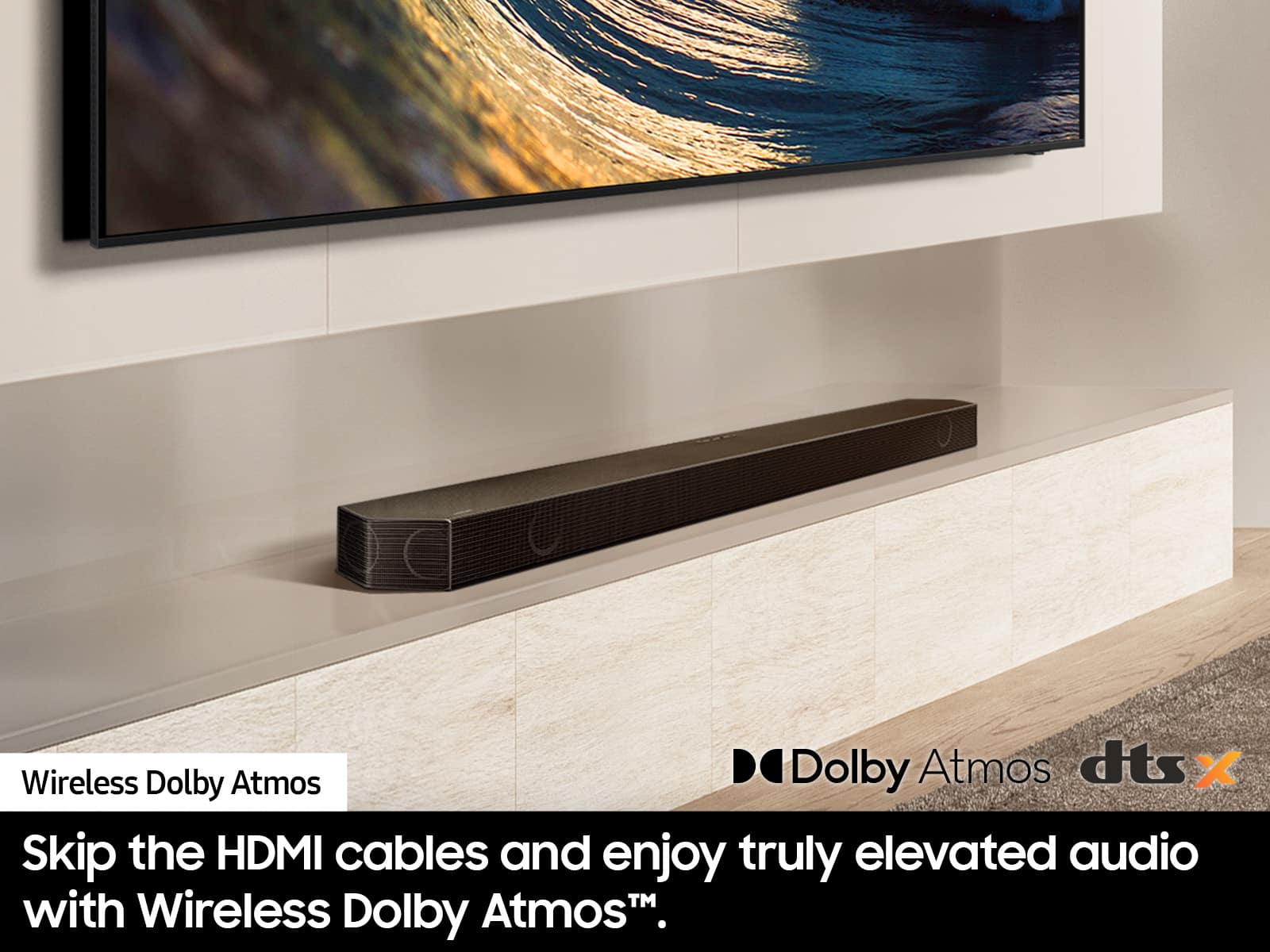
The Wireless Dolby Atmos feature allows you to experience Dolby Atmos without connecting your Soundbar to the TV with an HDMI cable.
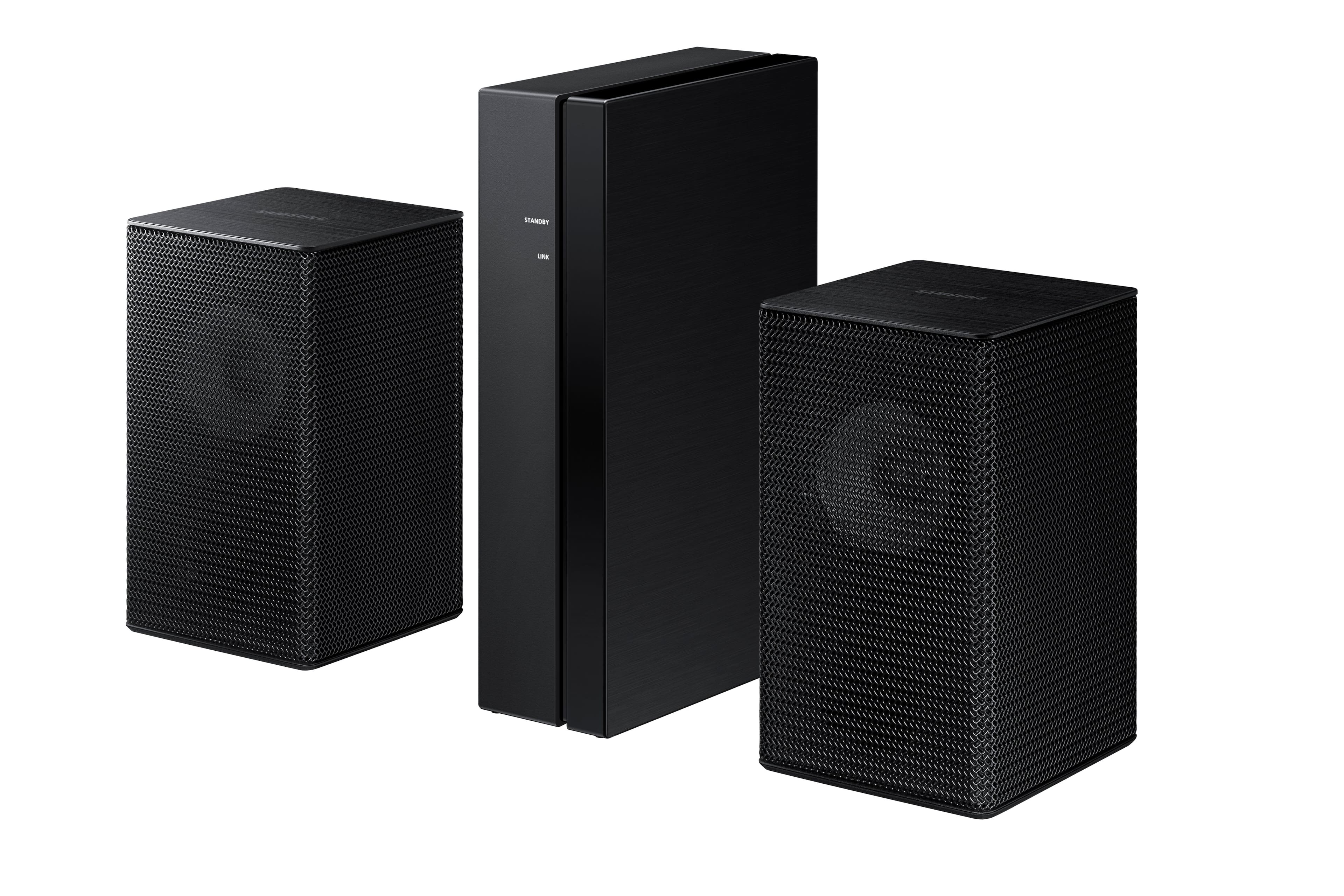
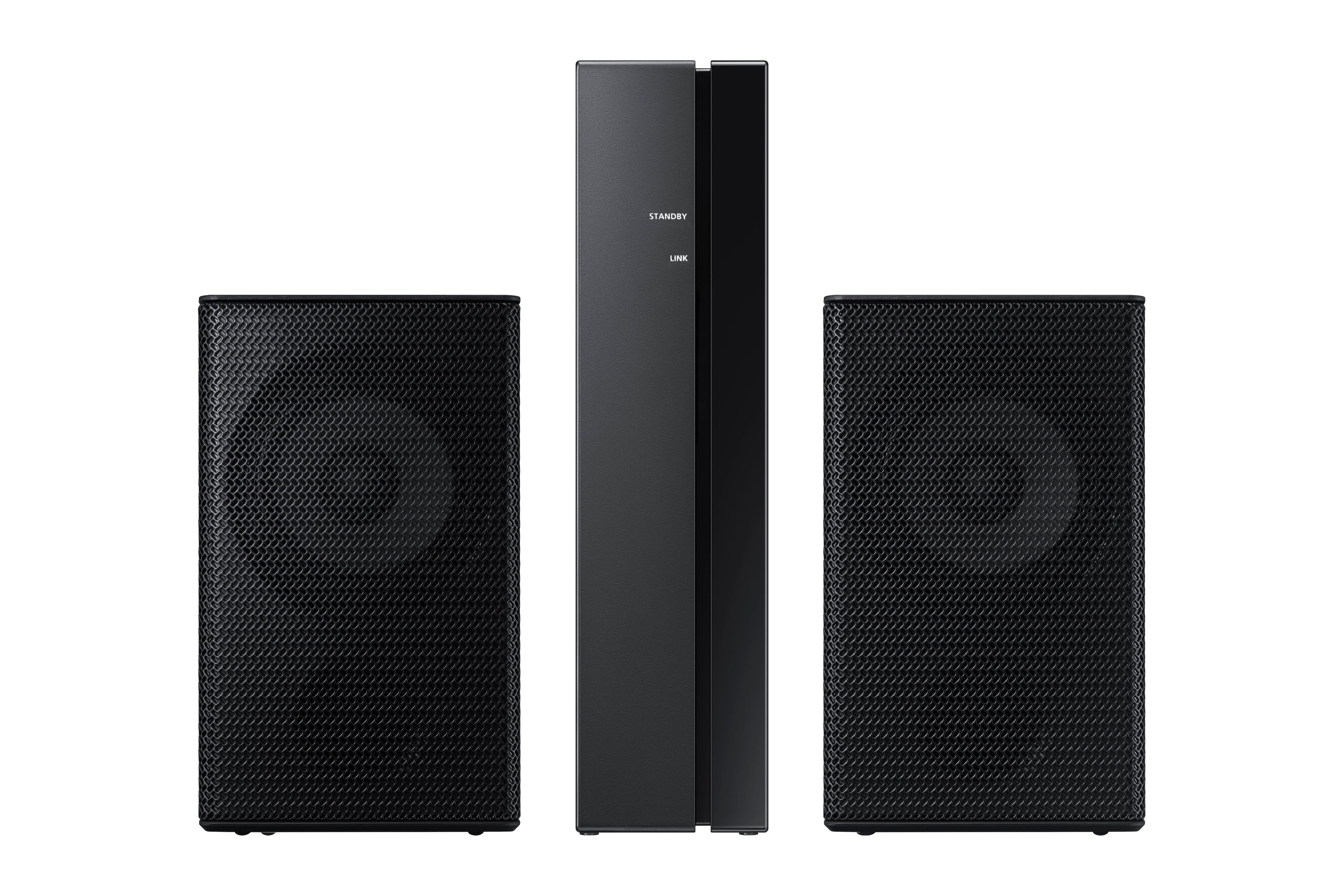
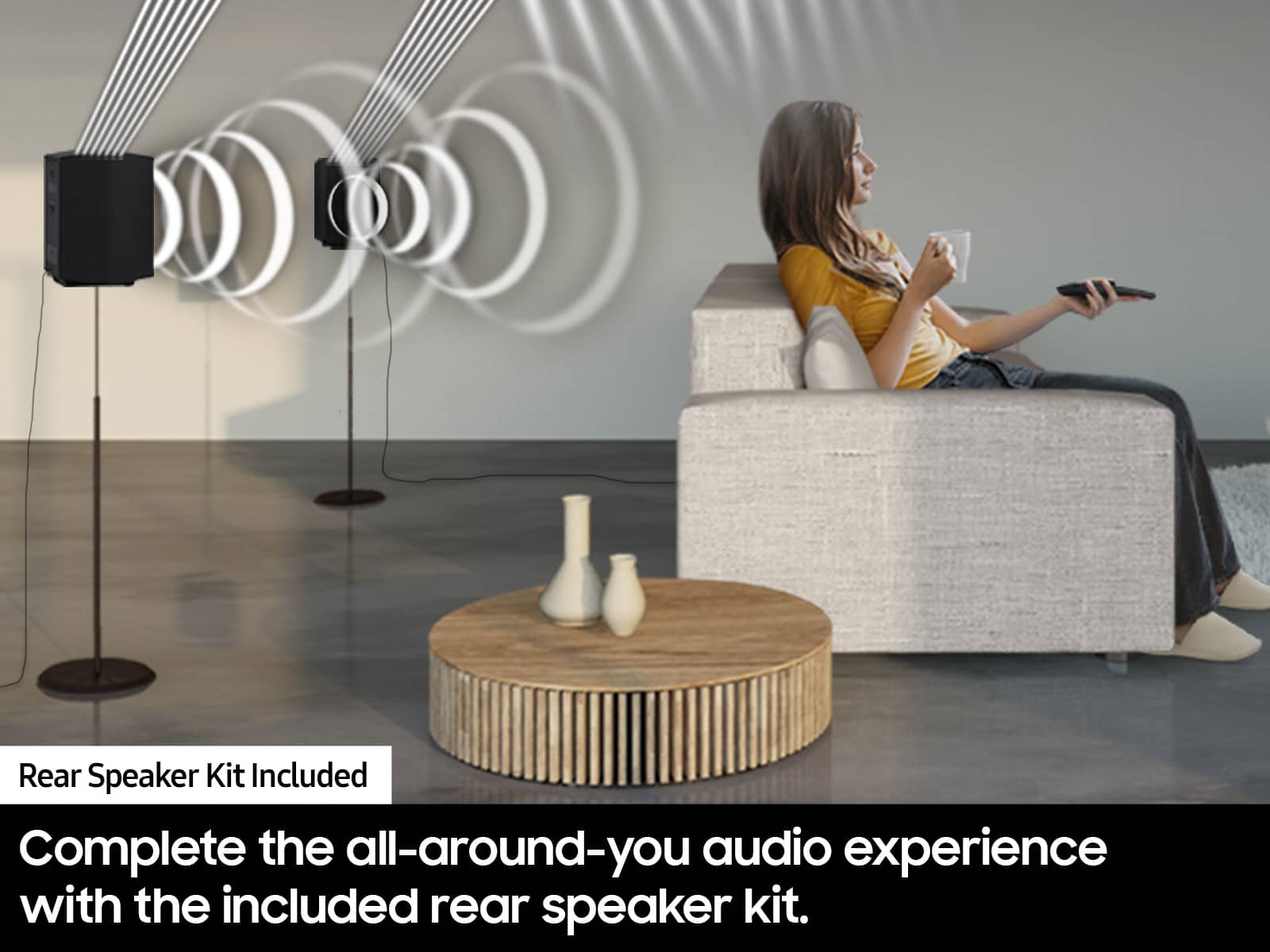
Occasionally, customers have trouble hiding and running speaker wires from the front of the room (where their soundbar is) to the back of their room (where they have their rear speakers). The Rear Speaker Kit eliminates that hassle. Connect the rear speakers to its wireless module and place these three in the back of your room. One wire is required to connect each rear speaker to the wireless module. Then plug in the power cable to the module. The “wireless” convenience is in connecting your soundbar and any other speakers at the front of the room to the rear speakers – this can now be done via Wi-Fi through the wireless module, eliminating any clutter of long wires running the length of your room.
Should you ever decide to give Samsung Soundbars another try and have questions or need assistance with settings, setup, or features, please know we are always here to help.
Call us at 1-800-SAMSUNG (ask for Soundbars), available 8 AM – 12 AM EST, 7 days a week.
~ Samsung Solutions
Somewhere disappointed
||Posted . Owned for 3 weeks when reviewed.This reviewer received promo considerations or sweepstakes entry for writing a review.Somewhat disappointed in the new sound system. Not the sound I was hoping for.
No, I would not recommend this to a friendBrand response from Samsung
Posted .Hello Spons,
Thank you for taking a moment to review the Samsung HW-Q850D Soundbar.
You can adjust the Treble and Bass by pressing the TONE CONTROL button then use the UP/DOWN buttons to change the levels between -6 to +6.
By pressing the CH LEVEL button, you can adjust the volume of the available channels. Each time you press the CH LEVEL button it will switch to a different channel such as Center, Front Top, or Rear Level. After selecting the channel you wish to adjust, use the UP/DOWN buttons on the provided Soundbar remote to adjust the volume between -6 to +6.
If you would like louder (or softer) bass from your subwoofer, you can adjust the level by rocking the WOOFER button on the soundbar remote, and then adjusting the level from -6 to +6. To set the subwoofer volume level to 0, press the button in.
With the sound mode set to Standard, press and hold the Sound Control button for about 5 seconds to adjust the sound for each frequency band for precise audio adjustments. 150Hz, 300Hz, 600Hz, 1.2kHz, 2.5kHz, 5kHz, and 10kHz are selectable using the Left/Right buttons and each can be adjusted to a setting between -6 to +6 using the Up/Down buttons.
I hope this tip helps improve your enjoyment. For more help, please call us at 1-800-SAMSUNG (Ask for Soundbars), 8 AM – 12 AM EST, 7 days a week. Live Chat with an agent as well as manuals, software, and warranty info can be found at the ‘Support’ link on our Samsung website.
~ Samsung Solutions
DO NOT BUY THEY DON’T HAVE THIS ITEM
||Posted . Owned for less than 1 week when reviewed.This reviewer received promo considerations or sweepstakes entry for writing a review.I bought this 7 days ago online. It said they had 1 at my local store be ready in 1 hour. Went to the store and they did not have this, but they still took my money. I asked the Manager to have this changed to a delivery. He charged me a 2nd time, delivery scheduled a week out, 5 minutes before delivery Best Buy calls me to say they have cancelled my order they couldn’t find it. I have been charged twice for something I have never seen. Been a week and no refund yet has hit my bank account. The online rep said he could order me it for the 3rd time but they will need to charge me again. THEY DO NOT HAVE THIS ITEM! If you don’t see it in store beware purchasing online as they may also call you 5 mins before your delivery to let you know it’s out of stock. But BEST BUY will gladly keep all your money! This is a scam
No, I would not recommend this to a friendBrand response from Samsung
Posted .Hello TonyW,
Please know you are leaving a review and 1-star rating for the HW-Q850D Soundbar, but we are sorry to hear of your Best Buy experience, nonetheless. You may want to consider providing feedback directly to the Best Buy store where you made your purchase.
Should you have questions on the HW-Q850D itself, Samsung is here for you. You can reach us at 1-800-SAMSUNG, 8AM - 12AM EST, 7 days a week. Our LiveChat agents are also available by clicking on the ‘Support’ link on our website.
~ Samsung Solutions
If its all you know, then ok
||Posted . Owned for 1 week when reviewed.This reviewer received promo considerations or sweepstakes entry for writing a review.I read the reviews then bought this to pair with my samsung 75”. I was trying to downsize from my klipsch full size towers, surround, etc. wow was indisappointed- very harsh sounds on music when volumed up.. hardly and deep bass notes either. So, ended up returning and spending much more for the sonos arc ultra, era300’s, sub4. Yes, more expensive, but at least not throwing good money down the tube for this samsung. Like i said, if youve never experienced a good-sounding system before, then this may be good enough for you.
No, I would not recommend this to a friendBrand response from Samsung
Posted .Hello Gorby,
Thank you for taking the time to provide feedback on your HW-Q850D Soundbar. I’m sorry you were not satisfied with your experience.
We are always here to help and would have been happy to assist in providing settings adjustments to resolve any issues you were experiencing.
The HW-Q850D Soundbar has many settings to optimize you audio experience specific content by pressing the SOUND MODE button on your remote, and then selecting the desired sound effect by choosing STANDARD, SURROUND SOUND, GAME PRO, or ADAPTIVE SOUND.
You can adjust the Treble and Bass by pressing the TONE CONTROL button then use the UP/DOWN buttons to change the levels between -6 to +6.
By pressing the CH LEVEL button, you can adjust the volume of the available channels. Each time you press the CH LEVEL button it will switch to a different channel such as Center, Front Top, or Rear Level. After selecting the channel you wish to adjust, use the UP/DOWN buttons on the provided Soundbar remote to adjust the volume between -6 to +6.
If you would like louder (or softer) bass from your subwoofer, you can adjust the level by rocking the WOOFER button on the soundbar remote, and then adjusting the level from -6 to +6. To set the subwoofer volume level to 0, press the button in.
With the sound mode set to Standard, press and hold the Sound Control button for about 5 seconds to adjust the sound for each frequency band for precise audio adjustments. 150Hz, 300Hz, 600Hz, 1.2kHz, 2.5kHz, 5kHz, and 10kHz are selectable using the Left/Right buttons and each can be adjusted to a setting between -6 to +6 using the Up/Down buttons.
Alternatively, you can adjust all of these same settings and more within the SmartThings app. Download the app for your iOS or Android device and then connect your Soundbar to Wi-Fi. From here, you will be able to adjust all of the same settings as the provided remote, but with the added benefit of being able to see the changes on your smart device.
Should you ever decide to give Samsung audio products another try and have questions or need or need help with settings, setup, or features, please know we’re here to help. Call us at 1-800-SAMSUNG, 8AM - 12AM EST, 7 days a week. Our Live Chat with an agent, as well as manuals, software, and warranty information, can be found at the “Support” link on our website. Again, thank you for taking the time to share your experience. We hope to regain you as a customer in the future.
~ Samsung Solutions
Not true wireless
||Posted .This reviewer received promo considerations or sweepstakes entry for writing a review.I bought this before the holidays, not intending on using until i finished my my basement. To my surprise, the box did not contain any cables, remote or speaker wires.... wait, i thought this was wireless... lol. What a joke. I can't give a review on product sound because i can not power anything.
No, I would not recommend this to a friendBrand response from Samsung
Posted .MatthewG,
We appreciate you taking a moment to review the Samsung HW-Q850D Soundbar.
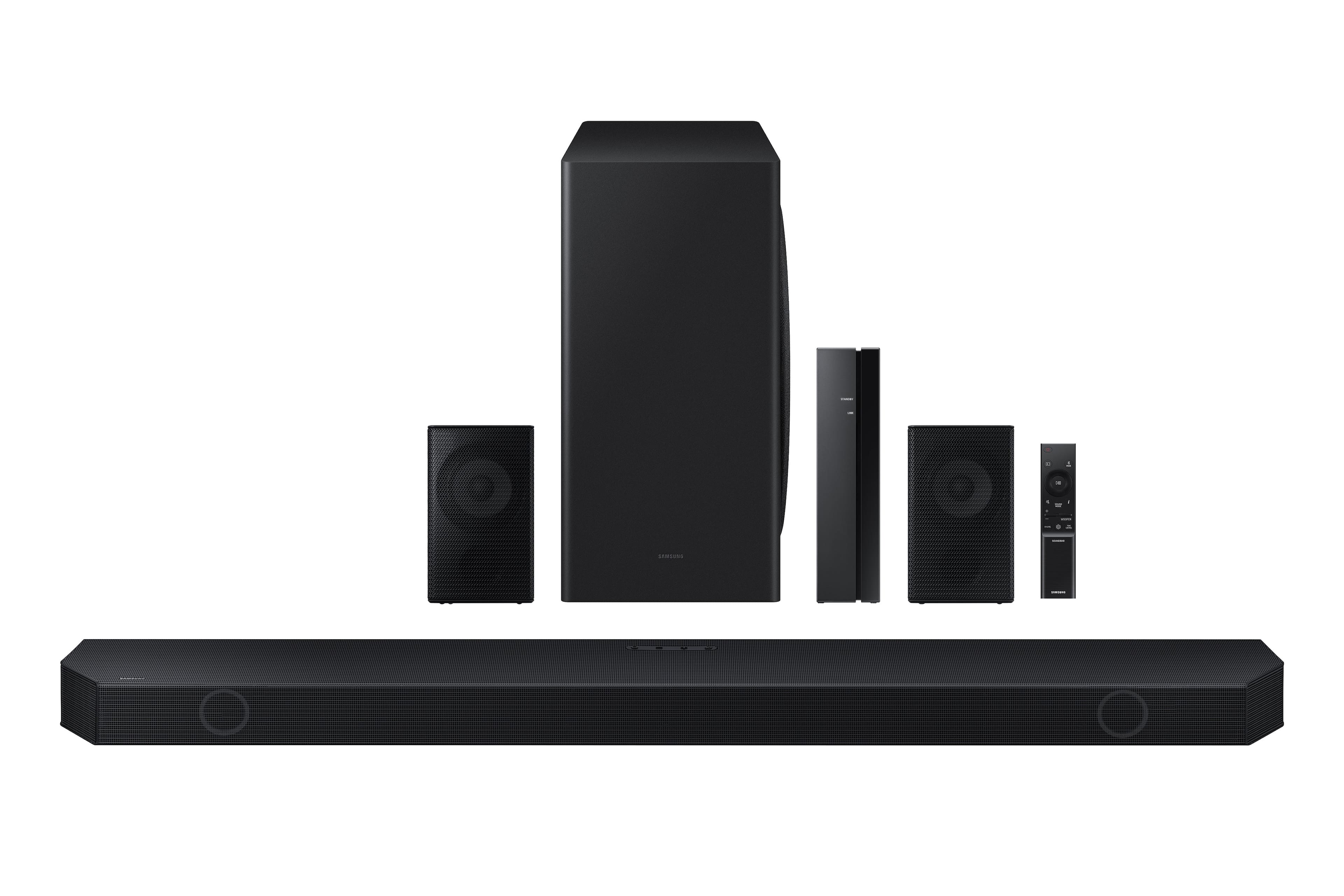
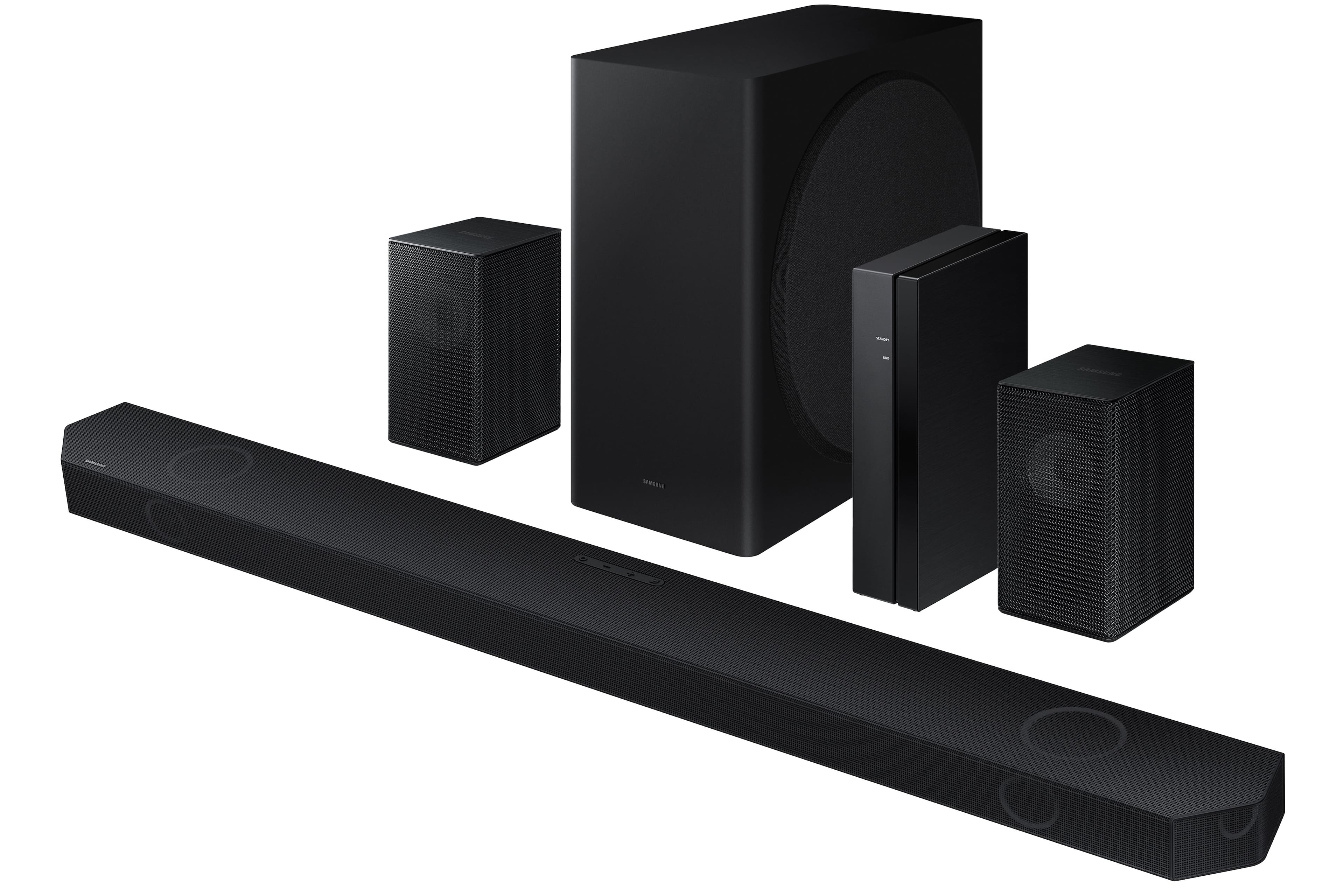
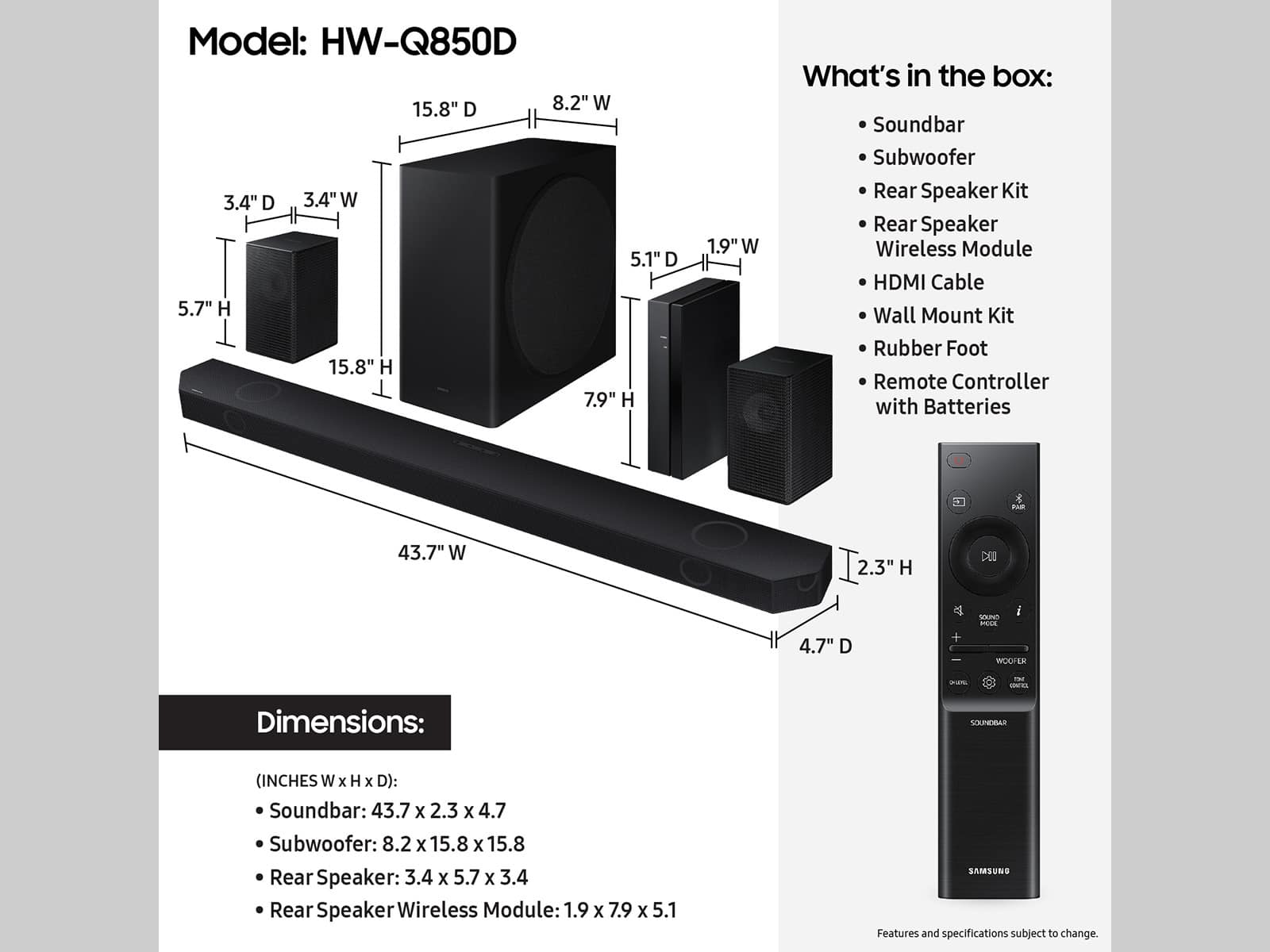
If you purchased the Soundbar new it contains the Soundbar, Subwoofer, Rear Speaker Kit with wireless module, 1 HDMI Cable Speaker Wire, wall mount kit, and remote control with batteries in the box.
If you purchased this soundbar open-box , you may want to consider providing feedback directly to the Best Buy store where you made your purchase.
Should you have questions on the HW-Q850D itself, Samsung is here for you. You can reach us at 1-800-SAMSUNG, 8AM - 12AM EST, 7 days a week. Our LiveChat agents are also available by clicking on the ‘Support’ link on our website.
~ Samsung Solutions
Not good at all
||Posted . Owned for 1 week when reviewed.This reviewer received promo considerations or sweepstakes entry for writing a review.This sounds like crap for the cost no better than a 200 sound bar just buy a real home theater system don’t waist your money
No, I would not recommend this to a friendBrand response from Samsung
Posted .Hi Hyrule,
Thank you for taking a few moments to review the HW-Q850D Soundbar.
You can optimize the audio performance for your specific content by pressing the SOUND MODE button on your remote, and then selecting the desired sound effect by choosing STANDARD, SURROUND SOUND, GAME PRO, or ADAPTIVE SOUND
You can adjust the Treble and Bass by pressing the TONE CONTROL button then use the UP/DOWN buttons to change the levels between -6 to +6.
By pressing the CH LEVEL button, you can adjust the volume of the available channels. Each time you press the CH LEVEL button it will switch to a different channel such as Center, Front Top, or Rear Level. After selecting the channel you wish to adjust, use the UP/DOWN buttons on the provided Soundbar remote to adjust the volume between -6 to +6.
If you would like louder (or softer) bass from your subwoofer, you can adjust the level by rocking the WOOFER button on the soundbar remote, and then adjusting the level from -6 to +6. To set the subwoofer volume level to 0, press the button in.
With the sound mode set to Standard, press and hold the Sound Control button for about 5 seconds to adjust the sound for each frequency band for precise audio adjustments. 150Hz, 300Hz, 600Hz, 1.2kHz, 2.5kHz, 5kHz, and 10kHz are selectable using the Left/Right buttons and each can be adjusted to a setting between -6 to +6 using the Up/Down buttons.
If you need more help, Samsung is here for you. Please call us at 1-800-SAMSUNG, 8AM - 12AM EST (Ask for Soundbars), 7 days a week. Our Live Chat agents are also available by clicking on the ‘Support’ link on our website.
~ Samsung Solutions
Poor performance
||Posted . Owned for 2 months when reviewed.This reviewer received promo considerations or sweepstakes entry for writing a review.The sub-woofer and rear speakers have not worked from day on of the Geek Squad installation. The installer should have ensured they were working before she left. Two emails later and after an instore visit they are finally coming out to replace the soundbar. Very disappointed. Took a month.
No, I would not recommend this to a friendBrand response from Samsung
Posted .Hi JimordebbieU,
Please know you are leaving a review and 1-star rating for the HW-Q850D Soundbar, but we are sorry to hear of your Best Buy experience, nonetheless. You may want to consider providing feedback directly to the Best Buy store where you made your purchase.
Should you have questions on the HW-Q850D itself, Samsung is here for you. You can reach us at 1-800-SAMSUNG, 8AM - 12AM EST, 7 days a week. Our LiveChat agents are also available by clicking on the ‘Support’ link on our website.
~ Samsung Solutions
Disappointed
||Posted . Owned for 1 week when reviewed.This reviewer received promo considerations or sweepstakes entry for writing a review.Never ever was given the chance to experience it , Best buy said because it was delivered and they have a picture of delivery they won’t reimburse or replace it being stolen . I have been a loyal card member since 2008 and never dealt with such unprofessional, uncaring individuals. I will not ever buy another item from Best Buy !
No, I would not recommend this to a friendBrand response from Samsung
Posted .Hi Htooms,
Please know you are leaving a review and 1-star rating for the HW-Q850D Soundbar, but we are sorry to hear of your Best Buy experience, nonetheless. You may want to consider providing feedback directly to the Best Buy store where you made your purchase.
Should you have questions on the HW-Q850D itself, Samsung is here for you. You can reach us at 1-800-SAMSUNG, 8AM - 12AM EST, 7 days a week. Our LiveChat agents are also available by clicking on the ‘Support’ link on our website.
~ Samsung Solutions
Samsung service and support is horrendous.
||Posted . Owned for 1 month when reviewed.This reviewer received promo considerations or sweepstakes entry for writing a review.Would not recommend Samsung products. The warranty is worthless since they will not replace a broken product after 6 weeks of use. They make you wait and let them throw parts at it. In the meantime, you’re without your electronics. Help or support does not exist. Buyer beware!
No, I would not recommend this to a friendBrand response from Samsung
Posted .Hello WilliamB,
Thank you for your review of Samsung’s HW-Q850D Soundbar. I’m sorry to hear you had a frustrating experience with Support.
Updating the firmware on your soundbar gives you all the benefits of the latest improvements. When the Soundbar is connected to the Internet, Auto Update allows software to update automatically even when the Soundbar is turned off. You can also update by using the SmartThings app.
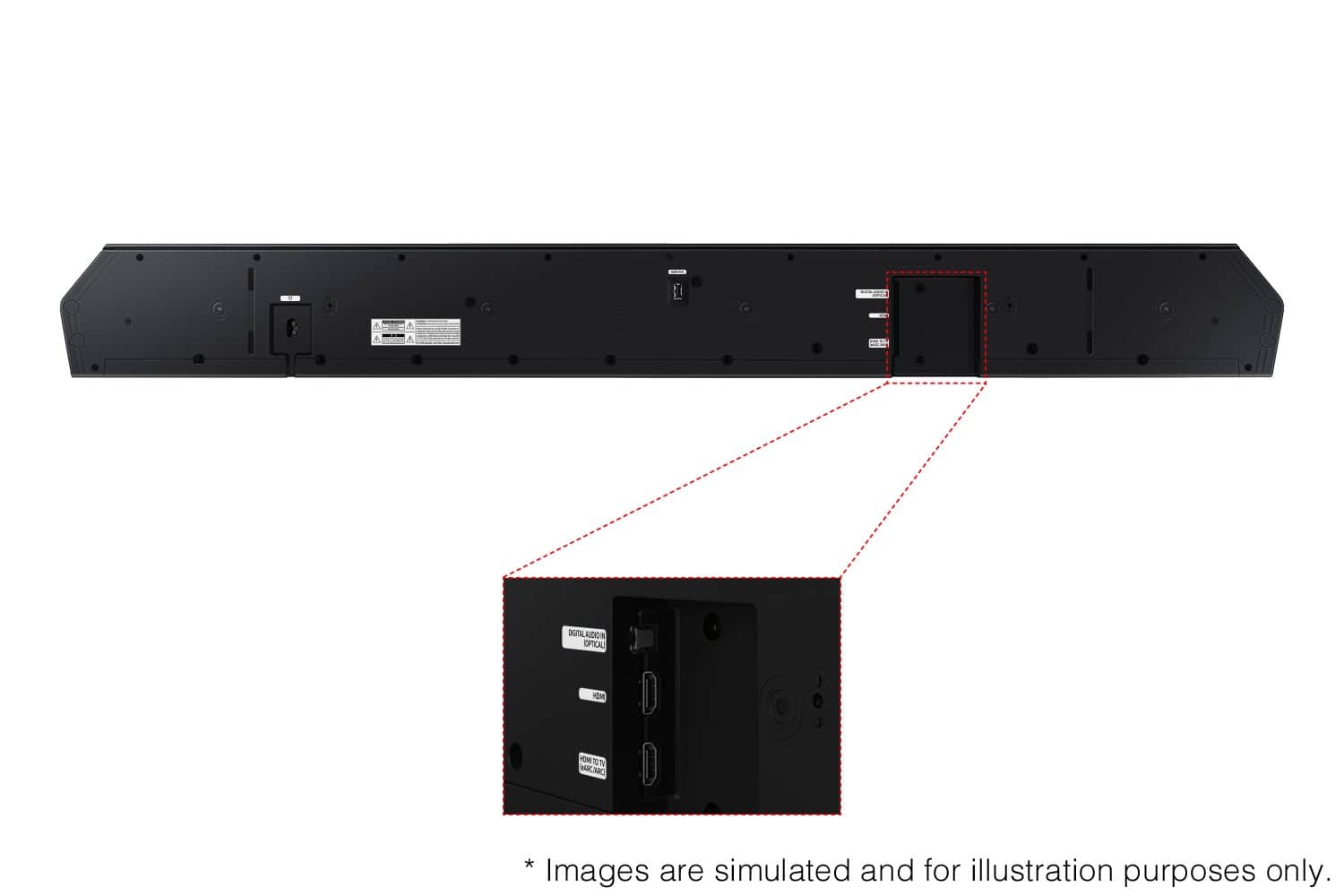
If not connected to the internet, you can download it onto a USB device, and then upload it to your soundbar - no wireless connection required. Connect the USB drive that contains the update firmware to the SERVICE port of the Soundbar.
1.Go to the Samsung Electronics website (www.samsung.com) → click on the “Support” option in the upper left corner.
2.Click on “Manuals & Software” from the pop-up list > TVs & Home Theater > Home Theater > Select your model
2. Download the firmware file (USB type).
3. Unzip the file to create a folder with the file name.
4. Store the created folder in a USB and then connect it to the Soundbar.
5. A sequence of “UPDATE” > “BYE” > “ON” will appear on the display 3 times. This will take around 6 minutes.
- During update, do not turn it off or remove the USB.
- If “UPDATE” does not appear on the display window, remove the power cord from the Soundbar and then reconnect it.
- When the latest version is installed, no update is performed.
- Depending on the USB type, update may not be supported.
6. After the 3 cycles are complete, the Soundbar will restart and last source used will appear on the display for about 20 seconds and then it will go off (“UPDATE” > “BYE” > “ON”) 3 times “D.IN” > off
Samsung is committed to providing the best possible product experience, quality, and value. We back this Samsung Soundbar with a 1-year limited manufacturer's warranty, including authorized repair for manufacturer defect, if purchased brand-new directly from an authorized seller.
Please give us the opportunity to assist you by contacting Samsung Customer Support. Just give us a call at 1-800-SAMSUNG (Ask for Soundbars), 8AM - 12AM EST, 7 days a week. Our Live Chat agents are also available by clicking on the ‘Support’ link on our website.
~ Samsung Solutions
- Pros mentioned:Bass, Sound qualityCons mentioned:Connectivity

Beast
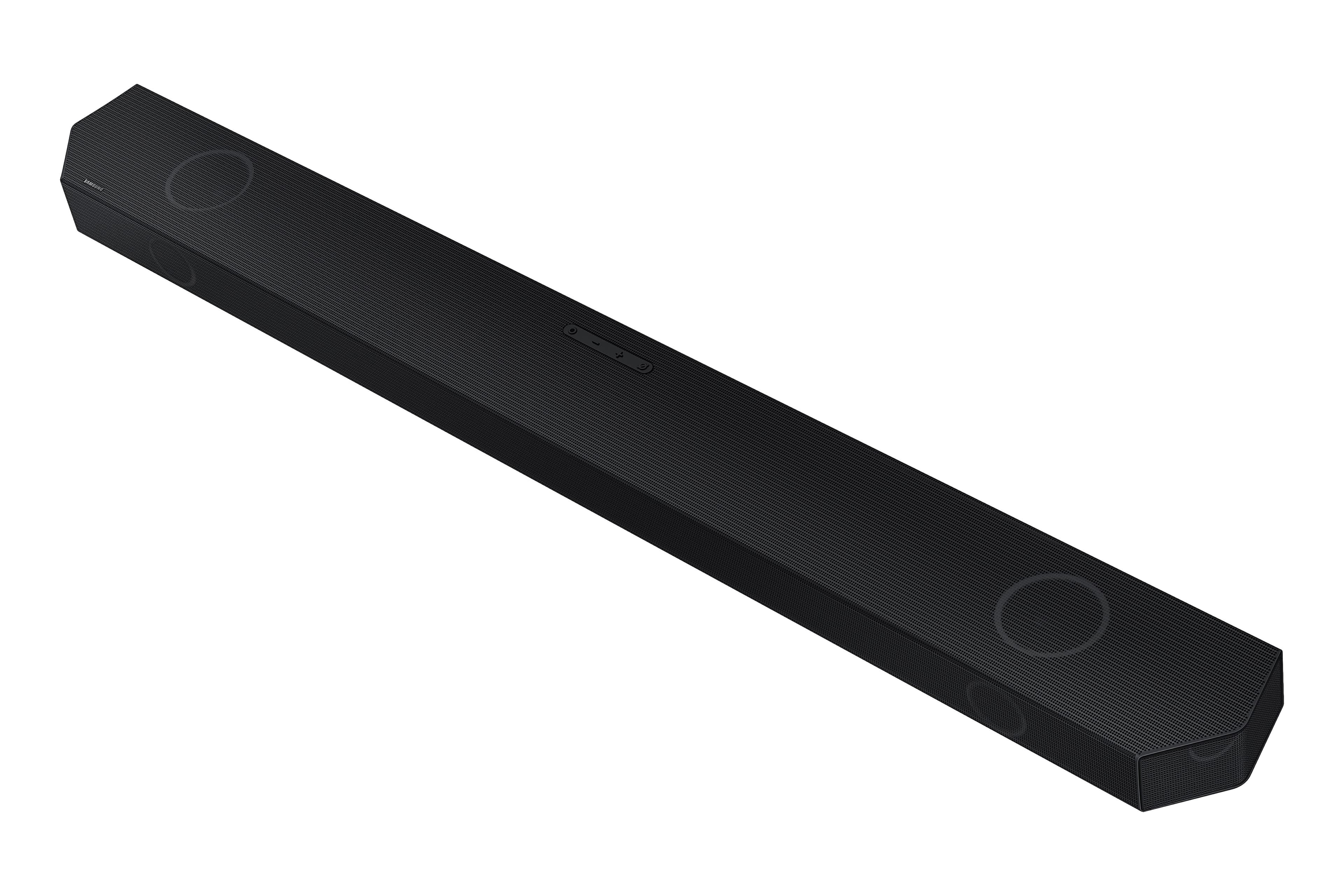
|Posted .This reviewer received promo considerations or sweepstakes entry for writing a review.Samsung always comes through. They never miss when it comes to televisions and sound bars. This one is no exception. The sound bar is uniquely made with a trapezoid type shape. Also it is very sturdy and tough. Speakers in the front and the side. Unusually long too but not a problem at all. I used hdmi to make the connection to the tv. I’ll start by stating what I like and then what I didn’t like about the sound bar. First of all the most important thing which is the sound. Amazing! Crisp and crystal clear. The included satellite speakers makes me feel like I’m in the middle of whatever I’m watching. Settings allow you to adjust the center speaker and rear speakers to your liking. And the subwoofer! The subwoofer is gigantic. It delivers base like no other system I’ve ever had. You can also adjust the level of the subwoofer separately so that you don’t bust your speaker. I don’t like the small screen on the sound bar. As long as the bar is one would think the screen would be longer. You actually have to wait for words to scroll because the screen isn’t long enough. Not sure what Samsung was thinking with that. The real estate is there but they chose not to use it. This is probably the worst thing about the sound bar. The other thing is the included Bluetooth module that connects the satellite speakers. I know Samsung was trying to eliminate the need to connect the surround speakers to the sound bar but having to connect the speakers to the module with speaker wires is a problem. It allows you more flexibility when it comes to the placement of the module and speakers but no flexibility by being connected by wires. I think I would rather connect the surround speakers directly to the sound bar or they should have been wireless like the subwoofer. Nevertheless, I’m still giving this sound bar a high rating because the sound is perfect. I’ll just have to deal with the minor things that I dislike. Yes even with the setbacks this sound bar is worth it. (The instructions to connect the module could have been better. It took a couple of tries to actually connect). I would still recommend this sound bar to anyone.
I would recommend this to a friend Don’t lie to customers
||Posted . Owned for 3 weeks when reviewed.This reviewer received promo considerations or sweepstakes entry for writing a review.I returned the product since it was missing rear speakers and box Salesman lied to me and said he didn’t come with them but found out it did.
No, I would not recommend this to a friendBrand response from Samsung
Posted .Hi DeborahR,
We appreciate you taking a few moments to review the HW-Q850D Soundbar.
We are sorry to hear of your Best Buy experience, nonetheless. You may want to consider providing feedback directly to the Best Buy store where you made your purchase.
Should you have questions on the HW-Q850D itself, Samsung is here for you. You can reach us at 1-800-SAMSUNG, 8AM - 12AM EST, 7 days a week. Our LiveChat agents are also available by clicking on the ‘Support’ link on our website.
~ Samsung Solutions
Trash can water
||Posted .This reviewer received promo considerations or sweepstakes entry for writing a review.Terrible…………………………………………………………………………………………………………..
No, I would not recommend this to a friendBrand response from Samsung
Posted .Hello Great,
Thank you for sharing your review of the HW-Q850D Soundbar.
You can optimize the audio performance for your specific content by pressing the SOUND MODE button on your remote, and then selecting the desired sound effect by choosing STANDARD, SURROUND SOUND, GAME PRO, or ADAPTIVE SOUND
You can adjust the Treble and Bass by pressing the TONE CONTROL button then use the UP/DOWN buttons to change the levels between -6 to +6.
By pressing the CH LEVEL button, you can adjust the volume of the available channels. Each time you press the CH LEVEL button it will switch to a different channel such as Center, Front Top, or Rear Level. After selecting the channel you wish to adjust, use the UP/DOWN buttons on the provided Soundbar remote to adjust the volume between -6 to +6.
If you would like louder (or softer) bass from your subwoofer, you can adjust the level by rocking the WOOFER button on the soundbar remote, and then adjusting the level from -6 to +6. To set the subwoofer volume level to 0, press the button in.
With the sound mode set to Standard, press and hold the Sound Control button for about 5 seconds to adjust the sound for each frequency band for precise audio adjustments. 150Hz, 300Hz, 600Hz, 1.2kHz, 2.5kHz, 5kHz, and 10kHz are selectable using the Left/Right buttons and each can be adjusted to a setting between -6 to +6 using the Up/Down buttons.
If there is anything we can do to improve your enjoyment such as helping to optimize settings for your specific sound scenario, please contact Samsung Customer Support. Just give us a call at 1-800-SAMSUNG (Ask for Soundbars), 8AM - 12AM EST, 7 days a week. Our Live Chat agents are also available by clicking on the ‘Support’ link on our website.
~ Samsung Solutions
Update bricked
||Posted . Owned for 1 month when reviewed.This reviewer received promo considerations or sweepstakes entry for writing a review.Update bricked 3 days outside of the return period due to an update. Been trying to get it fixed threw warranty since. Has now been broken longer than i have had it.
No, I would not recommend this to a friendBrand response from Samsung
Posted .Hi Mark,
We appreciate your feedback regarding the issues you are experiencing with your HW-Q850D Soundbar. Please contact us for service and a Support agent will gladly help get this fixed.
At your earliest convenience, please reach out to Samsung Customer Support at 1-800-SAMSUNG (Ask for Soundbars), 8 AM – 12 AM EST, 7 days a week. Our Live Chat agents are also available by clicking on the ‘Support’ link on our website.
~ Samsung Solutions
Worst experience with a company i use to love.
||Posted . Owned for 1 month when reviewed.This reviewer received promo considerations or sweepstakes entry for writing a review.Worst overall experience ive had with best buy getting this item. Customer service was terrible and it took months of fighting with them to make it right.
No, I would not recommend this to a friendBrand response from Samsung
Posted .Hi AdamD,
Please know you are leaving a review and 1-star rating for the HW-Q850D, but we are sorry to hear of your Best Buy experience, nonetheless. You may want to consider providing feedback directly to the Best Buy store where you made your purchase.
Should you have questions on the HW-Q850D itself, Samsung is here for you. You can reach us at 1-800-SAMSUNG, 8AM - 12AM EST, 7 days a week. Our LiveChat agents are also available by clicking on the ‘Support’ link on our website.
~ Samsung Solutions
Best Buy is , kin my opinion, extremely unprofessi
||Posted . Owned for 1 month when reviewed.This reviewer received promo considerations or sweepstakes entry for writing a review.Best Buy failed to deliver, install and set up my merchandise seven (7) times so I don't know. I would not trust Best Buy as they made misrepresentations to us.
No, I would not recommend this to a friendBrand response from Samsung
Posted .James,
Please know you are leaving a review and 1-star rating for the HW-Q850D, but we are sorry to hear of your Best Buy experience, nonetheless. You may want to consider providing feedback directly to the Best Buy store where you made your purchase.
Should you have questions on the HW-Q850D itself, Samsung is here for you. You can reach us at 1-800-SAMSUNG, 8AM - 12AM EST, 7 days a week. Our LiveChat agents are also available by clicking on the ‘Support’ link on our website.
~ Samsung Solutions
Ok but not worth the price.
||Posted . Owned for 2 weeks when reviewed.This reviewer received promo considerations or sweepstakes entry for writing a review.Audio just OK, hard to adjust treble and bass setting. Samsung software is poorly designed for user to tweak their speakers and tvs.
No, I would not recommend this to a friendBrand response from Samsung
Posted .Hi Allen,
Thank you for taking a few moments to review the Samsung HW-Q850D Soundbar.
You can adjust all of the same settings and more within the SmartThings app. Download the app for your iOS or Android device and then connect your Soundbar to Wi-Fi. From here, you will be able to adjust all of the same settings as the provided remote, but with the added benefit of being able to see the changes on your smart device.
If you need more help, Samsung is here for you. Please call us at 1-800-SAMSUNG, 8AM - 12AM EST (Ask for Soundbars), 7 days a week. Our Live Chat agents are also available by clicking on the ‘Support’ link on our website.
~ Samsung Solutions