Customer Ratings & Reviews





- Model:
- HW-Q950A/ZA
- SKU:
- 6462571
Rating by feature
- Value
Rating 4.4 out of 5 stars
- Quality
Rating 4.7 out of 5 stars
- Ease of Use
Rating 4.6 out of 5 stars
Customers are saying
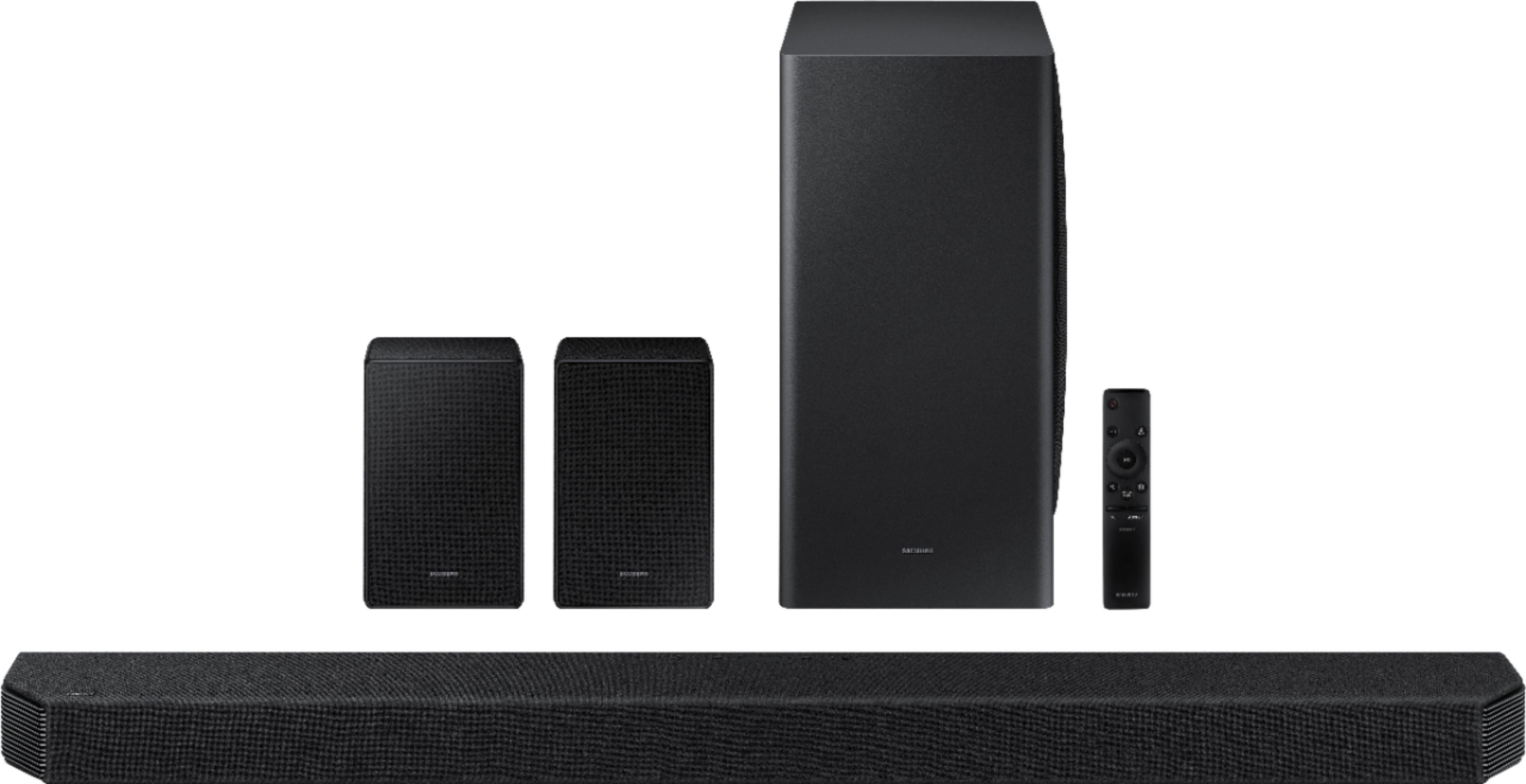
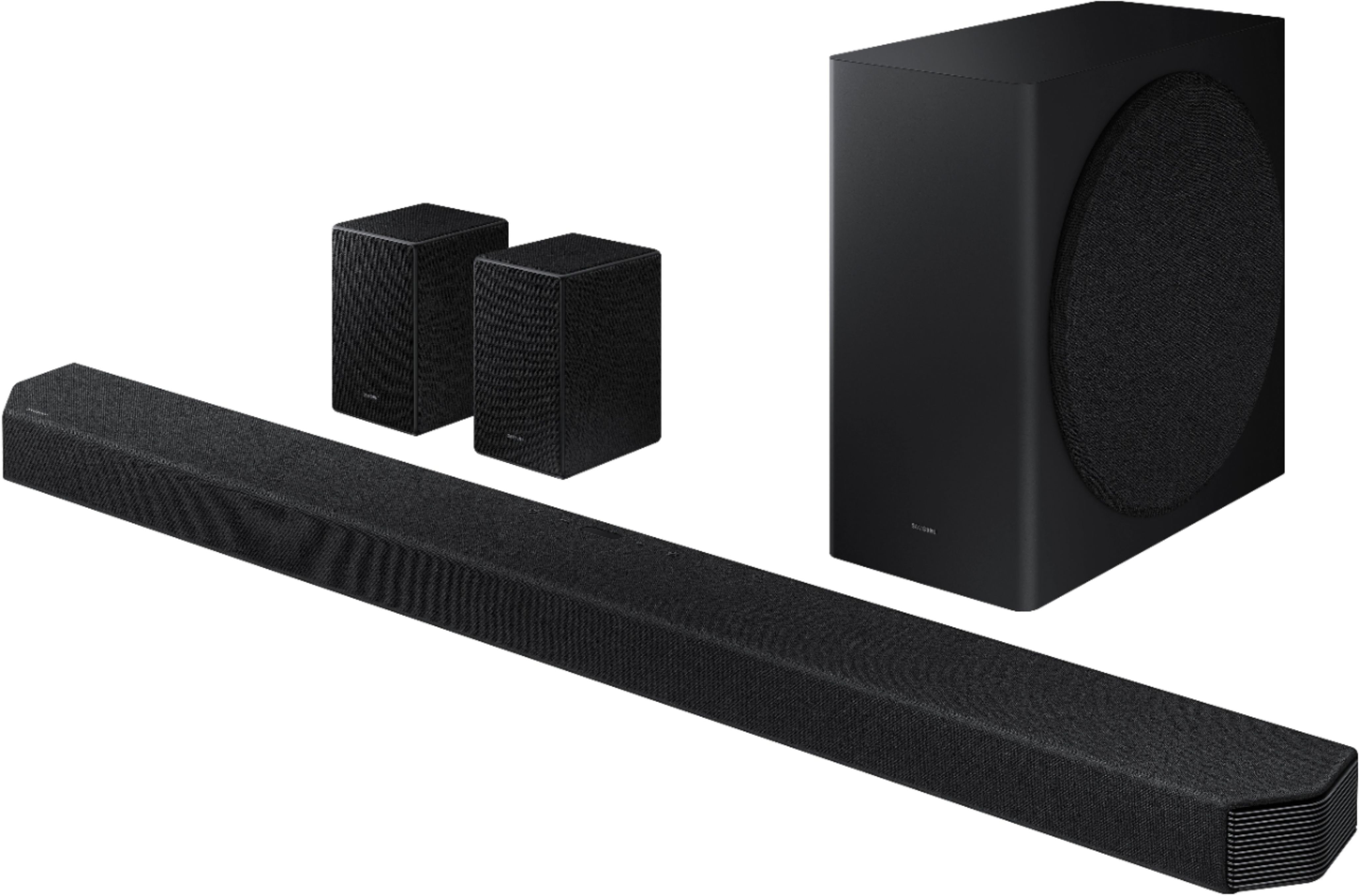
Customers are satisfied with the HW-Q950A soundbar's exceptional sound quality, easy setup, and immersive Dolby Atmos experience. The bass and surround sound are particularly impressive, and the rear speakers enhance the overall audio experience. While some users find the price to be high, many believe it is a worthwhile investment. The top display and Alexa integration could be improved, and the remote control needs some enhancements.
This summary was generated by AI based on customer reviews.
- Pros mentioned:Sound quality
Buggy software/no voice channel
||Posted . Owned for 3 weeks when reviewed.This reviewer received promo considerations or sweepstakes entry for writing a review.The sound is wonderful when it works. However whenever I start a show , the voices do not play. The only way to fix it is to pause and resume, and then the voices come back. The same thing happens when fast forwarding. It is extremely frustrating and prevents me from enjoying the product.
No, I would not recommend this to a friendBrand response from Samsung
Posted .Hi Yoji,
Thank you for sharing your experience with the Samsung HW-Q950A. We appreciate the details you have provided regarding the center channel occasionally not producing sound when watching your favorite shows and will share your feedback with our product teams.
You may want to try re-initializing your soundbar. This often resolves software issues with the soundbar. With the Soundbar on, press the + and - (Volume) buttons on the body of the soundbar at the same time for at least 5 seconds. “INIT” appears on the display and then the Soundbar is initialized.
If you continue to experience issues, please be sure you are running the latest firmware version for the soundbar. Updating the firmware on your soundbar gives you all the benefits of the latest improvements. When the Soundbar is connected to the Internet, Auto Update allows software to update automatically even when the Soundbar is turned off. You can also update by using the SmartThings app.
If not connected to the internet, you can download it onto a USB device, and then upload it to your soundbar - no wireless connection required. When an update is available, you can update the Soundbar by connecting the USB drive that contains the update firmware to the SERVICE port of the Soundbar.
I hope these tips help. Should you ever have questions or need help, please call us at 1-800-SAMSUNG (ask for Soundbars), available 8AM - 12AM EST, 7 days a week.
For additional support resources, visit us on the Samsung website and click on the ‘Support’ link in the upper right corner of the homepage for:
1) Chat with Us/Product Help: To begin a chat or find solutions, choose ‘TVs & Home Theater’ and select your model & topic.
2) Manuals & Software
3) Warranty Info
4) Register a Product: For access to easy warranty support, convenient opt-in to special promos and offers, faster troubleshooting and service, and quick notification of system updates
5) Contact Us
~ Samsung Solutions
Not working as it should.
||Posted . Owned for 1 month when reviewed.This reviewer received promo considerations or sweepstakes entry for writing a review.Recently purchased this and set it up myself. I have a Samsung q900 tv that I connected it to. I’ve got 7,000 dollars invested in both. Worked for a day or so. The subwoofer and rear speakers won’t stay connected. Had geek squad come to my home and see if they could fix it and they couldn’t. In the process of seeing if I can exchange it. I’ll let you know how that goes.
No, I would not recommend this to a friendBrand response from Samsung
Posted .Hi!
Thank you for your review of the Samsung HW-Q950A Soundbar System. We appreciate you sharing your wireless connection experience with us.
It is our customers’ concerns and opinions that drive our continuous efforts towards delivering world-class service and products. Your feedback is very important to us and will be shared with our product team.
Please know that should you ever need assistance with settings or adjustments with your replacement system to optimize your sound experience, Samsung Customer Support is here to help. You can contact us at:
1-800-SAMSUNG (ask for Soundbars), available 8AM -12AM EST (Mon-Fri), 9AM – 6PM EST (Sat). Or text HELP to 62913.
For additional support resources, visit us on the Samsung website and click on the ‘Support’ link in the upper right corner of the homepage for:
1) More ‘Contact Us’ options – LiveChat, Facebook, Twitter, Samsung Community, Samsung Members app
2) Manuals & Software
3) Warranty Info
4) Product Registration: For access to easy warranty support, convenient opt-in to special promos and offers, faster troubleshooting and service, and quick notification of system updates.
~ Samsung Solutions
Mr
||Posted . Owned for 3 weeks when reviewed.This reviewer received promo considerations or sweepstakes entry for writing a review.I was hoping the rear speakers were wi-fi but they needed to be plugged in
I would recommend this to a friendBrand response from Samsung
Posted .Hi PaulM,
Occasionally, customers have trouble hiding and running speaker wires from the front of the room (where their soundbar is) to the back of their room (where they have their rear speakers). The Rear Speaker Kit eliminates that hassle. Connect the rear speakers to its wireless module and place these three in the back of your room. One wire is required to connect each rear speaker to the wireless module. Then plug in the power cable to the module. The “wireless” convenience is in connecting your soundbar and any other speakers at the front of the room to the rear speakers – this can now be done via Wi-Fi through the wireless module, eliminating any clutter of long wires running the length of your room.
If you should ever have concerns or questions regarding setup, function, features, or settings, please know that Samsung Customer Support is here to help at 1-800-SAMSUNG (ask for Soundbars), available 8AM - 12AM EST, 7 days a week.
For additional support resources, visit us on the Samsung website and click on the ‘Support’ link in the upper right corner of the homepage for:
1) Chat with Us/Product Help: To begin a chat or find solutions, choose ‘TVs & Home Theater’ and select your model & topic.
2) Manuals & Software
3) Warranty Info
4) Register a Product: For access to easy warranty support, convenient opt-in to special promos and offers, faster troubleshooting and service, and quick notification of system updates
5) Contact Us
~ Samsung Ambassador
Sound Bar ? Bad sound.
||Posted .This reviewer received promo considerations or sweepstakes entry for writing a review.To this point I find the sound bar to be unreliable. The sound shuts off at different times. Lasts about 10-20 seconds and the sound comes back on. Can barely hear rear speakers. Voice goes from really clear and understandable to muffled .
No, I would not recommend this to a friendBrand response from Samsung
Posted .Hi Freckles,
Thank you for purchasing the Samsung HW-Q950A and for your review. We appreciate you sharing your experience with occasionally not hearing any sound from your soundbar. You may want to check that the cable connection is not loose. Remove the cable and connect again.
You may also want to initialize your soundbar again by pressing the - + (volume) buttons at the same time for at least 5 seconds. “INIT” appears on the display when the soundbar is initialized.
Please also make sure that you have the latest firmware update. You can update your firmware by Auto Update, using the SmartThings app, or by using a USB device.
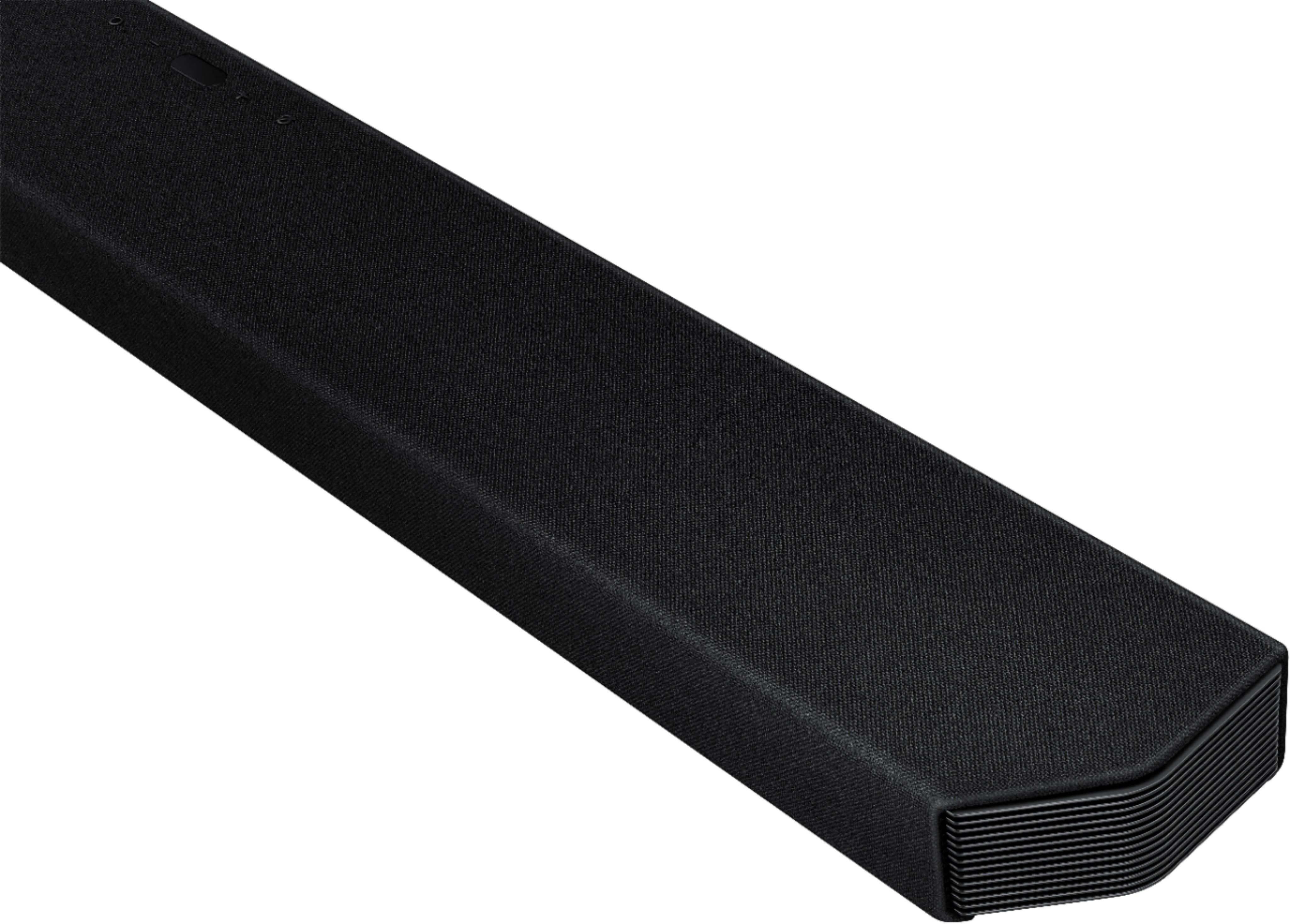
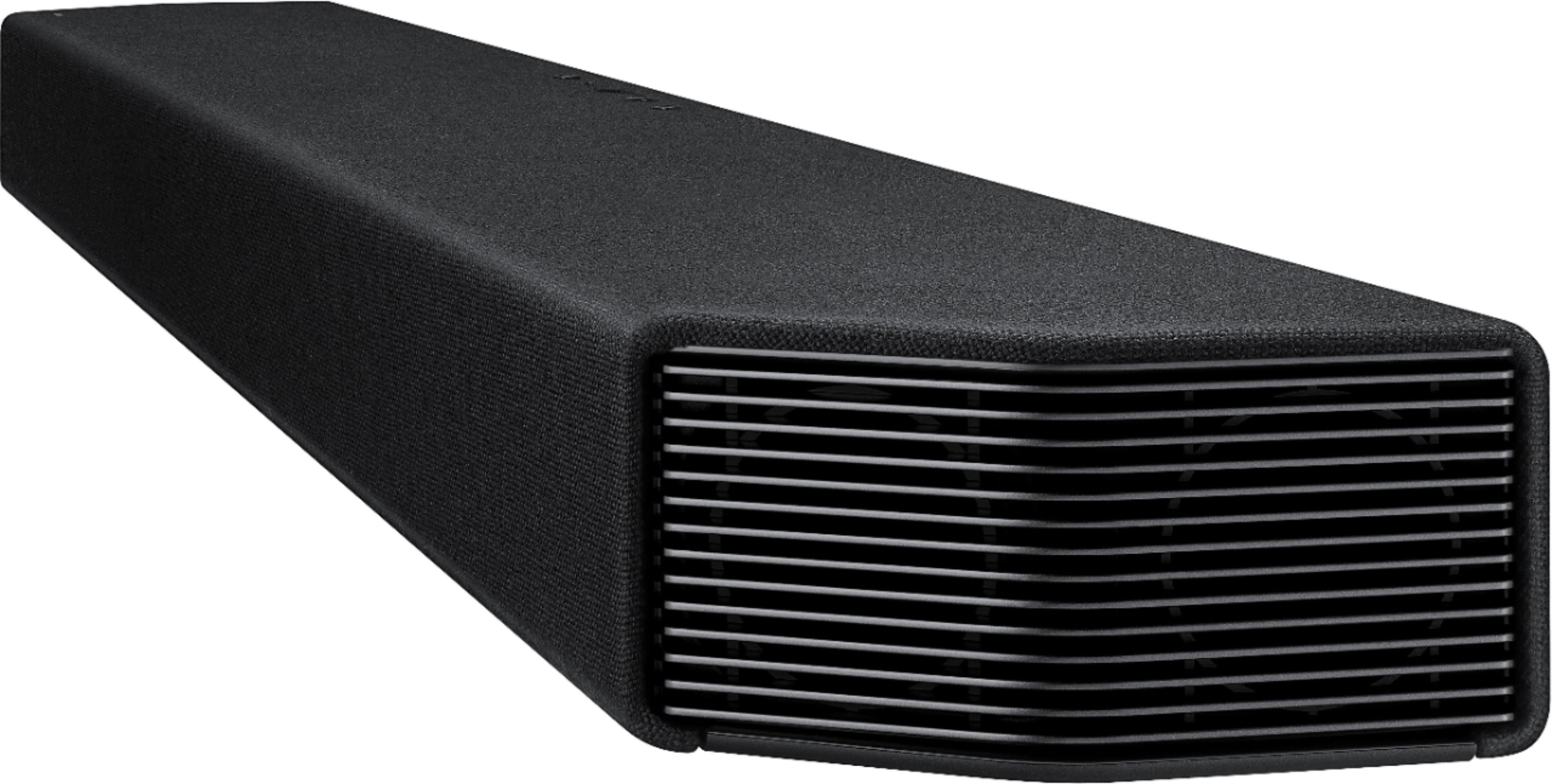
Please check that you have positioned the soundbar correctly. It has come to our attention that customers may be positioning the soundbar incorrectly, resulting in poor sound quality. The soundbar should be placed with the SAMSUNG logo facing up towards the ceiling. If you position the soundbar with the logo facing up, you will see the display/status panel and the speakers will be facing outward. (Refer to product photos on Samsung.com and zoom in on the photos) If you have incorrectly placed the soundbar with the SAMSUNG logo perpendicular to the floor (facing you when you sit), you will experience muffled or low quality sound because the unit will be resting on the speakers.
You can also try manually optimizing your audio experience by pressing the SOUND CONTROL button (looks like a gear) to access the setting items such as AUTO EQ, AVA, TREBLE, BASS, SYNC, CENTER LEVEL, SIDE LEVEL, FRONT TOP LEVEL, REAR LEVEL, REAR TOP LEVEL, REAR SIDE LEVEL, and VIRTUAL ON/OFF. The selected item can be adjusted using the Up/Down buttons.
– To control the volume of the treble or bass sound, select TREBLE or BASS in Sound Settings, and then adjust the volume between -6 to +6 by using the Up/Down buttons.
– Press and hold the SOUND CONTROL button for about 5 seconds to adjust the sound for each frequency band. 150Hz, 300Hz, 600Hz, 1.2kHz, 2.5kHz, 5kHz, and 10kHz are selectable using the Left/Right buttons and each can be adjusted to a setting between -6 to +6 using the Up/Down buttons. (Make sure the Sound mode is set to “STANDARD”.)
– To control the volume of each speaker, select CENTER LEVEL, SIDE LEVEL, or FRONT TOP LEVEL in Sound Settings, and then adjust the volume between -6 to +6 by using the Up/Down buttons.
– If the video on the TV and audio from the Soundbar are not synchronized, select SYNC in Sound Control, and then set the audio delay between 0~300 milliseconds by using the Up/Down buttons.
– SYNC is only supported for some functions.
– If Surround Speakers are connected, select REAR LEVEL, REAR TOP LEVEL, or REAR SIDE LEVEL and then use the Up/Down buttons to adjust the volume within a -6 to +6 range.
– The VIRTUAL Speaker function can be turned ON/OFF by using the Up/Down buttons.
–You can use the AUTO EQ function if a subwoofer is connected.
Should you ever have questions or need help, please call us at 1-800-SAMSUNG (ask for Soundbars), available 8AM - 12AM EST, 7 days a week.
For additional support resources, visit us on the Samsung website and click on the ‘Support’ link in the upper right corner of the homepage for:
1) Chat with Us/Product Help: To begin a chat or find solutions, choose ‘TVs & Home Theater’ and select your model & topic.
2) Manuals & Software
3) Warranty Info
4) Register a Product: For access to easy warranty support, convenient opt-in to special promos and offers, faster troubleshooting and service, and quick notification of system updates
5) Contact Us
~ Samsung Ambassador
Terrible Quality
||Posted . Owned for 1 month when reviewed.This reviewer received promo considerations or sweepstakes entry for writing a review.Terrible Soundbar… Tech was back out today and Back Speakers are not working. He said this is an issue with this soundbar. The rear speakers are turned to max and can not even tell sound is coming out of them. Very little. Returning!!
No, I would not recommend this to a friendBrand response from Samsung
Posted .Hi GlendaKGoodwin!
Thank you for sharing your review of the Samsung Q950A Soundbar. We appreciate your feedback regarding the issues you are experiencing and are planning on returning it. Should you want to troubleshoot your issue first, please contact Samsung Customer Support or try the steps below.
Please know, by design, the surround speakers are supposed to simulate sounds happening behind the viewer. Therefore, most of the time the surround channels are only used for ambient sounds, which are naturally lower in volume.
However, there are a few settings you can change to adjust the surround effect to your preference:
1) Make sure that the source (e.g. TV output) is sending surround channels to the Soundbar. If the source is not capable of surround, then set the Surround mode to OFF on the Soundbar by pressing the Surround button on the remote.
2) If the source has surround channels, select the desired Sound Mode from the Soundbar remote.
3) Turn off Dynamic Range Control. This is done by pressing and holding the Sound Mode button while the Soundbar is in standby mode. Depending on your soundbar model, you may or may not have DRC.
4) Increase the volume level of the surround speakers using the Sound Control button on the Soundbar remote control. Press the Sound Control button on the soundbar remote (looks like a gear), then select REAR LEVEL and use the Up/Down buttons to adjust the volume within a -6 to +6 range.
For further assistance you can reach Samsung Customer Support at: : 1-800-SAMSUNG (ask for Soundbars), available 8AM -12AM EST (Mon-Fri), 9AM – 6PM EST (Sat). Or text HELP to 62913.
For additional support resources, visit us on the Samsung website and click on the ‘Support’ link in the upper right corner of the homepage for:
1) More ‘Contact Us’ options – LiveChat, Facebook, Twitter, Samsung Community, Samsung Members app
2) Manuals, Software, & Warranty Info
We hope to regain you as a customer in the future.
~ Samsung Solutions
Disappointed for all the hype
||Posted . Owned for 3 weeks when reviewed.This reviewer received promo considerations or sweepstakes entry for writing a review.This is the biggest waste of money ever spent. Nothing hooks up like the manual says it will. The hdmi ,dni,or WiFi, doesn’t work. The audio optic cable sounds like you listening through a tin can. The only thing that works is the blue tooth and it cuts out ever minute or so. Biggest disappointment ever!!
No, I would not recommend this to a friendBrand response from Samsung
Posted .Hi Cleanhouse!
Thank you for purchasing the Samsung Q950A Soundbar. We appreciate your feedback regarding the issues you are experiencing with your unit. Please make sure you are using the latest firmware version (ver1006.3). Updating the firmware on your soundbar gives you all the benefits of the latest improvements.
When the Soundbar is connected to the Internet, Auto Update allows software to update automatically even when the Soundbar is turned off. You can also update by using the SmartThings app.
If not connected to the internet, you can download it onto a USB device, and then upload it to your soundbar - no wireless connection required. When an update is available, you can update the Soundbar by connecting the USB drive that contains the update firmware to the SERVICE port of the Soundbar. You will need a Micro USB to USB adapter cable (not supplied)
1.Go to the Samsung Electronics website → click on the “Support” option in the upper left corner.
2.Click on “Manuals & Software” from the pop-up list > TVs & Home Theater > Home Theater > Select your model
2. Download the firmware file (USB type).
3. Unzip the file to create a folder with the file name.
4. Store the created folder in a USB and then connect it to the Soundbar.
5. A sequence of “UPDATE” > “BYE” > “ON” will appear on the display 3 times. This will take around 6 minutes.
- During update, do not turn it off or remove the USB.
- If “UPDATE” does not appear on the display window, remove the power cord from the Soundbar and then reconnect it.
- When the latest version is installed, no update is performed.
- Depending on the USB type, update may not be supported.
6. After the 3 cycles are complete, the Soundbar will restart and last source used will appear on the display for about 20 seconds and then it will go off (“UPDATE” > “BYE” > “ON”) 3 times “D.IN” > off
You can also try manually optimizing your audio experience by pressing the SOUND CONTROL button (looks like a gear) to access the setting items such as AUTO EQ, AVA, TREBLE, BASS, SYNC, CENTER LEVEL, SIDE LEVEL, FRONT TOP LEVEL, REAR LEVEL, REAR TOP LEVEL, REAR SIDE LEVEL, and VIRTUAL ON/OFF. The selected item can be adjusted using the Up/Down buttons.
– To control the volume of the treble or bass sound, select TREBLE or BASS in Sound Settings, and then adjust the volume between -6 to +6 by using the Up/Down buttons.
– Press and hold the SOUND CONTROL button for about 5 seconds to adjust the sound for each frequency band. 150Hz, 300Hz, 600Hz, 1.2kHz, 2.5kHz, 5kHz, and 10kHz are selectable using the Left/Right buttons and each can be adjusted to a setting between -6 to +6 using the Up/Down buttons. (Make sure the Sound mode is set to “STANDARD”.)
– To control the volume of each speaker, select CENTER LEVEL, SIDE LEVEL, or FRONT TOP LEVEL in Sound Settings, and then adjust the volume between -6 to +6 by using the Up/Down buttons.
– If Surround Speakers are connected, select REAR LEVEL, REAR TOP LEVEL, or REAR SIDE LEVEL and then use the Up/Down buttons to adjust the volume within a -6 to +6 range.
– The VIRTUAL Speaker function can be turned ON/OFF by using the Up/Down buttons.
–You can use the AUTO EQ function if a subwoofer is connected.
Should you ever have any questions or concerns or need help with settings or features, please contact Samsung Customer Support at
1-800-SAMSUNG (ask for Soundbars), available 8AM -12AM EST (Mon-Fri), 9AM – 6PM EST (Sat). Or text HELP to 62913.
For additional support resources, visit us on the Samsung website and click on the ‘Support’ link in the upper right corner of the homepage for:
1. More ‘Contact Us’ options – LiveChat, Facebook, Twitter, Samsung Community, Samsung Members app
2. Manuals & Software
3. Warranty Info
4. Product Registration: For access to easy warranty support, convenient opt-in to special promos and offers, faster troubleshooting and service, and quick notification of system updates.
~ Samsung Solutions
Missing speakers
||Posted . Owned for less than 1 week when reviewed.This reviewer received promo considerations or sweepstakes entry for writing a review.Package arrived with no rear speakers. Instead of sending me the speakers, Best Buy is having me repack and ship the huge (half empty) box back and quoted me a replacement 40 days from now. I'm not sure why it's my hassle when I spent $1700 dollars on a sound system and BB delivered 50% of the items.
No, I would not recommend this to a friendBrand response from Samsung
Posted .Hi Speakerless,
Thank you for purchasing the Samsung HW-Q950A Soundbar. We appreciate you sharing your feedback regarding parts missing from your recent purchase. If purchased brand-new and unopened, please contact Samsung Customer Support and a representative will gladly help you. If purchased in open-box condition, we recommend contacting Best Buy directly for assistance. We hope your issue is resolved in a timely manner.
Should you ever have questions or need help, please call us at 1-800-SAMSUNG (ask for Soundbars), available 8AM - 12AM EST, 7 days a week.
For additional support resources, visit us on the Samsung website and click on the ‘Support’ link in the upper right corner of the homepage for:
1) Contact Us: For additional Chat & Text options, choose ‘TVs & Home Theater’ and select your model & topic.
2) Manuals & Software
3) Warranty Info
4) Register a Product: For access to easy warranty support, convenient opt-in to special promos and offers, faster troubleshooting and service, and quick notification of system updates
~ Samsung Solutions
- Pros mentioned:Setup, Sound qualityCons mentioned:Display
Awesome sound bar!
Posted .This reviewer received promo considerations or sweepstakes entry for writing a review.I was a little hesitant to spend this much on a sound bar. But I am so glad that we did. This is hands down the best home theater experience I have ever experienced in my life! We had recently got a new high end Samsung TV and wanted to pair it with a good sound system. We came across this unit and read all the rave reviews so we had to give it a try. Right out of the box you can tell this is a serious piece of hardware. Its big and solid, but at the same time sleek and would fit in perfectly with any décor. Setting it up was a breeze. you basically just plug all the components in, and somehow they all find each other and talk to each other and set themselves up. It really doesn't get any easier than that! We fired up an action flick with Dolby Atmos sound and we were blown away at how good this sounded. You could literally hear helicopters flying all around you and bullets ricocheting and everything. I literally was like being in a theater. We were able to customize things a little more using the Smart Things app. We tweaked the EQ to our liking and gave it a little bass boost. You cant do everything in the app, but I feel its a good way to make adjustments. The only thing that's kind of a bummer is that the display is on the top of the bar, so in able to see it, you have to stand up. But when you are able to see it, you can use the remote to adjust each individual channel to fit your space perfectly! Also, with a lot of sound bars regular music usually sounds pretty bad. I am happy to say that with this one, it sounds really, really good! I ran some Spotify music through it and was amazed at how good that sounded also! I cant recommend this sound bar enough. It truly is the best of the best! If you have the budget for it, then just buy it!!
I would recommend this to a friend Do not shop Woodbridge VA store ever!
||Posted . Owned for 2 months when reviewed.This reviewer received promo considerations or sweepstakes entry for writing a review.I bought this item from the Woodbridge, VA store and they sent me an open box item. I finally set it up today and the subwoofer doesn’t work. Coincidentally August 7th was the last day to return the item.
No, I would not recommend this to a friendBrand response from Samsung
Posted .Hi ZarsPurchases,
Thank you for purchasing the Samsung HW-Q950A soundbar with Wireless Subwoofer. I’m very sorry for the difficulties you’ve experienced with your Soundbar’s setup. We completely understand your frustrations, and we are here to help.
When you turn the power on after connecting the power cables to the Soundbar and subwoofer, the subwoofer is automatically connected to the Soundbar. When auto pairing is complete, the blue indicators at the rear of the subwoofer turn on.
If autoconnection fails, you can manually connect the subwoofer.
Before performing the manual connection procedure below:
• Check whether the power cables for the Soundbar and subwoofer are connected properly.
• Make sure that the Soundbar is turned off.
1. Press and hold ID SET on the rear of the subwoofer for at least 5 seconds.
• The red indicator on the rear of the subwoofer turns off and the blue indicator blinks.
2. Press and hold the Up button on the remote control for at least 5 seconds.
• The ID SET message appears on the display of the Soundbar for a moment, and then it disappears.
• The Soundbar will automatically power on when ID SET is complete.
3. Check if the LINK LED is solid blue (connection complete). The LINK LED indicator stops blinking and glows a solid blue when a connection is established between the Soundbar and the Wireless Subwoofer.
Please note:
• Do not connect the power cord of this product or your TV to a wall outlet until all connections between components are complete.
• Before moving or installing this product, be sure to turn off the power and disconnect the power cord.
• If the main unit is powered off, the wireless subwoofer will go into stand-by mode and the STANDBY LED on the rear of the sub-woofer will turn red after blinking in blue several times.
• If you use a device that uses the same frequency (5.8GHz) as the Soundbar near the Soundbar, interference may cause some sound interruption.
• The maximum transmission distance of the main unit’s wireless signal is about 32.8 ft but may vary depending on your operating environment. If a steel-concrete or metallic wall is between the main unit and the wireless subwoofer, the system may not operate at all because the wireless signal cannot penetrate metal.
• Wireless receiving antennas are built into the wireless subwoofer. Keep the unit away from water and moisture.
• For optimal listening performance, make sure that the area around the wireless subwoofer and the Wireless Receiver Module (sold separately) is clear of any obstructions.
Should these steps not resolve the issue you are experiencing with your subwoofer, please know, Samsung stands behind the quality and performance of our Soundbars with a limited 1-year manufacturer’s warranty when purchased brand-new from an authorized dealer. We would love the opportunity to investigate this for you so we can provide further troubleshooting or warranty assistance.
Please call us at 1-800-SAMSUNG (ask for Soundbars), available 8AM - 12AM EST, 7 days a week.
For additional support resources, visit us on the Samsung website and click on the ‘Support’ link in the upper right corner of the homepage for:
1) Contact Us: For additional Chat & Text options, choose ‘TVs & Home Theater’ and select your model & topic.
2) Manuals & Software
3) Warranty Info
4) Register a Product: For access to easy warranty support, convenient opt-in to special promos and offers, faster troubleshooting and service, and quick notification of system updates
We look forward to hearing from you.
~ Samsung Solutions
Midbass
||Posted . Owned for 3 weeks when reviewed.This reviewer received promo considerations or sweepstakes entry for writing a review.Subwoofer needs more power or bigger speaker with passive radiator. The cost is higher than value
No, I would not recommend this to a friendBrand response from Samsung
Posted .HI Gamefreak,
We appreciate you providing your feedback and experience with the HW-Q950A soundbar. Please know there is a wide range of audio adjustments available to tune the sound to your liking.
You can try quickly optimizing the audio by pressing the SOUND MODE button on your remote, and then select the desired sound effect by choosing STANDARD, SURROUND SOUND, GAME PRO, or ADAPTIVE SOUND.
If you would like to manually tune the audio, press the SOUND CONTROL button (looks like a gear) to access the setting items such as AUTO EQ, AVA, TREBLE, BASS, SYNC, CENTER LEVEL, SIDE LEVEL, FRONT TOP LEVEL, REAR LEVEL, REAR TOP LEVEL, REAR SIDE LEVEL, and VIRTUAL ON/OFF. The selected item can be adjusted using the Up/Down buttons.
Alternatively, you can press and hold the SOUND CONTROL button for about 5 seconds to adjust the sound for each frequency band. 150Hz, 300Hz, 600Hz, 1.2kHz, 2.5kHz, 5kHz, and 10kHz are selectable using the Left/Right buttons and each can be adjusted to a setting between -6 to +6 using the Up/Down buttons.
I hope these tips help!
Should you ever have questions or need help, please call us at 1-800-SAMSUNG (ask for Soundbars), available 8AM - 12AM EST, 7 days a week.
For additional support resources, visit us on the Samsung website and click on the ‘Support’ link in the upper right corner of the homepage for:
1) Chat with Us/Product Help: To begin a chat or find solutions, choose ‘TVs & Home Theater’ and select your model & topic.
2) Manuals & Software
3) Warranty Info
4) Register a Product: For access to easy warranty support, convenient opt-in to special promos and offers, faster troubleshooting and service, and quick notification of system updates
5) Contact Us
~ Samsung Solutions
Stops working, warranty support is a joke.
||Posted . Owned for 1 year when reviewed.This reviewer received promo considerations or sweepstakes entry for writing a review.Don’t bother. This piece of junk disconnects from all sources after about two minutes. Sent it in to Samsung for warranty service and they are returning it claiming they can’t repair it. So they don’t stand behind their products. This officially ends my relationship with Samsung.
No, I would not recommend this to a friend- Pros mentioned:Sound qualityCons mentioned:Price
Seamless on my LG OLED. This is home audio.
Posted .This reviewer received promo considerations or sweepstakes entry for writing a review.I have this on my LG-C1 and I was worried about the compatibility. Note there is not a single problem. I’m so relieved as I’ve heard this is one of the best home audio systems you can get and the LG model falls flat compared to this. It’s beyond true, this soundbar is outrageous. There’s so much depth and a wide soundstage I’m beyond thrilled. I had a Samsung Q60T soundbar and sub, but it never really felt like a theater. This does the trick. I know it’s pricey, but it was this or the ARC. I can’t justify $1900 for the sonos on a 5:1 soundbar compared to this 9:1 just because it’s a Sonos. There’s a reason this one is the best soundbar out there, and why you should get it regardless of TV brands. Play with the EQ and find what you like. LG people, when you do it make sure you’re in EARC on the HDMI. I switched from optical so it only read as an ARC, but now I’m getting Dolby and I’m blown away. It sounded great out of the box, but when you have fun with it, you’re in for a treat.
I would recommend this to a friend Sorry
||Posted . Owned for 3 weeks when reviewed.This reviewer received promo considerations or sweepstakes entry for writing a review.Sound quality for the price was not good. Don’t get caught up in the Atmos tech it’s ok but not worth the $
No, I would not recommend this to a friendBrand response from Samsung
Posted .Hi Realreview!
Thank you for your review of this Samsung HW-Q950A Soundbar System. We appreciate you sharing your audio experience with us. Your feedback is very important to us and will be shared with our product team.
Please know that the with the Adaptive Sound mode, your soundbar analyzes your content and automatically optimize sound based on each scene.
You can try manually optimizing your audio experience by pressing the SOUND CONTROL button (looks like a gear) to access the setting items such as AUTO EQ, AVA, TREBLE, BASS, SYNC, CENTER LEVEL, SIDE LEVEL, FRONT TOP LEVEL, REAR LEVEL, REAR TOP LEVEL, REAR SIDE LEVEL, and VIRTUAL ON/OFF. The selected item can be adjusted using the Up/Down buttons.
– To control the volume of the treble or bass sound, select TREBLE or BASS in Sound Settings, and then adjust the volume between -6 to +6 by using the Up/Down buttons.
– Press and hold the SOUND CONTROL button for about 5 seconds to adjust the sound for each frequency band. 150Hz, 300Hz, 600Hz, 1.2kHz, 2.5kHz, 5kHz, and 10kHz are selectable using the Left/Right buttons and each can be adjusted to a setting between -6 to +6 using the Up/Down buttons. (Make sure the Sound mode is set to “STANDARD”.)
– To control the volume of each speaker, select CENTER LEVEL, SIDE LEVEL, or FRONT TOP LEVEL in Sound Settings, and then adjust the volume between -6 to +6 by using the Up/Down buttons.
– The VIRTUAL Speaker function can be turned ON/OFF by using the Up/Down buttons.
Should you ever have questions or need assistance with settings, setup, or features, please know we are always here to help. Contact us at: 1-800-SAMSUNG (ask for Soundbars), available 8AM -12AM EST (Mon-Fri), 9AM – 6PM EST (Sat). Or text HELP to 62913.
For additional support resources, visit us on the Samsung website and click on the ‘Support’ link in the upper right corner of the homepage for:
1) More ‘Contact Us’ options – LiveChat, Facebook, Twitter, Samsung Community, Samsung Members app
2) Manuals, Software, & Warranty Info
~ Samsung Solutions
Waste of time
||Posted .This reviewer received promo considerations or sweepstakes entry for writing a review.I have Xbox series x and lg g1. Long story sorry 1-2 audio lag. Tried for an hour to fix issue with no luck and this is after updating it to latest software. Sadly I will just stick with my Sony ht a9
No, I would not recommend this to a friendBrand response from Samsung
Posted .Hi Daotaku,
Thank you for your review of the Samsung Q950A Soundbar and for sharing the issues that have caused you to return your unit. Your experience is very important to us and will be shared with our product team.
It is possible that your unit needed minor troubleshooting, a firmware update, or adjustments in settings.
Should you ever decide to give Samsung Soundbars another try and have questions or need assistance with settings, setup, or features, please know we are always here to help. Call us at 1-800-SAMSUNG (ask for Soundbars), available 8AM - 12AM EST, 7 days a week.
For additional support resources, visit us on the Samsung website and click on the ‘Support’ link in the upper right corner of the homepage for:
1) Contact Us: For additional Chat & Text options, choose ‘TVs & Home Theater’ and select your model & topic.
2) Manuals, Software, & Warranty Info
We hope to regain you as a customer in the future.
~ Samsung Solutions
- Pros mentioned:Sound quality
Samsung Astonishes Again! ATMOS is a HUGE Upgrade!
Posted .This reviewer received promo considerations or sweepstakes entry for writing a review.IMPRESSIVE upgrade from Samsung HW-K950 (2016). I loved the 5.1 ATMOS package I had before. I paid over $1,000 for that model and in comparison, this HW-Q950A model is a significant upgrade in performance, sound quality, and wireless. There was a known issue on the older model where the wireless speakers would make a lot of noise. This would impact performance and was noticeable when sitting near the speakers. The new Q950A model does not suffer from this same behavior and features even more speakers which completely fill the room with incredible sound. I have paired this with a Hisense 120" short throw projector which has made for an awesome movie watching experience at home!
I would recommend this to a friend - Pros mentioned:Setup, Sound quality
Great System with Movie Quality Sound.
Posted .This reviewer received promo considerations or sweepstakes entry for writing a review.Superb movie quality sound. This system totally blew me away. Easy setup, and immediate difference maker. I previously had 2 Bose systems and a JBL system, that were very good in the store, but once i got them home and hooked up, the disappointment set in. The Q950A was just as presented in the store. Great quality all around. Perfect for my at home needs.
I would recommend this to a friend - Pros mentioned:Dolby atmos, Sound quality
KING of Sound bar - Samsung 950A sound bar
Posted .This reviewer received promo considerations or sweepstakes entry for writing a review.Sound quality is mind blowing. Amazing sound effects with Dolby Atmos sound. I am glad I waited for the release of the product this year and it paid off big time. I would say this is the best sound bar in market i.e., KING of sound bar. Samsung 950A sound bar is the BEST!!
I would recommend this to a friend - Pros mentioned:Sound quality
Great Sound
Posted .This reviewer received promo considerations or sweepstakes entry for writing a review.Really nice surround sound, I paired it with Samsung Qn90 TV, they sync and the sound comes from the TV, sound bar, and speakers. It was installed yesterday so this is just my first impression, so far sounds great!
I would recommend this to a friend - Pros mentioned:Ease of use
Problems with settings
Posted .This reviewer received promo considerations or sweepstakes entry for writing a review.Sound quality is OK and was originally easy to setup with my QLED TV. Was very happy initially but started having trouble with settings changing from soundbar back to just TV speakers and then many of the Alexa commands not working. Spent a great deal of time with SmartThings support and Samsung support but issues are unresolved. Samsung said they would have a technician contact me to schedule a visit to my home but that never happened. I specifically bought this soundbar because I thought it would work well with my 85" QN90A but that didnt happen.
No, I would not recommend this to a friendBrand response from Samsung
Posted .Hi Paul,
We appreciate you sharing your experience with your soundbar occasionally losing connection to the TV, and your issues with the built in Alexa voice assistant. I am very sorry to hear that the troubleshooting steps attempted so far have not resolved your issues.
Please make sure your soundbar is using the latest firmware version (v.1010.1). Updating the firmware on your soundbar gives you all the benefits of the latest improvements and may resolve connection or software issues. When the Soundbar is connected to the Internet, Auto Update allows software to update automatically even when the Soundbar is turned off. You can also update by using the SmartThings app or a USB device.
Should this not resolve the issues you are experiencing, you may also want to initialize your soundbar by pressing the - and + (volume) buttons on the side of the soundbar at the same time for at least 5 seconds. “INIT” appears on the display and the soundbar will be reset. Please know, this will reset all settings on the soundbar back to default; any sound adjustments will need to be performed again.
I hope these troubleshooting steps help resolve your issue. For additional assistance with this please call us again at 1-800-SAMSUNG (ask for Soundbars), available 8AM - 12AM EST, 7 days a week.
For additional support resources, visit us on the Samsung website and click on the ‘Support’ link in the upper right corner of the homepage for:
1) Chat with Us/Product Help: To begin a chat or find solutions, choose ‘TVs & Home Theater’ and select your model & topic.
2) Manuals & Software
3) Warranty Info
4) Register a Product: For access to easy warranty support, convenient opt-in to special promos and offers, faster troubleshooting and service, and quick notification of system updates
5) Contact Us
~ Samsung Solutions
- Pros mentioned:Sound quality
Both surround speakers died in the first two years
Posted .This reviewer received promo considerations or sweepstakes entry for writing a review.Both surround speakers died in the first two years. The first was covered under warranty and was eventually replaced after nearly two months. The second one died after the one-year warranty period ended, and the options were to ship the *entire* sound bar across the country for "repair" (at a cost of $150+ each way for shipping) or to purchase a replacement surround speaker at a cost of approximately $300. Overall, the sound bar had good sound, but the proprietary surround speakers that eventually die make it a very expensive stack of garbage. I would not recommend this or any other sound bar from Samsung.
No, I would not recommend this to a friend