Appliances Presidents’ Day SaleEnds 2/25. Limited quantities. No rainchecks.Shop now

Skip to contentGo to Product SearchGo to Footer
Main Content

Customer Ratings & Reviews
$1,499.99
Save $500
Comp. Value: $1,999.99

Customer reviews

Rating 4.7 out of 5 stars with 451 reviews

Rating Filter

Rating by feature

  • Value

    Rating 4.6 out of 5 stars

  • Quality

    Rating 4.8 out of 5 stars

  • Ease of Use

    Rating 4.7 out of 5 stars

Pros mentioned filter

Cons mentioned filter

95%would recommend to a friend

Customers are saying

Customers are satisfied with the HW-Q990D/ZA soundbar, highlighting its awesome sound quality and powerful bass. Many found the setup process to be very easy. The soundbar also offers good connectivity with its wireless speakers and is easy to use, with sufficient volume.

This summary was generated by AI based on customer reviews.

The vast majority of our reviews come from verified purchases. Reviews from customers may include My Best Buy members, employees, and Tech Insider Network members (as tagged). Select reviewers may receive discounted products, promotional considerations or entries into drawings for honest, helpful reviews.
Page 22 Showing 421-440 of 451 reviews
  • Rated 2 out of 5 stars

    Sub Par

    |
    |
    Posted . Owned for 3 months when reviewed.
    This reviewer received promo considerations or sweepstakes entry for writing a review.

    The sound from the main bar is decent but has started to crackle in the last week. We never play it really loud because we have kids, not sure what happened. The back speakers almost never play any sound, we have tried all the speaker settings with no change. A lot of money for just the bar and woofer...

    No, I would not recommend this to a friend
    • Brand response from Samsung
      Posted .

      Hi RichardM,

      Thank you for taking a moment to review the Samsung HW-Q990D Soundbar.

      First, try doing a soft reset, unplug the soundbar from the outlet for roughly 30 seconds and then plug it back in.

      If this still does not correct your issue, then do a hard reset. With the Soundbar on, press the + & - Volume buttons on the body of the soundbar at the same time for at least 5 seconds. INIT OK” appears on the display and then the Soundbar is reset.

      By design, the surround speakers are supposed to simulate sounds happening behind the viewer. Therefore, most of the time the surround channels are only used for ambient sounds, which are naturally lower in volume.

      If you need more help, Samsung is here for you. Please call us at 1-800-SAMSUNG, 8AM - 12AM EST (Ask for Soundbars), 7 days a week. Our Live Chat agents are also available by clicking on the ‘Support’ link on our website.

      ~ Samsung Solutions Samsung

  • Rated 1 out of 5 stars

    Samsung sound bar

    |
    |
    Posted . Owned for 1 month when reviewed.
    This reviewer received promo considerations or sweepstakes entry for writing a review.

    Returned too many issues with sound control. Switching from shows to commercials went to full blast almost.

    No, I would not recommend this to a friend
    • Brand response from Samsung
      Posted .

      Hi james,

      Thank you for your review of the Samsung HW-Q990D Soundbar and for sharing the issues that have caused you to return your unit. Your experience is very important to us and will be shared with our product team.

      It is possible that your unit needed minor troubleshooting, a firmware update, or adjustments in settings.

      Should you ever decide to give Samsung Soundbars another try and have questions or need assistance with settings, setup, or features, please know we are always here to help. Call us at 1-800-SAMSUNG (Ask for Soundbars), 8AM - 12AM EST, 7 days a week. Or visit us on the Samsung website and click on the ‘Support’ link for:
      • Live Chat
      • Manuals, Software, & Warranty Info
      • Creating a service ticket

      ~ Samsung Solutions Samsung

  • Rated 1 out of 5 stars

    Best buy cancelled order three times

    |
    |
    Posted . Owned for 3 weeks when reviewed.
    This reviewer received promo considerations or sweepstakes entry for writing a review.

    Then changed the price and refused to honor original sale price, referred to email support team who will not respond

    No, I would not recommend this to a friend
    • Brand response from Samsung
      Posted .

      Hello Ctck,

      Please know you are leaving a review and 1-star rating for the HW-Q990D, but we are sorry to hear of your Best Buy experience, nonetheless. You may want to consider providing feedback directly to the Best Buy store where you made your purchase.

      Should you have questions on the HW-Q990D itself, Samsung is here for you. You can reach us at 1-800-SAMSUNG, 8AM - 12AM EST, 7 days a week. Our LiveChat agents are also available by clicking on the ‘Support’ link on our website.

      ~ Samsung Solutions Samsung

  • Rated 1 out of 5 stars

    Soundbar

    |
    |
    Posted . Owned for 2 weeks when reviewed.
    This reviewer received promo considerations or sweepstakes entry for writing a review.

    I hate it theres no real bass and it doesn’t compare to the older model i had. Very disappointed!

    No, I would not recommend this to a friend
    • Brand response from Samsung
      Posted .

      Hi Jimjim101,

      We appreciate you providing your feedback and experience with the HW-Q990D soundbar. Please know there are a wide range of audio adjustments available to tune the sound to your liking.

      You can manually optimize your audio experience by pressing the SOUND CONTROL button (which looks like a gear), you can set the audio function such as Auto EQ, Spacefit sound, AVA, Voice Enhance mode, Night mode, Sync, Surround speaker mode, Virtual. The desired item can be adjusted using the Up/Down buttons.

      Alternatively, you can press and hold the SOUND CONTROL button for about 5 seconds to adjust the sound for each frequency band. 150Hz, 300Hz, 600Hz, 1.2kHz, 2.5kHz, 5kHz, and 10kHz are selectable using the Left/Right buttons and each can be adjusted to a setting between -6 to +6 using the Up/Down buttons.

      You can try quickly optimizing the audio by pressing the SOUND MODE button on your remote, and then select the desired sound effect by choosing STANDARD, SURROUND SOUND, GAME, or ADAPTIVE SOUND.

      To control the volume of each speaker, press the CH LEVEL button on the provided remote. Then select CENTER LEVEL, SIDE LEVEL, WIDE LEVEL, FRONT TOP LEVEL, REAR LEVEL, or REAR TOP LEVEL. Once you find the channel you are looking for, adjust the volume between -6 to +6 by using the Up/Down buttons.

      There are multiple ways to control the bass levels for your new Soundbar.

      1) Using the WOOFER button on the provided Soundbar remote. Use the woofer button by pushing forward or pulling backward on the button itself to adjust the bass levels between -12 or -6/+6. If you want to reset the bass to 0 then push the button in.
      2) When you press the TONE CONTROL button, you can adjust the treble or bass levels between -6/+6.

      Alternatively, you can adjust all of these same settings and more within the SmartThings app. Download the app for your iOS or Android device and then connect your Soundbar to Wi-Fi. From here, you will be able to adjust all of the same settings as the provided remote, but with the added benefit of being able to see the changes on your smart device.

      If you need more help, Samsung is here for you. Please call us at 1-800-SAMSUNG, 8AM - 12AM EST (Ask for Soundbars), 7 days a week. Live Chat with an agent as well as manuals, software, creating a service ticket, and warranty info can be found at the ‘Support’ link on our Samsung website.

      ~ Samsung Solutions Samsung

  • Pros mentioned:
    Sound quality

    Rated 1 out of 5 stars

    Open box surprised

    |
    |
    Posted . Owned for 2 months when reviewed.
    This reviewer received promo considerations or sweepstakes entry for writing a review.

    Bought the open box. When I took it home and hooked it up the sound was incredible. But in a minute it kept switching to BT on its own. Had to return it. I really loved the sound too bad it was defected.

    No, I would not recommend this to a friend
    • Brand response from Samsung
      Posted .

      Hello GabrielP,

      Thank you for taking a moment to review the HW-Q990D Soundbar.

      For troubleshooting the issue you are experiencing try doing a Factory Reset.

      With Remote:
      Power Off Soundbar
      Hold the Play/Pause button on the remote for about 5 – 10 seconds
      Release the button once you see INT or RESET on the soundbar’s LED panel
      Power on the soundbar and repair your TV

      Without remote
      Turn on soundbar
      Press and hold the volume up (+) and volume down (-) buttons on the soundbar at the same time for about 5 – 10 seconds
      Release when you see LED say INT or RESET
      Wait for the soundbar to reboot

      If you need more help, Samsung is here for you. Please call us at 1-800-SAMSUNG, 8AM - 12AM EST (Ask for Soundbars), 7 days a week. Our Live Chat agents are also available by clicking on the ‘Support’ link on our website.

      ~ Samsung Solutions Samsung

  • Rated 1 out of 5 stars

    Not as good

    |
    |
    Posted . Owned for less than 1 week when reviewed.
    This reviewer received promo considerations or sweepstakes entry for writing a review.

    For the price i would think samsung would have all the glitches out for rhis price. Samsung products do not play nice with other tv or sound system products.

    No, I would not recommend this to a friend
    • Brand response from Samsung
      Posted .

      Hi Joker,

      We appreciate you taking a moment to review the Samsung HW-Q990D Soundbar.

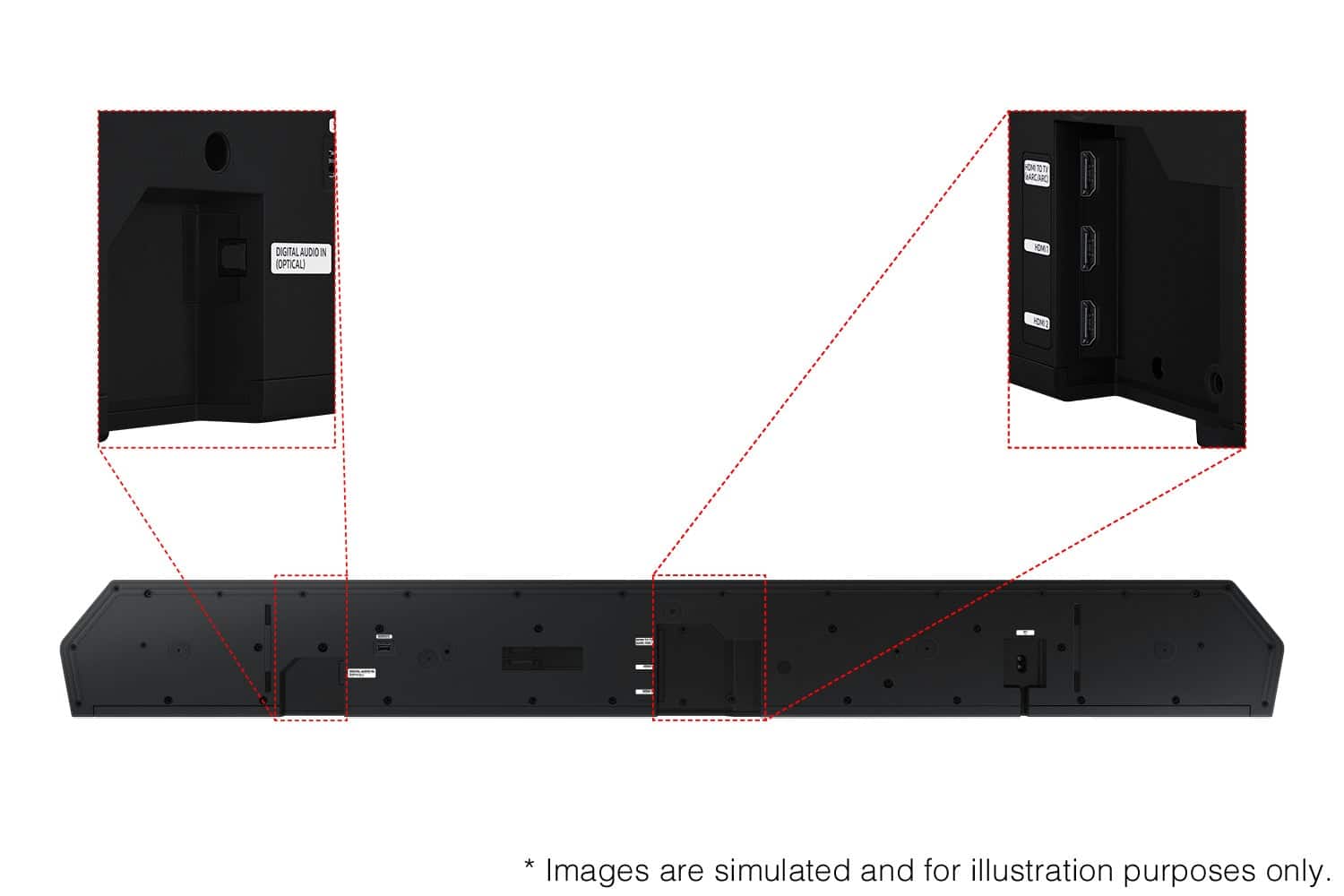
      The HW-Q990D features three ways to connect to a TV; HDMI/ARC, digital optical audio, and Bluetooth wireless audio technology. If your TV is compatible with one of these three audio connections, you should have no issue connecting the soundbar to your TV. Follow the steps below to connect the soundbar to your TV via one of the three available connections:

      HDMI ARC (Audio Return Channel) lets certain TVs and soundbars transfer audio back and forth using one HDMI cable. In other words, you can use the HDMI port as both an input and audio output. To set up HDMI ARC, power on your TV and soundbar.
      1. Next, connect one end of an HDMI cable into the HDMI IN (ARC) port on your TV.
      2. Connect the other end into the HDMI OUT (TV-ARC) port on your soundbar.
      3. Next, change the source on your soundbar to the D.IN. setting.
      4. After a few seconds, "TV ARC" will appear on the soundbar's display, and the TV will transfer audio through the soundbar.

      An optical cable is another way to connect your soundbar to your TV. You can also connect your devices (cable boxes, video game systems, and Blu-ray players) to the TV, and have the sound output from the TV to the soundbar.
      1. With the TV and soundbar turned on, connect one end of a digital optical cable to the OPTICAL OUT port on the TV.
      2. Then, connect the other end to the DIGITAL AUDIO IN (OPTICAL) port on the soundbar.
      3. Press Source on the remote or soundbar, and then set the soundbar to the D.IN. setting.
      4. Finally, on the TV, you need to set the speaker output to external speakers.

      The TV's sound will now play from the soundbar.

      Your soundbar is also compatible with a Bluetooth connection to the TV. To connect the soundbar wirelessly, follow the steps below:

      1) Press the PAIR button on the remote to enter BT PAIRING mode. You can also press the SOURCE button on the top panel and then select BT. “BT” changes to “BT PAIRING” in a few seconds automatically or changes to “BT READY” if there is a connect record. If BT READY appears, press and hold the SOURCE button on the top panel of the Soundbar for more than 5 seconds to display BT PAIRING.
      2) Select the Bluetooth sound mode on your TV (See your TV's user manual for assistance)
      3) Select “[AV] Samsung Soundbar Q Series” from the list on the TV’s screen. An available Soundbar is indicated with “Need Pairing” or “Paired” on the TV’s Bluetooth device list. To connect the TV to the Soundbar, select the message, and then establish a connection.
      When the TV is connected, [TV Name] → “BT” appears on the Soundbar’s front display. You should now hear TV sound from the Soundbar. Once you have connected your soundbar for the first time, use the “BT READY” mode to reconnect.

      Alternatively, you can adjust all of these same settings and more within the SmartThings app. Download the app for your iOS or Android device and then connect your Soundbar to Wi-Fi. From here, you will be able to adjust all of the same settings as the provided remote, but with the added benefit of being able to see the changes on your smart device.

      I hope these tips help you set up your new Samsung Soundbar.

      If you need more help, Samsung is here for you. Please call us at 1-800-SAMSUNG, 8AM - 12AM EST (Ask for Soundbars), 7 days a week. Our Live Chat agents are also available by clicking on the ‘Support’ link on our website.

      ~ Samsung Solutions Samsung

  • Rated 1 out of 5 stars

    Sound has no depth

    |
    |
    Posted .
    This reviewer received promo considerations or sweepstakes entry for writing a review.

    Seems good on paper but even after tuning for a while i couldn’t get it to sound good. For the price just get a sonos sound bar and you’ll be a lot happier.

    No, I would not recommend this to a friend
    • Brand response from Samsung
      Posted .

      Hello Idosho,

      We appreciate you providing your feedback and experience with the HW-Q990D soundbar. Please know there are a wide range of audio adjustments available to tune the sound to your liking.

      You can manually optimize your audio experience by pressing the SOUND CONTROL button (which looks like a gear), you can set the audio function such as Auto EQ, Spacefit sound, AVA, Voice Enhance mode, Night mode, Sync, Surround speaker mode, Virtual. The desired item can be adjusted using the Up/Down buttons.

      Alternatively, you can press and hold the SOUND CONTROL button for about 5 seconds to adjust the sound for each frequency band. 150Hz, 300Hz, 600Hz, 1.2kHz, 2.5kHz, 5kHz, and 10kHz are selectable using the Left/Right buttons and each can be adjusted to a setting between -6 to +6 using the Up/Down buttons.

      You can try quickly optimizing the audio by pressing the SOUND MODE button on your remote, and then select the desired sound effect by choosing STANDARD, SURROUND SOUND, GAME, or ADAPTIVE SOUND.

      To control the volume of each speaker, press the CH LEVEL button on the provided remote. Then select CENTER LEVEL, SIDE LEVEL, WIDE LEVEL, FRONT TOP LEVEL, REAR LEVEL, or REAR TOP LEVEL. Once you find the channel you are looking for, adjust the volume between -6 to +6 by using the Up/Down buttons.

      There are multiple ways to control the bass levels for your new Soundbar.

      1) Using the WOOFER button on the provided Soundbar remote. Use the woofer button by pushing forward or pulling backward on the button itself to adjust the bass levels between -12 or -6/+6. If you want to reset the bass to 0 then push the button in.
      2) When you press the TONE CONTROL button, you can adjust the treble or bass levels between -6/+6.

      Alternatively, you can adjust all of these same settings and more within the SmartThings app. Download the app for your iOS or Android device and then connect your Soundbar to Wi-Fi. From here, you will be able to adjust all of the same settings as the provided remote, but with the added benefit of being able to see the changes on your smart device.

      If you need more help, Samsung is here for you. Please call us at 1-800-SAMSUNG, 8AM - 12AM EST (Ask for Soundbars), 7 days a week. Live Chat with an agent as well as manuals, software, creating a service ticket, and warranty info can be found at the ‘Support’ link on our Samsung website.

      ~ Samsung Solutions Samsung

  • Rated 1 out of 5 stars

    Not working, no fix offered by Samsung

    |
    |
    Posted . Owned for less than 1 week when reviewed.
    This reviewer received promo considerations or sweepstakes entry for writing a review.

    Would just keep turning on and off mute. Used Samsung tech support. Fix lasted 30 minutes. Samsung website is a mess to try and find solutions. While looking for fix I saw the last update bricked these models and Samsung had no idea. Most people had a 4 week fix to wait for. Issue still persists. No one screen projection for the controls and settings. Returning today.

    No, I would not recommend this to a friend
    • Brand response from Samsung
      Posted .

      Hi Okthen,

      We appreciate you taking a few moments to review the Samsung HW-Q990D Soundbar.

      First, try doing a soft reset, unplug the soundbar from the outlet for roughly 30 seconds and then plug it back in.

      If this still does not correct your issue, then do a hard reset. With the Soundbar on, press the + & - Volume buttons on the body of the soundbar at the same time for at least 5 seconds. INIT OK” appears on the display and then the Soundbar is reset.

      Should you ever decide to give Samsung Soundbars another try and have questions or need assistance with settings, setup, or features, please know we are always here to help. Just give us a call at 1-800-SAMSUNG (Ask for Soundbars), 8AM - 12AM EST, 7 days a week. Our Live Chat agents are also available by clicking on the ‘Support’ link on our website.

      ~ Samsung Solutions Samsung

  • Rated 1 out of 5 stars

    Open box - Excellent but not so excellent

    |
    |
    Posted .
    This reviewer received promo considerations or sweepstakes entry for writing a review.

    I got an open box item that was said to be in excellent condition. A best buy employee told me excellent means it was just taken out of the box should be pristine. When I got it, it had dents and chips in it.

    I would recommend this to a friend
    • Brand response from Samsung
      Posted .

      Hi NicholasL,

      Please know you are leaving a review and 1-star rating for the HW-Q990D, but we are sorry to hear of your Best Buy experience, nonetheless. You may want to consider providing feedback directly to the Best Buy store where you made your purchase.

      Should you have questions on the HW-Q990D itself, Samsung is here for you. You can reach us at 1-800-SAMSUNG, 8AM - 12AM EST, 7 days a week. Our LiveChat agents are also available by clicking on the ‘Support’ link on our website.

      ~ Samsung Solutions Samsung

  • Rated 1 out of 5 stars

    Happy Customer

    |
    |
    Posted . Owned for 3 months when reviewed.
    This reviewer received promo considerations or sweepstakes entry for writing a review.

    Great system plenty clarity on for Netflix movies, and PS 5 games, a lot is being said about the Subs bass, no issues from me, in fact, everyone in my house 2 floors up are always saying turn down the bass it's too loud. Go figure. Overall, extremely satisfied with the Q990D .

    I would recommend this to a friend
    • Brand response from Samsung
      Posted .

      Hello MichaelH,

      Thank you for purchasing the Samsung HW-Q990D and for your review. I am glad to hear that you are happy with the performance of your new soundbar.

      If you are experiencing specific issues that caused you to give this a 1-star rating, please know Samsung Customer Support is here to help.

      Call us at 1-800-SAMSUNG (ask for Soundbars), available 8 AM – 12 AM EST, 7 days a week.

      LiveChat with an agent by clicking the ‘Support’ link on the Samsung website.

      ~Samsung Solutions Samsung

  • Rated 1 out of 5 stars

    Samsung soundbar

    |
    |
    Posted .
    This reviewer received promo considerations or sweepstakes entry for writing a review.

    Unfortunately, I had to return the soundbar. I don't know if it was bad, but I could not get it to work. I would get popping noises and static. I tried changing out cables and even tried it on another tv to no avail.

    No, I would not recommend this to a friend
    • Brand response from Samsung
      Posted .

      Hi BruceR,

      Thank you for your review of the Samsung HW-Q990D Soundbar and for sharing the issues that have caused you to return your unit. Your experience is very important to us and will be shared with our product team.

      It is possible that your unit needed minor troubleshooting, a firmware update, or adjustments in settings.

      Should you ever decide to give Samsung Soundbars another try and have questions or need assistance with settings, setup, or features, please know we are always here to help. Call us at 1-800-SAMSUNG (Ask for Soundbars), 8AM - 12AM EST, 7 days a week. Or visit us on the Samsung website and click on the ‘Support’ link for:
      • Live Chat
      • Manuals, Software, & Warranty Info

      ~ Samsung Solutions Samsung

  • Rated 1 out of 5 stars

    It sucks!

    |
    |
    Posted . Owned for 1 week when reviewed.
    This reviewer received promo considerations or sweepstakes entry for writing a review.

    I highly do not recommend this product. You cannot control individual signals. You can go from a quiet simple moment to extremely loud noise. It could be because of it trying to “control” sound signals with A.I. with Dolby Atmos. I say, a cheap sound 5.1 receiver with speakers directed at various positions around the user sounds better than this $1800 over priced product.

    No, I would not recommend this to a friend
    • Brand response from Samsung
      Posted .

      Hi DelawareGuy,

      We appreciate you taking a moment to review the Samsung HW-Q990D Soundbar.

      You can press and hold the SOUND CONTROL button for about 5 seconds to adjust the sound for each frequency band. 150Hz, 300Hz, 600Hz, 1.2kHz, 2.5kHz, 5kHz, and 10kHz are selectable using the Left/Right buttons and each can be adjusted to a setting between -6 to +6 using the Up/Down buttons.

      You can try quickly optimizing the audio by pressing the SOUND MODE button on your remote, and then select the desired sound effect by choosing STANDARD, SURROUND SOUND, GAME, or ADAPTIVE SOUND.

      To control the volume of each speaker, press the CH LEVEL button on the provided remote. Then select CENTER LEVEL, SIDE LEVEL, WIDE LEVEL, FRONT TOP LEVEL, REAR LEVEL, or REAR TOP LEVEL. Once you find the channel you are looking for, adjust the volume between -6 to +6 by using the Up/Down buttons.

      There are multiple ways to control the bass levels for your new Soundbar.

      1) Using the WOOFER button on the provided Soundbar remote. Use the woofer button by pushing forward or pulling backward on the button itself to adjust the bass levels between -12 or -6/+6. If you want to reset the bass to 0 then push the button in.
      2) When you press the TONE CONTROL button, you can adjust the treble or bass levels between -6/+6.

      Alternatively, you can adjust all of these same settings and more within the SmartThings app. Download the app for your iOS or Android device and then connect your Soundbar to Wi-Fi. From here, you will be able to adjust all of the same settings as the provided remote, but with the added benefit of being able to see the changes on your smart device.

      I hope these tips help you enjoy your new product.
      You can always contact us for further help at 1-800-SAMSUNG (Ask for Soundbars), 8 AM – 12 AM EST, 7 days a week. Our Live Chat agents are also available by clicking on the ‘Support’ link on our website.

      ~ Samsung Solutions Samsung

  • Pros mentioned:
    Sound quality
    Tech Insider Network Member

    Rated 5 out of 5 stars

    If You Want The Best Look No Further!

    |
    Tech Insider Network Member
    Posted .
    This reviewer received promo considerations or sweepstakes entry for writing a review.

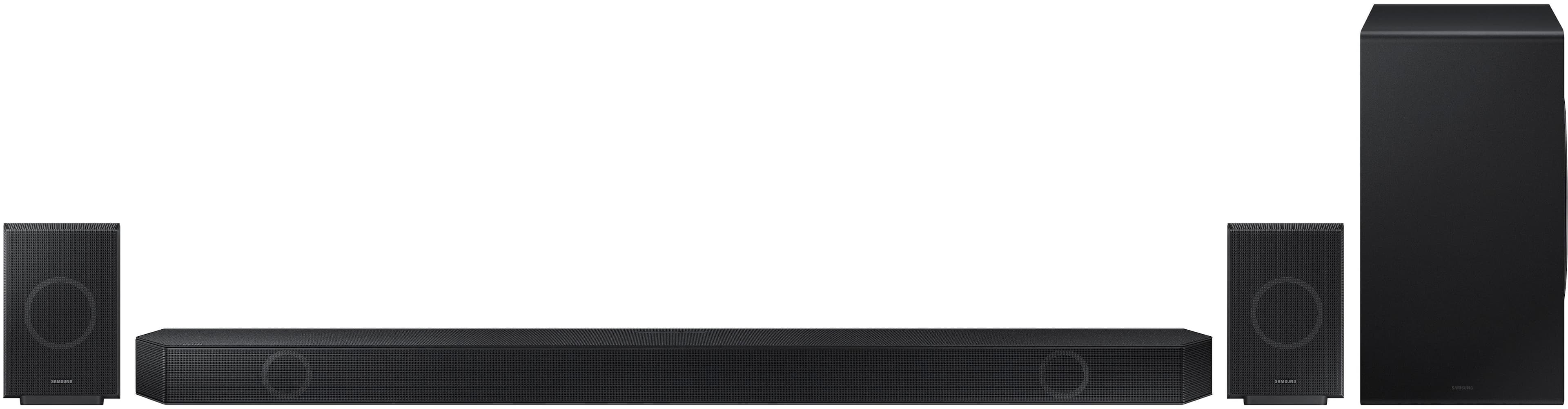
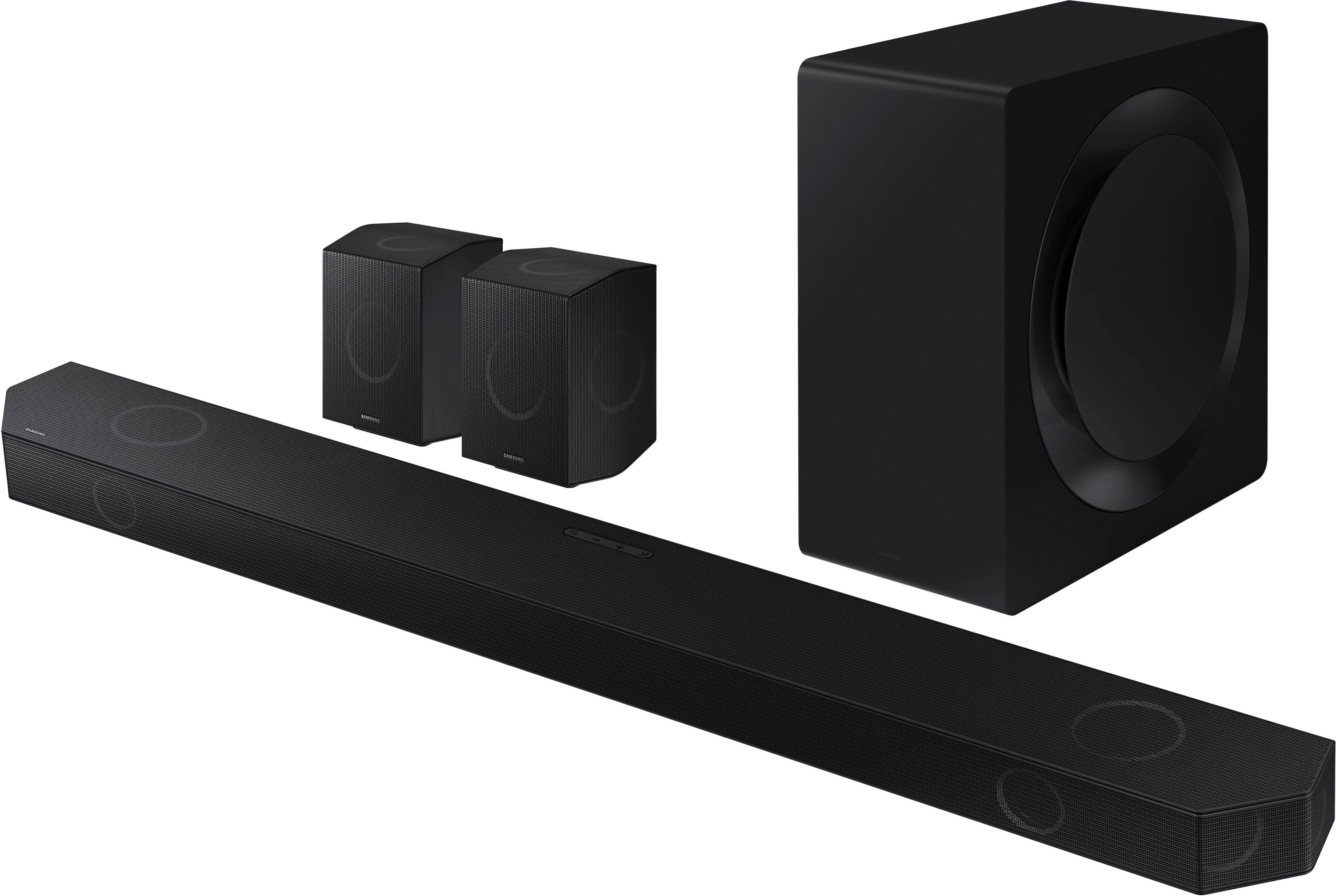
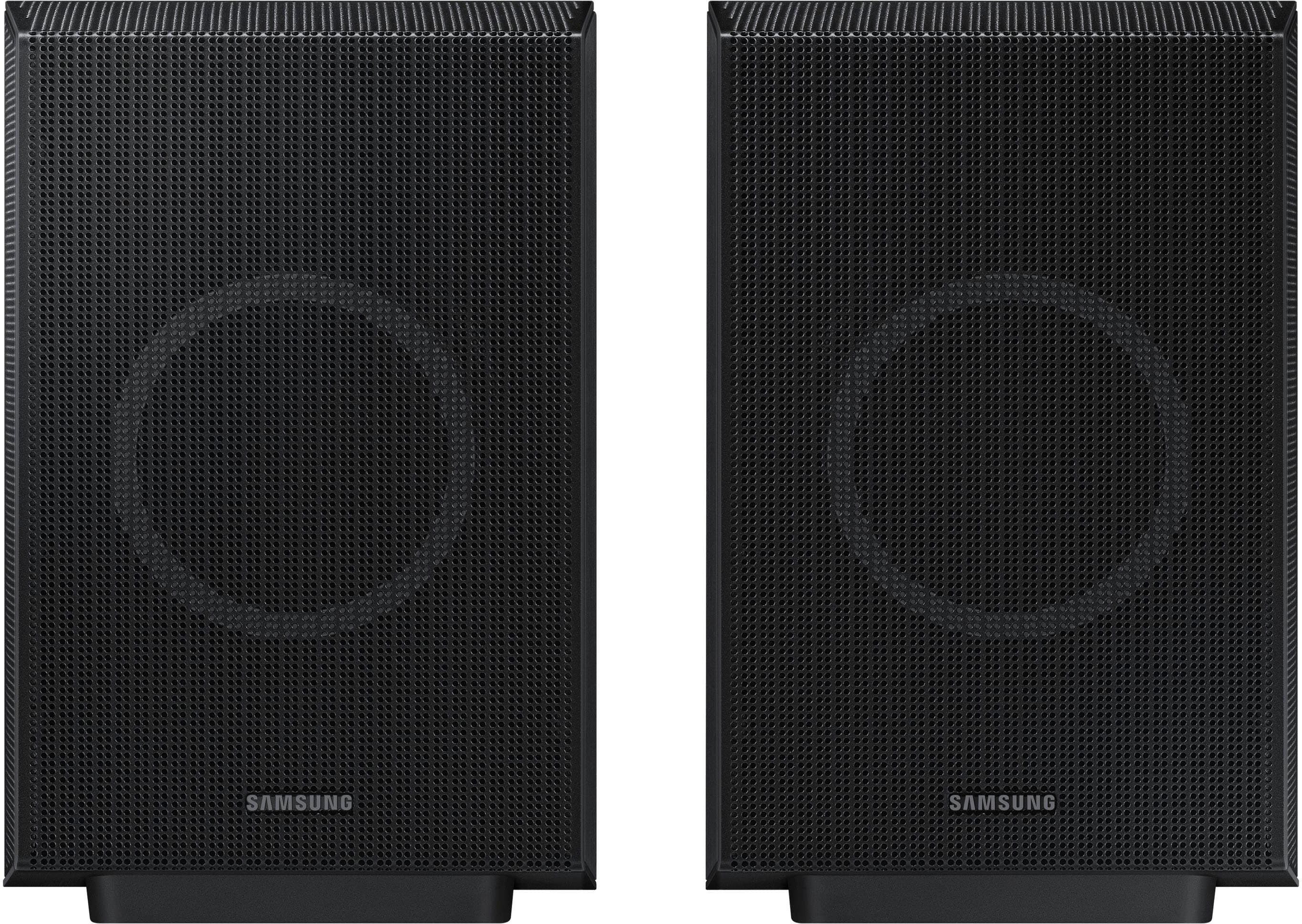
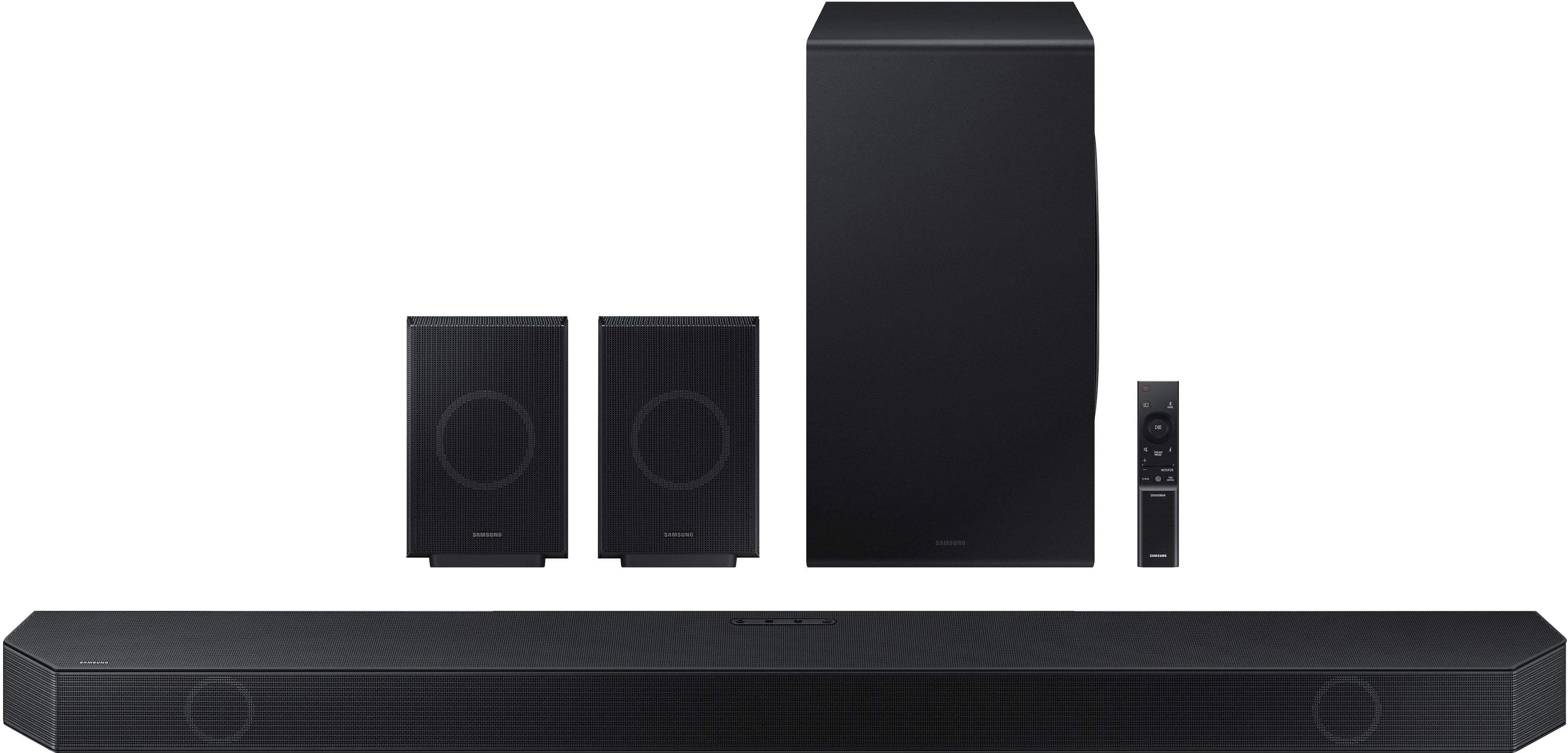
    I have long moved away from using separate audio components and have instead turned to soundbars to take their place. In the beginning of the soundbar generation sound quality was compromised. But as the art evolved sound quality drastically improved. Since sound quality is a priority for me, I only use flagship model soundbars for my primary viewing area. My previous soundbar system was in this category, and I was very pleased with the powerful surround sound it generated. I thought I had the pinnacle of performance, until I tried the Samsung Q990D. There is a lot of hype surrounding this soundbar, but rest assured that the Q990D completely lives up to that hype. This Samsung soundbar system completely outperforms my previous soundbar system in every category. The price is expensive, but if you want the best audio performance, then look no further. Please read further so I can explain why. The system arrived in a rather large and heavy box. The total box weight is 62 pounds so be prepared. Most of the weight is due to the subwoofer and the soundbar itself. The weight of the soundbar is not to be underestimated, and had me excited to give it a try. All things being equal, heavier speakers means beefier drivers, which usually mean powerful sound. The components in the box were nicely secured and protected by the packing materials. The included accessories consist of a high speed HDMI cable, remote control, and a wall mount kit for the soundbar. I especially appreciated that the mounting bracket was included because some other manufacturers charge extra for them. After running the cables and power cords, the next setup step is using the Samsung SmartThings App to configure the system. The App guides you through the setup steps. Setup was seamless and I easily connected the App to the system and configurged the components. The excellent SpaceFit Sound Pro room calibration function uses chirps and tones to analyze the room and optimize the sound to the room. I have used room calibration before with varying results, but I can say without hesitation that this is the best calibration feature I have ever used! I have a very tricky acoustic environment due to high ceilings and an irregular open room design, but this system really dialed in my room acoustics and surround sound distance.. The remote control and SmartThings App provide for complete control and customization of this Soundbars numerous features and settings. There are four settings to choose from: Surround, Game Pro, Standard and Adaptive. There is an EQ but it can only be accessed using the Standard sound settings. The other sound settings seem to disable the EQ. I recommend experimenting with the sound settings to determine what sounds best to you. I have been going back and forth between Adaptive for TV shows and Surround for movies. The Adaptive Sound setting seems to provide the clearest dialogue while maintaining the original sound profile. The Surround mode sounds amazing with Dolby and Dolby Atmos encoded soundtracks. The system can be fully controlled by the App, so I don’t use the remote in any way. Samsung describes this soundbar as “the best of the best,” and I completely agree. This is hands down the best soundbar system I have ever heard! It easily rivals some excellent, and substantially more expensive component systems, that I have used. The subwoofer produces a bass response that is powerful, while being tight and well defined. If you are a bass lover then you will truly enjoy what this system can do. The soundbar itself truly excels at midrange, midbass, and high frequency sound production. I could not believe how good my favorite TV shows and movies sounded. Dialogue clarity is perfect because voice intelligibility is enhanced without distorting the other sound frequencies. This is likely due to the AI enhanced chipset. The excellent surround sound speakers round out the package nicely. I watched a few Dolby Atmos encoded movies and TV shows and I found the immersion to be amazing. I was completely enveloped in an expansive bubble of sound. I listened to a few of my favorite musical pieces and likewise found the sound quality to be excellent. This is a 11.1.4 system. Samsung did not provide an exact breakdown of the channel configuration, but a visual inspection seems to indicate the following. The soundbars 7 channels are left, right, center, left front surround, right front surround, left width, and right width. The 4 rear channels are left, right, left width, and right width. There are a total of 4 up-firing Atmos compatible channels, two in the main soundbar and one in each of the surrounds. Unlike other systems that use puny surround sounds speakers, the surrounds in this system really represent. They feel and sound as good as they look. For movie soundtracks, dedicated quality surrounds are the make or break test of a system. I could tell the moment I lifted them that they would belt out sound with ease. And boy was I not wrong! There are 3 HDMI ports, 2 inputs and 1 eARC. The inputs are HDMI 2.1 120Hz and are capable of HDR10+ and Dolby Vision pass through. At this time the only devices capable of outputting a 120Hz signal are the PS5 and some PC gaming systems. I do not have a Samsung TV so I was unable to test the Q-Symphony feature. I am intrigued by the concept however, and am strongly considering a Samsung TV as my next TV purchase. I was completely blown away by the performance and feature set of the Samsung Q990D soundbar system. The soundstage that it creates makes it hands down the best soundbar system I have ever used. This is the soundbar to get if you want the best that is out there. If I could, I would give it above 5 stars for performance. This system is truly the best in its class.

    I would recommend this to a friend
  • Pros mentioned:
    Bass, Sound quality
    Tech Insider Network Member

    Rated 5 out of 5 stars

    Amazing Sound Quality and Feature Rich Soundbar

    |
    Tech Insider Network Member
    Posted .
    This reviewer received promo considerations or sweepstakes entry for writing a review.

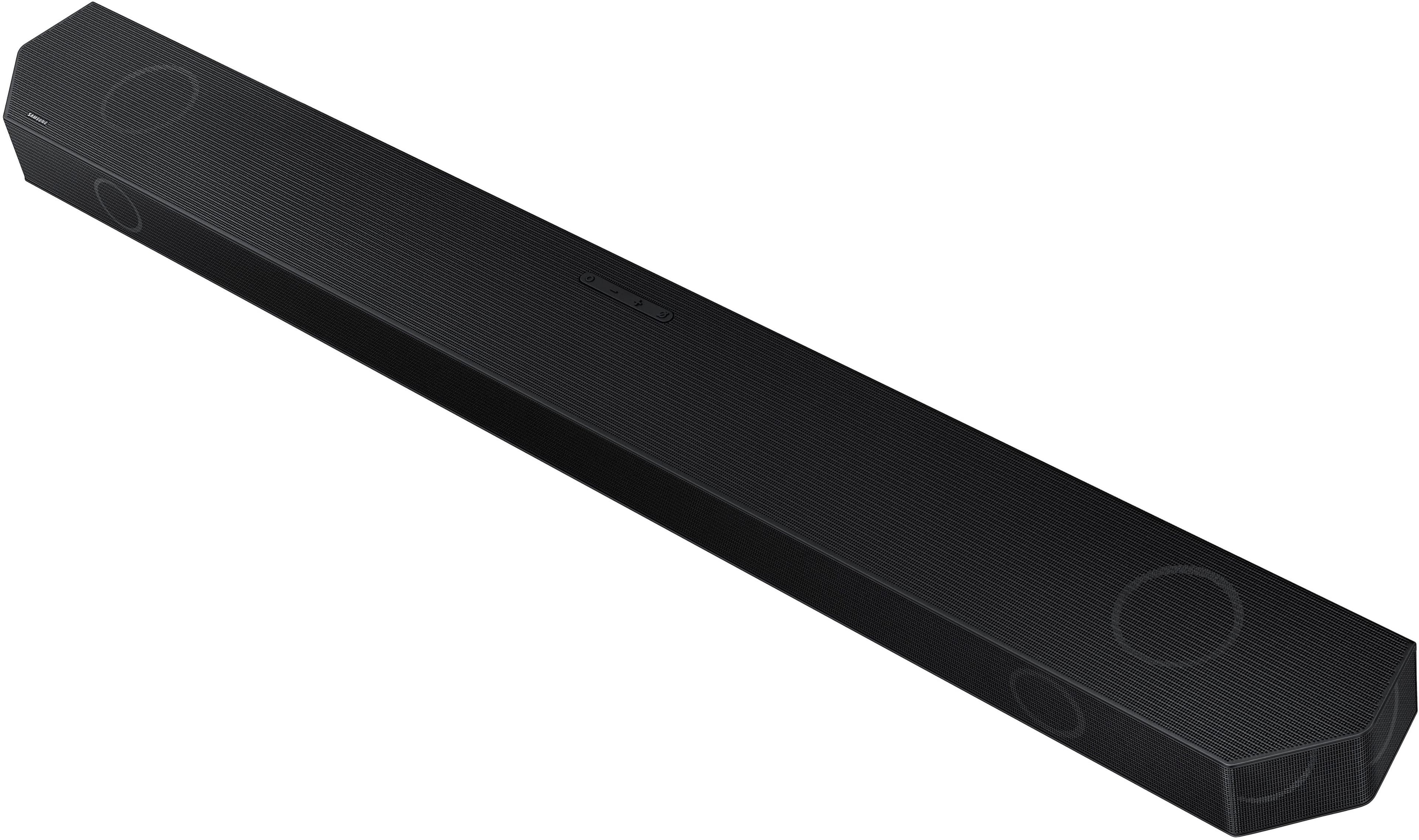
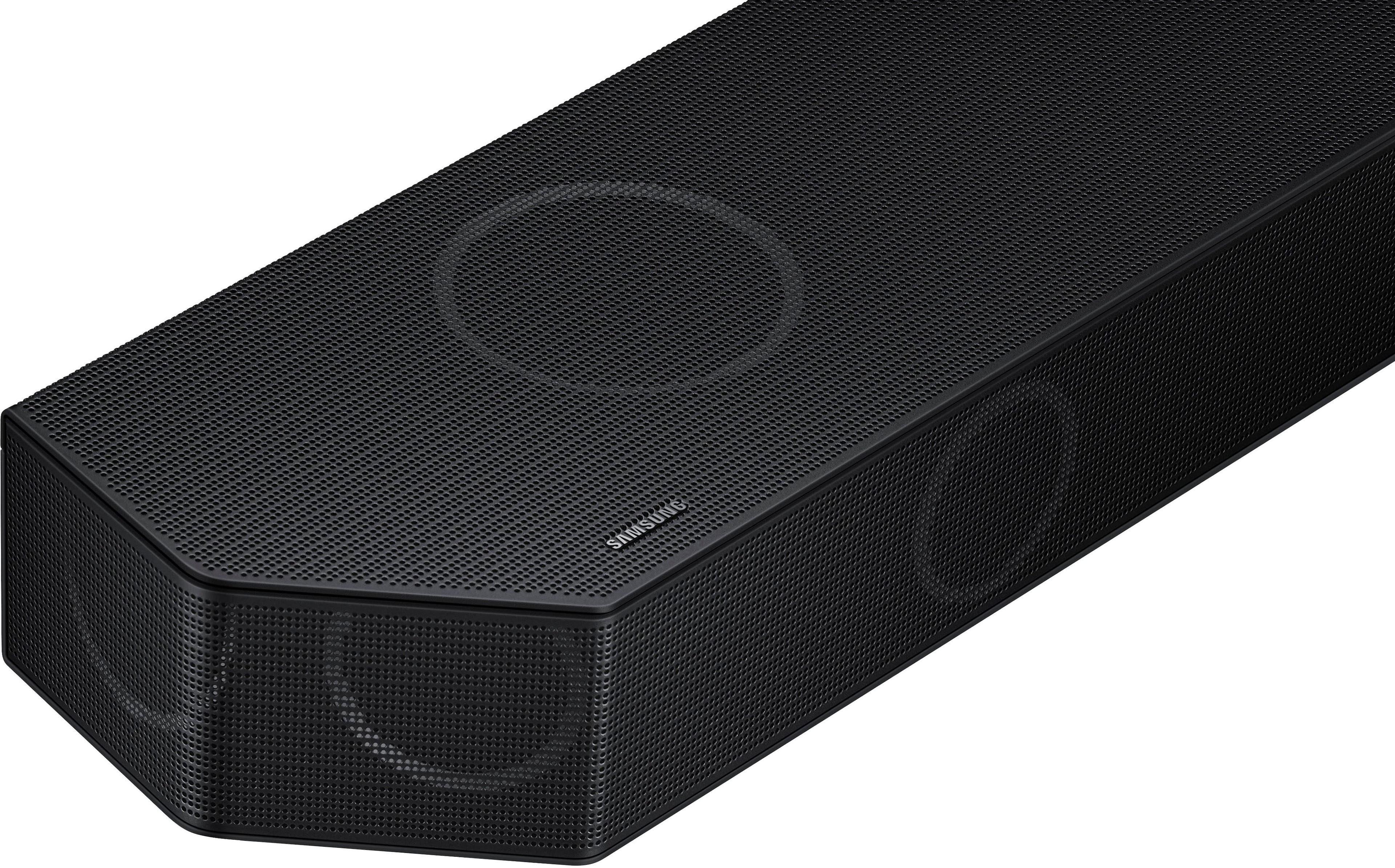
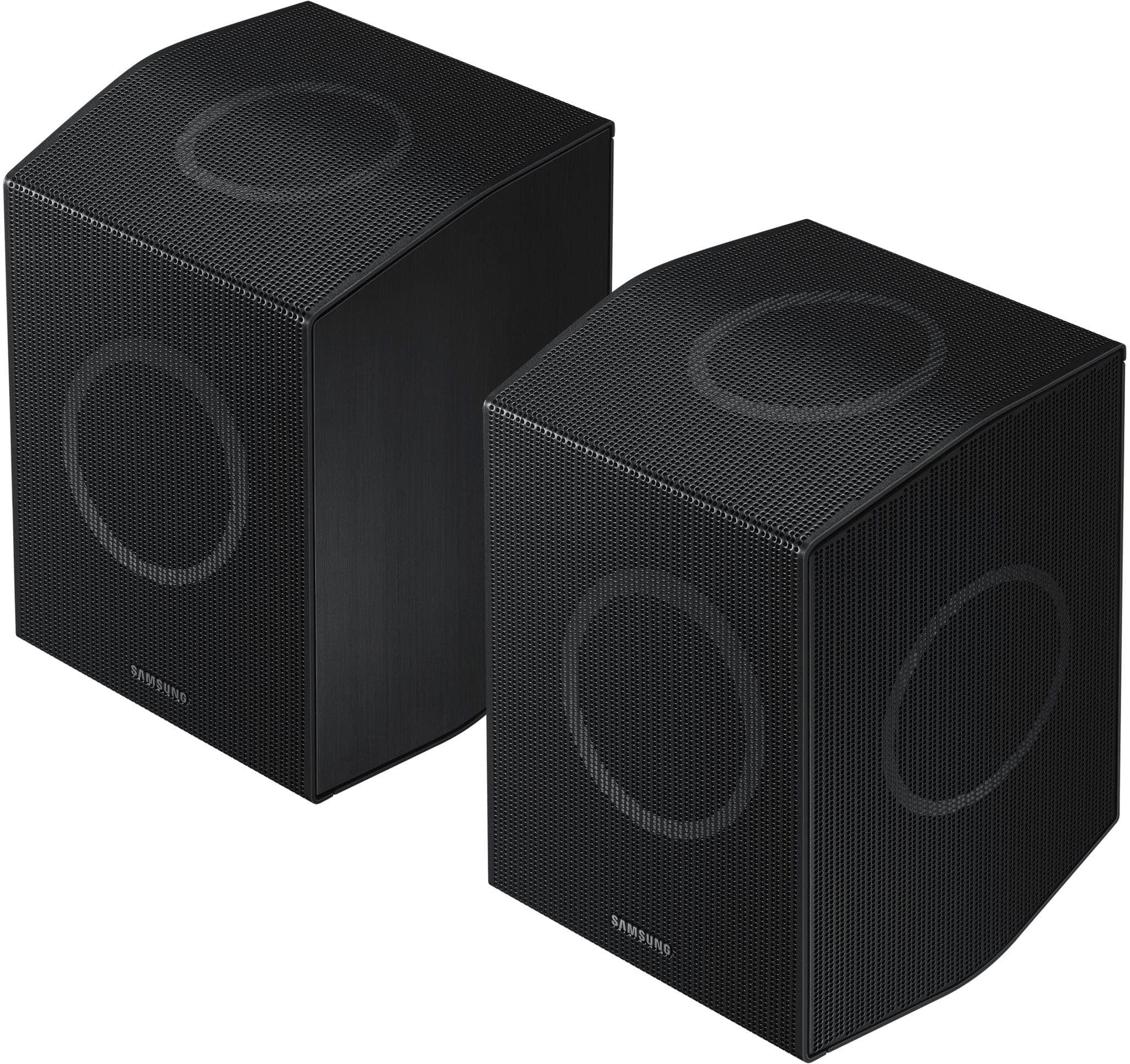
    Samsung's Q Series 11.1.4 Soundbar system is well made and a stylish addition to any home theatre setup. Samsung has done a good job with it and it's quality, appearance, and features show this. Samsung SmartThings app helps you to easily configure and change settings for the soundbar. It is easy to navigate and find what you are looking for. It's also what you would use to update the firmware for the soundbar. Updating the firmware was quick and easy. The app is easier for me to get to what I need. You have access do the different sound modes, equalizer, SpaceFit sound option, Active Voice Amplifier option, and Advanced Sound Settings. Within the Advanced Sound Settings, you'll find the Voice Enhancement, Base Enhancement, and Night Mode settings. All of that is available from the built-in menu via remote, it's just that I found it more to my liking to use the SmartThings app. The sound from the speakers is incredibly clear. There is plenty of theatre level base from the large subwoofer. The speakers really impress. Couple that with the audio features you have through the built in menu or the SmartThings app, and you can dial in the audio as you prefer. I found that using the Active Voice Amplifier plus the Voice Enhancement option in any mode and adjusting the equalizer was best for me when using Standard sound mode. The way the speakers are oriented in each of the rear speakers is that one faces forward, one upward and one outward. The one facing outward can bounce sound off of a wall, but if you have a wall on one side and the opposite side of the room doesn't have a nearby wall, it can make some of the audio a little odd sounding, but I only found that with a few things I watched with surround sound on. The soundbar itself has forward facing speakers and upward facing speakers. The upward facing speakers will also bounce sound. It will bounce it off of your ceiling. I didn't find any problems with this and the sound from it was clear. The Space Fit sound option, which can be turned off or on, didn't seem to help adjust sound as much as I hoped it would. There is a built-in mic on the soundbar which it uses to analyze the acoustics of your room. This can help, but I didn't find it to help much in my living room. I'm sure it would help in many setups especially ones with walls to each side. There are multiple options for connecting your soundbar to an audio source. HDMI, Optical, and Bluetooth all worked well. I tried all of them and each work as expected. Having Bluetooth enabled me to connect a second audio source that wasn't near the soundbar, so that is definitely a plus. The box is very long. The length makes it a bit awkward to carry. Individual components, such as the soundbar and subwoofer and the two rear speakers are easy to move around once out of the box, but the package is long enough that it may pose a problem if you are buying it at the store and trying to put it into a small car. If you can't lift the weight or don't have a person to help you or you have a small vehicle, then you might be better off with delivery service and have it delivered to your home. I placed the soundbar in front of my TV which didn't block the view of the bottom of screen. I don't believe anyone is going to have an issue with that. The two rear speakers are reasonably small, so I didn't have any problems with their placement. Overall, once out of the box, all components were easy to place where I needed them. The build quality is top notch. Samsung always does a good job with the quality and construction of their sound bars and the Q series 11.1.4 is no different. Samsung continues to innovate with their soundbars and I don't think anyone would be disappointed with the Q Series 11.1.4 with Q-Symphony. If you are considering a new soundbar consider the Q Series especially if you own a Samsung TV which takes advantage of the Q-Symphony feature.

    I would recommend this to a friend
  • Pros mentioned:
    Bass, Sound quality

    Rated 5 out of 5 stars

    Theater like sound

    Posted .
    This reviewer received promo considerations or sweepstakes entry for writing a review.

    After endless researching and testing sound systems at a local Best Buy, I purchased the Q990D directly from Samsung and picked up at Best Buy. Thanks Best Buy for such a convenient way to quickly get our device! Installation: Installation was very easy. Unbox each item, plug the cables in, place the soundbar in front below the TV, the sub next to our couch, and the surround speakers behind us and facing each other. This is the best sound setup I've found. Connect to the TV via eARC and downloaded the Smart Things app on my phone for easy setup and easy access of sound settings. Sound Settings: The app is so simple to use and they give a variety of settings for you to configure to your liking. You can choose the sound setting for the sub and surround speakers. You can set if you have the surround speakers behind you or in front. In front works great for music. Can set the bass and tremble. Different modes with adaptive sound adjusting based on the room is a really nice feature to have. Movies/TV: Sounds quality for movies and TV is absolutely fantastic. Crystal clear and smooth sounding. I like bass and tremble, so I set both those settings high and the sub does a great job sending rumbles through the room. No issues with lag. This is true surround sound with impressive height for atmos. Easily the best I've come across. No issues with sounding punchy. Center sound stage is very wide and strong. You won't need to go high with the volume. Music: Music sounds great and is just as clear and fine sounding as movies are. With the settings, you can keep your surrounds behind or move in front. I've tried a variety of different types of songs to see how this thing performs and I really enjoy listening to music from it. Integration: I have an Apple TV box and this was super simple to add to my Apple TV. I also have a HomePod that I moved downstairs with this system after testing out the Q990D by itself for awhile. Apple TV allows me to pair the TV speakers, the soundbar, and HomePod to all play together and I can tell you my basement sounds like a legit theater. It's very nice having the option to buy this soundbar with surrounds and a sub and not having to worry about wiring a bunch of speakers and a receiver. That was my primary reason for going with a soundbar over a sound system and I'm very satisfied and blown away with the sound I get. Highly recommend!

    I would recommend this to a friend
  • Rated 1 out of 5 stars

    Poor service

    |
    |
    Posted . Owned for 1 week when reviewed.
    This reviewer received promo considerations or sweepstakes entry for writing a review.

    I never got the sound bar. They called and said it couldn’t be delivered on the promised day and needed another 9 days. No reason given. Canceled the $3500 purchase. There loss.

    No, I would not recommend this to a friend
    • Brand response from Samsung
      Posted .

      Flyingchip,

      Please know you are leaving a review and 1-star rating for the HW-Q990D Soundbar, but we are sorry to hear of your Best Buy experience, nonetheless. You may want to consider providing feedback directly to the Best Buy store where you made your purchase.

      Should you have questions on the HW-Q990D itself, Samsung is here for you. You can reach us at 1-800-SAMSUNG, 8AM - 12AM EST, 7 days a week. Our LiveChat agents are also available by clicking on the ‘Support’ link on our website.

      ~ Samsung Solutions Samsung

  • Pros mentioned:
    Setup, Sound quality

    Rated 5 out of 5 stars

    Best Sound Bar Ever

    Posted .
    This reviewer received promo considerations or sweepstakes entry for writing a review.

    Sound Bar is the best I have ever owned. It was so easy to setup.

    I would recommend this to a friend
  • Pros mentioned:
    Sound quality
    Tech Insider Network Member

    Rated 4 out of 5 stars

    Easy setup and great sound

    |
    Tech Insider Network Member
    Posted .
    This reviewer received promo considerations or sweepstakes entry for writing a review.

    My previous soundbar (9.1) with two up-firing speakers was great. It had deep, punchy bass. However, I find the Samsung to be much more well-rounded. First, setup is as easy as it gets. Get it out of the box, plug it in and you're done. I have it in my "SmartThings" app, which I recommend. (All of this can be done through the remote as well). There are many options to control through the app. Of course volume control, but also sound mode (Standard, surround, game and adaptive sound). An equalizer, which has fine-tuning controls in "standard" mode. In surround mode, you only get bass and treble customization. The subwoofer also has its own control. It has an option for surround speaker mode. This allows you to set up the rear speakers in the front or the rear. Another great option is "private rear sound". When you activate this, only the rear speakers play sound. This is perfect for me because my living room TV is on the wall to our bedroom. That way, if my wife goes to bed and I still want to watch TV, the sound isn't too loud. SpaceFit Sound adapts the sound to the room. If one side of the room is more open, or closer to a wall, it will automatically adapt the sound to the room. Active voice amplifier is also nice. It's perfect for when shows or movies have a lot of other noises going on. When voices would normally be somewhat drowned out, this makes it a lot clearer. If you want to listen to music from your phone, the soundbar has Tap Sound. Just tap your phone to the soundbar and it will start playing it. It doesn't get any easier than that! As far as the sound. It's great. It absolutely fills the room with sound. There are 11 forward-facing speakers, 1 subwoofer, and 4 up-firing speakers. You can pinpoint exactly where a sound is coming from. If there is a sound coming from the left rear, you can tell that it's at your 7 o'clock. The built-in microphone is constantly listening to the sound and making adjustments. I will say that the subwoofer isn't punchy like my last one at all. It doesn't have the really deep bass that will rattle the windows, and honestly, I kind of like that. It's more true to the sound itself. It's more quality over quantity. The size of this soundbar is quite large. This includes the bar itself as well as the rear speakers. The subwoofer enclosure is slightly smaller than my last with the same size subwoofer. My previous soundbar sat on my TV stand and fit between the legs. This soundbar is so long that it has to sit on the legs of the TV as it can't fit between them. This is with a 65" TV. This presents a little problem for me. As the TV's remote sensor is at the bottom, it's now covered. I can't sit on the couch and turn the TV on. I have to walk over to it and aim the remote down at it behind the soundbar. I have a new TV on the way and I'm waiting to see if it will fit between the legs of that TV. If it doesn't, I plan to mount the TV to the wall and have the soundbar on the TV stand. If you plan to mount the soundbar and/or rear speakers, make sure you mount it to studs. Both are quite heavy. If you have a Samsung TV, Q-Symphony also uses your TV speakers with the soundbar for enhanced sound. I don't have a Samsung TV, so I can't speak to the pros/cons of this feature. Overall, this is a great soundbar and I highly recommend it!

    I would recommend this to a friend
  • Pros mentioned:
    Sound quality
    Tech Insider Network Member

    Rated 5 out of 5 stars

    Excellent sound, easy setup, but it's heavy

    |
    Tech Insider Network Member
    Posted .
    This reviewer received promo considerations or sweepstakes entry for writing a review.

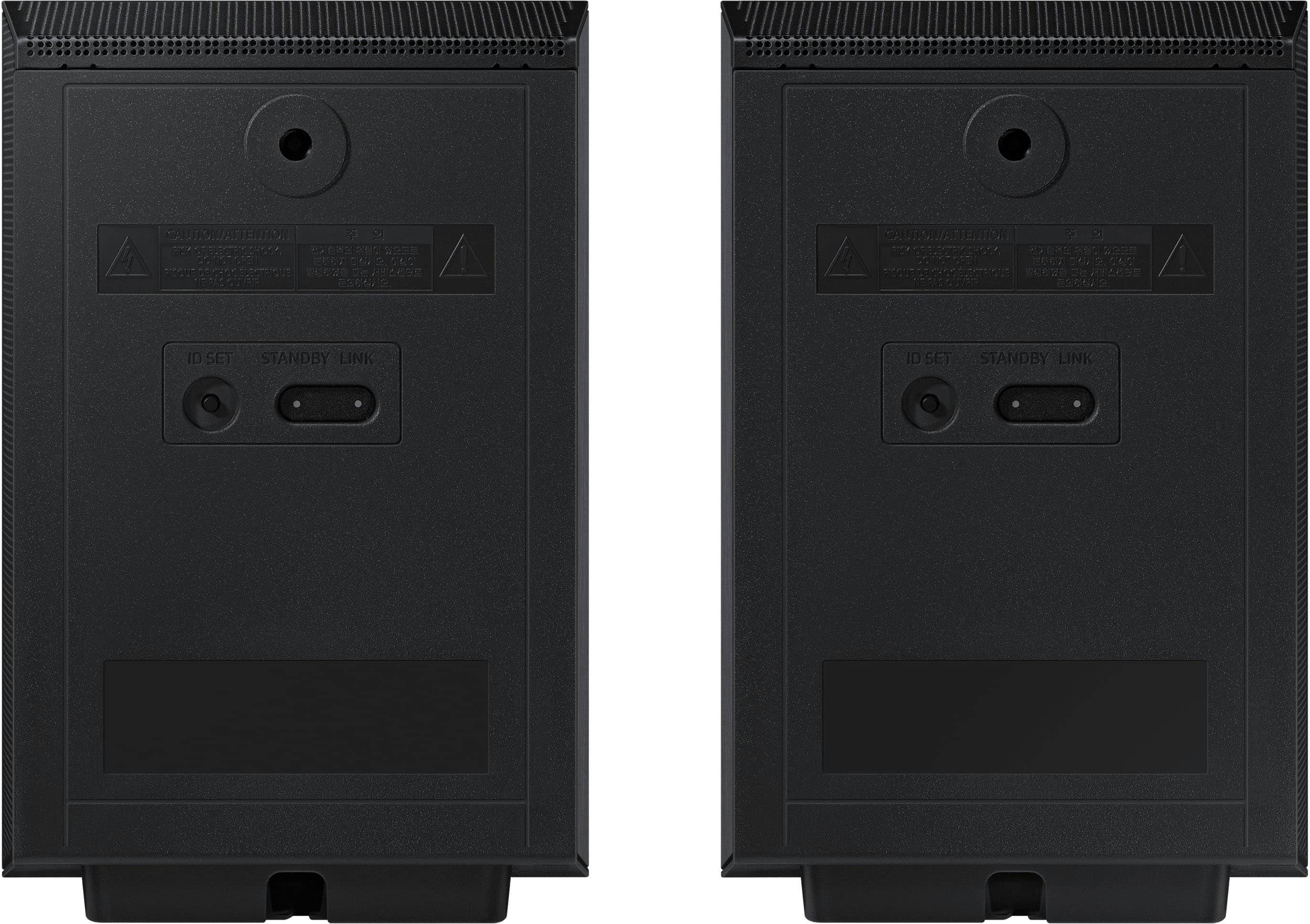
    I have used several soundbars in my time, and I have to say that this Samsung unit is the best so far. First, though, I have to say that this soundbar is big. The box it came in, which also includes the large subwoofer (about the size of a typical tower-style desktop computer) and the two small “surround” sound speakers, is about 8 ft by 2 ft by 1 ft and weighs close to 80 lbs. Expect to need help to move the box around. The soundbar itself is noticeably heavy, weighing close to 20 lbs, which is at least twice what my current soundbar weighs. The instructions warn you about the weight and advise firmly mounting to studs if you intend on mounting this on the wall. There are two metal L-brackets included to help with the mounting, but you must provide your own screws and anything else needed. I had my previous soundbar sitting on the mantle above my fireplace as my TV is mounted on the wall above the fireplace. All-in-all, it was a good combination, but this soundbar is too heavy to sit on the mantle as the mantle is not sitting on top of anything but rather hangs from the wall. I placed this soundbar on top of a bookshelf to one side of the TV. I didn’t think this would be ideal at first, but after using it for watching several kinds of TV shows, it has turned out better than I expected. I attribute this to several factors, which I’ll get to shortly. First, though, setup couldn’t be easier. Once you’ve wrestled the soundbar into place however you plan to mount it, connection is simply the power cord and an HDMI cable connected, preferably, to the E-ARC HDMI port on your TV. This allows the TV and the soundbar to communicate with each other, so your TV remote can turn the soundbar on and off, control the soundbar’s volume, and so forth. Connection of the peripheral speakers could not be easier. A power cord is included for each. Just place them where you want them, keeping in mind that each needs a connection to an A/C outlet. The speakers connect wirelessly and automatically to the soundbar once everything is powered up. There is a blue light on the back of each speaker that flashes until the connection is made, after which it turns solid blue. I switched the soundbar on first, then plugged in each speaker in succession (the peripheral speakers do not have power switches), and each connected to the soundbar in just a second or two. Control of the soundbar’s functions is primarily through the included remote. The only controls on the soundbar itself are a power button, up and down volume controls, and a button to turn the soundbar’s internal microphone on and off. There is a small digital display on the soundbar that indicates which of the four sound modes is selected, and these are “surround,” “game pro,” “standard,” and “adaptive.” I haven’t had a chance to use all of these to their best extent, but I have found so far that the “surround” option gives the fullest, richest sound, which doesn’t surprise me. This is why, as I mentioned above, the sound turned out to be pretty good considering that the soundbar is offset from the TV. The surround speakers are basically on each side at 90 degrees from the viewing angle, and the subwoofer is just to the side of the fireplace and closer to being beneath the TV than the soundbar itself. The volumes of the subwoofer and surround speakers can be separately controlled by the remote. All together, the sound experience is excellent, with a fuller, richer sound than I had before. This soundbar features Dolby Atmos, the newer surround-sound technology that is more complicated to explain than can be done here. I don’t know how many routine TV programs are able to take advantage of it, but I have heard audio through this and previous soundbars I have owned that have this technology, and there definitely is a difference in sound quality. This soundbar also features a Samsung-specific surround-sound technology called “Q-Symphony.” This technology works only with Samsung TVs that have the Q-symphony feature, and, rather than simply turning off the TV’s internal speakers when the soundbar is connected, the Q-symphony feature makes use of the TV’s internal speakers in conjunction with the soundbar and peripherals to produce, according to Samsung, an even more enhanced sound experience. Samsung’s argument is that their TV’s internal speakers are pretty good quality themselves, and it is a waste of opportunity not to make use of them in setting up the full soundbar-based system. I do not have a Samsung TV, so I could not try this feature. I attribute some of the better sound of this soundbar compared to the previous ones I’ve owned, none of which were anything other than excellent devices, to this soundbar’s physical size. As I’ve noted, it’s bigger. A lot bigger. The speakers in it therefore are larger and have larger enclosures. The subwoofer is about twice the size of my previous one as well. All together, the soundbar and the three peripheral speakers work well to produce a great sound. I expect years of great listening with this new setup, or at least until the next great sound technology comes along!

    I would recommend this to a friend
  • Pros mentioned:
    Sound quality
    Tech Insider Network Member

    Rated 5 out of 5 stars

    Another outstanding entry in the soundbar world

    |
    Tech Insider Network Member
    Posted .
    This reviewer received promo considerations or sweepstakes entry for writing a review.

    I felt a bit of nostalgia as I unboxed the HW-Q990D and set it up in my main TV viewing room. I still recall my first Samsung Soundbar, the HW-K950, a revolutionary soundbar that introduced the world to Atmos. For most of my adult life, I had used big, boxy speakers and an expensive receiver to get to surround sound nirvana, and the fact that Samsung had released a soundbar with wireless sub and speakers to give me 5.1.4 Atmos sound was astonishing! When Samsung released the HW-N950 with sound by Harmon Kardon, I sold my big box speaker system and enjoyed it until it died a few years later. In my opinion, Samsung has been the go-to for soundbar systems. I know there are some big name brands out there, but Samsung consistently makes an amazing product that envelops the user in surround sound. Now that I’ve probably bored you with my experience with Samsung soundbars, let’s talk about the HW-Q990D soundbar. It is an 11.1.4 Atmos soundbar, complete with wireless subwoofer and a pair of wireless satellites. The wireless sats serve several purposes: They supply surround and surround back effects, as well as Atmos effects using upfiring woofers built into the speaker. They are basically three speakers in one cabinet. If you have select Samsung TVs, you can use SpaceFit Sound to calibrate the soundbar to the area. I do not have a Samsung TV, so I was unfortunately not able to use the room calibration process. Which is a bummer. Many of Samsung’s competitors have room EQ on their soundbars, many of them costing less than the Q990D. Unfortunately, there is no white noise generator for the Q990D either, which would allow the user to use their own microphone and set channel levels. Nope, it is left up to the user to adjust settings and hope they get it right. The addition of Chromecast to the Q990D is excellent. In practice it functions perfectly. I was also able to use AirPlay to send music from my wife’s phone to the Q990D. Two HDMI ins as well as an eARC HDMI complete the inputs. I was able to play both my Xbox One X and PS4 without any issues through the Q990D. Picture quality was excellent, as well as the sound quality. Getting to sound quality…. While not as powerful sounding or as warm and smooth as my old HW-950, the Q990D is more enveloping and crystal clear with surround tracks. The first John Wick movie is an absolute bedlam of action, with extended fight scenes, lots of gunfights, and roaring cars. The Q990D handled the scenes with aplomb, the subwoofer digging down surprisingly low to add good heft to the sound. There is an end scene that takes place in the rain, and the upfiring speakers in the sats and main bar did a good job of making it seem like the rain was coming straight down from the ceiling. I was impressed for sure. Jumping ahead to John Wick 4, I watched the beginning scene where Keanu Reeves is punching a wooden 2x4 over and over again. The scene is mixed with heavy, heavy bass, a resounding thump taking place every time he hits that piece of wood. You’d think a semi was striking a steel tank, the way it sounds. Each impact came through resoundingly good through the Q990D system, the sub handling the hard bass impacts without issue. Again, pretty impressive for just an 8” sub. During extremely active scenes, there are times when the voices get a little lost, as if the center channel fades out a bit, but this is pretty typical of all soundbars. 99 percent of the time, the Q990D provided an excellent experience listening to movies of all genres. I only discovered one shortcoming (in my opinion) when it came to the 990D: Stereo music was not as good as with my prior Samsung soundbar. The 950 had Harmon Kardon tuning, and it really sounded good with plain old stereo music. The 990D is not quite as detailed, warm, and enjoyable when it comes to enjoying music. But it’s just a small quip, and most folks will be happy with the 990D as an all-around soundbar. All-in-all, I am very pleased with the Q990D and it occupies the place of honor below my main TV.

    I would recommend this to a friend