Customer Ratings & Reviews
- Model:
- HW-S700D
- |
- SKU:
- 6577566
Customer reviews
Rating 4.6 out of 5 stars with 276 reviews
(276 customer reviews)Rating by feature
- Value4.6
Rating 4.6 out of 5 stars
- Quality4.7
Rating 4.7 out of 5 stars
- Ease of Use4.7
Rating 4.7 out of 5 stars
Customers are saying
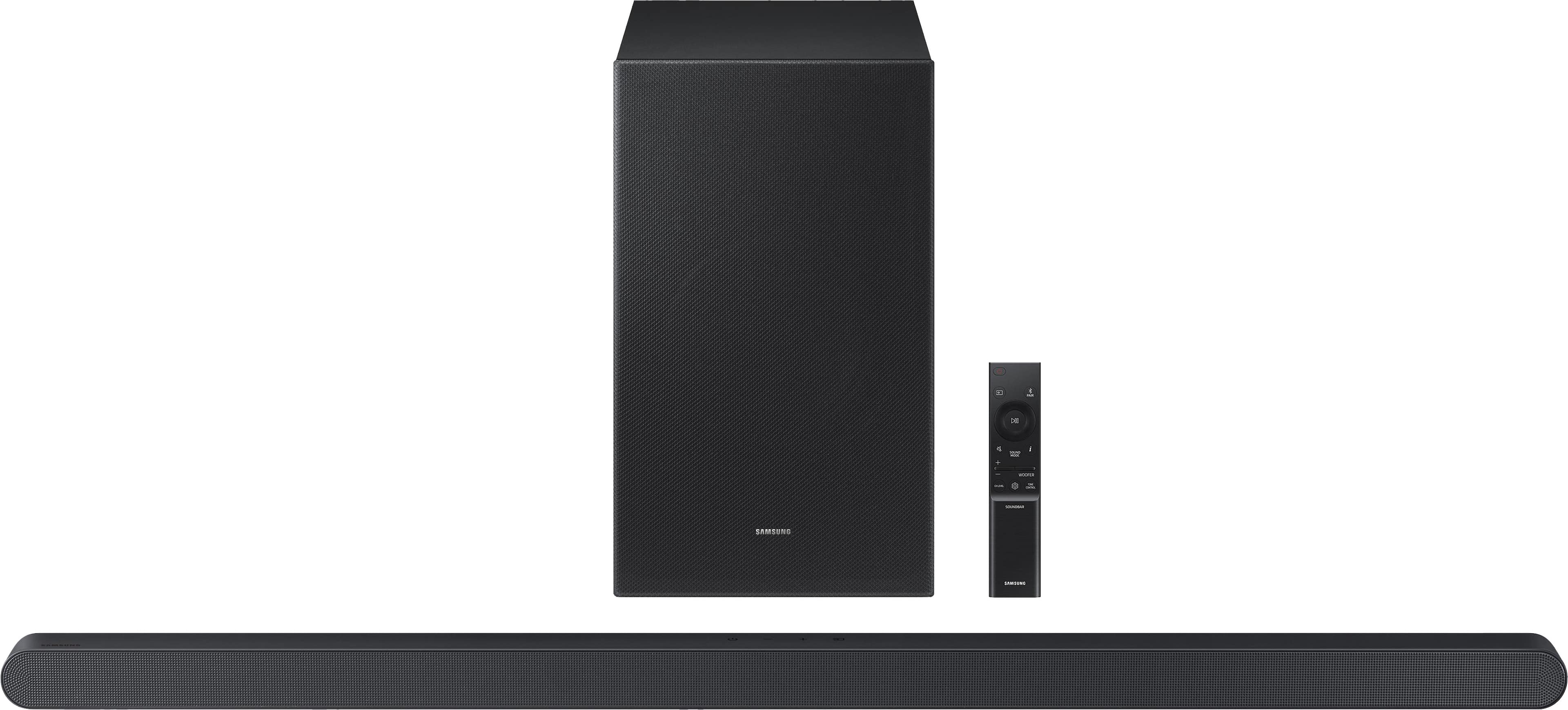
Customers are impressed with the HW-S700D 3.1 Channel S-Series Soundbar's awesome sound quality and its sleek, compact design. Many appreciate its ease of use and the nice bass it provides. While the Q-Symphony feature is a plus for some, a few customers have experienced intermittent connectivity issues.
This summary was generated by AI based on customer reviews.
Rated 4 out of 5 stars
Samsung
||Posted .This reviewer received promo considerations or sweepstakes entry for writing a review.So far impressed with the product. I’ll have more reviews later.
I would recommend this to a friendRated 5 out of 5 stars
Great system
||Posted . Owned for 1 week when reviewed.This reviewer received promo considerations or sweepstakes entry for writing a review.Great system! Honestly who helped us out was even better we don’t know much about this… but took time to show us! Great all the way around
I would recommend this to a friendRated 5 out of 5 stars
Great service & personable people
||Posted . Owned for 3 weeks when reviewed.This reviewer received promo considerations or sweepstakes entry for writing a review.Excellent service, professional & personable. Everyone was very informed on the products and great at explaining. Trevor was fantastic!
I would recommend this to a friendRated 4 out of 5 stars
It is ok
||Posted . Owned for 1 month when reviewed.This reviewer received promo considerations or sweepstakes entry for writing a review.I thought it would have more base than what is delivered, will still keep the item though.
I would recommend this to a friendRated 5 out of 5 stars
Soundbar
||Posted . Owned for less than 1 week when reviewed.This reviewer received promo considerations or sweepstakes entry for writing a review.My son bought this and was very happy about it! Would definitely recommend
I would recommend this to a friendRated 5 out of 5 stars
Cinema Experience
||Posted . Owned for 2 weeks when reviewed.This reviewer received promo considerations or sweepstakes entry for writing a review.I was skeptical when the floor associate recommended the system. So far, I am satisfied with the purchase.
I would recommend this to a friendRated 5 out of 5 stars
Michael Review of SoundBar
||Posted . Owned for 1 week when reviewed.This reviewer received promo considerations or sweepstakes entry for writing a review.Excellent choice for the price. The Geek Squad reps, Eric and RJ, assisted in getting it going.
I would recommend this to a friendRated 5 out of 5 stars
Good speaker
||Posted . Owned for 2 weeks when reviewed.This reviewer received promo considerations or sweepstakes entry for writing a review.Great speaker, just not too much bass compared to other speakers.
I would recommend this to a friendRated 1 out of 5 stars
Samsund sound bar
||Posted . Owned for 1 week when reviewed.This reviewer received promo considerations or sweepstakes entry for writing a review.After reading all the good reviews, i decided to purchase this sound bar. What a mistake this sound bar sound was terrible. I had the subwoffer turn all the way up 6 which was the highest setting and barely heard any basst sound from the sub. And the Q-symphony sound was terrible, sounded like it was playing thru a tin can . After 3 days of messing with my tv settings and the sound bar settings , i finally just returned it .
No, I would not recommend this to a friendBrand response from Samsung
Posted .Hi Ben442,
Thank you for taking the time to provide feedback on your HW-S700D Soundbar. I’m sorry you were not satisfied with your experience. We are always here to help and would have been happy to assist in providing settings adjustments to resolve any issues you were experiencing.
The HW-S700D soundbar has many settings to optimize your audio experience and modes, such as Adaptive Sound, DTS Virtual: X, Music, Game, and Standard, along with being able to adjust the Treble and Bass via the Tone Control button.
Should you ever decide to give Samsung audio products another try and have questions or need or need help with settings, setup, or features, please know we’re here to help. Call us at 1-800-SAMSUNG, 8AM - 12AM EST, 7 days a week. Our Live Chat with an agent, as well as manuals, software, and warranty information, can be found at the “Support” link on our website. Again, thank you for taking the time to share your experience. We hope to regain you as a customer in the future.
~ Samsung Solutions
Rated 2 out of 5 stars
Definitely doesn’t sound great for the price
||Posted . Owned for less than 1 week when reviewed.This reviewer received promo considerations or sweepstakes entry for writing a review.The HDMI cable is way too short and one end (plugging into the soundbar is actually USB). The other issue is that I use the Q-Symphone wired but every time I turn on my TV, it says “network disconnected” unless I opt for wireless Q-Symphony. LOL nope. My paired homepods sound better for TV output than this $500 soundbar. It is going back.
No, I would not recommend this to a friendBrand response from Samsung
Posted .mguzman,
We appreciate you taking a moment to review the Samsung HW-700D.
Updating the firmware on your soundbar gives you all the benefits of the latest improvements. When the Soundbar is connected to the Internet, Auto Update allows software to update automatically even when the Soundbar is turned off. You can also update by using the SmartThings app.
If not connected to the internet, you can download it onto a USB device, and then upload it to your soundbar - no wireless connection required. Connect the USB drive that contains the update firmware to the SERVICE port of the Soundbar.
1.Go to the Samsung Electronics website (www.samsung.com) → click on the “Support” option in the upper left corner.
2.Click on “Manuals & Software” from the pop-up list > TVs & Home Theater > Home Theater > Select your model
2. Download the firmware file (USB type).
3. Unzip the file to create a folder with the file name.
4. Store the created folder in a USB and then connect it to the Soundbar.
5. A sequence of “UPDATE” > “BYE” > “ON” will appear on the display 3 times. This will take around 6 minutes.
- During update, do not turn it off or remove the USB.
- If “UPDATE” does not appear on the display window, remove the power cord from the Soundbar and then reconnect it.
- When the latest version is installed, no update is performed.
- Depending on the USB type, update may not be supported.
6. After the 3 cycles are complete, the Soundbar will restart and last source used will appear on the display for about 20 seconds and then it will go off (“UPDATE” > “BYE” > “ON”) 3 times “D.IN” > off
If your soundbar fails to update or is experiencing problems, please contact Samsung Customer Support Just give us a call at 1-800-SAMSUNG (Ask for Soundbars), 8AM - 12AM EST, 7 days a week. Our Live Chat agents are also available by clicking on the ‘Support’ link on our website.
~ Samsung Solutions
Rated 1 out of 5 stars
does not support Dolby Atmos or Q Symphony
||Posted . Owned for 3 weeks when reviewed.This reviewer received promo considerations or sweepstakes entry for writing a review.I just recently purchased a 65 inch Samsung OLED and at the time of purchase the agent told me that this was a great sound bar that it supported Dolby Atmos and Q Symphony. At the time of insulation, the installers asked me why I purchased the sound bar. I said it was highly recommended. He said this is the wrong sound bar for this TV he says first of all it’s too small and second of all it does not support Dolby Atmos and Q Symphony. after the installation, the tech showed me the settings for Dolby, Atmos and Q Symphony, and unfortunately, this sound bar does not support true Dolby Atmos true Dolby Atmos requires top firing speakers which this board does not have. Samsung says that it supports a type of Dolby Atmos, which is a Samsung Kodak, which basically is software that sort of integrates the sound from the TV and the sound bar, but that is not true Dolby Atmos. True Dolby Atmos comes from top firing speakers and the sound bar and TV interacts with those sounds together coming from different speakers. This sound bar also sounds horrible. It sounds very tinney surround sound. Sounds like the speakers are inside a soda can it’s not very good. The subwoofer is cheap and pathetic. If you’re on a budget then maybe this would be OK but if you’re spending thousands on the TV, this is not the sound bar for you !!
No, I would not recommend this to a friendBrand response from Samsung
Posted .Hi Airjockey,
Thank you for taking a few moments to review the Samsung HW-S700D Soundbar.
This soundbar does support Dolby Atmos as well as Q-Symphony when paired with a Samsung TV that also has the Q-Symphony feature.
If there is anything we can do to improve your enjoyment, such as helping to optimize settings for your specific sound scenario, please contact Samsung Customer Support. Just give us a call at 1-800-SAMSUNG (Ask for Soundbars), 8AM - 12AM EST, 7 days a week. Our Live Chat agents are also available by clicking on the ‘Support’ link on our website.
~ Samsung Solutions
Rated 4 out of 5 stars
Decent for added sound
||Posted . Owned for less than 1 week when reviewed.This reviewer received promo considerations or sweepstakes entry for writing a review.Good to add if you have a tv only. Doesn’t have much if any surround effects. Comes with no directions.
I would recommend this to a friendRated 5 out of 5 stars
great job !
||Posted . Owned for 1 week when reviewed.This reviewer received promo considerations or sweepstakes entry for writing a review.great service! they answered all of our qustions and did a great job!
I would recommend this to a friendRated 5 out of 5 stars
Satisfied with product and service
||Posted . Owned for 1 week when reviewed.This reviewer received promo considerations or sweepstakes entry for writing a review.Fine picture with deep colors. Pleased with the installation and service
I would recommend this to a friend- Pros mentioned:Sound quality
Rated 3 out of 5 stars
S700d
||Posted . Owned for 1 week when reviewed.This reviewer received promo considerations or sweepstakes entry for writing a review.Decent sound bar. Took some dialing in for my taste.
I would recommend this to a friendBrand response from Samsung
Posted .Hello JamesF,
Thank you for taking a moment to review Samsung's HW-S700D Soundbar.
To take full advantage of your new soundbar, download the SmartThings App to your smart device. This will allow you to control your soundbar as you would with the provided remote, but with the added advantage of seeing what changes you make on your device.
To optimize your audio experience, please try the various sound modes this model offers. Press the SOUND MODE button on your remote, and then select your desired sound effect: ADAPTIVE SOUND, DTS VIRTUAL:X, MUSIC, GAME, STANDARD, and SpaceFit Sound Pro. When you press the SOUND MODE button it will change to the different modes in the above order.
You can further adjust TREBLE and BASS via the TONE CONTROL button.
Updating the firmware on your soundbar gives you all the benefits of the latest improvements. When the Soundbar is connected to the Internet, Auto Update allows software to update automatically even when the Soundbar is turned off. You can also update by using the SmartThings app.
I hope this tip helps improve your enjoyment. For more help, please call us at 1-800-SAMSUNG (Ask for Soundbars), 8 AM – 12 AM EST, 7 days a week. Live Chat with an agent as well as manuals, software, and warranty info can be found at the ‘Support’ link on our Samsung website.
~ Samsung Solutions
Rated 4 out of 5 stars
Samsung Soundbar Review
||Posted . Owned for 1 week when reviewed.This reviewer received promo considerations or sweepstakes entry for writing a review.Clarity good, would like more bass! Satisfied with purchase.
I would recommend this to a friendRated 3 out of 5 stars
Samsung subwoofer
||Posted . Owned for 3 weeks when reviewed.This reviewer received promo considerations or sweepstakes entry for writing a review.We are having trouble determining the settings on the subwoofer and the soundbar. Doesn't seem to be an easy way to work with it.
No, I would not recommend this to a friendBrand response from Samsung
Posted .Hello GayleM,
We appreciate you taking a few moments to review the Samsung HW-S700D Soundbar.
To get the most out of your new soundbar, we recommend downloading the SmartThings App on your smart device. The app lets you control your soundbar just like the remote, with the added benefit of visually tracking the changes you make.
From the app, you can easily turn Voice Guide on or off.
If you don’t have the app, you can still enable or disable Voice Guide by pressing and holding the Source button on the remote for more than 5 seconds. Repeat the process to turn it off.
If you need more help, Samsung is here for you. Please call us at 1-800-SAMSUNG, 8AM - 12AM EST (Ask for Soundbars), 7 days a week. Our Live Chat agents are also available by clicking on the ‘Support’ link on our website.
~ Samsung Solutions
Rated 3 out of 5 stars
Not as good as it should be
||Posted . Owned for 1 week when reviewed.This reviewer received promo considerations or sweepstakes entry for writing a review.Sound quality isn’t great for the cost. I don’t know if we got a faulty one or not but for $500 you’d think the sound would be better.
No, I would not recommend this to a friendBrand response from Samsung
Posted .Hi JohnK,
I'm sorry to hear that you are dissatisfied with the sound quality of your HW-S700D Soundbar.
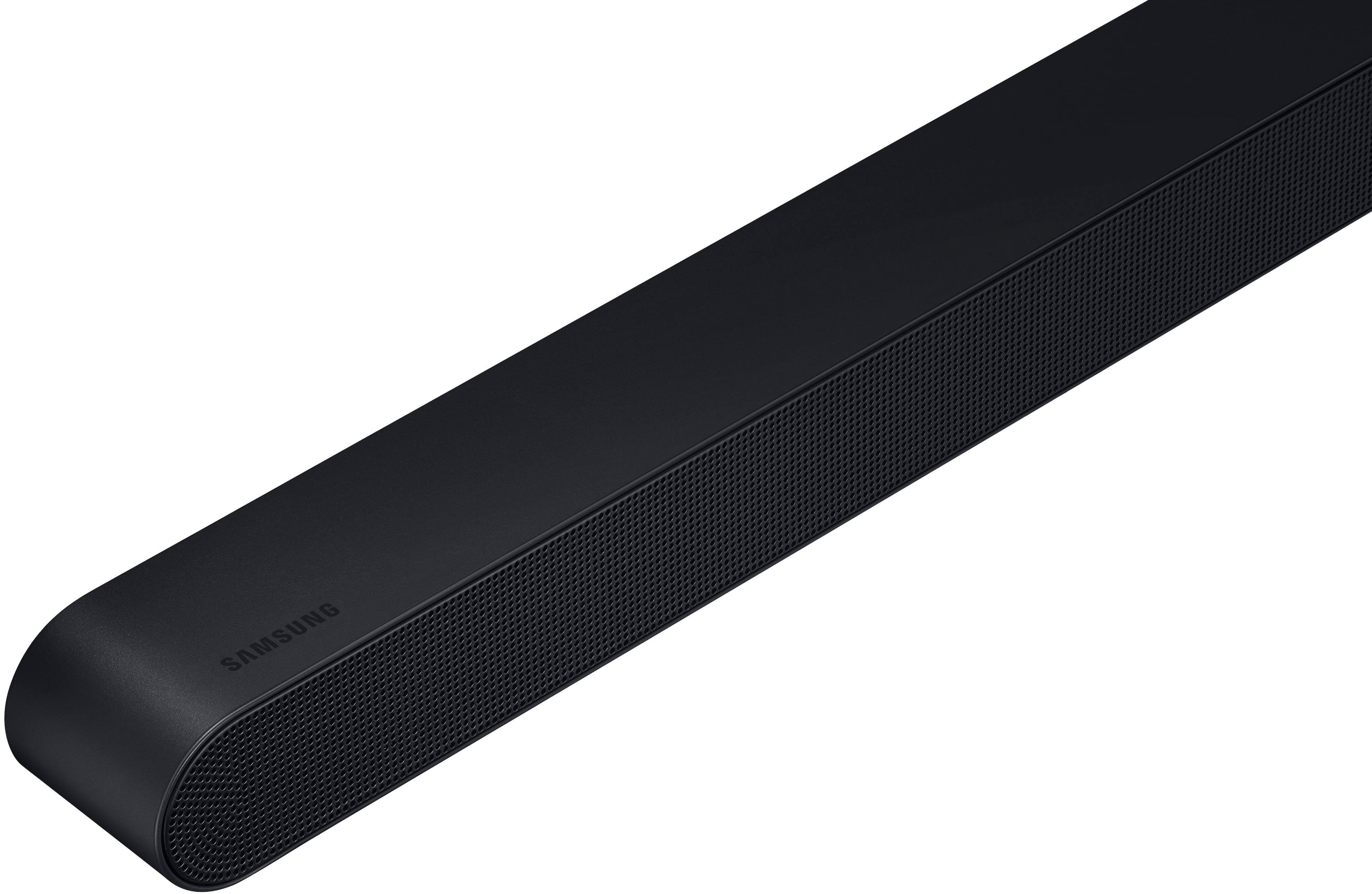
• First, please check that you have positioned the soundbar correctly. It has come to our attention that customers may be positioning the soundbar incorrectly, resulting in poor sound quality. The soundbar should be placed with the SAMSUNG logo facing up towards the ceiling. If you position the soundbar with the logo facing up, you will see the display/status panel and the speakers will be facing outward. (Refer to product photos on Samsung.com and zoom in on the photos) If you have incorrectly placed the soundbar with the SAMSUNG logo perpendicular to the floor (facing you when you sit), you will experience muffled or low-quality sound because the unit will be resting on the speakers.
To take full advantage of your new soundbar, download the SmartThings App to your smart device. This will allow you to control your soundbar as you would with the provided remote, but with the added advantage of seeing what changes you make on your device.
To optimize your audio experience, please try the various sound modes this model offers. Press the SOUND MODE button on your remote, and then select your desired sound effect: ADAPTIVE SOUND, DTS VIRTUAL:X, MUSIC, GAME, STANDARD. When you press the SOUND MODE button it will change to the different modes in the above order.
You can further adjust TREBLE and BASS via the TONE CONTROL button.
If you need more help, Samsung is here for you. Please call us at 1-800-SAMSUNG, 8AM - 12AM EST (Ask for Soundbars), 7 days a week. Our Live Chat agents are also available by clicking on the ‘Support’ link on our website.
~ Samsung Solutions
Rated 3 out of 5 stars
Just Ok for the high price.
||Posted . Owned for 1 month when reviewed.This reviewer received promo considerations or sweepstakes entry for writing a review.This sound bar almost cost as much as the tv we purchased. I am not that impressed with the sound bar. It works, just not as well as we were told.
No, I would not recommend this to a friendBrand response from Samsung
Posted .Hi TimB,
We appreciate you taking a moment to review the Samsung HW-S700D Soundbar.
To take full advantage of your new soundbar, download the SmartThings App to your smart device. This will allow you to control your soundbar as you would with the provided remote, but with the added advantage of seeing what changes you make on your device.
To optimize your audio experience, please try the various sound modes this model offers. Press the SOUND MODE button on your remote, and then select your desired sound effect: ADAPTIVE SOUND, DTS VIRTUAL:X, MUSIC, GAME, STANDARD. When you press the SOUND MODE button it will change to the different modes in the above order.
You can further adjust TREBLE and BASS via the TONE CONTROL button.
If you need more help, Samsung is here for you. Please call us at 1-800-SAMSUNG, 8AM - 12AM EST (Ask for Soundbars), 7 days a week. Our Live Chat agents are also available by clicking on the ‘Support’ link on our website.
~ Samsung Solutions
Rated 3 out of 5 stars
No surround sound feel or experience
||Posted . Owned for 1 week when reviewed.This reviewer received promo considerations or sweepstakes entry for writing a review.I am a bit disappointed with this sound bar. I guess I should have purchased the next model up. There is no surround sound feel or experience, just sort of a loud TV speaker sound.
No, I would not recommend this to a friendBrand response from Samsung
Posted .DanielM,
We appreciate you sharing your feedback regarding the performance of the HW-S700D Soundbar.
To take full advantage of your new soundbar, download the SmartThings App to your smart device. This will allow you to control your soundbar as you would with the provided remote, but with the added advantage of seeing what changes you make on your device.
When you press the CH LEVEL button on the remote, you can adjust the volume of the CENTER speaker using the UP/DOWN buttons between -6 to +6. If the Rear Speakers (sold separately) are connected, the setting “Rear Level” is supported.
You can further adjust TREBLE and BASS via the TONE CONTROL button using the UP/DOWN buttons on the remote between -6 to +6.
Press and hold the SOUND CONTROL button for about 5 seconds to adjust the sound for each frequency band. 150Hz, 300Hz, 600Hz, 1.2kHz, 2.5kHz, 5kHz, and 10kHz are selectable using the Left/Right buttons and each can be adjusted to a setting between -6 to +6 using the Up/Down buttons. (Make sure the Sound mode is set to "Standard".
Also, you can also add the SWA-9200S Rear Speaker Kit to create a multi-channel system for a true surround sound experience. Check it out at Best Buy: https://www.bestbuy.com/site/samsung-swa-9200s-za-2-0ch-wireless-rear-speaker-kits-black/6510790.p?skuId=6510790
If you need more help, Samsung is here for you. Please call us at 1-800-SAMSUNG, 8AM - 12AM EST (Ask for Soundbars), 7 days a week. Our Live Chat agents are also available by clicking on the ‘Support’ link on our website.
~ Samsung Solutions