Customer Ratings & Reviews
- Model:
- HW-S700D
- |
- SKU:
- 6577566
Customer reviews
Rating 4.6 out of 5 stars with 276 reviews
(276 customer reviews)Rating by feature
- Value4.6
Rating 4.6 out of 5 stars
- Quality4.7
Rating 4.7 out of 5 stars
- Ease of Use4.7
Rating 4.7 out of 5 stars
Customers are saying
Customers are impressed with the HW-S700D 3.1 Channel S-Series Soundbar's awesome sound quality and its sleek, compact design. Many appreciate its ease of use and the nice bass it provides. While the Q-Symphony feature is a plus for some, a few customers have experienced intermittent connectivity issues.
This summary was generated by AI based on customer reviews.
Rated 3 out of 5 stars
Sound Bar
||Posted . Owned for 1 week when reviewed.This reviewer received promo considerations or sweepstakes entry for writing a review.Can’t tell much difference between this and regular TV sound.
No, I would not recommend this to a friendBrand response from Samsung
Posted .SandraM,
We appreciate you sharing your feedback regarding the performance of the Samsung HW-S700D Soundbar.
To take full advantage of your new soundbar, download the SmartThings App to your smart device. This will allow you to control your soundbar as you would with the provided remote, but with the added advantage of seeing what changes you make on your device.
To optimize your audio experience, please try the various sound modes this model offers. Press the SOUND MODE button on your remote, and then select your desired sound effect: ADAPTIVE SOUND, DTS VIRTUAL:X, MUSIC, GAME, STANDARD. When you press the SOUND MODE button it will change to the different modes in the above order.
You can further adjust TREBLE and BASS via the TONE CONTROL button.
Also, you can also add the SWA-9500S Rear Speaker Kit to create a multi-channel system for a true surround sound experience.
I hope these tips help you enjoy your new product.
You can always contact us for further help at 1-800-SAMSUNG (Ask for Soundbars), 8 AM – 12 AM EST, 7 days a week. Our Live Chat agents are also available by clicking on the ‘Support’ link on our website.
~ Samsung Solutions
Rated 3 out of 5 stars
Wireless Subwoofer
||Posted . Owned for 1 month when reviewed.This reviewer received promo considerations or sweepstakes entry for writing a review.Sub woofer sound is dstracting for me so don't use
No, I would not recommend this to a friendBrand response from Samsung
Posted .Hello DavidM,
We appreciate you taking a few moments to review the Samsung HW-S700D Soundbar.
To take full advantage of your new soundbar, download the SmartThings App to your smart device. This will allow you to control your soundbar as you would with the provided remote, but with the added advantage of seeing what changes you make on your device.
To optimize your audio experience, please try the various sound modes this model offers. Press the SOUND MODE button on your remote, and then select your desired sound effect.
If you would like louder (or softer) bass from your subwoofer, you can adjust the level by rocking the WOOFER button on the soundbar remote, and then adjusting the level from -6 to +6. To set the subwoofer volume level to 0, press the button in.
You can adjust the Treble and Bass by pressing the TONE CONTROL button then use the UP/DOWN buttons to change the levels between -6 to +6.
If you need more help, Samsung is here for you. Please call us at 1-800-SAMSUNG, 8AM - 12AM EST (Ask for Soundbars), 7 days a week. Our Live Chat agents are also available by clicking on the ‘Support’ link on our website.
~ Samsung Solutions
Rated 3 out of 5 stars
Very small speaker
||Posted . Owned for less than 1 week when reviewed.This reviewer received promo considerations or sweepstakes entry for writing a review.Didn't realize how small this speaker was. Returned for a larger system HW-Q600C. Plus we can add rear speaker kit to make this a 3.1.2 system
I would recommend this to a friendBrand response from Samsung
Posted .jbod,
Thank you for sharing your review of the Samsung HW-S700D Soundbar and for sharing your experience with this soundbar, detailing the reasons you have decided to replace it with a different model. Thank you for being a loyal Samsung customer.
Your feedback regarding this model is important to us and will be shared with our internal teams.
Also, you can also add the SWA-9200S Rear Speaker Kit to the HW-S700D or HW-Q600C to create a multi-channel system for a true surround sound experience. Check it out at Best Buy: https://www.bestbuy.com/site/samsung-swa-9200s-za-2-0ch-wireless-rear-speaker-kits-black/6510790.p?skuId=6510790
Should you ever have questions or need help, Samsung is here for you. Just give us a call at 1-800-SAMSUNG (Ask for Soundbars), 8AM - 12AM EST, 7 days a week. Our Live Chat agents are also available by clicking on the ‘Support’ link on our website.
~ Samsung Solutions
Rated 1 out of 5 stars
Blackmail. Paid for item, over two weeks no item!
||Posted . Owned for 2 weeks when reviewed.This reviewer received promo considerations or sweepstakes entry for writing a review.ABSOLUTELY RIDICULOUS! Placed order in store 12/12/24. It is December 30th no sound barm no info. all OUTSOURCED Customer Service - people cannot speak English or communicate properly. Spoke to Supervisor on 12/26/24 was supposed to get back to us with an answer. Today still no answer, they refuse to CANCEL the order and STILL no sound bar that WE PAID FOR!!!! What kind of Mickey Mouse company is Best Buy???
No, I would not recommend this to a friendBrand response from Samsung
Posted .KeithC,
We appreciate you sharing your experience; however, we recommend you contact Best Buy directly for assistance in correcting this situation. We hope your issue is resolved in a timely manner.
You may also want to consider providing feedback directly to the Best Buy store where you made your purchase.
Should you have any questions or need help with your HW-S700D once your issue has been resolved, please reach Samsung Support at 1-800-SAMSUNG, 8AM - 12AM EST, 7 days a week. Our LiveChat agents are also available by clicking on the ‘Support’ link on our website.
~ Samsung Solutions
Rated 2 out of 5 stars
Not loud and has to be rebooted constantly
||Posted . Owned for 1 month when reviewed.This reviewer received promo considerations or sweepstakes entry for writing a review.Its okay but it goes in and out too often and the setup was not simple. Maybe I got a dud but it just doesn't improve the sound. Every time I turn my tv on I have to reboot this thing.
No, I would not recommend this to a friendBrand response from Samsung
Posted .Hello RachaelW,
Thank you for sharing your review of Samsung’s HW-S700D Soundbar. We’re sorry your experience didn’t match your expectations. Your feedback is very important to us as we continuously strive for best-in-class product and service. Samsung is committed to providing the best possible product experience, quality, and value. We back this Samsung Soundbar with a 1-year limited manufacturer's warranty, including authorized repair for manufacturer defect, if purchased brand-new directly from an authorized seller.
Updating the firmware on your soundbar gives you all the benefits of the latest improvements. When the Soundbar is connected to the Internet, Auto Update allows software to update automatically even when the Soundbar is turned off. You can also update by using the SmartThings app.
If not connected to the internet, you can download it onto a USB device, and then upload it to your soundbar - no wireless connection required. Connect the USB drive that contains the update firmware to the SERVICE port of the Soundbar.
1.Go to the Samsung Electronics website (www.samsung.com) → click on the “Support” option in the upper left corner.
2.Click on “Manuals & Software” from the pop-up list > TVs & Home Theater > Home Theater > Select your model
2. Download the firmware file (USB type).
3. Unzip the file to create a folder with the file name.
4. Store the created folder in a USB and then connect it to the Soundbar.
5. A sequence of “UPDATE” > “BYE” > “ON” will appear on the display 3 times. This will take around 6 minutes.
- During update, do not turn it off or remove the USB.
- If “UPDATE” does not appear on the display window, remove the power cord from the Soundbar and then reconnect it.
- When the latest version is installed, no update is performed.
- Depending on the USB type, update may not be supported.
6. After the 3 cycles are complete, the Soundbar will restart and last source used will appear on the display for about 20 seconds and then it will go off (“UPDATE” > “BYE” > “ON”) 3 times “D.IN” > off
If you need more help, Samsung is here for you. Please call us at 1-800-SAMSUNG, 8AM - 12AM EST (Ask for Soundbars), 7 days a week. Our Live Chat agents are also available by clicking on the ‘Support’ link on our website.
~ Samsung Solutions
- Pros mentioned:Size, Sound quality
Rated 4 out of 5 stars
Big sound from little soundbar but some issues
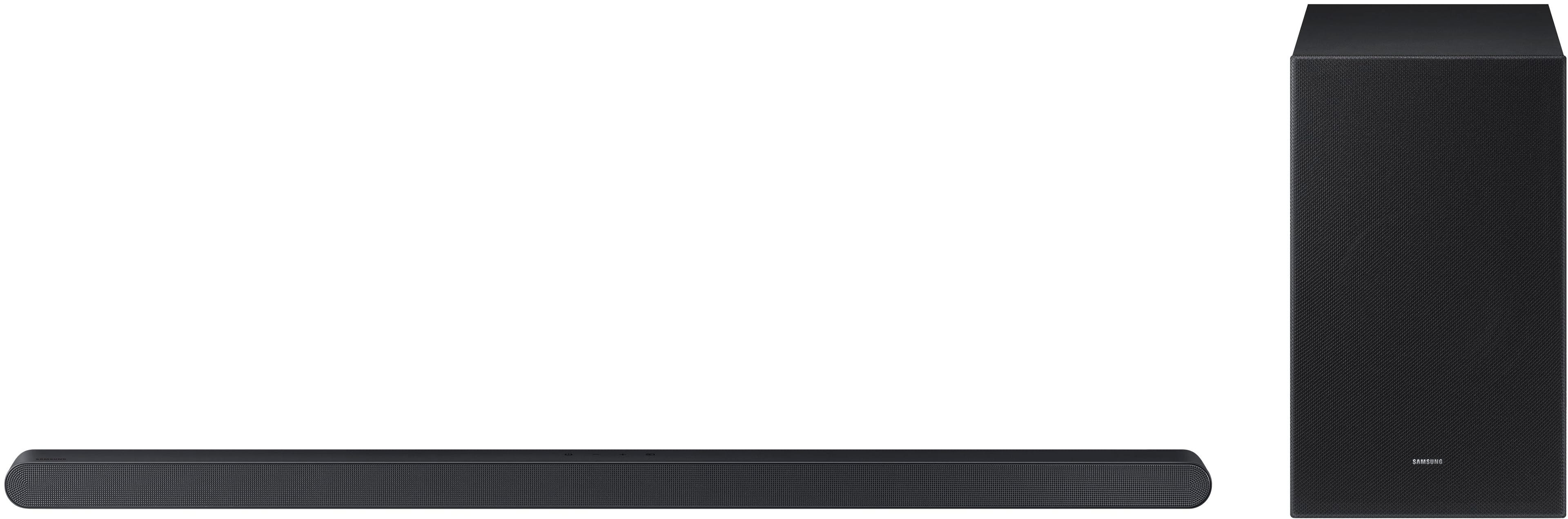
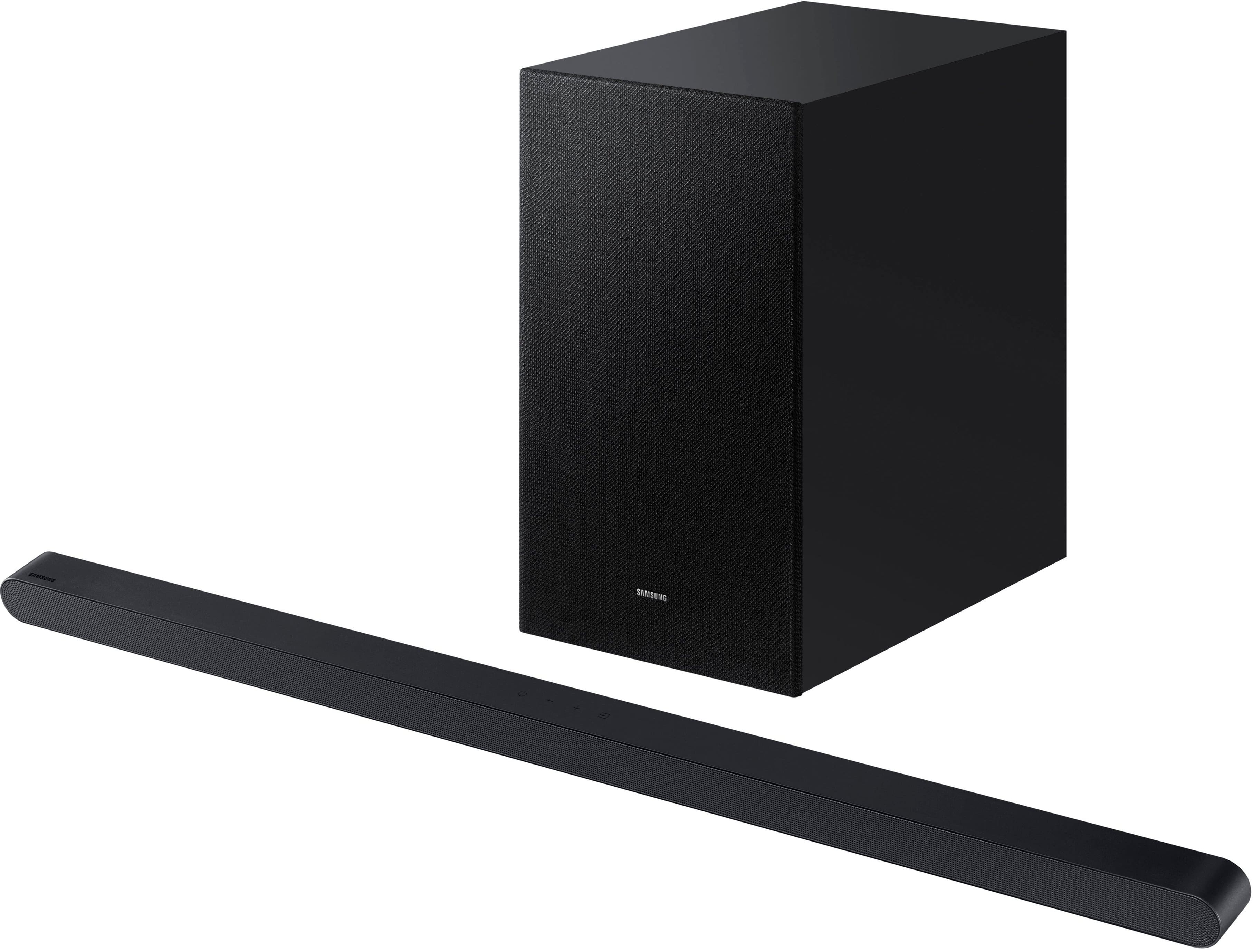
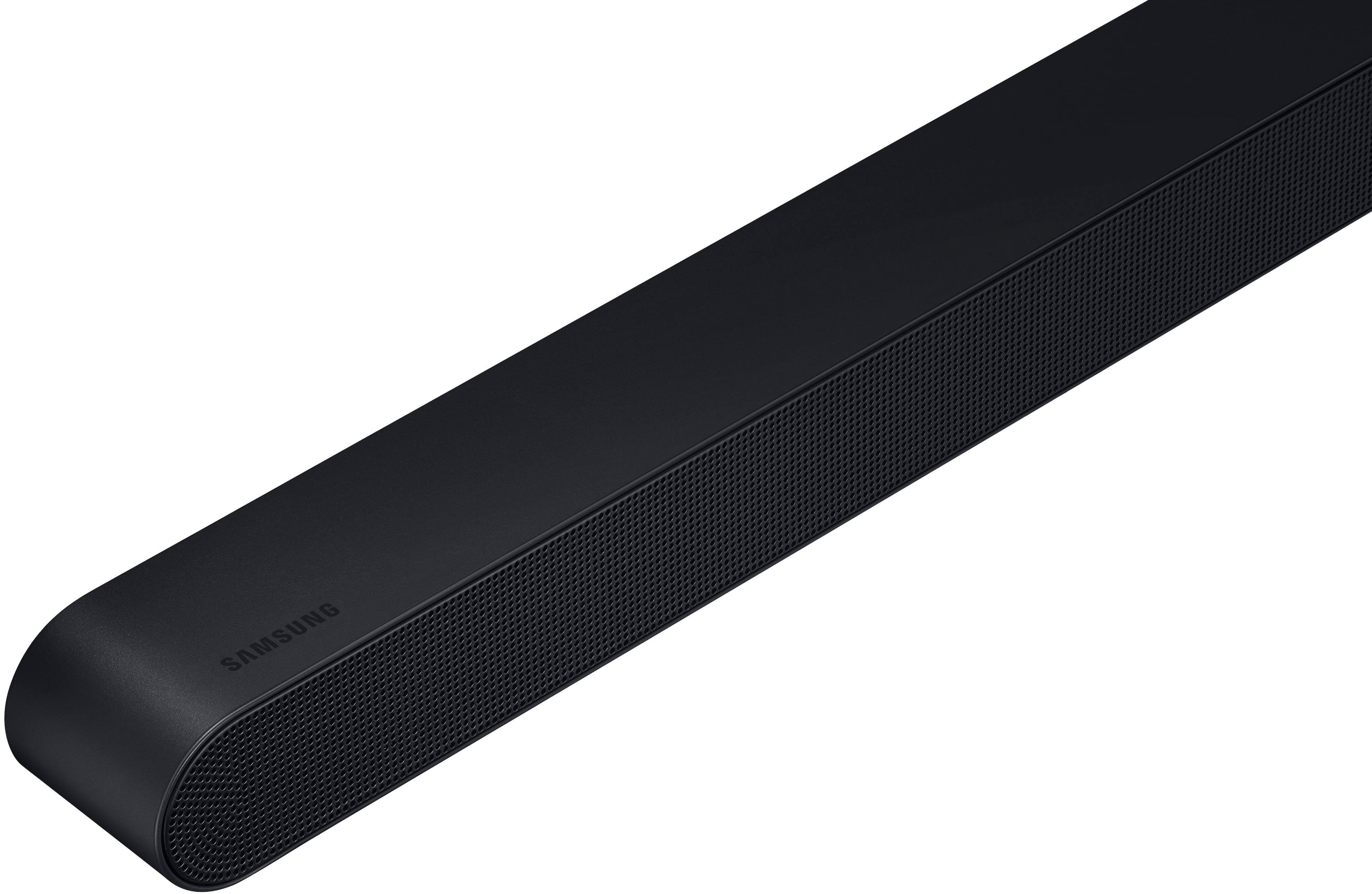
|Posted .This reviewer received promo considerations or sweepstakes entry for writing a review.Samsung isn't kidding when it calls this new S700D soundbar "ultra slim." At only about 1 1/2 inches tall and just 35 inches long, this thing is way more compact than almost anything else out there in the universe of soundbars. And while the sound quality produced by this tiny wonder is far better than you might expect for something so small , it does come with some tradeoffs. Most of them are related to the fact that to make a soundbar this tiny, some things had to be left out. Like a full sized HDMI port, and physical controls on top that provide some tactical feedback -- or even indicator lights that you can actually see. Turns out there are indicator lights, but like me, you might not even notice them at first. They are tiny LEDs hidden behind the front grill and can only seen when you are positioned directly in front of the soundbar and are looking directly at them. These omissions made setup of the S700D more difficult than it might have been since, in the beginning, it was hard to tell if it was even on (oddly,there is no "on" light) , much less how to change any settings. But more on this later. What most people are going to care about is the sound and on that front at least, this Samsung Ultra Slim performs quite well. With the help of a fairly hefty wireless subwoofter, the tiny speakers in the soundbar combine to produce the kind of full-bodied sound you might expect from something much bigger. You might even be surprised at how full the sound gets on soundtracks with properly engineered sound effects and music. . Bass is surprisingly strong and since it supports several flavors of surround sound, there is a broad sound field that expands up and out from the soundbar itself. Dolby Atmos, Dolby Digital Plus, Dolby True HD and DTS are supported but it's a little unclear how best to access the correct codec or even if any of them are being used. The small, minimalist remote, easily one of the worst designs I have seen on any device (which is saying a lot) , only allows you to cycle between unseen sound options with a single button. The soundbar annouces by voice (odd) what mode it is when you push that button but almost none of them are the familiar codecs. Instead, your choices are mostly generic names Samsung has decided to give them: Standard, Surround, Game and adaptive sound. The only familiar codec offered is DTS Virtual X. The soundbar does not come with any manual detailing what any of these various options do or why you should chose one over the other. I had to go online and search around to sort all that out. (Hint: Adaptive sound is probably the best all around option most of the time) I highly recommend that you download Samsung's generic Smart Things app (used by many Samsung devices) so you have some idea what is happening during setup and can more easily control what the soundbar is doing. And actually see the settings. Otherwise, you are mostly operating blind, unless you can decipher the various colors and flash patterns of the LEDs. The app also allows you to easily check and update the firmware, which is difficult if you are not using it, and to set the soundbar to auto update. One big advantage with the Samsung S900D is you have both wired and wireless options when it comes to connecting to your TV, The only wired option is HDMI (sorry no optical) But instead of a full HDMI port (which was too big for the tiny soundbar, I guess) Samsung provides a smaller mini HDMI port (same as USB C). Included with a soundbar is short cable with mini HDMI plug on one end and full HDMI plug on other. You will need an adapter if you have to make a longer run with an existing HDMI cable. On the wireless side, this soundbar uses bluetooth so your TV or streaaming device must support that. HDMI provides the best sound quality (via HDMI ARC or eARC from the TV) but if you prefer a less cluttered approach, a bluetooth connection is possible. That's easier, of course, but bluetooth compresses the audio so sound can be a bit flat and muddy. Samsung's propriatory Q Symphony feature is also also supported via HDMI or wifi (you must used the Smart Things app for this). It only works with compatible (ie newer) Samsung TVs. Q Symphony allows you to run your TV speakers and soundbar at the same time and provides more visual feedback on soundbar settings. Since the soundbar supports bluetooth, you can use it to stream music as well, via remote phones, tablets or the like. But I found the audio quality on music served up this way to be somewhat lacking. That may be because the tiny speakers in the soundbar seem to have trouble doing justice to the midrange frequences, where most music resides. OK for TV. Not so great for music. The S900D also comes with a very complete set of mounting hardware if you prefer that look over just setting it on a cabinet under the TV. Overall this is a pretty decent-sounding soundbar, given it's small size. It is a bit on the pricey side but if you are into the smaller-is-better design aesthetic, this might be a good way to go.
I would recommend this to a friend - Pros mentioned:Bass, Size, Sound quality
Rated 5 out of 5 stars
A Great Sounding, Very Compact Soundbar
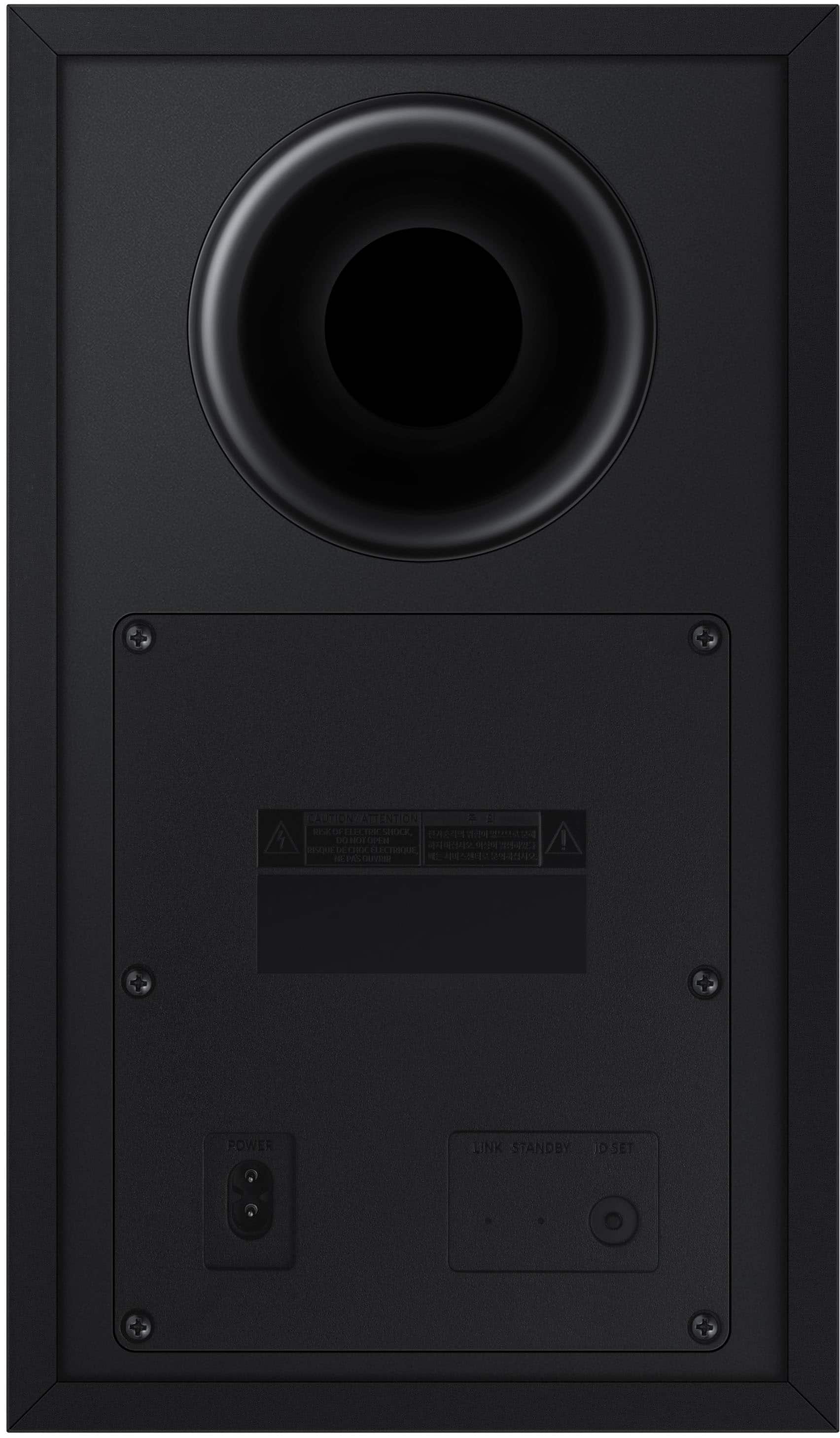
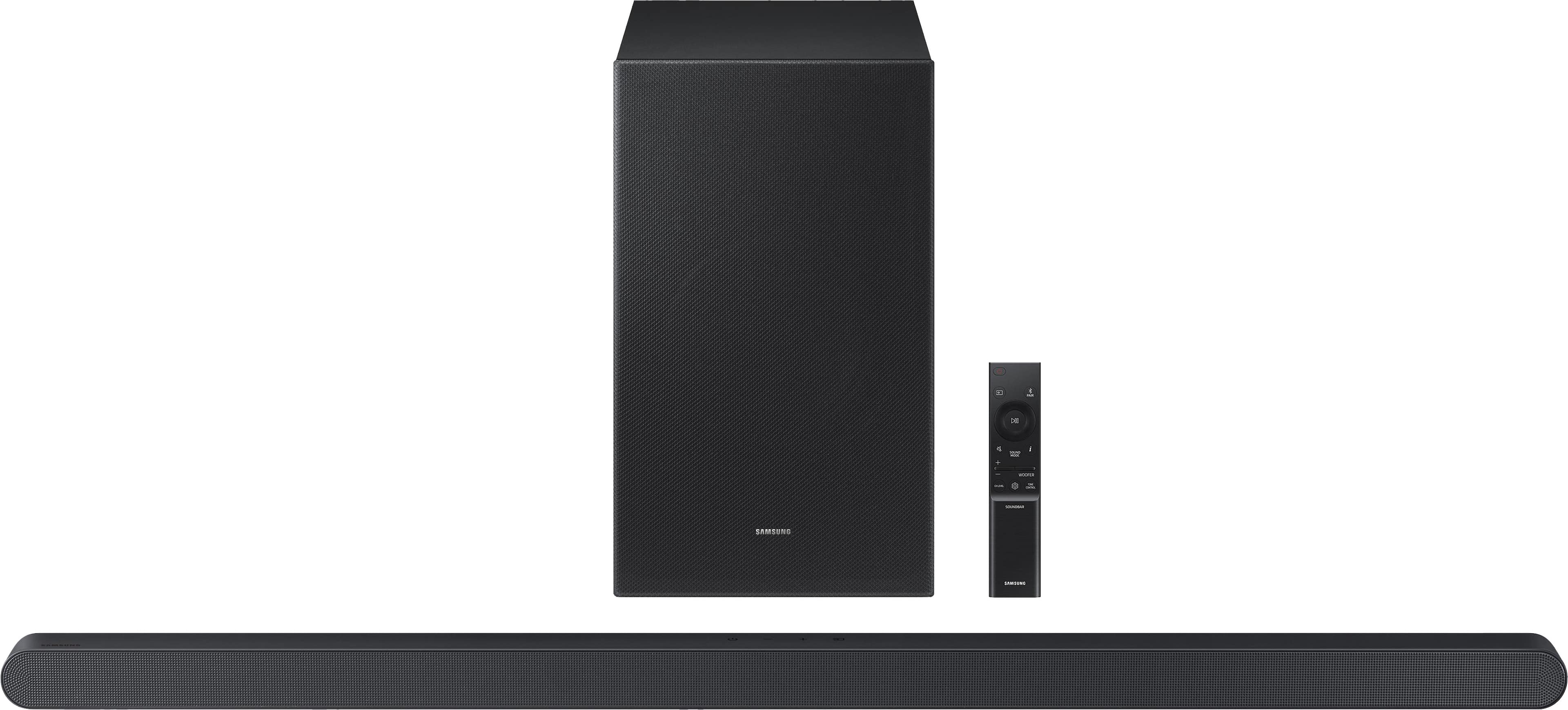
|Posted .This reviewer received promo considerations or sweepstakes entry for writing a review.Samsung S700D Soundbar I love this soundbar! It’s so compact and it sounds great! The highs are strong and clear, the base is solid and robust. There are touch buttons on the top of the bar for power, volume, and source. The size of the soundbar in front of your TV is amazingly compact (35 inch long, 1.5 inch high, and 1.5 inch deep) It’s one of the smallest soundbars I have seen, and yet the sound does not disappoint! The Sub Box is wireless to the Soundbar and measures 14 inch high, 12 inch deep, and 8 inch wide. The sub has a standard AC cord and plug. The Soundbar has a standard AC plug and cord with an in-line power block leading to a small cord that plugs in to the back of the soundbar making the install less cluttered and even more compact. There is a proprietary HDMI cable to connect to your TV and to the back of your Soundbar which is also of small diameter. This model does include Samsung’s Q Symphony which also utilizes the speakers in your compatible Samsung TV (Model years 2022-2024) to further enhance the sound. And Samsung included wall brackets with this model if you need to mount it. The included remote is compact with several features including a “pair” button for connecting to Bluetooth, a Sound Mode button for the 5 preset sound modes (I’m using the DTS Virtual X). There are built in voice prompts to announce what your current setting is. Of course, the remote has volume, pause, mute, and power. It also has a subwoofer level button for quick and easy adjustments along with a tone control button. If that’s not enough, download the “Smart Things” app from Samsung and you can control everything from it with a visual confirmation on your phone. There are also advanced Sound settings in the app for Voice Enhancement (dialogue enhance) and Night Mode options. You will need to download the App to set the Wi-Fi on the soundbar. After setting up Wi-Fi you can use Apple Air Play 2 to play your favorite streaming music on your iPhone and Airplay sends great bandwidth music right to the soundbar with a range as wide as your local router has coverage. I use Airplay exclusively over Bluetooth because I can walk anywhere in my home with the phone in my pocket and have no dropouts, in addition, the sound is better due to lossless compression vs Bluetooth. As you can tell, I use this soundbar for music listening as much as for watching TV and movies. FYI, this model does not include Alexa. I was able to connect Alexa to The Samsung Smart Things App, and could ask Alexa to change the volume, but never was able to play music to the speaker using Alexa. CONCLUSION: I really like this soundbar for features and great sound. The setup was straightforward and easy. The compact size is impressive considering the sound you get. Airplay 2 is a big feature I appreciate on this model. Being able to use the remote OR my phone to control this is a big plus. And don’t forget the top touch buttons right on top of the bar for a quick volume change. Yes, I would absolutely recommend this soundbar.
I would recommend this to a friend - Pros mentioned:Size, Sound quality
Rated 4 out of 5 stars
Sport-Compact Sound
|Posted .This reviewer received promo considerations or sweepstakes entry for writing a review.From the giant home media consoles of old, through the high fidelity systems of the 80s and 90s, and down to the compact systems we have today, premium home theater sound has become smaller and more integrated as the years go on. Soundbars are perhaps the most popular option for home theater audio today, delivering strong (if not top-tier) sound performance in a small footprint. Standing out is difficult with hundreds of options on the market today, but Samsung’s new HW-S700D makes a powerful impression with a soundbar so slim and svelte it can all but blend into the bezels of a modern flat-panel TV. The engineering needed to pull off such quality sound with tiny speakers is impressive, and although a few design choices fall short and fine-tuning takes some time, Samsung’s sound bar is most worthy of your consideration for space-constrained home theaters. - Unboxing and Setup As is typical with soundbar & subwoofer combinations, the HW-S700D arrives in an L shaped box that will take a little care to open without tearing the packaging. All items are packaged very well protected, and the soundbar’s truly slim profile is surprising at first sight. Both the soundbar and subwoofer feel substantial and are easy to set up - power cables in each, and a mini-HDMI to HDMI cable for connecting the soundbar to a modern TV via HDMI ARC (audio return channel). Unfortunately there is no HDMI pass-through nor optical input option, so with any TV you’ll be sacrificing one HDMI port to connect this soundbar. Choose wisely! A basic product guide leads through connectivity options and using the remote. Hardware for wall mounting is included. The wireless subwoofer can be placed anywhere in the room, but I found the best positioning to be relatively close to the soundbar. Setup is as straightforward as can be - connect to your TV via HDMI ARC and turn the soundbar on for wired sound, or power on and change the input to Bluetooth to begin pairing. The subwoofer comes pre-paired and automatically switches between standby and power-on with the soundbar’s activity. From there it’s just a matter of dialing in your settings with the included remote, and you’re on your way. - Sound Quality As I state in every audio device review review, quantifying opinions about sound is difficult. Audio opinions are subjective and the listening experience is difficult to translate to text. I highly recommend sampling this sound bar in-store at your nearest Best Buy prior to purchase. Switching from a competitor’s 3.1 soundbar, my first impressions of the Samsung HW-S700D were of flat audio that didn’t sound particularly impressive. It took some tuning of the subwoofer level and changing audio modes to find the best balance - namely, “Standard” listening mode with increased subwoofer and bass settings, with a center channel at roughly 5/10 intensity, or as close as can be mustered with the soundbar’s vague visual feedback (more on settings adjustment in the next section). Once I dialed in my settings, I was surprised by just how powerful this incredibly slim soundbar performs, particularly in the midrange. With only an array of small, perhaps one inch diameter speakers in the soundbar, I was expecting tinny audio that would be difficult to dial in to a comfortable setting, but I’m pleased to report minimal adjustment was needed to achieve deep, room-filling and floor-shaking sound, if that’s what you desire. The powered subwoofer is low volume at the outset, which led me to believe it wouldn’t perform particularly well for “booming” bass, but it strikes a perfect balance between the “boom” and “punch” that most subwoofers are better known to do in one direction versus the other. Regardless, sound reproduction is quite good with a fairly neutral spread, though I do notice high treble sounds can still be a bit tinny under the right circumstances…if I’m specifically listening for it. It’s hardly noticeable in action. Dolby ATMOS support means this soundbar can deliver a “height” element to certain sounds in action. I certainly noticed what sounded like surround sound at times, with sounds bouncing off my walls and ceiling to sound like it was coming from elsewhere in the room. This effect was unfortunately inconsistent, as the effect would occur in areas I was not expecting it to or vice versa, but this is more likely a limitation of my media selection. ATMOS surround sounds are airy and ethereal, but when used correctly they do add a sense of scale and presence. The effect is ultimately convincing. One thing I most appreciate about the HW-S700D is just how loud it can get. I hardly brought the soundbar past 50% volume because I simply didn’t need it; even at that level it filled my home with powerful sound. But no matter how high I dared to push the volume, frequency response remained consistent and I couldn’t get the speakers to distort. I’m sure that in the upper echelons there will be some to contend with given the tiny speakers in the soundbar, but in my testing I noticed none at all. While the different sound modes have some impact on equalization, it’s the voice enhancement function that seems to make the biggest change to the audio. Once enabled, midrange sounds - where human speech most frequently occurs - are shifted towards the center speaker to deliver much stronger clarity. I found the enhancement to be somewhat superficial but it definitely boosted spoken dialogue, perfect for those hard of hearing to enjoy movies and TV shows. - Connectivity & Ease of Use HDMI ARC leads the feature list for connectivity, letting you control your soundbar volume via your TV remote and reducing the need for another remote lying around. Indeed, as soon as I enabled HDMI Device Control through my TV, my TV speakers were muted and the volume presented by the TV matched the HW-S700D at all times. Once I had my sound settings dialed in the Samsung remote was put away. The soundbar also supports bluetooth for streaming audio to the soundbar wirelessly. Pairing requires no passcode, and sound latency is minimal. Where the soundbar can use some tweaking is in the user interface. A row of status LEDs animate in response to remote control inputs, and voice statements play over any active audio to indicate the setting or mode selected (e.g. changing audio profiles or the name of a menu option). It took me some practice to realize the last-said option is what the up and down arrows on the Samsung remote correspond to, and visual feedback representing high versus low values is nonexistent. The soundbar will simply flash all LEDs multiple times when reaching a value limit instead, which makes fine-tuning settings frustrating trying to record how many clicks away from 0 or 10 a particular setting is. My recommendation is to set it up once with a profile that covers all use modes. - Bottom Line I was pleasantly surprised how well the Samsung HW-700D performed given its absolutely diminutive size. Though it required a little bit of fine tuning to find my optimal sound profile, once set up the soundbar performed admirably and delivered a room-filling experience. If space is a concern then this sound system will more than fit the bill, though I can’t help but sense the $499 MSRP is a bit high and there are better performing options at this price point if there’s room for them. Ultimately though, this soundbar still comes recommended!
I would recommend this to a friend Rated 1 out of 5 stars
Save your money and time
||Posted . Owned for 2 weeks when reviewed.This reviewer received promo considerations or sweepstakes entry for writing a review.To say this sound bar is a disappointment is an understatement. Never can tell if its on. No bass in the subwoofer. Dont buy this.
No, I would not recommend this to a friendBrand response from Samsung
Posted .Garret,
Thank you for taking a few moments to review the Samsung HW-S700D Soundbar.
There are two adjustments that can be made to maximize bass from the soundbar and subwoofer:
1. Using the WOOFER button on the remote, you can adjust the level between -6 to +6. To set the subwoofer volume level to 0, press the button in.
2. Adjust the bass control by pressing the TONE CONTROL button on the remote control, then select BASS to increase the level. You can adjust the volume between -6 to +6 by using the Up/Down buttons.
Alternatively, you can adjust all of these same settings and more within the SmartThings app. Download the app for your iOS or Android device and then connect your Soundbar to Wi-Fi. From here, you will be able to adjust all of the same settings as the provided remote, but with the added benefit of being able to see the changes on your smart device.
If you need more help, Samsung is here for you. Please call us at 1-800-SAMSUNG, 8AM - 12AM EST (Ask for Soundbars), 7 days a week. Our Live Chat agents are also available by clicking on the ‘Support’ link on our website.
~ Samsung Solutions
- Pros mentioned:Size, Sound quality
Rated 5 out of 5 stars
Excellent Upgrade to my slightly older soundbar
|Posted .This reviewer received promo considerations or sweepstakes entry for writing a review.In the box is the soundbar, remote sub-woofer, remote with batteries, 2 power cords, normal HDMI cord and a HDMI to micro HDMI, quick start guide, mount guide and remote guide. First impression - This is the thinnest, slim soundbar I have never seen and I absolutely love it. Installation was simple, add the plugs and the cords and hook to the television and sync the speakers and you are done. The quick start guide does have instructions for the different buttons on the remote and the different light alerts and it also says you can use the QR code for the manual. I used the QR code and when I went to the link after unboxing, both links are a copy of the quick start guide. I hooked up the soundbar to a non-Samsung television and learned that when using the remote, it will speak what action you are taking. This was a little unconventional at first but I got used to it pretty quickly. There is a SmartThings app and if you are a visual person or someone that loses the remote constantly, then I highly recommend you download the app. The SmartThings app also links you to your smart home app to add the soundbar to your smart home as well. Once you get signed in (whether you already have a Samsung sign on or you have to create a new account), once your signed in, the app pretty much walks you through how to set up the soundbar and then your done. It basically turns your phone into the remote. For me, this is perfect because it tells me what setting the soundbar is set to when I start to watch tv. (We have multiple users in my household.) I haven’t had an updated soundbar within the past year and this is my first Samsung and I am pleasantly impressed. Please note, I paired this with my 4K TV. My favorite mode/setting so far is the DTX because the sound is SUPER clear and loud and I definitely use when I am watching a movie with Dolby Atmos. I tend to also watch older movies that are in HD and for right now, as I am learning the standard, surround, game and adaptive sound settings, I just pick and chose which mode/setting I want to use with each movie. The app also shows you the treble and bass setting and right now, I have both set on zero and they sound just fine. My daughter was watching something on YouTube and it sounded like someone was walking up our basement stairs; definitely needed to turn the bass down in that situation. The app also has the settings for the woofer and advanced settings, which includes voice enhancement and night mode. The night mode is DEFINITELY great for night watching when you are watching TV with ads. It sets the volume to one level, which is low. I haven’t really needed to use the voice enhancement yet because of the DTX setting. I did try it on an HD movie with each of the other settings and I didn’t notice much of a difference. I did try it on one of my soaps and I did notice that the voices were much sharper and clearer! Overall, I am very pleased with this slim soundbar and I would highly recommend to friends and family.
I would recommend this to a friend - Pros mentioned:Size, Sound quality
Rated 4 out of 5 stars
Sounds great but size deceives the awesomeness
|Posted .This reviewer received promo considerations or sweepstakes entry for writing a review.Samsung Ultra Slim Sound bar HW-S700D This sound bar deceives in that it produces such powerful sound for such a small and compact device. It includes a 35 inch wide sound bar and a subwoofer of approximately 14” High x 12” Deep x 8“ Wide. A power cable and a HDMI cable are included as is wall mounting hardware for the sound bar portion. Power output is rated at 250 watts total. One of the great features is that it connects via wireless Bluetooth so no need to have a thick HDMI cable from the TV to the sound bar itself. If your TV has Bluetooth then this serves well. Note that it DOES NOT have conventional HDMI, Optical or ANY wired inputs input so is not usable for any TV that lacks Bluetooth. The sound bar has a mini-HDMI output and is supplied with a mini-HDMI to HDMI cable for output connection to another device. The included 160 watt subwoofer is wireless also save for the power cord. The sound bar allows being calibrated to your space, in that it analyzes your environment and automatically optimizes the audio accordingly for accurate and clear sound. It has 3.1 Ch. Dolby Atmos Sound with 3.1ch Dolby Atmos sound. In addition, Samsung includes AVA (Active Voice Analyzer) which insures that audio dialogue is not lost and is very clear when watching movies, TV or other sources where room noise might interfere with hearing voices on screen. Adaptive Sound adjust dialogue in content so voices are heard better even when at low volume and especially when scenes contain music or special effects sounds. Specifications indicate that scenes are analyzed in real time to adjust dialogue for clarity. The sound bar has Alexa Built-In; it has wireless Dolby Atmos; it works with Chromecast, Tidal, Google, AirPlay, has Bluetooth 5.2, Spotify, and has WiFi 2.4 and 5 Ghz (with 801.11a/b/g/n/ac compatibility). It has Energy Star ratings for when it is not powered on. The sound it puts out on movies, TV shows, playing music via Spotify and Alexa is wonderful. The included remote control allows adjusting the volume, powering on and off, and switching whatever source you subscribe to via the Samsung app. I also paired it with an Android phone for music streaming and it works well. This sound bar from Samsung is highly recommended.
I would recommend this to a friend - Pros mentioned:Design, Sound quality
Rated 5 out of 5 stars
Great Sound!
Posted .This reviewer received promo considerations or sweepstakes entry for writing a review.I have been very impressed with the sound quality and love the slim design of the soundbar. I have been very happy with my purchase.
I would recommend this to a friend - Pros mentioned:Sound quality
Rated 3 out of 5 stars
Wish it had a menu that I can see.
Posted .This reviewer received promo considerations or sweepstakes entry for writing a review.I got this sound bar to boost dialog for a 65" Frame. Optimizing the sound for this particular situation is frustrating because because the HW-S700D does not include any visual menu of your set-up selections. I have no idea if I've optimized the setup of my sound-bar for dialog. There's no on-screen menu to help you understand my menu selections. I can't even tell what the settings currently are. As a result, I think the settings are fine. The sound seems better with Q-Symphony and dialog enhancing selection on. The system really pops for music videos, but that's rarely how I use it. So, it's hard to say if I'm getting the best out of this sound-bar. I would recommend this device, primarily because of the price point. If it were any more expensive I'd say pass.
I would recommend this to a friendBrand response from Samsung
Posted .Hi MarkS,
Thank you for taking a moment to review the HW-S700D Soundbar.
To take full advantage of your new soundbar, download the SmartThings App to your smart device. This will allow you to control your soundbar as you would with the provided remote, but with the added advantage of seeing what changes you make on your device. You can also use SmartThings to change your Soundbars Sound Modes like Game Mode and Adaptive Sound or activate Functions like Night Mode and Space Fit Sound Pro.
If you need more help, Samsung is here for you. Please call us at 1-800-SAMSUNG, 8AM - 12AM EST (Ask for Soundbars), 7 days a week. Our Live Chat agents are also available by clicking on the ‘Support’ link on our website.
~ Samsung Solutions
- Pros mentioned:Bass, Size
Rated 5 out of 5 stars
Very smaller but kicks
Posted .This reviewer received promo considerations or sweepstakes entry for writing a review.This thing is auctally really really small. The arc works really well. The bass really kicks I would buy again
I would recommend this to a friend - Pros mentioned:Sound quality
Rated 5 out of 5 stars
Great soundbar for the money
Posted .This reviewer received promo considerations or sweepstakes entry for writing a review.This soundbar was recommended to me by the salesman and it sounds fantastic!
I would recommend this to a friend Rated 1 out of 5 stars
Wimpy
Posted .This reviewer received promo considerations or sweepstakes entry for writing a review.If you want a wimpy sounding bass, this is the one for you. What a poor excuse. Did everything to kick it up, no avail. The demo sounded real well in store. Not so much when I got it home. Next time, I'll find something else.
No, I would not recommend this to a friendBrand response from Samsung
Posted .Hello Pfft,
I’m sorry to hear that you’re dissatisfied with the bass of your HW-S700D Soundbar.
To take full advantage of your new soundbar, download the SmartThings App to your smart device. This will allow you to control your soundbar as you would with the provided remote, but with the added advantage of seeing what changes you make on your device.
There are multiple ways to control the bass levels for your new Soundbar.
1) Using the WOOFER button on the provided Soundbar remote. Use the woofer button by pushing forward or pulling backward on the button itself to adjust the bass levels between -12 or -6/+6. If you want to reset the bass to 0 then push the button in.
2) When you press the TONE CONTROL button, you can adjust the treble or bass levels between -6/+6.
If you need more help, Samsung is here for you. Please call us at 1-800-SAMSUNG, 8AM - 12AM EST (Ask for Soundbars), 7 days a week. Our Live Chat agents are also available by clicking on the ‘Support’ link on our website.
~ Samsung Solutions