Customer Ratings & Reviews




- Model:
- HW-S800D
- SKU:
- 10961906
Rating by feature
- Value
Rating 4.6 out of 5 stars
- Quality
Rating 4.8 out of 5 stars
- Ease of Use
Rating 4.8 out of 5 stars
to a friend
Should have known
||Posted . Owned for 11 months when reviewed.This reviewer received promo considerations or sweepstakes entry for writing a review.I was looking forward to having a decent surround sound effect with a low profile but this is not it. It sounds terrible and cheap no matter the settings. Not a quality product. Will switch to Bose.
No, I would not recommend this to a friendBrand response from Samsung
Posted .Hello Girly22,
Thank you for taking a moment to review the HW-S800D Soundbar.
To take full advantage of your new soundbar, download the SmartThings App to your smart device. This will allow you to control your soundbar as you would with the provided remote, but with the added advantage of seeing what changes you make on your device.
To optimize your audio experience, please try the various sound modes this model offers. Press the SOUND MODE button on your remote, and then select your desired sound effect: ADAPTIVE SOUND, DTS VIRTUAL:X, MUSIC, GAME, STANDARD. When you press the SOUND MODE button it will change to the different modes in the above order.
To control the volume of the treble or bass press the TONE CONTROL button, and then adjust the volume between -6 to +6 by using the Up/Down buttons on your soundbar remote.
Press and hold the SOUND CONTROL button for about 5 seconds to adjust the sound for each frequency band. 150Hz, 300Hz, 600Hz, 1.2kHz, 2.5kHz, 5kHz, and 10kHz are selectable using the Left/Right buttons and each can be adjusted to a setting between -6 to +6 using the Up/Down buttons. (Make sure the Sound mode is set to “STANDARD”.)
Press the CH LEVEL button so you can adjust the volume of each speaker. CENTER LEVEL can be adjusted using the UP/DOWN buttons from -6 to +6.
Also, you can also add the SWA-9500S Rear Speaker Kit to create a multi-channel system for a true surround sound experience.
If you need more help, Samsung is here for you. Please call us at 1-800-SAMSUNG, 8AM - 12AM EST (Ask for Soundbars), 7 days a week. Our Live Chat agents are also available by clicking on the ‘Support’ link on our website.
~ Samsung Solutions
Do not buy
||Posted . Owned for 2 months when reviewed.This reviewer received promo considerations or sweepstakes entry for writing a review.Not a true 3.1 there is zero center channel I have to keep turning up and down I only gave a 2 because it is small and hides well
No, I would not recommend this to a friendBrand response from Samsung
Posted .Hello Lionsblood,
Thank you for taking a moment to review the Samsung 3.1.2 Channel HW-S800D Soundbar.
To take full advantage of your new soundbar, download the SmartThings App to your smart device. This will allow you to control your soundbar as you would with the provided remote, but with the added advantage of seeing what changes you make on your device.
To optimize your audio experience, please try the various sound modes this model offers. Press the SOUND MODE button on your remote, and then select your desired sound effect: ADAPTIVE SOUND, DTS VIRTUAL:X, MUSIC, GAME, STANDARD. When you press the SOUND MODE button it will change to the different modes in the above order.
You can further adjust TREBLE and BASS via the TONE CONTROL button.
Also, you can also add the SWA-9500S Rear Speaker Kit to create a multi-channel system for a true surround sound experience.
I hope this tip helps improve your enjoyment. For more help, please call us at 1-800-SAMSUNG (Ask for Soundbars), 8 AM – 12 AM EST, 7 days a week. Live Chat with an agent as well as manuals, software, and warranty info can be found at the ‘Support’ link on our Samsung website.
~ Samsung Solutions

Samsung S800D: Ultra Slim, Rich Sound
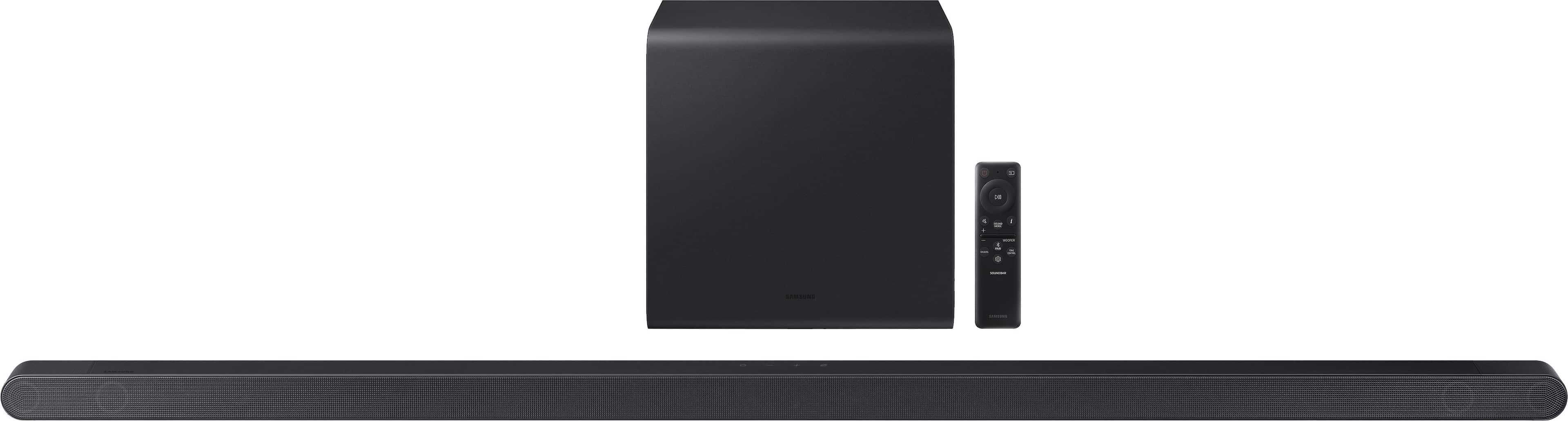
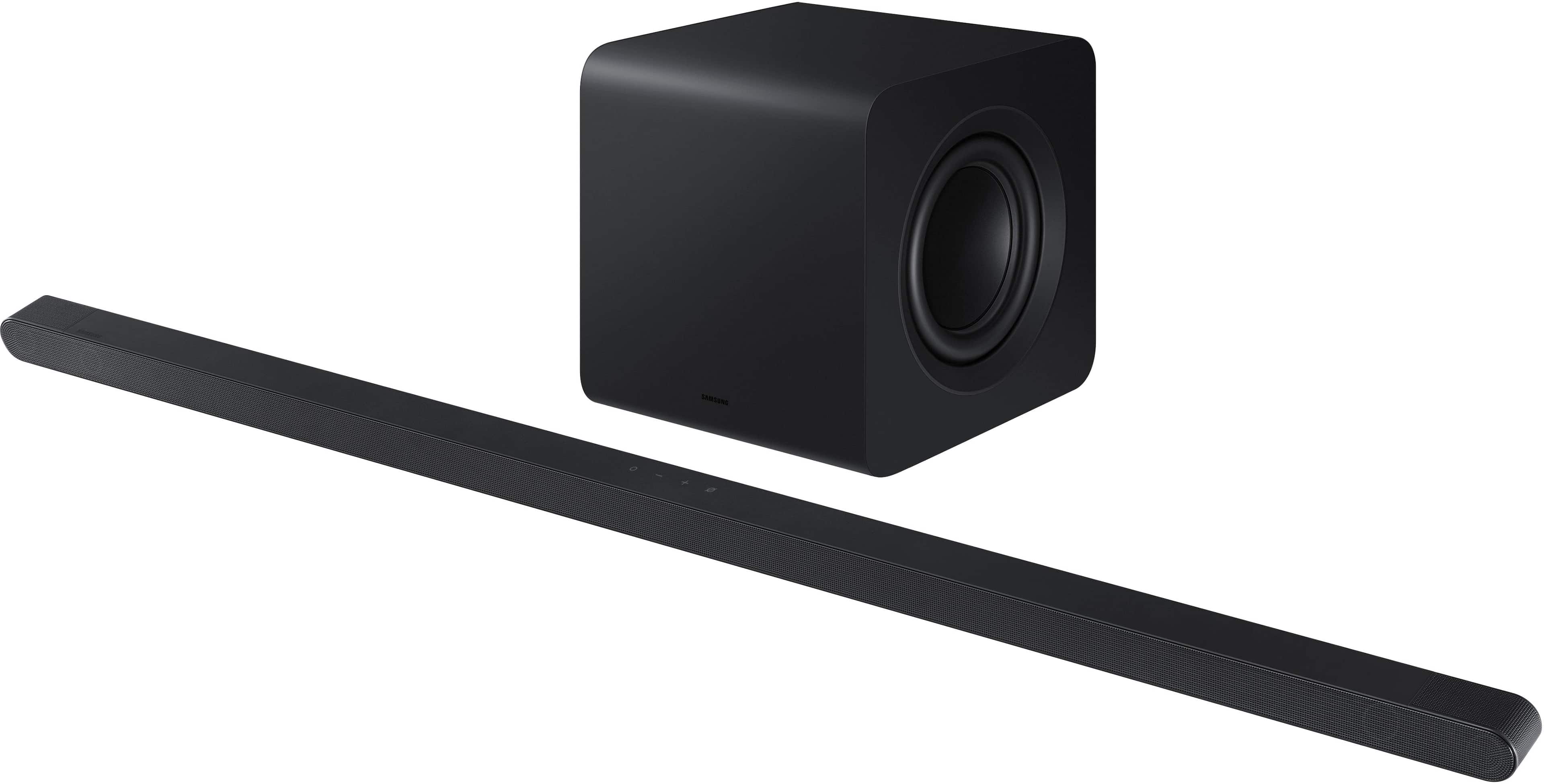
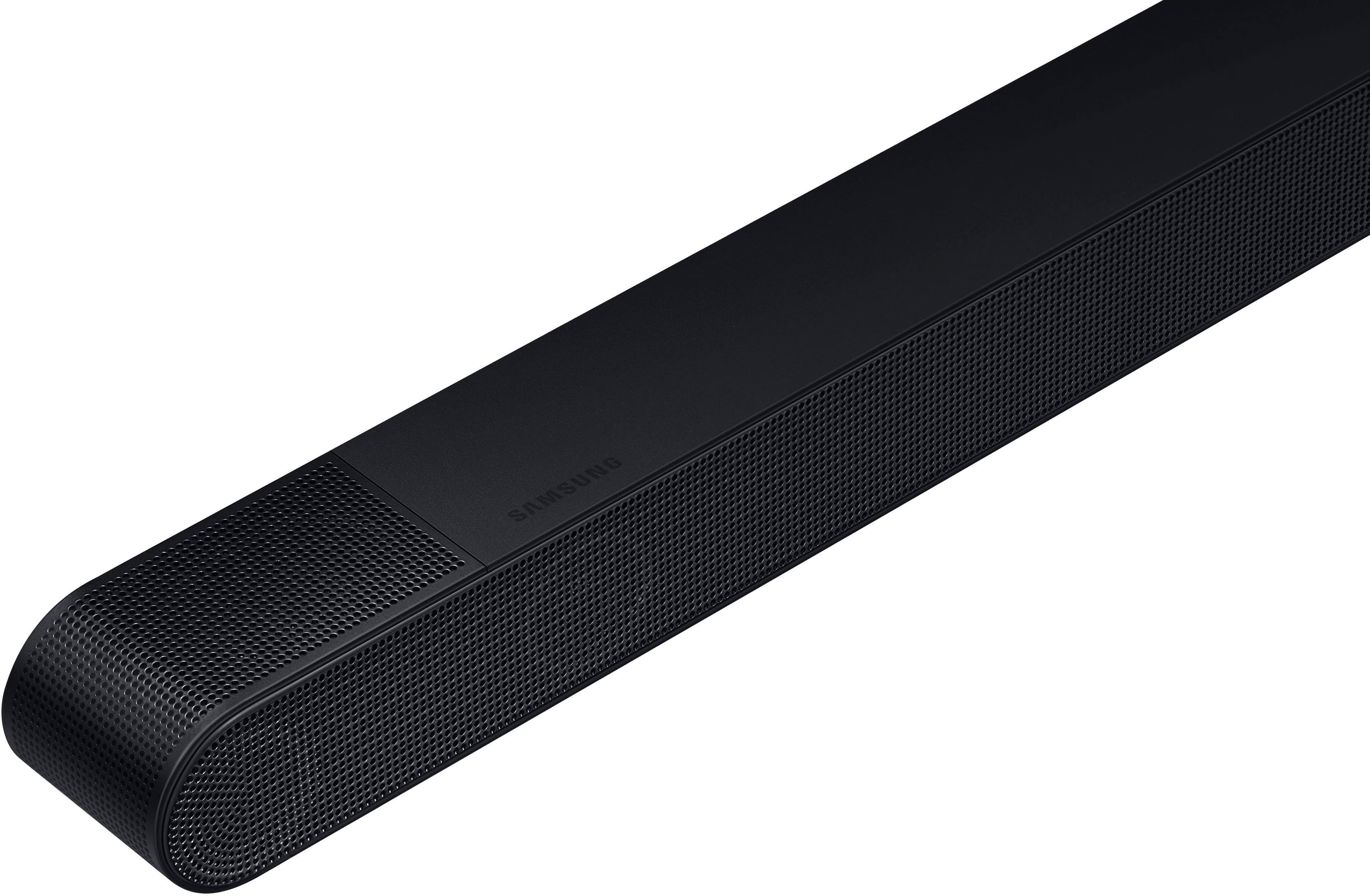
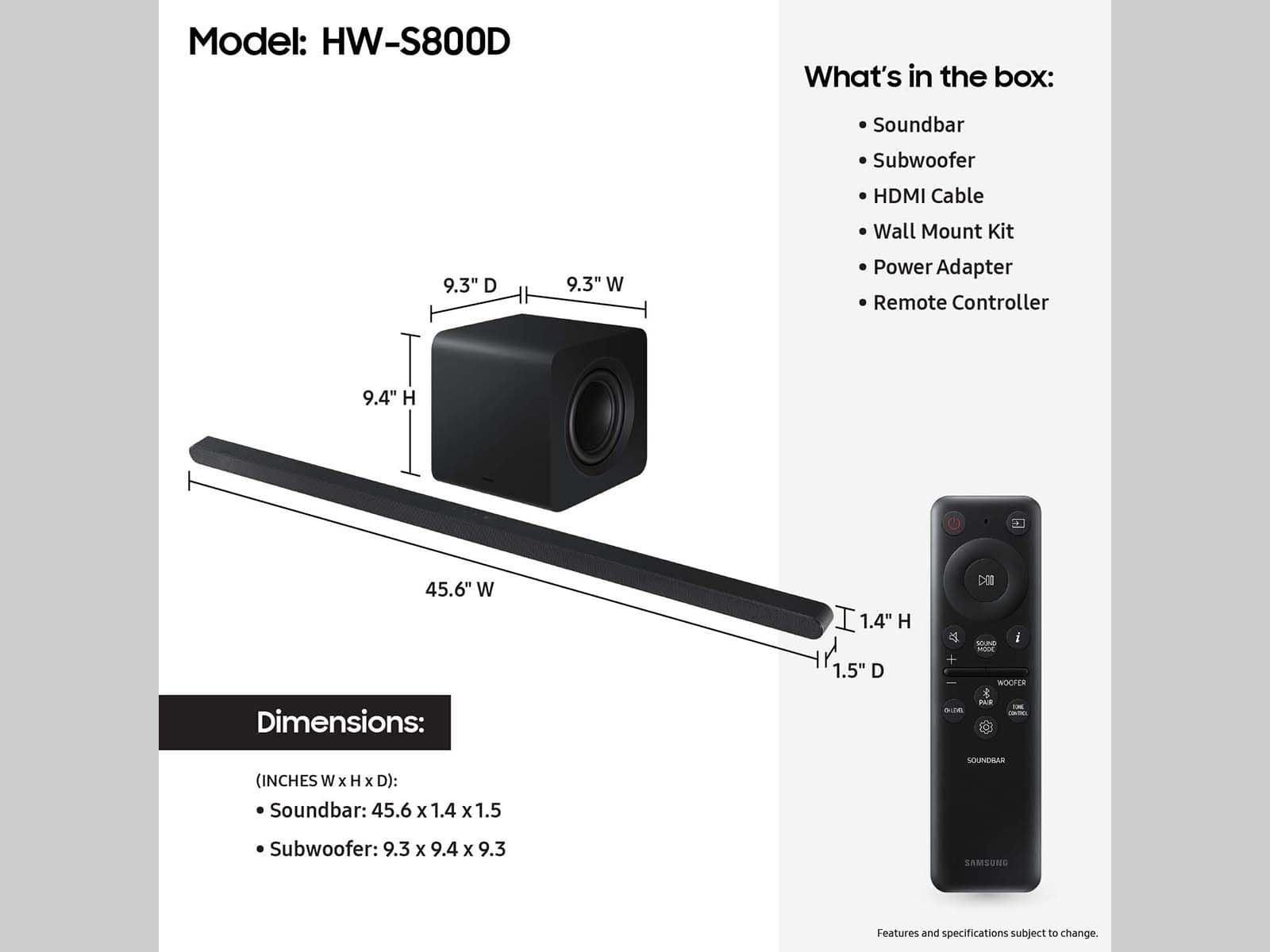
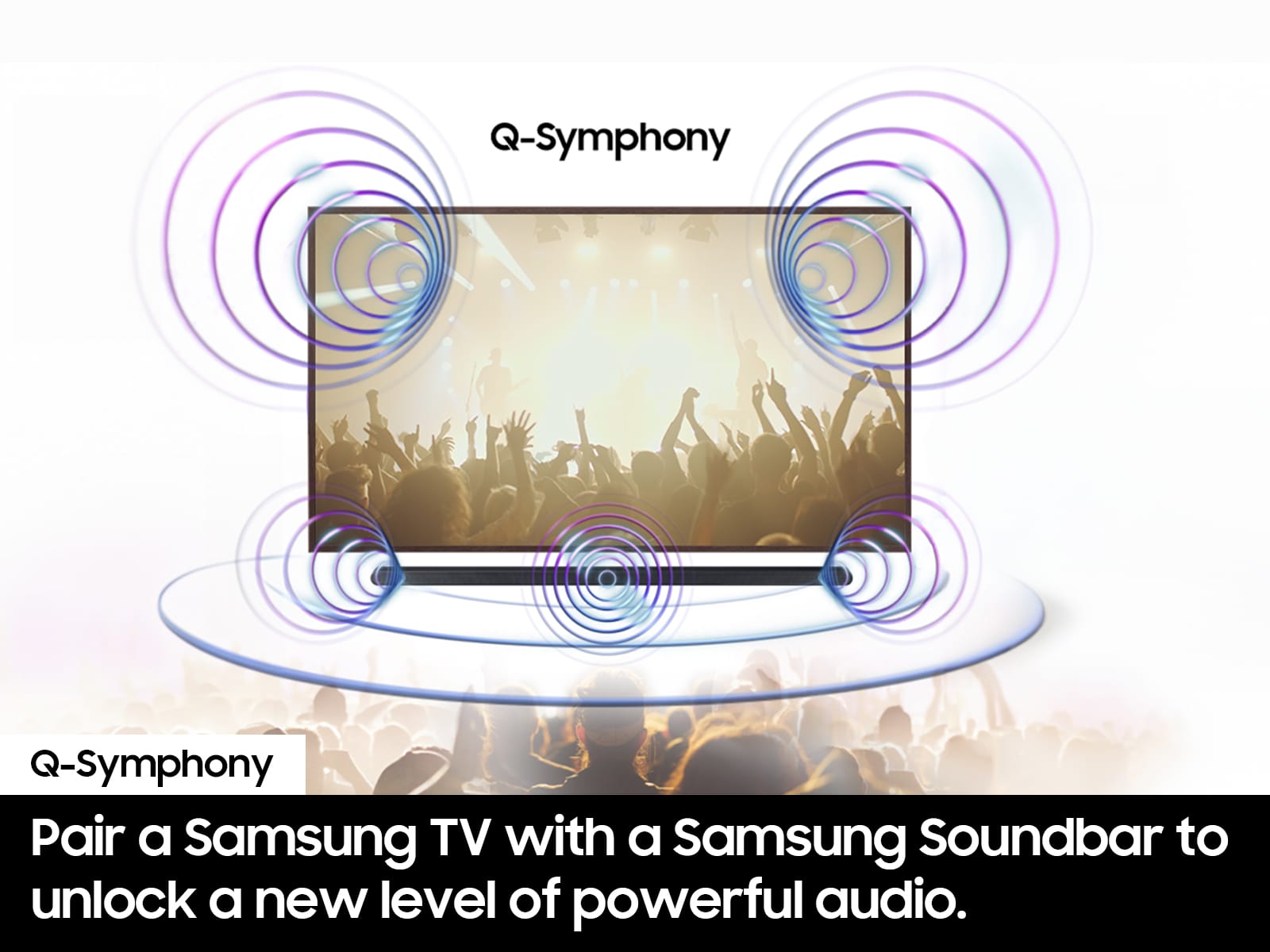
|Posted .This reviewer received promo considerations or sweepstakes entry for writing a review.When I first set up the Samsung Ultra Slim Sound Bar with ATMOS, known as the S800D, I was struck by its sleek design. Measuring only 1.5 inches in height, it sits comfortably under the TV, barely noticeable, which is perfect for maintaining a clean aesthetic in your living room. Despite its minimalistic appearance, this sound bar packs a robust sound experience, equipped with five speakers that handle various channels, ensuring comprehensive audio coverage. The real beauty of the S800D lies in its ability to produce a sound that feels much larger than its physical size. The integration of Wireless Dolby Atmos technology allows for a cable-free setup while still delivering the rich, immersive quality you'd expect from a more complex system. During my testing, I was able to experience the 3.1.2 channel True Dolby Atmos Sound, which brought movies and music to life with stunning clarity and depth. Whether I was streaming via Bluetooth or using the built-in smart features like Alex, Chromecast, or Airplay, the sound quality remained consistently high. Another feature that I found particularly useful was the Adaptive Sound technology. Watching movies late at night often makes it difficult to hear dialogues over background noises, but the S800D managed to balance these sounds effectively. It adjusted the audio in real-time, ensuring that speech was always clear, even at lower volumes. This, combined with the Active Voice Analyzer (AVA), meant that dialogues in action-packed scenes or subtle exchanges in dramas were always front and center. I was impressed with the Q Symphony feature, which synchronizes the soundbar with a Samsung TV to create a more dynamic audio environment. This synergy not only enhances the auditory experience but makes setup and control significantly more straightforward, especially when paired through the Samsung SmartThings app. The seamless connection and the ability to control the system with my existing Samsung ecosystem added a layer of convenience that was much appreciated. The slim profile of the S800D does not hinder its bass capabilities, thanks to the wireless subwoofer that accompanies it. The subwoofer, running at 200 watts, connects flawlessly to the main unit, providing a powerful bass that complements the soundbar's acoustics without overwhelming them. This balance is crucial for enjoying a variety of audio content, from explosive blockbuster movies to the subtle nuances of classical music. For gamers, the Game Mode Pro feature offers a tailored audio experience that enhances gameplay. By optimizing the sound specifically for gaming, this mode brings out every little detail, from the whispers of stealth missions to the cacophony of battlefields, making the gaming experience much more engaging and immersive. This feature alone makes the S800D a strong contender for those looking to enhance their gaming setups. In conclusion, the Samsung S800D soundbar is an exceptional choice for those seeking high-quality audio without the clutter of traditional surround sound systems. Its sleek design, combined with advanced audio technologies like Dolby Atmos and Adaptive Sound, makes it a powerhouse of performance that's hard to overlook. Whether you're a movie lover, a casual viewer, or a gaming enthusiast, this soundbar offers a compelling upgrade to your audio experience that is both aesthetically pleasing and sonically satisfying.
I would recommend this to a friendsubwoofer broke after 14 months
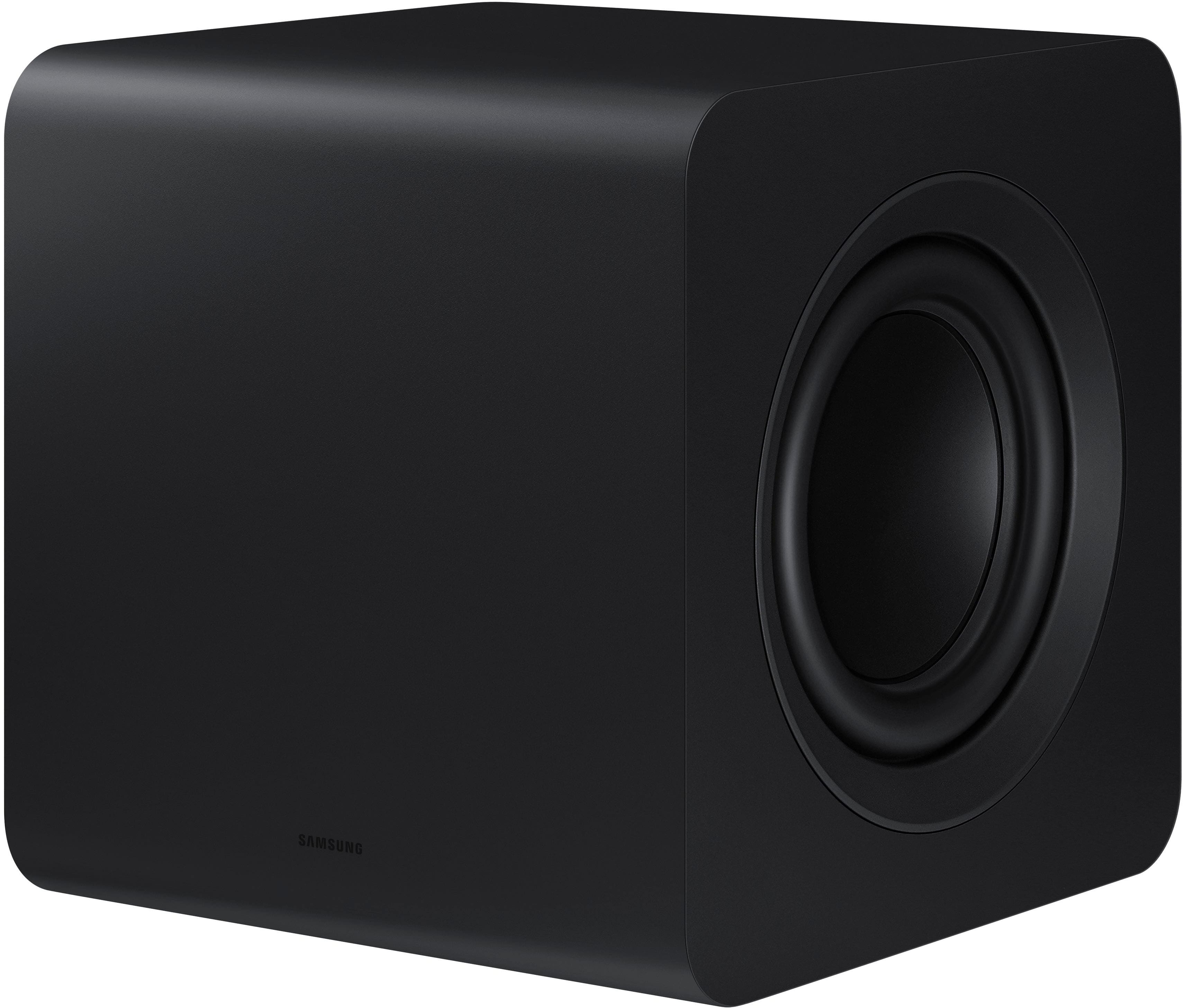
||Posted . Owned for 1 year when reviewed.This reviewer received promo considerations or sweepstakes entry for writing a review.Sub woofer died 14 months later. No option to replace the subwoofer only. Would not repurchase this soundbar/subwoofer to only get a little over a year out of it.
No, I would not recommend this to a friendBrand response from Samsung
Posted .Hello Adam,
We appreciate your feedback regarding the issues you are experiencing with your HW-S800D Soundbar.
Please give us the opportunity to assist you by contacting Samsung Customer Support. Call us at at 1-800-SAMSUNG (Ask for Soundbars), 8 AM – 12 AM EST, 7 days a week. Our Live Chat agents are also available by clicking on the ‘Support’ link on our website.
~ Samsung Solutions
Poor Quality
||Posted . Owned for 1 month when reviewed.This reviewer received promo considerations or sweepstakes entry for writing a review.Don't buy this. Sound is sub-standard, almost metallic sounding. Wish I would have tried the next model up or something other than Samsung
No, I would not recommend this to a friendBrand response from Samsung
Posted .Hi KevinS,
Thank you for taking a moment to review the Samsung HW-S800D Soundbar.
To take full advantage of your new soundbar, download the SmartThings App to your smart device. This will allow you to control your soundbar as you would with the provided remote, but with the added advantage of seeing what changes you make on your device.
To optimize your audio experience, please try the various sound modes this model offers. Press the SOUND MODE button on your remote, and then select your desired sound effect: ADAPTIVE SOUND, DTS VIRTUAL:X, MUSIC, GAME, STANDARD. When you press the SOUND MODE button it will change to the different modes in the above order.
You can further adjust TREBLE and BASS via the TONE CONTROL button.
Also, you can also add the SWA-9500S Rear Speaker Kit to create a multi-channel system for a true surround sound experience.
I hope these tip helps improve your enjoyment. For more help, please call us at 1-800-SAMSUNG (Ask for Soundbars), 8 AM – 12 AM EST, 7 days a week. Live Chat with an agent as well as manuals, software, and warranty info can be found at the ‘Support’ link on our Samsung website.
~ Samsung Solutions
Troubles in sound world
||Posted . Owned for 1 week when reviewed.This reviewer received promo considerations or sweepstakes entry for writing a review.Looks great but we are having troubles with the system. Doing a diagnostic test to see what issue is. We did have it delivered and installed the tv and sound system.
No, I would not recommend this to a friendBrand response from Samsung
Posted .Hello Myoldenglish,
We appreciate you taking a moment to review the HW-S800D Soundbar.
Updating the firmware on your soundbar gives you all the benefits of the latest improvements. When the Soundbar is connected to the Internet, Auto Update allows software to update automatically even when the Soundbar is turned off. You can also update by using the SmartThings app.
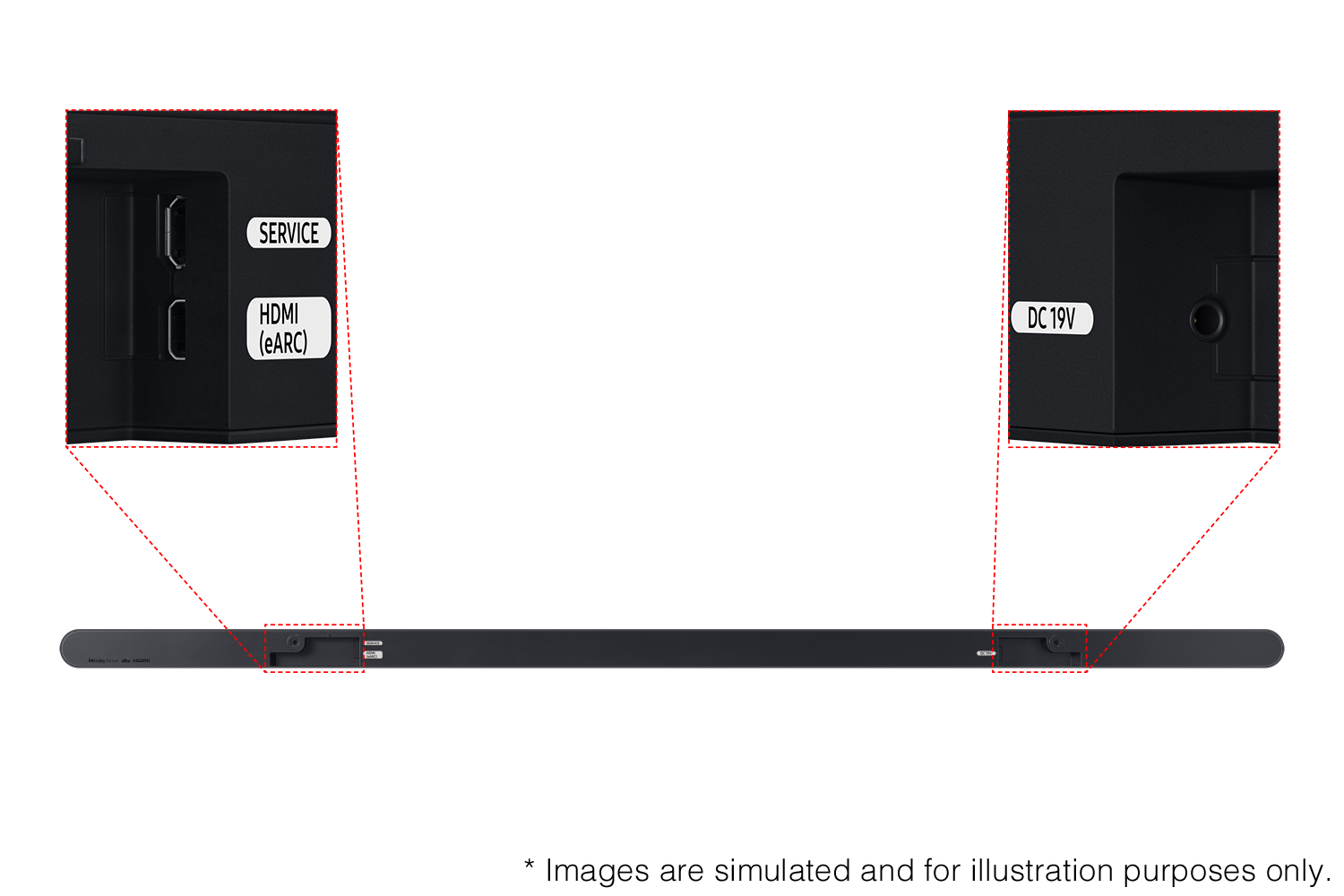
If not connected to the internet, you can download it onto a USB device, and then upload it to your soundbar - no wireless connection required. Connect the USB drive that contains the update firmware to the SERVICE port of the Soundbar.
1.Go to the Samsung Electronics website (www.samsung.com) → click on the “Support” option in the upper left corner.
2.Click on “Manuals & Software” from the pop-up list > TVs & Home Theater > Home Theater > Select your model
2. Download the firmware file (USB type).
3. Unzip the file to create a folder with the file name.
4. Store the created folder in a USB and then connect it to the Soundbar.
5. A sequence of “UPDATE” > “BYE” > “ON” will appear on the display 3 times. This will take around 6 minutes.
- During update, do not turn it off or remove the USB.
- If “UPDATE” does not appear on the display window, remove the power cord from the Soundbar and then reconnect it.
- When the latest version is installed, no update is performed.
- Depending on the USB type, update may not be supported.
6. After the 3 cycles are complete, the Soundbar will restart and last source used will appear on the display for about 20 seconds and then it will go off (“UPDATE” > “BYE” > “ON”) 3 times “D.IN” > off
If your soundbar fails to update or is experiencing problems, please contact Samsung Customer Support at 1-800-SAMSUNG (Ask for Soundbars), 8AM - 12AM EST, 7 days a week. Our Live Chat agents are also available by clicking on the ‘Support’ link on our website.
~ Samsung Solutions
Ultra slim and small
||Posted . Owned for 1 month when reviewed.This reviewer received promo considerations or sweepstakes entry for writing a review.This soundbar would be great for a small space or if you had limited space on your entertainment center. It is very, very small and doesn't produce quite the sound I had anticipated.
No, I would not recommend this to a friendBrand response from Samsung
Posted .kterin,
I’m sorry to hear that you’re not fully satisfied with the sound quality of your HW-S800D Soundbar.
To take full advantage of your new soundbar, download the SmartThings App to your smart device. This will allow you to control your soundbar as you would with the provided remote, but with the added advantage of seeing what changes you make on your device.
You can optimize your audio experience by trying the various sound modes and features. By pressing the sound mode button on your remote or using SmartThings you can select Adaptive Sound, Night Mode, DTS Virtual: X, Music, Game, Standard, Surround or activate functions like Voice Enhance, Space Fit Sound Pro and Active Voice Amplifier.
If you would like louder (or softer) bass from your subwoofer, you can adjust the level by rocking the WOOFER button on the soundbar remote, and then adjusting the level from -6 to +6. To set the subwoofer volume level to 0, press the button in.
You can adjust the Treble and Bass by pressing the TONE CONTROL button then use the UP/DOWN buttons to change the levels between -6 to +6.
I hope this tip helps improve your enjoyment. For more help, please call us at 1-800-SAMSUNG (Ask for Soundbars), 8 AM – 12 AM EST, 7 days a week. Live Chat with an agent as well as manuals, software, and warranty info can be found at the ‘Support’ link on our Samsung website.
~ Samsung Solutions
Not happy with return
||Posted . Owned for 3 weeks when reviewed.This reviewer received promo considerations or sweepstakes entry for writing a review.Had to return the sound bar and they upped the price on the TV by 300 bucks.
No, I would not recommend this to a friendBrand response from Samsung
Posted .Hi RichardM,
We appreciate you taking a moment to review the Samsung HW-S800D Soundbar. We value your feedback and will share it with our teams.
Should you ever decide to give Samsung Soundbars another try and have questions or need assistance with settings, setup, or features, please know we are always here to help. Just give us a call at 1-800-SAMSUNG (Ask for Soundbars), 8AM - 12AM EST, 7 days a week. Our Live Chat agents are also available by clicking on the ‘Support’ link on our website.
~ Samsung Solutions
A top-notch sound system
|Posted .This reviewer received promo considerations or sweepstakes entry for writing a review.The Samsung HW-S800D Soundbar is an a Ultra Thin Soundbar 3.2.1ch with an accompanying wireless subwoofer. Count me impressed as to how good this sounds. This replaces a different vendor’s model that has served me well for some time now. Full disclosure, I do not have a Samsung TV. This means that I could not get the full breath of features this soundbar is capable of, something that would only be possible if I was using a Samsung TV. And still, I’m impressed with this soundbar. Here are some characteristics of the HW-S800D: • Voice Assistant: Alexa and Bixby • Remote: Yes • Wireless Connectivity: Bluetooth and Wi-FI • Bluetooth Enabled: Yes • Works With: Google Assistant and Alexa • General Features: Dolby Atmos and Q-Symphony • 1 HDMI Cable with MicroUSB HDMI connector for TV side • Number of Channels: 3.1.2 Surround Sound Supported Dolby Atmos, Dolby Digital Plus, Dolby TrueHD, DTS, DTS Virtual:X, Surround Sound Peak Power: 330 watts Setting this system up was very easy. The soundbar itself only has two ports to connect to: one is for the MicroUSB side of the HDMI cable; the other is a connection for the power supply. That’s it! Plug the larger HDMI end into the ARC HDMI port on your TV, add power to the soundbar and to the wireless subwoofer, and there you have it. It’s all ready to go. Another admission, I don’t use Alexa or Bixby. I do have a Samsung phone, but all automation at home is Google Assistant based. This soundbar system is delivered with an accompanying handheld remote. For the remote to work as designed, the soundbar needs to have the controls on the soundbar (mute, +, -, Pairing) pointing upwards and the speaker grill pointing outwards to where you will be sitting. This is because the remote’s sensors are all located under the speaker’s grill. If the grill is pointing in any other direction, like you were trying to reflect the sound off the wall for better coverage, the remote will not work properly. In addition to using the remote to control the soundbar, I configured the Samsung SmartThings app on my Samsung phone to recognize the soundbar. Once done, I could control the soundbar and all its features using my phone, including volume control. Configurable parameters of the soundbar include the following: • Sound Mode: Standard, Surround, Game, Adaptive Sound, and DTS Virtual X • Equalizer: This differs depending on which sound mode. Standard gives you 7 controls, as well as None, Pop, Jazz, and Classical presets. All other sound modes give you just Bass and Treble. • Woofer: Lets you select how much subwoofer you hear • SpaceFIt Sound: On or off • Active Voice Amplifier: On or off • Advanced Sound Settings: Voice Enhancements (on or off), Night Mode (On or off), and Virtual (On or off) I did notice that voice amplification is evident when some of these settings are turned on. For example, Standard and Adaptive Sound offers better voice clarity (for me) than does Surround Sound, which was better if I was watching an action movie or listening to a band. The sound quality of this system is surprisingly good. I was having trouble imagining how such an ultra-thin soundbar could put out such a good sound, but it does! And in that the SmartThings app also lets you control the subwoofer, this lets you minimize the walls shaking, books toppling off bookshelves, and other “the-neighbors-are-complaining” moments. I haven’t talked to my neighbors yet, so I’m not completely sure that they are as hyped up about this soundbar as I am. The SmartThings app also provides a Tap View / Tap Sound option. With this feature turned on, gently touching the soundbar with your phone will mirror whatever audio you’re listening to over to the soundbar. In playing around with this, I mirrored the audio from Audible and Google Music to the soundbar. I had to leave the phone on the soundbar for about 2-4 seconds to be prompted to start the audio connection. And since I use Google Home, the soundbar - which I renamed from “Ultra-Thin Soundbar” to just Soundbar – is known to the Google Assistant. Saying “Play Medium Rock Music on my Soundbar” to Google Assistant casts the music directly to the soundbar. You can also cast music to the Soundbar directly from Google Music by pressing the {cast} option, then selecting Soundbar. This soundbar/subwoofer combo truly is top-notch. And as such, I am giving it 5 stars.
I would recommend this to a friendI would recommend this to anyone
Posted .This reviewer received promo considerations or sweepstakes entry for writing a review.This is a great soundbar. It’s sleek and sleek and the system sound is amazing
I would recommend this to a friendGreat sound, small space
Posted .This reviewer received promo considerations or sweepstakes entry for writing a review.Paired it with the Samsung oled 65” s90d and it sounds amazing. TV and soundbar work together. I put the wireless subwoofer by the tv because you can feel it too much behind the couch but it can be adjusted to any area. Actually got it half price from amazon with only a small dent in the box. Guarantee is the same.
I would recommend this to a friendGood open box buy
Posted .This reviewer received promo considerations or sweepstakes entry for writing a review.Upgraded my sound in my family room this is great was a open box added extra wireless speakers and sound like I am in a theater
I would recommend this to a friendGreat SoundBar
Posted .This reviewer received promo considerations or sweepstakes entry for writing a review.Very happy w/the sound and quality of this purchase.
I would recommend this to a friendIncredible!
Posted .This reviewer received promo considerations or sweepstakes entry for writing a review.Amazing sound quality with this sound bar! I couldn’t be happier we chose this soundbar.
I would recommend this to a friendBestBuy
Posted .This reviewer received promo considerations or sweepstakes entry for writing a review.Excellent TV video and sound, and also a good team installed them
I would recommend this to a friend