Customer Ratings & Reviews






- Model:
- HW-Q750C
- SKU:
- 6540800
Rating by feature
- Value
Rating 4.4 out of 5 stars
- Quality
Rating 4.5 out of 5 stars
- Ease of Use
Rating 4.4 out of 5 stars
Customers are saying
Customers admire the Q series soundbar's exceptional sound quality, encompassing the bass, Dolby Atmos, and Q Symphony features, finding it easy to set up and use. However, some users point out that the rear speakers are not wireless and that the instructions could be improved for clarity. The volume is also noted as impressively loud.
This summary was generated by AI based on customer reviews.
Good budget sound bar
||Posted .This reviewer received promo considerations or sweepstakes entry for writing a review.Sound not as expected. Good for budget surround sound system
I would recommend this to a friendBrand response from Samsung
Posted .Hello Tanv,
Thank you for sharing your review of the HW-Q750C. Your experiences and feedback are very important to us and will be shared with our product teams.
Please know, in addition to the available sound modes, your soundbar features a wide range of other customization options accessed with the remote. Use the steps below to further optimize the sound to your personal preference:
You can adjust the Treble and Bass by pressing the TONE CONTROL button then use the Up/Down buttons to adjust the level.
By pressing the CH LEVEL button, you can adjust the volume of the available channels. Each time you press the CH LEVEL button it will switch to a different channel such as Center, Side, Wide, Front Top, or Rear Level. After selecting the channel you wish to adjust, use the UP/DOWN buttons on the provided Soundbar remote to adjust the volume between -6 to +6.
If you would like louder (or softer) bass from your subwoofer, you can adjust the level by rocking the WOOFER button on the soundbar remote, and then adjusting the level from -6 to +6. To set the subwoofer volume level to 0, press the button in.
With the sound mode set to Standard, press and hold the Sound Control button for about 5 seconds to adjust the sound for each frequency band for precise audio adjustments. 150Hz, 300Hz, 600Hz, 1.2kHz, 2.5kHz, 5kHz, and 10kHz are selectable using the Left/Right buttons and each can be adjusted to a setting between -6 to +6 using the Up/Down buttons.
Should you ever have questions or need help, please call us at 1-800-SAMSUNG (ask for Soundbars), available 8 AM – 12 AM EST, 7 days a week.
For additional support resources such as downloading a full manual, visit us on the Samsung website and click on the ‘Support’ link in the upper right corner of the homepage.
~Samsung Solutions
- Cons mentioned:Rear speakers
Do not buy this one!
||Posted . Owned for 2 weeks when reviewed.This reviewer received promo considerations or sweepstakes entry for writing a review.This soundbar is horrible I would not recommend this at all. The price is to high 800 for this is not great. The rear speakers are horrible and the speaker wire is to short. The soundbar is not great either very poor output. The Q80R performs way better than this and don’t need rear surround speakers. The subwoofer is way to small and really lacks with sound. Gotta turn the volume up to even get great sound. Samsung 2024 soundbar line up really lacks
No, I would not recommend this to a friend Awesome combination
||Posted . Owned for 1 month when reviewed.This reviewer received promo considerations or sweepstakes entry for writing a review.Great items to have would recommend to anyone. Can't go wrong with samsung
I would recommend this to a friend- Pros mentioned:Bass, Dolby atmos, Sound qualityCons mentioned:Display

Awesome Surround Sound for a Smaller Space
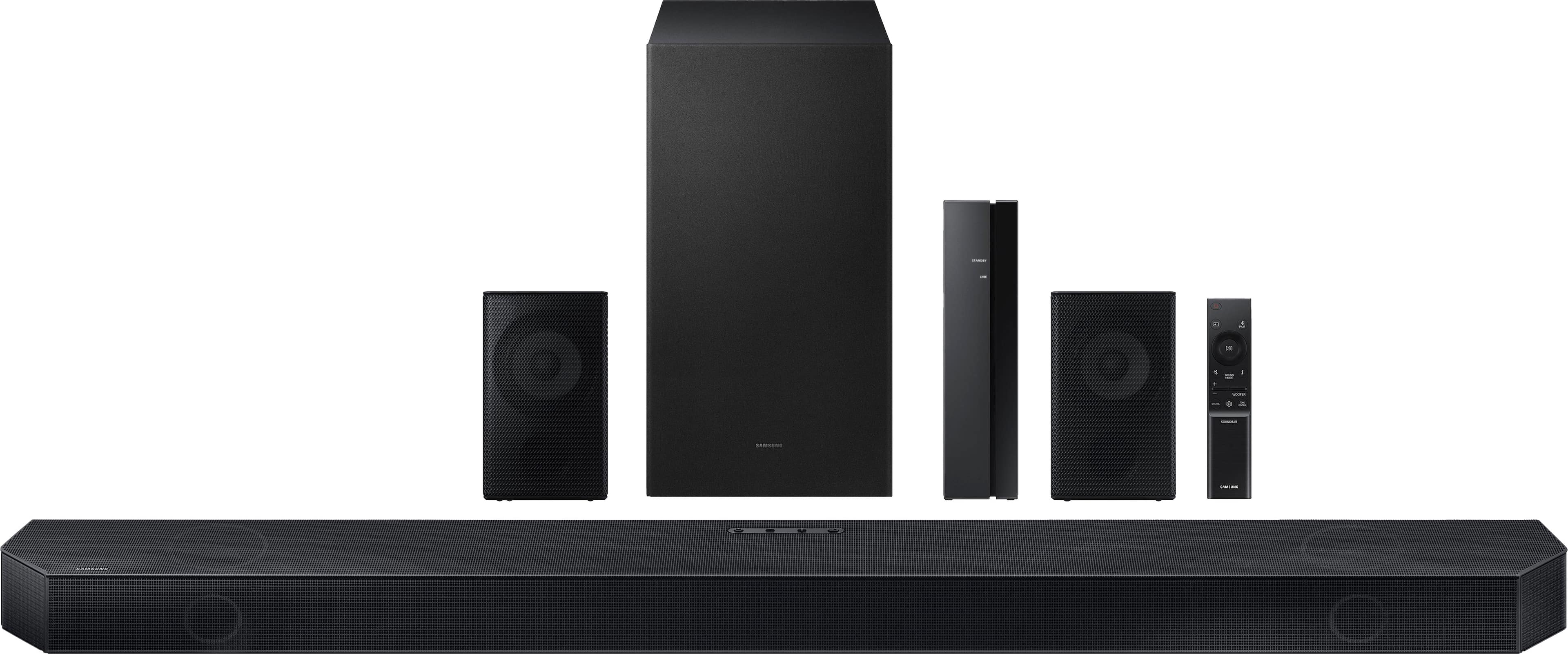
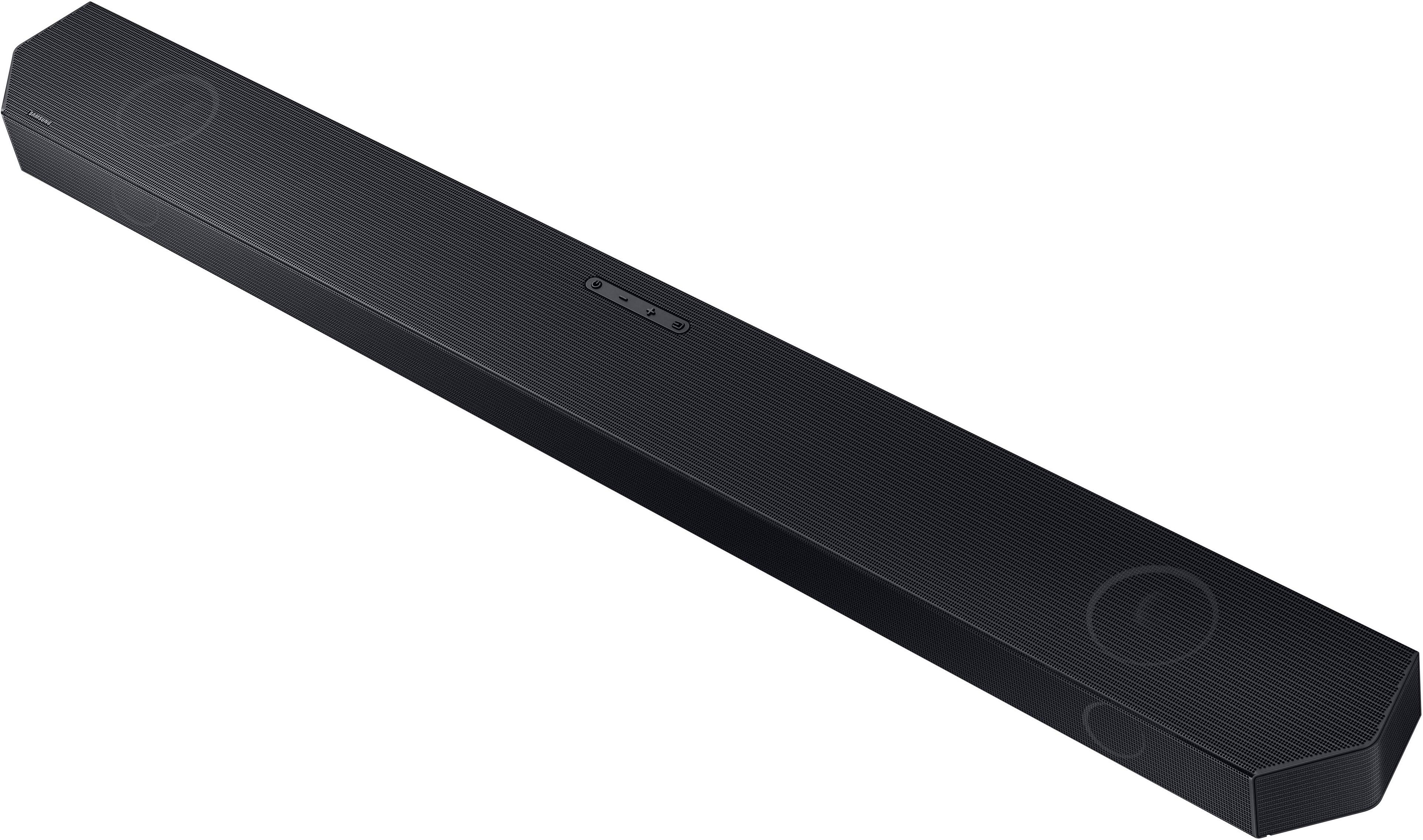
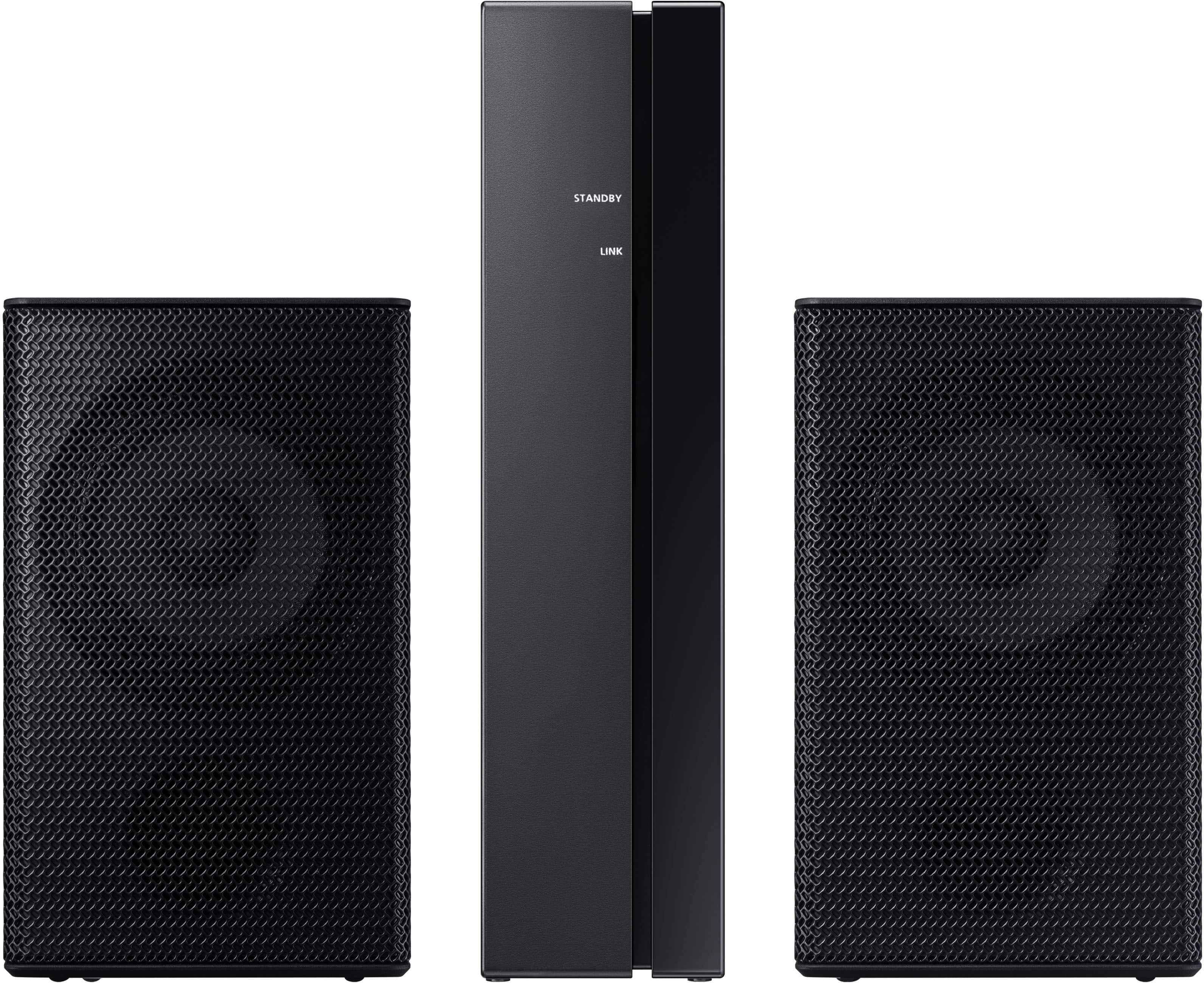
|Posted .This reviewer received promo considerations or sweepstakes entry for writing a review.Let me preface my review by saying that I'm not generally a fan of the soundbar category. I prefer AVR or separates based home theater systems that deliver big, visceral sound that you can both hear and feel. Having said that I also realize that sometimes, due to budget or space constraints, a quality soundbar system, like this system from Samsung, can be the perfect solution to obtaining high quality sound that perfectly fits the situation. I personally ordered this system as we anticipate my mother-in-law's moving to a small apartment from her current single family home, and her current system would simply take up to much room. This system fits the bill. The system arrived in a single, large box. It was securely packaged with lots of cardboard dividers, soft wrappings, and Styrofoam padding. Everything needed to be up and running was included, and installation and setup was a breeze. The most challenging portion of the setup was mounting the main speaker unit below the TV, but if your TV isn't wall-mounted, you can simply place it on the TV stand. There are only a few connections to be made, because the subwoofer and surround speakers are wireless. There is one HDMI cable, which is connected to the HDMI(ARC) connection of the TV. ARC stands for "Audio Return Channel" and this connection must be used, as it is the only HDMI connection on the TV that sends the audio stream back to the connected device. Next, the soundbar and subwoofer must be plugged into an outlet. Then the surround speakers must be placed to the left and right of the seating position and plugged into their wireless receiver using the included cables. Be careful to ensure they are correctly connected to the left and right connections of the receiver as this will provide correct surround panning from speaker to speaker. Finally, plug the surround receiver into an outlet and follow the instructions using the remote to power on the system and pair the surrounds with the soundbar. It sounds like a lot, but I was up an running in under 30 minutes. Soundbars have a challenge. They attempt to provide full range, immersive sound with relatively tiny drivers. They are much better than the drivers that will fit into a thin, flat TV, and they have much larger cabinet volumes to provide more full sound than is possible within the enclosure of the TV. They are designed to provide good sound in a small package. Even the subwoofer is small. The result is a very unobtrusive system that can be used when economy of space is important, but upgraded sound is desired. Once you consider these factors and make your expectations appropriate to design constraints, you can evaluate the product appropriately. Samsung has done a great job producing a good sounding system that works within those constraints. The sound is balanced, with good frequency response, and is adequate to fill a small room. With such small drivers, you can't expect bass that you feel in your chest, but this system provides great bass sound. It's just not going to sound like the locomotive is in your living room when watching "The Polar Express." The surround processing is also very good. I was able to identify sounds positioned around me in the room with very clear locations. The 3D aspects of Dolby Atmos can be amazing with the right source material. The two things that I didn't love, and the reason I gave this sound bar 4 stars instead of 5, are the remote and the display. I can't really pin down what I disliked about the remote, but I found the volume control to be awkward. It is a little rectangular button that you nudge up or down to change volume and press for mute. I might grow to like it, but first impression wasn't great. I also thought the display, which shows input and volume level, was difficult to read. I feel like an on-screen display via HDMI would be much better. Perhaps cost is a factor in not going this direction, but the display is a definite weakness. Having said that, I'm very happy with the product and price for the way in which I intend to use it. If you read this far, I hope this review is helpful in your decision.
I would recommend this to a friend - Cons mentioned:Instructions
Not So Great. Terrible actually.
||Posted . Owned for 1 week when reviewed.This reviewer received promo considerations or sweepstakes entry for writing a review.Bluetooth kept randomly dropping. Sound was average at best. Terrible, terrible instructions. I finally figured it out on my own. App is a joke. I returned.
No, I would not recommend this to a friendBrand response from Samsung
Posted .Bubba,
Thank you for your review of the Samsung HW-Q750C Soundbar and for sharing the experience that has caused you to return your unit. Your feedback is very important to us and will be shared with our product team.
Should you ever decide to give Samsung Soundbars another try and have questions or need assistance with settings, setup, or features, please know we are always here to help.
Call us at 1-800-SAMSUNG (ask for Soundbars), available 8 AM – 12 AM EST, 7 days a week.
~ Samsung Solutions
Samsung Soundbar purchase
||Posted . Owned for 1 month when reviewed.This reviewer received promo considerations or sweepstakes entry for writing a review.The product purchase through Best Buy was very satisfying experience
I would recommend this to a friendsound guy
||Posted . Owned for 1 week when reviewed.This reviewer received promo considerations or sweepstakes entry for writing a review.the salesman was great and knowledgeable! i didn't have to wait very long
I would recommend this to a friendGreat buy
||Posted . Owned for 3 weeks when reviewed.This reviewer received promo considerations or sweepstakes entry for writing a review.Rear speakers are great.. Very good system.. definitely recommend
I would recommend this to a friendDolby Atmos
||Posted . Owned for 2 weeks when reviewed.This reviewer received promo considerations or sweepstakes entry for writing a review.Really nice I would to my family members and friends
I would recommend this to a friendPjn
||Posted . Owned for 3 weeks when reviewed.This reviewer received promo considerations or sweepstakes entry for writing a review.Great customer service. Knowledgeable people work there
I would recommend this to a friendIt be good
||Posted . Owned for 1 month when reviewed.This reviewer received promo considerations or sweepstakes entry for writing a review.It be good, whatever else you want me to say I'm happy
I would recommend this to a friendStephen Smith
||Posted . Owned for 1 month when reviewed.This reviewer received promo considerations or sweepstakes entry for writing a review.Enjoying the new setup for my media room. It’s been great!!
I would recommend this to a friendNot worth the price tag for me
||Posted . Owned for 1 week when reviewed.This reviewer received promo considerations or sweepstakes entry for writing a review.It doesn't seem to enhance the sound much more than the TV speakers. Plus I can't get it to turn on automatically with the TV. Since they are both Samsung, I had hoped this would be an easy link.. Not worth the cost for me
No, I would not recommend this to a friendBrand response from Samsung
Posted .Hello Jenelle
Thank you for sharing your experiences with the HW-Q750C Soundbar.
Make sure that your Soundbar is connected to the TV using a HDMI cable via the HDMI ARC/eARC input of your TV. Within your TV you will also need to turn on HDMI-CEC, this will allow your TV to turn the Soundbar on when the TV comes on.
You can optimize the audio performance for your specific content by pressing the SOUND MODE button on your remote, and then selecting the desired sound effect by choosing STANDARD, SURROUND SOUND, GAME PRO, or ADAPTIVE SOUND
You can adjust the Treble and Bass by pressing the TONE CONTROL button then use the UP/DOWN buttons to change the levels between -6 to +6.
By pressing the CH LEVEL button, you can adjust the volume of the available channels. Each time you press the CH LEVEL button it will switch to a different channel such as Center, Front Top, or Rear Level. After selecting the channel you wish to adjust, use the UP/DOWN buttons on the provided Soundbar remote to adjust the volume between -6 to +6.
If you would like louder (or softer) bass from your subwoofer, you can adjust the level by rocking the WOOFER button on the soundbar remote, and then adjusting the level from -6 to +6. To set the subwoofer volume level to 0, press the button in.
With the sound mode set to Standard, press and hold the Sound Control button for about 5 seconds to adjust the sound for each frequency band for precise audio adjustments. 150Hz, 300Hz, 600Hz, 1.2kHz, 2.5kHz, 5kHz, and 10kHz are selectable using the Left/Right buttons and each can be adjusted to a setting between -6 to +6 using the Up/Down buttons.
If we can help with anything else, please call us at 1-800-SAMSUNG (Ask for Soundbars), 8 AM – 12 AM EST, 7 days a week. LiveChat with an agent as well as manuals, software, and warranty info can be found at the ‘Support’ link on our Samsung website.
~ Samsung Solutions
Samsung
||Posted . Owned for 1 month when reviewed.This reviewer received promo considerations or sweepstakes entry for writing a review.Very good value for the money and easy to Bluetooth
I would recommend this to a friendGreat sound
||Posted . Owned for 1 month when reviewed.This reviewer received promo considerations or sweepstakes entry for writing a review.Sounds like we are in the movie theater! I highly recommend this
I would recommend this to a friend65” Samsung tv
||Posted . Owned for 2 weeks when reviewed.This reviewer received promo considerations or sweepstakes entry for writing a review.65” Samsung tv purchased at Best Buy in Macedonia, OH
I would recommend this to a friendBest sound bar
||Posted . Owned for 1 week when reviewed.This reviewer received promo considerations or sweepstakes entry for writing a review.This sound bar is amazing. Im glad it was on sale.
I would recommend this to a friendSamsung
||Posted . Owned for 1 week when reviewed.This reviewer received promo considerations or sweepstakes entry for writing a review.Great surround system I would be this system again
I would recommend this to a friendExcellent
||Posted . Owned for 1 month when reviewed.This reviewer received promo considerations or sweepstakes entry for writing a review.Très cool bon son et très jolie très facile à connecté
I would recommend this to a friendSpeaker
||Posted . Owned for 3 weeks when reviewed.This reviewer received promo considerations or sweepstakes entry for writing a review.We like the sound this speaker provides! Good choice!
I would recommend this to a friend