Customer Ratings & Reviews
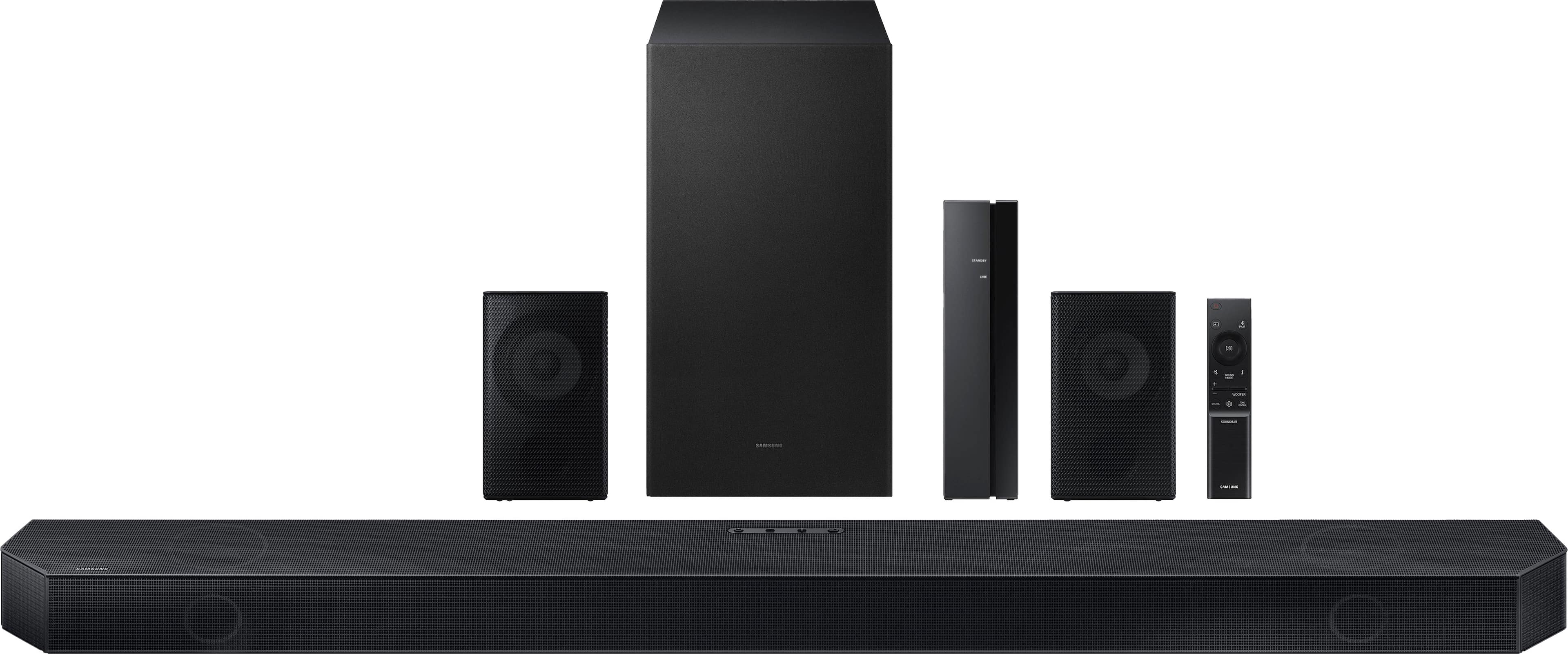

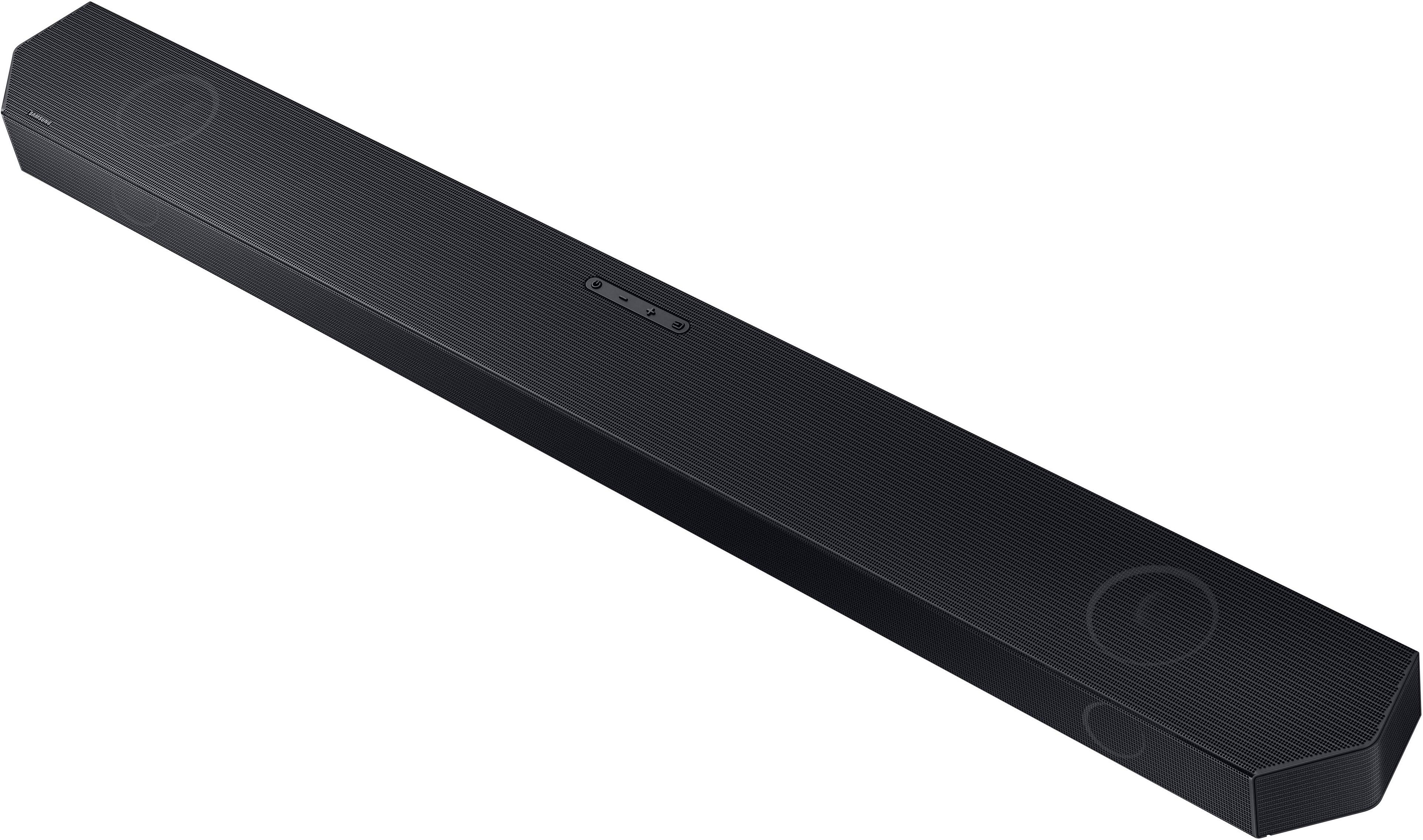



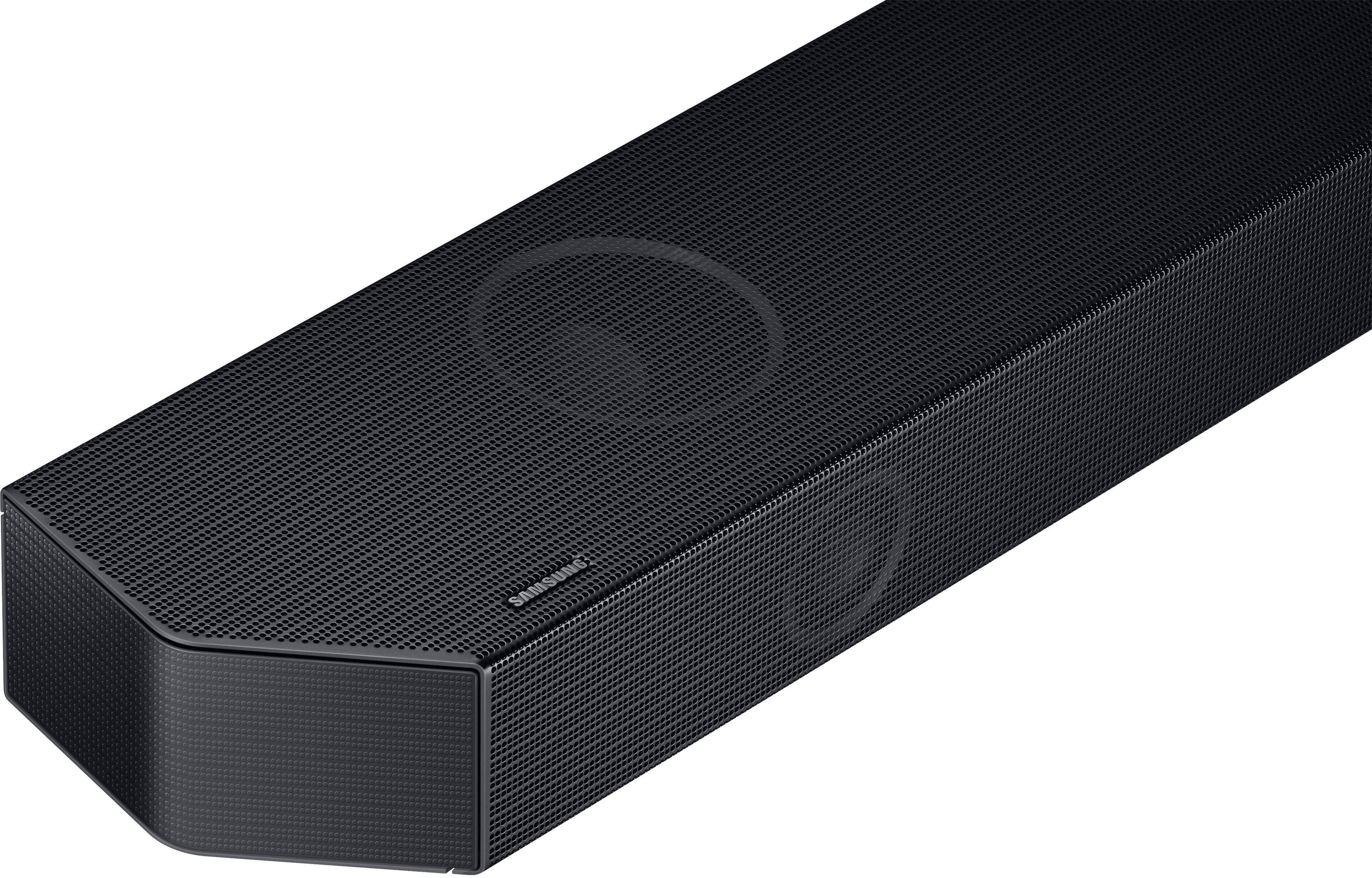
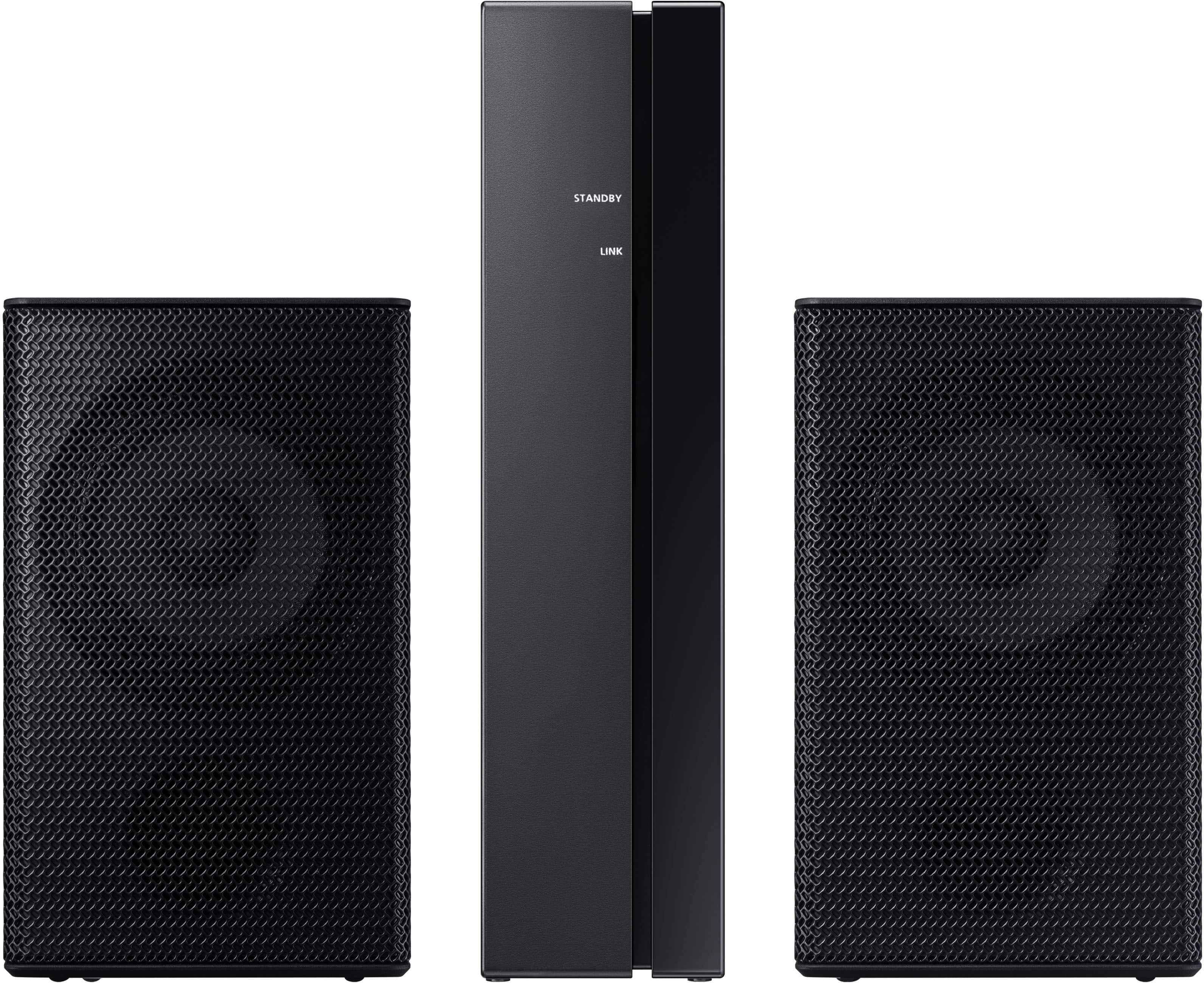


- Model:
- HW-Q750C
- SKU:
- 6540800
Rating by feature
- Value
Rating 4.4 out of 5 stars
- Quality
Rating 4.5 out of 5 stars
- Ease of Use
Rating 4.4 out of 5 stars
Customers are saying
Customers admire the Q series soundbar's exceptional sound quality, encompassing the bass, Dolby Atmos, and Q Symphony features, finding it easy to set up and use. However, some users point out that the rear speakers are not wireless and that the instructions could be improved for clarity. The volume is also noted as impressively loud.
This summary was generated by AI based on customer reviews.
- Cons mentioned:Rear speakers
Rears are terrible, soundbar itself is meh
||Posted . Owned for 4 months when reviewed.This reviewer received promo considerations or sweepstakes entry for writing a review.In the first month of experiencing this, it wasn't anything special. However, since then the rear speakers have been consistently cutting in and out. Even when it works, the sound is so subtle (I cannot stress this enough), it might as well not even exist. Unfortunately, I am past the return window on this, but If I could, I would not hesitate to return and purchase something better.
No, I would not recommend this to a friendBrand response from Samsung
Posted .Kenny,
I’m sorry to hear that you’re not fully satisfied with the performance of your HW-Q750C soundbar.
Did you know that you can adjust the Treble and Bass by pressing the TONE CONTROL button then use the UP/DOWN buttons to change the levels between -6 to +6.
By pressing the CH LEVEL button, you can adjust the volume of the available channels. Each time you press the CH LEVEL button it will switch to a different channel such as Center, Front Top, or Rear Level. After selecting the channel you wish to adjust, use the UP/DOWN buttons on the provided Soundbar remote to adjust the volume between -6 to +6.
If you would like louder (or softer) bass from your subwoofer, you can adjust the level by rocking the WOOFER button on the soundbar remote, and then adjusting the level from -6 to +6. To set the subwoofer volume level to 0, press the button in.
With the sound mode set to Standard, press and hold the Sound Control button for about 5 seconds to adjust the sound for each frequency band for precise audio adjustments. 150Hz, 300Hz, 600Hz, 1.2kHz, 2.5kHz, 5kHz, and 10kHz are selectable using the Left/Right buttons and each can be adjusted to a setting between -6 to +6 using the Up/Down buttons.
If you need more help, Samsung is here for you. Please call us at 1-800-SAMSUNG, 8AM - 12AM EST (Ask for Soundbars), 7 days a week. Our Live Chat agents are also available by clicking on the ‘Support’ link on our website.
~ Samsung Solutions
Up and down on commercials
||Posted . Owned for 1 month when reviewed.This reviewer received promo considerations or sweepstakes entry for writing a review.Not impressed with the volume control, seems to go up and down on different commercials. Seems it should have a volume lock to keep this from happening
No, I would not recommend this to a friendBrand response from Samsung
Posted .Hello DavidrS,
Thank you for sharing your experiences with the HW-Q750C Soundbar.
So we can better understand your issue, please call us at 1-800-SAMSUNG (ask for Soundbars), available 8 AM – 12 AM EST, 7 days a week.
LiveChat with an agent by clicking the ‘Support’ link on the Samsung website.
~Samsung Solutions
Didn't even last 2 years
||Posted .This reviewer received promo considerations or sweepstakes entry for writing a review.Bought in January of 2024. Now in October 2025 the top center channel is in and out of sound, it makes tv watching unbearable. I have never taken the volume over 30 so it isn't caused by playing it too loud. In the end, it was a sad waste of money, and I truly regret not getting the extended warranty. I thought Samsung was better than this.
No, I would not recommend this to a friendDecent
||Posted . Owned for 1 month when reviewed.This reviewer received promo considerations or sweepstakes entry for writing a review.Good but rear speakers are too small. Better upgrade to the q700c or give with the 9500s rears
No, I would not recommend this to a friendBrand response from Samsung
Posted .Hi Bone,
Thank you for sharing your review of the HW-Q750C. Your experiences and feedback are very important to us and will be shared with our product teams.
You can optimize the audio performance for your specific content by pressing the SOUND MODE button on your remote, and then selecting the desired sound effect by choosing STANDARD, SURROUND SOUND, GAME PRO, or ADAPTIVE SOUND
You can adjust the Treble and Bass by pressing the TONE CONTROL button then use the UP/DOWN buttons to change the levels between -6 to +6.
By pressing the CH LEVEL button, you can adjust the volume of the available channels. Each time you press the CH LEVEL button it will switch to a different channel such as Center, Front Top, or Rear Level. After selecting the channel you wish to adjust, use the UP/DOWN buttons on the provided Soundbar remote to adjust the volume between -6 to +6.
If you would like louder (or softer) bass from your subwoofer, you can adjust the level by rocking the WOOFER button on the soundbar remote, and then adjusting the level from -6 to +6. To set the subwoofer volume level to 0, press the button in.
With the sound mode set to Standard, press and hold the Sound Control button for about 5 seconds to adjust the sound for each frequency band for precise audio adjustments. 150Hz, 300Hz, 600Hz, 1.2kHz, 2.5kHz, 5kHz, and 10kHz are selectable using the Left/Right buttons and each can be adjusted to a setting between -6 to +6 using the Up/Down buttons.
If you need more help, Samsung is here for you. Please call us at 1-800-SAMSUNG, 8AM - 12AM EST (Ask for Soundbars), 7 days a week. Our Live Chat agents are also available by clicking on the ‘Support’ link on our website.
~ Samsung Solutions
- Cons mentioned:Rear speakers
Weak subwoofer
||Posted . Owned for 2 weeks when reviewed.This reviewer received promo considerations or sweepstakes entry for writing a review.Subwoofer was weak. I shoukd have listened to the reviews. Easy to set up though.
No, I would not recommend this to a friendBrand response from Samsung
Posted .Hello Josh,
There are a few steps you can take to troubleshoot your HW-Q750C Soundbar.
First, you will want to download the latest software for your Soundbar. You can download the firmware directly from Samsung’s website by clicking “Support” in the top right corner. Then go to “Manuals & Software” > “TVs & Home Theater” > “Home Theater” > “Sound Bars”. From there, you can select the HW-Q750C under Q Series.
Download the update and install it via USB thumb stick to your soundbar. If you need additional help, there are how-to instructions on this page. Please know that Samsung Customer Service is here to assist as well.
Next, try doing a soft reset, unplug the soundbar from the outlet for roughly 30 seconds, and then plug it back in.
If this still does not correct your issue, then do a hard reset. With the Soundbar on, press the + & - Volume buttons on the body of the soundbar at the same time for at least 5 seconds. INIT OK” appears on the display and then the Soundbar is reset.
You can optimize the audio performance for your specific content by pressing the SOUND MODE button on your remote, and then selecting the desired sound effect by choosing STANDARD, SURROUND SOUND, GAME PRO, or ADAPTIVE SOUND
You can adjust the Treble and Bass by pressing the TONE CONTROL button then use the UP/DOWN buttons to change the levels between -6 to +6.
You can adjust the bass levels by rocking the WOOFER button on the soundbar remote, and then adjusting the level from -6 to +6. To set the subwoofer volume level to 0, press the button in.
Should you ever have questions or need help, please call us at 1-800-SAMSUNG (ask for Soundbars), available 8 AM – 12 AM EST, 7 days a week.
For additional support resources such as downloading a full manual, visit us on the Samsung website and click on the ‘Support’ link in the upper right corner of the homepage.
~Samsung Solutions
- Cons mentioned:Rear speakers
Not worth the money
||Posted . Owned for 3 months when reviewed.This reviewer received promo considerations or sweepstakes entry for writing a review.After a couple of months the suround started cutting out then just stopped working. The base cannon did the same thing. Although, The sub isn't exactly spectacular. I have a much cheeper brand with a sub less than half this size of this one that rocks. This set here isn't worth the money.
No, I would not recommend this to a friendBrand response from Samsung
Posted .TimB,
Thank you for taking a moment to review Samsung’s HW-Q750C soundbar.
There are a few steps you can take to troubleshoot your Soundbar.
First, try doing a soft reset, unplug the soundbar from the outlet for roughly 30 seconds and then plug it back in.
Next, update the firmware on your soundbar. The easiest way to accomplish this would be to download the SmartThings app and connect your Soundbar to Wi-Fi. This will allow you to not only download any firmware updates but also control your entire soundbar on the screen of your smart device.
Please also verify that you are running the latest firmware on your TV. You can check to see what software version your TV is using and if there is an available update through the settings on your TV. Go to: Menu > Settings > Support > Software Update.
If this still does not correct your issue, then do a hard reset. With the Soundbar on, press the + & - Volume buttons on the body of the soundbar at the same time for at least 5 seconds. The LED display changes as follows: White moves from left to right and right to left, and the middle LED blinks Cyan 3 times. Then the middle LED will blink RED and turn off.
You can also try manually re-pairing your subwoofer and rear speakers by following these steps:
1. Press and hold ID SET on the rear of the subwoofer or the wireless receiver of the rear kit for at least 5 seconds.
• The red indicator on the rear of the subwoofer or receiver turns off and the blue indicator blinks.
2. Press and hold the Up button on the remote control for at least 5 seconds.
• The ID SET message appears on the display of the Soundbar for a moment, and then it disappears.
• The Soundbar will automatically power on when ID SET is complete.
3. Check if the LINK LED is solid blue (connection complete). The LINK LED indicator stops blinking and glows a solid blue when a connection is established between the Soundbar and the Wireless Subwoofer or wireless receiver.
Samsung is committed to providing the best possible product experience, quality, and value. We back this Samsung Soundbar with a 1-year limited manufacturer's warranty, including authorized repair for manufacturer defect, if purchased brand-new directly from an authorized seller.
Please give us the opportunity to assist you by contacting Samsung Customer Support at 1-800-SAMSUNG, 8AM - 12AM EST (Ask for Soundbars), 7 days a week. Our LiveChat agents are also available by clicking on the ‘Support’ link on our website.
~ Samsung Solutions
Great sound when it works
||Posted . Owned for 8 months when reviewed.This reviewer received promo considerations or sweepstakes entry for writing a review.Subwoofer disconnects and I can’t seem to get it to connect again
No, I would not recommend this to a friendThe sound cuts in and out.
||Posted . Owned for 1 month when reviewed.This reviewer received promo considerations or sweepstakes entry for writing a review.The siund cuts in and out. Im worried about that. Dont have the box so not sure what to do.
No, I would not recommend this to a friendBrand response from Samsung
Posted .Hi IsaacV,
Thank you for your review of Samsung’s HW-Q750C soundbar. I’m sorry to hear you had a frustrating experience with [issue], but we greatly appreciate you bringing this issue to our attention.
You may first want to check the cable connection of the soundbar to the TV or external device to ensure it is secure, and properly connected to the correct port.
In addition to checking the connections of the soundbar, please make sure your soundbar is using the latest firmware Version. Updating the firmware on your soundbar gives you all the benefits of the latest improvements. When the Soundbar is connected to the Internet, Auto Update allows software to update automatically even when the Soundbar is turned off. You can also update by using the SmartThings app. You can also update your firmware by using a USB device.
You may also want to initialize your soundbar by pressing the - and + (volume) buttons on the top of the soundbar at the same time for at least 5 seconds. “INIT OK” appears on the display and then the Soundbar is reset. Please know, this will reset all settings on the soundbar back to default; any sound adjustments will need to be performed again.
Should you continue to experience audio dropouts, and are connected wirelessly, please use the included cable to connect the soundbar to the TV. Using a wired connection instead of wireless often eliminates the issue entirely and improves the user experience.
If you need more help, Samsung is here for you. Please call us at 1-800-SAMSUNG, 8AM - 12AM EST (Ask for Soundbars), 7 days a week. Our Live Chat agents are also available by clicking on the ‘Support’ link on our website.
~ Samsung Solutions
- Cons mentioned:Wireless
Horrible
||Posted . Owned for 1 week when reviewed.This reviewer received promo considerations or sweepstakes entry for writing a review.Couldn't get subwoofer and back speakers to connect to sound bar was on phone with Samsung for 2 hrs for them to tell me there was nothing else they could do to help me because I didn't get it from Samsung. Had to return it.
No, I would not recommend this to a friendBrand response from Samsung
Posted .Hello CatherineW,
Thank you for your review of the Samsung HW-Q750C Soundbar and for sharing the issues that have caused you to return your unit. Your experience is very important to us and will be shared with our product team.
Should you ever decide to give Samsung Soundbars another try and have questions or need assistance with settings, setup, or features, please know we’re here to help! Call us at 1-800-SAMSUNG (Ask for Soundbars), 8AM - 12AM EST, 7 days a week. Or visit us on the Samsung website and click on the ‘Support’ link for:
• LiveChat
• Manuals, Software, & Warranty Info
~ Samsung Solutions
No manual.
||Posted . Owned for 2 weeks when reviewed.This reviewer received promo considerations or sweepstakes entry for writing a review.With no manual supplied on how to use this system I feel I am not enjoying this sound bar to it's greatest.
No, I would not recommend this to a friendBrand response from Samsung
Posted .Hello BarbaraS,
We appreciate your feedback regarding the manual included with your HW-Q750C Soundbar.
To assist you in the functions and settings of your new soundbar, you can download the full user manual directly from Samsung’s website by clicking “Support” in the top right corner. Then go to “Manuals & Software” > “TVs & Home Theater” > “Home Theater” > “Sound Bars”. From there, you can select the HW-Q750C under Q Series.
Should you need any additional assistance with settings or features of your soundbar please contact Samsung Customer Support at: 1-800-SAMSUNG (ask for Soundbars), available 8 AM – 12 AM EST, 7 days a week.
LiveChat with an agent by clicking the ‘Support’ link on the Samsung website.
~Samsung Solutions
- Cons mentioned:Rear speakers
Samsung Sound bar surround sound
||Posted . Owned for 1 month when reviewed.This reviewer received promo considerations or sweepstakes entry for writing a review.Weak rear speakers. Subwoofer control does not work
No, I would not recommend this to a friendBrand response from Samsung
Posted .Hello LRVaughn,
Thank you for sharing your thoughts regarding the HW-Q750C Samsung Soundbar. I am sorry to see that your expectations were not met.
So you are aware to control the volume and subwoofer on the Soundbar remote, you will need to push forward or pull back to increase/decrease the volume of each.
You can optimize the audio performance for your specific content by pressing the SOUND MODE button on your remote, and then selecting the desired sound effect by choosing STANDARD, SURROUND SOUND, GAME PRO, or ADAPTIVE SOUND
By pressing the CH LEVEL button, you can adjust the volume of the available channels. Each time you press the CH LEVEL button it will switch to a different channel such as Center, Front Top, or Rear Level. After selecting the channel you wish to adjust, use the UP/DOWN buttons on the provided Soundbar remote to adjust the volume between -6 to +6.
You can adjust the Treble and Bass by pressing the TONE CONTROL button then use the UP/DOWN buttons to change the levels between -6 to +6.
If we can further help with any other issues, please know we are here for you. Just call us at 1-800-SAMSUNG (Ask for Soundbars), 8 AM – 12 AM EST, 7 days a week. Or visit us on the Samsung website and click on the ‘Support’ link for:
• LiveChat with an agent
• Manuals, Software, & Warranty Info
~ Samsung Solutions
Don’t like it
||Posted . Owned for 3 weeks when reviewed.This reviewer received promo considerations or sweepstakes entry for writing a review.No good sound wasted my time and my money don’t like it I change this item for a SONOS
No, I would not recommend this to a friendBrand response from Samsung
Posted .Hello AlexisO,
Thank you for your review of the Samsung HW-Q750C Soundbar and for sharing the experience that has caused you to return your unit. Your feedback is very important to us and will be shared with our product team.
Should you ever decide to give Samsung Soundbars another try and have questions or need assistance with settings, setup, or features, please know we are always here to help.
Call us at 1-800-SAMSUNG (ask for Soundbars), available 8 AM – 12 AM EST, 7 days a week.
~ Samsung Solutions
Wires are too short
||Posted . Owned for 1 month when reviewed.This reviewer received promo considerations or sweepstakes entry for writing a review.The wires for the rear speakers are a bit too short the vizio had longer wires
No, I would not recommend this to a friendBrand response from Samsung
Posted .Hello MeshechY,
Thank you for sharing your thoughts regarding the HW-Q750C Soundbar.
Your review is very important to us and it will be shared among our internal product teams.
Should you ever have questions or need help, please call us at 1-800-SAMSUNG (ask for Soundbars), available 8 AM – 12 AM EST, 7 days a week.
For additional support resources such as downloading a full manual, visit us on the Samsung website and click on the ‘Support’ link in the upper right corner of the homepage.
~Samsung Solutions
NOT COMPATIBLE WITH PS4 OR PS5!
||Posted . Owned for 2 months when reviewed.This reviewer received promo considerations or sweepstakes entry for writing a review.If you are hoping you can play 5.1 channels on this on your PlayStation, well you can't! I had a Samsung tech come and tell me that they too had this problem with their own soundbar, admitting this is a flaw with their soundbars that most people would never find out. Worst of all, Samsung will just blames Sony for this problem for not sending a signal that is compatible with a device that came out AFTER the PlayStation 4 or 5. This device should be designed to work with other devices, NOT the other way around! If I knew this, I would never have bought this supposedly premium thing and just stuck to a proper receiver, but after 2 months spinning my wheels and hours and hours on the phone with Samsung, I finally discovered that it's a flaw in the design, and now I can't return it!
No, I would not recommend this to a friendBrand response from Samsung
Posted .DannyM,
Your experience with the Samsung HW-Q750C soundbar is important to us, and this isn’t what we’d like to hear. Please try a few troubleshooting steps, as this may improve your sound quality:
You can optimize the audio performance for your specific content by pressing the SOUND MODE button on your remote, and then selecting the desired sound effect by choosing STANDARD, SURROUND SOUND, GAME PRO, or ADAPTIVE SOUND
You can adjust the Treble and Bass by pressing the TONE CONTROL button then use the UP/DOWN buttons to change the levels between -6 to +6.
By pressing the CH LEVEL button, you can adjust the volume of the available channels. Each time you press the CH LEVEL button it will switch to a different channel such as Center, Front Top, or Rear Level. After selecting the channel you wish to adjust, use the UP/DOWN buttons on the provided Soundbar remote to adjust the volume between -6 to +6.
If you would like louder (or softer) bass from your subwoofer, you can adjust the level by rocking the WOOFER button on the soundbar remote, and then adjusting the level from -6 to +6. To set the subwoofer volume level to 0, press the button in.
With the sound mode set to Standard, press and hold the Sound Control button for about 5 seconds to adjust the sound for each frequency band for precise audio adjustments. 150Hz, 300Hz, 600Hz, 1.2kHz, 2.5kHz, 5kHz, and 10kHz are selectable using the Left/Right buttons and each can be adjusted to a setting between -6 to +6 using the Up/Down buttons.
I hope this tip helps improve your enjoyment. For more help, please call us at 1-800-SAMSUNG (Ask for Soundbars), 8 AM – 12 AM EST, 7 days a week. Live Chat with an agent as well as manuals, software, and warranty info can be found at the ‘Support’ link on our Samsung website.
~ Samsung Solutions
This is just ok sound
||Posted . Owned for 1 month when reviewed.This reviewer received promo considerations or sweepstakes entry for writing a review.If I had it to do over I would buy a better sound system
No, I would not recommend this to a friendBrand response from Samsung
Posted .Hello RogerG,
Thank you for sharing your review of the HW-Q750C. Your experiences and feedback are very important to us and will be shared with our product teams.
You can optimize the audio performance for your specific content by pressing the SOUND MODE button on your remote, and then selecting the desired sound effect by choosing STANDARD, SURROUND SOUND, GAME PRO, or ADAPTIVE SOUND
You can adjust the Treble and Bass by pressing the TONE CONTROL button then use the UP/DOWN buttons to change the levels between -6 to +6.
By pressing the CH LEVEL button, you can adjust the volume of the available channels. Each time you press the CH LEVEL button it will switch to a different channel such as Center, Front Top, or Rear Level. After selecting the channel you wish to adjust, use the UP/DOWN buttons on the provided Soundbar remote to adjust the volume between -6 to +6.
If you would like louder (or softer) bass from your subwoofer, you can adjust the level by rocking the WOOFER button on the soundbar remote, and then adjusting the level from -6 to +6. To set the subwoofer volume level to 0, press the button in.
With the sound mode set to Standard, press and hold the Sound Control button for about 5 seconds to adjust the sound for each frequency band for precise audio adjustments. 150Hz, 300Hz, 600Hz, 1.2kHz, 2.5kHz, 5kHz, and 10kHz are selectable using the Left/Right buttons and each can be adjusted to a setting between -6 to +6 using the Up/Down buttons.
If we can further help with any other issues, please know we are here for you. Just call us at 1-800-SAMSUNG (Ask for Soundbars), 8 AM – 12 AM EST, 7 days a week. Or visit us on the Samsung website and click on the ‘Support’ link for:
• LiveChat with an agent
• Manuals, Software, & Warranty Info
~ Samsung Solutions
Waste of money!
||Posted . Owned for 1 year when reviewed.This reviewer received promo considerations or sweepstakes entry for writing a review.I specifically spent the money on this high end samsung sound bar to pair with my 65 samsung tv and it’s unusable. Constantly goes in and out. Doesn’t matter if i connect to the tv with bluetooth, hdmi or even optical cord still doesn’t work. It’s a 1200 dollar paper weight on the mantel we can’t even turn on or it ruins watching TV or movies. Do not recommend
No, I would not recommend this to a friend- Pros mentioned:Bass
Speaker
||Posted . Owned for 3 weeks when reviewed.This reviewer received promo considerations or sweepstakes entry for writing a review.The 2 small tweet speaker doesn’t work . I had to return this item. Other long speaker and subwoofer work better.
No, I would not recommend this to a friendBrand response from Samsung
Posted .Hello Folarin,
Thank you for your review of the Samsung HW-Q750C Soundbar and for sharing the experience that has caused you to return your unit. Your feedback is very important to us and will be shared with our product team.
Should you ever decide to give Samsung Soundbars another try and have questions or need assistance with settings, setup, or features, please know we are always here to help.
Call us at 1-800-SAMSUNG (ask for Soundbars), available 8 AM – 12 AM EST, 7 days a week.
~ Samsung Solutions
Horrible customer service.
||Posted . Owned for 1 week when reviewed.This reviewer received promo considerations or sweepstakes entry for writing a review.This was ordered December 14 as a Christmas present. It’s now January 3 and still not received it and would not send a replacement product since was lost by fed ex. And still not recieved a refund either. Can only chat with Best Buy rep. Cannot call it puts you on hold then after a long wait says I’m sorry you cannot speak with a rep at this time. Goodbye. They just tell me they will have to send higher up. This has been horrible.
No, I would not recommend this to a friendBrand response from Samsung
Posted .Hello Lisa,
Please know you are leaving a review for the HW-Q750C Soundbar, not the service provided by Best Buy. Please follow up directly with Best But for further assistance.
We hope your issue is resolved in a timely manner. Should you ever have questions or need help related to Samsung Soundbars, please call us at 1-800-SAMSUNG (ask for Soundbars), available 8 AM – 12 AM EST, 7 days a week.
For additional support resources such as downloading a full manual, visit us on the Samsung website and click on the ‘Support’ link in the upper right corner of the homepage.
~Samsung Solutions
- Cons mentioned:Wireless
Dissapointed
||Posted . Owned for 1 month when reviewed.This reviewer received promo considerations or sweepstakes entry for writing a review.Wont sync to surround speakers. Ssmsung TV doesn’t evenbsee them, only sojndbar. A waste of money!
No, I would not recommend this to a friendBrand response from Samsung
Posted .Hello,
Thank you for purchasing the HW-Q750C Soundbar. I am sorry to see that your initial time with the unit has not been ideal.
So we can better understand your issue with the rear speakers, please contact Samsung Customer Service at 1-800-SAMSUNG (ask for Soundbars), available 8 AM – 12 AM EST, 7 days a week.
LiveChat with an agent by clicking the ‘Support’ link on the Samsung website.
~Samsung Solutions
Weak Subwoofer
||Posted . Owned for less than 1 week when reviewed.This reviewer received promo considerations or sweepstakes entry for writing a review.Was expecting better for the price. The sound is thin. I have the bass all the way up to +6, did a firmware update, and tried every available setting it is still weak. Rear speakers are fine.
No, I would not recommend this to a friendBrand response from Samsung
Posted .Hi DantD,
Thank you for your purchase and feedback on the Q750C. Please know if you are not satisfied with the performance of your soundbar, you can try the various built-in sound modes to quickly tune the audio to your liking.
Press the SOUND MODE button on your remote, and then select the desired sound effect by choosing STANDARD, SURROUND SOUND, GAME PRO, or ADAPTIVE SOUND.
I hope this helps. If you need further assistance, please know we are here to help. You can reach Samsung Customer Support at 1-800-SAMSUNG (Ask for Soundbars), 8 AM – 12 AM EST, seven days a week. Our LiveChat agents are also available by clicking on the ‘Support’ link on our website.
~Samsung Advisor