Customer Ratings & Reviews
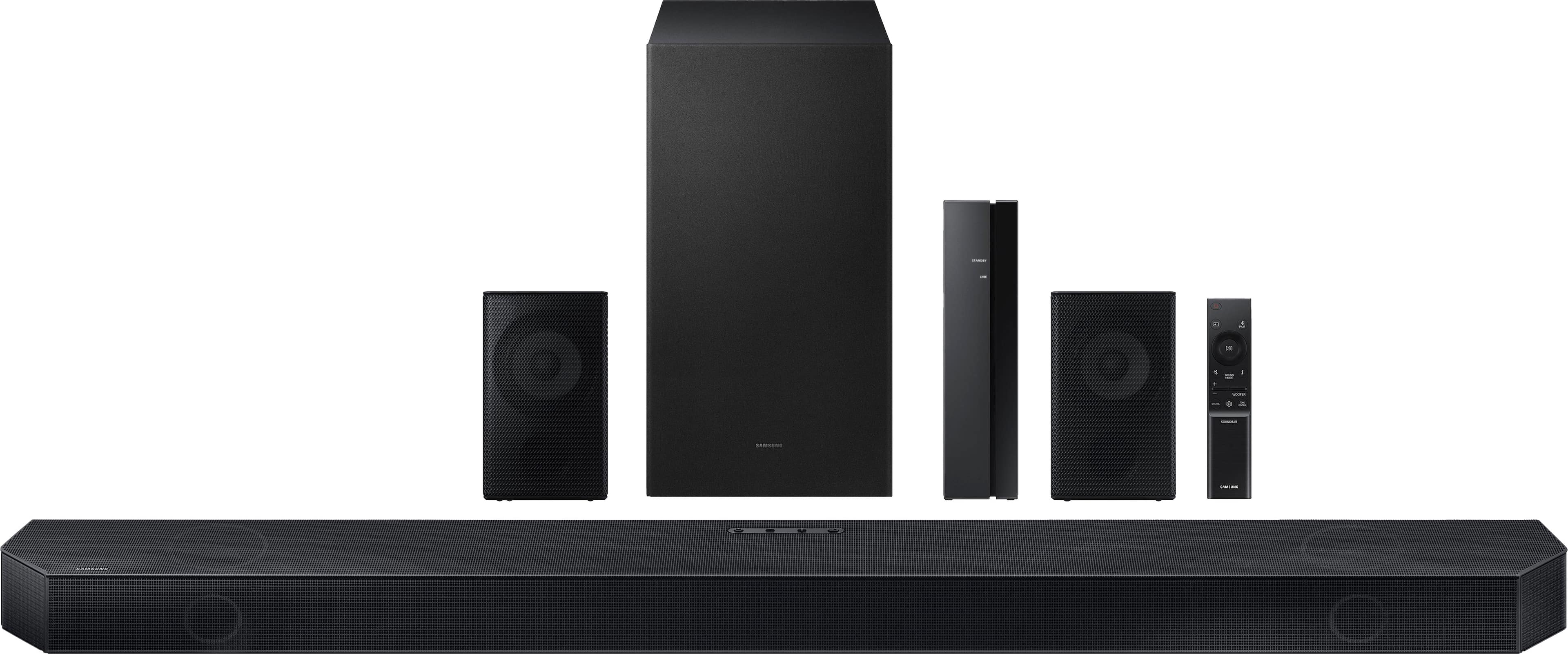

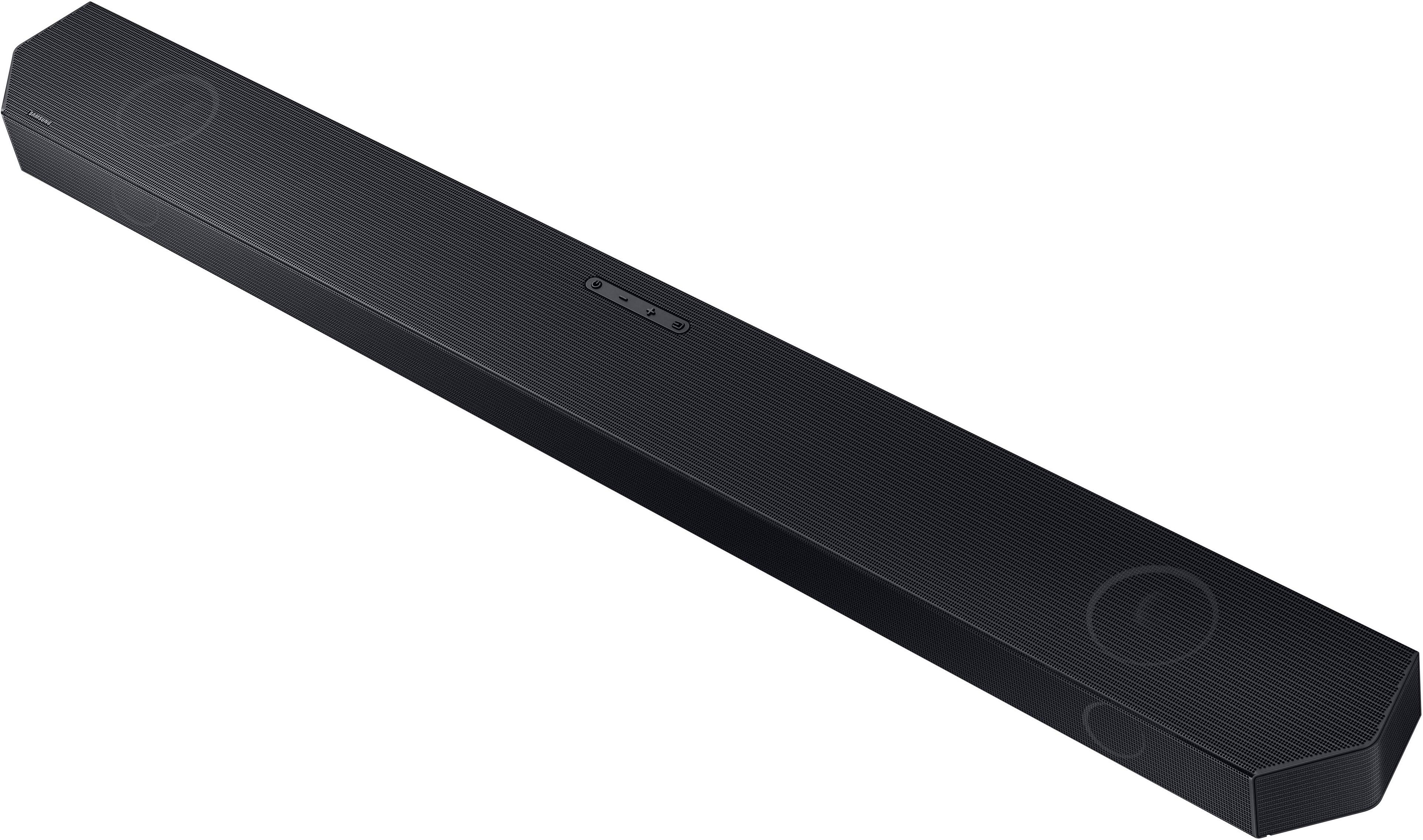



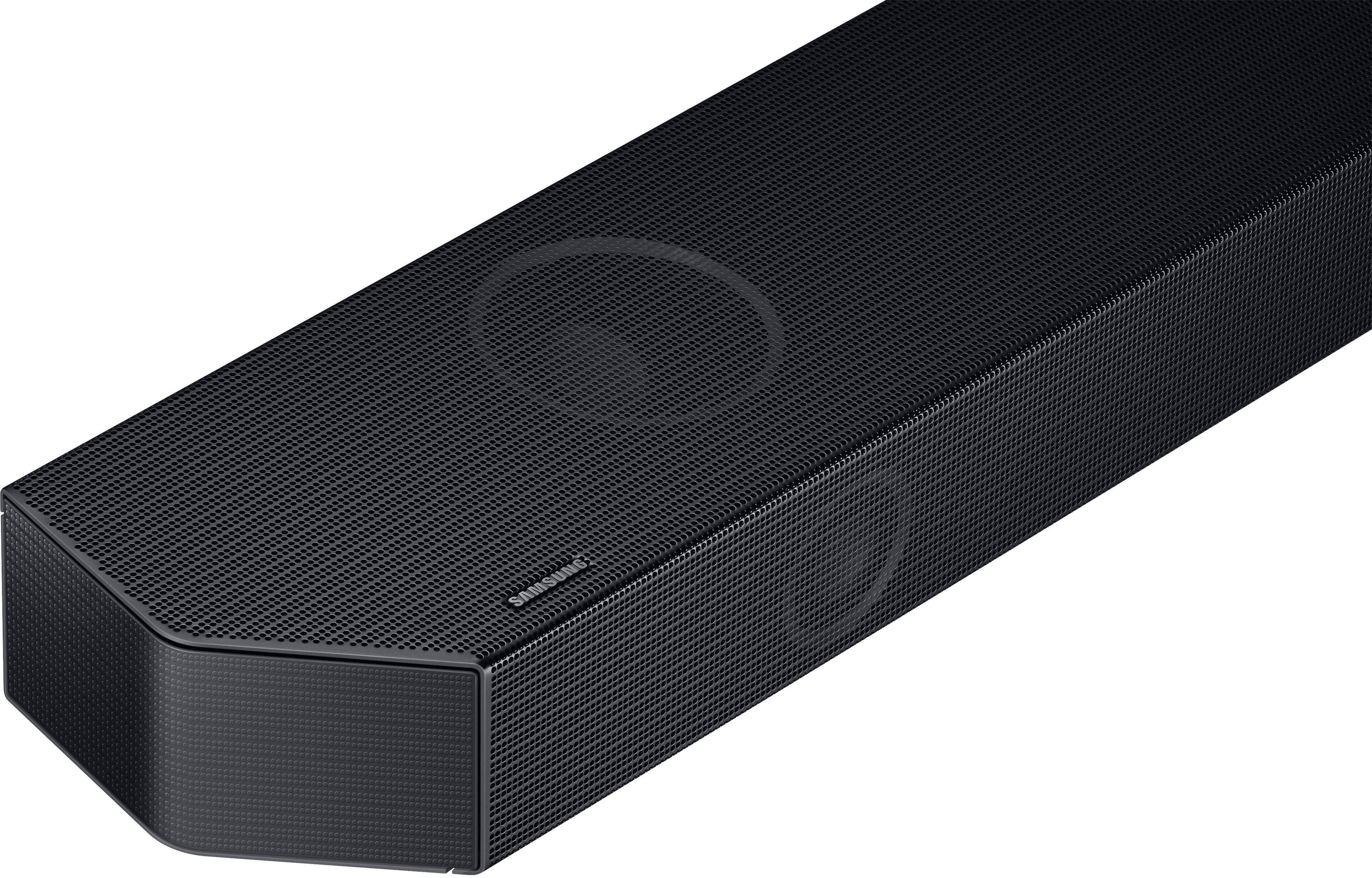
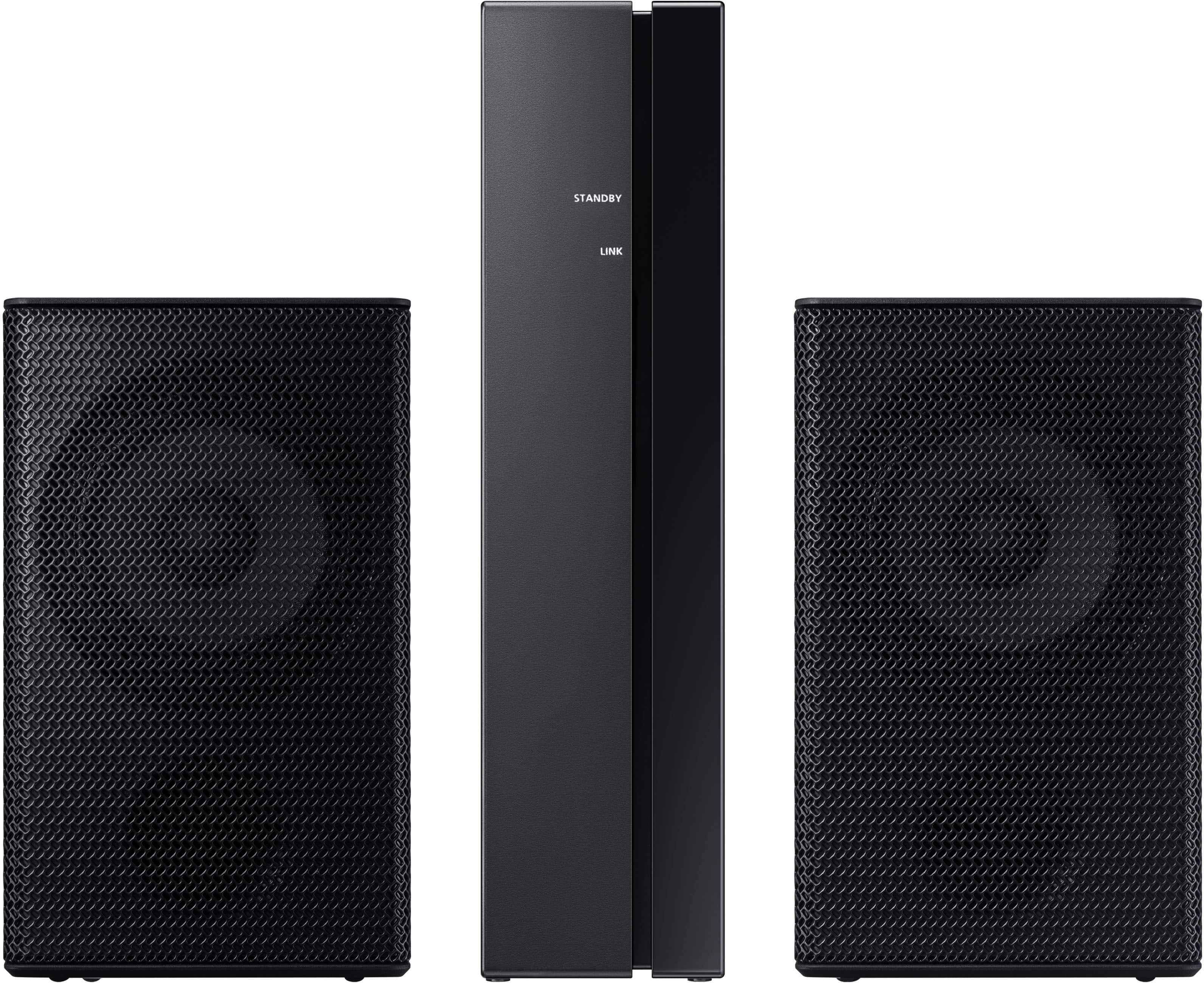


- Model:
- HW-Q750C
- SKU:
- 6540800
Rating by feature
- Value
Rating 4.4 out of 5 stars
- Quality
Rating 4.5 out of 5 stars
- Ease of Use
Rating 4.4 out of 5 stars
Customers are saying
Customers admire the Q series soundbar's exceptional sound quality, encompassing the bass, Dolby Atmos, and Q Symphony features, finding it easy to set up and use. However, some users point out that the rear speakers are not wireless and that the instructions could be improved for clarity. The volume is also noted as impressively loud.
This summary was generated by AI based on customer reviews.
Slight probles with surround
||Posted . Owned for 1 year when reviewed.This reviewer received promo considerations or sweepstakes entry for writing a review.The sound bar is great. The surround sound doesnt really tuen on some times.
No, I would not recommend this to a friendRun
||Posted . Owned for 2 weeks when reviewed.This reviewer received promo considerations or sweepstakes entry for writing a review.Item was not received complete. It has been a nightmare with Best Buy They refuse to replace it. Customer service says to call the store, but the stores do not recieve calls Went to store. Store said to call corporate. Corporate says to call store. I will no longer shop with Best Buy Terrible sevice
No, I would not recommend this to a friendIt's...eh
||Posted . Owned for 1 week when reviewed.This reviewer received promo considerations or sweepstakes entry for writing a review.I want to like this more but seems to have issues. Granted ive only had it for like 5 days but sound constantly cuts out for no reason so i may end up returning it. Time will tell.
No, I would not recommend this to a friendBrand response from Samsung
Posted .Hello JasonS,
Thank you for your review of the Samsung HW-Q750C Soundbar and for sharing your experiences with the issues that have caused you to consider returning your soundbar. Your experience is very important to us and will be shared with our product team.
If you have not yet returned your unit, please give us the opportunity to troubleshoot your issue and work toward a solution.
You can reach Samsung Support at 1-800-SAMSUNG (ask for Soundbars) 8 AM – 12 AM EST, 7 days a week.
We hope to hear from you soon.
~Samsung Solutions
- Pros mentioned:Sound quality
Spend more $ to get better sound bar system
||Posted . Owned for 1 month when reviewed.This reviewer received promo considerations or sweepstakes entry for writing a review.Sound bar worked, sub was sub par. Surround sound speakers didn’t work.
No, I would not recommend this to a friendBrand response from Samsung
Posted .Colten,
Thank you for sharing your experience with Samsung's Q750C Soundbar. So that we can better troubleshoot this issue and provide steps towards a solution, please contact Samsung Support at 1-800-SAMSUNG, 8AM - 12AM EST, 7 days a week.
Our LiveChat agents are also available by clicking on the ‘Support’ link on our website.
~ Samsung Specialist
- Cons mentioned:Wireless
More lies from Best Buy
||Posted . Owned for 1 month when reviewed.This reviewer received promo considerations or sweepstakes entry for writing a review.Has wires, no wires mentioned in description. It says wireless. Its a best buy product only which is why it sucks
No, I would not recommend this to a friendBrand response from Samsung
Posted .Hello JasonL,
Thank you for purchasing the Samsung HW-Q750C Soundbar System which comes with a subwoofer and rear speaker kit. We appreciate you sharing your thoughts about the wireless description of the rear speakers.
Occasionally, customers have trouble hiding and running speaker wires from the front of the room (where their soundbar is) to the back of their room (where they have their rear speakers). The Rear Speaker Kit eliminates that hassle. Connect the rear speakers to its wireless module and place these three in the back of your room. One wire is required to connect each rear speaker to the wireless module. Then plug in the power cable to the module. The “wireless” convenience is in connecting your soundbar and any other speakers at the front of the room to the rear speakers – this can now be done via Wi-Fi through the wireless module, eliminating any clutter of long wires running the length of your room.
Should you ever have questions or need help, please call us at 1-800-SAMSUNG (ask for Soundbars), available 8 AM – 12 AM EST, 7 days a week.
For additional support resources, visit us on the Samsung website and click on the ‘Support’ link in the upper right corner of the homepage for:
1) Chat with Us/Product Help: To begin a chat or find solutions, choose ‘TVs & Home Theater’ and select your model & topic.
2) Manuals & Software
3) Warranty Info
4) Register a Product: For access to easy warranty support, convenient opt-in to special promos and offers, faster troubleshooting and service, and quick notification of system updates
5) Contact Us
~ Samsung Solutions
Good sound, poor connectivity
||Posted . Owned for 1 month when reviewed.This reviewer received promo considerations or sweepstakes entry for writing a review.Sound system losses conection fairly regularly. I have a samsung smart tv it shouldnt be so difficult to keep them paired.
No, I would not recommend this to a friendBrand response from Samsung
Posted .JasonB,
I am sorry to hear that you are experiencing issues with the sound occasionally dropping from your HW-Q750C Soundbar.
You may first want to check the cable connection of the soundbar to the TV or external device to ensure it is secure, and properly connected to the correct port.
If available, we recommend using the HDMI connection to your TV.
Connecting your soundbar to a TV through HDMI will provide the best audio and user experience, often eliminating any connection or delay issues you may be experiencing. There are 2 ways to connect your soundbar with HDMI: you can connect a device to your soundbar (like a Blu-ray player) and then connect the soundbar to the TV, or you can use HDMI ARC. The first method will give you the best possible sound from external devices you regularly use. ARC is the way to go if you want great sound from streaming apps on your TV and a soundbar.
If connected via Bluetooth to the TV and the soundbar is dropping out intermittently there are a few things to check before performing any troubleshooting:
1) The maximum wireless signal transmission distance is about 33 ft.
2) If there is a device that uses the same wireless frequency near the Soundbar, interference may cause some sound interruption.
4) Check all the sources on the soundbar. If the audio is dropping while watching TV it could be an issue with the broadcast.
5) Also, please be sure you have the latest firmware update. You can update your firmware by using a USB device. You can find the update on the product page of your HW-Q750C on the Samsung website.
Should you continue to experience audio dropouts, and are connected wirelessly, please use the included cable to connect the soundbar to the TV. Using a wired connection instead of wireless often eliminates the issue entirely and improves the user experience.
I hope these tips help resolve your issues.
If you need more help, Samsung is here for you. Please call us at 1-800-SAMSUNG, 8AM - 12AM EST (Ask for Soundbars), 7 days a week. Our Live Chat agents are also available by clicking on the ‘Support’ link on our website.
~ Samsung Solutions
Very disappointed
||Posted . Owned for 1 year when reviewed.This reviewer received promo considerations or sweepstakes entry for writing a review.Sound is decent. Bass is very weak. Usually can’t hear it.
No, I would not recommend this to a friendNightmare customer service
||Posted . Owned for 3 weeks when reviewed.This reviewer received promo considerations or sweepstakes entry for writing a review.Mismarked as excellent, should have been poor. Currently fighting eith customer service to fix missing and not working issues. Total of 13 interactions with them trying to resolve issues. Still ongoing. Rude manager at the owosso store. Basically a nightmare.
No, I would not recommend this to a friendPoor suroung sound.
||Posted . Owned for 3 months when reviewed.This reviewer received promo considerations or sweepstakes entry for writing a review.Poor or no good surround sounds. Called customer support to sync up all speakers and get surround on but almost no sound.
No, I would not recommend this to a friendBrand response from Samsung
Posted .Hi Sebagoguy,
Thank you for taking a moment to review the Samsung HW-Q750C soundbar.
By design, the surround speakers are supposed to simulate sounds happening behind the viewer. Therefore, most of the time the surround channels are only used for ambient sounds, which are naturally lower in volume.
However, there are a few settings you can change to adjust the surround effect to your preference:
1) Make sure that the source (e.g. TV output) is sending surround channels to the Soundbar. If the source is not capable of surround, then set the Surround mode to OFF on the Soundbar by pressing the Surround button on the remote.
2) If the source has surround channels, select the desired Sound Mode from the Soundbar remote.
3) Turn off Dynamic Range Control. This is done by pressing and holding the Sound Mode button while the Soundbar is in standby mode. Depending on your soundbar model, you may or may not have DRC.
4) Increase the volume level of the surround speakers using the CH LEVEL button on the Soundbar remote control. Press the button on the soundbar remote, then select REAR LEVEL and use the Up/Down buttons to adjust the volume within a -6 to +6 range.
I hope these tips help to enhance your audio enjoyment. Should you need further assistance with this issue or have any questions, please contact Samsung Customer Support at 1-800-SAMSUNG, 8AM - 12AM EST (Ask for Soundbars), 7 days a week. Our Live Chat agents are also available by clicking on the ‘Support’ link on our website.
~ Samsung Solutions
- Cons mentioned:Rear speakers
Satellites dont work
||Posted . Owned for 1 month when reviewed.This reviewer received promo considerations or sweepstakes entry for writing a review.Satellite speakers dont work even on 2.1 hdmi earc
No, I would not recommend this to a friendBrand response from Samsung
Posted .Hello BreanD,
Thank you for sharing your experiences with the rear speakers of the HW-Q750C Samsung Soundbar.
I am sorry to see that your initial time with the Soundbar has not been ideal. So we can better understand your issue, please call us at 1-800-SAMSUNG (ask for Soundbars), available 8 AM – 12 AM EST, 7 days a week.
LiveChat with an agent by clicking the ‘Support’ link on the Samsung website.
~Samsung Solutions
Not pleased
||Posted . Owned for 3 weeks when reviewed.This reviewer received promo considerations or sweepstakes entry for writing a review.Buy the cheaper 2.1 system because thats all this is really.. No rear sounds.. Returned in a few days after purchasing
No, I would not recommend this to a friendBrand response from Samsung
Posted .DavidW,
It’s unfortunate to hear of the issues that have caused you to return your Q750C Soundbar. Your experience is very important to us and will be shared with our product team.
Please know we’re always here to help, and we could’ve assisted in providing settings adjustments to resolve any issues you were experiencing.
Should you ever decide to give Samsung Soundbars another try and have questions or need help with settings, setup, or features, please know we’re here to help. Call us at 1-800-SAMSUNG, 8AM - 12AM EST, 7 days a week.
LiveChat with an agent as well as manuals, software, and warranty info can be found at the ‘Support’ link on our Samsung website.
We hope to regain you as a customer in the future.
~ Samsung Specialist
Box had no cable support was absolutely unhelpful
||Posted . Owned for less than 1 week when reviewed.This reviewer received promo considerations or sweepstakes entry for writing a review.All the wires and power cords were missing. Support was no help. No clue how it sounds or if it even works. Support said to just waste a bunch of my time and gas money either driving to a store and returning or get a return label and drive to a drop off point either way i lose more money. Highly recommend purchasing from a different place then best buy.
No, I would not recommend this to a friendBrand response from Samsung
Posted .Fitz,
Thank you for purchasing the Samsung HW-Q750C Soundbar. We appreciate you sharing your feedback regarding parts missing from your recent purchase. If purchased brand-new and unopened, please contact Samsung Customer Support and a representative will gladly help you. If purchased in open-box condition, we recommend contacting Best Buy directly for assistance. We hope your issue is resolved in a timely manner.
If we can help with anything else, please call us at 1-800-SAMSUNG (Ask for Soundbars), 8 AM – 12 AM EST, 7 days a week. Live Chat with an agent as well as manuals, software, and warranty info can be found at the ‘Support’ link on our Samsung website.
~ Samsung Solutions
Don’t buy it.
||Posted . Owned for 3 weeks when reviewed.This reviewer received promo considerations or sweepstakes entry for writing a review.Absolutely horrible product. Back speakers don’t work with and there’s a crap firmware process that doesn’t work. No real clear directions. It seemed as if the Best Buy TV expert was told to offload these cumbersome pieces of crap.
No, I would not recommend this to a friendBrand response from Samsung
Posted .Hello MikeM,
Thank you for sharing your review of the HW-Q750C. Your experiences and feedback are very important to us and will be shared with our product teams.
You can optimize the audio performance for your specific content by pressing the SOUND MODE button on your remote, and then selecting the desired sound effect by choosing STANDARD, SURROUND SOUND, GAME PRO, or ADAPTIVE SOUND
You can adjust the Treble and Bass by pressing the TONE CONTROL button then use the UP/DOWN buttons to change the levels between -6 to +6.
By pressing the CH LEVEL button, you can adjust the volume of the available channels. Each time you press the CH LEVEL button it will switch to a different channel such as Center, Front Top, or Rear Level. After selecting the channel you wish to adjust, use the UP/DOWN buttons on the provided Soundbar remote to adjust the volume between -6 to +6.
If you would like louder (or softer) bass from your subwoofer, you can adjust the level by rocking the WOOFER button on the soundbar remote, and then adjusting the level from -6 to +6. To set the subwoofer volume level to 0, press the button in.
If you have not yet tried, download SmartThings for your iOS or Android smart device. This will allow you to connect your Soundbar to Wi-Fi, and then set the Soundbar to automatically update the software for you.
Should you ever have questions or need help, please call us at 1-800-SAMSUNG (ask for Soundbars), available 8 AM – 12 AM EST, 7 days a week.
For additional support resources such as downloading a full manual, visit us on the Samsung website and click on the ‘Support’ link in the upper right corner of the homepage.
~Samsung Solutions
Bad back speakeds
||Posted . Owned for 1 week when reviewed.This reviewer received promo considerations or sweepstakes entry for writing a review.Back speakers hiss when on high volume in Dolby atmos mode.
No, I would not recommend this to a friend- Pros mentioned:Ease of use, Sound quality

nice surround/ home speaker system...
|Posted .This reviewer received promo considerations or sweepstakes entry for writing a review.I have this one now and the next version up from a previous year. I am fan now but was not in the early years of wireless anything when it comes to sound. I think the key here is two things, making sure you don't over pay for the speakers and also choosing a room to place them in that is not expecting too much from this size of a system. Yes these will work with other brand televisions but being brand loyal for my television products I have no regrets. I actually like the main sound bar design on this one versus the even more expensive one. The more expensive one is covered by a carpet like material and attracts dust especially over time and is not easy to clean. This one is easy to setup, use, and keep clean. The sub woofer is not quite as big but for what you are buying this delivers and is a welcomed addition to any bedroom or dorm room for movie nights. I like that it is similar to most Samsung products and makes the learning curve smaller. I would highly recommend this for someone who wants an above average home sound system but needs to keep their cost within a budget. Also because they are smaller overall they are potentially less of a distraction or eye sore within the room.
I would recommend this to a friend Waste of money
||Posted . Owned for 1 week when reviewed.This reviewer received promo considerations or sweepstakes entry for writing a review.Stopped working the day after setup. Thought it was a fluke since I was able to get it working again but the day after that it stopped working again. I contacted Samsung and walked through all the trouble shooting process for 40 minutes to conclude that a technician had to be sent out at a minimum of 5 days out. Returning to best buy
No, I would not recommend this to a friendBrand response from Samsung
Posted .Hello JayS,
Thank you for your review of the Samsung HW-Q750C Soundbar and for sharing your experiences with the issues that have caused you to consider returning your soundbar. Your experience is very important to us and will be shared with our product team.
If you have not yet returned your unit, please give us the opportunity to troubleshoot your issue and work toward a solution.
You can reach Samsung Support at 1-800-SAMSUNG (ask for Soundbars) 8 AM – 12 AM EST, 7 days a week.
We hope to hear from you soon.
~Samsung Solutions
Trash
||Posted . Owned for 5 months when reviewed.This reviewer received promo considerations or sweepstakes entry for writing a review.Sound cut out every five or 10 minutes. spend five grand on a TV and sound bar and get absolutely no service. This will be the absolutely last thing I ever buy from Best Buy great job for for being such a trash company excellent then you wonder why you’re failing
No, I would not recommend this to a friendBrand response from Samsung
Posted .Hi DavidB,
I am sorry to hear that you are experiencing issues with the sound occasionally dropping from your HW-Q750C Soundbar. You may first want to check the cable connection of the soundbar to the TV or external device to ensure it is secure, and properly connected to the correct port.
In addition to checking the connections of the soundbar, please make sure your soundbar is using the latest firmware Version. Updating the firmware on your soundbar gives you all the benefits of the latest improvements. You can update your firmware by using a USB device.
You may also want to initialize your soundbar by pressing the - and + (volume) buttons on the top of the soundbar at the same time for at least 5 seconds. “INIT OK” appears on the display and then the Soundbar is reset. Please know, this will reset all settings on the soundbar back to default; any sound adjustments will need to be performed again.
Should you continue to experience audio dropouts, and are connected wirelessly, please use the included cable to connect the soundbar to the TV. Using a wired connection instead of wireless often eliminates the issue entirely and improves the user experience.
I hope these tips help resolve your issues.
If you need more help, Samsung is here for you. Please call us at 1-800-SAMSUNG, 8AM - 12AM EST (Ask for Soundbars), 7 days a week. Our Live Chat agents are also available by clicking on the ‘Support’ link on our website.
~ Samsung Solutions
Not Adequately Tested Before Releasing
||Posted . Owned for 1.5 years when reviewed.This reviewer received promo considerations or sweepstakes entry for writing a review.Nothing but issues—wired “wireless” speakers, constant re-pairing.
No, I would not recommend this to a friendHard to get somebody to check with the warranty th
||Posted . Owned for 4 months when reviewed.This reviewer received promo considerations or sweepstakes entry for writing a review.Is not compatible with LG TV and I called geek squad about a diagnostic apparently they want me to bring the surrounds to store , my point not taken that how would they know if it’s just incompatible or wire misconnction.
I would recommend this to a friendBrand response from Samsung
Posted .Hello RejaneS,
We appreciate you taking a moment to review the HW-Q800C Soundbar.
The HW-Q800C Soundbar features three ways to connect to a TV; HDMI/ARC, digital optical audio, and Bluetooth wireless audio technology. If your TV is compatible with one of these three audio connections, you should have no issue connecting the soundbar to your TV. Follow the steps below to connect the soundbar to your TV via one of the three available connections:
HDMI ARC (Audio Return Channel) lets certain TVs and soundbars transfer audio back and forth using one HDMI cable. In other words, you can use the HDMI port as both an input and audio output. To set up HDMI ARC, power on your TV and soundbar.
1. Next, connect one end of an HDMI cable into the HDMI IN (ARC) port on your TV.
2. Connect the other end into the HDMI OUT (TV-ARC) port on your soundbar.
3. Next, change the source on your soundbar to the D.IN. setting.
4. After a few seconds, "TV ARC" will appear on the soundbar's display, and the TV will transfer audio through the soundbar.
An optical cable is another way to connect your soundbar to your TV. You can also connect your devices (cable boxes, video game systems, and Blu-ray players) to the TV, and have the sound output from the TV to the soundbar.
1. With the TV and soundbar turned on, connect one end of a digital optical cable to the OPTICAL OUT port on the TV.
2. Then, connect the other end to the DIGITAL AUDIO IN (OPTICAL) port on the soundbar.
3. Press Source on the remote or soundbar, and then set the soundbar to the D.IN. setting.
4. Finally, on the TV, you need to set the speaker output to external speakers.
The TV's sound will now play from the soundbar.
Your soundbar is also compatible with a Bluetooth connection to the TV. To connect the soundbar wirelessly, follow the steps below:
1) Press the PAIR button on the remote to enter BT PAIRING mode. You can also press the SOURCE button on the top panel and then select BT. “BT” changes to “BT PAIRING” in a few seconds automatically or changes to “BT READY” if there is a connect record. If BT READY appears, press and hold the SOURCE button on the top panel of the Soundbar for more than 5 seconds to display BT PAIRING.
2) Select the Bluetooth sound mode on your TV (See your TV's user manual for assistance)
3) Select “[AV] Samsung Soundbar Q Series” from the list on the TV’s screen. An available Soundbar is indicated with “Need Pairing” or “Paired” on the TV’s Bluetooth device list. To connect the TV to the Soundbar, select the message, and then establish a connection.
When the TV is connected, [TV Name] → “BT” appears on the Soundbar’s front display. You should now hear TV sound from the Soundbar. Once you have connected your soundbar for the first time, use the “BT READY” mode to reconnect.
I hope these tips help with the setup of your new Samsung Soundbar.
If you need more help, Samsung is here for you. Please call us at 1-800-SAMSUNG, 8AM - 12AM EST (Ask for Soundbars), 7 days a week. Our Live Chat agents are also available by clicking on the ‘Support’ link on our website.
~ Samsung Solutions
Not worth it
||Posted . Owned for 1 year when reviewed.This reviewer received promo considerations or sweepstakes entry for writing a review.Not very emersive - much better quality from LG speaker
No, I would not recommend this to a friend