Customer Ratings & Reviews






- Model:
- HW-Q750C
- SKU:
- 6540800
Rating by feature
- Value
Rating 4.4 out of 5 stars
- Quality
Rating 4.5 out of 5 stars
- Ease of Use
Rating 4.4 out of 5 stars
Customers are saying
Customers admire the Q series soundbar's exceptional sound quality, encompassing the bass, Dolby Atmos, and Q Symphony features, finding it easy to set up and use. However, some users point out that the rear speakers are not wireless and that the instructions could be improved for clarity. The volume is also noted as impressively loud.
This summary was generated by AI based on customer reviews.
Constant Issues
||Posted . Owned for 4 months when reviewed.This reviewer received promo considerations or sweepstakes entry for writing a review.Worst purchase I have made in years. Constant issues with soundbar cycling through inputs and muting itself. Dozens of unhappy customers on samsung forum.
No, I would not recommend this to a friendBrand response from Samsung
Posted .DanielB,
Thank you for taking a moment to review the HW-Q750C Soundbar.
Updating the firmware on your soundbar gives you all the benefits of the latest improvements. When an update is available, you can update the Soundbar by connecting the USB drive that contains the update firmware to the SERVICE port of the Soundbar.
1.Go to the Samsung Electronics website (www.samsung.com) → click on the “Support” option in the upper right corner.
2.Click on “Manuals & Software” from the pop-up list > TVs & Home Theater > Home Theater > Select your model
2. Download the firmware file (USB type).
3. Unzip the file to create a folder with the file name.
4. Store the created folder in a USB and then connect it to the Soundbar.
5. A sequence of “UPDATE” > “BYE” > “ON” will appear on the display 3 times. This will take around 6 minutes.
- During update, do not turn it off or remove the USB.
- If “UPDATE” does not appear on the display window, remove the power cord from the Soundbar and then reconnect it.
- When the latest Version is installed, no update is performed.
- Depending on the USB type, update may not be supported.
6. After the 3 cycles are complete, the Soundbar will restart and last source used will appear on the display for about 20 seconds and then it will go off (“UPDATE” > “BYE” > “ON”) 3 times “D.IN” > off
If you need more help, Samsung is here for you. Please call us at 1-800-SAMSUNG, 8AM - 12AM EST (Ask for Soundbars), 7 days a week. Our Live Chat agents are also available by clicking on the ‘Support’ link on our website.
~ Samsung Solutions
Malfunction
||Posted . Owned for 1 month when reviewed.This reviewer received promo considerations or sweepstakes entry for writing a review.Item stop working and is now sitting at the service center. Problem started after the 15 day return policy.
No, I would not recommend this to a friendBrand response from Samsung
Posted .Hello Joel,
Thank you for your review of the Samsung HW-Q750C Soundbar and for sharing the issues that have caused you to return your unit. Your experience is very important to us and will be shared with our product team.
We are always here to help and would have been happy to assist in providing settings adjustments to resolve any issues you were experiencing.
Updating the firmware on your soundbar gives you all the benefits of the latest improvements. When an update is available, you can update the Soundbar by connecting the USB drive that contains the update firmware to the SERVICE port of the Soundbar.
1.Go to the Samsung Electronics website (www.samsung.com) → click on the “Support” option in the upper right corner.
2.Click on “Manuals & Software” from the pop-up list > TVs & Home Theater > Home Theater > Select your model
2. Download the firmware file (USB type).
3. Unzip the file to create a folder with the file name.
4. Store the created folder in a USB and then connect it to the Soundbar.
5. A sequence of “UPDATE” > “BYE” > “ON” will appear on the display 3 times. This will take around 6 minutes.
- During update, do not turn it off or remove the USB.
- If “UPDATE” does not appear on the display window, remove the power cord from the Soundbar and then reconnect it.
- When the latest Version is installed, no update is performed.
- Depending on the USB type, update may not be supported.
6. After the 3 cycles are complete, the Soundbar will restart and last source used will appear on the display for about 20 seconds and then it will go off (“UPDATE” > “BYE” > “ON”) 3 times “D.IN” > off
If we can help with anything else, please call us at 1-800-SAMSUNG (Ask for Soundbars), 8 AM – 12 AM EST, 7 days a week. Live Chat with an agent as well as manuals, software, and warranty info can be found at the ‘Support’ link on our Samsung website.
~ Samsung Solutions
It's all about the bass and this wan is lacking.
||Posted . Owned for 1 week when reviewed.This reviewer received promo considerations or sweepstakes entry for writing a review.Where is the base on this thing?! My older Sonos Beam sound way better than this.
No, I would not recommend this to a friendBrand response from Samsung
Posted .Hello
Thank you for sharing your experiences with the HW-Q750C Soundbar. There are a few steps you can take to troubleshoot your Soundbar.
First, you will want to download the latest software for your Soundbar. You can download the firmware directly from Samsung’s website by clicking “Support” in the top right corner. Then go to “Manuals & Software” > “TVs & Home Theater” > “Home Theater” > “Sound Bars”. From there, you can select the HW-Q750C under Q Series.
Download the update and install it via USB thumb stick to your soundbar. If you need additional help, there are how-to instructions on this page. Please know that Samsung Customer Service is here to assist as well.
Alternatively, you can use SmartThings from your iOS or Android device to connect your Soundbar to Wi-Fi. This will allow you to update the Soundbar's firmware or set it to automatically update when it's available.
Next, try doing a soft reset, unplug the soundbar from the outlet for roughly 30 seconds and then plug it back in.
If this still does not correct your issue, then do a hard reset. With the Soundbar on, press the + & - Volume buttons on the body of the soundbar at the same time for at least 5 seconds. INIT OK” appears on the display and then the Soundbar is reset.
If we can further help with any other issues, please know we are here for you. Just call us at 1-800-SAMSUNG (Ask for Soundbars), 8 AM – 12 AM EST, 7 days a week. Or visit us on the Samsung website and click on the ‘Support’ link for:
• LiveChat with an agent
• Manuals, Software, & Warranty Info
~ Samsung Solutions
Don't buy it
||Posted . Owned for 2 weeks when reviewed.This reviewer received promo considerations or sweepstakes entry for writing a review.Don't buy it if you want to experience real sound with Bass. Subwoofer is worst.
No, I would not recommend this to a friendBrand response from Samsung
Posted .Hello ManojK,
Thank you for sharing your review of the HW-Q750C. Your experiences and feedback are very important to us and will be shared with our product teams.
First, you will want to download the latest software for your Soundbar. You can download the firmware directly from Samsung’s website by clicking “Support” in the top right corner. Then go to “Manuals & Software” > “TVs & Home Theater” > “Home Theater” > “Sound Bars”. From there, you can select the HW-Q750C under Q Series.
Download the update and install it via USB thumb stick to your soundbar. If you need additional help, there are how-to instructions on this page. Please know that Samsung Customer Service is here to assist as well.
Next, try doing a soft reset, unplug the soundbar from the outlet for roughly 30 seconds and then plug it back in.
If this still does not correct your issue, then do a hard reset. With the Soundbar on, press the + & - Volume buttons on the body of the soundbar at the same time for at least 5 seconds. INIT OK” appears on the display and then the Soundbar is reset.
You can optimize the audio performance for your specific content by pressing the SOUND MODE button on your remote, and then selecting the desired sound effect by choosing STANDARD, SURROUND SOUND, GAME PRO, or ADAPTIVE SOUND
You can adjust the Treble and Bass by pressing the TONE CONTROL button then use the UP/DOWN buttons to change the levels between -6 to +6.
By pressing the CH LEVEL button, you can adjust the volume of the available channels. Each time you press the CH LEVEL button it will switch to a different channel such as Center, Front Top, or Rear Level. After selecting the channel you wish to adjust, use the UP/DOWN buttons on the provided Soundbar remote to adjust the volume between -6 to +6.
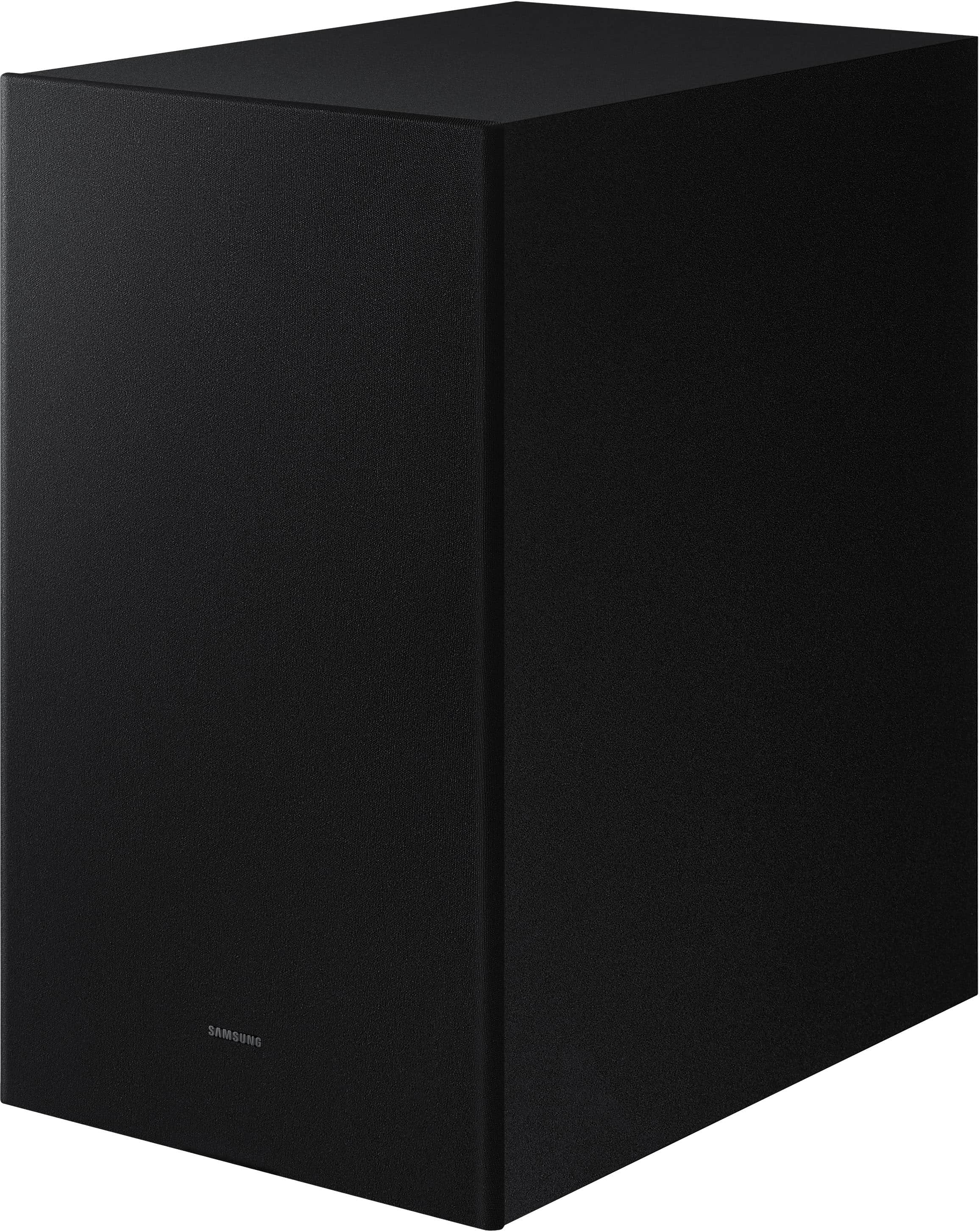
If you would like louder (or softer) bass from your subwoofer, you can adjust the level by rocking the WOOFER button on the soundbar remote, and then adjusting the level from -6 to +6. To set the subwoofer volume level to 0, press the button in.
With the sound mode set to Standard, press and hold the Sound Control button for about 5 seconds to adjust the sound for each frequency band for precise audio adjustments. 150Hz, 300Hz, 600Hz, 1.2kHz, 2.5kHz, 5kHz, and 10kHz are selectable using the Left/Right buttons and each can be adjusted to a setting between -6 to +6 using the Up/Down buttons.
If we can help with anything else, please call us at 1-800-SAMSUNG (Ask for Soundbars), 8 AM – 12 AM EST, 7 days a week. LiveChat with an agent as well as manuals, software, and warranty info can be found at the ‘Support’ link on our Samsung website.
~ Samsung Solutions
?
||Posted . Owned for 3 weeks when reviewed.This reviewer received promo considerations or sweepstakes entry for writing a review.Does not work like in the store Dino that we were shown.
No, I would not recommend this to a friendBrand response from Samsung
Posted .Hello Trudybow,
Thank you for sharing your thoughts regarding the HW-Q750C Samsung Soundbar. I am sorry to see that your expectations were not met.
You can optimize the audio performance for your specific content by pressing the SOUND MODE button on your remote, and then selecting the desired sound effect by choosing STANDARD, SURROUND SOUND, GAME PRO, or ADAPTIVE SOUND
You can adjust the Treble and Bass by pressing the TONE CONTROL button then use the UP/DOWN buttons to change the levels between -6 to +6.
By pressing the CH LEVEL button, you can adjust the volume of the available channels. Each time you press the CH LEVEL button it will switch to a different channel such as Center, Front Top, or Rear Level. After selecting the channel you wish to adjust, use the UP/DOWN buttons on the provided Soundbar remote to adjust the volume between -6 to +6.
If you would like louder (or softer) bass from your subwoofer, you can adjust the level by rocking the WOOFER button on the soundbar remote, and then adjusting the level from -6 to +6. To set the subwoofer volume level to 0, press the button in.
With the sound mode set to Standard, press and hold the Sound Control button for about 5 seconds to adjust the sound for each frequency band for precise audio adjustments. 150Hz, 300Hz, 600Hz, 1.2kHz, 2.5kHz, 5kHz, and 10kHz are selectable using the Left/Right buttons and each can be adjusted to a setting between -6 to +6 using the Up/Down buttons.
If we can help with anything else, please call us at 1-800-SAMSUNG (Ask for Soundbars), 8 AM – 12 AM EST, 7 days a week. LiveChat with an agent as well as manuals, software, and warranty info can be found at the ‘Support’ link on our Samsung website.
~ Samsung Solutions
- Pros mentioned:Ease of use, Sound quality

Great soundbar with subwoofer and rear speakers
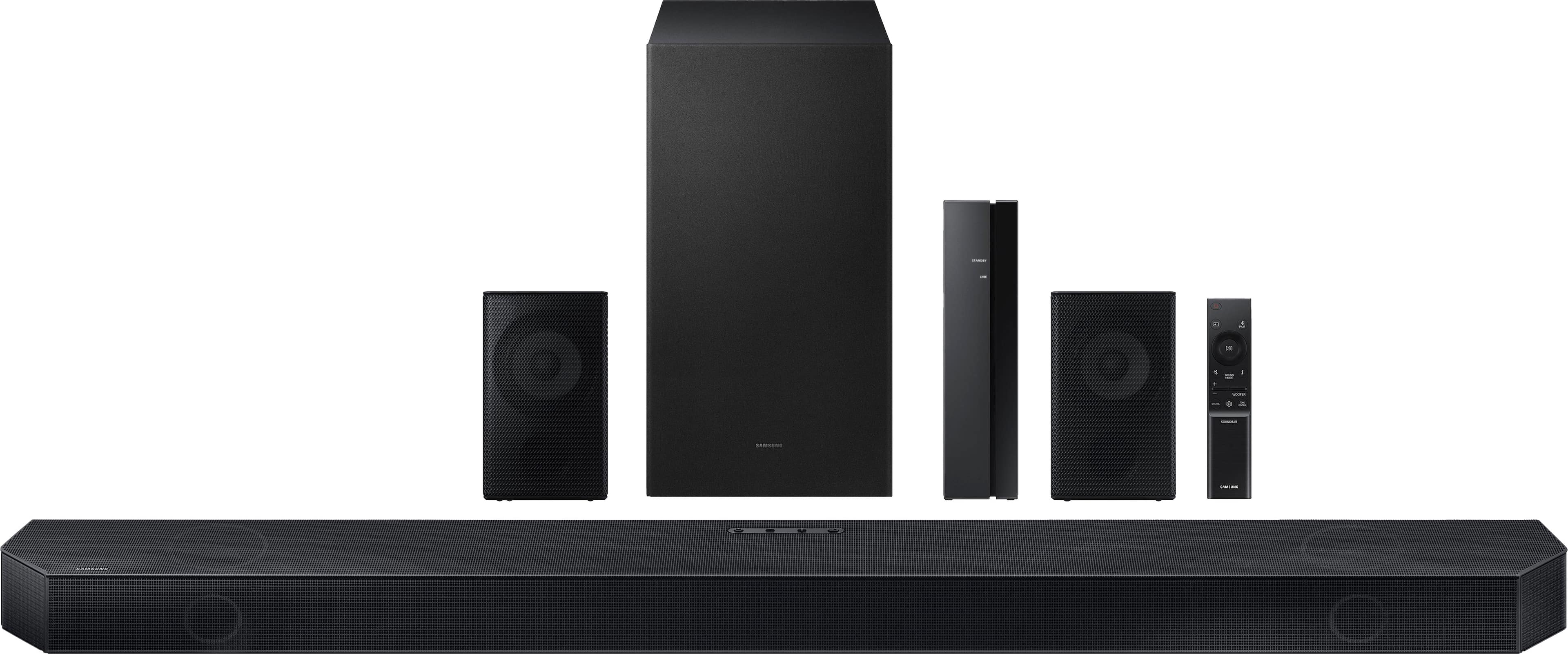
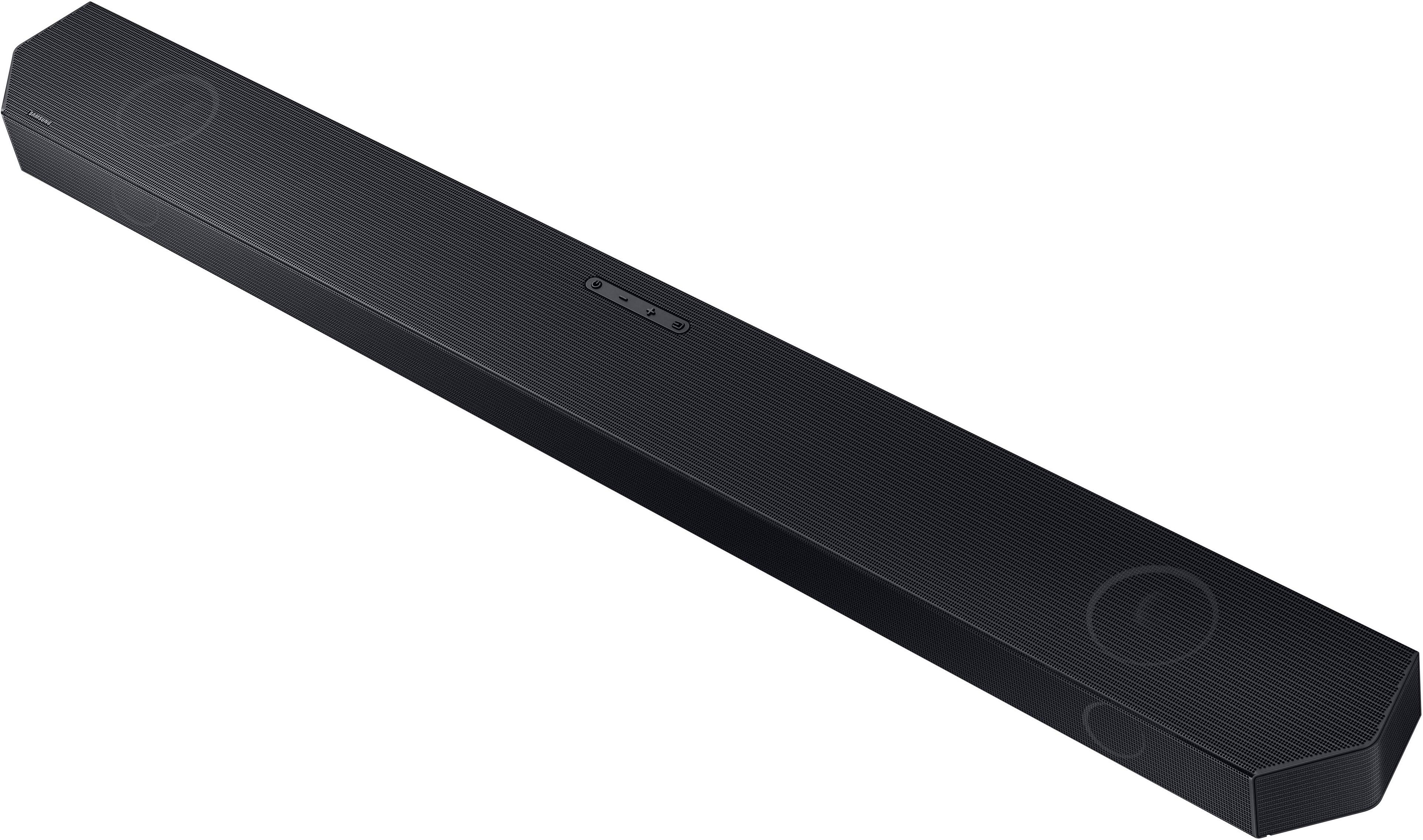
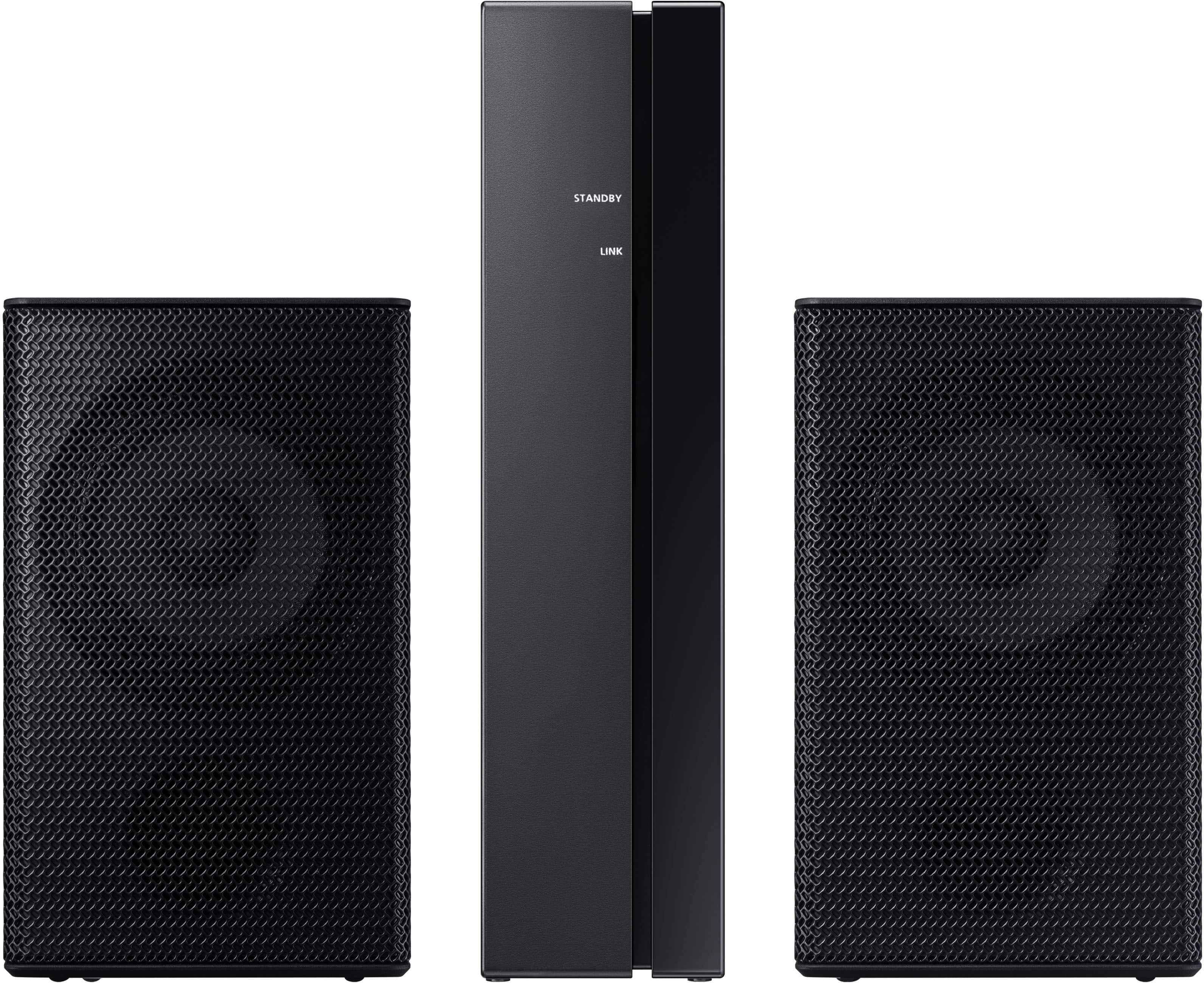
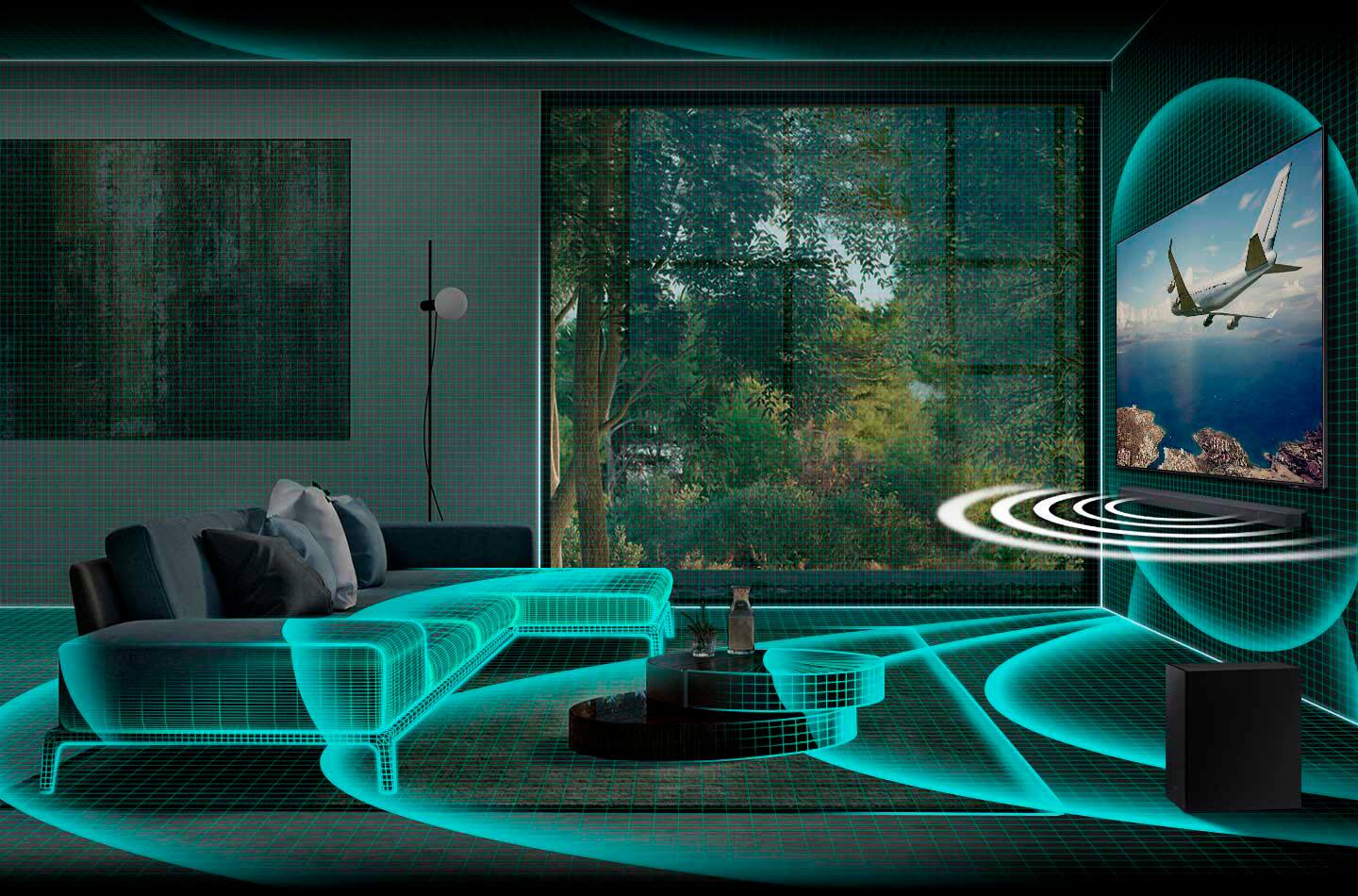
|Posted .This reviewer received promo considerations or sweepstakes entry for writing a review.This Samsung soundbar with surround speakers is very easy to set up, especially if you have a Samsung television to pair it with. I have a Samsung smart TV that's less than a year old, so the tech works well together. I just had to connect the included HDMI cable from the eARC plug on the TV to the eARC plug on the soundbar and the TV recognized the soundbar. I selected it as the default sound source and that was that. I plugged in the subwoofer, which connects wirelessly to the soundbar automatically, then set up the rear speakers, which are also wireless. The soundbar comes with a wireless receiver module, which you set up in the rear of your TV room. Plug the included rear speakers into the wireless receiver module and you're ready to use them. You push a couple of button on the soundbar remote (as listed in the directions) and the rear speakers are activated. There are a couple of benefits of having a Samsung TV and soundbar. First, you can use one remote to control both. Once it was set up, you can control everything from the TV remote. I even had an old Samsung TV remote from a different TV and was able to use that remote to control the TV and soundbar. I actually prefer using the old remote, because it has bigger buttons and is easier to use. Once the TV and soundbar are on, I can generally use my Roku remote to control what I watch and the volume level, not needing to touch the Samsung remote until I want to turn the TV and soundbar off. The second benefit is a feature called Q Symphony. With the Samsung TV and soundbar, you can link the sound from the TV and soundbar to play at the same time, giving you more speakers. You do this by switching the input on the soundbar to D.IN, and the soundbar has to be connected to the TV by either HDMI or an optical cable. It is a fairly large soundbar, 43 ½ inches wide and 4 ½ inches deep. The sound is good and crisp, so listening to dialogue in movies and TV is clear. That's one of the reasons I prefer having a soundbar or other external speakers rather than using just TV speakers.
I would recommend this to a friend - Pros mentioned:Setup, Sound quality
Perfect sound even if you don't have Samsung TV!
|Posted .This reviewer received promo considerations or sweepstakes entry for writing a review.Completely in love with my new soundbar! I will start by saying I do not own a Samsung TB, and yet I think the sound coming out of this thing is way better than my old soundbar which was the same brand as my tv. Although the manual is a bit hard to follow, set up took no more than 10 minutes and after adjusting the sound to my liking, I am smiling from ear to ear on how clear and crisp the sound is. I had a hard time hearing voices in movies with my old soundbar, and after rewatching The Dark Knight, I am excited to hear how good other movies will sound! Here is a quick breakdown of my review. Set Up and Unboxing 5/5 The box is big, but everything is quickly accessible and it comes with mounts in case you want to mount the sound bar. I was a bit worried on connecting the rear wireless speakers, but to my surprise that took less than 2 minutes. Surround Sound – 5/5 I can’t express enough how much better the sound I get compared to my old soundbar that I purchased in 2022. The adaptative sound is huge for me because I like to be able to hear voices in movies or YouTube videos, and somehow this soundbar makes it so clear to hear even at low volumes. I adjusted the sound settings and I like that I can control if I want to make the rear speakers a bit louder. Quality Built – 5/5 As soon as I opened the item, I knew this was built well. It does not feel cheap. Is a bit heavy and rugged, but I like that. Even the rear speakers are excellent. Highly recommend this to anyone even if you don’t have a Samsung TV! Super happy with it!
I would recommend this to a friend - Pros mentioned:Dolby atmos, Sound quality
Wow!! Great sound quality!
|Posted .This reviewer received promo considerations or sweepstakes entry for writing a review.TL;DR: 1. USE: Bring the theater into your home. 2. SETUP: Nothing crazy. It connected quickly with the help of Apple TV. 3. Usability: It’s easy and connected with my current system. Once it’s set up, it automatically turns and shuts off 4. The sound quality is excellent. 5. If you like superior sound quality, buy one for each TV and enjoy it! I was looking at upgrading my Samsung TV and Samsung Soundbar. What I have is getting older (and my large screen TV in the living room is now on the smaller side). I still need to decide on the TV and have a good idea of what I’ll upgrade to, but knew this Soundbar would be a great upgrade from my original Samsung 2.1ch Wireless Dolby without Atmos. The original set up is roughly 8 to 9 years old. It still sounds good, but this 5.1.2ch Soundbar sounds, well…just WOW!!! Movies and sports bring a full, warm presence throughout the 14’ ceilings. It has excellent sound and Dolby Atmos makes it that much better. It’s on par with high-end car stereo systems. It was relatively easy to install with my current TV. I will be upgrading everything else soon…probably within the next week or so. If you can, listen to this Soundbar in store…or better yet, buy it and enjoy it at home!
I would recommend this to a friend - Pros mentioned:Dolby atmos, Sound qualityCons mentioned:Rear speakers
Good quality and value for the money
Posted .This reviewer received promo considerations or sweepstakes entry for writing a review.Excellent 5.1 speakers, enjoy having Dolby atmos. However rare speakers are not wireless- they are connected to a separate module by wires. Great quality of sound for movies and gaming.
I would recommend this to a friend - Pros mentioned:Ease of use, Sound qualityCons mentioned:Rear speakers
samsung sound bar
Posted .This reviewer received promo considerations or sweepstakes entry for writing a review.Quality product with excellent audio. Easy set up. Best for small rooms as surround speaker volume seems limited.
I would recommend this to a friend - Pros mentioned:Sound quality
Great soundbar
Posted .This reviewer received promo considerations or sweepstakes entry for writing a review.This soundbar is bad as*. For those with negative or bad review complaining about speakers not working its because theybdont kniw hiwnto usenall the features of this bar. Alot of people miss this. Especially fornthe surround speakers. You have to click the button that says ch level. From there you can crank up all the seperate speakers to in clude your rear speakers aka. Surround speakers. The play with your tv setting either pcm or best setting. Pcm usually gets er done. Then toggle audio output either surroundnor adaptive. Now enjoynyour soundbar.
I would recommend this to a friend - Cons mentioned:Rear speakers
Meh
|Posted .This reviewer received promo considerations or sweepstakes entry for writing a review.I want to preface this review by saying I am a home AV freak and know good and bad sound better than most. I will say the voice clarity is exceptional, however that's where the good stops and mediocre takes over. The subwoofer is small and underpowered, and the wireless surround speakers are small, dinky, and don't provide thrilling surround sound. I have a Samsung soundbar from 4 or 5 years ago, And other than voice clarity, there isn't much that is any better. It kinda reminds me of the ho.e theater in a box setups from the early 2000's where it looks cool, but just doesn't perform. Seriously, a few mid grade speakers with a receiver have much more range and depth, but I guess there are tradeoffs and priorities and restrictions for everyone, but I think this one is a pass. Just no performance or bang for your buck. Minimal channel sepation in movies, doesn't image well for music, and lack of bass leaves much to be desired. Maybe if there was a microphone to do test sounds like on a receiver so the correction software could optimize for each room, it would get better, but as is, the eq options are extremely limited. It works and provides surround sound, but lacks a punch and definitely does not provide room filling sound.
No, I would not recommend this to a friendBrand response from Samsung
Posted .Hello,
Thank you for sharing your experiences with the HW-Q750C Soundbar. I am sorry to see that the Soundbar did not meet your expectations.
The easiest way to be able to adjust the settings of your Soundbar is to connect it with SmartThings using Wi-Fi. From there you can adjust the 7-Band EQ, increase/decrease the rear speaker volume, and sound modes.
If you have a Samsung TV that has Adaptive Sound+ as a feature, you can utilize the HW-Q750C Soundbar's internal microphone to auto-adjust the sound settings based on the room size and shape.
If you need more help, Samsung is here for you. Please call us at 1-800-SAMSUNG, 8AM - 12AM EST (Ask for Soundbars), 7 days a week. Our LiveChat agents are also available by clicking on the ‘Support’ link on our website.
~ Samsung Solutions
- Pros mentioned:Setup, Sound quality
home audio
Posted .This reviewer received promo considerations or sweepstakes entry for writing a review.great sound fast set up quality product i have tried others but none have satisfied me for sound and durability as much as samsung
I would recommend this to a friend - Pros mentioned:Sound quality
Awesome theater sound
Posted .This reviewer received promo considerations or sweepstakes entry for writing a review.The theater surround sound is really awesome. When streaming music though it need a little more bass. I was told by someone it was because my Livingroom is too big for this system so not sure if this will be the same for everyone. It gets loud without distorting so it sounds clear. I like to feel the music so if that is what you are into just check your room size. If you are mainly going for the theater feeling, you wont be disappointed with this one.
I would recommend this to a friend - Pros mentioned:Ease of use, Sound quality
Great sound
Posted .This reviewer received promo considerations or sweepstakes entry for writing a review.It is easy to set up with the TV, wifi, and phones. Plus it sounds great.
I would recommend this to a friend - Pros mentioned:Bass, Sound quality
A Great set
Posted .This reviewer received promo considerations or sweepstakes entry for writing a review.Sounds great, high sounds are clear and understandable and the bass sounds are powerful.
I would recommend this to a friend - Pros mentioned:Sound quality
Good deal on great sound
Posted .This reviewer received promo considerations or sweepstakes entry for writing a review.The sound is great, had a previous model that we replaced with this one. My only note about Samsung soundbar is they seem to have trouble updating firmware or connecting to networks for updates etc. To be fair, I picked up this one open box for about 50% off.
I would recommend this to a friend - Pros mentioned:Sound quality
Nice product
Posted .This reviewer received promo considerations or sweepstakes entry for writing a review.It's real nice made a big improvement to my tv and real loud.
I would recommend this to a friend - Pros mentioned:Ease of use, Sound quality
Great sound bar
Posted .This reviewer received promo considerations or sweepstakes entry for writing a review.Works and sounds great. Easy to set up and easy to use.
I would recommend this to a friend - Pros mentioned:Ease of use, Sound quality
Excelet
Posted .This reviewer received promo considerations or sweepstakes entry for writing a review.Easy install and by far best sound u can have and good price
I would recommend this to a friend