Customer Ratings & Reviews
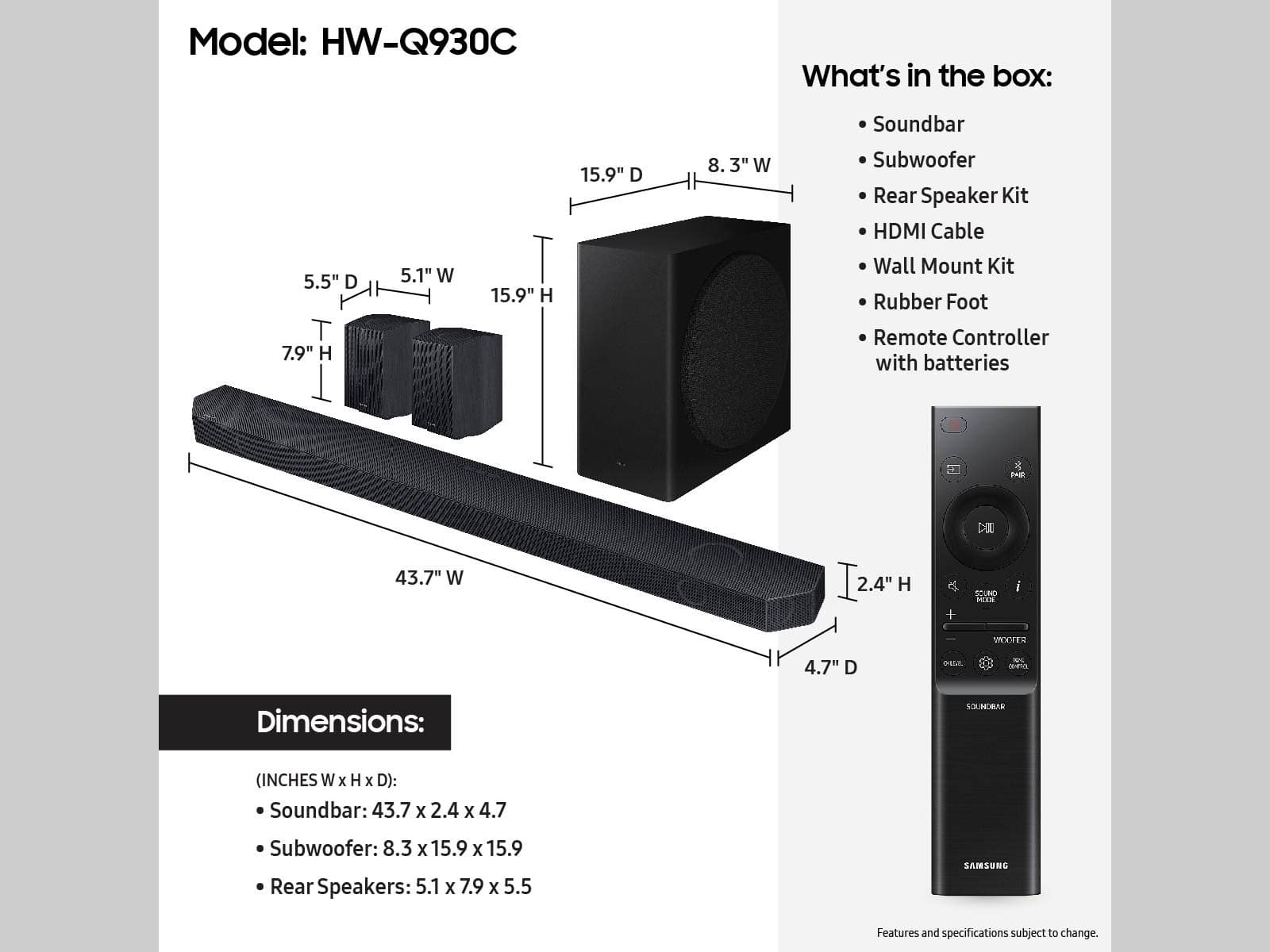


- Model:
- HW-Q930C
- SKU:
- 6535890
Rating by feature
- Value
Rating 4.6 out of 5 stars
- Quality
Rating 4.7 out of 5 stars
- Ease of Use
Rating 4.7 out of 5 stars
Customers are saying
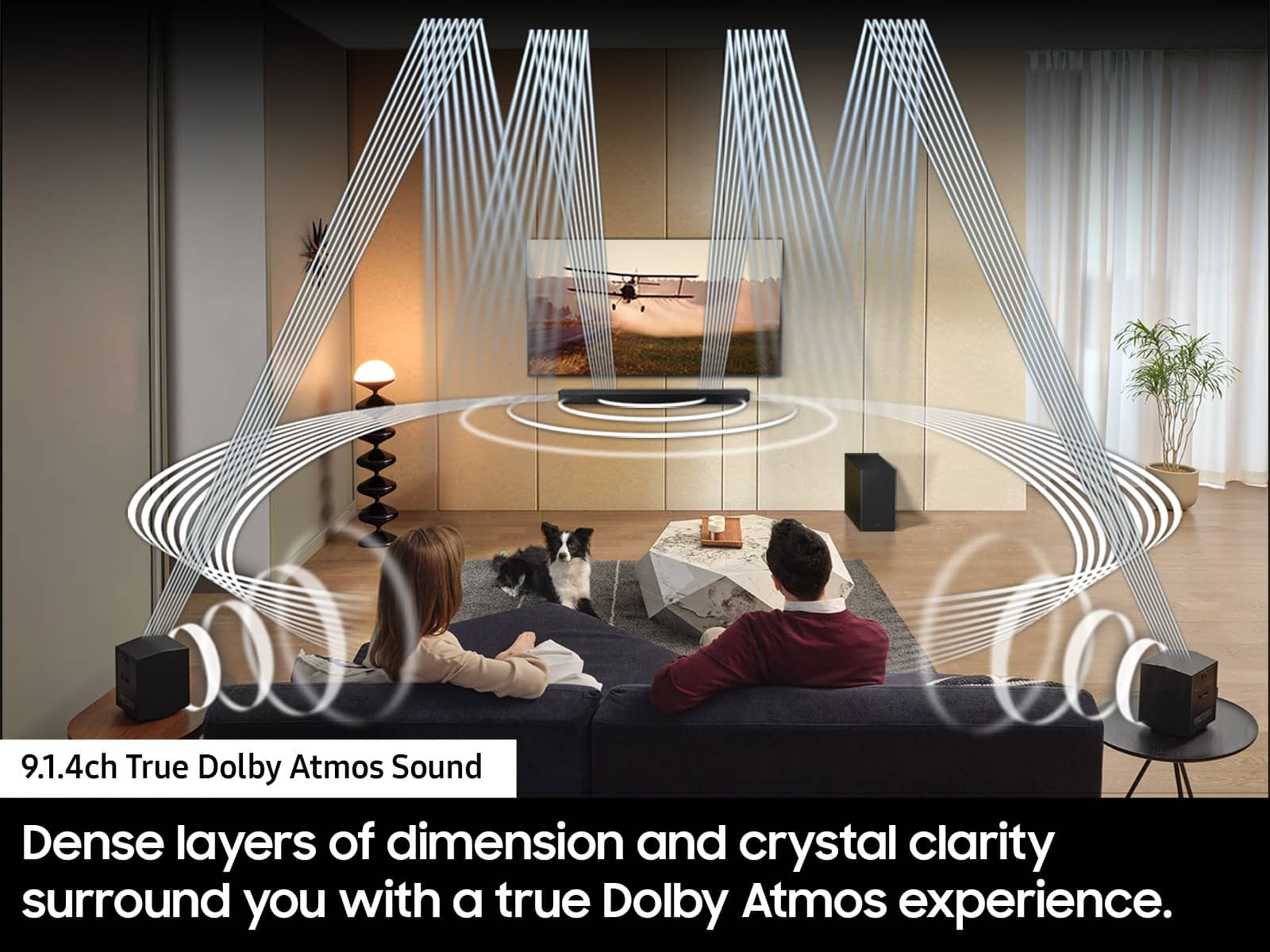
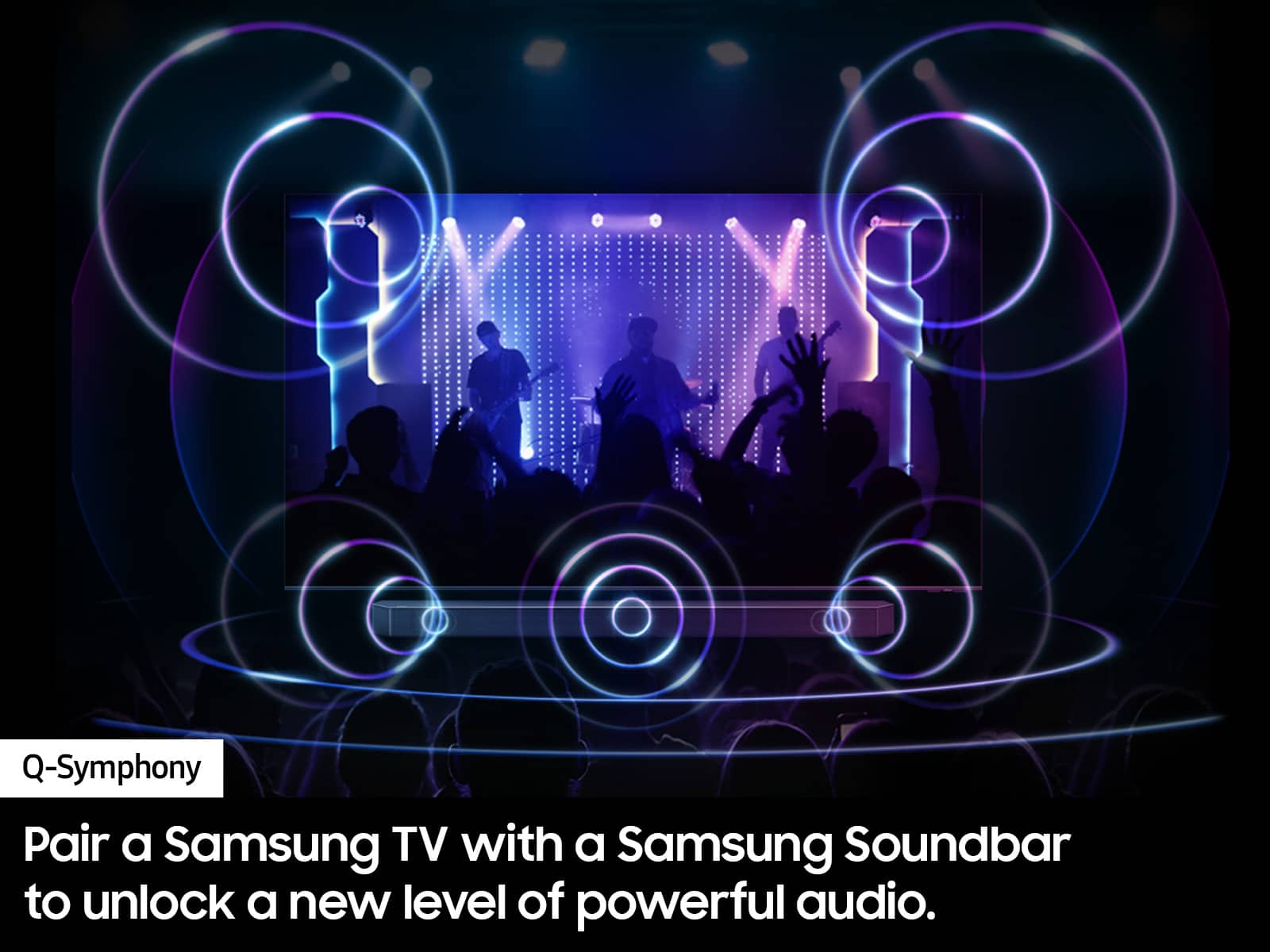
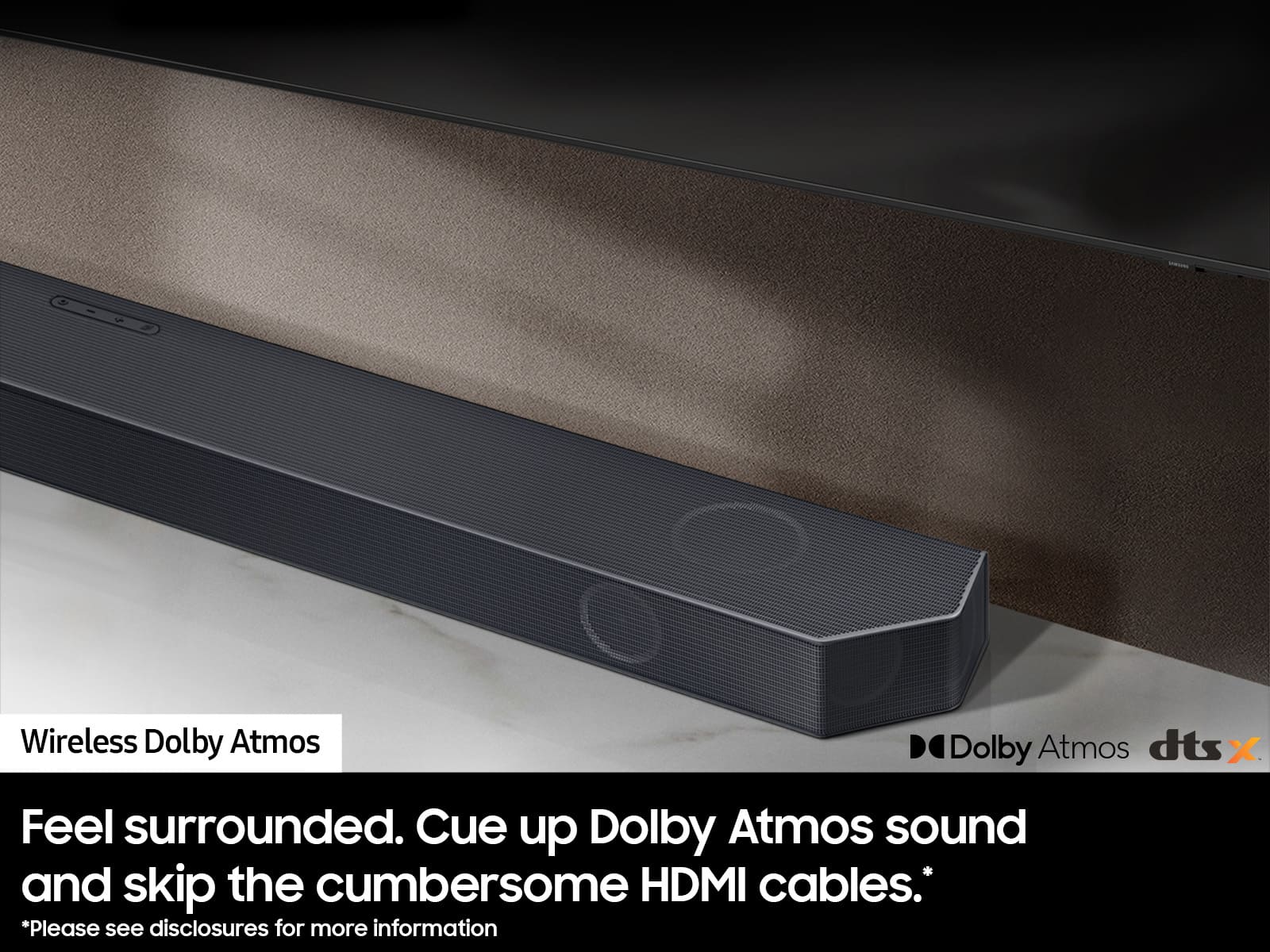
Customers are positive about the Q-Series 9.1.4ch Wireless True Dolby Atmos Soundbar's exceptional sound quality, ease of use, and strong bass response. Many appreciate the relatively simple setup process and immersive Dolby Atmos experience, along with the enhancement provided by the rear speakers and Q-Symphony feature. However, some customers express concerns regarding connectivity issues and the remote control's functionality. A few also mention the product's price point as a potential drawback.
This summary was generated by AI based on customer reviews.
Dont buy
||Posted . Owned for 1 month when reviewed.This reviewer received promo considerations or sweepstakes entry for writing a review.Nice unit but when i finally hooked up it sounds like the center channel is blown had a tech here they heard it but wont honor there warranty and repair a month old unit so now its a 1000 dollar paper weight will never buy samsung ever again
No, I would not recommend this to a friendBrand response from Samsung
Posted .Hello Scotty,
Thank you for purchasing the Samsung HW-Q800C Soundbar. We appreciate you sharing your experience with us.
Samsung products are engineered to the highest standards of performance and quality, and we back this model with a 1-year limited manufacturer's warranty, if purchased brand-new directly from an authorized seller.
Please contact Samsung Customer Support for troubleshooting or warranty assistance. You can always contact us for further help at 1-800-SAMSUNG (Ask for Soundbars), 8 AM – 12 AM EST, 7 days a week. Our Live Chat agents are also available by clicking on the ‘Support’ link on our website.
~ Samsung Solutions
Does not work seamlessly with Samsung TVs
||Posted . Owned for less than 1 week when reviewed.This reviewer received promo considerations or sweepstakes entry for writing a review.Super disappointed with my purchase. It worked for a day and then the sound started cutting out and then it stopped playing sound. Been on the phone with Samsung for 2 days with no solution. Bought this because I bought a Samsung TV and was told that buying a Samsung sound bar would be seamless. Not my experience at all.
No, I would not recommend this to a friendBrand response from Samsung
Posted .PatrickA,
I’m sorry to hear that you are experiencing issues with the sound occasionally dropping out on your Samsung HW-Q930C soundbar. Please try the following troubleshooting steps.
You may first want to check the cable connection of the soundbar to the TV or external device to ensure it is secure, and properly connected to the correct port.
In addition to checking the connections of the soundbar, please make sure your soundbar is using the latest firmware Version. Updating the firmware on your soundbar gives you all the benefits of the latest improvements. When the Soundbar is connected to the Internet, Auto Update allows software to update automatically even when the Soundbar is turned off. You can also update by using the SmartThings app.
You may also want to initialize your soundbar by pressing the - and + (volume) buttons on the top of the soundbar at the same time for at least 5 seconds. “INIT OK” appears on the display and then the Soundbar is reset. Please know, this will reset all settings on the soundbar back to default; any sound adjustments will need to be performed again.
Should you continue to experience audio dropouts, and are connected wirelessly, please use the included cable to connect the soundbar to the TV. Using a wired connection instead of wireless often eliminates the issue entirely and improves the user experience.
I hope these tips help resolve your issues.
If you need more help, Samsung is here for you. Please call us at 1-800-SAMSUNG, 8AM - 12AM EST (Ask for Soundbars), 7 days a week. Our Live Chat agents are also available by clicking on the ‘Support’ link on our website.
~ Samsung Solutions
Bad customer service
||Posted . Owned for 3 weeks when reviewed.This reviewer received promo considerations or sweepstakes entry for writing a review.One rear speaker did not work, as a result I had to take back the whole system. When I asked for help to unload the heavy box, I was denied. I'm 73 years old and struggled to get it on the cart to bring it in the store.You won't see me in your stores from now on. This is a corporate thing. Shame on you Best Buy.
No, I would not recommend this to a friendBrand response from Samsung
Posted .Hello JoeC,
Please know you are leaving a review and 1-star rating for the HW-Q930C Soundbar, but we are sorry to hear of your Best Buy experience, nonetheless. You may want to consider providing feedback directly to the Best Buy store where you made your purchase.
Should you have questions on the Q930C soundbar itself, Samsung is here for you. You can reach us at 1-800-SAMSUNG, 8AM - 12AM EST, 7 days a week. Our LiveChat agents are also available by clicking on the ‘Support’ link on our website.
~ Samsung Solutions
?
||Posted . Owned for 1 month when reviewed.This reviewer received promo considerations or sweepstakes entry for writing a review.Doesn’t mix with lg tv which is a 77inch set. Tv speakers are as good.
I would recommend this to a friendBrand response from Samsung
Posted .Hello WilliamF,
Thank you for sharing your experiences with the HW-Q930C Samsung Soundbar. I am sorry to see that you are not fully satisfied with your purchase.
Make sure that you have turned eARC on within your TV as this setting is generally defaulted OFF. When you are connecting your Soundbar to your TV, connect using a HDMI cable between the eARC ports.
You can manually optimize your audio experience by pressing the SOUND CONTROL button (which looks like a gear), you can set the audio function such as Auto EQ, Spacefit sound, AVA, Voice Enhance mode, Night mode, Sync, Surround speaker mode, Virtual. The desired item can be adjusted using the Up/Down buttons.
Alternatively, you can press and hold the SOUND CONTROL button for about 5 seconds to adjust the sound for each frequency band. 150Hz, 300Hz, 600Hz, 1.2kHz, 2.5kHz, 5kHz, and 10kHz are selectable using the Left/Right buttons and each can be adjusted to a setting between -6 to +6 using the Up/Down buttons.
You can try quickly optimizing the audio by pressing the SOUND MODE button on your remote, and then select the desired sound effect by choosing STANDARD, SURROUND SOUND, GAME, or ADAPTIVE SOUND.
To control the volume of each speaker, press the CH LEVEL button on the provided remote. Then select CENTER LEVEL, SIDE LEVEL, WIDE LEVEL, FRONT TOP LEVEL, REAR LEVEL, or REAR TOP LEVEL. Once you find the channel you are looking for, adjust the volume between -6 to +6 by using the Up/Down buttons.
There are multiple ways to control the bass levels for your new Soundbar.
1) Using the WOOFER button on the provided Soundbar remote. Use the woofer button by pushing forward or pulling backward on the button itself to adjust the bass levels between -12 or -6/+6. If you want to reset the bass to 0 then push the button in.
2) When you press the TONE CONTROL button, you can adjust the treble or bass levels between -6/+6.
Alternatively, you can adjust all of these same settings and more within the SmartThings app. Download the app for your iOS or Android device and then connect your Soundbar to Wi-Fi. From here, you will be able to adjust all of the same settings as the provided remote, but with the added benefit of being able to see the changes on your smart device.
If you need more help, Samsung is here for you. Please call us at 1-800-SAMSUNG, 8AM - 12AM EST (Ask for Soundbars), 7 days a week. Our LiveChat agents are also available by clicking on the ‘Support’ link on our website.
~ Samsung Solutions
- Pros mentioned:Bass, Setup, Sound quality
Good Soundbar!
Posted .This reviewer received promo considerations or sweepstakes entry for writing a review.So, I got my new toys 2 days ago. Our new 55” Samsung Q80C smart TV and Samsung Q930C 9.1.4 soundbar with subwoofer and rear speakers. It was easy to set up. Once I turned on the TV, I connected the HDMI cable from the TV to the soundbar and it paired the speakers automatically. I chose to automatically optimize the settings to the size of the room. Having both a Samsung TV and a Samsung soundbar system works great together. I downloaded my streaming apps to the TV, and everything worked except Amazon Music wouldn’t play. I found a workaround by connecting an Amazon Firestick to the TV and playing Amazon Music through there. Once Amazon Music is playing on the Firestick, I can control it by voice with Alexa. Just a minor inconvenience. It will still work with the tv remote, or fire stick remote. I was a little disappointed with the sound of music playing from the soundbar. It doesn’t sound like a stereo system, but the subwoofer bass sounds sweet! That makes up for it. Movies sound great with it. The TV looks excellent as well. The picture is very clear. I must adjust to the HD look vs. my old 1080p film look from our older 55” Insignia. Overall, I’m pleased with this purchase. I’m looking forward to enjoying this soundbar system for many years to come!
I would recommend this to a friend Horrible, absolutely horrible
||Posted . Owned for less than 1 week when reviewed.This reviewer received promo considerations or sweepstakes entry for writing a review.An absolute piece of garbage. I cannot believe someone would buy this at that ridiculous. The sub was horrid in the rear speakers. Well, let’s just say I think I would’ve gotten better sound if I just mounted a brick to the wall. I cannot stress enough. Do not buy this.
No, I would not recommend this to a friendBrand response from Samsung
Posted .Hi there,
Thank you for sharing your thoughts regarding the overall audio quality of the HW-Q930C Soundbar. I am sorry to see that you are not happy with your purchase.
You can manually optimize your audio experience by pressing the SOUND CONTROL button (which looks like a gear), you can set the audio function such as Spacefit sound, AVA, Voice Enhance mode, or Night mode.
To control the volume of the treble or bass sound, press the TONE CONTROL button, and then adjust the volume between -6 to +6 by using the Up/Down buttons.
By pressing the SOUND MODE button, you can select a pre-equalized audio mode such as Surround, Game, Standard, Adaptive sound.
If you would rather fine-tune your audio manually, press and hold the SOUND CONTROL button for about 5 seconds to adjust the sound for each frequency band. 150Hz, 300Hz, 600Hz, 1.2kHz, 2.5kHz, 5kHz, and 10kHz are selectable using the Left/Right buttons and each can be adjusted to a setting between -6 to +6 using the Up/Down buttons. (Make sure the Sound mode is set to “STANDARD”.)
To control the volume of each speaker, select Center level, Side level, Wide level, Front Top level, Rear level, and Rear top level in Sound Settings, and then adjust the volume between -6 to +6 by using the Up/Down buttons.
You can also control these settings with the SmartThings app. This will allow you to change every setting, and adjust the channels, source, and other items right from your smart device. We do recommend using a brand new High Speed HDMI cable, as this will offer the best user and audio experience available.
Should you ever have questions or need help, please call us at 1-800-SAMSUNG (ask for Soundbars), available 8 AM – 12 AM EST, 7 days a week.
For additional support resources, visit us on the Samsung website and click on the ‘Support’ link in the upper right corner of the homepage for:
1) Chat with Us/Product Help: To begin a chat or find solutions, choose ‘TVs & Home Theater’ and select your model & topic.
2) Manuals & Software
3) Warranty Info
4) Register a Product: For access to easy warranty support, convenient opt-in to special promos and offers, faster troubleshooting and service, and quick notification of system updates
5) Contact Us
~ Samsung Solutions
Not the experience I expected
||Posted . Owned for 2 weeks when reviewed.This reviewer received promo considerations or sweepstakes entry for writing a review.Best buy does not honor their price match . I have been a customer since the company opened . I have soent hours of my time trying to get a price match in Cyber Monday. I will be sure to tell everyone how dishonest you have become .
No, I would not recommend this to a friendBrand response from Samsung
Posted .Hello karleesyr,
Please know you are leaving a review for the Samsung HW-Q930C Soundbar, not the service provided by Best Buy. Please follow up directly with Best Buy's Customer Service for further assistance. We hope your issue is resolved in a timely manner.
Should you ever have questions or need help, please call us at 1-800-SAMSUNG (ask for Soundbars), available 8 AM – 12 AM EST, 7 days a week.
For additional support resources such as downloading a full manual, visit us on the Samsung website and click on the ‘Support’ link in the upper right corner of the homepage.
~Samsung Solutions
- Pros mentioned:Ease of use, Sound quality

Pleasantly surprised
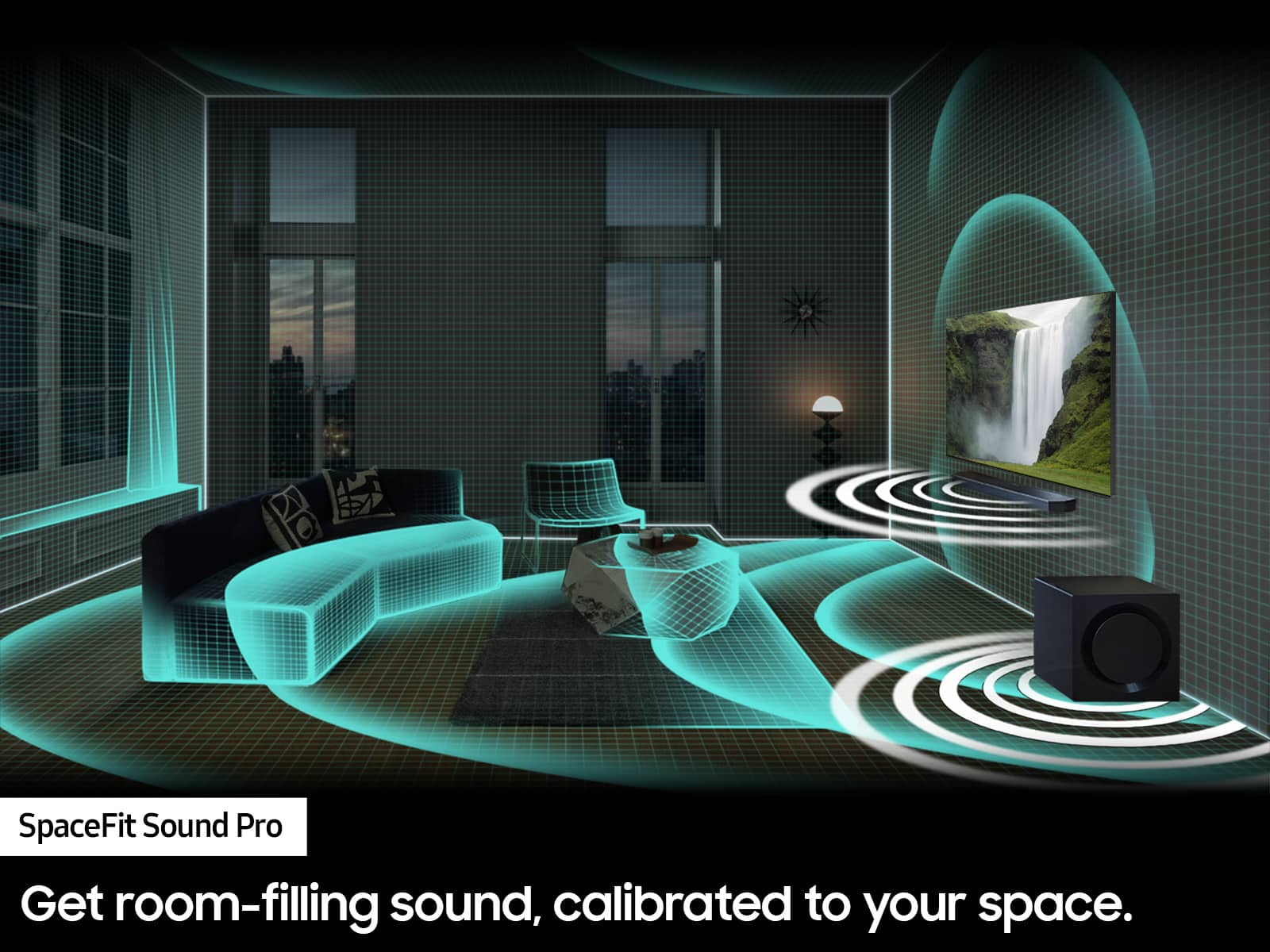
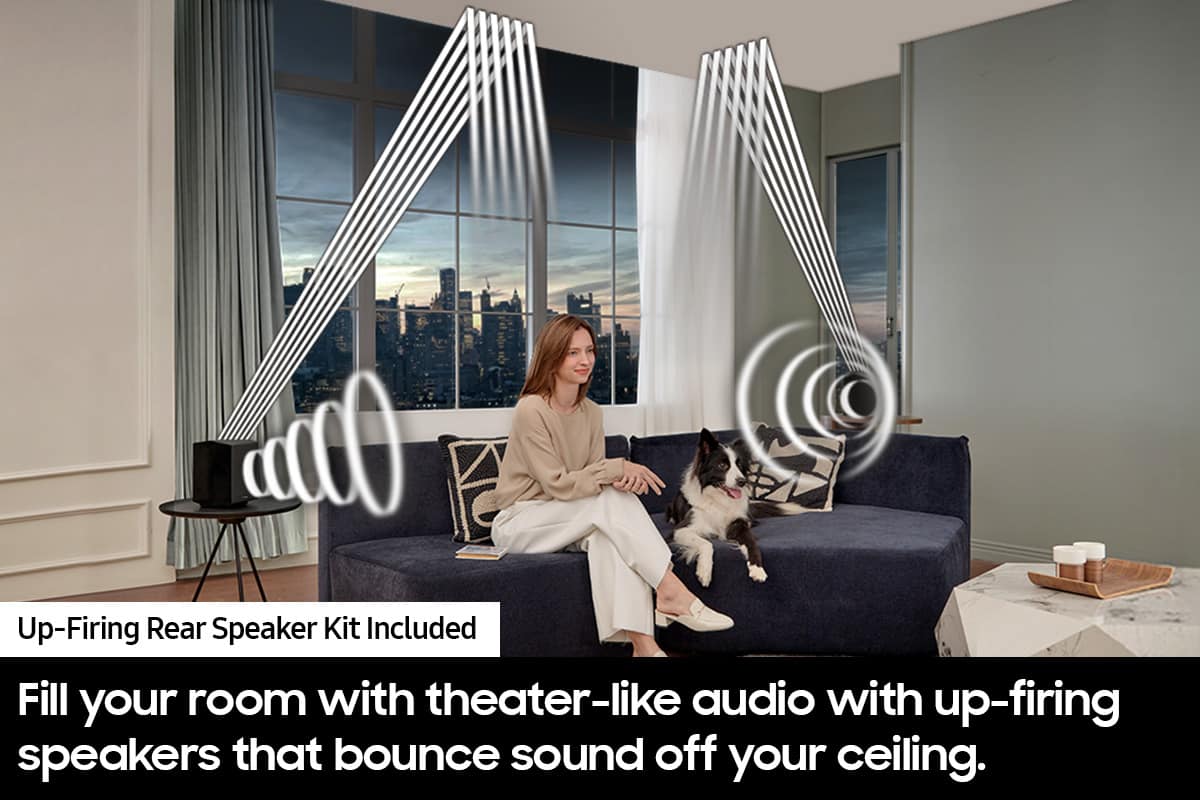
|Posted .This reviewer received promo considerations or sweepstakes entry for writing a review.I honestly wasn't expecting a lot from this system, but I was pleasantly surprised by the quality. I have a dedicated 7.2 surround setup with Klipsch and Bowers & Wilkins speakers, and while it's not a Dolby Atmos setup, it sounds really good. I also own another Samsung soundbar that is a 5.1 setup as well as a Polk Audio 5.1 soundbar. The Samsung 5.1 really was pretty disappointing. The Polk sounded much better. So while I wasn't expecting this to be as good as it is, it's also part of Samsung's Q-Series, which is their higher end products. Many brands do this so that there are affordable options as well as higher quality options. And you typically get what you pay for, at least on the affordable end. Those typically sound marginally better than the built in TV speakers (which have actually come a long way in sound quality. On the higher end though you don't always get what you think you should for what you're paying. You can tell out of the box these are built better than lower priced options. The speakers feel sturdy and have more metallic feeling material than flimsy plastic, including the remote. The setup is super simple. Just plug the main soundbar into the tv then a power outlet. Then when you plug in the sub and 2 rear speakers to power they will all connect automatically. If they don't for some reason there is a setup process in the manual. I would recommend downloading the SmartThings app because it's much easier to make adjustments in the app than with the remote. There is a feature called SpaceFit Sound Pro that is supposed to automatically adjust the sound to your environment using the speakers and a mic built in to optimize the sound. So, for example, a smaller room with a lot of furniture is going to reflect sounds and need different adjustments than a larger open room. This is supposed to make those adjustments for you. I tried turning it off and on and didn't notice any difference, but your mileage may vary. Other than that, once you have it setup, I would recommend playing some different sound tests, whether a movie you own on Blu-ray that has Dolby Atmos listed or something streamed from Netflix or similar. Just make sure if you use a streaming service that they specifically indicate "Dolby Atmos" for whatever movie you decide to play. Not all are have Atmos sound mixing and Netflix I believe has a more expensive package that gives you the 4k and I think the higher quality sound as well. Then make adjustments to the levels of the speakers as needed based on your listening environment to fine tune the output. My rear speakers, for example, are futher away from my listening postion than the soundbar and TV so I raised the level of those to equal it out. Once you make these adjustments the sound will be pretty great. Now it's not going to replace a dedicated 9.1.4 system where you have speaker in your ceiling running off a dedicated receiver/amp, but for a soundbar with 2 rear speaker, it really surprised me how good it sounds. The upfiring speakers on the soundbar as well as the rear speakers really do give you a height to the sound environment and makes you feel fully encompassed with sound depending on what you're watching. Keep in mind that just because a movie is Dolby Atmos compatible, not all are created equal. So I would try a few different movies to see what it can really sound like. And if you're a gamer, trust me, going to Dolby Atmos (for titles that support it), you'll never want to play without it. Playing games such as COD or similar allow you to hear exactly where you're being attacked from! So if you're looking to get into the "Dolby Atmos market" and don't won't to or can't spend the money on a dedicated setup, this is really a good option that I would recommend getting.
I would recommend this to a friend failed after 13 months
||Posted . Owned for 1 year when reviewed.This reviewer received promo considerations or sweepstakes entry for writing a review.Stopped working completely after 13 months I expected better quality
No, I would not recommend this to a friend- Pros mentioned:Bass, Sound quality
Great home theater soundbar
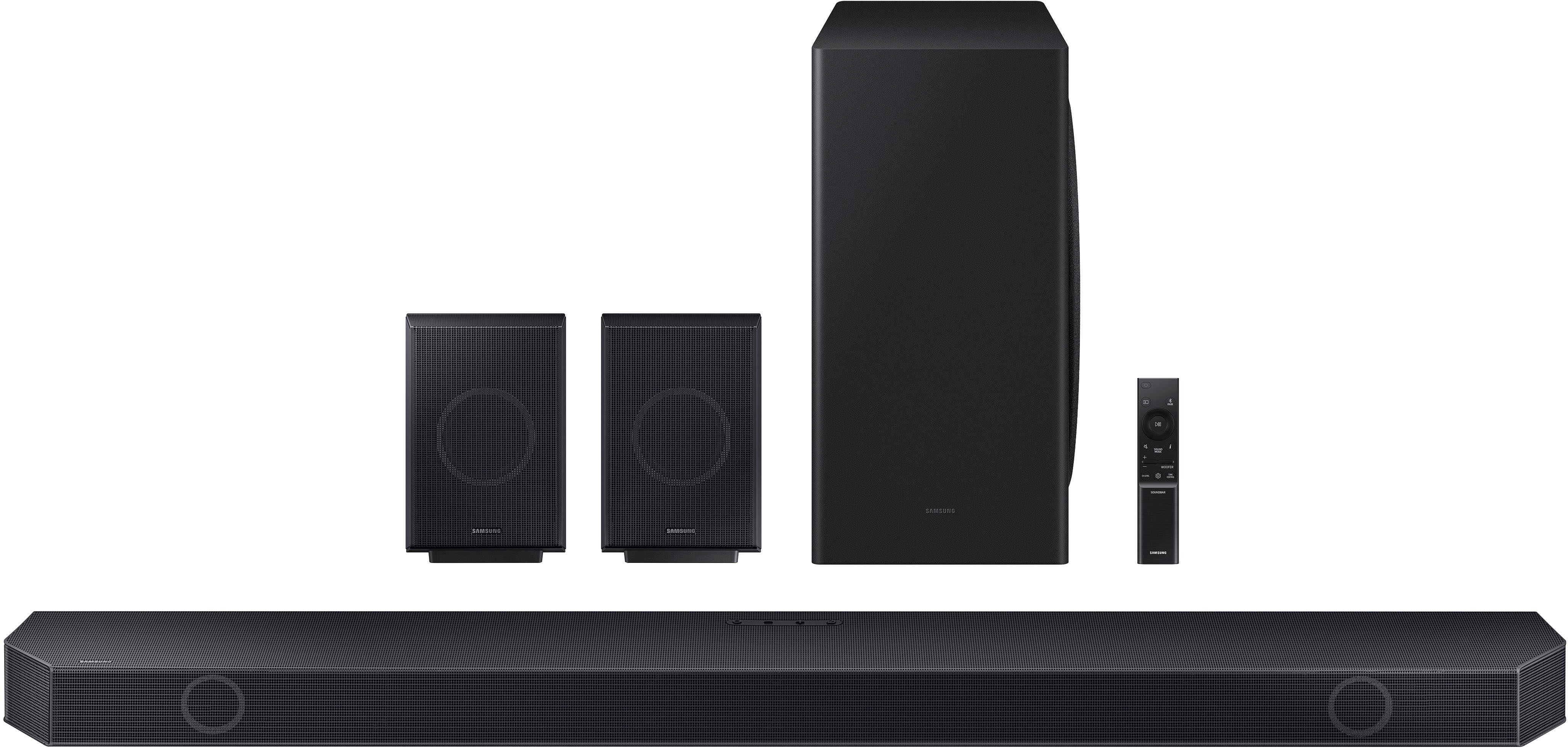
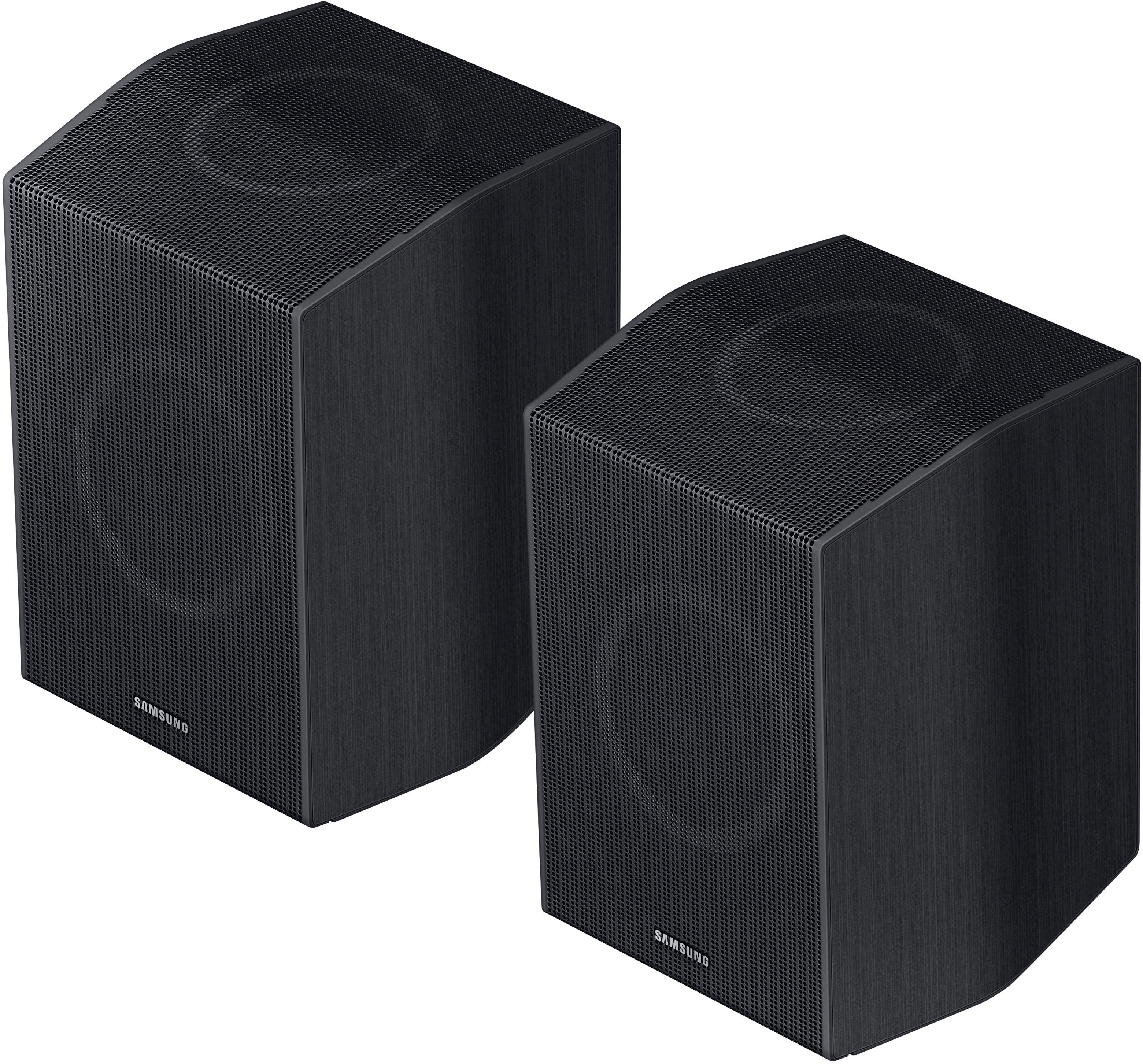
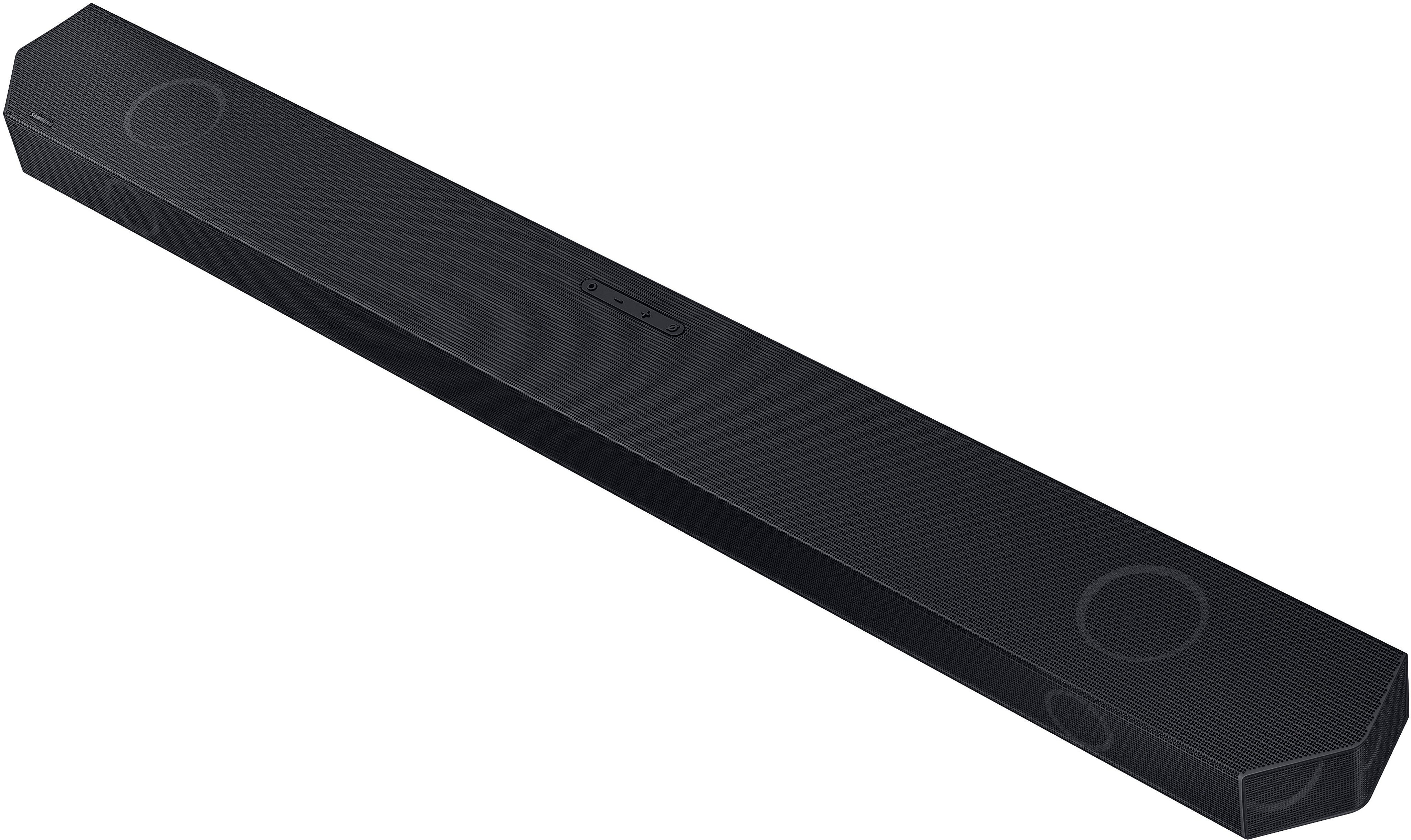
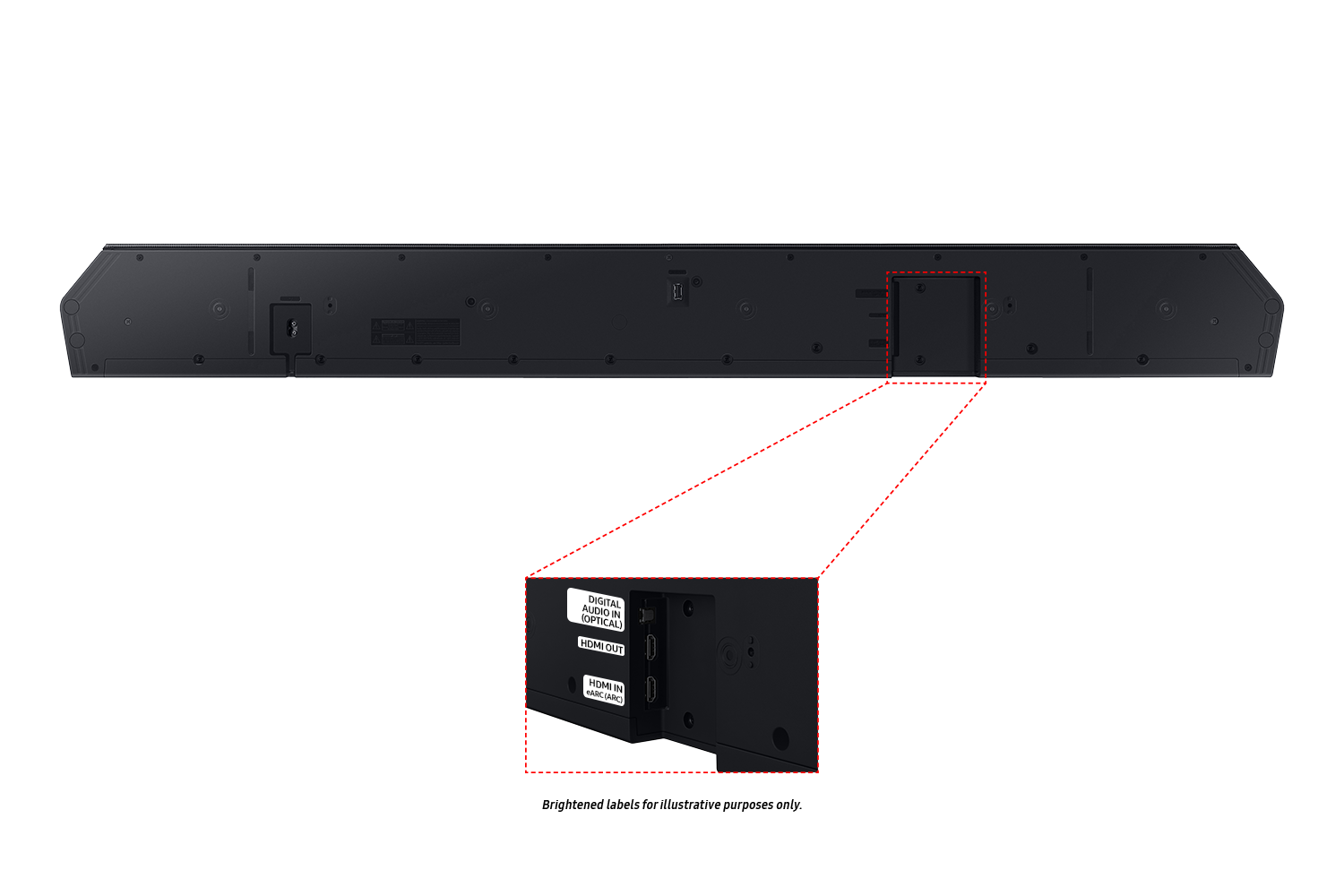
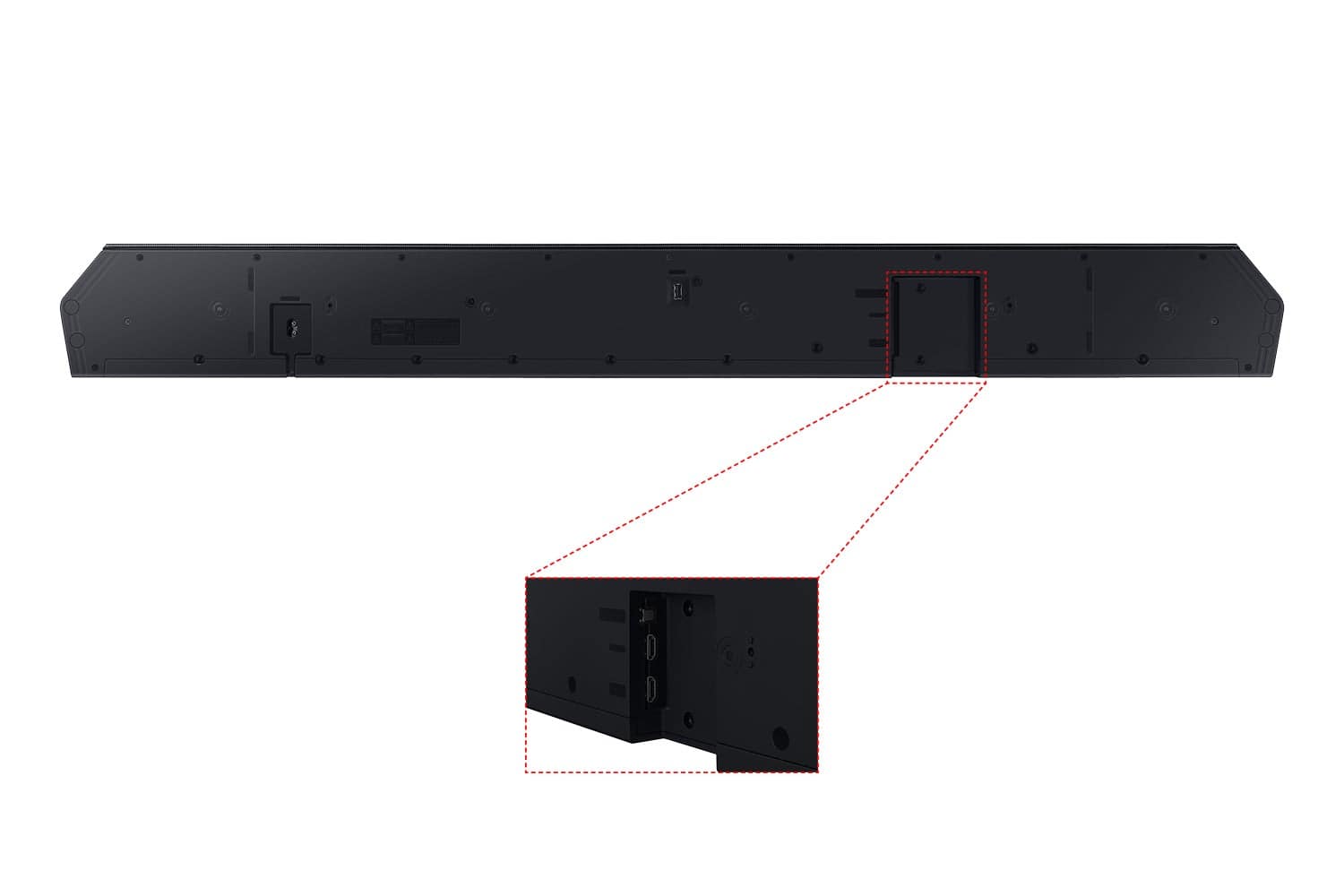
|Posted .This reviewer received promo considerations or sweepstakes entry for writing a review.TL;DR - Another good soundbar from Samsung with broad codec support and wireless connectivity to the speakers makes this a great, flexible choice for your home theater and general home audio entertainment needs. I've been using the Q930 soundbar system for about a week, which replaced an older Q800 series soundbar from a few years ago. The system includes the soundbar, wireless subwoofer and a set (left + right channel) of wireless surround speakers. The box also includes one HDMI cable and the small, thin system remote + batteries, and mounting hardware if you have your TV mounted on the wall and want your soundbar mounted to match (mine sits on the TV stand). The Q930 was very easy to setup, basically just plug everything in and turn it on. The system automatically recognized my samsung TV, and thanks to CEC control, the soundbar remote can control the TV and vice versa. The surround speakers were automatically paired, along with the subwoofer. One improvement in the new Q930 is the surround speakers are completely wireless, except for the power cord. My older Q800 series relied on a regular speaker wire connected to a wireless surround base, whereas the new system is completely wireless, provided you have power connection. The downside is these surround speakers are larger than the older surround speakers, and a bit heavier. Your mounting options may be limited. Also, I initially failed to notice the "left surround" and "right surround" labels on the speakers and mixed them up when I initially set up the system. The Q930 supports all modern codecs and connections, as long as your provider or source supports it. The surround features work well and I can definitely hear the channel separation, thanks to front and upward firing speakers on both the soundbar and surround modules. The bass is powerful, but not too boomy, but you'll be disappointed if you're looking for wall-shaking bass. The soundbar features HDMI, SPDIF digital audio, Bluetooth and Wifi connectivity options. All worked well, however it would have been nice if Samsung had included a SPDIF digital audio cable in the box along with the HDMI cable. The four power cords included with the system are all interchangeable, and all have 90-degree right angle plugs at both ends, so plan accordingly for your power strip/surge protector cord management. The remote control is predictably small and thin and easily lost between the sofa cushions. A locator feature and the solar panel on Samsung's newer TVs would have been a nice bonus feature. From a distance, the soundbar remote looks very similar to Samsung's current TV remote. Fortunately, CEC control reduces the requirement to use the soundbar remote for the basic functions.
I would recommend this to a friend Haven’t received product.
||Posted . Owned for 2 weeks when reviewed.This reviewer received promo considerations or sweepstakes entry for writing a review.It’s been 17 days since ordered and 10 days from expected delivery and still don’t have what I ordered.
No, I would not recommend this to a friendBrand response from Samsung
Posted .DanaH,
I'm sorry you have not received your Soundbar yet. Please follow up directly with Best Buy for further assistance. We hope your issue is resolved in a timely manner.
Should you have questions regarding the usage or setup of your Soundbar once you've received it, please contact Samsung Support at 1-800-SAMSUNG, 8AM - 12AM EST, 7 days a week. Our LiveChat agents are also available by clicking on the ‘Support’ link on our website.
~ Samsung Specialist
- Pros mentioned:Bass, Setup, Sound quality
Movie Like Sound
|Posted .This reviewer received promo considerations or sweepstakes entry for writing a review.Wow. The Samsung Q930C Soundbar has movie like sound. The subwoofer really shakes the house. The rear speakers are clear and startle me sometimes with the unexpected surround sound. It seems like the SpaceFit setting does a good job of filling my big living room with sound. I like that the soundbar has big sound without the big size. Speaking of size the rear speakers are also perfect for shelves or window sills. The setup was really simple and fit great into the SmartThings ecosystem. The Alexa doesn't work as good as my previous soundbar. It doesn't always pick up your voice so I think the microphone isn't as sensitive. It also takes longer to process than my last soundbar so you often have to repeat yourself because it wasn't ready to listen. The soundbar doesn't like to turn on with my Samsung TV remote. I have to manually turn it on and sometimes manually set the TV as the input even though there are no other inputs setup. My biggest gripe is that I have the 2019 Q90 TV and Q-symphony doesn't work on it. I think it should just be a firmware push for Samsung to be able to activate the Q-symphony with it. I haven't needed to use the Adaptive Sound yet because I've been able to hear all the voices through the action on what I've been watching. Even though there are some annoyances, the sound is good and I would recommend getting this setup.
I would recommend this to a friendBrand response from Samsung
Posted .Hello acidxfrost,
Thank you for sharing your thoughts regarding the HW-Q930C Soundbar. Your review will be shared with our internal product team.
So you are aware, Q-Symphony was originally released in 2020. Unfortunately that means your 2019 TV does not have the ability to take advantage of Q-Symphony.
To troubleshoot your Soundbar overall, there are a few steps you can take. First, try doing a soft reset, unplug the soundbar from the outlet for roughly 30 seconds and then plug it back in.
Next, update the firmware on your soundbar. The easiest way to accomplish this would be to download the SmartThings app and connect your Soundbar to Wi-Fi. This will allow you to not only download any firmware updates but also control your entire soundbar on the screen of your smart device.
Please also verify that you are running the latest firmware on your TV. You can check to see what software version your TV is using and if there is an available update through the settings on your TV. Go to: Menu > Settings > Support > Software Update.
If this still does not correct your issue, then do a hard reset. With the Soundbar on, press the + & - Volume buttons on the body of the soundbar at the same time for at least 5 seconds. INIT OK” appears on the display and then the Soundbar is reset.
Should you ever have questions or need help, please call us at 1-800-SAMSUNG (ask for Soundbars), available 8 AM – 12 AM EST, 7 days a week.
For additional support resources such as downloading a full manual, visit us on the Samsung website and click on the ‘Support’ link in the upper right corner of the homepage.
~Samsung Solutions
- Pros mentioned:Sound quality
Love this!
|Posted .This reviewer received promo considerations or sweepstakes entry for writing a review.I was getting sick and tired of my old surround sound system in my bedroom, and definitely wanted to swap it out as soon as possible. When I first got the one I had it worked fine, then after some time I realized that it didn't work well with my Samsung remote. So when I first got this system they removed it from the box, the first thing I noticed was that the speakers were bluetooth and didn't have a cord. I was extremely happy about that, because that means I can place them anywhere I want it in my room. After I hooked everything up and paired everything with the app in my phone, (which is Smart things) I turned everything on it was ready to adjust the sound to my liking. It is literally like night and day when it comes to this new surround sound am I old surround sound. I sleep with my fan on all year round and it makes it extremely hard for me to hear without turning the volume almost to the max, but with this new Samsung system, I can literally turn the volume up to about 30, and I can pretty much here clearly everything that they're saying on TV! Everything works so seamlessly once it was hooked up and with the app like he was pre-programmed or something! I was really surprised when I got this type of sound from the system did I just hooked up! I keep it on the setting with the TV and the surround sound at the same time. I really love this new set up, and I'm extremely happy I got it!
I would recommend this to a friend no power
||Posted . Owned for 1 month when reviewed.This reviewer received promo considerations or sweepstakes entry for writing a review.After 1 month wouldn't power up or reboot. Tried everything and wouldn't work. Returned it
No, I would not recommend this to a friendBrand response from Samsung
Posted .Hello Bukreo,
Thank you for your review of the Samsung HW-Q930C Soundbar and for sharing the experience that has caused you to return your unit. Your feedback is very important to us and will be shared with our product team.
Should you ever decide to give Samsung Soundbars another try and have questions or need assistance with settings, setup, or features, please know we are always here to help.
Call us at 1-800-SAMSUNG (ask for Soundbars), available 8 AM – 12 AM EST, 7 days a week.
~ Samsung Solutions
- Pros mentioned:Bass, Sound quality
Quality system
|Posted .This reviewer received promo considerations or sweepstakes entry for writing a review.I'm upgrading from wired speakers to these fantastic beasts! I read the instructions before turning everything on and I still missed the part where it said to press the O button to switch from TV speakers to the speaker system so I was floundering around for a while trying to figure out why no sound would come out of the new ones. Had to grab the instructions again, then I saw it the second time. When the sound did come out... WOW! The sound is incredible! I tried with the digital cable and also the wifi. Wifi does repeat on occasion so the sound doesn't always sync. There are pop ups on the screen when switching to wifi telling you of the possibility. It did get a bit annoying after a time, so we did go back to the digital in. We love the sound quality. The bass is great, you feel like you're in the scene. There's also the option for enhancing voices. Due to my husband's deafness, we needed this feature. The surround speakers are fantastic! We're very happy with these! We would need to upgrade our TV to make full use of its capabilities with q-symphony, but we're very happy with our decision to get these!
I would recommend this to a friend Would NOT Recommend
||Posted . Owned for 3 weeks when reviewed.This reviewer received promo considerations or sweepstakes entry for writing a review.One back speaker cannot link wireless / bluetooth. Cannot get it to work!
No, I would not recommend this to a friendBrand response from Samsung
Posted .Hi RalphW,
Thank you for reaching out and letting us know you are experiencing issues connecting your back speaker to the Q930C Soundbar. Please know we are here to help.
First, let's make sure that you are using Adaptive, Surround, or Game modes by pressing the SOUND MODE button. These options will offer a better experience using the rear speakers of your Soundbar. Also, within your TV, change your Digital Audio Format to either Pass-Through, Auto, or Bitstream.
Next, please verify that you are running the latest firmware on your Soundbar. You can download the firmware directly from Samsung’s website by clicking “Support” in the top right corner. Then go to “Manuals & Software” > “TVs & Home Theater” > “Home Theater” > “Sound Bars.” From there, you can select the HW-Q930C under Q-Series.
Then, please try performing a soft reset, unplug the Soundbar from the outlet for roughly 30 seconds, and then plug it back in. If this still does not correct your issue, then do a hard reset. With the Soundbar on, press the + & - Volume buttons on the body of the soundbar at the same time for at least 5 seconds. INIT OK” appears on the display, and then the Soundbar is reset.
If you need more help, please give us a call at 1-800-SAMSUNG, 8 AM - 12 AM EST, seven days a week. Our LiveChat agents are also available by clicking on the ‘Support’ link on our website.
~ Samsung Advisor
- Pros mentioned:Ease of use, Sound quality
Samsung sound bar
Posted .This reviewer received promo considerations or sweepstakes entry for writing a review.Sound bar was easy to set up, mildy c8nfusing t8 get the satellites to work. Alexa works great and the sound is definitely worth the price.
I would recommend this to a friend - Pros mentioned:Ease of use, Sound quality
Exceeded expectations
Posted .This reviewer received promo considerations or sweepstakes entry for writing a review.For the money you spend on this soundbar set you will get exceptional movie theater like sound quality, very easy to set up and connect to as well.
I would recommend this to a friend - Pros mentioned:Ease of use, Sound quality
review
Posted .This reviewer received promo considerations or sweepstakes entry for writing a review.GREAT sound. Easy to hook up. I would buy this one again
I would recommend this to a friend - Pros mentioned:Ease of use, Sound quality
Easy set up
Posted .This reviewer received promo considerations or sweepstakes entry for writing a review.Easy to set up. Great sound. I don’t have a ton of experience with other sound systems so it’s hard to compare
I would recommend this to a friend