Customer Ratings & Reviews


- Model:
- HW-Q930F/ZA
- SKU:
- 10892961
Rating by feature
- Value
Rating 4.6 out of 5 stars
- Quality
Rating 4.7 out of 5 stars
- Ease of Use
Rating 4.7 out of 5 stars
Customers are saying
Customers are impressed with the Q-Series Soundbar HW-Q930F, particularly its sound quality. The sound is so good that it compensates for any potential drawbacks. Additionally, customers appreciate the seamless connectivity of the soundbar with their TVs.
This summary was generated by AI based on customer reviews.
Great Buy
||Posted . Owned for 1 month when reviewed.This reviewer received promo considerations or sweepstakes entry for writing a review.Great picture. Great color. Very happy with our purchase.
I would recommend this to a friendown home theater
||Posted . Owned for 1 month when reviewed.This reviewer received promo considerations or sweepstakes entry for writing a review.Love this sound bar feels like you’re in the movie theater
I would recommend this to a friendworks great and sound is awesome
||Posted . Owned for 3 weeks when reviewed.This reviewer received promo considerations or sweepstakes entry for writing a review.great product and would recommend buying it. also great price
I would recommend this to a friendPowerful system!!
||Posted . Owned for 3 weeks when reviewed.This reviewer received promo considerations or sweepstakes entry for writing a review.System was just what I was looking for. Very happy with purchase!!
I would recommend this to a friend- Pros mentioned:Sound quality
Rear speakers
||Posted . Owned for 2 weeks when reviewed.This reviewer received promo considerations or sweepstakes entry for writing a review.Sound bar is a great. The rare speakers have no sound, it’s a whisper??
No, I would not recommend this to a friendBrand response from Samsung
Posted .Hi DavidS,
We appreciate you taking a few moments to review the Samsung HW-Q930F Soundbar.
By design, the surround speakers are supposed to simulate sounds happening behind the viewer. Therefore, most of the time the surround channels are only used for ambient sounds, which are naturally lower in volume.
However, there are a few settings you can change to adjust the surround effect to your preference:
1) Make sure that the source (e.g. TV output) is sending surround channels to the Soundbar. If the source is not capable of surround, then set the Surround mode to OFF on the Soundbar by pressing the Surround button on the remote.
2) If the source has surround channels, select the desired Sound Mode from the Soundbar remote.
3) Turn off Dynamic Range Control. This is done by pressing and holding the Sound Mode button while the Soundbar is in standby mode.
4) Increase the volume level of the surround speakers using the CH LEVEL button on the Soundbar remote control. Press the button on the soundbar remote, then select REAR LEVEL and use the Up/Down buttons to adjust the volume within a -6 to +6 range.
If you need more help, Samsung is here for you. Please call us at 1-800-SAMSUNG, 8AM - 12AM EST (Ask for Soundbars), 7 days a week. Our Live Chat agents are also available by clicking on the ‘Support’ link on our website.
~ Samsung Solutions
samsung
||Posted .This reviewer received promo considerations or sweepstakes entry for writing a review.i did not receive the item . i ordered the open box item
I would recommend this to a friendBrand response from Samsung
Posted .Hi BangarrajuP,
Please know you are leaving a review and 4-star rating for the HW-Q930F, but we are sorry to hear of your Best Buy experience, nonetheless. You may want to consider providing feedback directly to the Best Buy store where you made your purchase.
Should you have questions on the HW-Q930F itself, Samsung is here for you. You can reach us at 1-800-SAMSUNG, 8AM - 12AM EST, 7 days a week. Our LiveChat agents are also available by clicking on the ‘Support’ link on our website.
~ Samsung Solutions
Samsung Q-Series Soundbar & roofer
||Posted . Owned for 2 weeks when reviewed.This reviewer received promo considerations or sweepstakes entry for writing a review.I bought it from Union City CA, male staff did not explain details, store manager rush no explain, but they want to sell it asap.
No, I would not recommend this to a friendBrand response from Samsung
Posted .Hello Garfield,
We appreciate you taking a moment to review the HW-Q930F Samsung Soundbar.
You can manually optimize your audio experience by pressing the SOUND CONTROL button (which looks like a gear), you can set the audio function such as Auto EQ, Spacefit sound, AVA, Voice Enhance mode, Night mode, Sync, Surround speaker mode, Virtual. The desired item can be adjusted using the Up/Down buttons.
Alternatively, you can press and hold the SOUND CONTROL button for about 5 seconds to adjust the sound for each frequency band. 150Hz, 300Hz, 600Hz, 1.2kHz, 2.5kHz, 5kHz, and 10kHz are selectable using the Left/Right buttons and each can be adjusted to a setting between -6 to +6 using the Up/Down buttons.
You can try quickly optimizing the audio by pressing the SOUND MODE button on your remote, and then select the desired sound effect by choosing STANDARD, SURROUND SOUND, GAME, or ADAPTIVE SOUND.
To control the volume of each speaker, press the CH LEVEL button on the provided remote. Then select CENTER LEVEL, SIDE LEVEL, WIDE LEVEL, FRONT TOP LEVEL, REAR LEVEL, or REAR TOP LEVEL. Once you find the channel you are looking for, adjust the volume between -6 to +6 by using the Up/Down buttons.
There are multiple ways to control the bass levels for your new Soundbar.
1) Using the WOOFER button on the provided Soundbar remote. Use the woofer button by pushing forward or pulling backward on the button itself to adjust the bass levels between -12 or -6/+6. If you want to reset the bass to 0 then push the button in.
2) When you press the TONE CONTROL button, you can adjust the treble or bass levels between -6/+6.
Alternatively, you can adjust all of these same settings and more within the SmartThings app. Download the app for your iOS or Android device and then connect your Soundbar to Wi-Fi. From here, you will be able to adjust all of the same settings as the provided remote, but with the added benefit of being able to see the changes on your smart device.
I hope these tips help you enjoy your new product.
You can always contact us for further help at 1-800-SAMSUNG (Ask for Soundbars), 8 AM – 12 AM EST, 7 days a week. Our Live Chat agents are also available by clicking on the ‘Support’ link on our website.
~ Samsung Solutions
Help Me
||Posted . Owned for 1 month when reviewed.This reviewer received promo considerations or sweepstakes entry for writing a review.1 speaker doesn’t work, please help………………………………………………………….
No, I would not recommend this to a friendBrand response from Samsung
Posted .Hi SteveG,
We appreciate you taking a few moments to review the HW-Q930F Samsung Soundbar.
If the issue is with one of the rear speakers try to repair them. Press and hold the ID SET button on the back of the Left rear speaker for at least 5 seconds or until the blue light starts blinking. Turn off your soundbar and press the Up button on the remote for 5 seconds. The ID SET message will appear on the soundbar for a short time and then disappear. After the ID SET process, the soundbar power is automatically turned on. The LINK LED indicator stops blinking and glows a solid blue when a connection is established between the soundbar and the rear speakers.
Samsung is committed to providing the best possible product experience, quality, and value. We back this Samsung Soundbar with a 1-year limited manufacturer's warranty, including authorized repair for manufacturer defect, if purchased brand-new directly from an authorized seller.
If you need more help, Samsung is here for you. Please call us at 1-800-SAMSUNG, Mon – Fri 8 AM – 9 PM EST, Sat & Sun 8 AM – 6 PM EST. Live Chat with an agent as well as manuals, software, creating a service ticket, and warranty info can be found at the ‘Support’ link on our Samsung website.
~ Samsung Solutions
Not worth the $
||Posted . Owned for 1 week when reviewed.This reviewer received promo considerations or sweepstakes entry for writing a review.Ok but not worth the money. Can find something just as good for a lot less
No, I would not recommend this to a friendBrand response from Samsung
Posted .Hi Trainer413,
We appreciate you taking a moment to review the Samsung HW-Q930F Soundbar.
You can manually optimize your audio experience by pressing the SOUND CONTROL button (which looks like a gear), you can set the audio function such as Auto EQ, Spacefit sound, AVA, Voice Enhance mode, Night mode, Sync, Surround speaker mode, Virtual. The desired item can be adjusted using the Up/Down buttons.
Alternatively, you can press and hold the SOUND CONTROL button for about 5 seconds to adjust the sound for each frequency band. 150Hz, 300Hz, 600Hz, 1.2kHz, 2.5kHz, 5kHz, and 10kHz are selectable using the Left/Right buttons and each can be adjusted to a setting between -6 to +6 using the Up/Down buttons.
You can try quickly optimizing the audio by pressing the SOUND MODE button on your remote, and then select the desired sound effect by choosing STANDARD, SURROUND SOUND, GAME, or ADAPTIVE SOUND.
To control the volume of each speaker, press the CH LEVEL button on the provided remote. Then select CENTER LEVEL, SIDE LEVEL, WIDE LEVEL, FRONT TOP LEVEL, REAR LEVEL, or REAR TOP LEVEL. Once you find the channel you are looking for, adjust the volume between -6 to +6 by using the Up/Down buttons.
There are multiple ways to control the bass levels for your new Soundbar.
1) Using the WOOFER button on the provided Soundbar remote. Use the woofer button by pushing forward or pulling backward on the button itself to adjust the bass levels between -12 or -6/+6. If you want to reset the bass to 0 then push the button in.
2) When you press the TONE CONTROL button, you can adjust the treble or bass levels between -6/+6.
Alternatively, you can adjust all of these same settings and more within the SmartThings app. Download the app for your iOS or Android device and then connect your Soundbar to Wi-Fi. From here, you will be able to adjust all of the same settings as the provided remote, but with the added benefit of being able to see the changes on your smart device.
I hope this tip helps improve your enjoyment. For more help, please call us at 1-800-SAMSUNG (Ask for Soundbars), 8 AM – 12 AM EST, 7 days a week. Live Chat with an agent as well as manuals, software, creating a service ticket, and warranty info can be found at the ‘Support’ link on our Samsung website.
~ Samsung Solutions
soundbar
||Posted . Owned for 2 weeks when reviewed.This reviewer received promo considerations or sweepstakes entry for writing a review.very bad sound for the pric back speaker had like no sound felt like
No, I would not recommend this to a friendBrand response from Samsung
Posted .Hello JoeyP,
Thank you for taking a few moments to review the Samsung HW-Q930F Soundbar.
You can manually optimize your audio experience using the provided remote or the SmartThings app.
Press the SOUND CONTROL button (gear icon) on the remote to access settings like Auto EQ, SpaceFit Sound, AVA, Voice Enhance, Night Mode, Sync, Surround Speaker Mode, and Virtual. Use the Up/Down buttons to select and adjust each option.
For more detailed sound customization, press and hold the SOUND CONTROL button for about 5 seconds to access the equalizer. You can adjust frequency bands at 150Hz, 300Hz, 600Hz, 1.2kHz, 2.5kHz, 5kHz, and 10kHz using the Left/Right buttons, then fine-tune each between -6 and +6 with the Up/Down buttons.
To quickly enhance your listening experience, press the SOUND MODE button and choose from STANDARD, SURROUND SOUND, GAME, or ADAPTIVE SOUND modes.
To adjust individual speaker levels, press the CH LEVEL button and select Center, Side, Wide, Front Top, Rear, or Rear Top channels. Each can be customized from -6 to +6 using the Up/Down buttons.
For bass control, you have two options:
1. WOOFER Button: Push forward or pull backward on the WOOFER button to adjust bass levels. Press inward to reset to 0.
2. TONE CONTROL Button: Adjust Bass or Treble levels between -6 and +6.
You can also manage these settings through the SmartThings app on iOS or Android after connecting your Soundbar to Wi-Fi. The app offers the same controls as the remote, with the added convenience of viewing and adjusting settings directly from your smart device.
If you need more help, Samsung is here for you. Please call us at 1-800-SAMSUNG, Mon – Fri 8 AM – 9 PM EST, Sat & Sun 8 AM – 6 PM EST. Live Chat with an agent as well as manuals, software, creating a service ticket, and warranty info can be found at the ‘Support’ link on our Samsung website.
~ Samsung Solutions
Terrible purchase
||Posted .This reviewer received promo considerations or sweepstakes entry for writing a review.Even at max volume its not that loud. Bass is extremely weak. Im really disappointed in my purchase.
No, I would not recommend this to a friendBrand response from Samsung
Posted .Hello CL151,
Thank you for taking a few moments to review the HW-Q930F Samsung Soundbar.
You can manually optimize your audio experience by pressing the SOUND CONTROL button (which looks like a gear), you can set the audio function such as Auto EQ, Spacefit sound, AVA, Voice Enhance mode, Night mode, Sync, Surround speaker mode, Virtual. The desired item can be adjusted using the Up/Down buttons.
Alternatively, you can press and hold the SOUND CONTROL button for about 5 seconds to adjust the sound for each frequency band. 150Hz, 300Hz, 600Hz, 1.2kHz, 2.5kHz, 5kHz, and 10kHz are selectable using the Left/Right buttons and each can be adjusted to a setting between -6 to +6 using the Up/Down buttons.
You can try quickly optimizing the audio by pressing the SOUND MODE button on your remote, and then select the desired sound effect by choosing STANDARD, SURROUND SOUND, GAME, or ADAPTIVE SOUND.
To control the volume of each speaker, press the CH LEVEL button on the provided remote. Then select CENTER LEVEL, SIDE LEVEL, WIDE LEVEL, FRONT TOP LEVEL, REAR LEVEL, or REAR TOP LEVEL. Once you find the channel you are looking for, adjust the volume between -6 to +6 by using the Up/Down buttons.
There are multiple ways to control the bass levels for your new Soundbar.
1) Using the WOOFER button on the provided Soundbar remote. Use the woofer button by pushing forward or pulling backward on the button itself to adjust the bass levels between -12 or -6/+6. If you want to reset the bass to 0 then push the button in.
2) When you press the TONE CONTROL button, you can adjust the treble or bass levels between -6/+6.
Alternatively, you can adjust all of these same settings and more within the SmartThings app. Download the app for your iOS or Android device and then connect your Soundbar to Wi-Fi. From here, you will be able to adjust all of the same settings as the provided remote, but with the added benefit of being able to see the changes on your smart device.
If you’d like more help with settings, please know we’re here to help! Call us at 1-800-SAMSUNG (Ask for Soundbars), 8AM - 12AM EST, 7 days a week. Or visit us on the Samsung website and click on the ‘Support’ link for:
• Live Chat
• Manuals, Software, & Warranty Info
• Creating a service ticket
~ Samsung Solutions
Don't waste your money
||Posted . Owned for 3 weeks when reviewed.This reviewer received promo considerations or sweepstakes entry for writing a review.In store it sounds amazing. Got it home and the TV was louder the sound system. Not worth it.
No, I would not recommend this to a friendBrand response from Samsung
Posted .Hi NicoleJ,
Thank you for taking a few moments to review the Samsung HW-Q930F Soundbar.
You can manually optimize your audio experience by pressing the SOUND CONTROL button (which looks like a gear), you can set the audio function such as Auto EQ, Spacefit sound, AVA, Voice Enhance mode, Night mode, Sync, Surround speaker mode, Virtual. The desired item can be adjusted using the Up/Down buttons.
Alternatively, you can press and hold the SOUND CONTROL button for about 5 seconds to adjust the sound for each frequency band. 150Hz, 300Hz, 600Hz, 1.2kHz, 2.5kHz, 5kHz, and 10kHz are selectable using the Left/Right buttons and each can be adjusted to a setting between -6 to +6 using the Up/Down buttons.
You can try quickly optimizing the audio by pressing the SOUND MODE button on your remote, and then select the desired sound effect by choosing STANDARD, SURROUND SOUND, GAME, or ADAPTIVE SOUND.
To control the volume of each speaker, press the CH LEVEL button on the provided remote. Then select CENTER LEVEL, SIDE LEVEL, WIDE LEVEL, FRONT TOP LEVEL, REAR LEVEL, or REAR TOP LEVEL. Once you find the channel you are looking for, adjust the volume between -6 to +6 by using the Up/Down buttons.
There are multiple ways to control the bass levels for your new Soundbar.
1) Using the WOOFER button on the provided Soundbar remote. Use the woofer button by pushing forward or pulling backward on the button itself to adjust the bass levels between -12 or -6/+6. If you want to reset the bass to 0 then push the button in.
2) When you press the TONE CONTROL button, you can adjust the treble or bass levels between -6/+6.
Alternatively, you can adjust all of these same settings and more within the SmartThings app. Download the app for your iOS or Android device and then connect your Soundbar to Wi-Fi. From here, you will be able to adjust all of the same settings as the provided remote, but with the added benefit of being able to see the changes on your smart device.
If you need more help, Samsung is here for you. Please call us at 1-800-SAMSUNG, 8AM - 12AM EST (Ask for Soundbars), 7 days a week. Our Live Chat agents are also available by clicking on the ‘Support’ link on our website.
~ Samsung Solutions
- Pros mentioned:Sound quality
Samsung soundbar
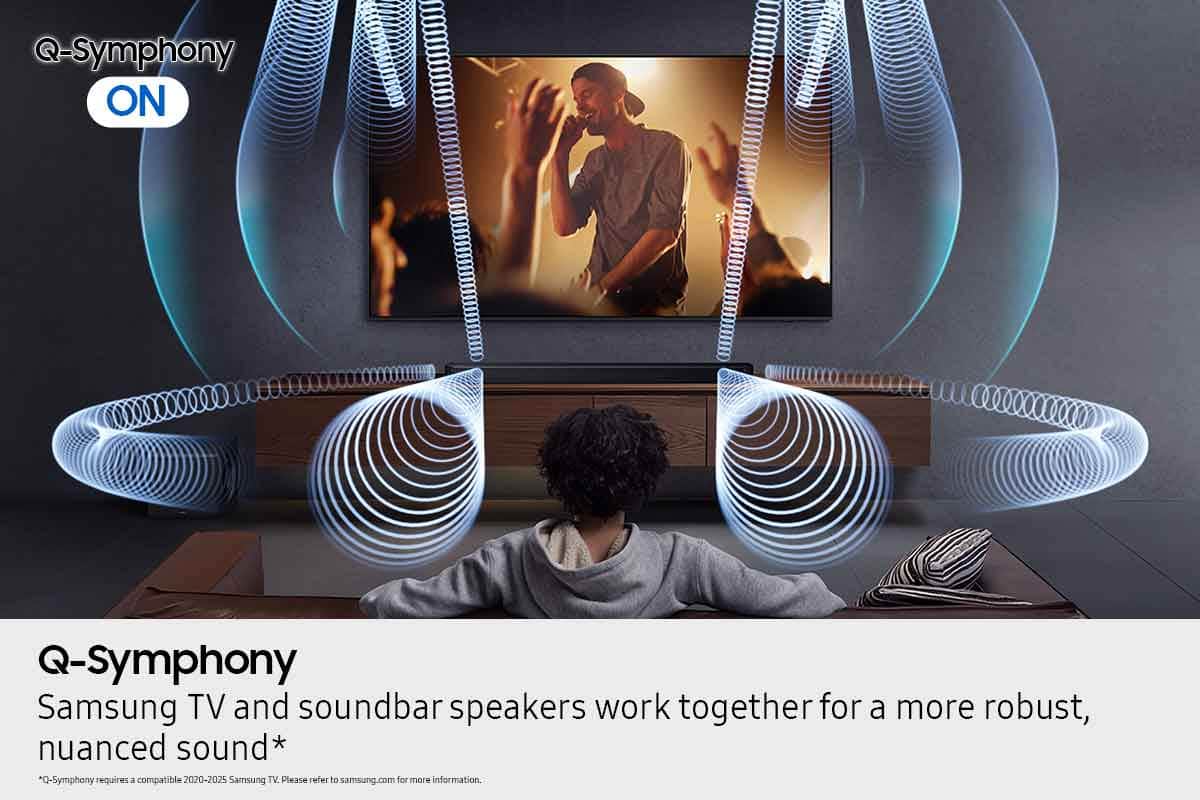
Posted .This reviewer received promo considerations or sweepstakes entry for writing a review.The Samsung soundbar delivers great sound, a noticeable improvement even after 10 years of a Sony system. The Samsung symphony with the Samsung TV creates a fantastic home theater sound experience.
I would recommend this to a friend Incredible immersive audio and easy setup
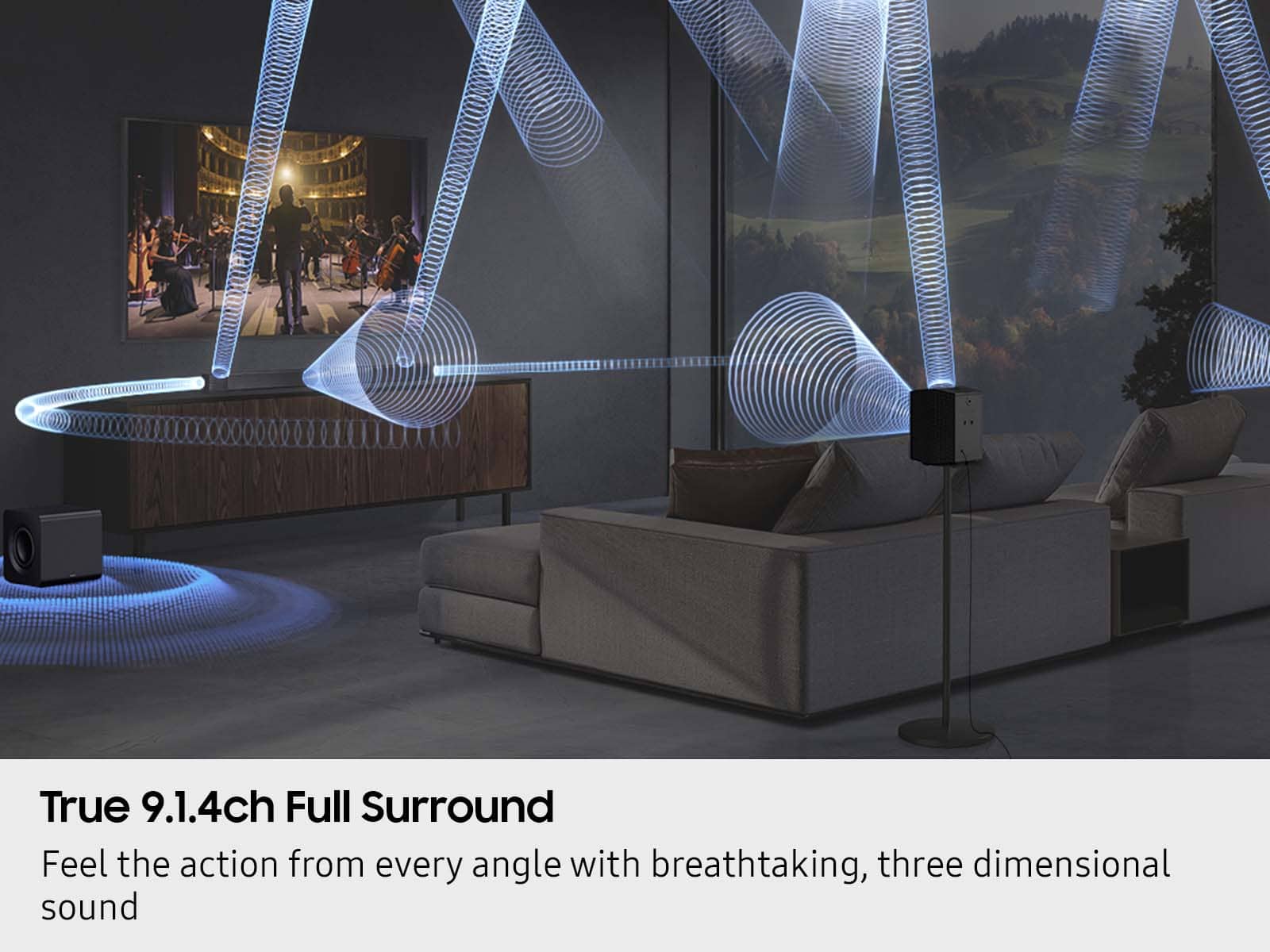
Posted .This reviewer received promo considerations or sweepstakes entry for writing a review.The HW-Q930F is fantastic. It delivers crisp, powerful audio that really brings movies and gaming to life. The 9.1.4ch system, including the wireless rear speakers and subwoofer, creates a truly expansive soundstage. I love the Q-Symphony feature which pairs with my Samsung QN90C TV speakers. Very little lag, great bass, and excellent spatial audio. Definitely worth the price for a premium, hassle-free surround sound experience.
I would recommend this to a friend- Pros mentioned:Sound quality
Best placement
Posted .This reviewer received promo considerations or sweepstakes entry for writing a review.Best sound to get into the show and environment that makes you feel like your there.
I would recommend this to a friend Glitchy soft, Sound great
Posted .This reviewer received promo considerations or sweepstakes entry for writing a review.Loud. Loved the subwoofer new design. Sound is directed to you and with Q-Symphony it is just great. Paired with S95F. It might be that wired HDMI-EARC is a bit glitchy,. On PC I have constant loss of sound in auto mode. For now only solution found was to put Pass Through signal. And still it sometimes disconnects. Because of that I miss dialogues and that is quite frustrating. Great system, but glitchy software. Because of that you lose understanding of the price tag. Something you do not expect from a 6k USD setup
I would recommend this to a friend- Pros mentioned:Sound quality
Count on Samsung if you want Quality!
Posted .This reviewer received promo considerations or sweepstakes entry for writing a review.Samsung only makes the best! The Q-Series Soundbar w/Subwoofer + Rear Speakers made my TV viewing experience extra special. Count on Samsung if you want quality!
I would recommend this to a friend Old to new
Posted .This reviewer received promo considerations or sweepstakes entry for writing a review.Love the sound system. It replaces an old one that did not have a center voice system. This one is great.
I would recommend this to a friendGreat Purchase
Posted .This reviewer received promo considerations or sweepstakes entry for writing a review.Great product!It provides a great listening experiences for all types of shows and sports.Extremely easy to use
I would recommend this to a friendGreat soundbar
Posted .This reviewer received promo considerations or sweepstakes entry for writing a review.We live this sound bar it works great with our Samsung tv as well.
I would recommend this to a friend