Customer Ratings & Reviews


- Model:
- UBD-M8500/ZA
- SKU:
- 5855304
Rating by feature
- Value
Rating 4.5 out of 5 stars
- Quality
Rating 4.7 out of 5 stars
- Ease of Use
Rating 4.6 out of 5 stars
Customers are saying
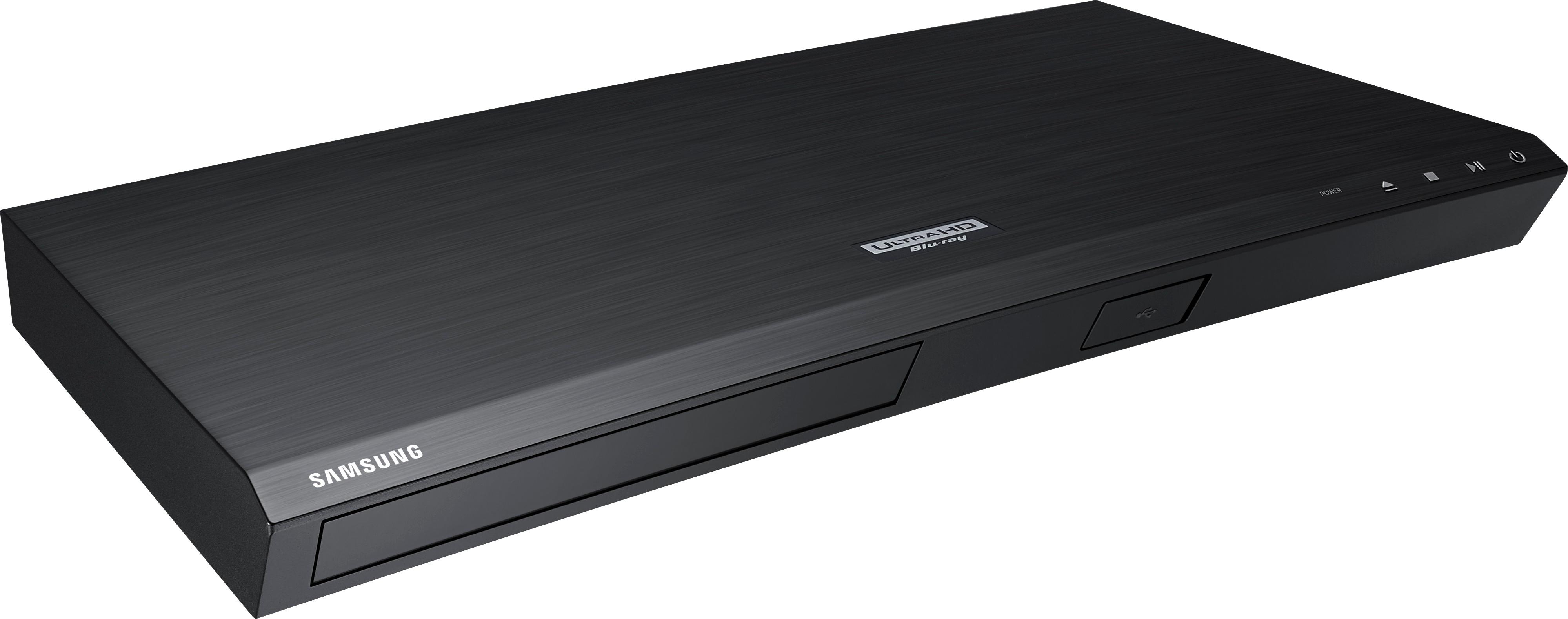
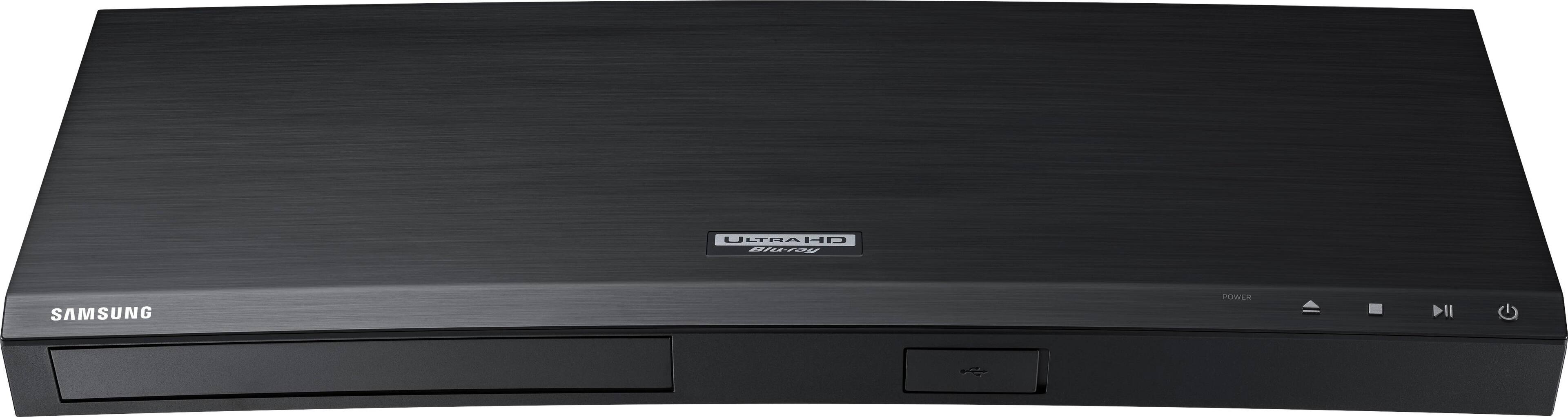
Customers recognize the Streaming 4K Ultra HD Audio Wi-Fi Built-In Blu-ray Player's exceptional picture quality and ease of use. Many appreciate its 4K capabilities and the convenience of built-in Wi-Fi for streaming. While some users found the remote control needed improvement and noted occasional operational issues, the overall positive feedback highlights the player's strong performance and value. The sleek design and good upscaling features were also frequently praised.
This summary was generated by AI based on customer reviews.
Not good don’t buy
||Posted . Owned for 3 weeks when reviewed.This reviewer received promo considerations or sweepstakes entry for writing a review.Does not play 4K disk. I would not recommend I am trying to get a replacement thur Samsung.
No, I would not recommend this to a friendWho knows?
||Posted . Owned for 3 weeks when reviewed.This reviewer received promo considerations or sweepstakes entry for writing a review.It's been a week since system install. This component is still not hooked up.
No, I would not recommend this to a friend- Cons mentioned:Remote control
Good 4K player for the price
Posted .This reviewer received promo considerations or sweepstakes entry for writing a review.Works well playing 4K discs and also up-converting blu ray movies. Good features for the money. Can control the player with my Sony TV remote. Kinda miss a front display, but you can easily bring up disc info pressing pause on the remote. Remote is VERY basic. When setting the TV control buttons on the remote to control a non Samsung TV, I found the instructions in the manual very confusing. The manual shows the numbers 1-0 in the illustration, but what you can't see is the button text under the number. Additionally the example does not specify the button name for the numbers. I was bringing up the numbers using the 123 button and that just did not work. To help anyone else that is having a problem, this is the correct way to do it. Using Remote Control Buttons to Enter TV Codes: 1. Press and hold the (TV Power) button. 2. While holding the (TV Power) button, press the buttons on the remote that correspond to a two-digit TV Code from TV list. Use the key below as a guide for the numbers. 123 button = 1 DISC MENU button = 2 POP UP button = 3 UP = 4 LEFT = 5 RIGHT = 6 DOWN = 7 RETURN = 8 HOME = 9 TOOLS = 0 For example: To enter code 01, while holding down the TV power button, press the TOOLS button for 0 and then press the 123 button for 1. I did call Samsung support, and they were very helpful.
I would recommend this to a friend - Pros mentioned:4k
The Samsung UBD-M8500 is excellent
Posted .This reviewer received promo considerations or sweepstakes entry for writing a review.I was already using a UBD-M8500 in the bedroom of my house on an LG 4k TV and it worked great. I wanted a second UBD-M8500 to use in the living room on a Samsung 4k TV, so I bought another one at BB. The UBD-M8500 does a very good job playing 4k HDR disks, regular blu ray disks, and dvd disks. The upscaling of regular blu ray disks and DVDs to near 4k quality is excellent. Samsung has an excellent app store, where you can find the major apps to install such as: Netflix, Vudu, Fandango Now, Roku Channel, Google Play Movies, Amazon Video, Crackle, Youtube, Accuweather, Pandora Radio, Amazon Music, and many more. The blu ray player is DLNA certified, so you can play mp3 music and mp4 video files from a device such as WD MyCloud or even a usb thumb drive. The Wifi works great. The blu ray player also has a built in web browser too.
I would recommend this to a friend - Cons mentioned:Remote control
Too Expensive + Too Much Headache
Posted .This reviewer received promo considerations or sweepstakes entry for writing a review.So you buy an expensive Blu-Ray, install and it is all good. Then when you actually decide to watch a movie you find out your remote control is not working. Then you go online just to find out is a COMMON complaint!!!! And, to make matters even worse, NO REPLY from Samsung, just a bunch of customer exchanging information on little tricks you can try to make it work...Then you publish a post asking for an actual Samsung reply, and what you get back? NOTHING.... So, the Blu-Ray is still useless than you try to contact them, and find out you need support to fill out a form requesting support!!!! After 4 hours chatting with Customer Support you put in a request for service just to find out that your headache is just starting. Now you have to wait for them to contact you - of course they did ONCE at 7 am on a Saturday morning, and that was it. Then you have to try calling them since for Samsung case closed! After a customer service tell you they are going to send you a label by email for you to send the unit back for service!?!?! Wait a minute...it is brand new, but besides the fact that you will not have a unit for a X period of time, now you need to print a label, go to a UPS store, get a box, pack and send it. I did not sign up for that, it is brand new, they should be very apologetic, and send another unit to swap, or AT LEAST the box with a label and everything, after all, you bought a BRAND NEW product and now won't have for who knows how long. Well, that was not enough, the customer service hang up on me. So I called again and asked for a supervisor to have my case escalated because now I want my money back, and nothing to do with Samsung at all anymore. 40 minutes waiting while the Customer Service Supervisor that really understood how frustrating it was trying to transfer me to customer relations. Guess what, I got again a non-customer service skills attendant that told me I could download the manual from a computer to see how to place the unit in a box...I think he just called me stupid...I then asked him to read the case, and now it was not even a matter of case no case, I just want to return the unit and my money back. He then said that I have to deal with the store, but the store has a 30 days return policy...according to him, Samsung stand buy their products bought from Samsung store...So, be aware that any other store that sells Samsung, the manufacturer has NOTHING to do with it!!!! Amazing, now I ask, is 12 months warranty, right?! So, it is not working for less than 2 months, how do we handle that?!?!? DO NOT BUY, RUN, RUN FAR AWAY from this product, if you do not want to spend a lot of money in something that won't work but give you a lot of headaches instead.
No, I would not recommend this to a friendBrand response from MrSamsung
Posted .mrvvolpe,
Thank you for purchasing the Samsung Soundbar System. and for bringing your concerns to our attention.
I apologize for the unfortunate experience you had in trying to fix the remote control issue.
Please know that Samsung is committed to providing the best possible product experience, quality, and value, and your feedback will be shared with our product and customer care teams.
Again, thank you for taking the time to share your experience and provide us with information that helps improve our products and service.
-Samsung Ambassador
- Pros mentioned:Picture qualityCons mentioned:Remote control
Lousy Remote! Great Picture!
Posted .This reviewer received promo considerations or sweepstakes entry for writing a review.For $100 this was a great deal refurbed. Great picture but the remote is the worst remote I ever owned. First off it uses CR2520 batteries so no rechargables. Second it stops working til I R&R the battery then works only for a while and I just use the buttons on the front for playing but can’t use it for finding internet YouTube or other apps must have a functioning remote I see no other complaints here about this remote so I’ll try replacing the battery next to see if that helps before complaining to Samsung for a new remote. Just got a replacement sound bar from VIZIO that kept disconnecting from the remotes after 5 minutes!
I would recommend this to a friend - Pros mentioned:Picture quality
4k player keeps freezing
Posted .This reviewer received promo considerations or sweepstakes entry for writing a review.This unit does have good picture and sound, but has frozen on its playing of (3) new 4K discs: Kong Skull Island, The Legend of Tarzan and Wonder Woman. When it froze on the 1st 4k disc (Kong), it kept freezing in the same place multiple times. I took the disc back to Best Buy to have them play it on the same Samsung 4k player at their store. The Kong 4k disc froze in exactly the same place on their Samsung 4k machine. I exchanged the 4k disc for another Kong 4k disc thinking it was the disc. When my Samsung 4k player froze on a new Wonder Woman 4k disc, it was just as she was to make her appearance as Wonder Woman for the 1st time. When it un-froze, it had jumped ahead to where the battle for the town had just ended. Again, I took the disc back to Best Buy to exchange it for the same movie. When the 4k player froze on the 4K Tarzan disc, I got fed up and bought a Sony 4k player. After installing the new Sony 4k player at home, it played all three 4k discs without error.
No, I would not recommend this to a friendBrand response from MrSamsung
Posted .garyg111,
Thank you for your review of this Samsung UBD-M8500 Ultra HD Blu-ray Player
I am sorry to hear that you were not completely satisfied with it. Your overall customer experience feedback is important to us and we will document your concerns.
Should you ever decide to give Samsung products another try and have concerns or questions, please know we are always here to help. You can contact Samsung Customer Support toll-free at 1-800-SAMSUNG or via LiveChat or email.
Please copy-paste this link into your browser: http://www.samsung.com/us/support/contact
We are likewise reachable on our Samsung Support Facebook page at: https://www.facebook.com/samsungsupport/app/158125230916392/
-Samsung Ambassador
Great Interface, Loud player, Skipping Issues
Posted .This reviewer received promo considerations or sweepstakes entry for writing a review.Like you, after getting a proper 4K TV setup, I was pretty excited to enter the world of UHD Blu-Ray. Despite doing quite a bit of research on various brands with slightly better reviews, I figured that this player would be an obvious match to my 2016 55' Samsung 4K set. Turns out, I really should have trusted the more critical reviews that tested different players side by side. While this has an exceptional user interface that looks great and is easy to navigate, the cold hard fact of that matter is that Samsung Smart TV's have a nearly identical, not to mention faster, interface for their built-in streaming-service apps. So, for me, it was all about how it handled UHD discs. The first thing you'll notice is that this player loud as heck during most menu-screens and towards the end of features. It was like a flashback to those early set-top DVD players from back in the day, where you can hear the motor absolutely shaking the entire unit as spins the disc, change layers, or navigate to different chapters. I've read that this issue might only affect models made by a certain manufacturing date, but really, come on, tracking down that info for something you're are buying from Best Buy is probably not in the cards, nor something most people would think about. I have to admit, despite having the also-loud PS4 Pro as part of our setup, the noise was distracting and disheartening, especially during quiet moments of movies. On top of this issue, the player struggled with the three 2017 UHD discs I tested, even after I ensured that the firmware was up to date. For Guardians of the Galaxy Vol 2, there would be intermittent audio-drop outs throughout the film, about 6 in total, where all audio would just stop for a second or two. Many gags were ruined. Close Encounters of the Third kind had similar issues, but nothing broke my heart quite like the brand new E.T. Anniversary Edition UHD disc. The player couldn't make it past the 12-minute mark no matter what I tried. It would start with artifacts, then the frame-rate would slow down and ramp up, then it would start skipping before totally freezing. Thinking I might be pushing the player too hard, I reset all settings to default, enabled and disabled settings, and just about tried everything including getting a brand new HDMI cable. Nothing worked. I returned the player and exchanged it for the Sony UBX-800 and couldn't be happier. The interface isn't as slick, but its faster, quieter, and played all three discs brilliantly without any hiccups. I know you are excited to get into this world and I know we all love Samsung, but I'm telling you, do NOT get this if you want a pain-free trip in the world of UHD Blu-Ray.
No, I would not recommend this to a friendBrand response from MrSamsung
Posted .BigCole,
Thank you for your review of this Samsung Ultra HD Blu-ray Player
I am sorry to hear that you were not completely satisfied with it. Your overall customer experience feedback on the audio skipping issue is important to us and we will document your concerns.
Should you ever decide to give Samsung products another try and have concerns or questions, please know we are always here to help. You can contact Samsung Customer Support toll-free at 1-800-SAMSUNG or via LiveChat or email.
Please copy-paste this link into your browser: http://www.samsung.com/us/support/contact
We are likewise reachable on our Samsung Support Facebook page at: https://www.facebook.com/samsungsupport/app/158125230916392/
-Samsung Ambassador
- Pros mentioned:Picture quality, Wi-fi
Great DVD Player
Posted .This reviewer received promo considerations or sweepstakes entry for writing a review.This looks great. Goes with the T.V. I got. The wireless works great. It comes with apps already on it. Plays 4K and regular DVDs. The only issue I have it does not comes with an HDMI Cable. I had to go back and pick one up. Other than that it works great.
I would recommend this to a friend - Pros mentioned:Picture quality
I'm Happy With It
Posted .This reviewer received promo considerations or sweepstakes entry for writing a review.I bought this on sale. I still think they are overpriced but I was impressed with the picture. It has even breathed new life into my DVD's!
I would recommend this to a friend - Pros mentioned:Ease of use, Wi-fi
Exactly what I needed
Posted .This reviewer received promo considerations or sweepstakes entry for writing a review.I had a wired BR and needed a wireless one as I was tired of rearranging to update it. This was perfect. It also made it easier to watch Netflix and stuff. As my TV would tend to shut off during netflix.
I would recommend this to a friend - Pros mentioned:4k, Picture quality
4K Blu-ray
Posted .This reviewer received promo considerations or sweepstakes entry for writing a review.When we bought our first 4K TV I decided to get a 4K Blu-ray for it. they look great together so I am glad for the purchase.
I would recommend this to a friend - Cons mentioned:Remote control
good high end blu ray player
Posted .This reviewer received promo considerations or sweepstakes entry for writing a review.this is a great player with all the features - UHD, 4K upscaling, and smart. and wireless. I would have been OK w/o upscaling and smart since the TV Samsung M8000 has those. but this units was on sale for less than the next lower model. I got the Samsung because I had a Samsung TV and hoped they would play well together. - they did but the remotes are too similar and therefore confusing,,, because they are not similar enough.
I would recommend this to a friend Amazing picture
Posted .This reviewer received promo considerations or sweepstakes entry for writing a review.I purchased this product a few days ago. I tried to connect it to LG OLED. I discovered after many trial and error, there is a problem with connection to LG brand. I took it to Samsung, smaller screen and much older than LG. It worked just fine. I had an older Samsung Blue Ray and experienced the same problem. I called Samsung, and was quickly connected. The rep could not help either. I am writing this review mainly to make Samsung aware of this problem and also warn the prospective consumer. I am keeping the device and looking for Blu Ray which can connect to LG OLEd.
I would recommend this to a friendOverpriced Unstable Device
Posted .This reviewer received promo considerations or sweepstakes entry for writing a review.I have to replace this player with another Blu-Ray player. I can't even get thru a movie, with out it shutting down 6 times. Can't play mp4 files from usb drive. Years ago we had a Samsung DVD Player that kept shutting down. It seems Samsung still hasn't fixed the issue. Don't believe I'll be purchasing a Samsung Blu-Ray/DVD Player again. I spent too much for an unstable player. Not impressed!
No, I would not recommend this to a friend- Pros mentioned:Picture quality
Great for the price
Posted .This reviewer received promo considerations or sweepstakes entry for writing a review.Product was promptly shipped and received as advertised. Installed easy (to Samsung TV and soundbar). Very good picture quality for bluray, haven't tried a 4K video yet.
I would recommend this to a friend - Pros mentioned:Picture quality
Great player
Posted .This reviewer received promo considerations or sweepstakes entry for writing a review.Amazing with the new tv! Great picture quality and love that the tv remote works for it.
I would recommend this to a friend - Cons mentioned:Remote control
Junk Remote
Posted .This reviewer received promo considerations or sweepstakes entry for writing a review.The remote control on this thing is total garbage. The buttons get pushed in and stay in and not all buttons are duplicated on the front of the device. The remote felt good in my hand initially but as soon as you push a button it gets stuck inside the case and won't come out. DO NOT BUY THIS DEVICE.
No, I would not recommend this to a friendBrand response from MrSamsung
Posted .TwistedHighway,
Thank you for your review of this Samsung UHD Blu-ray Player.
I am sorry to hear that you were not completely satisfied with the user experience.
Your feedback is very important to us and will be shared with our product team.
Should you need assistance with features or usage, please contact Samsung Customer Support toll-free at 1-800-SAMSUNG and a representative will gladly help you.
You can also contact Samsung via LiveChat or email. Please copy-paste this link into your browser: http://www.samsung.com/us/support/contact
We are likewise reachable on our Samsung Support Facebook page at: https://www.facebook.com/samsungsupport/app/158125230916392/
Again, thank you for taking the time to share your experience and provide us with information that helps improve our products and service.
-Samsung Ambassador
READ FIRST! Samsung will also retain your info!
Posted .This reviewer received promo considerations or sweepstakes entry for writing a review.I am a Best Buy Elite customer and this is my second time around in returning this unit. I don't believe it's my TV or the HDMI ports. I believe it is the unit and the compatibility to the TV perhaps. I owned an Xbox One just recently and I used that unit for 4-5 years without fail, but got out of gaming and needed a DVD player. Pros: It is a great DVD player when it works and I like the few smart features that I like. Con(s): 1.) Will it work for Sharp Aquos LC-55LE653U ?? I am not thinking so. 2.) I didn't figure it out until last night. What happens is the sound will just cut out on you if you press rewind (maybe fast forward?) using the buttons on the controller. When you again press "play", the video is there, but not the audio. The sound will not come back on. a.) Tried troubleshooting EVERYTHING: different HDMI cables, different ports on the TV, different DVD's. Sometimes it will come back. Most times it wont. b.) Tried Googling online solutions (some via Samsung) and found that there are a plethora of issues with the remote with this unit in regards to it syncing with the unit and/or TV? c.) I ended up downloading a firmware suggested solution. That didn't work. When I had the first Samsung unit I had home, "it appeared to have updated on its own through Wi-fi. The second unit didn't update through Wi-Fi. After using a USB stick and over 45 mins. of my time, it said that there was no update when trying to update directly from the USB. From what I read, the version number should be 1111.9, but the version number that Samsung has you download is v. 1111.4? I don't know who to believe at this point. d.) Also... MOST IMPORTANT!!!!!!!!!!! I wasn't okay with Samsung signing me into my account and logging everything I was doing with that unit just to watch a movie. In order to use the Smart Hub options you have to Agree to the Terms. (which I don't care about that basic stuff) However, when I tried to "Factory Reset" the unit back to bare bones to troubleshoot this problem, it doesn't "truly" "Factory Reset". It only resets in part. When you go through the motions again after the "Welcome" screen if you have entered your Wi-fi router password information into the unit, the DVD unit retains that password. I didn't know that until after the fact. The way you know if its been "truly" factory reset is the annoying Samsung music when you very first power on the unit. I am more than done and have done my due diligence. I am returning it and not looking back to Samsung for my DVD player. needs. Now I know why the price dropped SIGNIFICANTLY within the last couple of weeks or so. (sigh)
No, I would not recommend this to a friendNo 3D! Whaaaaaa???
Posted .This reviewer received promo considerations or sweepstakes entry for writing a review.It appears Samsung has dropped 3D. Even though it's advertised here as having 3D. So frustrated! Either i keep it or go for last years model.. Other than that it's great, C'mon Samsung support all the formats!!! I'm not giving up on my 3D collection! If you don't have or care about 3D you are good to go with this model..
No, I would not recommend this to a friend