Customer Ratings & Reviews
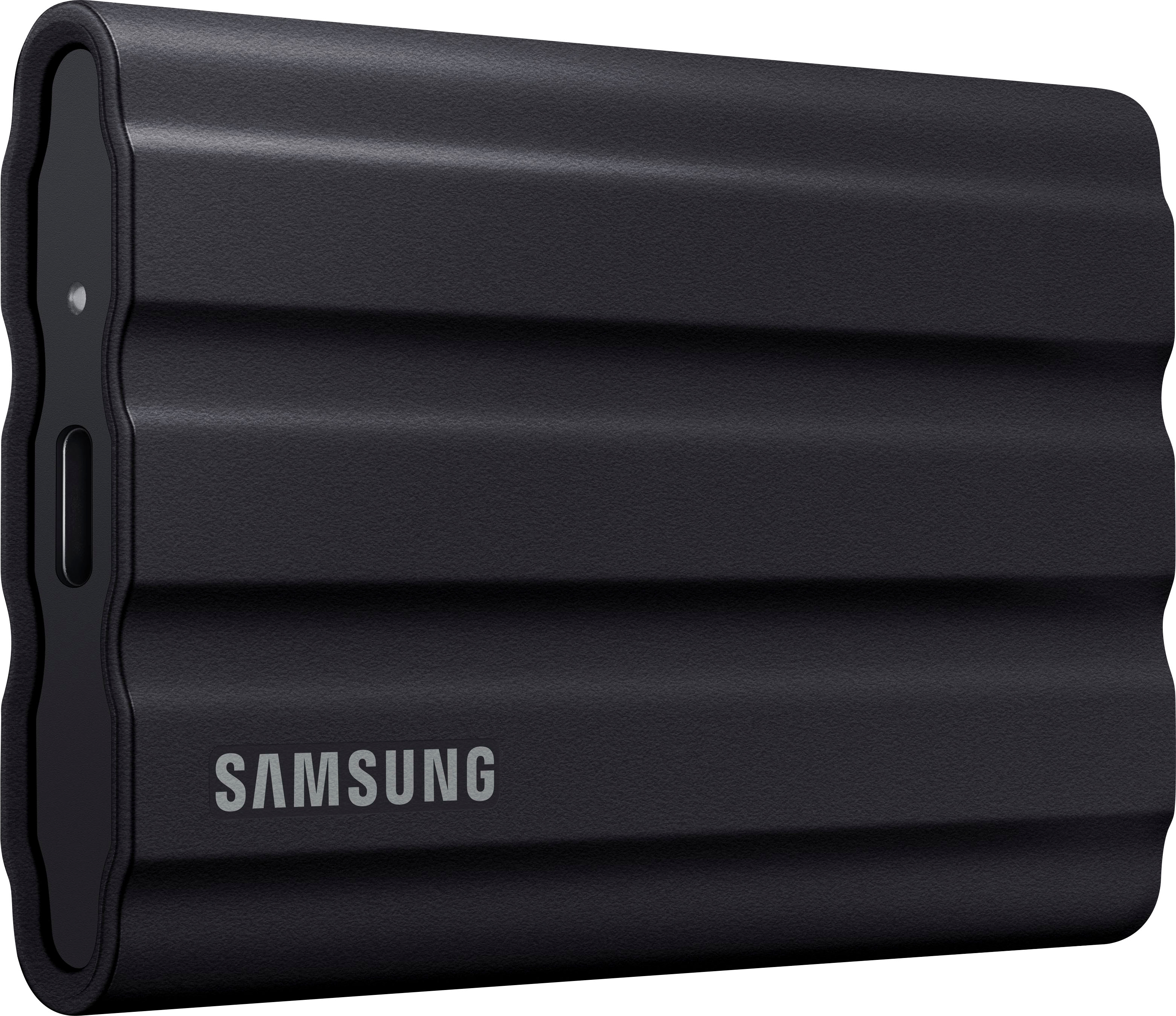


- Model:
- MU-PE1T0S/AM
- SKU:
- 11013115
Rating by feature
- Value
Rating 4.7 out of 5 stars
- Quality
Rating 4.9 out of 5 stars
- Ease of Use
Rating 4.8 out of 5 stars
to a friend
Speedy SSD
||Posted . Owned for 1 month when reviewed.This reviewer received promo considerations or sweepstakes entry for writing a review.I am very satisfied with my purchase of the Samsung SSD rugged portable drive. Very snappy and transfer speeds are super fast. Way faster than my hard drive.
I would recommend this to a friendHardly Needed
||Posted . Owned for 3 weeks when reviewed.This reviewer received promo considerations or sweepstakes entry for writing a review.Complicated - it was easier to use a 1T Flashdrive
No, I would not recommend this to a friendBrand response from Samsung
Posted .DeanP:
I’m sorry for the difficulties with your T7 Shield. We understand your frustrations and are here to help.
We would love the opportunity to investigate this for you so we can provide additional troubleshooting assistance.
Please contact Samsung Customer Support directly so that we can better investigate your issue and assist you towards a resolution .
1) Call: 1-800-SAMSUNG (ask for Memory or press #, then 6 for Memory products)
Available 9AM – 9PM EST (Mon-Fri)
2) Email: samsungmemorysupport@sea.samsung.com
3) Or visit us on the Samsung website and click on the SUPPORT link in the upper right corner of the homepage for:
a) Chat with Us/Product Help: To begin a chat or find solutions, choose ‘Computing – Memory & Storage’ and select your model & topic.
We hope to hear from you soon.
- Samsung Memory
Software not compatible for Mac OS
||Posted . Owned for 3 weeks when reviewed.This reviewer received promo considerations or sweepstakes entry for writing a review.Software does not install on Mac OS. The product is sturdy and good.
I would recommend this to a friendBrand response from Samsung
Posted .Kartik:
Thank you for purchasing the Samsung T7 Shield SSD and for your feedback regarding your drive and Mac OS.
This symptom may occur on some Mac OSXs due to the Apple policy that requires user approval when installing third-party software not directly distributed by Apple.
Please follow these troubleshooting guidelines.
You may see the “System Extension Blocked” message appears when installing the Samsung Portable SSD software, and the “No Samsung Portable SSD is connected” message appears when executing the Samsung Portable SSD software.
Open “Security & Privacy” in “System Preferences” menu and click “Allow” next to the message “System software from developer “Samsung Electronics” was blocked from loading”
If the symptom persists even after you follow these troubleshooting guidelines, please contact Samsung Customer Support.
1) Call: 1-800-SAMSUNG (ask for Memory or press #, then 6 for Memory products)
Available 9AM – 9PM EST (Mon-Fri)
2) Email: samsungmemorysupport@sea.samsung.com
3) Or visit us on the Samsung website and click on the SUPPORT link in the upper right corner of the homepage for:
a) Chat with Us/Product Help: To begin a chat or find solutions, choose ‘Computing – Memory & Storage’ and select your model & topic.
b) Manuals & Software
c) Warranty Info
d) Register a Product: For access to easy warranty support, convenient opt-in to special promos and offers, faster troubleshooting and service, and quick notification of system updates
e) Contact Us
Samsung is committed to providing the best possible product experience, quality, and value, and we are always here to help with any of your questions or concerns.
- Samsung Memory
wrong item.
||Posted . Owned for 3 weeks when reviewed.This reviewer received promo considerations or sweepstakes entry for writing a review.had saved to buy. this was not it. payed to much. at least I will get refunded. I hope.
No, I would not recommend this to a friendBrand response from Samsung
Posted .Ahhg:
Thank you for sharing your review of Samsung’s T7 Shield SSD. We’re sorry your experience didn’t match your expectations. Should you ever decide to give Samsung SSD products another try and have concerns or questions, please know we are always here to help.
1) Call: 1-800-SAMSUNG (ask for Storage Devices). Available 9AM - 12AM EST (Mon-Fri)
2) Email: samsungmemorysupport@sea.samsung.com
3) LiveChat 9AM-9PM EST (Mon-Fri) - https://www.livehelpnow.net/lhn/lcv.aspx?d=34834&ms=&zzwindow=0&lhnid=29783
We hope you will consider Samsung again in the future.
- Samsung Memory
Excellent Rugged Portable Hard Drive Store
||Posted . Owned for 1 month when reviewed.This reviewer received promo considerations or sweepstakes entry for writing a review.Samsung has designed a good, rugged portable hard drive. It performs as designed.
I would recommend this to a friendSamsung - T7 External USB 3.2 Gen 2 Rugged SSD
||Posted . Owned for 3 months when reviewed.This reviewer received promo considerations or sweepstakes entry for writing a review.I bought Samsung - T7 Shield 1TB External USB 3.2 Gen 2 Rugged SSD on Sale.
I would recommend this to a friendInstructiins not clear..
||Posted . Owned for 1 month when reviewed.This reviewer received promo considerations or sweepstakes entry for writing a review.Not very technical. I think its downloaded on laptop. Instuctiion videos helped. The instructions were not best in leaflet.
I would recommend this to a friend
Super Fast External SSD, Nice Case
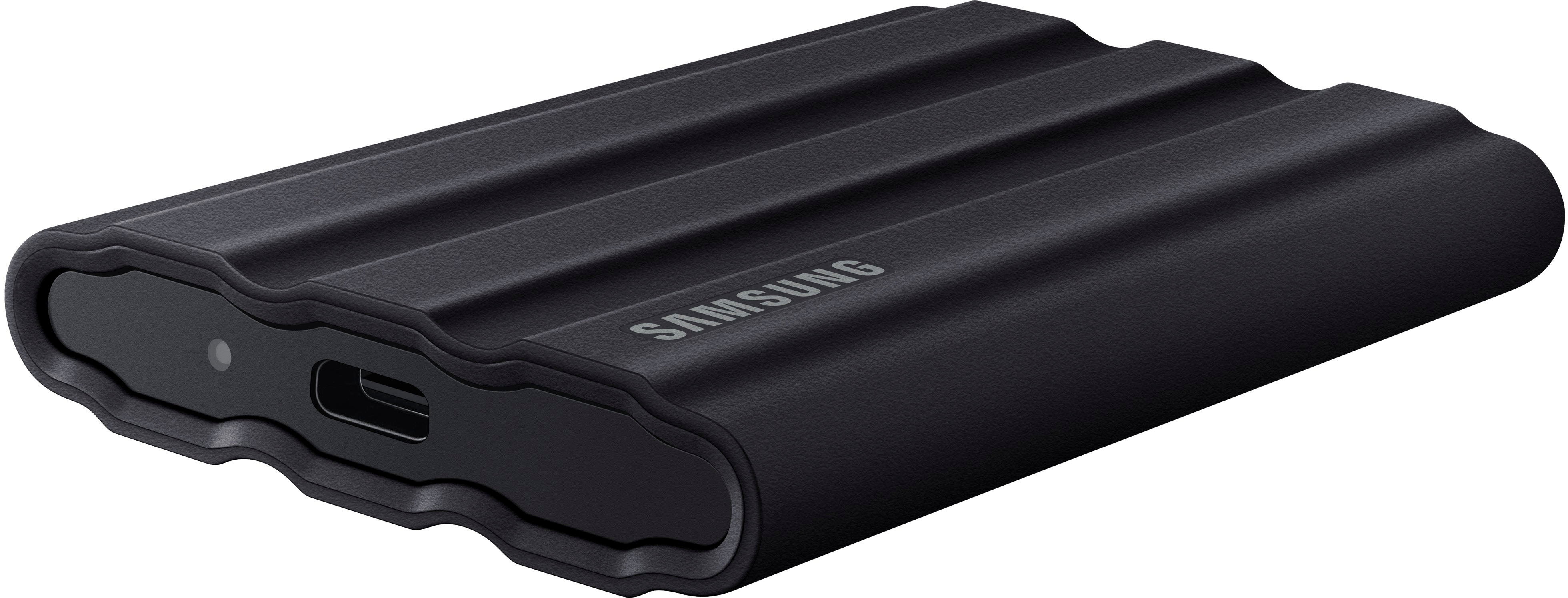
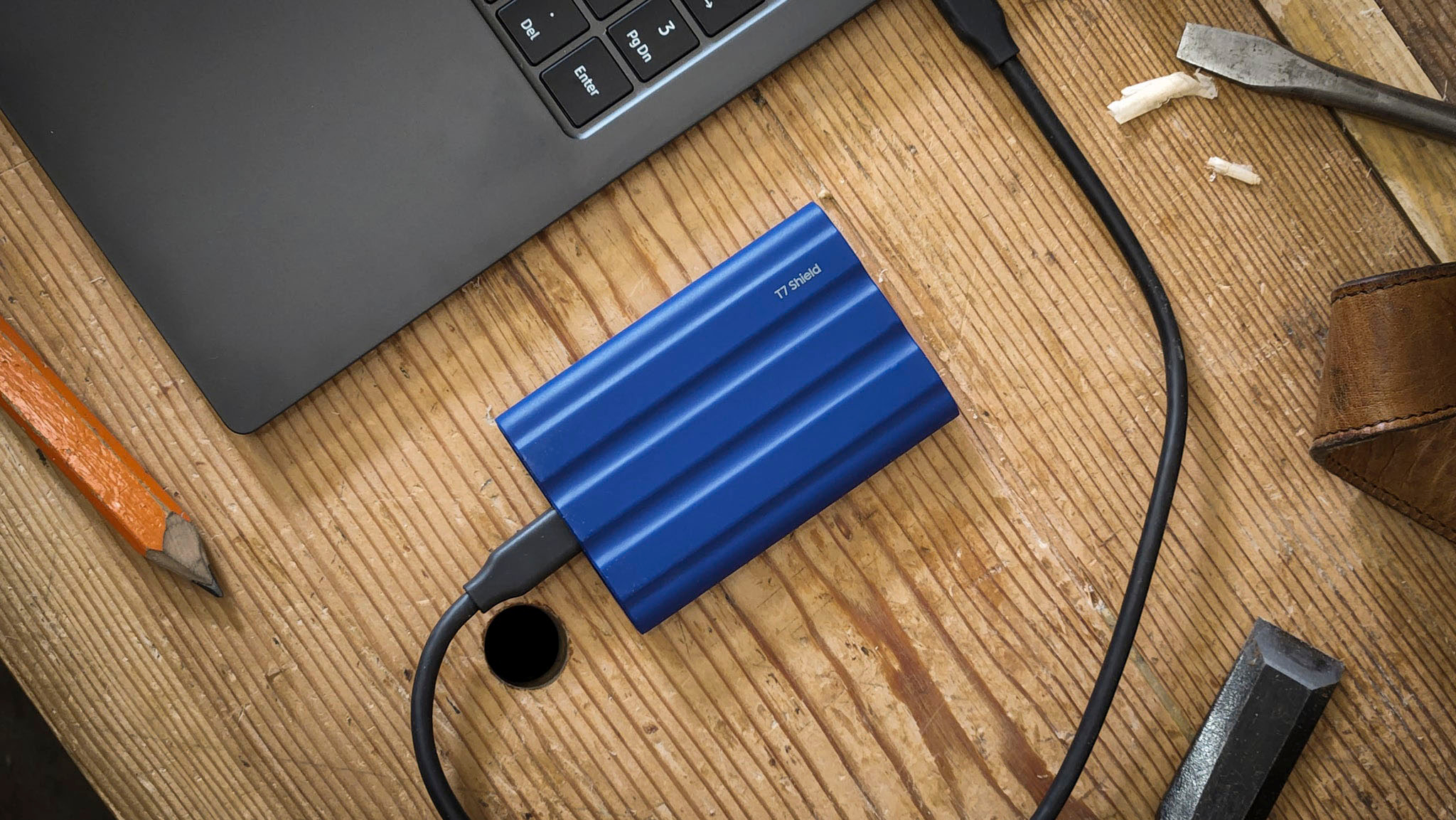
|Posted .This reviewer received promo considerations or sweepstakes entry for writing a review.Samsung has great products in the Tx line. I have used prior Samsung external SSDs and found them to be very functional. The T7 Shield has improvements in all the key areas of speed, dust prevention and water resistance. The optimal speed ratings do require cables that support USB 3.2 Gen 2 with UASP mode enabled. One of the nicest features is the soft rubber coating. This coating shape improves heat dissipation but maybe more importantly is very tactile and will help you avoid dropping the device which at times is a problem I have encountered with smooth sided external SSDs. The physical design is such that when you place the device on a table, there is airflow allowed underneath the unit – tip of the cap to the Samsung engineers for that design point. The size is not the current smallest, but is smaller than all the external SSDs I have used before. It comes with some utility files installed on the unit; you can take advantage of those or just remove them. One very nice feature is a 3 year parts and labor warranty. Samsung supplies this unit in different colors which is an extra benefit so you can identify your records by color if you like. I would recommend this unit highly, great design points
I would recommend this to a friendThere’s better options….,
||Posted . Owned for 3 weeks when reviewed.This reviewer received promo considerations or sweepstakes entry for writing a review.No my as compatible with iOS as suggested. Not as compatible with a 2015 MacBook air as suggested. Best Buy Two week return period is a joke.
No, I would not recommend this to a friendBrand response from Samsung
Posted .AaronF:
I’m very sorry for the difficulties you’ve experienced with your T7 Shield SSD and MacBook Air. We completely understand your frustrations, and we are here to help.
The issue may be that you are unable to setup security with the SSD software. Please uninstall the software and download the current version (Portable SSD Software 1.0 for Mac, Version 1.7.4) at:
https://www.samsung.com/semiconductor/minisite/ssd/download/tools/
If you need further assistance, please reach out to us at Samsung Memory Support:
1) Call: 1-800-SAMSUNG (ask for Memory or press #, then 6 for Memory products)
Available 9AM – 9PM EST (Mon-Fri)
2) Email: samsungmemorysupport@sea.samsung.com
3) Or visit us on the Samsung website and click on the SUPPORT link in the upper right corner of the homepage for:
a) Chat with Us/Product Help: To begin a chat or find solutions, choose ‘Computing – Memory & Storage’ and select your model & topic.
b) Manuals & Software
c) Contact Us
The Samsung Members Community is also a great resource for getting help from Samsung moderators and customers: https://us.community.samsung.com/
Samsung is committed to providing the best possible product experience, quality, and value, and we are always here to help with any of your questions or concerns.
- Samsung Memory
Samsung's fastest external SSD yet
|Posted .This reviewer received promo considerations or sweepstakes entry for writing a review.Great evolution of an already fantastic external SSD. I have the previous T5 and I thought that was small and fast. The old drive would copy a 3.63GB ISO in 2 min 30 seconds. This new T7 copies them in 2 min 28 seconds. My computer has a fast 1TB Samsung NVME PCIE 4 drive installed. The connection is as fast as it gets. I feel like the improvement I see is the built in Google encryption application to secure my external SSD and the rubber coating that protects it from drops. Also, it is IP65 water resistant. Basically 3 min of water exposure. I like all of those features since you never know when you will drop a portable drive. The coating also protects from heat but I copied 450gb of files and did not see the increased heat so it must be working. This drive is much bulkier than the previous generation so if you have an old case then you would need to replace the carrying case. The only thing I am not seeing is the 1000mb speeds. I see a similar speed of the previous drive. I love the drive. I just wish they included a carrying case.
I would recommend this to a friendBrand response from Samsung
Posted .KKCNIck:
Thanks for sharing your review of Samsung’s T7 Shield Portable SSD.
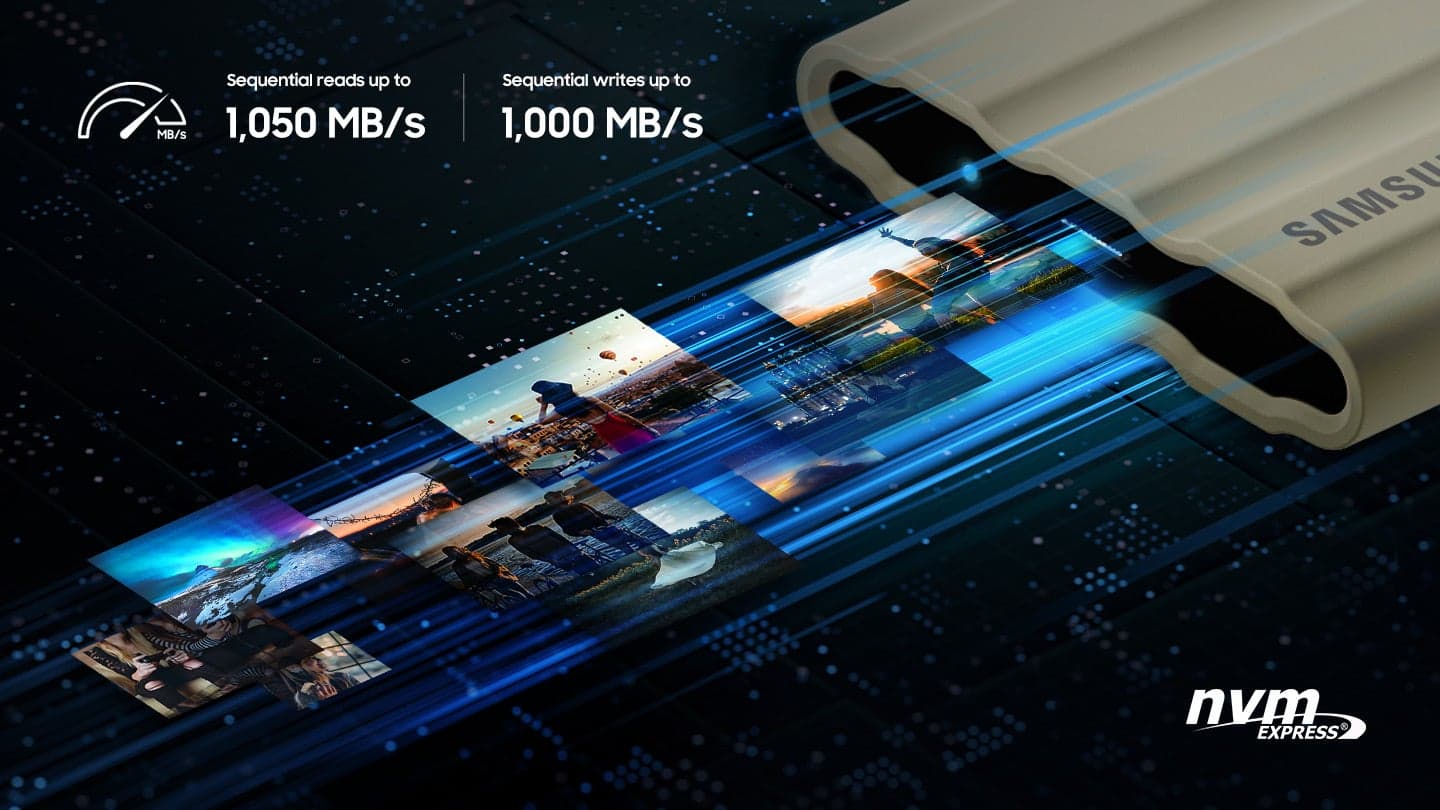
This SSD is designed to transfer massive files in seconds. USB 3.2 Gen 2 and PCIe NVMe achieve soaring sequential read/write speeds of up to 1,050/1,000 MB/s*, allowing you to edit directly from the drive. The high-tech rubber exterior with Dynamic Thermal Guard controls heat to maintain steady performance for even giant projects.
If you ever have any questions or concerns with usage or features, Samsung Customer Support is here to help.
1) Call: 1-800-SAMSUNG (ask for Memory or press #, then 6 for Memory products)
Available 9AM – 12AM EST (Mon-Fri)
2) Email: samsungmemorysupport@sea.samsung.com
3) Or visit us on the Samsung website and click on the SUPPORT link in the upper right corner of the homepage for:
a. Chat with Us/Product Help: To begin a chat or find solutions, choose ‘Computing – Memory & Storage’ and select your model & topic.
b. Manuals & Software
c. Warranty Info
d. Register a Product: For access to easy warranty support, convenient opt-in to special promos and offers, faster troubleshooting and service, and quick notification of system updates
e. Contact Us
The Samsung Members Community is also a great resource for getting help from Samsung moderators and customers: https://us.community.samsung.com/
Thanks for choosing Samsung!
- Samsung Memory
Perfect SSD for on the go!
|Posted .This reviewer received promo considerations or sweepstakes entry for writing a review.I travel a lot, and was looking for something small, but powerful to store my video and picture files so they don’t take unnecessary space and bandwidth up on my laptop. I tested this on my 13” Dell XPS, and the simplicity and transfer speed did not disappoint! It comes with USB C to C and USB A to C cables. I only had to use the C to C since my laptop has a USB C connection built in. But it’s nice that they included the other cable just in case! This is very small and compact, it’s rugged and tough! I lm confident that I could drop this out of my bag and it would be just fine. It has a rubberized grippy texture, and looks nice! It says it’s water resistant, but I’m not going to test that out! I’ll just take their word! I transferred several of my 4K drone videos and pictures, 4K GoPro videos and pictures, and digital camera photos super fast and had 0 issues. I unplugged it and plugged it back in to rest it’s responsiveness and it was flawless. It worked perfectly and I see myself buying a few more of these!
I would recommend this to a friendCompact, Rugged, and Fast SSD
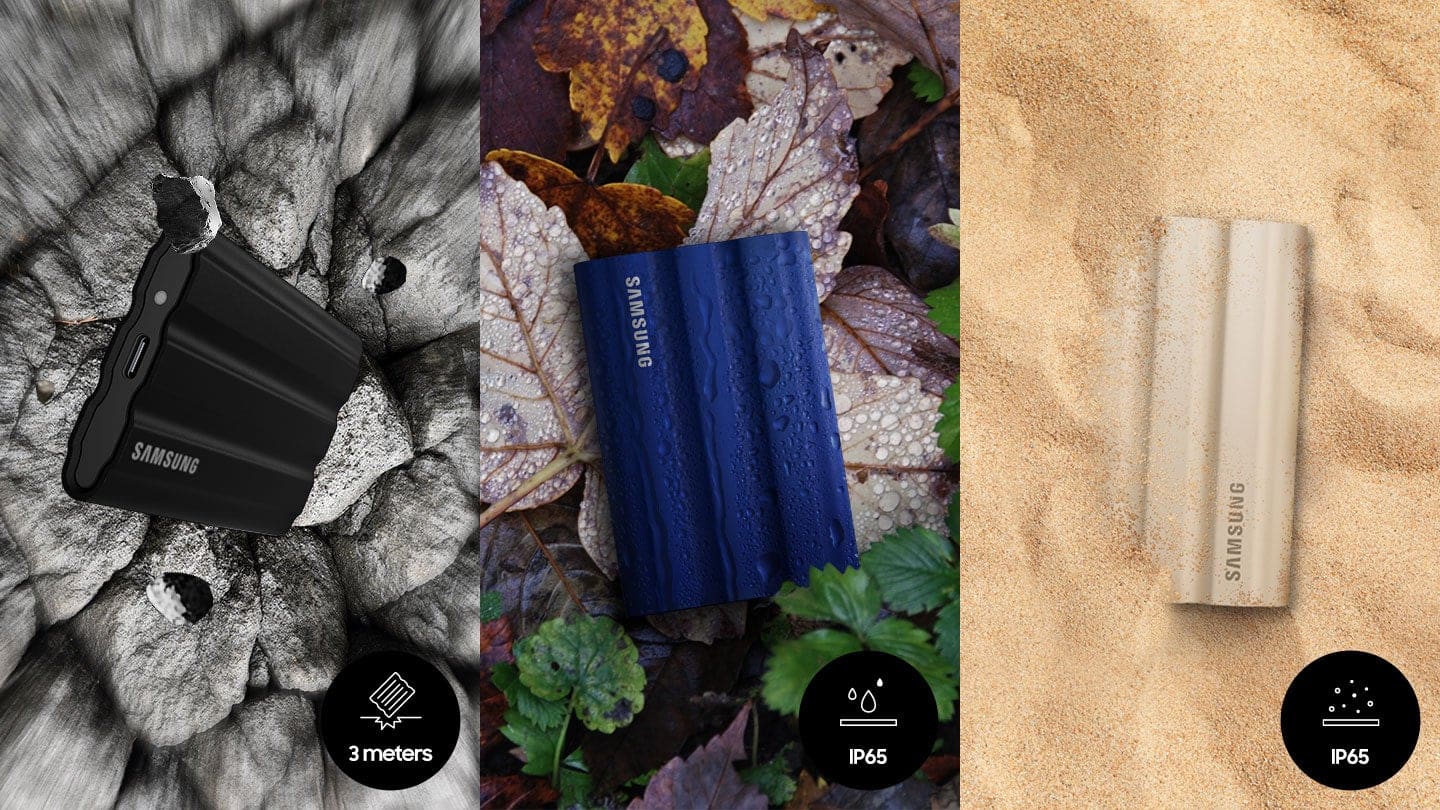
|Posted .This reviewer received promo considerations or sweepstakes entry for writing a review.This is the latest external SSD from Samsung that is built to withstand dust, water, and survive a 9.8-foot drop, with an IP65 rating. The drive supports USB 3.2 Gen 2, that means you can transfer files up to 10Gbps speed and is compatible with Windows and Mac, as well as with iPad and gaming consoles as external storage. The SSD itself has a USB C port, but it comes with USB C to C cable and USB C to A cable for backward compatibility and to plug in to USB A compatible devices. The SSD itself is very compact in size, convenient when traveling. The drive's rubber exterior shell protects and maintains the performance by controlling the heat dissipated. I like that this SSD supports 256-bit AES hardware encryption, thanks to Samsung's Portable SSD Software. I wish the warranty on this would be a bit longer, compared to just three years, but that is a minor gripe. If you are looking for a rugged, durable, and secure drive that can handle day to day toughness, then this drive fits that picture.
I would recommend this to a friendBrand response from Samsung
Posted .Prat:
Thanks for purchasing Samsung's T7 Shield SSD. I am happy to see that this compact drive is meeting your needs.
This drive is designed to transfer massive files in seconds. USB 3.2 Gen 2 and PCIe NVMe achieve soaring sequential read/write speeds of up to 1,050/1,000 MB/s*, allowing you to edit directly from the drive. The high-tech rubber exterior with Dynamic Thermal Guard controls heat to maintain steady performance for even giant projects.
Should you ever have questions or need assistance using this product, please know we’re always here to help.
1) Call: 1-800-SAMSUNG (ask for Memory or press #, then 6 for Memory products)
Available 9AM – 12AM EST (Mon-Fri)
2) Email: samsungmemorysupport@sea.samsung.com
3) Or visit us on the Samsung website and click on the SUPPORT link in the upper right corner of the homepage for:
a. Chat with Us/Product Help: To begin a chat or find solutions, choose ‘Computing – Memory & Storage’ and select your model & topic.
b. Manuals & Software
c. Warranty Info
d. Register a Product: For access to easy warranty support, convenient opt-in to special promos and offers, faster troubleshooting and service, and quick notification of system updates
e. Contact Us
The Samsung Members Community is also a great resource for getting help from Samsung moderators and customers: https://us.community.samsung.com/
- Samsung Memory
Don’t attempt to transfer an older Mac OS
||Posted . Owned for 1 month when reviewed.This reviewer received promo considerations or sweepstakes entry for writing a review.Didn’t support the Mac File type I wanted. I attempted to transfer my 2019 Intel Mac over onto this in order to make it faster but then it didn’t support the file type I wanted
No, I would not recommend this to a friendBrand response from Samsung
Posted .megamike57:
I’m very sorry for the difficulties you’ve experienced with your T7 Shield SSD. We completely understand your frustrations, and we are here to help.
So that we can better assist you with your particular usage scenario, we ask that you please contact us and speak with a Samsung Customer Service representative.
Please contact Samsung Customer Support directly so that we can better investigate your issue and assist you towards a resolution.
1) Call: 1-800-SAMSUNG (ask for Memory). Available 9AM - 12AM EST (Mon-Fri)
2) Email: samsungmemorysupport@sea.samsung.com
3) LiveChat 9AM-9PM EST (Mon-Fri) - https://www.livehelpnow.net/lhn/lcv.aspx?d=34834&ms=&zzwindow=0&lhnid=29783
We look forward to hearing from you soon.
- Samsung Memory
Great Little Drive to Carry Around With You
|Posted .This reviewer received promo considerations or sweepstakes entry for writing a review.As an IT professional, I usually have to transfer all of a client's work from their old computer to their new one and this SSD certainly has the space to copy their home folder no matter how big it is. Also, I am constantly going through multiple flash drives looking for some application, plug-in, document or whatever I need for a job. I have been carrying a keyring full of flash drives and even though I have them labeled, it takes a while to find what I'm looking for. Of course most of the things I carry can be found online or kept in a cloud drive, but it's a lot faster to just pull out a drive and plug it in and copy whatever I need from a this SSD. With this 1TB drive in my pocket, I have enough room to carry everything I might need on a job and have the files organized in a way that makes it a lot easier to locate. This Samsung Portable SSD T7 Shield drive is very small and takes up less room in my pocket that the ring of flash drives. It's covered in a rubber shell that will protect it in the event I bump into something or even drop it and it's water and dust resistant with an IP65 rating. It has a drop resistance of up to 3m. It has a USB 3.2 Gen2 rated at 10Gbps jack on it and it came with 2 cables, USB-C to USB-C and USB-C to USB-A for whatever computer I need to connect it to. This drive is way faster than any flash drive I have ever tried. It has a read speed of 1,050MB/s and a write speed of 1,000MB/s. You can download software for it for Mac, Windows and Android that will let you encrypt the drive. As a test, I put some movies and MP3's on the drive and plugged it into my iPad Pro and they played flawlessly so if you don't have a lot of free space on your iPad, this is a great way of carrying your entertainment with you. Don't forget, you can also use this drive to backup your computer as it's completely silent and fast.
I would recommend this to a friendBrand response from Samsung
Posted .Cueball2000:
I'm very glad to hear that you are happy with your new T7 Shield SSD. Engineered with no moving parts and a sturdy metal body, it can handle drops of up to 9.8 feet. The T7 Shield SSD allows you to take along large amounts of data so you can get things done wherever you go.
If you ever have any questions or concerns with usage or features, Samsung Customer Support is here to help.
1) Call: 1-800-SAMSUNG (ask for Memory or press #, then 6 for Memory products)
Available 9AM – 12AM EST (Mon-Fri)
2) Email: samsungmemorysupport@sea.samsung.com
3) Or visit us on the Samsung website and click on the SUPPORT link in the upper right corner of the homepage for:
a. Chat with Us/Product Help: To begin a chat or find solutions, choose ‘Computing – Memory & Storage’ and select your model & topic.
b. Manuals & Software
c. Warranty Info
d. Register a Product: For access to easy warranty support, convenient opt-in to special promos and offers, faster troubleshooting and service, and quick notification of system updates
e. Contact Us
The Samsung Members Community is also a great resource for getting help from Samsung moderators and customers: https://us.community.samsung.com/
Thanks for choosing Samsung!
- Samsung Memory
Terrible usb c cable
||Posted . Owned for 1 year when reviewed.This reviewer received promo considerations or sweepstakes entry for writing a review.Six months later, the usb-c cable is now getting loose. The usb cable is loose. Sometimes it does not detect the hard drive
No, I would not recommend this to a friendBrand response from Samsung
Posted .Govind:
We always aim to deliver a great experience, and it’s unfortunate to hear the T7 Shield SSD did not meet your expectations.
Samsung stands behind the quality and performance of every T7 Shield SSD we manufacture with a limited 3-year manufacturer’s warranty when purchased brand-new, directly from any authorized dealer, like Best Buy.
Please contact Samsung Customer Support directly so that we can better investigate your cable issue and assist you towards a resolution or replacement.
1) Call: 1-800-SAMSUNG (ask for Memory). Available 9AM - 12AM EST (Mon-Fri)
2) Email: samsungmemorysupport@sea.samsung.com
3) LiveChat 9AM-6PM EST (Mon-Fri) - https://www.livehelpnow.net/lhn/lcv.aspx?d=34834&ms=&zzwindow=0&lhnid=29783
We look forward to hearing from you soon.
- Samsung Memory
Great performing compact little product
Posted .This reviewer received promo considerations or sweepstakes entry for writing a review.This is my second external drive that I have used for my constant ‘drive’ instead of the internal drive inside my computer. If that doesn’t make sense,,,,my intent is to have all ‘important to me’ files, pictures, whatever on a safer physical location. I work directly from this external drive, it’s not just for backup. Years ago my computer crashed and only part of the info could be recovered from the internal hard drive. The backup that I had created and used faithfully, well, it needed a special program to do recovery with it and was very expensive with no guarantees. And lastly, my experience with the clouds has been that things come up missing and there is no good explanation. I say all that to make the point that it gets used a lot. Quite a bit of data transfer back and forth. This little T7 Shield has been wonderful! I haven’t had any hiccups. The speed is amazing. My previous external drive was a Toshiba which was not a SSD drive. It seemed to be plenty fast and performed well for many years but the T7 is outstanding. Plus, I feel more secure with a drive that doesn’t have moving parts. If some of you more tech savvy ppl reading this are rolling your eyes at some of my choices and comments,,,,,yep, I’m just a daily tech user who is trying to make my way thru this digital environment.
I would recommend this to a friendSmall, fast, and secure
|Posted .This reviewer received promo considerations or sweepstakes entry for writing a review.One Terabyte of space in a small, rubberized, secure form factor is just a few things that make this Samsung 1TB T7 Shield External SSD drive a very handy device to have around. It has a USB 3.2 interface which provides plenty of speed and performance for most applications and transfer speeds in my opinion. There may be faster drives out there, but this is decent one none the less. In the box you are given two USB cables, one is a type C to C and the other is a Type A to C. The enclosure itself can protect your delicate data from dust and water with an IP65 rating and is rated to survive a 9.8-foot drop, which I did not test out myself, but it’s nice to know that if I do drop it, I will most likely be ok. The Samsung software installed on the drive will allow you to set up encryption on it as well so you can lock the data down and someone that does not know the password will not be able to access it easily. So if you are looking for a way to carry around sensitive or personal data, look at the Samsung T7.
I would recommend this to a friendBrand response from Samsung
Posted .jago:
Thanks for purchasing Samsung's T7 Shield Portable SSD. I am happy to see that this compact drive is meeting your needs. The portable design allows you to access large amounts of data on the move, anytime, anywhere. With no moving parts and a sturdy, shock resistant body, it can handle drops of up to 9.8 feet.
Should you ever have questions or need assistance using this product, please contact Samsung Customer Support.
1) Call: 1-800-SAMSUNG (ask for Memory or press #, then 6 for Memory products)
Available 9AM – 12AM EST (Mon-Fri)
2) Email: samsungmemorysupport@sea.samsung.com
3) Or visit us on the Samsung website and click on the SUPPORT link in the upper right corner of the homepage for:
a. Chat with Us/Product Help: To begin a chat or find solutions, choose ‘Computing – Memory & Storage’ and select your model & topic.
b. Manuals & Software
c. Warranty Info
d. Register a Product: For access to easy warranty support, convenient opt-in to special promos and offers, faster troubleshooting and service, and quick notification of system updates
e. Contact Us
The Samsung Members Community is also a great resource for getting help from Samsung moderators and customers: https://us.community.samsung.com/
- Samsung Memory
DO NOT BUY
||Posted . Owned for 1 month when reviewed.This reviewer received promo considerations or sweepstakes entry for writing a review.Do some research, the drive will disconnect on its own. Lost a lot of footage trying to figure out fixes.
No, I would not recommend this to a friendGreat drive, but no cable tie!
Posted .This reviewer received promo considerations or sweepstakes entry for writing a review.This review will not show up as verified as I purchased it from a major online retailer, that has their own delivery vans, and has for no reason at all banned me from reviewing. So I'm reviewing it here. Let the little guys get some business too! I have used a 500GB Samsung T5 drive for many years, and I have quite liked it. However, the 500GB drive is no longer big enough for today's file sizes, so I decided to upgrade when the T7 Shields were on sale. Please note that I have abused the T5 a lot, dropped it, accidentally tripped on the cable, carried it with me on travels into the wilderness, and photo shoots so I know Samsung makes an extremely good portable SSD. I got 2 of the T7 shields as upgrades, a 2 TB one and a 4 TB one. I got the shield version for more protection against drops and abuse since I'm pretty rough of my electronics, and I go into the wilderness a lot with my photography. The drives have a silicone jacket on it, which also puffs it up a little bigger than the T5 I have. These drives according to H2TestW (if my memory serves me correctly) was around 437MB/s read and write, while plugged into my USB 3.0 port on my computer. Unfortunately my computers don't have faster ports, but I'm sure this drive would go faster on those. This is plenty fast, and I think on par with my old Samsung T5 drive. With the overhead in the USB 3.0 protocol, I think I maxed out the ports on my desktop PC. I do have some complaints about the product however. It would appear some bean counter at Samsung decided to skip on the 2 cable ties that original came with the T5 drive. I wonder how much money they are saving, but I'm not totally satisfied, and stuff like this leaves a horrible taste in my mouth. Also the silicone surface makes it impossible to stick a label with your name and contact info on it, which I do on my old drive.
I would recommend this to a friendLove this Hard Drive
|Posted .This reviewer received promo considerations or sweepstakes entry for writing a review.Great Hard Drive. It is super small and quiet! You hear nothing while it is running. It has mac, windows and android files preloaded. I plan on connecting it to my Nvidia Shield to use to record programing and expand storage. It comes with usb type C and usb type A cables allowing you to connect it to old and new devices. Response was fast too. This is great if you are looking for a small compact SSD hard drive. I love Samsung products and this one did not disappoint. There are so many options available and I always want a product that I know I can rely on to be dependable. Samsung claims it is water resistant. I did not test it and will assume it is-hopefully will never need to know. This hard drive does not heat up like other mechanical ones will. I was able to transfer larger files and the transfer rate was exceptional and fast. The exterior is a rubber like soft finish. It doesn't seem like it will chip and won't dent. Pricing seems in line with other quality products with similar specifications.
I would recommend this to a friend