Customer Ratings & Reviews


- Model:
- MU-PE1T0S/AM
- SKU:
- 6501713
Rating by feature
- Value
Rating 4.7 out of 5 stars
- Quality
Rating 4.9 out of 5 stars
- Ease of Use
Rating 4.9 out of 5 stars
to a friend
Customers are saying
Customers value the T7 Shield for its overall performance, speed, and portability, making it a compact and durable storage solution. The drive's size and ample storage capacity are also appreciated, along with its reliable connectivity. While the design is considered sleek, the price is a concern for some customers.
This summary was generated by AI based on customer reviews.

Small, fast, and secure
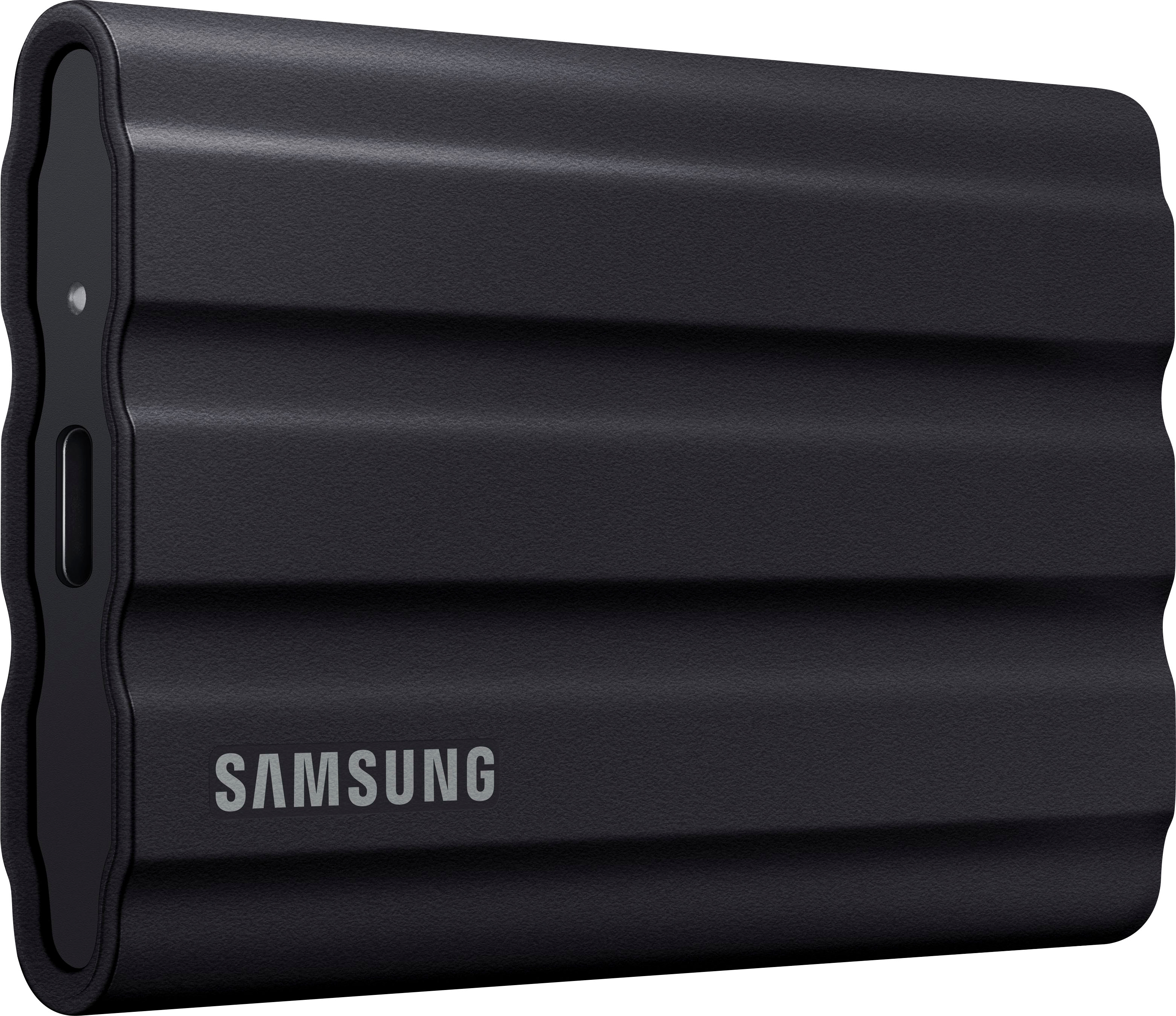
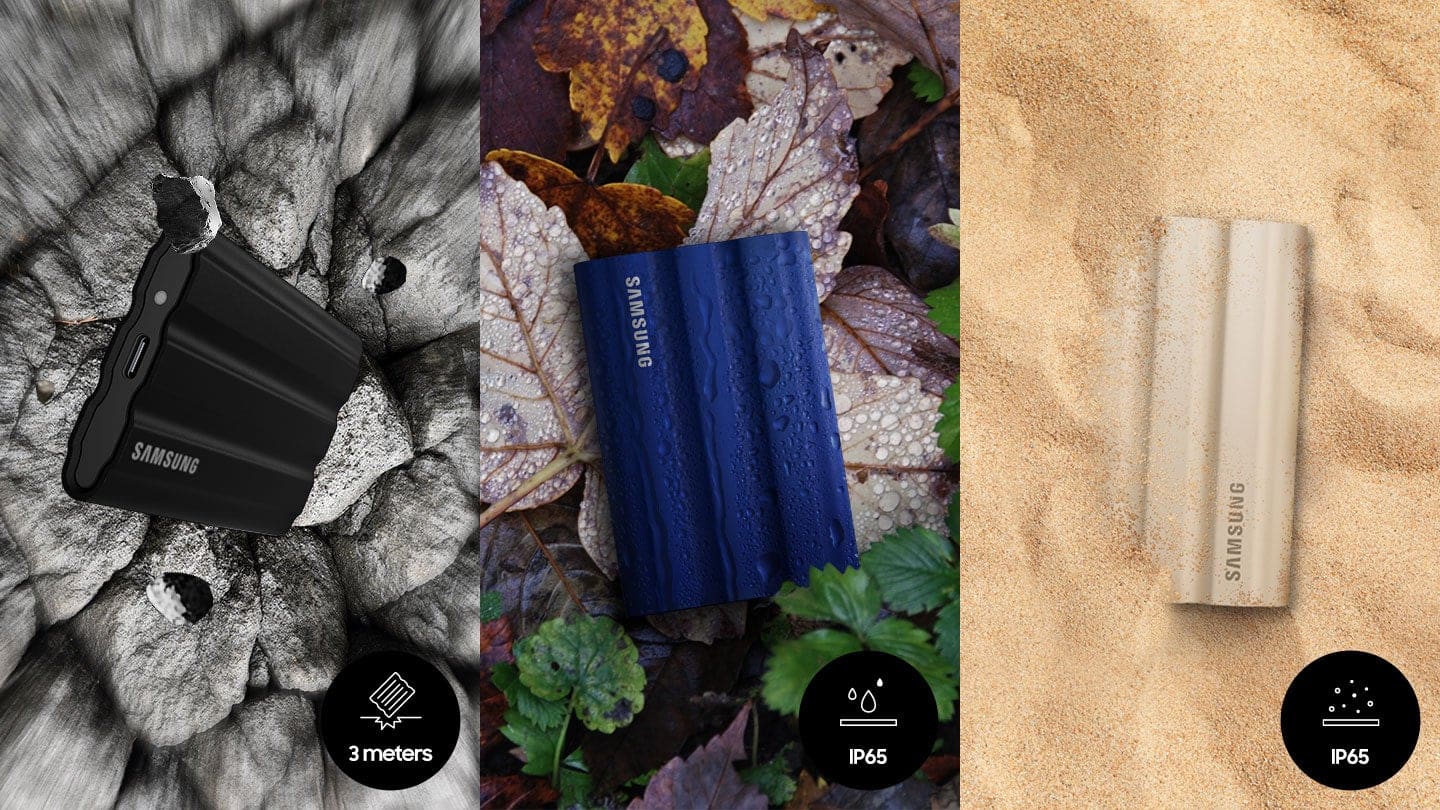
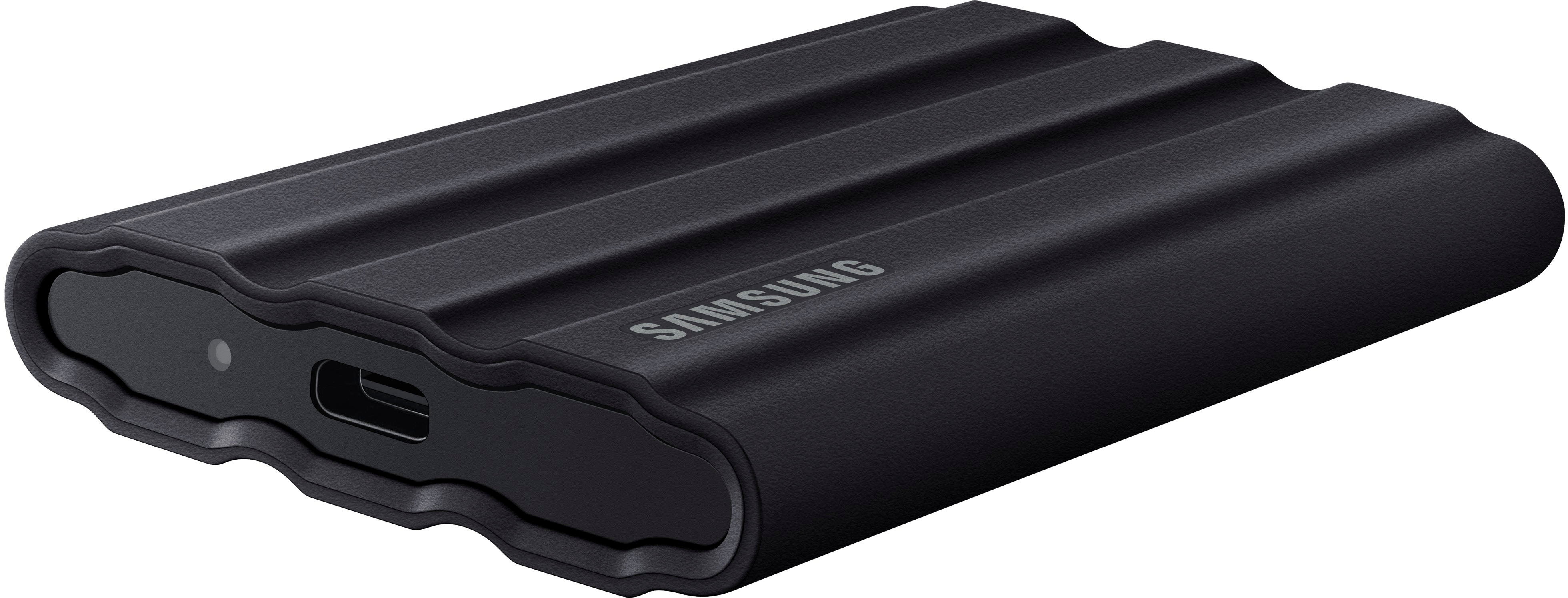
|Posted .This reviewer received promo considerations or sweepstakes entry for writing a review.One Terabyte of space in a small, rubberized, secure form factor is just a few things that make this Samsung 1TB T7 Shield External SSD drive a very handy device to have around. It has a USB 3.2 interface which provides plenty of speed and performance for most applications and transfer speeds in my opinion. There may be faster drives out there, but this is decent one none the less. In the box you are given two USB cables, one is a type C to C and the other is a Type A to C. The enclosure itself can protect your delicate data from dust and water with an IP65 rating and is rated to survive a 9.8-foot drop, which I did not test out myself, but it’s nice to know that if I do drop it, I will most likely be ok. The Samsung software installed on the drive will allow you to set up encryption on it as well so you can lock the data down and someone that does not know the password will not be able to access it easily. So if you are looking for a way to carry around sensitive or personal data, look at the Samsung T7.
I would recommend this to a friendBrand response from Samsung
Posted .jago:
Thanks for purchasing Samsung's T7 Shield Portable SSD. I am happy to see that this compact drive is meeting your needs. The portable design allows you to access large amounts of data on the move, anytime, anywhere. With no moving parts and a sturdy, shock resistant body, it can handle drops of up to 9.8 feet.
Should you ever have questions or need assistance using this product, please contact Samsung Customer Support.
1) Call: 1-800-SAMSUNG (ask for Memory or press #, then 6 for Memory products)
Available 9AM – 12AM EST (Mon-Fri)
2) Email: samsungmemorysupport@sea.samsung.com
3) Or visit us on the Samsung website and click on the SUPPORT link in the upper right corner of the homepage for:
a. Chat with Us/Product Help: To begin a chat or find solutions, choose ‘Computing – Memory & Storage’ and select your model & topic.
b. Manuals & Software
c. Warranty Info
d. Register a Product: For access to easy warranty support, convenient opt-in to special promos and offers, faster troubleshooting and service, and quick notification of system updates
e. Contact Us
The Samsung Members Community is also a great resource for getting help from Samsung moderators and customers: https://us.community.samsung.com/
- Samsung Memory
Great performance, solid build
|Posted .This reviewer received promo considerations or sweepstakes entry for writing a review.I've owned a few Samsung SSDs in the past, and they've never disappointed. This new generation continues that legacy of great performance, with the added bonus of a new rugged build. It's slightly "rubberized" (though I'm not sure what the material is technically called), and it gives me great confidence when handling the drive. I've used this drive for multiple applications so far, and it's passed each test with flying colors. GENERAL STORAGE This is use case that almost everyone will go with, and it performs exactly as it should. Read/write speeds are quite fast, the 2TB capacity is more than enough, and with the connection port being USB-C, it interfaces with essentially any device. I've been able to move my data between my Mac, my PC, my Android tablet, and my Linux desktop with no issues. DUAL BOOTING Speaking of my Linux desktop, as someone who distro-hops as a hobby, I've experimented with a disk partition on this drive holding a Linux distribution (Mint) and the read/write speeds were so fast that if you told me I was running the OS on an external drive instead of an internal one, I wouldn't have believed you. STEAM STORAGE This is the ultimate destination of the drive for me - my PC laptop only has a 250GB internal drive, and that's not nearly enough for my Steam library. With a few clicks of the mouse, I've been able to install my entire Steam library to this T7 and game performance has been smooth and fast. In summary - Samsung SSD = good. The new T7 Shield continues that legacy.
I would recommend this to a friendBrand response from Samsung
Posted .ZachG:
Thanks for purchasing the Samsung T7 Shield SSD and for your review. I'm glad to see you are happy with the experience.
Tough, fast, and compact. The all new rugged PSSD T7 Shield is built to endure with the space to create thanks to an IP65 rating for Dust and Water resistance
If you should have any questions or concerns with usage or features, Samsung Customer Support is here to help.
1) Call: 1-800-SAMSUNG (ask for Memory or press #, then 6 for Memory products)
Available 9AM – 12AM EST (Mon-Fri)
2) Email: samsungmemorysupport@sea.samsung.com
3) Or visit us on the Samsung website and click on the SUPPORT link in the upper right corner of the homepage for:
a. Chat with Us/Product Help: To begin a chat or find solutions, choose ‘Computing – Memory & Storage’ and select your model & topic.
b. Manuals & Software
c. Warranty Info
d. Register a Product: For access to easy warranty support, convenient opt-in to special promos and offers, faster troubleshooting and service, and quick notification of system updates
e. Contact Us
The Samsung Members Community is also a great resource for getting help from Samsung moderators and customers: https://us.community.samsung.com/
Thanks for being a part of the Samsung family.
- Samsung Memory
Light, fast, and rugged solid state storage!
|Posted .This reviewer received promo considerations or sweepstakes entry for writing a review.I have used several different external drives over the years and this is fastest yet! With this being a solid state drive, it gets super fast speeds which is great. This external drive is very light and compact and is surrounded by a protector that feels great to hold and is sturdy. This drive is really solid and well-built, so it should hold up great in any situation thrown at it. In the box, you get a USB C to USB C cable as well as a USB C to USB A cable so you can connect this to any computer. I have used various different solid state drives over the years and have always been impressed with Samsung’s drives. They make great solid state drives (both internal and external) and I definitely consider them to be a leader in this space. This drive does not disappoint and lives up to Samsung’s record for making reliable, fast, and great quality solid state drives. The only downside to this drive is the cost. Solid state drives get very expensive for storing a lot of files, so if you need storage space beyond 2 TB, it becomes less practical to solely use solid state storage. But for situations where you need or want fast file transfer, you really cannot beat this drive. This is an excellent external solid state drive that I would definitely recommend to anyone looking for fast external solid state storage! The sturdiness and rugged features (drop resistance and IP65 water resistance) are also a great added bonus to have!
I would recommend this to a friendIts would not coonect to tesla
||Posted . Owned for 1 week when reviewed.This reviewer received promo considerations or sweepstakes entry for writing a review.This ssd would only allow 2.2 tb of memory to be used out of 4tb and also wont connect to tesla even after formatting
No, I would not recommend this to a friendBrand response from Samsung
Posted .Rohit:
I’m very sorry for the difficulties you’ve experienced with your T7 Shield SSD connecting to your Tesla. We completely understand your frustrations, and we are here to help.
Please contact Samsung Customer Support directly so that we can better investigate your issue and assist you towards a resolution.
1) Call: 1-800-SAMSUNG (ask for Memory or press #, then 6 for Memory products)
Available 9AM – 9PM EST (Mon-Fri)
2) Email: samsungmemorysupport@sea.samsung.com
3) Or visit us on the Samsung website and click on the SUPPORT link in the upper right corner of the homepage for:
a) Chat with Us/Product Help: To begin a chat or find solutions, choose ‘Computing – Memory & Storage’ and select your model & topic.
We hope to hear from you soon.
- Samsung Memory
Practical Performance
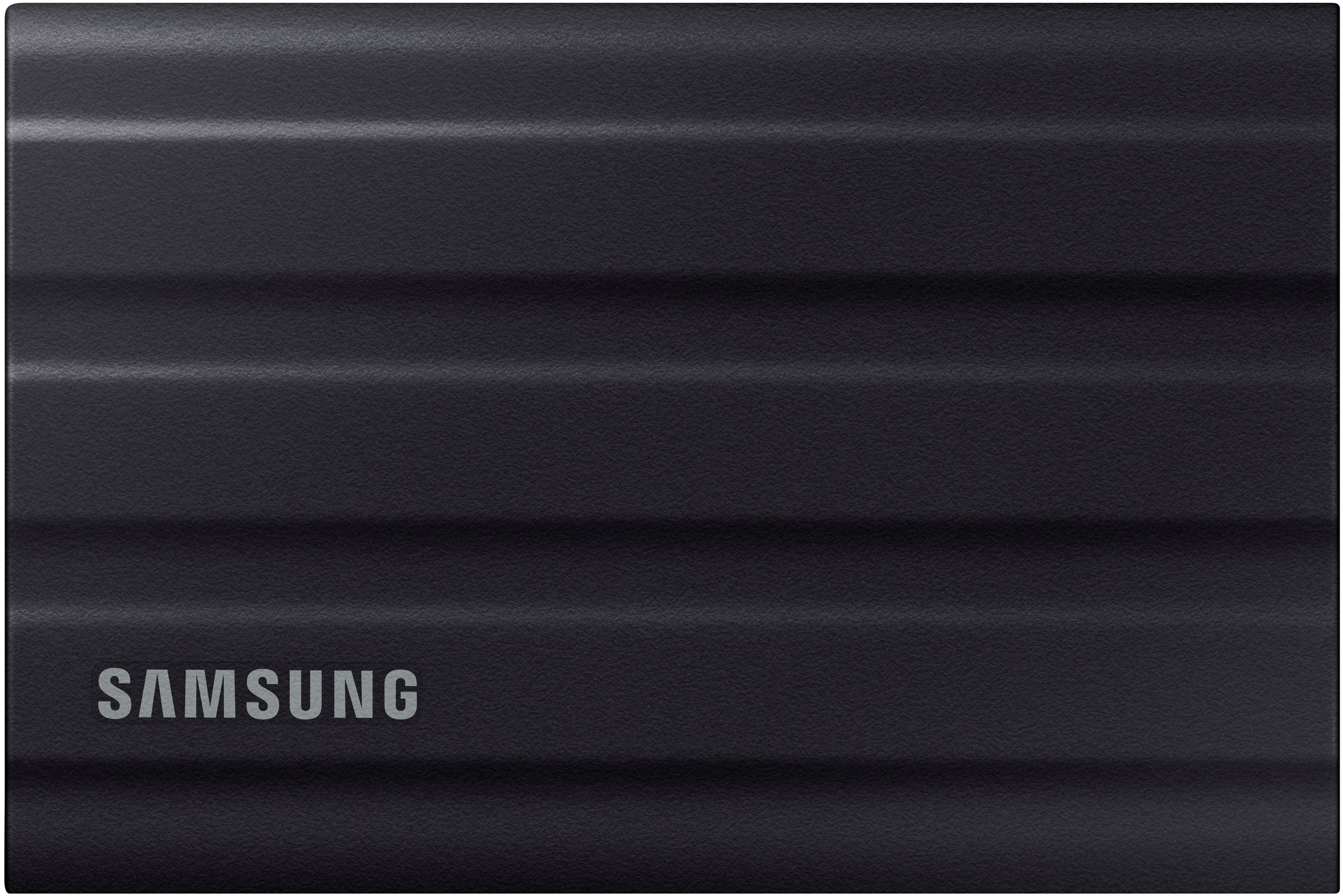
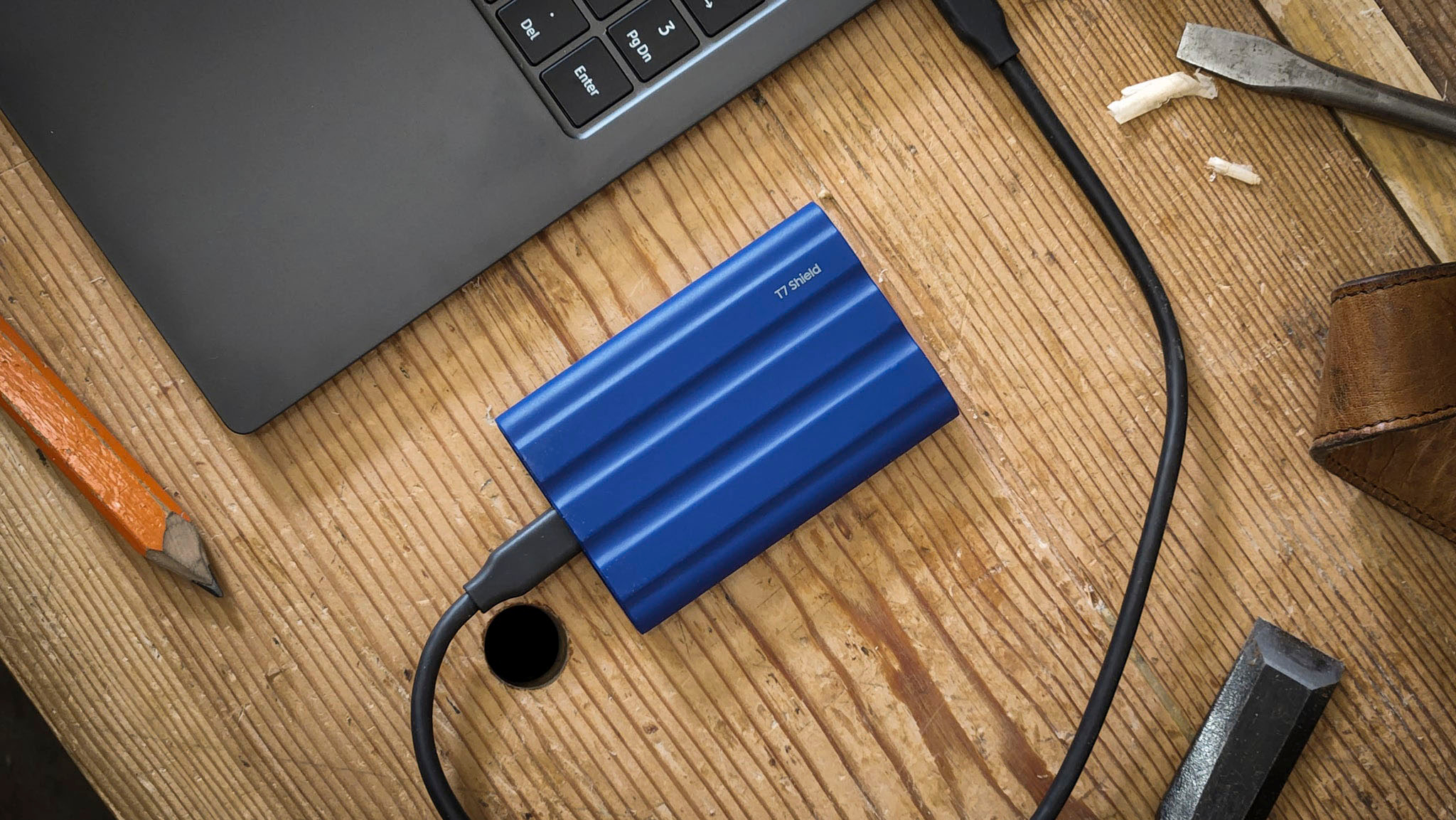
|Posted .This reviewer received promo considerations or sweepstakes entry for writing a review.The packaging is minimal and includes the drive and usb c to c and c to a cables. The drive is smaller than others I have, 2.5” x 3.5” x .5”. The rubber like enclosure is one of the best features. I don’t have to worry about scratching it and can put in my bag without worry. The surface has a wavy texture to it, it is easy to grab and more importantly it stays put. Too many slick metal drives slide around, and this one will not. It also provides dust, water, and drop resistance. The material is also supposed to help with heat dissipation. Performance has been great. Running a test in Linux resulted in avg reads of 1GB/s and writes of 980 MB/s. However, the important thing here is that it feels very fast in every day use. Copying large files to and from the drive is really quick and doesn’t interrupt my workflow. There is software included on the drive to install on Mac and Windows, and a link to install the app on Android devices. This allows you to install updates and set a password for the drive. It comes in 3 colors. I have the black, but the blue and beige also look nice. The large 2TB capacity is also great to have. Overall, Samsung is a very trusted name in storage. This drive lives up to that and the rugged materials make it practical for everyday and travel use.
I would recommend this to a friendDO NOT BUY
||Posted . Owned for 1 month when reviewed.This reviewer received promo considerations or sweepstakes entry for writing a review.Do some research, the drive will disconnect on its own. Lost a lot of footage trying to figure out fixes.
No, I would not recommend this to a friendSuperb, super-tuff and VERY fast pocketable SSD
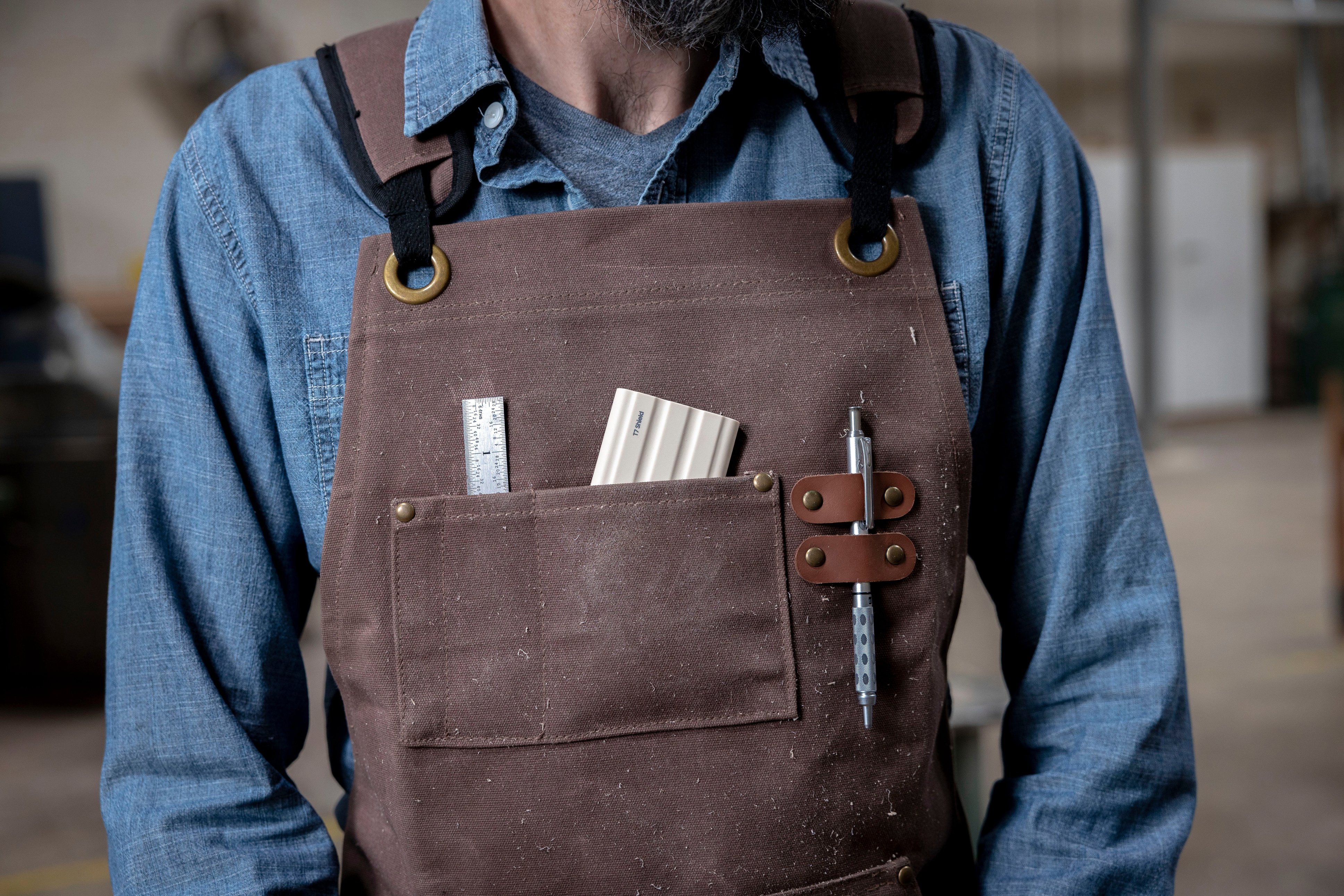
|Posted .This reviewer received promo considerations or sweepstakes entry for writing a review.Ruggedly durable, the SSD T7 Shield is built to survive along with your data. The IP65 rating for Dust and Water resistance means you worry less about data integrity failure due to dust and water intrusion. In addition to toughness combined with a shock absorbing, breathable Dynamic Thermal Guard elastomer covering that controls heat to maintain steady performance (no throttling), this SSD is very fast, and quite compact. I have transferred extremely large files in seconds and am able to carry all of my gaming or photo / video editing files with me when going to a meetup with friends or out in the field. On my system with USB 3.2 Gen 2 and PCIe® NVMe™ (10Gbps) it has sequential read/write speeds twice as fast as my older SSDs - your milage may very. I have used it on Windows, MacOS and iOS and it should work on basically all of the common platforms, and comes with USB Type C-to-C and Type C-to-A cables allowing USB 3.0 and USB 2.0 functionality. You may have to reformat the drives for your system. I got the black 2TB version and love the way it looks! The included Samsung Portable SSD 1.06 Samsung Magician Software is great for benchmarking. It also has AES 256-bit hardware encryption for security. It is small enough to carry in a shirt pocket. I love it!
I would recommend this to a friendSuper Fast External SSD, Nice Case
|Posted .This reviewer received promo considerations or sweepstakes entry for writing a review.Samsung has great products in the Tx line. I have used prior Samsung external SSDs and found them to be very functional. The T7 Shield has improvements in all the key areas of speed, dust prevention and water resistance. The optimal speed ratings do require cables that support USB 3.2 Gen 2 with UASP mode enabled. One of the nicest features is the soft rubber coating. This coating shape improves heat dissipation but maybe more importantly is very tactile and will help you avoid dropping the device which at times is a problem I have encountered with smooth sided external SSDs. The physical design is such that when you place the device on a table, there is airflow allowed underneath the unit – tip of the cap to the Samsung engineers for that design point. The size is not the current smallest, but is smaller than all the external SSDs I have used before. It comes with some utility files installed on the unit; you can take advantage of those or just remove them. One very nice feature is a 3 year parts and labor warranty. Samsung supplies this unit in different colors which is an extra benefit so you can identify your records by color if you like. I would recommend this unit highly, great design points
I would recommend this to a friendSlow T7
||Posted . Owned for 6 months when reviewed.This reviewer received promo considerations or sweepstakes entry for writing a review.Slowest SSD I've owned, only 40Mb/s at best despite advertised 1,000 Mb/s
No, I would not recommend this to a friendBrand response from Samsung
Posted .PHOTOM:
I’m very sorry for the difficulties you’ve experienced with your T7 Shield SSD. We completely understand your frustrations, and we are here to help.
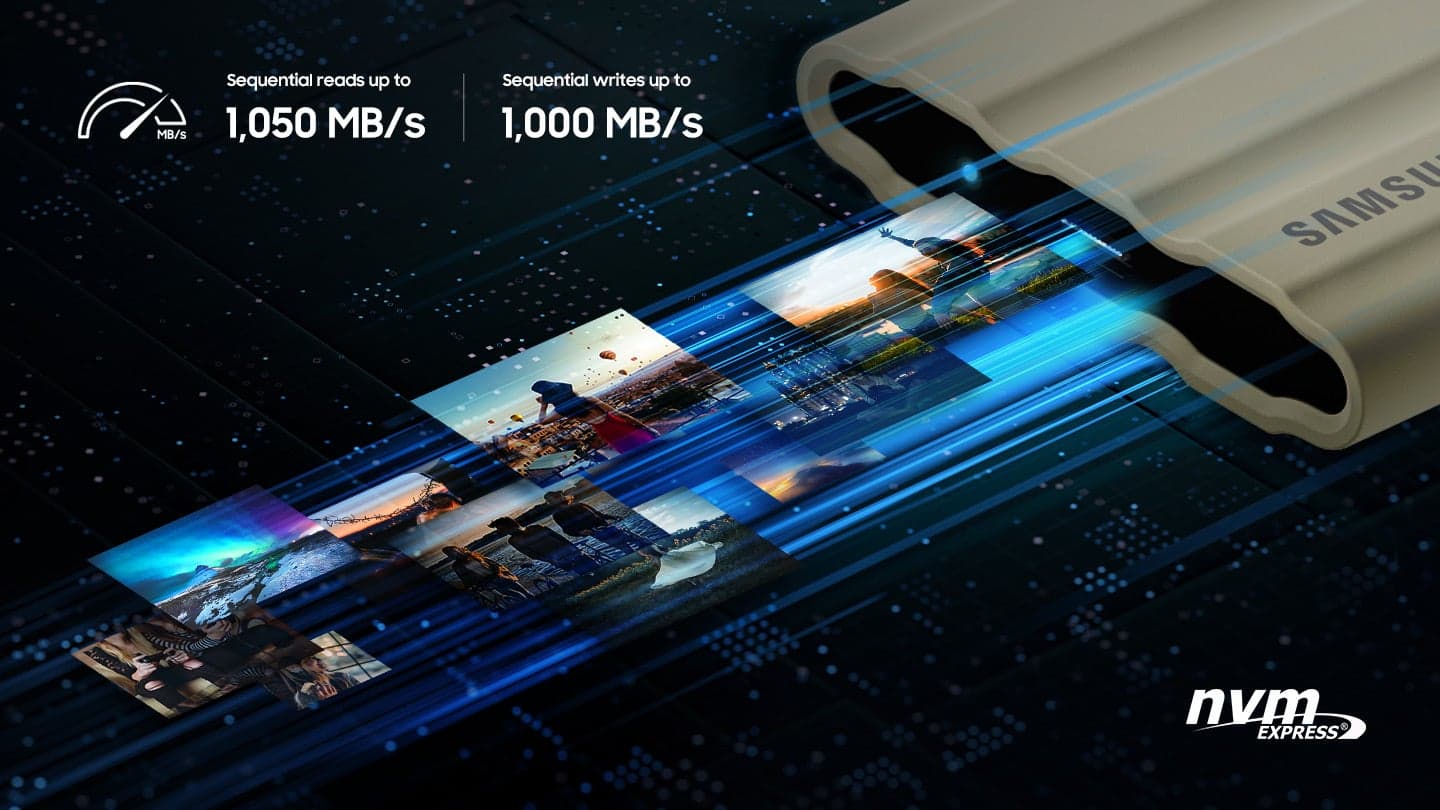
This model is designed to deliver speeds of up to 1,050MB/s Seq. Read & 1,000MB/s Seq. Write.
Please contact Samsung Memory Support directly so that we can better investigate your speed issue and assist you towards a solution or replacement.
1) Call: 1-800-SAMSUNG (ask for Memory or press #, then 6 for Memory products)
Available 9AM – 9PM EST (Mon-Fri)
2) Email: samsungmemorysupport@sea.samsung.com
3) Or visit us on the Samsung website and click on the SUPPORT link in the upper right corner of the homepage for:
a) Chat with Us/Product Help: To begin a chat or find solutions, choose ‘Computing – Memory & Storage’ and select your model & topic.
We hope to hear from you soon.
- Samsung Memory
Slow
||Posted . Owned for 1 month when reviewed.This reviewer received promo considerations or sweepstakes entry for writing a review.Slow to do anything. Do not believe what is written on the package
No, I would not recommend this to a friendBrand response from Samsung
Posted .ALogicalLad:
Thank you for purchasing the Samsung T7 Shield SSD and for your review. Thank you for sharing your experience with the performance speeds.
The maximum transfer speed that can be achieved by the T7 Shield is 1,050MB/s on a PC that supports USB 3.2 Gen2, UASP mode, but the speed may vary depending on your PC environment and the types of data being transferred. Please look to the details below for possible causes (and solutions) if you think your T7 Shield is under performing.
Scenario 1 (PC Environment)
Your PC's USB Type C Port must support USB 3.2 Gen 2 (10Gbps) in order to fully utilize the speed of the T7 Shield. USB 3.0 Gen.1, USB 3.1 Gen 1. USB 3.2 Gen.1 are restricted to 5Gbs speeds and may be the bottleneck to the performance of your T7 Shield.
Scenario 2 (Cable)
Using other cables besides the enclosed cable that comes with the T7 Shield may cause performance degradation due to the varying internal resistance and maximum allowable current of other cable types that does not come officially with the T7 Shield.
Scenario 3 (Dynamic Thermal Guard, DTG)
The T7 Shield is designed to activate the DTG (Dynamic Thermal Guard) when the product reaches a its threshold temperature due to prolonged data transfers and usage. The smartly activated DTG function prevents the product from overheating and automatically slows down providing it a cool off period. The DTG technology enhances safety and reliability by preventing the product from reaching an excessively high temperature.
Should you need further assistance, please contact Samsung Customer Support directly so that we can better investigate your speed issue and assist you towards a resolution.
1) Call: 1-800-SAMSUNG (ask for Memory). Available 9AM - 12AM EST (Mon-Fri)
2) Email: samsungmemorysupport@sea.samsung.com
3) LiveChat 9AM-6PM EST (Mon-Fri) - https://www.livehelpnow.net/lhn/lcv.aspx?d=34834&ms=&zzwindow=0&lhnid=29783
The Samsung Members Community is also a great resource for getting help from Samsung moderators and customers: https://us.community.samsung.com/
Thank you for choosing Samsung.
- Samsung Memory
Samsung's fastest external SSD yet
|Posted .This reviewer received promo considerations or sweepstakes entry for writing a review.Great evolution of an already fantastic external SSD. I have the previous T5 and I thought that was small and fast. The old drive would copy a 3.63GB ISO in 2 min 30 seconds. This new T7 copies them in 2 min 28 seconds. My computer has a fast 1TB Samsung NVME PCIE 4 drive installed. The connection is as fast as it gets. I feel like the improvement I see is the built in Google encryption application to secure my external SSD and the rubber coating that protects it from drops. Also, it is IP65 water resistant. Basically 3 min of water exposure. I like all of those features since you never know when you will drop a portable drive. The coating also protects from heat but I copied 450gb of files and did not see the increased heat so it must be working. This drive is much bulkier than the previous generation so if you have an old case then you would need to replace the carrying case. The only thing I am not seeing is the 1000mb speeds. I see a similar speed of the previous drive. I love the drive. I just wish they included a carrying case.
I would recommend this to a friendBrand response from Samsung
Posted .KKCNIck:
Thanks for sharing your review of Samsung’s T7 Shield Portable SSD.
This SSD is designed to transfer massive files in seconds. USB 3.2 Gen 2 and PCIe NVMe achieve soaring sequential read/write speeds of up to 1,050/1,000 MB/s*, allowing you to edit directly from the drive. The high-tech rubber exterior with Dynamic Thermal Guard controls heat to maintain steady performance for even giant projects.
If you ever have any questions or concerns with usage or features, Samsung Customer Support is here to help.
1) Call: 1-800-SAMSUNG (ask for Memory or press #, then 6 for Memory products)
Available 9AM – 12AM EST (Mon-Fri)
2) Email: samsungmemorysupport@sea.samsung.com
3) Or visit us on the Samsung website and click on the SUPPORT link in the upper right corner of the homepage for:
a. Chat with Us/Product Help: To begin a chat or find solutions, choose ‘Computing – Memory & Storage’ and select your model & topic.
b. Manuals & Software
c. Warranty Info
d. Register a Product: For access to easy warranty support, convenient opt-in to special promos and offers, faster troubleshooting and service, and quick notification of system updates
e. Contact Us
The Samsung Members Community is also a great resource for getting help from Samsung moderators and customers: https://us.community.samsung.com/
Thanks for choosing Samsung!
- Samsung Memory
Good Drive
Posted .This reviewer received promo considerations or sweepstakes entry for writing a review.Fast, easy to use and durable. When it comes to drives I always use samsung
I would recommend this to a friendLove this Hard Drive
|Posted .This reviewer received promo considerations or sweepstakes entry for writing a review.Great Hard Drive. It is super small and quiet! You hear nothing while it is running. It has mac, windows and android files preloaded. I plan on connecting it to my Nvidia Shield to use to record programing and expand storage. It comes with usb type C and usb type A cables allowing you to connect it to old and new devices. Response was fast too. This is great if you are looking for a small compact SSD hard drive. I love Samsung products and this one did not disappoint. There are so many options available and I always want a product that I know I can rely on to be dependable. Samsung claims it is water resistant. I did not test it and will assume it is-hopefully will never need to know. This hard drive does not heat up like other mechanical ones will. I was able to transfer larger files and the transfer rate was exceptional and fast. The exterior is a rubber like soft finish. It doesn't seem like it will chip and won't dent. Pricing seems in line with other quality products with similar specifications.
I would recommend this to a friendPerfect SSD for on the go!
|Posted .This reviewer received promo considerations or sweepstakes entry for writing a review.I travel a lot, and was looking for something small, but powerful to store my video and picture files so they don’t take unnecessary space and bandwidth up on my laptop. I tested this on my 13” Dell XPS, and the simplicity and transfer speed did not disappoint! It comes with USB C to C and USB A to C cables. I only had to use the C to C since my laptop has a USB C connection built in. But it’s nice that they included the other cable just in case! This is very small and compact, it’s rugged and tough! I lm confident that I could drop this out of my bag and it would be just fine. It has a rubberized grippy texture, and looks nice! It says it’s water resistant, but I’m not going to test that out! I’ll just take their word! I transferred several of my 4K drone videos and pictures, 4K GoPro videos and pictures, and digital camera photos super fast and had 0 issues. I unplugged it and plugged it back in to rest it’s responsiveness and it was flawless. It worked perfectly and I see myself buying a few more of these!
I would recommend this to a friendDisappointing
||Posted . Owned for 1 month when reviewed.This reviewer received promo considerations or sweepstakes entry for writing a review.Terrible! Had to return as it wouldn’t power up reliably.
No, I would not recommend this to a friendBrand response from Samsung
Posted .ElizabethS:
I am very sorry to see that you encountered issues with the Samsung T7 Shield SSD and have returned it. Your feedback is very important to us and will be shared with our product team.
Should you ever decide to give Samsung SSD products another try and have concerns or questions, please know we are always here to help.
1) Call: 1-800-SAMSUNG (ask for Memory or press #, then 6 for Memory products)
Available 9AM – 9PM EST (Mon-Fri)
2) Email: samsungmemorysupport@sea.samsung.com
3) Or visit us on the Samsung website and click on the SUPPORT link in the upper right corner of the homepage for:
a) Chat with Us/Product Help: To begin a chat or find solutions, choose ‘Computing – Memory & Storage’ and select your model & topic.
We hope you will consider Samsung again in the future.
- Samsung Memory
Samsung -T7 4TB SSD
||Posted . Owned for 3 weeks when reviewed.This reviewer received promo considerations or sweepstakes entry for writing a review.I need to return this item since only 1 port works.
No, I would not recommend this to a friendBrand response from Samsung
Posted .MarkW:
I am very sorry to see that you encountered issues with the Samsung T7 Shield SSD and have returned it. Your feedback is very important to us and will be shared with our product team.
Should you ever decide to give Samsung memory products another try and have concerns or questions, please know we are always here to help.
1) Call: 1-800-SAMSUNG (ask for Memory or press #, then 6 for Memory products)
Available 9AM – 9PM EST (Mon-Fri)
2) Email: samsungmemorysupport@sea.samsung.com
3) Or visit us on the Samsung website and click on the SUPPORT link in the upper right corner of the homepage for:
a) Chat with Us/Product Help: To begin a chat or find solutions, choose ‘Computing – Memory & Storage’ and select your model & topic.
We hope you will consider Samsung again in the future
- Samsung Memory
small but Big inside
Posted .This reviewer received promo considerations or sweepstakes entry for writing a review.This device is simple to use. I also didn't think it was going to be as small as it was. I have Apples ecosystem of technology and use the devices in every day life and they all perform some type of task differently. My point being... Apple implemented a new feature for the iPhone 16 pro max camera and now you can record in 4k 120/60 FPS. You cannot record on iPhone storage so you will need an external ssd like this ssd that'll plug into the phone to use that feature. As follows: Plug into iPhone. Enable 4k 120/60 recording in camera settings on iPhone. After you get done recording, it automatically stores photos/videos directly to the ssd. In the camera app with the iPhone still plugged into the ssd, you will see the external storage icon that you can click and then have the option to manually send items to your usual iPhone photos storage location. Plug it into the MacBook Pro and open ssd and the footage came through perfectly. It's the easiest thing I've used in a while that works! 2 TB oughta be enough for me! They didn't have 4 TB in stock... Just remember that before you unplug the ssd from your computer, click the "eject" button to avoid possible file corruption.
I would recommend this to a friendGreat buy for the money
Posted .This reviewer received promo considerations or sweepstakes entry for writing a review.This backup drive is easy to use, fast, and most importantly for me, it works right.
I would recommend this to a friendDoes everything you need it to
|Posted .This reviewer received promo considerations or sweepstakes entry for writing a review.I’ve been a fan of the Samsung T-series external hard drives for some time now…they’re commonly regarded as among the fastest portable SSDs you can buy, and while the price is not trivial, they’ve been in the space for some time and have demonstrated decent reliability. The T7 Shield is another portable SSD from Samsung with a sort of “encrypt” function which optionally locks down the hard drive (provided you install the Samsung software) with a password. It is cross platform capable, supported on Windows, Mac (although not iOS, sort of) and Android. Without the software, it is just an external hard drive. It has a rugged, rubberized design and comes with two USB-C cables (one A to C and one C to C). As such, without the software, it can be used on virtually any platform supporting external storage (including iOS). With the software, and assuming the drive is locked down, only the read-only partition shows up on iOS devices. The only way to unlock the drive is with the software and the password, and without the password any stored data is inaccessible (it would be a pain if you forget the password, so make sure you store it in a vault or can remember it). When connecting the drive while it is “locked,” without unlocking it your computer will show a read-only partition with the installation media…so you won’t have to worry about being in front of a computer without the software installed. The software is super basic - allowing you to name the drive (although that doesn’t show up in the naming of the partition), and to turn on and off the drive lock. It’s a relatively simple installation unless you use a modern Mac. On a Mac, you need to boot to system security settings (something that I would bet most casual Mac users have never done) and adjust what kind of software is permitted for installation on your computer. It’s fine that it has to happen that way, but I really think the instructions for this should be included with the device. Other than the somewhat irregular installation requirements for Mac users, there isn’t a lot to complain about here. The price at $239 is in line with what I’d expect to pay for Samsung’s drives (considering their speed capabilities) currently, and having added functionality allowing locking down access to the drive is a nice bonus.
I would recommend this to a friendBrand response from Samsung
Posted .TheTechNugget:
I'm very glad to hear that you are happy with your new T7 Shield SSD. Engineered with no moving parts and a sturdy metal body, it can handle drops of up to 9.8 feet. The T7 Shield SSD allows you to take along large amounts of data so you can get things done wherever you go.
Should you ever have questions or need assistance using this product, please know we’re always here to help.
1) Call: 1-800-SAMSUNG (ask for Memory or press #, then 6 for Memory products)
Available 9AM – 12AM EST (Mon-Fri)
2) Email: samsungmemorysupport@sea.samsung.com
3) Or visit us on the Samsung website and click on the SUPPORT link in the upper right corner of the homepage for:
a. Chat with Us/Product Help: To begin a chat or find solutions, choose ‘Computing – Memory & Storage’ and select your model & topic.
b. Manuals & Software
c. Warranty Info
d. Register a Product: For access to easy warranty support, convenient opt-in to special promos and offers, faster troubleshooting and service, and quick notification of system updates
e. Contact Us
The Samsung Members Community is also a great resource for getting help from Samsung moderators and customers: https://us.community.samsung.com/
Thanks for choosing Samsung!
- Samsung Memory
Durable and lightweight
Posted .This reviewer received promo considerations or sweepstakes entry for writing a review.Durable and lightweight with a ton of storage!!!!!
I would recommend this to a friend