Customer Ratings & Reviews

- Model:
- MU-PE2T0K/AM
- SKU:
- 6505714
Rating by feature
- Value
Rating 4.7 out of 5 stars
- Quality
Rating 4.9 out of 5 stars
- Ease of Use
Rating 4.9 out of 5 stars
to a friend
Customers are saying
Customers value the T7 Shield for its overall performance, speed, and portability, making it a compact and durable storage solution. The drive's size and ample storage capacity are also appreciated, along with its reliable connectivity. While the design is considered sleek, the price is a concern for some customers.
This summary was generated by AI based on customer reviews.
Great product
||Posted . Owned for 2 weeks when reviewed.This reviewer received promo considerations or sweepstakes entry for writing a review.This item is everything I needed. Fantastic product!
I would recommend this to a friendGet a service plan
||Posted . Owned for 1 year when reviewed.This reviewer received promo considerations or sweepstakes entry for writing a review.I have to unplug and replug in for xbox to recognize it.
No, I would not recommend this to a friendBrand response from Samsung
Posted .ShawnH:
I'm sorry that your experience fell short of expectations. So that we can better assist you with your particular usage scenario, we ask that you please contact us and speak with a Samsung Customer Service representative.
1) Call: 1-800-SAMSUNG (ask for Memory). Available 9AM - 12AM EST (Mon-Fri)
2) Email: samsungmemorysupport@sea.samsung.com
3) LiveChat 9AM-9PM EST (Mon-Fri) - https://www.livehelpnow.net/lhn/lcv.aspx?d=34834&ms=&zzwindow=0&lhnid=29783
We hope to hear from you soon.
- Samsung Memory
Ruggedized External SSD with a Cable Achilles Heel
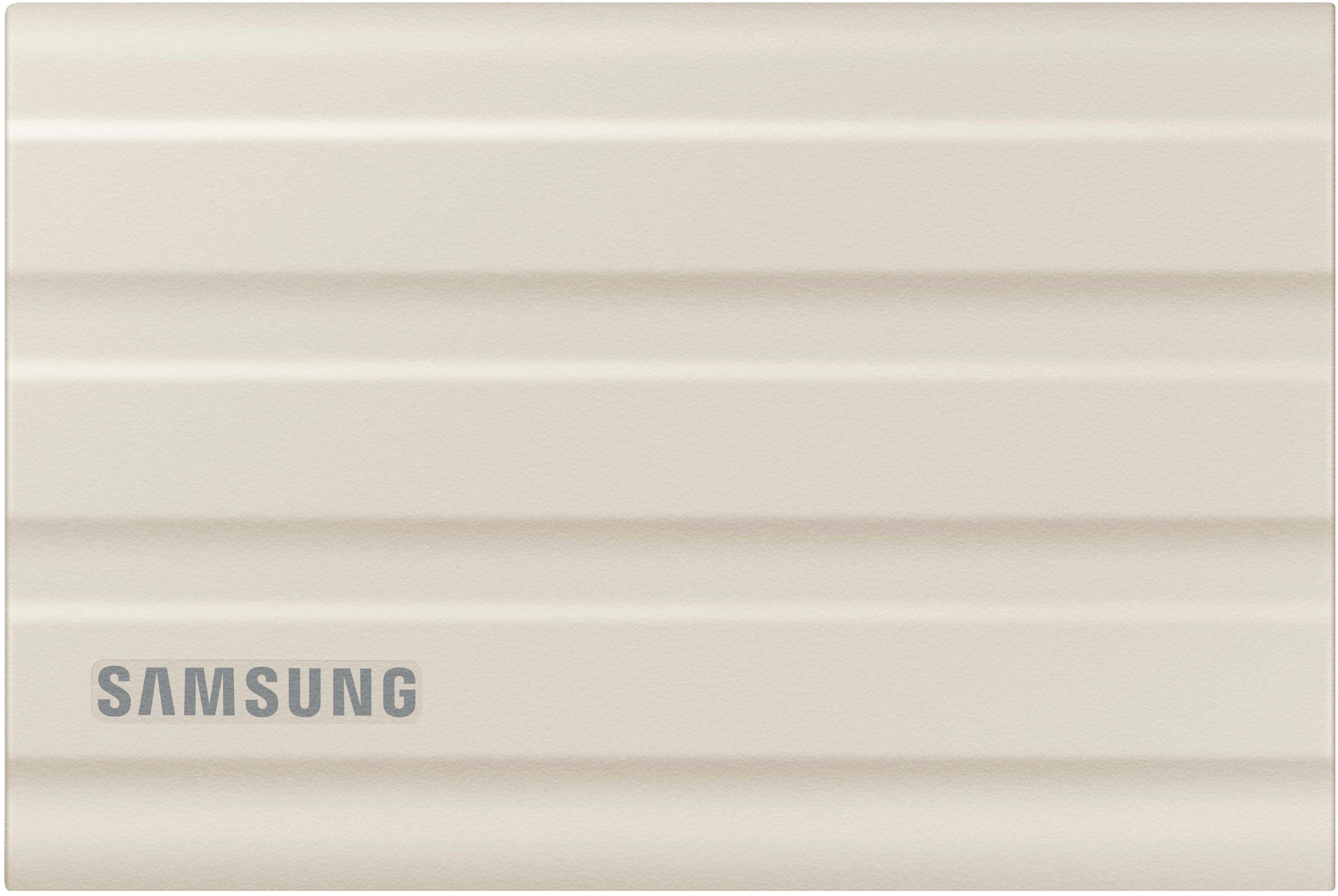
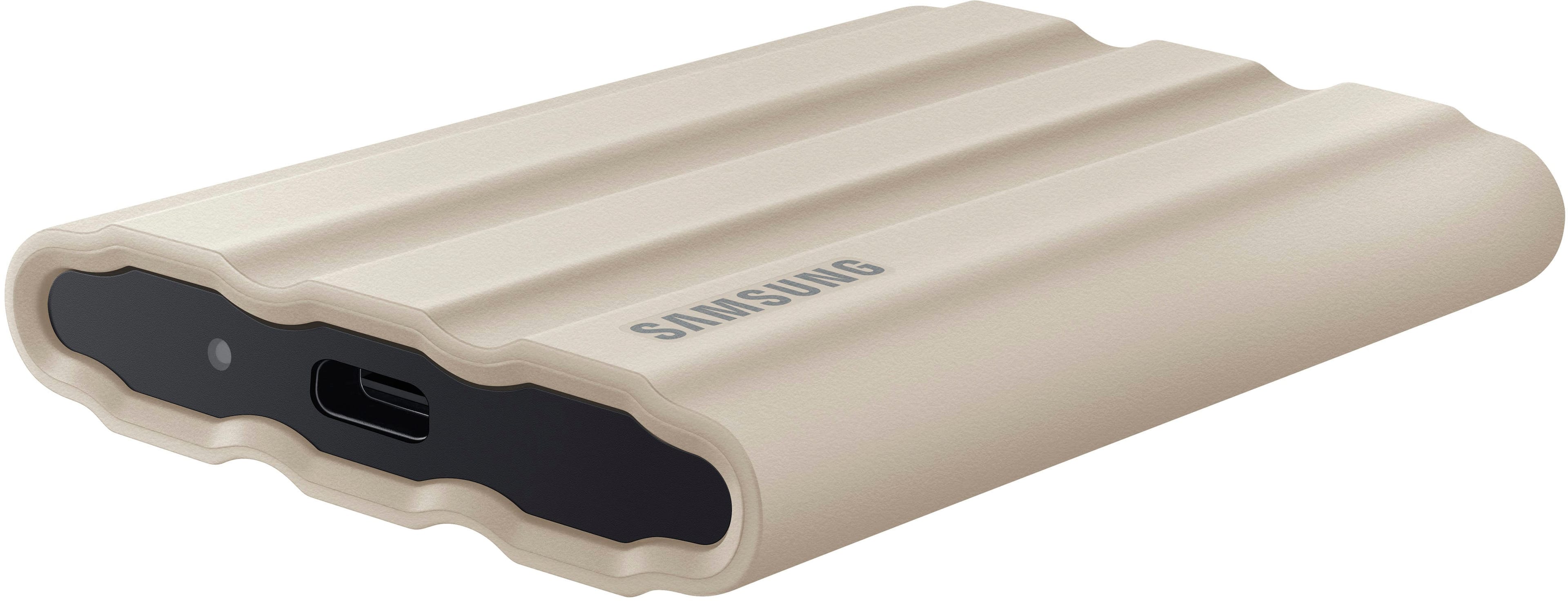
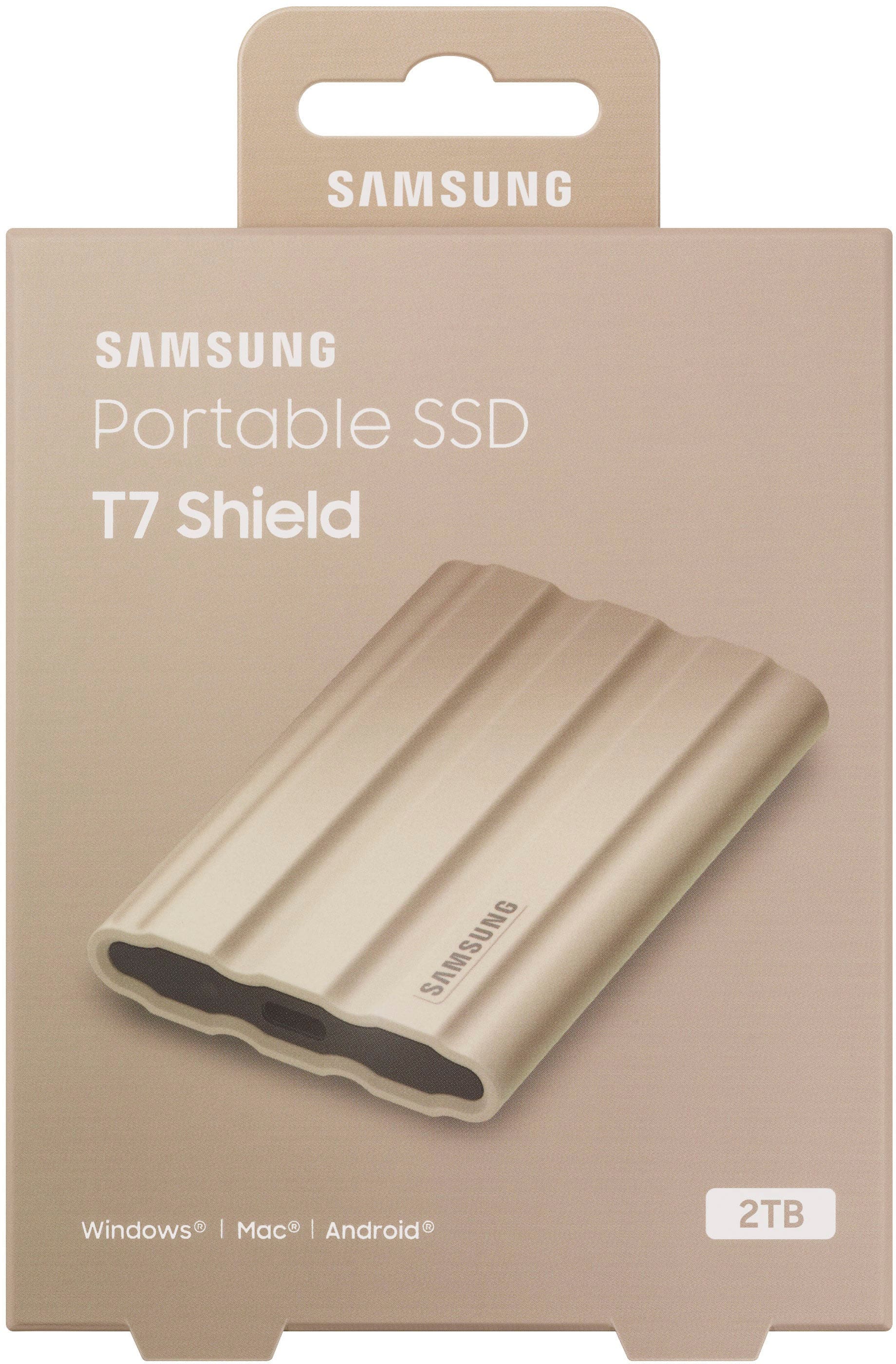
Posted .This reviewer received promo considerations or sweepstakes entry for writing a review.The Good: - Pretty good speeds. hooked straight into my PC Mobo, I can't achieve the speeds on the box of 1,050 MB/s (sustained), but I usually get around 100 MB/s, which helps transfer large swaths of data fast. - Colors, more than just 1. At least if you get the 2TB version. If you get the 4TB version you are stuck with Black. Hey something a little more pleasing to the eye, Beige or Blue. - Slim Profile, well it is an SSD - Outer shell has a texture that imparts some friction on table surfaces and hands. Should help with mitigating slippages and drops. This also probably helps contribute achieve the IP65 cert - Comes with a USB A to USB C cable, and a USB C to USB C cable. Helps a lot if a computer someone has does not have a USB Port The Bad: You HAVE, HAVE to use the cables provided in the box. Using any other cable might just make the drive not work with a computer (I was using a Paracable Paraflex USB-C cable before I used the one in the box). And the cables are short (~6 inches for the USB-C to USB-C cable). So if you want to have some reach outside of a device or computer, you're pretty much out of luck. Using any other cable seems to make data transfer slow and buggy as heck (getting Error 0x8007045D constantly, stopping data transfers). But as soon as you use the cables provided in the box, the SSD comes to life and works as expected. It's just a shame that you HAVE to use these short cables included in the box and nothing else, which means you better put these cables together with the drive in a bag, or put everything back in the box when you are done. Because if you don't, and you lose one or both of the cables included, you may as well throw the drive in the trash, because it effectively won't work with any other 3rd party USB-C Cable.
No, I would not recommend this to a friendInstructiins not clear..
||Posted . Owned for 1 month when reviewed.This reviewer received promo considerations or sweepstakes entry for writing a review.Not very technical. I think its downloaded on laptop. Instuctiion videos helped. The instructions were not best in leaflet.
I would recommend this to a friendNot fast at all.
||Posted . Owned for less than 1 week when reviewed.This reviewer received promo considerations or sweepstakes entry for writing a review.I am not sure how anyone can play games with this drive. Mine marks at 500/300 read/write speeds connected via c. It even lags when watching movies. Either i am doing something wrong or there are a bunch of fake reviews.
No, I would not recommend this to a friendBrand response from Samsung
Posted .Dubbas11:
Thank you for purchasing the Samsung T7 Shield SSD and for your review.
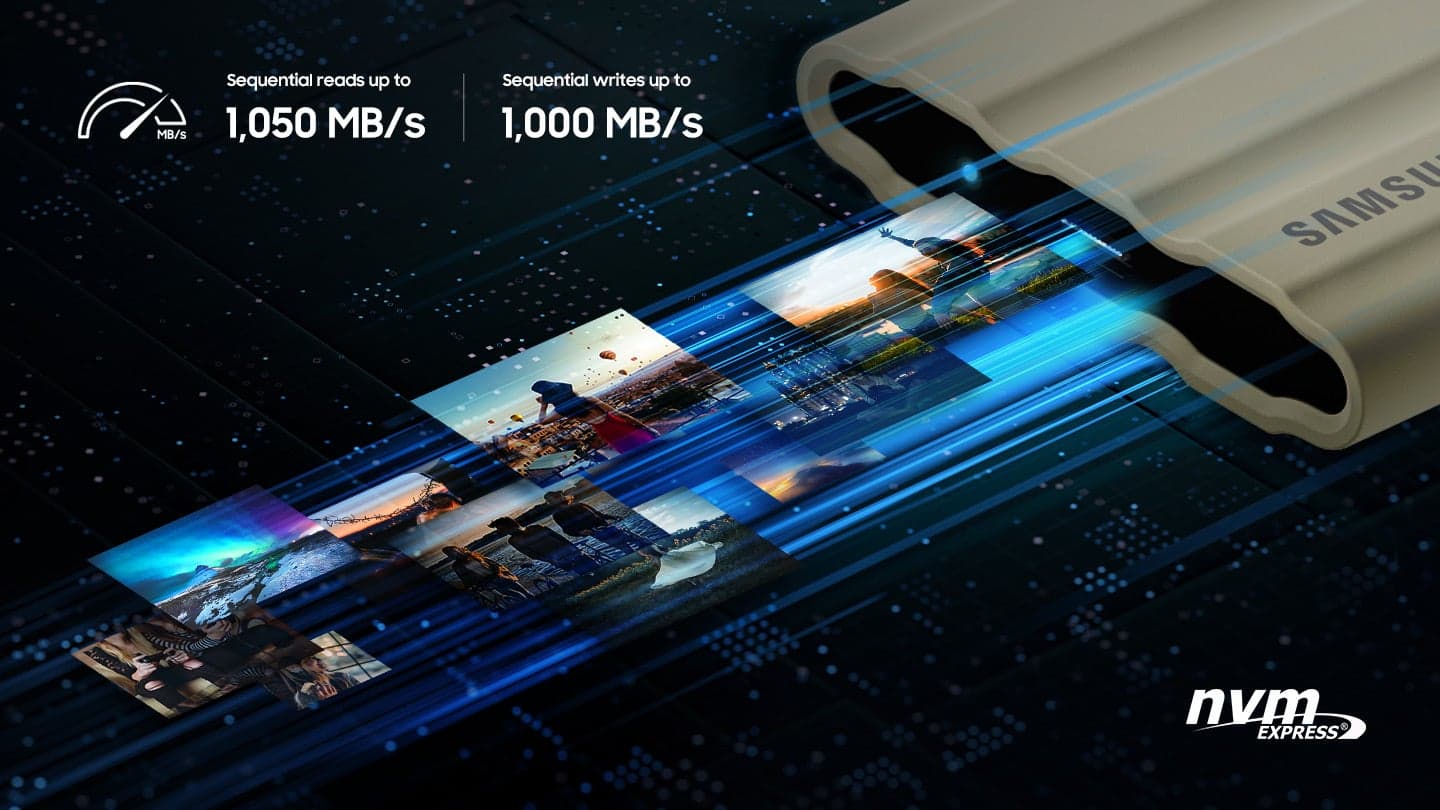
Your 4TB drive was engineered to deliver speeds of up to 1,050MB/s Seq. Read and 1,000MB/s Seq. Write.
As there are various factors that could affect speed, I would encourage you to call Samsung Customer Support to troubleshoot your issue.
1) Call: 1-800-SAMSUNG (ask for Memory). Available 9AM - 12AM EST (Mon-Fri)
2) Email: samsungmemorysupport@sea.samsung.com
3) LiveChat 9AM-9PM EST (Mon-Fri) - https://www.livehelpnow.net/lhn/lcv.aspx?d=34834&ms=&zzwindow=0&lhnid=29783
We hope to hear from you soon.
~ Samsung Memory
Drive stopped working after one month.
||Posted .This reviewer received promo considerations or sweepstakes entry for writing a review.Drive stopped pairing after one month of use (ExFat format). I've never had this happen with a Samsung Drive. Typically their SSD drives are amazing. Maybe it had a defect. Hoping their warranty covers recovery of data.
No, I would not recommend this to a friendBrand response from Samsung
Posted .KyleR:
Thanks for sharing your experience. I'm sorry that your experience fell short of expectations. Please contact Samsung Memory Support directly so that we can better investigate your issue and assist you towards a solution or replacement.
1) Call: 1-800-SAMSUNG (ask for Memory). Available 9AM - 12AM EST (Mon-Fri)
2) Email: samsungmemorysupport@sea.samsung.com
3) LiveChat 9AM-6PM EST (Mon-Fri) - https://www.livehelpnow.net/lhn/lcv.aspx?d=34834&ms=&zzwindow=0&lhnid=29783
Samsung stands behind the quality and performance of every T7 Shield SSD we manufacture with a limited 3-year manufacturer’s warranty when purchased brand-new, directly from any authorized dealer, like Best Buy.
We hope to hear from you soon.
~ Samsung Memory

Perfect external ssd for fast storage
|Posted .This reviewer received promo considerations or sweepstakes entry for writing a review.This tiny external ssd is lightning fast. It comes with a usb a to c cable and usb c to c connection for even quicker transfers. The speeds are great hitting almost 1000/mbs transfer speeds. This is also a great little drive for console storage. I'm using it currently on the ps5 and it's great for holding storage of my ps5 games. You can't play them directly from the drive but thats a PS5 limitation and not a limitation of the drive. The drive itself is very lightweight and smaller than you would imagine. You can definitely tuck this in your pocket and go somewhere with it. It also feels rugged in the external design that you don' have to worry that if you dropped it, it would still be ok. Plugging into the PC on the usb a or c cable let's it pop right up in windows and ready to use right away. I ran some test transfers to and from the drive they exceeded my expectations. You can till immediately that you are getting an nvme drive and not just a standard m2 sata drive. Overall if you are looking for an external SSD with lightning fast speed you will not be disappointed by this.
I would recommend this to a friendBrand response from Samsung
Posted .mibeal:
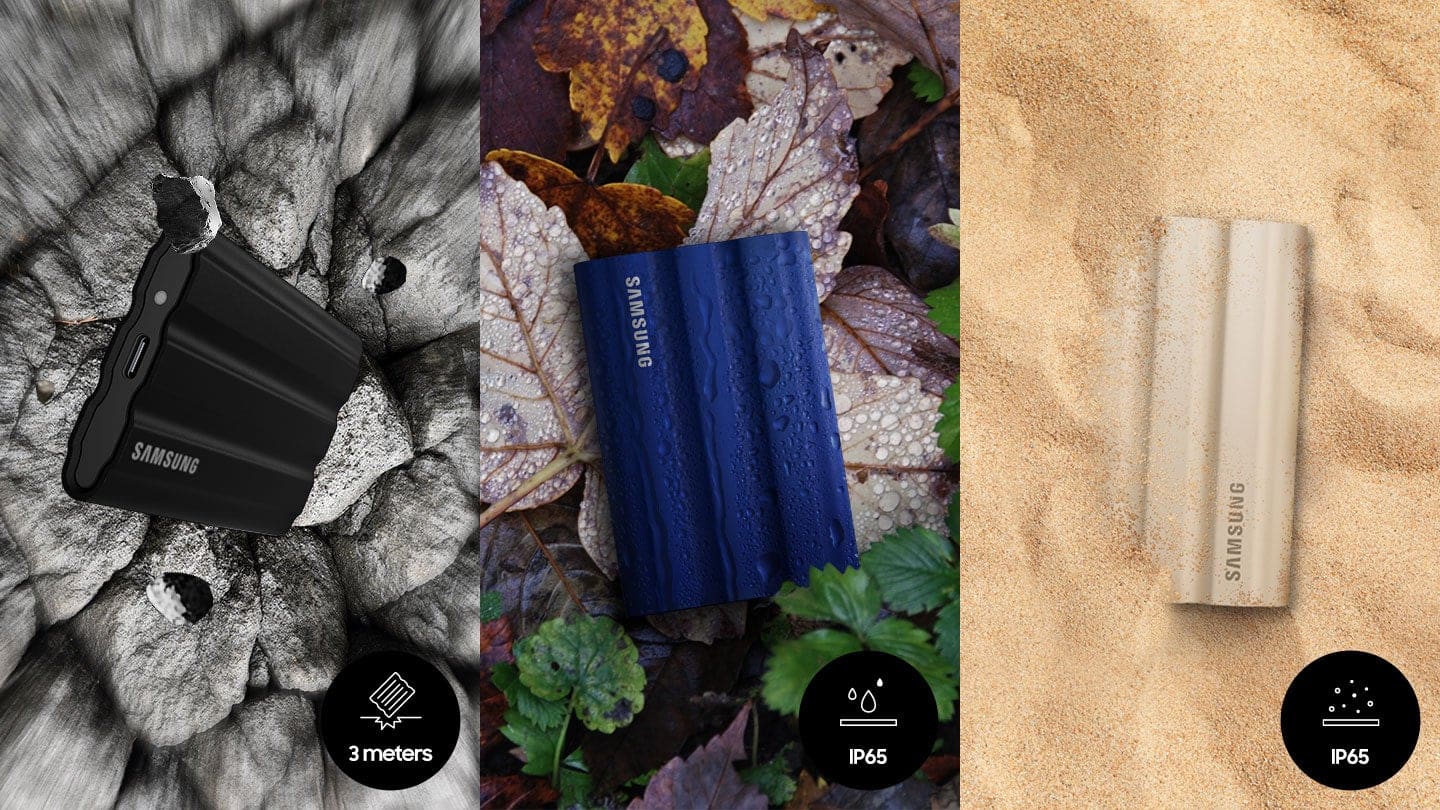
I'm very glad to hear that you are happy with your new T7 Shield SSD. Engineered with no moving parts and a sturdy metal body, it can handle drops of up to 9.8 feet. The T7 Shield SSD allows you to take along large amounts of data so you can get things done wherever you go.
You can contact always Samsung Customer Support with any questions or concerns with usage, or features.
1) Call: 1-800-SAMSUNG (ask for Memory or press #, then 6 for Memory products)
Available 9AM – 12AM EST (Mon-Fri)
2) Email: samsungmemorysupport@sea.samsung.com
3) Or visit us on the Samsung website and click on the SUPPORT link in the upper right corner of the homepage for:
a. Chat with Us/Product Help: To begin a chat or find solutions, choose ‘Computing – Memory & Storage’ and select your model & topic.
b. Manuals & Software
c. Warranty Info
d. Register a Product: For access to easy warranty support, convenient opt-in to special promos and offers, faster troubleshooting and service, and quick notification of system updates
e. Contact Us
The Samsung Members Community is also a great resource for getting help from Samsung moderators and customers: https://us.community.samsung.com/
Thank you for choosing Samsung.
- Samsung Memory
There’s better options….,
||Posted . Owned for 3 weeks when reviewed.This reviewer received promo considerations or sweepstakes entry for writing a review.No my as compatible with iOS as suggested. Not as compatible with a 2015 MacBook air as suggested. Best Buy Two week return period is a joke.
No, I would not recommend this to a friendBrand response from Samsung
Posted .AaronF:
I’m very sorry for the difficulties you’ve experienced with your T7 Shield SSD and MacBook Air. We completely understand your frustrations, and we are here to help.
The issue may be that you are unable to setup security with the SSD software. Please uninstall the software and download the current version (Portable SSD Software 1.0 for Mac, Version 1.7.4) at:
https://www.samsung.com/semiconductor/minisite/ssd/download/tools/
If you need further assistance, please reach out to us at Samsung Memory Support:
1) Call: 1-800-SAMSUNG (ask for Memory or press #, then 6 for Memory products)
Available 9AM – 9PM EST (Mon-Fri)
2) Email: samsungmemorysupport@sea.samsung.com
3) Or visit us on the Samsung website and click on the SUPPORT link in the upper right corner of the homepage for:
a) Chat with Us/Product Help: To begin a chat or find solutions, choose ‘Computing – Memory & Storage’ and select your model & topic.
b) Manuals & Software
c) Contact Us
The Samsung Members Community is also a great resource for getting help from Samsung moderators and customers: https://us.community.samsung.com/
Samsung is committed to providing the best possible product experience, quality, and value, and we are always here to help with any of your questions or concerns.
- Samsung Memory
NO GOOD even in temperature-controlled
||Posted . Owned for 1 year when reviewed.This reviewer received promo considerations or sweepstakes entry for writing a review.This died on me as all the rest died on me I thought they were going to last I lost all my information with these every time
No, I would not recommend this to a friendBrand response from Samsung
Posted .RickyH:
I’m very sorry for the difficulties you’ve experienced with your T7 Shield SSD. We completely understand your frustrations, and we are here to help.
Samsung stands behind the quality and performance of every T7 Shield SSD we manufacture with a limited 3-year manufacturer’s warranty when purchased brand-new, directly from any authorized dealer, like Best Buy.
Please contact Samsung Customer Support directly so that we can better investigate your issue and assist you towards a resolution or replacement.
1) Call: 1-800-SAMSUNG (ask for Storage Devices). Available 9AM - 12AM EST (Mon-Fri)
2) Email: samsungmemorysupport@sea.samsung.com
3) LiveChat 9AM-9PM EST (Mon-Fri) - https://www.livehelpnow.net/lhn/lcv.aspx?d=34834&ms=&zzwindow=0&lhnid=29783
We look forward to hearing from you soon.
- Samsung Memory
wrong item.
||Posted . Owned for 3 weeks when reviewed.This reviewer received promo considerations or sweepstakes entry for writing a review.had saved to buy. this was not it. payed to much. at least I will get refunded. I hope.
No, I would not recommend this to a friendBrand response from Samsung
Posted .Ahhg:
Thank you for sharing your review of Samsung’s T7 Shield SSD. We’re sorry your experience didn’t match your expectations. Should you ever decide to give Samsung SSD products another try and have concerns or questions, please know we are always here to help.
1) Call: 1-800-SAMSUNG (ask for Storage Devices). Available 9AM - 12AM EST (Mon-Fri)
2) Email: samsungmemorysupport@sea.samsung.com
3) LiveChat 9AM-9PM EST (Mon-Fri) - https://www.livehelpnow.net/lhn/lcv.aspx?d=34834&ms=&zzwindow=0&lhnid=29783
We hope you will consider Samsung again in the future.
- Samsung Memory
So big for something so small!
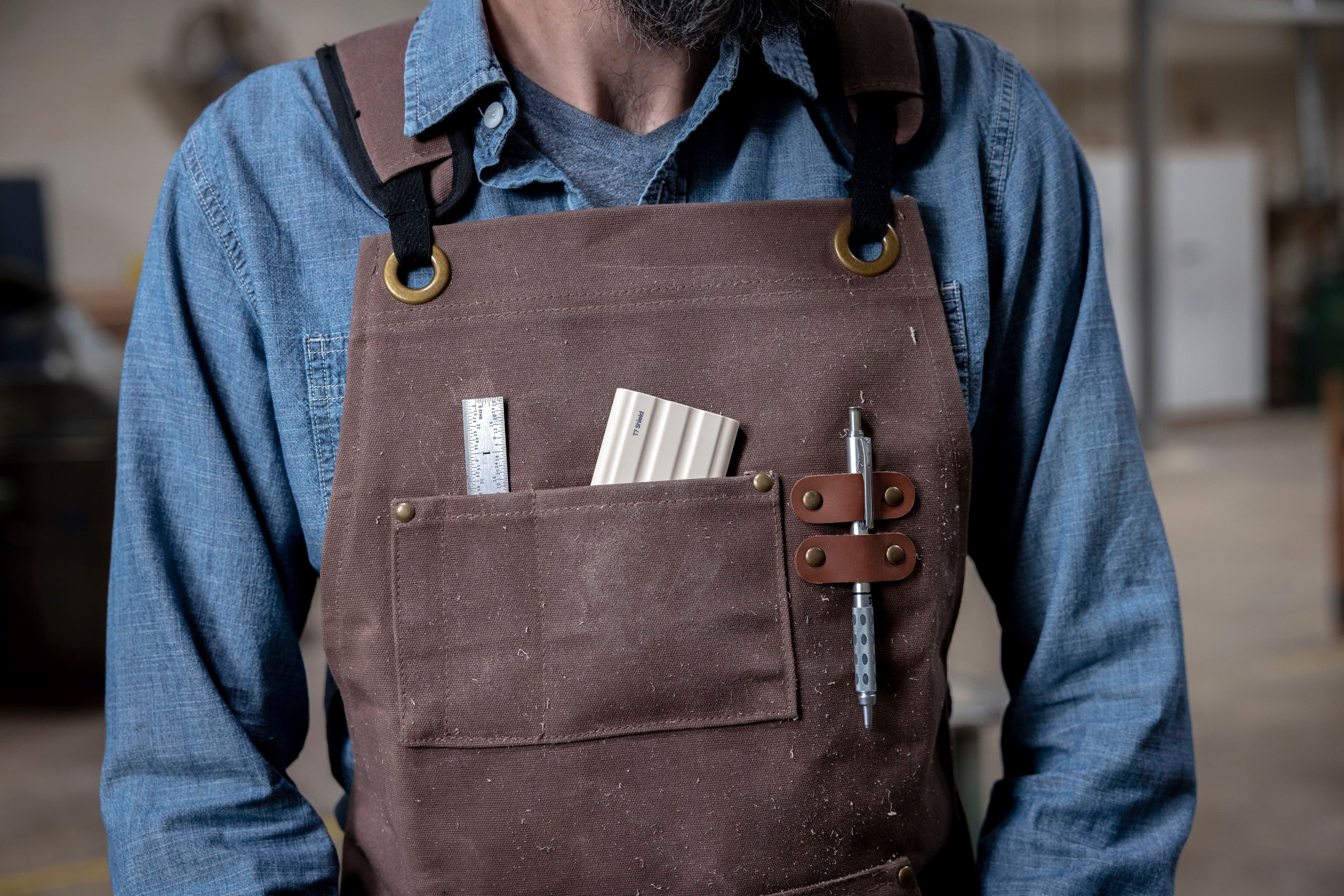
|Posted .This reviewer received promo considerations or sweepstakes entry for writing a review.The Samsung - T7 Shield 2TB External SSD Drive comes in a tiny package, but offers enormous storage in SSD technology. 2TB of storage in the size of a stack of 6 credit cards. Thin, compact, and fast storage for on the go and for anything you need to add more memory. Perfect for the newer style computers and laptops where they have sealed systems, such as Macbooks, and you need more storage. Works with Mac, PC, Xbox, and other devices. I found this device to be a perfect match for my on-the-go office needs. Using my Macbook (256GB), I needed more storage, but could not update the laptop itself. The size is perfect as it easily fits into my bag or pocket. The outer covers adds a slip-resistant affect and ensures that it won't slid across your dash or desk and will be ready when and where you need it. Small and compact - Perfect! PROS - Samsung quality and innovation - Brand recognition you can trust - Easy plug-and-play design - Works for a variety of uses and OS - Rubberized exterior - anti-skid CONS - Nothing at this time
I would recommend this to a friendCompact, Rugged, and Fast SSD
|Posted .This reviewer received promo considerations or sweepstakes entry for writing a review.This is the latest external SSD from Samsung that is built to withstand dust, water, and survive a 9.8-foot drop, with an IP65 rating. The drive supports USB 3.2 Gen 2, that means you can transfer files up to 10Gbps speed and is compatible with Windows and Mac, as well as with iPad and gaming consoles as external storage. The SSD itself has a USB C port, but it comes with USB C to C cable and USB C to A cable for backward compatibility and to plug in to USB A compatible devices. The SSD itself is very compact in size, convenient when traveling. The drive's rubber exterior shell protects and maintains the performance by controlling the heat dissipated. I like that this SSD supports 256-bit AES hardware encryption, thanks to Samsung's Portable SSD Software. I wish the warranty on this would be a bit longer, compared to just three years, but that is a minor gripe. If you are looking for a rugged, durable, and secure drive that can handle day to day toughness, then this drive fits that picture.
I would recommend this to a friendBrand response from Samsung
Posted .Prat:
Thanks for purchasing Samsung's T7 Shield SSD. I am happy to see that this compact drive is meeting your needs.
This drive is designed to transfer massive files in seconds. USB 3.2 Gen 2 and PCIe NVMe achieve soaring sequential read/write speeds of up to 1,050/1,000 MB/s*, allowing you to edit directly from the drive. The high-tech rubber exterior with Dynamic Thermal Guard controls heat to maintain steady performance for even giant projects.
Should you ever have questions or need assistance using this product, please know we’re always here to help.
1) Call: 1-800-SAMSUNG (ask for Memory or press #, then 6 for Memory products)
Available 9AM – 12AM EST (Mon-Fri)
2) Email: samsungmemorysupport@sea.samsung.com
3) Or visit us on the Samsung website and click on the SUPPORT link in the upper right corner of the homepage for:
a. Chat with Us/Product Help: To begin a chat or find solutions, choose ‘Computing – Memory & Storage’ and select your model & topic.
b. Manuals & Software
c. Warranty Info
d. Register a Product: For access to easy warranty support, convenient opt-in to special promos and offers, faster troubleshooting and service, and quick notification of system updates
e. Contact Us
The Samsung Members Community is also a great resource for getting help from Samsung moderators and customers: https://us.community.samsung.com/
- Samsung Memory
Samsung - T7
||Posted . Owned for 1 month when reviewed.This reviewer received promo considerations or sweepstakes entry for writing a review.Better than 4 TB USB SSD. Still have problems with the SSD being recognized. Usually it is recognized and none of the data is lost.
No, I would not recommend this to a friendBrand response from Samsung
Posted .HarrisR:
Thanks for purchasing the Samsung T7 Shield SSD for your memory storage needs.
Your experience with the drive not being recognized is very important to us and we will share your feedback with our product team.
Please contact Samsung Memory Support directly so that we can better investigate your issue and assist you towards a solution or replacement.
1) Call: 1-800-SAMSUNG (ask for Memory or press #, then 6 for Memory products)
Available 9AM – 9PM EST (Mon-Fri)
2) Email: samsungmemorysupport@sea.samsung.com
3) Or visit us on the Samsung website and click on the SUPPORT link in the upper right corner of the homepage for:
a) Chat with Us/Product Help: To begin a chat or find solutions, choose ‘Computing – Memory & Storage’ and select your model & topic.
b) Manuals & Software
c) Warranty Info
d) Contact Us
Samsung stands behind the quality and performance of every T7 Shield SSD we manufacture with a limited 3-year manufacturer’s warranty when purchased brand-new, directly from any authorized dealer, like Best Buy.
We hope to hear from you soon.
~ Samsung Memory
WORST PRODUCT THAT I EVERY BOUGHT
||Posted . Owned for 1 year when reviewed.This reviewer received promo considerations or sweepstakes entry for writing a review.It's the worst External HDD. IT GAVE UP AFTER I POOLED UP ALL MY DATA FROM ALL THE OTHER DRIVES INTO THIS AND DELETED THE DATA ON OTHER DRIVES. IT JUST NOT WORKING WHEN I RECONNECTED.
No, I would not recommend this to a friendBrand response from Samsung
Posted .NarsamambaandsatyanarayaV:
I’m very sorry for the difficulties you’ve experienced with your T7 Shield. We completely understand your frustrations, and we are here to help.
Please contact Samsung Customer Support directly so that we can better investigate your issue and assist you towards a resolution or replacement.
1) Call: 1-800-SAMSUNG (ask for Memory). Available 9AM - 12AM EST (Mon-Fri)
2) Email: samsungmemorysupport@sea.samsung.com
3) LiveChat 9AM-9PM EST (Mon-Fri) -- https://www.livehelpnow.net/lhn/lcv.aspx?d=34834&ms=&zzwindow=0&lhnid=29783
We look forward to hearing from you soon.
- Samsung Memory
Don’t attempt to transfer an older Mac OS
||Posted . Owned for 1 month when reviewed.This reviewer received promo considerations or sweepstakes entry for writing a review.Didn’t support the Mac File type I wanted. I attempted to transfer my 2019 Intel Mac over onto this in order to make it faster but then it didn’t support the file type I wanted
No, I would not recommend this to a friendBrand response from Samsung
Posted .megamike57:
I’m very sorry for the difficulties you’ve experienced with your T7 Shield SSD. We completely understand your frustrations, and we are here to help.
So that we can better assist you with your particular usage scenario, we ask that you please contact us and speak with a Samsung Customer Service representative.
Please contact Samsung Customer Support directly so that we can better investigate your issue and assist you towards a resolution.
1) Call: 1-800-SAMSUNG (ask for Memory). Available 9AM - 12AM EST (Mon-Fri)
2) Email: samsungmemorysupport@sea.samsung.com
3) LiveChat 9AM-9PM EST (Mon-Fri) - https://www.livehelpnow.net/lhn/lcv.aspx?d=34834&ms=&zzwindow=0&lhnid=29783
We look forward to hearing from you soon.
- Samsung Memory
Small, light, fast, durable
Posted .This reviewer received promo considerations or sweepstakes entry for writing a review.I use this as my Time Machine backup disk. Far faster than the HDD I was using before, which became so slow under the most recent Mac file system that it was effectively unusable. This is smaller than you would expect, very light, very portable, and the rubberized surface feels more durable than a plastic enclosure. It's nice not to have to worry about a spinning platter going bad or being tossed around in a bag.
I would recommend this to a friendGreat performing compact little product
Posted .This reviewer received promo considerations or sweepstakes entry for writing a review.This is my second external drive that I have used for my constant ‘drive’ instead of the internal drive inside my computer. If that doesn’t make sense,,,,my intent is to have all ‘important to me’ files, pictures, whatever on a safer physical location. I work directly from this external drive, it’s not just for backup. Years ago my computer crashed and only part of the info could be recovered from the internal hard drive. The backup that I had created and used faithfully, well, it needed a special program to do recovery with it and was very expensive with no guarantees. And lastly, my experience with the clouds has been that things come up missing and there is no good explanation. I say all that to make the point that it gets used a lot. Quite a bit of data transfer back and forth. This little T7 Shield has been wonderful! I haven’t had any hiccups. The speed is amazing. My previous external drive was a Toshiba which was not a SSD drive. It seemed to be plenty fast and performed well for many years but the T7 is outstanding. Plus, I feel more secure with a drive that doesn’t have moving parts. If some of you more tech savvy ppl reading this are rolling your eyes at some of my choices and comments,,,,,yep, I’m just a daily tech user who is trying to make my way thru this digital environment.
I would recommend this to a friendTerrible usb c cable
||Posted . Owned for 1 year when reviewed.This reviewer received promo considerations or sweepstakes entry for writing a review.Six months later, the usb-c cable is now getting loose. The usb cable is loose. Sometimes it does not detect the hard drive
No, I would not recommend this to a friendBrand response from Samsung
Posted .Govind:
We always aim to deliver a great experience, and it’s unfortunate to hear the T7 Shield SSD did not meet your expectations.
Samsung stands behind the quality and performance of every T7 Shield SSD we manufacture with a limited 3-year manufacturer’s warranty when purchased brand-new, directly from any authorized dealer, like Best Buy.
Please contact Samsung Customer Support directly so that we can better investigate your cable issue and assist you towards a resolution or replacement.
1) Call: 1-800-SAMSUNG (ask for Memory). Available 9AM - 12AM EST (Mon-Fri)
2) Email: samsungmemorysupport@sea.samsung.com
3) LiveChat 9AM-6PM EST (Mon-Fri) - https://www.livehelpnow.net/lhn/lcv.aspx?d=34834&ms=&zzwindow=0&lhnid=29783
We look forward to hearing from you soon.
- Samsung Memory
Small, fast, and secure
|Posted .This reviewer received promo considerations or sweepstakes entry for writing a review.One Terabyte of space in a small, rubberized, secure form factor is just a few things that make this Samsung 1TB T7 Shield External SSD drive a very handy device to have around. It has a USB 3.2 interface which provides plenty of speed and performance for most applications and transfer speeds in my opinion. There may be faster drives out there, but this is decent one none the less. In the box you are given two USB cables, one is a type C to C and the other is a Type A to C. The enclosure itself can protect your delicate data from dust and water with an IP65 rating and is rated to survive a 9.8-foot drop, which I did not test out myself, but it’s nice to know that if I do drop it, I will most likely be ok. The Samsung software installed on the drive will allow you to set up encryption on it as well so you can lock the data down and someone that does not know the password will not be able to access it easily. So if you are looking for a way to carry around sensitive or personal data, look at the Samsung T7.
I would recommend this to a friendBrand response from Samsung
Posted .jago:
Thanks for purchasing Samsung's T7 Shield Portable SSD. I am happy to see that this compact drive is meeting your needs. The portable design allows you to access large amounts of data on the move, anytime, anywhere. With no moving parts and a sturdy, shock resistant body, it can handle drops of up to 9.8 feet.
Should you ever have questions or need assistance using this product, please contact Samsung Customer Support.
1) Call: 1-800-SAMSUNG (ask for Memory or press #, then 6 for Memory products)
Available 9AM – 12AM EST (Mon-Fri)
2) Email: samsungmemorysupport@sea.samsung.com
3) Or visit us on the Samsung website and click on the SUPPORT link in the upper right corner of the homepage for:
a. Chat with Us/Product Help: To begin a chat or find solutions, choose ‘Computing – Memory & Storage’ and select your model & topic.
b. Manuals & Software
c. Warranty Info
d. Register a Product: For access to easy warranty support, convenient opt-in to special promos and offers, faster troubleshooting and service, and quick notification of system updates
e. Contact Us
The Samsung Members Community is also a great resource for getting help from Samsung moderators and customers: https://us.community.samsung.com/
- Samsung Memory
Great performance, solid build
|Posted .This reviewer received promo considerations or sweepstakes entry for writing a review.I've owned a few Samsung SSDs in the past, and they've never disappointed. This new generation continues that legacy of great performance, with the added bonus of a new rugged build. It's slightly "rubberized" (though I'm not sure what the material is technically called), and it gives me great confidence when handling the drive. I've used this drive for multiple applications so far, and it's passed each test with flying colors. GENERAL STORAGE This is use case that almost everyone will go with, and it performs exactly as it should. Read/write speeds are quite fast, the 2TB capacity is more than enough, and with the connection port being USB-C, it interfaces with essentially any device. I've been able to move my data between my Mac, my PC, my Android tablet, and my Linux desktop with no issues. DUAL BOOTING Speaking of my Linux desktop, as someone who distro-hops as a hobby, I've experimented with a disk partition on this drive holding a Linux distribution (Mint) and the read/write speeds were so fast that if you told me I was running the OS on an external drive instead of an internal one, I wouldn't have believed you. STEAM STORAGE This is the ultimate destination of the drive for me - my PC laptop only has a 250GB internal drive, and that's not nearly enough for my Steam library. With a few clicks of the mouse, I've been able to install my entire Steam library to this T7 and game performance has been smooth and fast. In summary - Samsung SSD = good. The new T7 Shield continues that legacy.
I would recommend this to a friendBrand response from Samsung
Posted .ZachG:
Thanks for purchasing the Samsung T7 Shield SSD and for your review. I'm glad to see you are happy with the experience.
Tough, fast, and compact. The all new rugged PSSD T7 Shield is built to endure with the space to create thanks to an IP65 rating for Dust and Water resistance
If you should have any questions or concerns with usage or features, Samsung Customer Support is here to help.
1) Call: 1-800-SAMSUNG (ask for Memory or press #, then 6 for Memory products)
Available 9AM – 12AM EST (Mon-Fri)
2) Email: samsungmemorysupport@sea.samsung.com
3) Or visit us on the Samsung website and click on the SUPPORT link in the upper right corner of the homepage for:
a. Chat with Us/Product Help: To begin a chat or find solutions, choose ‘Computing – Memory & Storage’ and select your model & topic.
b. Manuals & Software
c. Warranty Info
d. Register a Product: For access to easy warranty support, convenient opt-in to special promos and offers, faster troubleshooting and service, and quick notification of system updates
e. Contact Us
The Samsung Members Community is also a great resource for getting help from Samsung moderators and customers: https://us.community.samsung.com/
Thanks for being a part of the Samsung family.
- Samsung Memory