Customer Ratings & Reviews
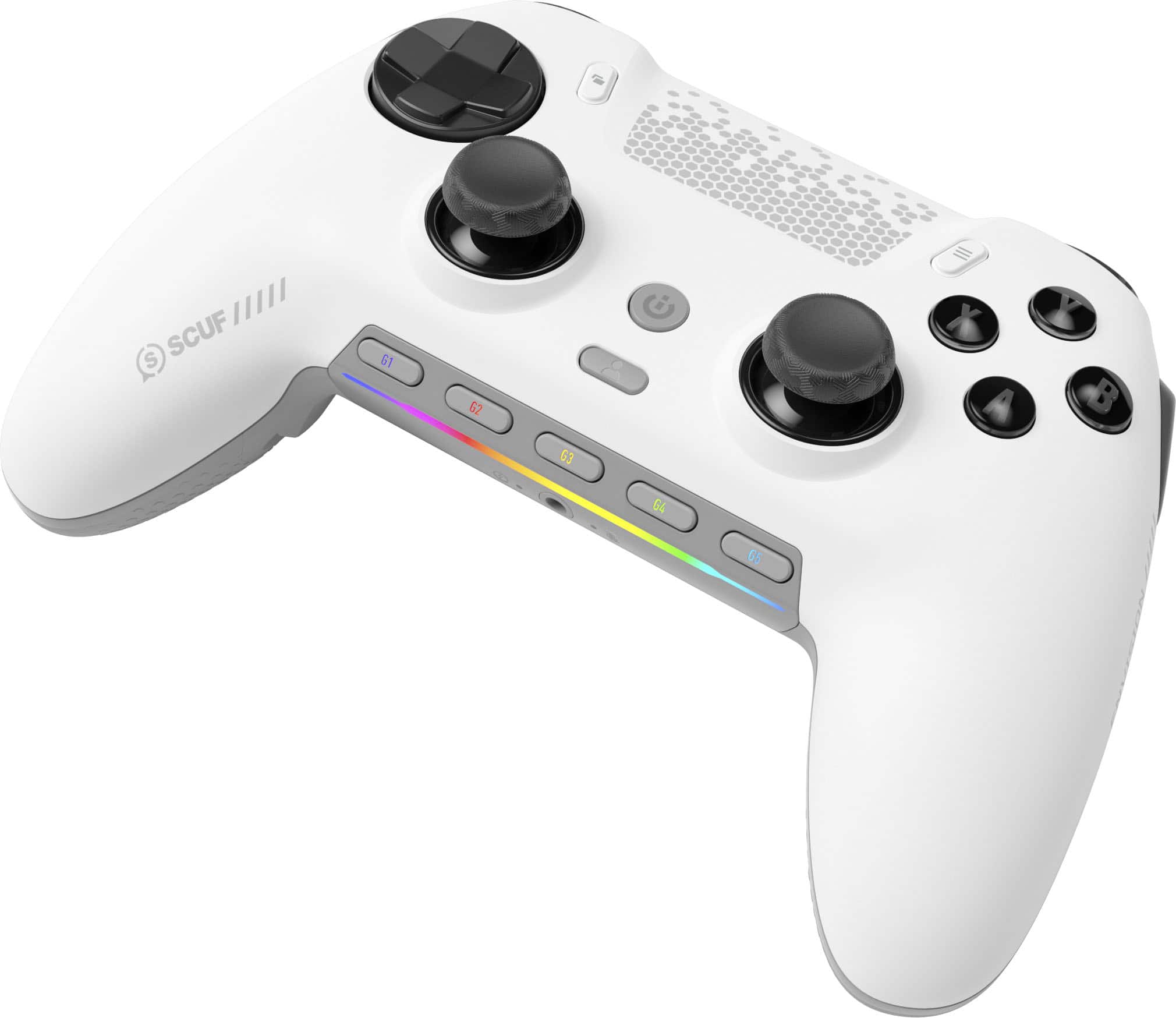
- Model:
- 601-178-03-062-NA
- SKU:
- 6596941
Rating by feature
- Value
Rating 4.2 out of 5 stars
- Quality
Rating 4.4 out of 5 stars
- Ease of Use
Rating 4.2 out of 5 stars
Customers are saying
Customers admire the ENVISION PRO V1 Wireless Gaming Controller for PC's overall performance, programmable buttons, ease of use, customization options, and solid feel. However, some customers have expressed concerns regarding the software, stick drift, connectivity, battery life, and price.
This summary was generated by AI based on customer reviews.
- Pros mentioned:Ergonomics, Overall performance
The Verdict: A Controller Worth Celebrating
||Posted . Owned for 1 month when reviewed.This reviewer received promo considerations or sweepstakes entry for writing a review.The Scuf Envision Pro is a triumph of design and functionality, offering PC gamers a premium controller that’s as versatile as it is precise. Its ergonomic brilliance, endless customization options, and lightning-fast performance make it a joy to use across genres, from competitive shooters to precision-heavy fighting games. While it’s pricier than your average controller, the Envision Pro justifies every penny with its build quality, innovative features, and pro-level capabilities. It’s not just a controller—it’s a tool that empowers you to play at your absolute best. If you’re a PC gamer looking to elevate your game, the Scuf Envision Pro is an investment you won’t regret. It’s earned a permanent spot in my gaming setup, and I suspect it’ll do the same for you. Here’s to countless victories and unforgettable gaming moments with this fabulous gamepad by your side.
I would recommend this to a friend - Pros mentioned:Buttons
10/10
Posted .This reviewer received promo considerations or sweepstakes entry for writing a review.Switched from the scuf instinct pro, and overall love the controller. The feel of the controller is great and I love the clicky buttons. The software to map buttons is straight forward and the rgb settings are cool. Great product
I would recommend this to a friend - Cons mentioned:Software
Software issues ruin the experience
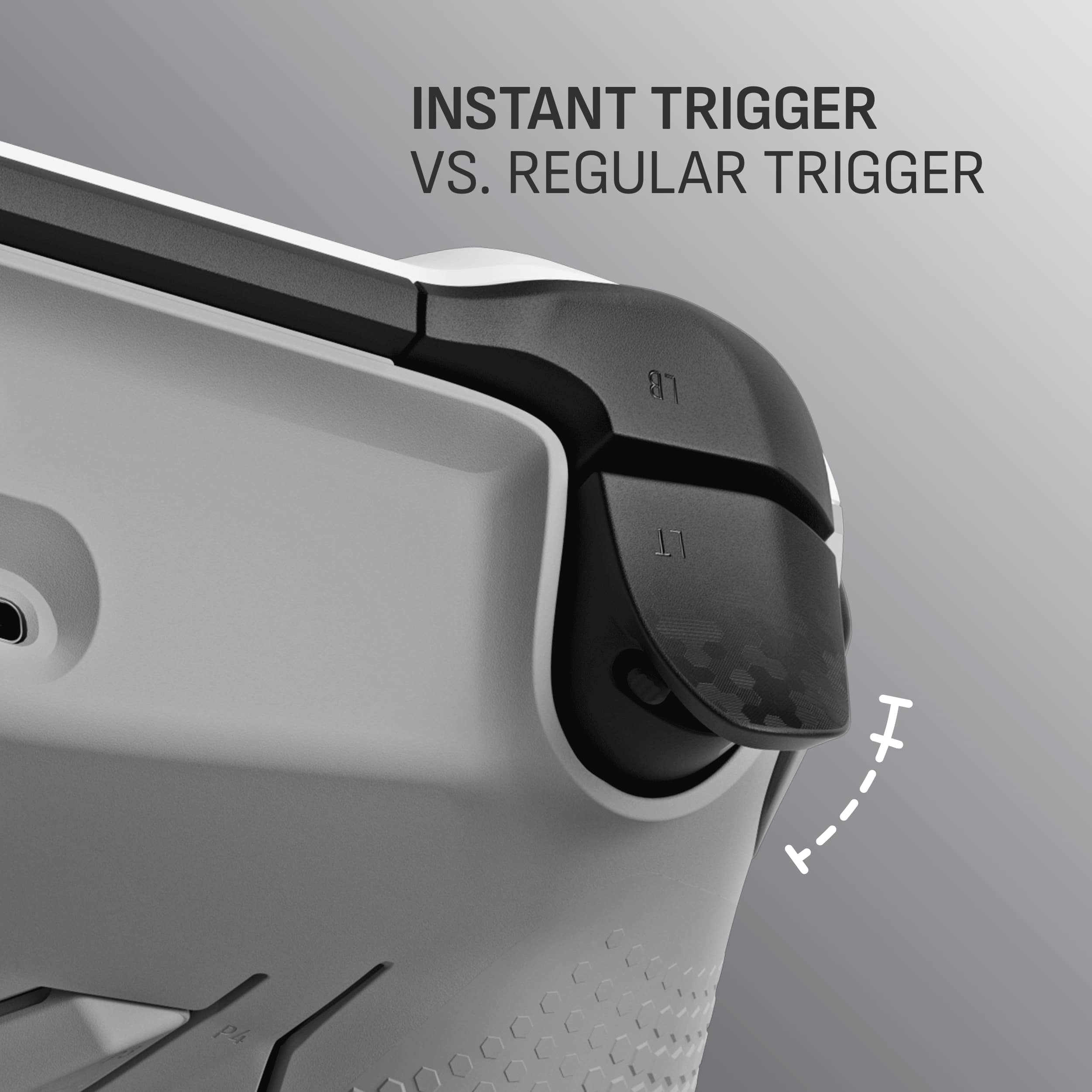
||Posted . Owned for 1 month when reviewed.This reviewer received promo considerations or sweepstakes entry for writing a review.The controller itself is really special. Pros- Feel great, the mouse click trigger are a step ahead of the Scuf Instinct Pro in that they take less pull force to use and feel better on the fingers, Mouse click face buttons and dpad. Rear buttons that are lifted directly from the Instinct pro. You'll either love them or hate them depending on how you use back buttons. And the most unique feature is the added Gkeys that can be mapped to any keyboard function or Macro using the software with Corsair. Which leaded to the biggest issue Con- One major con, The software. I ran into a variety of issues ranging from controller not being recognized, controller not even showing up in software, mappings not saving, triggers becoming overly sensitive and staying pressed, and the worst is the controller becoming completely unusable which thankfully didn't happen with me but I've seen other have that issue, Bottom line - If they fix the software issues the controller itself is well worth the money. Until then it isn't worth the issues. Controller 5/5 Software 1/5
No, I would not recommend this to a friend 
The PC Gaming Controller To Beat
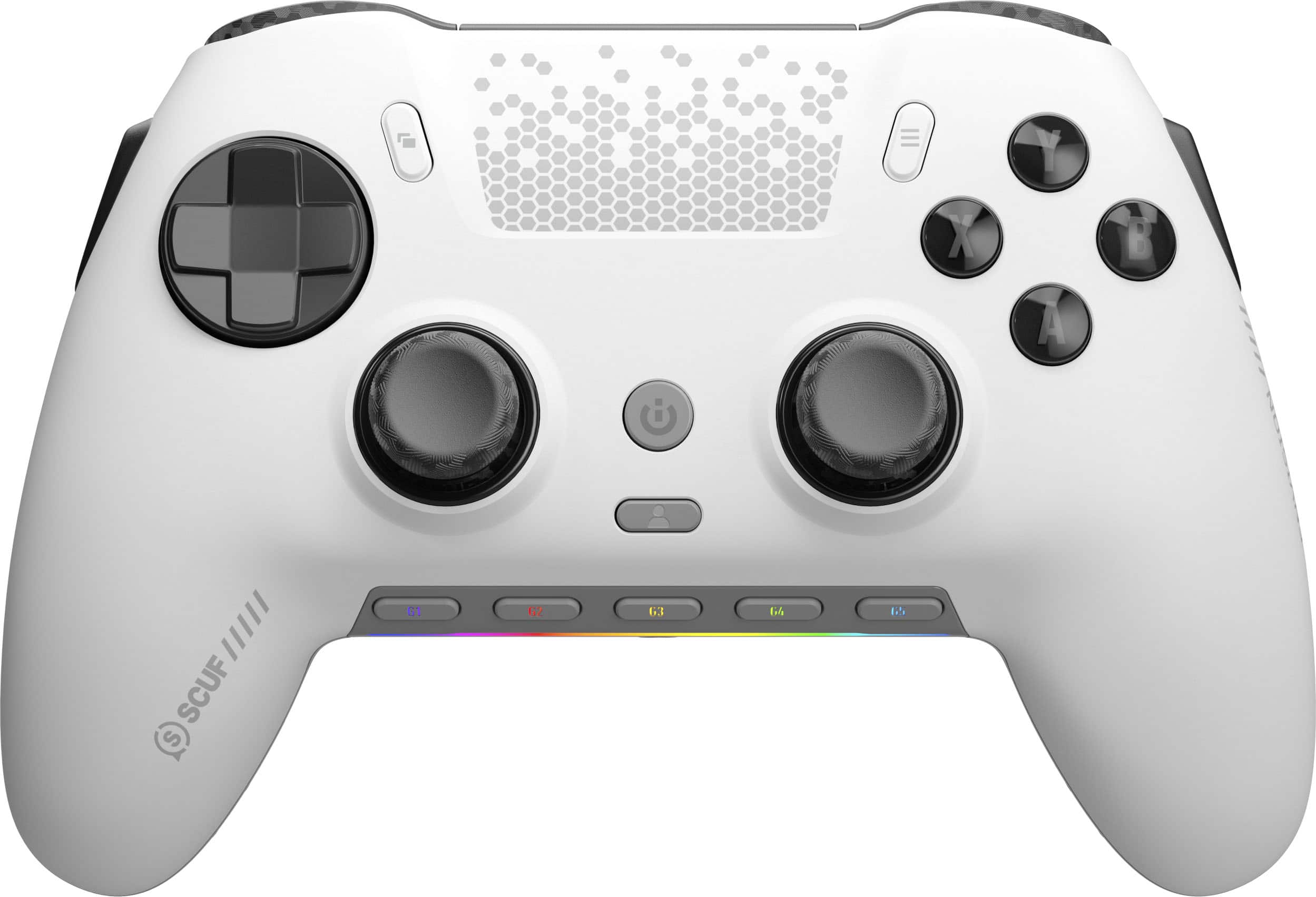
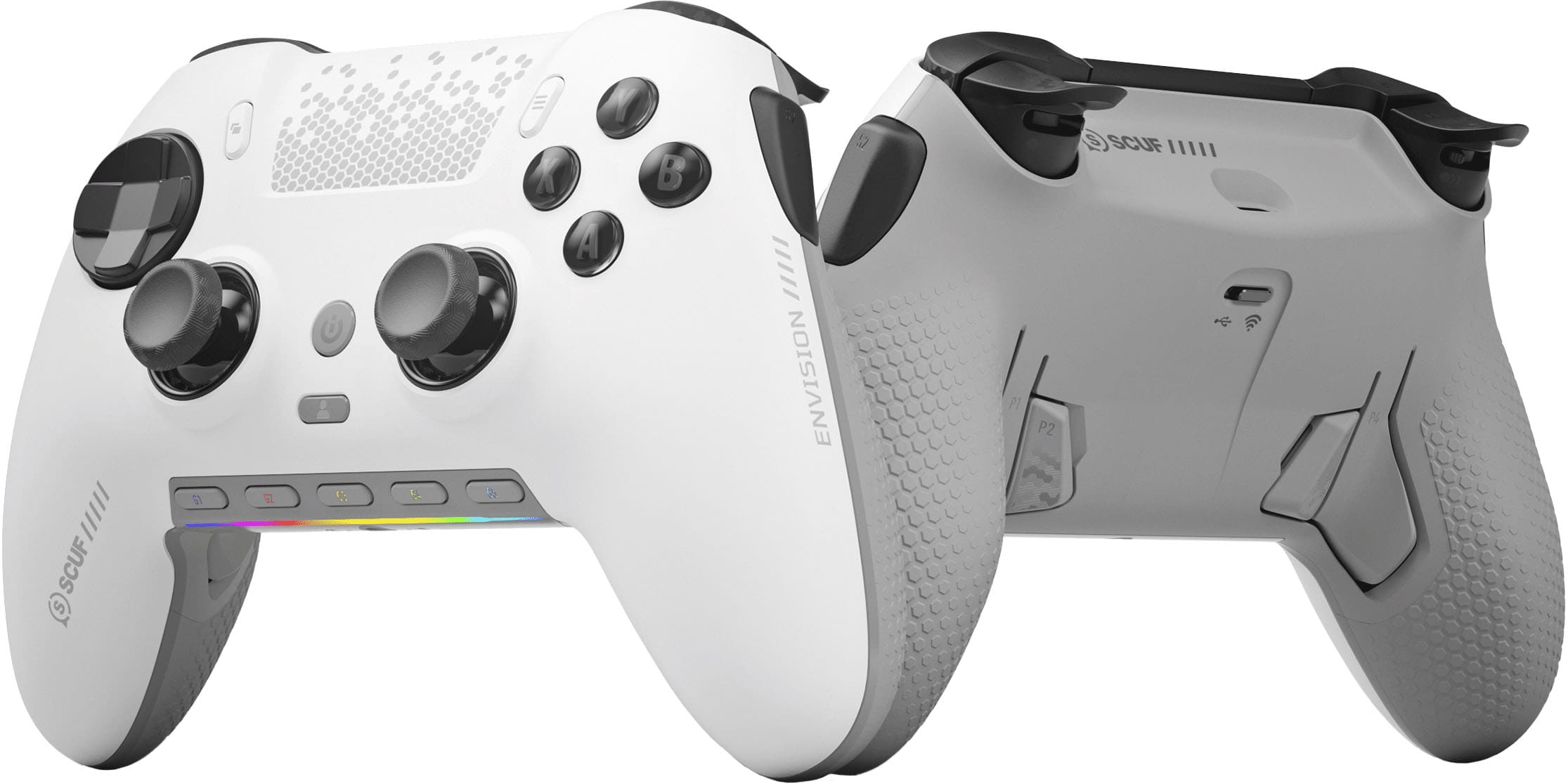
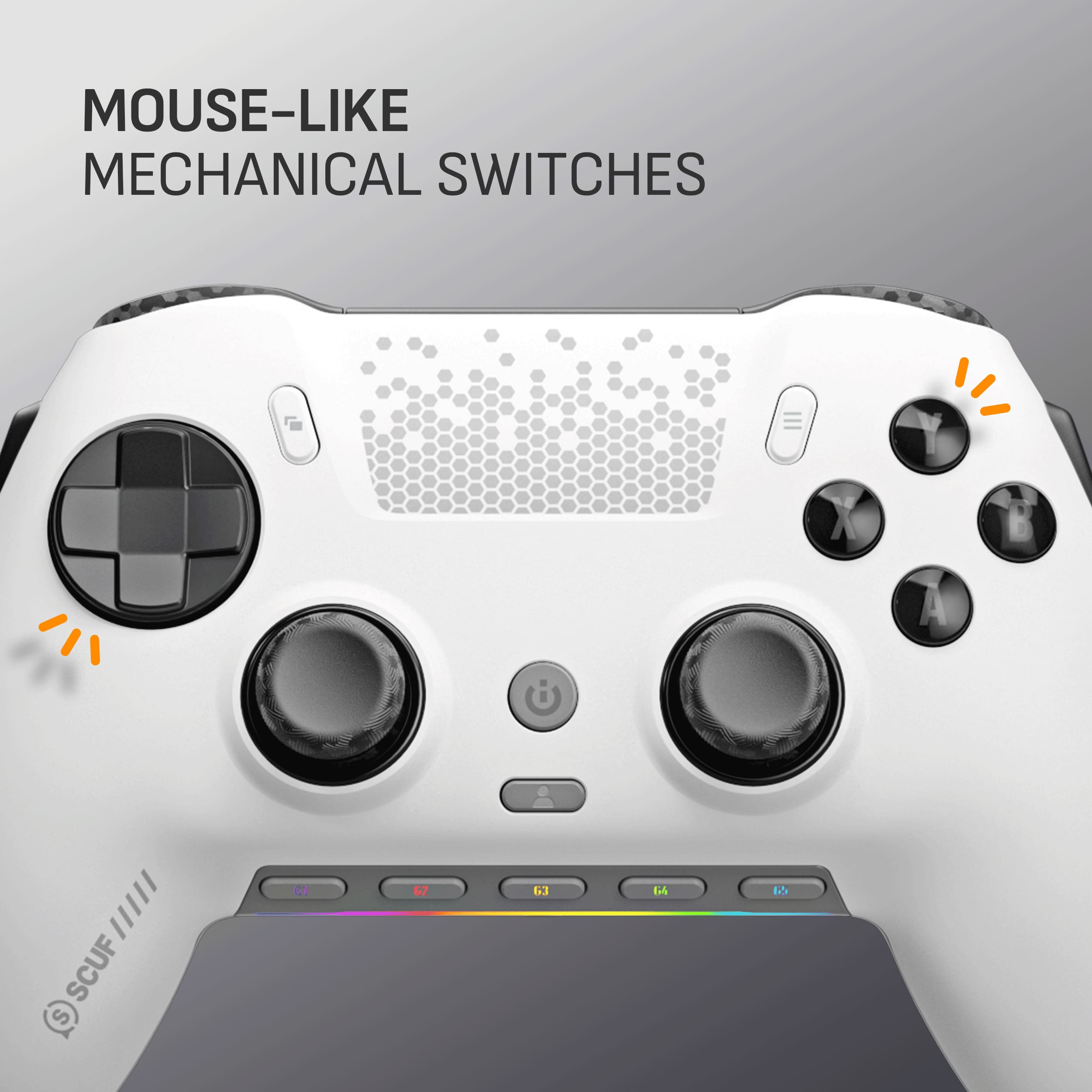
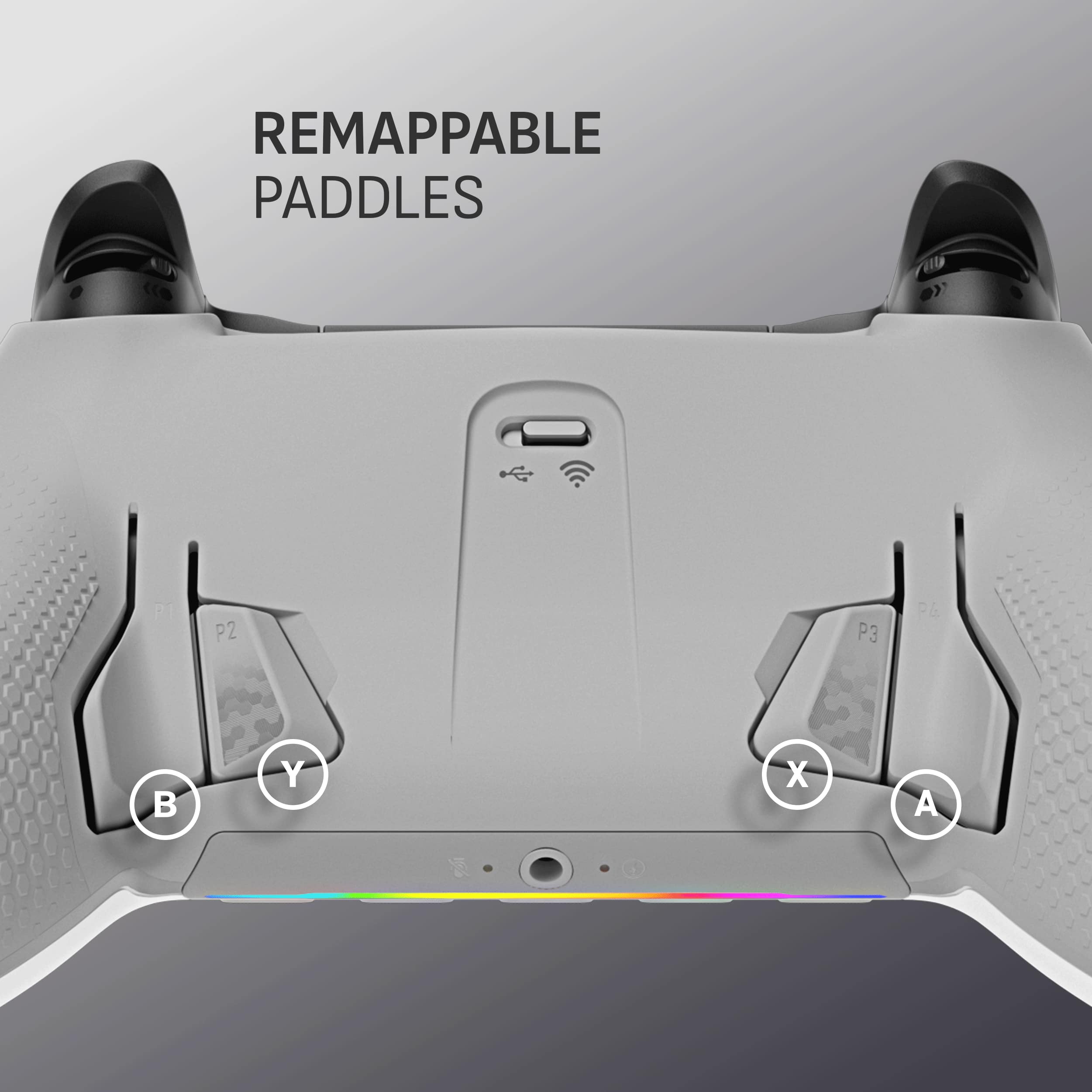
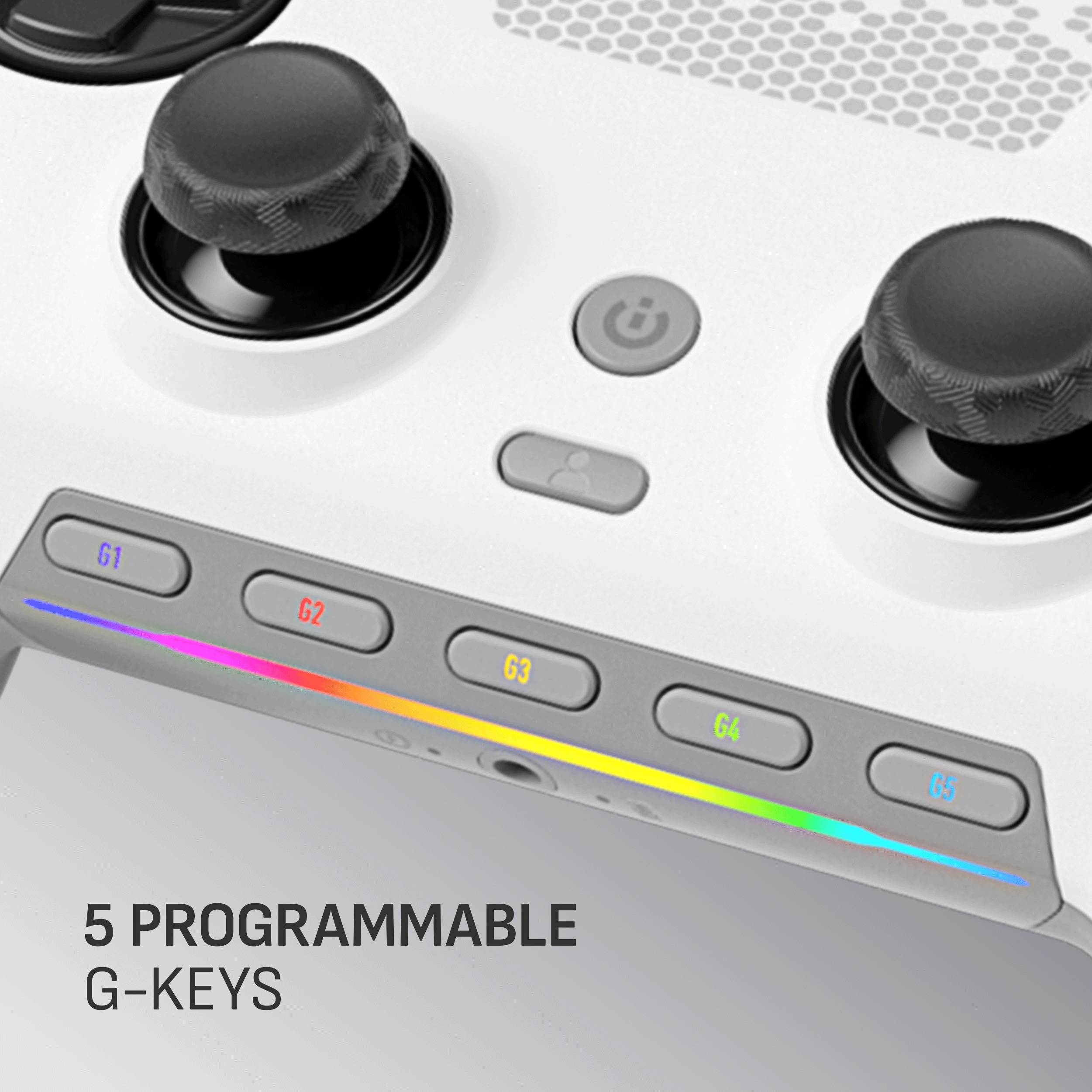
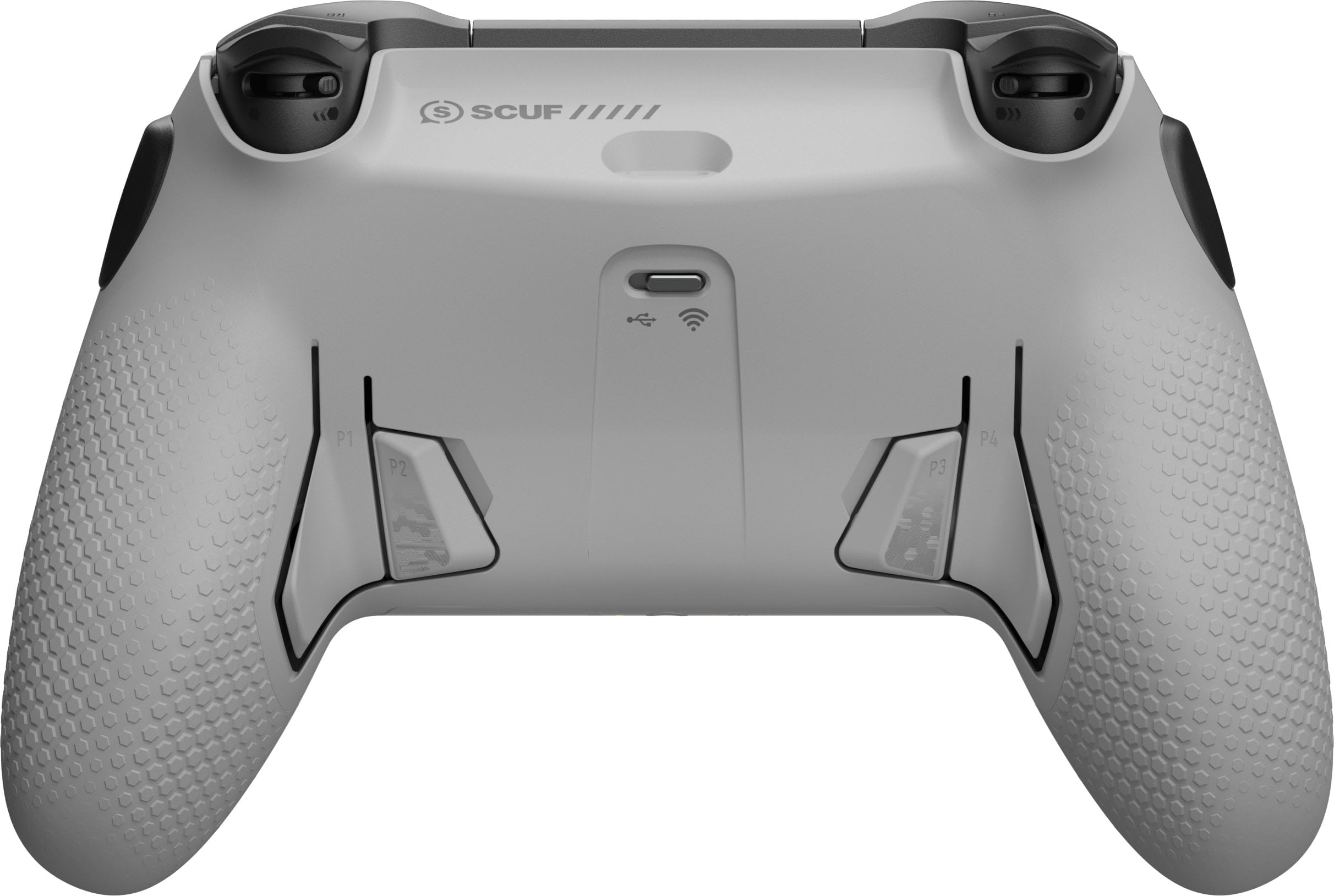
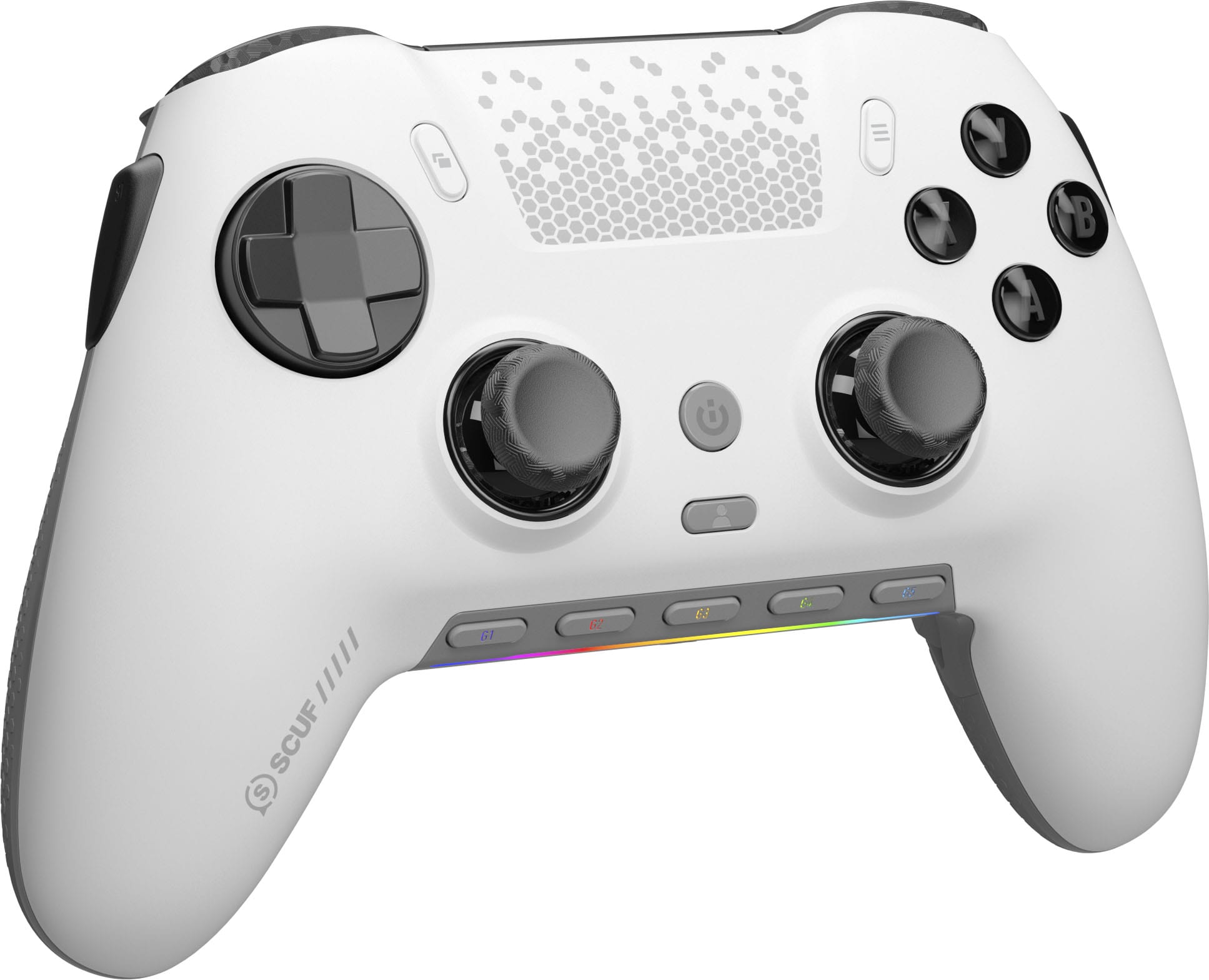
|Posted .This reviewer received promo considerations or sweepstakes entry for writing a review.It's nice to see that Scuf has created a controller dedicated to PC as they've been the pioneers of customizable controllers for the console arena. I have friends that swear by Scuf and their ability to customize these controllers to your liking, but these controllers are always limited to what a console can allow you to change. When you create a device for the PC market, the customizability is endless. And that's where the Envision Pro really shines. The design of the Envision Pro is kind of a hybrid of the Xbox and PS5 controller. The D-Pad and buttons are familiar for Xbox users, and the alignment of the analog sticks are familiar for PS users. Internally, the Envision uses OMRON mechanical button switches, and the "mouse click" from a button press is quite satisfying. It's applied to all buttons, especially the D-pad. On the rear of the controller (and what you won't find on the standard issue), you'll find four paddle buttons, and on the sides of the controller, you'll find two additional buttons that sit right under your index fingers. Corsair/Scuf included block off plates if you choose to not use all or some of these buttons. Lastly, the analog sticks can be interchanged with two additional included analog joysticks (one long, one short, but not two of each). This is done by removing the magnetic faceplate. I believe that custom faceplates will be in order in the future. Similar to Corsair keyboards, there is a row of G-keys that can be customized to your liking. The controller can be used either wirelessly though it’s 2.4GHz Slipstream receiver or via USB cable. The hardware itself is pretty impressive, but the money is in its customizations through iCUE from Corsair. If you're familiar with Corsair mice/keyboards and iCUE, you know that you can pretty much customize anything, and the same can be said about the Envision Pro. You can change button mappings, trigger sensitivities and analog stick activation curves. The G-keys are also customizable, but I kind of left them defaulted because I love using the controller as an entertainment remote as well. But with customizable profiles, I can switch from an entertainment remote to a Forza profile. And growing up in the 80s and 90s, side scrolling action games were my thing…and I can set up a profile for that. So what do I think?? In the past, I purchased standard console controllers for use on PC, and it has worked fine for me. There are probably many of us that don't need a full fledged customizable controller like this. At MSRP, the Envision Pro isn't cheap. And there's that saying that ignorance is bliss; if you find this controller in your hands, it would be hard to go back to your standard issue. But really, this controller was meant for the power users who wished their standard issue controller behaved in some manner in some situation, or if it could do a macro for another….maybe if the analog sticks weren't so sensitive or if the triggers activated completely on a little tap……then this controller is for you.
I would recommend this to a friend- Cons mentioned:Software
Solid for PC , fast response
||Posted . Owned for 8 months when reviewed.This reviewer received promo considerations or sweepstakes entry for writing a review.Overall it has been solid. The updates have been good. Paddle durability in comparison to the many other pro controllers I’ve had is probably a 10/10. Software: not good, least favorite part, but at least with the latest update you can save settings directly on the controller and run it with no app. Everything else: sticks are good, triggers solid, paddles have been durable so far. Wish list: this needs an overclock in my opinion. Super disappointing you can’t take it upwards of 8000hz like PS5 controllers. Really wish a controller company would release higher polling rate options out of the box and even have higher resolution joysticks. I’m not sure why controllers lag behind in tech so bad. The envision pro is a good start , but needs a few tweaks to land a 5/5.
I would recommend this to a friend - Pros mentioned:Customization
Overpriced but Good
||Posted . Owned for 1 month when reviewed.This reviewer received promo considerations or sweepstakes entry for writing a review.Controller is great with fast feedback and good battery life. Customization is easy with the Corsair iCue software and quick presets are nice when changing games. Swapping faceplates is easy and makes for nice customization, RGB is subtle but aesthetically pleasing. Swapping joystick pads are an easy pull/push. However, You can get a better deal on the Corsair website and will receive the same product without the packaging fluff, nearly half-off last I checked but best buy wont price match the manufacturers website. This beats using a standard xbox controller but it took some getting used-to due to the joy sticks being positioned parallel like playstation controllers. I recommend this for anyone looking to upgrade from basic controllers but definitely shop around for a better price, i wouldnt pay full price for this controller
I would recommend this to a friend An Must Have for Gamers
|Posted .This reviewer received promo considerations or sweepstakes entry for writing a review.The SCUF Envision Pro is an awesome PC gaming controller. I'm new to the SCUF line of products, and was using a PS5 controller to game on my PC, so when I got my hands in the Envision Pro I was greatly impressed by this controller. Aesthetics, the controller looks great. Its main shape is similar to an Xbox controller but its sticks are more in line with Playstation. The front face color is a matte grey with black/orange accents and its back is a flat black. It feels better to hold for long gaming session, especially when compared to a standard PS5 controller. The front face is smooth and the back has a honey comb texture, giving it better grip in your hands and giving you less of a sweaty hand. It also has an rgb light beneath the G keys. Functionality, this controller is all about getting the most of your gaming experience. Since I'm new to SCUF controllers it took me a few minutes to get used to the extra bumpers and paddles, but with a few hours of Halo I learned to use the rear and side like it were 2nd nature. The controller offers so much freedom in how you want to map out your button figurations and how precise you want your controller to respond to all your actions. It even has a 3.5mm jack for you to be able to connect a wired headset. Overall I'm loving the SCUF Envision Pro, its so good that its convinced me to buy another one just for my PS5. I would absolutely recommend it.
I would recommend this to a friend- Pros mentioned:Customization
Excellent controller!
||Posted . Owned for 1 week when reviewed.This reviewer received promo considerations or sweepstakes entry for writing a review.The Scuff Envision Pro Controller is a game-changer in the world of gaming peripherals, offering an array of features designed to enhance your gaming experience. With 4 back buttons, 2 side buttons, and 5 front buttons, all fully mappable and hotkey-enabled, this controller provides unparalleled customization options, allowing you to tailor your controls to suit your playstyle perfectly. One of the standout features of the Envision Pro Controller is its customizable lighting, which adds a touch of personalization to your gaming setup. Whether you prefer a vibrant rainbow effect or a sleek, minimalist design, the controller's RGB lighting can be adjusted to match your preferences. In terms of performance, the Envision Pro Controller delivers exceptional responsiveness, with lightning-fast response times even in wireless mode. Thanks to advanced technology, you can enjoy lag-free gaming sessions without compromising on speed or accuracy. Overall, the Envision Pro Controller is a must-have for serious gamers looking to elevate their gameplay to the next level. With its customizable buttons, lighting, and unparalleled performance, it's the ultimate gaming accessory for those who demand the best.
I would recommend this to a friend - Pros mentioned:CustomizationCons mentioned:Battery life, Software
Horrible software beware
||Posted . Owned for 2 weeks when reviewed.This reviewer received promo considerations or sweepstakes entry for writing a review.The controller itself is amazing. Triggers and trigger stops feel great. Overall build quality is really nice and premium feeling. The magnetic faceplate is a huge win, makes it extremely easy to customize your thumb sticks. The controller is a bit heavy with the rumbles left in. Battery life is ok, but cannot tell when it will die as it has no real battery indicator. Why the three stars? The software - it’s kills the controller. It works when it wants about 50% of the time. The app doesn’t need to be reworked it needs to be deleted and done correctly. Beyond disappointing
No, I would not recommend this to a friendBrand response from Corsair
Posted .Hello,
Do contact our team to allow them to help with any issues you may still be having, do reach out to them directly right on our site at any time.
-Art
It’s alright
||Posted . Owned for 1 week when reviewed.This reviewer received promo considerations or sweepstakes entry for writing a review.Good controller overall, love the switching between clicks triggers and full motion. Only downfall of this controller is the icue software you have to use. There is an option to save onboard profiles, to close icue, but you lose certain functionality of the controller when you do that - I don’t think I’d buy again unless it was on sale. Build quality is great though
I would recommend this to a friend- Pros mentioned:ButtonsCons mentioned:Stick drift
Not bad for price
||Posted . Owned for less than 1 week when reviewed.This reviewer received promo considerations or sweepstakes entry for writing a review.Mouse click buttons are very responsive, unfortunately for me I got a little bit of stick drift right out the box but it’s manageable with a 6% input deadzone Overall controllers tad bigger than I’d like, fits more like an Xbox controller rather than a PS controller but the grips on the back are awesome. Software app for PC is a little weird but once you get it figured out everything is easy to remap and change RBG color profile
I would recommend this to a friend - Pros mentioned:Buttons
High-Performance Controller Built for Competitive
||Posted . Owned for 3 months when reviewed.This reviewer received promo considerations or sweepstakes entry for writing a review.The Scuf Envision Pro is hands down one of the best PC controllers I’ve used for serious gaming. From build quality to customization, it delivers on nearly every front. Build & Design Right out of the box, the Envision Pro feels premium. The steel gray finish gives it a sleek, professional look, and the textured grips help maintain control during intense gameplay. It’s slightly heavier than a standard controller, but that adds to its solid feel without being fatiguing over long sessions. Buttons & Layout This controller is loaded with customizable options. The mechanical ABXY buttons are responsive with a crisp, tactile feel. The D-pad and triggers feel precise, and you can adjust the triggers for faster response time, which is perfect for competitive shooters. The highlight, though, is the set of four back paddles. They’re positioned well and are easy to reach without contorting your fingers. Mapping these paddles through the iCUE software is simple and makes switching controls on the fly a huge advantage in fast-paced games. Performance Whether wired or wireless, performance is rock solid. Inputs are responsive and consistent, and I haven’t noticed any lag or disconnects. Battery life is decent for a wireless controller, though not exceptional—it lasts through long sessions, but frequent users may need to charge every couple of days. Software Integration The iCUE software lets you customize lighting, remap buttons, and tweak sensitivity. It works well, though it could use some polishing in terms of interface and stability. Once set up, though, the controller behaves exactly as you configure it. Pros: • Premium build with excellent grip • Fast, responsive mechanical buttons • Great back paddle placement and feel • Strong wireless performance • Highly customizable through software Cons: • High price point • Battery life could be longer • iCUE software can occasionally glitch Final Verdict If you’re a PC gamer who wants elite-level control and customization, the Scuf Envision Pro is an excellent investment. It’s built for performance, and the attention to detail in both hardware and layout gives it a competitive edge. While it’s not cheap, the quality and features easily justify the price for serious gamers.
I would recommend this to a friend - Pros mentioned:Overall performanceCons mentioned:Price

A++ Controller
|Posted . Owned for less than 1 week when reviewed.This reviewer received promo considerations or sweepstakes entry for writing a review.[Employee of bestbuy] I have been using this controller since release date and i absolutely love it. I have no complains. The Icue software works great customizing every little thing on it. As a streamer i also think the G keys are game changing. I have the stream deck as well but i like how everything is now in reach. I have used many different controllers and none of them felt as good as this one. I kept going back to the dualsense edge because at the time that felt good in my hands, but now the new king is here. For $180 you get everything you need in a controller if you are a comp player or a casual player. Controllers that compete with this are way more expensive and not as good. Best controller in the market.
I would recommend this to a friend - Pros mentioned:Customization
Good product
||Posted . Owned for 1.5 years when reviewed.This reviewer received promo considerations or sweepstakes entry for writing a review.Had to warranty it out after 3 months for a buggy right trigger but other than that it was a really good and reactive controller and the customization on it was really effective.
I would recommend this to a friend - Pros mentioned:CustomizationCons mentioned:Battery life, Software
Not Worth The Price
||Posted . Owned for 1 month when reviewed.This reviewer received promo considerations or sweepstakes entry for writing a review.In terms of build quality, this controller is nice. Clicky and responsive buttons, sensitive (sometimes too sensitive) shoulder buttons with two more shoulder buttons on the side. There are also back buttons for more customization and even macros buttons on the bottom. Where this controller misses is software and functionality. The software is desperately behind times and the UI is something you might have seen back in 2009, sadly, this controller is a paperweight without that software and will not work, a corporate tactic that I continue to despise in the modern era. Functionality is also mixed, the battery is relatively weak and lasts nowhere near as long as an XBOX Controller, it lasts about on par with that of a PlayStation Dualshock / Dualsense. There also is no real way to tell the thing is charging until you are familiar with the controller and it's functions, I'd also advise anyone with big hands from purchasing this one. Another miss is rumble support, it feels bare existent and rather weak for games that utilize it, like Helldivers 2, and that's with rumble intensity at max. Would I recommend this controller? Only to those who truly need all the buttons and love to tinker with all the setup they'll need to do via an outdated App. To those who just want to play games? Save yourself the money and get an XBOX or Xbox Elite 2, this one cannot compare for the price of the Elite, you also can't go wrong with the PlayStation Dualsense if you like this type of controller design.
No, I would not recommend this to a friendBrand response from Corsair
Posted .Hello,
And thanks for your feedback! Please, if you still need assistance, reach out directly to our team on our site for assistance.
-Art
- Pros mentioned:Buttons
Scuf
||Posted . Owned for 1 week when reviewed.This reviewer received promo considerations or sweepstakes entry for writing a review.I’ve read reviews that icue the program that coincides with the controller is buggy but I haven’t yet seen an issue. Over all the controller feels nice in hand. The back buttons are clutch. Mouse click everything is much needed. Over all 10/10 on the controller. Total game changer. I’ll never buy anything else but scuf
I would recommend this to a friend - Pros mentioned:Overall performanceCons mentioned:Stick drift
Best controller for pc
||Posted . Owned for 1 week when reviewed.This reviewer received promo considerations or sweepstakes entry for writing a review.The controller is incredible and has all its functions. The only bad thing is that it got stick drift two months after I bought it. Fortunately, I bought a 2-year warranty and was able to exchange it for a new one but it had a little bit of stick drift straight out of the box but it wasn’t too bad
I would recommend this to a friend - Pros mentioned:Overall performanceCons mentioned:Software
Amazing controller, terrible quality
||Posted . Owned for 7 months when reviewed.This reviewer received promo considerations or sweepstakes entry for writing a review.This is the best feeling controller I have ever had, with more features than any other controller. I wish I could love it, but it has some big downsides. This thing breaks way too easy. I dont play often, and when I do, I take care of my things very well. Ive had to have this thing replaced 3 times now in 7 months. From the right trigger seizing to work, to the back paddles not working, to the right bumber literally just falling off mid game. Also, the software is terrible. I have to re download ICUE 5 multiple times a month to keep it working. Other than that, this is the best controller ive ever used. Insanely responsive, feels high quality (but apparently isnt), has an insane amount of features that outperform any other controller, and almost every button on the controller is a mouse click switch, including the instant triggers, which is the best part about this controller. I wish this could be a 5/5, but it breaks way too easy.
No, I would not recommend this to a friend - Pros mentioned:ErgonomicsCons mentioned:Stick drift
The best so far except...
||Posted . Owned for less than 1 week when reviewed.This reviewer received promo considerations or sweepstakes entry for writing a review.Most comfortable ergo controller with best features for PC feels on point very responsive out of the box. Coming from Xbox style controller this is amazing! And I owned the best of razer products like wolverine V2 pro and Xbox elite series 2. Cons. Hard to figure out software and updating fails half the time. Stick drift and trigger deadzones are vary sensitive have to adjust in the software so it does not actuate with out pushing the triggers has to put my trigger deadzones on 7% with trigger stops on still fires at the tap of a button. Hands get super sweaty! I hate not putting 5 stars on this!
I would recommend this to a friend - Pros mentioned:ButtonsCons mentioned:Stick drift
Sets the bar pretty high.
||Posted . Owned for 6 months when reviewed.This reviewer received promo considerations or sweepstakes entry for writing a review.The side buttons are game changers. I will not get any other controller aside from this one or one that has this many options. My only gripe is the stick drift. Granted, the software does a good job mitigating it, especially after letting it be calibrated. The controllers on memory mode are finicky. I always have to troubleshoot when switching to wireless and wired, and it does take a bit to get it all working again
I would recommend this to a friend