Customer Ratings & Reviews
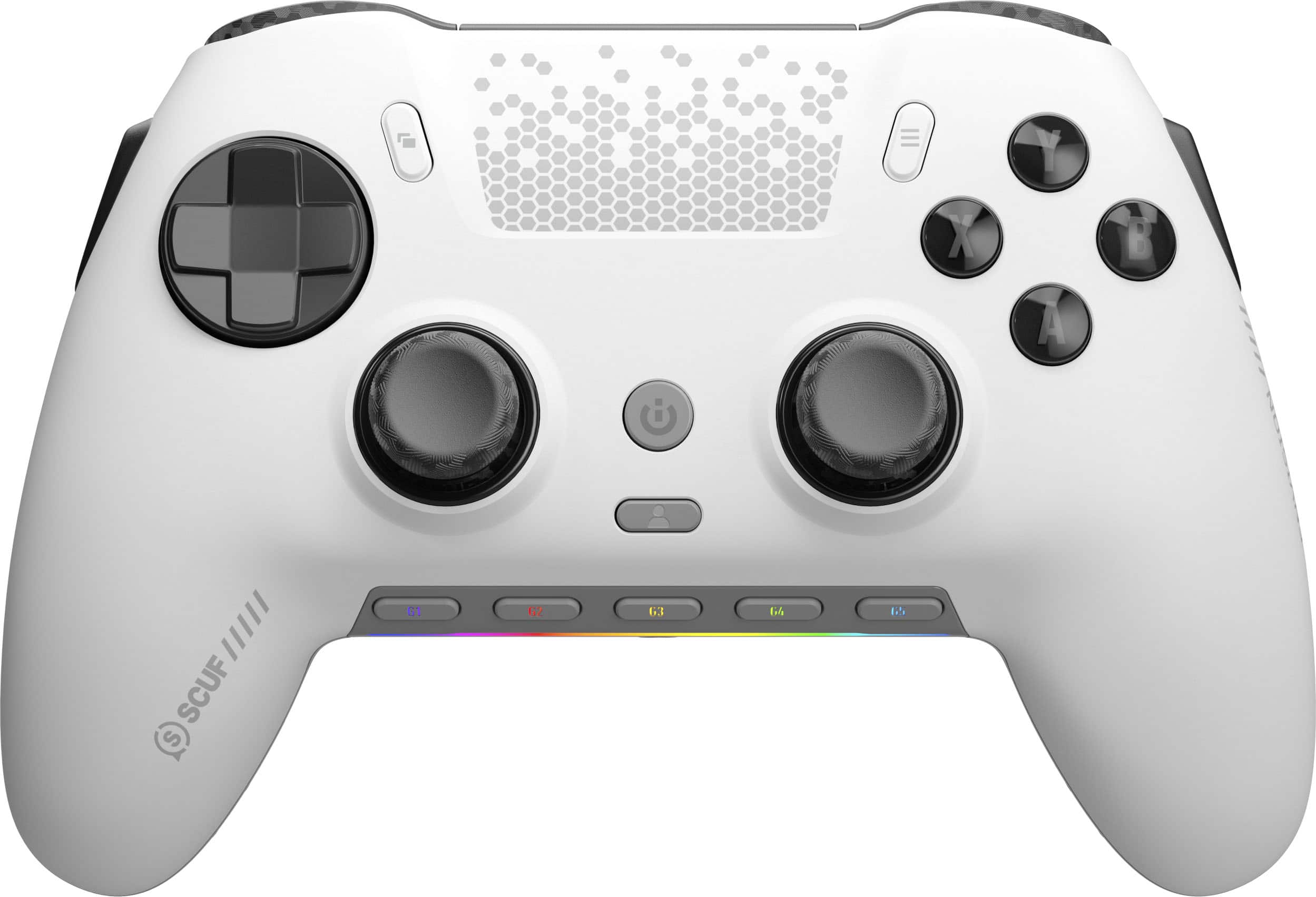
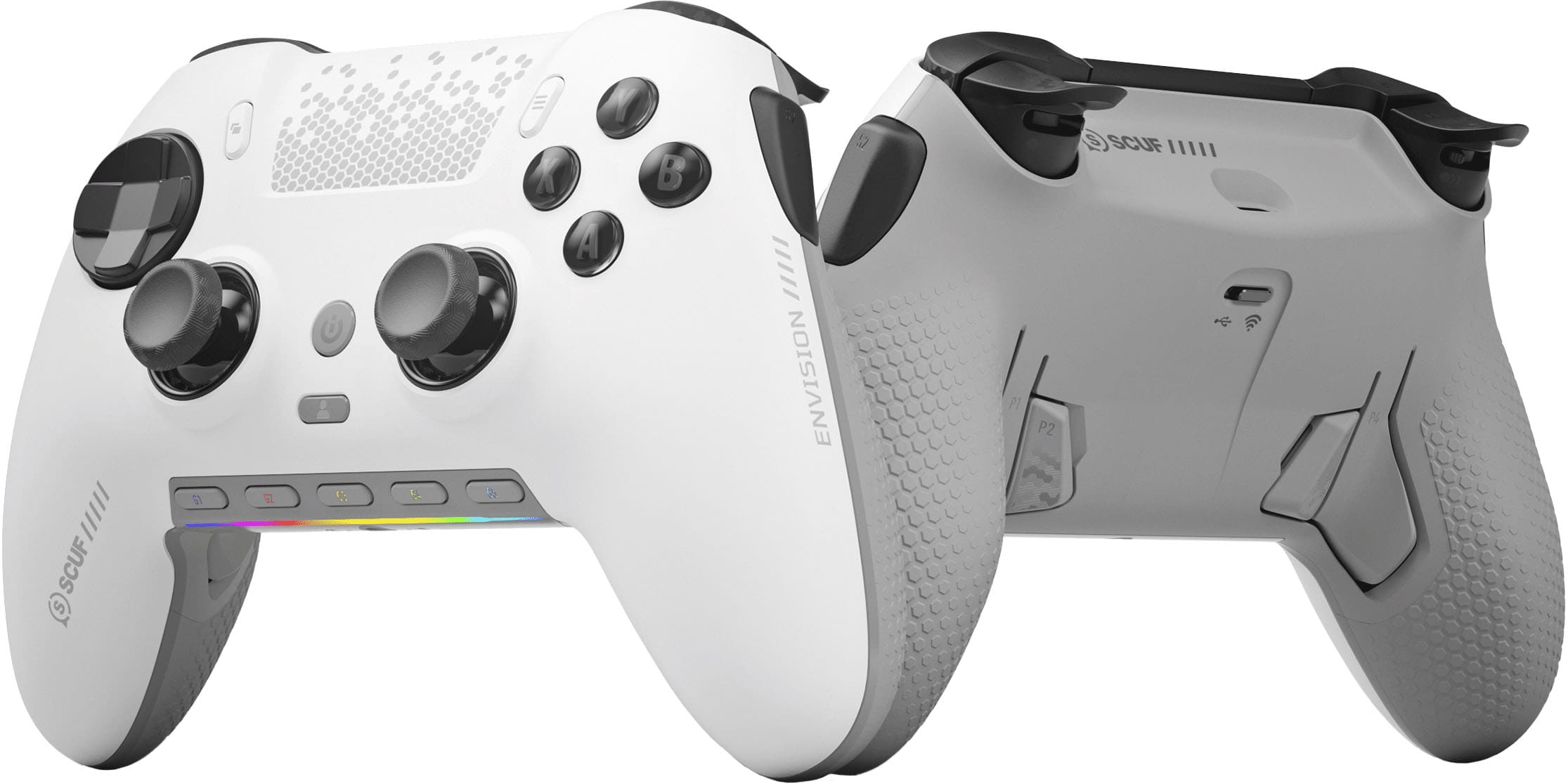
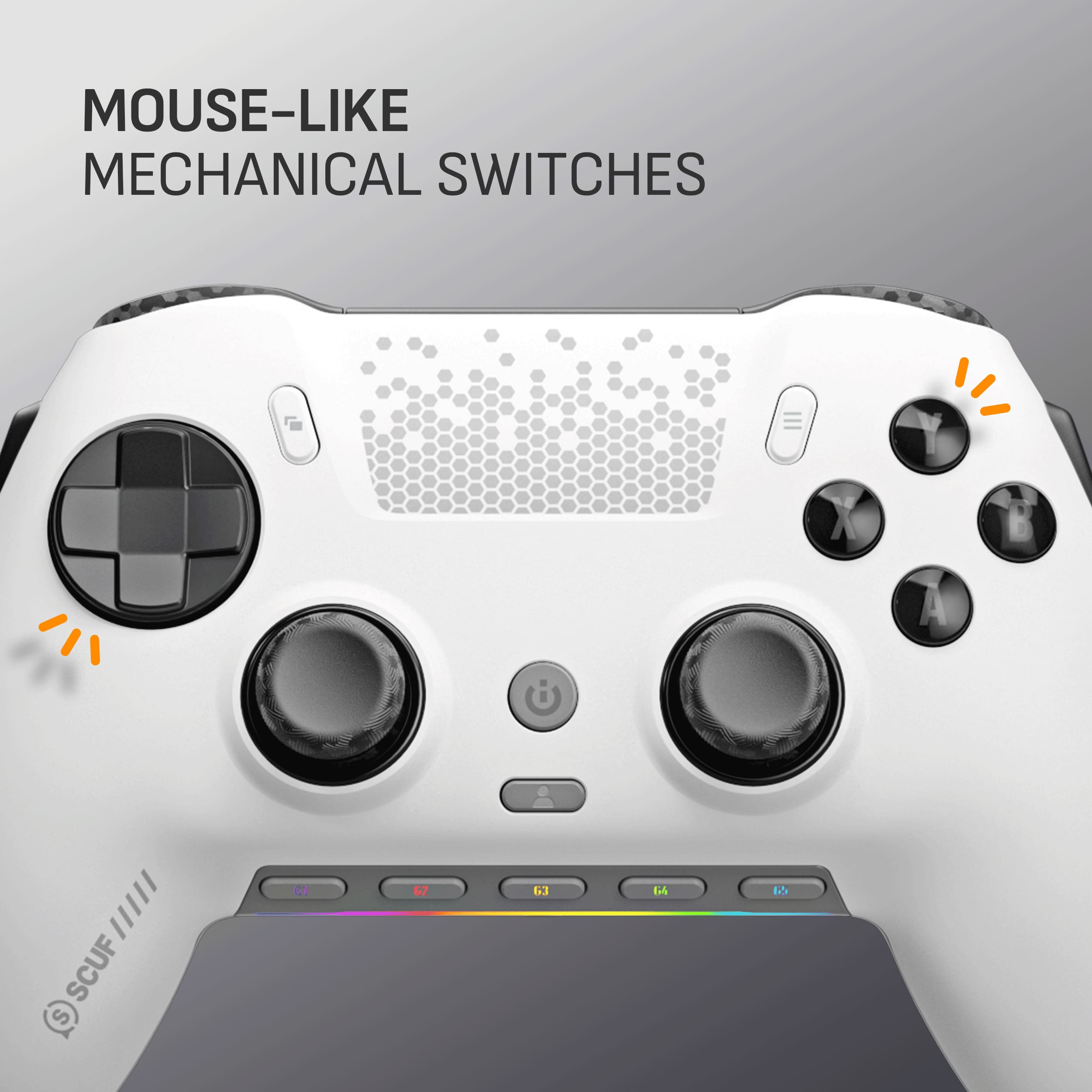
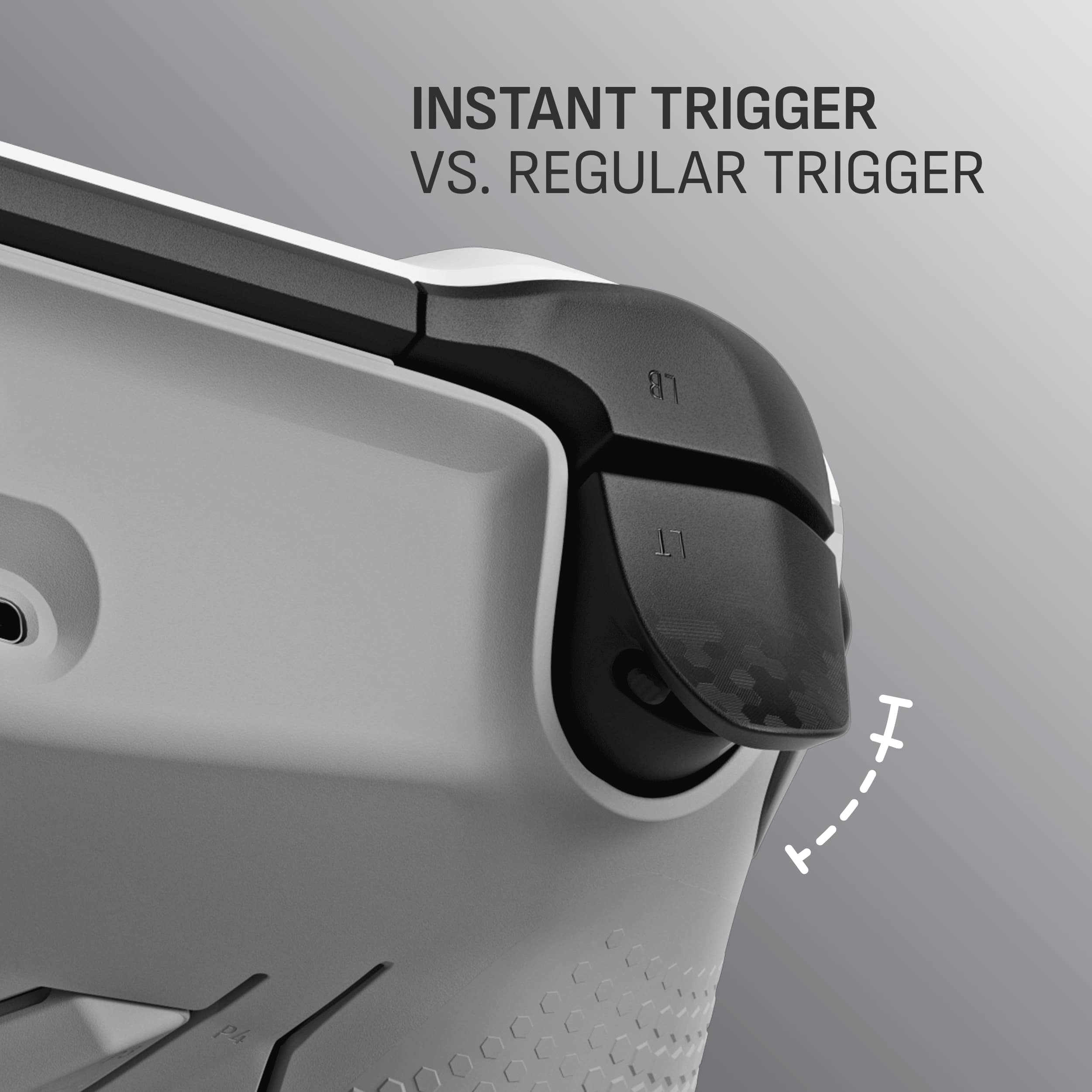
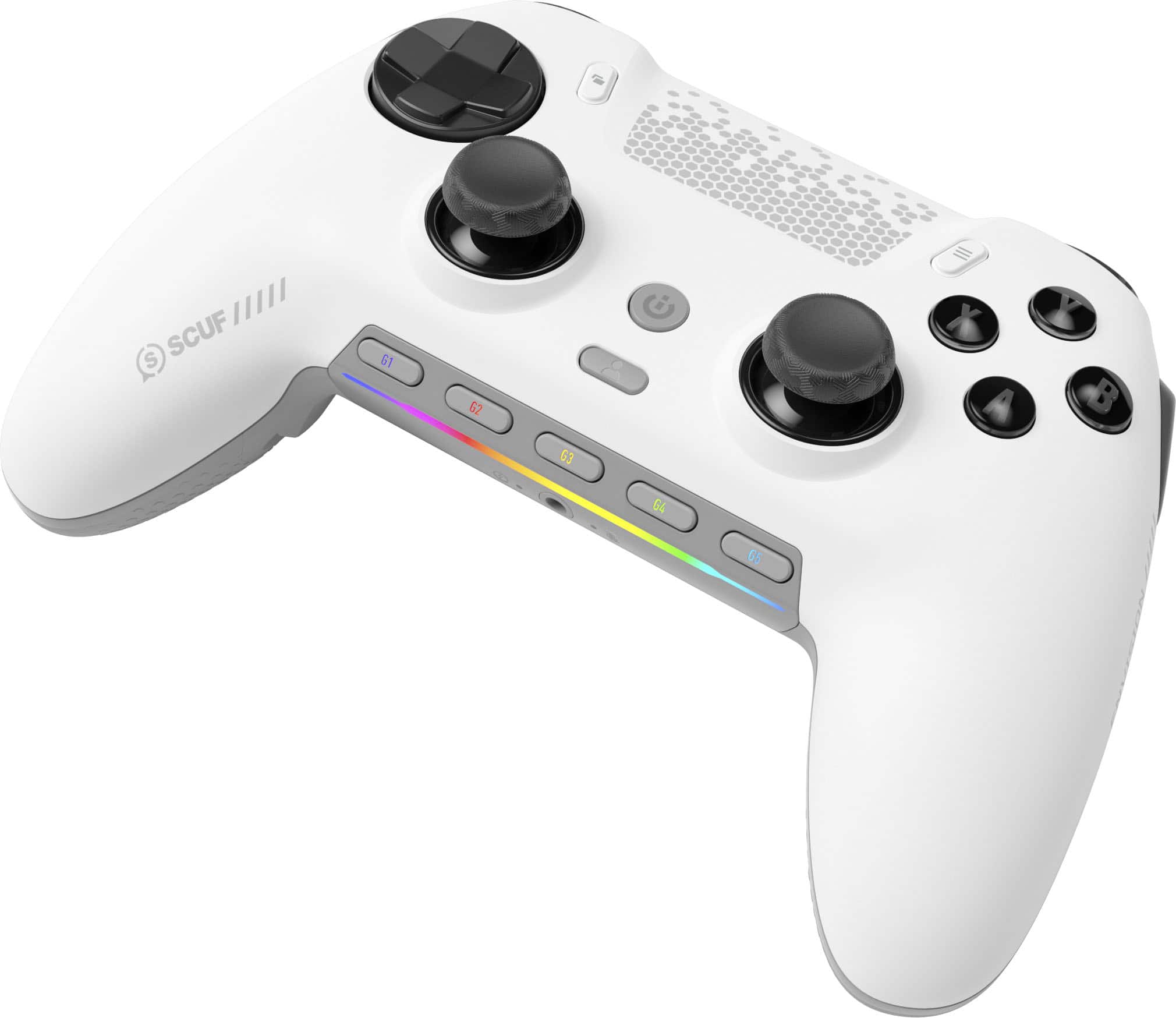
- Model:
- 601-178-03-062-NA
- SKU:
- 6596941
Rating by feature
- Value
Rating 4.2 out of 5 stars
- Quality
Rating 4.4 out of 5 stars
- Ease of Use
Rating 4.2 out of 5 stars
Customers are saying
Customers admire the ENVISION PRO V1 Wireless Gaming Controller for PC's overall performance, programmable buttons, ease of use, customization options, and solid feel. However, some customers have expressed concerns regarding the software, stick drift, connectivity, battery life, and price.
This summary was generated by AI based on customer reviews.
- Pros mentioned:ErgonomicsCons mentioned:Software
Opinion of an nerdy FPS freak.
||Posted . Owned for less than 1 week when reviewed.This reviewer received promo considerations or sweepstakes entry for writing a review.Today, i write a review about the super valid “Scuf Envision Pro”. Off of my initial thoughts when holding the controller was, “optimal”. The clicky triggers & buttons feel incredible as ive only purchased the “Dual Sense Edge” which had that mushy effect on the triggers. After doing latency testing & polling rate testing. The controller isnt the fastest according the Xinput tester (super accurate testing), but dang it feels like theres 0 delay though. Ive also discovered that ‘bluetooth’ & wired version had very similar input delay. If anything, the bluetooth dongle connection had a faster input ????? Other than the nit-picking, this controller is very impressive off of plain feel in the hands. Compared to other controllers, this controller kinda felt like it ‘forces’ ur hand to be in the same position w/ its curves & grooves. Which can easily increase your performance & consistancy of gameplay. Also i cannot stress enough, this controller does not to be overclocked ! This controller easily performs better at factory settings. One last thing, the software. The software for this controller is pretty meh when it comes to polish & speeds (app menu). The options that you get w/ the controller is really good though, as you can change your deadzone types & trigger options etc. One thing you HAVE TO DO is update your ICUE app (it’ll be a slight drag by the way…) but w/ enough effort, it’ll work. You must set your deadzones on your triggers to 4% in order to not shoot on accident. The triggers are pretty sensitive & come with a electronical imperfection out of the box in which you NEED to tweak to your liking. Again, dont read all of this & be turned off as this is the sexiest controller ive used for someone who loves being competitve & all about my performance along w/ convience. The only ick about the controller is the software. As it can be inconsistent, but when you get it started… its really easy from there. I give this controller a 9.5/10 for price, the shape & handling, and the super fast wireless connectivity along w/ the shortcut G keys. This controller is a performance monster & you will NOT be dissapointed w/ this package. Honestly, this thing is gonna be my main for a long long time.
I would recommend this to a friend - Pros mentioned:Buttons, Ergonomics

Ergonomics at a new level
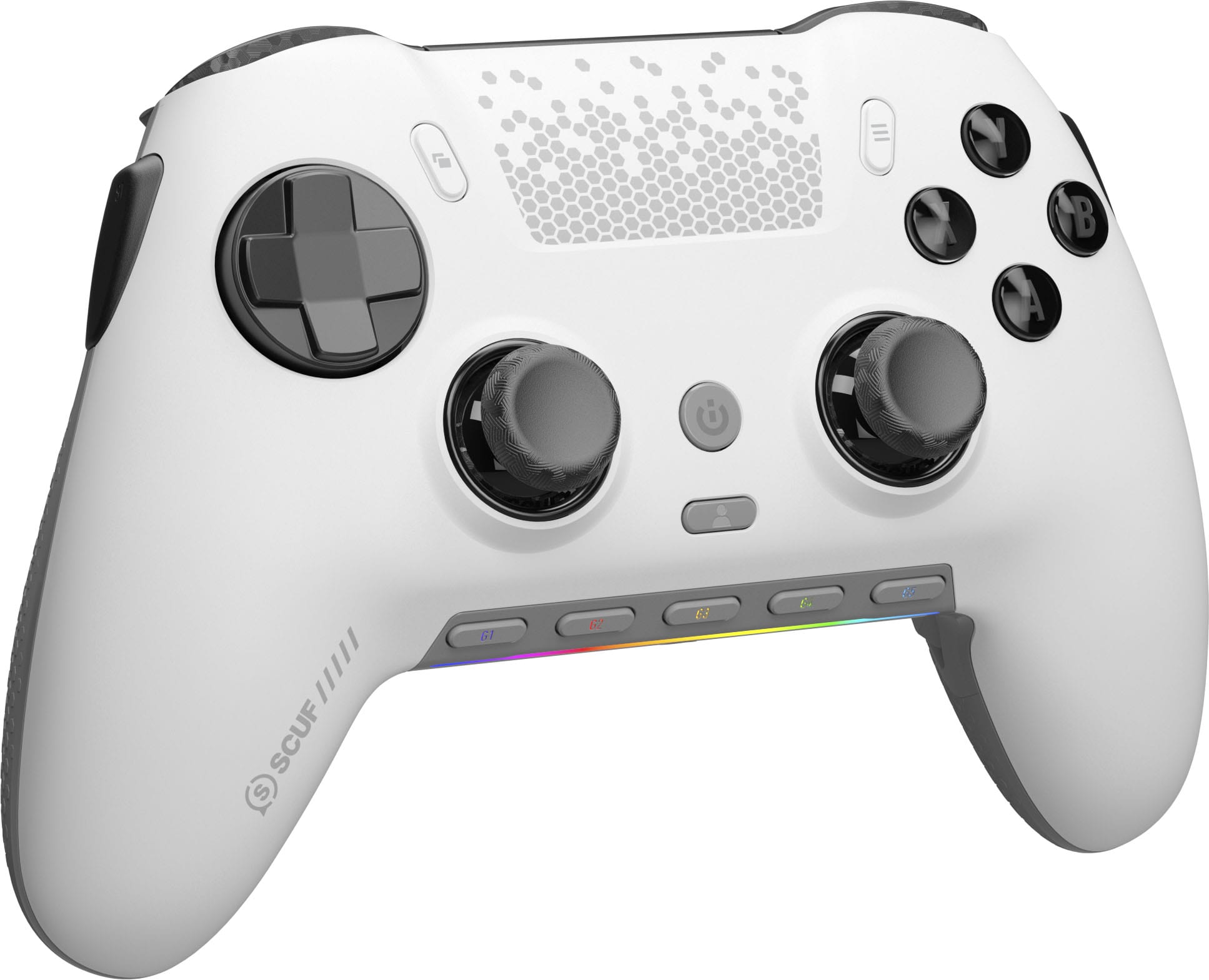
|Posted .This reviewer received promo considerations or sweepstakes entry for writing a review.The SCUF - Envision Pro Controller in Steel Gray looks and feels amazing. It is very ergonomic and feels very solid. The customization options it comes with will take your gaming to the next level. It can be from the lighting effects to the buttons. The triggers offer the option to press and go all the way in like a normal controller or limit how deep it goes, and it will be similar to a pc mouse. The process to get it running was very simple for me, my pc picked it up immediately with no need to pair the wireless receiver with the controller. The lighting and options can be adjusted or selected with the ICUE software, and it makes it so simple since I already have other devices that use the same ICUE software. Pros are the comfort and the grip it does not feel slippery the button and joysticks feel very solid, the ability to customize the lighting and button commands take it to a whole new level and battery life is great. Cons I actually don't have any I am in love with the controller and would totally recommend it.
I would recommend this to a friend - Pros mentioned:Buttons, Ergonomics
SCUF Envision Pro V1 Wireless Gaming Controller fo
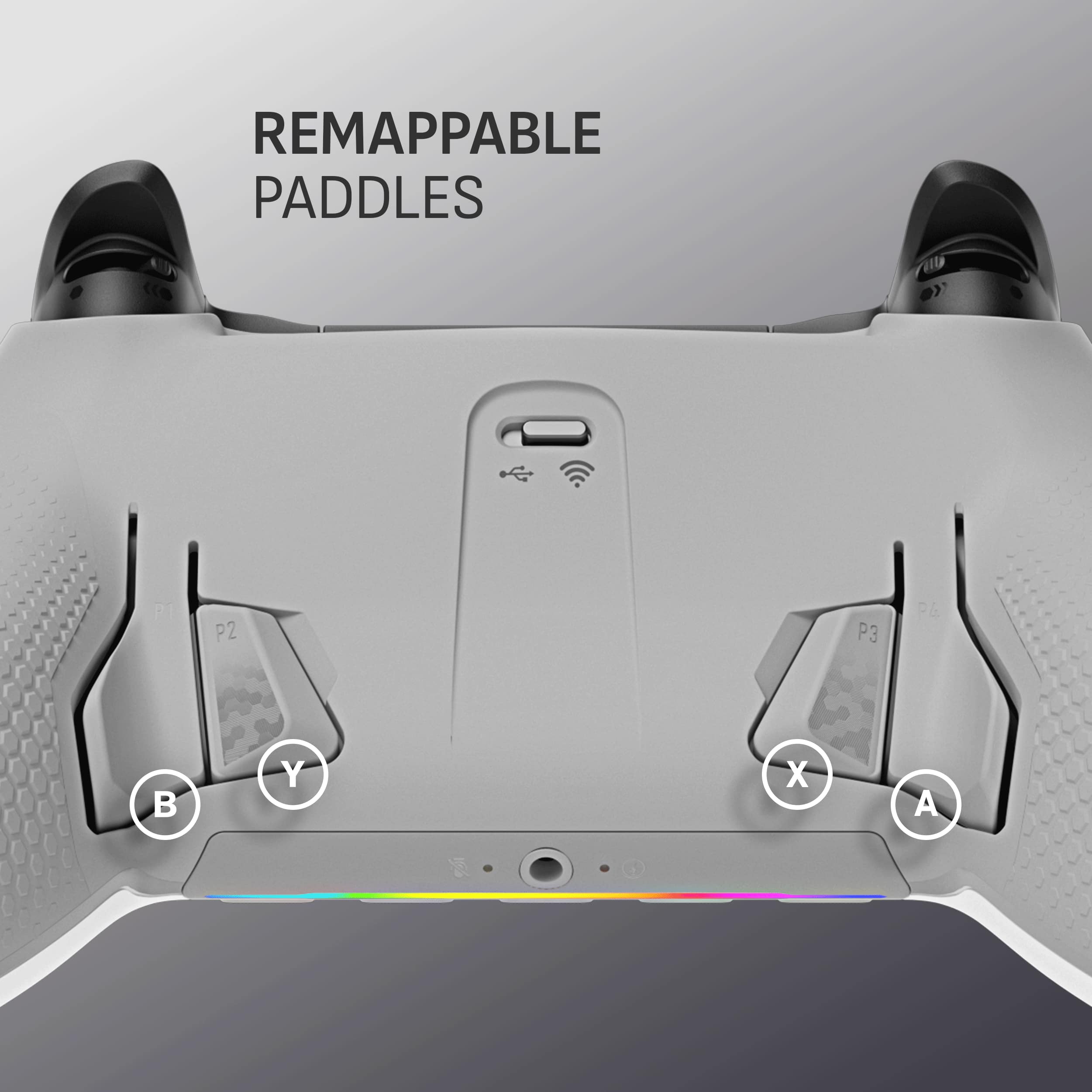
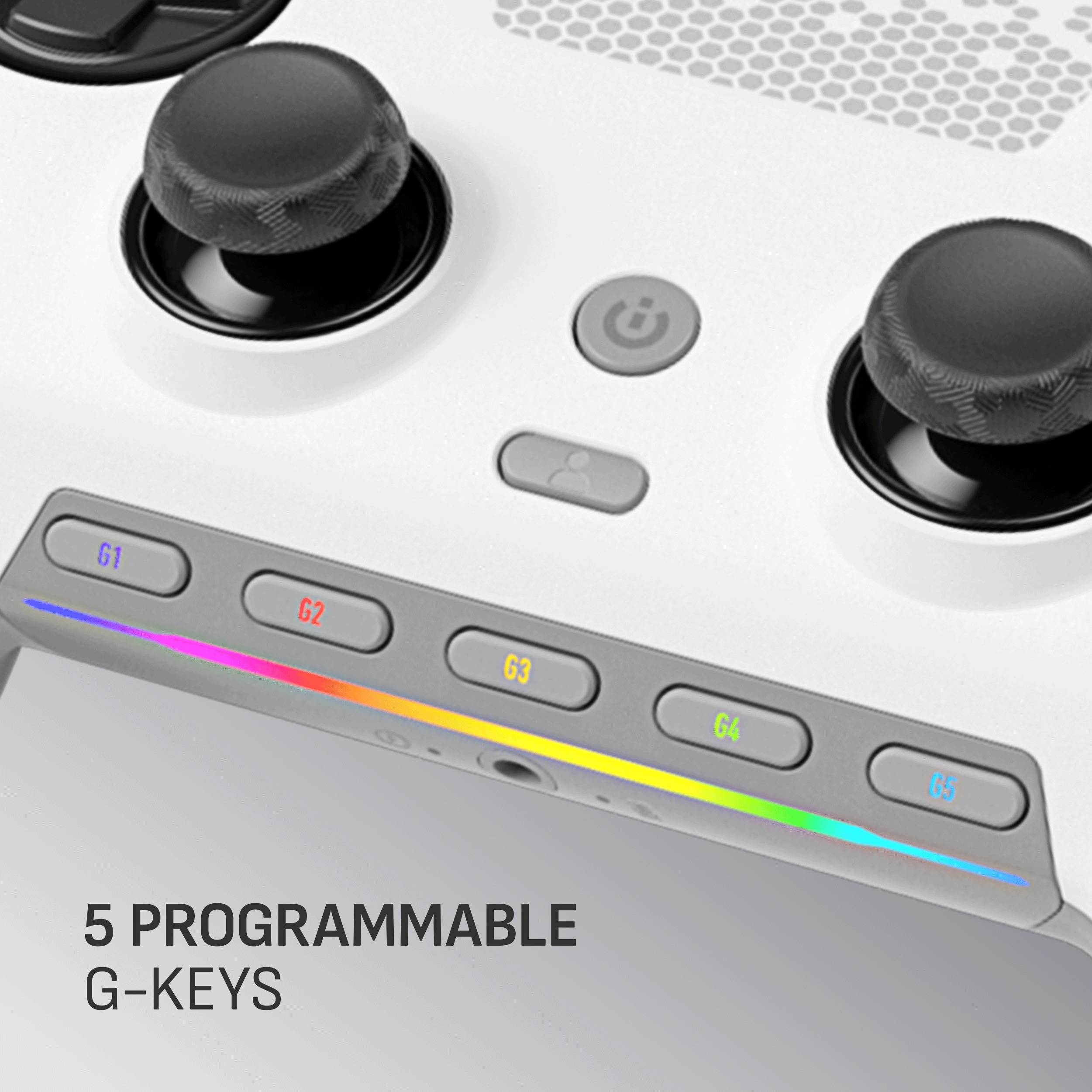
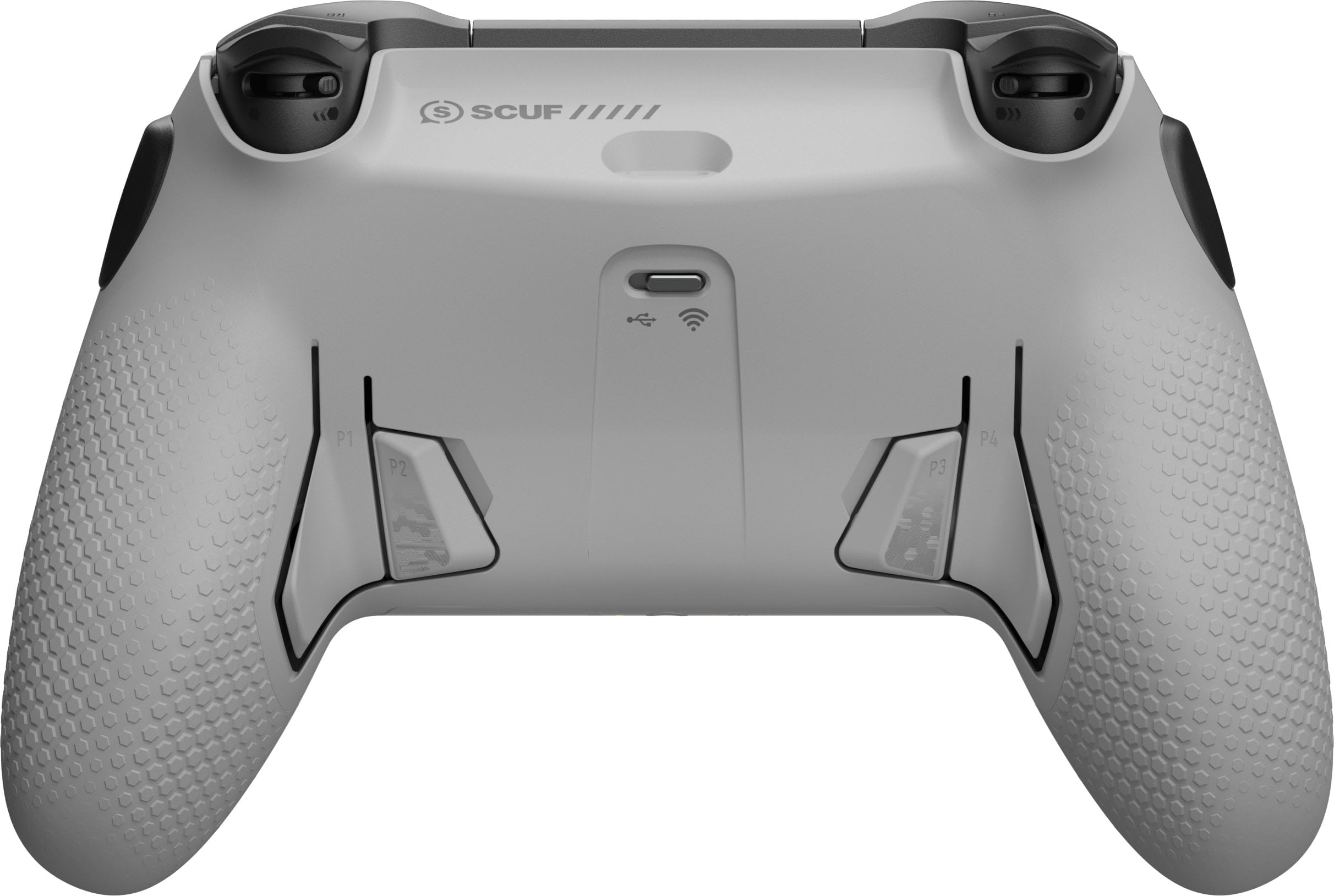
||Posted . Owned for 1.5 years when reviewed.This reviewer received promo considerations or sweepstakes entry for writing a review.SCUF Envision Pro V1 Wireless Gaming Controller for PC – Steel Gray Review Reviewed by FixFast PC Repair – fixfastpcrepair.com The SCUF Envision Pro V1 Wireless Gaming Controller – Steel Gray represents one of the most refined and high-performance PC controllers available today. At FixFast PC Repair, we’ve tested countless input devices, and this one stands out for its exceptional build quality, customizability, and professional-grade feel. Beyond its technical performance, the Envision Pro V1 also feels like the kind of device that could one day become a collector’s edition piece — especially in this striking Steel Gray finish. Design & Build Quality From the moment you pick it up, the Envision Pro V1 feels premium. The matte Steel Gray finish gives it a modern, industrial aesthetic that looks just as good on display as it feels in the hand. The textured grips and ergonomic design provide comfort for long gaming sessions, while the build feels sturdy and balanced — unmistakably SCUF quality. The hallmark of SCUF controllers has always been custom control layouts, and this model continues that tradition. With five remappable G-Keys, four rear paddles, and adjustable trigger stops, the Envision Pro V1 lets players fine-tune every input to their style. The tactile buttons and hair triggers feel crisp and responsive, giving an instant sense of precision in fast-paced competitive play. Performance In our testing, the Envision Pro V1 performed flawlessly across various PC titles, from shooters to racing sims. The low-latency wireless connection ensured lag-free performance, while the removable braided USB-C cable offers versatility for wired play. The inclusion of mechanical action buttons adds a satisfying click that’s rare in controllers, offering a precision feel closer to a gaming mouse than a standard console pad. The SCUF Nexus software allows deep customization of sensitivity, button mapping, and RGB lighting, letting users personalize their controller experience down to the finest detail. Combined with its advanced hardware and connectivity options, it’s one of the most complete PC controller packages currently available. Why It Could Become a Collector’s Edition The SCUF Envision Pro V1 already carries an exclusive feel — its premium construction, limited availability, and enthusiast reputation make it stand out in the market. The Steel Gray edition, in particular, has the look and finish of a model that could gain collector status over time. As SCUF moves toward future iterations, this first-generation Envision Pro may become increasingly sought after by both performance gamers and peripheral collectors. Verdict The SCUF Envision Pro V1 Wireless Controller – Steel Gray is not only a top-tier piece of gaming hardware but also a product that embodies craftsmanship and exclusivity. For competitive players, it offers customization and performance that rival professional setups. For collectors, it’s a sleek, well-built device that could easily become a future classic. Rating: 9.5 / 10 Reviewed by: FixFast PC Repair https://fixfastpcrepair.com Professional PC repair, upgrades, and gaming hardware specialists.
I would recommend this to a friend - Pros mentioned:Overall performanceCons mentioned:Stick drift
Pretty solid pick !
||Posted .This reviewer received promo considerations or sweepstakes entry for writing a review.Great controller ! Going on about 2 years of ownership and I haven’t had issues . I know Scuf had a bad reputation before I bought this . Yet, I decided to give it a try . Specially since Corsair took over and they are a quality brand. So far I am not disappointed. The controller works great . I occasionally get light stick drift but in certain games only . I don’t mind much since this happens when my deadzone are set to zero . When I first got the controller the Icue software was horrible . Yet, it has been updated and works better than before . I strictly play wired so I have no experience with the wireless mode . Yet , for a controller like this , you probably are going to be wired ( at least you should if you play any game competitively). The side buttons seem more of a gimmick and I’ve never used them. They are easy to hit by accident . You can easily remove them so they are not in your way . The back paddles do take a bit of getting used too as they feel to tight . It does take a bit of time to get used to them but you will . The adjustable triggers work great. Overall I recommend this controller . They have an w version with Hall effect thin sticks . If you get this one get that version . You’ll be better off .
I would recommend this to a friend - Pros mentioned:Overall performanceCons mentioned:Stick drift
Pretty controller
||Posted . Owned for 2 weeks when reviewed.This reviewer received promo considerations or sweepstakes entry for writing a review.Trying to be honest here, the controller is great. Beautiful and it feels premium, easy to use it is not. If you're not tech savy then it will be slightly problematic to use. Had a hard time setting it up initially. It came with some stick drift which needed to be updated and had to change the dead zones. I have many other premium controllers, would have loved it to have the thumb stick layout of the xbox controller but that is my preference. I have the instinct and the elite controller and the razer ps5 v2. This is up there with them if you have any of these, there is really no point to upgrade to this. Instict is basically the same as this except for the internal battery vs not having one and all the extra buttons than can get in the way (side ones and back ones). The fact that back sticks cant be removed sucks. But over-all I would give this a solid 9/10. Response time and button clicking are superb, time will tell if the dreaded stick drift will rear its ugly head. But on a side note scuf offers 1year warranty with it so that's also a plus.
I would recommend this to a friend - Pros mentioned:Buttons
A rare win from Scuf
||Posted . Owned for 3 weeks when reviewed.This reviewer received promo considerations or sweepstakes entry for writing a review.Normally I'm skeptical of Scuf products, as I've had one Impact die on me and another get really bad jitter on the left stick, but this one has been amazing so far. Loving the clicky buttons, the fact that you can switch between normal and instant triggers, and the buttons at the bottom for macros. iCue software is a little bit of a mess at times but gets the job done (mostly). Only thing I would've liked added is hall effect sticks but then they couldn't charge you $70+ to send it in for repair. Overall great controller and would purchase again.
I would recommend this to a friend - Pros mentioned:ButtonsCons mentioned:Stick drift

Fantastic PC Controller
|Posted .This reviewer received promo considerations or sweepstakes entry for writing a review.[Employee of bestbuy] I've used this controller for nearly 2 years now and it's been one of the best controllers I've used. I do have some qualms with it but overall the controller's been great The mouse click buttons and triggers were the main selling point for me and they did not disappoint. I play mainly rocket league with his controller so having the buttons feel tactile was a big thumbs up for me and I even played some first-person shooters with this controller and being able to adjust the triggers to instant mouse click triggers was definitely a huge benefit. I did start experiencing some small stick drift, but this was quickly remedied by calibrating it through the iCue software. I did not use the software for the most part besides to change a couple of button mappings. But the software does have a ton of customization with the triggers and the joysticks and you can remap any button to any other button and map the function buttons to any macro you'd like. The only small issues I had with this controller is that it did not feature their anti-drift joysticks but I have ordered the new version that does feature that so hopefully that won't be an issue anymore. Another issue was with the software where you I couldn't get it to save my settings on its onboard memory. So anytime I used the controller I had to make sure the software was open so it could remember all my settings. That might just be user error from me but I was never able to figure it out. Overall, this has been a fantastic controller and I'm hopeful that the new one with a new joysticks will be even better.
I would recommend this to a friend - Pros mentioned:Buttons
⭐️⭐️⭐️⭐️⭐️ Elite Controller for Competitive FPS
||Posted . Owned for 9 months when reviewed.This reviewer received promo considerations or sweepstakes entry for writing a review.I play Warzone competitively and use the SCUF Envision PC daily, and it has been rock solid. Zero stick drift, zero disconnects, and no reliability issues at all. Every input is fast, precise, and consistent — exactly what you need in high-level FPS play. The paddles are perfectly placed, triggers are incredibly responsive, and the controller is comfortable even during long sessions. Build quality feels premium and durable, not gimmicky. The customization software is a huge bonus and gives a real competitive edge. After daily use with no problems, this is easily the best controller I’ve owned. If you’re serious about FPS games, this controller delivers.
I would recommend this to a friend - Pros mentioned:Buttons, Ergonomics
Scuf Envision Pro
||Posted .This reviewer received promo considerations or sweepstakes entry for writing a review.I bought this controller because I mostly play on pc and I wanted to try it out. The feel of the controller is awesome! It has four back paddles, mouse click buttons and triggers which feel great! It also has extra buttons that can be used to remap certain commands. For example, I use some of the keys to lower or higher my pc volume. The icue software has been updated now so there are no more issues of it disconnecting while playing. Overall, it’s an excellent controller! The only cons are that it doesn’t have hall effect joysticks, it’s locked at 500htz for input delay, the price, and it’s only for pc. I would also recommend the Best Buy warranty just in case because you never know. They have also released an updated version of this controller with hall effect joysticks so make sure to purchase that one instead of the analog joystick one.
I would recommend this to a friend - Pros mentioned:Buttons, Ergonomics
Great controller hampered by poor software
||Posted .This reviewer received promo considerations or sweepstakes entry for writing a review.I wanted to love this controller. Having recently purchased a high gaming laptop I was looking for a controller experience on the level of an Elite/Edge, but strictly for the PC. The Envision gets a lot right. While almost entiely plastic it doesn't feel cheap. The pro grip make for a pleasant experience in hands, the tactile mechanical switches on the face buttons are snappy with a pleasing click when pressed, the back paddle placement is great and the additional side should buttons remind me of the Scuf Vantage from a few years ago. Once thing you should be aware of is some games that call for a double press and hold for gameplay, were inconsistent with the Envision. Games like Destiny and Witchfire had some issues due to the instant button presses not register a second follow up press. In Destiny 2 I was unable to Titan/Warlock Jump n' glide due to the quick actuation. I looked in software and online and found no remedy for the issue which led to my returning the Envision. But where the controller excels with having all the bells and whistles any gamer could ask for... The Corsair iCUE software is still some of the worst on the market. Having owned Scufs' in the past I had hoped Corsair would help alleviate quality control issues they were once known for, but what they did was tie an otherwise great controller experience... Sub-par software. It's bloated and confusing to navigate, having used Xbox accesorie app/ Razer controller apps, which in comparison offer the simplicity of an apple product... iCUE is a mess. If the software is eventually fixed down the road and a fix is found for the button actuation issues the Envision Pro could be a great controller. For now, just know what you're getting yourself into and if willing to put up with a confusing software suite and finnicky buttons... This controller might be for you. Otherwise I recommend either the Razer Wolverine V3 tournament/Pro (and now Pro 8k w/o rumble) or the Elite series 2.
No, I would not recommend this to a friend - Pros mentioned:Ease of useCons mentioned:Stick drift
Best Scuf Controller By Far
||Posted . Owned for 1 month when reviewed.This reviewer received promo considerations or sweepstakes entry for writing a review.Takes a little to get used to the click funtion like a mouse instead of trigger when in tjat setting, but once you figure it out it works great for FPS games like COD. Remaping also took a bit to learn with the app, but once set i havent had to change at all. I want to also note, i havent had good luck with scuf controllers as ones that are customizable were proprietary to either Xbox or PS... with this one being made by scuf i havent had any issues at all. There is no noticable stick drift and the controller just works as its supposed to. I have an Xbox Elite 2 and this scuf controller and i find myself using this scuf controller primarily now. Not that the Xbox Elite 2 isnt good, but this scuf feels better in my hands. I definitely recommend to anyone considering buying this to take the leap and buy it.
I would recommend this to a friend - Pros mentioned:Customization
Great controller for a reasonable price
||Posted . Owned for 1 week when reviewed.This reviewer received promo considerations or sweepstakes entry for writing a review.overall, this is a great controller with extremely versatile features. it has a ton of customization and its own software that makes it easy to configure once you figure this out. I’ve read that there have been issues with features paddles, not working as designed, but have also read that there will be an update sent out this week. (today is 10/27/23) My biggest issue is that this controller is recognized as an Xbox controller by windows in game and all your button prompts are that of Xbox, and not PlayStation which I’m used to and I can’t see a way to change it. I would rather see “press square to reload” instead of “press x to reload”. after playing PlayStation, my whole life, my mind is programmed, and to change it makes it difficult when it can easily just be shown as PlayStation buttons. the controller buttons say ABXY… but i’m not looking at the controller when pressing a button and the physical layout of the controller is the same as a dualsense (without the touch pad). also, one other thing, this controller does not have a touchpad even though it kind of looks like it does so in call of duty to pull up the map/scoreboard you need to press the button to the top right of the dpad which looks like two windows. OVERALL, I would recommend this controller and hopefully the update addresses of the fixes that are needed. I gave it a 4 out of 5 stars only because it doesn’t seem like the controller was ready to be released yet, and it was rushed.
I would recommend this to a friend Puts all other controllers to shame
|Posted .This reviewer received promo considerations or sweepstakes entry for writing a review.This is my first Scuf controller. I've previously stuck with official standard game console controllers. I fell in love with this controller pretty quickly, and now I think I will need one for my PS5. First just the modularity and customizability of this is pretty awesome. And that kind of co-insides with the extra buttons and rear paddles. The back of the controller has 4 paddles, and the two inner ones can be replaced with dummies/blanks (included with the controller), so that they no longer function as buttons. If you don't need these buttons, it really helps with limiting distractions and accidental button presses if you don't need these extra buttons. The controller also has 2 "side action buttons (SAX)" on the sides of the controller, near the shoulder buttons. These can also be replaced with dummy blanks. Scuf included a plastic pry tool to help remove the buttons. The side action buttons are fairly easy to replace since you can pull the faceplate off and have much more leverage and room to pull the button out. The rear paddle buttons are a bit trickier, and more care is needed to not accidentally break the button. The triggers (RT and LT) are pure genius of controller engineering. There is an integrated switch on the bottom of them that lets you change them from full range triggers for things like racing games where you need that fine throttle control, or you can switch them to instant click, which reduces their range to about the same range of motion as all the other buttons on the controller, and it feels awesome. The switch is a mechanical switch, and is independent for each trigger, so no software adjustment needed, and each trigger can be set independently. Also in the box are a pair of thumbsticks. They are different than the ones pre-installed on the controller. The additional pair are convex (instead of concave), and one is taller than the other. Replacement is as easy as pulling off the faceplate of the controller (just magnetically held in place, no tools needed), and the thumbsticks pull of the controller, and the replacement just push on. The iCUE software is used to customize the lighting and map buttons. There are two mapping types; one they just call "Mappings" which you can map any button on the controller to anything. However, this requires iCUE to be installed and running for the mappings to work. Next is "Hardware Mappings" which only lets you customize the side buttons, and the rear paddles, and can only map them to one of the standard controller buttons. But once it's saved to the controller, should work without the iCUE software running. The triggers and joysticks allow for customization of deadzone and curve response. Of course, keep in mind how this might interact with games that might have their own predetermined curves and deadzones for these inputs. The worse part of this controller is how much time you might spend customizing everything. But the reward will certainly be worth the effort. I don't think I can use any other controller now.
I would recommend this to a friend- Pros mentioned:Buttons, Customization
Good quality, weight and feel
||Posted . Owned for 3 weeks when reviewed.This reviewer received promo considerations or sweepstakes entry for writing a review.Im going to keep this pretty short. I have the PS5 pro controller and the xbox elite series 2. If you have one of those, this should feel like home minus the buttons have a mouse tactile click to them, which i dont mind. Keep in mind that it can be a little noisy for night time play especially if your computer is near someone sleeping but it has a satisfying feel. Its got custom presets and keys you can program. I got this strictly to use with PC and dont regret it. Later down the road, I’ll customize it with different face plate. Id recommend this especially if its still on sale.
I would recommend this to a friend - Pros mentioned:Buttons, Customization, Overall performance
Scuff Envision Pro Review
||Posted .This reviewer received promo considerations or sweepstakes entry for writing a review.Insane customization and zero lag. The extra buttons are a total game changer. Best controller ever
I would recommend this to a friend - Pros mentioned:Customization
Scuff does it again
||Posted . Owned for less than 1 week when reviewed.This reviewer received promo considerations or sweepstakes entry for writing a review.I love this controller. Every button is mouse click. Very clean and very customizable. The icue app makes it easy to mapp buttons or set up macros. Plus there are ways to change the lighting and make the triggers full pull for like a racing game or to set up as hair trigger for first person shooter. The faceplate is magnetic for easy access and changouts. I have big hands and the controller fits well maybe a tad small but within a tolerance that is acceptable. I know it cant be perfect fit for everyone. Very pleased with this controller. I have multiple premium controllers and this one is at the top of the list.
I would recommend this to a friend - Pros mentioned:ButtonsCons mentioned:Software
Great controller for the price.
||Posted . Owned for 1 year when reviewed.This reviewer received promo considerations or sweepstakes entry for writing a review.Great controller for the price. I like the tension of the sticks and the mouse clicks on all the buttons. Easily as good as the PS5 scuf. Icue, the controller software, is really the main shortcoming. It works fine but it’s not a great interface.
I would recommend this to a friend - Pros mentioned:Buttons, Customization
High-quality controller with great customization
||Posted . Owned for 6 months when reviewed.This reviewer received promo considerations or sweepstakes entry for writing a review.This controller feels solid and well-built right out of the box. The paddles are easy to use and make a big difference in fast-paced games. Buttons and sticks feel responsive, and the wireless connection has been stable with no noticeable lag. Customization options are a big plus, and overall it just feels comfortable during long gaming sessions. Definitely a premium controller that performs as expected.
I would recommend this to a friend - Pros mentioned:Buttons, Ease of use, Overall performance
10/10
||Posted .This reviewer received promo considerations or sweepstakes entry for writing a review.Excellent overall design. Easy to plug and play. Satisfying clicks and quick changes for presets and trigger pulls.
I would recommend this to a friend - Pros mentioned:Buttons, Ergonomics
Premium feel and great performance
||Posted .This reviewer received promo considerations or sweepstakes entry for writing a review.This controller feels amazing in hand and the build quality is top notch. The buttons and triggers are super responsive, and the thumbsticks feel smooth and precise. Wireless connection was easy and stable with no noticeable input lag. Definitely a solid upgrade if you’re serious about gaming on PC.
I would recommend this to a friend