Customer Ratings & Reviews


- Model:
- 601-178-03-012-NA
- SKU:
- 6558791
Rating by feature
- Value
Rating 4.2 out of 5 stars
- Quality
Rating 4.4 out of 5 stars
- Ease of Use
Rating 4.2 out of 5 stars
Customers are saying
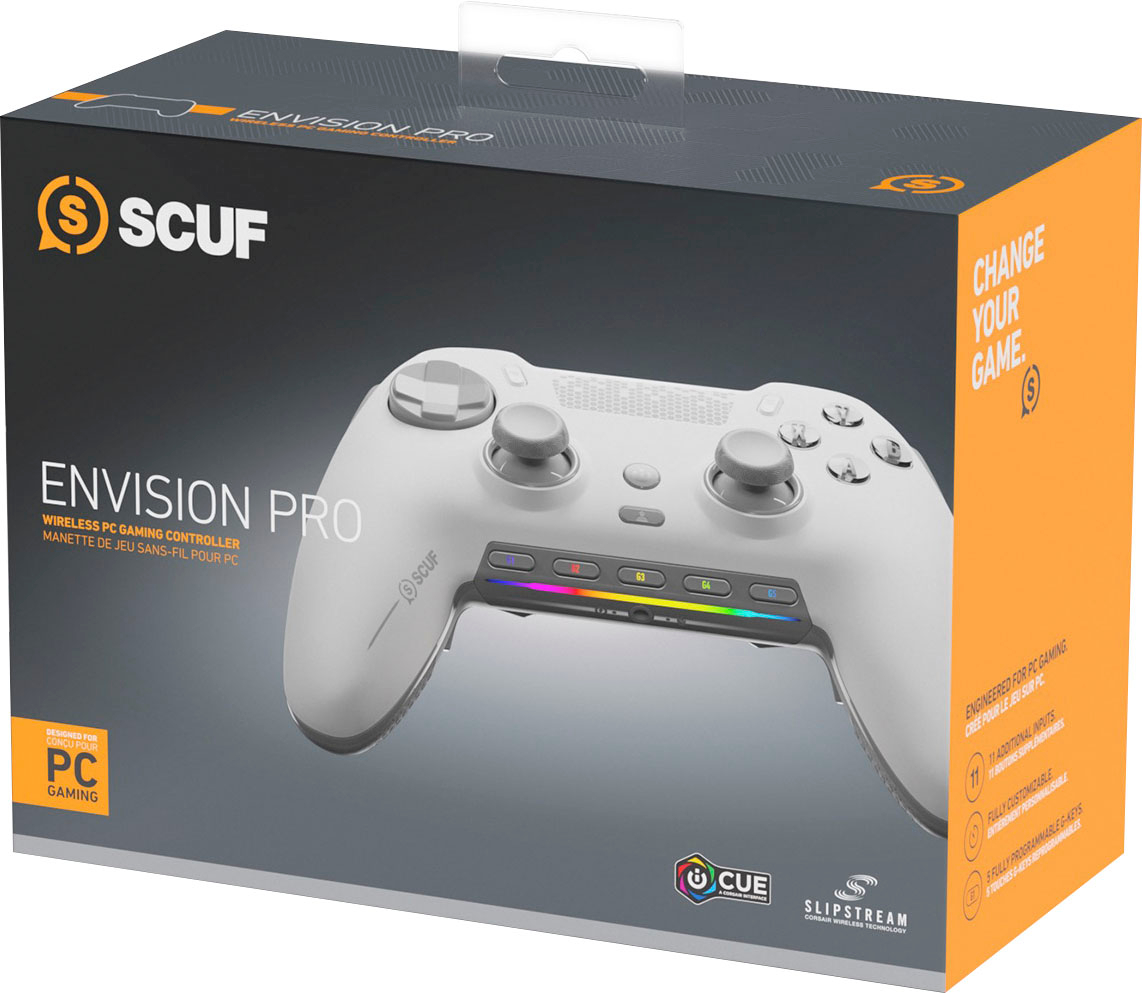
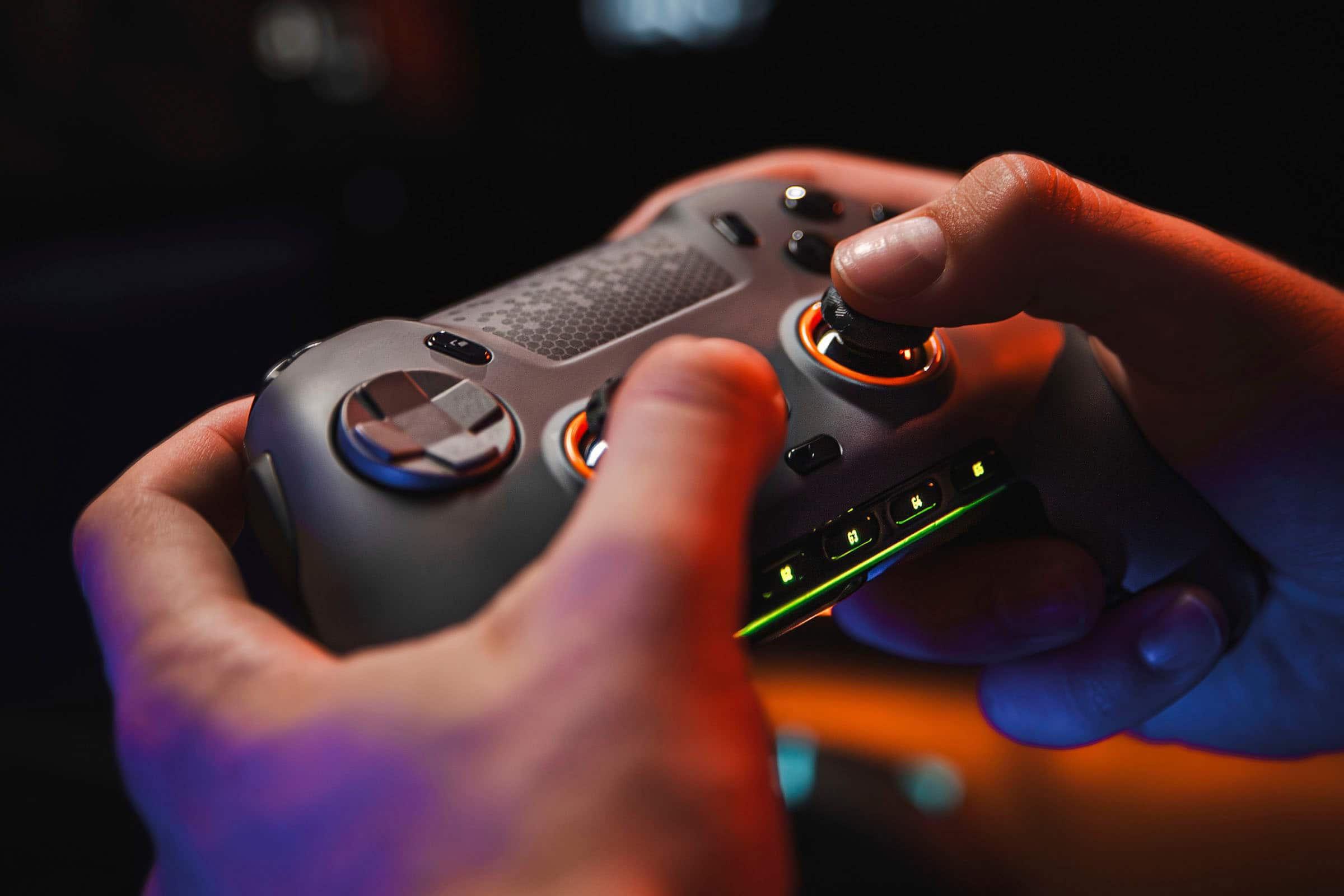
Customers admire the ENVISION PRO V1 Wireless Gaming Controller for PC's overall performance, programmable buttons, ease of use, customization options, and solid feel. However, some customers have expressed concerns regarding the software, stick drift, connectivity, battery life, and price.
This summary was generated by AI based on customer reviews.
- Pros mentioned:Overall performanceCons mentioned:Software
Not bad
||Posted . Owned for 3 weeks when reviewed.This reviewer received promo considerations or sweepstakes entry for writing a review.The controller isn't as bad as a lot of people make it out to be; it's just the iCUE app that sometimes crashes. Other than that, I can say it's a solid controller. However, it is my first Scuf controller form the Elite Series 2, which disappoints with longevity.
I would recommend this to a friend - Cons mentioned:Software
Scuf envision
||Posted .This reviewer received promo considerations or sweepstakes entry for writing a review.Amazing but after a year having a lot of trouble with iCue Software and physical triggers glitching
I would recommend this to a friend Good controller with shortcomings
||Posted . Owned for 1 week when reviewed.This reviewer received promo considerations or sweepstakes entry for writing a review.Coming from an Elite Series 2 controller I will be comparing the Scuf Envision Pro to it. The largest pro for the controller is that the response is noticeably better. The additional buttons and latency makes this controller better for competitive FPS games. However, compared to the Elite Series 2, the quality feels inferior. In my option, the back buttons do not feel as premium and requires time to get use to where you use one finger to actuate a pair of buttons. The vibration is weaker and some additional buttons require the ICUE software to work. The clicky buttons are really nice to press but the SAX buttons can get in the way. Fortunately, SCUF provides button caps to eliminate the use of these buttons. Overall, I do notice improvement in playing FPS games but at times miss the feel of the Elite Series 2.
I would recommend this to a friend- Pros mentioned:CustomizationCons mentioned:Software
Great hardware, Software needs work
||Posted . Owned for less than 1 week when reviewed.This reviewer received promo considerations or sweepstakes entry for writing a review.Love the controller, the customization is amazing not to mention the build of the controller. My only gripe is the software is not the easiest to use.
I would recommend this to a friend - Pros mentioned:Buttons
Excellent custom PC controller, not an Xbox clone
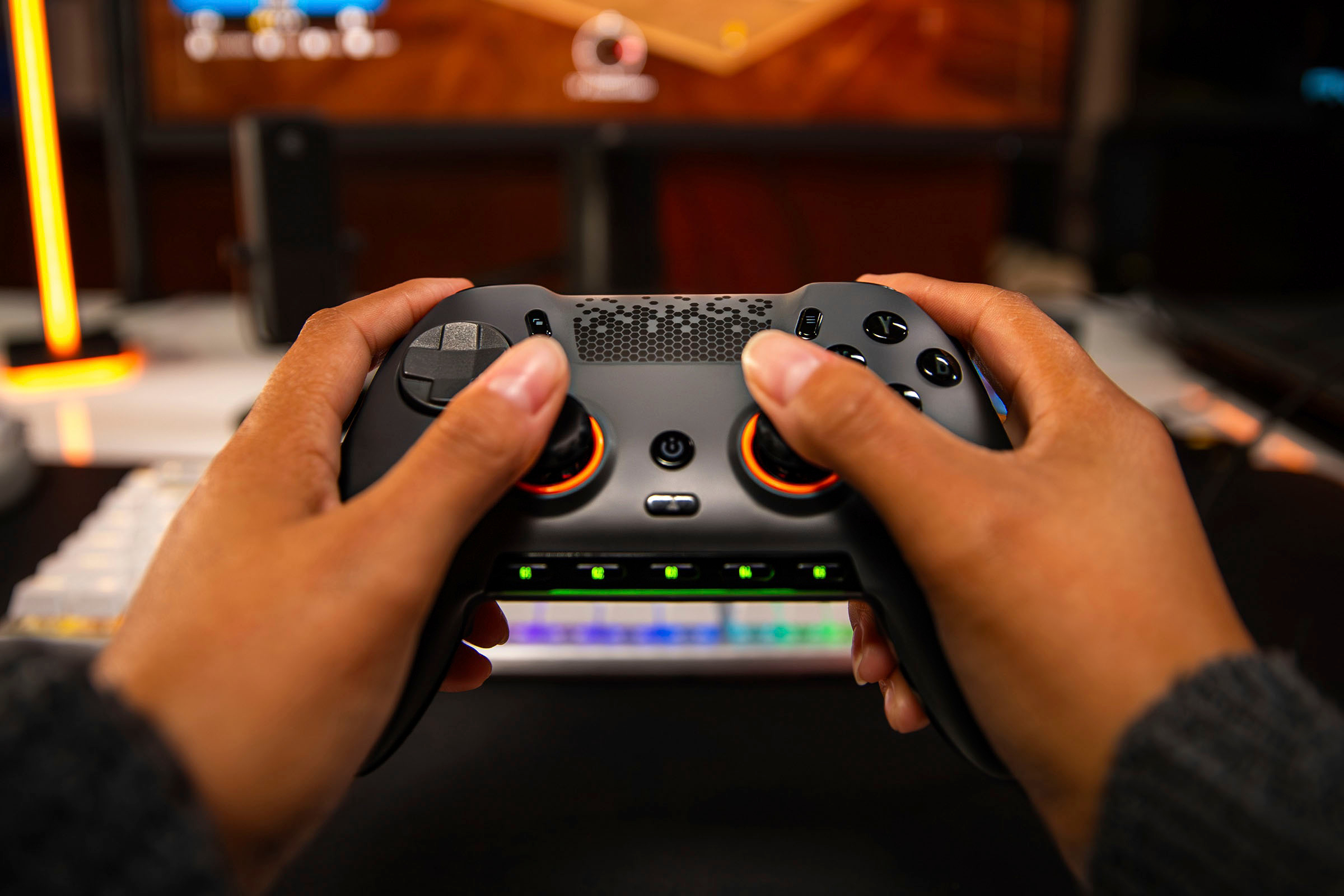
||Posted . Owned for 1 week when reviewed.This reviewer received promo considerations or sweepstakes entry for writing a review.Excellent dedicated controller for PC gaming. I have medium sized hands, so it’s a tad big, but easy to get used to. It reminds me of a PS5 controller a bit. Excellent rear paddles, plus interesting outer buttons on the left/right side of the controller. Great soft touch skin, comfortable and incredibly programmable. I love the volume controls on the controller. I haven’t investigated all the custom programming features yet, but it has more options than you could ever want.
I would recommend this to a friend - Cons mentioned:Software
Good controller, bad software
||Posted . Owned for 6 months when reviewed.This reviewer received promo considerations or sweepstakes entry for writing a review.I really wanted to like this controller, but for the price I expect better. The good: Overall, the controller feels really nice and build quality feels stellar. Swapping thumbsticks is easy and toolless thanks to the magnetic faceplate. Trigger feels nice, and being able to swap them to digital triggers is great for games where you need faster inputs. Side buttons are somewhat impractical, but nice to have and you can remove them if needed. The paddles are all right. Each paddle can have two functions, so you should have no problem getting your binds down to how you need. The Bad: My biggest issue with the controller is the mandatory Corsair software—it's as bad as everyone says it is. Controller won't work unless the Corsair software is running, and even then it's a crapshoot. Sometimes I have to unplug/re-plug the controller 2-3 times before it's finally detected. Navigating the app to build profiles is way more obtuse than it needs to be. Another problem I have are the included thumbsticks. The controller comes with 2x short concave sticks, 1x short domed, and 1x long domed. I understand that 90% of people interested in this controller are going to use it for FPS games where the longer stick is better, but I would have liked for them to include an extra of each domed just so I could have matching heights. Having to spend $15 to get the other two sticks is disappointing, especially when it's just 10 cents worth of plastic you could've easily included. For the price I paid ($189), I would have expected better software and more thumbsticks. If you're looking for a premium controller, try another brand.
No, I would not recommend this to a friendBrand response from Corsair
Posted .Hello,
And thanks for your feedback. For the software issues, I'm certain our team can help, so please contact them directly for assistance: https://customercare.scufgaming.com/hc/en-us
-Art
- Cons mentioned:Software
Solid controller
||Posted . Owned for 1 month when reviewed.This reviewer received promo considerations or sweepstakes entry for writing a review.Controller is great . Back buttons are useful and responsive . The only problem is the program you download for the controller. Not super easy and has crashed while playing. Doesn’t happen a lot but wanted to give anyone a heads up it might happen. Solid controller .
I would recommend this to a friend - Pros mentioned:Ease of use, Overall performance
I’m dk
||Posted .This reviewer received promo considerations or sweepstakes entry for writing a review.Beast great for gaming and software is essy to use
I would recommend this to a friend - Pros mentioned:Buttons
Scuf
||Posted . Owned for 3 weeks when reviewed.This reviewer received promo considerations or sweepstakes entry for writing a review.The SCUF Envision Pro is an elite-level controller built for serious PC gamers who want maximum customization and precision. From the high-quality build to the responsive clicky buttons, everything feels tailored for peak performance. The rear paddles, side SAX buttons, and swappable thumbsticks give it a huge advantage over standard controllers, while the adjustable triggers let you switch between fast action and full range depending on the game. Setup through iCUE software offers deep personalization, though it can be a little buggy at times. Overall, it’s a premium controller that feels worth the investment if you’re looking for a competitive edge and a top-tier gaming experience.
I would recommend this to a friend - Pros mentioned:Ergonomics
Best Controller I have personally used
||Posted . Owned for 3 weeks when reviewed.This reviewer received promo considerations or sweepstakes entry for writing a review.Honestly probably the best controller I have ever used. I normally use just your standard Xbox Controller and I was gifted this from a friend. It feels natural to my hand and with the extra buttons to do different tasks that are programmable it has made gaming more seemless. My friend was smart enough to gift me Best Buys Geek Squad warranty as I am hard on controllers and at some point I did have to use it however this one lasted the longest out of any controller I have ever used. Definitely worth it especially if you catch it on sale and definitely worth having the Geek Squad warranty if you are a hardcore gamer.
I would recommend this to a friend - Cons mentioned:Software
Very good but very buggy
||Posted . Owned for 1 month when reviewed.This reviewer received promo considerations or sweepstakes entry for writing a review.The controller itself is very good overall. The mouse click face buttons ans triggers are really nice. The abiltity to switch the triggers was also a really nice feature.The only problems i had with the controller was the fact that it kept disconnecting ans reconecting.Mid game I would die because of that. Another problem I had was with the application. The application itself was very buggy sometimes my presets would not work. One time the app itself crashed and never opened ever again after that. Having to reinstall the app everytime i wanted to change games was a big no no. Overall yes the controller is good but it needs to be modified in some sort of way.
I would recommend this to a friendBrand response from Corsair
Posted .Hello Hector,
Please let our team help out with this, do contact them at any time right on our site for assistance!
-Art
- Pros mentioned:Ergonomics

You Need This Controller
|Posted . Owned for 1 month when reviewed.This reviewer received promo considerations or sweepstakes entry for writing a review.[Employee of bestbuy] If you're into gaming, the Envision Pro Controller is a must-have. It's super comfortable to hold, the controls are incredibly responsive, and you can customize it to fit your playstyle perfectly. Plus, the wireless connection is flawless, so no annoying lag. It's a bit pricey, but totally worth it for the amazing gaming experience it offers. Trust me, you won't regret it!
I would recommend this to a friend - Pros mentioned:Buttons
Best PC controller
||Posted . Owned for 1 week when reviewed.This reviewer received promo considerations or sweepstakes entry for writing a review.For the price, this controller is great value. The clicky triggers on this are the best. They are very easy to click unlike other controllers with the same feature. Most other buttons on the controller are also mechanical making it feel very crisp. The software is very easy to navigate and understand. Overall I’m happy with this purchase.
I would recommend this to a friend - Pros mentioned:Buttons
Top Tier
||Posted . Owned for less than 1 week when reviewed.This reviewer received promo considerations or sweepstakes entry for writing a review.I’ll start off by saying, I’ve been using mouse and keyboard for years. I got this controller to have as an option for more comfortable play, as craning my arms can be exhausting for long game sessions. I use to use pro controllers before MnK, namely the Astro modular controller and Xbox Elite series controllers and this feels much better in hand than those. Nothing feels poorly made. All the buttons are mouse click which, naturally, was extremely satisfying. And the additional side bumpers have been a god send. It also works really well with iCue (the primary mapping and support software), however iCue itself has minor issues but that’s a different conversation. I’ve only had the controller for about a week and I’m already quite satisified. Also, its way less expensive in comparison to other pro controllers, because it’s “pc only”. Note: For anyone using Battle.net as their launcher, Battle.net will only recognize a single controller at a time plugged into your PC. So at first I couldn’t get it to work, but after unplugging my Razor Tartarus (recognized as a controller) it worked. This goes for any other controllers you intend to use.
I would recommend this to a friend - Pros mentioned:Customization
Greatest Controller Of All Time!
||Posted . Owned for 1 month when reviewed.This reviewer received promo considerations or sweepstakes entry for writing a review.This is the greatest controller of all time! This controller combines the playability and function of a controller with the customization of a PC. There are an infinite number of combinations and customizations that can be made with this controller and the iCue software. Truly the controller of all controllers. Highly, highly, highly recommend for anyone; especially FPS players.
I would recommend this to a friend - Cons mentioned:Software
Almost 5 stars
||Posted . Owned for less than 1 week when reviewed.This reviewer received promo considerations or sweepstakes entry for writing a review.Would have been 5 stars...but corsairs icue software is a pain in the butt. Also the two buttons on the side of the controller my sausage mitts constantly accidently hit. Still best controller I have ever used.
I would recommend this to a friend - Pros mentioned:Buttons
Great Controller for Gamers
||Posted . Owned for 1 week when reviewed.This reviewer received promo considerations or sweepstakes entry for writing a review.Very solid and well built controller. I would recommend this for people who are dedicated to using the controller as I would not say this is for an average user or someone who wants to switch between mouse and keyboard and the controller. The buttons are very sensitive so if you do not intend to use some of them I recommend mapping them to nothing. There are a lot of times that I unintentionally press the various buttons on the controller. Also, if you are used to the old scuf controllers from Xbox 360 or the Xbox one, these paddles are vastly different and located in a different spot. Onto the many positives, the triggers can be switched between the full triggers and hair triggers via a notch on the triggers themselves, this is very nice for playing fps games vs driving games. The buttons themselves are mechanical and feel amazing when pressed, the joysticks are high quality as well. The iCue software is relatively easy to use, and easy to remap the buttons. The extra grip is great especially as my hands get a little sweaty when playing, I did not run into any issues. The charge time is great as well, lasting at the expected time and does not take a long time to charge, which you can always play the controller wired so I always find this a minor issue.
I would recommend this to a friend - Pros mentioned:Overall performance
Great product
||Posted .This reviewer received promo considerations or sweepstakes entry for writing a review.I’m really impressed with this product! The quality is excellent, it works exactly as described, and it’s clear a lot of thought went into the design. It arrived quickly, well-packaged, and ready to use. I’ve been using it for a while now and it has exceeded my expectations. Highly recommended!
I would recommend this to a friend - Pros mentioned:Customization
Best Controller I’ve used
||Posted . Owned for 3 weeks when reviewed.This reviewer received promo considerations or sweepstakes entry for writing a review.This is hands down the best controller I’ve ever used (other scufs, razer wolverine, xbox elite and elite2) the joysticks feel great and the endless options for customization make it a great controller. The only cons I have at the moment is that you must have the icue app open to prevent the controller from forgetting your configs mid game. But it really isn’t that big of an issue. Also, depending on the size of your hands, the side buttons might be uncomfortable at first until you find the right grip so you don’t press them by accident. That being said, I don’t think I’ll be using another controller anytime soon
I would recommend this to a friend Fantastic controller
||Posted . Owned for 1 week when reviewed.This reviewer received promo considerations or sweepstakes entry for writing a review.I like how you can quickly switch profiles. The mouse triggers are also probably the best iteration ive seen in a while
I would recommend this to a friend