Skip to contentGo to Product SearchGo to Footer
Main Content

Customer Ratings & Reviews
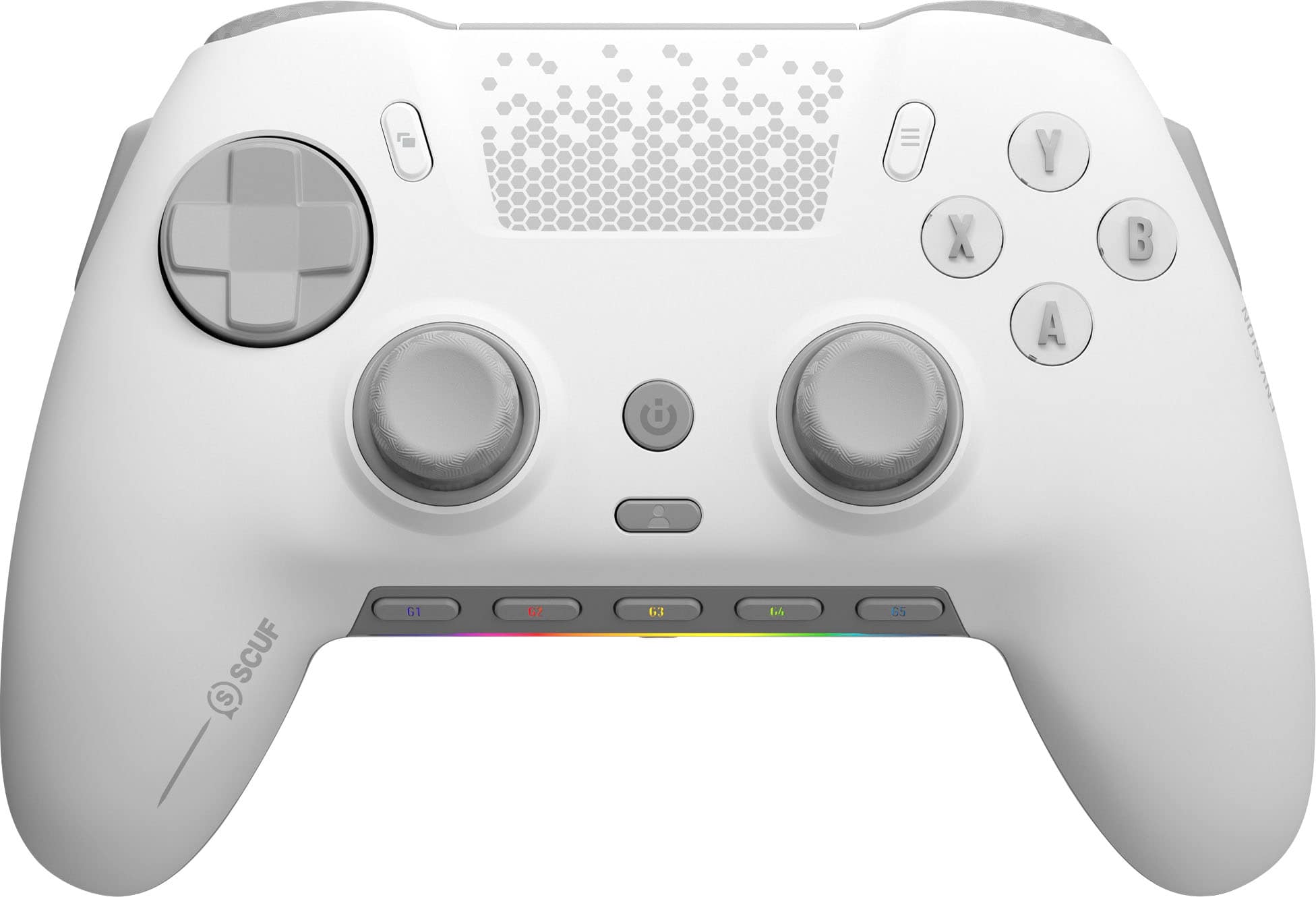
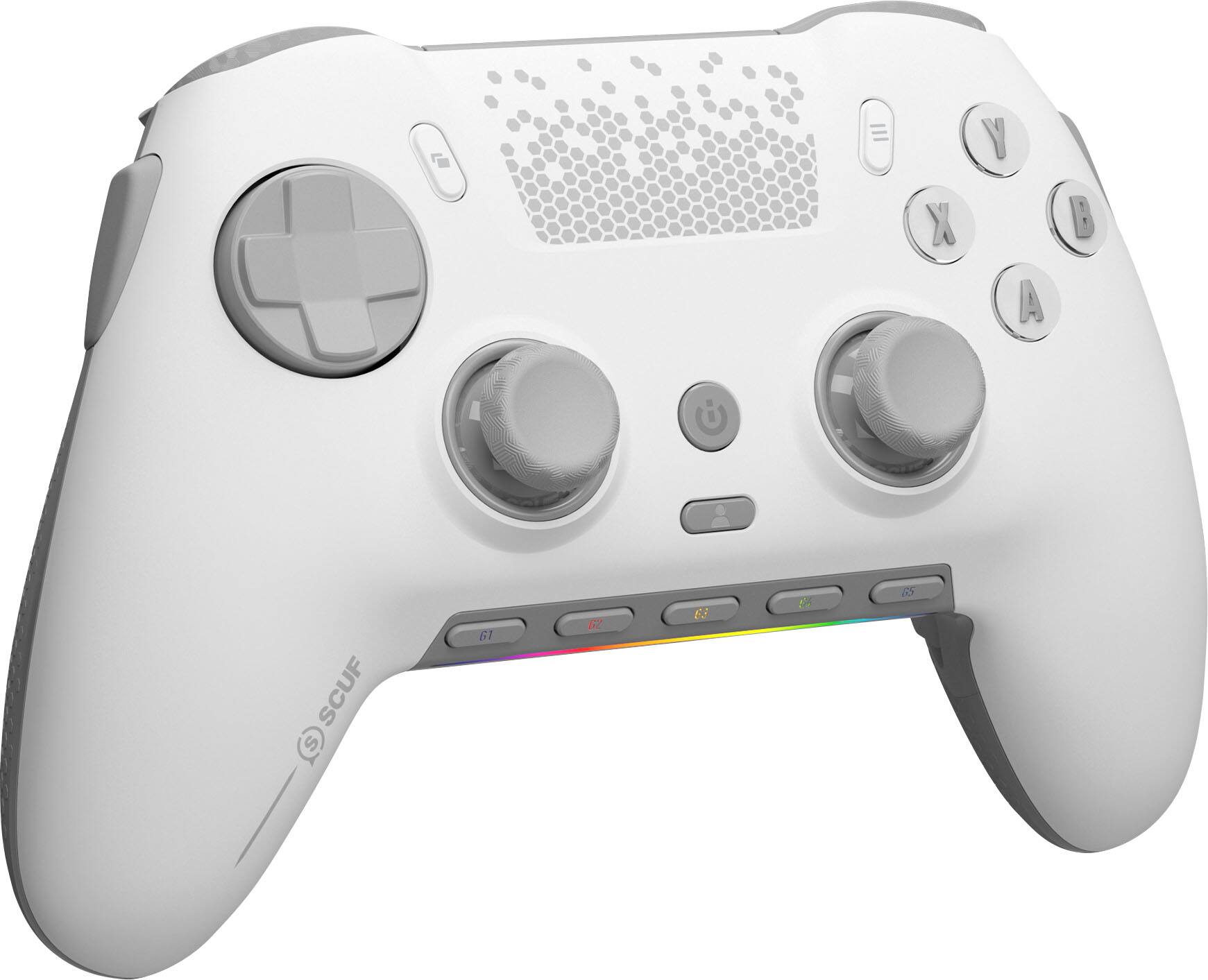
Your price for this item is $179.99

Customer reviews

Rating 4.2 out of 5 stars with 1573 reviews

Rating Filter

Rating by feature

  • Value

    Rating 4.2 out of 5 stars

  • Quality

    Rating 4.4 out of 5 stars

  • Ease of Use

    Rating 4.2 out of 5 stars

Pros mentioned filter

Cons mentioned filter

83%would recommend to a friend

Customers are saying

Customers value the ENVISION PRO V1 Wireless Gaming Controller for PC's overall performance, programmable buttons, ease of use, customization options, and ergonomics. Many also appreciate the controller's solid feel and customizable triggers. However, some customers have expressed concerns regarding the software, stick drift, connectivity issues, battery life, and price.

This summary was generated by AI based on customer reviews.

The vast majority of our reviews come from verified purchases. Reviews from customers may include My Best Buy members, employees, and Tech Insider Network members (as tagged). Select reviewers may receive discounted products, promotional considerations or entries into drawings for honest, helpful reviews.
Page 73 Showing 1,441-1,460 of 1,573 reviews
  • Pros mentioned:
    Buttons
    Tech Insider Network Member

    Rated 5 out of 5 stars

    Probably the best gamepad ever.

    |
    Tech Insider Network Member
    Posted .
    This reviewer received promo considerations or sweepstakes entry for writing a review.

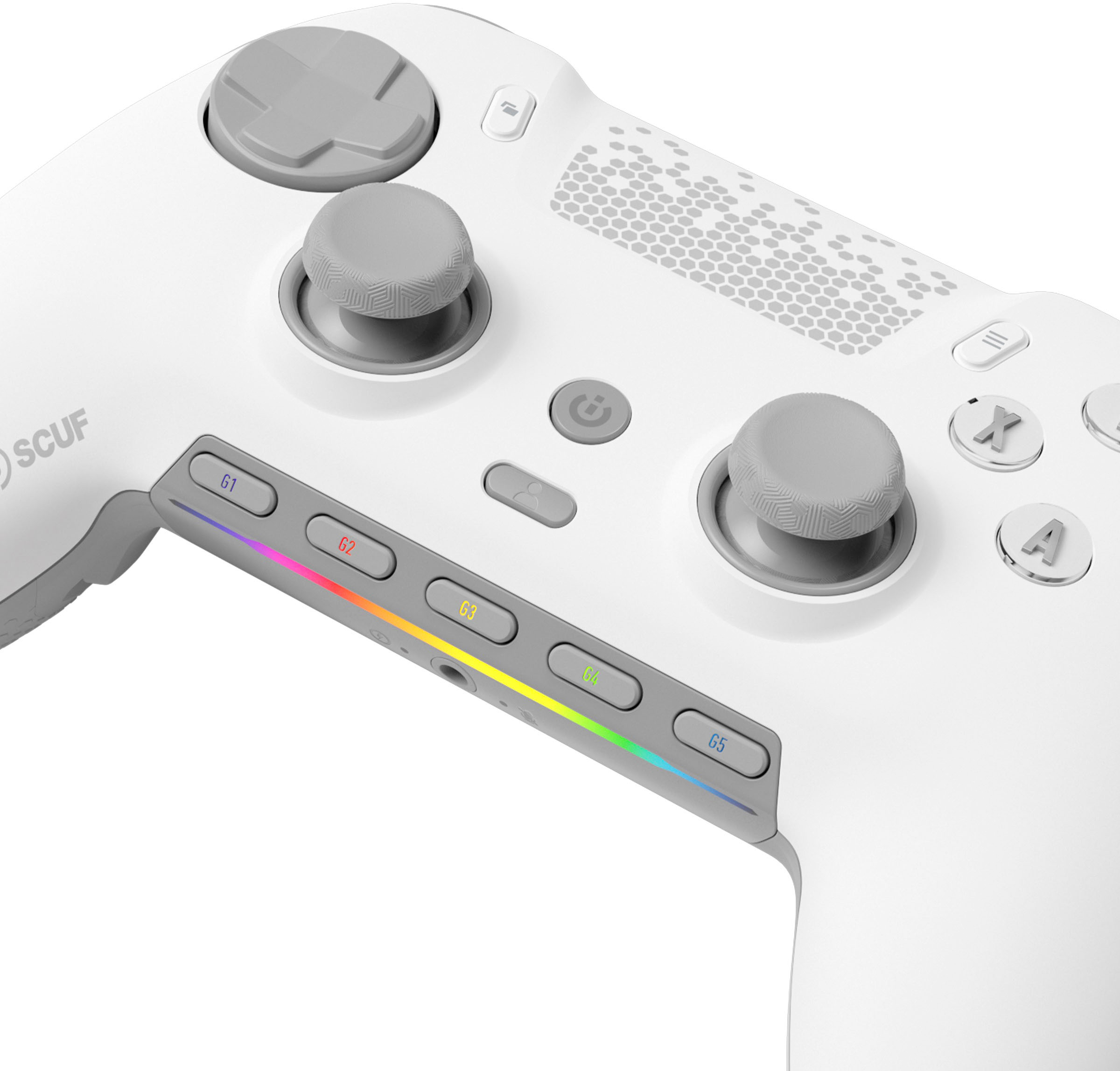
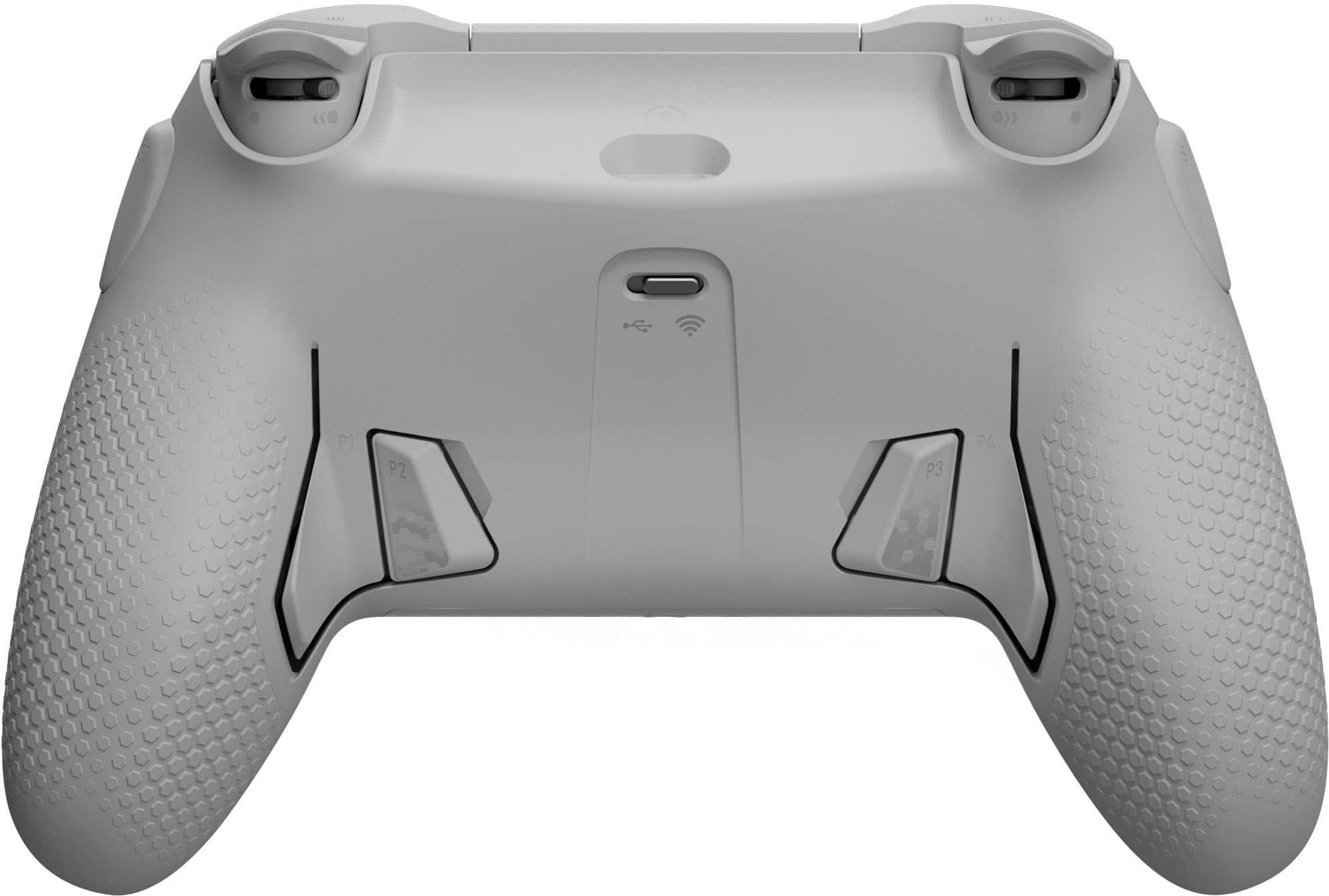
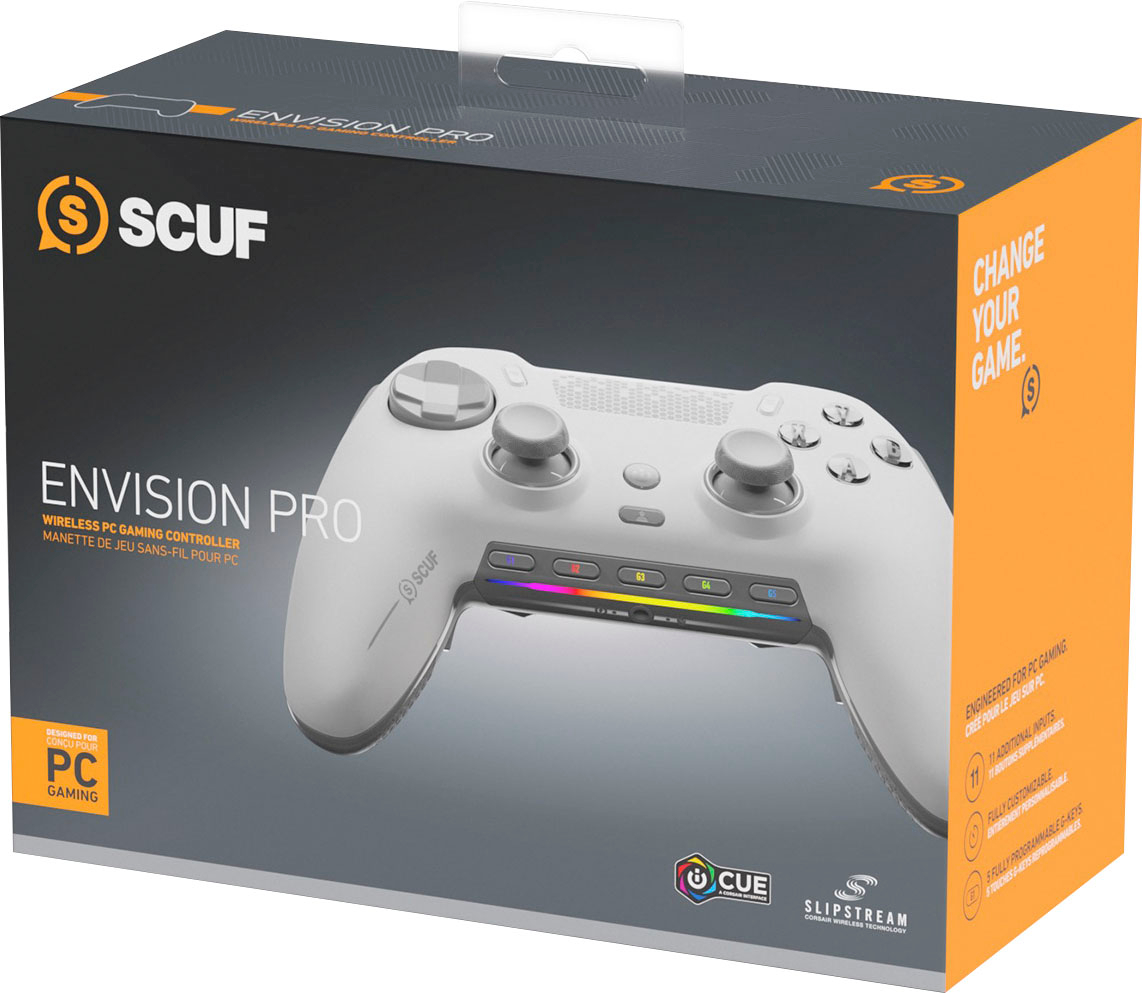
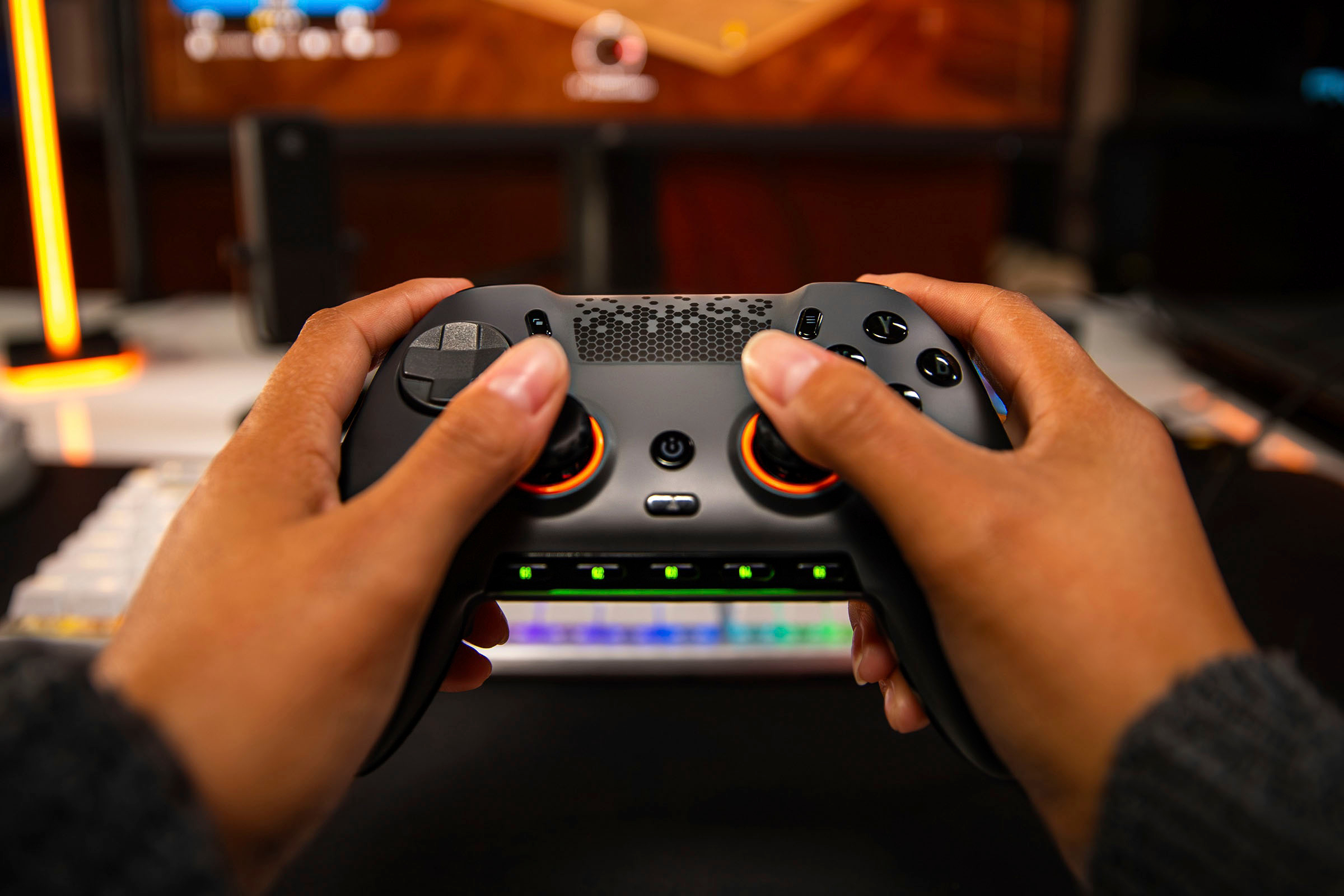
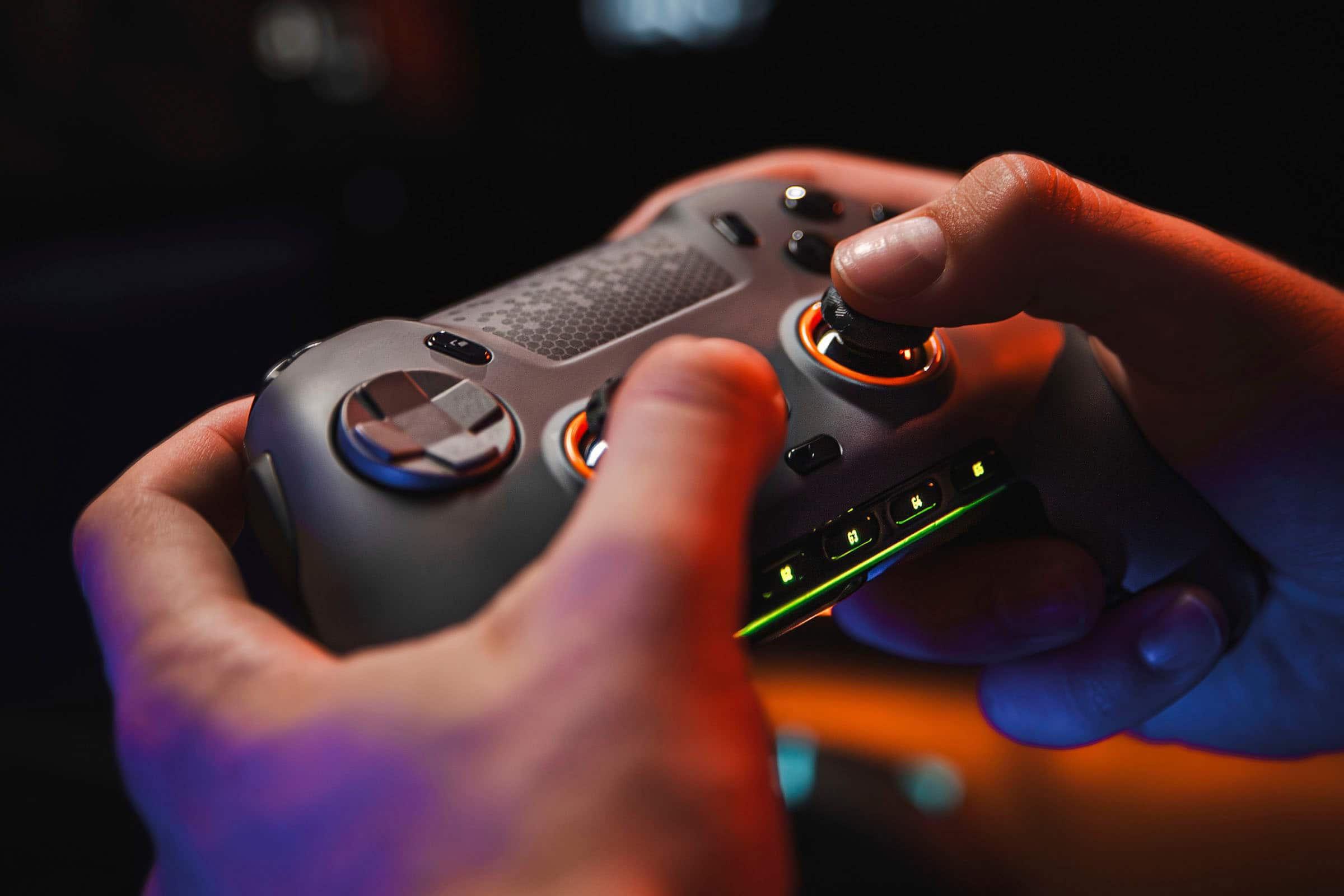
    The SCUF Envision Pro controller is probably the best dedicated PC controller out there, maybe even the best controller I've ever used. Between the mechanical switches for the D-Pad and every button, the analog sticks that are the most accurate I've used, programmable G-buttons that can do macros or control things like the computer volume level, and just the overall feel in-hand of the controller, I absolutely love it. Unboxing is an experience almost on par with Apple. While I would have preferred a sleeve around the inner box instead of an outer box, the inner box opens with the pomp and circumstance worthy of this controller. The controller itself has a little peel on it, protecting the RGB and a few shiny surfaces, along with a stick lock that safely holds the analog sticks in place for travel. Under the controller, you'll find a sleeved USB-A to USB-C cable, a USB-C to USB-A adapter, a wireless adapter using the Corsair Slipstream standard for directly connected-like wireless performance, and domed analog sticks should you prefer those over the concave style that comes installed by default. Before attaching the Envision Pro to your computer, you'll want to install Corsair's iCue software first, as this will enable to you use the under-controller paddles and side buttons. Once installed and running, connect the Envision Pro directly, as this is the only way the buttons can be programmed. It's also a good excuse to charge the controller. Usage without programming anything is good. The d-pad and buttons all feel amazing due to being mechanical, though pulling off special moves in fighting games may take some getting used to as buttons don't need to be pressed as hard - or far - to be triggered. Speaking of, the dual-mode triggers are great in quick click mode for games like Tekken 7, Street Fighter 6, Sackboy's Big Adventure, and Mortal Kombat 1. For games like Team Fortress 2, Counter Strike, and Halo Infinite, having the face buttons mapped by default to the paddles is a dream. The left and right side buttons are unmapped by default, and the G buttons are configured to system functions. When you use iCue to map the buttons, however, that's where the real magic begins. For example, I have a profile set for the Mortal Kombat games that maps the shoulder and trigger buttons to the paddles, along with left trigger+right trigger to the left side button so I don't even have to think about that special move. For the way I prefer to hold a controller, it makes it easier to deal with the shoulder buttons. Also, iCue is how you customize the light show put on by the RGB strip, or how you turn it off completely. The headphone port is good for in game chat, and I appreciate that the 3.5mm port is lit up. However, I'd like to see more than just the headphone port, G buttons, and the RGB strip lit up; while I don't want to see the whole thing lit up, halos around the sticks and the non-letter face buttons would be great for dark environments. All in all, the SCUF Envision Pro is a sweet gamepad. The weight and mechanical switches make it a win for me.

    I would recommend this to a friend
  • Cons mentioned:
    Stick drift

    Rated 1 out of 5 stars

    controller

    |
    |
    Posted . Owned for 3 weeks when reviewed.
    This reviewer received promo considerations or sweepstakes entry for writing a review.

    had to replace do to a button being stuck out of the box and the stick drift in gnarly for a new controller

    I would recommend this to a friend
    • Brand response from Corsair
      Posted .

      Hello Edgar,

      Definitely frustrating. Do work with our team in case you experience any other issues that need assistance.

      -Art CorsairGaming

  • Pros mentioned:
    Buttons, Customization
    Tech Insider Network Member

    Rated 5 out of 5 stars

    The Right Tool for Pro Gaming with Controller

    |
    Tech Insider Network Member
    Posted .
    This reviewer received promo considerations or sweepstakes entry for writing a review.

    If you’re serious about gaming, and you want to give yourself a range of customization that you don’t really get with typical PC gaming controllers, you’ll find the Scuf Envision is second to none. Scuf, known for it’s physical customization, is now paired with Corsair’s iCue software to add software customization that really lets you dial in a profile combination that works for you. Getting it setup was easy. I started by downloading the iCue software from Corsair’s site, connected the wireless dongle as well as the controller to my PC using the very nice included braided cable (comes with USB A to C adapter as well). There was a firmware update. Once that was out of the way and all the needed software was installed, it was basically ready to go without doing any additional setup using the preset profiles. I’m a new user of customized controllers, I’ve been using either an official Microsoft or Sony controller for years. It has taken some time getting used to using some of the custom buttons. First impressions seemed as if a lot of time was put into how your fingers fall onto the controller. The back buttons are easily attenuated using your middle fingers by either pushing up or clicking down. I do prefer off center thumb sticks like the Xbox controller, but I get along with the centered thumb sticks just fine. I also find the G keys on the bottom easy to reach as well. The only buttons that I found were very easy to accidently press it’s the bumpers on the sides. I mostly kept these turned off. There’s a ton of customization you can do both physically and with software. Physically you can swap out thumb sticks, the back buttons, side buttons, and the face plate. The kit comes with a few extras but you can get off the scuff website but I found the taller thumb stick useful for aiming. Also I found that being able to switch the triggers to a “mouse click” style just by flipping a switch is very nice. I found that I just reacted quicker to situations without having to long pull the triggers. The software customization is where I think you get an edge that you’ll be hard pressed to find in the competition. With the iCue software, you can remap your buttons, adjust dead zones and sensitivity of your thumb sticks and triggers, as well as set macros and media functions to the G1-G5 keys such as keystrokes, launching apps, or muting your microphone. I found assigning keys were pretty easy to do, but I have some experience with the iCue app already. I flipped the preset AX and BY on the back triggers around from the preset. I disabled the side buttons because I found myself accidently hitting those. Finally I adjusted the media keys around so that the microphone toggle was on left and the volume mute was on the right. Another point to make is the build quality and how well everything just works. The ABXY buttons are very clicky and well made. The face plate is held on magnetically making switching them out easily done. The stippling on the controller is good for grip and over all, the plastic seems to be of very good quality. Having the headphone was nice. Whether you just want to wear some headphones or, in my case, I had a aux cable with built in mic, all worked seamlessly through the controller. Everything just works and it feels very premium. The only other thing that would have been nice to see included is a case to carry it in. When I travel I game on a laptop, and just throwing it in a bag doesn’t seem like the best idea. I also find that the USB dongle is a bit large for a laptop, just fine if you plug it in the back of your PC though, so not a huge gripe.

    I would recommend this to a friend
  • Cons mentioned:
    Stick drift

    Rated 1 out of 5 stars

    VERY TERRIBLE

    |
    |
    Posted . Owned for 1 month when reviewed.
    This reviewer received promo considerations or sweepstakes entry for writing a review.

    THE WORST CONTROLLER, Feeling is good but beside that jts wack, second day and stick drift

    No, I would not recommend this to a friend
    • Brand response from Corsair
      Posted .

      Hello Ruchy,

      That's unfortunate! Please effectuate an exchange as that'll solve the issue.

      -Art CorsairGaming

  • Pros mentioned:
    Customization
    Cons mentioned:
    Software
    Tech Insider Network Member

    Rated 4 out of 5 stars

    Comfy controller with more than enough buttons.

    |
    Tech Insider Network Member
    Posted .
    This reviewer received promo considerations or sweepstakes entry for writing a review.

    The Scuf Envision Pro wireless controller offers more buttons and customization options than anything I’ve seen on the market. Yet, there is room for improvement. The Scuf controller looks like a PS5 controller at first glance, but once I was able to get my hands on it, I found that it does offer a unique design. The box includes the controller, a wireless dongle, a USB-C charging cable, 2 different joysticks, and some interchangeable blank back buttons. The controller is made up of 3 primary materials; plastic, rubber and a TPU plastic which is the removable front faceplate. The joysticks are made of a tough rubber that feels like hard plastic, which they didn’t offer my thumbs enough grip. The triggers are shaped nice and have a lock button on the back of each trigger. Then there are 4 buttons on the back of the controller, only 2 of which I found to be comfortable and easy to access. There are 2 side bumpers that are located off to the side of the L and R bumpers, neither of which I found necessary. On the first time using the controller, you have to download the iCue software in order to customize the buttons and update the controller. I have iCue installed previously for some LED lights and I’m not a huge fan of the software. I came across many issues when trying to set up the Scuf and configure it, for instance my custom setup wasn’t saving, my saved profile would conflict with my new setup, buttons would randomly stop working. After resetting my computer a few times, this seemed to fix the issue. As far as functionality of the controller, it feels great in my hands. I do think they went a little overboard with the number of extra buttons they added, but at least they give you options. The thing I don’t really care for on the controller are the joysticks…I find that they don’t offer enough grip and my thumbs slip. The 5 customizable buttons on the bottom of the controller are nice, as I set them as media buttons and can control my vol right from my controller. The back buttons would be better if they made them into adjustable paddles for easier reach, as of now I only use 2 of them. The D-pad is spot on and is probably one of the best one I’ve used. It is nice that they made a wireless version of the controller, and it works just as good as wired. Overall, I like the Scuf Envision Pro. I think it’s a comfortable controller to game with and offers more than enough buttons to customize. The battery life is great, it lasts longer than any other wireless controller that I’ve ever had. Although, I do wish they used better joysticks, as they are too slippery for me. And the back buttons could have been designed better, paddles would have been a better option…But I would recommend this to gamers that are looking for more customization options.

    I would recommend this to a friend
  • Rated 1 out of 5 stars

    No good

    |
    |
    Posted . Owned for 1 year when reviewed.
    This reviewer received promo considerations or sweepstakes entry for writing a review.

    Had issues when bought not recommended try the dual sense edge

    No, I would not recommend this to a friend
  • Rated 1 out of 5 stars

    Don’t buy scuf, buy anything else

    |
    |
    Posted . Owned for 4 months when reviewed.
    This reviewer received promo considerations or sweepstakes entry for writing a review.

    Terrible, the trigger system to make them short throw triggers almost never works, get caught not being able to aim a gun in a fps game because the controller is terrible

    No, I would not recommend this to a friend
  • Rated 1 out of 5 stars

    Feels very cheap i wont recomend it

    |
    |
    Posted . Owned for 2 weeks when reviewed.
    This reviewer received promo considerations or sweepstakes entry for writing a review.

    I had other scuf controllers but this one feels very cheap and to configure the way you want it, you need a software and its a little confusing. I went back to my original ps5 controller and it feels more premium and more responsive than this new scuf. Is just my honest opinion guys. Ps5 controllers are better and more responsive specially on FPS GAMES. I play COD and its way better on ps5 controller

    No, I would not recommend this to a friend
    • Brand response from Corsair
      Posted .

      Hello,

      Sorry to hear about the confusion. If you choose to keep it, please contact our team directly on our site with any questions you may have!

      -Art CorsairGaming

  • Rated 1 out of 5 stars

    Returning this and getting the Xbox Ins Pro

    |
    |
    Posted . Owned for less than 1 week when reviewed.
    This reviewer received promo considerations or sweepstakes entry for writing a review.

    The icue software is too buggy. Unable to get the key mappings to save and when ever I plug in the controller in USB mode the software crashes. I have to use the controller in wifi mode. I gave up, had the controller for 24 hours and it sucks. I just ordered the Invision Pro and will be getting it on Wednesday and will be dropping this piece of hot garbage off at BB.

    No, I would not recommend this to a friend
    • Brand response from Corsair
      Posted .

      Hello Johnny,

      If you don't mind, please let our team help out, they can be reached out to right on our site at any time.

      -Art CorsairGaming

  • Cons mentioned:
    Software

    Rated 1 out of 5 stars

    Icue software

    |
    |
    Posted . Owned for less than 1 week when reviewed.
    This reviewer received promo considerations or sweepstakes entry for writing a review.

    Icue wont install wont download tried a bunch of steps i read online even reinstalled windows 11 controller useless

    No, I would not recommend this to a friend
    • Brand response from Corsair
      Posted .

      Hello Elliott,

      Sounds like you need some assistance, please contact our team directly online for some help.

      -Art CorsairGaming

  • Rated 1 out of 5 stars

    No happy!!

    |
    |
    Posted . Owned for 1 month when reviewed.
    This reviewer received promo considerations or sweepstakes entry for writing a review.

    Had the controller for a little over 30 days purchased June 11th. I only play an hour every evening and maybe 3 hours Friday and Saturday evening. The controller is already broke. D pad up is stuck. I’m sorry but $190 for a controller that last a month. I know it’s still in factory warranty but this is ridiculous.

    No, I would not recommend this to a friend
    • Brand response from Corsair
      Posted .

      Hello Ashley,

      Unfortunate but our team can assist, do contact them directly right on our site at any time!

      -Art CorsairGaming

  • Rated 2 out of 5 stars

    Terrible position padlles.

    |
    |
    Posted . Owned for 3 weeks when reviewed.
    This reviewer received promo considerations or sweepstakes entry for writing a review.

    I don’t like the position of the padlles, it's a good controller, have a lot of features, but I prefer the Dualsense Edger and the Astro c40.

    No, I would not recommend this to a friend
    • Brand response from Corsair
      Posted .

      Hello Renato,

      And thanks for the feedback, sorry to hear this wasn't for you.

      -Art CorsairGaming

  • Cons mentioned:
    Software

    Rated 1 out of 5 stars

    SAVE YOUR MONEY. Controller is bricked

    |
    |
    Posted . Owned for 1 week when reviewed.
    This reviewer received promo considerations or sweepstakes entry for writing a review.

    1. It doesnt charge 2. The software is horrible. 3. It no longer turns on. 4. No reset master switch

    No, I would not recommend this to a friend
    • Brand response from Corsair
      Posted .

      Hello Deginga,

      Sorry to hear regarding the issues you ran into. Please effectuate a quick exchange as as a replacement shouldn't have any problems. Otherwise, you can also contact our team directly on our site.

      -Art CorsairGaming

  • Rated 2 out of 5 stars

    Mid controller

    |
    |
    Posted . Owned for 1 month when reviewed.
    This reviewer received promo considerations or sweepstakes entry for writing a review.

    It’s good until the triggers stoppers stop working, and the back paddles don’t respond

    No, I would not recommend this to a friend
    • Brand response from Corsair
      Posted .

      Hello,

      That definitely shouldn't happen. Please contact our team directly on our site for assistance.

      -Art CorsairGaming

  • Cons mentioned:
    Software

    Rated 1 out of 5 stars

    Scuf

    |
    |
    Posted . Owned for 3 weeks when reviewed.
    This reviewer received promo considerations or sweepstakes entry for writing a review.

    Controller itself was awesome. The software it uses is garbage.

    No, I would not recommend this to a friend
    • Brand response from Corsair
      Posted .

      Hello Zackary,

      What seems to have been the issue? Please contact our team directly on our site for assistance.

      -Art CorsairGaming

  • Pros mentioned:
    Buttons, Customization
    Tech Insider Network Member

    Rated 5 out of 5 stars

    this one didnt miss any bells or whistles A+

    |
    Tech Insider Network Member
    Posted .
    This reviewer received promo considerations or sweepstakes entry for writing a review.

    This is a definitely a customizers dream controller, you can customize so many things with this controller, from the rgb lights to setting up macros, to changing the thumbsticks out; makes this one great choice for a pc controller! The controller feels good, not too heavy not to light, feels almost inbetween an xbox (w/batteries) and a ps5 controller for weight. All of the buttons (and extra buttons) feel good, i can reach all of them without issue and nothing feels out of place while using the controller. The buttons on this controller feel elite, the choice to use mechanical buttons makes using this controller feel that much more responsive it really kicks it up a notch in my opinion. The dpad also feels to be using mechanical switches as well, which makes playing old emulated games more enjoyable. pros alot of customizable buttons at your finger tips (row of g keys plus 4 back and 2 side buttons) trigger buttons are also customizable for 'instant triggers vs pull' with slight adjustment faceplate and thumbsticks are upgradable interchangable (change between hi hat and normal height) mechanical buttons gives that extra feel to the controller cons so far on this controller i haven't found anything that im not happy about, i like that i can customize the heck out of this controller and make every button they way i want it. Overall the controller feels good, the button presses feel cleanly executed with quick responses, the locked down trigger pulls to full pull presses is a very nice feature, as well as all the additional buttons that i have setup to do certain/special macros makes this controller one heck of a diamond in the rough. I would definitely recommend this controller to anyone looking to upgrade their pc controller.

    I would recommend this to a friend
  • Rated 1 out of 5 stars

    Bad For Value

    |
    |
    Posted .
    This reviewer received promo considerations or sweepstakes entry for writing a review.

    Latency issues and better options for the price that you can customize.

    No, I would not recommend this to a friend
  • Rated 2 out of 5 stars

    Bad bumper design

    |
    |
    Posted . Owned for 1 month when reviewed.
    This reviewer received promo considerations or sweepstakes entry for writing a review.

    Love this controller but im on my 4th one the right bumper keeps breaking

    No, I would not recommend this to a friend
    • Brand response from Corsair
      Posted .

      Hello Mike,

      That's weird. Please contact our team directly on our site for assistance with this.

      -Art CorsairGaming

  • Rated 1 out of 5 stars

    Don't waste your money

    |
    |
    Posted . Owned for 1 month when reviewed.
    This reviewer received promo considerations or sweepstakes entry for writing a review.

    Have had the controller for just under 90 days. The paddle switches no longer work. Called Best Buy. Return window was only 15 days! I am so disgusted with Best Buy. I will not purchase anything else here. I know this won't hurt thier feelings, but don't buy from them! Purchase where you at least get a 60 days return!!

    No, I would not recommend this to a friend
    • Brand response from Corsair
      Posted .

      Hello,

      Sorry to hear about your issue. Please contact our team directly on our site for assistance with this.

      -Art CorsairGaming

  • Rated 1 out of 5 stars

    To many issues

    |
    |
    Posted . Owned for 2 months when reviewed.
    This reviewer received promo considerations or sweepstakes entry for writing a review.

    Extremely disappointed in this controller the triggers are so sensitive they constantly open menus or fire your weapon in fps games or you have to turn the dead zone so high it negates the mouse click speed. Purchased towards the end of October 23 so less than 90 days old and product is no longer returnable for repalcement

    No, I would not recommend this to a friend
    • Brand response from Corsair
      Posted .

      Hello Eddie,

      Please contact our team directly on our site for assistance with this matter!

      -Art CorsairGaming