Customer Ratings & Reviews


- Model:
- 601-178-04-062-NA
- SKU:
- 6589600
Rating by feature
- Value
Rating 4.3 out of 5 stars
- Quality
Rating 4.5 out of 5 stars
- Ease of Use
Rating 4.3 out of 5 stars
Customers are saying
Customers highly value the overall performance and mechanical button quality of this controller, which are frequently highlighted as standout features. Users also appreciate the ergonomic design and the extensive customization options available for a personalized experience. Additionally, the device is praised for its reliable battery life, versatile connectivity, and the absence of stick drift.
This summary was generated by AI based on customer reviews.
- Pros mentioned:Customization, Ergonomics

One of the best controllers
|Posted . Owned for 1 month when reviewed.This reviewer received promo considerations or sweepstakes entry for writing a review.Absolutely thrilled with my SCUF Envision Pro V2 from Best Buy! The ergonomics feel perfect, the paddles and triggers are insanely responsive, and customization options let me dial in the exact setup for competitive play. Build quality is solid and the RGB looks sleek. Best Buy made checkout and pickup effortless — this controller has seriously upgraded my gameplay. Highly recommend!
I would recommend this to a friend - Pros mentioned:Ergonomics
SCUF Pro
||Posted . Owned for 2 weeks when reviewed.This reviewer received promo considerations or sweepstakes entry for writing a review.Materials-wise, the hardware of this controller is of excellent quality. Very ergonomic and satisfying to use. The software can use a little refinement, it took a little tweaking to get the driver to work properly on my PC. I purchased this controller because I wanted a good controller to play flight games on my PC, but wanted a different experience from mouse+keyboard. I don't want to invest the funds and desk real estate on a HOTAS yet, and thus a quality controller seemed the best option. The extra buttons this system comes with will prove handy for those of you who enjoy playing games with many input functions.
I would recommend this to a friend easy to use pc controller.
||Posted . Owned for 2 weeks when reviewed.This reviewer received promo considerations or sweepstakes entry for writing a review.this is a great controller for playing on pc. while the ps5, Xbox and Nintendo controllers work on pc, they are dependent on a lot of finicky problems in my experience, sometimes they connect sometimes they don't, and sometimes they are programed with the wrong buttons for a specific game, for this reason, i found that just connecting this controller was easy, while it does have a lengthy initial setup for using it with steam , i found that after that it worked consistently and never gave me any problems . the one thing that could be improved is the initial setup is too lengthy and you have to set it up for wired and wireless modes. in conclusion this is for the person that only has a pc or if he does have a different console they don't want to bother connecting the device in one or the other. its for those that want a reliable easy to use solution. at least that was my expirience.
I would recommend this to a friend- Pros mentioned:Button quality
Great controller no stick drift
||Posted .This reviewer received promo considerations or sweepstakes entry for writing a review.The controller is well built and feels premium and the buttons are clicky and fast. I love the feeling of the triggers when you have the stops on, they feel exactly like a mouse click. However the one downside is the icue software, constant updates and the controller forgetting its mapping can be annoying. I use my controller wired as I found I have much less software issues that way. The buttons below the sticks are great for people who like to listen to music or a YouTube video in the background of gameplay. I’ve mapped them to control all my media so I don’t have to tab out of my game to change the song or pause the video. I’ve only had the controller for a few weeks however the ability to re-calibrate the sticks to get rid of drift is a life saver and makes my wallet happy.
I would recommend this to a friend Best controller
||Posted . Owned for 1 month when reviewed.This reviewer received promo considerations or sweepstakes entry for writing a review.Honestly after going through controller after controller I wish I had gotten this one sooner. This controller is the only one I have had recently that hasn’t been built with stick drift being a feature from the start. That’s pretty much all that needs to be said but all the buttons are very well thought out as far as placement and usefulness.
I would recommend this to a friend- Pros mentioned:Customization, Overall performance
Great controller
||Posted . Owned for 1 month when reviewed.This reviewer received promo considerations or sweepstakes entry for writing a review.Really good controller, smooth game play. Zero delay, able to customize with colors and abilities.
I would recommend this to a friend Love this controller
||Posted . Owned for 8 months when reviewed.This reviewer received promo considerations or sweepstakes entry for writing a review.Had the V1 of this controller and it was great but eventually developed stick drift. I had a protection plan but the V1 was discontinued so they replaced it with the V2. The V2 has Hall effect sticks which is a nice bonus and no stick drift ever. This is the best controller I have ever used on PC
I would recommend this to a friend- Pros mentioned:Customization
Great controller for the price.
||Posted .This reviewer received promo considerations or sweepstakes entry for writing a review.All right, been using this for a few days and it is amazing. Playing Helldivers 2 with macros for stratagems is wondertastic, there is so much customization to this it allows for perfect input. You can set up several profiles to map buttons however you want, and even an option to save 3 to the controller to use. Now, yes, iCue has crashed once on me but the controller still functioned as a controller while I got it started again. Feels great in my hands and I'm 6'5, I'm used to the PS style controllers and really like the utility of the extra buttons. Highly recommend.
I would recommend this to a friend SCUF Envision Pro with Hall Effect
||Posted . Owned for 3 weeks when reviewed.This reviewer received promo considerations or sweepstakes entry for writing a review.The Performance Gap is Gone For the longest time, the community has obsessed over TMR (Total Magnetic Resistance) sticks, treating them as the holy grail of longevity and feel. I was skeptical that anything could truly match the tension and response profile of a top-tier TMR setup, but the Hall Effect upgrade on the Envision Pro has completely shifted my perspective
I would recommend this to a friend- Pros mentioned:Overall performance
Best controlled I’ve ever used
||Posted . Owned for 2 months when reviewed.This reviewer received promo considerations or sweepstakes entry for writing a review.Such a good controller, had a ps5 controller and am never going back
I would recommend this to a friend - Pros mentioned:Button quality
Excellent controller
||Posted . Owned for 1 month when reviewed.This reviewer received promo considerations or sweepstakes entry for writing a review.Excellent controller for pc gaming. Very comfortable to hold and smooth controls. I like the extra buttons that are programmable.
I would recommend this to a friend Scuf controller
||Posted . Owned for 3 weeks when reviewed.This reviewer received promo considerations or sweepstakes entry for writing a review.Bought it as a gift for my fiancé who has his own city in 5m I came home surprised him with it. He loved it great quality. Great amenities easy to install overall great great great if you don’t have one go get one
I would recommend this to a friend- Pros mentioned:Overall performance
Scuff Envision pro top-tier
||Posted . Owned for 3 weeks when reviewed.This reviewer received promo considerations or sweepstakes entry for writing a review.Very great product always deserved a five stars, best recommendation for any one
I would recommend this to a friend - Pros mentioned:Button quality
Control
||Posted .This reviewer received promo considerations or sweepstakes entry for writing a review.It's a great controller, I loved all the buttons it has and how you can play with it.
I would recommend this to a friend - Pros mentioned:Battery life, Button quality, Ergonomics

Super customizable. Comfortable. Clickity.
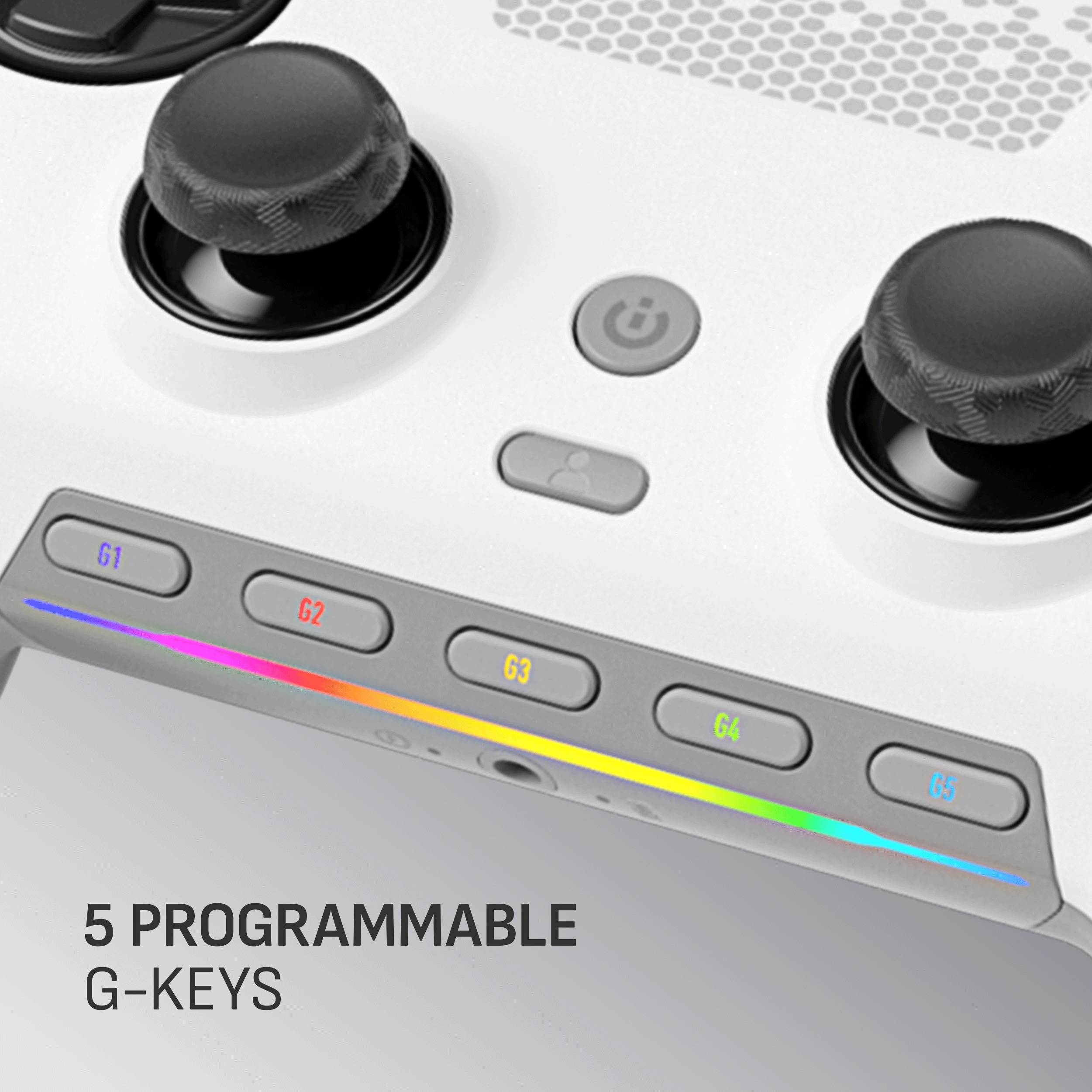
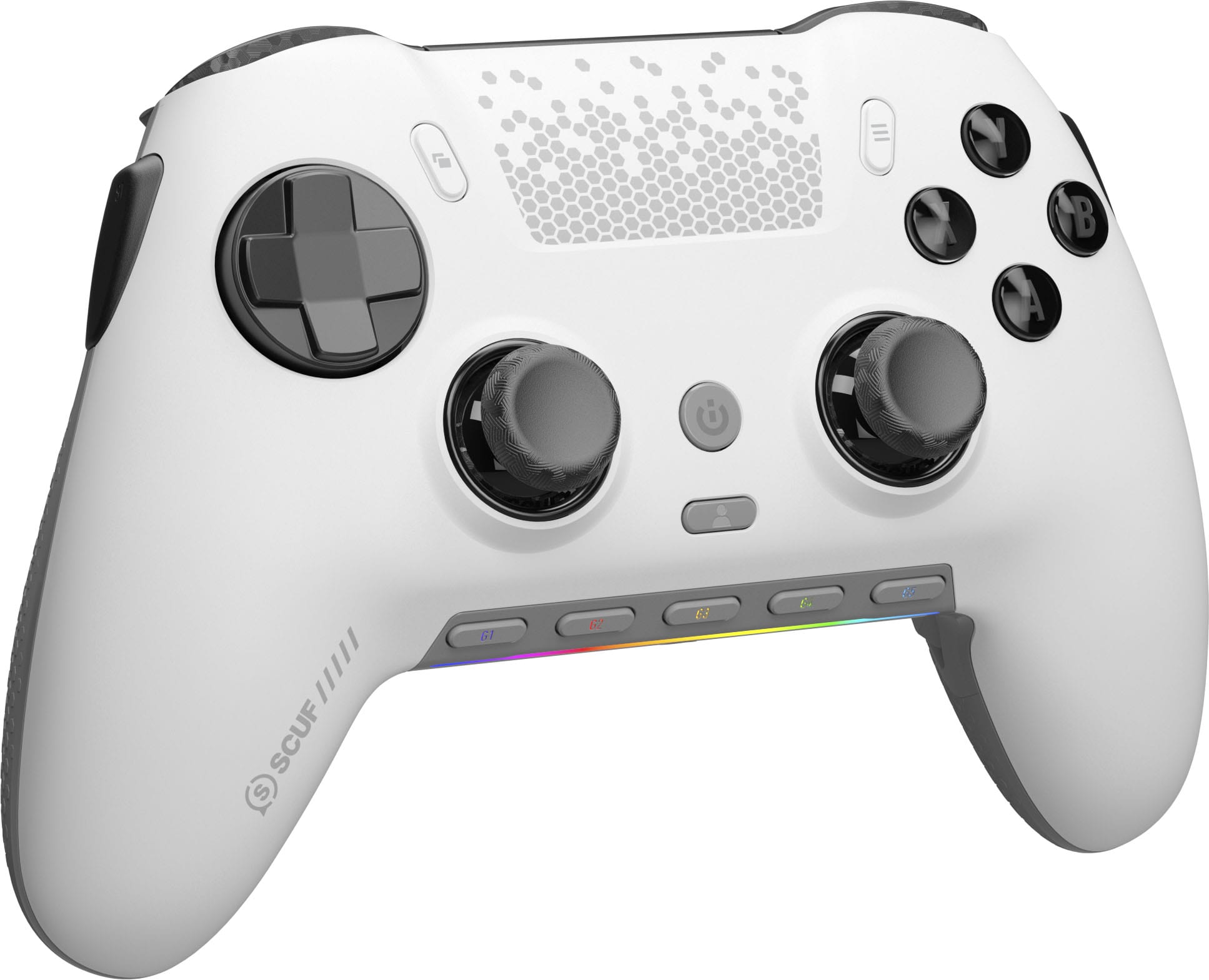
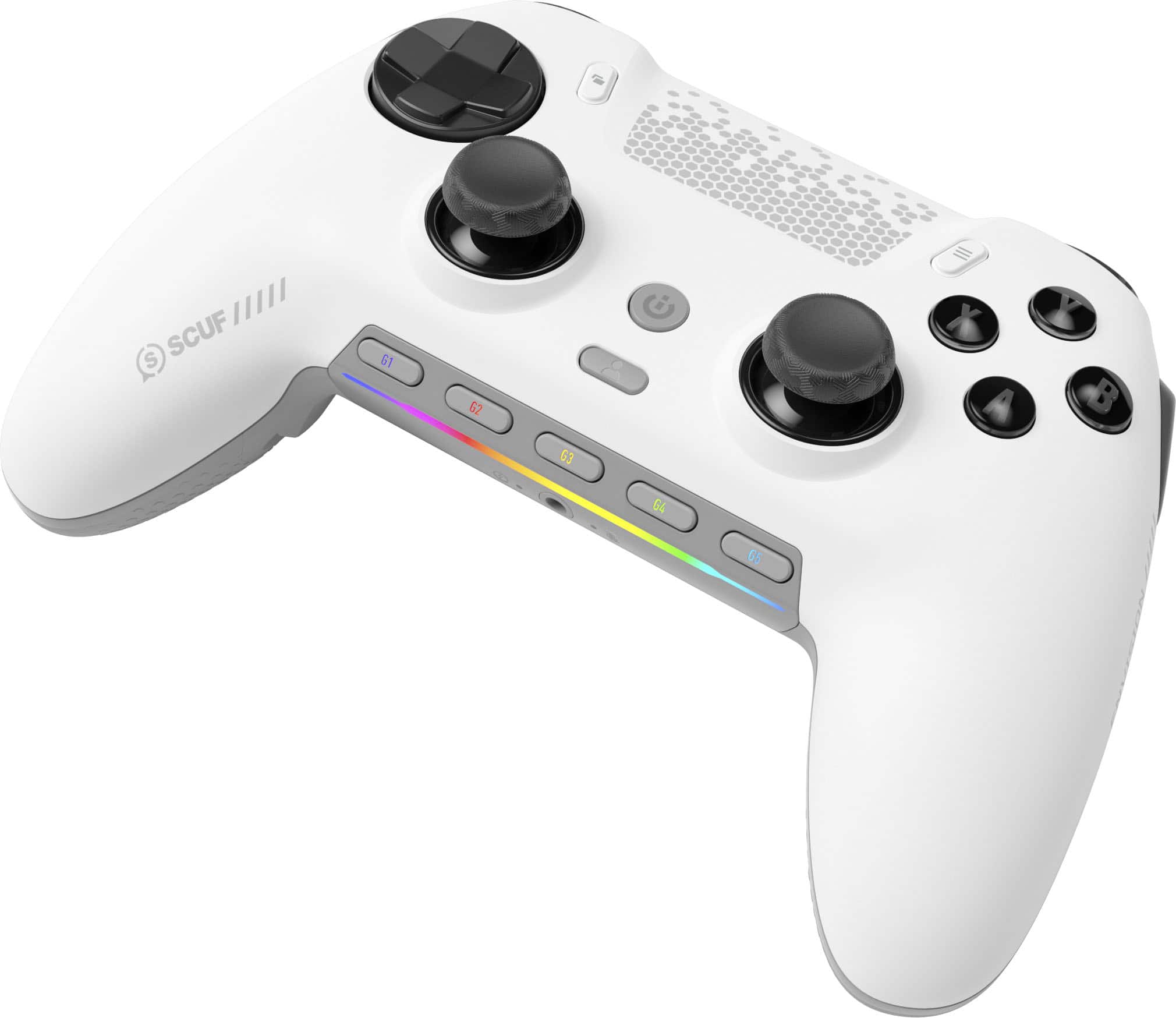
|Posted .This reviewer received promo considerations or sweepstakes entry for writing a review.____ *Pros: -Slick and cool-looking modern design with a splash of LED colors. -Responsive, tactile, and accurate button presses. -Smooth, drift-free joysticks. -Five customizable G-Keys. -Four rear paddle buttons. -Extra replacement parts included. ____ *Neutral: -Kind of heavy. ____ *Cons: -The iCue app crashes occasionally. I had a blast playing games with the Scuf Envision Pro v2 gaming controller. I played all kinds of games on it – Cyberpunk 2077, Elden Ring, Stalker 2, Grand Theft Auto V, Resident Evil 4 Remake, Split Fiction – and the gamepad delivered a consistently tactile, responsive, accurate, and comfortable experience across all genres. The controller is packed full of technology so it feels a bit heavy compared to less sophisticated (and cheaper) controllers out there, but the trade-off is definitely worth it, as you can use the Corsair iCUE app to customize the gamepad to your heart’s content, from custom RGB lighting, macro functions, remapping buttons, and calibrating the joysticks and shoulder buttons. Casual gamers probably won’t utilize all the functions the Scuf Envision v2 offers, but pro-level gamers will definitely appreciate all the thoughtful customization options that Corsair baked into the gamepad. The controller feels grippy and just-right in-hand, and despite its weight, the controller is well-balanced and doesn’t cause any hand fatigue. The ABXY and D-pad buttons utilize Omron mechanical switches which result in faster actuation with less travel distance, consistent feedback, increased accuracy, and longer durability. I also love that clickity sound the Omron switches make. I have other Corsair gear, such as the K100 Air wireless keyboard and M65 Ultra gaming mouse, and I appreciated having the ability to use iCUE to synchronize my RGB lighting in a harmonious manner. It is also through iCUE that firmware updates are performed as well as all the customizations. When it decides to work, iCUE can be a wonderful all-in-one app that ties together all of your Corsair gear for easy firmware updates and customizations. Unfortunately, it is occasionally buggy in Windows 11, and I sometimes had to close and restart the app a couple of times before it loaded up correctly and tallied up all of my peripherals. It is definitely frustrating when the app misbehaves, so I hope Corsair will place more emphasis on reliability and consistency going forward. Although two connectivity options are provided – wired or wireless via the USB dongle – I always went with the wireless option because I hate being tethered via a wire no matter how generous and long the cable is. Fortunately, the Corsair Slipstream wireless technology delivered, and it provided a reliable and lag-free gaming experience. The Scuf Envision Pro was paired almost instantly after turning on the controller, and the connection remained solid for hours and I never experienced a disconnection. The battery life has been pretty solid as well. The longest gaming session I had was about six hours, and the iCUE app reported that I still had more than 50% charge left. The gamepad charges up quickly via the USB-C port. I let my 10-year old daughter use the Envision Pro when we played some local coop games (Resident Evil Revelations 2, Split Fiction), and it fit in her hands comfortably and she said it didn’t feel heavy at all. She likes the controller so much, she wants to use it all the time now. 😊 All in all, the Envision Pro version 2 is an incremental but meaningful upgrade over version 1, which I also own. The major change is the thumbsticks going from standard potentiometer tech to hall-effect tech. Although I never experienced any drift issues with version 1, it’s good that Corsair is refining and improving upon the formula and bringing about meaningful and useful upgrades to their gamepads. The Envision Pro v2 might be a little bit overkill for me since I’m not a pro-gamer that doesn’t need all the customization options, but I still love it because it feels so nice in-hand, the buttons are so satisfyingly tactile and responsive, and the battery life is fantastic. So yes, it’s definitely worth your hard-earned coin, and I’m pretty sure it will make you a very content and satisfied gamer. 5 Stars.
I would recommend this to a friend Pc controller
||Posted . Owned for 2 weeks when reviewed.This reviewer received promo considerations or sweepstakes entry for writing a review.I really enjoy the gameplay overall, it has some nice navigation you can customize your button settings.
I would recommend this to a friendScuff
||Posted . Owned for 2 weeks when reviewed.This reviewer received promo considerations or sweepstakes entry for writing a review.Great controller but the left trigger is always the first to go bad
I would recommend this to a friend- Pros mentioned:Battery life, Button quality, Ergonomics
Top notch customizable PC gaming controller
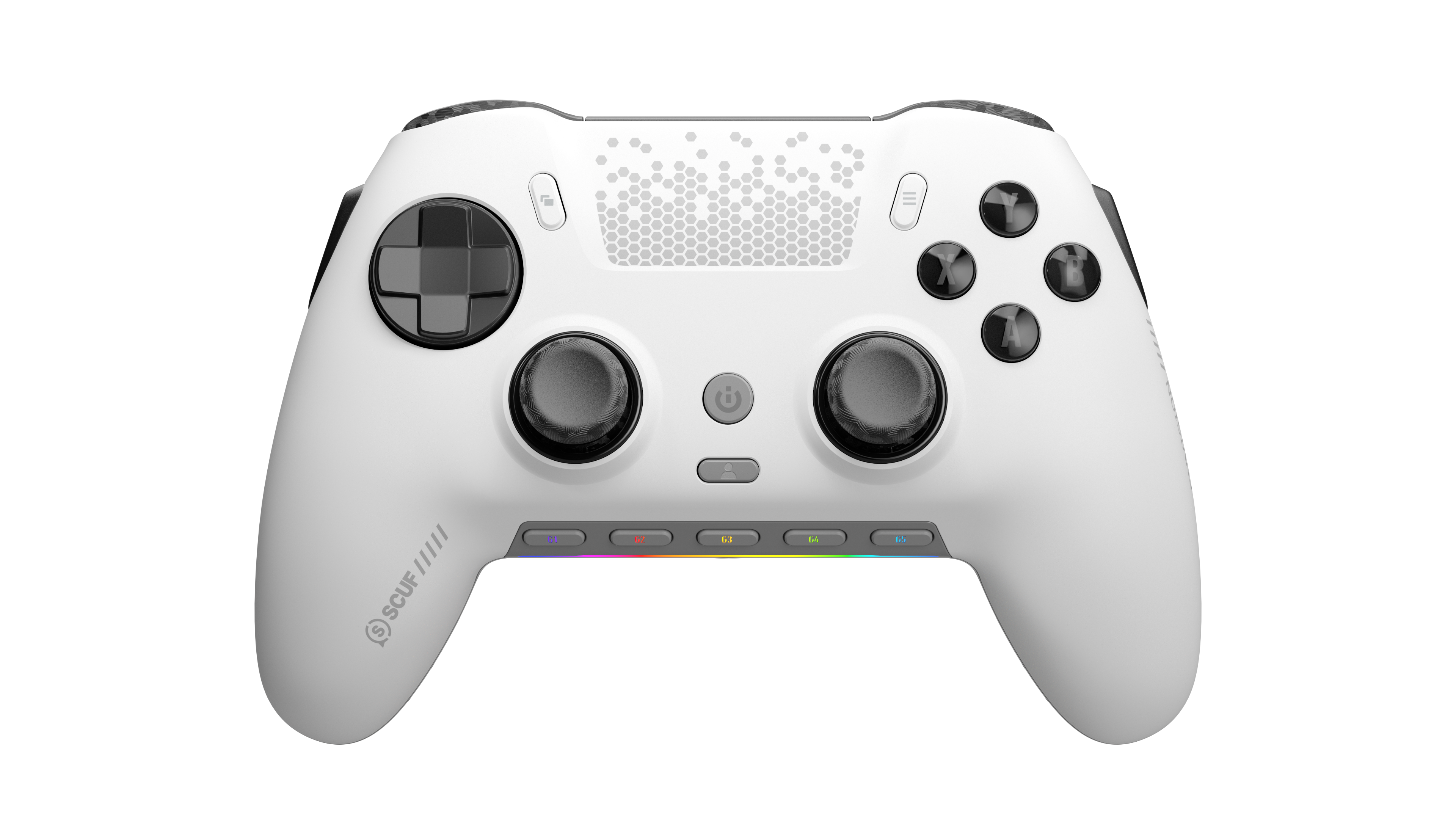
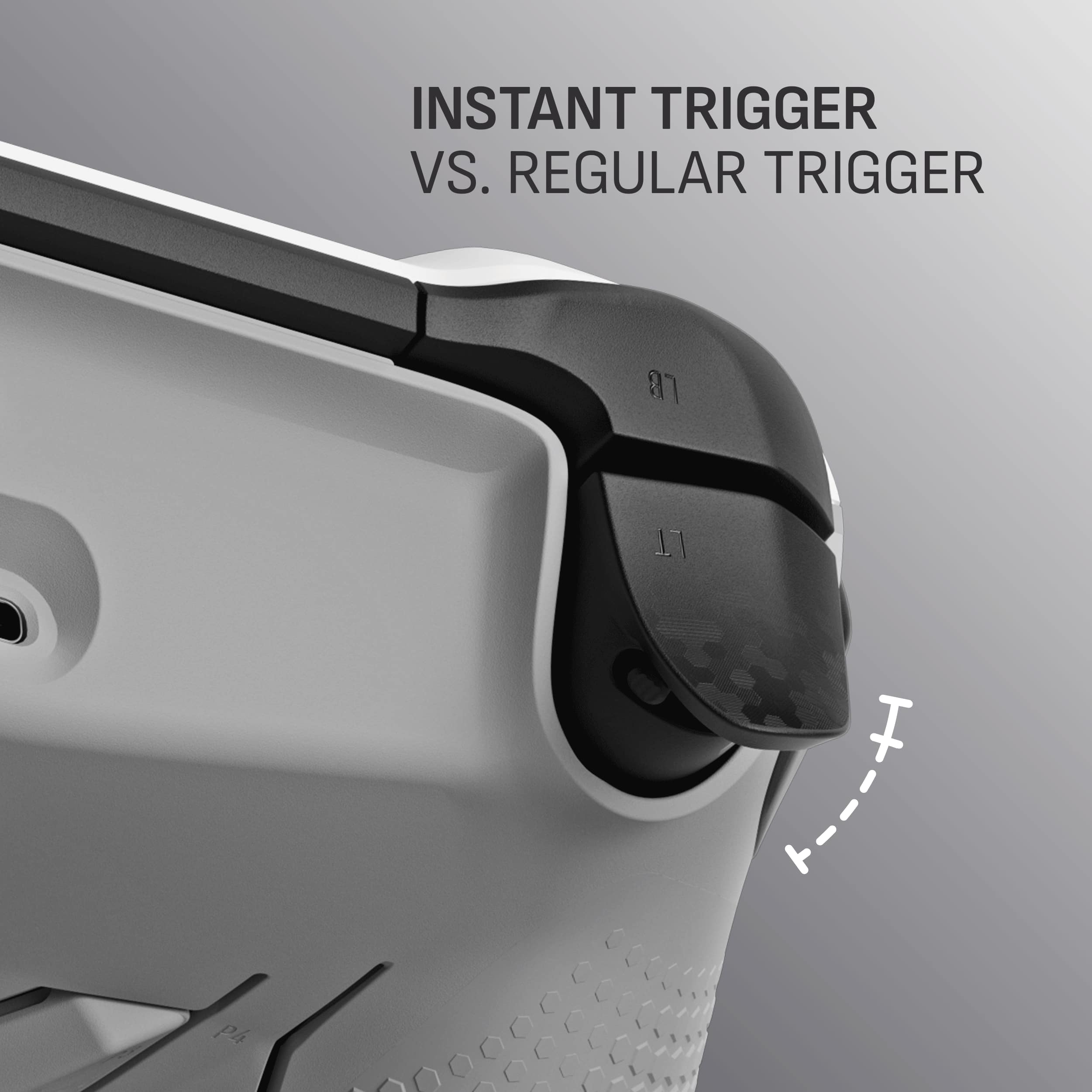
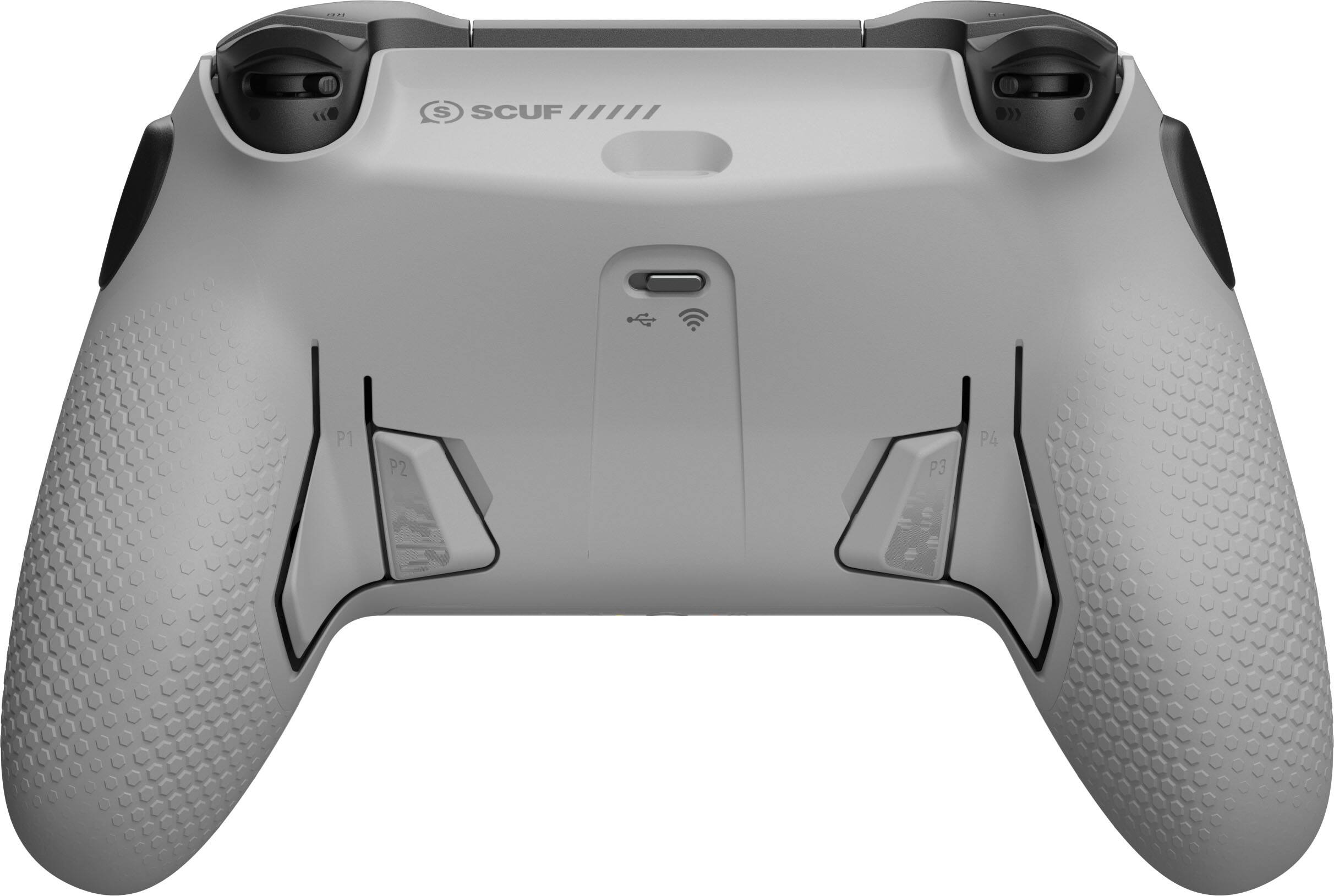
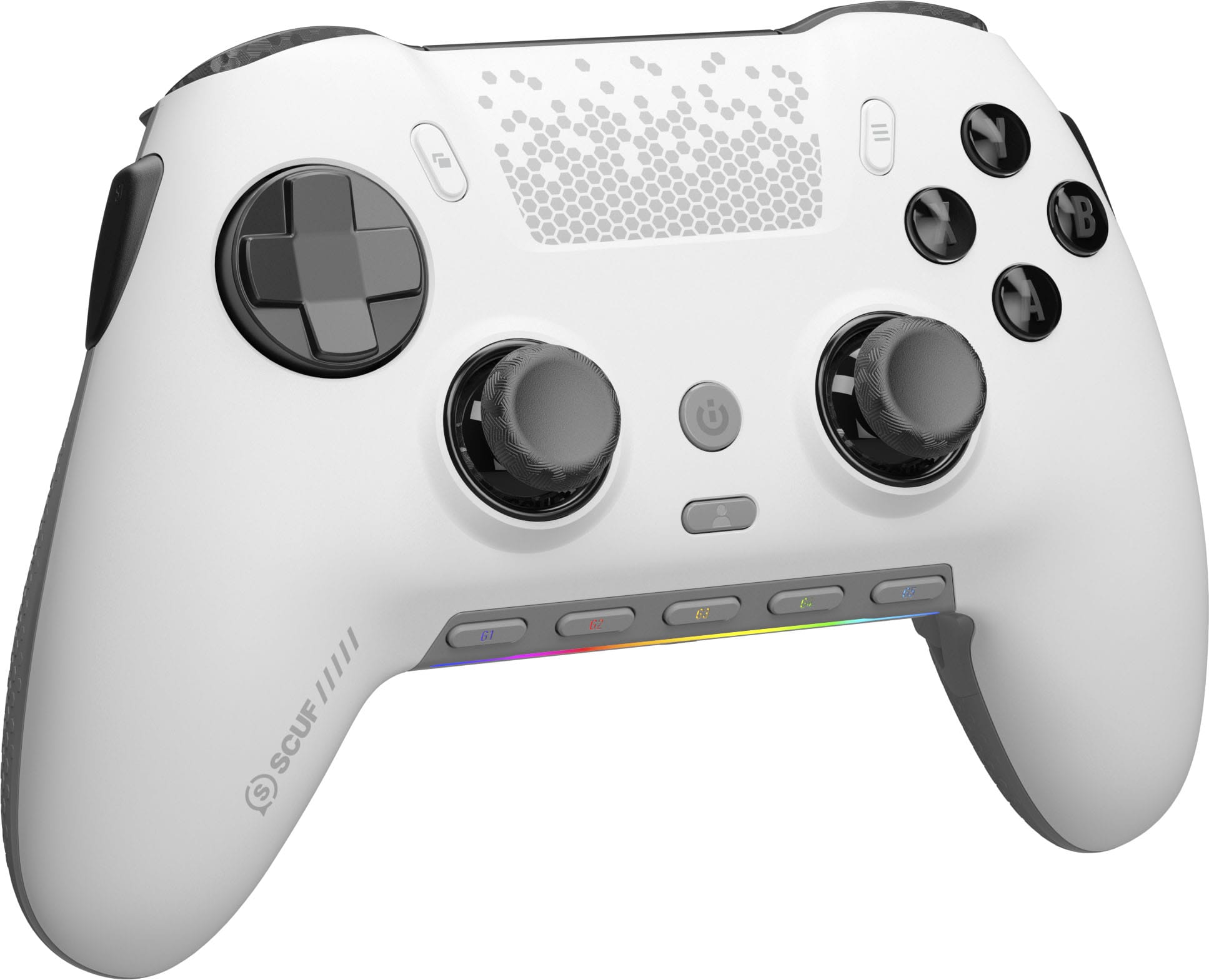
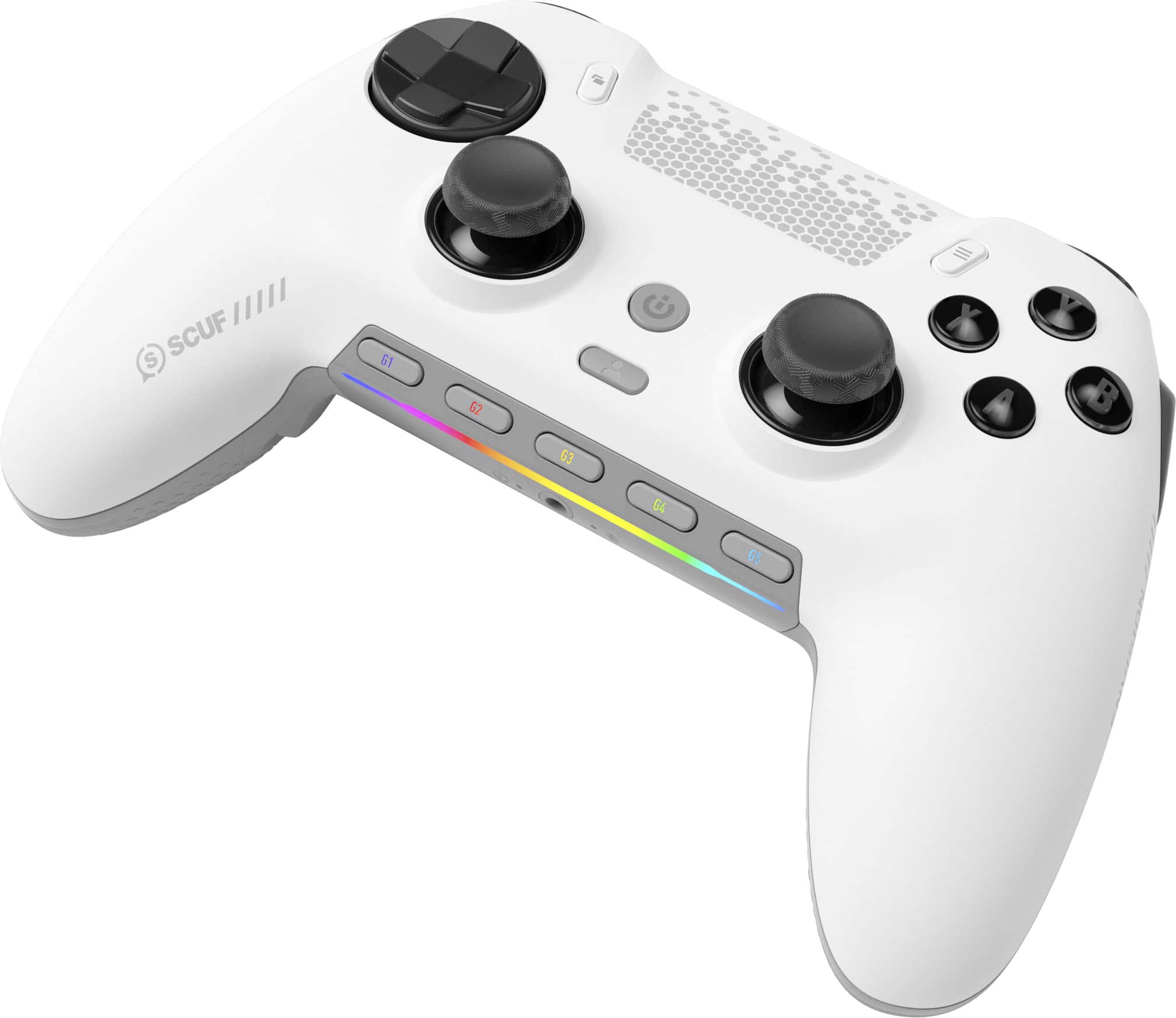
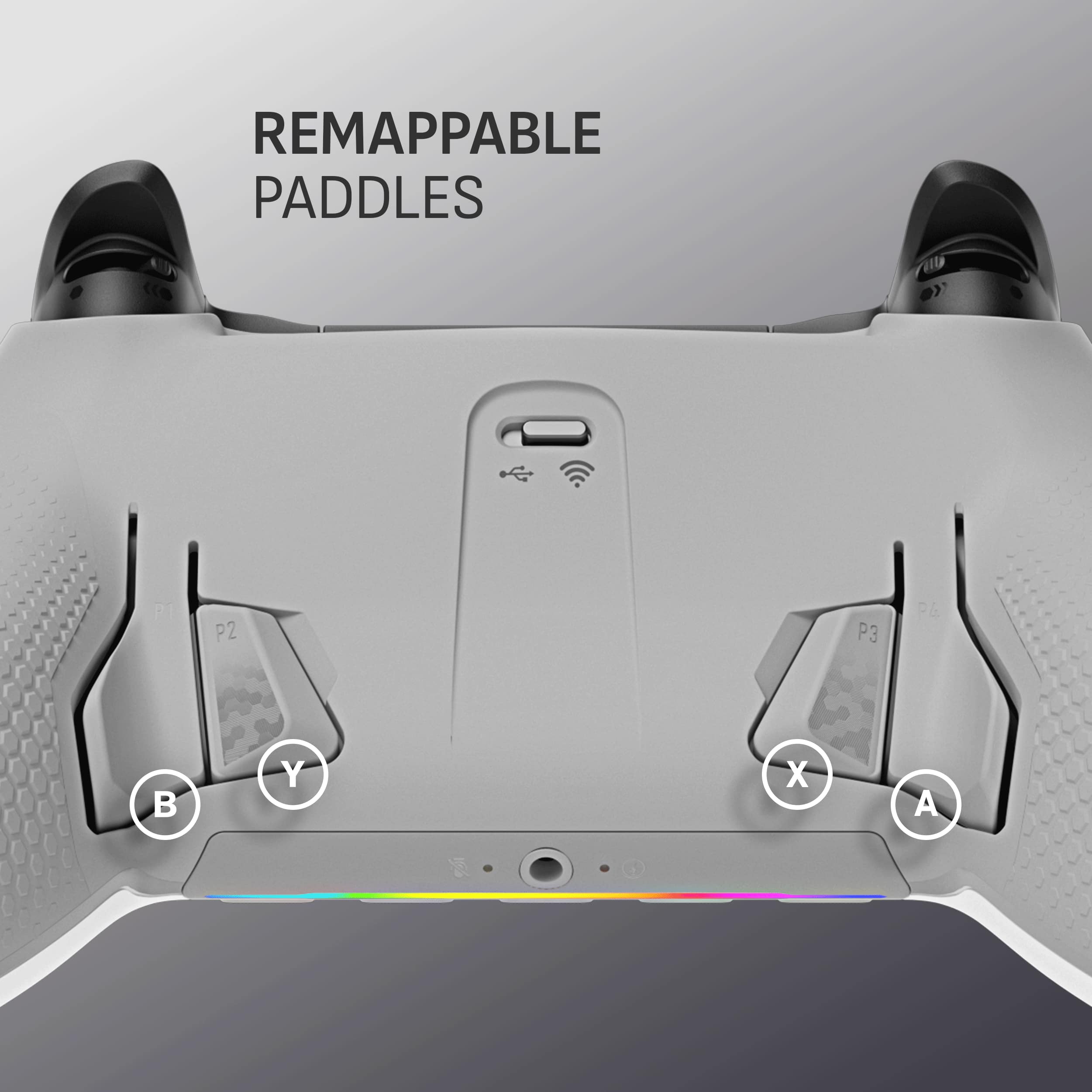
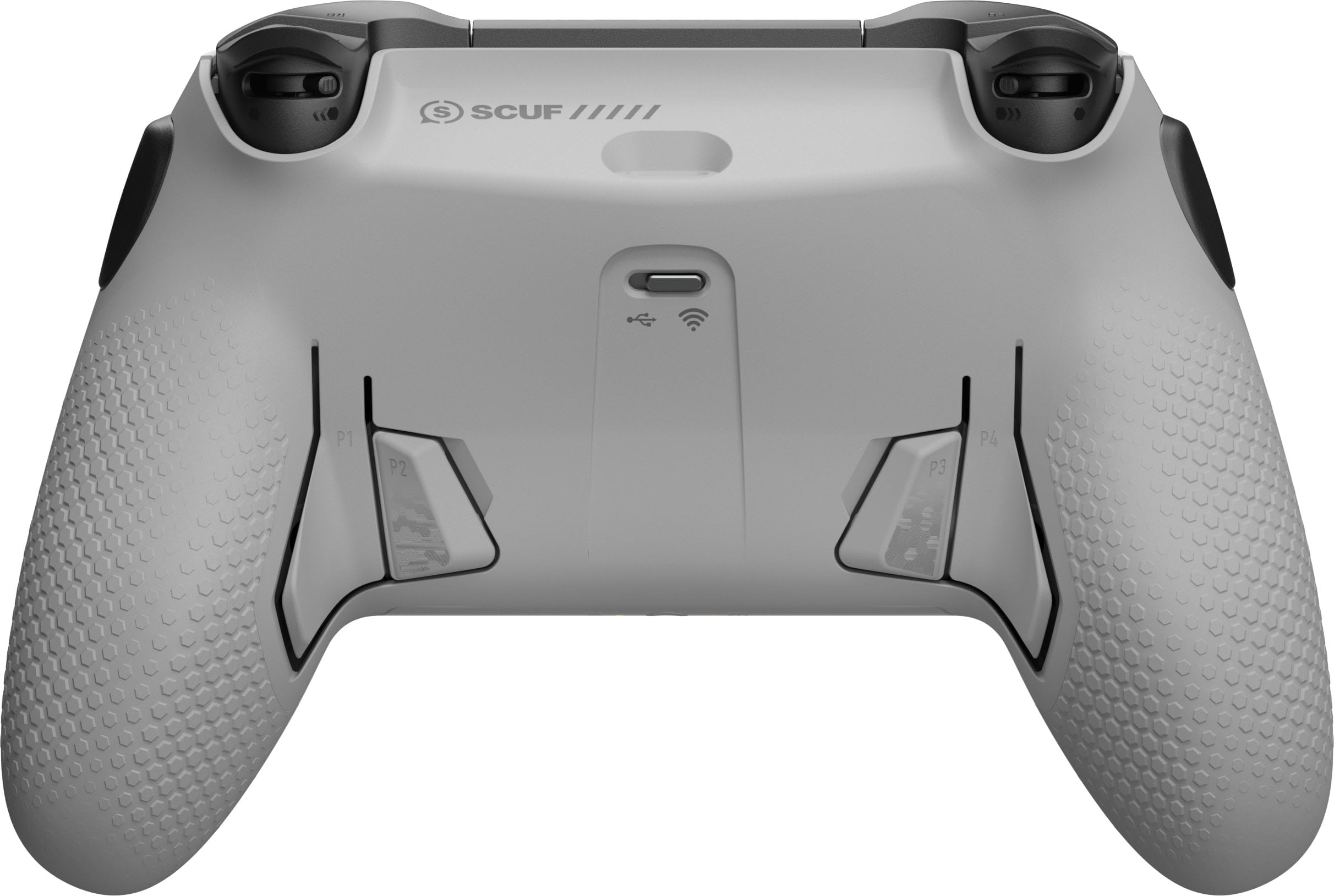
|Posted .This reviewer received promo considerations or sweepstakes entry for writing a review.I finally did it. I finally pulled the trigger, literally and figuratively, on switching from a standard gaming console controller for my PC, which I have been using for a decade, to the latest upgraded version of SCUF’s Envision Pro wireless controller specifically built for PC gaming. The reason I waited so long was not only because I had become accustomed to using a standard console controller, the feel of it, the button placement, etc., that I just couldn’t justify spending double, sometimes triple, the amount on something, I thought, was getting the job done when, in reality, I was missing so much more than I ever realized. Allow me to explain. One of the main reasons for me to finally upgrade was the button customization options, or lack thereof, and the number of buttons accessible by some of my idle fingers. I’ll admit, and I’m sure plenty of you would agree, there are some occasions while gaming on the PC where using a quick shortcut on my keyboard was the quickest way to access certain things as there was not a dedicated controller button for that selection on a standard controller. I know, I know, there are other options out there with Elite or Pro style controllers with back paddle options; I have been intrigued for years at the SCUF brand however, for years, they didn’t offer much more bang for your buck compared to cheaper controller options. That has all changed with their newest Envision Pro model made specifically for PCs, hallelujah! From the moment you unbox the SCUF Envision Pro, its premium hardware and stand-out aesthetics are unmistakable. The controller rocks a sleek, modern silhouette that aligns with SCUF’s signature design, but with subtle refinements for PC users. It has a removable and customizable faceplate, removable anti-drift hall effect thumbsticks, highly customizable, adjustable instant triggers and five customizable G-Keys located on the bottom and highlighted with customizable RGB lighting. All that combines to offer 11 more buttons than a standard controller… yes, 11 more! You can really feel the quality of the build when you hold it in your hands from the back grips, the textured controllers, smooth trigger feel and pleasant click of the OMRON mechanical button switches. It is very ergonomically sound fitting naturally in my hands with what feels to be a perfectly balanced weight and feels comfortable with the non-slip performance grips. SCUF’s controllers have always been renowned for their customizable features, and the Envision Pro amplifies this legacy with both its hardware and software. The most striking aspect is the array of programmable paddles and side buttons, which can be mapped to any input of choice. This allows for complex macros, rapid weapon swaps, or streamlined movement without ever lifting your thumbs off the analog sticks. It has four perfectly placed rear paddles as you would find on “pro” or “elite” controllers that you can customize, like every other aspect of the controller. The two side action buttons are definitely new to me and took a little getting used to as I would sometimes accidentally squeeze the controller in intense gaming sessions and activate some feature I didn’t mean to. The adjustable trigger stops located on the backside of the triggers are great for FPS titles, and you can customize the triggers even more within the software. Onboard Profile Switching allows users to quickly switch between setups without tinkering with software in between games, sessions or users. The Envision Pro has ultra-fast wireless connectivity using advanced Bluetooth protocols promising low-latency, stable wireless performance which is crucial for competitive PC gaming. It uses SlipStream wireless connectivity and you can hardwire it with the USB-C port on the back which doubles as the charging port. This makes input lag virtually nonexistent, thanks to robust Bluetooth technology and optimized firmware. The analog sticks offer precise movement, with adjustable tension options available for those seeking ultra-responsive aiming. The triggers and bumpers are satisfyingly tactile, and the face buttons register quick presses with minimal travel. Even with all the tech packed into the Envision Pro controller, the battery life is impressive, averaging around 20 hours of continuous play. Recharge times are fast as well and the controller supports play-and-charge functionality via USB-C, ensuring you’re never out of the game for long. SCUF’s customization software deserves special mention offering a user-friendly interface however can be very overwhelming considering the amount of customization options and PC performance it monitors including the heat of all the processor cores, GPU, overall PC heat, processor speed, etc.. Users can calibrate stick sensitivity, remap all buttons, adjust vibration levels, and fine-tune profiles with ease. The software’s cloud-save function syncs settings across devices, making it ideal for gamers who play on multiple PCs or require frequent adjustments for tournament play. While the Envision Pro is a premium controller, the price point clearly reflects that. However, it is in line with other competitors in the market and is definitely worth consideration for serious gamers seeking an edge. Casual players may find less need for the advanced features, but the Envision Pro offers enough versatility to appeal to a broad spectrum. Despite the price, the Envision Pro sets itself above the rest of the competition, as expected from a company whos heart and soul is poured into this work of art and will, I’m sure, remain a top choice for PC gamers who value control and personalization.
I would recommend this to a friend - Pros mentioned:Button quality
My now go-to PC controller
|Posted .This reviewer received promo considerations or sweepstakes entry for writing a review.I flip from a keyboard/mouse setup to controller based on the game and coming from a Console / PS5 Pro controller I felt the absolute need to give Scuf Envision Pro 2 model a chance - especially since I was moving my other one between PC & PS5 and it was getting old. Here are some pros / cons for my fellow gamers: Good: Cool look / color Button and Trigger Responsiveness No Stick Drift Button Feel / rear grip LEDs & Haptic Meh: Inner buttons Weight iCue App interaction (Corsair) Game Interop Issues at times Bad: USB-A Dongle I had only seen Scuf controllers before but never actually picked one up - but then again I was on PS5 and opted for the Pro controller (with sweet case). There's a nice braided nylon cable, extra joysticks, D-pad and some blanks, to get rid of the buttons if you don't want them. A magnetic faceplate allows ease of customization Right away, I liked the look. Also, I felt a bit more heft than my traditional DualSense & not as much as my DualSense Edge and with the grip on this Scuf EP2 controller, it stood out as a contender. Enter my 'seriously' moment for the USB-A dongle - as I don't have much for ports for USB-A these days. I followed the directions and installed the software first, which after connecting it to the PC, and both units got their software/firmware updated without issue. The iCue App leaves a bit to be desired in some aspects. For example, I wanted to keep the Shooter key map profile and tune some parts; you can't and need to create a new profile. The problem to me, is that you can't start with the key map you wanted, copy / paste to a new profile & just change the two buttons that I wanted to - I needed to start from scratch and that is TIME CONSUMING. If you're a heavy gamer, I'm sure the hour to set up keymaps is fine, but for me, I'd prefer to just tune/tweak where necessary. A quick profile switch button is pretty sweet though - saving me from having to open the software to change. LED customization is pretty simple and allowed for a relatively quick adjustment to sync with my other lights - keyboard/mouse/laptop keys & E-Sports are where I use controller most, so accuracy is key. Stick drift during a race or when trying to sink that last putt can cause a crash or final putt to win the tournament. With the Scuf EP2, I never experienced any drift and after calibration, seemed even more touchy - which to me is a good thing. Button presses are tactile and have to travel less that what I see in the DualSense and the triggers can go from full action, to a invoking the trigger stop to create a smaller travel distance when quick trigger reactions are needed. I did find that during some racing games like Forza, when L2 had the rear trigger stop slid - that reverse wouldn't work and required the full travel distance of the trigger to get it to do that - so test before you go into a ranked game to be sure your buttons all work as expected. Some extra function buttons - G Keys - are at the bottom and offer some quick system-type access by default and are totally customizable with the iCue App as well. The inner buttons and side action buttons can sometimes get in my way, so swapping them out with the blanks took away a lot of the mis-clicks I had when gripping to tight - what a great idea to have those blanks! All in all, I believe I can now retire my PS5 Pro controller and send it back to my PS5 while keeping the Scuf Envision Pro 2 controller at my gaming computer permanently. Recommended!
I would recommend this to a friend - Pros mentioned:Button quality, Ergonomics
Plenty of options and great controls
|Posted .This reviewer received promo considerations or sweepstakes entry for writing a review.It's great to see more controllers go in this direction. Lots of buttons with no limits on mapping. For years I have used REWASD with some success but still have to make sacrifices to incorporate multiple pieces of equipment to get my desired control scheme. The envision pro gives me all that map ability extra buttons in in various locations that I never thought would be comfortable. First off, let's point out what it's not. It is not a Bluetooth controller meant to use across all devices. This controller is specifically for optimizing gameplay on a particular PC. How it's set up, it's not meant to move around, or be an all your device type controller. This controller is set up for your main gaming station and I appreciate that it can take full advantage of its identity. I have plenty of peripherals and controllers that are mobile to be moved from system to system, but they lack some of the main features that make this controller amazing for what it does. So let's get into the actual controller itself. It is extremely comfortable and very precise. From fighter to open world adventure, the controls are tight and concise. Easily. One of the best controllers I've used, including the console controllers that I typically adapt to my gaming configuration. The one experience that I want to point out is specifically the use for a game like Red Dead Redemption 2. With the Envision, I can further eliminate the need for switching back and forth between keyboard and controller with the additional buttons that are completely mappable. Speaking of those buttons, I've never seen a used in the controller like this. This Gene is great! Ingenuity from Corsair. They take a little getting used to but once you do, it seamlessly integrates into the gameplay without a hitch. Shore point of connectivity, I had no issue. From using the USBC cable to using the wireless dongle, it was plug and play right away with no connectivity issues and the firmware upgrade went smoothly as well. From my experience it was as flawless as you could get it. Now, for the software. I enjoy it. It reminds me of REWASD. If you take the time to go through it, it is very deep. It gives you everything you need to map out whatever you need and plenty of tools to make sure all your connections and controls are tight and concise. Even making sure that your sticks have no dead zones. If you're into matching RGB lighting, they have lots of choices in details to get the most out of your controller aesthetics. Now, as I mentioned above, I would consider this controller a mainstay for an individual PC, but since it has the option to do either the dongle or USBC, you could technically move it from one device to another, which I do plan on doing. It'll be a bit tedious because I have to set it up on each system how I like it, but when you're putting in time and gaming and you want the best controls possible, it takes a little more customization and I'm okay with that. And that's about it. I own an Xbox elite controller, the Turtle Beach stealth ultra and I'm glad to integrate the Envision Pro to the setup, and it easily holds his own against either of those premium priced controllers. With its advanced mapping and capability I may even be able to move away from the new model of REWASD. If you're looking for great controls with ultimate customization, this would be my pick. Happy gaming!
I would recommend this to a friend