Skip to contentGo to Product SearchGo to Footer
Main Content

Customer Ratings & Reviews
Your price for this item is $179.99

Customer reviews

Rating 4.5 out of 5 stars with 191 reviews

Rating Filter

Rating by feature

  • Value

    Rating 4.3 out of 5 stars

  • Quality

    Rating 4.5 out of 5 stars

  • Ease of Use

    Rating 4.3 out of 5 stars

89%
would recommend
to a friend
The vast majority of our reviews come from verified purchases. Reviews from customers may include My Best Buy members, employees, and Tech Insider Network members (as tagged). Select reviewers may receive discounted products, promotional considerations or entries into drawings for honest, helpful reviews.
Page 9 Showing 161-180 of 191 reviews
  • Rated 5 out of 5 stars

    Scuf controller for pc perfect

    |
    |
    Posted . Owned for 2 weeks when reviewed.
    This reviewer received promo considerations or sweepstakes entry for writing a review.

    My first PC controller is perfect. For gamesIt has 5 modes to adjust

    I would recommend this to a friend
  • Rated 5 out of 5 stars

    Lover

    |
    |
    Posted . Owned for 2 weeks when reviewed.
    This reviewer received promo considerations or sweepstakes entry for writing a review.

    Love it it’s amazing connection is great response is amazing

    I would recommend this to a friend
  • Rated 5 out of 5 stars

    Goated

    |
    |
    Posted . Owned for 3 weeks when reviewed.
    This reviewer received promo considerations or sweepstakes entry for writing a review.

    Controller is as good as you would expect from scuf

    I would recommend this to a friend
  • Rated 5 out of 5 stars

    Birthday!!!

    |
    |
    Posted . Owned for 1 week when reviewed.
    This reviewer received promo considerations or sweepstakes entry for writing a review.

    Love!! Bought as a birthday gift and he loved it!!

    I would recommend this to a friend
  • Rated 2 out of 5 stars

    Good Controller, Terrible software support

    |
    |
    Posted . Owned for 3 weeks when reviewed.
    This reviewer received promo considerations or sweepstakes entry for writing a review.

    The controller itself is great, i also have a Scuf controller for my Xbox, but the PC controller has a major flaw, you can only map the buttons through the iCUE software, which is absolute trash and never works despite numerous complaints and requests for updates to the software. Unless you don't care about mapping the buttons, I would NOT recommend spending the money until they fix the iCUE software problem

    No, I would not recommend this to a friend
  • Rated 3 out of 5 stars

    its ok

    |
    |
    Posted . Owned for 1 month when reviewed.
    This reviewer received promo considerations or sweepstakes entry for writing a review.

    Great controller but terrible software. Constant problems with icue

    No, I would not recommend this to a friend
  • Rated 1 out of 5 stars

    Bad controller

    |
    |
    Posted . Owned for 2 weeks when reviewed.
    This reviewer received promo considerations or sweepstakes entry for writing a review.

    Nothing wrong with Best Buy’s part. The entire problem was the controller and scuff itself. The software is so bad it wouldn’t let me download it to even use the controller. Would not recommend this controller. Once again though no complaints on Best Buy’s part.

    No, I would not recommend this to a friend
  • Rated 1 out of 5 stars

    This controller sucks

    |
    |
    Posted . Owned for 1 month when reviewed.
    This reviewer received promo considerations or sweepstakes entry for writing a review.

    This controller is so bad, the icue software is terrible. Anytime I tried to launch the software and use the paddles on the back of the controller, my L2 button would not work unless I ended the software. You can still use offline profiles to use the paddles without the software but you get way less options. Also there is no way to remap the back paddles without software. If you don’t care about paddles then go ahead, but if your getting this controller your most likely getting it because your competitive and you do not want this controller there are way better options.

    No, I would not recommend this to a friend
  • Rated 3 out of 5 stars

    Good remote

    |
    |
    Posted . Owned for 1 month when reviewed.
    This reviewer received promo considerations or sweepstakes entry for writing a review.

    Works really well my son loves it says it won’t drift

    I would recommend this to a friend
  • Rated 1 out of 5 stars

    Stick with a plain Xbox controller for PC

    |
    |
    Posted . Owned for 1 month when reviewed.
    This reviewer received promo considerations or sweepstakes entry for writing a review.

    Nice controller Corsair air software is complete garbage controller is solid except that it does go crazy and out of no where your guy will start spinning super fast like your holding the thumb stick to one side other then that not to bad

    No, I would not recommend this to a friend
  • Tech Insider Network Member

    Rated 5 out of 5 stars

    The controller that does it all - WELL

    |
    Tech Insider Network Member
    Posted .
    This reviewer received promo considerations or sweepstakes entry for writing a review.

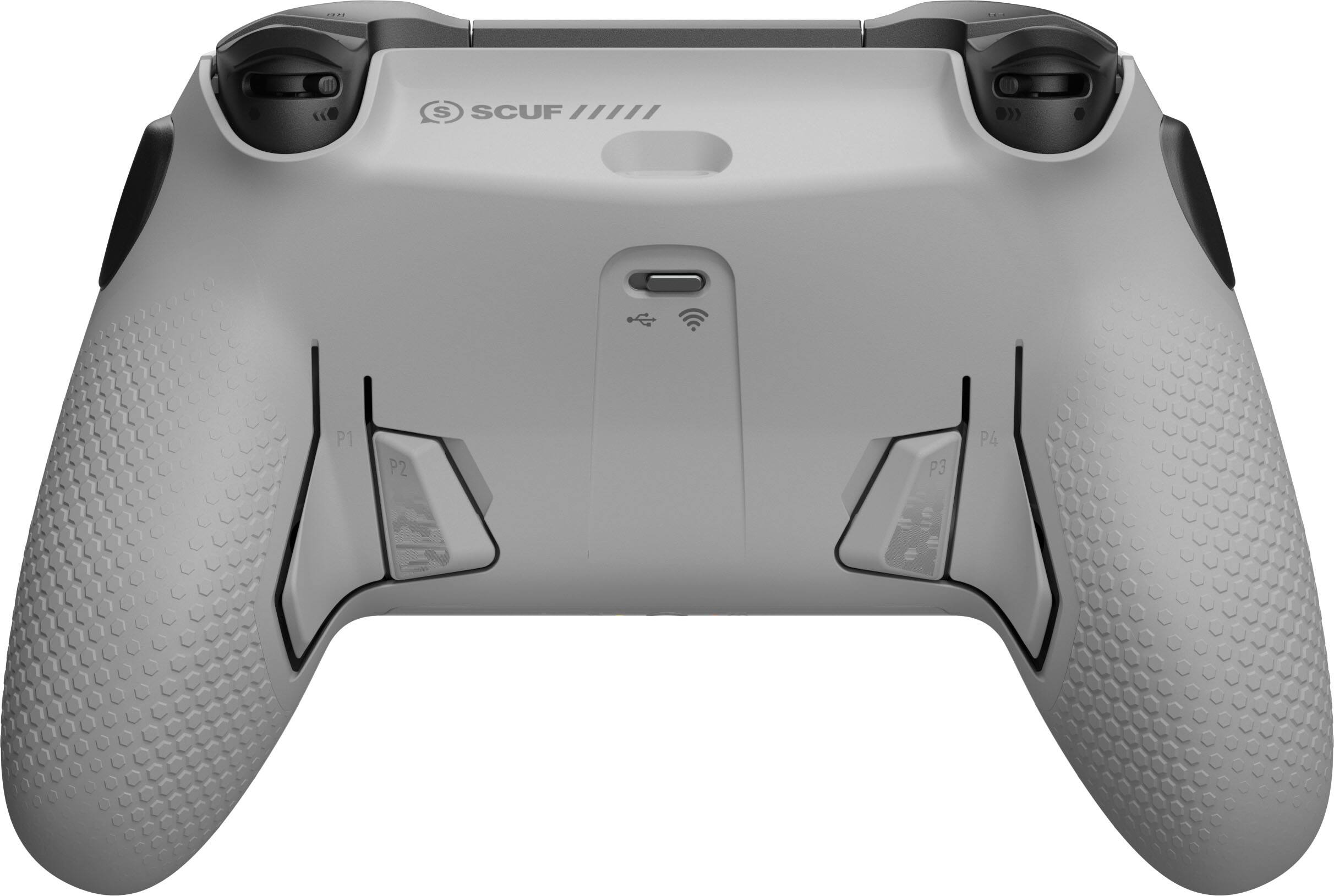
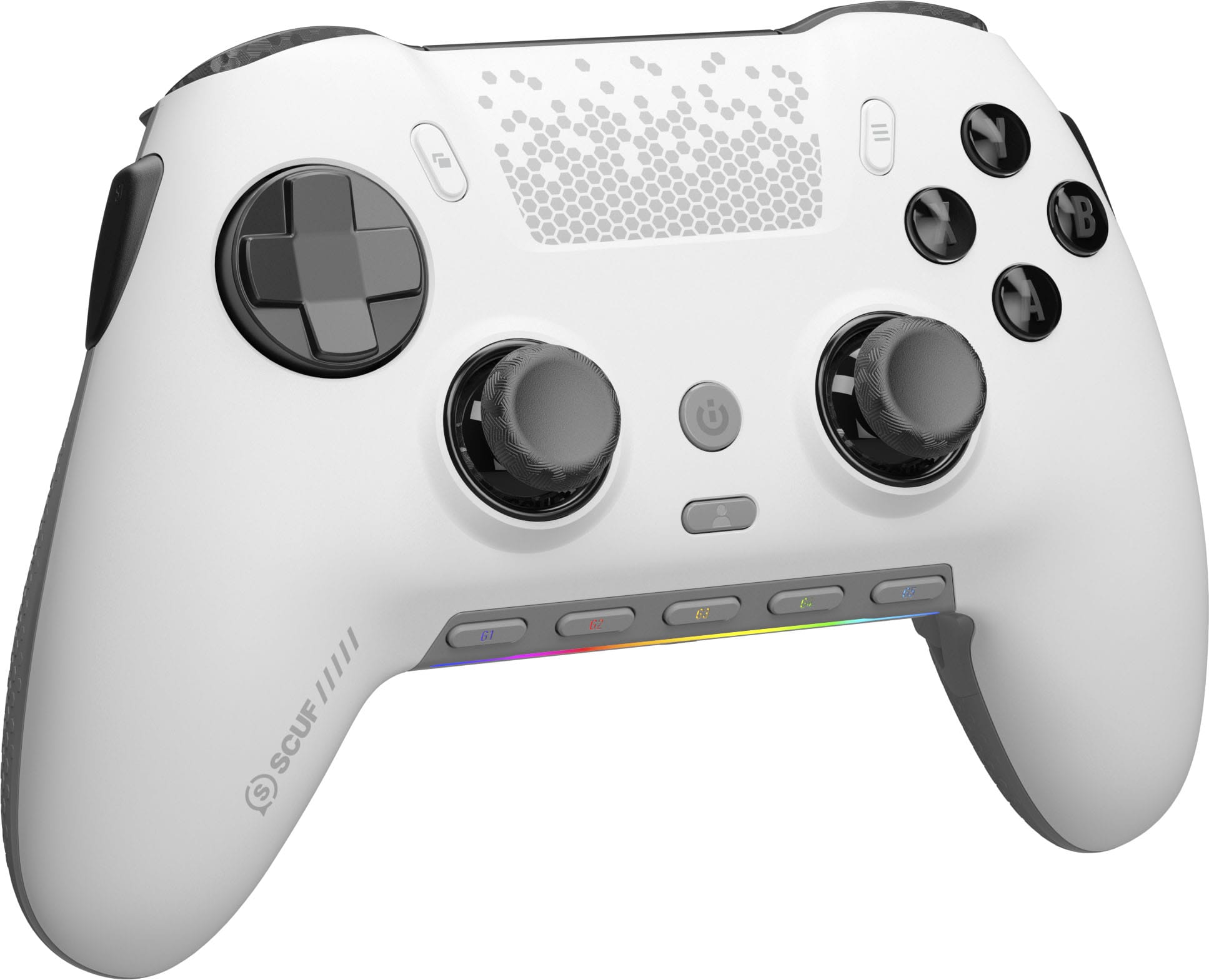
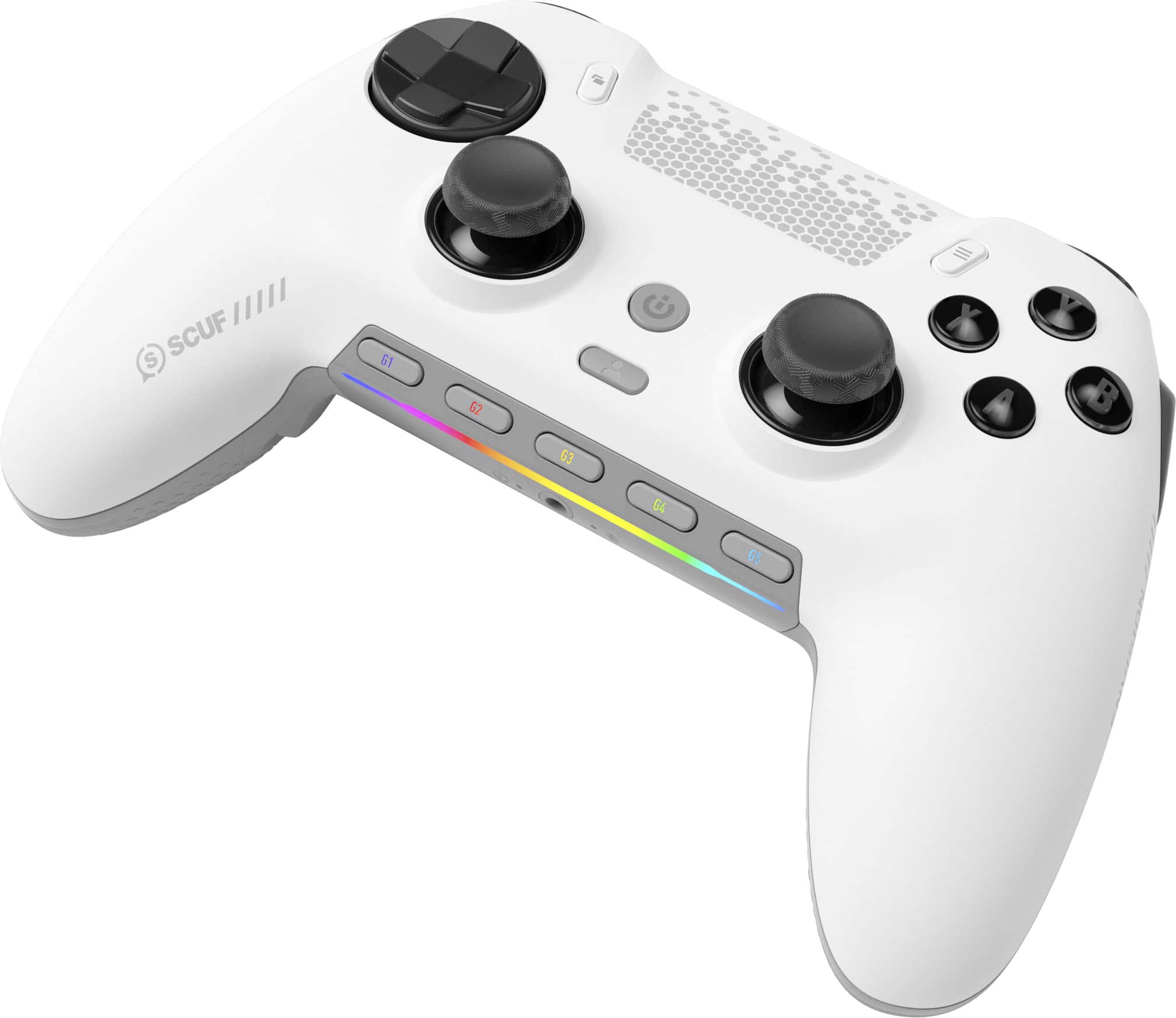
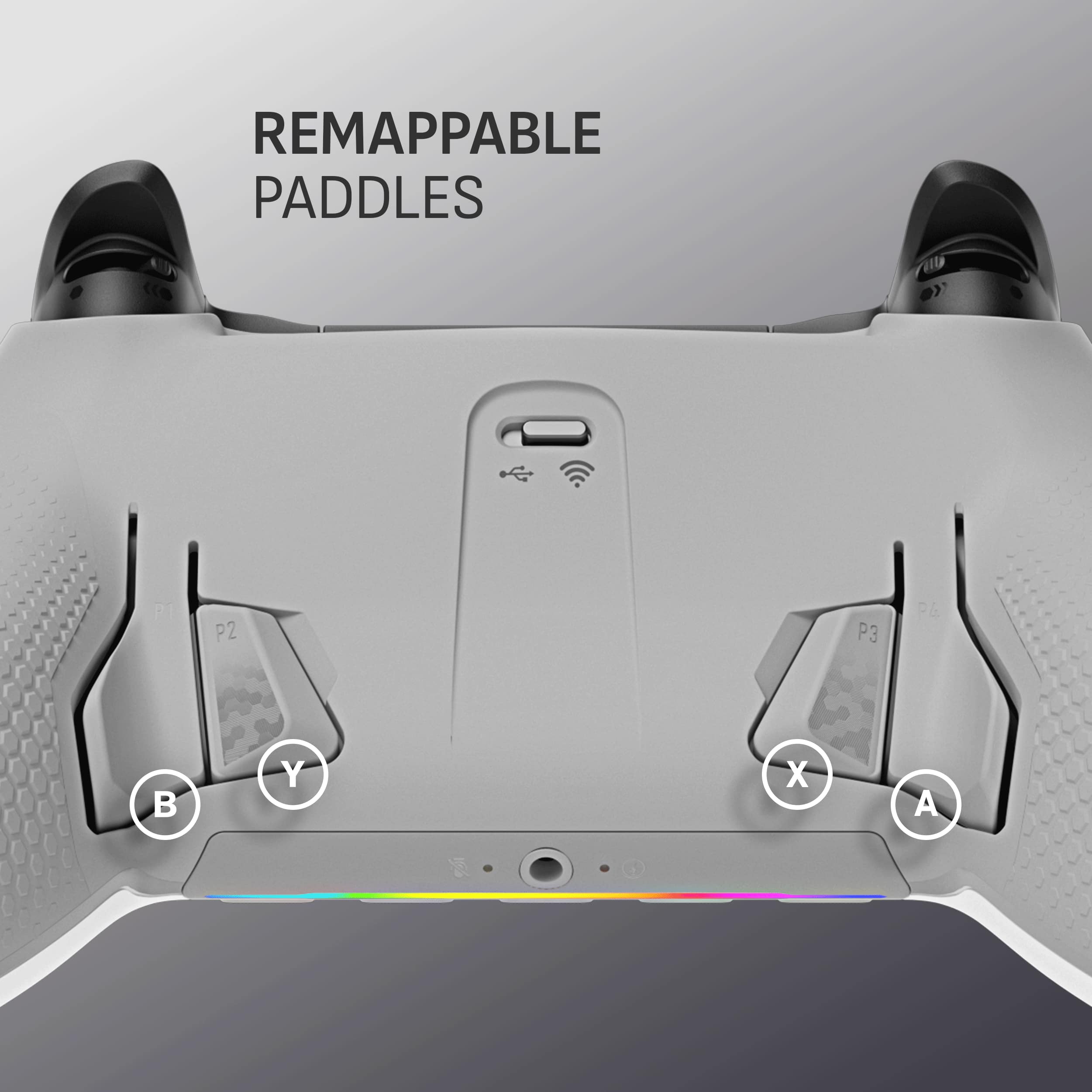
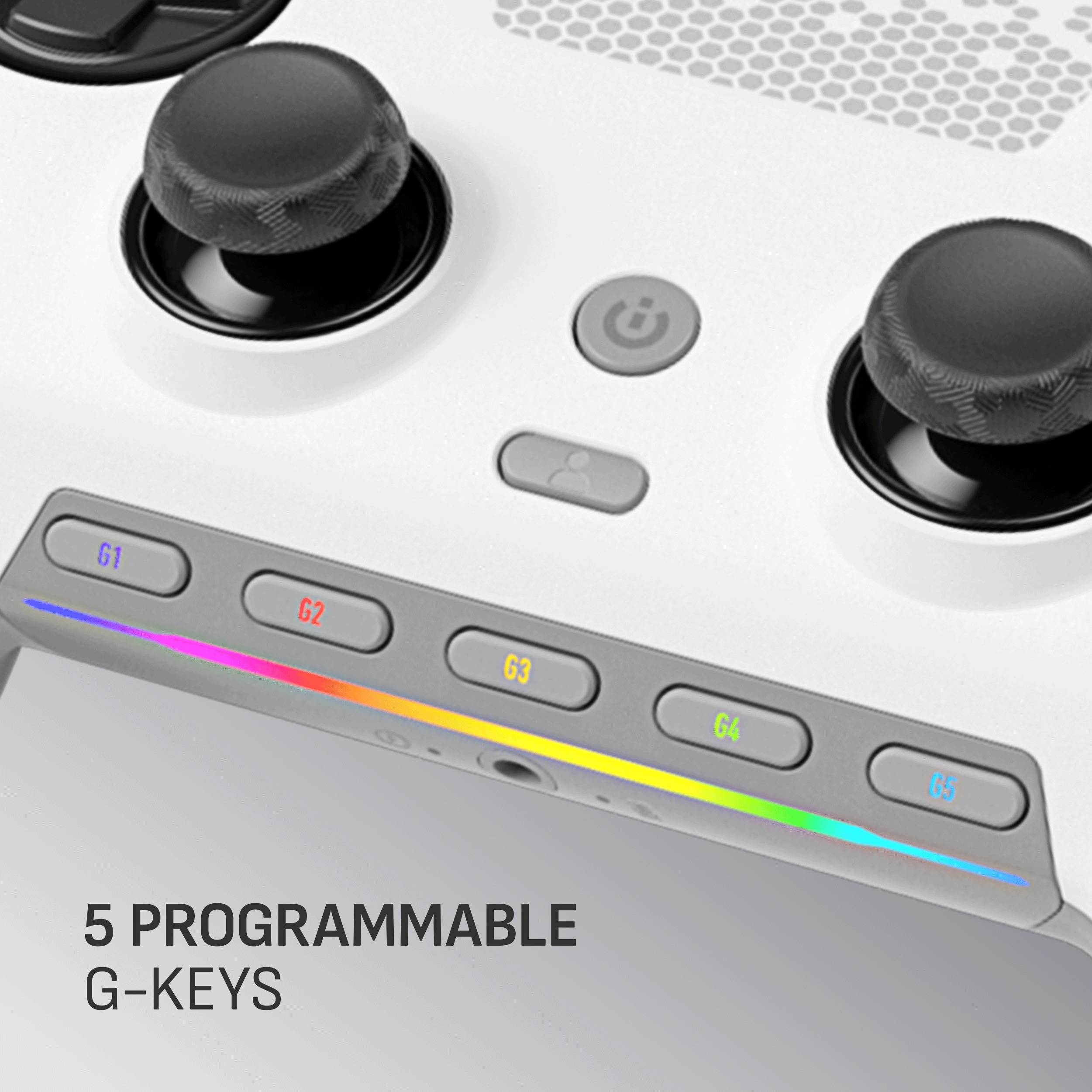
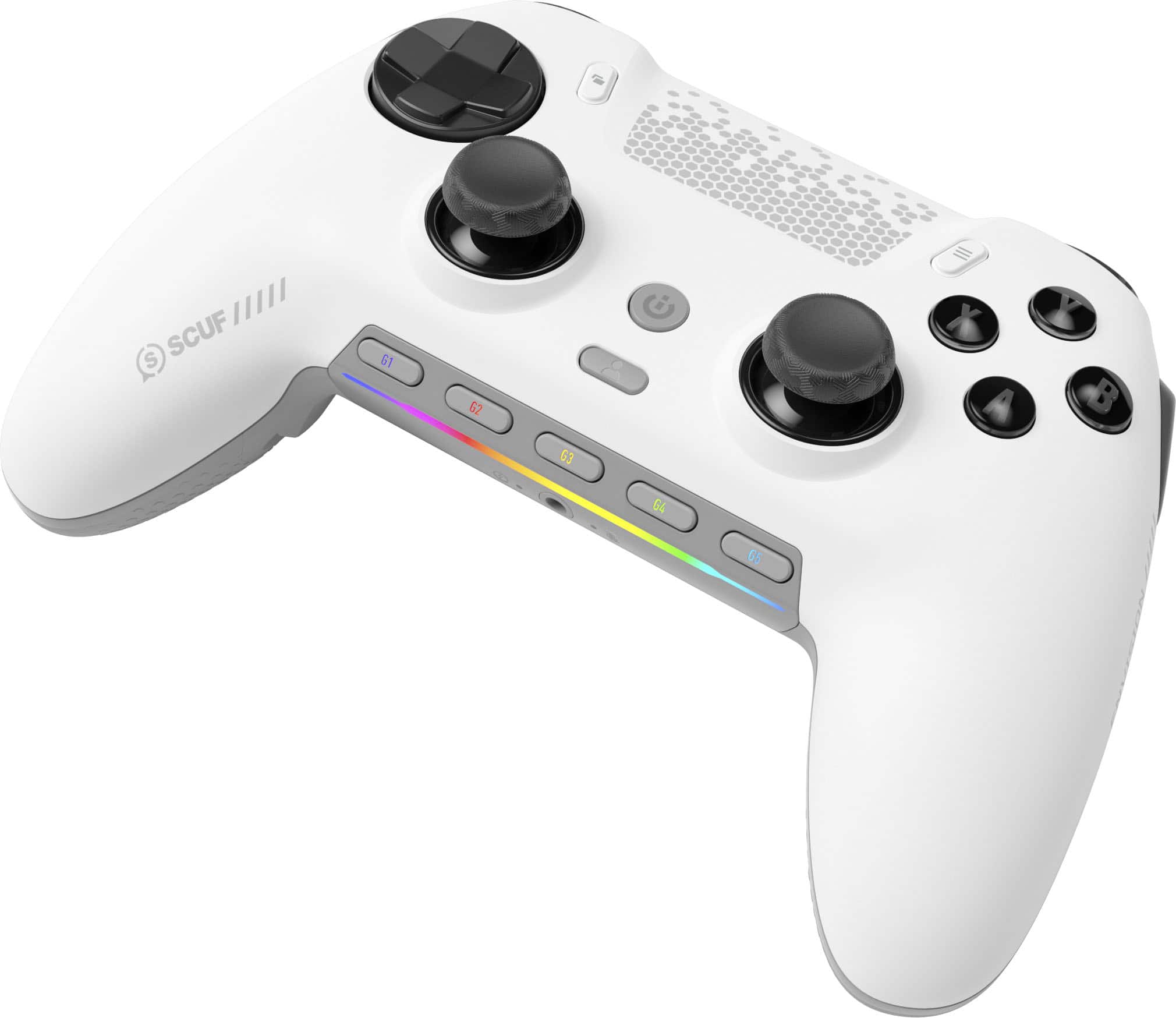
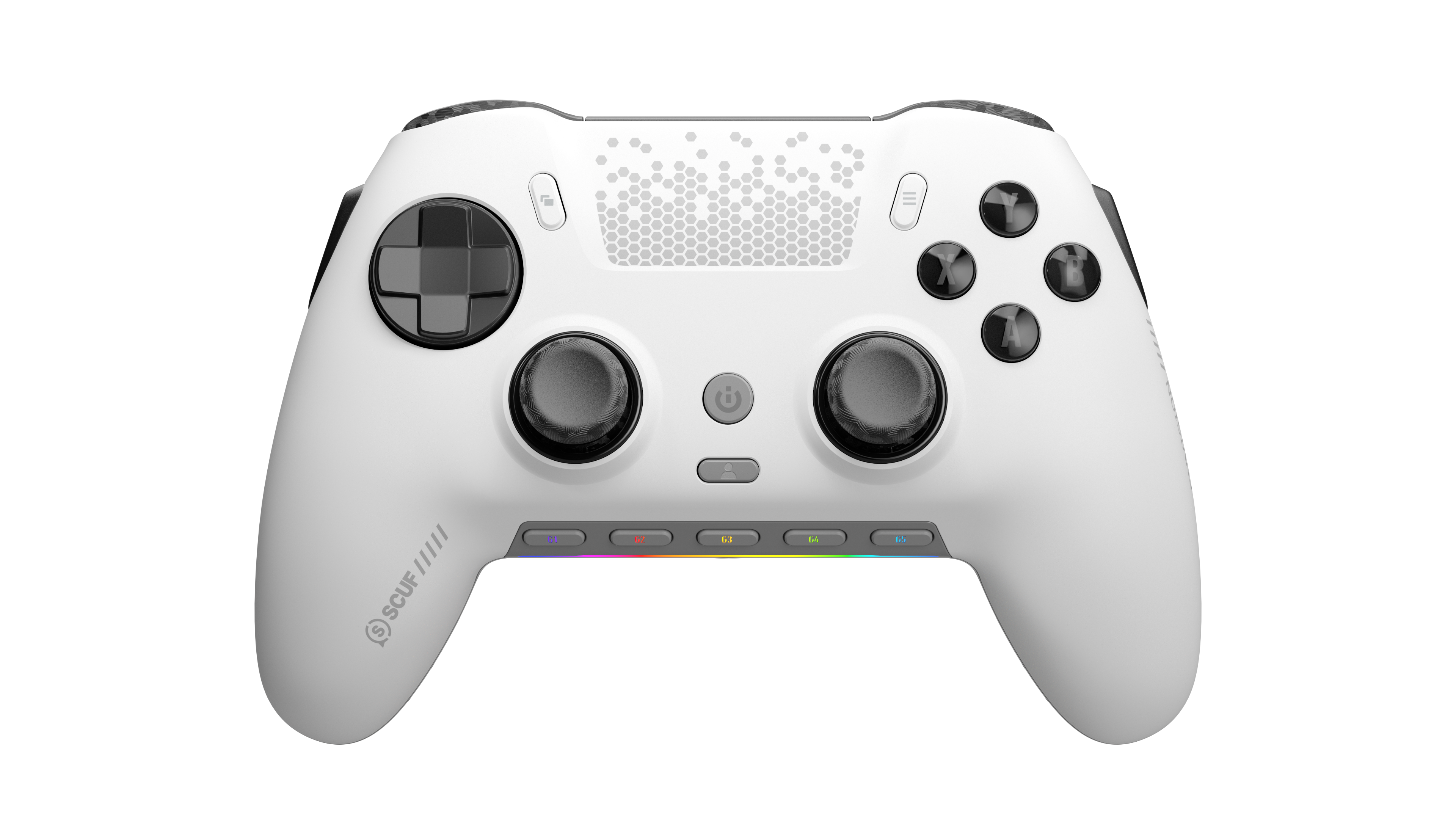
    The SCUF Envision Pro is probably one of my favorite controllers ever. It has more buttons that I’ve figured out needing yet, although I expect to soon. It has 5 programmable buttons on the bottom that by default are for volume control and microphone control which is actually pretty ideal. The switches in this controller are solid and in the hours I’ve used it for first person shooters, adventure, simulation, and rpg, the buttons give such a great feedback that I’m in awe. The Pro version has a grip surface that feels really good, but I wonder if it will get sticky or wear off as time goes on. I have mainly used it wired so far, but it has a wireless dongle that provides a super fast connection for simply no perceptible lag. For racing games this has been clutch. There is no drift so far, and the site does tout that as being fixed here. I’m going to keep a close eye on it. There are back buttons and side buttons that I feel are going to be really convenient when I configure for specific games, and you can do that in the downloadable application that allows you to configure everything from lightings, to buttons to button combinations. This thing is a true utility controller. I love it! Highly recommended.

    I would recommend this to a friend
  • Tech Insider Network Member

    Rated 4 out of 5 stars

    SCUF Controller with Scuffed Software

    |
    Tech Insider Network Member
    Posted .
    This reviewer received promo considerations or sweepstakes entry for writing a review.

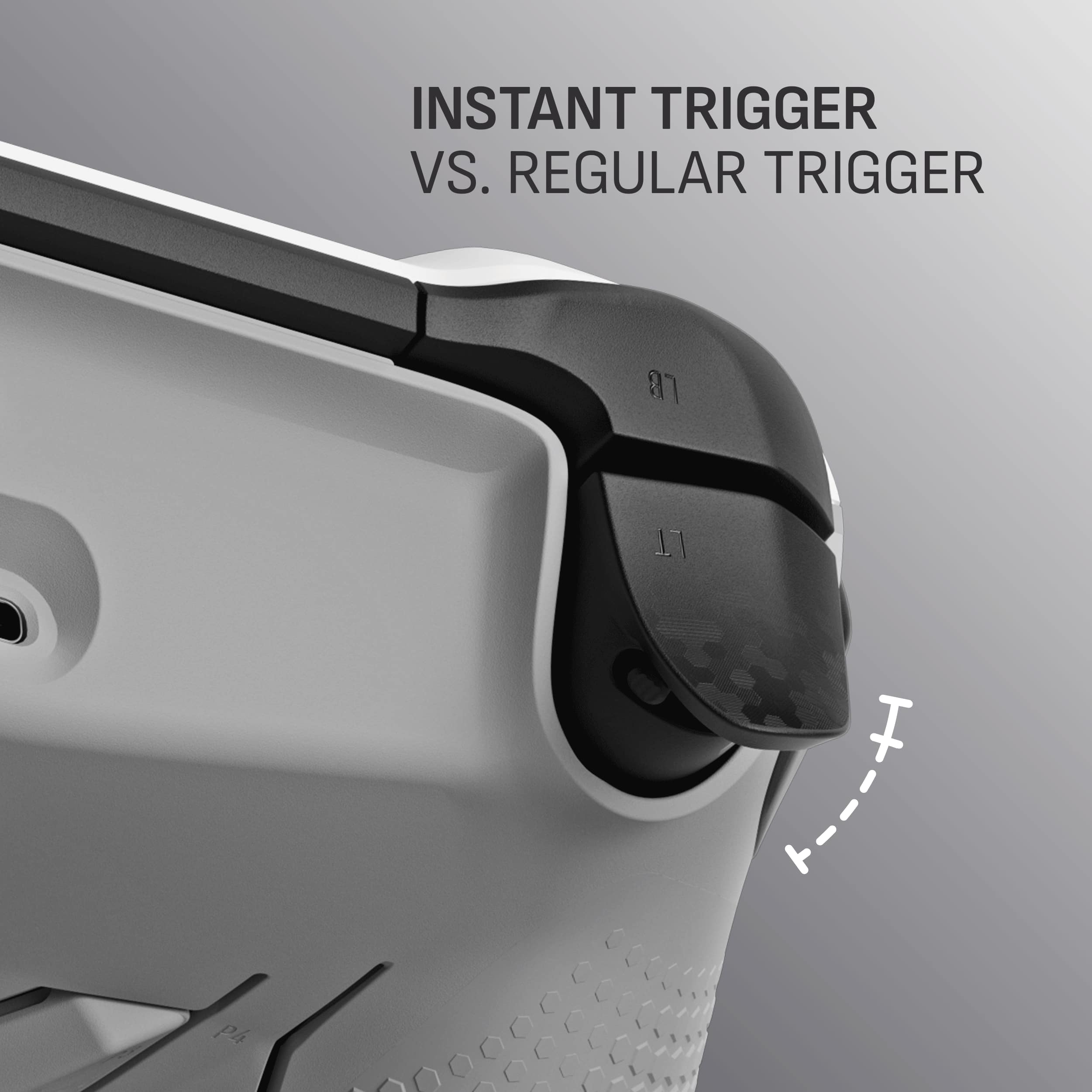
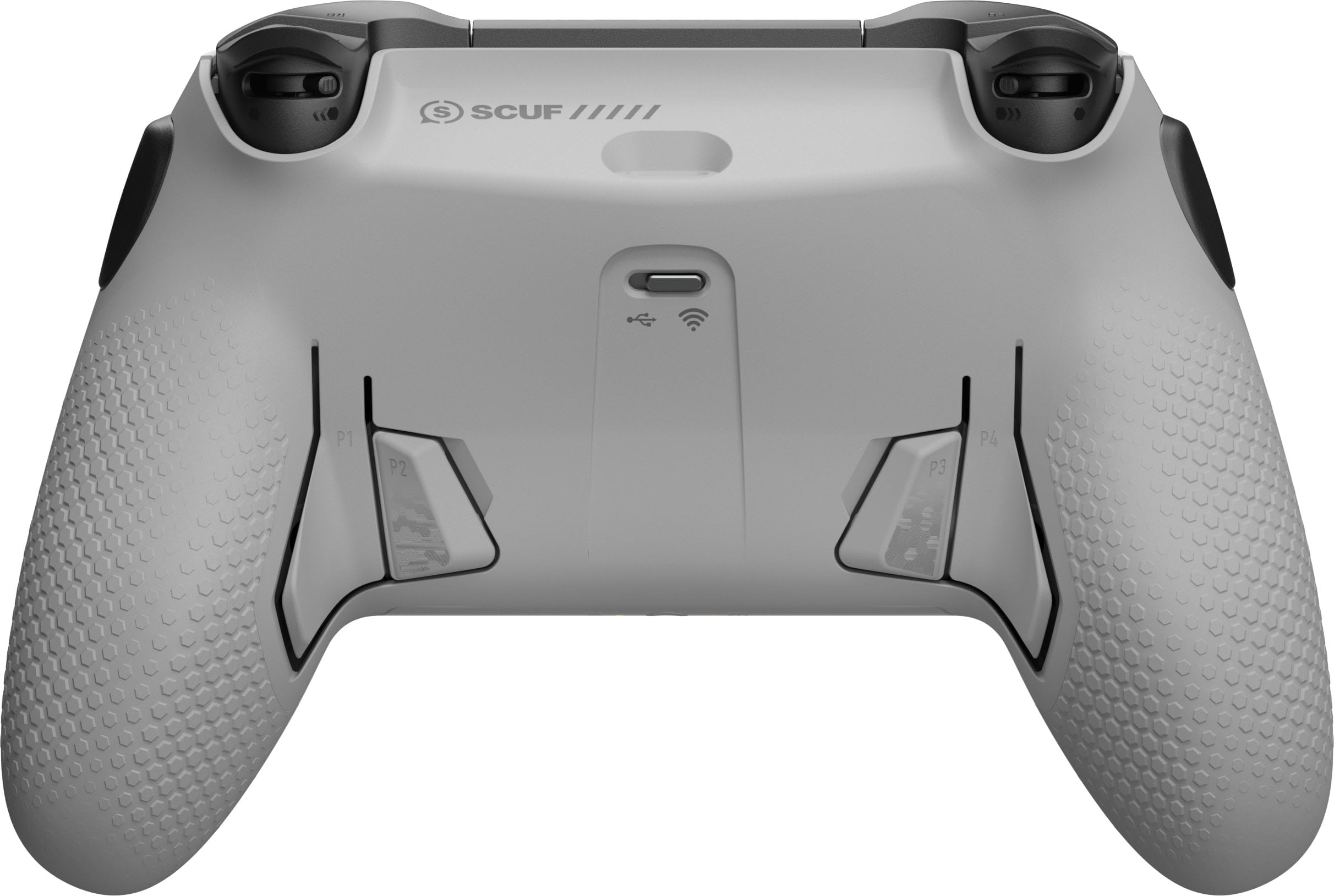
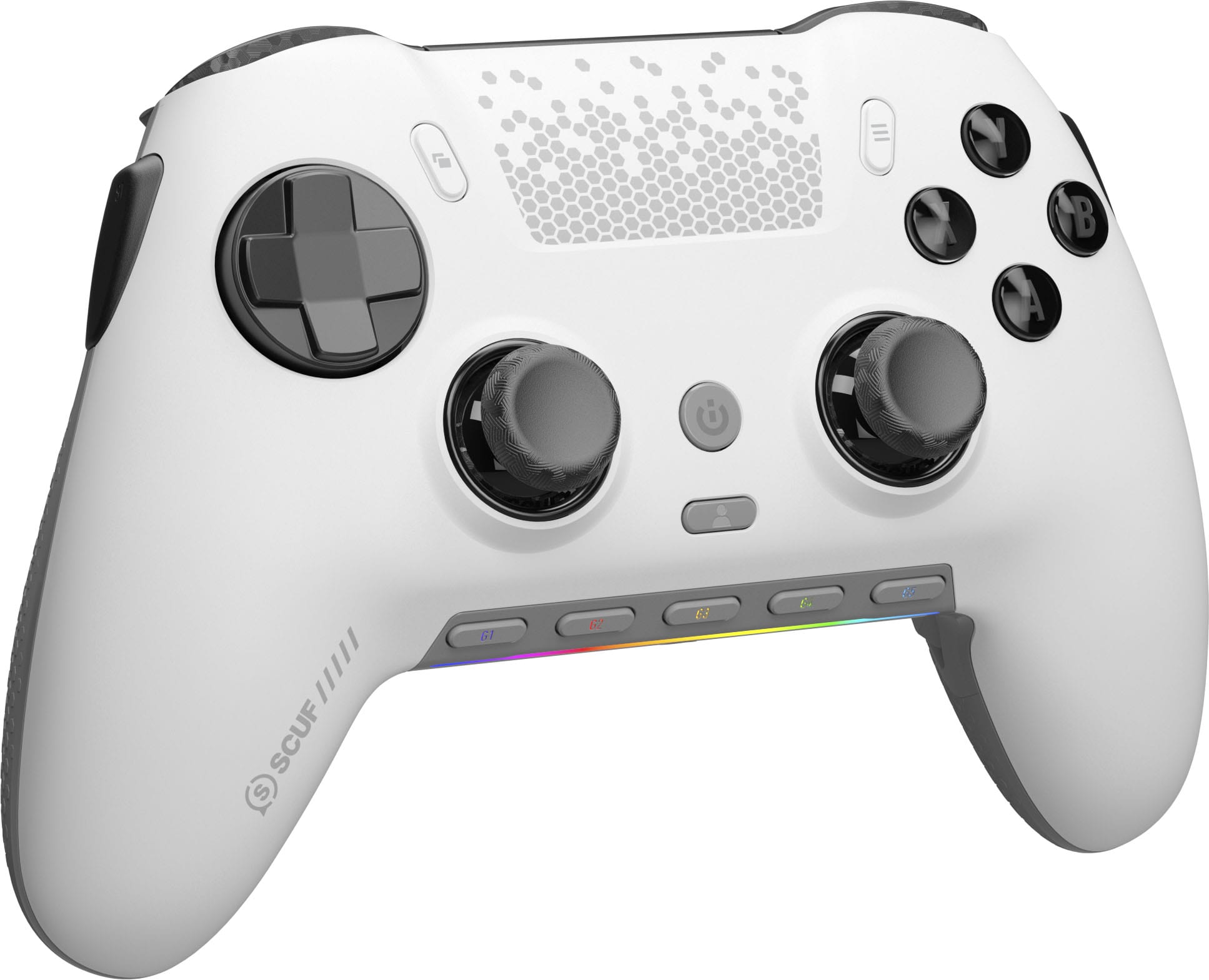
    PC gamepads are a funny thing when you think about them. Once considered novel and perhaps even necessary in the 16 and 32 bit console eras where proprietary connectors prevented you from easily hooking up a (usually much higher quality) console controller to your PC, by the time we reached the PS3 and XBOX360 in the mid-2000s, both lineages had switched to USB connections and within a few years the DualShock and Xbox Gamepad became the most common game controller devices for PC gaming. High-end PC gamepads are a relatively recent phenomenon in mainstream retail channels, with the last decade spawning many boutique companies that offered what they felt were higher-quality controllers for a more “premium” gaming experience that commanded a similarly premium price. SCUF is one such brand that became synonymous with high-end PC gaming and eSports competition, so much so that PC peripheral giant Corsair absorbed them in 2019. The Corsair SCUF Envision Pro controller is certainly a premium-feeling device with great hardware design and loads of potential, but is unfortunately hamstrung by required software that some, myself included, will detest. - Unboxing and Setup Opening the box for the SCUF Envision Pro is a bit of an experience. Elegantly packaged to reveal the controller as if in a gift box, the first impressions I had were quite positive. The controller’s matte plastic surface and textured rubber grips are very high quality - beyond what you would find in a first-party console controller - and the main controller buttons (including those under the D-Pad) have clicky hairline switches underneath. The shoulder, rear, side, and function buttons are a mix of hairline and traditional switch types, all of which feel great to actuate. Sadly, the Envision Pro is not quite plug-and-play compatible. While my computers recognize it as a gamepad upon plugging in the USB dongle, it seems to use DirectInput and lacks any native XInput profile…which means installing Corsair’s iCUE software is a must to use it as a modern PC game controller. I’ll talk more about this application later, because it’s far and away the biggest detractor from what is otherwise very competent hardware. - Gaming Performance After a few minutes getting familiar with the new controller, I opened my preferred eSports title, Rocket League, and went to work on the field. It didn’t take long to acclimate myself, and by the end of the first match I found myself loving how natural it felt to lose 0-6 (it was my teammates’ fault, as always…). The SCUF Envision Pro is just as responsive as any Xbox controller, perhaps slightly moreso because of the hairline switches on the face buttons and relatively short throws for the triggers and thumbsticks. Both sets of analog inputs have firm but forgiving return springs, with consistent return-to-rest force throughout their motion range. The concave analog sticks are shaped just right for a stable grip, and the textured sides of the caps make adjusting your thumb positions easy and fluid. The “anti-drift” hall effect sticks are the major selling point of the Envision Pro, and these are very accurate when using the linear (default) response profile in the iCUE app. I had no trouble precisely adjusting my aim in third person shooters, and taking one of the Marble Blast games for a spin was an absolute joy. One neat feature of the triggers is hardware switches on the underside of the sticks that can change them individually from full-range triggers to clicky buttons with virtually no throw. The trigger grips are also concave for good grip, though I find their protrusions and tapering at the edges a little too much to be perfect (imagine the feeling of a long, though well-manicured, fingernail. Not my preference). The additional grip and shoulder buttons also came into their own with a little customization. Though not the easiest to activate as they tend to shift your grip, I found them handy for auxiliary functions (such as Roll Left and Roll Right in Rocket League, or the clutch in racing games). The upper buttons are on hairline switches while the lower (inside grip) ones are chunkier, more traditional switches. I would’ve liked to see them reversed, but it’s difficult to accidentally hit either set of them. - Comfort As a gamer with larger hands, I was concerned the controller could be smaller and more cramped to hold than it appears in photos online, but I was pleasantly surprised to find it’s about 10% larger in every dimension than even my beloved first-generation Xbox Elite controller. This was particularly important in realizing after I ordered the controller that it uses a “DualShock” style layout; that is, both thumbsticks are symmetrical and located below the D-Pad and face buttons, instead of Xbox style where the left stick and D-Pad buttons are swapped. I usually find the symmetrical stick layout uncomfortable to use, but the Envision Pro is shaped and sized just right where my natural thumb resting position is perfectly positioned between the stick and the associated face buttons. It’s so comfortable and intuitive to hold I didn’t even realize the pad layout was DualShock style until days after unboxing. - iCUE Software & Connectivity With a mere 3MB download from the official SCUF site, I was hopeful that the Corsair iCUE software would be lightweight and functional. Sadly, at nearly 750MB installed the iCUE software exists to bloat up your system and provide duplicate functionality from much lighter monitoring apps or overlays that most gamers already use. If you’re deep in the Corsair ecosystem this probably isn’t a huge issue, but I found the software just far too bloated to feel it added to the experience. It must be running Beyond the excessive and needless bloat, the iCUE software allows full customization of controller mappings, thumbstick and trigger sensitivity/responsiveness, vibration motor adjustment, and the ability to save customizations directly to the Envision Pro’s onboard device memory. Gamers with tastes for very granular customization and macro usage will find a lot to like here with the 6 remappable side/rear buttons and five function buttons below the thumbsticks. The most important part of the iCUE software is, of course, the ability to update device firmware…and I cannot stress how important it is to update your firmware as soon as possible out of the box. I experienced strange connectivity issues on one of my machines when using the included 2.4GHz wireless receiver - the Envision Pro would disconnect and reconnect about once per minute, dropping input and causing games to stutter, lose input entirely, and even crash on rare occasions when using the out-of-the-box firmware. After updating the controller on another PC I went back to the afflicted rig and found it then worked flawlessly. - Bottom Line I was really hoping I’d like the SCUF Envision Pro. For what it’s worth I do enjoy it when I’m in-game, but the fact it needs a companion app to function correctly was a hard sell to begin with made so much worse by needless bloat and increased system overhead. It’s a great controller, don’t get me wrong, but I just don’t like the hoops that need to be leapt through (and lord only knows how much telemetrics data is going back to Corsair every moment the iCUE app is open) to mimic the same basic functionality I get with my archaic Xbox Elite controller by simply plugging its receiver in. So the last question is whether this controller is worth the $179.99 asking price. There are many, many PC gamepad options available at or below that price that have similar quality and functionality, so unless you’re big into SCUF or Corsair peripherals I would do some cross-shopping. However, the quality is there, and the additional function buttons offer a lot of flexibility for those who need it, so long as you can deal with the iCUE application and its foibles. Conditionally recommended.

    I would recommend this to a friend
  • Rated 1 out of 5 stars

    Terrible

    |
    |
    Posted .
    This reviewer received promo considerations or sweepstakes entry for writing a review.

    DO NOT BUY THIS CONTROLLER. I had this thing for less than a week and all of the software stopped working completely. Even with memory mode this controller wouldn't work AT ALL on any apps but don't worry it would still turn my volume up... STAY AWAY AND DONT WASTE YOUR MONEY.

    No, I would not recommend this to a friend
  • Rated 2 out of 5 stars

    Ok, but too sensitive, buttons everywhere.

    |
    |
    Posted . Owned for less than 1 week when reviewed.
    This reviewer received promo considerations or sweepstakes entry for writing a review.

    I thought it would be great but I’m constantly clicking buttons I don’t want to. Returned it and for now sticking with ps5 pro controller.

    No, I would not recommend this to a friend
  • Tech Insider Network Member

    Rated 4 out of 5 stars

    Hall effect is finally on Envision Pro

    |
    Tech Insider Network Member
    Posted .
    This reviewer received promo considerations or sweepstakes entry for writing a review.

    Im sure youre already familiar with Scuf if youre interested with this controller. SCUF Envision Pro with Hall Effect thumb sticks is a premium controller. With adjustable triggers, its definitely more towards for someone who likes to take competitiveness a bit more serious and looking for a bit more edge. The box comes with Scuf sleek black and orange colors and at the box layesout features that you could expect on what this controller is capable of doing. The packages comes with the main controller and braided cord and 2.4 ghz wireless dongle. DEVICE: just like their previous version of this controller, Envision Pro feels great in the hand, feels solid that it does not feels like a cheap made controller at all. The soft plastic seems to resist sweat or even dust which it felt so nice to hold. The layout of the button is more inline with a Playstation style controller so for those Xbox guys, it make take a bit of getting used to. Having Hall Effect this time around is what makes this years version standout. Offering precise drift free control. The face buttons gives a great feedback with that clicky feel including the D pad. You have 4 paddles, two larger, two smaller inward pushing. Also comes with side button this button also could take getting used to, it’s a bit awkward for me but its always nice to have more button, the way it was layout I thought it still fits. Overall my experience with this controller is nothing but positive. Using the 2.4ghz dongle I didn’t notice any delay or what so ever. But im more of a wired guy because I prefer making sure that my connection is lag free. Overall both input is honestly felt great and spot on. SOFTWARE: Make sure to download Corsiar iCUE software its definitely a must if youre planning on programing and remapping buttons on SCUF Envision Pro. The app is great from ability to mess with your deadzone, vibration intensity or RGB lighting I highly recommend downloading it. But I do feel like the app still could use some work, sometimes it will lag on me or just slowed down the screen itself. CONCLUSION: If youre into SCUF I think picking this controller up is no brainer. I do prefer playing with controller when im playing competitive games. For example Cyberpunk, Final Fantasy, Devil May Cry some of the few that I enjoy with the controller. Its also a great gift to someone that only use controller as well. Hall Effect stick you know for a fact that these barely experience any drift its also way better than standard PS controller or an Xbox controller. Some people might not like the side button but it didn’t bother me much after hours with this controller. This controller is pricey I do wish SCUF would add a carry case inside the box that would been great considering this is a pro controller. If you play COD a lot with a controller I definitely recommend this as one of the top choice. Controller cost a great price but that’s up to you to decide what matters, it’s a serious investment and honestly this a much better choice compared to none Hall effect controller they used to have.

    I would recommend this to a friend
  • Tech Insider Network Member

    Rated 5 out of 5 stars

    Ergonomic controller with pro level features

    |
    Tech Insider Network Member
    Posted .
    This reviewer received promo considerations or sweepstakes entry for writing a review.

    This SCUF Envision Pro controller might set a new high bar for adding pro-level controller features that are actually USEFUL without making them inaccessible and ruining the experience. From the get go, everything just feels and acts the way you'd want it - while not plug and play, it's very easy to get up and going, which I can't say for other high end controllers I've tried. But, let's start at the beginning. Before you plug in the controller (or the dongle), the materials in the box prompt you to download and install the Corsair iCue software (if you don't already have it installed). That install is quick and easy - then you can plug in the controller (you can charge it separately if you want) or dongle and get started. The controller is pre-configured in a useful setup where the face buttons are mirrored to the back paddles, but you can change that setup if you want (why don't ALL pro controllers pre-configure the paddles, I don't know...but I love that Corsair did) along with the 5 macro buttons on the bottom (again, I love that they're preset, including the volume / mute buttons) and the 2 side buttons that mirror the L1/R1 buttons. You can also change the lighting effects in the software and a few other things (including calibrating the sticks) and update the firmware (you'll want to plug the controller directly in for that). After you're finished configuring, you're ready to play - and the controller SHINES in gaming. I love the smoothness and accuracy of the sticks and triggers - I'm mostly a racing game player and they work really well for both driving and flying games. The buttons feel like they're microswitches and have a nice clickiness to them, similarly with the D-Pad. This really is a modern controller - the ciruclar D-Pad is great for modern games, but may not be your favorite for older / retro games and platformers. You can switch between 2.4Ghz (using the included dongle) and wired USB - I didn't notice any latency issues on wireless but playing wired means you can charge and play at the same time. The controller feels REALLY good in the hand with texture grips providing a solid hold on the controller even in intense gaming sessions and the size and weight are just right for comfort during those longer runs. I guess the only word of caution might be that this is, of course, the Playstation-type layout with the d-pad above the stick on the left side (vs the Xbox type layout that reverses this). I've found it's a very personal choice as to what layout you prefer - so if you're good with the Playstation layout, then you're good to go here! So if you're in the market for a high-end controller that actually makes all the features accessible, this is a great option to check out. Give it a try today!

    I would recommend this to a friend
  • Rated 1 out of 5 stars

    Do your own homework and dont ask a sales rep.

    |
    |
    Posted . Owned for 2 weeks when reviewed.
    This reviewer received promo considerations or sweepstakes entry for writing a review.

    Was told buy a Best Buy representative it was compatible with my PS5 and found out the hard way that it wasn't, never again will i ask for any advise from them as they nearly work there and have no knowledge of what they are selling

    I would recommend this to a friend
  • Rated 2 out of 5 stars

    Doesn't work on Linux

    |
    |
    Posted . Owned for 2 weeks when reviewed.
    This reviewer received promo considerations or sweepstakes entry for writing a review.

    Works great on Windows, doesn't work on Linux-based devices.

    I would recommend this to a friend
  • Rated 1 out of 5 stars

    Save time and money and buy from Amazon

    |
    |
    Posted .
    This reviewer received promo considerations or sweepstakes entry for writing a review.

    I wasn't a fan of the button feel, so I returned the controller to the store only to be cheated out of $60. Save money and time and buy from Amazon.

    No, I would not recommend this to a friend
  • Tech Insider Network Member

    Rated 5 out of 5 stars

    Must have for PC gamers

    |
    Tech Insider Network Member
    Posted .
    This reviewer received promo considerations or sweepstakes entry for writing a review.

    I’ve been using the SCUF Envision Pro Wireless Gaming Controller for PC and it has quickly become my go-to controller. The build quality is excellent and the steel gray design looks sharp and premium. The anti-drift thumbsticks are a huge plus, giving me peace of mind knowing I won’t run into issues after heavy use. The controller feels sturdy but still very comfortable, and the grips make long sessions easy without slipping. The wireless connection is smooth with no lag, and I like that it also has the option to plug in if I need to. The extra paddles and buttons are well placed and responsive, making gameplay more customizable and giving me an edge in competitive matches. I also appreciate the software support that lets you remap buttons and fine-tune settings to fit your playstyle. Everything about this controller feels designed for serious gaming, and it’s clear SCUF put a lot of thought into it. Overall, it’s one of the best controllers I’ve used for PC and I’d highly recommend it to anyone wanting performance, durability, and style in one package.

    I would recommend this to a friend