Customer Ratings & Reviews
- Model:
- STBD1000400
- |
- SKU:
- 8808633
Customer reviews
Rating 4.7 out of 5 stars with 1016 reviews
(1,016 customer reviews)Rating by feature
- Ease of Use4.8
Rating 4.8 out of 5 stars
Customers are saying
Customers regard this 1TB hybrid drive as offering significant improvements in storage and performance, with many praising its ease of installation and faster boot times. The drive's capacity is also frequently highlighted as a benefit, while some users noted compatibility issues or slightly elevated temperatures. Positive feedback on the price point was common. A few users mentioned the drive's physical size as a minor drawback.
This summary was generated by AI based on customer reviews.
- Pros mentioned:Boot time
Rated 5 out of 5 stars
Perfect Replacement for my MacBook Pro
Posted .This reviewer received promo considerations or sweepstakes entry for writing a review.My hard drive died just as my Apple Care expired (isn't that how it always works?), so I did some research and found this in stock at a local Best Buy. It was super easy to install. I have never installed components myself before, but after a quick online video, I went after it. I'm glad I saved the money and replaced it myself! Super quick and easy! The HD is fast, especially when booting up thanks to the SSD. My 2011 MacBook Pro feels brand new! Definitely worth the money!
I would recommend this to a friend - Pros mentioned:Speed, Storage
Rated 4 out of 5 stars
seems like it does what it supposed to
Posted .This reviewer received promo considerations or sweepstakes entry for writing a review.i bough a used mac mini mid 2011 with stock hhd to save some money specs is 2.7ghz i7 8gb ram and 500gb toshiba hhd at first it was fast but the hard drive storage wasnt enough for me, boot speed about a minute and opening/loading apps at first they are slow but after a few secs they load fast. now i installed the sshd booted a couple of time and it boots within 25 secs load apps instantly a few can take 2 secs to load and storage is what i need. keep in mind that some webstes take for ever to open its not the hhd fault can be your internet connection or most likely the site is overloaded.app store sometimes is a pain for it to load completely i dont know why perhaps the same about the internet connection? and sometimes just in a sec overall i think it works god i have read these could/can last longer then some ssd. for for $95 is a good deal.
I would recommend this to a friend Rated 5 out of 5 stars
Worth Extra for fast booting and overall speed
Posted .This reviewer received promo considerations or sweepstakes entry for writing a review.I used a 2.5 inch to 3.5 inch form factor drive converter tray to fit this laptop drive to my legacy Dell Optiplex 745 desktop computer. The extra cost for having the SSD boot speed, and having the 1 TB capacity is a great value. Works well with my Core 2 Duo Quad core CPU desktop model with 4 GB of RAM. I definitely would like more SSD portion in the next generation of the drive with perhaps 2 TB of total capacity. I store lots of music and video, so this combination of SSD and regular spindle based drive is great.
I would recommend this to a friend- Pros mentioned:Boot time
Rated 5 out of 5 stars
HYBRID AND STORAGE
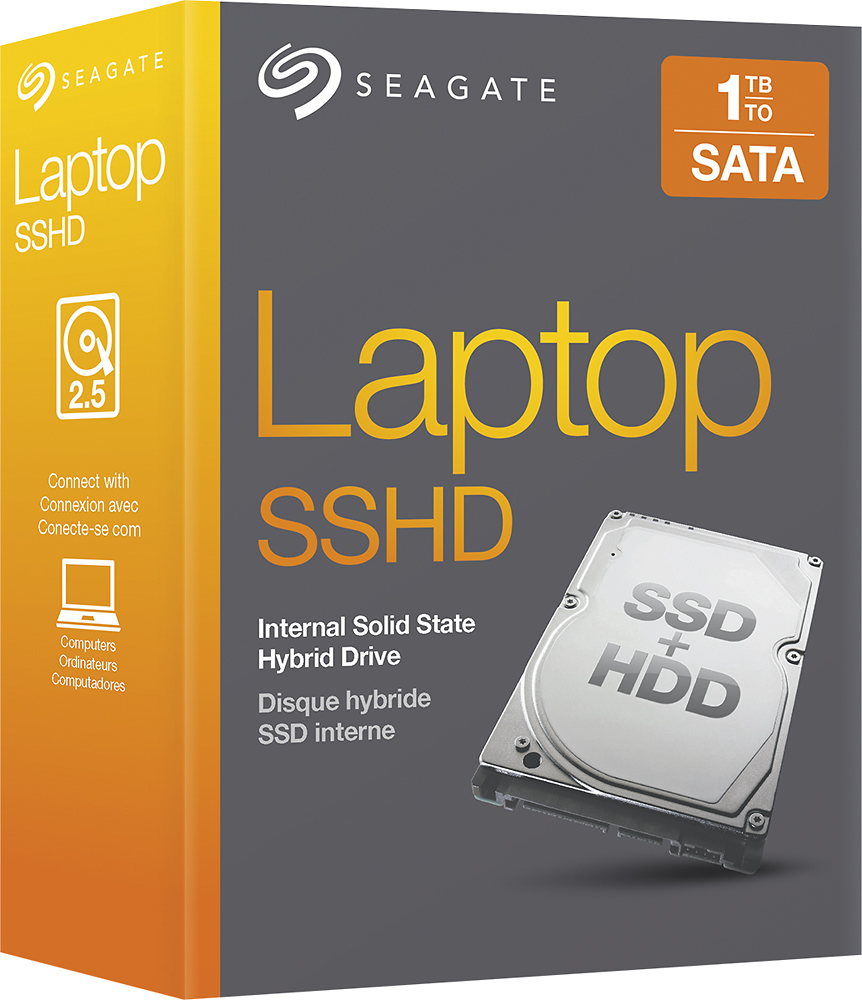
Posted .This reviewer received promo considerations or sweepstakes entry for writing a review.it was great to learn of this quality Hybrid SSD and massive 1TB HDD storage, and on sale. Replaced a lower storage capacity drive in laptop. Easy to clone and install in Toshiba, up and running effectively. did extensive reading on specs, however, the BestBuy website has posted incorrect specs[check out storage capacity listed] . Check the posted/and the box model# as what is actually in the box is Model#ST1000LM014. Then, product is described as a 'kit WW1' when in box is bare bones HDD. Go to Seagate.com and view true specs for both drives. Although the SSD is only 8GB it is still enough for boot time increase and it depends on how you have the msconfig condition set in the startup section. Was a beneficial purchase. Note-that the more it is utilized to access programs it will increase to some noticeable degree bootup and start conditions.
I would recommend this to a friend - Pros mentioned:Speed, Storage
Rated 5 out of 5 stars
Nice and fast
Posted .This reviewer received promo considerations or sweepstakes entry for writing a review.This is almost as fast as a stand alone ssd hard drive and has plenty of storage for a great price. The only thing that you need to be aware of is how your hard drive mounts into your computer. I used this in a Dell all and one and because of the hard drive cage that Dell uses I had to but and adapter to make it work. Other than that I didn't have any issues at all with this drive and would recommend it.
I would recommend this to a friend Rated 2 out of 5 stars
It works
||Posted .This reviewer received promo considerations or sweepstakes entry for writing a review.It's slow no reason to buy it for speed increase of system.
No, I would not recommend this to a friend- Pros mentioned:Boot time, Speed
Rated 5 out of 5 stars
Xlnt upgrage
Posted .This reviewer received promo considerations or sweepstakes entry for writing a review.Used this SSHD to upgrade my painfully slow Lenovo A730. Cloned OEM HD to it with Macrium Reflect in about 30 minutes and installed. Initial boot was not much slower than original HGST HD... about 2 minutes. Now after a week, it boots and is usable in less than 30 seconds! Quite an improvement after being disgusted with the OEM HD!!
I would recommend this to a friend - Pros mentioned:Speed, Storage
Rated 5 out of 5 stars
Too easy to work with! :-)
Posted .This reviewer received promo considerations or sweepstakes entry for writing a review.The solid state hybrid drive I purchased was easy to clone to. Once installed (super easy) and up and running there were no issues. It has been purring like a kitten since installation. It was far better than the original hard drive that came with my MABCBook pro. You can save a TON of cash by doing all installations/upgrades yourself...vs. spending hundreds and hundreds of dollars at a shop for simple stuff. Excellent product!!!
I would recommend this to a friend - Pros mentioned:Boot time
Rated 5 out of 5 stars
So far so good
Posted .This reviewer received promo considerations or sweepstakes entry for writing a review.Easy to install. Made a noticable difference in boot time. If it lasts as long as a standard HD will have been worth it.
I would recommend this to a friend - Pros mentioned:Speed, Storage
Rated 5 out of 5 stars
Great
Posted .This reviewer received promo considerations or sweepstakes entry for writing a review.Bought this for my PS4 for more storage and it works great! Fast and easy install and great for the large games!
I would recommend this to a friend - Pros mentioned:Performance, Speed
Rated 5 out of 5 stars
Works Great
Posted .This reviewer received promo considerations or sweepstakes entry for writing a review.I have worked IT and support most of my life and now nearing retirement years. Seen a lot of changes and improvements. I'm usually by default skeptical and ignore all the hype about anything new. Recently my personal laptop primary HD started failing. I quickly researched and purchased this hybrid drive so to get my data off easily. Even when my laptop was new it did not run as fast as it is now. I'm amazed in the difference. Very fast boot and shutdown time. My apps open much faster. It actually worked as advertised. Very fast and I hope reliable for long time. I purchased the StarTech drive imager and it worked great to get my data copied off. I'm back in business and rocking great speed now.
I would recommend this to a friend - Pros mentioned:Boot time
Rated 5 out of 5 stars
Great For PS4 hard drive upgrade!!!
Posted .This reviewer received promo considerations or sweepstakes entry for writing a review.I just upgraded my 2 year old 500GB PS4 with this SSHD and it works great! the boot time of the console is much faster and games install time for disc based games take only a few seconds! I highly recommend this SSHD to anyone who is looking into upgrading their Playstation 4!
I would recommend this to a friend - Pros mentioned:Boot time, Ease of use, Storage
Rated 5 out of 5 stars
Great hard drive for the money
Posted .This reviewer received promo considerations or sweepstakes entry for writing a review.Installed this in my Mid 2010 MacBook Pro 13 inch. Replaced a 500gb drive. Very easy to do if you've never done it before. I used Carbon Copy Cloner to clone my info over to the new drive. Doesn't seem that much faster, but having the extra space is great. And it is nearly silent.
I would recommend this to a friend - Pros mentioned:Performance, Speed, Storage
Rated 5 out of 5 stars
Fast Cheap
Posted .This reviewer received promo considerations or sweepstakes entry for writing a review.I've been a big supporter of hybrid drive for the last few years. They offer near the speed of SSD drives and the storage of platter drives. And the cost and performance of these drives I think are unmatched. Seagate has hit a home run with these products
I would recommend this to a friend Rated 5 out of 5 stars
Fantastic Speed for the Money!
Posted .This reviewer received promo considerations or sweepstakes entry for writing a review.Needed to upgrade to a larger hard drive on my 2013 13" Macbook Pro, and needed 1 TB of space. Going the full SSD route was WAY too costly, and after doing some research on this hybrid drive, I decided to check them out. Best Buy had them on sale, and with their return policy, I figured I would give it a try. Cloned the drive with the old one, swapped them out, with no issues. FYI, you'll need a T6 torx screwdriver to remove the support screws on the hard drive for your Mac. Very simple, and straight-forward. Also purchased a hard drive housing for $12 from a local shop (they were $29 at Best Buy) and used a free trial of Carbon Copy Cloner to make the cloned copy. Just look it up online. Lots of help out there... even video help! Speed increase? Yes... Boot up is faster, recovery is faster upon opening the computer, and the quickness of apps/app opening has improved. Twice the memory I had before, and quite a bit more speed. From what I read, after a few days of use, it will get even faster. Great hard drive, and it's extremely quiet!
I would recommend this to a friend- Pros mentioned:Performance, SpeedCons mentioned:Compatibility
Rated 2 out of 5 stars
Not a good option for MacBook Pro replacement
Posted .This reviewer received promo considerations or sweepstakes entry for writing a review.When the hard drive is connected via USB/SATA patch cable, the drive works great and is fairly quick and reliable. When I take the same drive and swap out my older internal MacBook hard drive, the startup would hang on the spinning disc. Other times it booted up just fine. Other times, the Apple symbol would come up, but no login screen. The drive was formatted using Apple's Disc Utility as directed in the Hard Drive directions. Tried HFS+, Mac OS Extended, etc.. I restored the Hard Drive using Time Machine. Sometimes the computer would boot up, other times it wouldn't. Reformatted the drive again, used a clean disc image of my Hard Drive. Same boot problems. Last attempt, I did a low-level format, reformatted using Mac OS Extended, and a completely clean install of the OS. Same results. I have put my old drive back in and have had no problems other than lack of free space. This is probably a good hard drive, but I think it is incompatible with older MacBooks. Mine is a Late 2008 model. Newer models with different hardware may have different results.
No, I would not recommend this to a friend Rated 5 out of 5 stars
SSHD's are a very good option
Posted .This reviewer received promo considerations or sweepstakes entry for writing a review.I installed the Seageate 1 TB SSHD on my mid 2009 13" MacBook Pro because I needed additional storage space for my photo editing. The performance of this drive is very good, and I am very surprised that is very quiet. The SSHD technology seems to have matured to the point of being highly reliable. However, I do recommend doing a single partition format with Disk Utility and clean install of OSX 10.9 (I downloaded it from the Apple App store and created an install drive on an 8 GB SD card). I then used Time Machine to restore my files and other apps. I have had no problems since, and the drive is getting faster as the program files are cached to the NAND memory. The only reason I gave the "ease of installation" a 4 rather 5 is because of the effort required to do a clean install.
I would recommend this to a friend- Pros mentioned:Boot timeCons mentioned:Compatibility
Rated 3 out of 5 stars
Good hard drive but could be better
Posted .This reviewer received promo considerations or sweepstakes entry for writing a review.The hard drive is a good one, but could and should be better. The only complaint I have is that it does not allow your 64 bit capable system to be 64 bit. I found this out the hard way when 64 bit programs I had on my old hard drive would not work on this new hard drive.
I would recommend this to a friend - Pros mentioned:Boot time, Storage
Rated 5 out of 5 stars
Best Upgrade For The Money
Posted .This reviewer received promo considerations or sweepstakes entry for writing a review.I am always looking for ways to improve my computer. I have been a Mac guy for years and am still using my late 2011 MacBook Pro. It was never slow but I always like to go faster. This 1TB hybrid SSD drive has vastly improved my boot up time and access to my applications right out of the gate. Also there is plenty of storage. I would highly recommend it to anyone.
I would recommend this to a friend - Pros mentioned:Speed
Rated 4 out of 5 stars
It really does make a difference in speed
Posted .This reviewer received promo considerations or sweepstakes entry for writing a review.I have a MacBook Pro Mid 2010. I have noticed a difference in speed from my old drive, but I could not give you a quantitative answer. I am not super tech savvy, but I am good enough that I could look up information on how to install it myself and successfully do it. At first I thought there was a special method of formatting it because it's "hybrid" status, so I thought there would be special instructions on it. In reality, this wasn't an issue, just an expectation I had that threw me off, but it was easily solved b/c I found plenty of instructions online from various sites. Once I figured out my disk utility and how to clone my old hard drive, the computer pretty much did it all on it's own, but it took about 4-5 hours b/c I had about 200 GB to clone. After I cloned it I still had to repair the disk permissions, but that only took about 10 minutes. *If you want to clone your old hard drive, you will need to have a cable that will allow you to connect the new hard drive to your computer externally.* Otherwise, you'll have to backup your computer or do a time machine backup and restore your computer from the backup once the OS is installed on the new hard drive, followed by physically installing the hard drive in your computer.
I would recommend this to a friend