Customer Ratings & Reviews

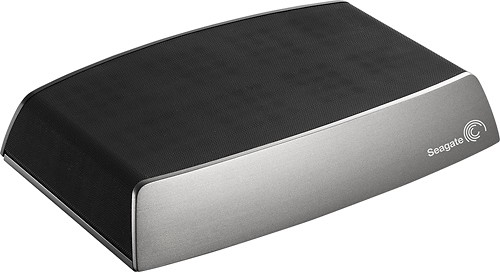

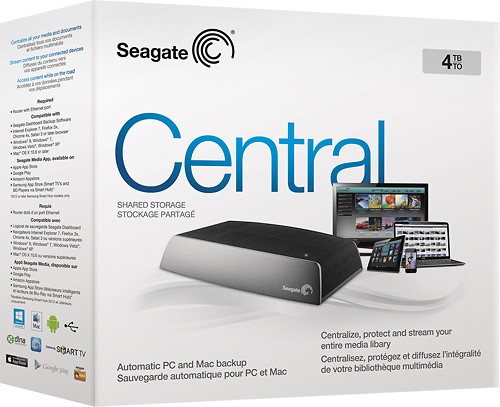

- Model:
- STCG4000100
- |
- SKU:
- 8808706
Customer reviews
Rating 4.1 out of 5 stars with 201 reviews
(201 customer reviews)Rating by feature
- Ease of Use4.3
Rating 4.3 out of 5 stars
Customers are saying
Customers are enthusiastic about the ample storage, ease of use, and generally positive setup experience offered by the Central 4TB Personal Cloud Storage External Hard Drive. While many appreciate its performance and value for the price, some users have noted challenges with remote access speed and software user-friendliness. Concerns were also raised regarding the USB port and streaming capabilities. A few users mentioned that the security features could be improved.
This summary was generated by AI based on customer reviews.
Rated 3 out of 5 stars
Good product
||Posted .This reviewer received promo considerations or sweepstakes entry for writing a review.Easy to use and a lot of memory to file almost 10 years of
I would recommend this to a friend- Pros mentioned:Performance, SetupCons mentioned:Usb port
Rated 3 out of 5 stars
Nice NAS, but can leave your data at risk
Posted .This reviewer received promo considerations or sweepstakes entry for writing a review.I purchased the 4TB Seagate Central unit. It's not a bad 1 drive NAS unit. Performance is decent, simple to setup, quiet, and doesn't look half bad. I've done a fair amount of testing and research, and have learned a few things along the way. It's been on sale lately and its quite a bit cheaper then its competitor. If you want something quick and simple, then it's not a bad option. But it does have a few areas where it is lacking, and one key feature omission that is a deal breaker (for at least me). Compared to it's competitor, it's missing a USB3.0 (its only 2.0) port. It also lacks many advanced software features it competitor provides: thumb nailing, disk duplication, etc. The biggest omission is the inability to set file and directory permissions. Issue? On Seagate central you can only share your files for DNLA via the PUBLIC folder. You can create private individual user folders, but you can not serve up media from these folders. More importantly, you can not adjust directory permissions to prevent users for accidentally deleting files. This is a deal breaker in my book. I have 10K+ pictures, home movies, and etc... I need to serve them up to my DNLA devices, along with the family computers. On this unit, I can't protect the directory (making it read only for some users) to prevent accidental deletion by one of my family members. Setting file/directory permissions is basic, and included on every operating system (And competitors NAS units), but Seagate Central gives you no option. I opened a case with Seagate to verify via email. Seagate promptly responded, and stated the unit did not have this functionality. They recommended i backup my data. Kinda funny. Seagate Central is Linux on a chip. The hardware is not the issue, but the seagate developers not creating the interface for directory permissions. Hopefully its something they can remedy in a future firmware release. To Sum it all up. It's a nice unit, and performs well for what it is. It's a good fit for you, if you don't worry about other family members accidently deleting your shared data. If you want additional feature sets, or the ability to control directory permissions you need to look somewhere else.
I would recommend this to a friend - Cons mentioned:Remote access
Rated 1 out of 5 stars
Can`t access all the folder from external device.
||Posted .This reviewer received promo considerations or sweepstakes entry for writing a review.The user only can access public folder when not connect to device,
No, I would not recommend this to a friend Rated 1 out of 5 stars
Returned due to blue screen of death
||Posted .This reviewer received promo considerations or sweepstakes entry for writing a review.Setup was horrible. Instructions were very weak regarding multiple users and passwords. The software from them I downloaded and tried to install for backups locked up during installation and resulted in the blue screen of death. Returned the product and had to send my computer back to the manufacturer.
No, I would not recommend this to a friendRated 1 out of 5 stars
Seagate lost info
||Posted .This reviewer received promo considerations or sweepstakes entry for writing a review.Stopped working and I cannot retrieve the content. So all the pictures stored for years are gone or can not be retrieved. Impossible to contact customer service for support.
No, I would not recommend this to a friendRated 1 out of 5 stars
Worthless, unless you like waiting and you can't!
||Posted .This reviewer received promo considerations or sweepstakes entry for writing a review.Wireless storage takes ages. There is a worthless application that allows you to connect to your HD from a cell phone... but what you can only do is see photos stored, you can not take picture and upload it to your cloud. Write performance terrible...
No, I would not recommend this to a friend- Pros mentioned:Setup, Storage
Rated 4 out of 5 stars
Integrates Great with Apple Products
Posted .This reviewer received promo considerations or sweepstakes entry for writing a review.Now with several iPods, IPads, Iphones, Blackberries, Xbox and PC's in my house (I have 12 things connecting to my Wifi right now) its time to get a central file sharing system. I could not pass up this price of around $220 for 4 Tb! I pulled it out of box and plugged it into my Airport with ethernet cable, then within 15 minutes it was running on my Mac centric system. One note, is that in the online instructions. Tip use the "optional" discovery software that the link directs you to. It does take some time to load it up, even at pretty fast speeds. I clocked it at about 90 mb/second saving a 1.3 Gb movie from my laptop upstairs to the drive (in the basement). Backing up more diverse files, like a messy 70 gigabyte iPhoto library was not quite as fast, I think because its not just writing but having to do some other things to track the file locations. Now out and about, naturally the upload and downloads speeds will be determined by your network provider etc.., I was on T-mobile 4G getting about 3 -5 mb/s. Enough to stream video direct from cloud. My son was also able to stream DRM free videos from the Xbox to his old TV. I also tried hooking up one of my older 1Tb mobile drives to the back of the drive with USB. That worked well. I think I will get another 4 Tb drive and use it to make a mirrored kind of back up to the central storage drive.
I would recommend this to a friend Rated 1 out of 5 stars
Difficult to install and limited directions
||Posted .This reviewer received promo considerations or sweepstakes entry for writing a review.I just wanted a hard drive to use like the cloud to back up files. It's been hard to get the computers and iPad etc. to sync up to it. Right now it's an expensive paperweight.
No, I would not recommend this to a friend- Pros mentioned:Storage
Rated 4 out of 5 stars
Nice home storage option
Posted .This reviewer received promo considerations or sweepstakes entry for writing a review.It is a very nice cloud storage option for the home. I liked the easy set up and getting it to play nicely on my home network was a breeze. The transfer speeds aren't the greatest, but for the price they are workable. The extra storage is great, and the ability to share data around the house to different devices is wonderful. The only real cons to the unit is the transfer speeds, and the ease of getting devices other than computers to play with the Central. I have found most devices will see and talk to it, but sometimes it requires a little work to get the functionality that you would like out of the device. I haven't found anything that I have wanted to do with it yet that I couldn't, though the Seagate Media Software leaves quite a bit to be desired. I have found that using the DNLA server functionality is a much better way to have devices that are not computers talk to the unit.
I would recommend this to a friend - Pros mentioned:StorageCons mentioned:Remote access
Rated 2 out of 5 stars
Be Cautious of what you're getting
Posted .This reviewer received promo considerations or sweepstakes entry for writing a review.My husband and I bought this hard drive for the large capacity and to use through our WiFi. The installation took a while because you have to go online to get all the instructions and for some reason it wouldn't communicate with our other computers until we bypassed the system. After reading more about the application to use the hard drive over the internet, it says it gives you access for 3 years for free. That means that after 3 years you have to start paying for access to your information. I'm not okay with having to pay to access my own information! It's going back. I also downloaded the app for my cell phone and immediately started having an issue with my cell phone as if it downloaded a virus. I'll just buy a portable hard drive instead.
No, I would not recommend this to a friend - Cons mentioned:Security
Rated 3 out of 5 stars
DLNA Server Service Doesn't Work Well !!!
Posted .This reviewer received promo considerations or sweepstakes entry for writing a review.Purchased this device hoping to use it as a stand alone DLNA server for streaming movies and music. For the purpose purchased, I'm very unhappy with the device as it doesn't work well with my Sharp Smart TVs or my Denon Bluray DVD. I wouldn't recommend the device for DLNA streaming. If your usage of the device will be primarily as network attached file storage, then it will likely meet your needs. Be aware that the device isn't very fast, but will get the job done in time. Initial setup and connection to your local network is easy by following the brief startup instructions. Documentation on how to access the device for the purpose of adjusting security on folders and files is not provided and Seagate's website isn't any help. I've tried to adjust from my windows machne with very little success. The device is frustrating to use in this regard. If you want a place on your local network to store your files, then the device can be useful. If your wanting to set security on your files, use the DLNA service, access your files via the web, then you will be very dissapointed. I'm still looking for a better solution for my needs.
No, I would not recommend this to a friend - Pros mentioned:Storage
Rated 5 out of 5 stars
best personal storage
Posted .This reviewer received promo considerations or sweepstakes entry for writing a review.the device allows you to storage a lot of files. You can access to your flies from any location. The design is compact.
I would recommend this to a friend - Pros mentioned:Performance
Rated 3 out of 5 stars
Hard drive crashed, Seagate replaced it
Posted .This reviewer received promo considerations or sweepstakes entry for writing a review.But they can't replace the thousands of photos I lost..... They say there's two types of people 1. Those who back-up their files 2. Those who have never had a hard drive crash I was in the latter group, using this network drive as a convenient location to store all my photos and music so they could be accessed from multiple computers. When the hard drive crash, Seagate offered to try to recover the files for me....at a low-low price of $250, with no guarantee of success. The Best Buy "Geek Squad" were equally as expensive and again, provided no guarantee. In the end, a tech-saavy co-worker helped me recover the files, but unfortunately, most of them were corrupted. Seagate replaced the network drive and now I use a second drive as a backup for the important files. 3 stars because when it works, it's great - just don't rely on it as your only copy.
I would recommend this to a friend - Pros mentioned:Storage
Rated 2 out of 5 stars
Slow unless you're connected directly
Posted .This reviewer received promo considerations or sweepstakes entry for writing a review.I bought this as I am a photographer and wanted to back up my photographs and movies in one place which could be shared throughout the house. Save your money and read up on how to share folders from your own computer. Setup was easy, but it still would not show up on our two laptops as part of the network (showed up fine on the desktop which is wired in) until I created an online account to access it??? Unless your device is wired into network this thing is on, go get yourself a drink while you wait for the movie you clicked on to start. I always scan a copy of the movie covers to keep with the file and for some reason the Central has created its own folder within each movie folder and made a smaller copy of the .jpgs. I did my music and movies first, and it created thumbnails of all the .jpg covers I had in both music and movies. Is it going to do this for the thousands of photographs I have over the years? It's why I don't use iTunes (or any apple product) in the first place. I don't want multiple files of the same thing. Oh, and it is slower than molasses in winter. USB3 will transfer 30 gigs in about an hour. Try just over 6 hours for the same amount to the Central over Cat5E! Really? I get 30Mps down and 20Mps up on the internet!!! And no, I wasn't online when doing the transfer. Get yourself a much less expensive external drive with the same storage, make only that drive sharable, and you'll have the same thing. There are several programs out there that will allow you to connect to your computer from anywhere out there, many of which are free.
No, I would not recommend this to a friend - Pros mentioned:Ease of use
Rated 3 out of 5 stars
Standard seagate product
Posted .This reviewer received promo considerations or sweepstakes entry for writing a review.The device was easy to set up - plugged into my router without issue. Able to connect to windows easily enough, but my primary OS is Debian -- having issues with "permission denied" on mounted device and doesn't seem to have a workaround with that or (like with the original goflex home devices) to configure minidlna. Good price though for the size. Will have to see how long the drive works - they seem to last about 1-2 years unfortunately - they seemed to last longer "back in the day".
No, I would not recommend this to a friend - Cons mentioned:Usb port
Rated 4 out of 5 stars
Good,Simple for Basic home networking
Posted .This reviewer received promo considerations or sweepstakes entry for writing a review.This is a good simple hard drive for home networking and when you're away from home. The usb port is unexplained or I just haven't found it's use yet.
I would recommend this to a friend Rated 1 out of 5 stars
Disaster! Stay Away!
Posted .This reviewer received promo considerations or sweepstakes entry for writing a review.Following the install instructions I got the drive up and working quickly. But I could not set it up as a proper network drive with folders and sub-folders that I needed. Then, it kept changing what user accounts I could see and wouldn't let me in to my own accounts, telling me to go the admin, who is me. When we tried to watch movies through the DLNA server function on a PS3, none of the AVI files showed up. When I called Seagate for support, after waiting 45 minutes for a human, I hung up. None of the web support was useful or meaningful. Finally I gave up and brought the machine back. Best Buy was great about refunding my money. Perhaps this was all easily fixable, but if you cannot get support from the manufacturer, then I will find someone else's product.
No, I would not recommend this to a friendRated 5 out of 5 stars
Great product
Posted .This reviewer received promo considerations or sweepstakes entry for writing a review.The product works great and very reliable. I love the fact that I can access it from outside my local network.
I would recommend this to a friend- Pros mentioned:Setup
Rated 1 out of 5 stars
Worked for a few hours then died
Posted .This reviewer received promo considerations or sweepstakes entry for writing a review.I bought this yesterday. Setup was a breeze. Product worked for a few hours then died. Many of the reviews on line are not good. Based on my experience, even the poor ones are generous. I spent an entire day troubleshooting -- powering off and on routers, PCs, the device, disabling firewalls, updating firmware, dowloading and running the discovery tool. Product refuses to work. It's going back, I should not have purchased it in the first place. DO NOT BUY THIS PRODUCT. IT IS JUNK.
No, I would not recommend this to a friend Rated 1 out of 5 stars
what a miserable piece of junk
Posted .This reviewer received promo considerations or sweepstakes entry for writing a review.So I was talked into buying this product by a rep at Best Buy. Took it home, spent FOUR DAYS backing up my iMac but then could not access the backup files. Every time a screen changed it asked me to enter my registered user name and password- 46 times in two days, but who's counting? Had at least 8 email exchanges with Seagate tech and realized that they knew about as much as I did. Finally took it back last night and got a Seagate Backup Plus. Already have my iMac and Macbook Pro backed up and I CAN ACCESS THE FILES. It has not asked me once for a registered name or password. As intuitive as Apple products are, the Seagate Central was just as non-intuitive.
No, I would not recommend this to a friend