Customer Ratings & Reviews
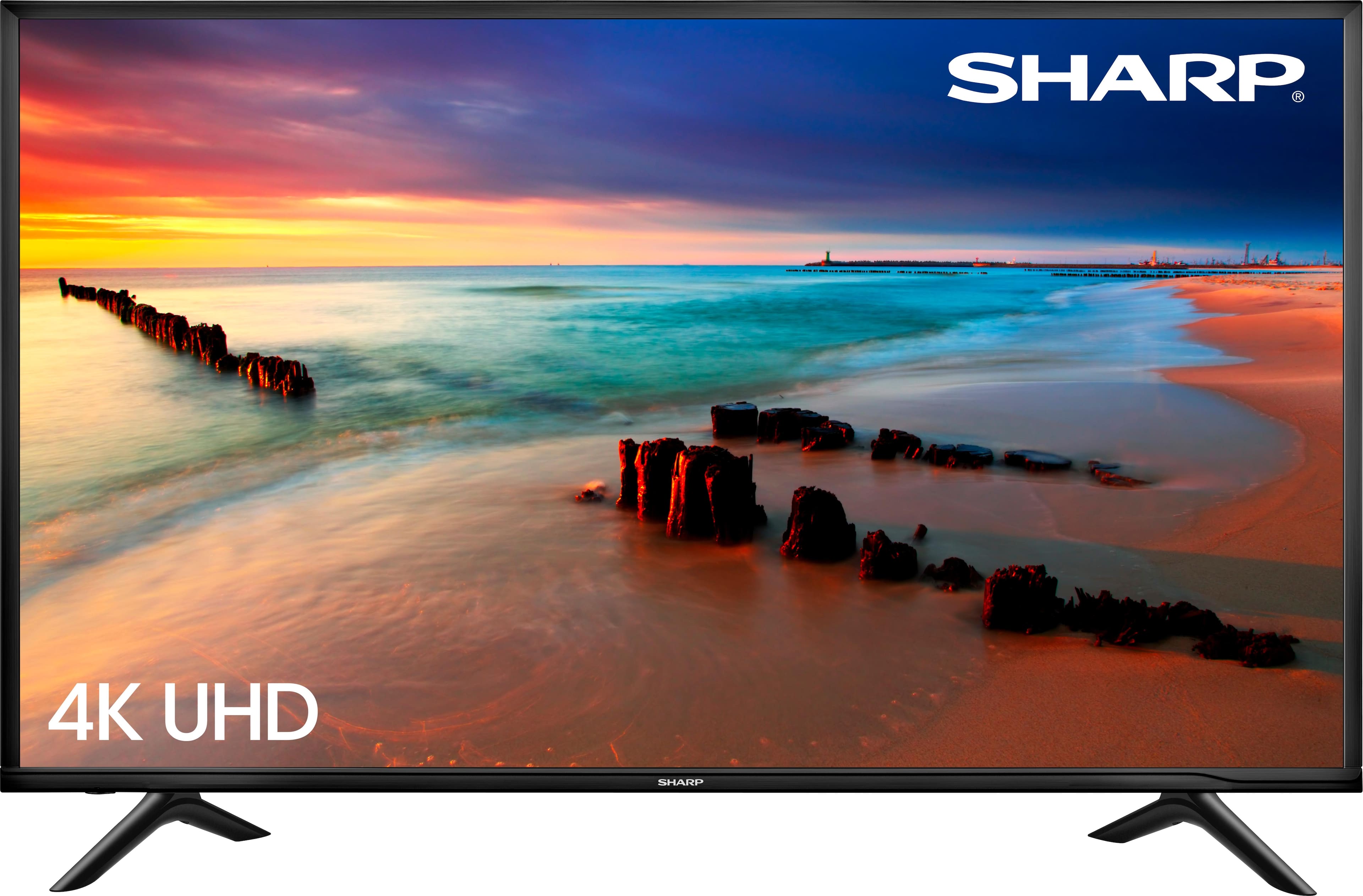

- Model:
- LC-60P6070U
- SKU:
- 5987501
Rating by feature
- Value
Rating 3.6 out of 5 stars
- Quality
Rating 3.5 out of 5 stars
- Ease of Use
Rating 4.0 out of 5 stars
Customers are saying
Customers highly value the 60" Class LED 4K UHD Smart TV for its exceptional picture quality, affordable price, and user-friendly setup. Many customers rave about the TV's stunning visuals and vibrant colors, while others appreciate its budget-friendly cost and hassle-free installation. However, some users have expressed concerns about the limited app selection and occasional reliability issues.
This summary was generated by AI based on customer reviews.
Poor Sharp Customer Service
||Posted . Owned for 1.5 years when reviewed.This reviewer received promo considerations or sweepstakes entry for writing a review.Purchased in 2018 Feb. Today 1 year 7 months later,,,TV keeps powering off.... Did not buy extended warranty and should have.... Anyway called Sharp and they said the warranty (1 year) was over.... OK that's the deal,,,but bran new TV in my opinion should last longer than 19 months.... so just disappointed ... won't buy sharp again TV did not have longevity ....
No, I would not recommend this to a friendJunk.
||Posted .This reviewer received promo considerations or sweepstakes entry for writing a review.The backlight causes this TV to turn off constantly. I’ve reduced it down to 50%, recently it has gotten worse and no longer bearable. Guess which brand I will never buy again. No SHARP in my house ever again. Don’t waste your money.
No, I would not recommend this to a friendWhat you think is a good deal
||Posted . Owned for more than 2 years when reviewed.This reviewer received promo considerations or sweepstakes entry for writing a review.Everything started out fine with this tv but now all of a sudden it keeps powering itself off out of nowhere even with the auto power off still turns off so spend the extra money and get a better quality tv
No, I would not recommend this to a friendJunk
||Posted . Owned for more than 2 years when reviewed.This reviewer received promo considerations or sweepstakes entry for writing a review.Absolute crap! Television died after 1.5 years. After about 20 seconds of turning the TV on, it would turn itself off. Sound like a bad capacitor but how on earth would you know now days? It found its new home at the recycling center!
No, I would not recommend this to a friend- Pros mentioned:Ease of use, Picture quality

Excellent Picture for the Price
|Posted .This reviewer received promo considerations or sweepstakes entry for writing a review.Pros: Easy to install and setup HDMI ARC (for sound bars) Built-In Wifi, supports casting Supports HDMI V2.0 Small bezels, thin Apps such as Netflix, Amazon and Vudu are included Cons: No HDR App selection is limited I’m using this TV for the kid’s playroom. It’s hooked up to an Apple TV, a Nintendo Switch, and a PS4. Out of the box picture quality is actually pretty decent. However, with some tweaking you can get a really good picture out of this TV with some inky blacks. Set the picture mode to Vivid and adjust the contrast and brightness settings and you'll find this is a pretty impressive picture especially for this price. The set I received did have some light bleed on the lower right, not noticeable in normal viewing and I’ve purchased sets that costs nearly $3000 that still had light bleed. Seems to be something that’s hard to avoid with large LED TVs. Since it's placed in the kid's room we've been watching mostly animated features on it in which the colors do pop. I do have a few movies I've purchased on Vudu in 4K such as Despicable Me 3 so I was able to give that a try. You can see a difference if you are looking for it but the difference between 4K and HD is nowhere near as profound as from HD to SD. I doubt anyone in our large play area would notice that they are even watching anything in 4K. Not having HDR is a bit of a bummer especially since it is usually a bigger deal than the extra resolution that 4K provides. Most people will not notice the extra pixels unless they are sitting very close to the TV. HDR makes a dramatic difference though if you have the right content. The sound quality from the built in speakers is not great but then again I have yet to see a TV with audiophile quality speakers. The sound is adequately loud so if you are using this TV without a sound bar you’ll be able to clearly hear the dialogue. Setup was easy, I was able to unbox it, install the two legs, and put it on a table all on my own. You do want to be careful that you do not “pinch” the screen with your fingers as you are moving it around. I’ve purchased a large full-tilt mount and plan on hanging it on the wall next weekend as it is way too big to remain on a stand. It will look really nice on the wall. Overall, there are other models in the 60-65” range for less than a $1000 that DO include features like HDR, which kind of puts this TV in a difficult spot for me. At MSRP, I'd say you'd be better off spending a little extra for a model with HDR. However if you're on a budget or find this TV on sale I don't believe you'll be disappointed either.
I would recommend this to a friend - Pros mentioned:Picture qualityCons mentioned:Remote control
Stunning!
|Posted .This reviewer received promo considerations or sweepstakes entry for writing a review.I love this TV. I recently purchased a different branded 55 inch smart TV (nearly three months ago) which had very similar specifications such as UHD, 4K, etc, and I can honestly tell you that the SHARP blows it out of the water. Picture and color are awesome. This TV doesn't need a sound bar, as the built in speakers are very adequate and produce great sound. I would image that there will be some of you that wish to fill your home with concert level decibels, but you're in for quite a surprise as you are likely to achieve those levels with this TV. I found the remote control to be larger than most that I have utilized in the past, and a bit on the cumbersome side. You will eventually get used to it and it easily handles the functions quite easily. There is no supplied brochure detailing the use of the control. Set up of the SHARP TV was quick and easy. Once you power it up, you chose the language of choice, your local time zone, and your ready to scan for channels. That's it. SHARP has brought a winner to the public. Vibrant colors, awesome sound, and a quality product which should provide years of viewing pleasure. Enjoy.
I would recommend this to a friend - Pros mentioned:Picture quality, Price
A Very Good Low-Priced 4K UHDTV
|Posted .This reviewer received promo considerations or sweepstakes entry for writing a review.I’m going to start off on a “down” note - Sharp isn’t known for manufacturing the best TVs. While Sharp was, for many years, known to produce fairly high-quality, mid-range TVs, their more-recent TVs have been, at best, fairly low-end. Making matters worse, after Hisense purchased Sharp’s Mexico factory, along with a 5-year licensing right to sell Sharp-branded TVs in North & South America, TVs manufactured under Hisense’s ownership have been reported as being “substandard, and problematic”, to which Sharp’s parent company filed a lawsuit against Hisense, claiming that Hisense “lowered production quality, resulting in TVs with US-violating electromagnetic emissions, and poor picture quality.” I have no way of testing ‘electromagnetic emissions’, but, in regards to picture quality, read on………. UNBOXING: Honestly, there’s not much to say here. The packaging by Hisense/Sharp is pretty-much standard for large-screen TVs. You don’t even have to open the box, as there are 4 plastic “clips” along the bottom (two on each side) holding the top piece of the box to the bottom – simply squeeze the plastic tabs together, lower the tabs downward, and pull plastic pieces away from the box. Once all four are removed, simply slide the upper box piece off. SETUP: Setup is almost as simple as unboxing – plug in the power cord, connect any HDMI cables (if, like most people, you’re using your home theater receiver for switching, you’ll only need to connect one HDMI cable to the TV), and connect the TV to you’re the internet (via Ethernet cable, or Wi-Fi). Connecting to the internet is required for the “smart” features to work, as well as for any updates to the Smart apps, as well as the TV, itself. OVERALL IMPRESSIONS: Initially, the image quality was, to put it (extremely) mildly, “so-so”. Colors were slightly off, brightness & contrast were both off by a moderate amount, color temperature was to high, etc. However, after connecting my new & current TVs (Samsung UN55H8000) to an HDMI splitter, so that the same video image can be seen, simultaneously, on both screens. Because of this, I was able to adjust the majority of the Sharp’s settings to match the settings of the Samsung (I should mention that the Samsung was professionally calibrated). Even with the settings adjusted, the blacks weren’t a deep, true black, appearing more like a darkish grayish black. As for the colors, they were far more accurate, but certain colors…especially light & medium flesh tones were lighter than they should be. Once I had everything dialed in (or, should I say, as dialed in as I was going to get after an hour of adjusting), I finally got to comparing the Sharp (mostly against the Samsung), by playing several scenes from multiple Blu-ray movies, starting with “The Fifth Element”, for which I only viewed some of the early scenes. The opening scenes involving the (exterior of the) pyramid were washed out, but overall colors appeared mostly accurate. The scenes involving Leeloo crashing into the cab, and the ensuing chase, were, for the most part, fairly accurate, although they appeared somewhat more “grainy” on the 4K Sharp, when compared against the 1080p Samsung. Next up was “Life of Pi”. Water scenes were fairly accurate, as were the early scenes in Pondicherry, India. Unfortunately, the most spectacular water scenes were somewhat “washed out” (thankfully, not as washed out as they were with “The Fifth Element”), and most scenes involving Richard Parker looked overly-processed & unrealistic. After that was “Deadpool”, which, I am pleased to say, was the most accurate of the three. It’s colors, contrast, and brightness, were all fairly on-par with the Samsung. Of course, I saved the best (at least where 4K UHD Blu-rays are concerned) for last, that being “The Revenant”. Unfortunately, the results were not what I was hoping for. Colors, contrast, and brightness were all quite good, but everything appeared slightly washed out. Again, these were all viewed using the Blu-ray…not 4K UHD Blu-ray. After viewing my selected scenes on Blu-ray, I disconnected the HDMI splitter, connected the HDMI cable running from the receiver directly to the Sharp TV, and replayed the same scenes…this time using the 4K UHD discs…and there were improvements. Not everything improved, but the improvements were more than enough to make a difference. “The Fifth Element”, being the oldest of the four movies, had the least improvement, as film grain (remember, it was shot using 35mm film) was more noticeable. This is not necessarily a bad thing, as, again, the movie was shot on film, and, as such, I actually accepted the additional grain as a good thing. The scenes were still washed out, but not as much as they appeared to be when viewing the Blu-ray. With “life of Pi”, other than the additional detail afforded by the 4K resolution, I noticed very few differences. The early India-based scenes, and water-based scenes were slightly better, and the scenes that everyone talks about appeared only slightly-less washed out. Put another way, they just didn’t “pop” off the screen as they do with the Samsung. “The Revenant” was a pleasant surprise, as colors, brightness, and contrast were finally what they should be. However, once I inserted the 4K UHD disc for “Deadpool”, I finally understood what 4K & HDR are all about. While the Blu-ray already presented mostly accurate colors, brightness, contrast, and detail, the 4K UHD version presented everything as the director & studio intended. Let’s just say that, when it comes to 4K UHD TVs with HDR, action movies would be one of the things they are what they are best for. THE GOOD: 4K resolution Low price HDR THE BAD: “Washed out” images Brightness is only fairly “decent” THE UGLY: Edge lighting is inconsistent, and overly bright, causing blacks to appear grayish FINAL VERDICT: From all I’ve said, one might think I really disliked the Sharp LC-60P6070U…but you’d be mistaken. Sure, it’s not equivalent to any of the high-end Sony, Samsung, LG 4K UHD TVs, but those also cost several times the price of the Sharp. Also, it’s not on-par with mid-range offerings by these companies, but, again, those cost considerably more. However, when it comes to budget 4K TVs, the Sharp LC-60P6070U is a very good choice. There are several other budget 4K TVs in the $700-800 range, but only some of them include HDR. Using Best Buy, of the 31 4K TVs in the 55-64” range, with prices up to $800 (not on sale), only 24 include HDR. That, along, would make this TV a fairly good deal. When you consider that Best Buy routinely has this TV on sale for as low as $499, that makes this an even better deal. If you’re looking for a 4K TV, and if you can afford to spend more, then, by all means, go for it. I always say, “Buy the best you can afford to buy.” However, for those on a budget, this is one 4K TV that should be on your short-list. Disclaimer: This product was provided free, or at reduced cost, for the purpose of reviewing the product. Nevertheless, the above review, be it positive, negative, or anywhere in-between, is a 100% honest review, and the price paid played absolutely no part in my review.
I would recommend this to a friend - Pros mentioned:Ease of use, Picture quality, Price
Great Tv for a Black Friday Deal
Posted .This reviewer received promo considerations or sweepstakes entry for writing a review.I've been looking for a 60 or 65 inch smart TV for months but wasn't willing to spend an arm and a leg. For 550 this TV is excellent bought it online and picked it up the same day. Very easy to set up and the 4k looks awesome. I recommend this to everyone
I would recommend this to a friend Very disappointed
||Posted .This reviewer received promo considerations or sweepstakes entry for writing a review.Tv kept making a beeping noise and the geek squad made me return it and told me I had to for this on my little car. Very bad experience with the tv. Returned it and got a lg tv which is much better
No, I would not recommend this to a friendBrand response from Sharp Product Expert
Posted .That is unfortunate and not the type of experience we want for our customers! We hope you'll consider Sharp again in the future. If you do, we're here to help if you need us by calling 1-888-935-8880.
Cheap
||Posted .This reviewer received promo considerations or sweepstakes entry for writing a review.Returned this and bought a complete different tv. It kept restarting and picture quality was poor. For $50 more i bought an actual 4K Smart tv. This was not worth it.
No, I would not recommend this to a friendBrand response from Sharp Product Expert
Posted .That is unfortunate and not the type of experience we want for our customers! We're here to help if you need us at www.hisense-usa.com/support or by calling 1-888-935-8880.
Bad TV
||Posted .This reviewer received promo considerations or sweepstakes entry for writing a review.Bad picture quality lots of bleeding and motion blur returned this for a Samsung way happier with the latter choice
No, I would not recommend this to a friendBrand response from Sharp Product Expert
Posted .That is unfortunate and not the type of experience we want for our customers! We hope you'll consider Sharp again in the future. If you do, we're here to help if you need us by calling 1-888-935-8880.
Not a good tv
||Posted .This reviewer received promo considerations or sweepstakes entry for writing a review.I have owned a sharp tv in the past but this tv was very disappointing! The price was good but to find the correct picture setting was a long nightmare!
No, I would not recommend this to a friendBrand response from Sharp Product Expert
Posted .If you experience issues with pictures quality, please call us at 1-888-935-8880.
- Pros mentioned:Picture qualityCons mentioned:Remote control
Sharp makes TV's? Who knew??
|Posted .This reviewer received promo considerations or sweepstakes entry for writing a review.I replaced my 12 year old Hitachi 46” 1080p plasma with this Sharp 60" 4k TV. First, I will say that the box doesn't provide much information about the features of this TV. Only after visiting Sharp's website and doing some Google searches, did I find out that this TV is 120 motion and has HDR. The HDR was also confirmed when DirecTV added my 4k box and I played with the video settings. The remote has dedicated buttons to play movies from Netflix and Amazon which is a nice feature. You can also plug in a thumb drive and play movies or music from that. The picture quality is amazing to me. With the exception of my Hitachi plasma, I’ve normally stuck with Samsung and LG when I buy TV's, but this Sharp can definitely hang with some of the big boys. The first thing I watched in 4k was the Olympics. The colors were bright and vibrant and the darks, very clear and deep. The clarity was incredible and I could instantly tell the difference between the 4k and HD channels. I also noticed that the HD channels seemed to come in a lot more clearly. That could also be because the plasma was so old. There are also several presets including theater, vivid, sports that allow you to customize the quality of the picture or you can choose to create your own settings. I have an LG 4k DVD player, so I purchased “It” and “Jigsaw” on 4k DVD. After watching the Olympics, I popped these movies in and continued to be surprised by the clarity of this TV. These two movies have a lot of dark scenes in them and the TV produced the images better than I expected. There was really no noticeable drag or blurring. Watching sports is a big thing in my household, so my sons and I sat down to watch the NBA All-star game and again, the color and clarity of this TV far exceeded my expectations. The picture quality is usually the reason that most people buy a 4k TV, so the audio quality isn’t always a factor, but the sound on this TV is surprising as well. I believe the speakers are 30 watts total and there are plenty of settings to adjust the loudness and surround sound. This thing gets so loud that I normally have to keep the volume level at around 10 or less. My kids woke me up on Sunday with the sound of Paw Patrol and I thought they had turned the surround sound on it was so loud. After my investigation, I found they had only turned it up to 14. That led me to adjusting the settings a bit so it didn’t sound like a movie theater in my den. Other than the lack of product description on the box, the only other issue I’ve had in the five days that I’ve had this TV is programming the remote. I tried programming my DirecTV remote to control the TV and after several tries, I was unsuccessful in getting it to work. I knew that Sharp and Hisense are manufactured by the same company so I decided to try using the Hisense codes instead and I was able to get the remote to work. Problem solved. I also wish it had 4 HDMI inputs as opposed to three. Between the Apple TV, LG 4k DVD player, DirecTV box, and surround sound receiver, having and additional input would be great. Prior to this TV, I never would have considered buying a Sharp TV, but after getting this one, I will definitely consider this brand for future purchases. Great sound and picture quality, full-function remote with dedicated buttons for Netflix and Amazon, and HDR, make this a good choice for a 4k Smart TV. I give it 4 stars only because of the issues programming the remote and the lack of information on the box detailing the specs and features. The latter is not really that big of a deal as most people research items like this before purchasing it, but it would be nice to have that information on the box.
I would recommend this to a friend So poor tv
||Posted .This reviewer received promo considerations or sweepstakes entry for writing a review.So poor tv after a week I hear sound coming like electric shock coming from inside I thought it might be the movie itself but it’s not it’s the tv
No, I would not recommend this to a friendBrand response from Sharp Product Expert
Posted .That is unfortunate and not the type of experience we want for our customers! We're here to help if you need us at www.hisense-usa.com/support or by calling 1-888-935-8880.
Died during 3rd year
||Posted .This reviewer received promo considerations or sweepstakes entry for writing a review.TV keeps shutting off by itself. Not sure what is going on but very poor life expectancy after it’s 2nd year.
No, I would not recommend this to a friendTwo years old and turns off when it wants
||Posted . Owned for more than 2 years when reviewed.This reviewer received promo considerations or sweepstakes entry for writing a review.Spend 600$ on a tv to last a little over two years is annoying and puts a bad taste in my mouth for Sharp
No, I would not recommend this to a friend- Pros mentioned:Picture quality
Great so long as you don't need Bluetooth
|Posted .This reviewer received promo considerations or sweepstakes entry for writing a review.Go big or go home! Yeah, that was pretty much my exact first thought upon opening the box and seeing this thing in my own living room. We have had a 42” HDTV for years and it was finally starting to show its age with a faded band across the middle. I had an opportunity to get this TV a few days ago and see firsthand how TVs had progressed in the last 10+ years, and to take my first step into 4k UltraHD as well. I’d seen it elsewhere, it was finally time to make it my own. So, coming from a 42”, this puppy seems huge. My wife’s normal spot is the closest to the TV and for a few days she thought it was “too big”, but after a few days we’re all getting used to it now and are really starting to embrace the immersive big-screen experience it provides over our previous TV. When the 2018 Winter Olympics started we were watching on our older TV, and then we got his one pretty much halfway through and this TV made an almost emotional change in how we watched the games. On this TV you can easily get immersed in the snow and feel like you’re right there, brushing past the slalom gates as they ski down the hill. Next up... March Madness! The picture is vivid and beautiful with deep blacks and bright cool whites… or at least it can be. By this I mean: Be aware there are options and take the time to look through the various preconfigured picture settings and pick what looks best to you in your viewing environment. By default the picture is in “energy save” mode and while it looked surprisingly good to me all things considered, it tended to produce more muted colors compared to most of the other modes. This may be what you ultimately decide you like, but be sure to try Vivid, Standard, Theater, Sport and Game picture settings as well and see what pleases your own eye the best. In my case our main TV room isn’t especially dark, and after a lot of experimenting I settled on “standard” as being optimal for our space, with the one exception that I do use the Game Mode picture setting for our gaming console since it is intended to reduce lag by cutting way back on the TVs own attempts to process and enhance the image which can inject small but noticeable lag or video artefacts. Do you find it anti-climatic or even just confusing to select your audio/video input by such generic names as “HDMI1”, “HDMI2”, and “AV”? Not to worry as this TV lets you customize those names so that you no longer have to try to remember what is connected to which input. Now you can give your inputs meaningful names like FiberTV, Game, Dongle, and VCR (cringe). Or, you can cryptically label your inputs as names that only mean something to you -- Westeros, Winterfell, and Direwolf for example. It’s up to you, but “Winter is coming”. Speaking of inputs… you do technically have both a component and a composite input as separate selections, but be aware that they share the same L/R audio input, so unless you don’t need audio with one of them you are effectively reduced to one or the other, but not both. Also, I was pleased to discover that the TV supports wireless display “input” capabilities which let me mirror our laptops to the TV screen without any additional cables. It wasn’t without noticeable lag and delay at times, but it was very usable and is a nice option. For data, the TV has both WiFi and a wired network connection option. Use WiFi if you have to, but if you can get an actual network cable to the TV you’ll probably find the connection more reliable, especially for high data rate 4k content. I found it a little surprising that the wired network port on the TV only appears to be 100Mbps, but that’s still more than fast enough to pull reliable 4k content from Netflix, Youtube, VUDU, etc. and the TV handles them with aplomb. One last thing I’ll mention that I thought was a really nice touch is the ability to turn the display off but keep the audio on. I’ve often used our TV to cast music to and I always felt just a little guilty about the display being on for several hours when all I was really doing was listening to music. Guilt no more, because with a couple taps on the remote you can turn the display completely off but keep the tunes coming, and then just one more tap on the remote and display quickly wakes up when you need it. With smart TVs like this becoming true entertainment hubs I was quite pleased to discover this. Oh, and if you’re the type that doesn’t like to see the red standby LED when the TV is off, you can toggle that on/off through the menus as well. My only gripes are 1) that it does not have Bluetooth, and 2) that the documentation is spartan, and although it says you can reference the full manual online I have yet to actually be able to find a manual for this TV even when searching for it by its exact model name. Most of the functions are intuitive enough to not need further explanation, but there are enough options and depth to the menus that I feel I’m almost certainly missing something.
I would recommend this to a friend - Pros mentioned:Ease of use, Picture qualityCons mentioned:App selection
Good Basic 4K UHD TV
|Posted .This reviewer received promo considerations or sweepstakes entry for writing a review.Pros: -Easy to install and setup -Smart TV, built-In Wifi, supports casting -Supports HDMI with 3 inputs (including HDMI ARC) -Analog Audio ports -Composite Video ports -Small bezels, thin -Popular apps such as Netflix, Amazon and Vudu are included Cons: -No Bluetooth -No HDR -App selection is limited (TV uses Vewd App Store instead of Android TV, etc.) so you may want to use a streaming stick (Amazon Fire, Google Chromecast, Apple TV, Roku, etc.) Out of the box picture quality is ok. I recommend calibrating and tuning it to take full advantage of the TVs potential. You can read online on how to do so correctly. The TV speakers are average. I recommend hooking up a soundbar or audio system. The blacks aren't as uniform, possibly as a result of light bleeding which seem to be more prevalent compared to other TVs. This is a good entry level 4K UHD with a large screen. I think it is a great deal if you can get it at a good price. Would really shine as a secondary TV or as a modern smart TV for someone not looking for all the bells and whistles. Otherwise, I would spring for a more loaded model with better picture/lighting.
I would recommend this to a friend Don't fall for this trap
||Posted .This reviewer received promo considerations or sweepstakes entry for writing a review.Works great unti it's out of the 15 day "warranty" period, run away from this horrible mess. I'd love to give no stars
No, I would not recommend this to a friendBrand response from Sharp Product Expert
Posted .We are sorry to hear that you are experiencing issues with your TV. The TV comes with a one-year manufacturer warranty that covers parts and labor. Please contact us at 1-888-935-8880 so we can better assist you with the issue.
Poor quality
||Posted .This reviewer received promo considerations or sweepstakes entry for writing a review.Returned this within a week when I found a better tv for the same price
No, I would not recommend this to a friendBrand response from Sharp Product Expert
Posted .We are sorry to hear that the picture quality of this TV failed to amaze you. We hope you'll consider Sharp again in the future. If you do, we're here to help when you need us.