Customer Ratings & Reviews
- Model:
- SP680
- SKU:
- 6504538
Rating by feature
- Battery Life
Rating 3.9 out of 5 stars
- Range
Rating 3.7 out of 5 stars
- Camera Quality
Rating 3.7 out of 5 stars
Customers are saying
Customers love the SP680 2.7k Drone's ease of use and camera quality, frequently praising its user-friendly design and decent image capture for the price. However, some users experienced challenges with the drone's wind resistance and stability, particularly in breezy conditions, noting difficulties with control and smooth landings. The drone's lightweight design, while contributing to its affordability, was also cited as a factor affecting its performance in windy environments. Concerns were also raised regarding the responsiveness of the controls and the drone's ability to maintain a stable position.
This summary was generated by AI based on customer reviews.
Bad
||Posted . Owned for 1 week when reviewed.This reviewer received promo considerations or sweepstakes entry for writing a review.Camara has like a 1 second delay plus it freezes after a couple of minutes
No, I would not recommend this to a friendBrand response from Snaptain Team
Posted .Brand response from Snaptain Team
Thank you so much for sharing your experience.
We apologize for any inconvenience this may cause you. Please follow these steps to troubleshoot.
1. Uninstall the app and reinstall. When reinstalling, agree to all permissions required by the app.
2. In the Wi-Fi settings of the mobile phone, click Forget the Wi-Fi and reconnect. After the connection is successful, when the phone prompts "This Wi-Fi cannot access the network, do you want to continue to connect?", choose to continue the connection.
3. Restart the drone, turn off the mobile Wi-Fi, then turn on the Wi-Fi again, and turn off the mobile data and Bluetooth.
4. Please try another phone, which is above Android 4.4 or above IOS 8.5.
5. Please try it outdoors and in a non-interference environment, such as outside without high-voltage cables or electronic equipment.
We are dedicated to ensuring your 100% satisfaction. Please reach out to us via support@snaptain.com . We are more than happy to assist you further.
We offer a 12-month warranty for this product, plus lifetime technical support. Our standard for responding to email quests is less than 24 hours, and we look forward to hearing from you!
Drone
||Posted .This reviewer received promo considerations or sweepstakes entry for writing a review.This drones dont work as advertised Won't take pictures and the app dont work
No, I would not recommend this to a friendBrand response from Snaptain Team
Posted .Brand response from Snaptain Team
Thank you so much for sharing your experience.
We sincerely apologize for any inconvenience brought to you. Could you please tell us more detail about your issue?
We will always stand behind our products and please rest assured that all Snaptain products are under the 12-month warranty from the purchase date.
If there is any quality problem in the warranty period, including damaged parts, you could offer us your order information and details of the problem, then we could check into it for you by then.
We are dedicated to ensuring your 100% satisfaction. Please reach out to us via support@snaptain.com . We are more than happy to assist you further.
We offer a 12-month warranty for this product, plus lifetime technical support. Our standard for responding to email quests is less than 24 hours, and we look forward to hearing from you!
Awful
||Posted . Owned for less than 1 week when reviewed.This reviewer received promo considerations or sweepstakes entry for writing a review.Wont pair up with an iphone 13 pro max or pixel 6 pro.
No, I would not recommend this to a friendBrand response from Snaptain Team
Posted .Brand response from Snaptain Team
Thank you so much for sharing your experience.
We apologize for any inconvenience this may cause you. Please follow these steps to troubleshoot.
1. Uninstall the app and reinstall. When reinstalling, agree to all permissions required by the app.
2. In the Wi-Fi settings of the mobile phone, click Forget the Wi-Fi and reconnect. After the connection is successful, when the phone prompts "This Wi-Fi cannot access the network, do you want to continue to connect?", choose to continue the connection.
3. Restart the drone, turn off the mobile Wi-Fi, then turn on the Wi-Fi again, and turn off the mobile data and Bluetooth.
4. Try other mobile phones to connect to the drone.
5. Please try it outdoors and in a non-interference environment, such as outside without high-voltage cables or electronic equipment.
We are dedicated to ensuring your 100% satisfaction. Please reach out to us via support@snaptain.com . We are more than happy to assist you further.
We offer a 12-month warranty for this product, plus lifetime technical support. Our standard for responding to email quests is less than 24 hours, and we look forward to hearing from you!

A nice "better that most beginner drones" drone!
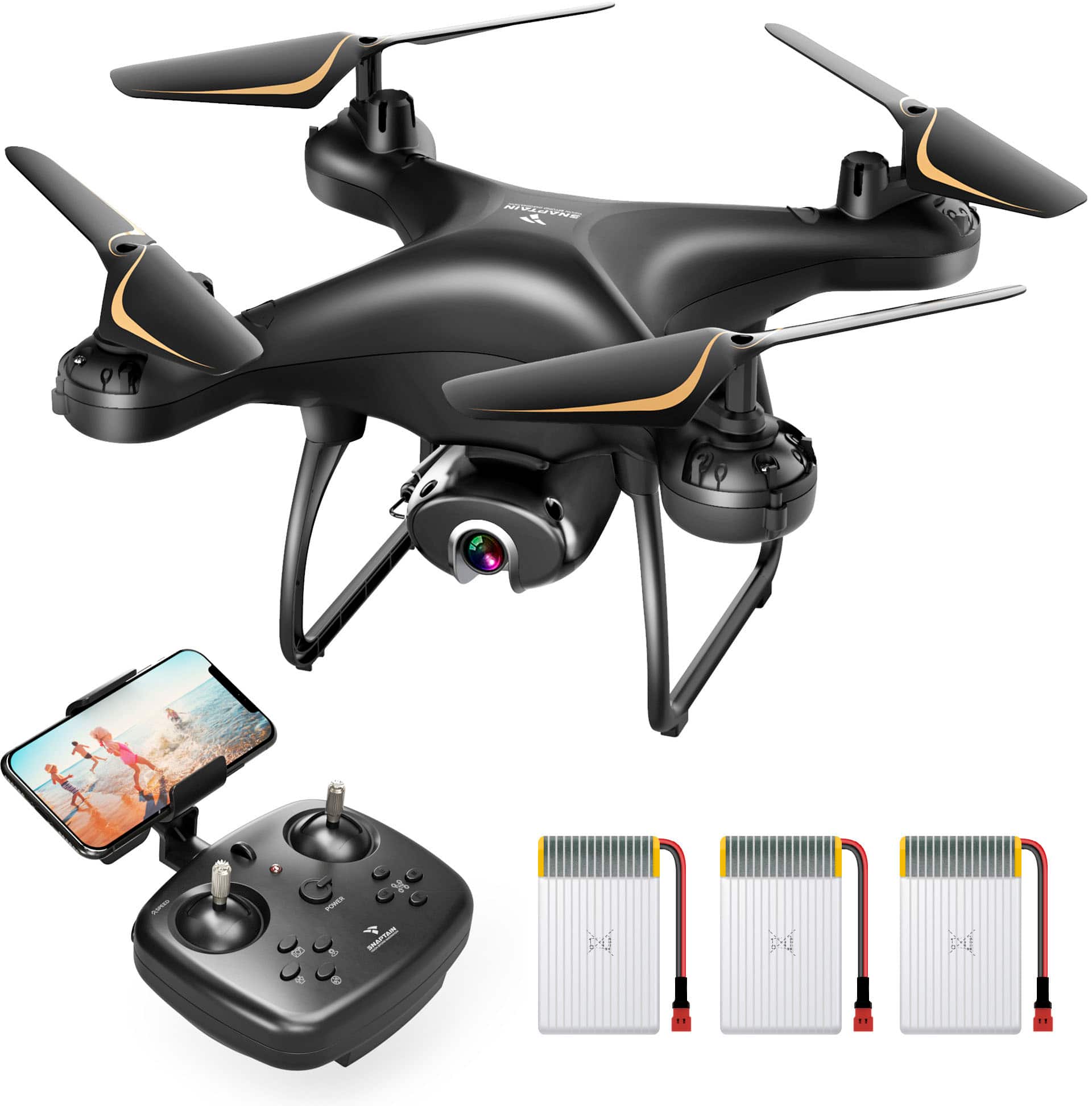
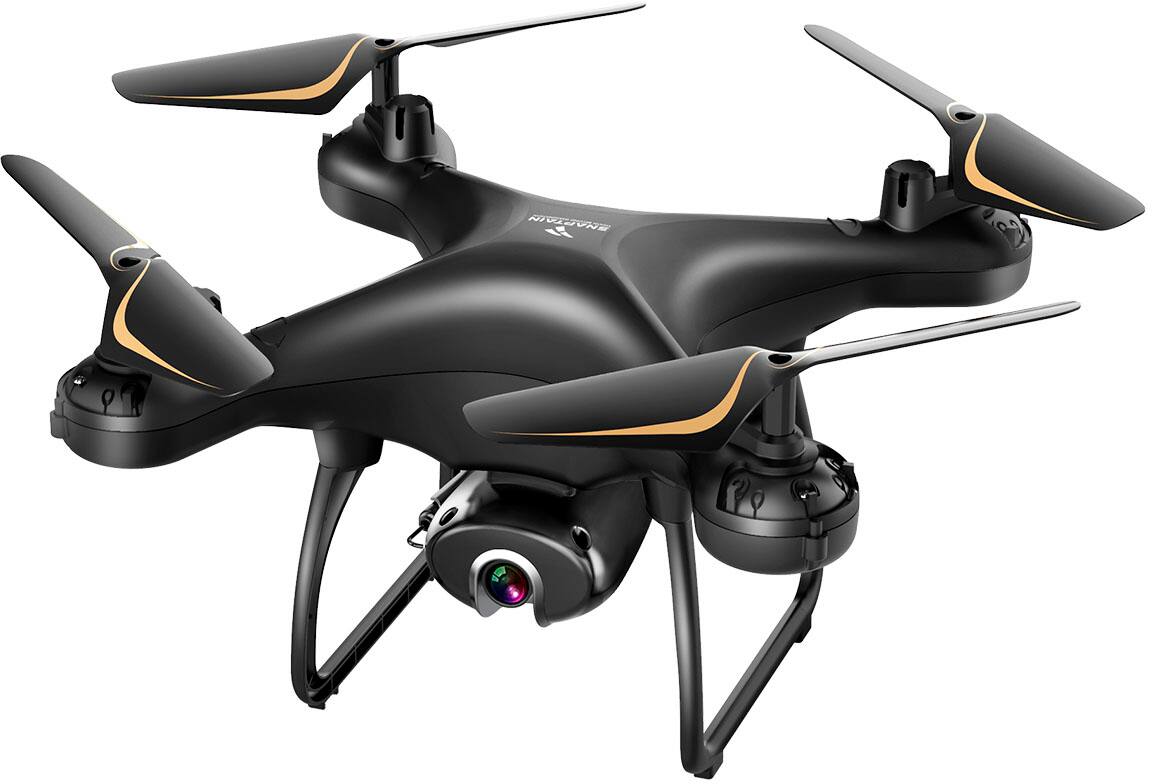
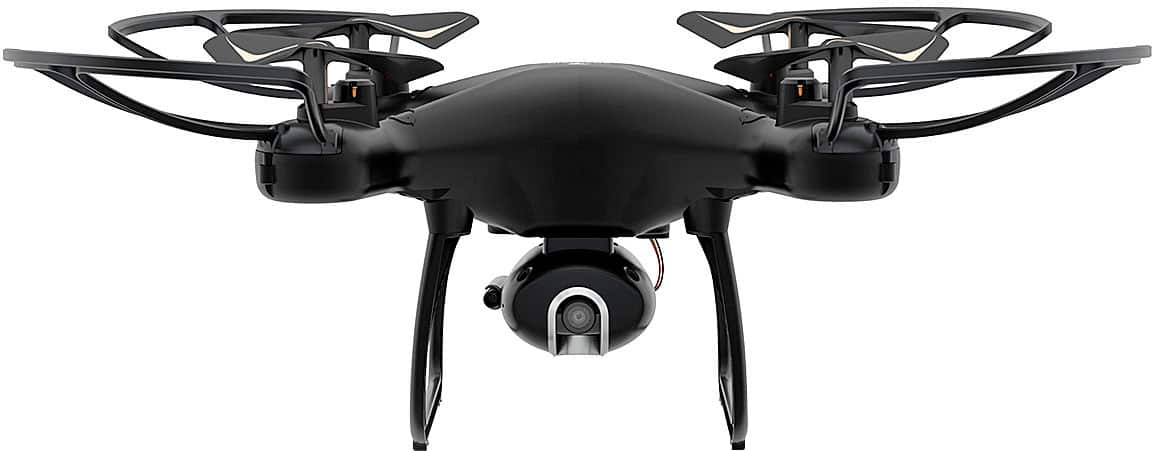
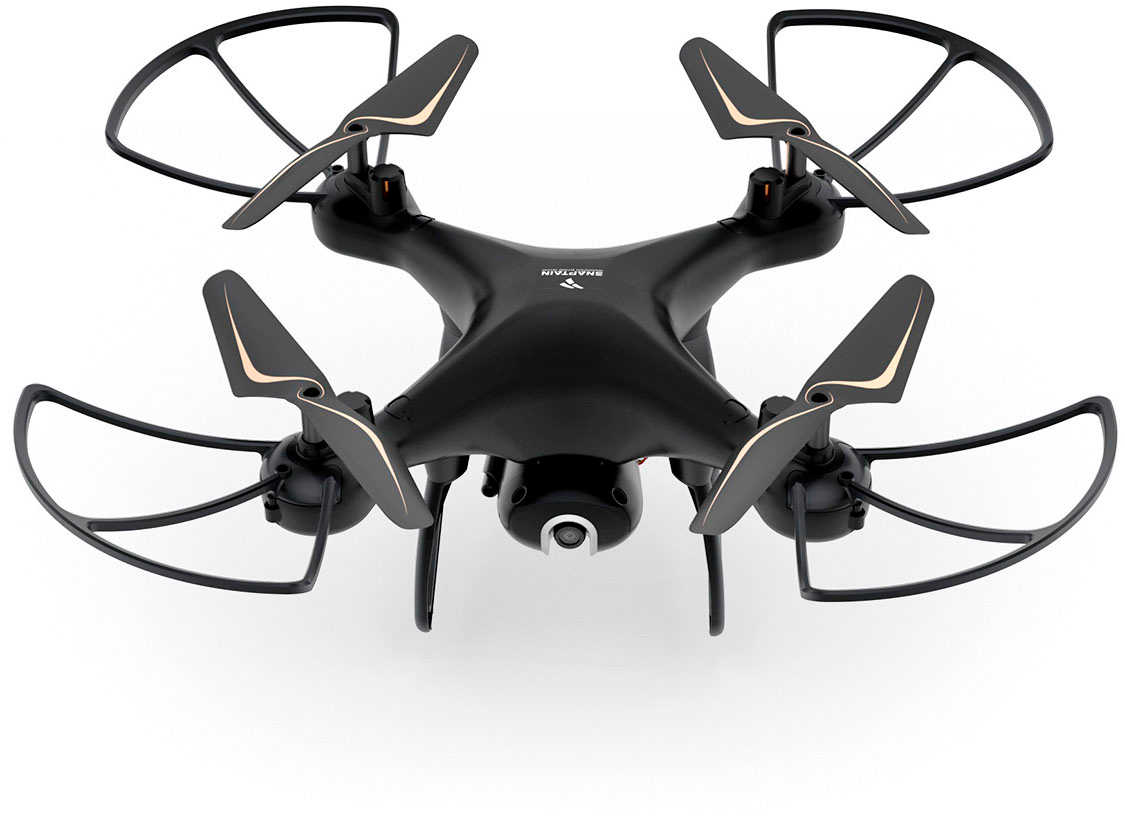
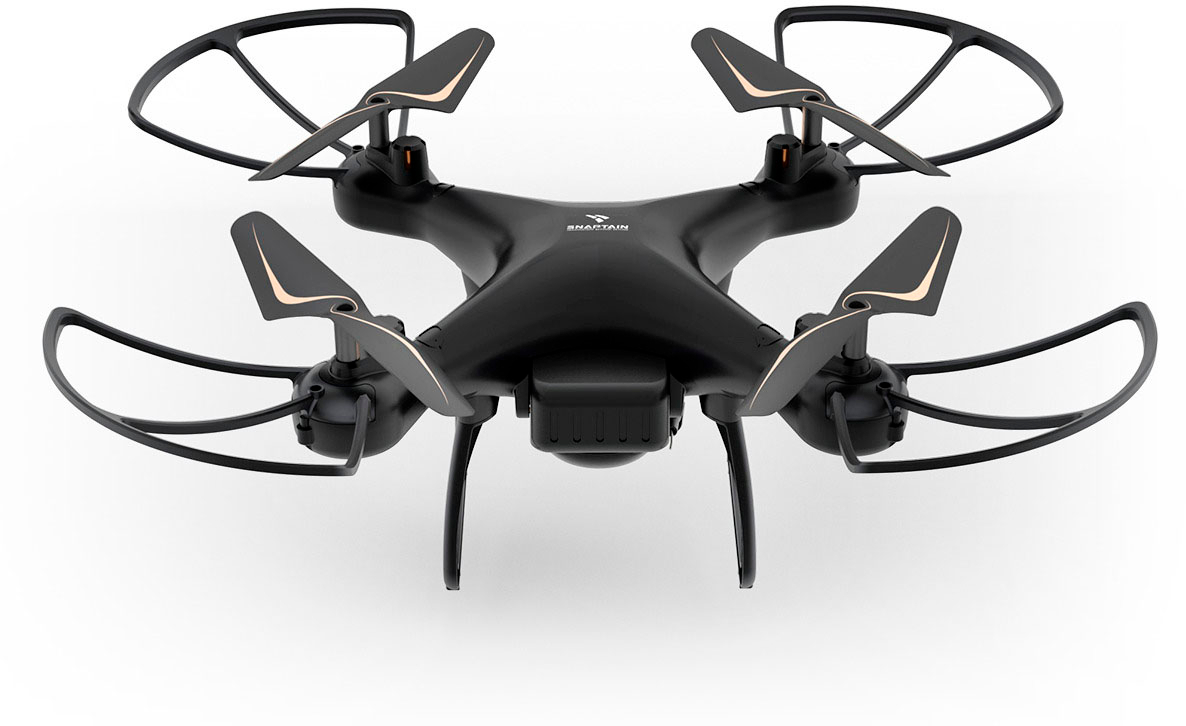
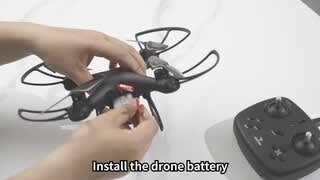
|Posted .This reviewer received promo considerations or sweepstakes entry for writing a review.Other than our boys having smaller-than-your-hand drones (that really didn't work very well), we have pretty much zero experience with drones. I've thought for many years about getting a "real" drone, but just never did. I definitely didn't want to spend the money on a high-end drone, no matter the features, so for getting a better than entry-level drone for starting out, the Snaptain SP680 is turning out to be a great choice! After getting everything out of the box - which it comes with the drone, remote controller, phone holder/clamp, landing skids, propeller protectors, 3 batteries (with each getting 12-15 minutes of flight time), two sets of USB chargers (that each will charge two batteries at a time), 4 extra rotor blades, a small screwdriver (to install the extremely tiny screws) - the installation of the landing skids and propeller protectors (all using those tiny screws) was somewhat quick. Then, it’s time to charge the batteries first, and read through the manual (and watch the quick video). Also, if wanting to store the photos and videos on the drone (when using without the phone app/initiated from the controller), insert a microSD (up to 64GB) in the slot on the back of the camera (just below the battery). Once the batteries were charged, the hardest part seemed to be getting the battery cover closed after installing the battery (the wires and connector seem to make it a little more difficult to close than it really should). Following their recommendations, I waited for the winds to die down, then headed for a large, open field, which our town soccer complex worked perfectly. Upon getting the remote and the drone paired, I connected my phone to the drone's Wi-Fi, started the Snaptain Nova app, selected the model, tapped Start, and there was the view from the drone (more on the app later). A quick calibration of the remote, then ready to fly! The one-button launch is nice, starting the rotors and then rising about 5-6 feet or so off the ground. Just be ready to start hitting the trim buttons to get it to a point where it can hover in place (and be aware if there are still some winds when setting the trim, turning the drone to point to a different direction can lose the hover in place and it will be ready to start flying off on its own). It took a little while to get used to making the drone go where I wanted to, but not too long. Just keep an eye on the red/green lights to know the orientation (Red is the head). I would almost recommend going out just before sunset so you can see the lights better while getting used to the controls. The toughest part of flying is getting to land gently. So, to reduce the risk of breaking anything, definitely install the propeller protectors. There is a Headless mode, where it will fly in the direction based on the orientation you are facing, instead of the head/tail, which goes based on which wat the head is facing. I haven't tried the Headless mode yet but will eventually. The 2.7K camera is decent. No, it's not the best in the world, but it isn't the worst. I haven't taken any pictures or video in full sun yet (too windy during the days around here), but in limited (around dusk) lighting, the images are fairly good, but just a bit grainy as would be expected. The camera angle can be adjusted manually, from 0º to -90º (well, mine can move to -90º, but mine won't stay there, so settles at around -60º). The camera resolution is 2976 x 1680, which is a bit better than Quad HD, but not quite 4K Ultra HD. That is the resolution of the photos and video when stored on the microSD card. By the way, since there doesn't seem to be a way to set the date/time on the drone, the timestamp is always 12/31/1979 11:00 PM (at least for me :). If initiating the video from the App (more below), it will only record at 1280x720 HD since recording over the Wi-Fi connection, but the photos are still 2976 x 1680. Also, be aware that the photos may have a slight fisheye look to them Using the app, there is ability to take pictures, record videos, review the pictures and videos taken (these using the top icons on the left). The app itself can be used to control the drone, with virtual joysticks on the screen when you tap "ON" on the top right, with the same icons as the one-touch buttons on the controller. Additionally, there is a "flight Trajectory" mode where you can draw out the path it is to follow. And if you have a VR headset, there is VR mode (which unfortunately, I don't or I definitely would have tried it out). And there is voice control mode, but with limited functions. To see all the available functionality/controls (when you don't have the manual handy), from the home screen, open the Settings (top right), the tap the top right double-arrow. Flying using the app isn't too bad, but you don't get the same feel of what exactly you are doing if you are not looking directly at the phone as you do when using the joysticks on the controller. There is also the ability to control using "Gravity Control" mode, where you tilt your phone to control the drone. The drone design has fixed-position rotors (so no, this will not fold for storage). It is very light at under .5 lbs. (which is why it is recommended to use only in light or no wind) So, if you are feeling adventurous and want to get a drone that is a bit better than a small "beginner" drone, but still is easy to control, this is definitely a one to put on your list to look at!
I would recommend this to a friendBrand response from Snaptain Team
Posted .Thank you for your support. We are super excited to provide something that betters your life. We promise to continue striving to exceed your expectations! Remember your device comes with an 12-month warranty, and anytime you need help just let us know. Email:support@snaptain.com
SNAPTAIN DRONE
|Posted .This reviewer received promo considerations or sweepstakes entry for writing a review.I have never had a drone nor operated one, so that may be the reason I'm not in love with this SNAPTAIN SP680 DRONE. While the SNAPTAIN was well-packaged with all the components neatly secure and plastic wrapped in the styrofoam, there was too much to put together. The 2 instruction booklets were probably the worst manuals/sheets that I've seen for a product in recent years. Way too many things to "put together" with pictures (..in some cases..) were hard to interpret. I think some of the items could have come pre-assembled. The operational booklet was somewhat difficult to interpret since so many steps/items had a 1-word description, leaving you to guess what it meant. The vendor should have included and SIMPLE, 1-PAGE instruction CARD that could be next to the remote while operating the drone. I was constantly having to stop what I was doing on the remote, to thumb through the booklet to find the key/etc. I was looking for to continue operating the drone. Maybe after MANY HOURS of operating the drone, I might feel more comfortable using it, but right now, I'm not. The response time between the remote and drone seemed to lag a bit ... it could have been better. The first time I "let it fly", it did, right out of my lap, cut my finger, and then zoomed away, crashing into a wall. Maybe a teenager would be better at using this drone, but not for an older adult. Nice product for the right person!
No, I would not recommend this to a friendBrand response from Snaptain Team
Posted .Brand response from Snaptain Team
Thank you so much for sharing your experience. We are sorry to hear you are not satisfied with this item. We really appreciate your feedback to make this item better. I would like to present our deepest apologies for all the inconvenience.
We are dedicated to ensuring your 100% satisfaction. Please reach out to us via support@snaptain.com. We are more than happy to assist you further.
We offer a 12-month warranty for this product, plus lifetime technical support. Our standard for responding to email quests is less than 24 hours, and we look forward to hearing from you!
- Pros mentioned:Ease of use
Snaptain drone
Posted .This reviewer received promo considerations or sweepstakes entry for writing a review.Good drone for the price. Easy to start using with basic controls along with some technical ones to experience more exciting flying.
I would recommend this to a friendBrand response from Snaptain Team
Posted .Thank you for your support. We are super excited to provide something that betters your life. We promise to continue striving to exceed your expectations! Remember, your device comes with an 12-month warranty, and anytime you need help, just let us know. Email:support@snaptain.com
- Cons mentioned:Wind resistance
Unresponsive Controller
Posted .This reviewer received promo considerations or sweepstakes entry for writing a review.Uncontrollable, the drone would take off and just go almost like the controller was not hooked up. A very small breeze and you better be able to chase it because its gone. Controls are very unresponsive. Yes it was crashed twice with guards on. Now one motor has stopped working. Dont waste your money.
No, I would not recommend this to a friend - Pros mentioned:Camera quality, Ease of use
Love it! Put video in my travel vlog
Posted .This reviewer received promo considerations or sweepstakes entry for writing a review.I am not sure why there are some 1 star while this drone flew perfectly fine for me. I took video for my travel vlog and the quality was great. The devices was light and it was easy to connect. However, it takes time to learn how to fly it, it took me some time to play around. Overall, it's a great drone for this price range.
I would recommend this to a friendBrand response from Snaptain Team
Posted .Thank you for your support. We are super excited to provide something that betters your life. We promise to continue striving to exceed your expectations! Remember your device comes with an 12-month warranty, and anytime you need help just let us know. Email:support@snaptain.com
Definitely a Beginner Drone
|Posted .This reviewer received promo considerations or sweepstakes entry for writing a review.Snaptain 680 This is definitely a beginner drone. If you have high expectations, you’ll be disappointed. Battery life is weak at best. Only 10 minutes per battery. The camera wouldn’t connect to my iPhone 12pro, but did connect to my kid’s phones, iPhone 12max and Samsung Galaxy S22. Wasn’t able to perform much of a review since most of my flying was just free flight without the phones. It’s extremely frustrating that it does not connect to my phone. The battery cover is flimsy and will likely snap off. The drone constantly needs to be “trimmed” to hold its position, as it constantly wants to drift. When trying this drone for the first few flights, make sure to be in a wide open area, as the drifting will likely make the drone fly off into trees, and neighbors backyards if enough room isn’t available! The controller seems to be sturdy and connects easily to the drone. The little foam pads on the base will fall off quickly. Not sure why they are there. I give it 2 stars out of 5.
No, I would not recommend this to a friendBrand response from Snaptain Team
Posted .Brand response from VanTop Team
Thank you so much for sharing your experience.
We apologize for any inconvenience this may cause you.
Regarding the issue of APP, could you please try the following troubleshooting guides to see if it works?
1. Uninstall the App, reinstall and agree all permission the app needs.
2. Please try another phone, which is above Android 4.6 or above IOS 8.0.
If the problem persists, please use the SD card to storage the videos and pictures. It is the incompatibility of the APP and the phone that causes the problem, and our engineer will solve this issue as soon as possible.
For your concern, we hope you could understand that the theory for beginner drones to hover is to hold altitude by its built-in air pressure gauge, which defines the height it hovers, but could not control the direction it moves.
If you think it drifts too much,
---Would you please check if the remote and drone batteries have enough power?
---Try calibrating 5 times before taking off.
---Fly in a no wind or breeze day and open field place where there are no trees/woods around.
--Please try to trim it to adjust its responsiveness.
We are dedicated to ensuring your 100% satisfaction. Please reach out to us via support@vantop.com . We are more than happy to assist you further.
We offer a 24-month warranty for this product, plus lifetime technical support. Our standard for responding to email quests is less than 24 hours, and we look forward to hearing from you!
- Pros mentioned:Camera quality
Fun and easy to use
Posted .This reviewer received promo considerations or sweepstakes entry for writing a review.Enjoyed playing with this in the mountains fir great shots.
I would recommend this to a friendBrand response from Snaptain Team
Posted .Thank you for your support. We are super excited to provide something that betters your life. We promise to continue striving to exceed your expectations! Remember your device comes with an 12-month warranty, and anytime you need help just let us know. Email:support@snaptain.com
The best store ever
Posted .This reviewer received promo considerations or sweepstakes entry for writing a review.This actually is the best drone i ever had and best buy was the best store experience i ever had in my entire life cant wait to go back
I would recommend this to a friendBrand response from Snaptain Team
Posted .Thank you for your support. We are super excited to provide something that betters your life. We promise to continue striving to exceed your expectations! Remember, your device comes with an 12-month warranty, and anytime you need help, just let us know. Email:support@snaptain.com
- Pros mentioned:Camera quality, Ease of use
Great Drone!
Posted .This reviewer received promo considerations or sweepstakes entry for writing a review.Great product for a gift! Quality image and video, easy to set up. Hope the brand can upload more tutorial video
I would recommend this to a friend - Pros mentioned:Camera quality, Ease of use
I love this!
Posted .This reviewer received promo considerations or sweepstakes entry for writing a review.Great price, super fun and easy to fly. Takes good pictures and videos.
I would recommend this to a friend - Pros mentioned:Camera quality
Good for a gift
Posted .This reviewer received promo considerations or sweepstakes entry for writing a review.Qulity Drone, clear picture. Need some guidance on fist play
I would recommend this to a friend Bad Product
Posted .This reviewer received promo considerations or sweepstakes entry for writing a review.1 week after getting battery wont Icharge. Still will not charge
No, I would not recommend this to a friendBrand response from Snaptain Team
Posted .Brand response from Snaptain Team
Thank you so much for sharing your experience.
We apologize for any inconvenience this may cause you. Please follow these steps to troubleshoot.
1. Make sure that you are using the 5V/2A adapter. It's not recommended charging the batteries by USB port of the computer. (The power of the USB port of the computer is too low to charge).
2. Please kindly change another original USB charge cable to have a try.
3. Please check the battery terminals/connections, verify the charger for damage or loose connectors.
We are dedicated to ensuring your 100% satisfaction. Please reach out to us via support@snaptain.com . We are more than happy to assist you further.
We offer a 12-month warranty for this product, plus lifetime technical support. Our standard for responding to email quests is less than 24 hours, and we look forward to hearing from you!
- Cons mentioned:Control
Avoid at any cost
Posted .This reviewer received promo considerations or sweepstakes entry for writing a review.Horrible! No ability to keep trim. Control nearly nonexistent. It is cheap and you get what you pay for. Stay away, save your money
No, I would not recommend this to a friendBrand response from Snaptain Team
Posted .Brand response from Snaptain Team
Thank you so much for sharing your experience.
We apologize for any inconvenience this may cause you. Please follow these steps to troubleshoot.
1. Ensure the drone and remote have enough power.
2. Restart the drone first, then switch on the remote control.
3. Pair and calibrate the drone with the remote before each flight.
4. Fly the drone in a breezy environment without obstacles to avoid interference signals.
We are dedicated to ensuring your 100% satisfaction. Please reach out to us via support@snaptain.com . We are more than happy to assist you further.
We offer a 12-month warranty for this product, plus lifetime technical support. Our standard for responding to email quests is less than 24 hours, and we look forward to hearing from you!