Customer Ratings & Reviews
- Model:
- E10G1US1BLK
- |
- SKU:
- 10416921
Customer reviews
Rating 4.7 out of 5 stars with 1414 reviews
(1,414 customer reviews)Rating by feature
- Value4.5
Rating 4.5 out of 5 stars
- Quality4.8
Rating 4.8 out of 5 stars
- Ease of Use4.6
Rating 4.6 out of 5 stars
to a friend
Rated 2 out of 5 stars
Sonos
||Posted . Owned for 1 month when reviewed.This reviewer received promo considerations or sweepstakes entry for writing a review.Disappointed in the hook up with the Wi-Fi is not too user-friendly, and it keeps losing its connection. All my other devices are fine, but not the Sonos. I cannot recommend it.
This review is from Sonos - Era 100 WiFi and Bluetooth Smart Speaker (Each) - White
No, I would not recommend this to a friendBrand response from Sonos Customer Care
Posted .Hi there,
I'm sorry to hear you're having trouble with the setup and WiFi connectivity of your Sonos speaker. It's frustrating when your other devices are working seamlessly, and your Sonos isn't. Let's figure this out!
Troubleshooting Steps:
Check Your Network:
Open the Sonos app and head to Settings -> System -> About My System. Find the 'Network Matrix'. Look for the 'WM:' numbers next to your Sonos speaker. Lower numbers (like 0 or 1) indicate good signal strength, while higher numbers suggest interference.
Restart Router and Speaker:
Unplug your router for 30 seconds, then plug it back in. While it's restarting, unplug your Sonos speaker. Once the router is fully back online, plug in your Sonos speaker.
Placement and Interference:
Are there any large metal objects, microwaves, or other wireless devices near your Sonos speaker? These can create interference. Experiment by temporarily relocating your speaker away from these.
I hope this helps!
Rated 1 out of 5 stars
Sonos Era 100 Problems
||Posted . Owned for less than 1 week when reviewed.This reviewer received promo considerations or sweepstakes entry for writing a review.I returned them as The speakers didnt work,Sonos Customer service is terrible hrs trying to figure out the problem,I was told they are in a Major updates that will take months,its on their app.Very disappointed in Sonos.finally I returned the system and purchased a different one at Best Buy
This review is from Sonos - Era 100 WiFi and Bluetooth Smart Speaker (Each) - Black
No, I would not recommend this to a friendBrand response from Sonos Customer Care
Posted .It’s really unfortunate to hear about your experience with the Era 100 speakers and Sonos customer service. Spending hours trying to troubleshoot a product, only to be told that a major update will take months, is incredibly frustrating, especially after investing in a premium product. Reliable customer support and a product that works seamlessly out of the box are essential, and it’s disappointing those expectations were not met. We hope to win you over as a customer in the future as we take your invaluable feedback to make our products and services even better.
Rated 1 out of 5 stars
Stylist
||Posted . Owned for 2 weeks when reviewed.This reviewer received promo considerations or sweepstakes entry for writing a review.These speakers were not compatible with my spectrum router I had to buy eero router The sales people should inform you before buying this product!
This review is from Sonos - Era 100 WiFi and Bluetooth Smart Speaker (Each) - Black
No, I would not recommend this to a friendRated 1 out of 5 stars
Alexa fail.
||Posted . Owned for 3 weeks when reviewed.This reviewer received promo considerations or sweepstakes entry for writing a review.It wont function with Alexa. Great sound . Frustrating to not get it to work.
This review is from Sonos - Era 100 WiFi and Bluetooth Smart Speaker (Each) - Black
No, I would not recommend this to a friendBrand response from Sonos Customer Care
Posted .Hi there,
I understand you're excited about the great sound from your Era 100s but are having trouble getting them working with Alexa. Let's sort this out!
Troubleshooting Steps:
Verify Alexa Setup:
Open your Sonos App, go to Settings -> Services -> Voice . Make sure Alexa is enabled.
In the Alexa app, check if your Era 100s show up under devices. If not, you may need to re-link your Sonos skill within the Alexa app.
Internet Connection:
Ensure both your Era 100s and the device you're using for Alexa commands have a strong Wi-Fi connection.
Microphone Test:
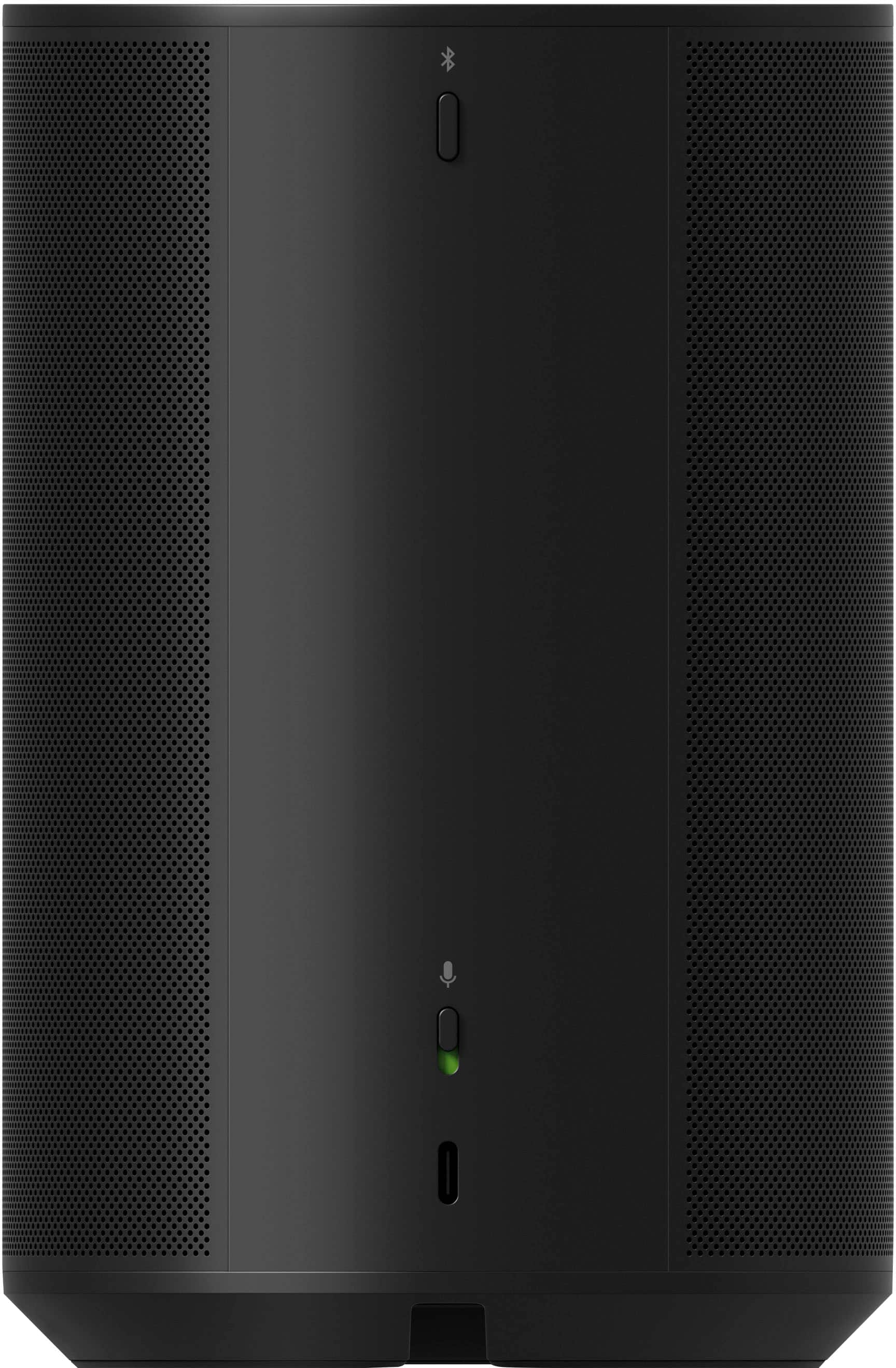
Double-check the microphone isn't muted on the Era 100s. You can see its status within the Sonos app or on the speaker itself.
I hope this helps!
Rated 5 out of 5 stars
Room Filling Sound, Definitely a winner.
|Posted .This reviewer received promo considerations or sweepstakes entry for writing a review.The Sonos Era 100 is a great all-around smart speaker that offers excellent sound quality, a wide range of features, and a sleek design. It's a great choice for anyone looking for a high-quality speaker that can do it all. It's a compact, yet powerful speaker that delivers excellent sound quality. It produces rich, clear sound that fills even large rooms. It's also very good at handling bass, which can be a problem with some smaller speakers. And if you want to create a stereo system, you can easily pair two Era 100s together. The Era 100 has a number of features that make it a great choice for anyone looking for a smart speaker. It supports both Wi-Fi and Bluetooth connectivity, so you can stream music from your favorite music services or connect your smartphone or tablet directly to the speaker. It also has built-in voice control, so you can use it to play music, control playback, and get information hands-free. Another great thing about the Era 100 is its ease of use. It has simple controls that are easy to understand and use. You can also control the speaker with your voice using Amazon Alexa or Google Assistant. Overall, the Sonos Era 100 is a great choice for anyone looking for a high-quality smart speaker. It offers excellent sound quality, a wide range of features, and a sleek design. If you're looking for a speaker that can do it all, the Era 100 is a great option. Pros: • Excellent sound quality • Wide range of features • Sleek and stylish design Cons: • Pricey • No Built in display
This review is from Sonos - Era 100 WiFi and Bluetooth Smart Speaker (Each) - Black
I would recommend this to a friendRated 1 out of 5 stars
Connection issues
||Posted . Owned for 2 months when reviewed.This reviewer received promo considerations or sweepstakes entry for writing a review.Do not purchase. Sound quality is not great considering the cost. Constantly disconnects. Does not pair well. Stops working constantly. Huge buyer’s regret!!!
This review is from Sonos - Era 100 WiFi and Bluetooth Smart Speaker (Each) - Black
No, I would not recommend this to a friendBrand response from Sonos Customer Care
Posted .Thank you for sharing your experience with the Era 100. I’m truly sorry to hear that it hasn’t met your expectations and that you’ve encountered issues with sound quality and connectivity. Your feedback is invaluable, and we want to do everything we can to address these concerns.
To begin troubleshooting the connectivity issues:
Ensure Your Device is Updated: Check that both the Era 100 and the Sonos app are running the latest updates. Firmware and app updates often resolve performance and pairing issues.
Optimize Your Wi-Fi Connection:
Place the Era 100 within a strong Wi-Fi signal range and away from devices that may cause interference, such as microwaves or cordless phones.
Ensure your router supports a 2.4 GHz frequency, as this band is typically more stable for smart devices.
Reboot Your System: Restart your router, the Era 100, and the device running the Sonos app to refresh connections.
Factory Reset (if necessary): As a last resort, perform a factory reset and set up the Era 100 again via the Sonos app.
For sound quality concerns, please make sure that Trueplay Tuning (available on supported devices) is enabled. This feature optimizes the speaker’s performance for the acoustics of your space.
If you’ve already tried these steps and continue to experience difficulties, our dedicated support team is here to assist you further. You can reach us through chat, email, or phone, and we’ll work to find a resolution that restores your confidence in the Era 100.
We appreciate your honest feedback and sincerely regret the frustration this has caused. We’re committed to ensuring you have a seamless and enjoyable listening experience.
Rated 1 out of 5 stars
Sonos era 100 speakers
||Posted . Owned for 2 weeks when reviewed.This reviewer received promo considerations or sweepstakes entry for writing a review.Bought a set of these hoping to easily connect to my existing compatible Sonos products and we got one out of the two to connect. Very complicated to set up the app is also not user friendly. Feel like we would’ve been better off buying something cheaper and simpler. Returning both.
This review is from Sonos - Era 100 WiFi and Bluetooth Smart Speaker (Each) - Black
No, I would not recommend this to a friendBrand response from Sonos Customer Care
Posted .It sounds like you had a frustrating experience with the Sonos Era 100 setup. Here’s a quick rundown of troubleshooting steps that might help if you decide to give it another try, or for others in a similar situation:
Ensure App Compatibility:
Update: Make sure you have the latest version of the Sonos app installed.
Compatibility: Check that your Sonos app version is compatible with the Era 100. The Era 100 may require the newer Sonos S2 app.
Check Network and Connectivity:
Wi-Fi: Verify that your Wi-Fi network is stable and that your phone or tablet is connected to the same network.
Signal Strength: Ensure the speakers are within range of your Wi-Fi router.
Follow Setup Instructions Carefully:
Step-by-Step: Use the Sonos app’s step-by-step setup guide to add your Era 100 speakers.
Troubleshooting: If the app encounters issues, try closing and reopening the app, or restarting your phone or tablet.
Reset the Speakers:
Factory Reset: If you’re unable to connect a speaker, try performing a factory reset. This often involves holding down a button on the speaker until the LED light flashes.
Check for Interference:
Wireless Interference: Ensure there are no other devices causing interference with your Wi-Fi signal.
Consult Sonos Support:
Customer Support: If you continue to experience issues, reach out to Sonos customer support at support.sonos.com for further assistance. They can provide detailed troubleshooting steps and help resolve any app-related issues.
I hope we can resolve this issue for you!
Rated 1 out of 5 stars
Terrible. Beware. Stay Away.
||Posted . Owned for 5 months when reviewed.This reviewer received promo considerations or sweepstakes entry for writing a review.Terrible. Nothing like the original product. Ongoing playback issues. Very frustrating. I even contacted the CEO directly, and still no resolution. After $1,000’s invested, no more SONOS for me. Stay away. They are not what they used to be.
This review is from Sonos - Era 100 WiFi and Bluetooth Smart Speaker (Each) - Black
No, I would not recommend this to a friendRated 2 out of 5 stars
You need 2
||Posted . Owned for 3 weeks when reviewed.This reviewer received promo considerations or sweepstakes entry for writing a review.You need 2 of these to connect to your soundbar. I didn’t realize that and didn’t want 2.
This review is from Sonos - Era 100 WiFi and Bluetooth Smart Speaker (Each) - Black
No, I would not recommend this to a friendRated 1 out of 5 stars
Era 100
||Posted . Owned for 1 month when reviewed.This reviewer received promo considerations or sweepstakes entry for writing a review.Returned since would not connect to mesh system. 2 hours on phone with sonos and 1 hour with geek squad to no avail.
This review is from Sonos - Era 100 WiFi and Bluetooth Smart Speaker (Each) - Black
No, I would not recommend this to a friendBrand response from Sonos Customer Care
Posted .Thank you for sharing your feedback about the Era 100. I’m genuinely sorry to hear about the challenges you faced while trying to connect it to your mesh network and for the time spent troubleshooting without success. Your time is valuable, and I regret that we couldn’t provide the seamless setup experience we strive for.
Mesh networks can sometimes pose unique challenges with device connectivity, but we’d love the opportunity to help resolve this issue if you’re open to trying again. Here are a few tips specific to connecting Sonos products to a mesh system:
Ensure Your Mesh Node Configuration:
Place the Era 100 near the primary node (the one connected directly to your modem) during the initial setup.
Avoid connecting it to a satellite node initially, as this can sometimes cause connectivity issues.
Check for Network Settings Conflicts:
Ensure your mesh system’s SSID is consistent across all nodes (i.e., a single network name).
Disable any “band steering” feature that automatically switches devices between 2.4 GHz and 5 GHz bands, as Sonos products work best on the 2.4 GHz band.
Use Ethernet (if possible):
Temporarily connect the Era 100 to your router using an Ethernet cable for setup. Once it’s added to the system, you can configure it to work wirelessly.
Contact Us for Deeper Diagnostics:
If these steps don’t resolve the issue, our team can guide you through advanced troubleshooting.
I completely understand your frustration and respect your decision to return the product. However, if you decide to give Sonos another try, we’re here to ensure the process is smooth and successful.
Thank you again for your patience and for bringing this to our attention. If you have any additional feedback or questions, please don’t hesitate to reach out.
Rated 1 out of 5 stars
Broke after2 weeks
||Posted . Owned for 2 months when reviewed.This reviewer received promo considerations or sweepstakes entry for writing a review.I had a bose speaker that I took to other countries in a backpack to work sites for more than eight years the thing was indestructible. This futuristic looking piece of crap gave me issues with no instructions on how to fix it after two weeks. do not buy.
This review is from Sonos - Era 100 WiFi and Bluetooth Smart Speaker (Each) - Black
No, I would not recommend this to a friendRated 1 out of 5 stars
Pain to setup. Returned it
||Posted . Owned for less than 1 week when reviewed.This reviewer received promo considerations or sweepstakes entry for writing a review.Wrost product setup ive ever experienced. Would refuse to setup. Would connect to my wifi. Then say it cant be found. Kept going round and round not finding it. Returned the product. Not messing with this. Cant even hookup to bluetooth until you setup in the app. Dumb design
This review is from Sonos - Era 100 WiFi and Bluetooth Smart Speaker (Each) - White
No, I would not recommend this to a friendRated 1 out of 5 stars
Worst speaker ever
||Posted . Owned for 3 weeks when reviewed.This reviewer received promo considerations or sweepstakes entry for writing a review.Worst speaker ever! You have to use wifi to hook it up not just Bluetooth, and ones it is hook up to my phone it wouldn't even hook up to a turn table. If you are thinking about buy this speaker don't, if you already bought it return it.
This review is from Sonos - Era 100 WiFi and Bluetooth Smart Speaker (Each) - Black
No, I would not recommend this to a friendRated 1 out of 5 stars
You'll be SORRY
||Posted . Owned for 1 month when reviewed.This reviewer received promo considerations or sweepstakes entry for writing a review.Save your money. Unless you like the sound to go out for long periods of time. Or my favorite the high pitched sound that comes out of the speaker and sound bar. Best But WILL NOT help you with these problems. When you try to return they will not refund your money.
This review is from Sonos - Era 100 WiFi and Bluetooth Smart Speaker (Each) - Black
No, I would not recommend this to a friendRated 4 out of 5 stars
Good sound quality, not a portable speaker
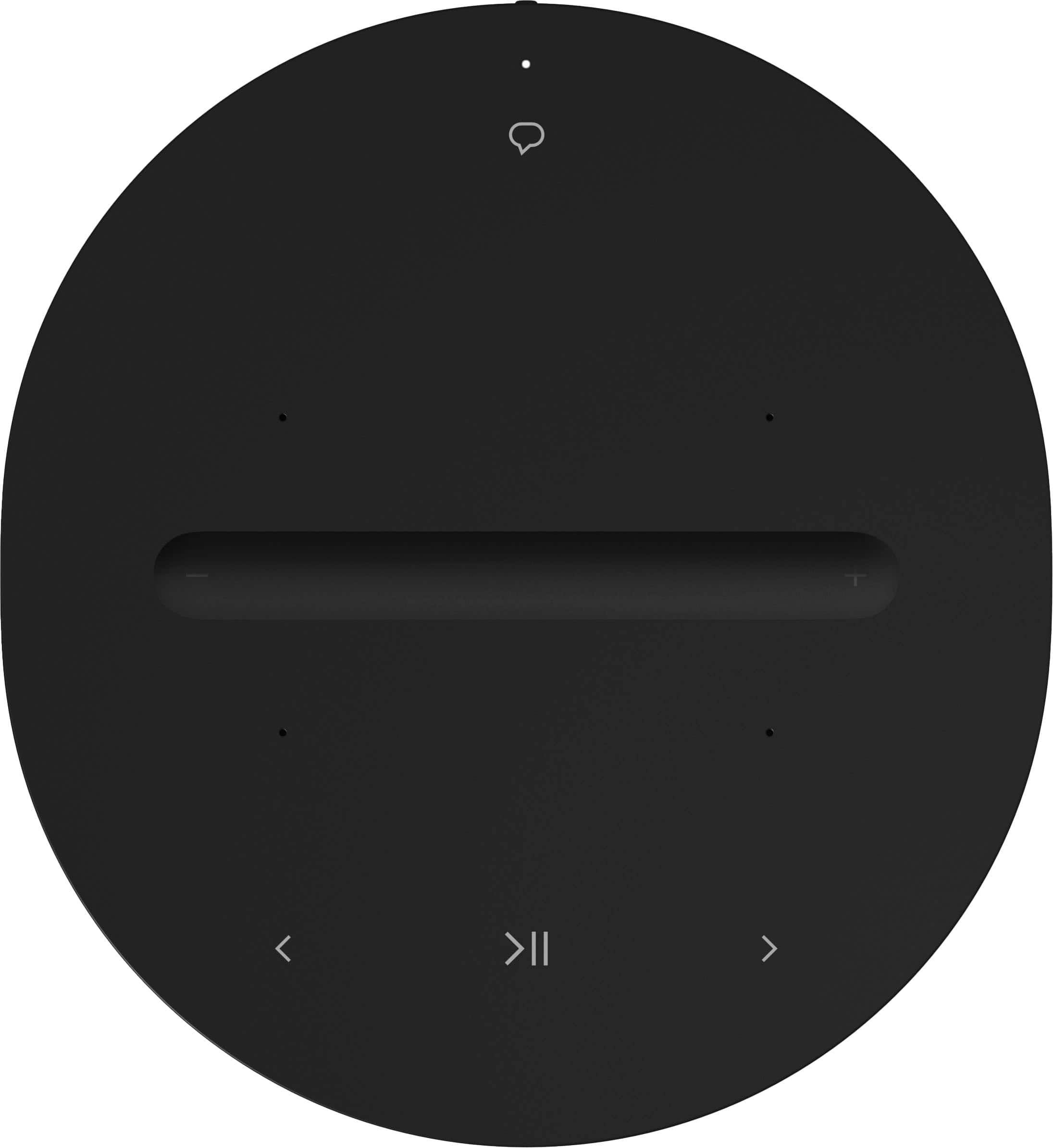
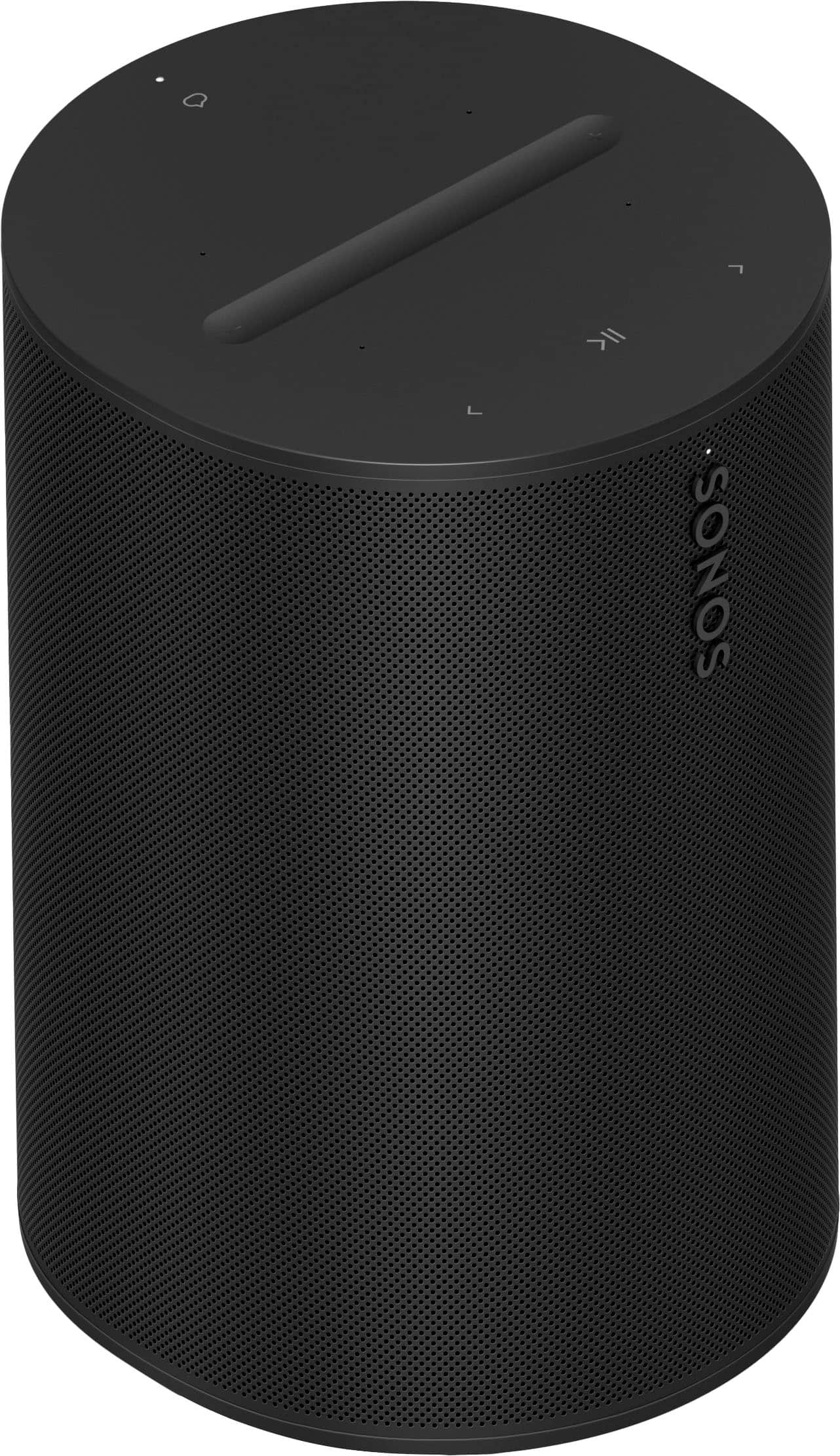
|Posted .This reviewer received promo considerations or sweepstakes entry for writing a review.The Sonos ERA 100 is a nice bookshelf speaker that would work well in a medium size room/family room and does well at the most important thing for a speaker: sound quality. First be aware that this is not a portable speaker. It does not have a battery for mobile operation. The speaker comes attractively packaged with a power cable and clear instructions. While not overly large, the speaker is quite heavy so you won't be moving this around the house very much. The speaker has some simple touch controls on the top and a physical microphone switch if you don't want to feel like someone is listening to you. Setup was straightforward and clear. Like most things these days you need to download and install the Sonos app to complete setup. Everything worked perfectly the first time and I had no issues connecting and using the speaker from my phone (bluetooth), over wifi and streaming music services. Most importantly, the sound quality is really good. The range of volume of this speaker may be somewhat smaller than other speakers I have used; the loudest volume was very loud but it did not allow me to push the volume to an uncomfortable level. I consider that a good thing. And the sound did not distort at the highest volume. Bass is rich and treble is crisp and clear. While I would recommend this product, I also think there are many other good options out there, especially in this price range.
This review is from Sonos - Era 100 WiFi and Bluetooth Smart Speaker (Each) - Black
I would recommend this to a friendRated 2 out of 5 stars
Fair sound but not that good!
||Posted . Owned for 1 month when reviewed.This reviewer received promo considerations or sweepstakes entry for writing a review.Spend a little extra and go with the Era 300 instead of this speaker.
This review is from Sonos - Era 100 WiFi and Bluetooth Smart Speaker (Each) - White
No, I would not recommend this to a friendRated 1 out of 5 stars
Sonos is a terrible company
||Posted . Owned for 8 months when reviewed.This reviewer received promo considerations or sweepstakes entry for writing a review.product has high distortion making it unusable. Call Sonos phone number 1.5-2 hour on hold never answers. No warranty. Research Sonos before buying. I got taken.
This review is from Sonos - Era 100 WiFi and Bluetooth Smart Speaker (Each) - Black
No, I would not recommend this to a friendRated 1 out of 5 stars
Wifi Trash
||Posted . Owned for 1 week when reviewed.This reviewer received promo considerations or sweepstakes entry for writing a review.This is absolutely usleless to connect just via wifi. Allways drop. Not worth a penny if you cant connect.
This review is from Sonos - Era 100 WiFi and Bluetooth Smart Speaker (Each) - Black
No, I would not recommend this to a friendBrand response from Sonos Customer Care
Posted .Thank you for sharing your feedback about the Era 100, and we sincerely apologize for the frustration you've experienced with the WiFi connection. We understand how critical a reliable connection is, especially for enjoying your speaker seamlessly.
To help resolve this issue, we recommend a few troubleshooting steps:
Check Your Network Strength: Ensure that the Era 100 is placed within a strong WiFi signal area. Weak signals can lead to connection drops. You can also try restarting your router to refresh the connection.
Update Your Sonos App & Firmware: Sometimes connection issues arise from outdated software. Please make sure both the Sonos app and the Era 100 are running the latest updates.
Router Settings: If you're using a dual-band router (2.4 GHz and 5 GHz), try connecting the speaker to the 2.4 GHz network as it generally provides better range and stability for devices.
Network Congestion: If there are many devices connected to the same network, try disconnecting some to free up bandwidth.
If the problem persists after these steps, we encourage you to reach out to our support team again for a deeper investigation. We want to ensure you're fully satisfied with your Sonos product. Feel free to reach us at support.sonos.com.
Please let us know how else we can assist, and thank you for your patience.
Rated 5 out of 5 stars
Great Smart Speaker with Amazing Sound
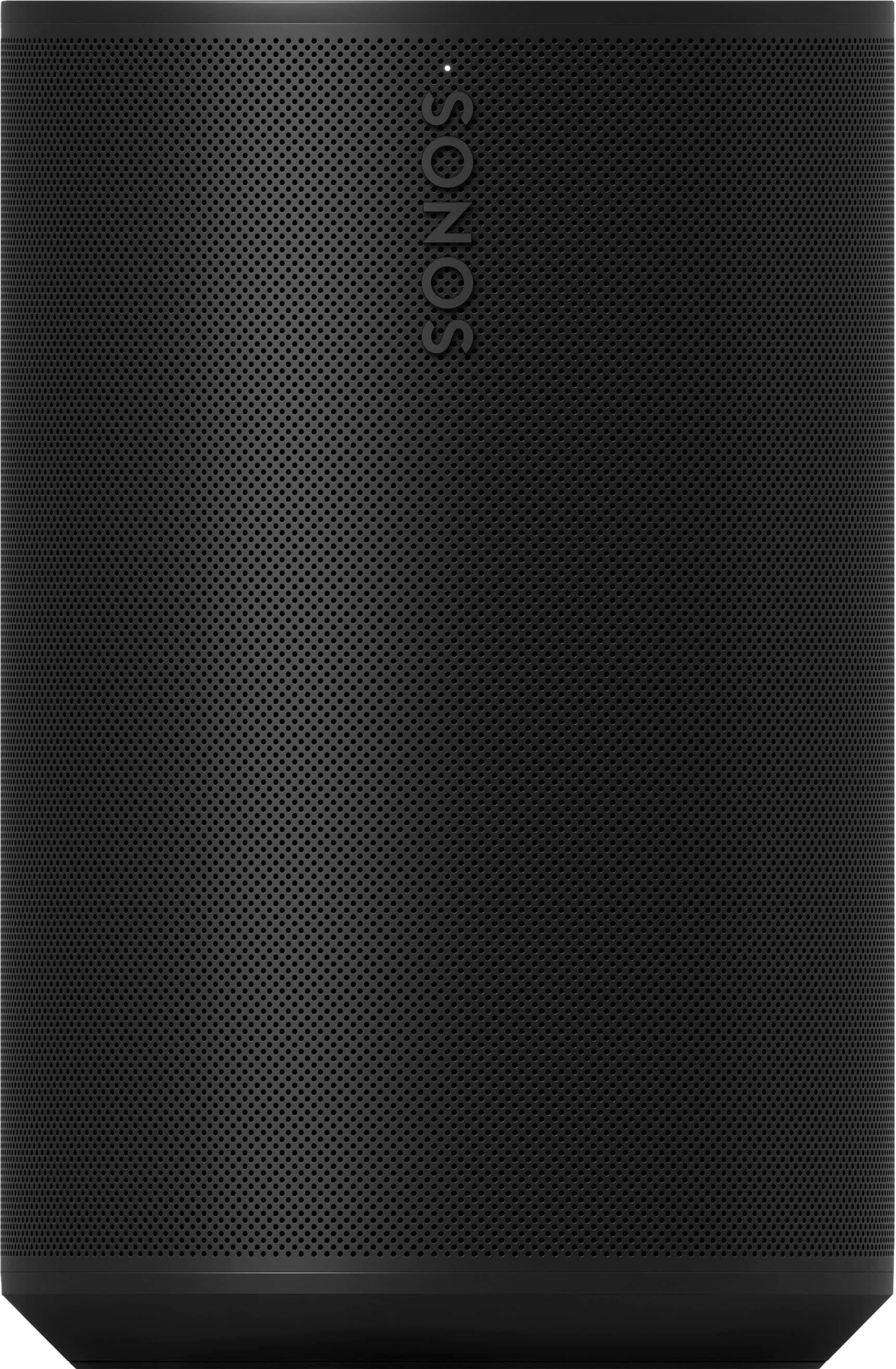
|Posted .This reviewer received promo considerations or sweepstakes entry for writing a review.The Era 100 is not particularly an attractive speaker, but it's fairly simple and doesn't look too bad. It's all black (or white if you get that color), with perforations for the speaker grill. Controls are all touch-sensitive. On the top, you have a music forward, backward, and play/pause. Volume is controlled by a touch bar where you can tap either end to raise or lower the volume or swipe your finger along the grooved bar to control the volume quickly. Overall, the appearance of the Era 100 is not my favorite, but what it lacks in appearance makes up for in features. The Era 100 connects to your home Wifi for connectivity, but also features Bluetooth if that's your jam. Bluetooth is a great option if you have a friend visiting who wants to use your speaker to play music. Also, there's an option for a line-in, but that requires a dongle (sold separately). Apple AirPlay 2 is one of my favorite features of the Era 100, because I can easily stream sound from my iPhone, iPad, or MacBook seamlessly. When it comes to voice assistants, you can use the default Sonos one, which isn't very good, or Amazon Alexa. I am in an Alexa household, so this was perfect. My Era 100 ended up replacing my 1st Gen Amazon Echo. What more can you ask for? Amazing sound and Alexa built-in. Win-win! Oh, and if you're concerned about privacy, there is a manual toggle switch to turn the microphone on and off. When it comes to the sound of the Era 100, oh my goodness. I never had a Sonos product, but I heard they were good. I was not expecting the Era 100 to sound as amazing as it does. First off, if you love bass, then you will absolutely love the Era 100. It has a room-filling sound with punchy bass. I would kind of fall on the side that it’s a bit too bassy, but you can adjust bass and treble from the Sonos app. Situated in my home office, it does a great job at filling the room with sound. Overall, I am very impressed with the way the Sonos Era 100 works and, more importantly, how it sounds. For me as a single-speaker setup in a home office, the Era 100 does an amazing job as a speaker and voice assistant device. While on the pricy side for what it is, I definitely feel like the price tag is justified and is well worth the money. I have no regrets getting the Era 100 and I doubt you will too.
This review is from Sonos - Era 100 WiFi and Bluetooth Smart Speaker (Each) - Black
I would recommend this to a friendRated 5 out of 5 stars
Amazing sound out of a small package
|Posted .This reviewer received promo considerations or sweepstakes entry for writing a review.I am by no means an audiophile but I do know I can not stand when someone has their phone speaker pegged at max vol. The shrill tinny speaker is about as harsh as chihuahua yapping at me while trying to sleep. My solution was to put bluetooth speakers wherever I could so that my better half would connect her phone to it and listen to her music the way the noise god intended to hear it. The speakers I have we ok but still not great. My wife mainly enjoys listening to her music while in the kitchen. The smallish speaker still didn't sound great. I've always heard good things Sonos speakers and have heard some of their older generation One speakers. The Era 100s sound awesome. Aside from my Atmos sound bar, these are probably the best speaker in my house at the moment. I am already looking to buy another one and use it in paired mode. Even with one speaker it fills the room with music. It even sounds good from the next room over. With our older bluetooth speakers I didnt care to listen to the music being pumped into other rooms as it didnt sound as pleasant. Setup was fairly easy, but you need to download the app, make an account to get it up and running. Once it is setup it is easy to get other devices connected to the speaker via bluetooth. The touch volume slider is pretty slick since I can slide my finger back and forth to raise and lower the volume without the tap tap tap (although you can by pressing the opposite sides of the slider). It is kind of sensitive but once you are used to it, it has been working well. There is no google voice assistant which would have been useful to integrate with our Nest Doorbell, but it isn't a dealbreaker. While we mainly have the Era 100 in the Kitchen, being able to bring it outside or quickly from room to room without being plugged in would have made this my go to speaker to use at home. Definitely a great sounding speaker and I am looking forward to adding a second (and possibly getting a Sonos Soundbar now).
This review is from Sonos - Era 100 WiFi and Bluetooth Smart Speaker (Each) - Black
I would recommend this to a friend