Customer Ratings & Reviews
- Model:
- E10G1US1BLK
- SKU:
- 6535191
Rating by feature
- Value
Rating 4.6 out of 5 stars
- Quality
Rating 4.8 out of 5 stars
- Ease of Use
Rating 4.6 out of 5 stars
Customers are saying
Customers consistently note the excellent sound quality of the Era 100 WiFi and Bluetooth Smart Speaker, along with its ease of use and satisfying bass. Many appreciate its perfect size, simple setup, Bluetooth connectivity, and sleek design. However, some find the price a bit high and the app somewhat lacking, while others are disappointed by the absence of Google Assistant support.
This summary was generated by AI based on customer reviews.
- Pros mentioned:Sound quality
Stereo mode
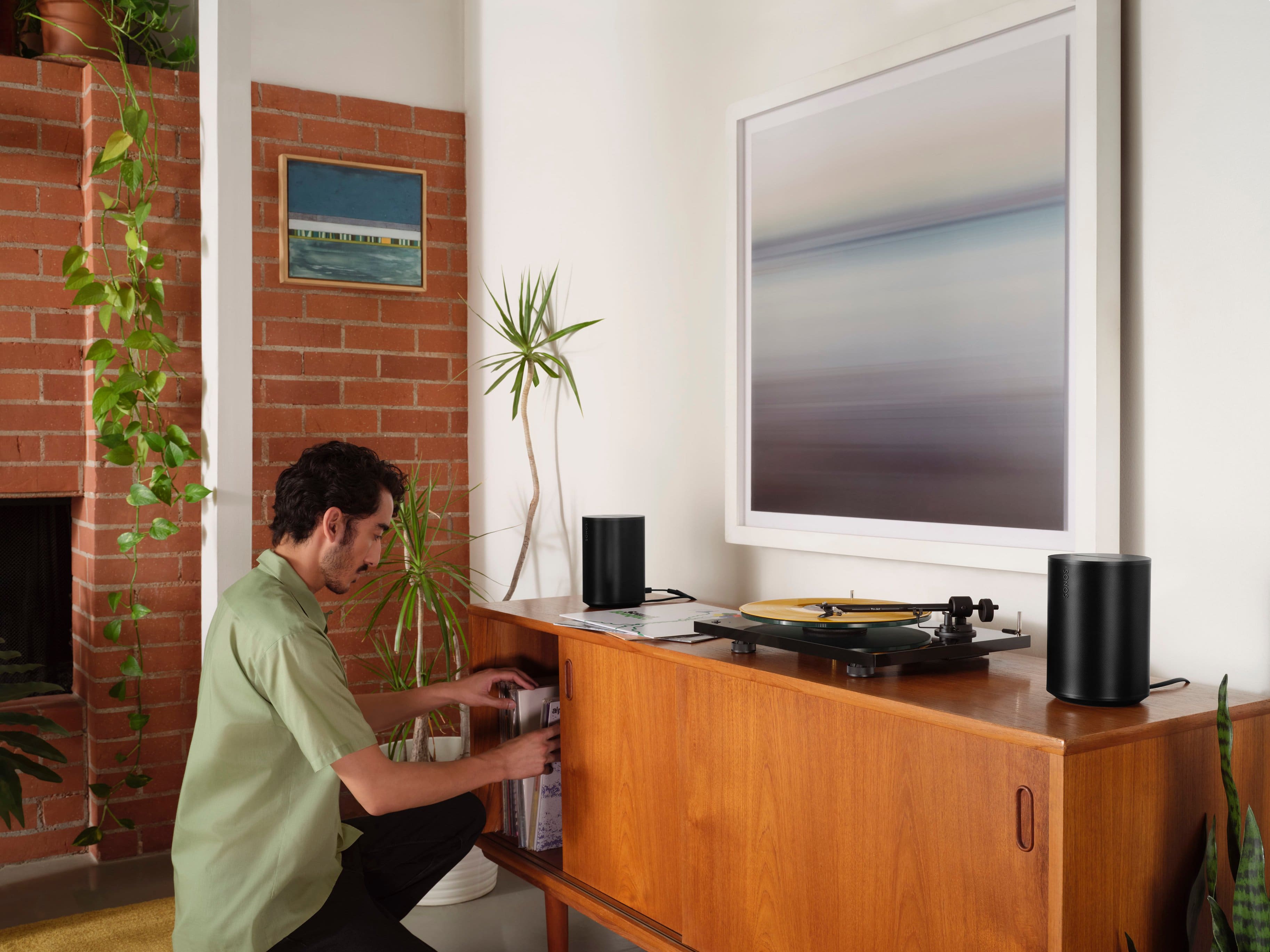
||Posted . Owned for 3 weeks when reviewed.This reviewer received promo considerations or sweepstakes entry for writing a review.Sounds amazing with my record player. I’ve got two in stereo mode.
I would recommend this to a friend - Pros mentioned:Sound quality
Sonos Speaker.
||Posted . Owned for 1 week when reviewed.This reviewer received promo considerations or sweepstakes entry for writing a review.Great speakers. We ended up purchasing 4 of them total.
I would recommend this to a friend - Pros mentioned:Sound quality
Awesome speaker
||Posted . Owned for 3 weeks when reviewed.This reviewer received promo considerations or sweepstakes entry for writing a review.Great speaker. Very powerful. Great sound. Worth the money.
I would recommend this to a friend - Pros mentioned:Sound quality
Sonos
||Posted . Owned for 1 month when reviewed.This reviewer received promo considerations or sweepstakes entry for writing a review.Love sonos products. Slight upgrade fron Sonos 1's.
I would recommend this to a friend - Pros mentioned:Sound quality
Ear 1
||Posted . Owned for 1 month when reviewed.This reviewer received promo considerations or sweepstakes entry for writing a review.Excellent sound equity we have,them wall mounted.
I would recommend this to a friend - Pros mentioned:Sound quality

Great Sound, Small Package
|Posted . Owned for 3 weeks when reviewed.This reviewer received promo considerations or sweepstakes entry for writing a review.[Employee of bestbuy] Great sound quality for such a small package. Have had a couple connectivity issues though.
I would recommend this to a friend - Pros mentioned:Sound quality
Sonos
||Posted . Owned for 3 weeks when reviewed.This reviewer received promo considerations or sweepstakes entry for writing a review.Great sound sounds just like a theater highly recommend
I would recommend this to a friend Sonos Era
||Posted .This reviewer received promo considerations or sweepstakes entry for writing a review.The sonos speaker is amazing when it works. Connectivity issues occur too consistently and the music will cut out and the sonos will become unavailable even if the wifi is working fine. The bass isn’t too bad but definitely need a sub to add the missing bass.
No, I would not recommend this to a friend- Pros mentioned:Sound quality
Sonos era 100
||Posted . Owned for 1 month when reviewed.This reviewer received promo considerations or sweepstakes entry for writing a review.Amazing sound, I connected to the tv and enjoy with movies .
I would recommend this to a friend - Pros mentioned:Sound quality
Fantastic product!
||Posted . Owned for 2 months when reviewed.This reviewer received promo considerations or sweepstakes entry for writing a review.Great design accompanied with great sound. Pleasantly surprised
I would recommend this to a friend - Pros mentioned:Sound quality
Surprisingly nice
||Posted . Owned for 1 month when reviewed.This reviewer received promo considerations or sweepstakes entry for writing a review.Great for the money. Sounds nice. Would recommend.
I would recommend this to a friend - Pros mentioned:Sound quality
Wireless speakers
||Posted . Owned for 1 month when reviewed.This reviewer received promo considerations or sweepstakes entry for writing a review.Great wireless speaker for surround sound and tv audio
I would recommend this to a friend - Pros mentioned:Sound quality
Sonos
||Posted . Owned for 1 month when reviewed.This reviewer received promo considerations or sweepstakes entry for writing a review.Great product and the sound is amazing, I highly recommend it!
I would recommend this to a friend - Pros mentioned:Sound quality
Na
||Posted . Owned for 1 week when reviewed.This reviewer received promo considerations or sweepstakes entry for writing a review.Great sound and value for the price !!!!!!!!!!!!!!
I would recommend this to a friend Great for audiophiles
||Posted . Owned for 11 months when reviewed.This reviewer received promo considerations or sweepstakes entry for writing a review.Good for mid-size rooms / living rooms. Doesn’t support Dolby atmos but does offer decent sound separation in stereo setup. I didn’t feel the need for additional bass / woofer.
I would recommend this to a friendA new Era
||Posted . Owned for 11 months when reviewed.This reviewer received promo considerations or sweepstakes entry for writing a review.Great speaker and really fun to set up with a system
I would recommend this to a friendSurrounds system!
||Posted . Owned for 1 month when reviewed.This reviewer received promo considerations or sweepstakes entry for writing a review.Works so good for the surrounds system, i will recommend this to anyone
I would recommend this to a friendSonos- Era 100
||Posted . Owned for 1 month when reviewed.This reviewer received promo considerations or sweepstakes entry for writing a review.I Totaling Like that. That one is one of the best speaker of all time. Thanks best buy for that. I'll defiantly buy it all the product from best buy in future.
I would recommend this to a friend- Pros mentioned:Sound quality
Great Speaker
||Posted . Owned for 2 weeks when reviewed.This reviewer received promo considerations or sweepstakes entry for writing a review.Awesome Sound! Really worth upgrading from the One or OneSL!
I would recommend this to a friend - Pros mentioned:Sound quality
Great Step Up
||Posted . Owned for less than 1 week when reviewed.This reviewer received promo considerations or sweepstakes entry for writing a review.The Sonos One was amazing and played music with crystal clear sound. This is a whole other level. The look is also much easier to blend into my home
I would recommend this to a friend