Customer Ratings & Reviews
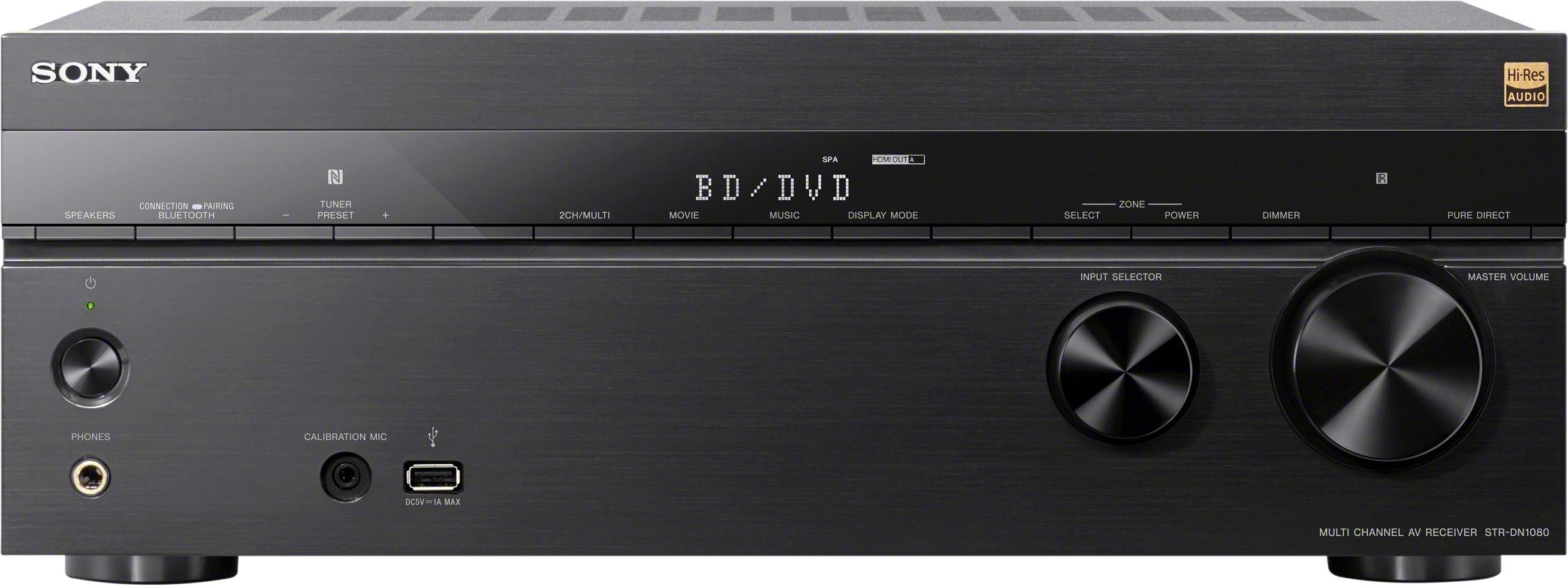
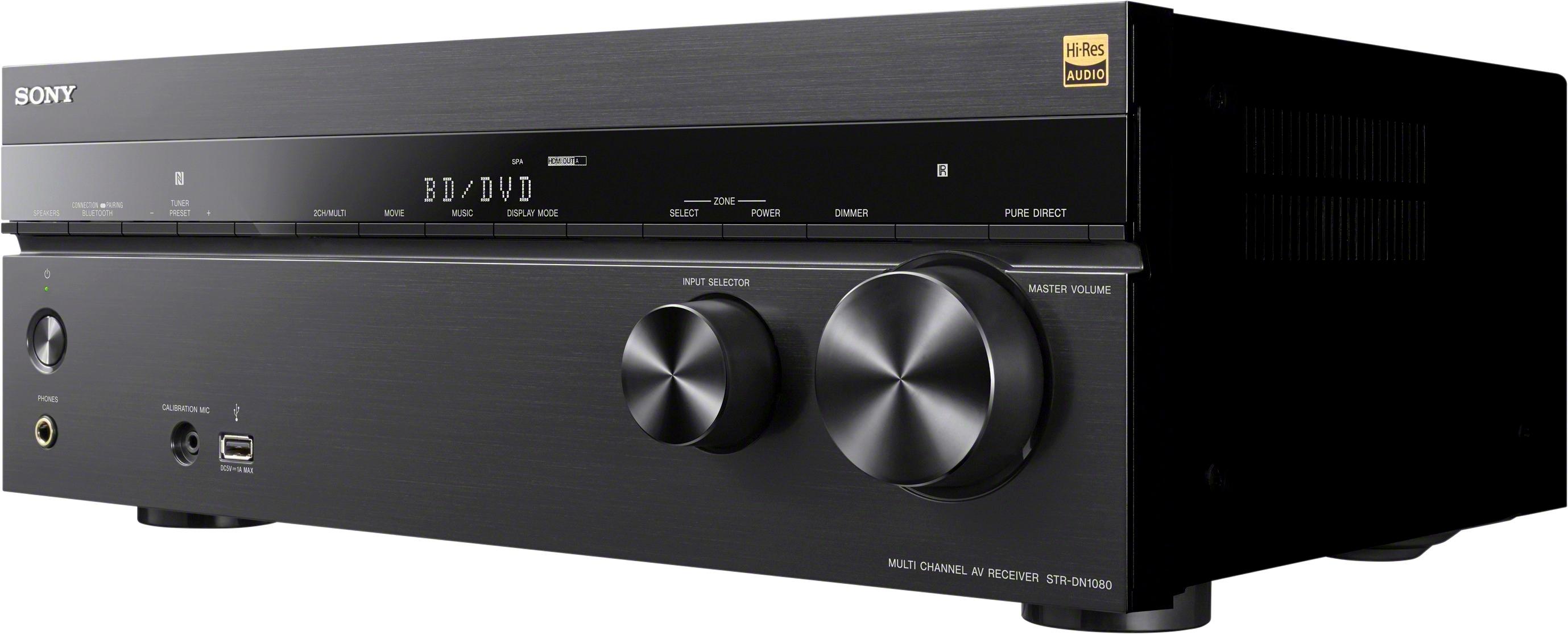
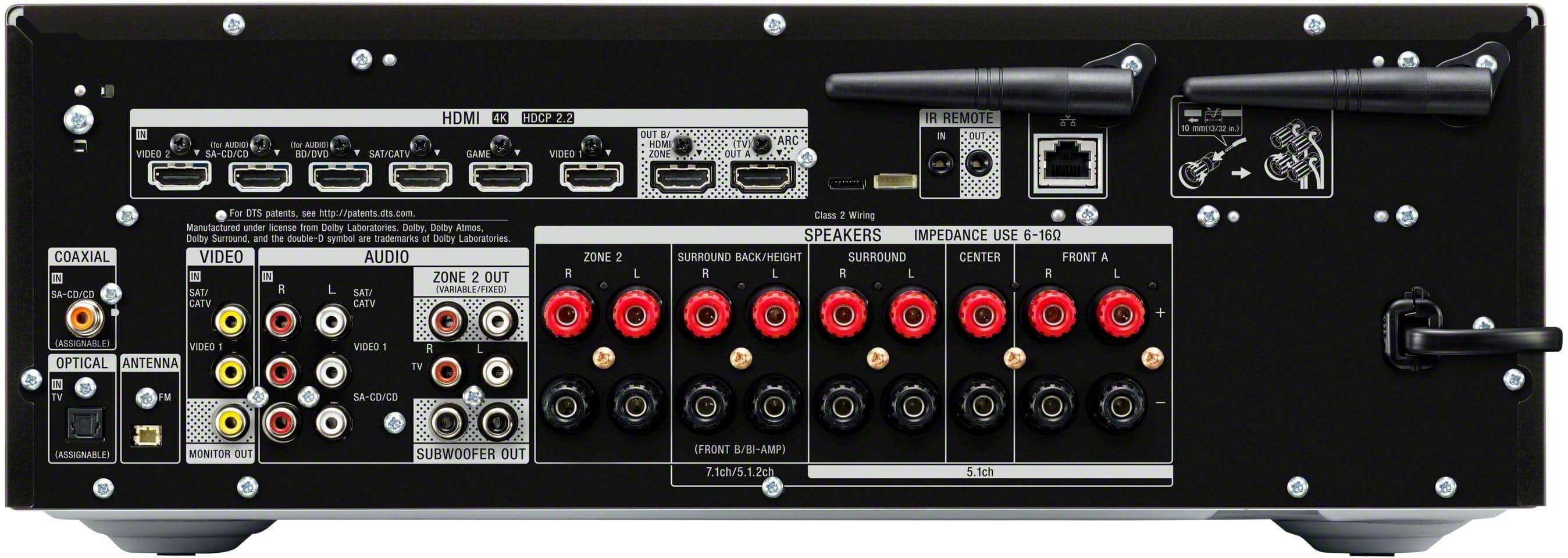
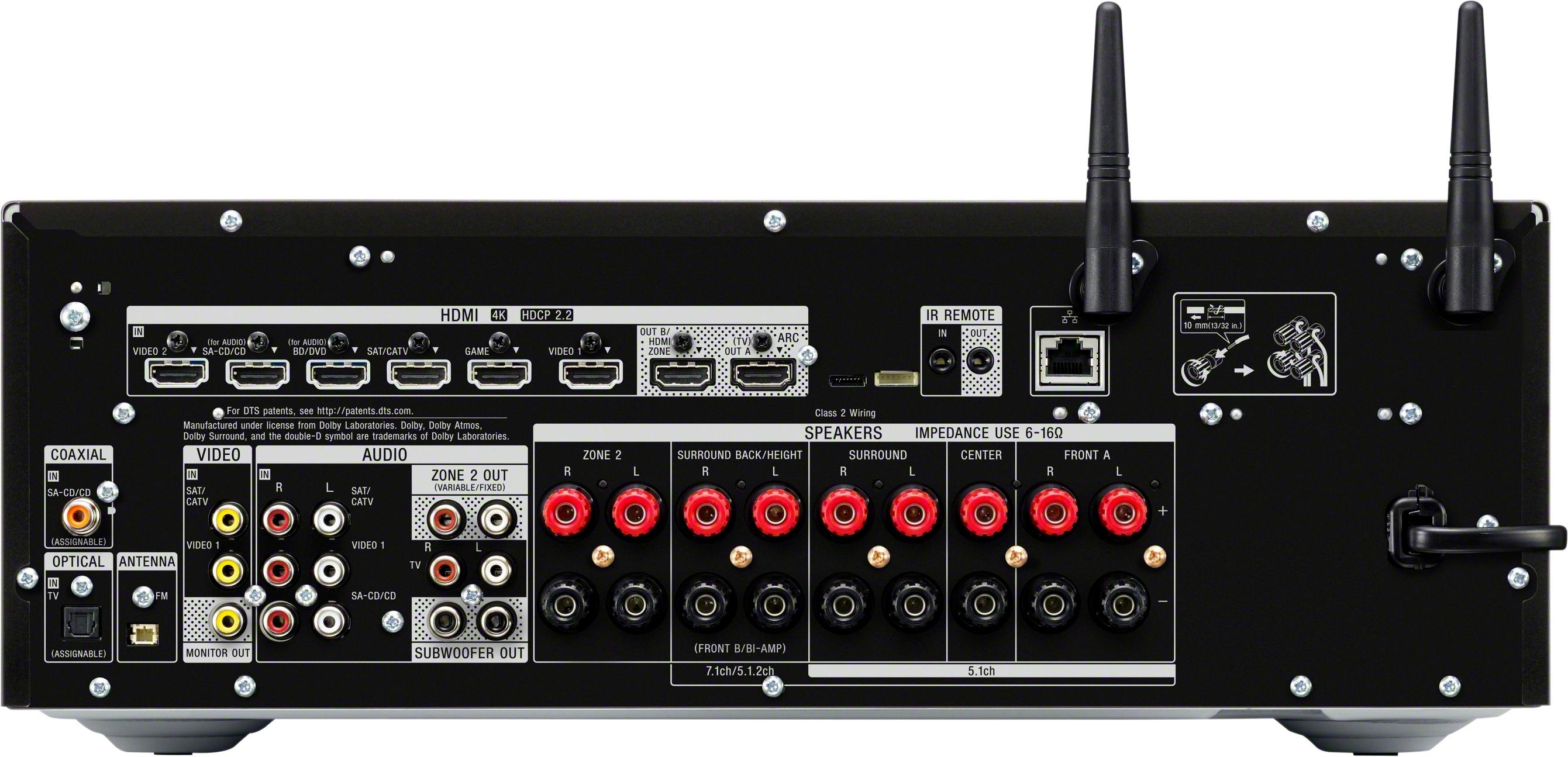

- Model:
- STRDN1080
- SKU:
- 5761206
Rating by feature
- Value
Rating 4.4 out of 5 stars
- Quality
Rating 4.5 out of 5 stars
- Ease of Use
Rating 4.4 out of 5 stars
Customers are saying
Customers often highlight the excellent sound quality, ease of use, and Dolby Atmos capabilities of the 1155W 7.2-Ch. A/V Home Theater Receiver. Many also appreciate the receiver's power and straightforward setup process. While some users noted the unit can get warm during operation and that the menu system could be improved, the positive feedback on sound and ease of use outweighs these concerns for most buyers. The price point is also frequently cited as a positive aspect.
This summary was generated by AI based on customer reviews.
Sony A/V Receiver
||Posted . Owned for 10 months when reviewed.This reviewer received promo considerations or sweepstakes entry for writing a review.Oddly this received was a huge disappointment over my old Sony. It was returned.
No, I would not recommend this to a friendBrand response from SonyListens
Posted .Hi Chucky,
We are sorry to hear what happen. If the unit is still with you, please allow us to help you and turn this into a better experience. For us to better assist you, please email us at socialsupport@am.sony.com with the following details:
Name:
Best Buy Username:
Model Number:
Issue:
Telephone Number:
Happy to help,
David
- Pros mentioned:PowerCons mentioned:Heat
Much in common with Sony STR-DH790
Posted .This reviewer received promo considerations or sweepstakes entry for writing a review.My experience is restricted to a 3.1 configuration with two ELAC Debut B6.2 bookshelf speakers as front, an ELAC Debut C6.2 as center and an ELAC Debut 2 Sub 3010 Subwoofer. The video and audio is good for music and for Netflix, Prime Video, Hulu etc. However, I do have to use subtitles on occasion because dialog sometimes is muddy. For this system there is little difference between this unit and the Sony STR-DH790 as to performance, setup, and operation. The STR-DN1080 does allow usb input, which I enjoy, has a tad more power, has WiFi connection (which may promise some updates from Sony), and has nicer speaker terminals on the back, and a few more HDMI ports. The menu system is reorganized a bit and I’m unsure that the “sound fields” are the same. For details, consult the exhaustive Sony on-line Help Manual for these units. However, the extra dollars are a lot for the few extras, and many comments complain about the added Zone 2 capability. There also is concern that this unit runs hotter than the STR-DH790. Both units have the same limitations upon speaker adjustment. Equalization is limited to a broad-range bass/treble adjustment with no finer detail. The volume level of all speakers also allow a +/- 10dB adjustment. You must use a standard speaker pattern, one of those commonly denoted as 2.0, 2.1, etc up to 7.2. You cannot specify an original arrangement like using no centerspeaker and some combination of other speakers. Given that sound is often split up in the source material for a standard speaker pattern, that may not be just a Sony limitation.
I would recommend this to a friend Customer Service is horrible
||Posted . Owned for less than 1 week when reviewed.This reviewer received promo considerations or sweepstakes entry for writing a review.It would not power on the amp was fried when it was sold to me
No, I would not recommend this to a friendBrand response from SonyListens
Posted .Hi URMAJESTY,
We do apologize for the inconvenience. Is there a display on the AV receiver panel?
1. Verify that the receiver is turned on.
2. Verify that the LED display has not been set to a dim setting that is too dark to see.
3. Power reset the unit, simply unplug the unit and wait 1-2 minutes then plug the device back in and power on
If the unit has no power at all, please email us at socialsupport@am.sony.com with the following details:
Name:
Best Buy Username:
Model Number:
Issue:
Telephone Number:
Regards,
David
This Sony product lost connectivity
||Posted . Owned for 3 weeks when reviewed.This reviewer received promo considerations or sweepstakes entry for writing a review.A Sonny receiver that cannot connect to a Sonny TV
No, I would not recommend this to a friendBrand response from SonyListens
Posted .Hi fleetfoot,
We are sorry to hear about the issue with your AV receiver. This is not the experience we want you to have. You may find this link helpful on how to properly connect the AV receiver to your Sony television.
https://helpguide.sony.net/ha/strdn108/v1/en/contents/TP0001221305.html
If you're still having issue, please email us at socialsupport@am.sony.com with the following details:
Name:
Best Buy Username:
Model Number:
Issue:
Telephone Number:
Regards,
David
- Pros mentioned:Ease of use, Sound quality
Hesitated, Purchased and Not Looking Back
Posted .This reviewer received promo considerations or sweepstakes entry for writing a review.I'll start by saying I'm not a Sony fan boy. This year I upgraded my entertainment system to Sony XBR-55X900E, UBP-X800 and STR-DN1080. All have received great reviews and they work well together. The DN1080 replaces a Yamaha RX-A740 which sounded great, but did not have HDMI 2.2. These are the first Sony products I have ever purchased and each one of them is OUTSTANDING. This receiver stays cool under use and sounds crisp, clear and powerful with good low frequency response. Auto setup with mic was very easy, but I changed a few settings to adjust sound. Over the last three weeks, I have tested the ARC, AirPlay, USB port with flac files, movies, music and changed many settings to see the different effects. Overall, everything has worked without problem. The only downside is the receiver does sound a little harsh compared to the Yamaha - which is actually good for movies and gaming, but not so good for music. Since I mostly use the Sony for movies and gaming, this works fine for me. Movies do sound better and I can hear all the wind, blowing leaves, rain drops, night sounds and other softer noises including whispering voices. This clarity and detail is why the DN1080 is great for movies! Picture is vibrant, colorful and sharp. Overall, 90% happy. I would be 100% if music sounded less harsh and warmer. I few more musical focused soundfields would make this a better all around receiver. My only other minor complaint is the lack of full control offered by the remote and a less than intuitive settings menu. As my review summary indicates, I researched for a long time before buying this unit. In the end, I chose it over comparable Yamaha, Denon, Onkyo and Pioneer units. No regrets. Time will tell.
I would recommend this to a friend - Pros mentioned:Dolby atmos, Sound quality
Excellent Value AVR for 4K and Dolby Atmos
Posted .This reviewer received promo considerations or sweepstakes entry for writing a review.I finally completed my transition to 4K when I got my new OLED this past week and felt I could finally comment fully on this receivers capabilities after 6 months. As described, this receiver passes through both 4K and 3D picture. For 3D, I had zero issues when connected to my Panasonic ST50 and now with 4K, everything has been perfectly smooth. Rich color and crisp audio. There are plenty of ports on this receiver. More than I need now, but it’s always better to have too many than not enough. Bluetooth and Air Play are quick and pleasant to get some music going through my system. While I don’t have a true Dolby Atmos setup (next step), when enabled through my Xbox One X I notice my front floor standing speakers really rock. I would expect this AVR to be an excellent value for Dolby Atmos. I did discover a hidden gem and the primary reason I purchased this AVR (wasn’t sure if it really was this case from reading product descriptions) was that it can output picture to two different “zones” or rather, two TVs! This is great because I purchased a long HDMI cord and can leave the Xbox and other goodies in the living room while still having access to them on my bedroom TV! This is a really great value and I really recommend it.
I would recommend this to a friend - Pros mentioned:Sound quality
Totally Frustrated: Sound Fields Constantly Change
Posted .This reviewer received promo considerations or sweepstakes entry for writing a review.Purchased this 1080 receiver (11/19/17) along with a UBP-X800 Ultra HD Blu Ray DVD Player (11/27/17). Totally frustrated because: 1. Rented Wonder Woman: Display would show Atmos in display on receiver then switch to Dolby Surround. Noticeable difference in sound. WHY DOES IT NOT SAY ATMOS FOR THE ENTIRE MOVIE? 2. Other times receiver (not used with dvd player) the display and sound switches from Dolby Digital 5.1 to PCM. Jumps around! 3. In DVD manual, page 22: BD Audio Mix Setting. Have set Bitstream to off and Digital Audio Output to Auto (This was a suggested fix on Sony Community). 4. On receiver under HDMI Settings: Audio Out keeps resetting back to TV+AMP. One online fix said to change to just AMP. WHY DOES IT KEEP RESETTING? Impacts sound quality!!! 5. Receiver remote. Acts weird. Turn on using SAT button, and DVD turns on. Other times, turn off entire system, DVD power stays on for a short time period. 6. Speaker setup is 5.1.2 (srd). The only good thing I can say is my older plasma screen tv (Panasonic VT50) - the picture now looks stupendous! So that is a redeeming quality. Note - I have DISH Network and most of my feeds come in through the HDMI cable on the satellite box into the 1080, then into the TV. Video also looks great from Netflix, Amazon Firestick (and KODI, etc. apps). To recap - This is not a user friendly experience. I am noting this here but will be calling SONY support to resolve. If they do not, I will get rid of both these items. Customers should not get frustrated when buying and trying to use an item. This is the honest truth! Very frustrating.
No, I would not recommend this to a friend - Pros mentioned:Power, Sound quality
Fantastic
Posted .This reviewer received promo considerations or sweepstakes entry for writing a review.We built a theater room ourselves after the builders sub contractor told us it would cost $15,000 to complete. We selected this receiver that was a fraction of the price in the quote and I can tell you this is fantastic. We have it hooked up to two towers, four bookshelf, center channel and subwoofer and in a 14 ft x 18 ft theater room the sound just blows you away with so much extra power you will not need to turn it up past 25 with the power! You can spend a thousand or more but this works just fine
I would recommend this to a friend - Pros mentioned:Power, Sound quality
Wow wOw WoW Love It !! Thank you SONY !
Posted .This reviewer received promo considerations or sweepstakes entry for writing a review.WOW WOW WOW where do I start .... My old Onkyo started to fail after more than 9 years of service so I headed to Best Buy in search of a new receiver..... After tons of research I picked up the Sony STR DN1080... This receiver is Built well, easy to setup and the sound is FANTASTIC. The audio is crisp and clean and has more than enough power for my 12 x 16 home theater. The Air play feature works perfect as does the Chrome Cast plus you can play music from a network drive or from the front USB. Do the research and pick this baby up you will be glad you did. Love it Love Love !!!
I would recommend this to a friend - Pros mentioned:Dolby atmos, Sound quality
Good Receiver
Posted .This reviewer received promo considerations or sweepstakes entry for writing a review.This receiver has received high accolades from many professional review sites. I purchased the receiver to upgrade my older Denon 2807, so that I can eventually get an xbox one x. The receiver is very nice. The sound is good and the interface is easy to use. I got it on sale for like $150 cheaper during christmas, so it was a bargain form me. No problems so far. It has all you need for an up to date receiver for 4k, HDR, dolby atmos, Dolby Vision, and the other bells and whistles.
I would recommend this to a friend Fatal Flaw
Posted .This reviewer received promo considerations or sweepstakes entry for writing a review.First, Kudos to Best Buy for a return policy that let me work with receiver long enough to know that this issues was hopeless, and still return it. TL;DR If you want to use ARC, look at a different receiver. I bought this receiver to go with my LG OLED TV, on which the NetFlix app supports Dolby Vision, and, most importantly for this review, Atmos. In order to get Atmos from the TV to the receiver, you must enable Audio Return Channel (ARC), which allows the TV to send the audio signal from the TV to the Receiver through the HDMI cable. You can't use the optical cable, because it doesn't have the bandwidth to send all those audio channels. A side effect of activating ARC, is a system called CEC (Consumer Electronic Control) is also turned on. The idea of CEC is various components like the TV and Receiver can communicate with each other, letting the receiver know, for example, that the TV has changed the active HDMI input. It is up to the firmware of the device as to how it is going to respond, if at all, to this change input signal. This is where the firmware designers of Sony really messed up. When the Sony Receiver sees the TV change it's input, it switches to a menu, to allow you change the input of the receiver. The problem is, this is a terrible thing to do. Here is an example of how that flow works in real life. I have a universal remote programmed to turn on my TV, avr, and cable box, switch everything to the right inputs, and have the remote buttons configured to run the cable box. So you press the Watch TV button, the home theater get configured, and you press the guide button on the remote to start looking for the channel that has your show on it. All of a sudden, the receiver switches to this input menu, so you can switch the receiver to the correct input, which the universal remote already switch it to. To add frustration, the remote is configured so the arrow keys work the cable box, so you have to dig out the receiver remote, just to get rid of the unnecessary menu. Now the logical thing to try is to program the remote to just send the input to the receiver command after some time delay, but the switch to the menu is so late after the TV's input switches, it isn't practical. When your are starting from powering up the receiver, it can take 30 seconds until this menu switch occurs, making fixing this issue with the universal remote impossible. I contacted Sony about this problem, and their answer was to turn off CEC, but that turns off ARC, and that means no Atmos, which was the whole point of this receiver. The real solution is to have a setting in firmware to turn off this whole "jump to menu" behavior, but the Sony does not have that. The Denon 3300 I replaced this receiver with, has such a menu option, and it defaults to OFF, obviously because most people do not want this whole menu thing to happen. From the "quality of sound that comes out of the speakers" standpoint, this receiver is about as good as the Denon I have now, but I could not recommend this AVR to anyone, because you never know when you might need to enable ARC, as more devices support the higher levels of Dolby and DTS sounds.
No, I would not recommend this to a friendI compared it to a Flagship AVR
Posted .This reviewer received promo considerations or sweepstakes entry for writing a review.So I bought this amp because I wanted my Sony Smart Tv, Sony Blu-Ray, and the receiver to all play nice with each other and the use of one remote. For the most part I achieved that. The only thing I can not do with the TV remote is directly control the receiver via the receiver menu. You can pull it up with the TV remote you just can’t control it at least not on my 930D. Not a big deal though because once you’ve set everything up you can pretty much leave it to do it’s thing. I have them hooked up to a pair of Sonus Faber Venere 2.0 6 ohm bookshelf speakers. I also own a Marantz SR7011 receiver and yesterday I had the idea of switching out the Sony for the Marantz to discover the sonic differences. I wanted to see if a higher powered $2199 receiver could outclass the $499 Sony. In my mind I was thinking it would be no contest. I do realize the Marantz is a couple years old but surely the Sony would be no match for it. This test is purely based on sound and not on features, for feature set the Marantz wins hands down. So I set up the Marantz and ran Audyssey. I have the Tidal app on my smart tv and ran some songs through. I was expecting striking differences in sound but that wasn’t the case. To me the the sound quality difference was more about the volume than output. The volume is more linear in the Sony whereas the Marantz doesn’t get cranking till you’ve turned the volume up fairly high. The Marantz definitely has more authority and is clearer at higher volume. That’s what the extra watts get you with the Marantz. Sony gets a slight glare when you turn it way up but thats at levels I don’t even listen at. The difference though to me isn’t worth the high price tag of the Marantz. I also have a USB stick with FLAC files on it that both receivers can play. This one was no contest. They both sound great but the Sony has a much speedier USB interface. Loading songs up is such a breeze with the Sony while the Marantz takes forever. A lot of reviewers say the Sony works well in small rooms and thats probably a true statement when your doing an entire Atmos setup. I’m running mine in 2 channel and my living room is large and it opens up to my kitchen. I’ve had no issues getting enough volume and the SF Venere’s are not as sensitive as say a Klipsch speaker. So to me with this receiver getting more sensitive speakers would be the better way to go if you need more volume rather than spending more for a flagship amplifier. It really comes down to what features you want. Suffice to say the Marantz is going back upstairs. Highly Recommended.
I would recommend this to a friend- Pros mentioned:Dolby atmosCons mentioned:Heat, Menu
Shuts off during loud scenes, slow GUI
Posted .This reviewer received promo considerations or sweepstakes entry for writing a review.I bought this to replace an older receiver to get Dolby Atmos. Hooked it up, ran the speaker config, set my speaker crossovers and got to testing. It would constantly shut off at the exact same point when the action was loud. I tried turning the crossovers up and lowering the volume, no luck. Put my old receiver back in, played the same scenes with no issues and played them even louder without breaking a sweat. The Sony was really hot to the touch, my old receiver never gets more than warm. I may have replaced the unit if it wasn’t for the terrible menu and GUI. Although it looks nice, it is just terribly slow and unresponsive. Making the simple changes I mentioned took forever and wasn’t a good experience. If you press the Home button, there is no way to exit the menu without selecting an option. Hitting the Back button does nothing. Just terribly designed. Alao, the English in the menus is comically bad. They let someone just Google Translate from Japanese to English without looking it over. Got the Denon x3400 instead, I’ve had good luck with them with my old receiver and it has more features than the Sony.
No, I would not recommend this to a friendBrand response from SonyListens
Posted .Hi GUnit, thank you very much for taking the time to share your concerns with us. Sony takes the voice of our customers very seriously and hearing all feedback - good and bad is important to us. We appreciate your feedback. Regards, ^Ron

- Cons mentioned:Menu
NOT USER FRIENDLY, ZONE 2 IS USELESS, NO AUDIO OUT
Posted .This reviewer received promo considerations or sweepstakes entry for writing a review.I have had this AV receiver for a few years. DEFINITELY, not user friendly. Connecting speakers to Zone # 2 it's a nightmare. Even to change the volume on Zone #2 requires navigating thru a menu. RCA output doesn't work (I guess because of Sony proprietary rules). Menu is very clumsy to say the least. PROS: It comes with a manual CONS: Zone 2 to is difficult to impossible to operate Impossible to connect to a second amplifier Navigating thru menu is not user friendly I pauses music, video when navigating thru menu Labels are very difficult to read (dark letters on black background)
No, I would not recommend this to a friend Great sounding receiver with a few issues...
Posted .This reviewer received promo considerations or sweepstakes entry for writing a review.I really want to like this receiver. The sound is crisp and clean and it does a nice job of filling the room. However, there are a few issues(one I consider major) that are making me second guess my purchase. The major one being that with this receiver, they have enhanced a couple of the HDMI ports for better audio(the BD and SACD ports). Sound like a nice touch but, while I'm not 100% sure this "enhancing" is the reason, my 2017 NVidia Shield does not like to be plugged into either of the "enhanced" ports. While streaming with it, I get dropped audio and an occasional flash of the screen. I tried 3 different HDMI cables to no avail. I finally put the Shield on the CATV port and moved my Tivo to the SACD port, This seemed to stabilize the Shield and both work fine now(yes I have enhanced HDMI turned on for the ports). While the above fix works, what other future devices will have issues with those "enhanced" ports? That brings me to the second issues, while this thing does have 6 HDMI 2.2 HDCP ports, one of the ports(Video1) cannot do 4:4:4 HDR. Sony is already skimping a bit on HDMI ports(the Denon X2300 has 8 fully HDR ready ports) and now one won't handle HDR. What were they thinking here? The third issue is the way they handle the volume. One most devices, when you press the volume up/down, it will respond almost instantly and change the volume. Not with this. If displays the current volume number on the unit's LED display, then a second or so later will put the volume bar on the screen and then finally start changing the volume. Doesn't sound like much but it becomes very annoying when trying to just raise the volume a notch or two because you have to keep the volume button pressed for so long, waiting for it to respond. Anyway, as I said, I really ant to like this thing but with the above issues, I just am not happy.
No, I would not recommend this to a friend- Pros mentioned:Sound quality
Easy Setup
Posted .This reviewer received promo considerations or sweepstakes entry for writing a review.Ok, I have to be honest, the special black Friday pricing of $399 did it for me. Formally, $599. I was in dire need of a new receiver and my setup was NOT complicated. This particular receiver is for in my family room, (I have a very high end home theater that this receiver isn't part of). This receiver powers last year's 60" Sony Bravia ($900) and a $300 blue ray. Don't worry about models. I'm just trying to say why I purchased this version of a receiver when I have such a great theater. I needed this receiver to handle a standard 5:1 system PLUS a second zone which is a dual speaker system on my deck. Again, very basic system. NOT for high end AV. I agree with several people's assessment in that this is high middle end equipment. All of my Sony parts talk with each other and I really enjoy that during setup. For a video feed I have DISH and quite frankly I had more issues with DISH than I did this receiver. Once I got through all the menus I was fine. Bottom line, nice little receiver. NOT high end. NOT a complicated device.
I would recommend this to a friend - Pros mentioned:Sound quality
Jump on this !!
Posted .This reviewer received promo considerations or sweepstakes entry for writing a review.I have this receiver on 2 different surround systems with Atmos. At the usual $599 price it is fantastic for the money, at $349.99 it is an absolute STEAL. If you are in the market for a surround amp, I'd jump all over this at this price !!
I would recommend this to a friend - Pros mentioned:Sound quality
I have tried them all
Posted .This reviewer received promo considerations or sweepstakes entry for writing a review.At this price range and even higher there isnt a better receiever. I tried the offerings from Onkyo, Yamaha, Pioneer Elite, Denon In command and because of some bad rep sony has been building in the audio world, I almost didnt try Sony. Well after returning all those receivers because of horrible dialog quality I gave the last place choice a chance and it amazed me. I have done test with certain movie scenes that have hard to hear dialog. The other receivers all failed for me. I dont know if its my room or what but I have a pretty decent size room with carpet and tall ceilings. Well when I tried the Sony, it passed all the dialog test. That was it. Game over.
I would recommend this to a friend Fantastic Hardware, Flawed User Experience
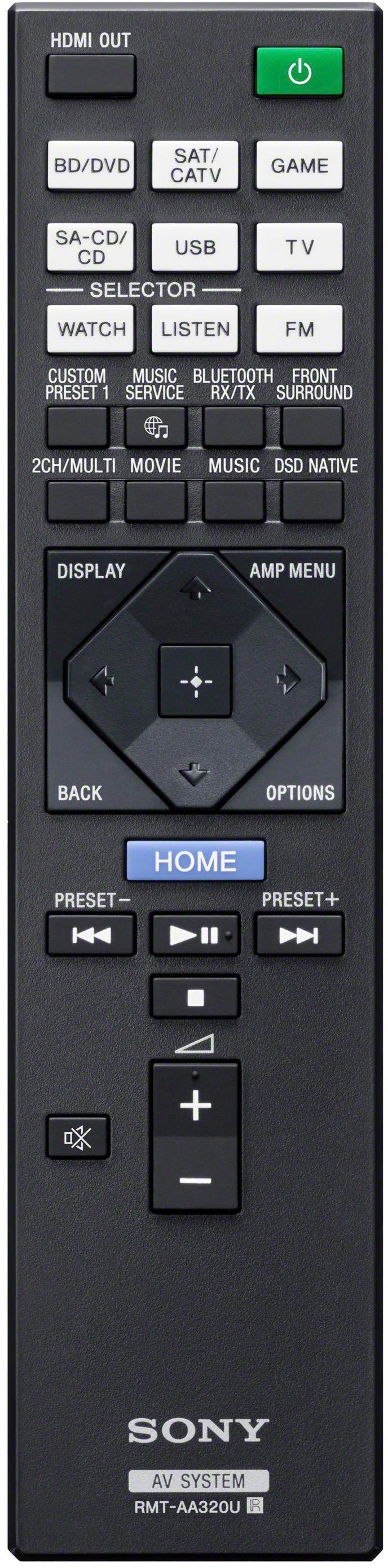
Posted .This reviewer received promo considerations or sweepstakes entry for writing a review.The Sony STR-DN1080 is kind of a strange beast in 2020. On the one hand it delivers audio and video that are absolutely top-shelf for the price, and on the other it has a mixed bag of features and a borderline dysfunctional UI. I'll dive into these below, but the headline is: The Sony STR-DN1080 is a fantastic, but flawed receiver. At this price point ($500 as tested), this Sony sounds positively enthralling. It is in a distinctly different class than my old workhorse Yamaha RX-V471. Sound effects are richly detailed, energetic, and punchy; voices are blissfully natural and clear; and music is dynamic and rhythmic without showing the harsh brightness that some older Sony receivers had. This unit is an absolute pleasure to listen to. 4K video signals are also passed through cleanly with no degradation that I noticed on my display. So we've established that the hardware itself is top-notch. That brings us to the user experience, which is where Sony really puzzles me. Granted, this is a 2017 unit, but even then, why can Sony not make usable menus in this modern day and age? The on-screen display is tolerable at best and infuriating at worst. There are only a few options available to you from the overlay menu, with the rest only accessible through the receiver's home menu (which interrupts your content). If you want to change things like speaker size and crossover point, you have to interrupt your audio to do so, making direct A/B testing of various configurations impossible. All of the on-screen responses to your inputs are delayed, from a delay of about a second before the on-screen volume indicator comes up, to a delay of a couple seconds before the overlay menu comes up, to a delay of five or more seconds before the home menu will load. Everything feels so woefully sluggish that changing any settings is a chore. My decade old Yamaha has much better and more responsive menus than this. The remote itself is fine and uncluttered, though the volume button isn't in a naturally comfortable position for my hands and requires you to grip the remote from the bottom edge. I might actually appreciate the lack of button clutter, except that having fewer buttons means you have to spend more time in the atrocious menus. It's also worth mentioning that in 2020, this Sony is falling behind the times in terms of its HDMI support. With a maximum of 4K 60Hz support, it won't have the longevity that some buyers might want. Overall it really is a case of flawed genius. The menus and user experience are so bad that I strongly considered returning it and buying something different, but I knew doing so would mean sacrificing what I think is the best sound to be had at this price point. So I kept it, and I'll keep enjoying listening to it, and I'll keep fighting with the menus, and I'll keep hoping that Sony can match this beautiful sound with effective menus next time.
I would recommend this to a friendBrand response from SonyListens
Posted .Hi Will, Awesome! Thanks for sharing your experience so far with your new STRDN1080 7.2 ch. Dolby Atmos Wi-Fi® Network AV Receiver. We're glad to hear you're enjoying the features, hardware and overall sound quality of the receiver. You’re now able to experience true home theater sound without limitations. Once you take advantage of Dolby Atmos and DTS:X object-based surround sound, combined with 4K HDR and HDCP 2.2 support, there is no going back! Be sure to take advantage of the flexibility of 6- in/2-out HDMI and multi-room listening, plus voice control powered by Google Home. Don’t forget our Phantom rear surround channels can transform your five-channel system into a seven- channel system too! We value your feedback regarding HDMI support of this AV receiver and have taken it into consideration for future product development. Thank you for choosing Sony! -Jess
- Pros mentioned:Sound quality
Sound was disappointing and HDR 60 fps not passed
Posted .This reviewer received promo considerations or sweepstakes entry for writing a review.I currently own Onkyo TX-NR636 and really like the sound but it does not pass through HDR so I'm looking for an upgrade that does. I tried the Yamaha TSR-7810 (same as RX-V781BL), sound was decent, not as good as Onkyo TX-NR636, but it only passed through HDR at 30 fps not the advertised 60 fps and yes I did try the fix of switching the video mode setting from default mode 2 to mode 1, that is supposed to pass through HDR at 60 fps - it didn't. So then I tried the new Sony STR-DN1070, it sounded hollow compared to my Onkyo, and it did not pass through HDR at 60 fps, even though it claims it will. Then I tried the all new Onkyo TX-NR676, sound was good, comparable to my current TX-NR636, but its not ready, its processing of video degrades the image. They don’t have a download available for advanced manual, only the basic. I updated the firmware to latest available (did that with all others too). There is no video setting to choose to pass through and not try to upscale or process the video in the receiver but leave it to the TV. If you have a good TV then the TV does this processing better. The older TX-NR636 has that option but they haven't yet got around to making it available to the TX-NR676. I wouldn't mind if it was not having a significant negative impact on all my video sources, even my 4k sources were not looking as good as they did on the older TX-NR636 that did allow bypassing video processing at the receiver. An AV receiver has two primary goals, sound good and not degrade the video, but the Onkyo TX-NR676 receiver currently fails on the latter. I would pass on this receiver until they have a newer firmware that gives this option and its documented as such in an advanced manual download from Onkyo site.
No, I would not recommend this to a friendBrand response from SonyListens
Posted .Hi Beast, Sony takes into consideration all feedback to improve the performance and quality of our products. We will pass this onto the proper department. Thank you for sharing your feedback with us. ~Erin