Customer Ratings & Reviews



- Model:
- K65XR80M2
- SKU:
- 12377234
Rating by feature
- Picture Quality
Rating 4.9 out of 5 stars
- Sound Quality
Rating 4.7 out of 5 stars
- Brightness
Rating 4.8 out of 5 stars
to a friend
owner
||Posted . Owned for 2 weeks when reviewed.This reviewer received promo considerations or sweepstakes entry for writing a review.i was hoping for a better picture quality order a new HMDI cable hope that solves the probel
No, I would not recommend this to a friendBrand response from SonyListens
Posted .Hi Genotahoe,
Thank you for sharing your feedback on your new BRAVIA 8 II. It is disappointing that the picture quality hasn't impressed you right out of the box, but we are confident that the right configuration will reveal the true potential of this display.
Investing in a high-quality High Speed HDMI cable that supports 4K is a great move, as standard cables often lack the bandwidth necessary to deliver a high-resolution signal. It is also important to verify that the content you are watching is actually being broadcast or streamed in 4K, as the source material plays a huge role in what you see on screen. Additionally, the TV features extensive picture customization options that allow you to adjust settings like brightness and contrast to suit your specific environment. For a detailed walkthrough on how to fine-tune these features, please follow this guide: https://helpguide.sony.net/tv/musltn1/v1/en-003/contents/TP1001675534.html
Thank you for considering Sony!
Regards,
Dominick
Excellent delivery and setup service
||Posted . Owned for 1 week when reviewed.This reviewer received promo considerations or sweepstakes entry for writing a review.Excellent installation service, plus disposal of e-waste
I would recommend this to a friendBrand response from SonyListens
Posted .Hi JamesB,
We're so glad to hear you had a smooth setup process for your new BRAVIA 8 II. Thanks for sharing your positive experience with the installation service and e-waste disposal.
We appreciate you choosing Sony and hope you enjoy the TV!
Sincerely,
Jenn | Sony Social Media Team.
Samsung T.V
||Posted . Owned for 2 weeks when reviewed.This reviewer received promo considerations or sweepstakes entry for writing a review.Really great T.V, The quality is very good and bright.
I would recommend this to a friendBrand response from SonyListens
Posted .Hi, BryanP,
Thanks for the review and the 5-stars rating! It brings us great joy to hear that you are taking advantage of your Sony BRAVIA TV's amazing picture quality and Sony's XR Processor, which intelligently enhances every scene in real-time boosting color, brightness, contrast, and clarity for you to enjoy the content on the highest quality!
Thank you for choosing Sony. have an amazing day!
-DiegoV
Bravia 8
||Posted . Owned for 3 months when reviewed.This reviewer received promo considerations or sweepstakes entry for writing a review.Great picture but my opion, sports suck ,to much trailing in basketball while there running down court, football players are blurry at a distance. Lg was great and did not have these issues, over all great pic for movies, sports not so great.
No, I would not recommend this to a friendBrand response from SonyListens
Posted .Hello DennisM,
Thank you for considering Sony products.
We appreciate your positive comment about the great picture quality of your K65XR80M2 TV. However, we regret to learn about the trailing and blurriness issues you have experienced during sports viewing, which is understandably frustrating. This falls short of the quality standards we aim to uphold, and we are grateful that you have taken the time to provide this valuable feedback. We will ensure your comments are shared with our dedicated Sony team as we continue to enhance our products.
To improve the clarity of distant players and reduce motion trailing, we recommend adjusting the Motionflow settings in your picture menu. Modifying the Smoothness and Clearness options according to your preference often helps address these concerns.
Please refer to the following link for detailed instructions: https://www.sony.com/electronics/support/articles/00190409
Should the issues persist, we encourage you to contact our dedicated support team for further assistance. You can find all relevant contact options and resources here: https://us.esupport.sony.com/support/s/support-contact?language=en_US&category=tv
Best regards,
-Fred
Sony tv
||Posted . Owned for 3 weeks when reviewed.This reviewer received promo considerations or sweepstakes entry for writing a review.I will recommend this tv it has good quality. This is the best smart tv
I would recommend this to a friendBrand response from SonyListens
Posted .Hi BaljinderK,
We're pleased to learn that your Sony BRAVIA TV has impressed you with its good picture quality and smart features. Thank you for your strong 4-star rating and for recommending the K65XR80M2 as the best smart TV—it truly means a lot. The intuitive interface and vibrant visuals make everyday viewing enjoyable and effortless.
Thank you for choosing Sony—wishing you an outstanding day!
DiegoV.
Jeremiah
||Posted . Owned for 1 month when reviewed.This reviewer received promo considerations or sweepstakes entry for writing a review.TV doesn't automatically tape so I can go back an hour when I want to.
I would recommend this to a friendBrand response from SonyListens
Posted .Hello displayname,
Thank you for considering Sony products.
We apologize for the inconvenience you're experiencing with your K65XR80M2 TV. We understand that the ability to rewind live TV is an important feature, and we're sorry that it's not working as you expected.
To assist us in gathering more information regarding this matter and to work together towards a solution, please reach out to us via email at socialsupport@am.sony.com. We kindly ask that you include the following details in your message:
- Name:
- BestBuy Username:
- Model Number:
- Description of the Issue:
- Telephone Number:
Thank you for your patience, and we look forward to assisting you further.
Best regards,
-Fred
Installation is 17+ days - unacceptable
||Posted . Owned for 1 week when reviewed.This reviewer received promo considerations or sweepstakes entry for writing a review.Product is great, I bought over $55,000 worth of TVs, PCs, Tablets, printers, and hundreds of cables but Why do I have to wait 17 days after purchasing this TV and a Sound bar - BB does/t have to support to install a new TV 17 day wait is too long. Store manger said Corporate has cut back on the number of installers l Go find another TV supplier who can install and support the products they sell. Talked to Geek Squad and the guy just hung up on me. Written 2 letter to the CEO and no response.
No, I would not recommend this to a friendColor Adjustment / Picture Viewability
||Posted . Owned for 3 weeks when reviewed.This reviewer received promo considerations or sweepstakes entry for writing a review.Color adjustment for Black (to dark) and Reds (overwhelming) do not help with adjusting the pictures viewability. Swapping TV out for another because of this.
No, I would not recommend this to a friendBrand response from SonyListens
Posted .Thank you for sharing your feedback on the K-65XR80M2, JohnC. We are sorry to hear that you were having trouble with the color adjustment, particularly with the blacks being too dark and the reds being overwhelming. This is not the viewing experience we aim to deliver, and we sincerely apologize for the frustration this has caused.
Our XR Processor is designed to optimize color and contrast, but we understand that individual preferences can vary. We're sorry that even after attempting adjustments, the picture quality was not to your liking. We appreciate you taking the time to provide this detailed feedback.
We understand that you've decided to swap the TV out for another, and we thank you for letting us know about your experience. Your comments are valuable and will be passed along to our product development team.
Thanks for considering Sony products.
Best regards,
Gus
Sony Social Media Team
Unhappy customer
||Posted . Owned for 2 weeks when reviewed.This reviewer received promo considerations or sweepstakes entry for writing a review.Picture clarity and quality does not reflect as shown in the store of the Sony Bravia 8 #2 TV
No, I would not recommend this to a friendBrand response from SonyListens
Posted .Thank you for sharing your feedback, MiltongK.
We are sorry to hear that the picture quality of your K-65XR80M2 isn't matching what you saw in-store. Often, store displays use specific "Vivid" settings that may need to be adjusted for home lighting.
We recommend checking your picture mode settings or reaching out to our support team at https://us.esupport.sony.com/support/s/support-contact?language=en_US&category=tv so we can help you optimize the display to your liking.
Thank you for choosing Sony.
Best regards,
Gus, Sony Social Media Team
Bad TV not sound
||Posted . Owned for 3 weeks when reviewed.This reviewer received promo considerations or sweepstakes entry for writing a review.The TV has been used for only three weeks and has no sound. It is a very expensive TV to fail so soon; Sony has truly lost its quality.
No, I would not recommend this to a friendBrand response from SonyListens
Posted .Hi Masterlixx,
Thank you for bringing this to our attention. We are truly sorry to hear that your new BRAVIA 8 II is experiencing audio issues so soon after purchase. We understand how disappointing this is, especially when you expect premium quality and performance from our latest TV lineup.
To help resolve this immediately, we recommend trying these three quick troubleshooting steps:
1- Perform a Power Cycle: Unplug the TV from the wall power outlet for approximately 2 minutes, then plug it back in. This often clears minor software glitches.
2- Verify Audio Output: Disconnect any external audio devices (soundbars or headphones). Ensure the TV is set to use its internal speakers by navigating to:
Settings > Display & Sound > Audio Output > Speakers > TV Speakers.
3- Test Multiple Sources: Check if the sound is missing across all inputs. Please test internal apps like YouTube or Netflix to determine if the issue is specific to an external device (like a cable box or game console) or the TV itself.
We want to take care of this for you as soon as possible. If the sound does not return after these steps, please contact our dedicated technical support team directly here:
https://us.esupport.sony.com/support/s/support-contact?language=en_US&category=tv
We value your loyalty and are committed to restoring your confidence in Sony quality.
Regards,
Dominick
Bravia 8 II
||Posted . Owned for 5 months when reviewed.This reviewer received promo considerations or sweepstakes entry for writing a review.This products sucks. I had to returnn this item 2 separate times to to malfunctioning parts
No, I would not recommend this to a friendBrand response from SonyListens
Posted .Hi MarkRogers,
We are incredibly sorry to hear about your experience with the Sony BRAVIA 8 II, and we apologize for the frustration this has caused. This is absolutely not the experience we want for our customers, as we strive to deliver high-quality products and reliable performance.
We value your input and are committed to improving our products based on customer feedback. If you continue to experience issues or need further help, please email the below information to socialsupport@am.sony.com so we can better assist you:
Full Name:
Best Buy username:
Telephone Number:
Model Number:
Issue/Concern:
Thank you for considering Sony!
Best regards,
Dominick
TV no show
||Posted . Owned for 3 weeks when reviewed.This reviewer received promo considerations or sweepstakes entry for writing a review.Ordered this TV &sound bar with delivery and set up Every time deliver date came they said I to reschedule. Most recent was to have it yesterday. Now postpone till 12/17.
No, I would not recommend this to a friendBad tv
||Posted . Owned for 1 month when reviewed.This reviewer received promo considerations or sweepstakes entry for writing a review.Over hyped. Not worth the money, colors are not accurate, would have bought the lg or Samsung oled models over this if I knew
No, I would not recommend this to a friendBrand response from SonyListens
Posted .Hi RyanK,
We are sorry to hear that the color accuracy of your BRAVIA 8 II has not met your expectations. For the most precise and natural color profile, we recommend switching the picture mode to "Professional" (or "Custom") and setting the Color Temperature to "Expert 1," which is designed to meet industry standards for accuracy. Additionally, ensuring that "Vivid Colors" and "Live Color" are turned off in the settings will prevent the TV from oversaturating the image beyond the original content's intent.
Thanks for choosing Sony.
Best regards,
Eliab
Sony has done it again... only much better!
Posted .This reviewer received promo considerations or sweepstakes entry for writing a review.I've been using the Sony Bravia 8 ii for over a month now and feel that this TV is the best product on the market and many of the reviewers also confirms it. Everyone who sees my TV all say its the best overall picture even though they may have just bought a new TV from a different manufacture. I had some doubts about the cost of the Bravia 8 ii verses the other TV's that are being offered by Best Buy... but after careful consideration, I felt it was worth spending the extra money in buying the best TV out there... and Best Buy also was also having a sale on the Bravia 8 ii which swayed me even more to purchase. I've been very happy with my purchase of the Sony Bravia 8 ii... its worth it!
I would recommend this to a friendBrand response from SonyListens
Posted .Hi JimB,
We are thrilled to hear that the BRAVIA 8 II has exceeded your expectations! It’s wonderful to know that even after comparing it to other brands, you and your guests find the picture quality to be the best on the market. We’re glad the sale helped make your decision even easier, and we’re confident you’ll continue to enjoy that premium cinematic experience for years to come.
Thanks for choosing Sony.
Best regards,
Eliab
Best tv I’ve ever had
Posted .This reviewer received promo considerations or sweepstakes entry for writing a review.Went from a 9 year old Samsung edge lit led to this oled. Very noticeable difference. Colors are deeper and more vibrant. Motion handling is better. So far I love it. Some reviews say it’s not bight compared to others…..I had to turn my brightness down.
I would recommend this to a friendBrand response from SonyListens
Posted .Thank you for the fantastic review, rcbc96!
What an incredible upgrade! Moving from an older edge-lit LED to the Bravia 8 II OLED is a huge jump, and we’re thrilled you’re seeing that "very noticeable difference" in color depth and motion handling. It's especially interesting to hear your take on the brightness—everyone's viewing environment is unique, so we're glad it’s providing plenty of punch for your space!
Thank you for choosing Sony!
Best regards,
Gus, Sony Social Media Team
Outstanding picture quality, audio lagging
Posted .This reviewer received promo considerations or sweepstakes entry for writing a review.To begin, the picture is outstanding! Even in my reasonably bright family room, there was no glare and the picture was bright enough to overcome the incoming sunlight during the day. Unfortunately I returned it due to an audio lag with the HDMI cable box input that started around 45 minutes of viewing and got progressively worse. Restarting the tv brought the picture and sound back together for another 45-60 minutes. I tried all suggestions on the Sony site AI, but could never get through to a live person. So as much as I enjoyed the outstanding picture quality, the audio lag issue was too much. Seeing the plethora of “fixes” available for the Bravia series, I reluctantly decided to swap it for another brand.
No, I would not recommend this to a friendBrand response from SonyListens
Posted .Hi GaryF,
Thank you for taking the time to share your experience with us. While we are happy to hear that you found the picture quality outstanding—especially its performance in your bright family room—we are truly sorry that the audio lag on your cable box input led to your decision to return the TV.
Please know that your feedback is incredibly valuable to us. We understand how frustrating it is to have your viewing interrupted, and we have shared your specific comments regarding the HDMI sync issues and your experience with our support channels directly with our product development team. Feedback like yours is vital as we work to refine and improve the BRAVIA experience.
Thank you for giving Sony a try. We genuinely hope to have the opportunity to provide you with a seamless, high-quality entertainment experience in the future.
Best regards,
Dominick
Love the new sony bravia 8 II
Posted .This reviewer received promo considerations or sweepstakes entry for writing a review.It awesome the colors are awesome 10 out of 10 The black Level 10 out of 10 Brightness 10 out of 10 the Champ is back.
I would recommend this to a friendGreat T.V.
Posted .This reviewer received promo considerations or sweepstakes entry for writing a review.I Love This T.V. ……. The geek squad set up my TV with my cable box and told me my TV will work the same even though I purchased a smart TV, they failed to put it on the Internet. I purchased the set up and demonstrate. I also purchased the component add-on and demonstration, they never turned on my Blu-ray player. All they did was set up the cable box and told me the TV will work the same as my old one. I notified Best Buy and Ben the area manager told me there’s a charge to plug-in the component even though they didn’t turn it on and tell me how to work it. Ben the area manager is refusing to credit me.
I would recommend this to a friendBrand response from SonyListens
Posted .Hi UnvaluedCustomer,
We are thrilled to hear that you love your new BRAVIA 8 II! We are sorry to hear about the difficulties you experienced with your installation service. For the best experience with your Smart TV, we recommend connecting it to your Wi-Fi via the settings menu to enjoy the Google TV features. To use your Blu-ray player, please ensure the HDMI cable is connected to one of the HDMI inputs on the back of the TV and use the "Input" button on your Sony remote to select the corresponding port.
Thanks for choosing Sony.
Best regards,
Eliab
Great Experience!
Posted .This reviewer received promo considerations or sweepstakes entry for writing a review.We first purchased the 65 inch Bravia 8 II Oled 4K, but found out when it was delivered that the two TV legs are not adjustable so the TV was too wide for our TV stand. I called Sony and they directed us back to our sales rep, Raquel. She immediately canceled the transaction and suggetsed the Bravia 8 Oled 4K which had the adjustable legs we needed and the new TV was delivered in a couple of days. Raquel was fantastic throughout the process and the two gentlemen who delivered the TV did an excellent job!
I would recommend this to a friendSony Bravia 8 II
Posted .This reviewer received promo considerations or sweepstakes entry for writing a review.I looked at several different TVs including the LGC5. The picture on the Sony Bravia 8 II is really amazing. I also purchased a Sony theater 8 soundbar which is also very good
I would recommend this to a friendBrand response from SonyListens
Posted .Hi Dave,
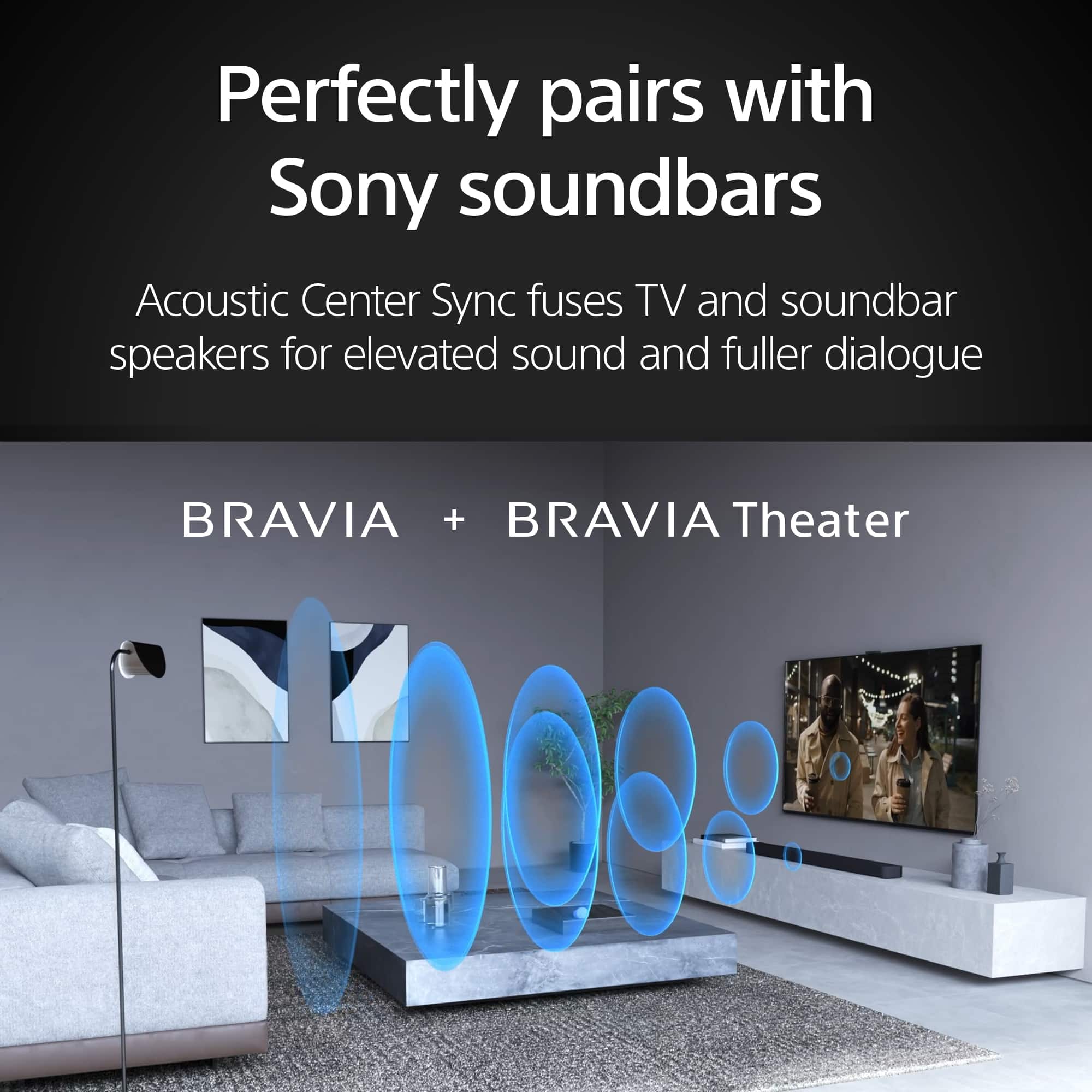
We are pleased to hear you are enjoying the amazing picture on your BRAVIA 8 II and the performance of your BRAVIA Theater Bar 8! To enhance your experience, we recommend enabling "Acoustic Center Sync" in the settings to allow the TV and soundbar to work in perfect harmony for even clearer dialogue.
Thanks for choosing Sony.
Best regards,
Eliab