Customer Ratings & Reviews











- Model:
- XR65X90J
- SKU:
- 6453208
Rating by feature
- Picture Quality
Rating 4.8 out of 5 stars
- Sound Quality
Rating 4.5 out of 5 stars
- Brightness
Rating 4.7 out of 5 stars
Customers are saying
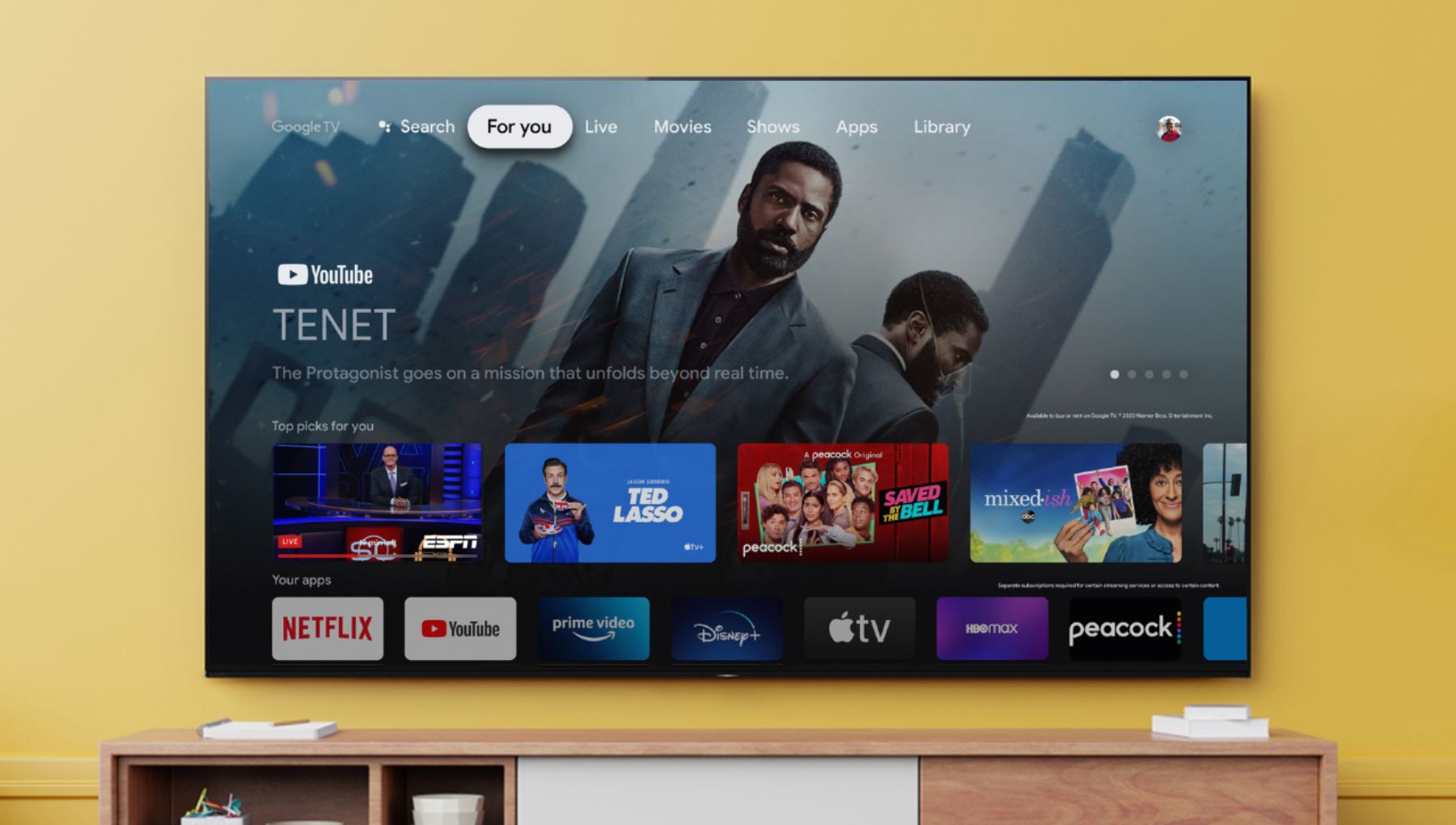
Customers commend the 65" Class BRAVIA XR X90J Series LED 4K UHD Smart Google TV for its exceptional picture quality, describing it as beautiful, incredible, and perfect. They also appreciate its user-friendly setup and reasonable price point compared to OLED TVs. While some users have concerns about glare and the limited number of HDMI 2.1 ports, overall, customers are highly satisfied with the TV's performance, especially for gaming.
This summary was generated by AI based on customer reviews.
Bad picture
||Posted . Owned for 2 weeks when reviewed.This reviewer received promo considerations or sweepstakes entry for writing a review.Nice tv but less then a month old and having problems with picture
No, I would not recommend this to a friendBrand response from SonyListens
Posted .Hi TVroom, thank you for choosing and purchasing our product. We're sorry to hear that you have an issue with the picture on your SONY unit. Please follow this link to isolate the issue:
https://www.sony.com/electronics/support/televisions-projectors-lcd-tvs-android-/xr-65x90j/articles/00032635
May we contact you to help? If so, please email the below information to socialsupport@am.sony.com.
Apologies if you disclosed some of this information in your review and to customer service, we just want to ensure that we have your accurate details at the time of communication.
Full Name:
Best Buy Username:
Telephone Number:
Sony TV Model Number:
Additional Information regarding your experience with the X90J
We are sorry for the inconvenience and hope to speak to you to resolve this matter.
We appreciate you and thanks again for shopping Sony!
Sincerely,
~Earl
Buyer
||Posted . Owned for 3 weeks when reviewed.This reviewer received promo considerations or sweepstakes entry for writing a review.Just average picture. Not what I was sold. Should have bought lower quality.
No, I would not recommend this to a friendBrand response from SonyListens
Posted .Hi Disappointed,
We do apologize for the inconvenience. The picture quality of the television would depend on the source that you're playing. When a video in SD quality is being scaled up and played back, the quality will look poor, even on an HDTV. A video must have HD quality to be played back at high quality on an HDTV. A video with SD quality cannot be converted to HD quality or displayed in SD resolution without stretching. However, by adjusting the Sharpness and Picture Mode of the TV, the quality can be improved. More details on the link below.
https://helpguide.sony.net/tv/iusltn1/v1/en-003/04-09_02.html
https://helpguide.sony.net/tv/iusltn1/v1/en-003/01-03-09_01.html
If you need further assistance, please email us at socialsupport@am.sony.com with the following details:
Name:
Best Buy Username:
Model Number:
Issue:
Telephone Number:
Regards,
David
Ok sony for price
||Posted . Owned for 2 months when reviewed.This reviewer received promo considerations or sweepstakes entry for writing a review.ok for the price. not sure about the cognitive processor.
I would recommend this to a friendBrand response from SonyListens
Posted .Hi Microsoft365,
Thanks for choosing and purchasing the X90J Full Array LED 4K HDR Google TV. We're glad to know you like the overall features of the TV. Your feedback is greatly appreciated. The new BRAVIA XR X90J is equipped with Cognitive Processor XR, delivering intelligence that reflects human cognitive characteristics. It detects the viewer's focal points, and cross-analyzes numerous image quality elements to produce a picture which is more natural and closer to human memory. It also upscales sound to 5.1.2 channels to encapsulate the viewer in surround sound from top to bottom, and left to right, to deliver a realistic and immersive experience, close to the sensation of images and sound that people feel in real life. For an overview of our BRAVIA XR TVs, here is a link with the information on the Cognitive processor XR and more.
https://electronics.sony.com/bravia-xr?cpint=SG_PRODUCT_DETAILS_PRI-TOUT-PDP-XJ_SERIES-EN_GL-2020-10-M04-WORLDSFIRST
With the BRAVIA XR X90J Full Array LED TV, everything you watch becomes more detailed and immersive with true-to-life 4K HDR, powered by the all-new Cognitive Processor XR™. With outstanding picture and sound quality, as well as a sleek flush bezel design, be prepared to level up your favorite movies, TV shows, and games. Thanks for your feedback. -Jess
Started out nice...
||Posted . Owned for 1 year when reviewed.This reviewer received promo considerations or sweepstakes entry for writing a review.We purchased this TV for our living room in August 2021. The husband and I are both gamers, so we actually rarely use the tv. Maybe 3-4 times a week because we have our systems set up on seperate tvs. So it doesn't get a ton of usage. It is now October 2022 (1 year and 2 months after purchase) and in the last 2 weeks I've had to unplug the tv 3 times because it freezes. I've tried powering down, waiting, and everything else I can think of, unfortunately, unplugging is the only way to get it moving again. To be fair, after that it continues to work like it should but freezing in a year old tv is not okay. Especially when said tv isn't a cheapy.
No, I would not recommend this to a friendBrand response from SonyListens
Posted .Hi SamanthaT,
We're sorry to hear about the issue with this TV. We apologize for the inconvenience. You can isolate and resolve the issue by following the troubleshooting steps from this link: https://www.sony.com/electronics/support/televisions-projectors-lcd-tvs-android-/xr-65x90j/articles/00200862.
If you are unable to resolve your concern, may we contact you to help? If so, please email the below information to socialsupport@am.sony.com or chat with us from Sony’s e-support webpage. Apologies if you disclosed some of this information in your review and to customer service, we just want to ensure that we have your accurate details at the time of communication.
Full Name:
Best Buy Username:
Telephone Number:
Sony Model Number:
Additional Information regarding your experience with the X90J:
We are sorry for the inconvenience and hope to speak to you to resolve this matter. We appreciate you and thanks again for shopping Sony!
Sincerely,
Jay
Input lag for gamers
||Posted . Owned for 3 months when reviewed.This reviewer received promo considerations or sweepstakes entry for writing a review.Not gonna lie if your a gamer dont buy this tv. The input lag is horrible. There’s really no way to fix it. Changed the settings to help it still does nothing to help it. I play nba 2k and I can’t even shoot the ball because of the lag. It’s almost sad to say.
No, I would not recommend this to a friendBrand response from SonyListens
Posted .Hello Mizzil,
Thank you for your review.
It is unfortunate to hear you are encountering a picture issue when playing games to your X90J. This is usually not the case and definitely not the experience we wanted you to have on our premium TV.
The X90J features BRAVIA Game Mode for increased frame rate and reduced input lag. We are not sure what gaming console you have this TV connected to. However, if you are using a 4K gaming console, please ensure that its properly setup to this TV by following the steps provided on the links below:
https://www.sony.com/electronics/support/televisions-projectors-lcd-tvs-android-/xr-65x90j/articles/00141961
https://www.sony.com/electronics/support/televisions-projectors-lcd-tvs-android-/xr-65x90j/articles/00165077
You may also try configuring various settings related to the TV display- especially the motion settings of our X90J according to your preferences and see if it resolves the problem:
https://helpguide.sony.net/tv/iusltn1/v1/en-003/01-03-09_01.html?hl=picture+settings
And as a general recommendation, to ensure you are getting the most out of our X90J, we highly recommend updating its firmware to the latest version. The software includes key features, applications, bug fixes, and feature improvements. For more information, please visit the link below:
https://www.sony.com/electronics/support/televisions-projectors-lcd-tvs-android-/xr-65x90j/articles/00119543
If you are unable to resolve your concern, please email the below information to socialsupport@am.sony.com.
Apologies if you disclosed some of this information in your review and to customer service, we just want to ensure that we have your accurate details at the time of communication.
Full Name:
Best Buy Username:
Telephone Number:
Sony TV Model Number:
Additional Information regarding your experience with the X90J:
We value you being a Sony customer. Sorry for the inconvenience and hope to speak directly to try to resolve this matter.
Thank you for letting us help assist you.
Sincerely,
Romeo
Sony Social Support
- Cons mentioned:Reliability
Wont Turn On
||Posted . Owned for 3 months when reviewed.This reviewer received promo considerations or sweepstakes entry for writing a review.I purchased this TV in July 2021 and October 2021 it stopped working wont turn on basically loosing the money I paid for. I will not buy another Sony TV
No, I would not recommend this to a friendBrand response from SonyListens
Posted .Hi Marylu,
We regret to hear that the TV is not turning on. This isn't normally the case with the X90J. You may refer to the troubleshooting steps on this link to help resolve the issue (refer to "The TV has no power"):
https://www.sony.com/electronics/support/televisions-projectors-lcd-tvs-android-/xr-65x90j/articles/00200862
The TV comes with a 1-year manufacturer's warranty. If still not resolved, please email the below information to socialsupport@am.sony.com. Apologies if you disclosed some of this information in your review and to customer service, we just want to ensure that we have your accurate details at the time of communication.
Full Name:
Best Buy Username:
Telephone Number:
Sony TV Model Number:
Issue:
Additional Information regarding your experience with your XR65X90J.
Sincerely,
-Ralph
Sony Social Support
Disappointed with Sony
||Posted . Owned for 1 month when reviewed.This reviewer received promo considerations or sweepstakes entry for writing a review.This TV has the most washed out looking picture. I'm not sure what Sony was thinking when they released this. If I hadn't gotten this for so cheap on clearance it would have been returned.
No, I would not recommend this to a friendBrand response from SonyListens
Posted .Hi RyanK, we're sorry to hear that you have an issue with the picture on your SONY unit. Please isolate the issue by following this steps:
-On the TV remote control, press the (Quick Settings) button.
-Press Enter to open the Settings menu.
-Select Display & Sound → Picture.
-Select Standard or Vivid and then select Reset picture settings for Standard (or Vivid, if that was selected).
-At the Reset to default? screen, select Yes.
May we contact you to help? If so, please email the below information to socialsupport@am.sony.com.
Apologies if you disclosed some of this information in your review and to customer service, we just want to ensure that we have your accurate details at the time of communication.
Full Name:
Best Buy Username:
Telephone Number:
Sony TV Model Number:
Additional Information regarding your experience with the X90J
We are sorry for the inconvenience and hope to speak to you to resolve this matter.
Sincerely,
Earl
- Cons mentioned:Vrr
Buyer Beware
||Posted . Owned for 3 weeks when reviewed.This reviewer received promo considerations or sweepstakes entry for writing a review.Worst Tv I’ve ever tried from Sony. The blooming and picture is worse than X950G. Color is fairly accurate, but the blacks are too gray. It was returned within a couple days. Not to mention no VRR.
No, I would not recommend this to a friendBrand response from SonyListens
Posted .Hi Badaim, we're sorry to hear that you had returned your SONY unit. It is recommended to follow this link as you can configure various settings related to the TV display such as color and brightness for picture quality, or screen size:
https://helpguide.sony.net/tv/iusltn1/v1/en-003/01-03-09_01.html
The VRR HDMI 2.1 standard feature will be available via a future firmware update.
We have our support team that always happy to assist. You may email us the below information to socialsupport@am.sony.com.
Apologies if you disclosed some of this information in your review and to customer service, we just want to ensure that we have your accurate details at the time of communication.
Full Name:
Best Buy Username:
Telephone Number:
Sony TV Model Number:
Additional Information regarding your experience with the X90J
We hope you consider SONY again.
Sincerely,
Earl
Faulty after 30days. Best Buy did not want to know
||Posted . Owned for 1 month when reviewed.This reviewer received promo considerations or sweepstakes entry for writing a review.TV rear cover warped and started to detach after 25days. Best Buy sales refused to deal with this issue as the claimed that they do not have responsibility for faulty goods after 15days. Just gave me the phone number for Sony and said that I'd need to deal with it myself.
I would recommend this to a friendBrand response from SonyListens
Posted .Hi Unhappy,
We're so sorry to hear your TV rear cover is warped and started to detach after a couple of weeks. This does not happen often and definitely not the buying experience that we want our customer to have.
Please note we have a customer hotline that is happy to assist you and help troubleshoot any concerns you have, and your TV has a 1-year warranty from the date of purchase.
We want to make sure you’re taken care of. May we contact you to help and get more information? If so,
please contact our Product Support team through this link: https://us.esupport.sony.com/support/s/support-contact?language=en_US or email the below information to socialsupport@am.sony.com.
Apologies if you disclosed some of this information in your review and to customer service, we just want to ensure that we have your accurate details at the time of communication.
Full Name:
Best Buy Username:
Telephone Number:
Sony TV Model Number:
Additional Information regarding your experience with the X90J:
We are sorry for the inconvenience and hope to speak to you to resolve this matter.
Sincerely,
Jess
Never buying a SONY ever again!
||Posted . Owned for 1 month when reviewed.This reviewer received promo considerations or sweepstakes entry for writing a review.Absolute garbage TV brand. I owned this for two weeks and it ended up getting a quarter sized mark on the screen. The whole TV got wrecked from that. The kicker is that Sony doesn't make their TVs so that you can replace parts. Ended up with a $1400 paperweight.
No, I would not recommend this to a friendBrand response from SonyListens
Posted .Hi mollyc, we're sorry to hear what happened to your SONY unit. We would like to know more about the issue on your TV. Please email the below information to socialsupport@am.sony.com.
Apologies if you disclosed some of this information in your review and to customer service, we just want to ensure that we have your accurate details at the time of communication.
Full Name:
Best Buy Username:
Telephone Number:
Sony TV Model Number:
Additional Information regarding your experience with the X90J
We are sorry for the inconvenience and hope to speak to you to resolve this matter.
We appreciate you and thanks again for shopping Sony!
~Earl
Terrible Picture
||Posted . Owned for 1 week when reviewed.This reviewer received promo considerations or sweepstakes entry for writing a review.I guess just because it says Sony there can be a bad apple. I purchased this TV to replace a 55" Sony Class A8H Series OLED 4k UHD. The picture is terrible. I am returning it and have purchased the 65" version of my old TV. Older version but I assuming the picture will be the same quality as my 55""
No, I would not recommend this to a friendBrand response from SonyListens
Posted .Hi babirusa, thank you for choosing and purchasing our products. We're sorry to hear that you have a picture issue with your SONY unit. Is recommended to follow this link to adjust the picture quality of your TV for your preference.
https://helpguide.sony.net/tv/iusltn1/v1/en-003/01-03-09_01.html
We have our Support team that always happy to assist you. You may please email us with the below information to socialsupport@am.sony.com.
Apologies if you disclosed some of this information in your review and to customer service, we just want to ensure that we have your accurate details at the time of communication.
Full Name:
Best Buy Username:
Telephone Number:
Sony TV Model Number:
Additional Information regarding your experience with the X90J
We appreciate you and thanks again for shopping Sony!
Sincerely,
~Earl
Frustrated and considering a return
||Posted . Owned for 1 week when reviewed.This reviewer received promo considerations or sweepstakes entry for writing a review.This TV setup is extremely frustrating and I consider myself technically saavy. I'm not seeing the picture quality that i expected, and I have been on tech support with both SONY and BEST BUY. In addition getting the audio for NETFLIX and other TV based apps to work thru my home theather system still doesn't work. It worked fine on my old SAMSUNG and the setup is exactly the same as instructed in the SONY instructions. I waited 3 months to buy this TV since it was announced at CES and now how some buyers remorse.....
No, I would not recommend this to a friendBrand response from SonyListens
Posted .Hi MBey,
Thank you for choosing and purchasing Sony Bravia X90J Ultra HD TV.
We regret to hear that you are having both audio and picture issue with your Sony Bravia TV. This usually is not the case with our premium TVs. You can always adjust the picture quality of your TV according to your preference: https://helpguide.sony.net/tv/iusltn1/v1/en-003/01-03-09_01.html. We have an updated firmware for our X90J. Please update your TV to make sure you are getting the most out of it. The software update includes key features, applications, bug fixes, and feature improvements. We can also further isolate the audio issue by following some tips from this article: https://www.sony.com/electronics/support/articles/00020051.
We want to make sure you’re taken care of and help check on your TV.
May we contact you directly to assist you? If so, please email the below information to socialsupport@am.sony.com.
Apologies if you disclosed some of this information in your review and to customer service, we just want to ensure that we have your accurate details at the time of communication.
Full Name:
Best Buy Username:
Telephone Number:
Sony TV Model Number:
Additional Information regarding your experience with the X90J:
We value you being a Sony customer. Sorry for the inconvenience and hope to speak directly to try to resolve this matter.
Thank you for letting us help assist you.
Sincerely,
Vincent
Disappointed
||Posted . Owned for 3 weeks when reviewed.This reviewer received promo considerations or sweepstakes entry for writing a review.the picture quality was way under par for a tv of that cost , made several adjustments and still the picture quality was not as good as our 10 year old Sony BRAVIA, and to add to it the tv would constantly disconnect its self from the internet. finally i took it back and purchased a different model Sony and it was plug and play and the picture is outstanding as you would expect from a Sony.
No, I would not recommend this to a friendBrand response from SonyListens
Posted .Hi Disappointed,
We regret to hear that you returned this TV because of the picture quality issue and a constant disconnecting from the internet. This is definitely not the experience we wanted you to have with our products. We apologize for the inconvenience. The issue might be resolve by following the troubleshooting steps from the link below:
Troubleshooting network issues
https://www.sony.com/electronics/support/televisions-projectors-lcd-tvs-android-/xr-65x90j/articles/00151038
Adjusting the picture quality
https://helpguide.sony.net/tv/iusltn1/v1/en-003/01-03-09_01.html
In any case that you need our assistance, please email the below information to socialsupport@am.sony.com or chat with us from Sony’s e-support webpage. Apologies if you disclosed some of this information in your review and to customer service, we just want to ensure that we have your accurate details at the time of communication.
Full Name:
Best Buy Username:
Telephone Number:
Sony Model Number:
Additional Information regarding your experience with the Sony Product:
We are sorry for the inconvenience and hope to speak to you to resolve this matter. We appreciate you and thanks again for shopping Sony!
Sincerely,
Jay
Not good at all
||Posted . Owned for less than 1 week when reviewed.This reviewer received promo considerations or sweepstakes entry for writing a review.Stopped working a week after purchase. Sony support was no support at all in fact down right non customer focused will never purchase another Sony product as long as I live bad quality returned for a Samsung that I should have bought in the first place.
No, I would not recommend this to a friendBrand response from SonyListens
Posted .Hi CamoChef,
Thank you for sharing your feedback on using your X90J LED 4K Ultra HD Google TV. We're sorry about your experience and that you had some issue with your Bravia TV. This is usually not the case with our premium TVs. We value your input and appreciate the feedback.
We regret to know that the unit had to be returned. We would like to know more about the situation with the TV that caused you to return the unit. Please note we have a customer hotline that is happy to assist you and help troubleshoot any concerns you have, and your TV has a 1-year warranty from the date of purchase. We do hope you will reconsider our brand and give us another chance at bringing the immersive, engaging cinematic experience in your home.
In any case that you need our assistance, please follow the instruction below on how to contact us.
May we contact you to help? If so, please email the below information to socialsupport@am.sony.com.
Apologies if you disclosed some of this information in your review and to customer service, we just want to ensure that we have your accurate details at the time of communication.
Full Name:
Best Buy Username:
Telephone Number:
Sony TV Model Number:
Additional Information regarding your experience with the X90J:
We hope that you will shop Sony again in the future
Sincerely,
Jess
Not worth the headache!!!
||Posted . Owned for less than 1 week when reviewed.This reviewer received promo considerations or sweepstakes entry for writing a review.1. Doesn't pass through audio to sound bar so you can use 1 remote. 2. HDTV antenna gets way less channels on this TV versus my 5 yr old LG. 3. Sony apps are slow. 4. Google TV is more clunky than WebOS.
No, I would not recommend this to a friendBrand response from SonyListens
Posted .Hi Elektrohaus,
Thank you for sharing your thoughts and experience using our X90J 4K LED HDR Google TV. We regret to hear you're experiencing some audio issues, TV apps run slow, and you are having difficulty receiving channels on your Google TV. We want to make sure you get taken care of.
You can connect audio systems such as sound bars or AV receivers to the TV. Select a connection method on the link below according to the specifications of the audio system you want to connect.
https://www.sony.com/electronics/support/televisions-projectors-lcd-tvs-android-/xr-65x90j/articles/00014997
Also, connecting the cable box via HDMI cable, and enabling the Control for HDMI on your cable box and Bravia sync function on the TV provides control functions between different A/V devices. It allows you to control CEC compatible devices with one remote control. For more details about the Bravia Sync function, refer to this link: https://www.sony.com/electronics/support/televisions-projectors-lcd-tvs-android-/xr-65x90j/articles/00161073
For channels available when using an antenna, the channels that appear vary depending on your region, and the type and placement of your antenna. The FCC may direct your local broadcaster to change the frequencies they use. For more details, visit this helpful link: https://www.sony.com/electronics/support/televisions-projectors-lcd-tvs-android-/xr-65x90j/articles/00258411
To make sure your TV runs as smooth as possible, we highly recommend downloading and installing the latest software for the TV. We also recommend doing a soft reset. Hold down the power button for 5-10 seconds until the restart screen option comes up, select restart and let the TV shutdown and restart itself and see if the problem is still there.
Should you need further assistance, may we contact you to help? If so, please email the below information to socialsupport@am.sony.com.
Apologies if you disclosed some of this information in your review and to customer service, we just want to ensure that we have your accurate details at the time of communication.
Full Name:
Best Buy Username:
Telephone Number:
Sony TV Model Number:
Additional Information regarding your experience with the X90J:
We are sorry for the inconvenience and hope to speak to you to resolve this matter.
Sincerely,
Jess
- Cons mentioned:Glare
overexposed bright objects
||Posted . Owned for 3 months when reviewed.This reviewer received promo considerations or sweepstakes entry for writing a review.overexposed bright objects, tried all the setting in the world
No, I would not recommend this to a friendBrand response from SonyListens
Posted .Hi Bell, We are sorry to hear about the brightness level issue you are having. This is definitely not the experience we'd like you to have.
If your TV screen is too bright, even when you have the brightness set to the minimum, please follow the troubleshooting steps on the link below to further isolate and resolve this issue.
https://www.sony.com/electronics/support/televisions-projectors-lcd-tvs-android-/xr-65x90j/articles/00254783
May we contact you to help and get more information? If so, please email the below information to socialsupport@am.sony.com. Apologies if you disclosed some of this information in your review and to customer service, we just want to ensure that we have your accurate details at the time of communication.
Full Name:
Best Buy Username:
Telephone Number:
Sony Model Number:
Additional Information regarding your experience with the XR65X90J:
We are sorry for the inconvenience and hope to speak to you to resolve this matter.
Sincerely,
Sam
Gomez Sony 65 TV install
||Posted . Owned for 3 weeks when reviewed.This reviewer received promo considerations or sweepstakes entry for writing a review.Something went wrong. TV not functioning properly. Think it’s the wiring.
No, I would not recommend this to a friendBrand response from SonyListens
Posted .Hi GomezSony65TVinstall, thank you for choosing and purchasing our product. We're sorry to hear that you have an issue with your SONY unit. We woud like to know more about the issue to better assist you. For the meantime, you can follow the BRAVIA connectivity guide on this link:
https://helpguide.sony.net/tv/iusltn1/v1/en-003/04_10.html?hl=bravia+connectivity
May we contact you to help? If so, please email the below information to socialsupport@am.sony.com.
Apologies if you disclosed some of this information in your review and to customer service, we just want to ensure that we have your accurate details at the time of communication.
Full Name:
Best Buy Username:
Telephone Number:
Sony TV Model Number:
Additional Information regarding your experience with the X90J
We are sorry for the inconvenience and hope to speak to you to resolve this matter.
We appreciate you and thanks again for shopping Sony!
Sincerely,
~Earl
- Pros mentioned:Picture quality, Refresh rate
Favorite TV
Posted .This reviewer received promo considerations or sweepstakes entry for writing a review.This TV stands up to some of the higher priced units out there. 120hz at 4K let your gaming systems shine and Dolby Vision brings out yhe best in movies. The best TV I've ever owned. Definitely worth the price.
I would recommend this to a friend FRUSTRATED
||Posted . Owned for 3 weeks when reviewed.This reviewer received promo considerations or sweepstakes entry for writing a review.Unsure why, but I have to reconnect to the network every time the TV is turned on. Sometimes it will connect after entering password, sometimes I have to forget network and re-setup the entire network. Aggravating.
No, I would not recommend this to a friendBrand response from SonyListens
Posted .Hi SONYISSUES, Thank you for choosing and purchasing our newest Sony X90J 4K HDR LED TV. We're sorry to hear that you have an issue with your SONY unit. Check the installation location of the TV and wireless router. The signal condition may be affected by the following:
Other wireless devices, microwaves, fluorescent lights, etc., are placed nearby.
There are floors or walls between the wireless router and TV.
Please follow this link to further isolate the issue:
https://helpguide.sony.net/tv/iusltn1/v1/en-003/08-06_15.html
May we contact you to help? If so, please email the below information to socialsupport@am.sony.com.
Apologies if you disclosed some of this information in your review and to customer service, we just want to ensure that we have your accurate details at the time of communication.
Full Name:
Best Buy Username:
Telephone Number:
Sony TV Model Number:
Additional Information regarding your experience with the X90J
We are sorry for the inconvenience and hope to speak to you to resolve this matter.
We appreciate you and thanks again for shopping Sony!
Sincerely,
Earl
Buyers Beware
||Posted . Owned for 9 months when reviewed.This reviewer received promo considerations or sweepstakes entry for writing a review.Watch the hdmi port and cord to the tv it will back feed up to 34 volts of electricity and cause a fire. We learned the hard way. Best Buy will not do anything to help us each time I call they just hang up on me. Buyers beware.
No, I would not recommend this to a friendBrand response from SonyListens
Posted .Hi JessicaK, Thank you for your input and concern. Sony takes all such reports seriously and will investigate appropriately. In order for Sony to investigate your product concern appropriately, we will need to evaluate your product. Please email us at safetysupport@am.sony.com. Once we have your contact information we can arrange your product to be evaluated
Regards,
Sam