Customer Ratings & Reviews







- Model:
- cl
- SKU:
- 6451294
Rating by feature
- Picture Quality
Rating 4.7 out of 5 stars
- Sound Quality
Rating 4.6 out of 5 stars
- Brightness
Rating 4.7 out of 5 stars
Customers are saying
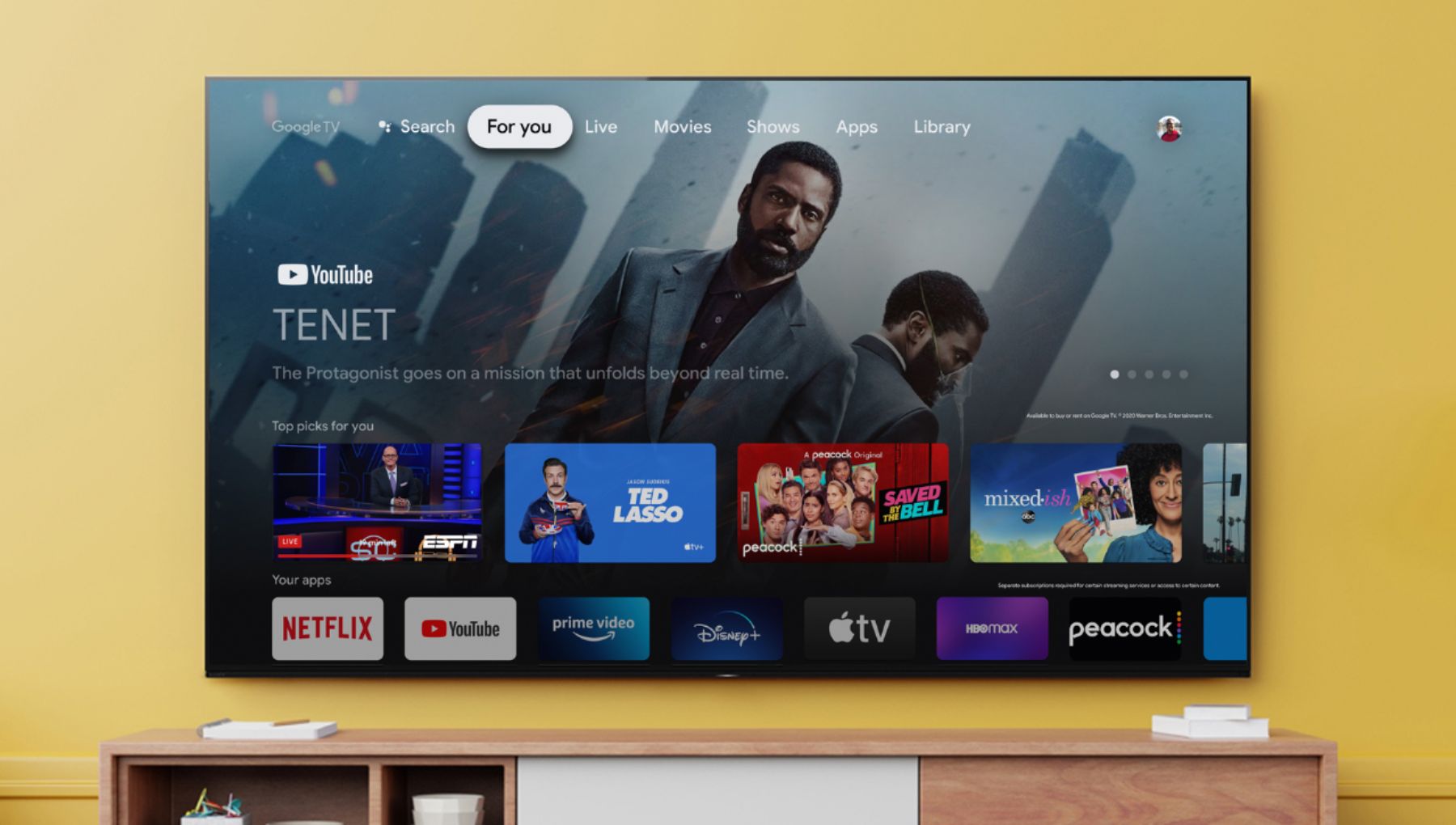
Customers praise the 65" Class X80J Series LED 4K UHD Smart Google TV for its exceptional picture quality, easy setup, and affordable price. Many users are impressed with the vibrant colors and crisp images, while others appreciate the user-friendly interface and hassle-free installation. However, a few customers have encountered minor issues with the remote control and internet connectivity.
This summary was generated by AI based on customer reviews.
Just fine
||Posted . Owned for 2 weeks when reviewed.This reviewer received promo considerations or sweepstakes entry for writing a review.Fine. The price of the television is a bit too high for the actual quality
No, I would not recommend this to a friendBrand response from SonyListens
Posted .Hi Aaaa,
Thanks for the feedback. Please be assured we take this feedback very seriously and continuously strive to improve our products. Enjoy an intuitive smart TV experience with natural color and clear sound with the BRAVIA X80J LED TV. The powerful 4K HDR Processor X1 reduces digital noise and boosts details for lifelike picture quality. Google TV gives you access to all your favorite streaming apps, while Google Assistant easily searches for content and controls your smart home simply by using your voice.
Thank you for choosing Sony!
David
Not worth $$$
||Posted . Owned for 3 weeks when reviewed.This reviewer received promo considerations or sweepstakes entry for writing a review.We've had to reboot this thing every other day because it would not turn on! We put it into the wall socket and the same thing. Some of the pictures (especially words or small print) are blocky even on HD channels. Pixel problem?
No, I would not recommend this to a friendBrand response from SonyListens
Posted .Hi gypsy87,
We're sorry to hear about the intermittent no power issue of this TV. We apologize for the inconvenience. To isolate this issue, please follow the troubleshooting step from this link:
https://www.sony.com/electronics/support/televisions-projectors-lcd-tvs-android-/kd-65x80j/articles/00023331
If you are unable to resolve your concern, may we contact you to help? If so, please email the below information to socialsupport@am.sony.com or chat with us from Sony’s e-support webpage. Apologies if you disclosed some of this information in your review and to customer service, we just want to ensure that we have your accurate details at the time of communication.
Full Name:
Best Buy Username:
Telephone Number:
Sony Model Number:
Additional Information regarding your experience with the X80J:
We are sorry for the inconvenience and hope to speak to you to resolve this matter. We appreciate you and thanks again for shopping Sony!
Sincerely,
Jay
Too many limitations and frustrations to keep.
||Posted . Owned for less than 1 week when reviewed.This reviewer received promo considerations or sweepstakes entry for writing a review.This TV defaults to the smart menu when powered on and this is something you cannot change so if your source of reception is from the HDMI 1 port you'll have to push a button on the remote to switch to that port. With this model you cannot program the remote to perform functions of another remote controller. Lastly if you want to subscribe to ATT-TV's streaming service as opposed to DirecTV this model is incompatible with the ATT-TV app found on the Google Play store. In regard to setting up apps from the Google Play store I found that when I enter authentication codes for apps I downloaded Google keep thinking that because I was entering the code on an Android tablet, the values being entered were for the tablet and I had to keep running back and forth from the TV to my PC to enter the codes. With the limitations and the frustrations I simply decided to return the set and get a refund. Given the cost of this TV and the fact that it was a 2021 model I thought Sony could have done better.
No, I would not recommend this to a friendBrand response from SonyListens
Posted .Hi Moondoggy,
We regret to hear that you returned this TV because of your concerns. This is definitely not the experience we wanted you to have on our products. We apologize for the inconvenience. The TV Key function instantly jumps to a specific input when you press the TV button on the supplied remote. It works as a shortcut button to a specific input. For example, if you have a cable box connected to an HDMI input, you can press the TV button on the remote and instantly go to that specific input. Here are the steps to customize the TV Key:
On the supplied remote control, press the HOME button.
The following steps may vary according to your TV model.
Select Settings → External Inputs → Customize TV Key.
Select Settings → Watching TV → External Inputs → Customize TV Key.
Select an input that you want to link to the TV button.
You can only install apps that are compatible with TVs. They may differ from apps for smartphones/tablets. There are free apps and paid apps. To purchase a paid app, a prepaid Google Play gift card code or credit card information is required. You can purchase a Google Play gift card from various retailers.
In any case that you need our assistance, please email the below information to socialsupport@am.sony.com or chat with us from Sony’s e-support webpage. Apologies if you disclosed some of this information in your review and to customer service, we just want to ensure that we have your accurate details at the time of communication.
Full Name:
Best Buy Username:
Telephone Number:
Sony Model Number:
Additional Information regarding your experience with our X80J:
We are sorry for the inconvenience and hope to speak to you to resolve this matter. We appreciate you and thanks again for shopping Sony!
Sincerely,
Jay
Not happy with it
||Posted . Owned for 3 weeks when reviewed.This reviewer received promo considerations or sweepstakes entry for writing a review.Dead pixels and when watching a movie just sit off and restarted.
No, I would not recommend this to a friendBrand response from SonyListens
Posted .Hi DkJ83,
We're sorry to hear that you're having issues with this TV. We apologize for the inconvenience. High-precision technology is used to manufacture LCD and OLED displays to maintain a high standard of operation. However, with all LCD/OLED screens, regardless of manufacturer, there may be a small number of dots that do not change color. This is normal operation for LCD and OLED screens for all manufacturers. Most defects are only noticeable when an all-white or all-black picture is displayed and shouldn't be noticeable under normal operation. Refer to this link for more details: https://www.sony.com/electronics/support/televisions-projectors-lcd-tvs-android-/kd-65x80j/articles/00026287
If the TV turns off by itself, please follow the troubleshooting steps from this link: https://www.sony.com/electronics/support/televisions-projectors-lcd-tvs-android-/kd-65x80j/articles/00114471
If you are unable to resolve your concern, may we contact you to help? If so, please email the below information to socialsupport@am.sony.com or chat with us from Sony’s e-support webpage. Apologies if you disclosed some of this information in your review and to customer service, we just want to ensure that we have your accurate details at the time of communication.
Full Name:
Best Buy Username:
Telephone Number:
Sony Model Number:
Additional Information regarding your experience with the X80J:
We are sorry for the inconvenience and hope to speak to you to resolve this matter. We appreciate you and thanks again for shopping Sony!
Sincerely,
Jay
Just OK
||Posted . Owned for 1 month when reviewed.This reviewer received promo considerations or sweepstakes entry for writing a review.Just ok for price. Samsung TV seem more user friendly than this TV
I would recommend this to a friendBrand response from SonyListens
Posted .Hi Samsung, Thank you for taking the time to review the BRAVIA X80J LED TV. Enjoy an intuitive smart TV experience with natural color and clear sound with the BRAVIA X80J LED TV. The powerful 4K HDR Processor X1 reduces digital noise and boosts details for lifelike picture quality. Google TV gives you access to all your favorite streaming apps, while Google Assistant easily searches for content and controls your smart home simply by using your voice.Thanks for sharing this review! Jay
Air play doesn't work
||Posted . Owned for 4 months when reviewed.This reviewer received promo considerations or sweepstakes entry for writing a review.The Airplay doesn't work. Very disappointed. I wish it wasn't like that
No, I would not recommend this to a friendBrand response from SonyListens
Posted .Hi Fahad,
We're sorry to hear about the issue with the TV. The KD65X80J works with the Apple AirPlay/Apple HomeKit. In this case, please follow the troubleshooting steps from the lik below:
https://www.sony.com/electronics/support/televisions-projectors-lcd-tvs-android-/kd-65x80j/articles/00260396
If you are unable to resolve your concern, may we contact you to help? If so, please email the below information to socialsupport@am.sony.com or chat with us from Sony’s e-support webpage. Apologies if you disclosed some of this information in your review and to customer service, we just want to ensure that we have your accurate details at the time of communication.
Full Name:
Best Buy Username:
Telephone Number:
Sony Model Number:
Additional Information regarding your experience with the X80J:
We are sorry for the inconvenience and hope to speak to you to resolve this matter. We appreciate you and thanks again for shopping Sony!
Sincerely,
Jay
Sleek
||Posted . Owned for 1 month when reviewed.This reviewer received promo considerations or sweepstakes entry for writing a review.Sleek, but picture isnt great as such.Good for the price.
I would recommend this to a friendBrand response from SonyListens
Posted .Hi Fabi,
We regret to hear that you're having issue with the picture quality of this TV. You can configure various settings related to the TV display such as color and brightness for picture quality, or screen size. The actual display may vary or some settings may not be available depending on your model/country/region and the content you are watching. Press the (Quick Settings) button on the remote control, then select [Settings] — [Display & Sound] — the desired option.
If you are unable to resolve your concern, may we contact you to help? If so, please email the below information to socialsupport@am.sony.com or chat with us from Sony’s e-support webpage. Apologies if you disclosed some of this information in your review and to customer service, we just want to ensure that we have your accurate details at the time of communication.
Full Name:
Best Buy Username:
Telephone Number:
Sony Model Number:
Additional Information regarding your experience with the X80J:
We are sorry for the inconvenience and hope to speak to you to resolve this matter. We appreciate you and thanks again for shopping Sony!
Sincerely,
Jay
Not the best TV
||Posted . Owned for 10 months when reviewed.This reviewer received promo considerations or sweepstakes entry for writing a review.It’s been 10 months since I bought this tv and I just noticed this green flicker keep coming up on the tv. It’s gotten worse in the past 2 days so I may be needing to replace my tv. I used to love Sony tvs so much but maybe it’s time to try another brand.
No, I would not recommend this to a friendBrand response from SonyListens
Posted .Hi Nola,
We regret to hear that you're having issue with this TV. This is definitely not the experience we wanted you to have on our products. We apologize for the inconvenience. What are the devices connected? What is the current source? We recommend disconnecting HDMI devices to the TV and perform a power reset. In this case, follow the troubleshooting steps.
1. Make sure both the TV and other device are turned on.
2. While turned on, unplug the power cords for the TV and device from the electrical outlet.
3. Disconnect the HDMI cables from the TV and other product.
4. Wait 60 seconds.
5. While the HDMI cables are disconnected, plug the power cords back into the electrical outlet.
6. Turn on the TV.
7. Re-connect the HDMI cables.
8. Turn on the HDMI-connected product.
If you are unable to resolve your concern, may we contact you to help? If so, please email the below information to socialsupport@am.sony.com or chat with us from Sony’s e-support webpage. Apologies if you disclosed some of this information in your review and to customer service, we just want to ensure that we have your accurate details at the time of communication.
Full Name:
Best Buy Username:
Telephone Number:
Sony Model Number:
Additional Information regarding your experience with the X80J:
We are sorry for the inconvenience and hope to speak to you to resolve this matter. We appreciate you and thanks again for shopping Sony!
Sincerely,
Jay
Worst Purchase Experience Ever
||Posted . Owned for 3 weeks when reviewed.This reviewer received promo considerations or sweepstakes entry for writing a review.Absolutely the worst shopping experience ever. It is clear BB has no compunction about wasting their customers time. It took 5 or 6 hours of telephone time, to place an order for a TV and TV stand, multiple calls to correct mistakes agents kept making. It would be so much easier to be able to call the local store. But you can’t. Call any store for any reason and you are routed to employees in Panama, the Philippines, Columbia or a US location. So correcting the simplest thing….like the spelling of the City of delivery could mean spending an hour on the phone. Even when the agent tells you they fixed an issue, doesn’t mean it is fixed…nope…another hour or two on the phone. Order elsewhere if you can. Save yourself frustration, headaches and hours on the phone.
No, I would not recommend this to a friendCheap, poorly-designed remote
||Posted . Owned for 3 weeks when reviewed.This reviewer received promo considerations or sweepstakes entry for writing a review.The remote control that comes with this 65" Sony Bravia tv is the cheapest, most poorly-designed, most aggravating-to-use remote that I have ever owned. I own 4 smaller Samsung TVs and each one has a better quality, better designed remote. The remote is extremely thin, the buttons are extremely tiny, and the design of where the buttons are placed makes no sense. Sony should send a universal remote that is compatible to this piece of junk to each purchaser of this Sony Bravia TV with apologies for creating such an aggravating experience for their customer. Then they should fire whoever designed this piece of junk.
No, I would not recommend this to a friendBrand response from SonyListens
Posted .Hi Beverly,
We're sorry to hear that the remote control failed to your expectations. We apologize for the inconvenience. Your TV is now more helpful than ever. Use your voice remote to easily find your favorite movies, shows and music. This TV has Voice Search Function. Refer to this link for more details: https://www.sony.com/electronics/support/televisions-projectors-lcd-tvs-android-/kd-65x80j/articles/00127005
In any case that you need our assistance, please email the below information to socialsupport@am.sony.com or chat with us from Sony’s e-support webpage. Apologies if you disclosed some of this information in your review and to customer service, we just want to ensure that we have your accurate details at the time of communication.
Full Name:
Best Buy Username:
Telephone Number:
Sony Model Number:
Additional Information regarding your experience with the X80J:
We are sorry for the inconvenience and hope to speak to you to resolve this matter. We appreciate you and thanks again for shopping Sony!
Sincerely,
Jay
Don’t Buy! Screen color issues!!!
||Posted . Owned for 2 weeks when reviewed.This reviewer received promo considerations or sweepstakes entry for writing a review.We bought this tv after seeing good reviews but little did we know there would be screen issues. In the middle of the screen while watching tv it would change colors. The colors were yellow and green big blotches. We contacted Best Buy and they were great help on getting a replacement. We installed the replacement which was the same brand and everything. After two days of use it did the exact same things. We again contacted Best Buy and they were great help on getting this picked up and returned. Long story short don’t get this tv! We went with a LG Nano now.
No, I would not recommend this to a friendBrand response from SonyListens
Posted .Hi Mrwashburn,
We regret to hear that you returned the TVs because of the picture issue. This is definitely not the experience we wanted you to have on our products. We apologize for the inconvenience.
In any case that you need our assistance, please email the below information to socialsupport@am.sony.com or chat with us from Sony’s e-support webpage. Apologies if you disclosed some of this information in your review and to customer service, we just want to ensure that we have your accurate details at the time of communication.
Full Name:
Best Buy Username:
Telephone Number:
Sony Model Number:
Additional Information regarding your experience with the X80J:
We are sorry for the inconvenience and hope to speak to you to resolve this matter. We appreciate you and thanks again for shopping Sony!
Sincerely,
Jay
Not so Great
||Posted . Owned for 2 weeks when reviewed.This reviewer received promo considerations or sweepstakes entry for writing a review.3 white spots at the bottom on the screen. I'm really not happy about it but my return window has lapsed... Be aware that the return window is only two weeks. By the time I realized something was wrong I was stuck with the television.
No, I would not recommend this to a friendBrand response from SonyListens
Posted .Hi Aaron,
We regret to hear that you're having an issue with the TV. This is definitely not the experience we wanted you to have with our products. We apologize for the inconvenience. In this case, please follow the troubleshooting steps from the link below to isolate and diagnose the issue:
https://www.sony.com/electronics/support/televisions-projectors-lcd-tvs-android-/kd-65x80j/articles/00030311
The brand new TV has a one-year limited manufacturer's warranty. If you are unable to resolve your concern, may we contact you to help? If so, please email the below information to socialsupport@am.sony.com or chat with us from Sony’s e-support webpage. Apologies if you disclosed some of this information in your review and to customer service, we just want to ensure that we have your accurate details at the time of communication.
Full Name:
Best Buy Username:
Telephone Number:
Sony Model Number:
Additional Information regarding your experience with the X80J:
We are sorry for the inconvenience and hope to speak to you to resolve this matter. We appreciate you and thanks again for shopping Sony!
Sincerely,
Jay
- Cons mentioned:Internet connectivity
Big disappointment
||Posted . Owned for 3 weeks when reviewed.This reviewer received promo considerations or sweepstakes entry for writing a review.TV was good for a week but now loses Internet connection constantly. Replacement TV is on the way hopefully it’ll be better than this one
No, I would not recommend this to a friendBrand response from SonyListens
Posted .Hi MarineOne,
We regret to hear that you're having issue with the TV. This is definitely not the experience we wanted you to have on our products. We apologize for the inconvenience. We're glad that you already process the replacement of the TV.
In any case that you need our assistance, please email the below information to socialsupport@am.sony.com or chat with us from Sony’s e-support webpage. Apologies if you disclosed some of this information in your review and to customer service, we just want to ensure that we have your accurate details at the time of communication.
Full Name:
Best Buy Username:
Telephone Number:
Sony Model Number:
Additional Information regarding your experience with the X80J:
We are sorry for the inconvenience and hope to speak to you to resolve this matter. We appreciate you and thanks again for shopping Sony!
Sincerely,
Jay
Not Complete
||Posted . Owned for 1 month when reviewed.This reviewer received promo considerations or sweepstakes entry for writing a review.Who do I talk to? The installers did not install everything and they won’t return my call
No, I would not recommend this to a friendScreen Gone Bad/Horizontal Lines Ruined TV!
||Posted . Owned for 1 year when reviewed.This reviewer received promo considerations or sweepstakes entry for writing a review.Purchased a 65X80J in May 2021. 17 months later and 5 months out of warranty I need a new TV. This one started showing duel flashing horizontal lines across the entire screen from left to right on TV input and every HDMI input. There are no Authorized Sony repair shops in the entire Washington DC, Maryland nor Northern Virginia area. Guess I will be throwing this one away and buying a Samsung!
No, I would not recommend this to a friendBrand response from SonyListens
Posted .Hi KEVIN,
Thank you for choosing and purchasing Sony BRAVIA X80J smart Google TV.
We regret to hear that you are having a display issue with your Sony BRAVIA TV. This is definitely not the customer experience we want you to have. We have an article that you can follow to further isolate this issue: https://www.sony.com/electronics/support/articles/00032635. If troubleshooting steps do not resolve the issue, repair may be required. If there are no authorized Sony service centers near you, you can also contact any third-party repair center for help you further with this.
We take all user input seriously and will make sure your comments reach the appropriate person. Should you need further assistance, you can email us at socialsupport@am.sony.com.
Sincerely,
Vincent
Meh
||Posted . Owned for 1 year when reviewed.This reviewer received promo considerations or sweepstakes entry for writing a review.Sound is horrible. Display quality ok but not the greatest. Wish I had returned it.
No, I would not recommend this to a friendDisappointed
||Posted . Owned for 2 months when reviewed.This reviewer received promo considerations or sweepstakes entry for writing a review.Already has lines showing on it and my time window has passed. So upset with this
No, I would not recommend this to a friendBrand response from SonyListens
Posted .Hi Carmen,
We regret to hear about the line issue with this TV. This is definitely not the experience we wanted you to have with our products. We apologize for the inconvenience. The brand new TV comes with a one-year manufacturer's limited warranty. To isolate the issue, please follow the troubleshooting steps from the link below.
https://www.sony.com/electronics/support/televisions-projectors-lcd-tvs-android-/kd-65x80j/articles/00032635
If you are unable to resolve your concern, may we contact you to help? If so, please email the below information to socialsupport@am.sony.com or chat with us from Sony’s e-support webpage. Apologies if you disclosed some of this information in your review and to customer service, we just want to ensure that we have your accurate details at the time of communication.
Full Name:
Best Buy Username:
Telephone Number:
Sony Model Number:
Additional Information regarding your experience with the X80J:
We are sorry for the inconvenience and hope to speak to you to resolve this matter. We appreciate you and thanks again for shopping Sony!
Sincerely,
Jay
led light
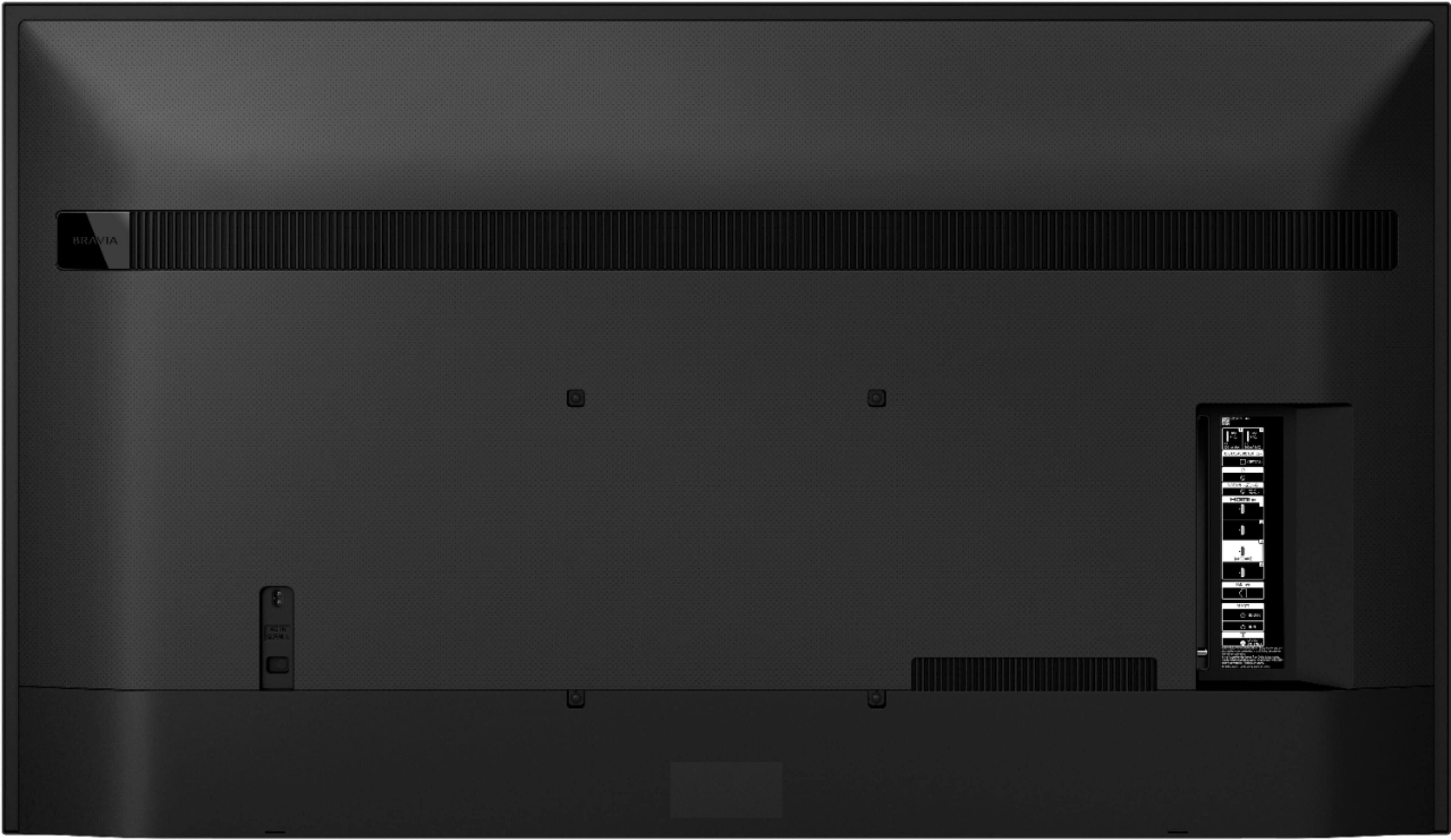
||Posted . Owned for 1 week when reviewed.This reviewer received promo considerations or sweepstakes entry for writing a review.It does not have a red LED light that when the television is off the red light is on; this television does not have it
I would recommend this to a friendBrand response from SonyListens
Posted .Hi Michael,
Thank you for choosing and purchasing our Sony X80J Ultra HD Smart Google TV. We value your input regarding how the LEDs light up on this unit. Please allow us to help you and turn this into a better experience.
The LED lights up, blinks, or flashes in different colors according to the status of the TV in response to remote control operations. For this TV, the Status LED turns on or blinks in white when the TV is turning on, when receiving signals from the remote control, or when updating the software from a USB storage device. If a Red LED is blinking and the TV isn't working properly it means that the TV has detected an issue or problem.
You can check the status of the TV by looking at how the LEDs light up from this article: https://www.sony.com/electronics/support/televisions-projectors-lcd-tvs-android-/kd-65x80j/articles/00145301.
Hope this helps.
Should you need further assistance or more information about our product, please let us know.
May we contact you to help? If so, please email the below information to socialsupport@am.sony.com.
Apologies if you disclosed some of this information in your review and to customer service, we just want to ensure that we have your accurate details at the time of communication.
Full Name:
Best Buy Username:
Telephone Number:
Sony TV Model Number:
Additional Information regarding your experience with the X80J
We are sorry for the inconvenience and hope to speak to you to resolve this matter.
We appreciate you and thanks again for shopping Sony!
Sincerely,
Jess
Overpriced Junk
||Posted . Owned for 4 months when reviewed.This reviewer received promo considerations or sweepstakes entry for writing a review.DO NOT BUY THIS TV! The picture looks awful unless you spend hours calibrating it manually. The remote control will stop working randomly so you can't move down or click OK on the screen. Only fix is to pull the power cord out. It happens several times a day. Sometimes within a couple minutes of the last reboot.
No, I would not recommend this to a friendBrand response from SonyListens
Posted .Hi TheDude,
We're sorry to hear about your issue with this TV. We apologize for the inconvenience. The actual display may vary or some settings may not be available depending on your model/country/region and the content you are watching. You can configure various settings related to the TV display such as color and brightness for picture quality, or screen size. Press the (Quick Settings) button on the remote control, then select [Settings] — [Display & Sound] — the desired option. Refer to this link for more details: https://www.sony.com/electronics/support/televisions-projectors-lcd-tvs-android-/kd-65x80j/articles/00263533
If you are unable to resolve your concern, may we contact you to help? If so, please email the below information to socialsupport@am.sony.com or chat with us from Sony’s e-support webpage. Apologies if you disclosed some of this information in your review and to customer service, we just want to ensure that we have your accurate details at the time of communication.
Full Name:
Best Buy Username:
Telephone Number:
Sony Model Number:
Additional Information regarding your experience with the X80J:
We are sorry for the inconvenience and hope to speak to you to resolve this matter. We appreciate you and thanks again for shopping Sony!
Sincerely,
Ja
Sad
||Posted . Owned for 1 year when reviewed.This reviewer received promo considerations or sweepstakes entry for writing a review.Went black after 1 year. Thank God I got Geek calling today !!!
No, I would not recommend this to a friendBrand response from SonyListens
Posted .Hi Minihillsjc,
We regret to hear that the TV went black after a year. This is definitely not the experience we wanted you to have on our products. We apologize for the inconvenience. In any case that you need our assistance, please email the below information to socialsupport@am.sony.com or chat with us from Sony’s e-support webpage. Apologies if you disclosed some of this information in your review and to customer service, we just want to ensure that we have your accurate details at the time of communication.
Full Name:
Best Buy Username:
Telephone Number:
Sony Model Number:
Additional Information regarding your experience with the KD65X80J:
We are sorry for the inconvenience and hope to speak to you to resolve this matter. We appreciate you and thanks again for shopping Sony!
Sincerely,
Jay