Customer Ratings & Reviews







- Model:
- KD85X85J
- SKU:
- 6453209
Rating by feature
- Picture Quality
Rating 4.8 out of 5 stars
- Sound Quality
Rating 4.6 out of 5 stars
- Brightness
Rating 4.8 out of 5 stars
Customers are saying
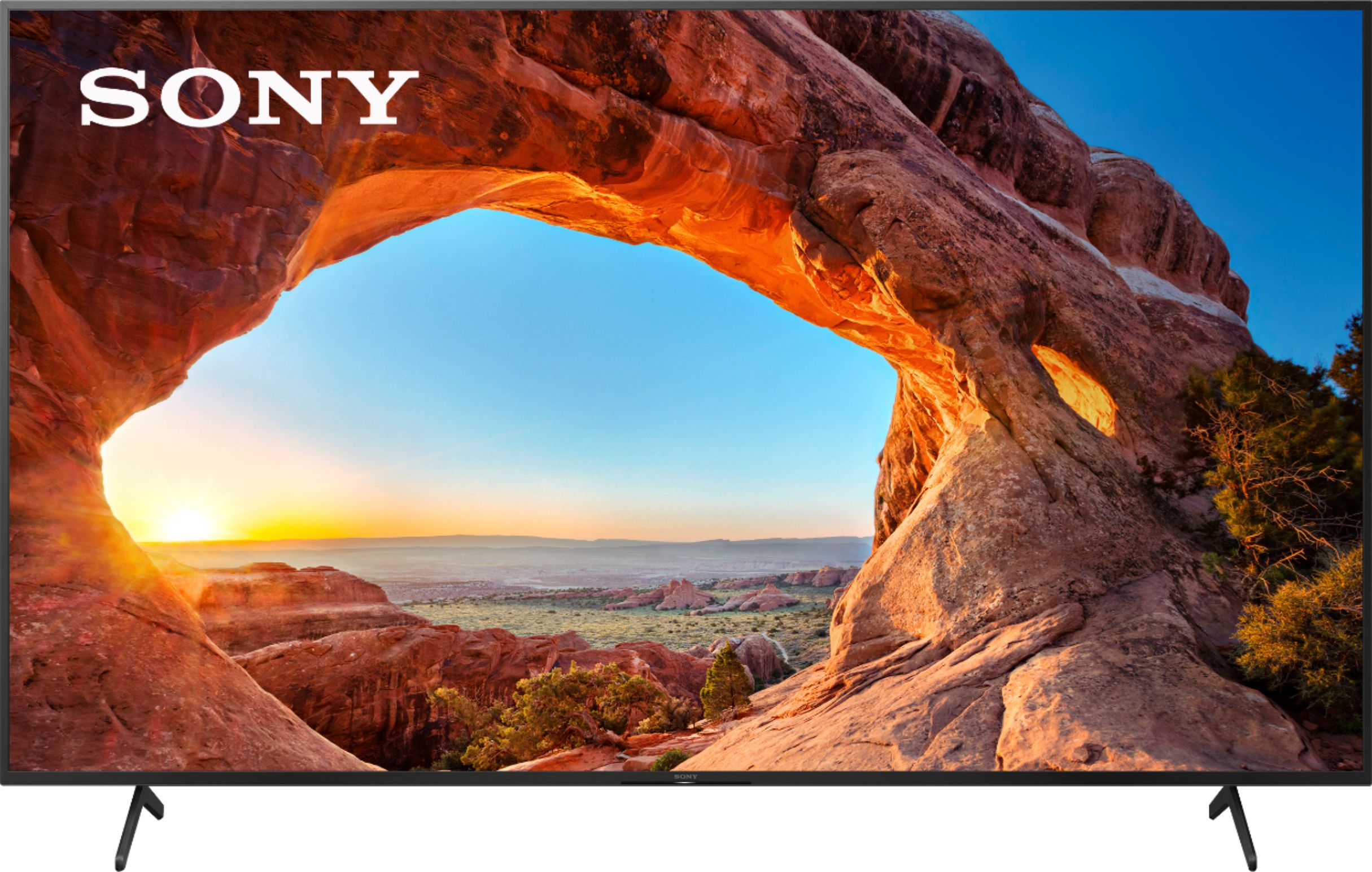
Customers are positive about the picture quality, large screen, price, and easy setup of the 85" Class X85J Series LED 4K UHD Smart Google TV. They describe the picture quality as amazing, with great colors and clarity. Customers also appreciate the large screen size and find the TV to be a great value for the price. They also mention that the TV is easy to set up, with one remote controlling everything. On the downside, customers are negative about the durability, weight, and warranty of the TV. Some customers have experienced issues with the TV breaking after a few years, while others find it to be too heavy. Additionally, some customers are disappointed with Sony's warranty policy, which they feel is too short.
This summary was generated by AI based on customer reviews.
garbage
||Posted . Owned for more than 2 years when reviewed.This reviewer received promo considerations or sweepstakes entry for writing a review.Screen went bad within two years hardly ever used.
No, I would not recommend this to a friendAutomatic update
||Posted . Owned for 3 weeks when reviewed.This reviewer received promo considerations or sweepstakes entry for writing a review.Purchased 2 weeks ago and is already given problems…when working I believe this tv can be amazing, however the quality of the picture looks dark.
No, I would not recommend this to a friendBrand response from SonyListens
Posted .Hi SaraJenkins, thank you for your review. We are so sorry if the picture quality of our X85J did not live up to your expectations. This is definitely not the viewing we'd like you to have on our premium TV. Picture quality depends on the signal and content. You can configure various settings related to the TV display such as color and brightness for picture quality, or screen size. Please reference the link below for information on how you can adjust the picture quality of our X85J according to your liking and preferences:
https://helpguide.sony.net/tv/iusltn1/v1/en-003/01-03-09_01.html
We want to make sure you’re taken care of and help check on your TV.
May we contact you directly to assist you? If so, please email the below information to socialsupport@am.sony.com.
Apologies if you disclosed some of this information in your review and to customer service, we just want to ensure that we have your accurate details at the time of communication.
Full Name:
Best Buy Username:
Telephone Number:
Sony TV Model Number:
Additional Information regarding your experience with the X85J:
We value you being a Sony customer. Sorry for the inconvenience and hope to speak directly to try to resolve this matter.
Thank you for letting us help assist you.
Sincerely,
Romeo
Baby
||Posted . Owned for 11 months when reviewed.This reviewer received promo considerations or sweepstakes entry for writing a review.Tv wasn’t worth the money, picture quality was what I expected , for the money I paid ed
No, I would not recommend this to a friendSkip this TV
||Posted . Owned for 5 months when reviewed.This reviewer received promo considerations or sweepstakes entry for writing a review.Chrome cast is a joke! TV reboots ever time the XBox series X is turned on. Yes reboots is the term due to Google TV operating system that the TV relies on. The TV sporadically reboots at other times also. The menus are a nightmare to navigate. This will be the last Sony product I buy. I am glad I bought the extended warranty.
No, I would not recommend this to a friendBrand response from SonyListens
Posted .Hello BwwwJ1st,
Thank you for your review. We are so sorry if our X85J did not live up to your expectations. This is definitely not the news we'd like to hear from you.
For Chromecast, to use this feature and to troubleshoot some issues, please refer to the following articles:
https://www.sony.com/electronics/support/televisions-projectors-lcd-tvs-android-/kd-85x85j/articles/00135368
https://www.sony.com/electronics/support/televisions-projectors-lcd-tvs-android-/kd-85x85j/articles/00114152
For reboot/restarting by itself issue, some of this problem can be fixed by following the steps provided on this link:
https://www.sony.com/electronics/support/televisions-projectors-lcd-tvs-android-/kd-85x85j/articles/00114471
Your feedback with the menu navigation is greatly appreciated. For detailed information about the TV menu/Home menu of the TV, you may refer to the following links:
https://helpguide.sony.net/tv/iusltn1/v1/en-003/01-03_10.html
https://helpguide.sony.net/tv/iusltn1/v1/en-003/01-03_11.html
And as a general recommendation, to ensure you are getting the most out of our X85J, we highly recommend updating its firmware to the latest version. The software includes key features, applications, bug fixes, and feature improvements. For more information, please visit the link below:
https://www.sony.com/electronics/support/televisions-projectors-lcd-tvs-android-/kd-85x85j/articles/00119543
If this does not help, please email the below information to socialsupport@am.sony.com so we can better assist you.
Apologies if you disclosed some of this information in your review and to customer service, we just want to ensure that we have your accurate details at the time of communication.
Full Name:
BestBuy Username:
Telephone Number:
Sony TV Model Number:
Additional Information regarding your experience with the X85J:
We value you being a Sony customer. Sorry for the inconvenience and hope to speak directly to try to resolve this matter.
Thank you for letting us help assist you.
Sincerely,
Romeo
Sony Social Support
- Cons mentioned:Reliability
Tv stopped working completely after 15 months
||Posted . Owned for 1 year when reviewed.This reviewer received promo considerations or sweepstakes entry for writing a review.15 months later and the picture went bad, then the tv stopped turning on completely. I would rate this 0 stars if possible. Not worth buying this TV and Sony's warranty is only 12 months.
No, I would not recommend this to a friendBrand response from SonyListens
Posted .Hi TomS,
We're sorry to hear about the issue with this TV. We apologize for the inconvenience. You can isolate and resolve the issue by following the troubleshooting steps from this link: https://www.sony.com/electronics/support/televisions-projectors-lcd-tvs-android-/kd-85x85j/articles/00200862
If you are unable to resolve your concern, may we contact you to help? If so, please email the below information to socialsupport@am.sony.com or chat with us from Sony’s e-support webpage. Apologies if you disclosed some of this information in your review and to customer service, we just want to ensure that we have your accurate details at the time of communication.
Full Name:
Best Buy Username:
Telephone Number:
Sony Model Number:
Additional Information regarding your experience with the X85J:
We are sorry for the inconvenience and hope to speak to you to resolve this matter. We appreciate you and thanks again for shopping Sony!
Sincerely,
Jay
Bad TV
||Posted . Owned for 1 month when reviewed.This reviewer received promo considerations or sweepstakes entry for writing a review.Picture quality is horrible i regret buying this TV to top it off the Oswego best buy is not answering there calls.
No, I would not recommend this to a friendBrand response from SonyListens
Posted .Hi Elias, thank you for your review.
We sincerely regret to hear you are not satisfied with the picture quality of our X85J. This is definitely not the viewing we'd like you to have on our premium TV. We're also sorry you are having a problem contacting your dealer.
Picture quality depends on the signal and the content you are playing. You can improve the picture quality of the TV by configuring various settings related to the TV display such as color, brightness hue, etc. according to your preference. Please refer to the link below for more details:
https://helpguide.sony.net/tv/iusltn1/v1/en-003/01-03-09_01.html
We want to make sure you’re taken care of and help check on your TV.
May we contact you directly to assist you? If so, please email the below information to socialsupport@am.sony.com so we can better assist you.
Apologies if you disclosed some of this information in your review and to customer service, we just want to ensure that we have your accurate details at the time of communication.
Full Name:
Best Buy Username:
Telephone Number:
Sony TV Model Number:
Additional Information regarding your experience with the X85J:
We value you being a Sony customer. Sorry for the inconvenience and hope to speak directly to try to resolve this matter.
Thank you for letting us help assist you.
Sincerely,
Romeo
Ads Galore with no way to disable.
||Posted . Owned for 3 months when reviewed.This reviewer received promo considerations or sweepstakes entry for writing a review.When you pay this amount for a television, you shouldn’t be constantly bombarded with ads on the home screen. If you do decide to go through with this purchase, make sure you disable personal ads and reset your advertising ID. Thank you Google TV…
No, I would not recommend this to a friendBrand response from SonyListens
Posted .Hi BuyersRemorse,
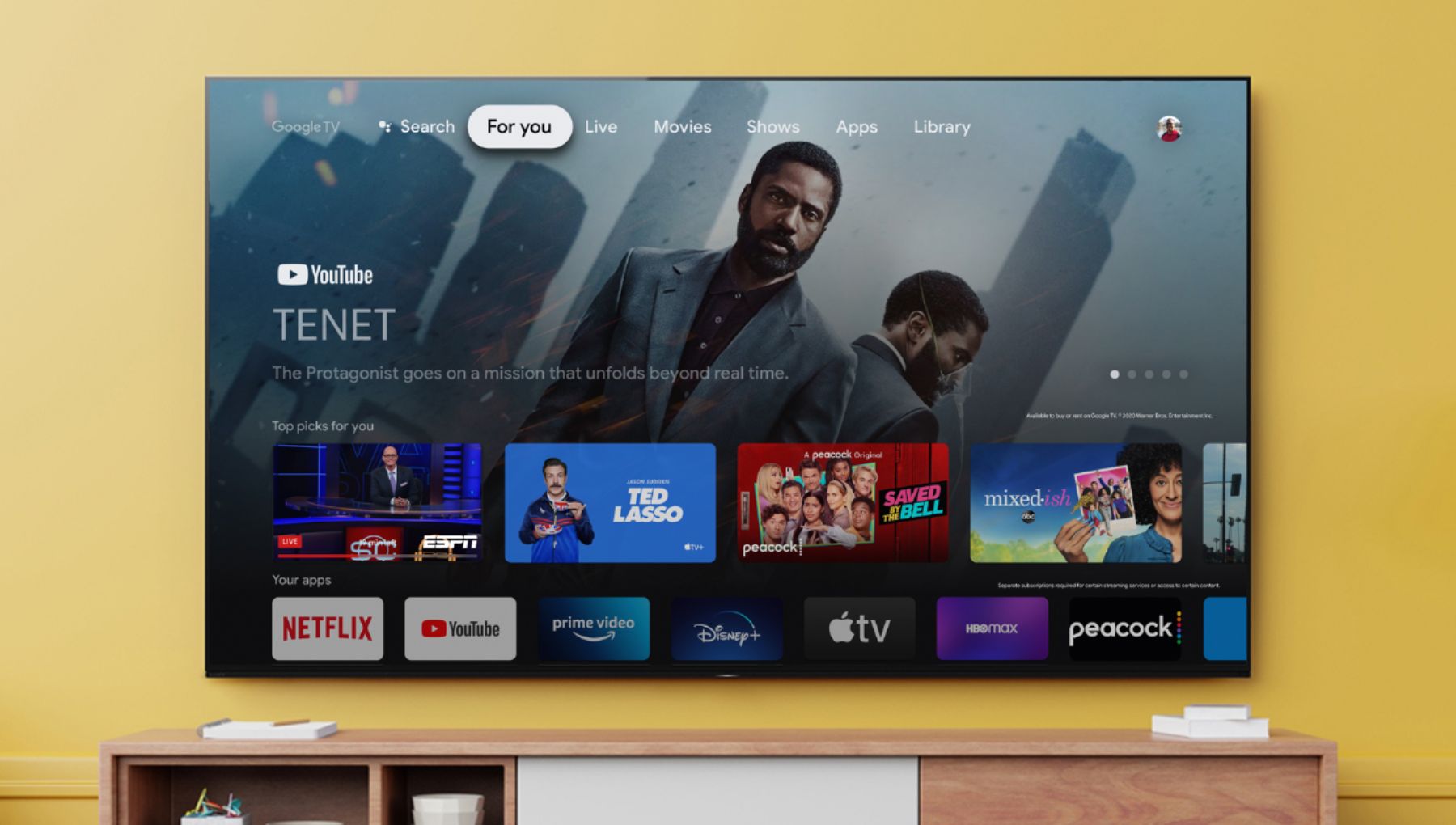
We understand that not everyone likes the highlights or content from various apps being displayed throughout the For you tab on the home screen, and we appreciate your feedback. If you selected Set up Google TV at the initial setup, movies and TV recommendations in For you come from your list of streaming services. By selecting Manage Services from the Home menu, you can change or disable your list of services if you do not want to display recommendations based on your viewing history and subscriptions.
Press the HOME button on the remote control, then scroll down to the very bottom and select Manage services.
Additionally, you can manage settings for the current Google Account to display Apps only mode on the Home screen. Press the (Quick Settings) button on the remote control, then select [Settings] — [Accounts & Sign In] — [Apps only mode].
In any case that you need more information or technical assistance with our product, please feel free to contact us and we'll be more than happy to assist you. Please email the below information to socialsupport@am.sony.com.
Apologies if you disclosed some of this information in your review and to customer service, we just want to ensure that we have your accurate details at the time of communication.
Full Name:
Best Buy Username:
Telephone Number:
Sony Model Number:
Additional Information regarding your experience with the X85J:
We are sorry for the inconvenience and hope to speak to you to resolve this matter.
Sincerely,
Jess
Super bummed
||Posted . Owned for 2 weeks when reviewed.This reviewer received promo considerations or sweepstakes entry for writing a review.TV looks beautiful but the “smart tv” capabilities are garbage. Worked for a week and then none of the apps would connect, load or play. We have tried EVERYTHING. No one can figure it out. We ended up having to buy a fire stick to be able to watch content.
No, I would not recommend this to a friendBrand response from SonyListens
Posted .Hi MerryC,
We're sorry to hear about what happened to the TV. This is definitely not the experience we wanted you to have on our products. We apologize for the inconvenience. What has changed since it last worked? Let's isolate this issue by following the troubleshooting steps from the link below:
https://www.sony.com/electronics/support/televisions-projectors-lcd-tvs-android-/kd-85x85j/articles/00159487
If you are unable to resolve your concern, may we contact you to help? If so, please email the below information to socialsupport@am.sony.com or chat with us from Sony’s e-support webpage. Apologies if you disclosed some of this information in your review and to customer service, we just want to ensure that we have your accurate details at the time of communication.
Full Name:
Best Buy Username:
Telephone Number:
Sony Model Number:
Additional Information regarding your experience with the X85J:
We are sorry for the inconvenience and hope to speak to you to resolve this matter. We appreciate you and thanks again for shopping Sony!
Sincerely,
Jay
Not Happy
||Posted . Owned for 1 week when reviewed.This reviewer received promo considerations or sweepstakes entry for writing a review.Overall picture quality was not what we were expecting. Returning for a different brand.
No, I would not recommend this to a friendBrand response from SonyListens
Posted .Hi Dspender,
Thank you for your review. We are so sorry if the picture quality of our X85J did not live up to your expectations and that you will return it for a different brand. This is usually not the case and the viewing experience we wanted you to have on our premium TV.
If you still have the TV, you may try first following the steps provided below and see if it improves the overall picture quality of your X85J:
Picture quality depends on the signal and the content you are playing. You can improve the picture quality of the TV by configuring various settings related to the TV display such as color, brightness hue, etc. according to your preference. Please refer to the link below for more details:
https://helpguide.sony.net/tv/iusltn1/v1/en-003/01-03-09_01.html
We appreciate you, and we are hoping you will consider Sony again in your future purchase.
Thank you,
Romeo
Disappointed
||Posted . Owned for 1 month when reviewed.This reviewer received promo considerations or sweepstakes entry for writing a review.Not as good of a picture as I hoped for when viewing live sports
No, I would not recommend this to a friendBrand response from SonyListens
Posted .Hi there,
Thank you for your review and for purchasing our 85" X85J.
We are so sorry if the picture quality of this TV did not live up to your expectations. This is definitely not the viewing we'd like you to have. Because input sources vary in the quality, type, and strength of the signal being received, it is normal for the overall picture quality to differ from different TV programs or input source to input source. The good thing is that, the X85J features various settings related to the TV display such as motion settings, color, and brightness for picture quality that you can adjust according to your preferences. You may check out the following links for more details:
https://helpguide.sony.net/tv/iusltn1/v1/en-003/01-03-09_01.html
https://www.sony.com/electronics/support/televisions-projectors-lcd-tvs-android-/kd-85x85j/articles/00263533
We want to make sure you’re taken care of and help check on your TV.
May we contact you directly to assist you? If so, please email the below information to socialsupport@am.sony.com.
Apologies if you disclosed some of this information in your review and to customer service, we just want to ensure that we have your accurate details at the time of communication.
Full Name:
Best Buy Username:
Telephone Number:
Sony TV Model Number:
Additional Information regarding your experience with the X85J:
We value you being a Sony customer. Sorry for the inconvenience and hope to speak directly to try to resolve this matter.
Thank you for letting us help assist you.
Sincerely,
Romeo
Sony Social Support
Disappointed!!!!!! Sony should do better
||Posted . Owned for 2 months when reviewed.This reviewer received promo considerations or sweepstakes entry for writing a review.TV turns itself on whenever it wants. I ve hired a company to hang it on my. I have to pay them to bring down for me to take it back to the store. What a waste of time and resources!!!!! BT is connected to my speaker but you can only hear a sound when you rise the volume to 75
No, I would not recommend this to a friendBrand response from SonyListens
Posted .Hi JackVololo, We are sorry to hear that you are experiencing issues with your Sony TV turning itself on. We'd love to troubleshoot the issue and make this a better experience for you. In the meantime, please try the steps on our related TV article to isolate the issue: https://www.sony.com/electronics/support/televisions-projectors-lcd-tvs-android-/kd-85x85j/articles/00032613
For the audio, please check if your Bluetooth device also has a volume + or - if so, please adjust the volume level on the Bluetooth device as this can affect the volume level.
If you need further assistance, please contact us for help.
Please email the below information to socialsupport@am.sony.com
Apologies if you disclosed some of this information in your review and to customer service, we just want to ensure that we have your accurate details at the time of communication.
Full Name:
Best Buy Username:
Telephone Number:
Model Number:
Issue:
Regards,
Carl
Bad tv
||Posted .This reviewer received promo considerations or sweepstakes entry for writing a review.Not good tv has bad color and is not true 4K at 120 hz
No, I would not recommend this to a friendBrand response from SonyListens
Posted .Hi Rayton, We are sorry to hear about the issue you are having. Sony's commitment to customer satisfaction is our top priority. To ensure optimal viewing experience, you can configure various settings related to the TV picture color, clarity, sharpness, etc. Press the (Quick Settings) button on the remote control, then select [Settings] — [Display & Sound] — the desired option. For more details, please refer to this link:
https://www.sony.com/electronics/support/articles/00263533
To ensure that your source device recognizes the 4K 120Hz capability of the X85J TV, you will need to set the HDMI Signal format to Enhanced format by following the steps below:
Press the (Quick Settings) button on the remote control, then select [Settings] — [Channels & Inputs] — [External inputs] — [HDMI signal format] — [Enhanced format].
Also, when you watch 4K picture at 120 Hz, use a Premium High-Speed HDMI™ Cable(s) that supports speeds of 48 Gbps. Refer to the cable specifications to find out whether a cable supports 48 Gbps.
Note: 120 Hz is supported by HDMI IN 3 and IN 4.
Should you need any assistance, please email us at socialsupport@am.sony.com with the following details:
Name:
Username:
Model Number:
Issue:
Telephone Number:
Sincerely,
Sam
Frustrated tv did not work properly.
||Posted . Owned for 3 weeks when reviewed.This reviewer received promo considerations or sweepstakes entry for writing a review.Tv picture was okay, however theTv kept getting vertical lines thru the picture, it occurred after tv warmed up,
No, I would not recommend this to a friendBrand response from SonyListens
Posted .Hi Carolyn,
We're sorry to hear about the issue with the TV. This is definitely not the experience we wanted you to have on our products. We apologize for the inconvenience. Was the TV connected to the HDMI devices? What is the current source of the TV. We recommend to disconnect all HDMI devices and perform a power reset.
In this case, please follow the troubleshooting steps from this link to isolate and resolve the issue:
https://www.sony.com/electronics/support/televisions-projectors-lcd-tvs-android-/kd-85x85j/articles/00032635
If you are unable to resolve your concern, may we contact you to help? If so, please email the below information to socialsupport@am.sony.com or chat with us from Sony’s e-support webpage. Apologies if you disclosed some of this information in your review and to customer service, we just want to ensure that we have your accurate details at the time of communication.
Full Name:
Best Buy Username:
Telephone Number:
Sony Model Number:
Additional Information regarding your experience with the X85J:
We are sorry for the inconvenience and hope to speak to you to resolve this matter. We appreciate you and thanks again for shopping Sony!
Sincerely,
Jay
Avoid This Sony TV!!
||Posted . Owned for 2 weeks when reviewed.This reviewer received promo considerations or sweepstakes entry for writing a review.This Sony tv is very disappointing. It has the poorest picture quality of any tv that I’ve ever owned. I’ve adjusted the settings numerous times, but it still has a very poor picture quality. Don’t waste your money on this tv.
No, I would not recommend this to a friendBrand response from SonyListens
Posted .Hi aprice,
We're sorry to hear about the picture issue with this TV. We apologize for any inconvenience. What are the devices connected? What is the current source? The actual display may vary or some settings may not be available depending on your model/country/region and the content you are watching. You can configure various settings related to the TV display such as color and brightness for picture quality, or screen size. Press the (Quick Settings) button on the remote control, then select [Settings] — [Display & Sound] — the desired option.
Please ensure your TV has the latest firmware installed by going to Help > System Software Update > Software Update.
If you are unable to resolve your concern, may we contact you to help? If so, please email the below information to socialsupport@am.sony.com or chat with us from Sony’s e-support webpage. Apologies if you disclosed some of this information in your review and to customer service, we just want to ensure that we have your accurate details at the time of communication.
Full Name:
Best Buy Username:
Telephone Number:
Sony Model Number:
Additional Information regarding your experience with the X85J:
We are sorry for the inconvenience and hope to speak to you to resolve this matter. We appreciate you and thanks again for shopping Sony!
Sincerely,
Jay
Sony Service SUCKS
||Posted . Owned for 8 months when reviewed.This reviewer received promo considerations or sweepstakes entry for writing a review.Bought this TV but inputs dont work - Sony just wants me to rip apart home theater to test everything but still cant make it work
No, I would not recommend this to a friendBrand response from SonyListens
Posted .Hi qz8675309, We are sorry to hear that you are experiencing issues with the input of your Sony KD85X85J. We'd love to troubleshoot the issue and make this a better experience for you. If you are experiencing a No Signal message on the input of the TV while having an external source connected to the TV, please follow our related TV article link to troubleshoot the issue: https://www.sony.com/electronics/support/televisions-projectors-lcd-tvs-android-/kd-85x85j/articles/00231275
May we contact you to help? If so, please email the below information to socialsupport@am.sony.com
Apologies if you disclosed some of this information in your review and to customer service, we just want to ensure that we have your accurate details at the time of communication.
Full Name:
Best Buy Username:
Telephone Number:
Model Number:
Issue:
Case ID (if you were provided with a case ID):
Regards,
Carl
Broken Sony
||Posted . Owned for 3 weeks when reviewed.This reviewer received promo considerations or sweepstakes entry for writing a review.Tv had software update and after it was done tv would not come back on
No, I would not recommend this to a friendBrand response from SonyListens
Posted .Hi there,
Thank you for your review. We are really sorry about happened to your X85J after the software update. This is usually not the case, and definitely not the experience we wanted you to have on our premium TV.
If you haven't tried yet, please follow the troubleshooting steps provided on the links below to isolate and fix the problem:
https://www.sony.com/electronics/support/televisions-projectors-lcd-tvs-android-/kd-85x85j/articles/S1F1702
https://www.sony.com/electronics/support/televisions-projectors-lcd-tvs-android-/kd-85x85j/articles/00153674
This TV comes with a 1-year limited manufacturer's warranty. If the issue persists, please email us at socialsupport@am.sony.com with the following details so we can best assist you.
Apologies if you disclosed some of this information in your review and to customer service, we just want to ensure that we have your accurate details at the time of communication.
Full Name:
Best Buy Username:
Telephone Number:
Sony TV Model Number:
Additional Information regarding your experience with the X85J:
We value you being a Sony customer. Sorry for the inconvenience and hope to speak directly to try to resolve this matter.
Thank you for letting us help assist you.
Sincerely,
Romeo
Sony Social Support
Dissatisfied
||Posted . Owned for 1 month when reviewed.This reviewer received promo considerations or sweepstakes entry for writing a review.Very disappointed in the picture quality , i returned the tv and purchased a different brand
No, I would not recommend this to a friendBrand response from SonyListens
Posted .Hi BobC, Thanks for sharing your experience with the Sony 85 inch X85J 4K LED TV. We're sorry that it didn't meet your expectations and that it had to be returned. The quality and resolution of the picture displayed on your TV screen rely on your source. You can also change the picture settings of your TV based on your preference. We hope that you'll still consider our products in the future. Regards, -Craig
Do not buy
||Posted . Owned for 1 month when reviewed.This reviewer received promo considerations or sweepstakes entry for writing a review.Picture quality is 1 out of 10, not a good tv do not buy, Hiscense has a better tv for less
No, I would not recommend this to a friendBrand response from SonyListens
Posted .Hi Twin,
We are sorry to hear that the TV did not meet your expectations when it comes to the picture quality. We'd love to troubleshoot the issue and make this a better experience for you. In the meantime, please try adjusting the picture setting of the TV to your liking using the Sony remote.
Please check our help guide links to adjust the picture quality:
https://helpguide.sony.net/tv/iusltn1/v1/en-003/01-03-09_01.html?hl=picture+adjustment
Should you need further assistance, please contact us for help.
Please email the below information to socialsupport@am.sony.com
Apologies if you disclosed some of this information in your review and to customer service, we just want to ensure that we have your accurate details at the time of communication.
Full Name:
Best Buy Username:
Telephone Number:
Model Number:
Issue:
Regards,
Carl
- Pros mentioned:Picture qualityCons mentioned:Stand
WOW !! Awesome TV !!
Posted .This reviewer received promo considerations or sweepstakes entry for writing a review.I just received my Sony from Best Buy yesterday. I'm no sales man ,but I can tell you that this 85 inch Sony is awesome ! I moved up from a high end 65 inch Vizio so im use to a big screen, but this beast just makes you go WOW !!! Now you are gonna need to add a sound bar in my opinion but most TV's now a days need one, and they have become pretty affordable. Just make sure if you choose to get a stand as I did that you take into account that the footprint of this TV is pretty wide at around 64 inches and the feet are 18 inches wide,so you need a good wide large stand. Best Buy did a great job delivering it, I am very happy with the purchase !!
I would recommend this to a friendBrand response from SonyListens
Posted .Hi TAC51,
Awesome! We're glad to know you are happy with your newly purchased TV. Nice to know you are enjoying the big screen and overall quality of the X85J TV. Smart, powerful, and beautiful, the BRAVIA X85J 4K HDR LED TV is designed for all your favorite content. Powered by the 4K HDR Processor X1 and TRILUMINOS PRO, picture quality comes to life with vivid color and realistic contrast. With enhanced Motionflow refresh rate technology and Google TV, your favorite content just found a new home. We greatly appreciate your feedback. Thank you for the recommendation and for choosing Sony! - Kris
- Pros mentioned:Picture quality
Best 120hrtz tv for $1k!
Posted .This reviewer received promo considerations or sweepstakes entry for writing a review.Boight this tv about a year ago. I wasntes a 4k high deff that could handle 120hrtz for my PS5. This was the only option ar the time without having to spend over 1k. This tv has definitely taken the immersion of gaming up a lefel. I have a samsung crystal series 7 and its night and day difference! I hope to get there higher end 4k oled with 120hrtz soon!!! Plus with sony tvs getting the same updates as the ps5, i know what ecosystem ill be apart of for the next couple of years!!
I would recommend this to a friendBrand response from SonyListens
Posted .Hi Mansplainin, We're very grateful for this positive feedback! Smart, powerful, and beautiful, the BRAVIA X85J 4K HDR LED TV is designed for all your favorite content. Powered by the 4K HDR Processor X1 and TRILUMINOS PRO, picture quality comes to life with vivid color and realistic contrast. With enhanced Motionflow refresh rate technology and Google TV, your favorite content just found a new home. Thanks for choosing Sony. Jay