Outlet EventEnds Jan. 19. Limited quantities. No rainchecks.Shop now

Skip to contentGo to Product SearchGo to Footer
Main Content

Customer Ratings & Reviews
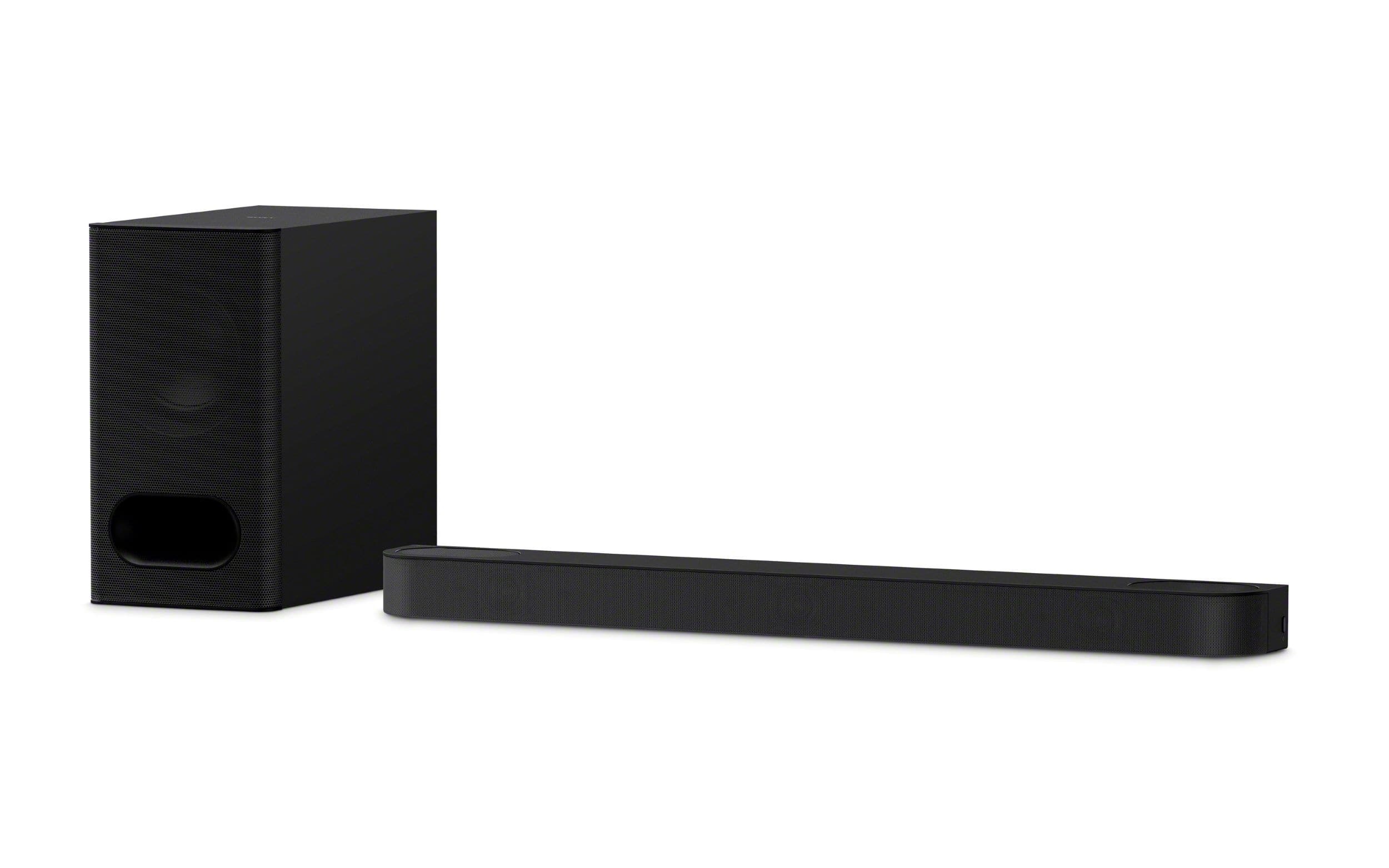
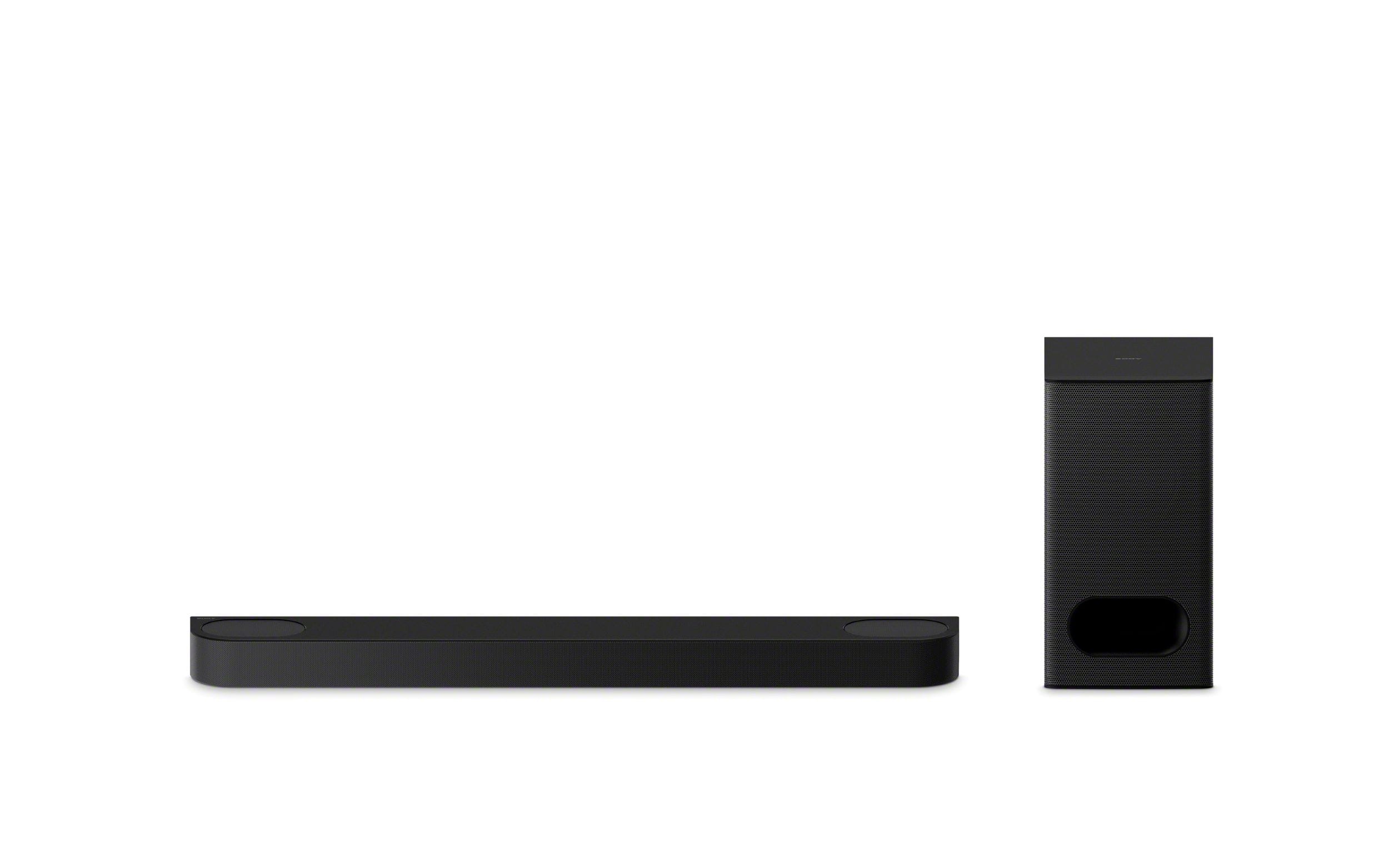
Your price for this item is $699.99

Customer reviews

Rating 4.7 out of 5 stars with 277 reviews

Rating Filter

Rating by feature

  • Value

    Rating 4.7 out of 5 stars

  • Quality

    Rating 4.8 out of 5 stars

  • Ease of Use

    Rating 4.8 out of 5 stars

Pros mentioned filter

Cons mentioned filter

93%would recommend to a friend

Customers are saying

Customers often highlight the amazing sound quality of the BRAVIA Theater Bar 6, along with its easy setup and modern design. Many appreciate the bass and wireless connectivity features. Some customers feel that the volume control and app functionality could be improved.

This summary was generated by AI based on customer reviews.

The vast majority of our reviews come from verified purchases. Reviews from customers may include My Best Buy members, employees, and Tech Insider Network members (as tagged). Select reviewers may receive discounted products, promotional considerations or entries into drawings for honest, helpful reviews.
Page 1 Showing 1-20 of 277 reviews
  • Pros mentioned:
    Bass, Sound quality

    Rated 5 out of 5 stars

    Kudos to Sony

    |
    |
    Posted . Owned for 1 month when reviewed.
    This reviewer received promo considerations or sweepstakes entry for writing a review.

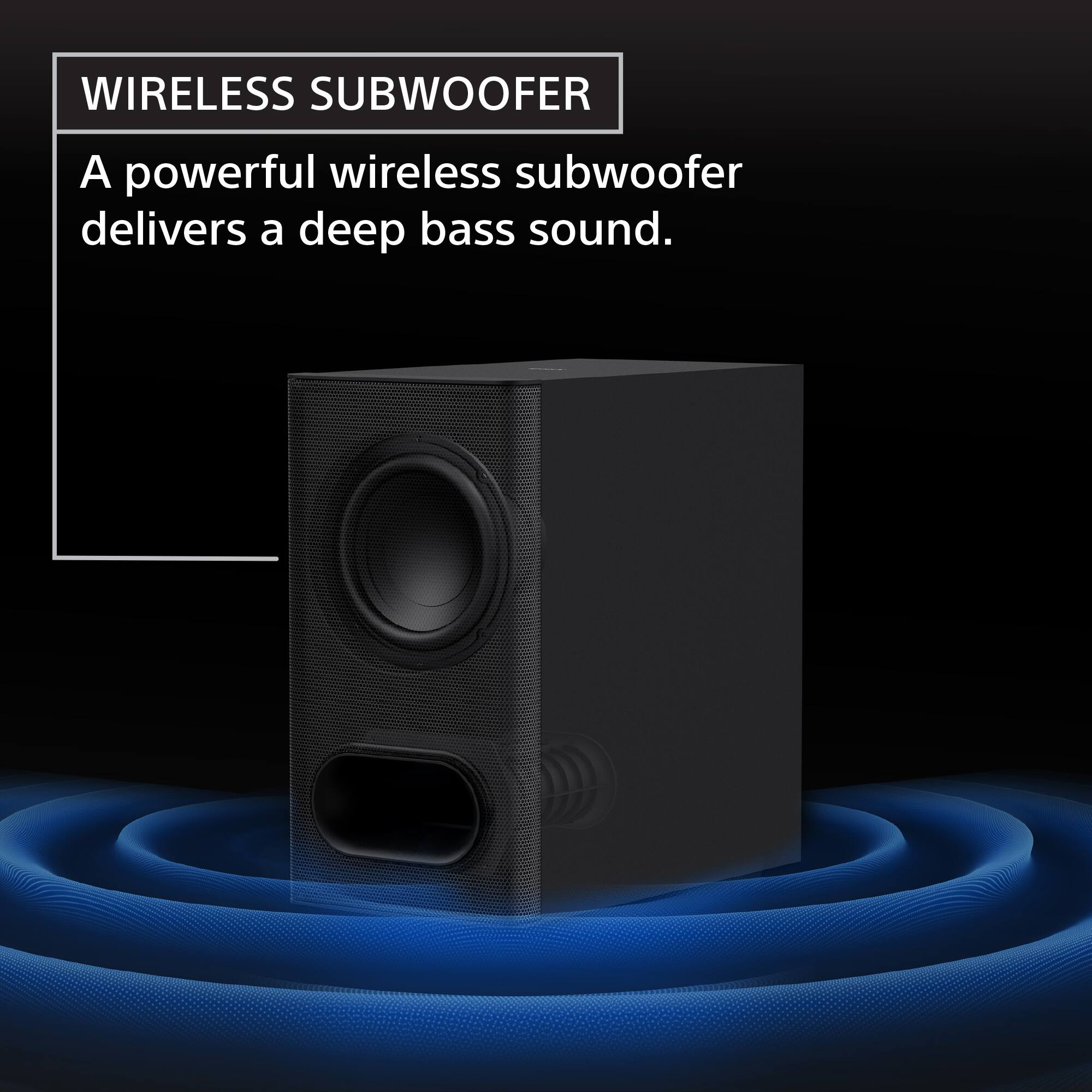
    Great sound bar system for a medium sized living room space. At times you can feel the rumbling bass as if you were in the movie theater with the subwoofer. You just have to mess with the settings on the small remote that it comes with to get it to the right sound. Overall Sony did well with the Sony Bravia Theatre Bar 6. Literally the only reason that I bought it was so that I can feel like I’m at the movies at home.

    I would recommend this to a friend
    • Brand response from SonyListens
      Posted .

      Hello JulioA,

      Thank you for choosing Sony!

      It's great to hear that your HTB600 sound bar system delivers that movie theater experience for your living room! We're beyond pleased that you're feeling the rumbling bass and enjoying the immersive sound. We appreciate you taking the time to fine-tune the settings to achieve the perfect audio.

      Best regards,
      -Fred Sony_US

  • Pros mentioned:
    Sound quality

    Rated 3 out of 5 stars

    Disappointed in Sony again

    |
    |
    Posted . Owned for 1 month when reviewed.
    This reviewer received promo considerations or sweepstakes entry for writing a review.

    This is a good soundbar hampered by very poor software on the app and the unit itself. For context I’m using this with a Sony A80K OLED, so theoretically there should be no issues. It should just work right? But it doesn’t. First, the app keeps resetting the volume levels and other settings of the soundbar. Volume cranked all the way up, sub turned way down or all the way up, sometimes not connected at all. At first I thought it was just the app, but no, not so fast. Set it up with the app (and this is not optional) and then maybe just delete the app? Same things happen. Numerous resets of both app and soundbar have had zero effect. When it’s functioning properly it’s great. Big soundstage and voices are well placed and have proper tone if the sub is set to “0” which is its neutral setting. Right in the middle. Set the volume level settings for the sub in the main tab of the app and dial in the level further in the sound settings tab of the main settings menu. I prefer that at 0 too with a slight lift in the height channels. All these make the bar sound far above its modest sale price of $450. But what good is it if the soundbar can’t retain these settings consistently and resets them all at random. Basically anytime the bar gets powered off or is left to sit for a period of time then new content is played. Also for the record I’m using quality HDMI 2.1 cables from Audioquest and have all settings on the TV correct except for Bravia Sync because that’s one more feature that doesn’t work. The volume jumps in 3 level increments up and down and is extremely slow to respond. So yea, big potential but half baked product with unreliable software in the app and the bar itself. I’m past the return window so I’ll be calling Geek Squad about this and hopefully they’ll replace it or give me store credit since I got the 4 year extended warranty.

    No, I would not recommend this to a friend
    • Brand response from SonyListens
      Posted .

      Hi Marc,

      Thank you for considering Sony products.

      We sincerely apologize for the issues you are experiencing with your HTB600 soundbar's software, which is preventing you from consistently enjoying its full potential.

      To address the intermittent settings reset and connectivity problems you've described, we advise the following troubleshooting steps:

      1. Firmware Update: Please ensure your soundbar is updated to the latest firmware version (1.057 or 1.058), which can be found at the following link: https://www.sony.com/electronics/support/sound-bars-home-theater-systems-sound-bars-surround-speakers/ht-b600/software/00353045

      2. Factory Reset: After the firmware update, performing a factory reset is often necessary to clear any lingering software issues. You can find detailed instructions here: https://helpguide.sony.net/ht/2088/v1/en/contents/117_Resetting_the_Speaker_System_2088.html

      3. Troubleshooting with Different Sources: To help isolate the cause of the problem, we also advise testing the soundbar with alternative sources, such as a Bluetooth device or another TV. This will help determine if the issue is with the soundbar itself or related to the current setup.

      Should the issue persist after you have followed these steps, please contact us at [email protected]. To help us assist you more efficiently, kindly include the following details in your message:

      - Name:
      - BestBuy Username:
      - Model Number:
      - Description of the Issue:
      - Telephone Number:

      We sincerely appreciate your patience and understanding as we work to resolve this matter.

      Best regards,
      -Fred Sony_US

  • Rated 5 out of 5 stars

    Cinematic Magic at Home

    |
    |
    Posted . Owned for 1 month when reviewed.
    This reviewer received promo considerations or sweepstakes entry for writing a review.

    I absolutely love the Sony BRAVIA Theater Bar 6 with the subwoofer. It completely changed the way I watch movies and made everything feel so much more magical. The sound is rich, immersive, and honestly makes it feel like you’re sitting in a movie theater at home. The bass adds the perfect touch, the dialogue is super clear, and every movie night now feels extra cozy and special. I’m obsessed with this setup and would totally recommend it to anyone who loves a cinematic experience at home I’m

    I would recommend this to a friend
  • Pros mentioned:
    Design

    Rated 5 out of 5 stars

    Bravia SoundBar Is Magnificent !

    |
    |
    Posted .
    This reviewer received promo considerations or sweepstakes entry for writing a review.

    Have this Sony Bravia sound bar connected to a Sony Smart TV. Really appreciate the smooth rounded corners as it visually disappears around the base of the TV. There are sound options for every kind of room. Very happy with this choice.

    I would recommend this to a friend
    • Brand response from SonyListens
      Posted .

      Thank you for your wonderful review, TeresaM!

      We are delighted to hear how much you are enjoying the performance and design of your HTB600, especially paired with your Sony Smart TV.

      It's fantastic to know that the smooth, rounded design achieves the look we intended, allowing the soundbar to "visually disappear" and beautifully complement your TV setup.

      We also appreciate your note on the sound versatility. We engineered the HTB600 with multiple sound field options to ensure you get optimal acoustic performance, regardless of your room's shape or size.

      Thank you for choosing Sony for your home audio experience!

      Best regards, Gus, Sony Social Media Team Sony_US

  • Pros mentioned:
    Sound quality

    Rated 5 out of 5 stars

    Crystal Clear and Loud

    |
    |
    Posted . Owned for 1 month when reviewed.
    This reviewer received promo considerations or sweepstakes entry for writing a review.

    The Sony Bravia Theater soundbar and subwoofer are amazing. The sound quality is crystal clear and the volume at 40% sounds like I’m at a musical concert! I can’t imagine how it could be any better at the affordable price!

    I would recommend this to a friend
    • Brand response from SonyListens
      Posted .

      Hi StSteven!
      We are immensely pleased to hear that the Bravia Theater Bar 6 and subwoofer are giving you such an incredible experience. It's truly rewarding for us to know you're getting that concert-like sound from your own home.

      Thank you for choosing Sony!
      Best regards,
      Estefany Sony_US

  • Rated 5 out of 5 stars

    Sony - Bravia Sound Bar 6

    |
    |
    Posted . Owned for 3 weeks when reviewed.
    This reviewer received promo considerations or sweepstakes entry for writing a review.

    What a fantastic sound system! Sounds and looks amazing. Hooked up and configured very easily with my Sony Bravia 7 TV. No issues, configures itself with TV. Highly recommend.

    I would recommend this to a friend
    • Brand response from SonyListens
      Posted .

      Hi JeffB,
      Thank you for sharing your great experience!
      We are really happy to hear that your new BRAVIA Theater Bar 6 was so easy to get up and running.

      It is wonderful that the setup with your BRAVIA 7 was seamless and we love knowing that you are already recommending the system to others!

      Thanks for choosing Sony!
      Best regards,
      Estefany Sony_US

  • Rated 5 out of 5 stars

    Soundbar

    |
    |
    Posted .
    This reviewer received promo considerations or sweepstakes entry for writing a review.

    Excellent soundbar. Love it. A little more brassy than I like. I have the bass minimized. Overall , very happy with it

    I would recommend this to a friend
    • Brand response from SonyListens
      Posted .

      Hi MartinA,

      We couldn't be happier to hear that you love your new soundbar and that it is making such a positive impact on your home audio! We appreciate your feedback regarding the sound profile; to provide that "overall happy" experience, this model utilizes 360 Spatial Sound Mapping technology to create a wide, cinematic soundstage that surrounds you. Additionally, the Acoustic Center Sync feature allows the soundbar to work in perfect harmony with your compatible BRAVIA TV, ensuring that the dialogue and action come directly from the screen for total immersion.

      Thank you for trusting Sony.

      Regards,
      Dominick Sony_US

  • Rated 5 out of 5 stars

    Would re-buy!

    |
    |
    Posted . Owned for 3 months when reviewed.
    This reviewer received promo considerations or sweepstakes entry for writing a review.

    Best purchase I could have made to enhance cinematic vibes when watching TV. Bass is insane 10/10. Would definitely notice the difference if I was using the TV speakers instead of the Sony speakers.

    I would recommend this to a friend
    • Brand response from SonyListens
      Posted .

      Hi Allyton,

      We are immensely pleased to hear that the Sony BRAVIA Theater Bar 6 has enhanced your cinematic experience with its impressive bass. Thank you for sharing your positive feedback and for choosing Sony to elevate your TV watching. Enjoy the immersive sound!

      Regards,
      Dominick Sony_US

  • Rated 5 out of 5 stars

    The best

    |
    |
    Posted . Owned for 2 weeks when reviewed.
    This reviewer received promo considerations or sweepstakes entry for writing a review.

    Perfect better from the one I had before love the sound like in movie theater. Looks perfect

    I would recommend this to a friend
    • Brand response from SonyListens
      Posted .

      Hello EvelynE!
      Thank you for your great feedback! It is fantastic to know that the HT-B600 is giving you that movie theater sound experience you love. We're glad it’s working perfectly for you.

      We appreciate you choosing Sony!
      Best regards,
      Estefany Sony_US

  • Rated 5 out of 5 stars

    Great Business

    |
    |
    Posted .
    This reviewer received promo considerations or sweepstakes entry for writing a review.

    I shop Best Buy often even though the nearest one is an hour and a half drive for me. They have great products, great sales, excellent support and customer service.

    I would recommend this to a friend
    • Brand response from SonyListens
      Posted .

      Hello DonR,

      Thank you for choosing Sony!

      We're really happy to hear that you had such a positive experience with your purchase from Best Buy! It's truly wonderful to know that you found the HTB600 to be a great product and that you were pleased with the sales and customer service. Your feedback is greatly appreciated, and we hope you enjoy your new unit for a long time to come!

      Best regards,
      -Fred Sony_US

  • Rated 2 out of 5 stars

    Sony-Bravia Theater Bar6

    |
    |
    Posted .
    This reviewer received promo considerations or sweepstakes entry for writing a review.

    This system is over priced and over rated i also have the Sony-HT-S400 sound bar it a few hundreds less sound about the same on the loudness scale don’t waste your money Sony drop the ball on this one.

    No, I would not recommend this to a friend
    • Brand response from SonyListens
      Posted .

      Hi AlanJ,

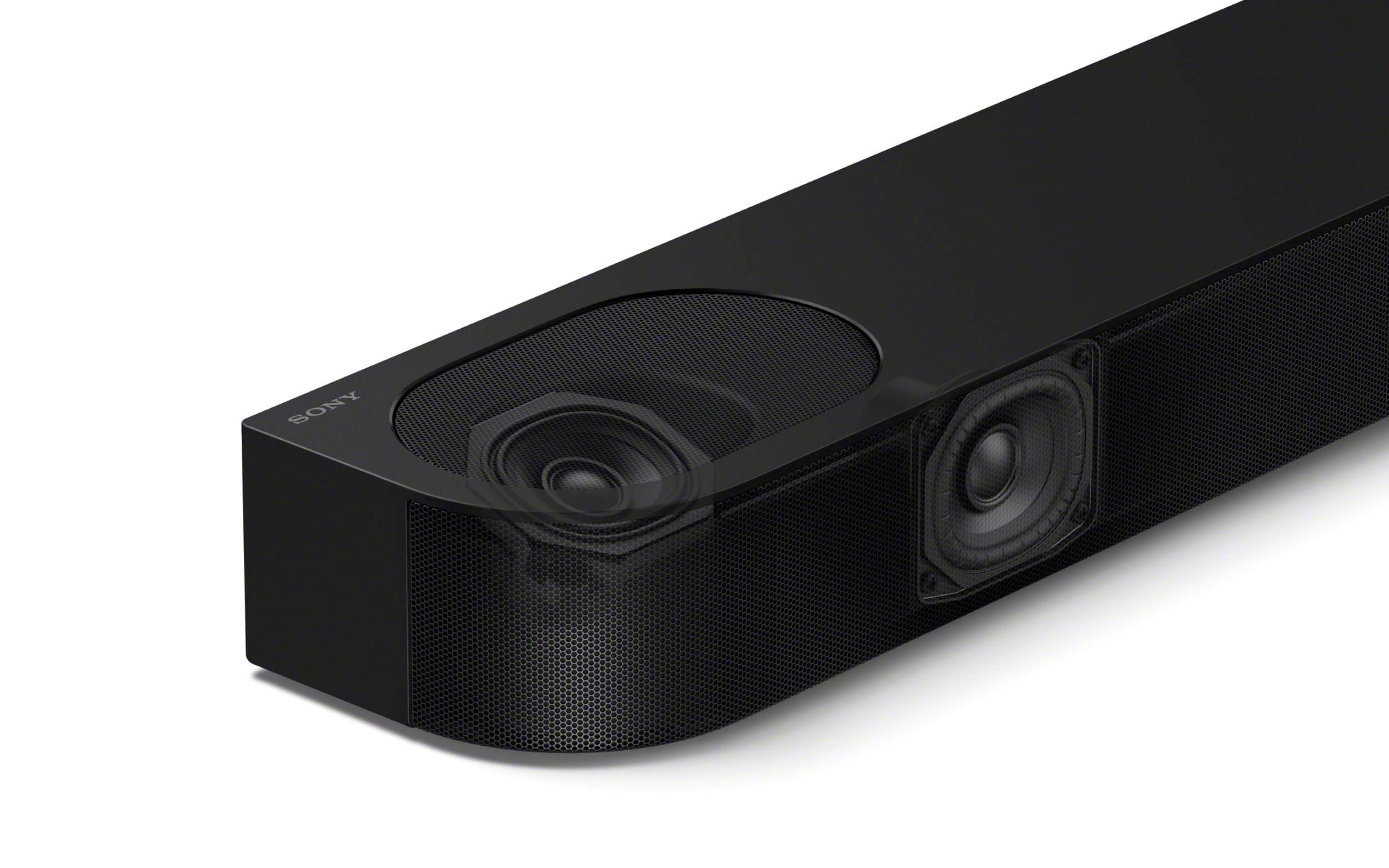
      We are sorry to hear that the BRAVIA Theater Bar 6 is not meeting your expectations regarding volume and value. While the HT-S400 is a powerful 2.1ch system, the Theater Bar 6 is designed for a more cinematic experience with 3.1.2ch and dedicated upward-firing drivers for Dolby Atmos. To ensure you are getting the full power of the system, we recommend using the Sony | BRAVIA Connect app to perform a Sound Field Optimization, which calibrates the output to your specific room, and checking that Advanced Auto Volume is turned on to maintain consistent loudness. You can also manually increase the Subwoofer and Rear levels within the app settings to better match the punchy output you are used to from your previous soundbar.


      Thanks for choosing Sony.

      Best regards, Eliab Sony_US

  • Pros mentioned:
    Design, Setup, Sound quality
    Tech Insider Network Member

    Rated 5 out of 5 stars

    BRAVIA Theater Bar 6 for the Win!

    |
    Tech Insider Network Member
    Posted .
    This reviewer received promo considerations or sweepstakes entry for writing a review.

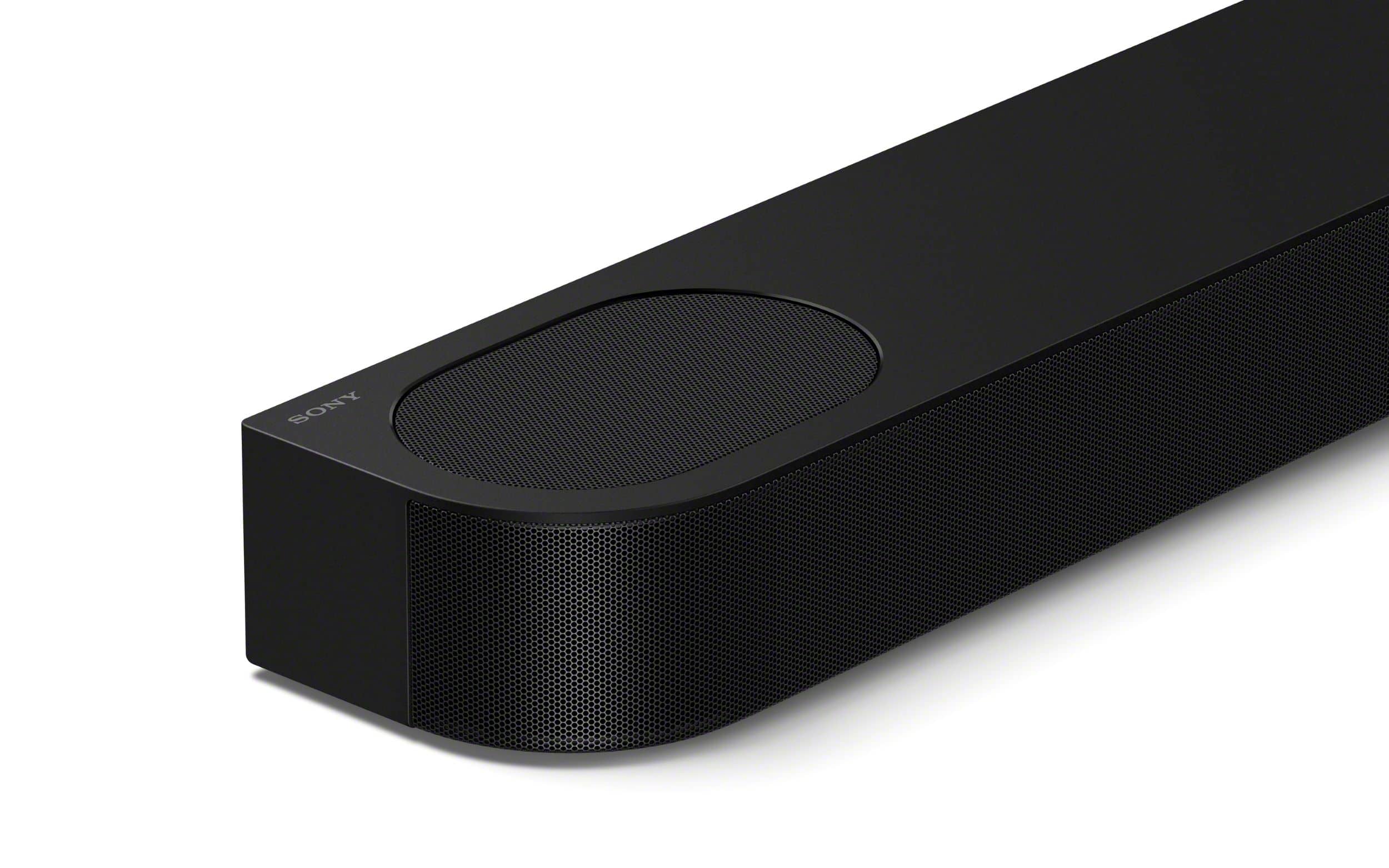
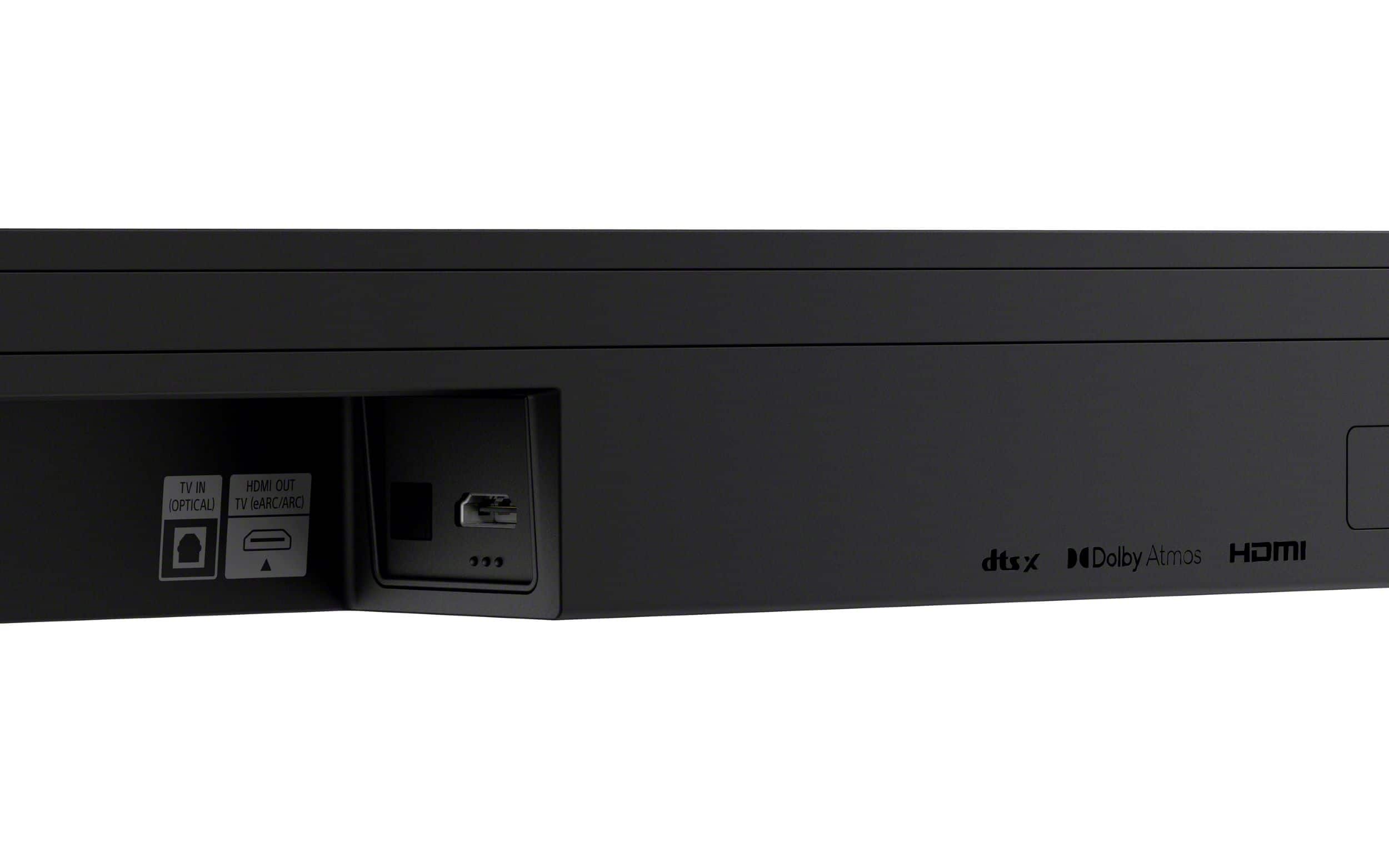
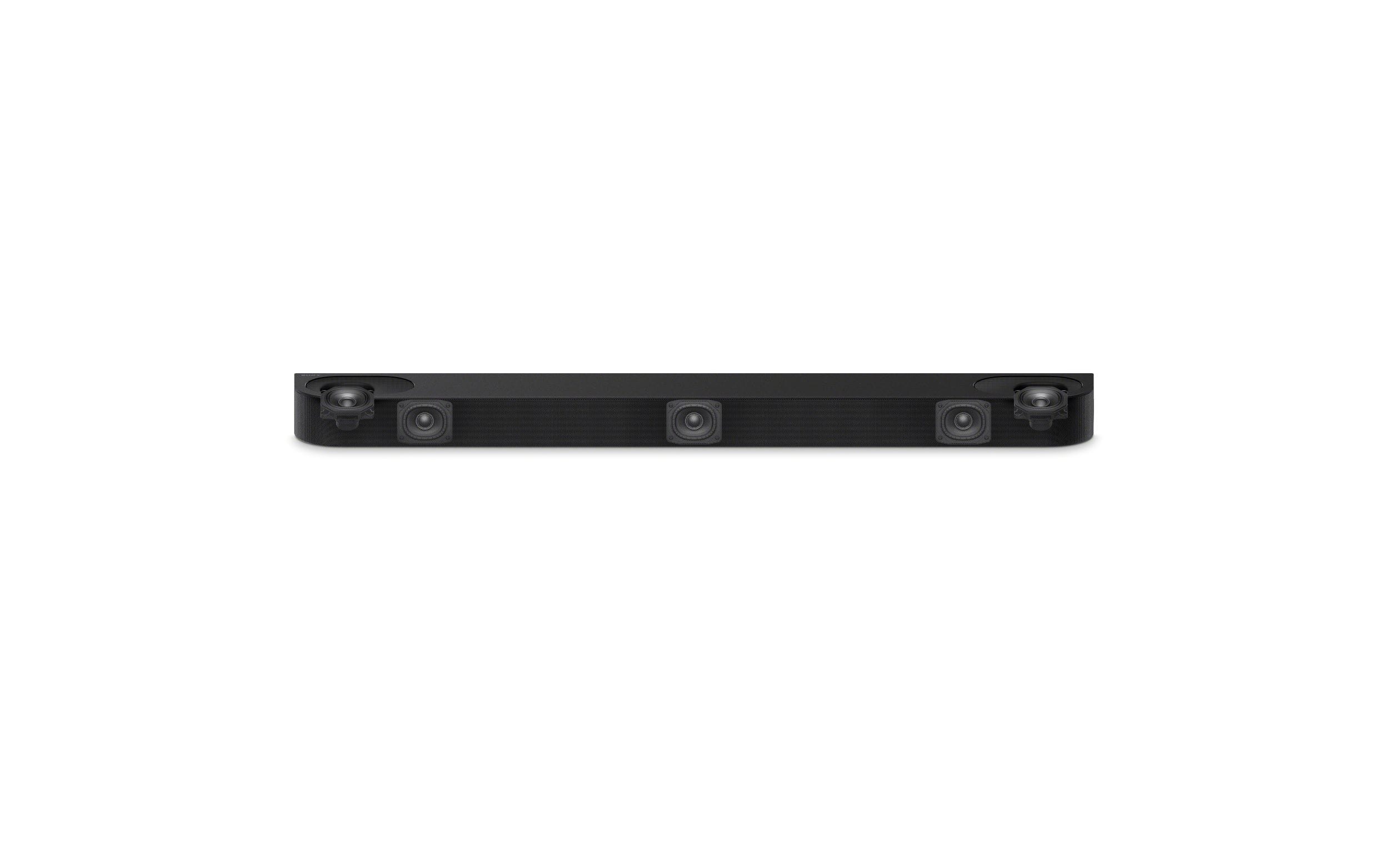
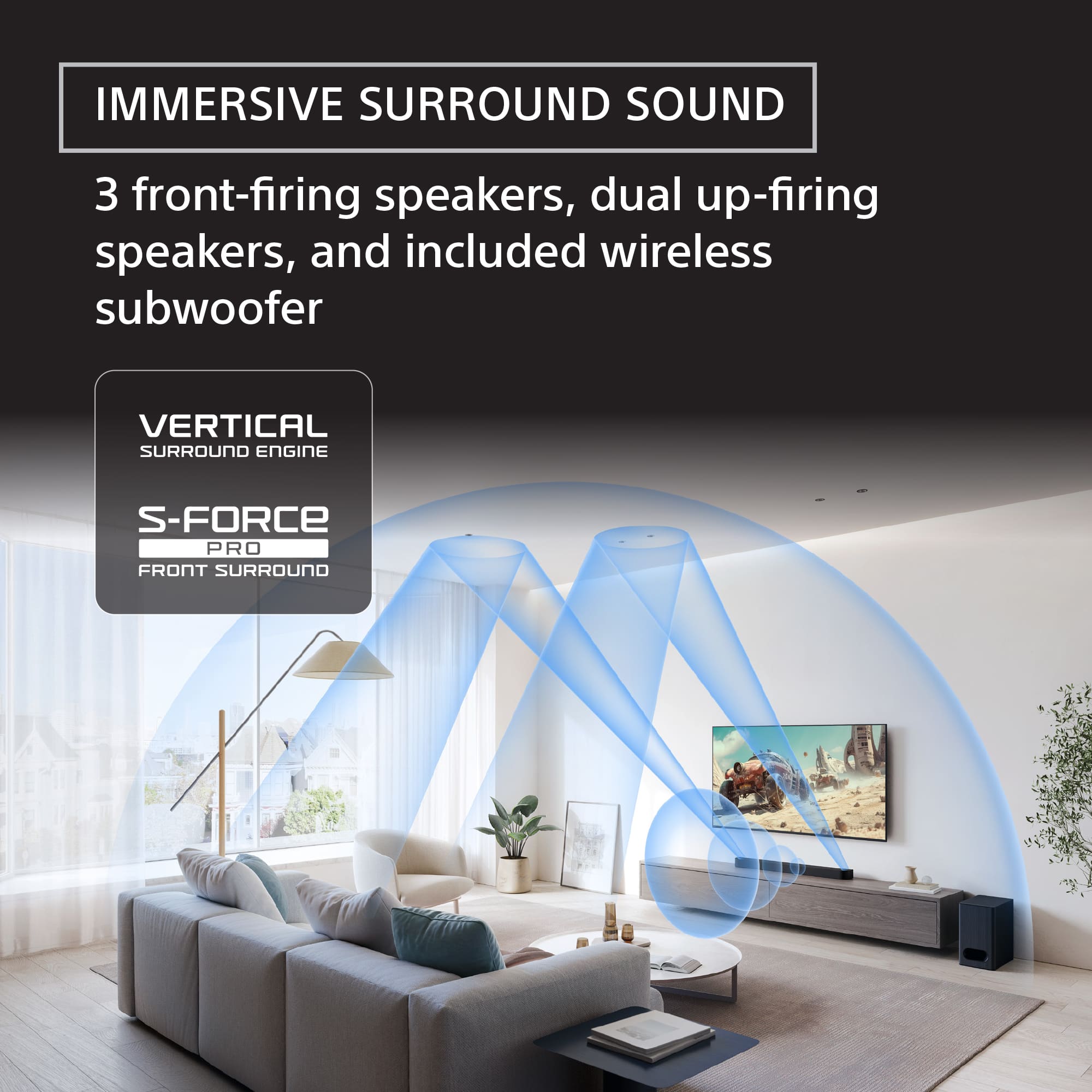
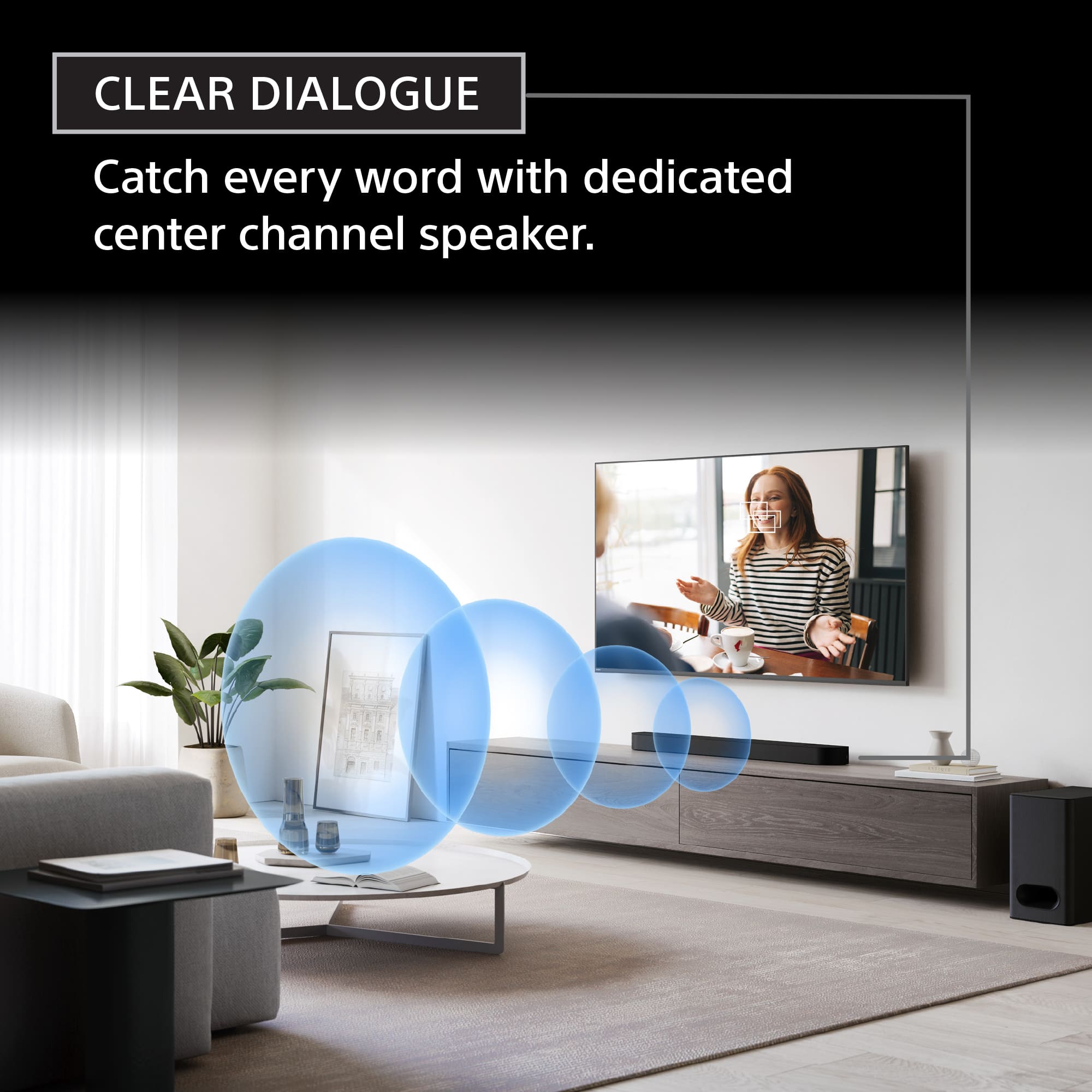
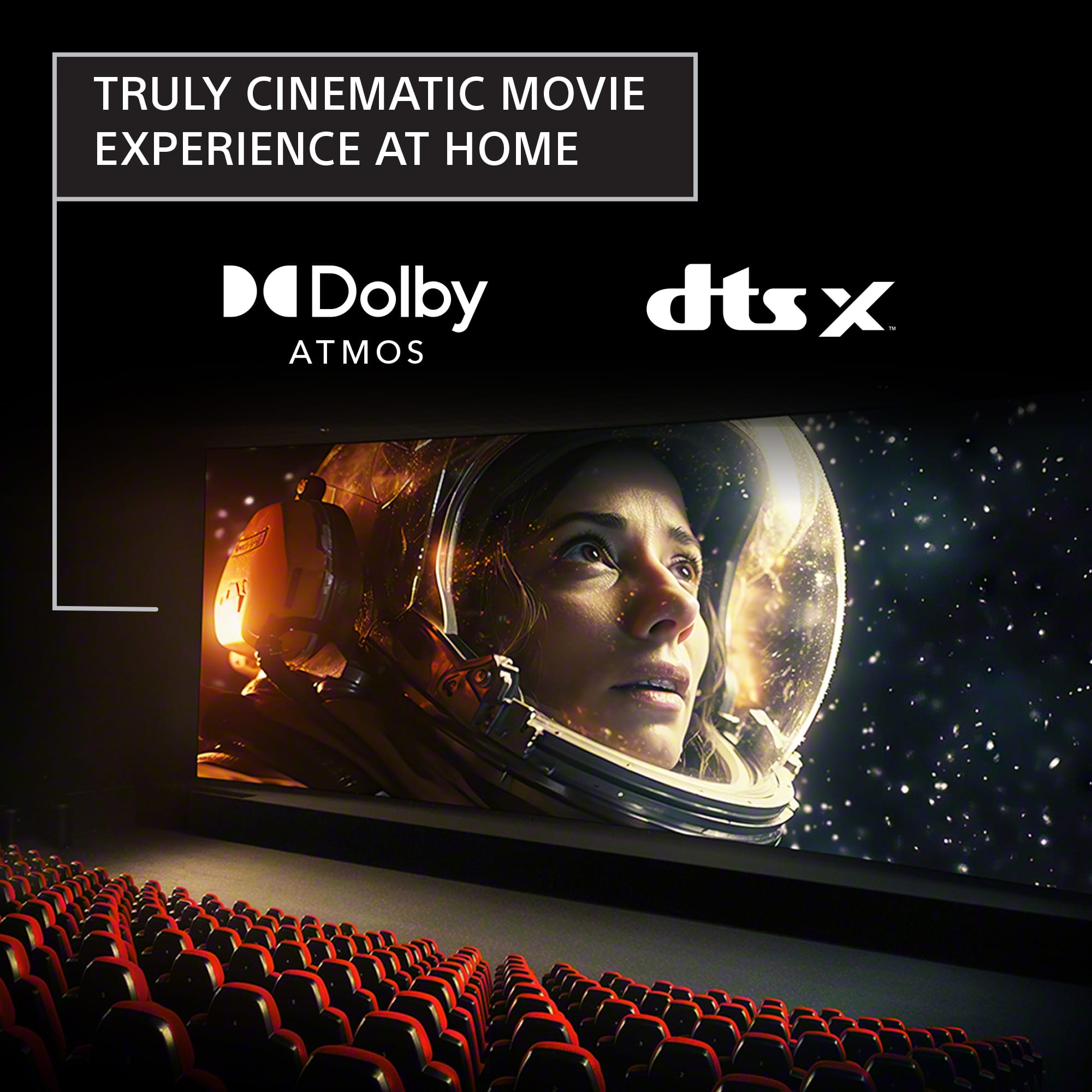
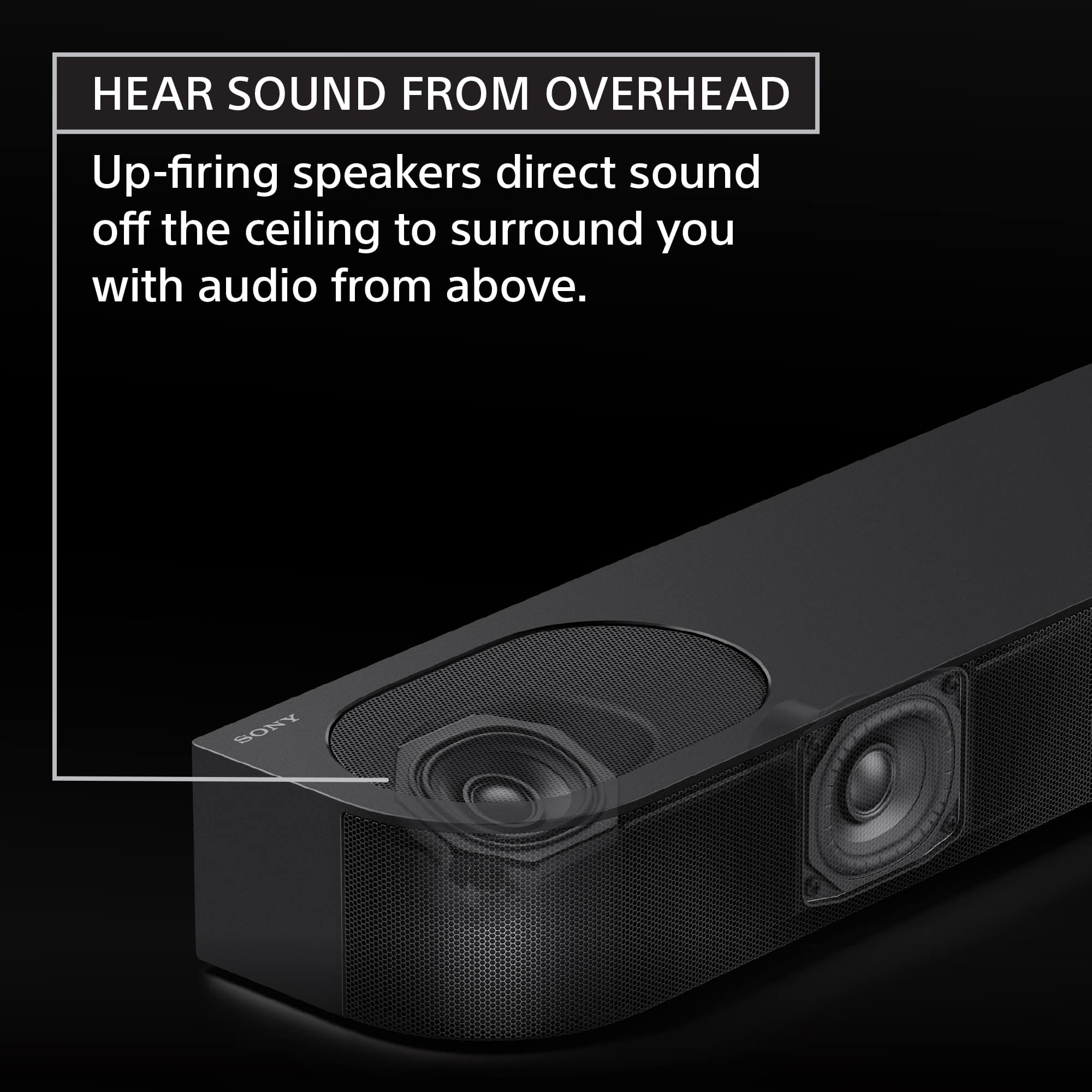
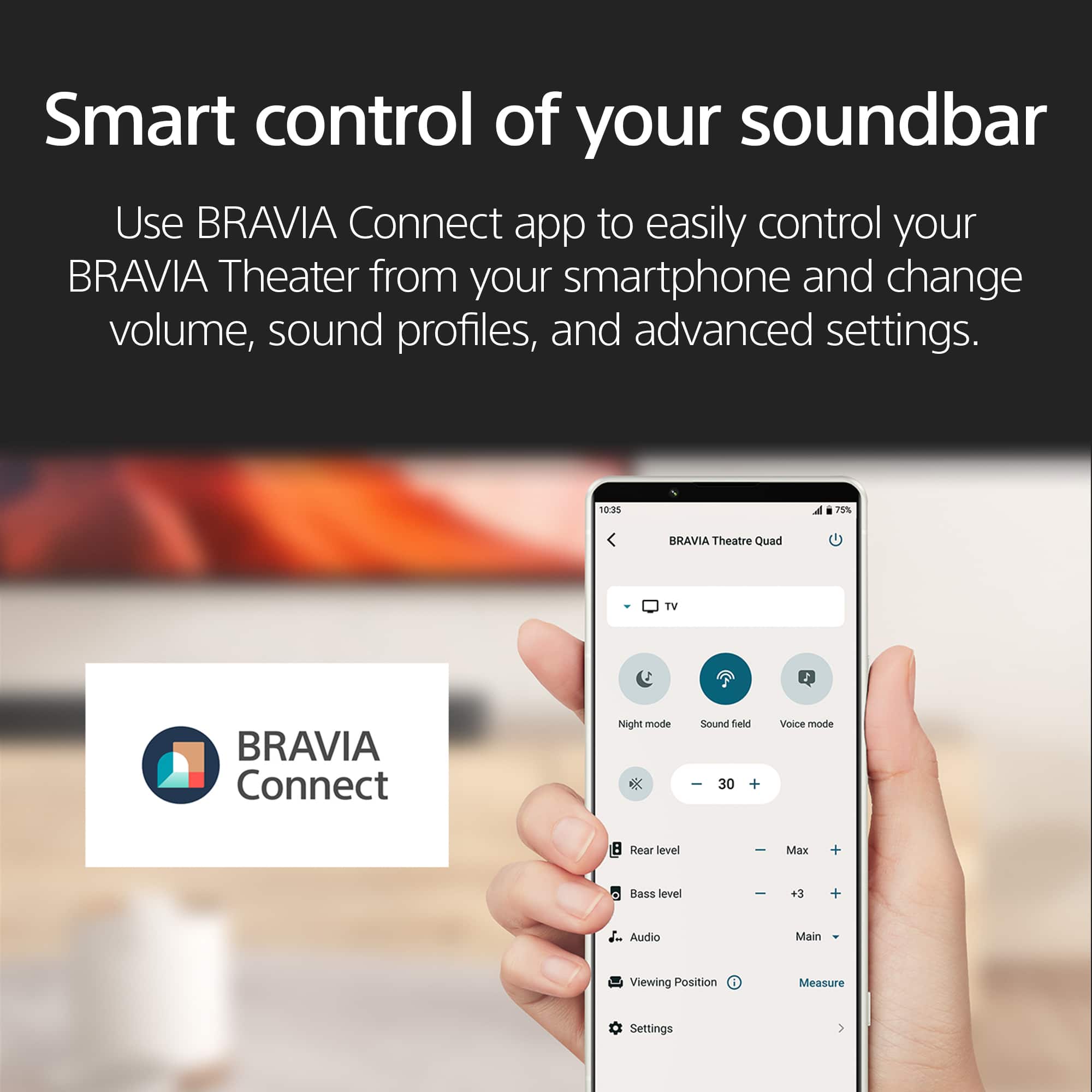
    I recently purchased a new Sony BRAVIA 4K TV and really wanted an external soundbar/subwoofer system to accentuate the new purchase. The Sony BRAVIA Theater Bar 6 with 3.1.2 channel and Dolby Atmos/DTS:X is the perfect solution at a reasonable price point. The Theater Bar 6 comes well packaged in a fully recycled box and includes the soundbar, subwoofer, wall mounting template, attachable feet, remote with batteries, power cords, HDMI cable and documentation including a quick start guide with link to the Sony BRAVIA Connect App. Setup Once unboxed, setup is straight forward...simply connect the sound bar to the TV via HDMI (eARC preferred if available) and there’s also an optical option. Plug in the power on the soundbar and subwoofer and they connect automatically at startup. At this point, the soundbar and subwoofer were up and running and automatically synced to the TV remote…this was too easy! The BRAVIA Connect App is necessary to connect the soundbar and there is a QR code in the box that calls this out and it also provides Sound Field Optimization during the setup process, more on the BRAVIA Connect App below. Performance Initially I used the provided remote to try some of the sound options like “Voice Mode”, “Night Mode” and “Bass Level”. The remote is small but provides adjustments for Sound Field, Voice, Bass, Mute, Night Mode and volume. With the BRAVIA Connect app, the remote is not necessary as all the remote options are available through the app. The Theater Bar 6 is a 3.1.2 channel configuration with 3 front firing speakers, including a dedicated center channel for clear dialogue and 2 upwards firing speakers that bounce sound above to create a more full and elevated sound characteristic to the TV experience. The included subwoofer is strong enough to rattle the room a bit but is a good size and does not overwhelm a small to mid-sized room. The bass level is adjustable in the app or on the remote. I have always had a challenge hearing/following dialogue and with the “Voice Mode” turned on this is no longer an issue. The dialogue level is raised on the dedicated center channel speaker while maintaining all other sound characteristics. This is one of the features that really stands out for me on this system. The system also supports Dolby Atmos® and DTS:X and Digital Sound Enhancement Engine (DSEE) for enhancing the sound quality and experience while watching movies or listening to music streamed via Bluetooth. BRAVIA Connect App After a bit of confusion trying to pair this soundbar using the Sony Connect app, I followed the link in the box and downloaded the BRAVIA Connect app by Sony. It’s interesting that Sony has multiple “connect” apps available, but I should have just followed the QR code in the box. Anyway, the app does provide the same controls found on the Sony remote, but it also provides additional sound setup options and controls not supported by the remote. Now that I have the soundbar and system dialed in, I tend to use my Sony TV remote for basic adjustments. For music, The BRAVIA Theater Bar 6 uses Bluetooth to connect to an audio device/phone. Connecting is straightforward and the sound quality is far superior to any BT speaker system I have ever owned. Pros: - Deep rich sound quality and great dialogue clarity with Voice Mode - Ease of setup, basically plug-and-play - Self connecting Wireless Subwoofer - Bluetooth connection option for enjoying music - Top-notch quality and modern design and aesthetics, wall mountable - Dolby Atmos/DTS:X supported - Good range of audio and setup adjustments via remote, app or Bravia TV - Attachable feet for clearing TV stands is a nice touch Cons: - Haven’t really found any as of yet! Overall, this is a great sounding, easy to set up and modern looking soundbar and subwoofer system. I would definitely recommend this setup to anyone shopping for a premium-sounding soundbar system that can provide cinema surround sound quality at a reasonable price.

    I would recommend this to a friend
  • Pros mentioned:
    Design, Setup, Sound quality
    Tech Insider Network Member

    Rated 4 out of 5 stars

    Immersive sound for medium size rooms and no wires

    |
    Tech Insider Network Member
    Posted .
    This reviewer received promo considerations or sweepstakes entry for writing a review.

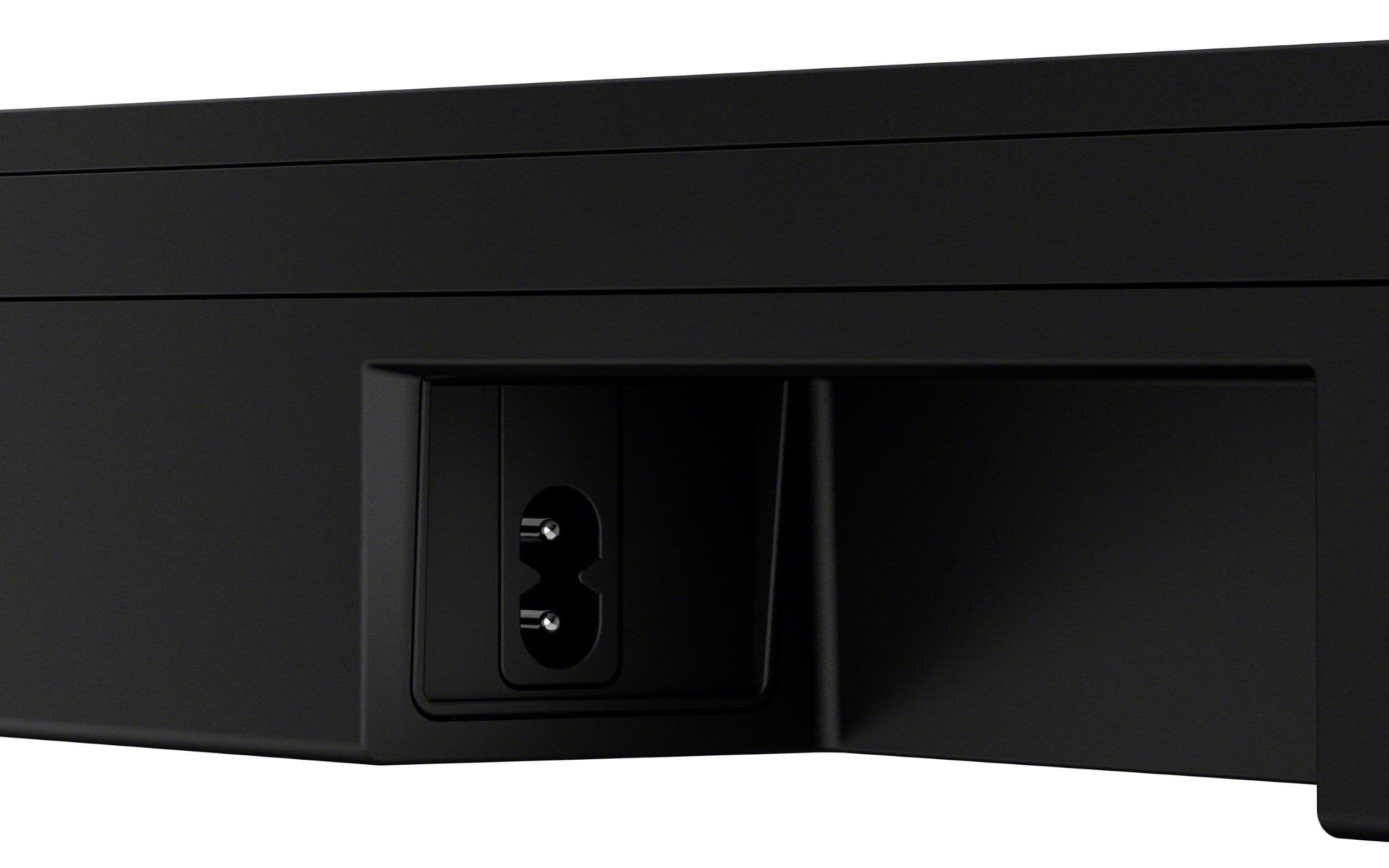
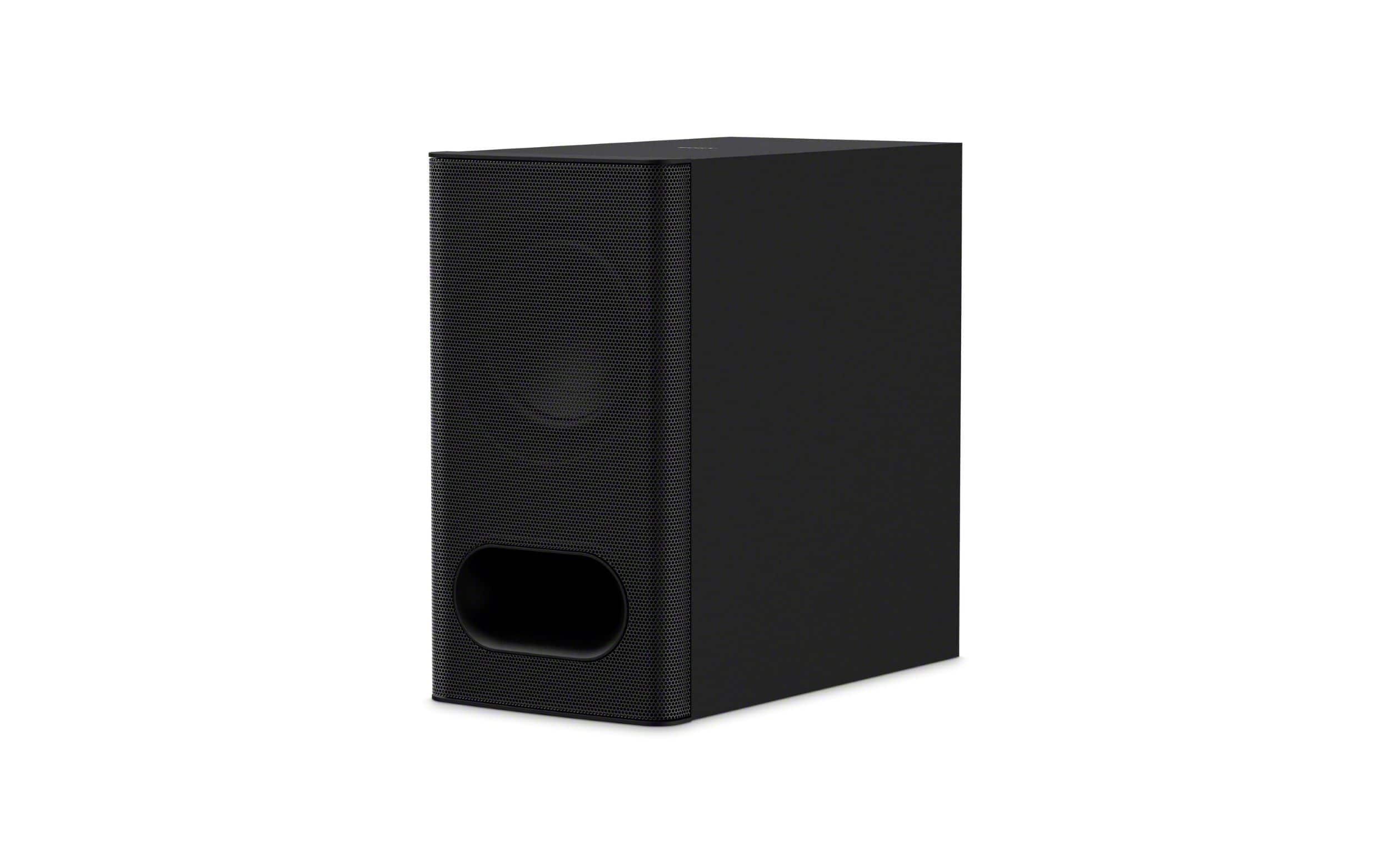
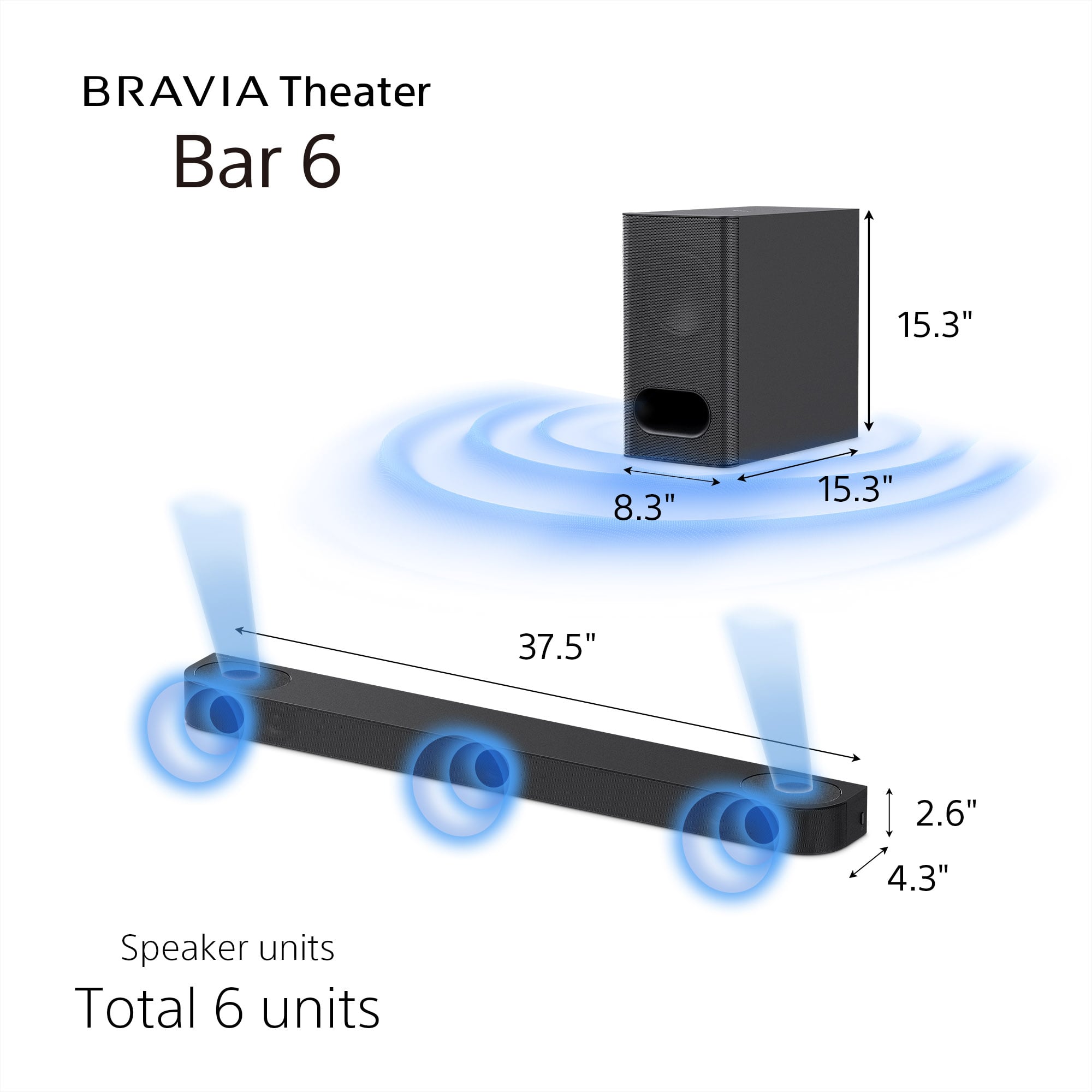
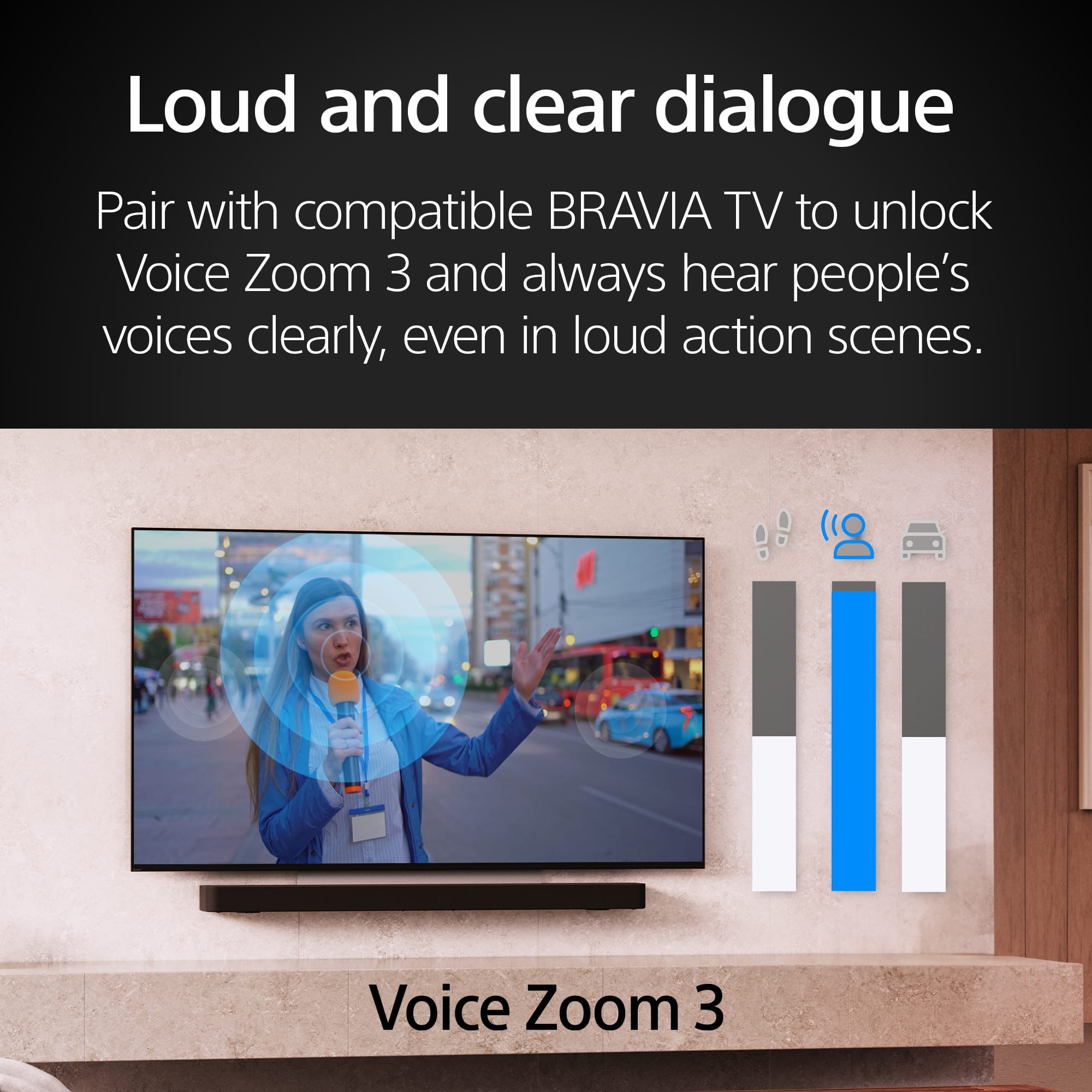
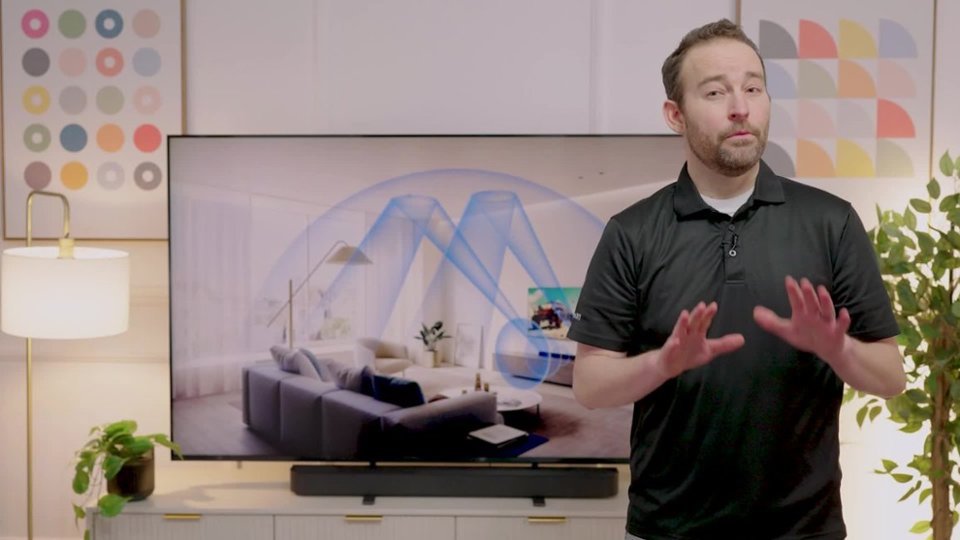
    The Sony BRAVIA Theater Bar 6 is a great option, providing your conditions are favorable. I have a Sony TV, another name brand TV, as well as a different manufacturer projector; this review is based on trial and error for what works and does not work to get great audio from the sound system.  TL:DR summary - The soundbar is nice, sleek lines, no wires other than 2 power cables and HDMI connection to the TV, and for the right sized room the acoustics are phenomenal. That being said, if you want true surround, and don't mind the wires, this sound bar won't quite compete with having rear speakers. Pros:  Sound quality via eARC is a-maz-ing. The sound is rich, nuanced sounds are heard, and the soundbar adapts to different inputs while keeping the volume relatively consistent.  No wires between subwoofer and soundbar Sleek style and design Easy to setup and pair with numerous inputs, including Bluetooth Cons: Not for every room - odd shaped rooms, angled / vaulted ceilings, and larger open concept rooms will lose the richness. That being said, if you do have a non-standard or lager room, you will need to have the patience to experiment to find the right settings and distance to optimize for immersive sound. If TV doesn't support eARC, sound quality has mild degradation. I found that both TVs sounded better than the projector that is a few years older. Soundbar placement matters due to upwards facing speakers, it should not be placed under or behind something. In the box is the soundbar, subwoofer, power cables for both, remote control, HDMI cable and paperwork. Setup is straight forward, the subwoofer is wireless, and can be set up in most configurations pending floor space. The sound bar is designed to rest on the legs, slightly in front of your Sony TV. If you're pairing with another TV, the design fits easily in most configurations. I placed directly in front of the different TVs I tried it with, there is also a wall mount option if desired. Once plugged in, you'll want to install the BRAVIA connect app to walk through setup. Setup includes distance from speaker to where you will be listening, distance to subwoofer, and height of ceilings. This is important to assist in calibration of how speakers contribute to the overall sound profile.   As far as build goes, the sub and bar feel sturdy and visually blend well with 50"+ TV.  The soundbar length is 40", so it will stick out past the profile on a 42" or smaller TV. The soundbar and sub lights can be turned off as part of night mode, and the overall presence is minimal when placed as part of your TV footprint. The design of the soundbar is two speakers facing upwards, this orientation is what allows the sound to be more immersive than only having front facing speakers. That being said, there is also a front directional speaker. Other notable features include Bluetooth connection, so I can stream from my phone, computer, or TV and swap between them as needed. There is a voice mode that will prioritize the center channel for clarity and voice enhancement. The soundbar support Dolby Atmos and DTS:X formats, as well as Voice Zoom if paired with a Sony TV.  The sub level can be controlled independently and within the app you can swap between sub, soundbar, or combined sound based on need.  As for the sound, I recommend doing your research and compare needs versus wants. This 3.1.2 channel system relies on certain room dimensions to reflect the sound to give an optimized immersive sound. If you have a small to medium sized room, I found it worked perfectly. Out of the options I tried, the best experience was in a 15' x 18' room. The sub will vibrate the furniture, the audio experience is that of a personal theater and you can get wrapped up in the experience. That being said, when I tried it out in my 18' x 40' game room with a vaulted ceiling, all immersive nuances were lost. The sound felt a bit flatter, and mid ranges were washed out. The best way I can describe the difference is if you took a movie theater sound system and put it in an open air stadium, it just isn't the same experience. The upside is that, within reason of power cables and HDMI cable, I can position the speaker bar and sub pretty much anywhere. Bottom line is that this system won't replace a full on rear channel system, however it will get really darn close in the right sized room.

    I would recommend this to a friend
  • Pros mentioned:
    Sound quality
    Tech Insider Network Member

    Rated 5 out of 5 stars

    Sony does not disappoint, excellence in audio

    |
    Tech Insider Network Member
    Posted .
    This reviewer received promo considerations or sweepstakes entry for writing a review.

    This is an excellent 3.1.2 channel sound system. The subwoofer is connected wirelessly providing flexibility in positioning the unit. Setting up is easy and it only took minutes. I’ve been using the soundbar for watching movies, listening to podcasts and even gaming and they’re all great experiences. I like the sound quality a lot. The volume is plenty powerful and sound definition is great. Highs, mids and lows are there and produce pleasing sounds. The lows, in particular, are powerful and smooth just the way I like them, and I would rightfully expect so because of the size of the subwoofer unit. Out of the box music listening experience was surprisingly good enough already. In movies such as Midway, in particular at the battle scenes, this audio system shows its worth. The battle sounds alive and exciting with great dynamics. This sound bar is also great for gaming as I even played a multiplayer game and voice chat sounded excellent. The 3.1.2 system offers great sound-quality and performs as expected out of a Sony audio system. While it attempts to replicate a surround sound experience, aiming to provide a theatre-like ambiance with 360-degree audio, it lacks rear speakers to fully achieve this goal. Consequently, one would need to step up and get a 5.1.2 system for that purpose. Both Dolby Atmos and DTS:X experiences will primarily remain within a 3.1.2 audio system framework. Nevertheless, the system is designed to bounce sound, creating a somewhat semblance of audio originating from the rear. The only criticism I have is that the soundbar only offers HDMI eARC as its audio input port. It’s not a big thing since it’s an eARC port anyways so I can always pass through audio to the TV for other types of connection. The Bluetooth connection is also excellent in terms of both stability and sound quality. I like whatever digital sauce that Sony is putting in their Bluetooth connection, the audio quality is excellent. Like: The sound quality Powerful audio Consistent excellent audio performance for movies, music, podcasts and games Bluetooth Audio is excellent Wireless connection for Subwoofer unit Don’t like: Only has one HDMI eARC port, no optical audio port

    I would recommend this to a friend
  • Pros mentioned:
    Design, Setup, Sound quality
    Tech Insider Network Member

    Rated 3 out of 5 stars

    Good Sound But Too Many Sacrifices

    |
    Tech Insider Network Member
    Posted .
    This reviewer received promo considerations or sweepstakes entry for writing a review.

    The Sony BRAVIA Theater Bar 6 is the new entry, premium, soundbar within Sony’s Bravia Bar series that supports Dolby Atmos/DTS:X. This is NOT to be confused with the BRAVIA Theater System 6, which is a different line that offers rear speaker capability. After spending some time with the Bar 6, it’s clear that features are missing to help separate this from their more expensive Bar 8 and 9. Unfortunately, a few too many features are missing that makes this a hard recommendation for the price point. In the Box: - Sound Bar + Wireless Subwoofer (37.5” x 4.25” x 2.5” (L x W x H)) - Power Cable (No Extra Brick) - HDMI Cable - Remote - Rubber Feet - Manual Setup: Luckily Bar 6 DOES support the Sony Bravia App which helps make set up a breeze and is where you will adjust some basic EQ settings according to your room. Once the soundbar and subwoofer are plugged in, open the app, you will be able to add a new device. If this is your first time with the app, you will need a new Sony account. Assuming you connect the HDMI or Optical cable to your TV, it will make sure everything is set up and working properly. It will also ask for some basic measurements for your room including how far the soundbar is from the ceiling and your viewing position. The same is true for the subwoofer. Since this sound bar does not support Wi-Fi connectivity or any additional smart features, this is pretty much it. Through the app you have control of some quick toggles including Night Mode, Sound Field, and Voice Mode. There are more in-depth settings for subwoofer output, volume, HDMI, sound settings, etc. *IMPORTANT* This sound bar does NOT have video passthrough capability like their more expensive models. You have two input methods on the sound bar, HDMI eARC or Optical (cable not included). This means if you want to use this sound bar with a computer monitor or TV without ARC or optical output, you will have to use another device to separate the audio and video signals to go to the correct place (TV/monitor and sound bar separately). This is a drawback compared to some of the competitions which feature video passthrough in the price range. Sound Quality: The Bar 6 is rated as a 3.1.2 setup which means it has two height channels (up firing speakers) in addition to the normal left, right, center, and subwoofer. After spending time listening to various pieces of content with and without Dolby or DTS:X capability, it is clear this setup has some limitations. Depending on the size of the room, and positioning of the bar, the height channels may get lost or impacted negatively. If you use this is a smaller room with standard 8’ or 9’ ceilings, you can certainly tell the improvement from a standard 3.1 setup. If you have obstructions in the ceiling, vaulted, or extra tall ceilings, the quality will be impacted which lessens or removes the Atmos experience entirely. The sound itself coming from the speakers is strong and crisp. The subwoofer has plenty of power for a room of large size, especially if placed in a corner. Vocals are easily separated from the left and right channels although because of the smaller size of this soundbar, they are less distinct than their more expensive Bar 8 and 9 which are longer in length. The controller is compact with all the basic functions that you may want to adjust daily or as needed with the type of content. Of course, the TV remote will also control the volume. Verdict: Overall, the Sony Bar 6 is an attractive package on the surface with Dolby Atmos and DTS:X compatibility, a premium design, and app connectivity. Depending on what sound bar experience you have had in the past or compare this bar to, that’s when you see many of the shortcomings. Without the capability to add rear speakers for a more immersive experience, this limits the versatility of this system. For the price, I would expect video passthrough capability as well. All in all, this is an ok upgrade from standard 2.1 systems in sound quality and feature set but it is not one that I would recommend for its limitations at the given price point. Pros: - Premium Design - Easy Setup - Strong Output - Sony TV Integration (When paired with) Cons: - No Video Passthrough (2 HDMI ports) - No Wi-Fi - No Rear Speaker Capability - Speaker Grille See Through

    No, I would not recommend this to a friend
    • Brand response from SonyListens
      Posted .

      Hi Justin, thank you for taking the time to share your detailed feedback regarding the Sony BRAVIA Theater Bar 6. We sincerely apologize for any disappointment you experienced with the product. Your insights are invaluable and we appreciate your thorough evaluation of its features and performance.

      We understand that the absence of certain capabilities, such as video passthrough and rear speaker support, can limit the overall experience.
      Your comments about the sound quality and app integration are noted, and we are glad to hear that you found some aspects of the setup process to be user-friendly. However, we understand that the limitations you've mentioned can impact your overall satisfaction and we are committed to continuously improving our products based on customer feedback.

      Thank you for considering Sony products. We appreciate your time and thoughts on this matter.
      Best regards,
      Estefany Sony_US

  • Pros mentioned:
    Sound quality
    Tech Insider Network Member

    Rated 4 out of 5 stars

    Great Sound in a Relatively Small Size

    |
    Tech Insider Network Member
    Posted .
    This reviewer received promo considerations or sweepstakes entry for writing a review.

    So far I’m happy with the Bravia Bar 6. It’s pretty much exactly what I was looking for in a soundbar for our 65” living room TV, where I was looking for a good soundbar that didn’t introduce the inconvenience of having to deal with rear surrounds. It sounds great, especially for its size, and I think it would pair well with any TV 65” and smaller. I’m slightly disappointed there’s no WiFi connectivity, but I think this is a good soundbar for anybody looking to improve their TV/movie listening experience. The soundbar comes in the standard P-shaped box you see a lot of soundbars come in. In the box you get the soundbar, subwoofer, 2 detachable power cables, an HDMI cable, a small remote, and some optional feet for clearing a TV stand. The soundbar can sit flat on an entertainment stand or it can be wall mounted and there’s a wall mounting template included to help with that. The soundbar looks great and there aren’t any visible buttons or ugly displays. The only button on it is a small power button that’s hidden away on the right side. The subwoofer is your standard black rectangular box - not too big or too small and it can be tucked away into a corner or behind a chair. I would have liked to see volume controls somewhere just in case, but it’s not a big deal for me. The remote is small and pretty simple, but hits all the functions available if it’s ever needed. For ports there is an HDMI eARC and an optical input. Pretty basic and this won’t be doing double duty as a receiver, but it’s fine. I do wish there was at least one more HDMI port to offset the one that’s being taken up on the TV. There is a USB port, but it’s for firmware updates only. I did the setup via the Bravia Connect app on my iPhone. It connects to the soundbar via Bluetooth and the pairing will trigger automatically within the app. From there, there are some verification steps to make sure the soundbar is connected and functioning. There is no automatic room correction on the Bravia Bar 6, but there are some basic measurements you can manually enter concerning how far away you’re sitting and how far from the ceiling it is.The whole process took less than 5 minutes. The Bravia Connect app can also control the soundbar and all its settings. Firmware updates are also available via the app. The Bravia Bar 6 supports all the major Dolby and DTS surround sound formats, including Dolby Atmos and DTS: X and their TrueHD and HD Master versions. There’s also LPCM audio support as well up to 7.1. This is via the HDMI port. Going through the optical port does limit the audio formats to the lower bandwidth Dolby Digital and DTS formats. You won’t mistake this for a full size surround sound system, but for its size I’m really impressed with the sound it delivers. Audio is clear and balanced and never feels overly shrill or bassy. I read one review that said they had to turn the subwoofer way down to get a good experience, but I did not have to adjust anything myself. The system can get very loud and I didn’t notice any distortion. The soundbar is a 3.1.2, which means it consists of left, right, center, subwoofer, and 2 Atmos channels. Having the center channel helps a lot with getting voices to come through clearly and even though there is a dedicated sound mode for making voices clearer I never felt the need to turn it on. The Atmos speakers fire upwards towards the ceiling and it’s meant to bounce the sound back down towards you to give a sense of it coming from above. I never really felt like any sound was coming from above me, but having the up-firing speakers does add a sense of verticality to the sound that I do notice. The ‘Sound Field’ setting is enabled by default and it up-mixes whatever audio it receives to provide a surround sound experience. It can be turned off for a more 1:1 sound, but I enjoyed having it on more. Your experience may vary though. For its price, I’m a little disappointed WiFi connectivity isn’t built into the Bravia Bar 6 for Google Cast or Apple AirPlay. It’s not really a dealbreaker for me since I can do those things through my TV and stream that out through the soundbar, having the option to go directly to the soundbar would have been nice. You can still connect to it wirelessly via Bluetooth and it supports SBC and AAC codecs for that, but that quality and convenience are not as strong as having Cast or AirPlay built-in. And, while I specifically do not want them for my setup, it would be nice to see optional surround sound speakers available for purchase to go with the Bravia Bar 6 for those who want them.Currently it seems that is only available on the higher-end 8 and 9 series soundbars. With the Bravia Bar 6, there aren’t really any tricks there to get a rear sound experience, so if that’s important to you this might not be the one. So overall I’m really happy with this soundbar for my purposes. It’s a great kind of upper-middle tier option for adding great sound to your TV. It’s not perfect, but I think it is a pretty compelling option for where it’s positioned relative to other brands.

    I would recommend this to a friend
    • Brand response from SonyListens
      Posted .

      Hi SamG,

      Thanks for sharing your detailed thought on the BRAVIA Bar 6! It's great to hear it delivers the clear, balanced sound you were looking for, especially in a setup without the need for rear surrounds. While extra HDMI ports would be a nice addition, we're glad the setup was smooth and the overall performance has impressed you. Your feedback is valuable and will definitely help others considering this model.

      Thanks for choosing Sony.
      -Eliab Sony_US

  • Pros mentioned:
    Setup, Sound quality
    Tech Insider Network Member

    Rated 4 out of 5 stars

    Spacious sound for a smaller space

    |
    Tech Insider Network Member
    Posted .
    This reviewer received promo considerations or sweepstakes entry for writing a review.

    I've used several different soundbars on my bedroom and family room systems. All with varying results as far as sound quality. Using the Sony Bravia Theater Bar 6 has taken the the sound in my bedroom to a new level entirely. This is an almost perfect soundbar for a bedroom or office, some place you don’t have the extra space or need true discrete 5.1 theater sound.  I replaced a twelve-year-old soundbar in our bedroom with this guy and it’s been quite a noticeable improvement.  We have soundbar systems and full-blown theater systems all over the house and this one not only fits perfectly but sounds great in a smaller room.    To be clear, this is a true 3.1.2 system.  The soundbar itself has a dedicated center channel driver with dedicated left and right main drivers.  On the top, it also has two up firing dedicated speakers.  It also includes a substantial wireless sub-woofer.  I was a bit skeptical before powering everything up, but after listening to the overall sound, I quickly changed my mind.  The word that comes to mind when describing the sound is, spacious.  The sound truly does fill the room.  The sub-woofer is large enough to pack a significant punch without sounding strained or thin on the explosive parts.   While you can set the system up without any trouble just by connecting it to an HDMI with eARC port, the downloadable companion Bravia Connect app will get you up and running quickly while allowing you to fine tune things like speaker to listener distance settings, which help to get the sound dialed in for where you will be listening from.  The included remote (and app) has buttons for power, input (don’t get too excited, it’s either the HDMI input or Bluetooth), bass level, mute, sound field, etc..  The sound field button turns this mode either on or off.  I would have liked to have seen a couple of other sound mode options here.  I kept it on as it sounds the best for my room.    It's probably difficult to make a soundbar an attractive component, they all do pretty much the same thing, but this one is not unattractive, and since it’s deeper than most because it also accommodates the up-firing speakers, it has an interesting look to it.  The sub-woofer looks the part by being sizable and sporting a perforated grill assembly along with a front port.  You get an HDMI cable, power cords for both the soundbar and sub, the remote and batteries.  So, you get everything you need right in the box.  I found the power cables to be quite short (at least which ever one you choose for the soundbar), you may even need an extension cord for it.  It has the capability to be wall mounted if you choose, but this seems to be an after thought on Sony’s part, because that just means it has a couple of keyed screw holes on the rear plastic panel, which are small and a bit sketchy looking and don’t really convey confidence that it’s going to hold for long.   Overall, I like the sound and the size of this bar.  It fills the room with sound that seems to come from more places than just the center.  The bass is good, but I did wish it went just a bit louder at times.  At no time could I turn it up loud enough for it to be overwhelming or too loud (still referring to the sub-woofer here).  The rest of the speakers seem clear and full ranged, and all coordinated well with each other.  I appreciated the easy setup, and the companion app adds some fine-tuning abilities that help to make the system sound it’s best.  I do like Sony sound systems, and I have a variety of them, so I’m used to the price that they cost.  I’m not sure everyone would agree that the cost of this system is worth it, but I believe it to be a fair price for a good sounding system like this.

    I would recommend this to a friend
  • Pros mentioned:
    Sound quality
    Cons mentioned:
    Volume control
    Tech Insider Network Member

    Rated 4 out of 5 stars

    Sound Improvement

    |
    Tech Insider Network Member
    Posted .
    This reviewer received promo considerations or sweepstakes entry for writing a review.

    This soundbar delivers an immersive experience from a small form factor that would work well in a small to midsize room used for watching TV and movies or gaming. It’s simple to install but it does require the Bravia Connect app to fully configurate the virtual sound stage settings in the soundbar. The downside is that it lacks physical control buttons on the soundbar and the led indicators aren’t the most intuitive. Overall this soundbar provides good sound quality considering its size. The immersive sound stage is impressive for a 3.1 system and is definitely an improvement over the typical TV speakers. The soundbar produces good mids and highs that sound clear and sharp whether you are watching a movie, playing a game or listening to music. The subwoofer is matched well with the soundbar and it provides deep enough bass to make the overall sound more realistic. It won’t rattle your windows but it does a good job of providing enough umph without too much distortion. The center speaker allows you to hear conversations clearly and there is a Voice setting on the remote that will enhance the dialogue. Sony includes a remote control to control the soundbar or you can use your Bravia TV or the Bravia Connect app on your phone or ipad. The only downsides I have with this soundbar is that it lacks an indicator display and control buttons. There is a single LED that shows blue or white or red depending on the connectivity status and a second LED that blinks when a function like volume is pressed on the remote control. So you don’t see an indicator that shows the actual volume or subwoofer levels on the soundbar, to get that you need to use your phone and Bravia Connect app or your Bravia TV screen. Secondly, the only control on the soundbar is the on/off button. It doesn’t have an input control button or a volume control button so you have to use the remote or mobile app. Installing this soundbar was simple because the Bravia Connect app walks you through the necessary set up functions and the soundbar automatically pairs with the subwoofer. The app verifies that the HDMI cable is properly cabled to the right ports in your tv to help eliminate any audio issues. The soundbar supports HDMI eARC but also has an optical cable port for using an optical cable. Connecting with Bluetooth was just as easy, once I set the soundbar input to Bluetooth via the remote it readily paired with my iphone. In the Bravia Connect app you set the distances from the soundbar to the couch and soundbar to the ceiling to help configure the immersive sound stage.

    I would recommend this to a friend
  • Pros mentioned:
    Sound quality
    Tech Insider Network Member

    Rated 5 out of 5 stars

    Truly exceptional sound quality

    |
    Tech Insider Network Member
    Posted .
    This reviewer received promo considerations or sweepstakes entry for writing a review.

    I have to admit I’m in love with the Sony Bravia Theater Bar 6. I upgraded from an aging, but still good, Samsung soundbar that was nearing 8 years old. While I was satisfied with the Samsung soundbar, the Sony Bravia Theater 6 quite frankly blew my socks off and made me wonder what I was missing. While it will never - nor will any soundbar - equal a dedicated, multi-speaker setup, this gets pretty darn close. And the ease of installation is just the icing on the cake. IN THE BOX Inside you’ll find the soundbar, the subwoofer, two power cables (one for each, they’re interchangeable), a HDMI cable (thank you Sony for continuing to provide essentials), a remote, and some footers that allows you to put the soundbar on the TV stand (mine’s on the wall, so I didn’t pay much attention to that). I found the soundbar to be quite compact, light and small. But I’m comparing it to my old Samsung soundbar that a tiny subwoofer built into it (it was as as long as a 65 inch TV and pretty heavy). SETUP AND INSTALLATION It’s simple. You plug in the power cord to both the subwoofer, and then for the soundbar, and then you plug the HDMI cable into the soundbar and into the TV. IMPORTANT TO NOTE, you must have a TV with eARC HDMI port. Otherwise, it will not work. Granted, most new TVs have it, so it shouldn’t be a problem, but something to look into before dropping a lot of money on this soundbar and subwoofer. At that point you’ll want to download the Bravia app (although I’m not 100% certain it’s required, but that was the instructions on the box). When you open the Bravia app, you’ll turn on some permissions and then your phone will find the soundbar and subwoofer and make sure the HDMI is working and the sub is paired. It took just a few moments. Then you’re asked some questions about placement of the subwoofer and soundbar (i.e. when sitting, are you less than 5 feet away or further?). The app allows you to control the volume and the bass level, but little else. It’s where you would change the input to Bluetooth (to stream music from your phone). Which is a little annoying, I would have preferred a button or something like that on the device itself. But after that was all done, my soundbar was rocking. I use a Google TV plugged into one of the HDMI ports in my TV and I use that Google remote to control my TV’s power and volume. Everything worked flawlessly. I was stoked at how easy it was, and I hope everyone else would have the same experience (candidly, I’ve had issues with other soundbars and eARC inputs on my TV. But I will admit the TV I was plugging this soundbar into is a Sony TV, however, it’s about 10 years old). SOUND QUALITY What immediately struck me was the clarity of dialogue in TV shows and movies. I didn’t really have a hard time hearing it with my prior soundbar, but it was just so much more clear. It works especially well in complex sound environments, where the dialogue comes out crystal clear even when there’s a lot of other ambient sounds going on at the same time. I will note that if you have a newer Bravia Sony TV, you can utilize Acoustic Center Sync, whereby the TV’s speakers act as a center channel to enhance dialogue. But my Sony TV was too old to test that out. Obviously the star of the show is Dolby Atmos and the simulated surround. Again, as I said earlier, NO sound bar will replace a dedicated 5.1 or 7.1 setup. But so long as you have minimal obstructions in your room, this soundbar does a great job at firing sounds off walls and ceilings to simulate surround sound. You won’t be spooked into hearing footsteps behind you, but the effects are nonetheless impressive. It’s not pinpoint accurate, but you definitely get the feeling of sound “around you.” The bass is very robust. I love that the speaker is wireless, and I found it very satisfying in heavy action sequences- especially explosions. The subwoofer combined with the simulated surround really enhances the viewing experience. Playing music was great, I like playing loud music when my family’s not home and this setup can rock the house. It provides a very balanced profile and nothing I played was distorted in any way. It’s more than adequate. MISC. There are some sound modes that you can adjust within the app. But it’s very minimal, such as music, movies, or night voice. The night voice made things a little softer so as not to shake and rattle your whole house while the kids were asleep. But it was too much of a pain to open the app so I prefer to do what us parents always do at night, and that’s simply turn the volume down a little bit at night. CONCLUSION This is expensive and may not be worth it if you already have a soundbar, but if you are just listening to your TV speakers, this is a must have upgrade. You can get really good surround sound quality audio with simple setup. While it works best with Sony Bravia TVs, you should still give it a look even if you own a different brand TV. The Atmos technology in soundbars is no joke and will vastly increase your listening and entertainment experience.

    I would recommend this to a friend
    • Brand response from SonyListens
      Posted .

      Hi callmeageeth! Thank you so much for your thoughtful review of the HT-B600! It brings us great joy to hear that you are enjoying your new soundbar and that it has made such a positive impact on your home entertainment experience.
      We are thrilled that you found the installation process straightforward and that you appreciate the included features, such as the HDMI cable and the handy remote.
      Your insights about the Acoustic Center Sync and the sound modes are valuable, and we appreciate your feedback.

      The HT-B600 is designed to provide impressive sound quality and clarity, especially in dialogue-heavy scenes, while the wireless subwoofer enhances the overall experience with robust bass.

      Thank you for choosing Sony!
      Best regards,
      Estefany Sony_US

  • Pros mentioned:
    Sound quality
    Tech Insider Network Member

    Rated 4 out of 5 stars

    Captivating Sound for Your Home Theatre

    |
    Tech Insider Network Member
    Posted .
    This reviewer received promo considerations or sweepstakes entry for writing a review.

    The Sony BRAVIA Theater Bar 6 is a home audio system with a sound bar and subwoofer. The pair provides an immersive sound that will captivate you and everyone around you. If you are looking to build out a home theatre, this system is a great starting point. Although there are some downsides… Note that this was tested in a midsize living room. This is my review of the Sony BRAVIA Theater Bar 6. *TLDR at the bottom ========================= IN-THE-BOX/SETUP: In the box, you will get a soundbar, a subwoofer, a power cord, an HDMI cable, a remote control, and some documentation. The remote control’s batteries are also included. The Bravia Connect app will need to be downloaded to properly set up your system. A QR code on the included pamphlet can be scanned to obtain the app. Setup took me a little less than 15 minutes. Sony’s included documentation is helpful, and the app does a great job of explaining the additional items needed to complete the setup. The setup process within the app has certainly improved compared to the last time I set up a BRAVIA product. Kudos to Sony! Once the setup is finished, one can immerse oneself in admirable sound. ========================= SOUND QUALITY (MOVIES, VIDEOS): One of the first things I did after setting up was, of course, watch various trailers and a film. The out-of-box sound is fine by default, but you will notice the lack of surround sound, which makes sense due to the lack of rear speakers. Sony did think of this problem, and surround sound can be “experienced” by turning on Sound Field mode using the remote. This mode, while it does not provide a true surround sound, Sony’s digital sound field processing technology does a great job at providing a more immersive experience with this mode turned on. The sound is louder, and the system makes you feel that there is a wider soundstage. With Sound Field turned on and the booming sound from the subwoofer, trailers, movies, and videos all sound amazing. This was especially prevalent in the new How to Train Your Dragon live-action trailer when The Red Death comes thundering in. Are you wanting a movie night but don’t want to wake up the wife or the kids? I was able to watch the film 65 in Night Mode, which does an excellent job at reducing the highs, such as gun shots and explosions. Night mode also decreases the rumbling lows, and with voice mode turned on, one can hear dialogue crystal clear. ========================= SOUND QUALITY (MUSIC): This system also has Bluetooth, which I used to jam out to some tunes. My home theatre is in my living room, and occasionally I do use my home audio system to listen to music. I was able to listen to a variety of genres, and all sound great. I did find that turning on Sound Field mode and increasing the bass slightly does enhance the listening experience. One item I did notice was that the sound is balanced for the most part. Some genres did have a slightly imbalanced sound. For example, the lows and mids are more prominent in Hip-Hop and EDM music. Mids are higher in Punk music. But genres like Rock, Latin, and Pop are fairly balanced. Now, when it comes to older music, some older music has that static/hissing sound. While playing around in the settings, I found something called DSEE (Digital Sound Enhancement Engine), which enhances and clears older music or compressed audio files. I enabled this feature while playing The Platters’ - Only You and TV on the Radio’s - Wolf Like Me. The difference is slight, but these songs certainly sound clearer. ========================= FEATURES/OTHER NOTES: Below are some of the speakers' features in detail, and other additional features I have yet to mention. - The theatre bar supports Dolby Atmos and DTS:X - The system can be controlled with either the remote or the Bravia Connect app - The Bravia Connect app can be used to update the Theatre Bar 6(firmware updates) - 3 Sound modes available to choose from (No EQ available, unfortunately) - Night Mode: For late-night TV watching, reduces the highs (guns, explosions) and lowers the bass level - Sound Field Mode: Simulates surround sound and creates a wider soundstage - Voice Mode: Increases dialogue range, great for the hearing impaired or those films with imbalanced sounds - Built-in Bluetooth has little to no latency - DSEE (Digital Sound Enhancement Engine) enhances older music and compressed audio files if turned on in the app I also have some notes to add about the speaker that I could not add above. A light indicator on the sound bar indicates when a setting is changed. While it is helpful to know that the sound bar received input, the light indicator does not tell you what setting the sound bar is on. You will either need to guess or look in the app to see the sound bar’s current settings. This is a minor complaint and more of a request, but the remote is not backlit. I watch most films in a dark room, and not being able to see the controls is a bit of a nuisance. Finally, if you are looking to upgrade or add an additional speaker to this setup, unfortunately, this system is standalone, and no other Sony product is supported. ========================= CONCLUSION/TLDR: Overall, this is a great home audio system. If you haven’t used a home audio system and are looking to add one to your home theatre setup, this is a great starting point. The sound bar and the addition of a subwoofer provide a full cinematic experience, as you will hear everything from the dialogue to the rumbling of a spaceship. Now, if you are looking for a home audio system with upgradability in mind, I cannot recommend this one as it does not support additional speakers. This is a great system for those who are starting out and upgrading from TV audio and have no plans to upgrade the system down the line. The BRAVIA Theatre Bar 6 does an excellent job with movies, videos, and music. Just tweak a couple of settings in the app, and the system will provide a captivating sound. If you are looking for a good start with a great home audio system, I wholeheartedly recommend you try this one out!

    I would recommend this to a friend
Sponsored