Customer Ratings & Reviews
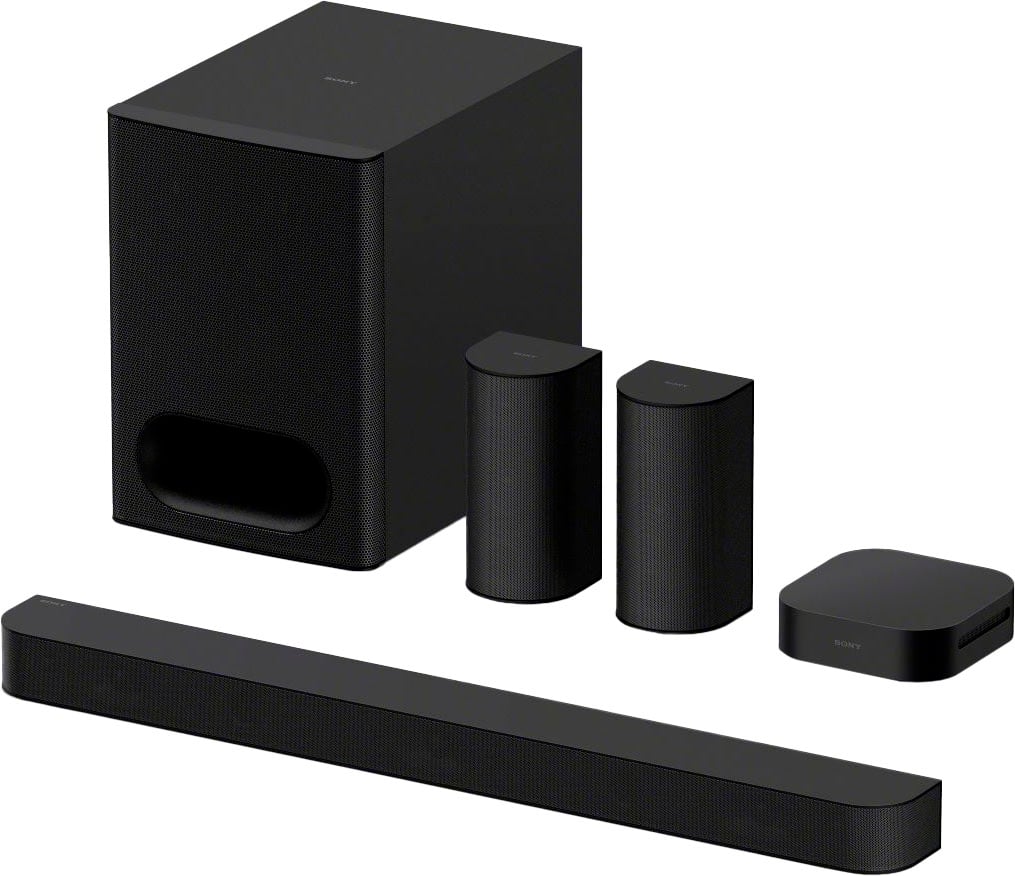
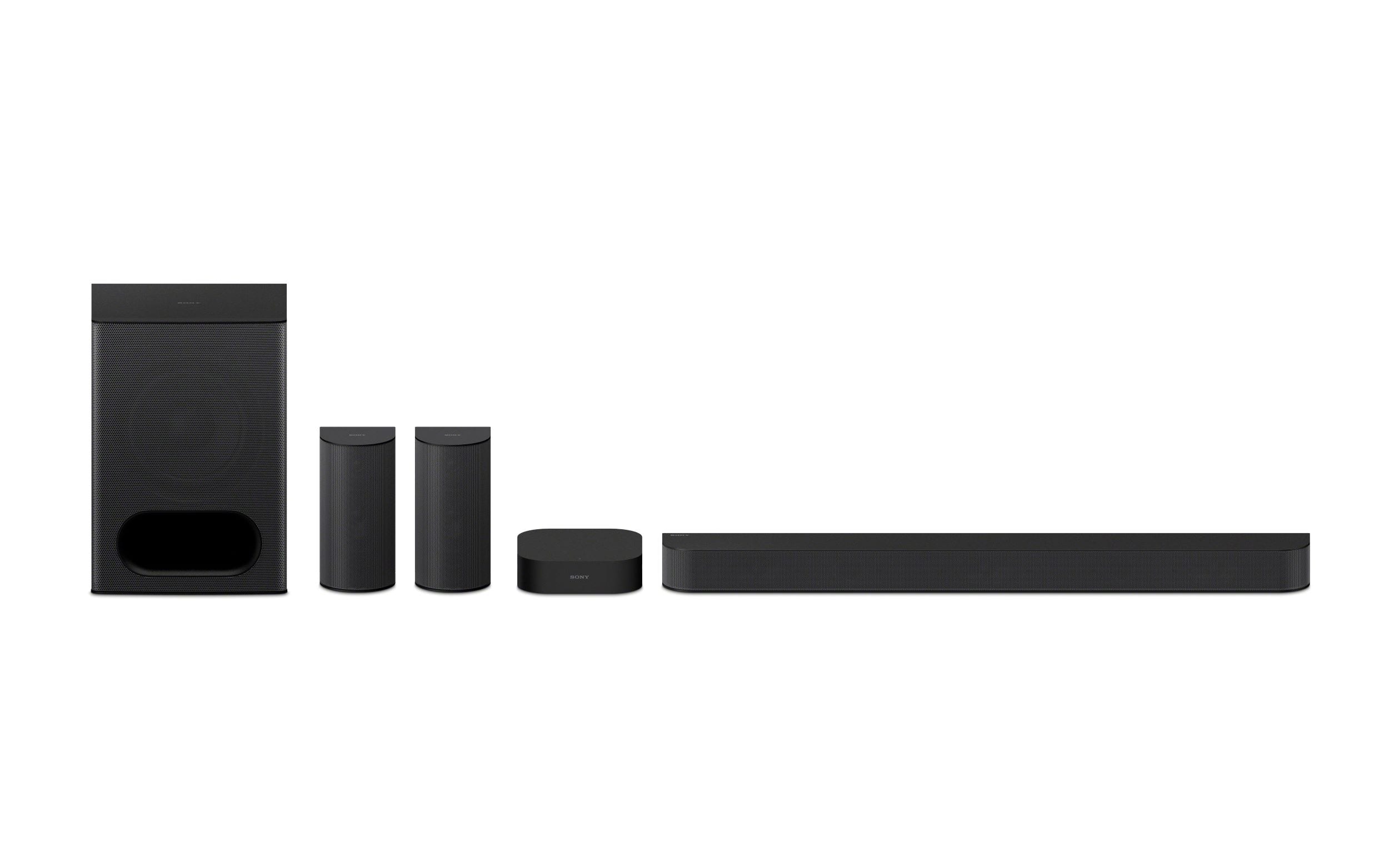
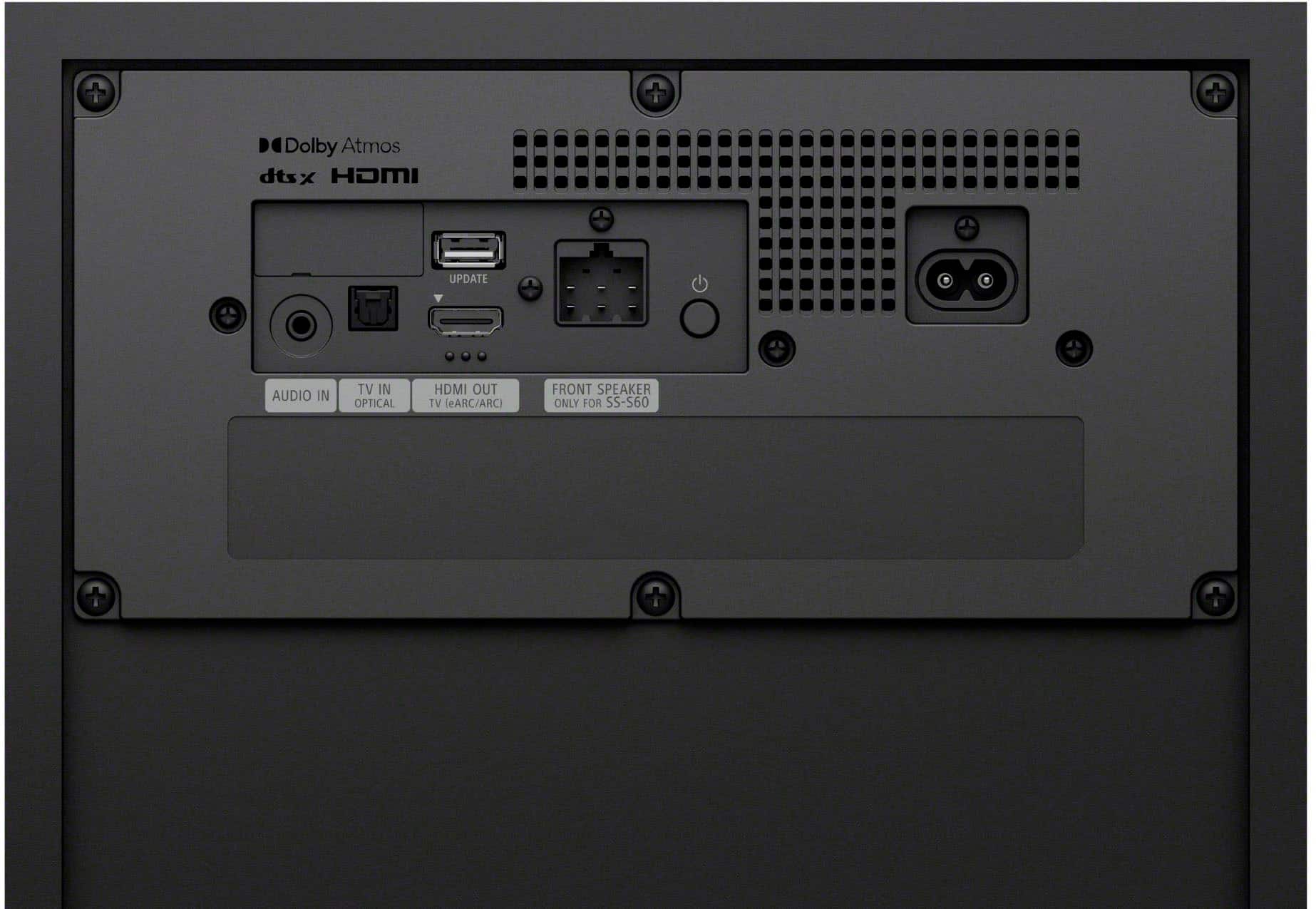

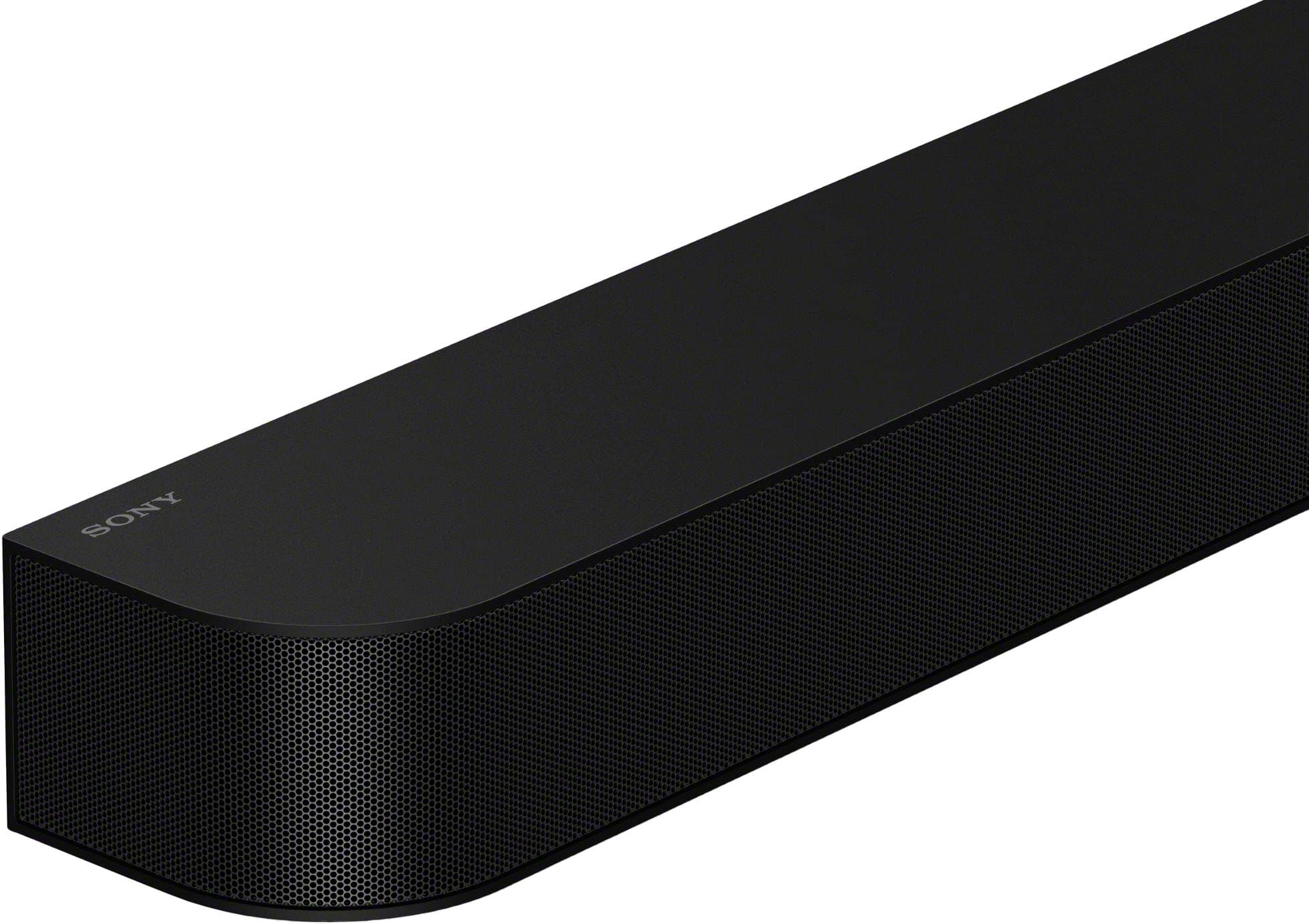
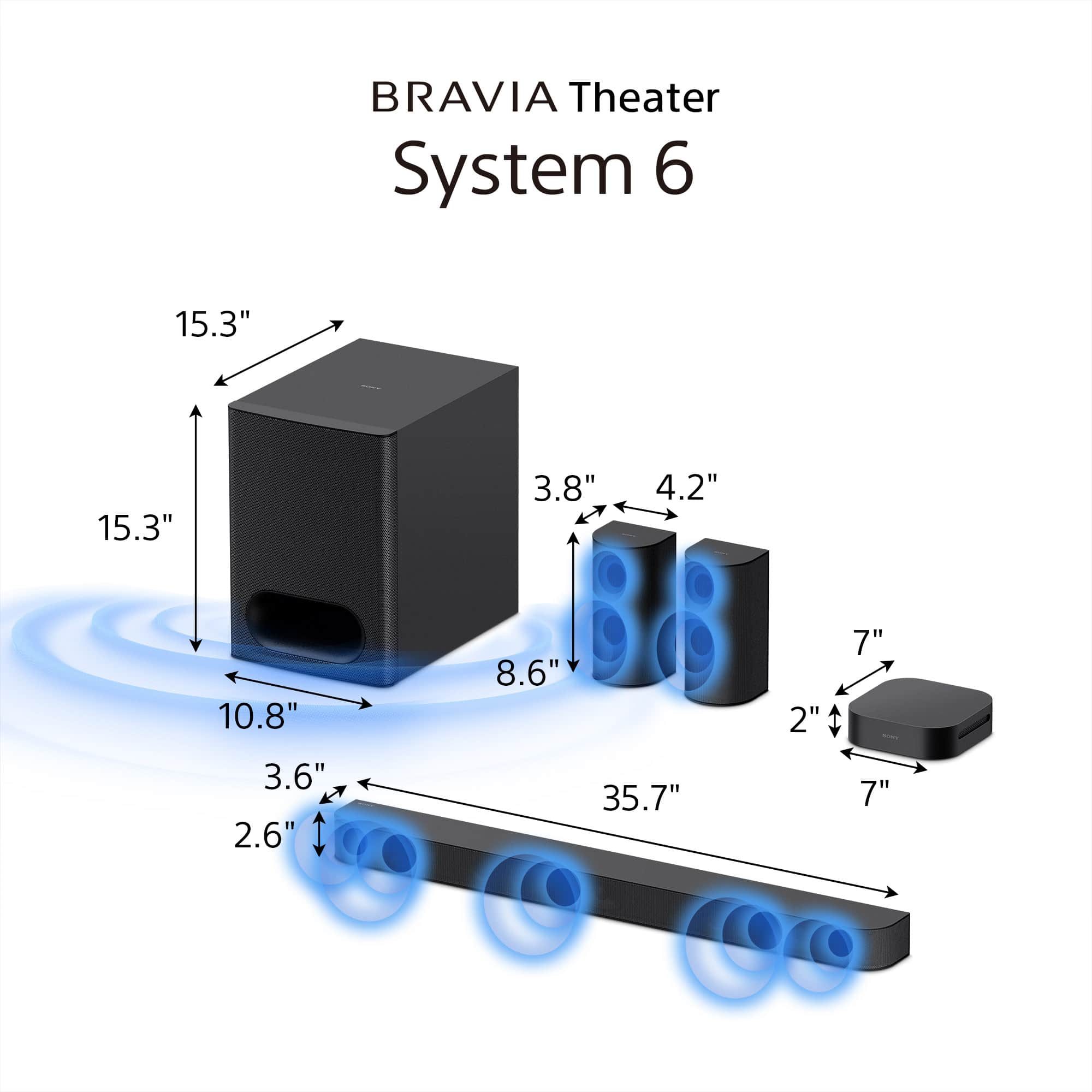
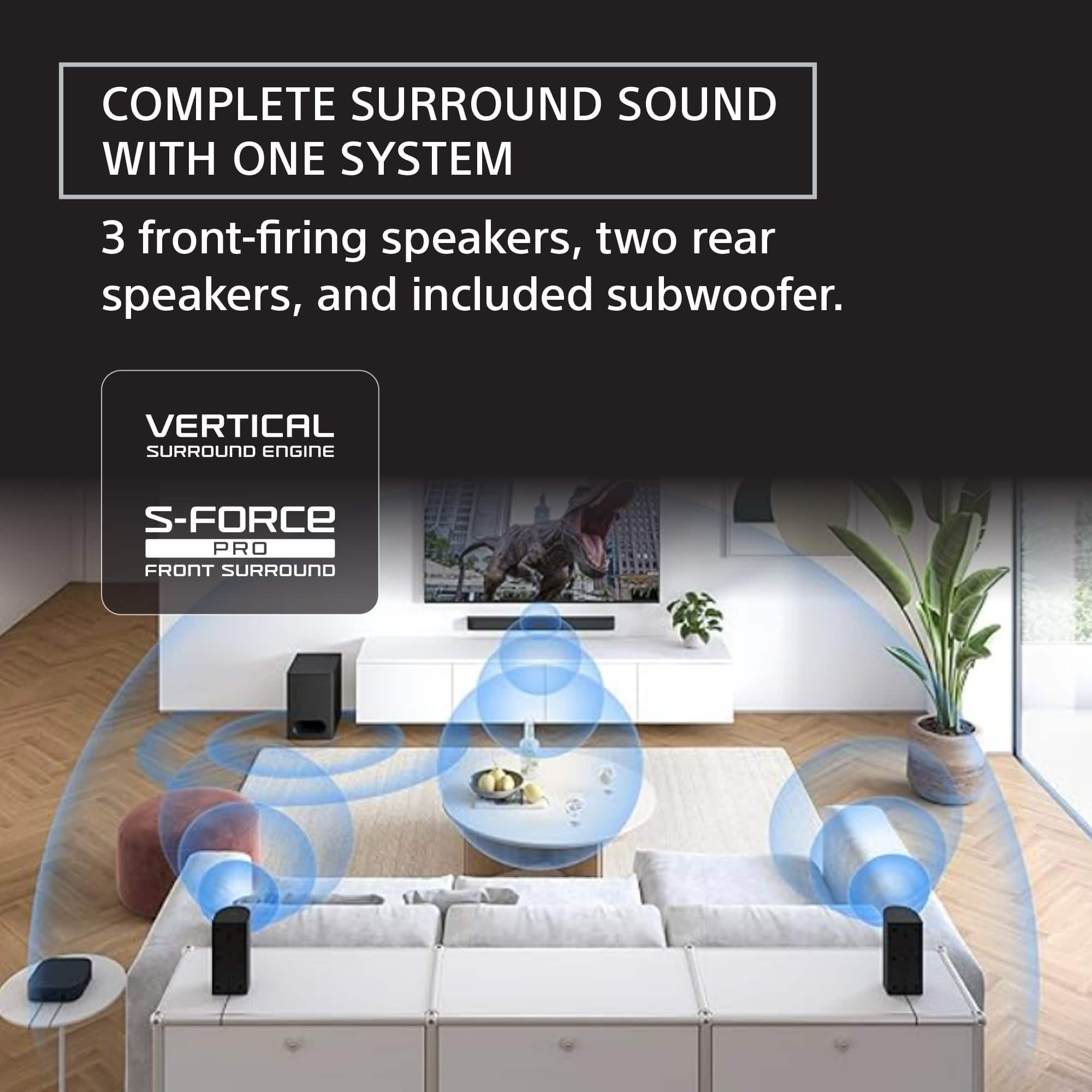
- Model:
- HTS60
- SKU:
- 6623550
Rating by feature
- Value
Rating 4.6 out of 5 stars
- Quality
Rating 4.7 out of 5 stars
- Ease of Use
Rating 4.7 out of 5 stars
to a friend
Customers are saying
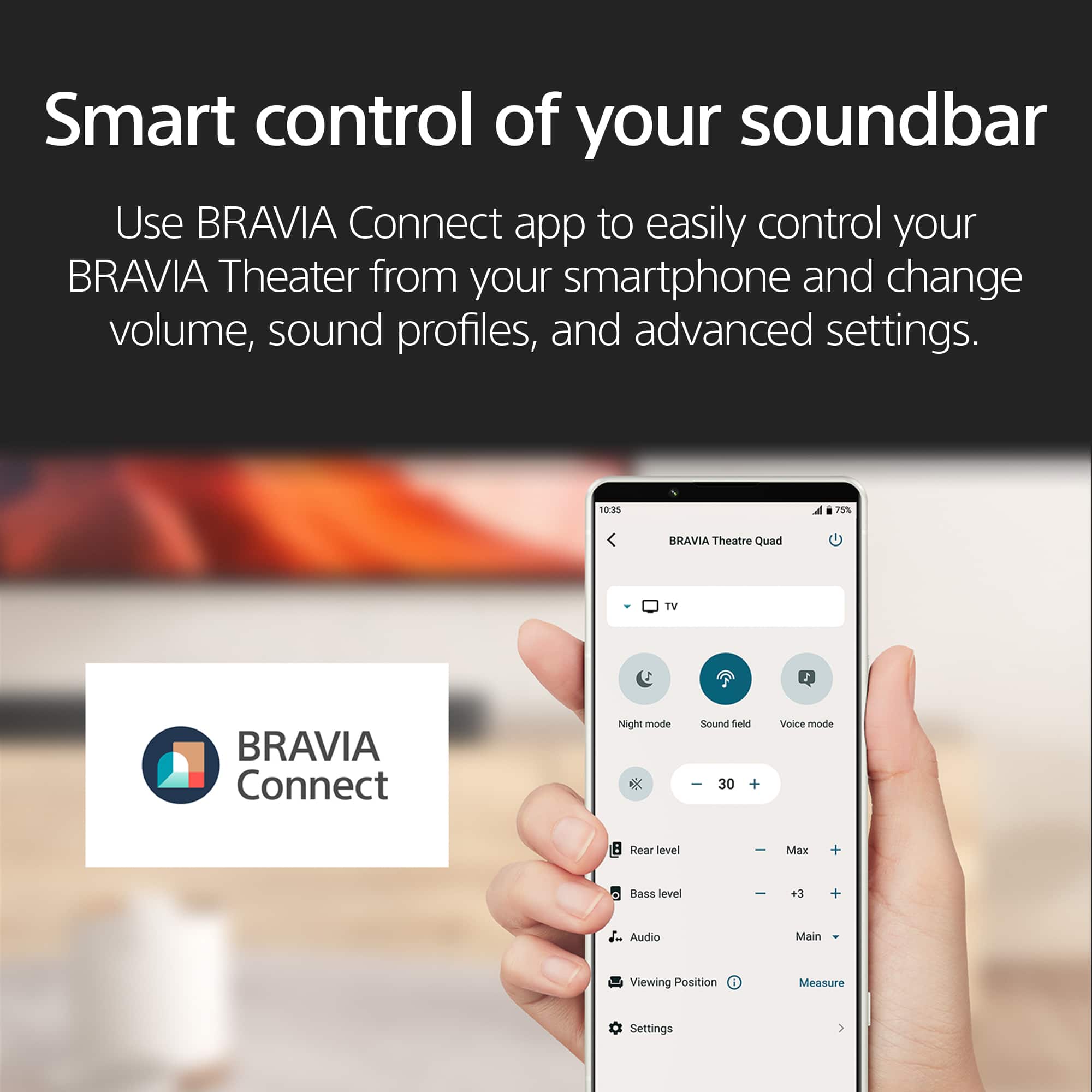
Customers frequently mention the excellent sound quality of the BRAVIA Theater System 6, with many appreciating its deep bass and easy setup. The app control is also a valued feature, simplifying volume adjustments. However, some customers find the lack of a display and the wired rear speakers to be less convenient. Overall, the system is well-received for its audio performance and user-friendly features.
This summary was generated by AI based on customer reviews.
Home theater
||Posted . Owned for 1 month when reviewed.This reviewer received promo considerations or sweepstakes entry for writing a review.The best of the best, I really feel like I am in the movie theater love it
I would recommend this to a friendBrand response from SonyListens
Posted .Hi AntiaC,
Thank you so much for the incredible feedback! We love hearing that you feel like you're in a movie theater with the Sony - BRAVIA Theater System 6. We poured a lot of innovation into creating that immersive and cinematic experience, so your review proves it was all worth it. Enjoy your movie nights!
Thank you for choosing Sony.
Regards,
Dominick
Rear speakers issue
||Posted . Owned for 1 week when reviewed.This reviewer received promo considerations or sweepstakes entry for writing a review.Had to return since rear speakers do not have unique power outlets. Prod description should state this in remarks
No, I would not recommend this to a friendBrand response from SonyListens
Posted .Hello CecileA,
Thank you for considering Sony products.
We appreciate your feedback regarding the HTS60. We sincerely apologize for any inconvenience caused by the lack of distinctive power in the design of the rear speaker.
Your feedback to enhance the product description is highly valued, and we are grateful for your insights. Rest assured, we will pass your comments along to our dedicated Sony team as we strive to continuously improve our products.
Best regards,
-Fred
Great sound system
||Posted . Owned for 3 weeks when reviewed.This reviewer received promo considerations or sweepstakes entry for writing a review.Good system, wireless feature is a plus we can place the speaker wherever we like for better experience
I would recommend this to a friendBrand response from SonyListens
Posted .Hi BaltazarA,
We're pleased to learn that your Sony speaker system has been such a good fit, and thank you for sharing your 4-star rating. It's fantastic to know the wireless feature allows you to place the speaker wherever you like for an even better listening experience—flexibility goes a long way in creating the perfect setup.
Thank you for choosing Sony—wishing you a fantastic day!
DiegoV.
Sound bar and it works really good
||Posted . Owned for 3 weeks when reviewed.This reviewer received promo considerations or sweepstakes entry for writing a review.Great for the money I’m very happy and I hate surveys to make up 400 characters
I would recommend this to a friendBrand response from SonyListens
Posted .Hi MikeB,
We're thrilled to hear you're very happy with the BRAVIA Theater System 6 and find it to be a great value. We truly appreciate you taking the time to share your positive feedback, especially since you're not a fan of surveys! It means a lot to us.
Thanks for choosing Sony!
Sincerely,
Jenn | Sony Social Media Team.
Just buy it
||Posted . Owned for 1 month when reviewed.This reviewer received promo considerations or sweepstakes entry for writing a review.Just excellent. With Sony you won’t be disappointed.
I would recommend this to a friendBrand response from SonyListens
Posted .Thank you so much for your fantastic review, BernotM!
We are so pleased to know you find the HT-S60 sound system excellent. We designed it with features like rich sound, powerful bass, and voice enhancement to deliver a truly immersive audio experience, and it's wonderful to know it's meeting your expectations.
We so appreciate your trust in Sony for your home entertainment—it means the world to us. Thank you for choosing us!
Best regards,
Gus, Sony Social Media Team
Soround Sound
||Posted . Owned for 4 months when reviewed.This reviewer received promo considerations or sweepstakes entry for writing a review.I feel that the sound is not too strong. The TV by itself it sounds better
No, I would not recommend this to a friendBrand response from SonyListens
Posted .Hi BolivarC,
Thank you for sharing your feedback on the BRAVIA Theater System 6. We're sorry to hear that you're not experiencing the desired sound strength, especially compared to your TV's built-in speakers.
To enhance your audio experience, we recommend trying the following adjustments:
-Use the supplied remote control to cycle through different sound modes. For that, press the "SOUND FIELD" button.
-Press the "VOICE" button on the remote to emphasize dialogue, making it clearer and more prominent.
-Perform Sound Field Optimization: This calibration process adjusts the system to your room's acoustics. Access this feature via the BRAVIA Connect app.
For more details, please see this link: https://helpguide.sony.net/ht/2089/v1/en/contents/067_Sound_Settings_2089.html
Thanks for considering Sony and sharing your thoughts.
Warm regards,
Estefany
Bravis Home Theatre 6
||Posted . Owned for 1 week when reviewed.This reviewer received promo considerations or sweepstakes entry for writing a review.This system far exceeded my expectations. I'm so happy that I found this.
I would recommend this to a friendHome theater
||Posted . Owned for 1 month when reviewed.This reviewer received promo considerations or sweepstakes entry for writing a review.Easy to use nice good price solid features really like the product
I would recommend this to a friendBrand response from SonyListens
Posted .Hello Kris,
Thank you for choosing Sony!
It brings us great joy to hear that you're enjoying the HTS60! We designed it to be easy to use with solid features, so it's fantastic to know that we hit the mark for you. Thanks for sharing your positive feedback—we really appreciate it!
Best regards,
-Fred
Trash Connectivity, Glitchy
||Posted .This reviewer received promo considerations or sweepstakes entry for writing a review.Incredible sound system when it works. Remote IR receiver is in the subwoofer, so plan on an IR extender if the sub is tucked away. Pressing Bass or Volume up/down will FREQUENTLY change the input, mute the audio, or cause the entire system to crash. Great sounding system if you’re ok with spending your life’s downtime troubleshooting for 5 min just to watch a movie.
No, I would not recommend this to a friendBrand response from SonyListens
Posted .Hi MichaelP,
Thanks so much for sharing your experience with the HT-S60. We’re glad to hear you’re enjoying the sound quality, but we’re sorry about the remote and system hiccups.
For the issues with the remote causing unexpected changes or crashes, here are a few things you can try that might help:
-Try replacing the remote’s batteries, just in case a weak signal is causing misfires.
-Unplug the soundbar and subwoofer from power for about a minute, then plug them back in.
-If you have other devices nearby that use IR remotes, see if turning them off or moving them helps.
-Ensure your HT-S60 is running the latest firmware: https://www.sony.com/electronics/support/sound-bars-home-theater-systems-sound-bars-surround-speakers/ht-s60/software/00353048
-Perform a factory reset of the soundbar and subwoofer, following these instructions: https://helpguide.sony.net/ht/2089/v1/en/contents/117_Resetting_the_Speaker_System_2089.html
If the above steps do not resolve the issue, contact Sony support for further assistance.
You can locate their information here: https://us.esupport.sony.com/support/s/support-contact?language=en_US&category=ht
Thanks for considering Sony and for bringing these issues to our attention.
Warm regards,
Estefany
Dont recommend
||Posted . Owned for 1 month when reviewed.This reviewer received promo considerations or sweepstakes entry for writing a review.Product works good for a few minutes but then has a popping/distorted sound. I have contacted Sony many times about this issue and they have not been very helpful. I bought this product because i wanted a good theater system and ive had sony products before and works well but with this product they have failed. I would recommend saving your money and finding a better sound system from a better company with better customer service.
No, I would not recommend this to a friendBrand response from SonyListens
Posted .Hello TylenaS,
Thank you for considering Sony products.
We are truly sorry for the frustration and inconvenience you’ve experienced with your HT-S60 soundbar. It is disheartening to hear that what should have been an immersive home theater experience has been interrupted by popping and distorted audio.
Your experience is very important to us, and we sincerely apologize that we have missed the mark—both with the product itself and with our previous support efforts. We understand how disappointing this has been, and we want to work toward making this right for you.
To assist us in gathering more information regarding this matter and to work together towards a solution, please reach out to us via email at socialsupport@am.sony.com. We kindly ask that you include the following details in your message:
Name:
BestBuy Username:
Model Number:
Description of the Issue:
Telephone Number:
Thank you for your patience, and we look forward to assisting you further.
Best regards,
-Fred
Junk Sustem
||Posted . Owned for 3 weeks when reviewed.This reviewer received promo considerations or sweepstakes entry for writing a review.This system is junk. It is not as advertised. It is not a wireless system.
No, I would not recommend this to a friendBrand response from SonyListens
Posted .Hi RochM,
We’re sorry for the frustration and any confusion regarding the setup. While the BRAVIA Theater System 6 features wireless connectivity between the main unit and the speakers to eliminate cables running across your room, each individual speaker and the subwoofer still requires a connection to a standard AC power outlet. If you are having trouble syncing the components wirelessly, we recommend using the Sony | BRAVIA Connect app to guide you through the initial pairing process and ensure all firmware is up to date.
Thanks for choosing Sony.
Best regards,
Eliab
NO WONDER AMAZON BEATS ALL OF THE BEST BUY STORES
||Posted .This reviewer received promo considerations or sweepstakes entry for writing a review.BEST BUY HAS BECOME #1 IN THE WORST CUSTOMER SERVICE WITH ALL OF THE ECOMMERCE IN USA.I HAVE TWO PACKAGES SAME THING WITH 20 DIFFERENT EMAILS MESSAGES.14 HOURS OF PHONE CALLS TO GET PACKAGE PICKED UP.TOO HEAVY TO RETURN STORE.I DID NT ORDER 2.EXCUTIVE RESOLUTIONS 612 292 9474 AFTER EMAILED CEO SENDS EMAIL .I CANT RETURN HER CALL VOICE MAIL IS FULL. PACKAGE IS ON DRIVEWAY TELL FED EX
No, I would not recommend this to a friendEverything was fine until it wasnt
||Posted . Owned for 3 weeks when reviewed.This reviewer received promo considerations or sweepstakes entry for writing a review.I’ve only had this system a month and my right channel for the rear speaker is already faulty. Unacceptable for a new system
No, I would not recommend this to a friendBrand response from SonyListens
Posted .Hi Themusicman, we sincerely apologize for the issue you're experiencing with your HT-S60 home theater system, especially so soon after purchase. It's definitely not the experience we want you to have with a new Sony product.
For direct assistance with this technical issue and to explore solutions, we recommend contacting our technical support team at https://us.esupport.sony.com/support/s/support-contact?language=en_US&category=ht
They're best equipped to diagnose the problem with your rear speaker's right channel and guide you through the next steps.
Thank you for being a valued Sony customer and for letting us know about this issue.
Best regards,
Estefany
Lag of 3 sec when controling volume. Amazing sound
||Posted . Owned for 1 week when reviewed.This reviewer received promo considerations or sweepstakes entry for writing a review.Lag of 2-3 sec when using volume controls. Sony support couldn't fix it even if I have a new Bravia TV as well. Returning it.
No, I would not recommend this to a friendBrand response from SonyListens
Posted .Hello JohnHood,
Thank you for considering Sony products.
We sincerely apologize for the inconvenience you experienced with the HTS60 soundbar and that our support team was not successful in resolving the lag issue, despite your new Bravia TV. We understand your decision to return the product and regret that we fell short of your expectations on this occasion. Please know that your feedback is very important to us, and we will share it with our dedicated team to help enhance our products and services.
Best regards,
-Fred

Good Mid-Tier Fully Immersive Home Theater System
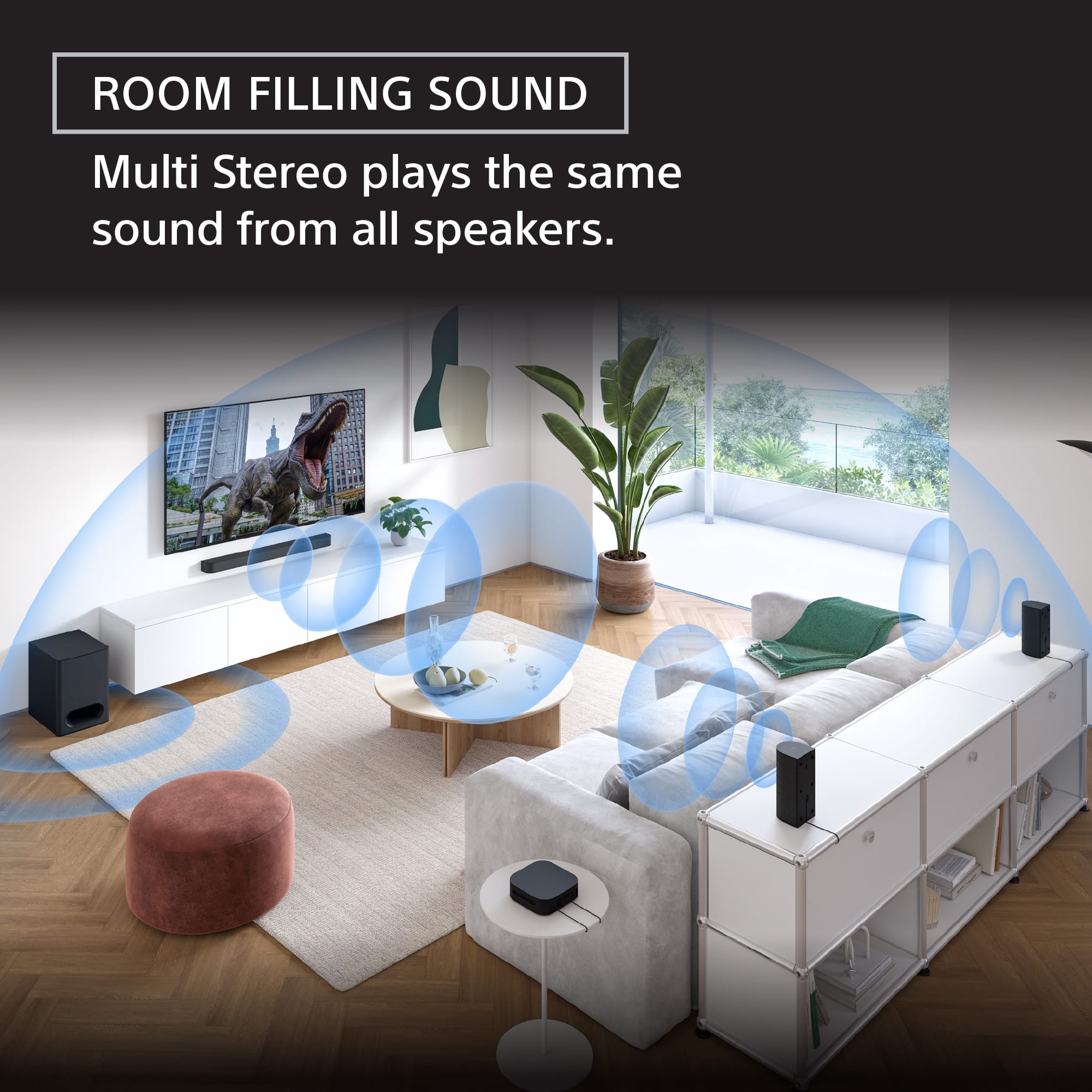
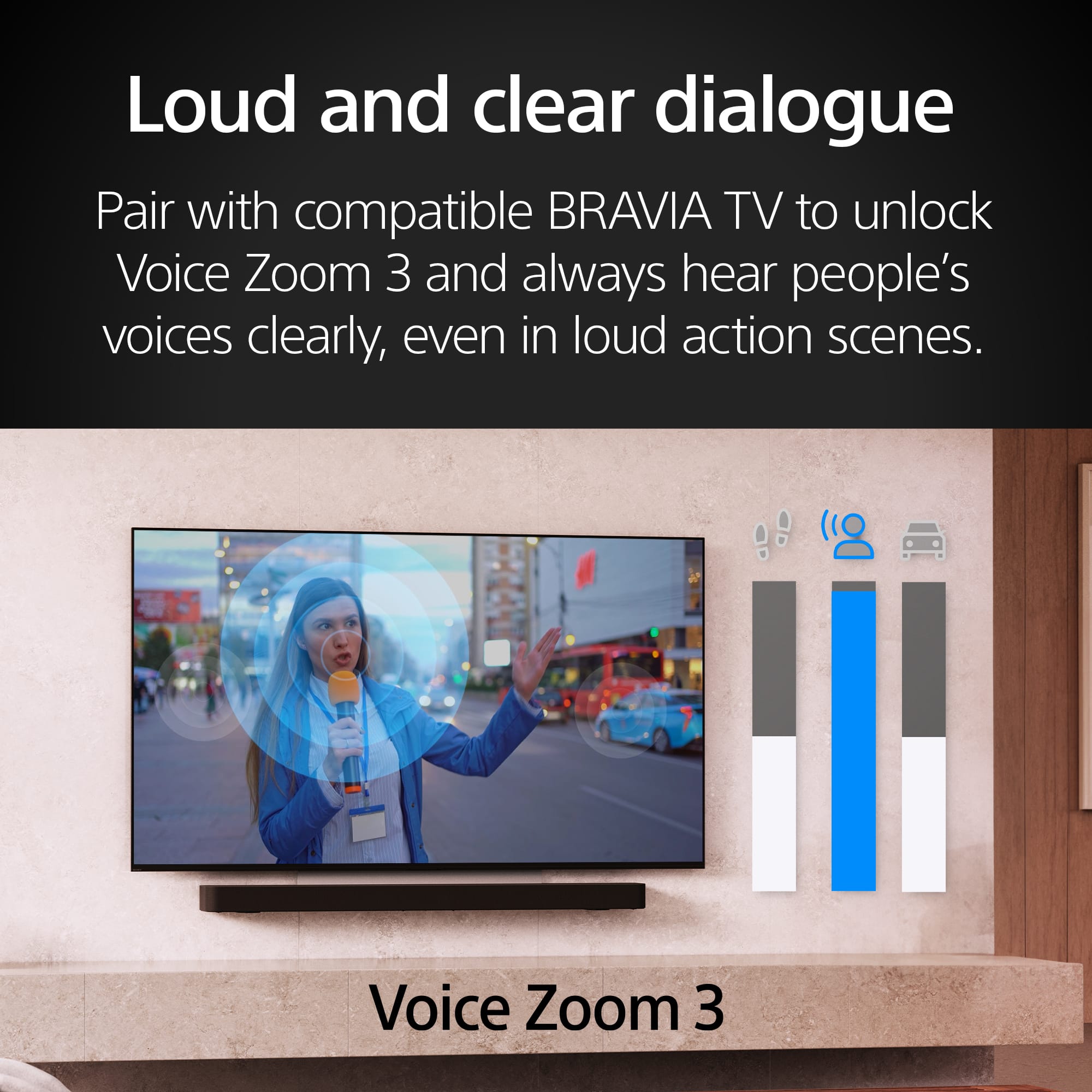
|Posted .This reviewer received promo considerations or sweepstakes entry for writing a review.In the Box: The system arrived in an odd-looking, unwieldy, connected pair of boxes, with a fat/squat cubed box containing the 25lb subwoofer adjoined to a tall box containing the soundbar, amp, rear speakers, power cords, cabling, & remote. The FedEx driver had a heckuva time getting it off the truck & up to the driveway ‘til I rushed out to help her. Packaging: To our delight, all the minimalist matte black components were logically arranged & expertly packed in a tight array of dedicated, formfitting, recessed molds to keep each piece locked down in transit. Kudos to Sony for their attention to detail in designing custom shipping materials ensuring every system component arrives in pristine condition. Sony immediately validates their customers for choosing quality. Installation/Setup: I scanned the QR code to D/L the Bravia Connect app from the Google Play store. I followed the simple paint-by-number instructions for setup, operation & initial settings config. Using the incl. cables, I connected the TV to the subwoofer & the subwoofer to the soundbar. (A wireless signal is then sent to the rear amp to which the L&R rear speakers are wired.) The app eventually confirmed the system had properly read our TV via HDMI/eARC (Enhanced Audio Return Channel) & we were able to control power & volume w/our TV’s remote. After pairing, the app guided us thru the process of customizing the surround sound (‘SS’) system to fit our unique home environment, incl. our seated listening position relative to the speakers & our listening preferences. It was as close to ‘plug & play’ as we’ve seen w/an SS setup. Taking a relaxed, methodical approach, it took just a ½-hr from box opening to install. At the end of the process, the app confirmed our speaker system setup had been completed. App: The app offers deeper settings control than the system’s dedicated remote; so, we connect via the app to rebalance components or finetune settings. Speaker Test: We performed a speaker check using the Test Tone app feature. The app displays & highlights each individual speaker image as it emits an audible synchronized hiss until every speaker has been tested & the full loop is complete. Speaker Positioning/Volume Level Settings: Our setup didn’t require any tools other than a tape measure to check the distance between the sofa & subwoofer & soundbar, & the distance between the sofa & rear speakers. We entered this data in the pulldown menus w/in the Sound Sub-Settings. This data helps optimize the system’s performance when SS is enabled via the default Sound Field setting for max listening enjoyment. The volume level settings for the subwoofer & L&R rear speakers are adjustable (Presets can be adjusted from -6dB to +6dB). We leave these settings at a neutral 0dB for all our OTA TV channels. Sound Field Setting: You can toggle among 3 different Sound Field Types or Virtual Surround Modes, incl.: Sony’s own Vertical Surround Engine, Dolby’s Speaker Virtualizer, & DTS’s Neural:X. Sony’s engine allows the soundbar to ‘position’ sound in vertical space so we can experience virtual 3D audio, ostensibly w/o need for ceiling or up-firing speakers. We liked all 3 ‘virtualizers’ but gave the edge to Sony. To our ears it seemed to offer more pronounced vertical sound placement ‘images’ that add ‘height’ channels to the traditional SS format. Sony uses 360 Spatial Sound Mapping which they combine w/Sound Field Optimization to provide listeners w/optimal sound immersion, surrounding them from all directions, incl. from above. DSEE: You can toggle on/off the Digital Sound Enhancement Engine. Audio info is often lost in the higher frequencies in file compression. But Sony’s DSEE tech analyzes compressed audio files & uses algorithms/AI to recreate this missing info. This restoration is meant to bring the sound closer to high-res audio & contribute to a richer, more natural sound. Audio DRC: This tech compresses the dynamic range of Dolby True HD encoded audio signals so we can hear soft sounds & dialogue more easily. We’ve toggled this on at times to try & avoid resorting to closed captioning. A/V Sync: Depending on the streaming source, we’ve occasionally noticed some separation. You can delay audio to reduce audio-visual mismatch w/a slider that offers a 0-to-120-millisecond delay. We’ve played w/this slider to try & compensate. Advanced Auto Volume: Sony’s tech minimizes volume changes due to changing input signals w/the aim of creating a more consistent listening experience & preventing abrupt changes in volume. It specifically considers the center channel, which often carries dialogue, to make more accurate adjustments. We keep this feature toggled on to prevent loud volume shocks at the start of commercial breaks. Bass: The dedicated subwoofer offers a deep, impactful bass that can reverberate under your feet w/great intensity or be minimized to simply balance out your overall audio’s mids & highs w/o drawing attention to the bass at all. Voice/Dialogue: If you’re being forced to use headphones or earbuds or enable closed captioning because the dialogue is being trampled by an overbearing soundtrack or the studio has cut corners on audio capture or sound engineering, then you can lower the bass & enhance the dedicated center speaker’s voice channel w/Voice Mode via the app or remote. This enhances vocal clarity by boosting mid-range frequencies for clearer voice reproduction in dialogue-heavy scenes. Sony’s unique Sound Optimizer Signal Processing Tech suppresses distortion & lets each speaker produce voice & treble simultaneously w/little-to-no distortion for clearer dialogue. Multi-Stereo Mode: This setting plays the same full audio from all speakers simultaneously. It provides a consistent room-filling sound throughout the space & is appropriate for background music, easy listening, social gatherings, & parties. Night Mode: This mode provides subtle boosts in soft sounds at lower volumes, enhancing dialogue clarity, while lowering the intensity of louder sounds like booms & crashes. It allows late-night TV watching w/o disturbing other family members. Upmixer: Sony’s unique upmixer can upgrade the playback of you older or lower quality content if it wasn’t recorded in Dolby Atmos or DTS:X. This tech restores acoustic details using algorithms/AI to help produce a richer 3D sound closer to what you would enjoy w/content recorded in today’s premium formats. Test Drive: We 1st tested the System 6 by playing a few YouTube 5.1 Dolby Atmos demo clips. Then we streamed a few favs on Pandora (you can also stream music via BT from your phone), watched a few scenes from our favorite movies on Blu-ray, & streamed a few movie scenes on Netflix. Power Cord Length: Both the subwoofer power cord & the rear speaker amp should be at least 1ft longer. With our newer model 77” OLED TV all connecting ports are on the back L side. I had to rearrange everything above & below my TV stand/media console just to make this setup work w/only 1” of cord to spare. Audio Volume Indicator: The small unobtrusive numerical volume indicator that used to appear on my TV screen when I increased/decreased the volume via my TV’s remote control has disappeared ever since I installed the Theatre System 6 & initialized the Sony Bravia Connect app. Now, this volume indicator is displayed only in the app. But I don’t want to access the app screen in the dark just to see the volume setting. I’ve checked my TV settings & manual & there’s no option to reenable the numerical volume display on my TV screen w/this new setup. Can Sony remedy this w/an update? Clunky Firmware Updates: After the Bravia Connect app confirmed it had the latest software v. installed, I visited Sony’s website to D/L a pdf instruction manual & discovered the new Sony speaker system needed a new firmware update. Unfortunately, this speaker system isn’t equipped w/Wi-Fi or an ethernet port; so, the update had to be performed manually, using my laptop & a USB drive. This is a bit archaic compared to my other home theater components which offer direct internet connectivity. I can D/L firmware updates to our spare 11-yr.-old Sony Bravia 4k TV & our 7-yr.-old Sony 4k Ultra Blu-ray Player, as both devices are equipped w/ethernet ports. But w/this new speaker system, I’m forced to jump thru some rather convoluted instructions & annoying hoops to update the firmware which was anything but a smooth process. Overall: I assumed this rather compact mid-tier SS system would improve our movie viewing-enjoyment, but I didn’t think it would make THAT BIG of a difference. As it turns out, I underestimated the impact & power of 3D SS tech combined w/rear speakers & the technical prowess of Sony/Dolby Atmos to deliver it. I won’t say it’s like switching from B&W to color TV but the difference in sound does rise to the level of ‘gamechanger’ in terms of the overall immersive experience. This system provides a ‘you are there’ feeling of authenticity & reality as it places you at the center of the storyteller’s cinematic journey. I’ve been a lifelong fan of Sony’s patented sound processing techs. This well-balanced system provides a theater-like experience w/its 10 total speakers (incl. dedicated tweeters) & delivers quality spatial audio. And it doesn’t hurt that all this tech comes in a beautiful, understated, compact, well-engineered, classic Sony quality build. We’ve always looked forward to movie nights, & now, even more so. You don’t have to spend a fortune on complex, expensive hardware anymore to realize the sound you get w/this compact SS system. Best of all, you can easily & quickly install this simple, compact system all by yourself.
I would recommend this to a friendBrand response from SonyListens
Posted .Hi CriticalEye,
Thank you for sharing such a thoughtful and detailed review! We're glad to hear the Bravia theater 6 exceeded and brought that game-changing impact to your movie nights. Our goal with 3D surround sound and Dolby Atmos support is exactly what you described, delivering and deeply immersive, cinematic experience in a compact and elegant package. It's great to know that the ease of setup and the system's design also added to the overall satisfaction. Your loyalty to Sony's audio innovations means a lot, and we're honored to continue being part of your home entertainment journey.
Thanks for choosing Sony.
-Eliab
A "Bravia New World"...
|Posted .This reviewer received promo considerations or sweepstakes entry for writing a review.I have owned and used a Dolby Atmos 9.2 Channel System now for over 9 years. Recently we had to remove it all due to having new carpeting installed and so this was the perfect opportunity to set up this Sony Bravia Theatre System 6 and compare it to my normal system. Setting it up is of course, far easier and less time consuming. Simply install the Sony Bravia App to your iPhone or Android phone and install the Subwoofer, which has the power supply for the soundbar, connect the soundbar with the attached cabling to the input on the Sub then connect your TV's ARC/eARC HDMI in/output to the Sub's HDMI input. Next you take the rear channel Bluetooth Amp/Receiver for the left and right rear channels, plug the two small speakers into said Amp/Receiver and place them accordingly. Plug in the Subwoofer and the rear channel Amp/Receiver and then follow the VERY EASY instructions to setup the Bravia Theatre System 6. BAZINGA!! Truthfully, the Bravia Theatre System 6 is nowhere near the equal of the 9.2 channel setup I normally have in this room but it is also much, much easier to work with and doesn't take up anywhere near the floor space. But having gone through every single version of Dolby's Surround Codec for home use over the decades I can state without reservation that this supposed "entry level" (compared to Sony's other more advanced soundbar systems in their Bravia line!) soundbar/sub/rear channel is up to the task of providing a dramatically realistic sense of "being there" and if this is your first time with Dolby Atmos, you WILL be not only impressed but more than satisfied! And happy with your purchase! I set up the Sub and rear channel speaker distance parameters in the Bravia app as well as rear channel volume and subwoofer output level. I positioned the rear speakers at approximately just a foot or so above ear height and their volume at 50% of full level and adjusted the Sub's output according to my preference based upon the film/show I was viewing. Watching a show streamed in Dolby Atmos ("The Mandalorian") that I am very familiar with revealed what I would conservatively estimate to be 40% to 50% of the performance of my normal 9.2 Channel system. Keeping in mind that the Sony Bravia Theatre System 6 equipment takes up perhaps only 25% or so of the physical space of my normal setup, I am more than pleased with the performance of this system. When viewing Max's new series "Sherlock & Daughter" I was treated to a 5.1 channel rendering of the show's engaging dialog, somewhat limited (to the time period being portrayed in the show!) sound effects and musical soundtrack. In a world EXCELLENT! Films I viewed via my streaming services included Thor, Iron Man, Spiderman, Deadpool 1 and 2, Batman Begins, The Batman and more. Musicals such as Brigadoon and Oklahoma! were audibly rendered in glorious stereo that was a marvel of the sound of music made "more" by the excellent performance of the Bravia Theatre System 6! Not caring at all for professional sports and MLB games are not something I normally watch, I "suffered" them for the sake of this review, LOL!. The stadium crowd became a resounding part of the visual experience on my 65" Hisense TV and was most impressive for someone like myself that rarely if ever, watches sports. On the app if a codec is supported as Dolby Atmos is, it is shown in the upper right hand corner of the app. Watching game 3 of the Stanley Cup playoff between Florida and Edmonton the Bravia decoded Dolby Atmos for me and I was once again sonically transported to the arena. When watching "Sherlock & Daughter" the app displayed the codec as a 5.1 Channelmix presented to and decoded by the Bravia Theatre System 6. I am looking at this from at the least, the point of view of a newcomer to Atmos in particular and Surround in general but also at the far end of the scale, someone like myself that is used to a more powerful and engaging Atmos setup with 7.2 to 9.2 channels but thinking of downsizing. But truth be told, I am leaning toward the newcomer end of the scale of the surround experience. This system will ultimately wind up in our Family Room for use by my wife for her normal TV and Hallmark Romance movie viewing along with films and shows more suited to our very young grandchildren. The Sony Bravia Theatre System 6 is that easy and that good. There is a noticeable difference in the quality and placement of sound "cues", if you will with this system. Bass reproduction by the powered sub is outstanding for a unit of its size. It is easy to use in that once hooked up, it turns on with your TV and if your wish is to bypass it simply turn it off with the supplied remote control and use your TV's builtin speakers. But like many such things, once you have become accustomed to it, the Sony Bravia Theatre System 6 will become the sound foundation of your viewing and listening pleasure. Roughly 85% of my main system was purchased at Best Buy with my own money and it will go back in to our Media Room which is where I primarily watch films and listen to music. The cost of that equipment is several times that of this Sony setup but again, the Bravia provides in my estimation at least 40% to 50% of the sonic benefits of my 9.2 system with the caveat being what you decode is what you are sent and what your equipment has the ability to decode. Dolby Atmos is quite popular and with good reason. There is an abundance of film and shows available with Atmos as their surround codec! My wife is overjoyed in anticipation of my moving the Bravia Theatre System 6 from the Media Room to the Family Room. Soon. Real soon. As are our grandchildren! Five Stars. Why? Because it delivers the goods. With ease of setup, ease of use and a markedly pronounced difference for the better in sound reproduction! If this is your first foray into surround sound and especially so Dolby Atmos, be prepared to be happy! If you are downsizing from something like a 7.1 to 9.2 or more system understand that what you are "giving up" by going to a soundbar will depend upon the genre of film you watch. If you are like me and watching everything from the 1930s (mono) to the classic movie musicals of late 1950s (stereo) and into the 1970s with the advent of Dolby Surround and beyond, you will not be disappointed but rather, more than satisfied. The two photos I included show a before photo of when I was beginning to remove my 9.2 system for the installation of new carpet and after photo of my temporary test setup of the Sony Bravia Theatre System 6. Like the title says, it really is a "Bravia New World". Highly recommended. Indeed it is!
I would recommend this to a friendDeep Bass and Clear Sound
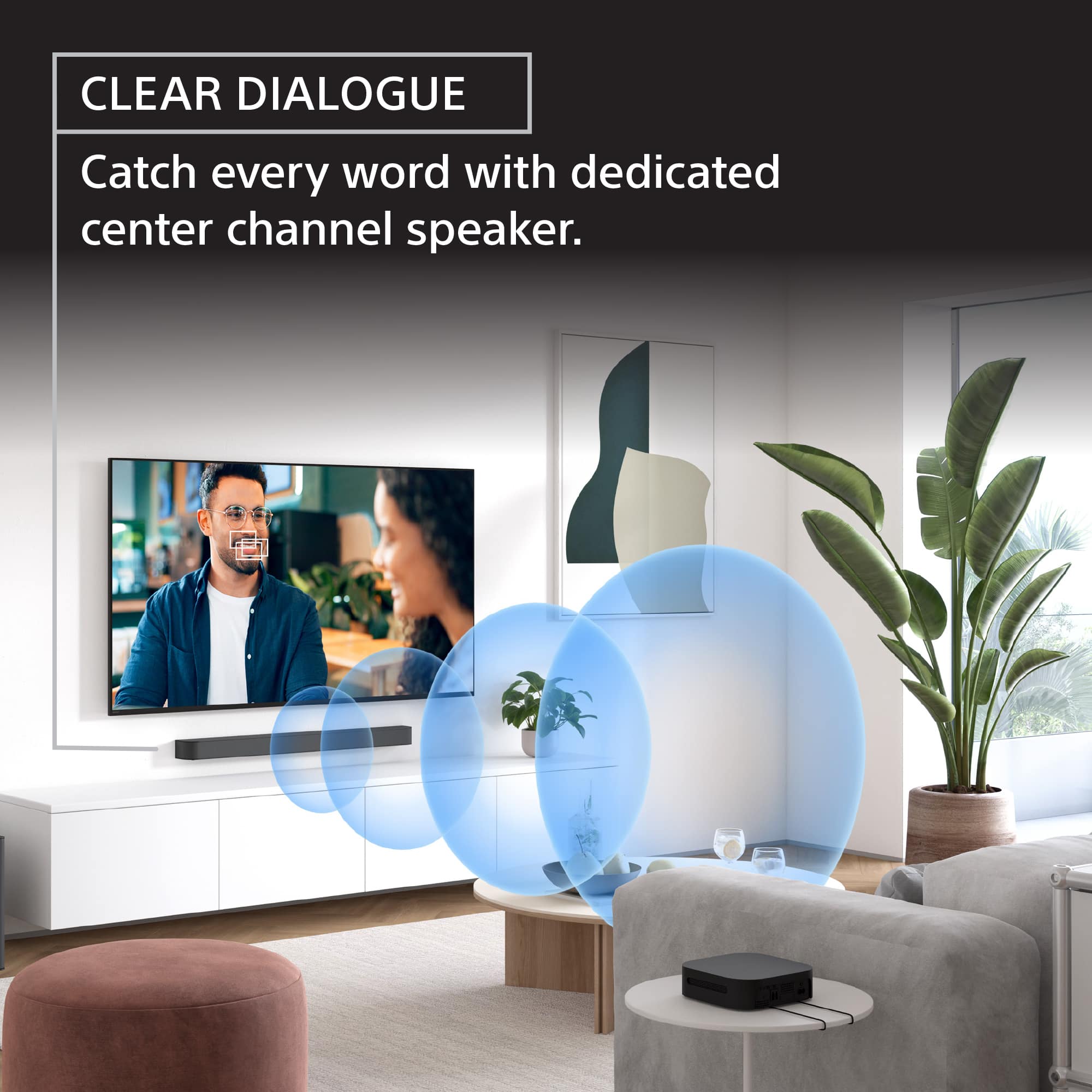
|Posted .This reviewer received promo considerations or sweepstakes entry for writing a review.While TV speakers are getting good, nothing really compares to what a surround sound system will do for your listening experience. Sony delivers a fantastic surround sound experience that is easy to setup and enhances your entertainment system. Pros: - Sound on this theatre system is clean and loud. Voices sound great through the center channel and dialog in movies and videos come in clear while still getting all the detail from the action sequences. You get all the details of sound in a chaotic action sequence while still getting clear dialog. - The sub has very good bass. I enjoy turning it up for music, but I need to turn the level back down to 1 or 2 for movies just to balance it out with the sound. - The Bravia app allows you to go in and adjust sound settings, volume, and sound profiles. Right on the main screen you can adjust the volume of the speakers as well as how much bass the subwoofer is putting out. The sound profiles allows you to quickly switch between different sound settings. On by default is sound field. If you go to the settings you can adjust how this performs, but from what I can tell it uses Upmixer of Dolby or DTS depending on what kind of content is detected. You have the option to switch to only Dolby or only DTS virtual. Also within the app you can control how the device works with eARC, Bluetooth, system settings, and even powering off and on. It’s also worth noting you’ll need the app to finish the setup process, including testing the speakers, and setting up their location and distance from the listening area. - Setup was simple and straight forward. While the rear speakers aren’t quite wireless, you get plenty of cable and they clip right into the receiver which does communicate wirelessly to the subwoofer. This gives quite a bit of flexibility regardless of being wired with the receiver being wireless. The subwoofer seems to be where the brains are seeing as how it’s where the HDMI and sound bar plug into. Once connected to the eARC plug on your TV, soundbar connected, and then the sub plugged in, you can fire up the app and follow the steps to get everything connected. Once through the setup process, the remote or app to control all things sound on the subwoofer, or if you’re just a one remote person, the tv remote would control the sound just as well, but you lose some of the customization provided with the app or remote. Cons - It really depends on your setup but if you have a wall mounted TV, running the HDMI cable from the subwoofer, ideally located on the floor, up to the TV, may require a longer cable and might not be necessarily the cleanest look unless you can hide the wires. The same is true for the rear speakers. While you probably have a place in mind for the speakers, finding a place for the wireless receiver could be a problem, depending on how far apart your speakers are. There’s plenty of included speaker cable, so you’re likely to put the receiver where one of your speakers are, but now you have a cable to either hide or blend. Final Thoughts - I find that this is a great sounding surround system. While it has plenty of sound features and supports upmixing and dolby and DTS standards, you don’t get some of the more advance features that are out there such as room analysis to adjust sound and deeper integration with the TV speakers, or fully wireless connectivity (aside from power cables). If you’re looking for a plug and play surround sound system, with an easy setup process, and a great sound, you’ll be very happy with this theater system.
I would recommend this to a friendThis Soundbar creates incredible Movie Sound
|Posted .This reviewer received promo considerations or sweepstakes entry for writing a review.I have grown up with surround sound starting with Dolby Prologic utilizing separate components. Over the years we have been able to reduce speaker size, add Dolby Digital & Dolby Atmos. But now we have some soundbars that rival, or exceed the sounds produced by separate components. This Sony Bravia Model 6 is one of those Soundbars that has succeeded in making a serious attempt at reproducing some great Movie Sounds and has succeeded! The Bass reproduction is BIG time! Serious chest pounding bass with crisp, loud, clear highs and voices. I played Avatar on a Sony OLED with this Soundbar and it blew away my original name brand receiver and name brand speakers standing 4 ft tall. The sounds were cleaner and clearer on this Sony and the Bass was super strong during the fight scenes. We are talking chest pounding bass! And I mean in a good way! You still have control using the remote or the app to increase or decrease the amount of bass. There is also a night mode, to reduce disturbing the neighbors. This model requires the Bass Module to be up front near the Soundbar and I think that makes the Bass reproduction so much better because its projecting toward the viewing area. If you require the bass module to be located more than 6 feet from the actual soundbar, this model is not for you. This Sony has a wired cable that must run between the Base Module and the soundbar. Additionally, the HDMI cable from the TV must run to the base module. However, the rear extension speakers can be located in the rear of your room without wires from the front. Setup was easy and fairly quick. Plug the Soundbar itself into the Base Module. Run the provided HDMI cable from the E-ARC on the TV into the Bass module. Run a power cable from an AC outlet to the Bass Module. Set up the rear speakers and plug them into the provided small rear amp. Run a power cable from an outlet to the small amp that can be hidden behind or under a sofa. Download the Sony Connect App on your phone and start the setup. The setup using the Sony Connect App is quick and easy. It walks you through each step and there are tones played to confirm that its working and progressing through each step. Once finished, you are ready to enjoy some great sound. The App or the included remote can be used for operating the system. The App provides a setup tone to assist balancing the relative volume from each of the 5 speaker groups. The App is also great while watching a show to make small adjustments for the rear speaker volume, bass intensity, Voice enhancements and etc. There is a Voice Enhancement button on the remote and on the app. It does as great job of boosting the clarity of voices both in music and in dialogue. The system turns on with the TV and turns off when you turn off the TV. You can Bluetooth from you phone to the soundbar for listening to your favorite music or Podcast. Sound is excellent! Well balanced, powerful, crisp, and clear. CONCLUSION: One of the best sound systems I have listened to in my 30 plus years using various surround sound systems. It’s also one of the easiest to setup and use. Even the rear speakers sound large and loud if need be. They really compliment the sound field that is created up front. I would definitely recommend this system to anyone wanting super clear and powerful movie sound in their home. It's a winner.
I would recommend this to a friendBrand response from SonyListens
Posted .Hi GagetGuy, we are thrilled to hear your enthusiastic feedback about the Sony HT-S60 Soundbar! It’s fantastic to know that our soundbar has exceeded your expectations and provided an exceptional audio experience. Your detailed description of the impressive bass reproduction and the clarity of the highs and voices truly highlights the strengths of this product.
We appreciate your thoughtful remarks on the setup process and the performance of the rear speakers. Thank you for sharing your experience with us, and for recommending our sound system to others.
Thank you for choosing Sony and we hope you continue to enjoy the incredible sound it delivers!
Best regards,
Estefany
Sounds great and easy to setup
|Posted .This reviewer received promo considerations or sweepstakes entry for writing a review.The setup was pretty simple, the wireless rear speakers connected up without an issue, which i figured might give me the biggest issue if anything did. Not only that but they connect up seemlessly everytime the system is turned on which turns on and off with the HDMI ARC, which is exactly what i want. The surround sound is customizable for the distance and setup that you have in your room. I think the most interesting part is the bass is actually the main device that provides power and data from the TV to the sound bar. So if you are one of those people that thinks you might just put the bass in the closet at some point (not sure why but i know those people exist) this is not the device for you. For everyone else, this should work fine, or kind of. The issue with this is that i moved power up to my TV so that i can place the sound bar on the wall right below the TV and no cord will show. Because this has a cord that goes down to the bass unless you ran a tube down your wall, you will have a cord going one way or the other up to the TV. If cord don’t bug you or you have a tube up to your TV, or maybe just the HDMI up to your TV, this works amazing (or maybe your TV isn’t wall mounted). It’s especially weird it was done this way when the wireless to the rear speakers works so flawlessly, it seems like a wireless bass might have made it easier to not worry about cords. The wireless rear speakers aren’t actually wireless, just wireless to the front bass/soundbar. There is a box and two speakers that need to have a wired connection to the box. All three have all mount hooks on the back that worked quite well for getting them off the night stands. Surround sound is just cool, I love having the sound all around you, it’s the standard for my headsets, but not my TVs which is just weird. The sound quality is good and voices are clear. The bass adds a wonderful element to the sound as well. The TV I put it on had a sound bar without a bass and the upgrade is just amazing. Pros: Sounds great Easy to setup Surround Sound plenty of length provided for rear speaker wires Easy to use wire plugs Cons: Don’t love the bass being where everything is plugged in at.
I would recommend this to a friendSimple Setup and Great sound.
|Posted .This reviewer received promo considerations or sweepstakes entry for writing a review.I’m going to start with the simple stuff. The packaging for this item was actually pretty good. Lots of environmentally friendly fabric/papers for backs and covers on stuff, which is nice to see. The package housed everything well, and I feel even if the box got beat up a bit, it would survive okay. Setup was super simple. Although it did throw me off a bit when I had to plug the HDMI signal of EARC into the subwoofer instead of the sound bar. I guess for this model all the processing is done in the subwoofer housing and not in the soundbar housing as I have seen with some sound bar/theater setups in the past, even from Sony. Other than that it was super simple: plug the sound bar into the woofer, plug in power and HDMI to the woofer, and then the rear speaker setup is wireless so your rear speakers connect to a receiver in the back with wires and then that is wireless to the base unit. It’s nice that you don’t have to run wires from back to front in your room to get the rear channels. Once the cables were all plugged in, I had to install their app and run through the setup process. After that, it was fairly straightforward. Not any issues to speak of. Overall sound quality is miles better than the simple sound bar only setup I had before, and it’s really nice to get the whole package with such a simple setup process. If I had any complaints, it might be that other than a single setting to boost voices, there is not a simple way to increase or decrease audio levels of just the center channel. I tend to have a hard time distinguishing voices in other sounds, so I normally like to increase the voice/center channel with systems. I was, however, able to increase/decrease the sub channel and the rear channel, so that’s nice, I guess. Overall, I would say if you’re looking for a decent all-rounder, this setup is actually pretty decent. And if your TV supports things like Dolby Atmos, the things they can do with spatial audio are amazing out of such a simple setup. From my current use, it’s a great overall system.
I would recommend this to a friend